
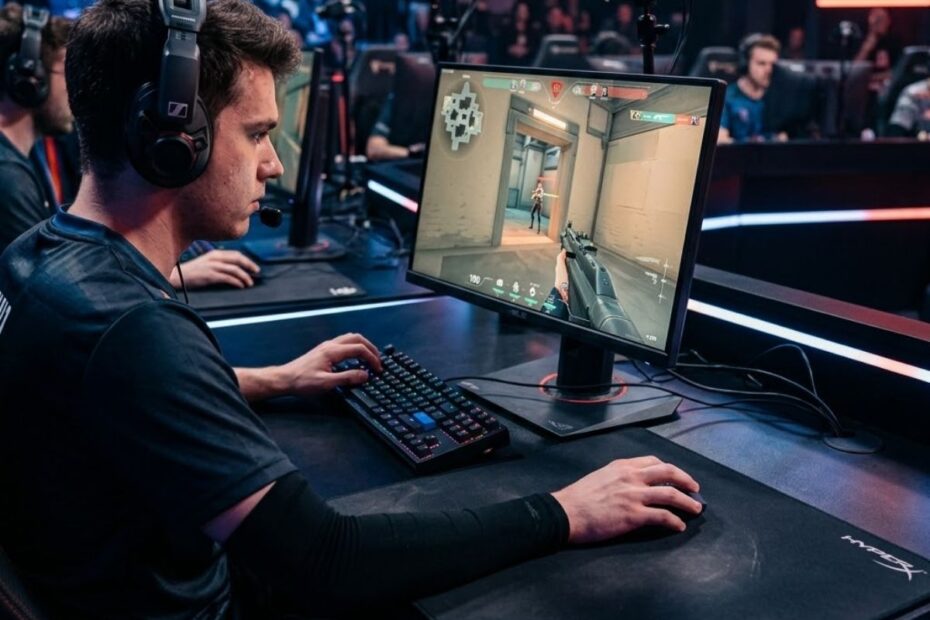
Low sensitivity aiming in Valorant is an aiming style that uses slower mouse settings and larger arm movements to improve precision, crosshair stability, and consistency during tactical gunfights. Most professional Valorant players use low sensitivity because tactical shooters reward clean micro adjustments and accurate crosshair placement more than extremely fast turning speed.
Many players initially believe sensitivity is only about comfort, but it actually shapes almost every part of your mechanics. Your flicking, tracking, spray control, angle clearing, and movement discipline are all affected by sensitivity. A poor sensitivity can make good mechanics feel inconsistent, while a well balanced low sensitivity can make aiming feel controlled and repeatable under pressure.
Valorant is heavily centered around first bullet accuracy. Because of that, lower sensitivity tends to work extremely well for players who want cleaner rifle aim and more stable crosshair movement. Instead of relying on twitchy wrist corrections, low sensitivity encourages deliberate aiming that supports tactical decision making.
However, low sensitivity is not automatically the best choice for every Valorant player. Desk space, mousepad size, grip style, arm movement, and posture all influence whether a low sensitivity setup actually improves performance. Players who want to understand the foundation behind sensitivity settings should first learn what DPI means in gaming mice, because DPI and sensitivity work together to determine effective mouse speed.
What Is Low Sensitivity Aiming in Valorant?
Low sensitivity aiming in Valorant is an aiming style that uses slower mouse settings and larger physical hand or arm movements to rotate your crosshair. Most low sensitivity players in Valorant usually play between 160 and 320 eDPI.
eDPI stands for effective DPI, which combines your mouse DPI and in-game sensitivity into one number. This measurement is important because two players can use completely different DPI settings while still having identical overall mouse speed.
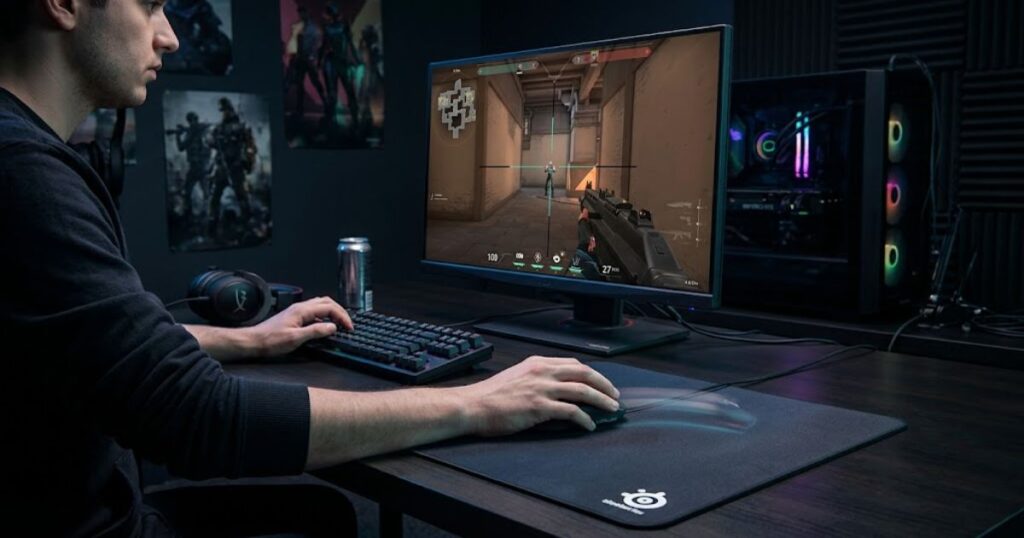
The setup shown below reflects how many low sensitivity Valorant players create more space for controlled arm movements and precise crosshair adjustments.
For example, a player using 800 DPI with 0.30 sensitivity has the same eDPI as someone using 1600 DPI with 0.15 sensitivity. Both players effectively move at 240 eDPI even though their settings look different individually.
Low sensitivity became dominant in tactical FPS games because these games reward precision over rapid movement. In Valorant, accurate headshots matter more than fast spinning. Since movement inaccuracy is extremely punishing, players benefit heavily from stable aim control and precise stopping power.
Low sensitivity affects several important aspects of aiming performance:
- Crosshair placement stability
- Micro adjustment precision
- Tracking smoothness
- Spray control consistency
- Peek discipline
- Target transition control
One of the biggest differences between low sensitivity and high sensitivity is how the body moves during aiming. High sensitivity players usually rely heavily on wrist movement, while low sensitivity players naturally incorporate more forearm and arm movement into their mechanics.
This is one reason why many competitive players eventually transition toward arm aiming techniques. The extra movement space allows more accurate corrections during stressful gunfights.
The table below compares the most common sensitivity categories used in Valorant:
| Sensitivity Category | eDPI Range | Movement Style | General Feel |
|---|---|---|---|
| Low Sens | 160 to 320 | Arm dominant | Stable and controlled |
| Medium Sens | 320 to 450 | Hybrid arm and wrist | Balanced |
| High Sens | 450+ | Wrist dominant | Fast and reactive |
Note: Most Valorant players who prioritize precision and consistent rifle aim tend to stay within the low sensitivity range, while higher sensitivities are often chosen for faster turning speed and limited desk space setups.
Players who are serious about precision aiming often combine low sensitivity with stronger positioning and cleaner crosshair placement fundamentals. This is why tactical mechanics and sensitivity optimization usually evolve together rather than separately.
Why Low Sensitivity Became Popular in Valorant
Low sensitivity became popular in Valorant because tactical shooters heavily reward precision and consistency instead of chaotic movement speed. Professional players discovered that slower sensitivities reduced overflicking and improved headshot accuracy during stressful fights.
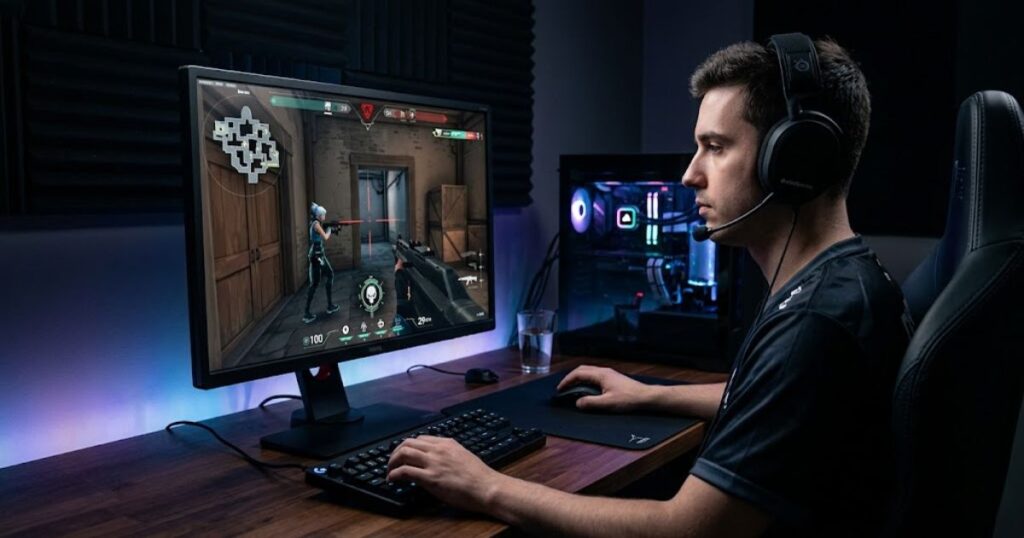
The setup below reflects how many competitive Valorant players build their environment around controlled aiming and precision-focused gameplay.
Valorant differs from arcade shooters in several important ways. Time to kill is extremely fast, movement inaccuracy is severe, and rifle gunfights are often decided instantly. Because of that, players do not need extremely high turning speed nearly as often as they need controlled micro adjustments.
Lower sensitivity naturally creates more physical room for aiming corrections. Tiny hand mistakes no longer send the crosshair flying across the screen. Instead, movement becomes smoother and easier to stabilize.
Low sensitivity became especially popular because it improves performance in situations such as:
- Holding tight angles
- Pre-aiming common peek spots
- Tracking strafing enemies
- Burst firing at medium range
- Making small recoil adjustments
Professional players also spend thousands of hours reinforcing muscle memory. During that process, consistency becomes more important than raw reaction speed. Low sensitivity supports this consistency because physical movements become larger and easier to repeat accurately.
Another reason low sensitivity dominates tactical FPS games is mental stability. High sensitivity often creates jittery aim and panic corrections during pressure situations. Low sensitivity tends to calm movement down and encourage deliberate gunfight mechanics.
According to Wikipedia, tactical shooters emphasize positioning, precision, and strategic engagements over arcade-style mechanics.
“Tactical shooters are designed to encourage caution, carefulness, cooperation, coordination, planning, and precision.”
This philosophy aligns perfectly with low sensitivity aiming. Players are rewarded more for disciplined accuracy than uncontrolled aggression.
Many players trying to improve consistency also focus heavily on tactical aiming fundamentals in Valorant because sensitivity alone cannot fix poor decision making or poor crosshair discipline.
The table below summarizes the main reasons low sensitivity became popular among Valorant players:
| Reason | Why Players Prefer Low Sens |
|---|---|
| Precision | Reduces accidental overcorrection |
| Tracking Stability | Creates smoother enemy tracking |
| Crosshair Control | Improves head-level consistency |
| Recoil Management | Allows cleaner rifle control |
| Consistency | Produces more repeatable aim mechanics |
Note: These advantages explain why low sensitivity remains the preferred aiming style for many professional and competitive Valorant players.
Low Sensitivity vs High Sensitivity in Valorant
Low sensitivity offers stronger precision and smoother control, while high sensitivity provides faster movement speed and easier turning capability. Both styles have advantages, but Valorant generally rewards precision more heavily than raw movement speed.
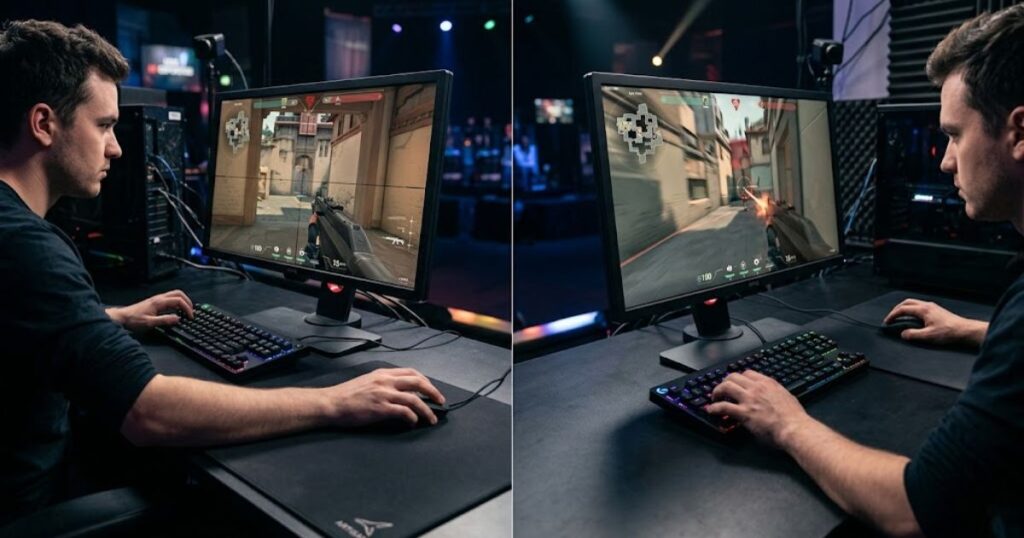
The image below compares two common aiming styles in Valorant, showing how low sensitivity and high sensitivity create different movement habits during gunfights:
High sensitivity allows players to turn rapidly with minimal physical effort. This can feel responsive and exciting, especially for aggressive players who rely heavily on flick reactions. However, the downside is reduced movement stability.
Small wrist errors become amplified immediately at high sensitivities. Players often overshoot targets repeatedly and spend extra time correcting their aim during fights.
Low sensitivity creates the opposite experience. Larger physical movements slow aiming down slightly but dramatically improve control and stopping accuracy.
This becomes especially noticeable during long-range rifle engagements. Since Valorant gunfights often involve tiny head-level adjustments, smoother crosshair movement becomes extremely valuable.
Low sensitivity generally improves these aiming factors:
- Micro correction precision
- Head-level tracking
- Crosshair placement consistency
- Spray stabilization
- Target transition smoothness
Meanwhile, high sensitivity usually benefits these situations:
- Close-range reactive fights
- Rapid camera turning
- Limited desk space setups
- Wrist aim focused players
- Very aggressive movement styles
One misconception many players have is believing faster sensitivity automatically means faster aim. In reality, many high sensitivity players waste extra time correcting overshot flicks repeatedly.
Good aiming is not simply about moving quickly. It is about stopping accurately on the target. Lower sensitivity often improves this stopping power dramatically.
Players who struggle with shaky flick consistency often benefit from studying flick shot aiming mechanics in Valorant because flick accuracy depends heavily on movement control rather than pure speed.
The table below compares low sensitivity and high sensitivity based on real Valorant aiming needs:
| Category | Low Sens | High Sens |
|---|---|---|
| Precision | Excellent | Moderate |
| Turning Speed | Slower | Fast |
| Tracking Stability | Very stable | Can feel shaky |
| Desk Space Requirement | Large | Small |
| Learning Curve | Longer adaptation | Easier at first |
Note: Low sensitivity is usually better for controlled rifle aim, while high sensitivity can still work for players who value faster turning speed or have limited desk space.
What Is the Best Low Sensitivity Range for Valorant?
The best low sensitivity range for Valorant is usually between 160 and 320 eDPI because this range balances precision, movement speed, and aiming comfort for most tactical FPS players.
The image below shows a typical Valorant sensitivity setup used to find a balance between accuracy and comfortable mouse movement:
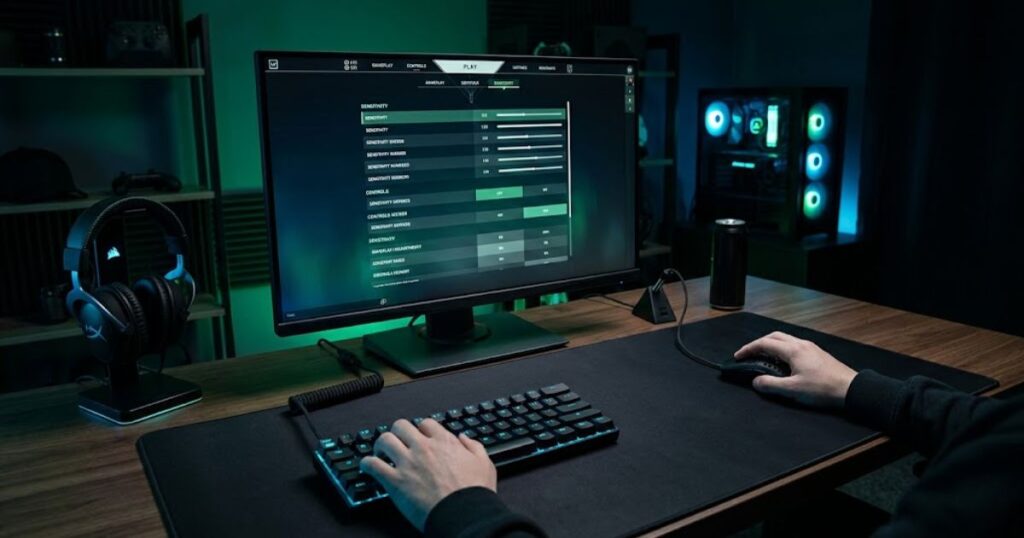
Most professional Valorant players fall somewhere within this range. Extremely low sensitivities below 160 eDPI can become physically demanding unless the player has exceptional arm control and a very large mousepad.
Meanwhile, sensitivities above 320 eDPI often begin sacrificing some aiming stability for additional movement speed. While this can still work for certain players, the aiming experience generally becomes less controlled during precision gunfights.
The table below shows several common low sensitivity configurations used by Valorant players:
| DPI | In-Game Sensitivity | eDPI |
|---|---|---|
| 800 | 0.20 | 160 |
| 800 | 0.25 | 200 |
| 800 | 0.30 | 240 |
| 800 | 0.40 | 320 |
Note: These settings are common starting points, but the ideal low sensitivity range varies depending on your setup, aiming style, and physical comfort.
Your ideal sensitivity depends on more than just raw numbers. Several physical and hardware factors influence how sensitivity actually feels:
Factors that can affect your ideal low sensitivity setting include:
- Mouse weight
- Mouse shape
- Grip style
- Mousepad friction
- Desk space
- Arm movement comfort
For example, a lightweight mouse paired with a smooth control mousepad can make low sensitivity feel significantly more responsive and comfortable.
Players who still feel unsure about where to start should explore a deeper breakdown of the best sensitivity settings for Valorant because finding the right balance often requires understanding personal aiming habits and playstyle preferences.
How Low Sensitivity Improves Crosshair Placement
Low sensitivity improves crosshair placement because slower cursor movement creates more stable angle clearing and smoother head-level control. Instead of constantly over-adjusting, players can maintain cleaner crosshair alignment while moving around the map.
Crosshair placement is one of the most important aiming fundamentals in Valorant. Good placement reduces the amount of adjustment needed during gunfights because the crosshair is already positioned close to where an enemy is likely to appear.
When sensitivity is too high, small wrist movements can cause the crosshair to drift away from head level more easily. This instability often leads to unnecessary corrections before a shot can be taken.
Low sensitivity helps reduce this problem by slowing movement enough to support deliberate and repeatable crosshair positioning.
Low sensitivity becomes especially useful in situations such as:
- Holding tight angles
- Clearing corners methodically
- Tracking enemy head height
- Following wide swings
- Pre-aiming common peek spots
Many players focus heavily on flick shots while overlooking crosshair placement. In reality, stronger crosshair placement often creates larger improvements than faster flick speed because it reduces the distance your crosshair must travel before firing.
Good players rarely rely on large flicks every round. Instead, they position their crosshair intelligently so only small adjustments are required during engagements.
This is one reason why improving crosshair placement in Valorant often works extremely well alongside lower sensitivity training.
The table below summarizes how low sensitivity helps solve common crosshair placement problems:
| Crosshair Placement Issue | How Low Sens Helps |
|---|---|
| Overflicking | Reduces excessive movement |
| Shaky crosshair | Creates smoother tracking |
| Poor angle clearing | Improves controlled movement |
| Head-level inconsistency | Stabilizes vertical aim |
Note: Better crosshair placement does not come from sensitivity alone. Positioning, map knowledge, and disciplined aiming habits are equally important for maintaining consistent head-level aim.
How to Transition to Low Sensitivity Successfully
Transitioning to low sensitivity successfully requires patience, consistent practice, and gradual adaptation. Most players struggle during the first few days because their existing muscle memory is built around different movement patterns.
The setup below reflects a typical low sensitivity environment that supports comfortable arm movement and long-term aiming consistency:
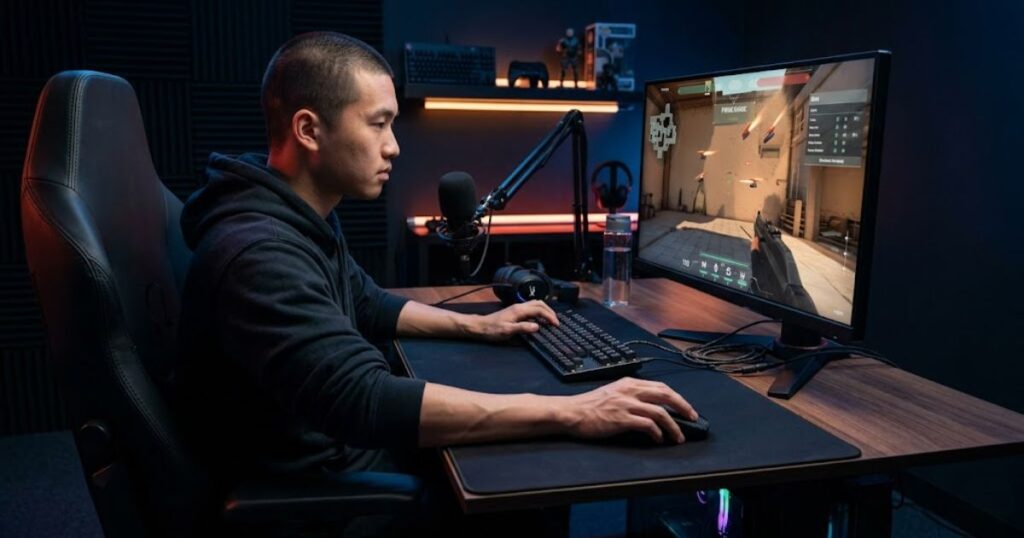
The first few days on lower sensitivity usually feel uncomfortable. Your arm may become tired faster, turning speed can feel slower, and flicks often feel less natural than before. This adjustment period is completely normal.
One of the biggest mistakes players make is lowering sensitivity too aggressively all at once. Large sensitivity changes can make aiming feel unnatural and frustrating, which often causes players to return to their previous settings before proper adaptation occurs.
A gradual transition usually works best:
- Reduce sensitivity gradually
- Practice consistently for several weeks
- Avoid changing settings repeatedly
- Use Deathmatch for adaptation
- Focus on crosshair placement first
Another important adjustment is learning proper arm movement. Low sensitivity works best when players stop relying entirely on wrist aiming and begin incorporating forearm movement more naturally.
Your setup also plays an important role during this transition. Small mousepads and limited desk space can make low sensitivity feel restrictive rather than comfortable.
The table below highlights setup adjustments that can make the transition to low sensitivity easier:
| Setup Component | Recommended for Low Sens |
|---|---|
| Mousepad Size | Large or XL |
| Desk Space | Wide movement area |
| Mouse Weight | Lightweight preferred |
| Chair Height | Comfortable arm positioning |
| Grip Stability | Relaxed hand pressure |
Note: Successful adaptation comes from consistency rather than constant sensitivity changes. Give your new settings enough time before deciding whether they work for you.
Players transitioning into low sensitivity often improve faster after understanding how arm aiming works in Valorant because arm movement becomes a core part of low sensitivity mechanics.
Does Low Sensitivity Improve Flick Shots?
While flick shots may initially feel slower on low sensitivity, they often become more reliable once proper muscle memory develops.
Many players misunderstand flick aiming completely. A good flick is not simply about moving the crosshair toward a target as fast as possible. It is about stopping accurately on the target without overshooting.
High sensitivity allows faster movement but also increases the likelihood of overflicking. Low sensitivity slightly reduces movement speed while giving players more control over the stopping phase of the flick.
Low sensitivity can improve flick shot consistency by providing advantages such as:
- More accurate stopping power
- Cleaner micro corrections
- Less shaky crosshair movement
- Improved target transition stability
- Better consistency under pressure
However, low sensitivity flicking requires coordinated arm movement. Players who rely entirely on wrist flicks often struggle during the adjustment period because larger physical movements become necessary.
Professional players usually combine multiple aiming mechanics to make flick shots more reliable.
The table below shows how different aiming components contribute to consistent flick shots:
| Movement Type | Purpose |
|---|---|
| Arm movement | Large directional flick |
| Wrist correction | Final micro adjustment |
| Crosshair placement | Reduce flick distance |
| Pre-aiming | Minimize panic reactions |
Note: Low sensitivity does not automatically create better flick shots. Its main advantage is providing a larger margin for accurate stopping and more repeatable aiming mechanics over time.
Best Mouse Setup for Low Sensitivity Players
The best setup for low sensitivity players usually includes a lightweight gaming mouse, a large control-oriented mousepad, and enough desk space for comfortable arm movement.
The setup below demonstrates the type of hardware environment that supports smooth arm aiming and consistent low sensitivity control:
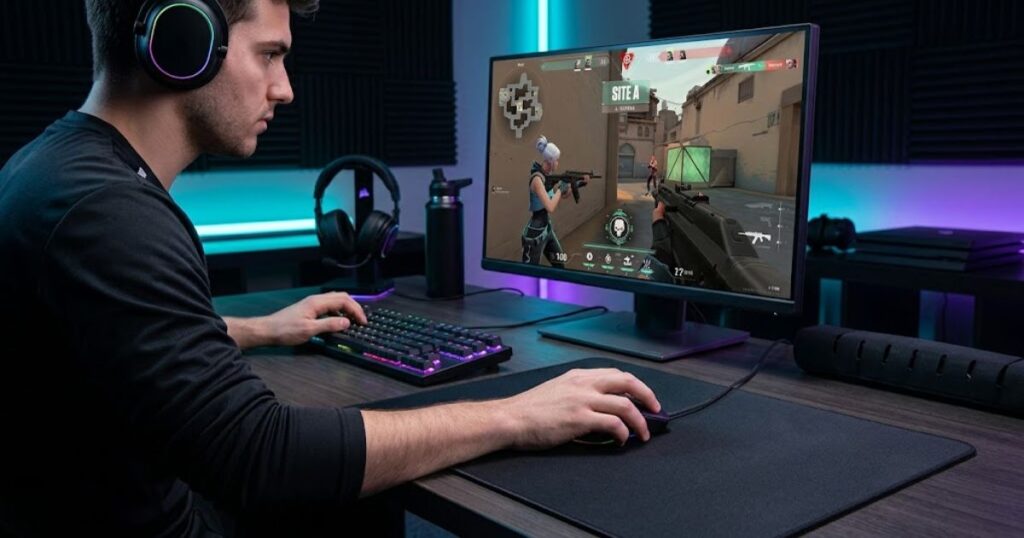
Since low sensitivity players physically move the mouse much farther, hardware comfort becomes significantly more important. Heavy mice can quickly create fatigue during long sessions when combined with large arm movements.
This is one major reason why lightweight gaming mice became dominant in tactical FPS games. Reduced weight makes repeated arm movements smoother and less exhausting.
Low sensitivity players should not focus only on sensitivity numbers because hardware also influences how stable each movement feels. A lightweight mouse, comfortable shape, and reliable sensor can make large arm movements easier to control during long Valorant sessions. Players looking for suitable hardware can compare options in this guide to the best gaming mouse for Valorant.
Mouse shape also plays an important role. Different grip styles require different ergonomic support, and an uncomfortable shape can create unnecessary hand tension that reduces aiming consistency over time.
If you play multiple tactical shooters, it can also be useful to evaluate mice from a broader FPS perspective. Low sensitivity aiming benefits from hardware that remains comfortable and consistent across different games. For a wider comparison, see this list of the top best gaming mouse for FPS games in 2026.
Low sensitivity players usually prioritize the following hardware characteristics:
- Lightweight mice
- Stable sensor performance
- Comfortable grip shape
- Large mousepads
- Consistent glide feel
Mousepad surface selection also affects how low sensitivity feels. Faster surfaces increase movement speed but reduce stopping control, while control-oriented surfaces improve precision and stability.
Many Valorant players prefer balanced control surfaces because they support cleaner rifle aim during precision engagements.
Players researching better hardware synergy often explore the best mouse shapes for Valorant because comfort and grip stability strongly influence long-term aiming consistency.
The table below summarizes the most important hardware priorities for low sensitivity players:
| Hardware Component | Recommended Priority |
|---|---|
| Mouse Weight | Very important |
| Mouse Shape | Critical for comfort |
| Mousepad Size | Large preferred |
| Mousepad Surface | Balanced control |
| Cable Drag | Minimal resistance |
Note: The ideal low sensitivity setup is not defined by a single mouse or mousepad. The best results come from combining comfortable hardware with a sensitivity range that supports consistent arm movement and aiming control.
Common Mistakes Players Make With Low Sensitivity
The biggest mistake players make with low sensitivity is expecting immediate results instead of allowing time for adaptation. Low sensitivity improves long-term consistency, not instant performance.
Another common problem is changing settings too frequently. Many players panic after a few poor matches and immediately increase their sensitivity again. This often interrupts the adaptation process and prevents stable muscle memory from developing.
Other common mistakes include:
- Using mousepads that are too small
- Only aiming with the wrist
- Playing with poor posture
- Ignoring crosshair placement
- Copying professional settings blindly
Some players also reduce their sensitivity far too aggressively. Extremely low sensitivities can become physically exhausting and restrictive without enough desk space or proper arm control.
Sensitivity alone cannot fix poor positioning or weak decision making. Many players become overly focused on settings while neglecting movement discipline, angle management, and tactical fundamentals.
Good aim is the result of multiple skills working together rather than a single sensitivity value.
Strong aiming fundamentals usually include:
- Crosshair placement
- Movement timing
- Positioning
- Peeking discipline
- Mechanical consistency
Understanding concepts such as peeker advantage in Valorant can help players realize that positioning and game sense often influence outcomes just as much as raw mouse control.
The table below summarizes the most common low sensitivity mistakes and their impact on performance:
| Mistake | Why It Hurts Performance |
|---|---|
| Changing sensitivity constantly | Disrupts muscle memory adaptation |
| Using small mousepads | Limits arm movement range |
| Only wrist aiming | Reduces low sensitivity effectiveness |
| Ignoring posture | Creates inconsistent movement mechanics |
| Obsessing over settings | Slows overall skill development |
Note: Players usually achieve better results by improving their aiming fundamentals and giving new settings enough time to adapt rather than constantly searching for a perfect sensitivity value.
How Long Does It Take to Adjust to Low Sensitivity?
Most players need between one and three weeks to feel comfortable with low sensitivity aiming in Valorant. Full muscle memory adaptation can take significantly longer depending on practice consistency, previous sensitivity settings, and overall aiming experience.
The early transition period often feels frustrating. Movement may seem slower, close-range fights can feel awkward, and arm fatigue is common during the first few days. For most players, these challenges gradually disappear with consistent practice.
After several days of adaptation, many players begin noticing improvements such as:
- Smoother crosshair movement
- Less overflicking
- Cleaner recoil control
- Better tracking stability
- Improved headshot consistency
The most important factor is consistency. Players who frequently change their sensitivity settings rarely allow enough time for stable muscle memory to develop.
Daily practice can significantly accelerate adaptation. However, aim trainers should complement real Valorant gameplay rather than replace it entirely because game-specific situations build practical aiming habits more effectively.
A balanced low sensitivity adaptation routine usually includes:
- Range practice
- Deathmatch sessions
- Crosshair placement drills
- Tracking exercises
- Competitive matches
Some players adapt very quickly, while others may need several months before low sensitivity feels completely natural. The adaptation timeline varies based on previous aiming habits, available practice time, and overall commitment to the process.
The table below outlines a typical low sensitivity adaptation timeline for Valorant players:
| Time Period | Typical Experience |
|---|---|
| Days 1–3 | Awkward movement and reduced confidence |
| Week 1 | Early comfort improvements begin |
| Weeks 2–3 | More stable aim and reduced overflicking |
| Month 1+ | Stronger consistency and improved control |
| Several Months | Fully developed muscle memory patterns |
Note: Adaptation speed varies from player to player, but maintaining the same sensitivity for an extended period is usually more effective than making frequent adjustments.
Is Low Sensitivity Better for Every Valorant Player?
Low sensitivity is not automatically the best choice for every Valorant player. Comfort, desk space, grip style, and aiming habits all influence how effective a sensitivity setting feels in real gameplay. Although many professional players prefer lower sensitivities, copying their settings rarely guarantees the same results.
Some players naturally perform better on medium sensitivity because it matches their movement habits and setup limitations more effectively. Others may not have enough mouse space to comfortably support large arm movements.
Several factors can help determine whether low sensitivity is the right fit for you:
- Available mouse space
- Grip style
- Mouse weight preference
- Arm aiming comfort
- Movement habits
- Playstyle aggression
The goal is not to use the lowest sensitivity possible. The goal is to find a sensitivity that provides accurate aim while still allowing comfortable movement and long-term consistency.
Low sensitivity should be viewed as one part of a complete FPS setup rather than a standalone solution. Mouse weight, grip comfort, sensor performance, and mousepad control all influence whether a lower sensitivity feels smooth or restrictive during matches.
Players who want to understand the complete hardware side of aiming should start with this guide to choosing a gaming mouse for FPS games because sensitivity performance is heavily affected by the equipment surrounding it.
For most Valorant players, the ideal setup usually falls within a moderate low sensitivity range rather than an extreme one. Consistency is far more important than endlessly searching for perfect numbers.
The table below summarizes situations where low sensitivity is more or less likely to be a good fit:
| Player Factor | Low Sens Usually Fits Well |
|---|---|
| Desk Space | Large mouse movement area |
| Aim Style | Precision focused |
| Movement Preference | Controlled and deliberate |
| Grip Habit | Comfortable using arm movement |
| Practice Commitment | Willing to adapt over time |
Note: The best sensitivity is not the lowest one available. It is the sensitivity that remains reliable and comfortable during real competitive situations without fighting against your natural mechanics.
FAQ About Low Sensitivity Aiming in Valorant
Low sensitivity aiming in Valorant is one of the most discussed topics among tactical FPS players because it directly affects crosshair stability, tracking consistency, and micro-adjustments during gunfights. Many players switch to low sensitivity after struggling with overflicking or inconsistent aim, but the transition often creates new questions about mouse space, movement speed, and aiming style adaptation. This FAQ section answers the most common concerns players have when learning low sensitivity aiming, while also helping the article cover deeper search intent for both users and AI-driven search systems.
Is low sensitivity better for Valorant?
Low sensitivity is generally better for Valorant because the game rewards precision, crosshair discipline, and controlled micro-adjustments more than extremely fast camera movement. Tactical FPS games like Valorant punish missed shots heavily, especially during first-bullet engagements where accuracy matters more than speed.
Most professional Valorant players use lower eDPI ranges because reduced sensitivity helps stabilize flicks and tracking during stressful fights. A lower sensitivity also minimizes accidental overcorrection, which is common among newer players who rely too much on wrist movement.
That said, “better” depends on your setup and playstyle. Players with limited mousepad space or aggressive entry-fragger movement may prefer slightly higher sensitivity ranges for faster turning and utility usage.
What sensitivity range is considered low in Valorant?
A low sensitivity setup in Valorant is usually considered anything below 300 eDPI. Since eDPI equals DPI multiplied by in-game sensitivity, many players use combinations such as 800 DPI with 0.25-0.35 sensitivity or 400 DPI with 0.5-0.7 sensitivity.
Professional players commonly stay between 180 and 320 eDPI because that range balances precision with practical movement speed. Extremely low sensitivity below 150 eDPI can improve stability, but it may also create physical fatigue due to larger arm movements.
The best approach is testing a sensitivity that allows a comfortable 180-degree turn while still maintaining accurate head-level adjustments during fights.
Why do Valorant pros prefer low sensitivity?
Valorant pros prefer low sensitivity because tactical gunfights reward consistency over flashy movement. A lower sensitivity improves stopping accuracy, reduces shaky aim, and makes recoil control more manageable during extended sprays.
Professional players also train thousands of repetitions with disciplined crosshair placement, meaning they rarely need exaggerated flicks. Since they position their crosshair correctly before fights begin, low sensitivity becomes an advantage rather than a limitation.
Another important factor is pressure management. In tournaments, adrenaline can make high sensitivity feel unstable, while low sensitivity helps players maintain calmer and more predictable mouse control.
Does low sensitivity improve flick shots?
Low sensitivity can improve flick shots by making large movements more controllable and reducing overflicking errors. Many players mistakenly believe high sensitivity automatically creates faster flicks, but uncontrolled speed often lowers hit consistency.
A stable low sensitivity allows the arm to guide movement more smoothly, especially during medium-range engagements where precise corrections matter most. Flick accuracy in Valorant depends more on stopping control and crosshair discipline than raw mouse speed.
However, extremely low sensitivity may slow down emergency reactions if the player lacks enough mousepad space or arm mobility.
Is low sensitivity better for arm aiming?
Low sensitivity works especially well with arm aiming because larger mouse movements naturally engage the forearm and shoulder instead of relying only on wrist adjustments. This creates smoother tracking and more stable horizontal movement.
Arm aiming also distributes physical effort across larger muscle groups, which can reduce small jitters during tense gunfights. Many Valorant players combine arm aiming for wide movement with wrist aiming for micro-corrections near the target.
If you want to improve this technique further, reading <a href=”https://geartp.com/arm-aiming-in-valorant/”>arm aiming in Valorant</a> can help explain how professional players combine both aiming styles effectively.
How long does it take to adapt to low sensitivity?
Most players need between one and three weeks to adapt fully to low sensitivity aiming. The first few days often feel uncomfortable because the brain is still calibrated to smaller wrist-based movements.
During the adjustment phase, players usually experience slower reactions, missed turns, or difficulty clearing multiple angles quickly. This is normal and should not immediately encourage another sensitivity change.
Consistency is the key factor. Constantly changing settings resets muscle memory development and delays adaptation progress significantly.
What mousepad size is best for low sensitivity players?
Large mousepads are generally best for low sensitivity players because they provide enough horizontal space for wide arm movement. Since low sensitivity requires longer swipes, limited space can interrupt tracking and force awkward repositioning.
Extended XL mousepads are especially popular among Valorant players because they support both keyboard placement and unrestricted mouse movement. Control-focused surfaces also pair well with low sensitivity because they improve stopping power during flicks.
If you are building a complete setup, the article <a href=”https://geartp.com/best-mousepad-for-valorant/”>best mousepad for Valorant</a> explains which surfaces work best for tactical FPS aiming styles.
Can low sensitivity hurt reaction time?
Low sensitivity does not directly reduce human reaction time, but it can affect how quickly you reposition your crosshair during sudden situations. Players who use extremely low sensitivity may struggle with fast 180-degree turns or chaotic close-range fights.
In Valorant, strong positioning and crosshair placement usually matter more than raw turning speed. A player who pre-aims correctly often reacts faster overall despite using slower sensitivity.
The real issue is balance. Sensitivity should feel controllable without becoming physically restrictive.
Should beginners use low sensitivity in Valorant?
Beginners usually benefit from starting with a lower sensitivity because it teaches disciplined aiming habits early. High sensitivity often hides poor crosshair placement and encourages panic flicking instead of controlled movement.
A beginner-friendly low sensitivity setup creates more predictable mouse movement and improves long-term consistency. It also makes recoil management easier during spray transfers and burst firing.
Still, sensitivity should remain comfortable. Copying a professional player’s exact settings without considering desk space or personal ergonomics can create frustration rather than improvement.
How do I know if my sensitivity is too low?
Your sensitivity may be too low if you constantly run out of mousepad space, struggle to clear multiple angles quickly, or feel physically exhausted after short sessions. Difficulty tracking fast enemies at close range is another common warning sign.
A healthy sensitivity should allow comfortable movement without forcing exaggerated arm swings for routine gameplay actions. You should be able to perform a 180-degree turn naturally while maintaining precise micro-adjustments.
Testing in the Valorant practice range is often the fastest way to identify whether your setup feels restrictive.
What is the difference between low sensitivity and low eDPI?
Low sensitivity refers only to the in-game sensitivity number, while low eDPI measures total effective sensitivity using both DPI and in-game sensitivity combined. eDPI provides a more accurate comparison between different setups.
For example, 400 DPI with 0.6 sensitivity equals 240 eDPI, which feels identical to 800 DPI with 0.3 sensitivity. Even though the DPI and sensitivity numbers differ, the effective movement speed remains the same.
Understanding eDPI is important because many players compare settings incorrectly when copying professional configurations.
Does low sensitivity help recoil control in Valorant?
Low sensitivity often improves recoil control because smaller crosshair movements become easier to manage during sprays. Stable sensitivity helps players pull down more smoothly while maintaining head-level alignment.
This advantage becomes especially noticeable when using rifles like the Vandal or Phantom during medium-range engagements. Players using very high sensitivity may accidentally overcorrect recoil patterns, causing horizontal spray inconsistency.
Conclusion
Low sensitivity aiming in Valorant remains one of the most effective ways to improve precision, stability, and long term consistency in tactical FPS gameplay. Because Valorant rewards clean headshots and disciplined crosshair control, lower sensitivity naturally complements the core mechanics of the game.
However, low sensitivity is not a magical shortcut. Players still need proper positioning, strong movement discipline, good crosshair placement, and consistent practice habits to improve meaningfully. Sensitivity simply supports those mechanics by creating a more controlled aiming environment.
The best approach is gradual optimization. Find a comfortable sensitivity range, give your body enough time to adapt, and avoid changing settings constantly after bad matches. Consistency is what builds reliable muscle memory over time.
Players who stay patient usually discover that lower sensitivity makes aiming feel calmer and more deliberate during real matches. Instead of panicking and over correcting constantly, gunfights become smoother, cleaner, and easier to control under pressure.
Thanks for reading GearTP.