
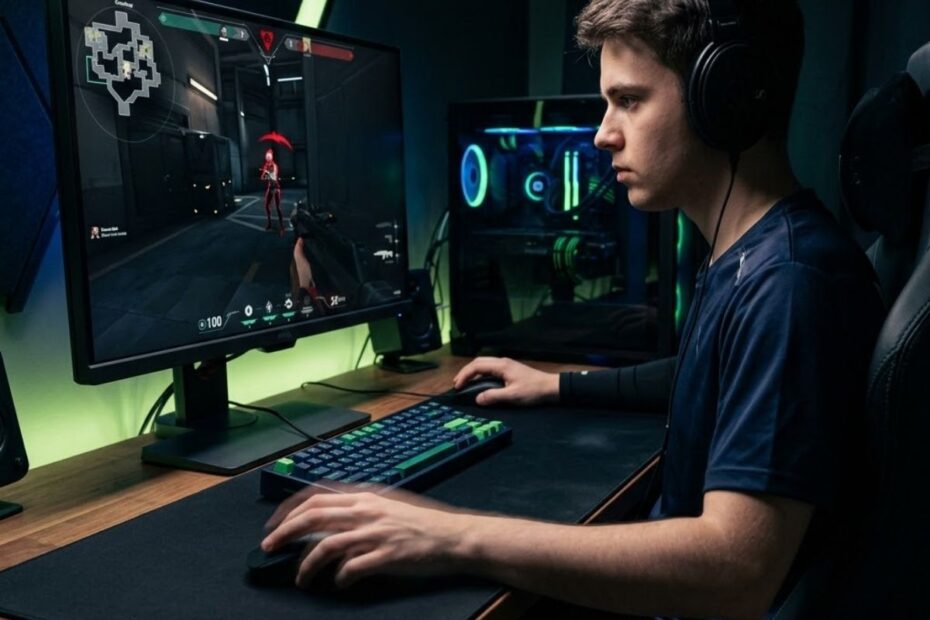
Flick shot aiming in Valorant is a fast crosshair correction technique that helps players react to unexpected enemies and land accurate first-bullet shots. A good flick is not just a quick mouse swipe. It combines crosshair placement, stopping control, sensitivity discipline, click timing, and calm decision-making under pressure.
Because Valorant is a tactical FPS built around first-shot accuracy, flick shots become important whenever an enemy appears outside your expected crosshair position. When an enemy wide swings, peeks from an off-angle, or becomes your second target after a kill, controlled flicking helps you correct quickly without losing precision.
Many players treat flicking as a highlight mechanic, but Valorant rewards repeatable accuracy more than dramatic mouse movement. If your flicks work in the Range but fail in ranked matches, the issue is usually stopping control, crosshair preparation, or click timing rather than reaction speed alone.
Your gear can support flick consistency, but it should never replace aiming fundamentals. A mouse that fits your hand, a surface that helps you stop cleanly, and stable settings can make your aim easier to repeat. If your setup feels unstable during fast corrections, learning how a best gaming mouse for Valorant supports precision can help you separate gear problems from technique problems.
This guide explains how flick shots work in Valorant, why players overflick, how sensitivity affects stopping control, and how to train flicks without building bad habits. The goal is not to chase clips. The goal is to build cleaner, calmer, and more reliable flick shots that help you win real rounds.
What Is Flick Shot Aiming in Valorant?
Flick shot aiming in Valorant is a fast crosshair correction technique that helps players react to unexpected enemies and land accurate shots when their crosshair is not already on target. A good flick is not just fast movement. It depends on crosshair placement, stopping control, sensitivity consistency, and click timing.
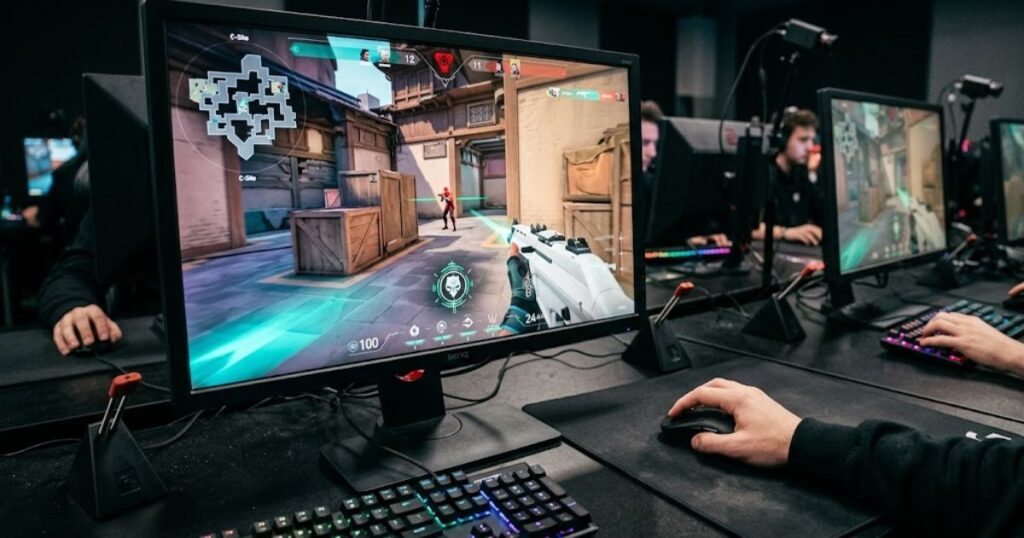
A flick shot usually happens when your crosshair is not already on the enemy. This can happen when an enemy peeks wider than expected, appears from an off-angle, or becomes the second target after your first kill. In these moments, your hand must move quickly without losing control of the final stopping point.
Flicking is different from tracking because it is more explosive and shorter in duration. Tracking follows an enemy over time, while flicking is about reaching the target quickly and stopping accurately. Valorant requires both skills, but flicking becomes especially important in sudden duels and fast corrections.
A successful flick shot depends on several connected aiming skills. The table below explains the core elements that influence flick shot consistency in Valorant:
| Flick Aim Element | What It Means | Why It Matters in Valorant |
|---|---|---|
| Target recognition | Seeing the enemy quickly | Helps you react before the fight is lost |
| Mouse movement | Moving efficiently toward the target | Reduces wasted motion during pressure |
| Stopping control | Ending the movement accurately | Prevents overflicking past the enemy |
| Click timing | Firing when aim is stable | Prevents early shots and panic clicks |
| Crosshair preparation | Starting near likely enemy positions | Makes the flick shorter and easier |
Note: Most missed flicks are not caused by slow reactions. They usually happen because one of these core elements breaks down during the duel.
The most important part of a flick is not the beginning of the movement. It is the end of the movement. A clean flick stops on the target instead of shaking, drifting, or needing another correction.
In conclusion, flick shot aiming is a precision skill with a speed component. It should be trained as controlled target correction, not random snapping. Once you understand that, your aim becomes easier to analyze and improve.
Why Flick Shots Matter So Much in Valorant
Flick shots are fast aiming corrections that help players recover when their crosshair is not already on target. Because Valorant rewards first-shot accuracy, controlled flicking can make the difference between winning and losing a duel.
Valorant is not a game where you can always recover after several missed shots. If your first correction overshoots the target, a prepared opponent can punish you before you reset. This makes controlled flicking more useful than raw mouse speed.
Flick shots appear in many common situations. You may need to correct after clearing the wrong angle, transfer from one enemy to another, react to a crouch adjustment, or snap onto a player swinging wider than expected. These are not rare highlight moments because they happen constantly in normal ranked games.
The situations below show where flick shot mechanics have the biggest impact during real Valorant matches:
| Valorant Situation | Why Flicking Matters | Common Player Problem |
|---|---|---|
| Enemy wide swing | You must correct across the screen quickly | Overflicking past the head |
| Operator fight | One clean reaction often decides the duel | Clicking before the crosshair stops |
| Retake scenario | Enemies can appear from several angles | Panic flicking between positions |
| Multi-kill transfer | You must move from one target to another | Losing control after the first kill |
| Close-range fight | Targets cross the screen faster | Sensitivity feels unstable |
Note: Flick shots are most useful when they support good tactical preparation, not when they replace it. Better angle discipline keeps your corrections smaller and easier to control.
Flick shots are also linked to tactical preparation. A player with good angle discipline does not need massive flicks every fight. Their crosshair begins closer to the target, so their flicks are smaller and easier to control.
Tactical aiming is about reducing unnecessary movement before the fight starts.
This idea matters because flicking should not become a replacement for good fundamentals. If you constantly need huge flicks, your positioning or crosshair placement may be creating unnecessary difficulty. Strong flick aim works best when it supports smart tactical aiming, not when it tries to fix every mistake after it happens.
In conclusion, flick shots matter because Valorant punishes slow or messy corrections. You do not need wild aim every round. You need accurate corrections that stay reliable during real fights.
How Crosshair Placement Makes Flick Shots Easier
Crosshair placement makes flick shots easier because it reduces the distance your mouse needs to travel. The closer your crosshair starts to the target, the smaller the correction becomes. Smaller flicks are faster, safer, and easier to repeat under pressure.
This image shows how prepared crosshair placement can reduce the need for large emergency flicks during Valorant fights.
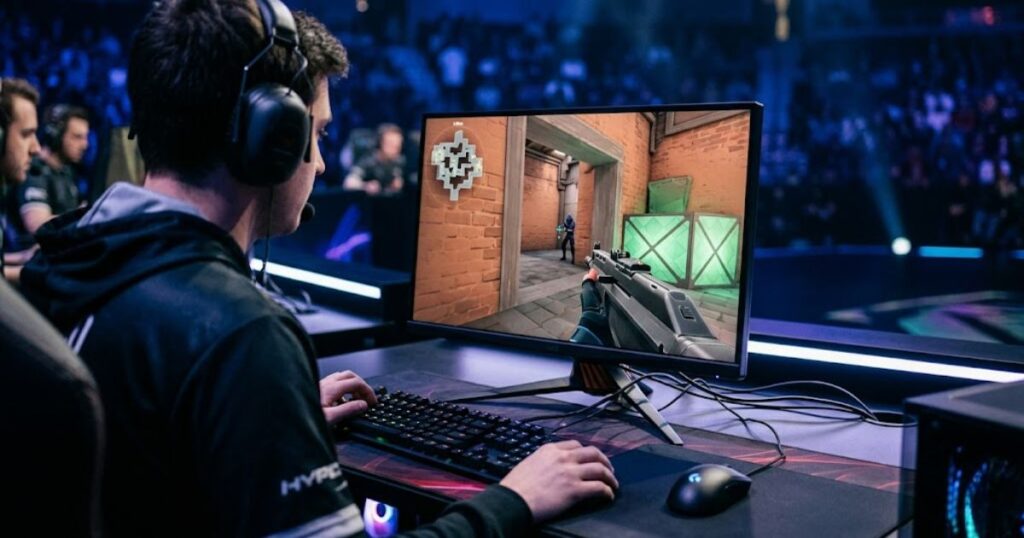
Many inconsistent players aim too low, too close to walls, or at empty space while moving. When an enemy appears, they are forced into a large emergency correction. This makes their aim look fast but unreliable.
Good players try to pre-aim where enemies are likely to appear. They keep the crosshair near head level, hold common swing paths, and clear angles one by one. This does not remove the need to flick, but it makes every flick less demanding.
The table below shows how common crosshair habits affect flick shot difficulty:
| Crosshair Habit | Effect on Flicking | Better Alternative |
|---|---|---|
| Aiming at the floor | Forces large vertical flicks | Keep crosshair at head height |
| Holding too close to the wall | Gets punished by wide swings | Hold wider when reaction time is needed |
| Aiming at empty space | Creates unpredictable corrections | Pre-aim common enemy paths |
| Clearing too fast | Causes rushed adjustments | Clear one angle at a time |
| Ignoring elevation | Misses head height changes | Adjust for boxes, ramps, and platforms |
Note: Better crosshair placement makes flick shots shorter, cleaner, and easier to repeat under pressure.
This is why improving crosshair placement in Valorant can make flicking feel better without changing your mouse or sensitivity. Better starting positions reduce mechanical stress. Your hand no longer needs to rescue every fight with a huge movement.
Crosshair placement also lowers mental pressure. When your aim is already near the expected target, you can focus on timing and movement instead of reacting in panic. That calmer state makes your flicks cleaner.
In conclusion, good crosshair placement turns difficult flicks into simple corrections. If your flicks feel inconsistent, do not only train speed. First, check whether your crosshair is starting in the right place.
Best Sensitivity for Valorant Flick Shots
The best sensitivity for Valorant flick shots is usually a low-to-medium range that gives enough speed for reactions while keeping stopping control stable. A sensitivity that is too high can feel fast but shaky. A sensitivity that is too low can feel precise but slow in close-range fights.
This image shows a player adjusting Valorant sensitivity settings to balance flick speed and stopping accuracy.
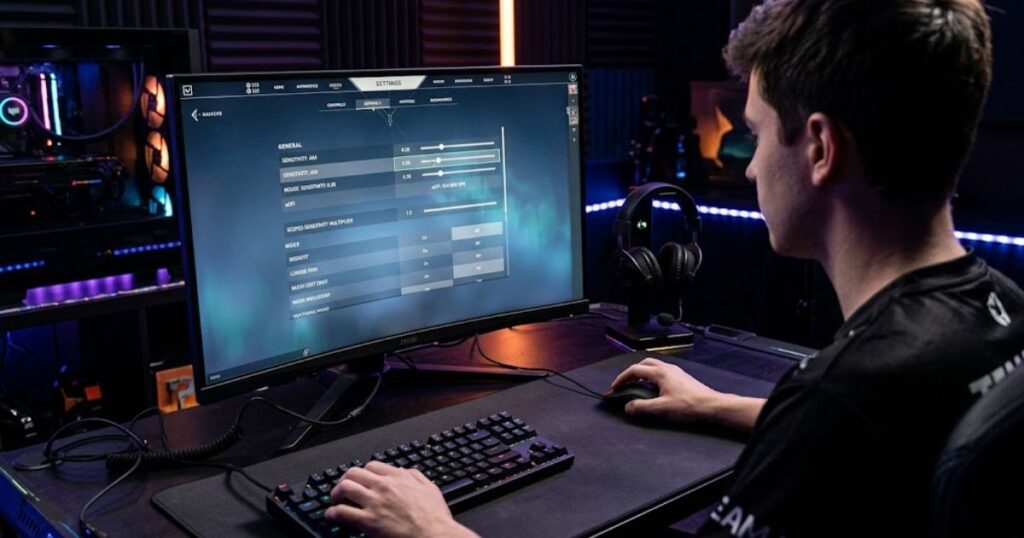
Most players should think in terms of eDPI instead of DPI alone. eDPI is your mouse DPI multiplied by your in-game sensitivity. This matters because two players can use different DPI values but still have similar effective sensitivity.
For flicking, the goal is not finding the fastest setting. The goal is finding a setting where your crosshair stops where your hand expects it to stop. If you constantly overshoot, undershoot, or shake near the target, your sensitivity may need adjustment.
The table below compares how different sensitivity styles affect flick shot performance:
| Sensitivity Style | Flick Strength | Main Risk |
|---|---|---|
| Low sensitivity | Strong stopping precision | Requires more arm movement |
| Medium sensitivity | Balanced speed and control | Needs stable practice habits |
| High sensitivity | Fast screen movement | Easy to overflick under pressure |
Note: The best sensitivity is not the fastest one. It is the one that allows you to stop accurately and consistently under pressure.
If your shots often pass the target, lowering sensitivity slightly can help. If you stop short every time, your sensitivity may be too low or your arm movement may be restricted. However, changing settings every day creates more confusion than improvement.
A stable testing period is better than constant tweaking. Keep one sensitivity for several sessions and judge it across the Range, Deathmatch, and ranked games. If it only feels good in the Range but fails in ranked, pressure or hand tension may be the real issue.
In conclusion, the best sensitivity for flick shots is the one that lets you stop accurately under stress. Fast movement is useful only when it remains controlled. Stable settings build better muscle memory than endless experimentation.
Arm Aim and Wrist Aim for Valorant Flicking
Arm aim is better for larger and more stable flicks, while wrist aim is better for smaller corrections. Most strong Valorant players use both. They move the arm for bigger repositioning and use the wrist or fingers for the final adjustment.
Pure wrist aiming can feel fast at first, but it can become tense during longer sessions. The wrist is useful for micro-corrections, but forcing it to handle every large movement can create shaky aim. This often becomes obvious when pressure rises in ranked.
Arm aiming gives smoother movement for lower sensitivity players. It helps with wide angle clears, long horizontal corrections, and stable target transfers. However, arm movement still needs wrist precision at the end of the flick.
The table below compares how arm aim, wrist aim, and hybrid aim affect flick shot performance:
| Aim Style | Best Use | Weakness |
|---|---|---|
| Arm aiming | Large controlled flicks | Needs desk and mousepad space |
| Wrist aiming | Micro corrections | Can become tense or shaky |
| Hybrid aiming | Most Valorant fights | Requires coordination |
Note: Most experienced Valorant players rely on a hybrid approach because it combines the stability of arm movement with the precision of wrist adjustments.
A practical method is to use your arm to bring the crosshair near the enemy, then use the wrist for small final corrections. This makes the movement smoother and reduces over-reliance on one joint. It also helps prevent fatigue across long matches.
Players using lower sensitivity often need more desk space than they realize. If your mousepad is too small, your arm movement becomes restricted and your wrist starts doing too much work. This can make flicks feel inconsistent even with good sensitivity.
In conclusion, Valorant flicking is usually best with hybrid aim. Let the arm handle distance and let the wrist handle detail. This creates a more stable and repeatable flick motion.
How Grip Style Affects Flick Shot Accuracy
Grip style affects flick shot accuracy because it controls how securely your hand moves the mouse during fast corrections. A stable grip makes the mouse path predictable. An unstable grip can make the mouse twist, wobble, or stop inconsistently.
The main grip styles are palm grip, claw grip, and fingertip grip. None is automatically best for every Valorant player. The best grip is the one that gives you control without forcing tension.
Palm grip usually feels stable because more of the hand touches the mouse. Claw grip gives a strong balance between speed and stopping power. Fingertip grip allows fast adjustments but can feel less stable if your hand becomes tense.
The table below compares how different grip styles influence flick shot control and consistency:
| Grip Style | Flick Advantage | Possible Problem |
|---|---|---|
| Palm grip | Stable stopping control | Can feel slower for quick snaps |
| Claw grip | Balanced speed and control | Can create finger tension |
| Fingertip grip | Fast micro movement | Can feel unstable under pressure |
Note: The best grip style is not the most popular one. It is the grip that allows you to move and stop the mouse naturally without creating unnecessary tension.
Grip style also affects which mouse shape feels right. A mouse that supports palm grip may feel too large for fingertip grip. A compact symmetrical mouse may feel quick for claw users but less comfortable for palm users.
The important test is whether your mouse stays stable during fast movement. If you need to squeeze hard to control it, your grip or mouse shape may be creating unnecessary tension. Tension is one of the easiest ways to ruin flick accuracy.
In conclusion, your grip should help you move and stop naturally. Do not copy another player’s grip blindly. Choose the grip that gives your hand stable control during real fights.
How Mouse Weight and Shape Influence Flick Shots
How Mouse Weight and Shape Influence Flick Shots
Mouse weight and shape influence flick shots because they affect how easily you can start, guide, and stop fast movement. A lighter mouse usually accelerates more easily. A better shape helps your hand control the mouse when the movement ends.
This image compares gaming mouse shapes and weights that can affect movement speed and stopping control during Valorant flick shots.
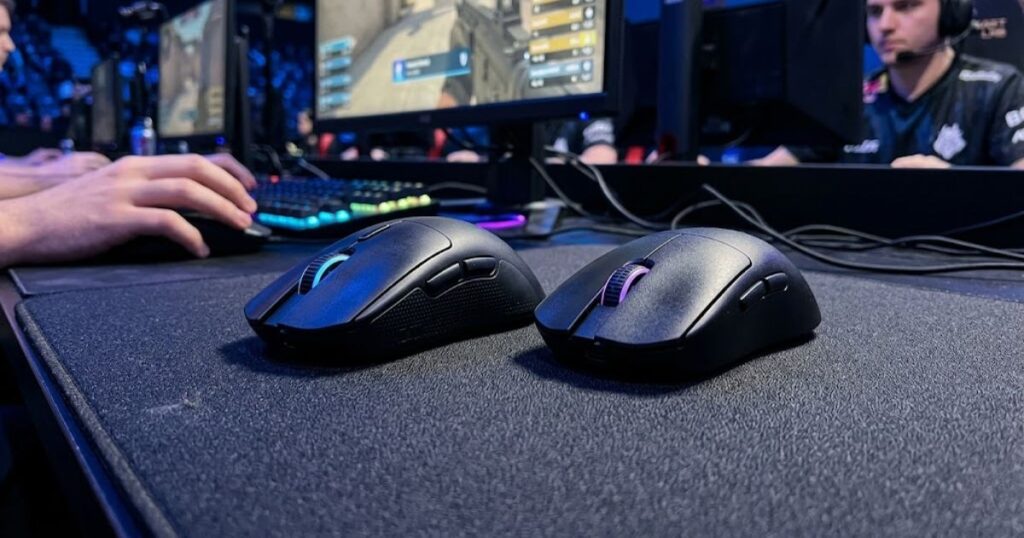
Many Valorant players prefer lightweight mice because they reduce effort during target transfers and repeated corrections. Less weight can also reduce fatigue during long ranked sessions. However, the lightest mouse is not always the best mouse for every player.
Shape matters because it determines how naturally your hand grips the shell. If the mouse shape does not fit your hand, your fingers may tense up during flicks. That tension can make a technically excellent mouse feel inconsistent.
The table below highlights the mouse features that have the biggest impact on flick shot performance:
| Mouse Feature | Effect on Flicking | What to Look For |
|---|---|---|
| Low weight | Faster movement and less fatigue | Common FPS range around 50g to 70g |
| Good shape | Better control and comfort | Fits your grip naturally |
| Balanced weight | Cleaner stopping feel | No awkward front or rear heaviness |
| Reliable sensor | Consistent tracking | No skipping, spinouts, or acceleration issues |
| Quality skates | Smoother glide | Even movement without scratchiness |
Note: Mouse shape often affects flick shot consistency more than small weight differences because it directly influences grip stability and stopping control.
A very light mouse can feel excellent for quick flicks, but some players prefer a slightly more planted feeling. This is especially true if they already use a fast mousepad. The best setup is the one that creates speed without losing stopping confidence.
Do not judge a mouse only by the spec sheet. A mouse with perfect numbers can still feel wrong if the hump, width, side curve, or button height does not match your hand. Comfort is part of performance because relaxed hands aim more consistently.
In conclusion, mouse weight helps movement speed, while mouse shape helps control. The best Valorant mouse for flick shots is not simply the lightest option. It is the mouse that lets your hand move quickly and stop confidently. If you want to compare real mouse options instead of only learning theory, the top best gaming mouse for FPS games in 2026 can help you see which models balance weight, shape, control, and consistency for tactical shooters like Valorant..
Why Mousepad Surface Matters for Flick Consistency
Mousepad surface matters for flick consistency because it controls glide speed and stopping friction. Flick shots require both movement and braking. If the surface is too fast, you may overshoot your target. If it is too slow, your corrections may feel heavy and difficult to repeat consistently.
Control pads are popular in tactical FPS games because they help the mouse stop more predictably. Balanced pads work well for players who want smoother glide without sacrificing too much control. Speed pads can feel faster, but they may expose stopping and overflicking problems that were previously hidden.
Mousepad size also plays an important role. Low sensitivity players need enough room for arm movement. If the pad is too small, your natural motion becomes restricted and flick shots may start feeling inconsistent.
The table below compares how different mousepad surfaces affect flick shot behavior:
| Mousepad Type | Best For | Flick Shot Feel |
|---|---|---|
| Control pad | Precision and stopping power | Stable and predictable |
| Balanced pad | Mixed aim styles | Smooth but controllable |
| Speed pad | Fast movement | Quick but harder to stop |
| Worn pad | Not recommended | Inconsistent friction |
Note: Consistent stopping control often depends more on surface stability than raw glide speed. A predictable mousepad usually produces more reliable flick shots than an extremely fast one.
A worn mousepad can quietly damage consistency. If different areas of the surface have different friction, your hand receives inconsistent feedback. That makes flicks feel random even when your technique is not the main problem.
If your aim feels different every day, check your surface before changing sensitivity again. Clean the pad, inspect the glide area, and make sure your mouse feet are not uneven. These small setup issues can create surprisingly large aiming problems.
In conclusion, mousepad choice is not just about comfort. It is part of your stopping system. A good surface helps your flick shots feel repeatable across different fights, maps, and practice sessions.
Why Players Overflick in Valorant
Players overflick in Valorant because they move too aggressively, use unstable sensitivity, tense their hand, or start from poor crosshair placement. Overflicking means your crosshair passes the target instead of stopping on it. This forces a second correction and often causes players to lose otherwise winnable duels.
Overflicking is not always a reaction speed problem. Many players react fast enough, but their stopping control is weak. Their first movement is simply too large, too tense, or too rushed for the situation.
Panic is one of the biggest causes. When surprised, players often grip the mouse harder and throw the crosshair too far. The movement may feel fast, but the final result is usually less accurate than a controlled correction.
The table below explains the most common causes of overflicking and how to fix them:
| Overflick Cause | What It Looks Like | How to Fix It |
|---|---|---|
| Sensitivity too high | Crosshair flies past targets | Lower eDPI gradually |
| Hand tension | Movement feels jerky | Relax grip pressure |
| Poor crosshair placement | Every fight needs a huge flick | Pre-aim common angles |
| Clicking too early | Shot fires before alignment | Train click timing |
| Random practice | Good in the Range, bad in ranked | Use structured drills |
Note: Most overflicking problems come from poor stopping control rather than slow reactions. Improving how you stop the mouse is often more important than moving it faster.
The solution is usually to slow the first movement slightly and improve stopping accuracy. This can feel less exciting at first, but it builds better long-term muscle memory. Once your stopping control improves, speed naturally follows.
This is where Valorant click timing guide becomes useful because some missed flicks are actually timing mistakes. The crosshair may reach the target, but the shot fires before the movement fully settles. Movement and click timing must work together for consistent accuracy.
In conclusion, overflicking is primarily a control issue rather than a speed issue. Improve your starting position, relax your hand, stabilize your sensitivity, and train yourself to stop directly on the target.
Best Flick Shot Training Routine for Valorant
The best flick shot training routine for Valorant trains control before speed. A useful routine includes static precision, reactive target switching, Deathmatch practice, and reviewing real mistakes. Randomly shooting bots for long periods is usually less effective than practicing one specific skill at a time.
This image shows a player practicing structured flick shot drills in Valorant to improve accuracy and target switching under realistic conditions.
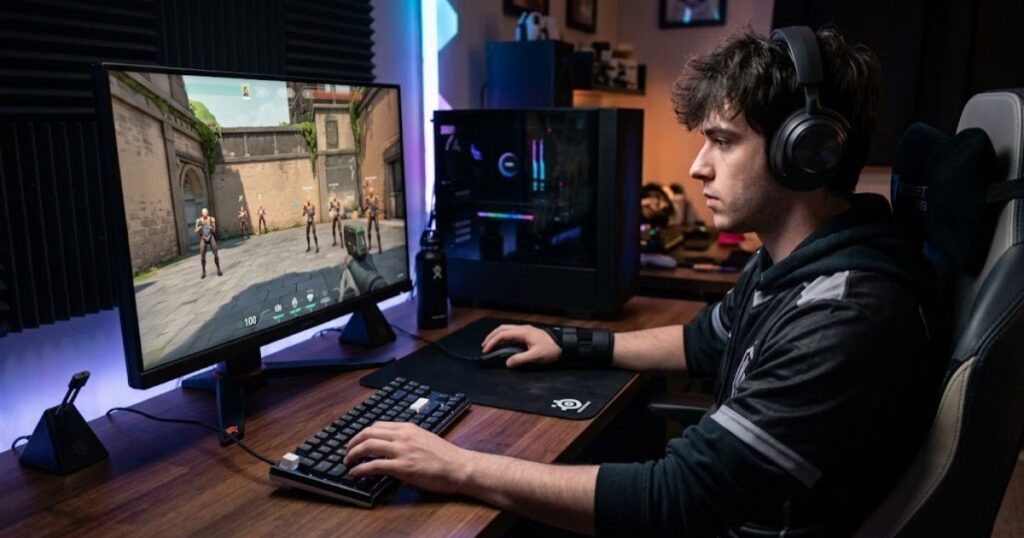
Start with static targets because they teach stopping control. Then move into reactive bots to train target recognition. After that, use Deathmatch because real players create movement, pressure, and timing changes that the Practice Range cannot fully simulate.
A good routine should be short enough to keep focus high. Long aim sessions can create fatigue and sloppy movement. Most players improve faster from consistent focused practice than from occasional marathon training sessions.
The table below outlines a simple flick shot training routine that balances accuracy, speed, and real-match practice:
| Training Stage | Drill | Goal | Time |
|---|---|---|---|
| Warm-up | Static bots | Clean stopping control | 8 minutes |
| Precision | Slow head-level flicks | Accuracy before speed | 7 minutes |
| Reaction | Medium or hard bots | Target recognition | 5 minutes |
| Real fights | Deathmatch | Pressure and movement | 15 to 20 minutes |
| Review | Recall missed duels | Identify real mistakes | 5 minutes |
Note: Consistent daily practice usually produces better results than occasional long training sessions. Focus on quality repetitions rather than total playtime.
When practicing, do not only count kills. Ask better questions after every drill. Did your crosshair stop cleanly, did you shoot too early, and did you miss because of aim, positioning, or timing?
Deathmatch should be used with intention. Practice holding angles, clearing corners, stopping before shooting, and resetting your crosshair after each duel. If you sprint around without purpose, you may warm up your hand but still reinforce bad habits.
In conclusion, a good flick shot routine trains accuracy first and speed second. Your goal is not to dominate the warm-up scoreboard. Your goal is to build mechanics that remain reliable during ranked pressure.
How to Use Deathmatch to Improve Flick Shots
Deathmatch improves flick shots when you treat it as real fight practice instead of a scoreboard race. The best Deathmatch training focuses on crosshair discipline, clean stops, and calm reactions. If your Deathmatch habits are chaotic, your ranked habits may become chaotic too.
This image shows a Valorant Deathmatch fight where players practice flick shots, target switching, and first-bullet accuracy under realistic combat pressure.
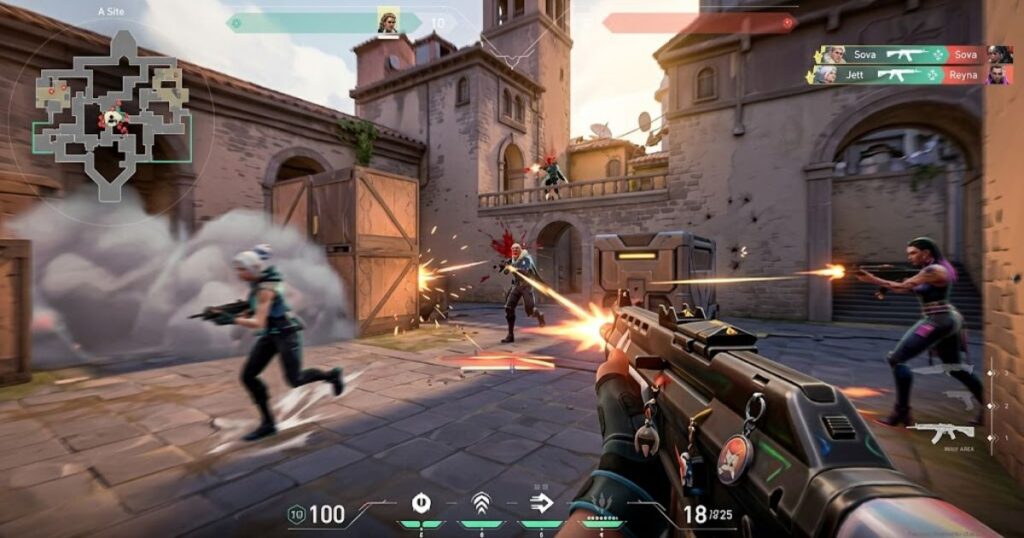
Many players waste Deathmatch by running carelessly, spraying every fight, and chasing instant kills. That can warm up your hands, but it does not always build useful mechanics. Real improvement comes from training with a specific purpose.
The list below highlights effective ways to use Deathmatch for flick shot improvement:
- Focus on head-level crosshair placement before contact.
- Practice stopping completely before firing.
- Train small corrective flicks instead of large emergency snaps.
- Reset your crosshair after every duel.
- Treat missed shots as feedback rather than frustration.
The table below explains the most effective Deathmatch training focuses for flick shot development:
| Deathmatch Focus | What to Practice | What to Avoid |
|---|---|---|
| Head-level aim | Keep crosshair ready before contact | Aiming at the floor while moving |
| First bullet accuracy | Stop and shoot cleanly | Panic spraying |
| Micro-flicks | Small corrections to the head | Huge unnecessary snaps |
| Angle discipline | Clear one angle at a time | Exposing yourself to multiple angles |
| Calm recovery | Reset after every miss | Getting tilted by spawns |
Note: Deathmatch is most effective when you focus on improving one specific aiming skill at a time instead of chasing the highest kill count.
Deathmatch can also reveal whether your setup is stable. If you overshoot only in real fights, pressure may be changing your grip tension. If you overshoot everywhere, your sensitivity or mousepad surface may be creating the problem.
Use missed duels as information. A missed shot can tell you whether the problem was crosshair placement, movement, timing, or pure mouse control. That makes Deathmatch more useful than simply chasing kills.
In conclusion, Deathmatch helps flick aiming when you train deliberately. Ignore the scoreboard when necessary. Focus on the quality of your movement, your stopping control, and your ability to stay calm after misses.
How Flick Shots Connect With Tracking and Recoil Control
Flick shots connect with tracking and recoil control because Valorant aim is not one isolated skill. You may flick onto a target, follow a small strafe, and then control a short burst if the first bullet does not secure the kill. Strong aim comes from linking these mechanics together smoothly.
Some players overvalue flick shots and ignore everything else. This creates inconsistency because not every fight is won with a single snap. If the enemy moves, crouches, or survives the first bullet, you still need follow-up control to finish the duel.
Tracking helps you stay connected to small enemy movements after the initial flick. Recoil control helps when a controlled burst becomes necessary. Click timing ensures that shots are fired only when your crosshair is properly aligned.
The table below shows how different aiming skills support flick shot performance in Valorant:
| Aim Skill | Role in Valorant | How It Supports Flicking |
|---|---|---|
| Flick aim | Fast target acquisition | Gets your crosshair onto the enemy |
| Tracking aim | Following movement | Helps after the first correction |
| Click timing | Firing at the right moment | Prevents early shots |
| Recoil control | Managing bursts | Helps when one-tap attempts fail |
| Crosshair placement | Pre-fight preparation | Makes flicks smaller and easier |
Note: Flick shots start the fight, but tracking, timing, and recoil control often decide how the fight ends.
This is why a complete aim routine should not be built only around flick drills. Flicking helps you reach the target, but follow-up control helps you finish the duel. A player who trains only one mechanic may look impressive in clips but remain inconsistent in ranked matches.
Strong Valorant aim feels connected. Your crosshair starts in a smart position, your flick moves efficiently, your click timing stays calm, and your follow-up correction remains controlled. This is much more reliable than depending on one dramatic movement.
In conclusion, flick shots are powerful but incomplete on their own. The best Valorant players combine flicking, tracking, click timing, recoil control, and crosshair placement into one consistent aiming system.
Common Flick Shot Mistakes in Valorant
The most common flick shot mistakes in Valorant are overflicking, changing sensitivity too often, training only speed, ignoring crosshair placement, and firing before the mouse stops. These habits make aim feel inconsistent even when reaction speed is good. Most flick shot problems come from several small mistakes working together rather than one major flaw.
Many players blame their mouse immediately after missing shots. While gear can sometimes affect consistency, technique is usually the bigger factor. A better mouse cannot fully fix poor crosshair placement, panic clicking, or unstable practice habits.
Another common mistake is training in a way that rewards bad movement. If you focus only on fast snaps without checking accuracy, you teach your hand to move aggressively without control. That may look impressive during warm-up but often falls apart during ranked matches.
The table below highlights the most common flick shot mistakes and the habits that help correct them:
| Mistake | Why It Hurts | Better Habit |
|---|---|---|
| Changing settings daily | Prevents muscle memory development | Keep settings stable during testing periods |
| Training only speed | Creates uncontrolled movement | Train accuracy before speed |
| Aiming too low | Forces large vertical flicks | Maintain head-level crosshair placement |
| Panic clicking | Fires before alignment | Shoot after the crosshair stabilizes |
| Copying pro settings blindly | May not fit your hand or setup | Use pro settings as reference only |
Note: Consistency usually improves faster when you fix fundamental habits before searching for new settings or equipment upgrades.
To fix these mistakes, follow a simple progression. Stabilize your sensitivity first, improve your crosshair placement second, then train stopping control before adding more speed. This helps build mechanics that are both fast and reliable.
The checklist below can help identify the real cause of missed flick shots:
- Check whether your crosshair started near the target.
- Review if you clicked before the mouse fully stopped.
- Look for signs of overflicking or underflicking.
- Monitor grip tension during stressful fights.
- Avoid changing settings immediately after a bad match.
It also helps to review missed duels honestly. Ask whether you missed because of aim, positioning, timing, or panic. Once you identify the real cause, improvement becomes much more direct and measurable.
In conclusion, most flick shot problems are fixable through stronger fundamentals. Build stable habits first, then refine speed and advanced mechanics afterward.
Best Setup Checklist for Valorant Flick Shots
The best setup for Valorant flick shots should feel stable, comfortable, and repeatable. Your mouse, mousepad, sensitivity, grip, and posture should support clean movement instead of creating tension. A good setup does not aim for you, but it removes unnecessary friction that can interfere with consistent flick accuracy.
Start with sensitivity and available space. If you use low sensitivity, you need enough room for arm movement. If you use medium sensitivity, you still need a surface that allows accurate stopping control during fast corrections.
Then evaluate mouse shape and grip comfort. Your hand should not fight the mouse during movement. If you constantly adjust your grip mid-round, your shape or size choice may not match your hand properly.
The checklist below covers the most important setup factors for consistent Valorant flick shots:
- Use a sensitivity that allows stable stopping control.
- Choose a mouse shape that fits your natural grip.
- Use a mousepad surface that matches your control needs.
- Keep enough desk space for arm movement.
- Clean your mousepad and check mouse skates regularly.
- Avoid changing settings after every bad match.
The table below summarizes how each setup component contributes to flick shot consistency:
| Setup Component | Primary Goal | Common Mistake |
|---|---|---|
| Sensitivity | Stable stopping control | Changing settings too often |
| Mouse Shape | Comfortable grip support | Copying another player’s mouse |
| Mousepad | Consistent glide and stopping | Using a worn surface |
| Desk Space | Natural arm movement | Restricted movement area |
| Grip Style | Predictable mouse control | Excessive hand tension |
| Posture | Repeatable mechanics | Inconsistent sitting position |
Note: Consistency comes from a setup that feels repeatable every day, not from constantly chasing new settings or equipment.
Polling rate can influence input feel, but it should not become the first thing you blame. Most players can perform well with stable 1000 Hz performance. Higher polling rates may feel smoother on powerful systems, but they will not fix poor crosshair placement or bad click timing.
Your setup should support your mechanics, not distract from them. If every game turns into another settings experiment, you lose the consistency needed to build reliable muscle memory. Treat setup changes as controlled tests rather than emotional reactions.
In conclusion, your setup should make aiming feel natural. The best flick shot setup is the one you can repeat comfortably across many matches, not one that only feels good for a few minutes in the Practice Range.
Final Thoughts on Valorant Flick Shot Aiming
Valorant flick shot aiming is about controlled precision under pressure. The strongest flicks come from good crosshair placement, stable sensitivity, relaxed grip, clean stopping control, and calm click timing. When those pieces work together, your aim becomes more reliable in real matches.
You do not need to flick wildly to become a better Valorant player. Most consistent players actually reduce how often they need huge flicks. They pre-aim better, clear angles smarter, and use smaller corrections whenever possible.
Your gear matters when it supports good habits. A comfortable mouse, stable grip, clean mousepad, and balanced settings can make your mechanics easier to repeat. Still, the biggest improvements come from disciplined training and smarter fight preparation.
If you want to connect this aim work with the bigger FPS setup picture, the Gaming Mouse for FPS Games gives broader context on mouse shape, weight, sensors, latency, and consistency across tactical shooters. That is the better next step after you understand how flick mechanics work in Valorant.
In conclusion, train flick shots with patience and structure. Focus on accuracy first, then add speed. Once your movement becomes repeatable, flicking stops feeling random and starts becoming a real competitive advantage.
Thanks for reading GearTP.
FAQ About Valorant Flick Shot Aiming
Flick shots are one of the most mechanically demanding aiming skills in Valorant because they require both speed and precision under pressure. Many players focus only on raw flick speed, but accurate flicking actually depends on crosshair placement, mouse control, stopping accuracy, and timing discipline working together. The questions below address the most common problems players face when learning flick shots, while also helping the article satisfy deeper informational search intent for competitive FPS players.
What is a flick shot in Valorant?
A flick shot in Valorant is a quick crosshair correction where you snap from your current aim position to an enemy and fire after stopping. It is useful when the enemy appears away from where your crosshair was already placed. A good flick needs speed, stopping control, and accurate timing.
How do I get better at flick shots in Valorant?
You get better at flick shots by training accuracy before speed. Start with slow controlled flicks, then add reactive drills and Deathmatch practice. Your goal is to stop on the target consistently instead of moving your mouse as fast as possible.
Is low sensitivity better for Valorant flick shots?
Low sensitivity can help flick shots because it improves stopping precision. However, it also needs enough mousepad space and arm movement. Medium sensitivity may feel better if you need a balance between speed and control.
Why do I always overflick in Valorant?
You may overflick because your sensitivity is too high, your hand is too tense, or your crosshair starts too far from the target. Overflicking usually means your stopping control is weaker than your reaction speed. Slowing the movement slightly can improve accuracy.
Should I practice flick shots every day?
You can practice flick shots every day if the sessions stay short and focused. Fifteen to thirty minutes of quality practice is often better than long tired sessions. Consistency matters more than volume.
Are aim trainers good for Valorant flick shots?
Aim trainers can help with raw mouse control, but they should not replace in-game practice. Valorant includes movement accuracy, map angles, pressure, and timing that aim trainers cannot fully copy. Use aim trainers as support, then practice in the Range and Deathmatch.
What mouse weight is best for Valorant flick shots?
Many Valorant players prefer lightweight mice around 50g to 70g because they feel easier to move and reset. However, shape and comfort are just as important as weight. A slightly heavier mouse that fits your hand can be more consistent than an ultralight mouse that feels unstable.
Does mousepad type affect flick aiming?
Yes, mousepad type affects flick aiming because it changes glide and stopping friction. Control pads usually help tactical FPS players stop more accurately. Speed pads may feel faster but can make overflicking worse for some players.
Is wrist aiming or arm aiming better for flick shots?
Most players should use both wrist and arm aiming. The arm helps with larger stable movement, while the wrist helps with small corrections. A hybrid style usually works best for Valorant flick shots.
Why can I hit flicks in the Range but miss in ranked?
You may hit flicks in the Range because the targets are predictable and pressure is low. Ranked fights include movement, utility, timing, and stress. Deathmatch and VOD review help connect practice mechanics with real match situations.
Do I need a better mouse to improve flick shots?
You do not always need a better mouse to improve flick shots. A new mouse helps only if your current one is uncomfortable, too heavy, unstable, or technically inconsistent. Fundamentals still matter more than gear upgrades.
What is the biggest secret to consistent flick shots?
The biggest secret is reducing the need for huge flicks in the first place. Better crosshair placement, calmer timing, and smarter angle clearing make flicks shorter and easier. Consistency comes from preparation, not only reaction speed.
Flick shot aiming in Valorant is not about forcing your mouse to move faster every fight. It is about making every correction cleaner, shorter, and easier to repeat under pressure. When your crosshair placement, sensitivity, grip, mouse control, and click timing work together, flicking stops feeling random and becomes a reliable part of your aim.
The best way to improve is to train accuracy before speed. Keep your setup stable, avoid changing sensitivity after every bad match, and use Deathmatch as a place to practice calm corrections instead of chasing the scoreboard. Over time, your flick shots will feel less like lucky reactions and more like controlled decisions.
Thanks for reading GearTP