
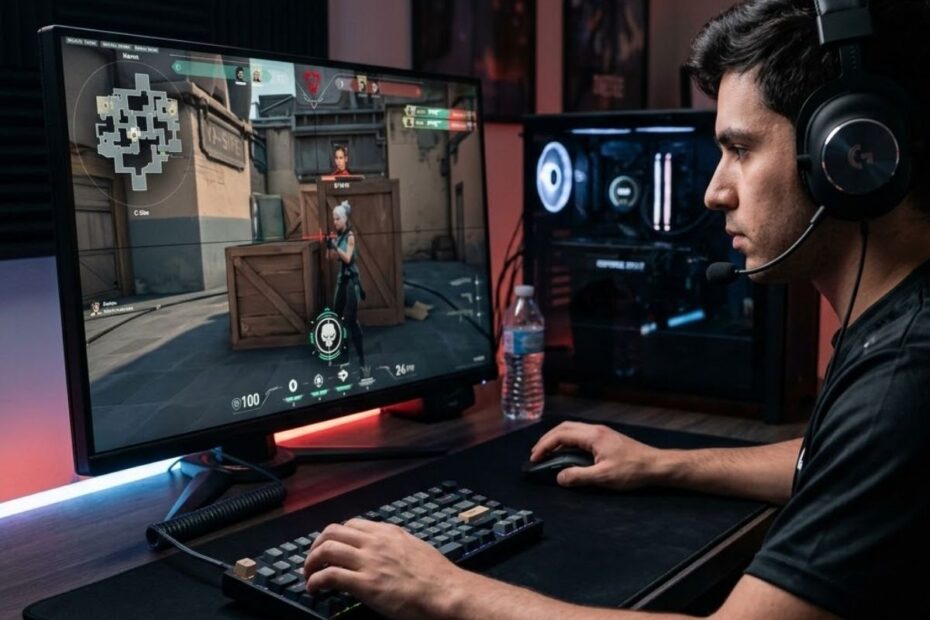
Finding the best sensitivity for Valorant can make aiming feel more natural, but there isn’t a single setting that works for everyone. Professional players use a wide range of DPI and in-game sensitivity combinations because accuracy depends on much more than copying someone else’s numbers.
Your ideal sensitivity is influenced by factors such as your preferred aiming style, available mouse space, mouse control, and consistency. While lower sensitivity often provides greater precision, higher sensitivity can improve speed for certain situations. The goal is to find a balance that allows you to aim confidently without fighting against your own mouse movements.
This guide explains how sensitivity works in Valorant, why effective DPI (eDPI) matters more than DPI alone, and how to determine the settings that best fit your gameplay. You’ll also learn the common mistakes that prevent players from developing consistent aim and discover practical recommendations based on different player profiles.
Is There a Best Sensitivity for Valorant?
No, there isn’t a single best sensitivity for every Valorant player. The most effective sensitivity is the one that allows you to consistently control your crosshair, make accurate micro-adjustments, and react comfortably during matches. Rather than chasing a specific number, experienced players focus on finding settings that match their own mechanics and playstyle.
Many players search for the “best Valorant sensitivity” expecting one universal answer, but Valorant is designed to support different aiming styles. Two players can achieve similar levels of accuracy while using completely different sensitivity settings because factors such as arm aiming, wrist aiming, desk space, mousepad size, and muscle memory all influence performance.
Professional players demonstrate this clearly. While many competitors prefer relatively low effective DPI (eDPI), there is still noticeable variation between individuals. Their success comes from long-term consistency with their chosen settings rather than selecting an identical sensitivity.
Instead of asking whether one sensitivity is objectively better than another, it is more useful to understand which sensitivity range is likely to suit your experience level and aiming habits. Starting with a reasonable baseline makes it easier to build muscle memory before making small adjustments over time.
The table below shows recommended Valorant sensitivity ranges for different types of players:
| Player Type | DPI | In-game Sensitivity | Typical eDPI | Recommended For |
|---|---|---|---|---|
| Beginner | 800 | 0.25–0.40 | 200–320 | Learning crosshair control and consistency |
| Intermediate | 800 | 0.20–0.35 | 160–280 | Balanced precision and movement |
| Competitive Players | 400–800 | 0.25–0.40 | 180–320 | Consistent aiming in ranked matches |
| Wrist Aimers | 800–1600 | 0.15–0.25 | 180–320 | Players with limited desk space |
| Arm Aimers | 400–800 | 0.20–0.35 | 160–280 | Players using large mousepads |
The recommended ranges above provide a practical starting point rather than fixed rules. Most experienced Valorant players eventually settle on a sensitivity that lets them make precise micro-adjustments while still turning comfortably during fast engagements. The ideal value depends on how you aim, the amount of mouse space available, and how consistently you can repeat the same movements.
Many competitive players stay within an eDPI range of roughly 180 to 320 because it offers a balance between precision and speed. However, this does not mean everyone should use identical settings. Wrist aimers often prefer a slightly higher sensitivity to compensate for shorter mouse movements, while arm aimers usually benefit from lower sensitivity that allows smoother tracking and finer crosshair control.
Rather than copying someone else’s settings immediately, use these ranges to narrow your starting point. After playing several matches, make small adjustments only when you can clearly identify a consistent issue, such as regularly overshooting or undershooting your target. This approach produces more reliable muscle memory than constantly changing sensitivity after every game.
For example, recommended Valorant sensitivity ranges published by Dot Esports also encourage starting with commonly used values before making gradual adjustments based on personal comfort and aiming consistency.
Ultimately, there is no universally perfect sensitivity. The best setting is the one that helps you control your crosshair naturally and perform consistently across different maps, weapons, and match situations.
The recommended ranges in the table are intended to help you start with a sensitivity that is easier to control instead of choosing a random value. Once you begin playing with a reasonable baseline, it becomes much easier to identify whether your crosshair movement feels too fast, too slow, or generally comfortable.
Although many experienced players stay within similar sensitivity ranges, there is still plenty of variation. Some players prioritize precise crosshair placement and controlled flick shots, while others prefer faster camera movement for aggressive playstyles. Both approaches can be effective as long as your sensitivity allows you to aim consistently under pressure.
Your physical setup also affects which range feels natural. Players with large mousepads often have enough space to make longer arm movements, making lower sensitivity easier to control. In contrast, players with limited desk space may find a slightly higher sensitivity more practical because it requires less mouse travel to cover the same distance on screen.
Instead of changing your settings after every match, spend enough time practicing with one sensitivity before deciding whether it needs adjustment. Consistent repetition helps build muscle memory, making your crosshair movement more predictable over time. Frequent changes often create inconsistency because your hand never has the opportunity to fully adapt.
The recommended ranges should therefore be treated as a starting point rather than a final answer. Once you feel comfortable with a baseline sensitivity, you can make gradual refinements based on your own aiming performance instead of relying on trial and error.
Understanding these starting ranges is only part of the process. To compare different sensitivity settings correctly, you also need to understand effective DPI (eDPI), which provides a much more meaningful measurement than DPI alone.
Why eDPI Is More Important Than DPI When Choosing Valorant Sensitivity
Effective DPI (eDPI) provides a more accurate way to compare Valorant sensitivity because it combines your mouse DPI with your in-game sensitivity into a single value. Looking at DPI alone can be misleading since two players using the same DPI may experience completely different mouse speeds depending on their in-game settings.
The following comparison illustrates why eDPI provides a more reliable way to compare Valorant sensitivity settings:
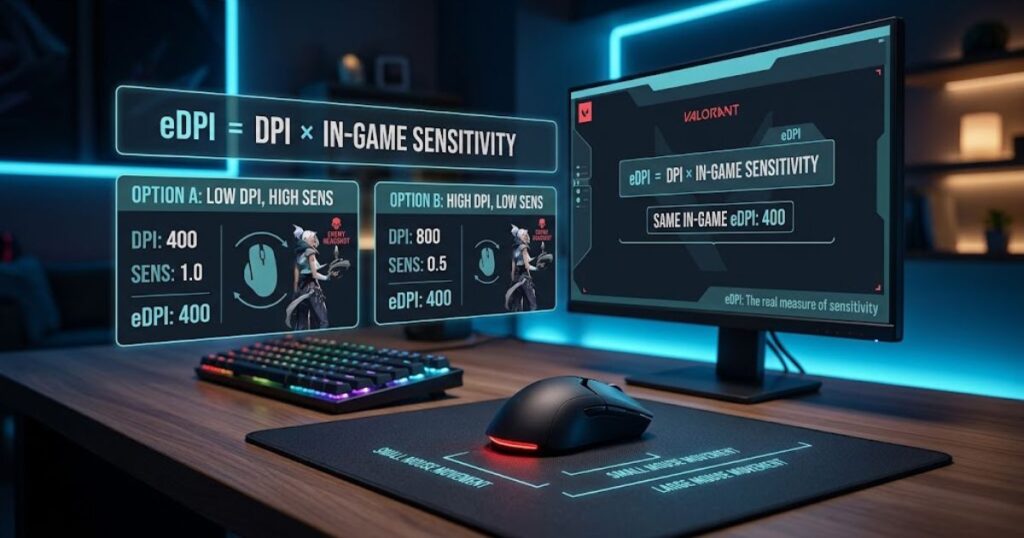
Many players make the mistake of asking whether 400 DPI or 800 DPI is better for Valorant. In reality, DPI is only one part of the equation. Your in-game sensitivity changes how that DPI translates into actual cursor movement, meaning identical DPI values can produce very different aiming experiences.
Using eDPI solves this problem by measuring your overall sensitivity instead of focusing on a single setting. It creates a common reference that makes it much easier to compare different configurations, whether you are evaluating your own settings or looking at those used by experienced players.
What Is eDPI and How Is It Calculated?
eDPI stands for effective dots per inch. It is calculated by multiplying your mouse DPI by your Valorant in-game sensitivity. The result represents your overall mouse sensitivity inside the game, allowing different DPI and sensitivity combinations to be compared on equal terms.
For example, a player using 400 DPI with an in-game sensitivity of 0.50 will have the same eDPI as someone using 800 DPI with an in-game sensitivity of 0.25. Although their hardware settings differ, their effective mouse speed inside Valorant is identical.
Understanding eDPI helps eliminate confusion when comparing sensitivity settings because it focuses on the final result rather than individual values. Instead of asking which DPI is best, players can compare a single eDPI value that accurately reflects how fast their crosshair moves in-game.
How to Use eDPI When Comparing Valorant Sensitivity Settings
Knowing your eDPI makes it much easier to compare sensitivity settings without being distracted by different DPI values. Instead of copying another player’s exact mouse configuration, compare the overall eDPI first to determine whether their effective sensitivity is actually similar to yours.
The table below compares several common Valorant sensitivity configurations using their effective DPI (eDPI):
| Mouse DPI | In-game Sensitivity | eDPI | Sensitivity Category |
|---|---|---|---|
| 400 | 0.40 | 160 | Low |
| 800 | 0.25 | 200 | Medium-Low |
| 800 | 0.35 | 280 | Medium |
| 800 | 0.45 | 360 | Medium-High |
| 1600 | 0.30 | 480 | High |
This approach is especially useful when researching settings used by professional players or experienced community members. Instead of copying every value exactly, compare the reported eDPI with your own current setup to determine how large the difference actually is.
If you are still deciding which mouse DPI best suits your setup, our guide on the best DPI for Valorant explains how different DPI options affect mouse performance while maintaining your preferred eDPI.
Once you can compare sensitivity using eDPI, the next step is choosing an appropriate sensitivity range based on how you aim. Different aiming styles naturally benefit from different levels of overall sensitivity, which is covered in the next section.
How Your Aiming Style Affects the Best Sensitivity for Valorant
Your aiming style plays a major role in determining the best sensitivity for Valorant because different techniques require different levels of mouse control. While eDPI provides a consistent way to measure sensitivity, it does not determine which setting is right for every player. The ideal sensitivity depends on how you naturally aim, react, and control your crosshair during matches.
The illustration below compares how low and high sensitivity influence aiming behavior in Valorant:
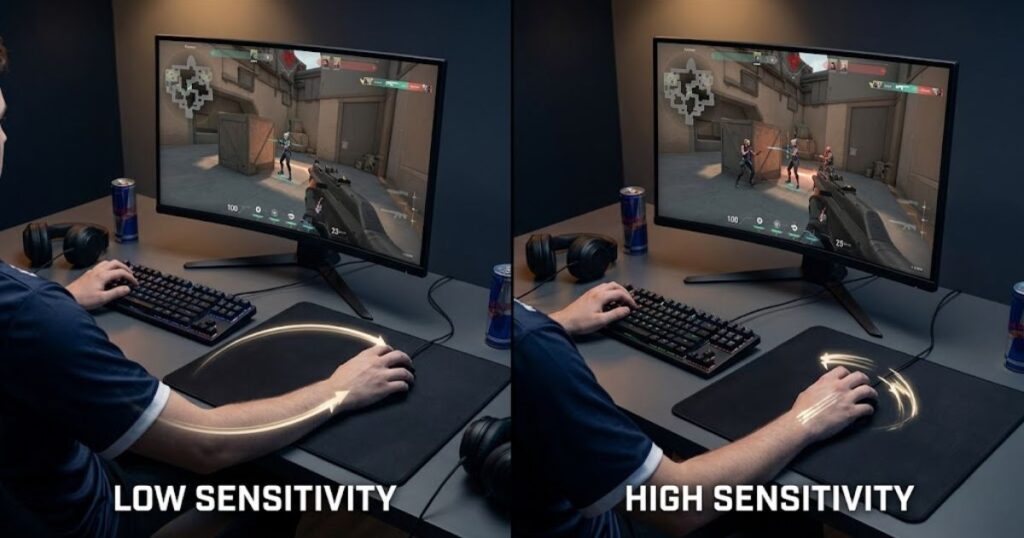
Some players rely on large arm movements to maintain precise crosshair placement over long distances. Others make smaller wrist movements to react quickly during close-range engagements. Neither approach is universally better. Each places different demands on mouse sensitivity, making personal comfort and consistency more important than copying another player’s settings.
Another factor is the type of engagements you encounter most often. Players who focus on disciplined crosshair placement and controlled first-shot accuracy may prefer a lower overall sensitivity, while those who frequently clear multiple angles or make rapid directional changes may feel more comfortable with a higher sensitivity. The goal is to find a setting that supports your mechanics rather than forcing you to adapt to an uncomfortable configuration.
Developing consistent muscle memory also requires stability. Constantly changing your sensitivity in search of a perfect number often makes improvement more difficult because your hand never has enough time to adapt. Once you find a sensitivity that complements your aiming style, keeping it consistent usually produces better long-term results than making frequent adjustments.
The following sections compare the characteristics of low, medium, and high sensitivity to help you identify which range best matches your aiming style and gameplay preferences.
Low Sensitivity: Best for Precision and Consistent Crosshair Placement
Low sensitivity is generally the best choice for players who prioritize precise crosshair placement and controlled aiming over fast mouse movements. It allows you to make smaller adjustments more accurately, making it easier to land consistent headshots and maintain stable tracking during medium- to long-range engagements.
With a lower overall sensitivity, your hand travels farther to move the crosshair across the screen. While this requires more desk space and larger arm movements, it also reduces the chance of overcorrecting your aim. Many players find that this level of control improves first-shot accuracy, especially when holding angles or taking disciplined duels.
The table below summarizes the strengths and trade-offs of using low sensitivity in Valorant:
| Aspect | Benefit | Potential Drawback |
|---|---|---|
| Crosshair Placement | Improves precision and micro-adjustments. | Requires larger mouse movements. |
| First-shot Accuracy | Helps maintain consistent head-level aim. | Can feel slow during rapid target switches. |
| Tracking | Provides smoother target tracking. | May require more arm movement over time. |
| 180-Degree Turns | Reduces accidental overshooting. | More difficult to react if surprised from behind. |
| Learning Curve | Encourages disciplined aiming habits. | Needs sufficient mouse pad space for comfort. |
If your aiming style focuses on crosshair discipline, controlled flicks, and reliable first-shot accuracy, low sensitivity is often the most comfortable starting point. Our guide to low sensitivity aiming in Valorant explains how to adapt your movement and build muscle memory with this approach.
Although low sensitivity benefits many tactical players, it is not the only effective option. Some players perform better with a more balanced sensitivity that combines precision with faster target transitions, which is covered in the next section.
Medium Sensitivity: A Balanced Choice for Most Valorant Players
Medium sensitivity offers a balance between precision and responsiveness, making it a practical choice for many Valorant players. Instead of maximizing one aspect of aiming, it provides enough control for accurate shots while still allowing quick reactions during dynamic situations. This balance makes it especially suitable for players who have not yet developed a strong preference for either low or high sensitivity.
Because medium sensitivity requires a combination of arm and wrist movement, it adapts well to a wide variety of engagements. You can make controlled micro-adjustments when holding angles while still turning quickly enough to clear corners, trade teammates, or react to unexpected threats. For many players, this versatility makes medium sensitivity easier to use across different maps and playstyles.
The table below compares the practical characteristics of medium sensitivity in Valorant:
| Aspect | How Medium Sensitivity Performs |
|---|---|
| Precision | Provides reliable accuracy without requiring extremely large mouse movements. |
| Reaction Speed | Allows comfortable target switching and quick directional changes. |
| Movement Style | Uses a natural combination of arm and wrist aiming. |
| Adaptability | Performs consistently across close-, medium-, and long-range engagements. |
| Recommended For | Players seeking a balance between control and mobility. |
If you are still experimenting with your settings, starting in a medium sensitivity range can make it easier to identify your personal preferences. As your mechanics improve, you can make small adjustments instead of making dramatic changes that disrupt your muscle memory.
Players who want even faster camera movement and quicker reactions may eventually prefer a higher sensitivity. The next section explains when high sensitivity becomes an advantage and what compromises it requires.
High Sensitivity: Best for Fast Reactions and Aggressive Playstyles
High sensitivity is best suited for players who prioritize fast reactions, rapid target transitions, and aggressive movement over maximum aiming precision. With less physical mouse movement required, players can quickly clear multiple angles, perform fast 180-degree turns, and react more easily during chaotic close-range engagements.
This sensitivity range is commonly preferred by players who rely heavily on wrist aiming and frequently reposition their crosshair while moving around the map. Because the cursor travels farther with smaller hand movements, high sensitivity can feel more responsive when checking corners, entering sites, or tracking opponents that suddenly appear from unexpected directions.
The table below outlines when high sensitivity becomes an advantage and the compromises players should expect:
| Aspect | Advantage | Trade-off |
|---|---|---|
| Target Switching | Quickly transitions between multiple opponents. | Higher risk of overshooting small adjustments. |
| Close-range Fights | Responds well to fast and unpredictable movement. | Can reduce precision at longer distances. |
| Mouse Movement | Requires less desk space and shorter hand movement. | Small mistakes become more noticeable. |
| Reaction Speed | Makes rapid turns and repositioning easier. | Demands stronger mouse control and consistency. |
| Recommended For | Confident wrist aimers and aggressive entry players. | May feel unstable for beginners. |
High sensitivity is not inherently more difficult to use, but it generally requires greater consistency in mouse control. Players who frequently overflick or struggle with fine corrections may benefit from lowering their overall sensitivity before attempting to improve their aiming mechanics.
If you are interested in developing faster flicks without sacrificing accuracy, our guide to Valorant flick shot aiming explains the techniques that help players maintain control regardless of their preferred sensitivity.
After understanding the strengths of low, medium, and high sensitivity, the next step is determining which sensitivity range matches your own playstyle instead of simply copying someone else’s settings.
How to Choose the Best Sensitivity for Your Playstyle
The best sensitivity for Valorant is the one that matches your aiming habits, available mouse space, and ability to control your crosshair consistently. There is no single sensitivity that works for every player because different playstyles place different demands on mouse movement. Instead of chasing a popular setting, focus on choosing a sensitivity that supports the way you naturally play.
The following example shows how different playstyles often align with different sensitivity ranges:
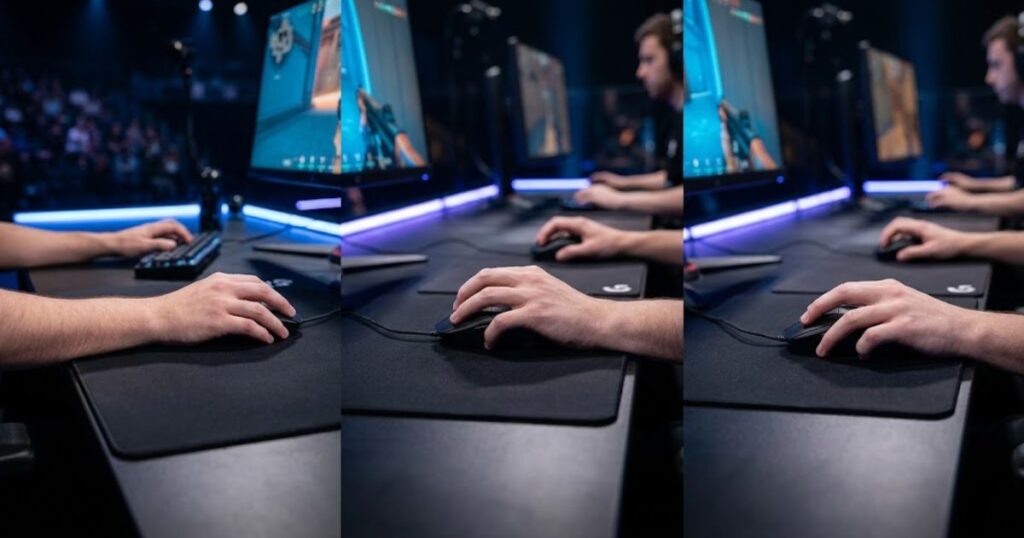
One of the easiest ways to narrow your choice is by evaluating how you aim during real matches. Players who rely on careful crosshair placement and controlled first-shot accuracy often feel more comfortable with lower sensitivity. Those who prefer a balance between precision and mobility usually perform well in a medium range, while players who prioritize rapid reactions and aggressive movement may benefit from higher sensitivity.
The table below helps match common playstyles with a suitable sensitivity range:
| Playstyle | Recommended Sensitivity | Reason |
|---|---|---|
| Precision-focused | Low | Supports accurate crosshair placement and stable micro-adjustments. |
| Balanced | Medium | Offers a practical mix of control and responsiveness. |
| Aggressive Entry | High | Enables faster target transitions and rapid directional changes. |
| Flexible / Still Experimenting | Medium | Provides an adaptable starting point for gradual adjustments. |
Once you identify the range that best fits your playstyle, avoid making large adjustments after every match. Small changes followed by several days of consistent practice allow your muscle memory to adapt naturally, making it much easier to evaluate whether a new setting actually improves your performance.
If you want to improve your overall aiming consistency alongside your sensitivity settings, our guide to tactical aiming in Valorant explains the positioning, movement, and decision-making habits that contribute to more reliable aim.
After selecting a suitable sensitivity range, the next step is fine-tuning your settings through structured practice instead of relying on trial and error alone.
How to Test Whether Your Valorant Sensitivity Is Working
The best way to evaluate your Valorant sensitivity is by measuring consistency over multiple practice sessions instead of judging it after a single match. Performance naturally fluctuates from game to game, so changing your settings too quickly often creates inconsistent muscle memory rather than solving an actual problem.
After selecting a sensitivity, spend several sessions practicing with the same settings in the Valorant Practice Range, Deathmatch, or Aim Labs before deciding whether any adjustment is necessary. Pay attention to recurring aiming patterns rather than individual highlights or mistakes. Consistent results over time provide a much more reliable indication that your sensitivity matches your mechanics.
The table below lists common aiming issues and what they may indicate about your current sensitivity:
| Observation | Possible Cause | Recommended Action |
|---|---|---|
| You frequently overshoot enemies. | Sensitivity may be slightly too high. | Reduce sensitivity in small increments. |
| You consistently stop short of your target. | Sensitivity may be slightly too low. | Increase sensitivity gradually. |
| Your aim feels different every match. | Frequent sensitivity changes. | Keep the same settings for several days. |
| You struggle with long tracking sessions. | Mouse control or practice consistency. | Continue practicing before changing settings. |
| You feel comfortable across most engagements. | Your sensitivity is likely well suited. | Maintain the current settings. |
When making changes, avoid large jumps in sensitivity. Small adjustments followed by several days of consistent practice make it easier to determine whether the new setting genuinely improves your performance. Constantly changing your settings after every poor game often slows long-term improvement by preventing stable muscle memory from developing.
If you want to build more consistent mouse control while testing new settings, our guide to Valorant tracking aim covers practice methods that help you evaluate your aim more objectively.
Once your sensitivity feels consistent across different practice scenarios and competitive matches, you can focus less on settings and more on improving your overall aiming fundamentals.
Should You Copy Pro Players’ Valorant Sensitivity?
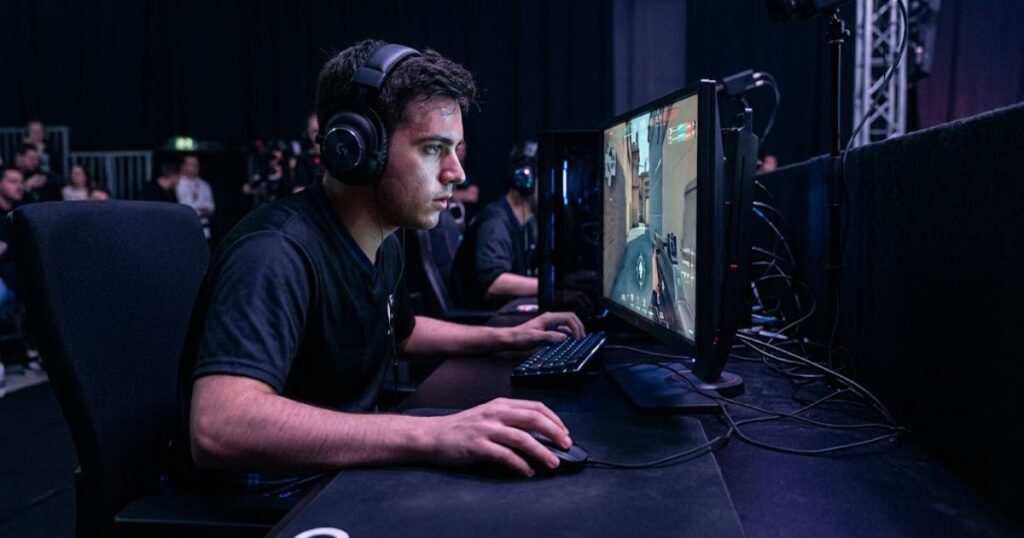
Professional Valorant players can provide useful reference points, but copying their sensitivity rarely produces the same results. A pro player’s settings are developed through years of practice and are influenced by factors such as mouse control, desk space, grip style, monitor setup, and personal preferences. Their sensitivity should be viewed as a starting point for comparison rather than a guaranteed solution.
Professional sensitivity settings should always be considered alongside the player’s complete gaming setup:
Many professional players use what is generally considered a low-to-medium sensitivity range because it supports precise crosshair placement and consistent first-shot accuracy. However, there is still significant variation between individual players. Two professionals may perform equally well despite using noticeably different sensitivity settings because each has adapted their mechanics to match their chosen configuration.
The table below illustrates how professional settings should be interpreted:
| What You See | What It Actually Means |
|---|---|
| A pro uses low sensitivity. | It fits that player’s mechanics, not necessarily yours. |
| Several pros use similar settings. | It may indicate a common competitive range, not a required value. |
| Your aim feels worse after copying a pro. | Your natural aiming style may require a different sensitivity. |
| You perform consistently with your own settings. | There is little reason to change simply because a professional uses something different. |
| You want to experiment. | Use professional settings as a temporary baseline, then fine-tune based on your own results. |
Comparing your settings with professionals can be helpful when your current sensitivity feels unusually fast or slow. However, any adjustment should still be validated through consistent practice rather than immediate match results.
If you would like to compare commonly used professional DPI, eDPI, and sensitivity values, our guide to the best DPI for Valorant summarizes popular competitive settings and explains how to interpret them correctly.
Ultimately, the best sensitivity is the one that allows you to maintain consistent aim throughout competitive matches, regardless of whether it matches a professional player’s configuration.
Common Mistakes When Adjusting Valorant Sensitivity
Most aiming problems are caused by inconsistent habits rather than choosing the wrong sensitivity. Many players assume every missed shot means their settings need to change, when the real issue is often insufficient practice or constantly switching between different values.
The illustration below summarizes the process of finding a stable and consistent Valorant sensitivity:
Developing consistent aim requires giving your muscle memory enough time to adapt. Frequently changing sensitivity, copying professional settings without testing them, or making large adjustments after a frustrating match can all slow long-term improvement. Building confidence with one well-tested setup is generally more effective than endlessly searching for the “perfect” number.
The table below summarizes the most common sensitivity adjustment mistakes and better alternatives:
| Mistake | Why It Hurts Performance | Better Approach |
|---|---|---|
| Changing sensitivity after every match. | Prevents muscle memory from adapting. | Keep the same settings for several practice sessions. |
| Making large sensitivity adjustments. | Makes it difficult to evaluate improvement. | Adjust gradually using small increments. |
| Copying professional settings without testing. | Ignores differences in mechanics and playstyle. | Use pro settings only as a reference point. |
| Judging sensitivity from a single bad game. | Short-term results are often misleading. | Evaluate performance over multiple matches. |
| Blaming sensitivity for every missed shot. | Mechanical fundamentals may be the real issue. | Continue practicing movement, crosshair placement, and aim control. |
Finding the best sensitivity is only one part of becoming a better Valorant player. Consistent practice, disciplined crosshair placement, and solid positioning contribute just as much to reliable aim as the sensitivity value itself.
By understanding how DPI, eDPI, aiming style, and practice habits work together, you can choose a sensitivity that supports your mechanics and continue refining it through regular gameplay instead of relying on constant adjustments.
Frequently Asked Questions
The following frequently asked questions cover additional concepts, practical decisions, and related factors that players often search for after learning how to choose the best Valorant sensitivity. These quick answers expand on the main guide while helping you understand the broader relationship between sensitivity, aiming performance, and gaming equipment.
What is eDPI in Valorant?
eDPI is your effective sensitivity. It is calculated by multiplying your mouse DPI by your in-game sensitivity. Because it combines both settings into a single value, eDPI makes it easier to compare sensitivity between different players regardless of their individual DPI settings.
What is considered a good Valorant sensitivity?
A good Valorant sensitivity is one that allows you to aim consistently without sacrificing control or comfort. Most competitive players fall within a moderate eDPI range, but the best sensitivity depends on your mechanics, playstyle, and available mouse space.
What is the difference between DPI and in-game sensitivity?
DPI controls how sensitive your mouse sensor is, while in-game sensitivity adjusts movement inside Valorant. Both settings work together to determine your overall mouse speed, which is commonly measured as eDPI.
What is the ideal eDPI range for Valorant?
Many experienced Valorant players use an eDPI between approximately 200 and 400. This range offers a practical balance between precise aiming and comfortable mouse movement, although individual preferences can vary.
Should beginners use low or high sensitivity?
Most beginners benefit from starting with a low-to-medium sensitivity. This range usually makes it easier to develop consistent crosshair placement, improve mouse control, and build reliable aiming habits before experimenting with faster settings.
How do I know if my sensitivity is too high?
Your sensitivity may be too high if you regularly overshoot your target. Consistently aiming past enemies during flicks or micro-adjustments often indicates that reducing your sensitivity slightly could improve control.
How do I know if my sensitivity is too low?
Your sensitivity may be too low if you frequently stop short of your target or struggle to react quickly. Small increases can help if these problems occur consistently across multiple practice sessions.
Should I change my Valorant sensitivity often?
No. Frequent sensitivity changes usually make aiming less consistent. Keeping the same settings for several practice sessions allows muscle memory to develop, making it much easier to evaluate whether adjustments are actually necessary.
Does mouse weight affect Valorant sensitivity?
Mouse weight does not change your sensitivity value, but it influences how that sensitivity feels. Lighter mice are often easier to move quickly, while heavier mice may provide a greater sense of stability during controlled aiming.
Does mouse pad size matter for Valorant sensitivity?
Yes. Mouse pad size becomes increasingly important when using lower sensitivities. A larger mouse pad provides more room for arm movement and helps prevent running out of space during wide turns.
Does monitor resolution change Valorant sensitivity?
No. Changing your monitor resolution does not directly change Valorant sensitivity. However, different resolutions may affect how fast movement appears visually, which can influence your personal perception of speed.
Can the best Valorant sensitivity improve my aim without practice?
No. The right sensitivity supports consistent aiming, but it cannot replace regular practice. Long-term improvement still depends on crosshair placement, movement, mouse control, positioning, and disciplined training.
Thank you for taking the time to read this guide. We hope it helps you find a Valorant sensitivity that feels natural, improves your aiming consistency, and gives you greater confidence every time you queue for your next match. Happy gaming, and good luck in your climb.