
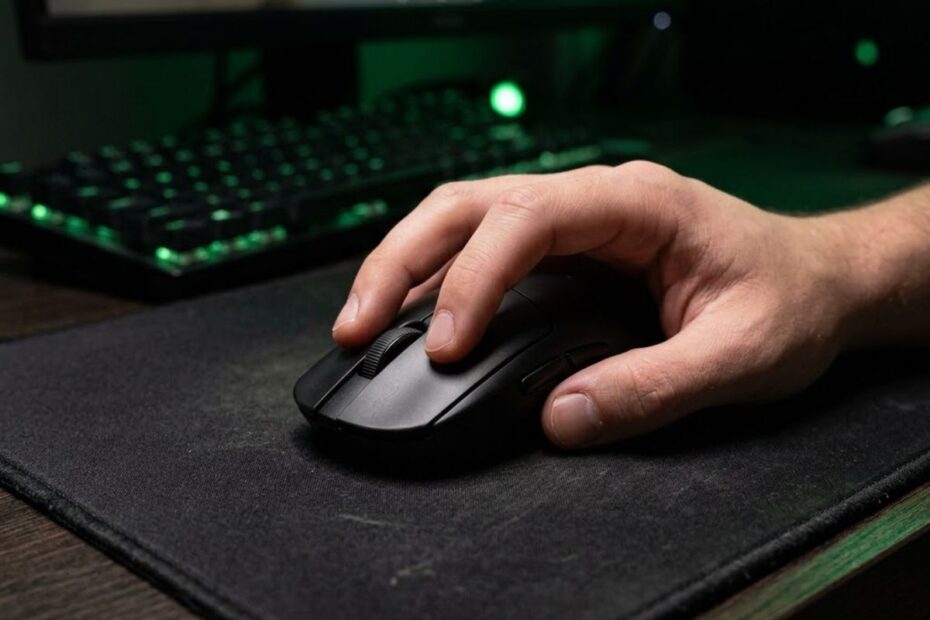
The best mouse shape for Valorant is usually a medium-sized symmetrical shape that matches your grip style, hand size, and aiming technique. It helps improve aim consistency, flick accuracy, and overall comfort without forcing unnatural wrist or finger movement during tactical FPS gameplay.
Many players focus too much on DPI, polling rate, or sensor marketing while completely ignoring shape. In reality, even the best gaming sensor feels inconsistent if the shell does not support your grip properly. A shape that feels effortless allows you to track targets more naturally, stop overshooting flicks, and maintain better crosshair control during long sessions.
Valorant rewards consistency over flashy movement. Since gunfights often come down to first-shot accuracy, positioning, and calm crosshair control, your mouse shape directly affects comfort, fatigue, and confidence during tense rounds. That is why many players who already optimized their Valorant sensitivity settings still struggle with aim consistency when the mouse itself feels awkward in hand.
This guide explains how mouse shape affects aiming performance and helps you choose the right shape based on grip style, hand size, and tactical FPS aiming habits.
Why Mouse Shape Matters More Than Specs in Valorant
Mouse shape is the physical design of a gaming mouse that determines how your hand interacts with the shell during gameplay. It helps improve grip stability, aiming consistency, and long-term comfort more directly than most modern mouse specifications.
Many players assume better sensors automatically create better aim. In reality, most modern gaming mice already offer excellent tracking performance, while shape remains the factor that directly influences how naturally your hand controls movement. A shape that feels comfortable and predictable often improves performance more than chasing higher specifications.
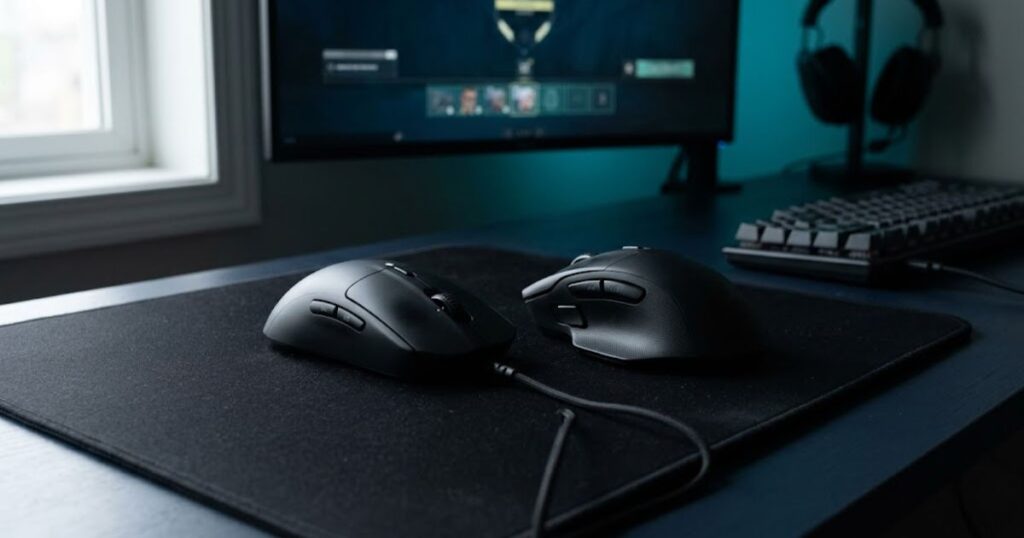
The image below shows how different mouse shapes can influence comfort, control, and aiming performance in Valorant:
Valorant rewards consistency more than flashy movement. Since most gunfights are decided by crosshair placement, first-shot accuracy, and micro-adjustments, even small ergonomic differences can affect overall performance. Players often blame sensitivity settings when the real issue comes from a shape that does not support their natural grip.
Many modern gaming mice already provide excellent sensors, low click latency, and lightweight construction. Once those fundamentals are solved, shape becomes the biggest factor separating a mouse that feels natural from one that constantly requires adjustment.
Key differences between mouse shape and hardware specifications:
| Factor | Impact on Valorant Aim | Importance Level |
|---|---|---|
| Mouse Shape | Controls grip stability and precision | Very High |
| Sensor Quality | Affects tracking reliability | High |
| Weight | Influences speed and fatigue | High |
| DPI | Adjusts sensitivity scaling | Medium |
| RGB Features | Purely cosmetic | Low |
Note: Most competitive gaming mice already provide excellent sensor performance. Choosing a shape that fits your grip style usually has a greater impact on long-term aiming consistency than upgrading minor hardware specifications.
A well-designed shape also reduces unnecessary grip adjustments during matches. If your fingers constantly reposition themselves while aiming, your consistency suffers and muscle memory becomes harder to develop.
Players who understand the relationship between shape and control often improve faster because they stop relying on constant sensitivity changes to solve hardware-related problems. The mouse begins to feel like a natural extension of the hand rather than a tool that requires continuous adaptation.
“Tactical aim in Valorant is built on consistency, not chaotic movement. Stable control always beats flashy flicks in long-term ranked performance.”
How Mouse Shape Affects Your Aim Mechanics
Mouse shape affects your aim mechanics by changing how your fingers, palm, and wrist interact with the shell during movement. Different shapes alter stability, stopping power, lift-off control, and micro-adjustment precision.
Most players only notice shape differences after several hours of gameplay. A mouse might feel comfortable initially but still create subtle aiming problems once intense flicking or tracking begins. Small ergonomic mismatches gradually turn into inconsistent muscle memory.
There are several major aiming mechanics influenced by shape:
- Flick shot control
- Micro-adjustment precision
- Tracking smoothness
- Lift-off consistency
- Spray transfer stability
- Wrist fatigue management
Low-profile shapes often improve fingertip mobility and fast micro-adjustments. Taller humps usually increase palm support and stability during slower tactical aiming. Meanwhile, wider shells can reduce hand strain but sometimes limit rapid corrections.
Players who focus heavily on crosshair placement in Valorant typically prefer shapes that support controlled stopping power rather than aggressive movement speed. Tactical FPS gameplay rewards precision and positioning more than raw mobility.
| Shape Characteristic | Gameplay Effect | Best Use Case |
|---|---|---|
| Low hump | More finger mobility | Fast flicks |
| High hump | Better palm support | Stable aim |
| Narrow shell | Quicker adjustments | Claw grip users |
| Wide shell | More hand stability | Palm grip users |
| Flat sides | Easier finger control | Precision aiming |
Understanding these interactions helps you avoid buying mice based purely on hype or pro player recommendations. Even elite esports hardware performs poorly if the shape does not align with your natural movement style.
The best Valorant mouse shape should disappear in your hand mentally. You should focus entirely on the enemy and crosshair instead of noticing discomfort, instability, or awkward movement patterns.
Symmetrical vs Ergonomic Mouse Shapes for Valorant
Symmetrical and ergonomic mouse shapes are two common design categories used in Valorant. They help different types of players improve comfort, grip stability, and aiming consistency based on their grip style and hand size.
Most Valorant players prefer symmetrical shapes because they provide balanced control, easier repositioning, and more consistent micro-adjustments. Ergonomic shapes can still be excellent for palm grip users who prioritize comfort during long gaming sessions.
The image below compares symmetrical and ergonomic mouse shapes to show how each design supports different aiming styles in Valorant:
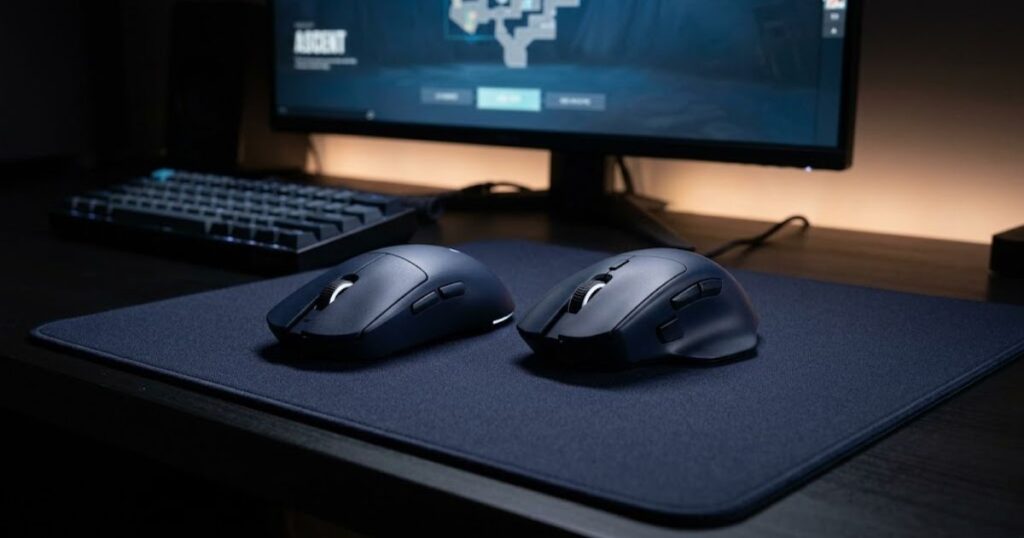
Symmetrical mice feature balanced left and right sides, making them easier to control during flick shots, quick directional changes, and micro-adjustments. This design remains the most popular choice among competitive Valorant players because it supports neutral and predictable movement.
Ergonomic mice include more aggressive curves that follow the natural shape of the hand. While they often improve overall comfort, they may slightly reduce flexibility for players who rely heavily on fingertip movement or rapid angle adjustments.
Key differences between symmetrical and ergonomic mouse shapes:
| Feature | Symmetrical Shape | Ergonomic Shape |
|---|---|---|
| Grip flexibility | Excellent | Moderate |
| Tactical flick control | Strong | Good |
| Palm comfort | Moderate | Excellent |
| Micro-adjustments | Very precise | Slightly slower |
| Popularity in Valorant esports | Very high | Moderate |
Note: Most professional Valorant players use symmetrical shapes because the game rewards precise first-shot accuracy, controlled flicks, and repeatable aiming mechanics. However, comfort should still be prioritized if an ergonomic shape feels more natural in your hand.
Comfort, ergonomics, and hand size should all be considered before choosing a mouse shape. A shape that reduces wrist strain and supports your natural grip often delivers better long-term consistency than following professional trends alone.
Players who prefer slower, methodical gameplay and stable tracking frequently enjoy ergonomic mice more than aggressive claw-grip users. Meanwhile, players who focus on flick-heavy mechanics often lean toward symmetrical shapes for faster repositioning and cleaner directional control.
There is no universal winner between these categories. The best choice depends entirely on how your hand interacts with the mouse during real gameplay situations.
Best Mouse Shapes for Palm Grip Players
Palm grip is a mouse grip style where most of the hand rests directly on the mouse shell. It helps improve aiming stability, reduce hand fatigue, and create more consistent control during tactical FPS gameplay.
Most palm grip players perform best with medium-to-large mouse shapes that provide strong palm support and a stable contact surface. Because much of the hand stays connected to the mouse, shape comfort often becomes more important than maximum movement speed.
The image below shows a mouse shape commonly preferred by palm grip players because of its larger body, ergonomic support, and stable aiming feel:
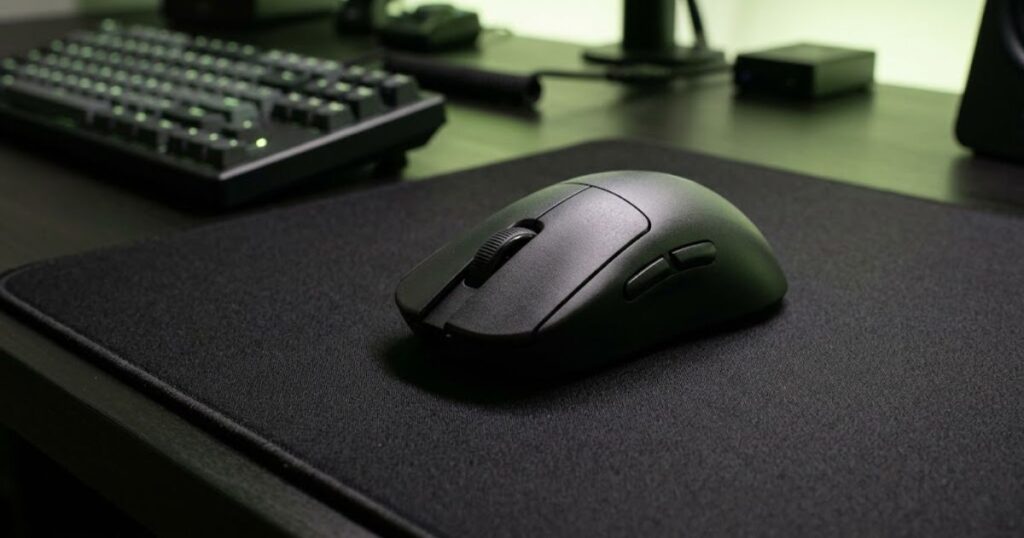
Palm grip places most of the hand directly on the mouse shell. It helps create a stable aiming platform and reduces unnecessary finger movement during precision-focused gameplay. A shape that feels too small often forces the hand into an uncomfortable position and reduces overall control.
Valorant rewards consistency more than constant movement. Because of this, many palm grip players prefer shapes that support smooth arm aiming, controlled tracking, and reliable stopping power during gunfights.
Common mouse shape features preferred by palm grip players:
| Shape Feature | Benefit for Palm Grip |
|---|---|
| High rear hump | Provides stronger palm support |
| Wider rear body | Improves aiming stability |
| Ergonomic curve | Reduces wrist strain |
| Longer shell | Supports full-hand contact |
| Rounded edges | Creates smoother movement transitions |
Note: Palm grip players usually benefit more from stability and comfort than from extremely compact mouse designs. Choosing a shape that naturally supports the entire hand often improves long-term aiming consistency.
Many popular palm grip mice use shape designs inspired by classic ergonomic esports models. These designs prioritize comfort and control rather than maximizing fingertip mobility.
If your mouse feels unstable despite using a palm grip, the shape may simply be too small for your hand size. Many players copy professional setups without considering whether the shell actually provides enough support for their grip style.
Players using low sensitivity and arm aiming often benefit from larger palm-friendly shapes because the additional support helps maintain control during wide mouse movements.
When evaluating a palm grip mouse shape, focus on these factors:
- Choose a shape that fully supports your palm naturally.
- Prioritize long-session comfort and stability.
- Check whether the mouse maintains a relaxed wrist position.
- Test micro-adjustment control during angle holding.
- Avoid shapes that force constant grip repositioning.
The best palm grip mouse shape should feel stable without becoming difficult to reposition. Strong support and natural control are usually more valuable than maximum movement speed in Valorant.
Best Mouse Shapes for Claw Grip Players
Claw grip is a mouse grip style where the palm lightly touches the rear of the mouse while the fingers arch over the buttons. It helps balance aiming stability and movement speed, making it one of the most popular grip styles among Valorant players.
Most claw grip users perform best with medium-sized symmetrical mouse shapes that provide strong rear palm support without restricting finger movement. The right shape allows fast flicks, precise micro-adjustments, and controlled stopping power during tactical gunfights.
The image below shows a mouse shape commonly preferred by claw grip players because it combines rear palm support with excellent finger control:
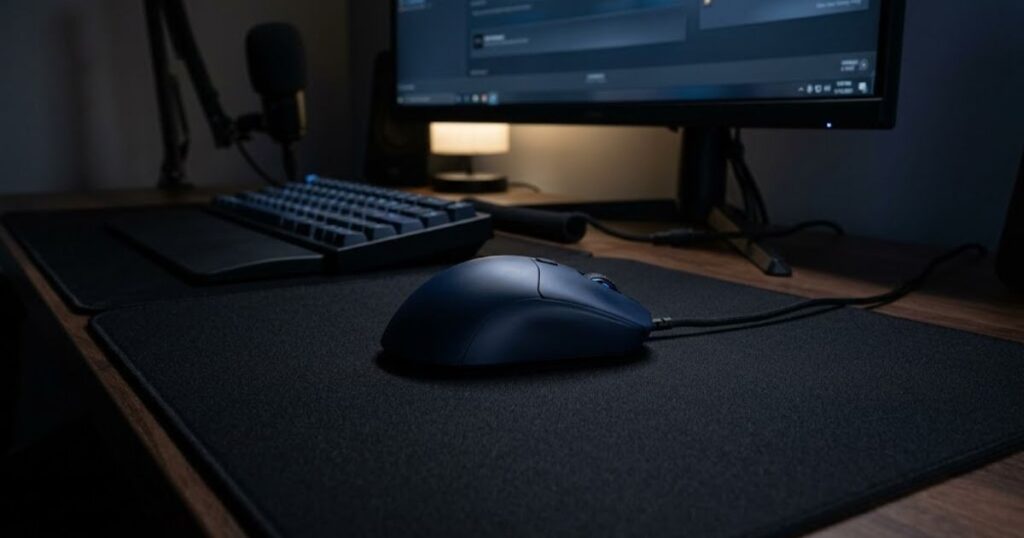
Claw grip combines elements of both palm grip and fingertip grip. It helps players maintain stability through light palm contact while still allowing rapid finger-driven adjustments during aiming. This balance makes claw grip especially effective for tactical FPS games such as Valorant.
Because claw grip relies heavily on finger control, the mouse shape must support quick directional changes without feeling unstable. Shapes that are too large often reduce responsiveness, while shapes that are too small may create unnecessary hand tension.
Common mouse shape features preferred by claw grip players:
| Shape Trait | Benefit for Claw Grip |
|---|---|
| Rear hump | Provides palm support and hand stability |
| Narrow waist | Improves finger mobility |
| Compact body | Allows faster repositioning |
| Flat side walls | Enhances grip control |
| Low front buttons | Supports quicker click response |
Note: Most claw grip players benefit from shapes that balance stability and agility. Excessively large mice can reduce finger freedom, while overly small mice may increase hand fatigue during long sessions.
Many competitive Valorant players naturally prefer claw grip because it supports both explosive flick shots and controlled micro-adjustments. The grip provides enough flexibility for fast reactions while maintaining reliable precision.
Claw grip users often prioritize shape more than raw hardware specifications because finger placement directly affects how the mouse feels during aim corrections. Even a high-end sensor cannot compensate for a shape that feels awkward in hand.
Players who focus on flick-heavy aiming styles frequently choose claw-friendly shapes because they allow quick target acquisition while preserving stopping accuracy. This combination is especially valuable in a game where headshot precision determines many engagements.
When evaluating a claw grip mouse shape, focus on these factors:
- Look for a rear hump that supports light palm contact.
- Choose a shape that allows natural finger movement.
- Test how easily you can perform micro-adjustments.
- Avoid shapes that feel too wide or restrictive.
- Prioritize consistency during long gameplay sessions.
The best claw grip mouse shape should feel agile without becoming unstable. A balanced shape that supports both finger control and hand stability often delivers the most consistent aiming performance in Valorant.
Best Mouse Shapes for Fingertip Grip Players
Fingertip grip is a mouse grip style where only the fingertips control the mouse while the palm has little or no contact with the shell. It helps maximize movement freedom and allows players to reposition the mouse with minimal physical restriction.
Most fingertip grip players perform best with compact and low-profile mouse shapes that stay out of the way during gameplay. Rather than focusing on palm support or hand stability, these shapes prioritize unrestricted movement and flexible finger placement.
The image below shows a mouse shape commonly preferred by fingertip grip players because of its compact size, low-profile design, and minimal palm interference:
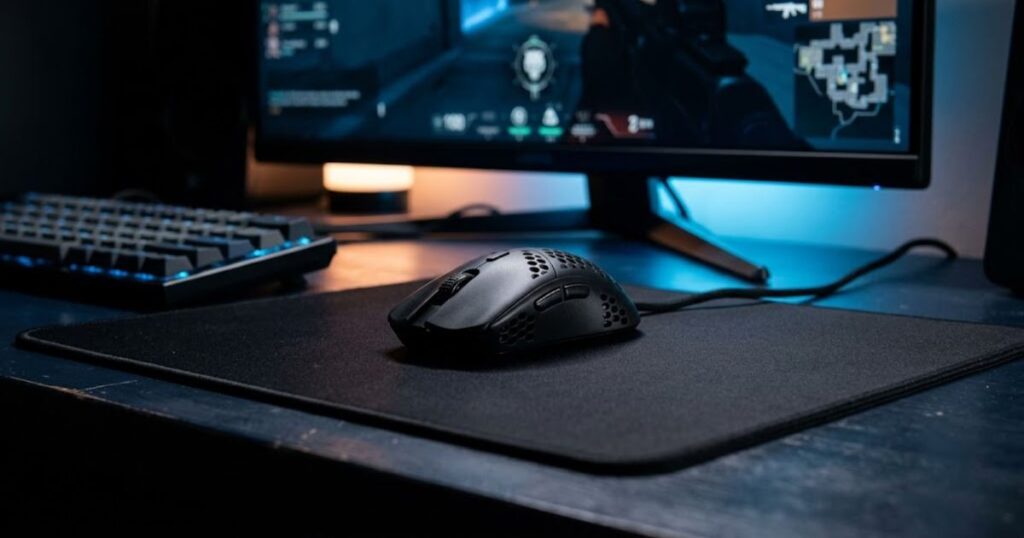
Fingertip grip minimizes contact between the hand and the mouse shell. It helps create a feeling of freedom that allows players to reposition the mouse quickly and naturally across different aiming situations. Because the palm does not anchor the mouse, shape design becomes critical for maintaining comfortable movement.
Large shells often feel restrictive for fingertip users because they introduce unnecessary contact points. Compact shapes generally work better because they allow the fingers to remain the primary source of control without interference from excessive palm support.
Common mouse shape features preferred by fingertip grip players:
| Shape Trait | Why It Matters for Fingertip Grip |
|---|---|
| Low profile shell | Minimizes palm contact |
| Compact dimensions | Improves maneuverability |
| Minimal rear support | Prevents movement restriction |
| Neutral side walls | Supports flexible finger placement |
| Lightweight structure | Reduces effort during repositioning |
Note: Fingertip grip players usually benefit more from freedom of movement than additional hand support. A shape that stays unobtrusive often feels more natural than one designed around full-hand contact.
Many fingertip grip users prefer shapes that feel almost invisible in hand. The less the shell interferes with natural finger movement, the easier it becomes to reposition the mouse comfortably throughout a match.
This grip style is especially popular among players who enjoy making frequent mouse repositioning adjustments. Compact shapes allow those movements to happen with less effort and fewer physical constraints.
However, movement freedom should not come at the cost of control. Extremely small or unusual shapes may feel agile at first but become difficult to manage consistently during long competitive sessions.
When evaluating a fingertip grip mouse shape, focus on these factors:
- Choose a shape that minimizes unnecessary palm contact.
- Look for compact dimensions that feel easy to maneuver.
- Check whether finger placement feels natural and unrestricted.
- Avoid shapes that feel bulky or oversized in hand.
- Prioritize comfortable movement during long gaming sessions.
The best fingertip grip mouse shape should feel effortless to move without becoming difficult to control. A compact and unobtrusive design often provides the best balance between freedom, comfort, and consistency in Valorant.
How Hand Size Changes the Ideal Mouse Shape
Hand size is the physical measurement of your hand that determines how much of the mouse shell you can comfortably reach and control. It helps influence button access, grip positioning, and overall shape compatibility during Valorant gameplay.
The same mouse shape can feel completely different depending on the size of your hand. A shape that feels perfectly balanced for one player may feel cramped, oversized, or difficult to control for another. This is why hand size should always be considered alongside grip style when choosing a gaming mouse.
Key areas affected by hand size include:
- Button reach
- Finger placement
- Shell contact points
- Grip positioning
- Lift-off comfort
- Overall shape fit
How hand size influences mouse shape compatibility:
| Hand Size | Recommended Shape Type | Common Fit Issue |
|---|---|---|
| Small Hands | Compact shapes | Difficulty reaching buttons on large shells |
| Medium Hands | Medium-sized shapes | Minor positioning adjustments |
| Large Hands | Larger shapes | Cramped finger placement on small shells |
Hand size does not determine skill level, but it can strongly influence how comfortable and natural a mouse shape feels during long gaming sessions.
Players with smaller hands often struggle when a mouse shape forces excessive stretching to reach side buttons or maintain a comfortable grip. Large shells may technically work, but they frequently introduce unnecessary effort during regular use.
Players with larger hands face the opposite problem. Compact shapes can create cramped finger positioning and reduce overall comfort because there is not enough surface area to support natural hand placement.
Medium-sized hands generally have the widest range of shape options available. However, overall fit still depends on how the shell dimensions interact with individual finger length and grip preference.
When evaluating mouse shape based on hand size, consider these factors:
- Check whether all buttons are easy to reach naturally.
- Look for a shape that allows relaxed finger placement.
- Avoid shells that feel excessively cramped or oversized.
- Pay attention to overall hand contact with the mouse.
- Prioritize long-term comfort over short-term impressions.
The best mouse shape should feel appropriately sized for your hand rather than forcing unnecessary adjustments. A shape that matches your natural reach and contact points often feels more comfortable and easier to use consistently in Valorant.
Why Many Valorant Pros Use Similar Mouse Shapes
Many Valorant professionals use similar mouse shapes because neutral designs help create more consistent and repeatable aiming mechanics. These shapes support reliable hand positioning and reduce unnecessary variables during competitive play.
Professional players spend thousands of hours refining muscle memory and developing repeatable habits. Because of this, they often prefer shapes that feel predictable across different aiming situations rather than designs that force constant adaptation.
Common shape characteristics frequently seen among Valorant professionals:
- Medium-sized shells
- Balanced symmetrical designs
- Moderate hump profiles
- Neutral side shapes
- Consistent grip positioning
A shape that remains predictable under pressure is often more valuable than one that simply feels comfortable during casual play. Professional environments reward consistency far more than experimentation.
Shared design traits found in many professional mouse shapes:
| Design Trait | Why Pros Prefer It |
|---|---|
| Medium size | Fits a wide range of grip styles |
| Balanced symmetry | Creates predictable movement |
| Moderate hump | Supports repeatable hand placement |
| Neutral side walls | Accommodates different finger positions |
| Simple geometry | Reduces unnecessary adaptation |
The table highlights a clear pattern. Most professionals gravitate toward shapes that remain adaptable across different situations instead of highly specialized designs.
However, copying professional equipment does not automatically improve performance. Professional players often choose these shapes because they fit their existing habits, training routines, and years of developed muscle memory.
Understanding the reasoning behind these trends is usually more valuable than copying the exact hardware. The goal is to identify the characteristics that support consistency and then apply them to your own needs.
Professional preferences can provide useful direction, but personal compatibility should always remain the final deciding factor when choosing a mouse shape for Valorant.
Common Mouse Shape Mistakes Valorant Players Make
Common Mouse Shape Mistakes Valorant Players Make
Common mouse shape mistakes happen when players choose a mouse based on assumptions rather than actual compatibility. These mistakes often lead to discomfort, inconsistent control, and unnecessary frustration during competitive matches.
Many Valorant players spend hours adjusting sensitivity, changing settings, or practicing aim routines without realizing that the real issue comes from choosing a shape that does not fit their needs. Recognizing these mistakes early can save both time and money.
Some of the most common mouse shape mistakes include:
- Buying a mouse purely because a professional player uses it.
- Judging a shape after only a few minutes of use.
- Ignoring long-term comfort during testing.
- Switching shapes too frequently.
- Assuming the newest shape is automatically better.
Many of these mistakes come from focusing on trends instead of personal compatibility. A shape that works perfectly for one player may feel completely wrong for another.
Common mistakes and their potential consequences:
| Mistake | Potential Result |
|---|---|
| Copying professional setups blindly | Poor personal fit |
| Changing shapes too often | Weak muscle memory development |
| Ignoring comfort | Fatigue during long sessions |
| Testing for too short a period | Incorrect first impressions |
| Following trends instead of needs | Wasted upgrades and frustration |
The comparison above shows that many shape-related problems come from poor decision-making rather than poor hardware quality.
One of the biggest mistakes is abandoning a shape before giving yourself enough time to adapt. Even a well-suited mouse can feel unusual during the first few days because your habits have not fully adjusted yet.
Another common issue is chasing constant upgrades. Players often assume every new release will solve their aim problems, when the real solution may be learning how to use a suitable shape consistently.
To avoid these mistakes, consider the following approach:
- Evaluate shape compatibility before looking at advanced features.
- Use a new mouse long enough to form an accurate opinion.
- Focus on long-term comfort instead of first impressions.
- Compare shapes based on your own experience rather than popularity.
- Reduce unnecessary hardware changes whenever possible.
Following this approach makes it easier to identify whether a shape genuinely fits your needs instead of relying on assumptions or marketing trends.
The best mouse shape is rarely the most popular option. In most cases, it is simply the one that feels natural, predictable, and comfortable throughout many hours of Valorant gameplay.
How to Test if a Mouse Shape Is Right for You
Testing a mouse shape is the process of evaluating how naturally the shell fits your hand during real gameplay. It helps verify whether a shape supports comfortable control, consistent positioning, and reliable performance in Valorant.
A mouse that feels impressive at first does not always remain comfortable after several hours of use. The most effective way to evaluate shape compatibility is through structured testing across different gameplay situations rather than relying on first impressions alone.
The image below shows several gaming mouse shapes that can be compared side by side during the testing process:
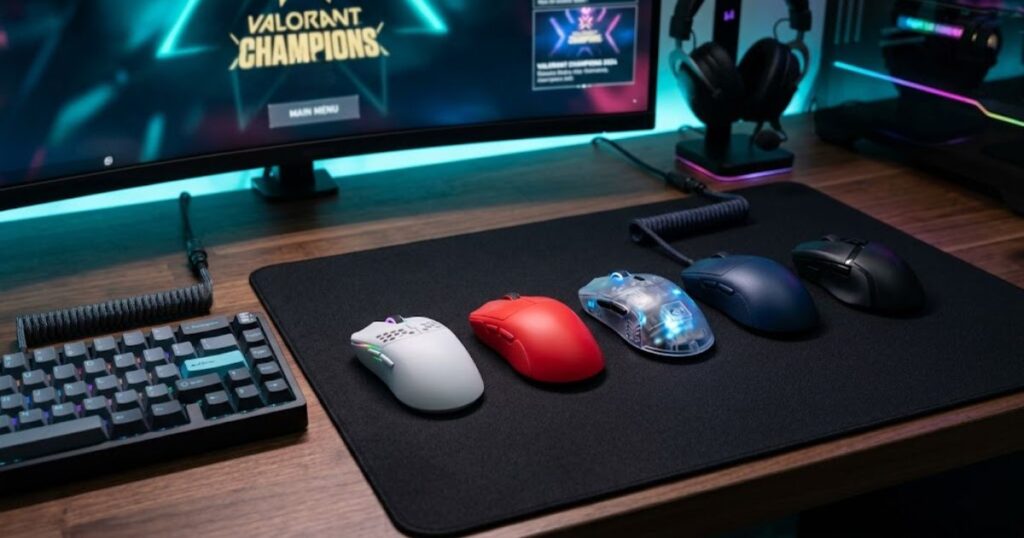
Shape testing should focus on how the mouse behaves during actual gameplay rather than how it feels when sitting on a desk. Real matches expose movement patterns, grip habits, and positioning requirements that are difficult to notice during a quick inspection.
The following factors are useful when evaluating a mouse shape:
- Natural hand positioning during gameplay.
- Ease of reaching buttons without stretching.
- Consistent grip placement across multiple matches.
- Comfort during extended gaming sessions.
- Confidence when moving and repositioning the mouse.
Evaluating these areas together provides a clearer understanding of long-term shape compatibility.
A practical process for testing mouse shape performance:
- Use the mouse for several gaming sessions instead of a single match.
- Play both practice and competitive game modes.
- Compare your experience across different maps and situations.
- Observe whether the shape feels predictable over time.
- Record your impressions after multiple days of use.
Using a consistent testing process makes it easier to compare different shapes objectively.
Useful gameplay scenarios for evaluating mouse shape:
| Scenario | What to Evaluate |
|---|---|
| Angle holding | Long-term comfort and positioning |
| Clearing corners | Movement confidence |
| Mouse repositioning | Grip consistency |
| Practice range sessions | General shape familiarity |
| Extended ranked games | Long-session usability |
The scenarios above expose different aspects of shape compatibility that may not appear during a short test session.
Many players underestimate the importance of time when evaluating a shape. A shell that feels unusual during the first few hours may become comfortable after several days, while another shape may feel great initially but become tiring during longer sessions.
Before making a final decision, consider these questions:
- Does the shape feel natural after repeated use?
- Can you maintain a consistent grip across different matches?
- Does the mouse remain comfortable during long sessions?
- Can you access all buttons without effort?
- Would you confidently continue using the shape for weeks?
Answering these questions honestly often provides a more reliable conclusion than focusing solely on specifications or popularity.
The best mouse shape is usually the one that continues to feel natural after extended use rather than the one that creates the strongest first impression.
Best Mouse Shape Characteristics for Tactical FPS Games
Tactical FPS mouse shapes are designs that prioritize precision, predictability, and repeatable control during gameplay. They help players maintain consistent performance in situations where accurate crosshair placement and first-shot precision matter more than constant movement speed.
Games like Valorant reward disciplined aiming, angle control, and reliable positioning. Because of this, the most effective mouse shapes often focus on creating a stable and predictable experience rather than maximizing movement freedom or aggressive hand support.
The characteristics below are commonly associated with tactical FPS-friendly mouse shapes:
- Predictable movement behavior.
- Consistent grip positioning.
- Balanced directional control.
- Reliable mouse repositioning.
- Comfort during extended competitive sessions.
Together, these characteristics help reduce unnecessary variation and make aiming feel more repeatable over time.
How different shape characteristics support tactical FPS gameplay:
| Characteristic | Benefit in Tactical FPS Games |
|---|---|
| Predictable handling | Improves consistency during repeated actions |
| Stable grip positioning | Reduces unnecessary hand adjustments |
| Balanced movement feel | Supports controlled aiming habits |
| Reliable repositioning | Makes mouse resets more comfortable |
| Long-session comfort | Helps maintain performance over time |
The comparison above shows that tactical FPS performance often depends more on repeatability than extreme specialization.
Unlike fast arena shooters, tactical FPS games rarely reward constant aggressive movement. Players spend more time holding angles, clearing positions, and preparing for predictable engagements. A shape that encourages stable habits often performs better in these situations.
Many competitive players eventually gravitate toward shapes that feel consistent rather than exciting. The goal is to reduce distractions and make mouse control feel natural regardless of match pressure.
When evaluating a tactical FPS mouse shape, prioritize these areas:
- Consistency across different gameplay situations.
- Predictable handling during long sessions.
- Comfort without excessive hand restriction.
- Reliable grip placement over time.
- Natural movement that supports repeatable aim.
Focusing on these qualities usually leads to a shape that remains effective even as your mechanics and experience improve.
The best tactical FPS mouse shape is rarely the most aggressive or unusual design. In most cases, it is the shape that helps you perform the same movement accurately and comfortably over and over again.
FAQ About the Best Mouse Shape for Valorant
Choosing the right mouse shape for Valorant usually comes down to comfort, grip compatibility, and aiming consistency rather than hype or raw specs. These are the questions players most commonly ask when trying to improve tactical FPS performance through better ergonomics.
What is the best mouse shape for Valorant overall?
The best mouse shape for Valorant is typically a medium-sized symmetrical design because it balances precision, stability, and flexibility for tactical FPS aiming.
Are ergonomic mice bad for Valorant?
No, ergonomic mice are not bad for Valorant. They can work extremely well for palm grip players who prioritize comfort and stable tracking.
Why do most Valorant pros use symmetrical mice?
Most Valorant pros use symmetrical mice because they support consistent flicks, balanced movement, and precise micro-adjustments.
Does mouse shape matter more than sensor quality?
Once a mouse has a modern high-end sensor, shape usually matters more because ergonomics directly affect consistency and comfort.
What mouse shape is best for claw grip?
Claw grip players usually prefer compact symmetrical mice with pronounced rear humps and narrow midsections.
What mouse shape is best for palm grip?
Palm grip players often perform best with larger ergonomic or wider symmetrical shapes that provide strong palm support.
Can a bad mouse shape hurt aim consistency?
Yes, a poor shape can create grip instability, unnecessary tension, and inconsistent micro-adjustments during gameplay.
Should small hands use smaller mice?
Generally yes. Smaller hands usually benefit from compact shapes that allow easier button access and better control.
Does lightweight design matter together with shape?
Yes, weight and shape work together. A lightweight mouse still feels awkward if the shell shape does not fit your grip style.
Is fingertip grip good for Valorant?
Fingertip grip can work very well in Valorant, especially for reactive players who rely on fast micro-corrections and mobility.
How long does it take to adapt to a new mouse shape?
Most players need at least one to three weeks of consistent use before fully adapting to a significantly different mouse shape.
Should beginners focus on shape before sensitivity settings?
Yes, beginners should first choose a comfortable shape because stable ergonomics make sensitivity tuning much easier later.
Final Thoughts on Finding the Best Mouse Shape for Valorant
The best mouse shape for Valorant is not automatically the lightest, most expensive, or most popular option. The ideal shape is the one that supports your natural grip style, hand size, and aiming mechanics while staying comfortable during long tactical sessions.
Many players spend months changing sensitivity settings or aim routines without realizing the mouse itself may be the real problem. Poor ergonomics create subtle inconsistencies that become extremely noticeable in a precision-focused game like Valorant. Stable aim starts with stable hardware interaction.
Symmetrical shapes dominate competitive Valorant for good reasons. They provide flexibility, reliable control, and excellent tactical precision. However, ergonomic shapes can still be amazing for players who value comfort and controlled movement. There is no universal answer because every hand interacts differently with each shell design.
The smartest approach is focusing on consistency instead of trends. Find a shape that feels natural, supports your preferred grip, and allows relaxed movement under pressure. Once you find that balance, stop chasing constant hardware changes and start building muscle memory around a setup that truly fits you.
At the end of the day, your mouse should feel invisible during gameplay. When the shape fully matches your mechanics, you stop thinking about hardware and start focusing entirely on positioning, timing, and winning gunfights.
Thanks for reading this guide on the best mouse shape for Valorant.