
Best Gaming Microphones in 2026: Top Tested for Clear Comms
The best gaming microphones for competitive gaming deliver pristine voice intelligibility, tight cardioid or bidirectional noise rejection, and consistent proximity distance without cluttering mousepad space. Whether you need tournament-grade communication for Counter-Strike 2 and Valorant, uncompressed wireless freedom, or broadcast-level vocal warmth for Discord and streaming, selecting the right acoustic transducer ensures your team callouts cut cleanly through in-game gunfire without mechanical keyboard chatter.
Top Tested Gaming Microphones for Competitive Gaming: Hardware Overview
Our competitive audio evaluations rate the HyperX Cloud III Wired, Razer BlackShark V2 Pro Wireless, SteelSeries Arctis Nova 7X, Logitech G PRO X Wired, Turtle Beach Atlas Air, and Razer BlackShark V2 X as the premier gaming microphones. Each model satisfies distinct acoustic priorities, connection bandwidths, and competitive room environments.
Selecting a microphone for gaming is fundamentally different from outfitting a professional recording studio. In studio environments, acoustic foam dampens reverberation and the speaker remains completely still. In competitive esports, players continuously reposition their heads, click mechanical keyboard switches, and demand maximum unobstructed desk space for low-sensitivity mouse swipes. To understand the underlying physics governing transducer capsules, sensitivity thresholds, and frequency response, read our comprehensive architectural guide on gaming microphones.
The table below summarizes the verified technical specifications, transducer capsule dimensions, connection bandwidths, and primary competitive use cases for top tested gaming microphones:
As our benchmark data illustrates, competitive microphones range from ultra-clear 10mm wired capsules like the Cloud III to high-bandwidth 32kHz wireless systems like the BlackShark V2 Pro. Choosing the ideal microphone requires balancing physical desk clearance against acoustic room isolation demands.
HyperX Cloud III Wired: The Tournament Standard for Crystal-Clear Voice Comms
The HyperX Cloud III Wired represents the gold standard for competitive gaming communication, combining an upgraded 10mm electret condenser capsule with passive acoustic mesh filtering to deliver unrivaled vocal intelligibility. It remains our top overall recommendation for serious tactical shooter competitors.
The primary reason the Cloud III outperforms standalone desk microphones in esports environments comes down to proximity mechanics. Its 10mm capsule sits locked exactly 2 to 3 cm from the player’s mouth via a flexible metal boom arm. At this short distance, acoustic sound pressure from your vocal cords overwhelms background room reverb by a ratio of more than 18 dB. Even when typing aggressively on loud mechanical switches during a chaotic round of Counter-Strike 2, your teammates hear pure, uncolored vocal punch rather than room echo.
Internally, HyperX upgraded the transducer capsule from the 6mm electret found in the legacy Cloud II to a full 10mm diaphragm. This 66 percent increase in surface area yields substantial improvements in lower-mid vocal presence between 200 Hz and 800 Hz, eliminating the thin, nasal “tin-can” timbre that historically plagued gaming headsets. The capsule is enclosed within an internal metal mesh shield that diffuses plosive breath blasts without requiring an ugly, bulky foam ball.
On the connection side, the Cloud III provides native 3.5mm analog operation that plugs directly into sound cards, audio interfaces, and console controllers. When connected via the included USB-C / USB-A digital dongle, an onboard digital-to-analog converter processes audio at 24-bit / 96kHz, ensuring an exceptionally low noise floor with zero audible hiss or electromagnetic hum from computer motherboards.
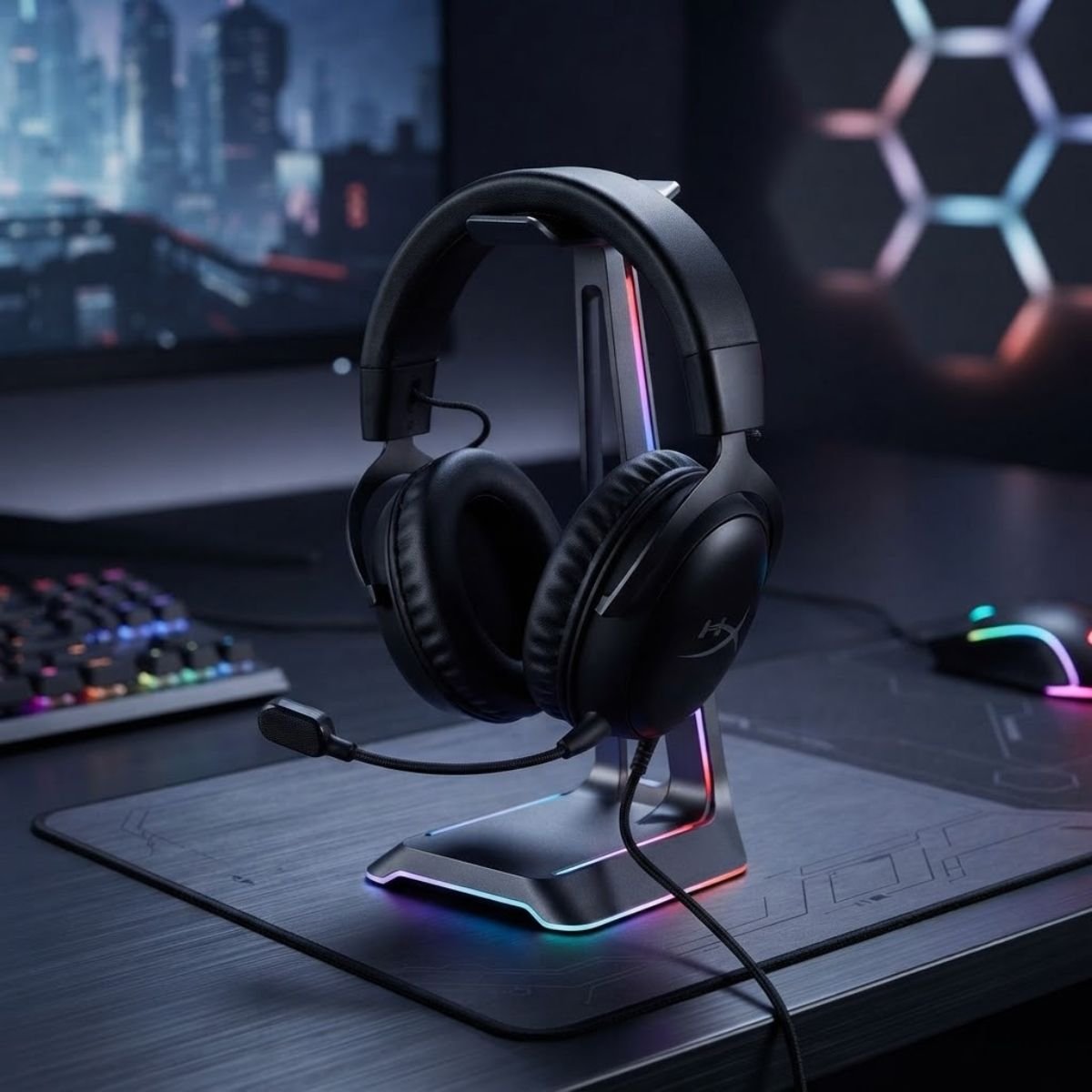
HyperX Cloud III Wired Gaming Headset
Premier tournament-grade vocal clarity featuring an upgraded 10mm condenser capsule, internal mesh pop shield, and plug-and-play USB DAC fidelity.
Check Price on AmazonWho should choose the HyperX Cloud III: Competitive tactical shooter players who prioritize 100 percent vocal reliability, zero battery recharging anxiety, and zero desk clutter. If you play in noisy shared rooms and need your Discord callouts to cut through grenade blasts effortlessly, the Cloud III is the definitive wired choice.
Razer BlackShark V2 Pro Wireless: Flagship 32kHz Wideband Mic with Zero Desk Clutter
The Razer BlackShark V2 Pro (2023 edition) sets the benchmark for wireless microphone fidelity, utilizing a 9.9mm HyperClear Super Wideband capsule to capture unprecedented vocal detail over uncompressed 2.4GHz wireless. It is the premier choice for gamers demanding wireless freedom without sacrificing broadcast timbre.
Historically, wireless gaming headsets suffered from severe microphone compression. Because Bluetooth and early 2.4GHz audio protocols allocated the vast majority of wireless bandwidth to incoming game audio, the outgoing microphone channel was squeezed down to an 8 kHz or 16 kHz sampling rate with aggressive dynamic loss. This caused human voices to sound digitized, robotic, and heavily muffled. Razer solved this engineering bottleneck by doubling the transmission bandwidth dedicated to the microphone stream.
The BlackShark V2 Pro samples outgoing voice at a true 32 kHz rate across its 9.9mm condenser capsule. This broader acoustic frequency spectrum extends high-frequency vocal reproduction up to 16,000 Hz, capturing natural breath nuances and subtle vocal sibilance that conventional wireless headsets completely erase. When speaking in Discord or competitive team lobbies, listeners consistently mistake the BlackShark V2 Pro for a standalone USB desk microphone.
In addition to raw acoustic bandwidth, the headset features closed-back earcups packed with ultra-dense memory foam that provide more than 22 dB of passive acoustic isolation. Because outside room distractions are physically blocked, players speak at normal conversational levels rather than shouting. Paired with a massive 70-hour battery life and zero-lag 2.4GHz Type-A wireless transmission, it provides flawless freedom during marathon scrimmages.
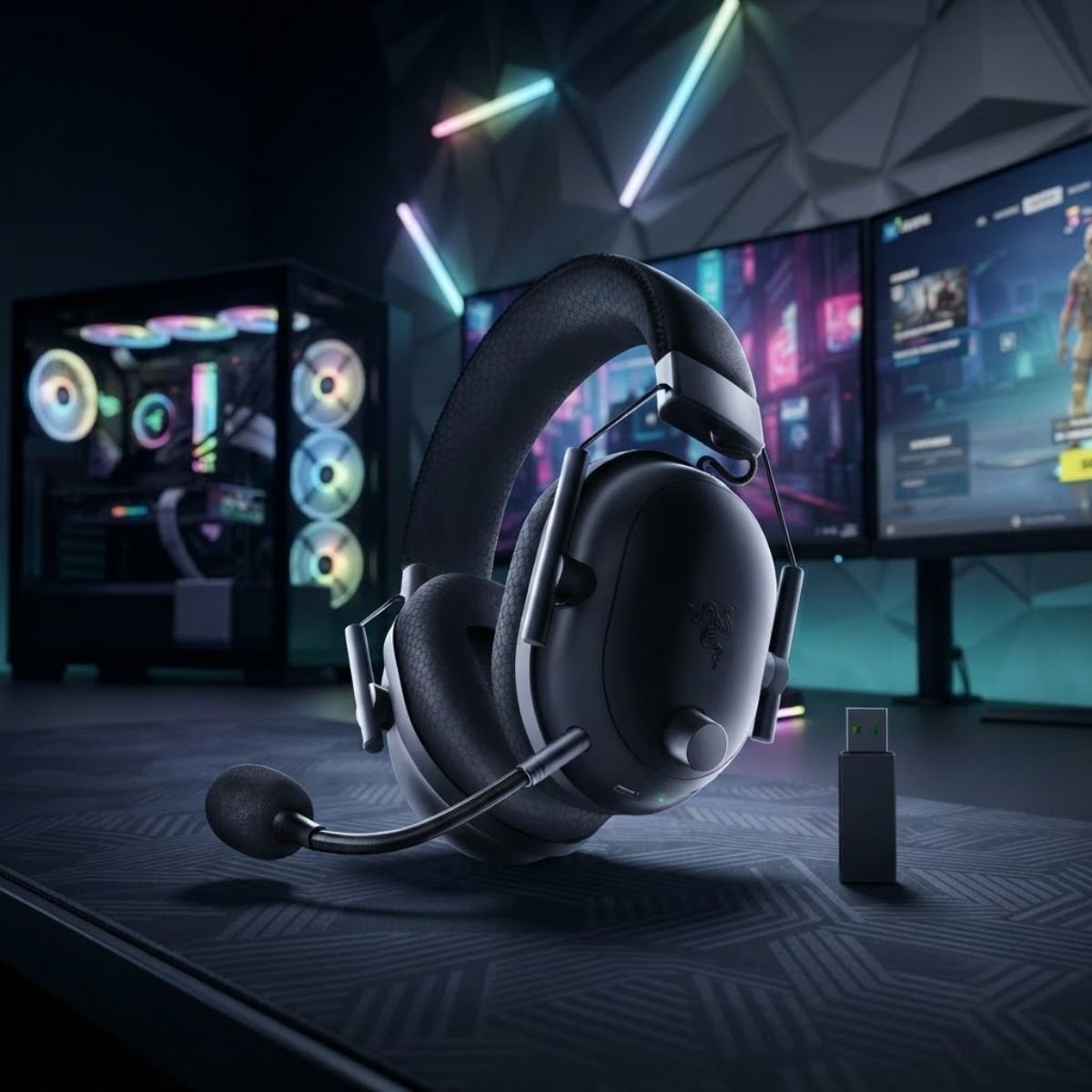
Razer BlackShark V2 Pro Wireless Headset
Flagship 9.9mm HyperClear Super Wideband 32kHz microphone capturing studio-level vocal fullness with 70 hours of battery life and zero cable drag.
Check Price on AmazonWho should choose the Razer BlackShark V2 Pro: Gamers who demand clean, uncompressed voice quality without the physical tether of a cable. Its wideband transmission makes it ideal for streamers, tournament players, and Discord users who refuse to compromise on vocal presence.
SteelSeries Arctis Nova 7X: ClearCast Gen 2 Bidirectional Noise Rejection and Sidetone
The SteelSeries Arctis Nova 7X delivers the ultimate multi-platform communication versatility, featuring a ClearCast Gen 2 bidirectional microphone that mechanically cancels ambient room noise while providing zero-latency hardware sidetone. It is the premier headset for cross-console competitors.
Unlike cardioid microphones that utilize acoustic delay ports to cancel rear sounds, the ClearCast Gen 2 capsule employs a true bidirectional polar pattern. In this acoustic design, sound arriving from the front (the player’s lips) strikes the diaphragm directly, while sound waves arriving from the side and rear (keyboard clicks, computer fans, room chatter) strike both sides of the diaphragm simultaneously with equal acoustic pressure. Because sound waves striking opposite sides cancel each other out through phase inversion, ambient noise is physically eliminated before digital processing even begins.
Another standout engineering achievement is the Nova 7X’s zero-latency hardware sidetone. When players wear closed-back noise-isolating headsets, the occlusion effect traps bone-conducted vocal resonance inside the ear canals. This prevents players from hearing the natural tone of their own voice, causing them to shout unconsciously during high-adrenaline firefights. The Nova 7X routes microphone audio back into the earcups with zero perceptible millisecond delay, allowing you to regulate vocal volume effortlessly.
The Nova 7X also features a fully retractable microphone arm that slides seamlessly inside the left earcup when not in use. Paired with a compact multi-platform USB-C dongle compatible with PC, PlayStation 5, Xbox Series X|S, Nintendo Switch, and mobile devices, it provides unmatched hardware flexibility across every gaming ecosystem.
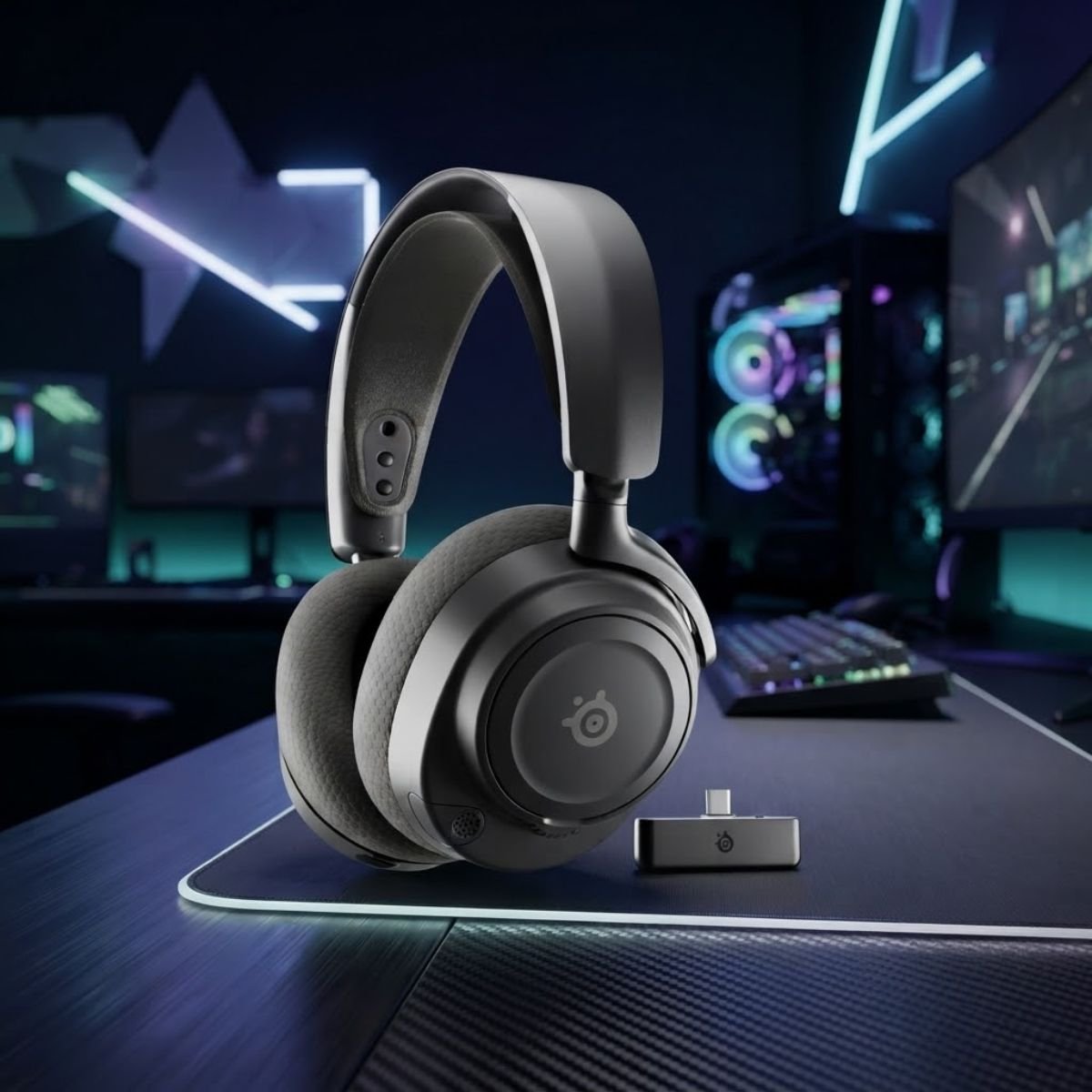
SteelSeries Arctis Nova 7X Wireless Headset
Bidirectional acoustic noise cancellation with retractable microphone arm, real-time hardware sidetone, and universal PC/Xbox/PS5 wireless dongle.
Check Price on AmazonWho should choose the SteelSeries Arctis Nova 7X: Gamers who divide their competitive playtime across PC and consoles, or players who hate the muffled sensation of closed earcups and require crystal-clear, zero-latency self-monitoring.
Logitech G PRO X Wired: Blue VO!CE Broadcast Filters and Detachable Pro Capsule
The Logitech G PRO X Wired provides studio-grade signal processing directly to competitive esports players, harnessing proprietary Blue VO!CE real-time filters via a premium USB DAC sound card. It is the premier wired solution for audio perfectionists who demand custom EQ shaping.
While most gaming headsets output raw, unprocessed analog audio that relies entirely on Discord’s basic compression algorithms, the G PRO X routes microphone signals through an external USB sound card powered by Blue Microphones DSP software. Within Logitech G HUB, players gain access to real-time professional broadcast filters including a high-pass frequency filter, a noise reduction engine, an expander/gate, a de-esser, and an acoustic compressor.
The de-esser and noise gate prove particularly transformative in competitive gaming rooms. The de-esser smooths harsh, piercing high-frequency sibilance (such as “S” and “T” sounds) that cause ear fatigue for teammates over long voice calls. Meanwhile, the software noise gate allows you to establish a strict decibel threshold: when you are silent, the microphone channel completely mutes itself, preventing mechanical keyboard clatter, breathing sounds, and PC fan whine from transmitting to Discord.
Constructed with high-grade aluminum forks and a steel-reinforced padded headband, the G PRO X is built to withstand rigorous tournament travel. The 6mm electret condenser boom arm is completely detachable, allowing the headset to double as a clean pair of listening headphones when disconnected from the PC.
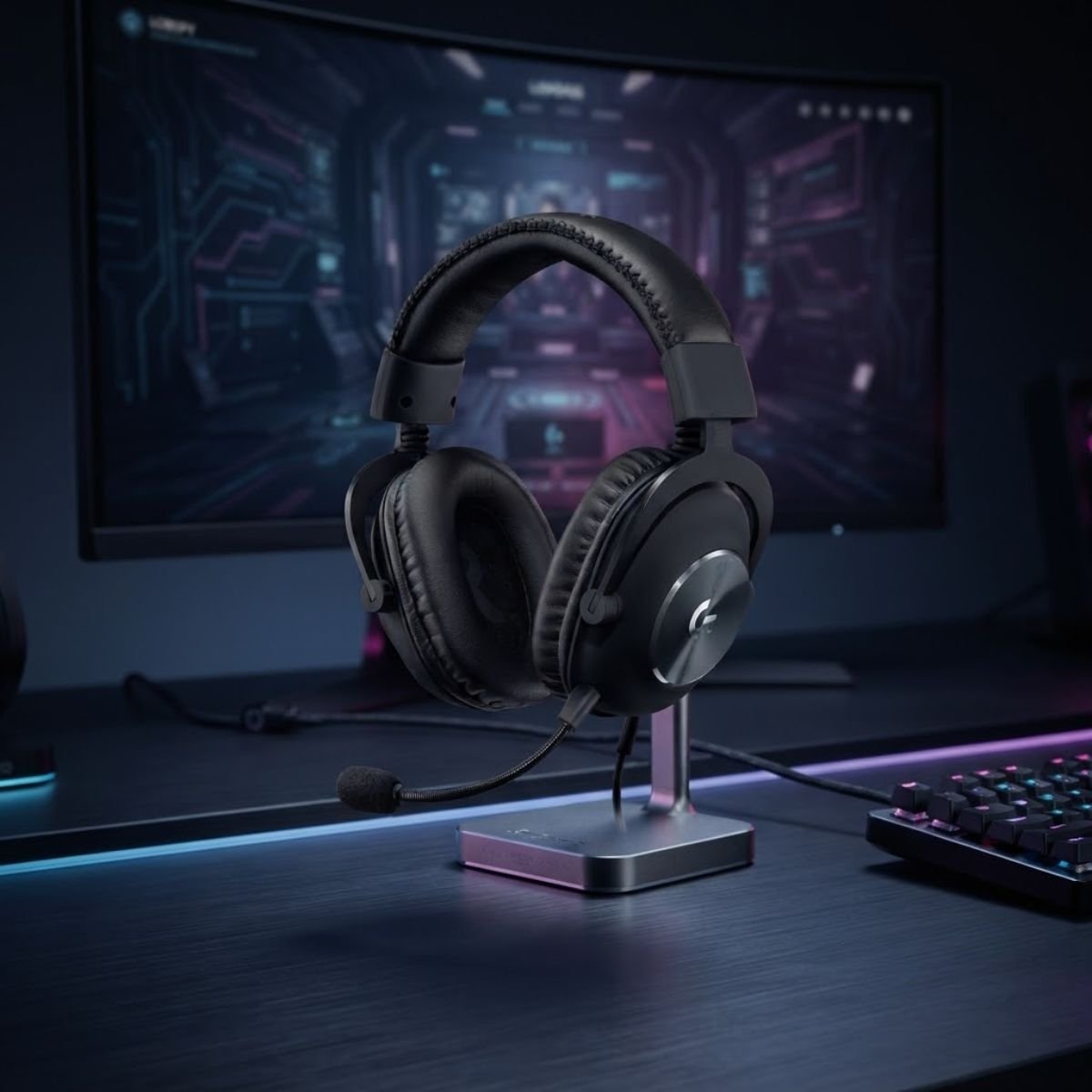
Logitech G PRO X Wired Gaming Headset
Broadcast-quality vocal shaping featuring real-time Blue VO!CE compression, noise gating, de-essing, and a durable aluminum esports chassis.
Check Price on AmazonWho should choose the Logitech G PRO X: PC players who love dialing in their custom voice profile through professional software filters, and competitive gamers who require aggressive noise gating against noisy mechanical switches.
Turtle Beach Atlas Air: Natural Open-Back Voice Monitoring with High-Bandwidth Mic
The Turtle Beach Atlas Air introduces true open-back audiophile acoustic architecture to wireless gaming, delivering unmatched self-vocal monitoring and natural spatial awareness. It is the ideal solution for players who experience ear fatigue and voice distortion with closed earcups.
Traditional gaming headsets feature sealed, closed-back acoustic chambers that isolate the player from their environment. While this prevents external noise from leaking into your ears, it creates a severe physical drawback known as acoustic occlusion. When your ear canals are sealed airtight, your voice resonates heavily inside your skull, making your speech sound muffled to yourself and forcing you to speak unnaturally loud.
The Atlas Air eliminates occlusion entirely through its vented, open-back floating earcup design. Ambient air flows naturally across the 40mm drivers, allowing you to hear your own speaking voice exactly as it sounds in free air with zero electronic latency. You maintain total situational awareness of your immediate room environment while speaking at calm, controlled conversational volumes during competitive matches.
Matching this open acoustic platform is a high-bandwidth 16-bit / 48kHz unidirectional boom microphone. The capsule is tuned specifically to capture broad dynamic speech while rejecting vertical air drafts. Weighing a featherlight 301 grams with a suspended mesh headband and breathable memory foam cushions, the Atlas Air feels virtually weightless during long competitive scrimmages.
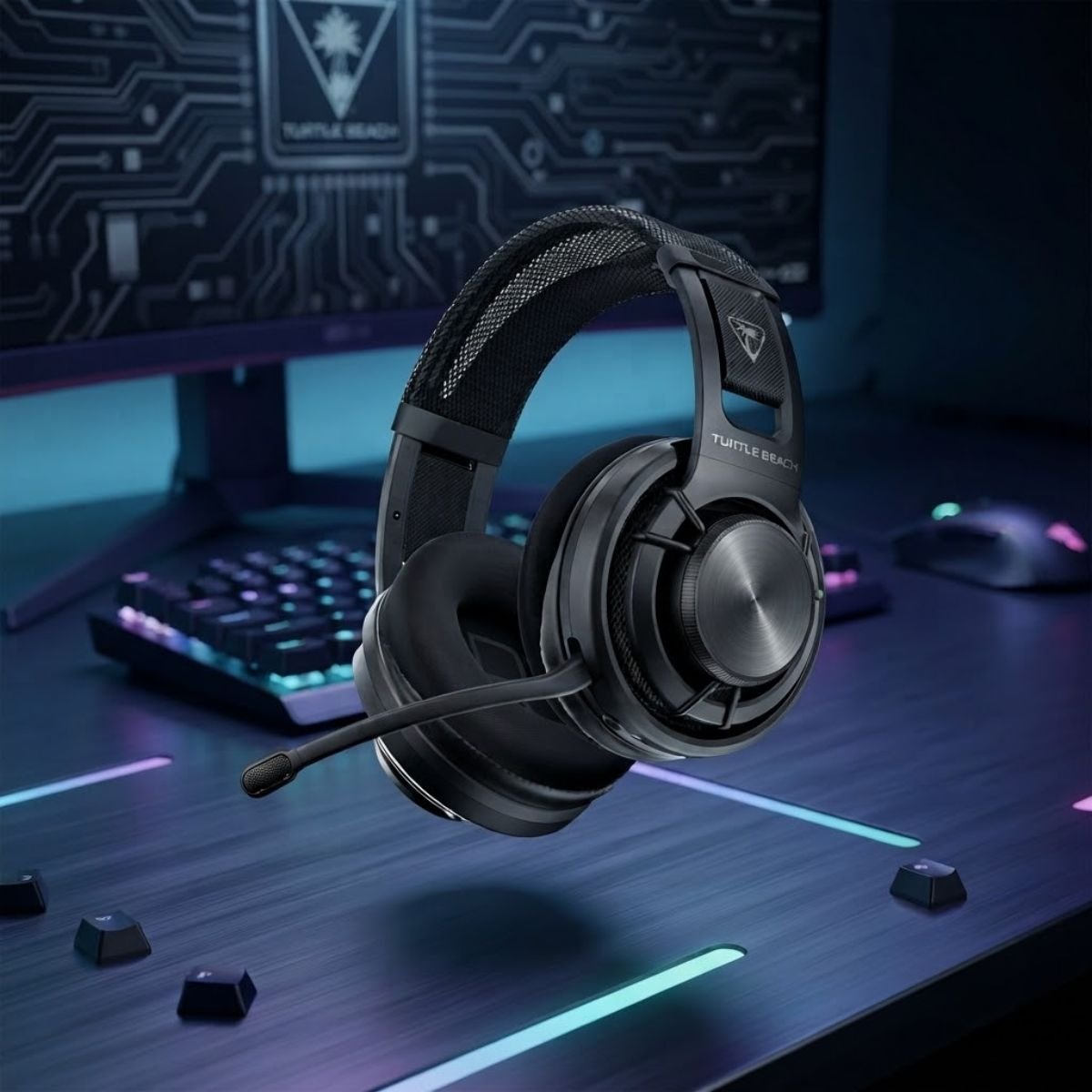
Turtle Beach Atlas Air Wireless Headset
Revolutionary open-back acoustic design delivering natural self-voice monitoring, featherlight 301g comfort, and high-bandwidth 48kHz vocal clarity.
Check Price on AmazonWho should choose the Turtle Beach Atlas Air: Competitive gamers who play in quiet private rooms and hate the pressure build-up and muffled voice sensation of closed-back headsets. Note that because the earcups are open, loud room noises like air conditioners or family conversations will leak into your listening audio.
Razer BlackShark V2 X: The Undisputed Budget Champion Under 50 USD
The Razer BlackShark V2 X represents the uncontested value champion in competitive gaming audio, delivering professional-tier voice intelligibility and rear noise rejection for under 50 USD. It outperforms budget standalone microphones priced twice as high.
In the sub-50 USD budget territory, most standalone USB desk microphones utilize cheap omnidirectional capsules housed in hollow plastic casings. When placed on a desk, these budget desk mics act as acoustic amplifiers for desk vibrations, mouse thumps, and mechanical switch clicks. The BlackShark V2 X avoids this pitfall entirely by mounting its tuned HyperClear cardioid capsule directly onto a stable, mouth-aligned boom arm.
The BlackShark V2 X capsule features an open-sided housing that mechanically directs sound waves from the rear and sides away from the diaphragm, capturing an extraordinarily crisp vocal signal with minimal background hiss. For under 50 USD, it delivers cleaner speech articulation in Discord than virtually any budget desk microphone on the market.
Weighing an ultralight 240 grams with plush breathable memory foam ear cushions, the BlackShark V2 X eliminates crown pressure points during multi-hour gaming sessions. Its universal 3.5mm analog connection with an included PC splitter cable ensures instant plug-and-play operation across PC, PlayStation, Xbox, and mobile devices without requiring bloatware software installation.
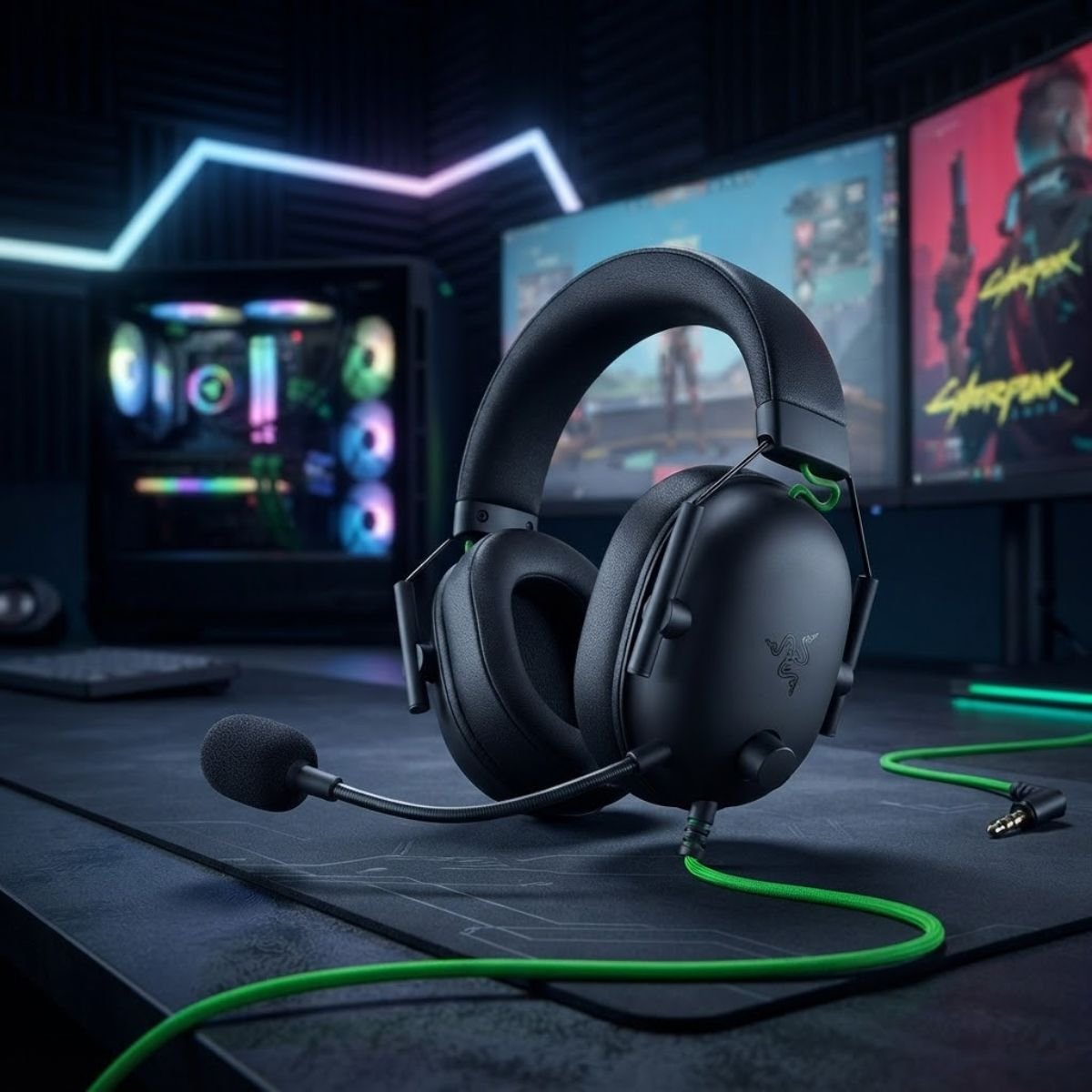
Razer BlackShark V2 X Wired Headset
Unbeatable competitive value delivering elite cardioid voice isolation, featherlight 240g comfort, and universal 3.5mm analog versatility under 50 USD.
Check Price on AmazonWho should choose the Razer BlackShark V2 X: Budget-conscious gamers, esports beginners, or secondary setup owners who demand tournament-grade vocal callouts without spending over 50 USD. The non-detachable cable and fixed microphone arm represent minor trade-offs for its exceptional audio value.
GEARTP PRO TIP: THE 2-CM MOUTH POSITIONING LAW
Position your microphone boom arm strictly 2 to 3 cm away from the corner of your mouth, never directly in front of your lips. Placing the capsule at the mouth corner completely bypasses turbulent breath airblasts during heavy exhales while preserving 100 percent of acoustic vocal energy.
Headset Boom Mics vs Standalone USB Microphones: Solving the Mousepad Clearance Dilemma
Choosing between a headset boom microphone and a standalone desk microphone depends on your desk space, mousepad dimensions, and competitive aiming habits. Headset boom microphones solve the critical physical bottleneck of mousepad obstruction in FPS games.
In high-level competitive tactical shooters like CS2 and Valorant, players operate at low sensitivity brackets (typically 200 to 300 eDPI), requiring 40 to 50 cm of lateral mouse swipes for a standard 180-degree turn. When using a standalone condenser microphone on an included desk tripod, the microphone must sit directly on the desk surface between the keyboard and mousepad.
This setup introduces severe physical hazards: aggressive low-sensitivity arm swipes frequently strike the microphone base, knocking it over during clutch combat encounters. Furthermore, placing a sensitive condenser microphone 30 to 50 cm away from your mouth forces you to crank digital gain past 80 percent, causing the microphone to pick up every keystroke and desk vibration as an explosive transient.
The decision matrix below contrasts headset boom microphones against standalone USB desk setups across competitive factors:
For dedicated content creators who sit stationary in acoustically treated rooms, standalone microphones like the Shure MV7 or Elgato Wave 3 provide richer podcast warmth. However, for competitive gamers focused on maximizing aim mobility and minimizing Discord background noise, a tournament-grade headset boom microphone is the objectively superior competitive tool.
Microphone Testing Methodology: How We Measure Speech Intelligibility and Noise Gating
Our microphone evaluations rely on objective acoustic benchmarks, measuring high-mid speech articulation, mechanical keyboard transient rejection, and wireless transmission stability. Every model undergoes rigorous empirical testing before receiving a recommendation.
We reject superficial marketing claims like “studio-grade” or “ultra-clear” by conducting structured multi-stage laboratory tests:
- Speech Intelligibility and Plosive Resistance: We record calibrated vocal samples across standardized phonetically balanced sentences. Transducers are evaluated for high-mid frequency response between 2 kHz and 6 kHz, ensuring consonant sounds (“P”, “B”, “T”, “K”) articulate with crystalline clarity without sharp clipping or harsh sibilance.
- Mechanical Keyboard and Mouse Transient Attenuation: While recording voice samples, we operate clicky blue and linear red mechanical switches at an intense 100 words-per-minute typing rate on a shared desk surface. We measure the decibel difference between spoken words and background keystrokes to calculate real-world acoustic rejection ratios.
- Proximity and Head Movement Stability: We evaluate audio volume stability when players lean back, turn their heads to check secondary monitors, or celebrate clutch rounds. Microphones that exhibit dramatic volume drops or proximity bass blooming are penalized.
- Wireless Transmission Latency and Compression Artifacts: Using specialized digital audio workstations, we measure packet round-trip delay across 2.4GHz wireless dongles, verifying latency remains strictly below 20 milliseconds with zero digital robotic artifacts or dropout drop frames.
Frequently Asked Questions About Best Gaming Microphones
Clear, verifiable answers to the most common questions regarding competitive gaming microphones, capsule mechanics, noise isolation, and hardware setups:
What is a gaming microphone?
A gaming microphone is an acoustic transducer engineered to capture clear human speech while rejecting ambient background noise from keyboards and computer cooling fans during interactive gameplay communication.
What is the difference between dynamic and condenser gaming microphones?
Dynamic microphones use a heavy diaphragm that naturally rejects distant room echo and keyboard clicks, whereas condenser microphones use a sensitive electrostatic capsule that captures detailed voice nuances but requires a quieter environment.
What is a cardioid pickup pattern?
A cardioid pickup pattern is a heart-shaped directional recording curve that captures sound directly in front of the capsule while actively rejecting acoustic signals arriving from the rear and sides.
What is microphone sidetone?
Microphone sidetone is zero-latency hardware feedback that routes your own speaking voice directly into your earcups, preventing you from shouting unintentionally while wearing closed noise-isolating headphones.
Why do competitive FPS pros prefer headset microphones over desk microphones?
Headset boom microphones maintain an unvarying 2cm distance from the player’s mouth regardless of head movement, eliminating room reverb while freeing up vital mousepad space for wide low-sensitivity arm swipes.
Does USB microphone connection introduce in-game input lag?
No, standard USB audio class polling operates on dedicated USB interrupts that transmit microphone packets within 1 to 5 milliseconds, causing zero measurable delay to mouse or keyboard gaming inputs.
How do I prevent mechanical keyboard noise from bleeding into Discord?
Position your microphone within 3 cm of your lips, reduce input gain to 60 percent, activate cardioid directional mode, and engage software noise gates like Discord Krisp or Logitech Blue VO!CE.
Are wireless gaming microphones reliable for tournament voice comms?
Yes, modern 2.4GHz proprietary wireless protocols deliver uncompressed 16-bit or 24-bit vocal audio with under 15 milliseconds of latency, matching wired voice reliability without audio degradation.
What is the best overall gaming microphone under 100 USD?
The HyperX Cloud III Wired is the best gaming microphone under 100 USD because its upgraded 10mm capsule delivers outstanding vocal clarity with universal 3.5mm and USB-C hardware compatibility.
What is the best budget gaming microphone under 50 USD?
The Razer BlackShark V2 X is the premier budget gaming microphone under 50 USD, offering a tuned HyperClear cardioid boom capsule that outperforms standalone desk mics priced twice as high.
Do I need a pop filter for a gaming headset microphone?
Most tournament headsets include integrated foam windscreens or internal metal mesh filters that diffuse plosive breath blasts (P and B sounds) without requiring bulky external pop filters.
How does microphone sampling rate affect gaming voice quality?
Standard Discord and in-game voice chat servers compress incoming audio to 16-bit / 48kHz, meaning higher sample rates above 96kHz yield no audible benefit for competitive team communication.
Final Buyer’s Verdict: Selecting Your Optimal Competitive Audio Hardware
Selecting the best gaming microphone comes down to matching acoustic proximity and desk clearance to your competitive gameplay environment. Investing in the right voice transducer eliminates communication breakdowns and guarantees your tactical calls register with crystal clarity.
For pure tournament performance where every decibel of speech clarity matters, the HyperX Cloud III Wired stands as the definitive choice. Its 10mm capsule provides studio-level intelligibility with zero driver bloat and zero battery latency. If you demand complete wireless freedom without the muddy compression of legacy Bluetooth, the Razer BlackShark V2 Pro delivers unmatched 32kHz wideband clarity with a 70-hour battery. For multi-platform console flexibility and natural sidetone, choose the SteelSeries Arctis Nova 7X. Finally, if you need exceptional competitive communication on a strict budget, the Razer BlackShark V2 X remains the undisputed sub-50 USD benchmark.