
Esports Audio & Voice Comms Guide
Gaming Microphones: How to Choose the Right Mic for Clear Team Comms
A high-performance gaming microphone setup comes down to three physical realities: tight directional voice isolation, effective mechanical background noise suppression, and low-latency driverless connectivity. In fast-paced competitive FPS titles like Valorant and Counter-Strike 2, muffled voice comms lead directly to misheard callouts, missed rotations, and lost rounds.
HyperX Cloud III Wired · Razer BlackShark V2 Pro Wireless · SteelSeries Arctis Nova 7X · Logitech G PRO X · Corsair HS80 MAX · Turtle Beach Atlas Air
180-degree rear rejection of mechanical keys
analog dial prevents digital voice clipping
real-time sidetone prevents shouting in matches
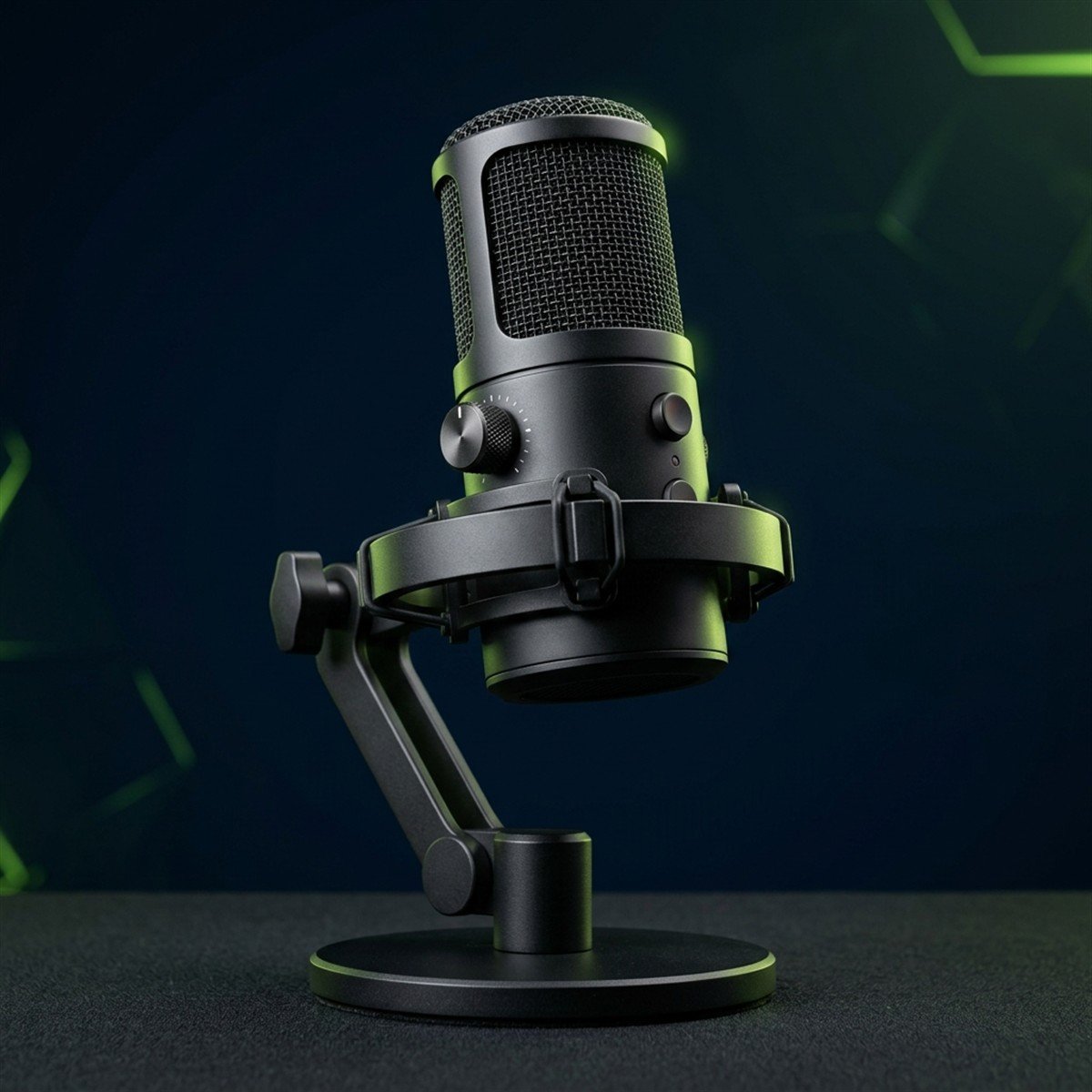
The Real FPS Gaming Microphone Checklist: What Actually Matters
Marketing claims emphasize RGB lighting and massive sampling rate numbers, but competitive voice communication relies on three physical acoustic fundamentals.
The only specifications that matter for competitive gaming are a tight cardioid pickup pattern for rear noise rejection, a physical hardware gain dial for zero-distortion level staging, and a zero-latency 3.5mm monitoring headphone jack to eliminate shouting caused by closed-back earcups.
Core technical pillars governing competitive speech intelligibility in noisy environments:
Directional Off-Axis Rejection
A narrow cardioid polar response creates an acoustic dead zone directly behind the microphone capsule, passively dampening mechanical keyboard switches and desk vibrations before they enter your Discord audio stream.
Physical Hardware Gain Control
Software volume sliders introduce digital amplification distortion. An integrated analog potentiometer dial allows precise gain staging directly at the preamp level, preventing digital clipping when raising your voice during clutch rounds.
Zero-Latency Hardware Sidetone
Wearing closed-back acoustic gaming headsets induces the Lombard effect, causing players to shout involuntarily. Real-time analog microphone monitoring routes your voice back into your ears with zero computer processing delay.
Standalone Gaming Microphone vs Headset Boom Mic: The Real Trade-Offs
Choosing between a dedicated desk microphone and an all-in-one gaming headset is a fundamental engineering compromise between vocal fidelity and physical desk clearance.
Standalone gaming microphones deliver dramatically fuller vocal clarity due to larger 14mm to 25mm capsules, but occupy desk space and pick up room reverb if positioned poorly. Headset boom mics provide consistent mouth distance and zero desk clutter, but sacrifice vocal warmth due to tiny 4mm to 6mm capsules.
Acoustic and ergonomic trade-offs between standalone gaming microphones and integrated headset boom capsules:
While modern esports headsets provide sufficient clarity for basic team callouts, standalone capsules remain essential for content creators and streamers who demand broadcast-quality vocal depth without nasal compression.
Dynamic vs Condenser Microphones for Untreated Gaming Rooms
The acoustic properties of your room dictate which capsule technology will sound crisp versus what will broadcast every fan and mechanical keystroke to your entire team.
Dynamic microphones are superior for gaming in typical bedrooms because their heavy moving-coil diaphragms require high acoustic pressure to move, naturally rejecting background keyboard clicks, computer fans, and room echo. Condenser microphones offer superior vocal air and detail but capture severe background noise without acoustic room treatment.
Acoustic diaphragm mechanics and room noise rejection differences between dynamic and condenser capsules:
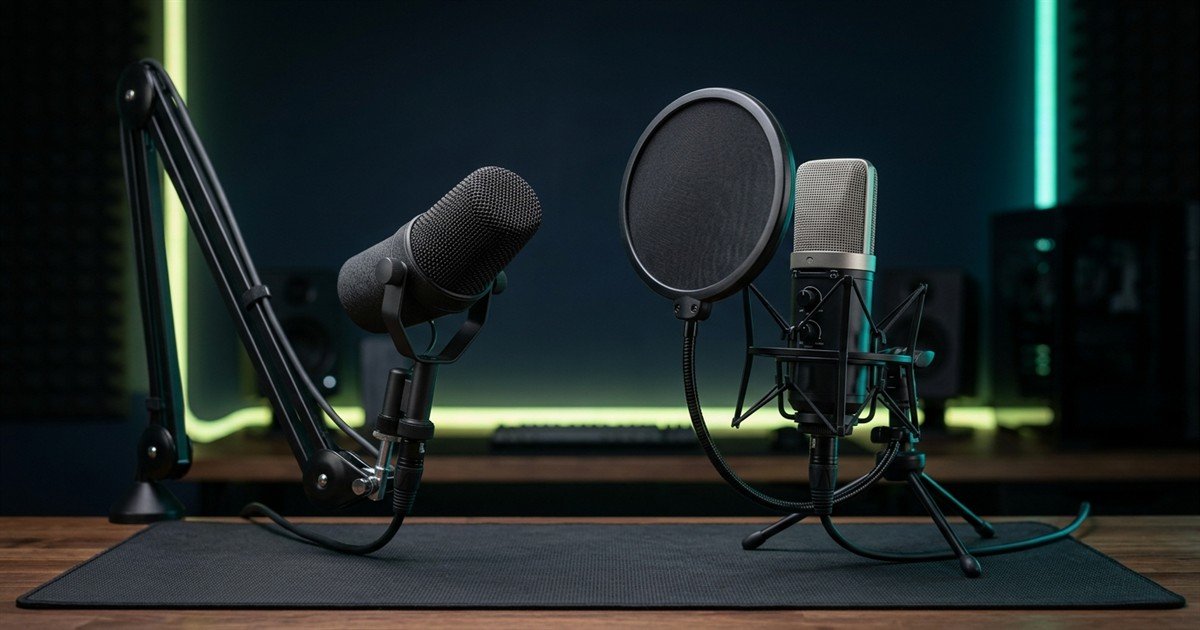
A dynamic capsule uses a relatively heavy copper coil glued to a mylar diaphragm suspended inside a permanent magnet. Sound waves must carry substantial acoustic energy to push this physical mass. When you speak within 5 to 10 centimeters of the grille, your voice easily moves the diaphragm. However, distant keyboard clatter and PC fan hum lack the acoustic pressure needed to overcome coil inertia, resulting in clean voice isolation.
Direct acoustic comparison between dynamic and condenser microphones in real-world gaming environments:
For competitive gamers playing in regular untreated bedrooms with hard drywall and reflective desks, choosing a dynamic capsule provides immediate, hardware-level noise isolation without relying on aggressive AI noise reduction algorithms. To evaluate full transducer physics and form factors across desktop and headset setups, explore our detailed guide to types of gaming microphones.
Microphone Pickup Patterns: Why Cardioid Is the Gold Standard for Gaming
Polar patterns define the directional sensitivity of the microphone capsule across a 360-degree sphere, determining what gets sent to team comms and what gets acoustically eliminated.
Cardioid is the only polar pattern recommended for solo gaming setups because its heart-shaped sensitivity cone isolates sound coming directly in front of the capsule while establishing a maximum rejection dead zone at 180 degrees directly behind it. This rear acoustic null actively filters out mechanical keyboard switch clicks, mouse button taps, and PC chassis fan rumble.
Acoustic directional sensitivity showing the cardioid capture arc and rear dead zone rejection:
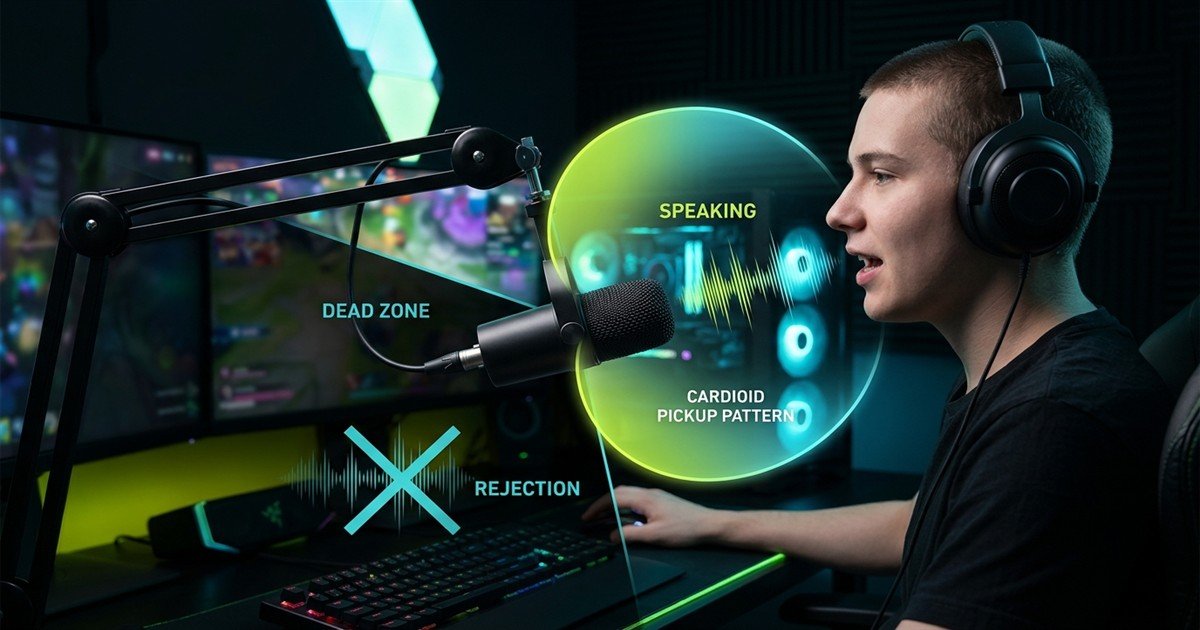
Directional sensitivity metrics across standard acoustic polar patterns:
Aligning the 180-degree rear null of a cardioid microphone directly toward your mechanical keyboard creates a physical barrier that drastically cuts switch noise before software filters even engage.
USB Plug-and-Play vs XLR Interface Audio Chains: Which Setup Fits Your Needs?
Connecting a microphone to your gaming PC involves either an integrated all-in-one digital cable or a modular analog studio signal chain.
USB microphones are the most practical, cost-effective choice for competitive gamers because they integrate the preamp, analog-to-digital converter, and headphone amplifier into a single plug-and-play chassis. XLR setups provide modular hardware control and pristine analog gain, but require an external audio interface, doubling costs without improving Discord voice clarity.
Signal chain architecture comparing integrated USB microphones to modular XLR studio setups:
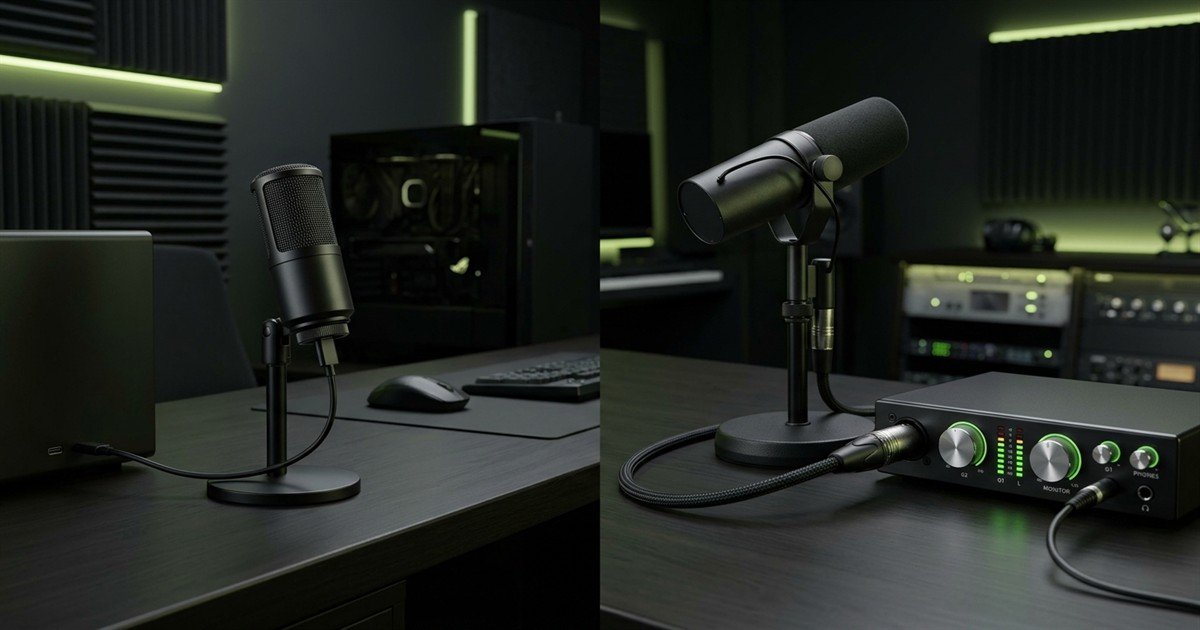
Detailed comparison of USB and XLR gaming microphone configurations:
Because Discord automatically compresses incoming voice streams to 64 or 96 kbps Opus codecs, the subtle analog headroom advantages of high-end XLR interfaces become virtually indistinguishable in competitive gaming chat.
Zero-Latency Hardware Monitoring (Sidetone) & Vocal Strain Prevention
Wearing closed-back acoustic gaming headphones isolates your ears from the physical room, distorting your natural hearing perception.
Hardware monitoring, also known as sidetone, loops your voice directly from the microphone capsule into your headphones with zero milliseconds of processing delay. This instant acoustic feedback prevents vocal strain, stops involuntary shouting during intense matches, and lets you immediately verify voice clarity without asking teammates.
Acoustic and physiological benefits of hardware sidetone monitoring during competitive matches:
The Lombard Effect Suppression
Acoustic studies on the Lombard effect demonstrate that players wearing closed-back earcups naturally elevate their speaking volume by 5 to 10 decibels. Sidetone provides instant acoustic feedback, stopping unnecessary shouting during late-night matches.
Zero-Delay Speech Confidence
Operating system software monitoring routes audio through USB buffers and Windows audio drivers, creating a 50ms+ delayed echo that stumbles speech. Hardware monitoring delivers instant 0ms analog playback.
Real-Time Clipping Detection
By hearing your exact microphone feed, you immediately detect if your voice is peaking, clipping, or picking up sudden background noise (like a nearby fan) before teammates are forced to mute you in Discord.
Physical Positioning: Proximity Effect, Boom Arms, and Mouse Flick Clearance
Even high-tier broadcast capsules sound muffled or hollow if physically positioned incorrectly in relation to your mouth, vocal tract, and competitive gaming peripherals.
The ideal physical microphone position is 10 to 15 centimeters (4 to 6 inches) away from your mouth, angled at 45 degrees towards the corner of your lips rather than directly in front. Mounting the microphone on an articulating boom arm keeps the capsule elevated above your desk, preserving critical mouse pad surface area for fast competitive arm swipes.
Proper microphone boom arm height and 45-degree off-axis placement relative to mouse movement space:
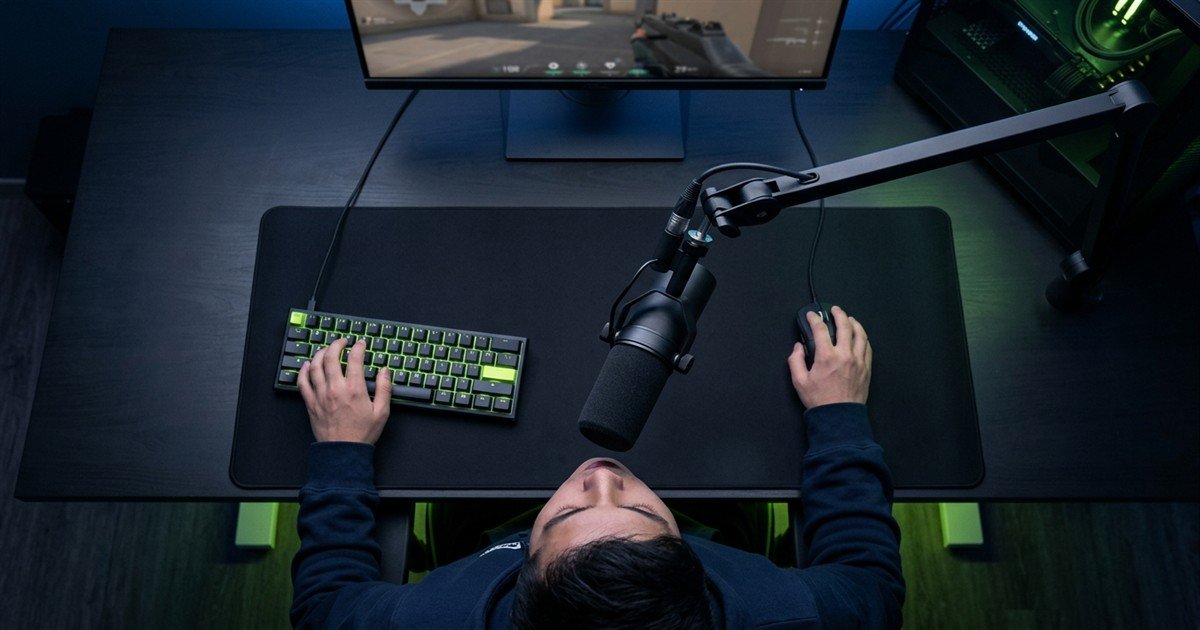
Directional velocity microphones exhibit an acoustic phenomenon known as the proximity effect. As your mouth moves closer than 10 centimeters to a cardioid capsule, low-frequency sound waves (below 200 Hz) experience disproportionate acoustic amplification. This boosts the bass weight of your voice, making it sound intimate, radio-like, and authoritative.
Acoustic frequency response shifts based on vocal distance from directional microphone capsules:
Maintaining the 10 to 15 centimeter sweet spot allows your voice to overpower ambient room reflections naturally, delivering broadcast-grade intelligibility without relying on aggressive digital noise suppression algorithms.
Angling your capsule 45 degrees toward the corner of your mouth bypasses direct exhalation blasts entirely. Plosive bursts from the letters P, B, and T shoot straight forward, avoiding direct impact with the sensitive diaphragm while capturing rich vocal vibrations off-axis.
Mechanical Desk Bumps, Keystroke Vibration, and Shock Mount Mechanics
Sound travels faster and more efficiently through solid desk wood and metal monitor arms than through open room air.
An elastic suspension shock mount isolates the microphone capsule from low-frequency structural vibrations transmitted through your desk surface. Without elastic decoupling, aggressive mechanical keyboard keystrokes, mouse pad impacts during fast recentering swipes, and desk bumps travel directly up rigid metal stands as deafening sub-bass thuds in team voice comms.
Mechanical transmission pathways of desk vibration and their acoustic consequences:
Keystroke Bottom-Out Impact
Mechanical switch stems striking switch housings create sharp energy pulses through the keyboard chassis into the desk top, producing sharp 80 Hz to 150 Hz thumping in rigid desktop stands.
Mouse Reset Slaps and Swipes
Low-sensitivity competitive FPS players lift and reset their mouse frequently. Solid stand bases convert these downward mouse pad slaps into immediate sub-bass rumble spikes on Discord.
PC Chassis and Fan Resonance
High-RPM cooling fans and PC pump vibrations transmit continuous low-frequency hum through desk frames, corrupting microphone signal-to-noise ratios before vocal processing begins.
Hardware Gain Staging vs Digital Clipping: Eliminating Discord Voice Distortion
Setting the wrong input volume creates permanent acoustic distortion that no software equalizer, Discord noise gate, or filter plugin can ever repair.
Gain staging is the deliberate practice of setting microphone input sensitivity so that normal speaking voices hover between -18 dB and -12 dB, with loud tactical callouts peaking between -6 dB and -3 dB. Keeping your vocal peaks below 0 dBFS prevents analog-to-digital clipping, ensuring your voice never crackles or distorts during intense competitive gaming moments.
Acoustic comparison between clean gain staging and digital clipping distortion:
Leaving 6 decibels of clean digital headroom guarantees your tactical warnings remain perfectly legible even when adrenaline spikes during tournament finals.
Cross-Platform Compatibility: PC, PS5, Xbox, and Handheld Audio Routing
A gaming microphone that sounds flawless on a Windows PC may fail entirely or lose volume control when plugged into a gaming console.
PC and PlayStation 5 support standard USB Audio Class 1 and Class 2 drivers seamlessly, while Xbox consoles enforce a proprietary security handshake that blocks generic USB microphones. Cross-platform console setups require hardware with dedicated Xbox security chips, optical passthrough audio hubs, or direct 3.5mm TRRS analog controller connections.
Platform connectivity requirements and audio routing mechanics across major gaming systems:
Multi-platform gamers who play across both PC and Xbox consoles must verify hardware compatibility chips before purchasing USB audio gear to avoid communication blackouts during cross-play matches.
Pop Filter and Windscreen Physics: Eliminating Explosive Plosives Without Loss of Clarity
Fast, aggressive voice communications naturally expel rapid bursts of pressurized air that physically collide with sensitive microphone diaphragms.
A pop filter uses dual-layer woven nylon mesh or perforated metal barriers to decelerate and disperse high-velocity bursts of expelled breath caused by plosive consonants (P, B, and T). Dispersing the moving air column before it reaches the diaphragm prevents low-frequency acoustic overload (popping thuds) while preserving crisp high-frequency vocal clarity.
Acoustic and aerodynamic differences between pop filters and foam windscreens:
Mesh Pop Filters (Studio Shields)
Suspended 5 to 7 centimeters in front of the capsule, mesh pop filters let sound waves pass completely unobstructed while breaking up focused air velocity jets into dispersed turbulence.
High-Density Foam Windscreens
Foam covers slip directly over the microphone body, providing all-around protection against desk fans, air conditioner drafts, and accidental mouth contact in tight desk environments.
Integrated Internal Mesh Filters
Multi-stage internal foam and metal barriers built inside microphone grilles or headset boom capsules (such as the HyperX Cloud III 10mm capsule) eliminate external accessories entirely.
Curated Hardware Selections: Pro-Grade Vocal Clarity & Esports Wireless
These top-tier audio picks solve the most critical competitive communication challenges: studio vocal depth, high-bandwidth wireless transmission, and real-time DSP noise filtering.
For competitive voice clarity without standalone boom arms, choose the HyperX Cloud III for 10mm capsule vocal fullness, the Razer BlackShark V2 Pro for 32kHz wideband wireless fidelity, or the Logitech G PRO X for Blue VO!CE hardware compression and noise gating.
Comparative specifications of leading gaming headsets and communication hardware:
| Product Name | Connection | Microphone Capsule | Key Specialty | Amazon |
|---|---|---|---|---|
| HyperX Cloud III | Wired (USB-C/3.5mm) | 10mm Condenser + Mesh Filter | Broadcast Vocal Warmth | Check |
| Razer BlackShark V2 Pro | Wireless (2.4GHz) | 32kHz Super Wideband | Esports Vocal Clarity | Check |
| SteelSeries Nova 7X | Wireless (2.4GHz + BT) | ClearCast Gen 2 Retractable | Xbox & PC Dual Switching | Check |
| Razer BlackShark V2 X | Wired (3.5mm) | HyperClear Cardioid | Best Budget Under 50 USD | Check |
| Logitech G733 LIGHTSPEED | Wireless (2.4GHz) | Detachable + Blue VO!CE | Ultralight 278g Weight | Check |
| Corsair HS80 MAX | Wireless (2.4GHz + BT) | Omni Broadcast Flip-Mute | Dynamic Vocal Range | Check |
| Logitech G PRO X | Wired (USB DAC/3.5mm) | Blue VO!CE Pro DSP Filters | Tournament Audio Noise Gate | Check |
| Sony INZONE H6 Air | Wired (3.5mm) | Unidirectional Boom + Open-Back | Zero-Delay Vocal Feedback | Check |
| Turtle Beach Atlas Air | Wireless (2.4GHz + BT) | 24-bit/96kHz Open-Back Floating | No Vocal Strain / Shouting | Check |
| Corsair HS55 Stereo | Wired (3.5mm) | Omnidirectional Flip-to-Mute | Entry Value Under 40 USD | Check |
Comparing connection latency, capsule dimensions, and platform compatibility side-by-side demonstrates that modern gaming headsets deliver broadcast-level vocal intelligibility for competitive matchmaking while completely bypassing the mechanical desk vibrations and mouse flick obstructions of external boom arms.
Verified audio gear engineered for tournament-level vocal intelligibility and wireless freedom:
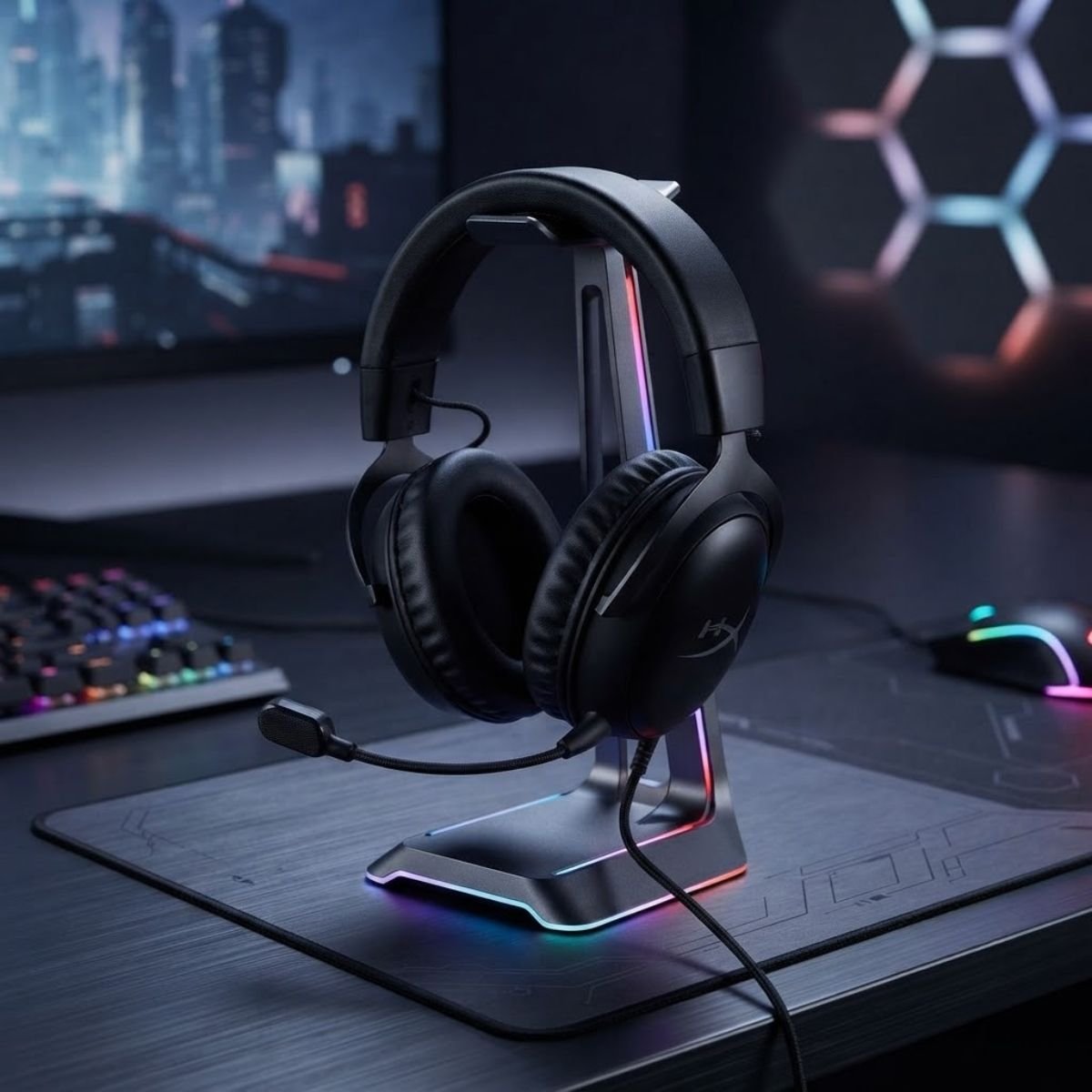
HyperX Cloud III Wired
An exceptional wired gaming headset featuring an enlarged 10mm electret condenser capsule and internal mesh pop filter that captures rich, broadcast-like vocal body without the nasal compression typical of standard headset mics.
- Enlarged 10mm ultra-clear condenser microphone
- Internal metal mesh pop filter reduces plosives
- Angled 53mm dynamic drivers for crisp directional audio
- Universal USB-C, USB-A, and 3.5mm DAC connectivity
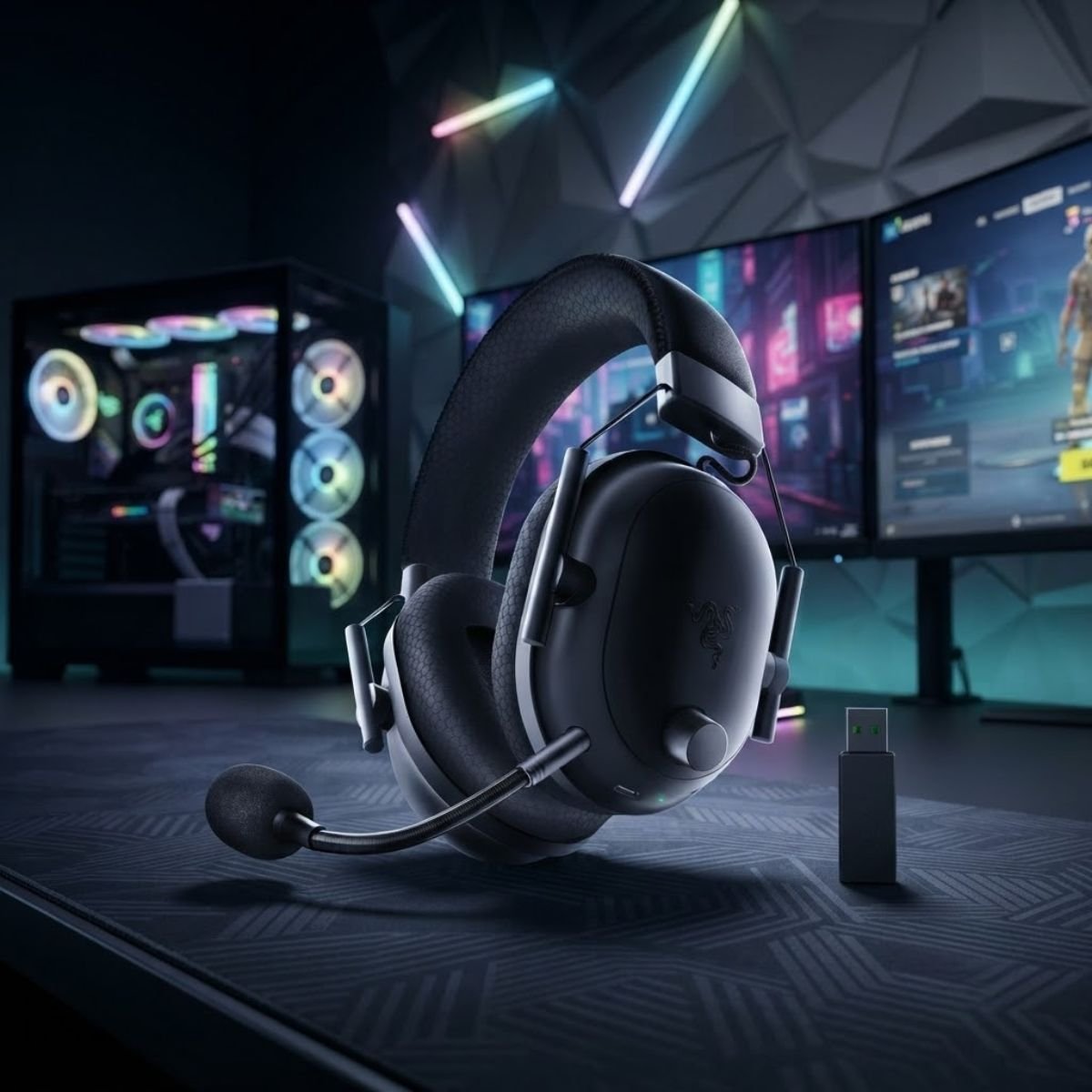
Razer BlackShark V2 Pro Wireless
The benchmark for wireless competitive voice communications, utilizing Razer HyperClear Super Wideband technology at a 32kHz sampling rate to eliminate the robotic compression common to standard 2.4GHz wireless headsets.
- 32kHz Super Wideband high-resolution vocal capture
- TriForce Titanium 50mm patented acoustic drivers
- Up to 70 hours of competitive battery life
- Ultra-low latency 2.4GHz Razer HyperSpeed wireless
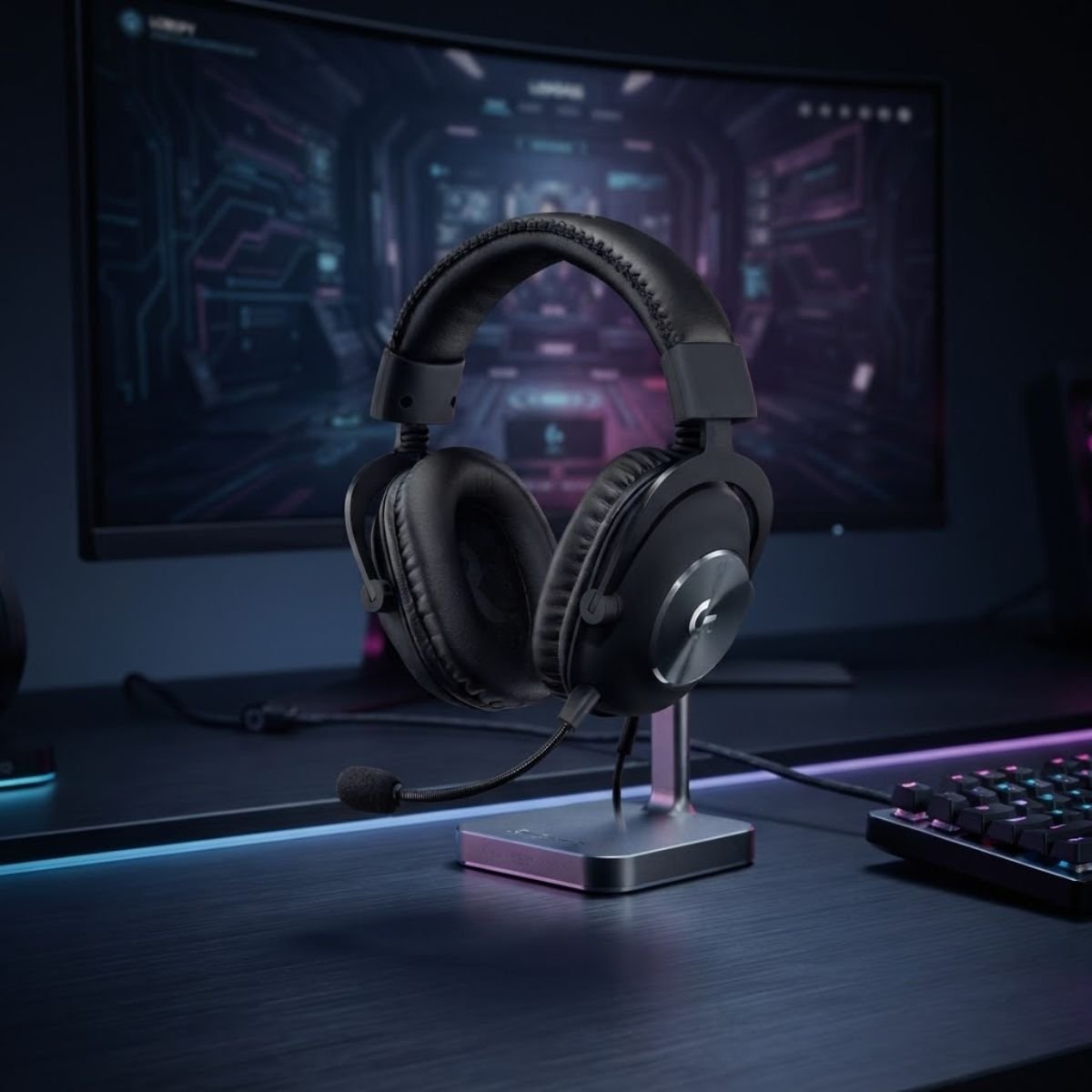
Logitech G PRO X Wired
Engineered in collaboration with top esports professionals, this headset bundles an external USB sound card powered by Blue VO!CE real-time filters for studio compressor, de-esser, limiter, and downward expander noise gating.
- Blue VO!CE real-time microphone broadcast filters
- External USB sound card with onboard memory profiles
- Pro-G 50mm hybrid mesh low-distortion audio drivers
- Premium steel and aluminum headband durability
Curated Hardware Selections: Multi-Platform Switching & Open-Back Monitoring
These versatile audio systems eliminate desk clutter for multi-console gamers while providing natural acoustic transparency to completely prevent vocal strain.
For seamless PC and Xbox switching, the SteelSeries Arctis Nova 7X provides dedicated hardware security chips and a retractable mic. For gamers suffering vocal fatigue from closed earcups, the Turtle Beach Atlas Air and Sony INZONE H6 deliver natural room transparency without artificial monitoring delay.
Audio solutions engineered for cross-console convenience and natural voice monitoring:
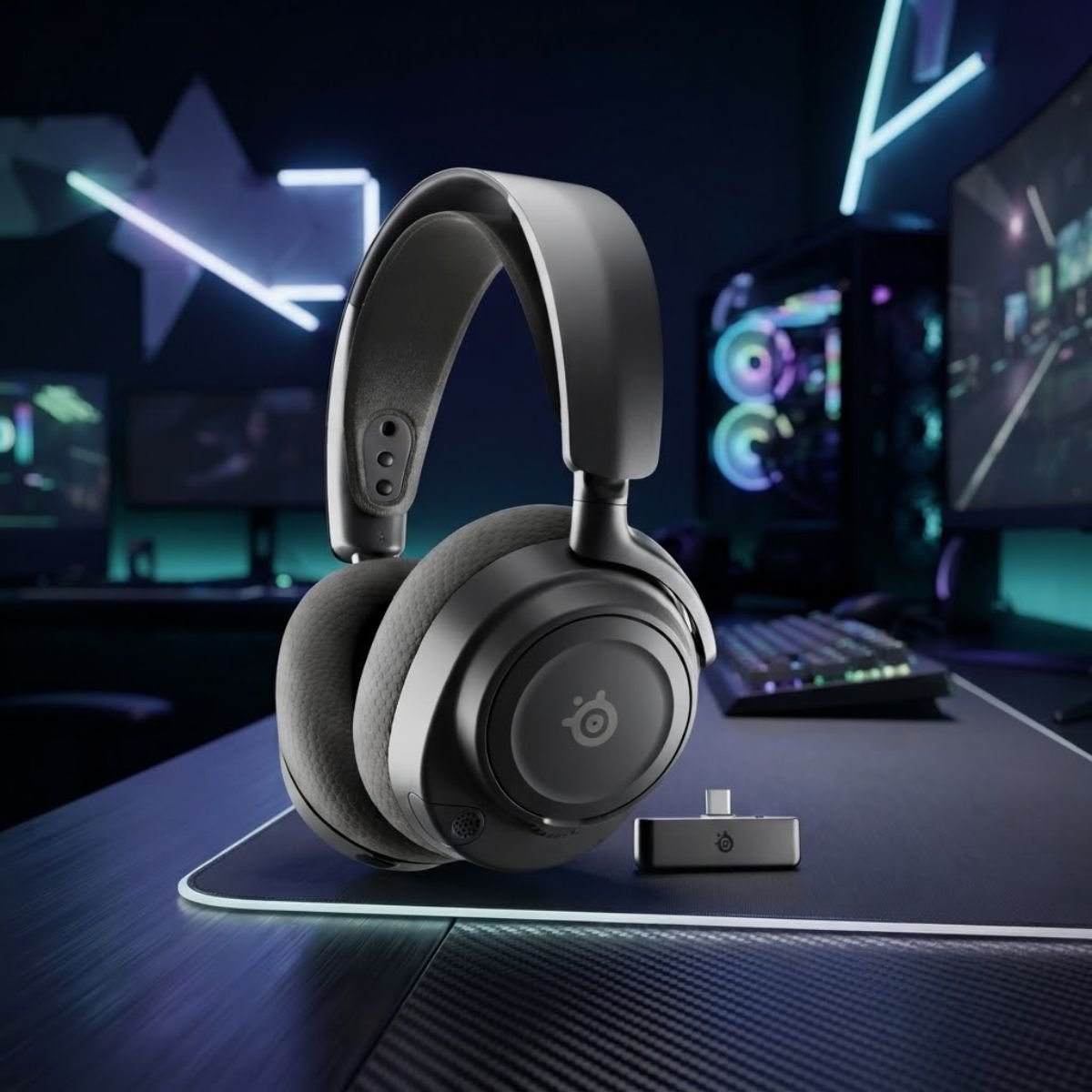
SteelSeries Arctis Nova 7X Wireless
The definitive cross-platform headset featuring a compact multi-platform USB-C wireless dongle with hardware Xbox switching and a ClearCast Gen 2 bidirectional microphone that retracts flush into the earcup for clean desktop aesthetics.
- ClearCast Gen 2 bidirectional noise-canceling mic
- Fully retractable microphone capsule design
- Multi-platform dual USB-C wireless dongle (PC, Xbox, PS5)
- Parametric EQ audio control via Sonar software suite
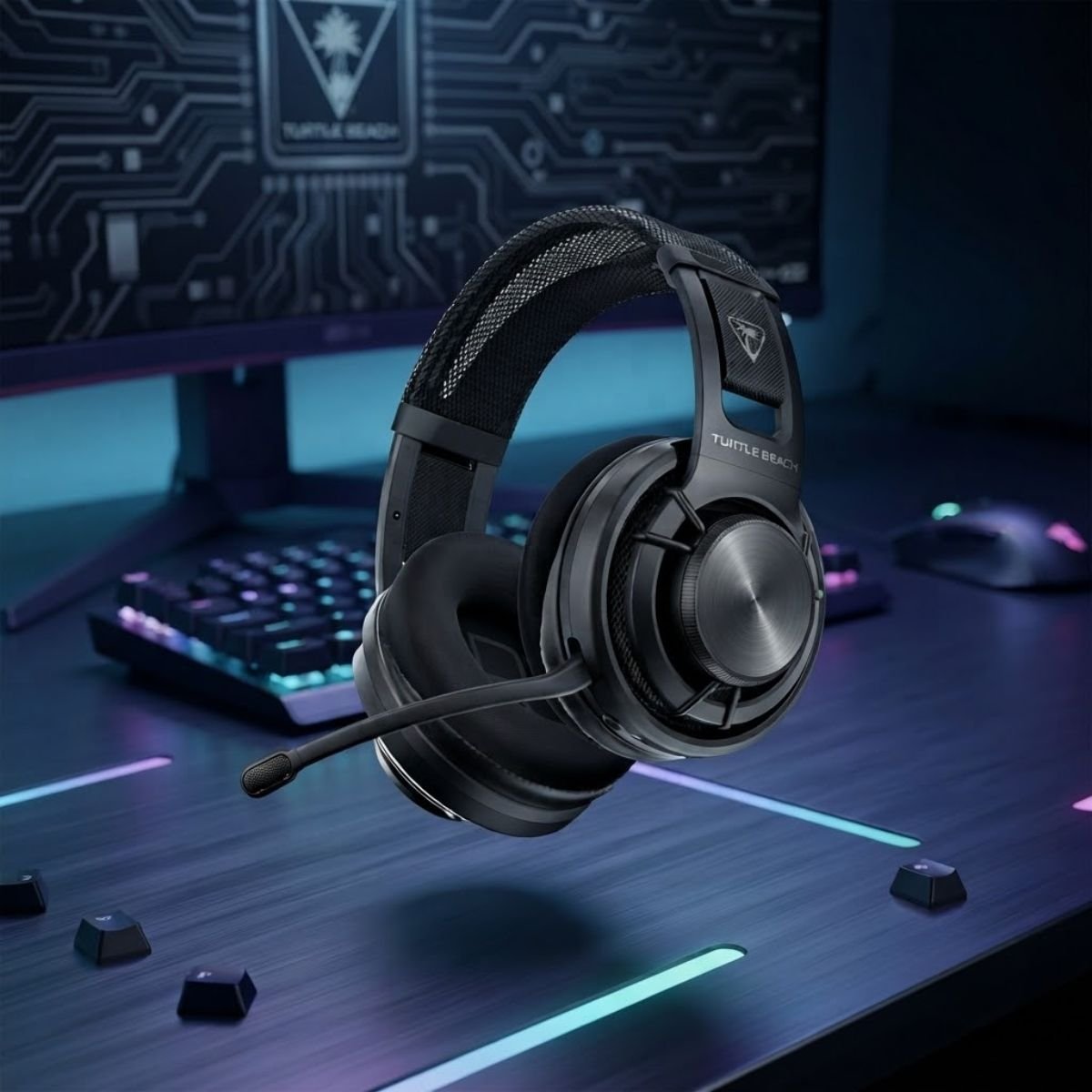
Turtle Beach Atlas Air Wireless
A pioneering open-back wireless gaming headset that lets outside room sound pass naturally into your ears, completely eliminating the Lombard shouting effect without requiring digital sidetone processing loops.
- Open-back floating earcup acoustic architecture
- Natural vocal feedback eliminates shouting entirely
- High-bandwidth 24-bit / 96 kHz wireless transmission
- Flip-up broadcast microphone with auto-mute function
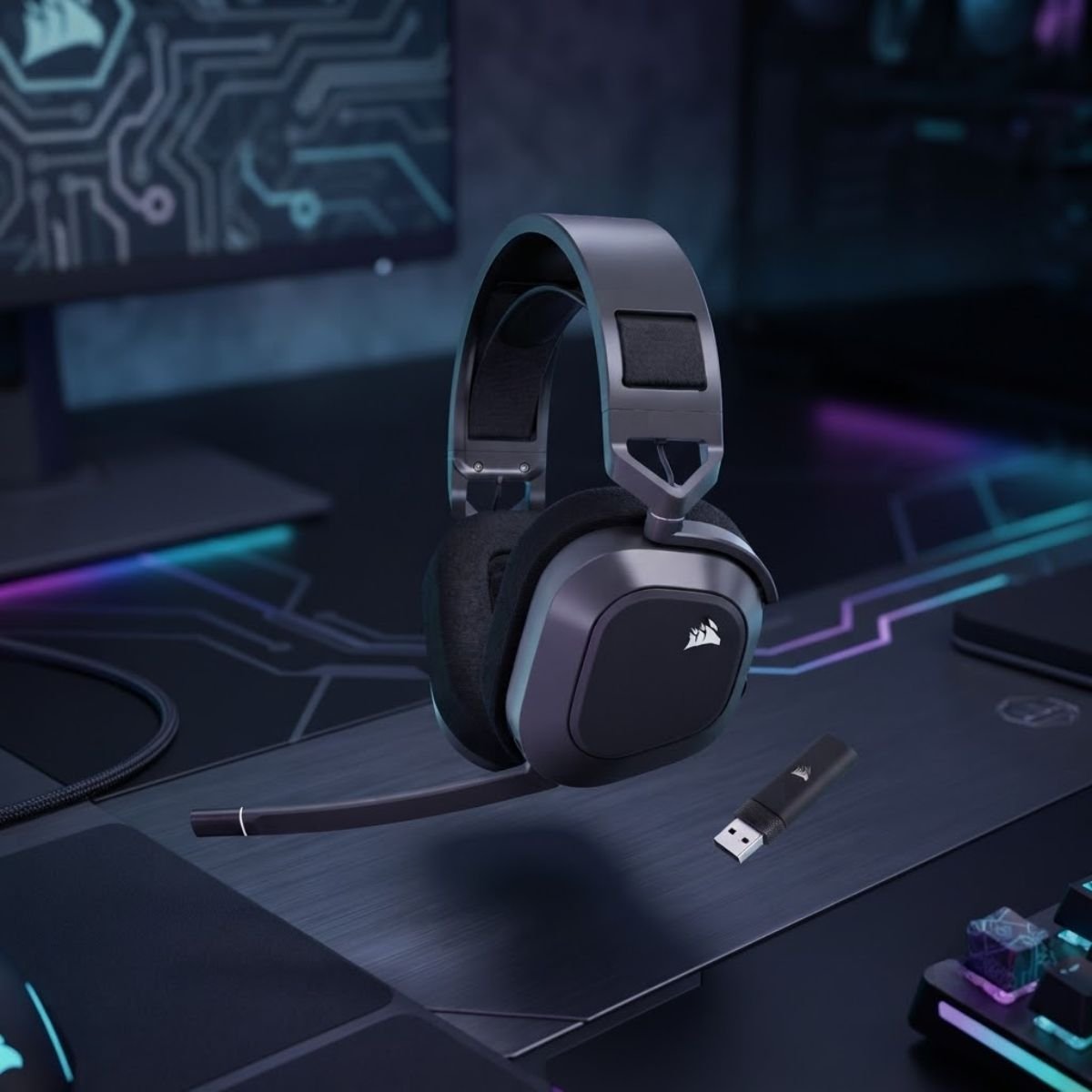
Corsair HS80 MAX Wireless
Equipped with an omnidirectional broadcast-grade microphone that captures immense vocal richness, combined with intuitive flip-to-mute hardware functionality and low-latency 2.4GHz plus Bluetooth multi-device connectivity.
- Broadcast-grade omnidirectional microphone capsule
- Tactile flip-up mute mechanism with LED indicator
- Custom-tuned 50mm high-density neodymium drivers
- Dual wireless connectivity (2.4GHz & Bluetooth 5.2)
Curated Hardware Selections: Best Value & Budget Voice Upgrades
Achieving crisp, tournament-ready voice communications does not require massive budgets. These value-engineered picks deliver clean off-axis noise rejection at accessible price points.
Under 50 USD, the Razer BlackShark V2 X and Corsair HS55 deliver reliable cardioid voice capture with zero software setup. For lightweight wireless or open-back comfort, the Logitech G733 and Sony INZONE H6 provide effortless all-day gaming without vocal fatigue.
Accessible audio hardware delivering exceptional voice clarity per dollar spent:
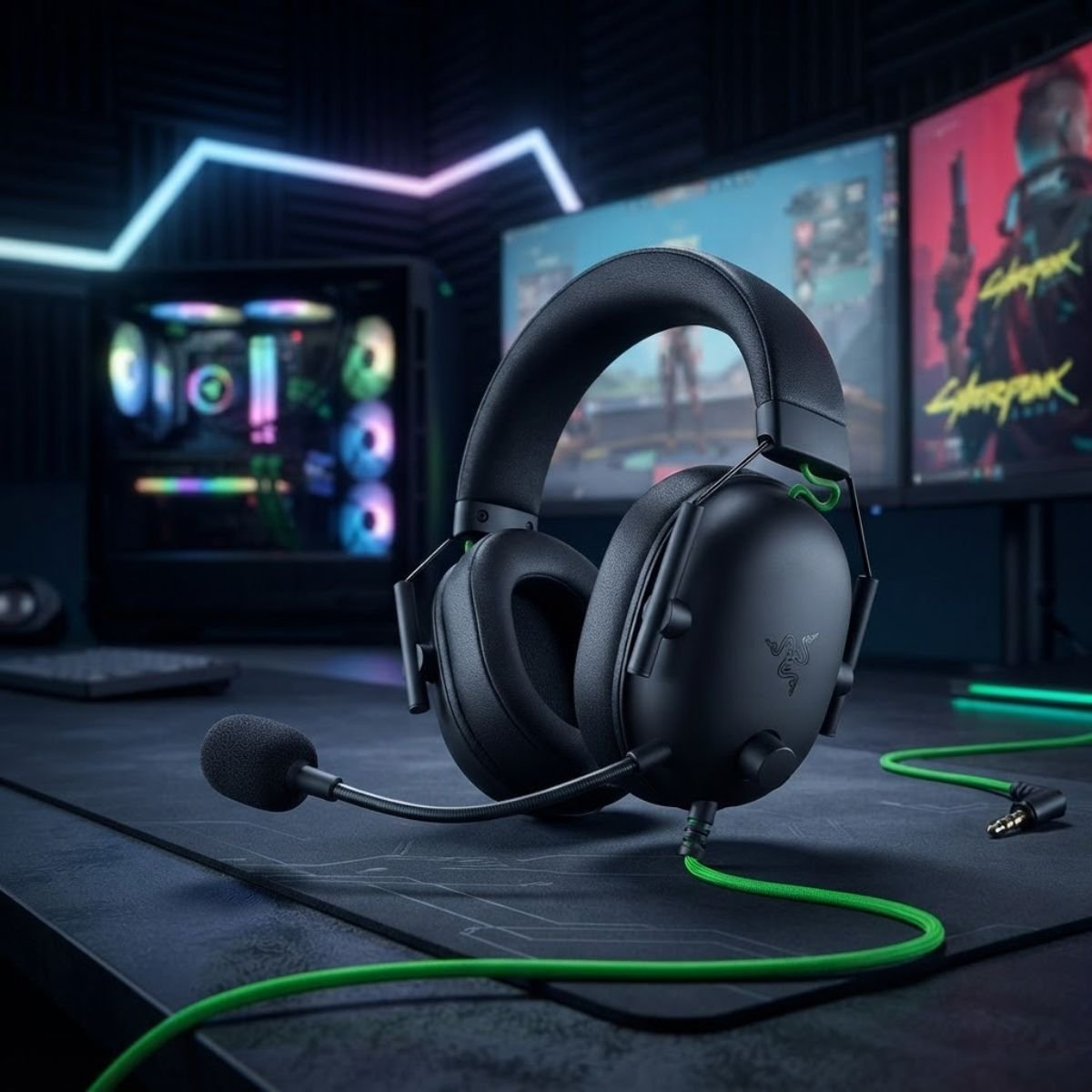
Razer BlackShark V2 X Wired
The undisputed king of budget competitive audio, featuring a tuned HyperClear cardioid microphone with an open housing that minimizes speech obstruction, backed by deep passive noise isolation.
- Razer HyperClear Cardioid directional microphone
- Ultralight 240-gram frame for zero neck fatigue
- Advanced passive noise cancellation ear cushions
- Universal 3.5mm analog connection for PC and consoles
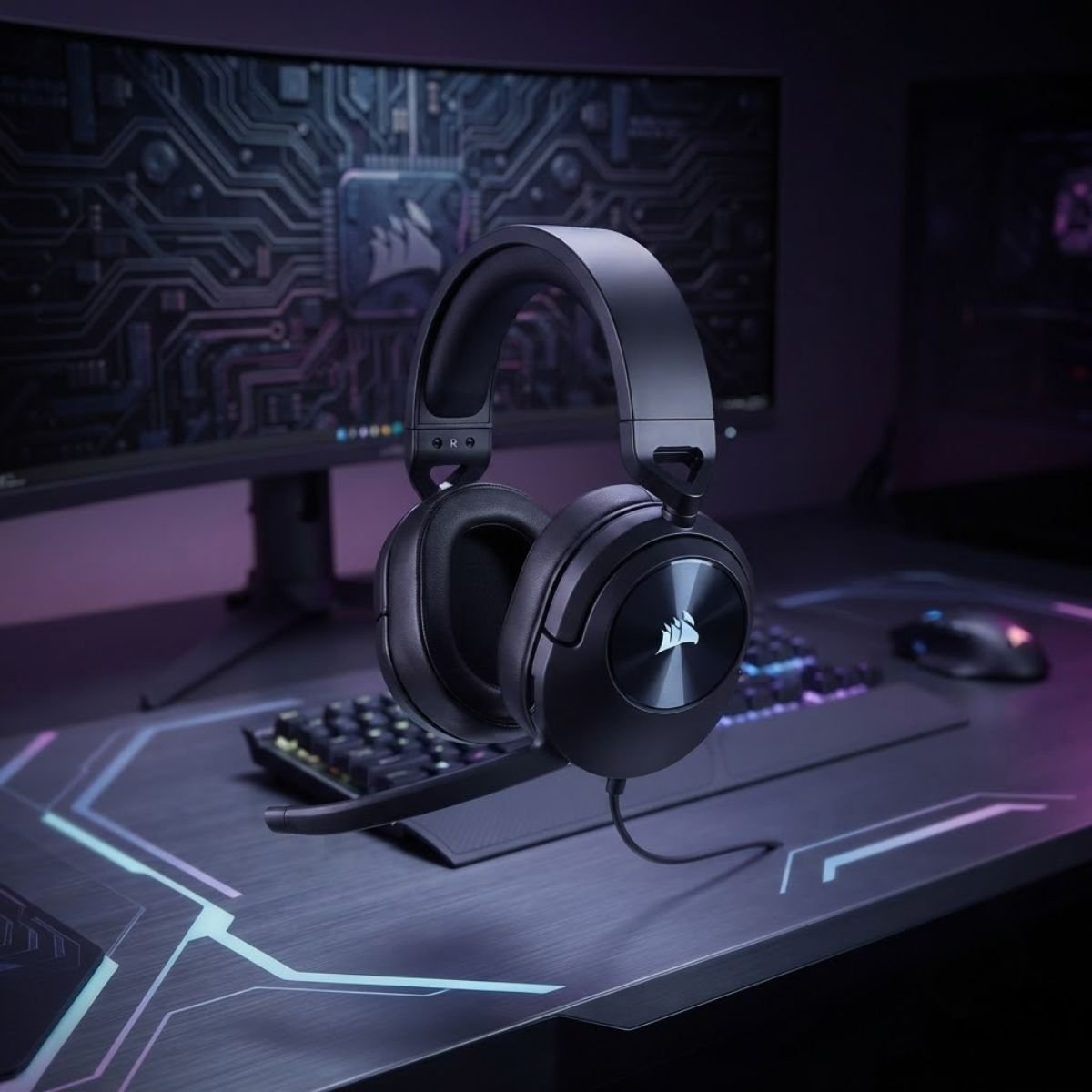
Corsair HS55 Stereo Wired
An exceptionally comfortable entry-level headset featuring plush memory foam earcups and an omnidirectional microphone with an effortless flip-to-mute boom mechanism for quick tactical muting.
- Omnidirectional microphone with flip-to-mute control
- Lightweight 273g construction with adjustable headband
- Plush memory foam leatherette earpads
- Custom-tuned 50mm neodymium audio drivers
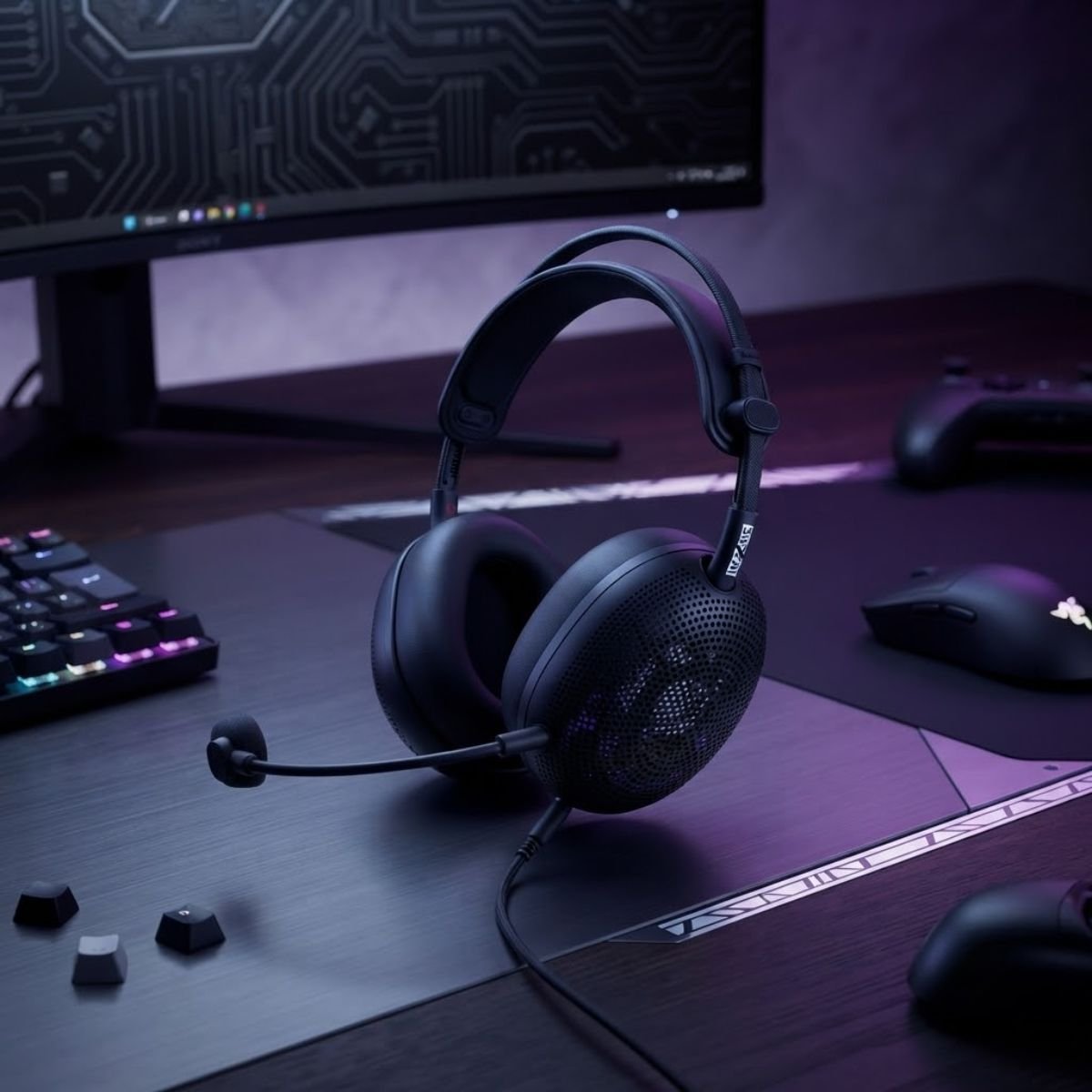
Sony INZONE H6 Air Wired
Engineered with a breathable open-back architecture that allows natural ambient sound to enter, providing effortless real-time speech self-monitoring without acoustic lag or closed-ear pressure buildup.
- Open-back breathable housing for zero ear heat
- High-clarity unidirectional boom microphone
- Sony 360 Spatial Sound for pinpoint FPS enemy tracking
- Engineered for PlayStation 5 and PC gaming setups
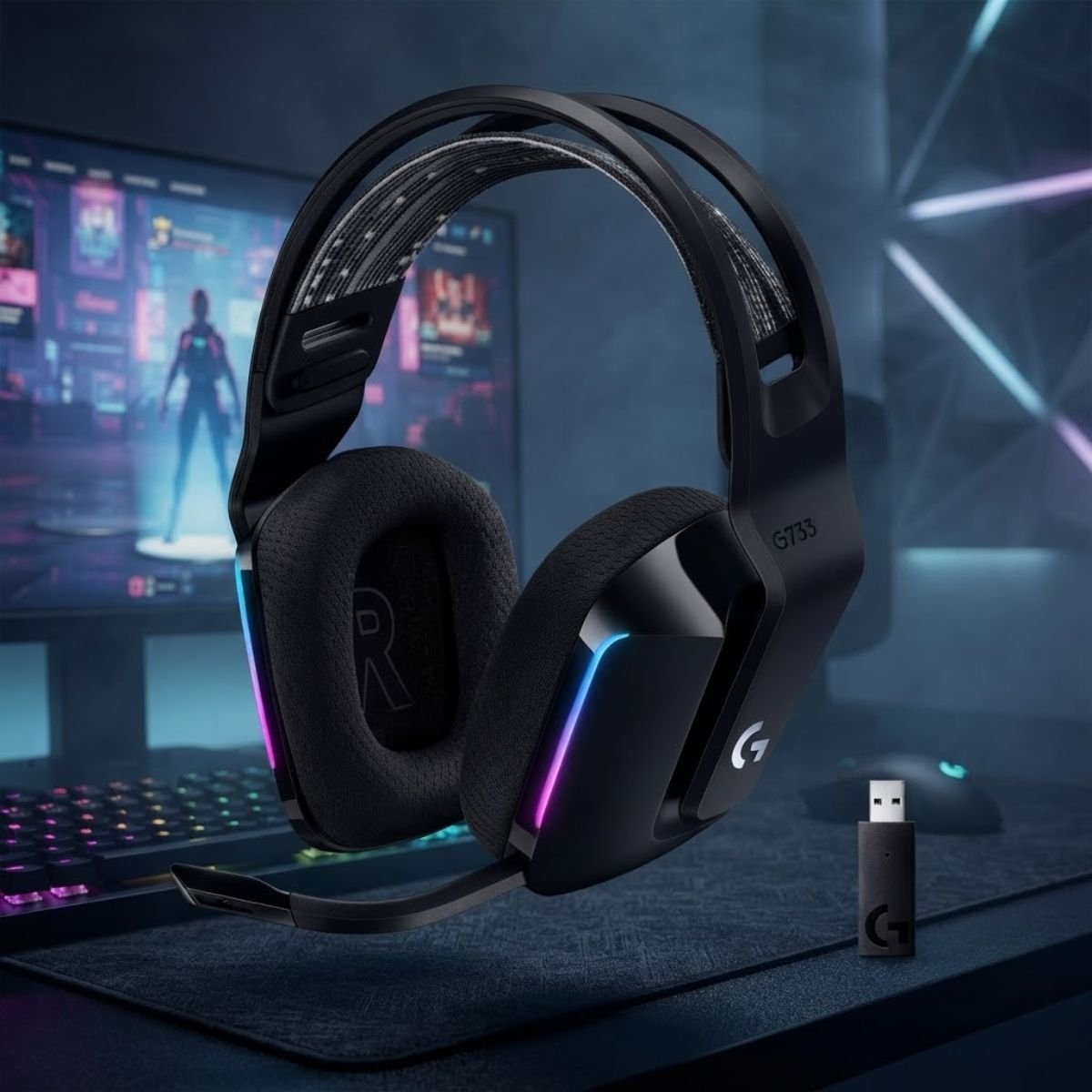
Logitech G733 LIGHTSPEED Wireless
An ultralight 278-gram wireless gaming headset combining LIGHTSPEED zero-lag wireless connectivity with a detachable microphone supporting Blue VO!CE voice tuning filters for clear team communication.
- Detachable microphone with Blue VO!CE vocal presets
- Featherlight 278g weight with reversible suspension strap
- Up to 29 hours of battery life with LIGHTSYNC RGB
- Reliable 20-meter LIGHTSPEED wireless range
Gaming Microphone Buying Framework: Budget Tiers and Performance Milestones
Audio gear follows a steep curve of diminishing returns. Knowing where to invest your budget avoids overspending on studio hardware that provides zero competitive advantage.
For competitive Discord communications, budget tiers range from entry-level USB condensers (under 50 USD) to broadcast-grade dynamic capsules with boom arms (100 to 200 USD). Spending over 200 USD enters studio-grade XLR territory, which delivers subtle harmonic nuance but zero tactical communication advantage over well-tuned USB dynamic microphones.
Acoustic features, transducer types, and practical value across budget investment tiers:
The 100 to 200 USD tier represents the ultimate price-to-performance sweet spot for competitive gamers, offering high rear noise rejection and hardware monitoring without requiring complex external audio interfaces.
Gaming Microphones FAQ & Technical Guide
Essential answers to the 12 most critical acoustic, hardware, and competitive questions surrounding gaming microphones and team communications.
What is the fundamental difference between a gaming microphone and a regular headset mic?
Direct Answer: A standalone gaming microphone uses a significantly larger transducer diaphragm (14mm to 25mm) compared to tiny headset boom capsules (4mm to 6mm), capturing wider frequency bandwidth and deeper vocal resonance with superior signal-to-noise ratios.
What does polar pattern mean in gaming microphones?
Direct Answer: Polar pattern defines the 360-degree three-dimensional directional sensitivity of a microphone capsule, dictating where it captures sound and where it rejects unwanted acoustic noise such as keyboards and PC fans.
What is latency in gaming microphone monitoring?
Direct Answer: Monitoring latency is the time delay between speaking into a microphone and hearing your voice in headphones. Hardware sidetone delivers zero-millisecond analog feedback, while software monitoring routes through operating system buffers, causing disorienting delayed echoes.
What is the proximity effect in cardioid microphones?
Direct Answer: The proximity effect is an acoustic phenomenon where low-frequency bass response increases dramatically as your mouth moves closer than 10 centimeters to a directional microphone, adding broadcast warmth or excessive boominess to your voice.
Should I choose a dynamic or condenser microphone for gaming in an untreated room?
Direct Answer: Choose a dynamic microphone. Its heavier voice-coil diaphragm requires stronger acoustic pressure to move, naturally ignoring distant room reverberation, air conditioner hum, and mechanical switch clicks that sensitive condenser capsules capture.
Does a USB microphone cause input lag or drop frame rates in competitive FPS games?
Direct Answer: No. Standard USB Audio Class drivers consume less than 0.1 percent of modern multi-core CPU capacity and operate on asynchronous USB polling endpoints independent of graphics rendering pipelines, causing zero impact on frame rates or mouse latency.
How much gain should I set on my gaming microphone to prevent clipping?
Direct Answer: Calibrate your physical hardware gain dial so your normal speaking voice registers around -18 dB to -12 dBFS on digital meters, with loud tactical callouts peaking between -6 dB and -3 dBFS. This leaves safe headroom before digital distortion.
Why does my microphone pick up mechanical keyboard clicks even on cardioid mode?
Direct Answer: High-frequency switch clicks reflect off walls, computer monitors, and desk surfaces into the front sensitive arc of the capsule. Additionally, rigid metal desk stands transmit mechanical keystroke vibrations directly through solid surfaces into the microphone body.
Is an XLR microphone setup necessary for competitive gaming voice communications?
Direct Answer: An XLR setup is not necessary for competitive gaming. Modern 24-bit USB microphones deliver identical speech intelligibility over Discord, which heavily compresses all voice audio to 64 or 96 kbps Opus streams regardless of studio interface preamps.
What is the ideal distance between a microphone capsule and your mouth while gaming?
Direct Answer: The ideal distance is 10 to 15 centimeters (4 to 6 inches) angled at 45 degrees. This position maximizes vocal signal-to-noise ratio over room acoustics while preventing explosive plosive air bursts from striking the diaphragm directly.
Can software noise suppression like Discord Krisp replace a physical shock mount and pop filter?
Direct Answer: No. Software noise suppression removes acoustic artifacts after they have entered the signal chain, often stripping natural vocal frequencies and clipping syllable ends. Physical shock mounts and pop filters stop mechanical distortion at the physical source.
Why do Xbox consoles require specific microphones unlike PC and PS5?
Direct Answer: Microsoft Xbox Series X|S consoles enforce a proprietary security authentication handshake over USB that blocks generic USB Audio Class peripherals. Microphones must include a licensed hardware security chip or connect through the controller 3.5mm analog jack.