
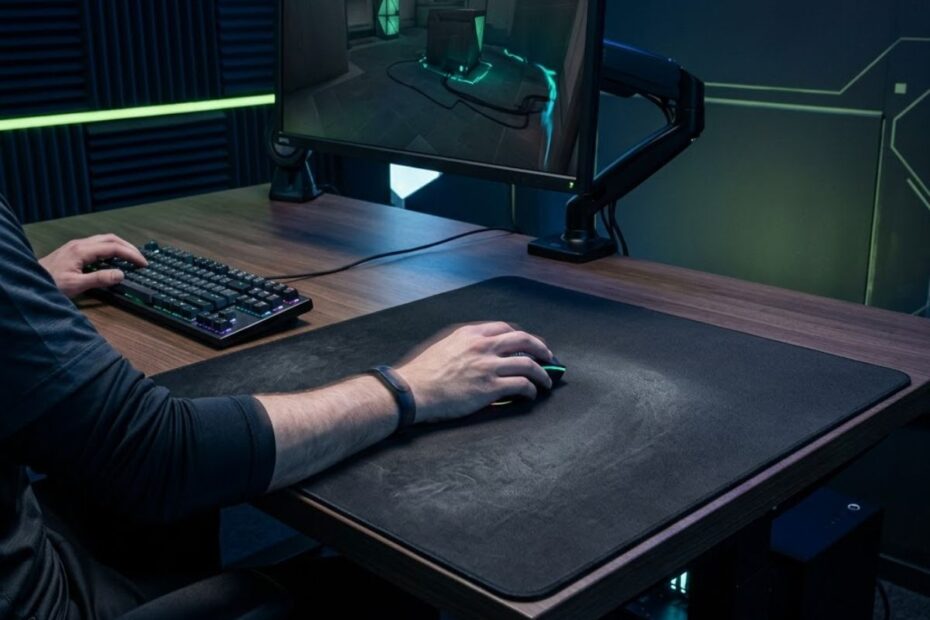
Arm aiming in Valorant means using larger movements from the forearm and arm to control the mouse, while the wrist and fingers handle smaller corrections. This approach can make broader crosshair movements feel more controlled, especially when a player has enough mouse space to move comfortably. However, arm aiming does not mean using only the arm. Effective aiming can involve the arm, wrist, and fingers at the same time, with each contributing to a different type of movement.
For Valorant players, the important question is not whether arm aiming is universally better than wrist aiming. It is whether using more arm movement helps you make consistent crosshair adjustments without creating unnecessary tension or forcing you to change a setup that already works.
What Is Arm Aiming in Valorant?
Arm aiming in Valorant is a mouse control technique that uses the forearm and larger arm movements for broader crosshair adjustments, while the wrist and fingers can provide smaller corrections. Instead of relying primarily on short wrist movements, the player moves the mouse across a wider physical area to control larger changes in crosshair position.
This movement style is particularly relevant when a player uses a sensitivity that requires more physical mouse travel. The goal is not to move the arm as much as possible, but to use a larger movement source when the required crosshair adjustment is large enough to benefit from it.
The distinction matters because aiming is not controlled by a single joint. A player can begin a large movement with the arm, slow or stop the mouse with a combination of arm and wrist control, and then make a small correction with the fingers. Treating arm aiming as an arm-only technique creates an unnecessarily rigid definition of how mouse control actually works.
This image illustrates how larger arm movements can contribute to crosshair control while smaller adjustments remain available through the wrist and fingers:
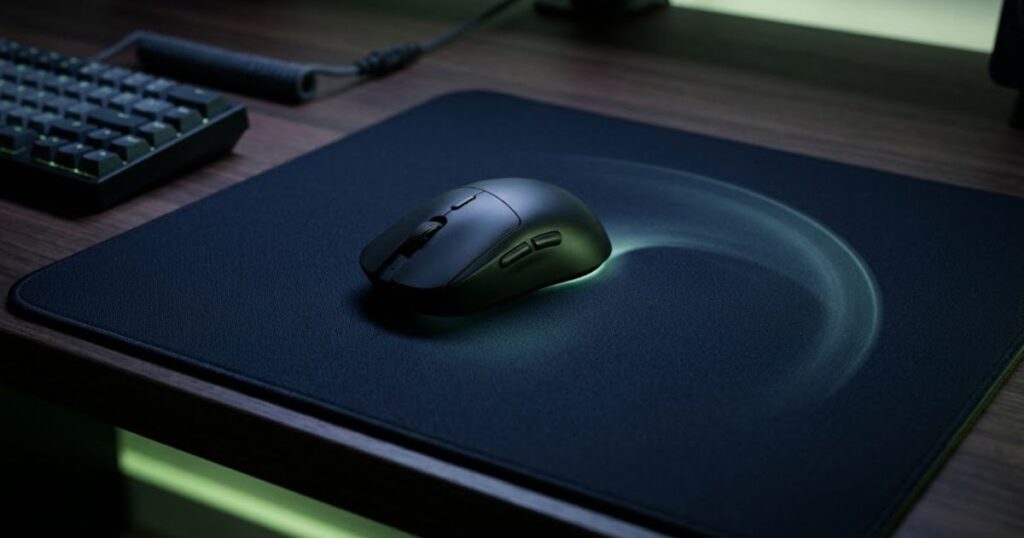
The illustration represents arm aiming as a coordinated movement rather than a technique that removes wrist or finger control. This distinction becomes important when moving between targets, stopping the crosshair, and making small corrections during an engagement.
How Arm Aiming Works During a Gunfight
Arm aiming becomes most noticeable when the crosshair needs to travel a relatively large distance between positions. The forearm and arm can provide the main movement, allowing the mouse to travel farther across the pad instead of forcing the wrist to perform the entire motion.
Different parts of the hand and arm can contribute to aiming in different ways:
- Arm: Provides larger movements when the crosshair needs to travel across a wider area.
- Wrist: Helps control shorter movements and refine the position after a larger adjustment.
- Fingers: Can provide fine corrections and help stabilize the mouse during precise adjustments.
The practical benefit is movement flexibility. A large target transition does not have to be performed with the same small movement used for a final micro-correction. Using different movement ranges allows the player to adapt the physical motion to the amount of crosshair movement required.
Arm aiming can therefore be useful during situations where the crosshair needs to move substantially, but it should still work together with normal wrist and finger control. Trying to eliminate those smaller movements can make the technique less natural rather than more consistent.
Arm Aiming Is Not the Same as Using Only Your Arm
Arm aiming does not require every mouse movement to come from the arm. The term describes where a larger share of the movement comes from, not a strict rule that prevents the wrist or fingers from contributing.
A player may use the arm to move toward a target and then use the wrist or fingers to make the final correction. This combination is especially important when the initial movement is large but the final crosshair adjustment is small.
That is why arm aiming is better understood as a movement pattern than a fixed mechanical formula. Players can naturally distribute movement between the arm, wrist, and fingers depending on the distance of the adjustment, their sensitivity, available mouse space, and the control they need at that moment.
The key idea is simple: arm aiming uses larger arm movements when they are useful, while smaller movements can still come from the wrist and fingers.
Understanding this distinction gives you a more practical foundation for evaluating arm aiming. You do not need to force yourself into an arm-only technique. Instead, the goal is to determine whether adding more controlled arm movement improves the way you handle larger crosshair adjustments in Valorant.
Arm Aiming vs Wrist Aiming in Valorant
Arm aiming and wrist aiming differ mainly in where the primary mouse movement comes from and how much physical space that movement requires. Arm aiming relies more on the forearm and arm for broader adjustments, while wrist aiming uses shorter movements from the wrist and hand. Neither approach is automatically better for every Valorant player, and many players naturally combine both depending on the size and precision of the adjustment.
How Arm and Wrist Aiming Differ
The main differences between arm and wrist aiming come down to movement range, available mouse space, and how the player handles larger and smaller crosshair adjustments:
| Factor | Arm Aiming | Wrist Aiming |
|---|---|---|
| Primary movement source | Forearm and arm | Wrist and hand |
| Movement range | Larger physical movement | Smaller physical movement |
| Large target transitions | More room to use broader movements | Requires more movement from a smaller range |
| Micro-adjustments | Often combined with wrist and finger control | Naturally suited to short corrections |
| Mouse space | Generally needs more usable space | Can work with less physical space |
| Movement feel | Broader and more deliberate | Compact and responsive |
The difference is not simply about which part of the body moves. It is also about how much physical distance the mouse travels to produce a crosshair adjustment. A player using more arm movement can make a broad adjustment across the mousepad, while a wrist-focused player can make the same type of adjustment through a shorter physical motion when their sensitivity allows it.
This means the same player may use different movement sources within a single engagement. A larger adjustment can involve the arm, while the final positioning of the crosshair can involve the wrist and fingers. The distinction is therefore useful for understanding movement mechanics, not for placing players into two completely separate aiming categories.
Why Hybrid Aiming Is Common
Hybrid aiming is common because different aiming situations require different movement ranges. A player may use the arm to move the mouse toward a target, then rely on the wrist or fingers to refine the crosshair position. This allows larger movements and fine corrections to work together instead of forcing one part of the arm to handle every adjustment.
Your grip style can also influence how naturally these movements work together because the way your hand contacts the mouse affects which parts of the hand can move freely during an adjustment.
For example, a wide target transition may begin with a larger arm movement, while a small correction near the target can come from the wrist or fingers. The movement does not need to remain exclusively arm-based once the crosshair is close to the intended position.
This approach also explains why switching from wrist aiming to arm aiming does not require eliminating wrist movement. The practical change is usually a greater contribution from the arm when larger physical movement is useful.
Arm aiming and wrist aiming should be viewed as different movement emphases rather than opposing techniques. Arm aiming gives the player more room to use broader movements, while wrist aiming favors shorter adjustments. A hybrid approach allows the player to combine both according to the movement required.
Does Arm Aiming Actually Improve Valorant Aim?
Arm aiming can improve aim consistency for some Valorant players, particularly when larger crosshair adjustments feel difficult to control with shorter wrist movements. However, using more arm movement does not automatically make someone a better aimer. Its value depends on whether the technique addresses a specific movement problem without creating new issues with sensitivity, space, tension, or control.
Where Arm Aiming Can Help
Arm aiming can be useful when a player needs more physical range and control during larger crosshair adjustments. Because the arm can move the mouse across a wider area, it can make broad repositioning feel less dependent on short wrist movements.
This can be useful in situations where the crosshair needs to move a substantial distance before the player can make a smaller correction. Instead of asking the wrist to produce the entire movement, the arm can handle more of the initial travel while the wrist and fingers refine the final position.
Arm movement can also feel more sustainable for some players during longer sessions because the movement is distributed across a larger part of the arm rather than repeatedly relying on a smaller range of wrist motion. That does not mean arm aiming is automatically more comfortable, since comfort still depends on posture, grip, desk space, and individual movement habits.
What Arm Aiming Cannot Fix
Arm aiming cannot compensate for poor crosshair placement, unsuitable sensitivity, inconsistent movement habits, or insufficient practice. Changing the source of mouse movement only changes how the mouse is physically controlled. It does not correct problems that come from other parts of the aiming process.
For example, a player who consistently places the crosshair too far from likely enemy positions may still miss even after adopting arm aiming. Likewise, repeatedly changing sensitivity can make it difficult to build consistent movement regardless of whether the player uses the arm, wrist, or both.
The table below separates problems that arm movement may influence from problems that require a different solution:
| Problem | Can Arm Aiming Help? | Why |
|---|---|---|
| Large crosshair adjustments feel difficult to control | Yes | Greater physical movement can provide more range for broad adjustments |
| Large movements feel rushed or inconsistent | Sometimes | Using a larger movement source may make the motion easier to control |
| Frequent overflicking | Sometimes | A more deliberate movement can help, but the underlying cause still needs to be addressed |
| Poor crosshair placement | No | Crosshair placement requires better positioning and aiming habits |
| Unsuitable sensitivity | No | Arm movement does not determine whether a sensitivity setting is appropriate |
| Lack of practice | No | Consistent aiming requires repeated practice regardless of movement style |
The important distinction is that arm aiming changes the physical method used to control the mouse. It can address certain movement limitations, but it cannot replace fundamentals such as crosshair placement, movement discipline, and consistent practice.
That makes arm aiming a tool rather than a universal upgrade. If larger adjustments are the part of your aim that feels inconsistent, adding more controlled arm movement may be worth testing. If your main problem comes from another part of your mechanics, changing to arm aiming alone is unlikely to solve it.
Arm aiming is most useful when it solves a specific movement problem rather than being adopted simply because it is considered a competitive aiming technique.
How Do You Know If Arm Aiming Fits Your Playstyle?
Arm aiming may fit your playstyle if larger mouse movements feel more natural, you have enough usable mouse space, and your current wrist-focused movement makes broad crosshair adjustments difficult. You do not need to switch simply because arm aiming is common among competitive players. The better reason to change your technique is that it solves a specific problem in your current aiming mechanics.
Signs You May Benefit From More Arm Movement
These signs can indicate that adding more arm movement may fit the way you currently aim:
- Large corrections feel difficult: You regularly struggle when the crosshair needs to travel a significant distance.
- Wrist movement feels cramped: Your wrist reaches an uncomfortable range during repeated aiming adjustments.
- You naturally make broad mouse movements: Moving the mouse farther across the pad already feels comfortable rather than forced.
- You have enough usable mouse space: Your desk and mousepad give you room to move the mouse without frequently hitting an edge.
- You prefer deliberate movement: You feel more comfortable controlling a larger physical movement instead of relying almost entirely on short wrist motions.
- Your current technique feels inconsistent during larger adjustments: The problem appears specifically when the crosshair has to travel farther, rather than during every type of aim movement.
These signs do not prove that arm aiming is the correct choice. They simply identify situations where testing more arm involvement is reasonable. The important part is whether the change produces more consistent control after you have had enough time to adapt.
Signs You Should Not Force Arm Aiming
Forcing arm aiming may be counterproductive when your existing movement is already consistent or your physical setup does not give you enough room for larger movements:
- Your current aim is already consistent: There is no clear movement problem that needs to be solved.
- Your desk space is limited: You frequently run out of room before completing a larger mouse movement.
- Large movements feel unnatural: Using the arm creates more conscious effort instead of improving control.
- Your wrist and hand already provide reliable control: Switching movement sources would add disruption without addressing a specific weakness.
- You repeatedly hit the mousepad edge: Your available space does not support the movement range your technique requires.
Aiming technique should fit the physical environment as well as the player. If changing to an arm-focused style forces awkward posture, repeated mouse resets, or uncomfortable movement, the technique may not be solving the right problem.
This setup illustrates the physical space and positioning that can make larger arm movements more practical during FPS gameplay:
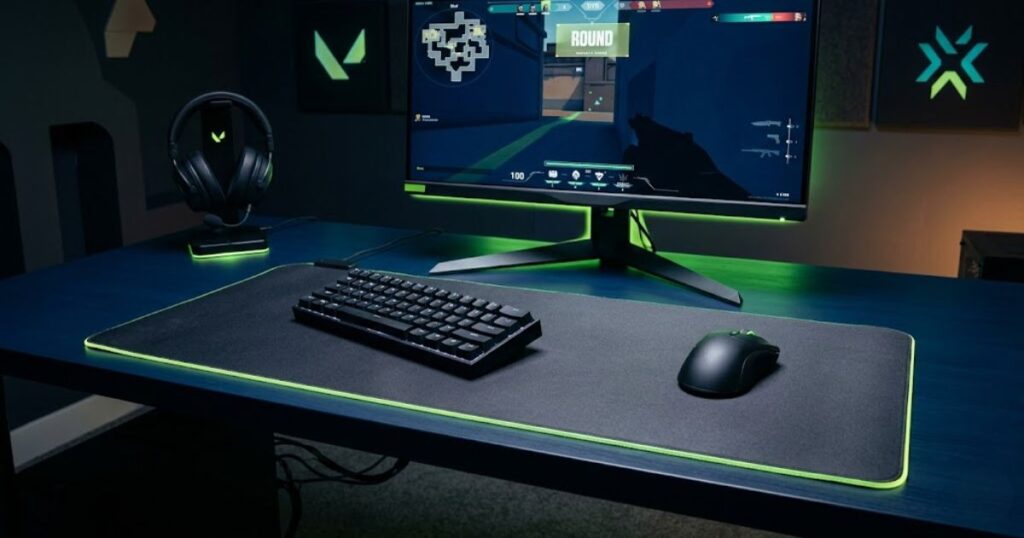
The setup demonstrates why physical space matters when a player relies more heavily on larger movements. The mouse needs enough room to travel, while the arm needs sufficient freedom to move without being restricted by the edge of the desk or other equipment.
The table below matches common aiming situations with the movement approach that may make the most sense:
| Player Situation | Possible Fit | Reason |
|---|---|---|
| Large mouse movements feel natural | Arm or hybrid | A broader movement range may complement the player’s existing mechanics |
| Large corrections feel difficult | More arm involvement | The arm can provide additional physical movement range |
| Mouse space is limited | Wrist or hybrid | Smaller movements may be easier to manage within the available area |
| Current wrist aim is already consistent | Stay with the current approach | There may be no meaningful problem that requires a change |
| Both arm and wrist movements feel comfortable | Hybrid | Different movement ranges can be used for different adjustments |
The most useful test is not whether you can imitate an arm aiming technique, but whether it makes your own mouse control more consistent. If adding arm movement improves a specific weakness without creating problems with space or comfort, it may be worth incorporating into your playstyle.
Arm aiming should solve a real movement problem, not become a rule you force onto your mechanics. Your physical setup, existing control, and ability to make repeatable adjustments are more useful indicators than whether one aiming style is considered better by other players.
How Sensitivity Affects Arm Aiming in Valorant
Sensitivity affects how much physical mouse movement you need to move the crosshair, so a lower sensitivity generally requires more mouse travel and can naturally involve more arm movement. However, sensitivity does not determine whether someone is an arm aimer. A player can use arm movement at different sensitivity levels, depending on their mouse control, available space, and preferred movement range.
Why Lower Sensitivity Usually Requires More Arm Movement
Lower sensitivity increases the physical distance the mouse must travel for the same amount of in-game crosshair movement. This gives the player more room to use broader movements when making large adjustments, which can make the arm more involved in aiming.
For example, moving the crosshair across a substantial part of the screen requires a greater physical mouse movement when sensitivity is lower. Instead of producing that movement primarily through a short wrist motion, the player has more reason to move the mouse across the pad using the forearm and arm.
This does not mean that lower sensitivity is automatically better for arm aiming. If the sensitivity is so low that normal target transitions require excessive physical travel, the player may need to lift and reposition the mouse more often or struggle to make fast adjustments within the available space.
The useful relationship is therefore between sensitivity, physical mouse travel, and available space. A setting works when those three factors allow you to make the movements required in a match without repeatedly running into physical limitations.
How to Test Sensitivity for Arm Aiming
The best way to test sensitivity for arm aiming is to keep the rest of your setup stable and evaluate whether the movement feels controlled across repeated sessions. Avoid changing several variables at once because doing so makes it difficult to identify what actually improved or worsened your aim.
Use the following process to test whether your current sensitivity supports natural arm movement:
- Keep your DPI consistent: Avoid changing DPI while evaluating sensitivity so the test has a stable starting point.
- Start with your current sensitivity: Test how naturally you use your arm during normal target transitions rather than immediately lowering the setting.
- Observe your physical movement: Pay attention to whether larger adjustments feel controlled or whether you regularly rely on uncomfortable wrist movement.
- Make only a small adjustment if necessary: Change sensitivity when you can identify a specific movement problem, rather than changing it simply because a lower value is associated with arm aiming.
- Practice the adjusted setting consistently: Give yourself enough repeated practice to distinguish genuine improvement from temporary unfamiliarity.
- Judge repeatability rather than one good match: A useful sensitivity should remain manageable across different aiming situations, not only during a single strong performance.
For the broader relationship between DPI, sensitivity, eDPI, and other Valorant mouse settings, Valorant mouse settings are better evaluated as a complete setup rather than as isolated numbers.
This image shows a mouse setup designed around the movement space and control considerations that can matter when using arm-based aiming:
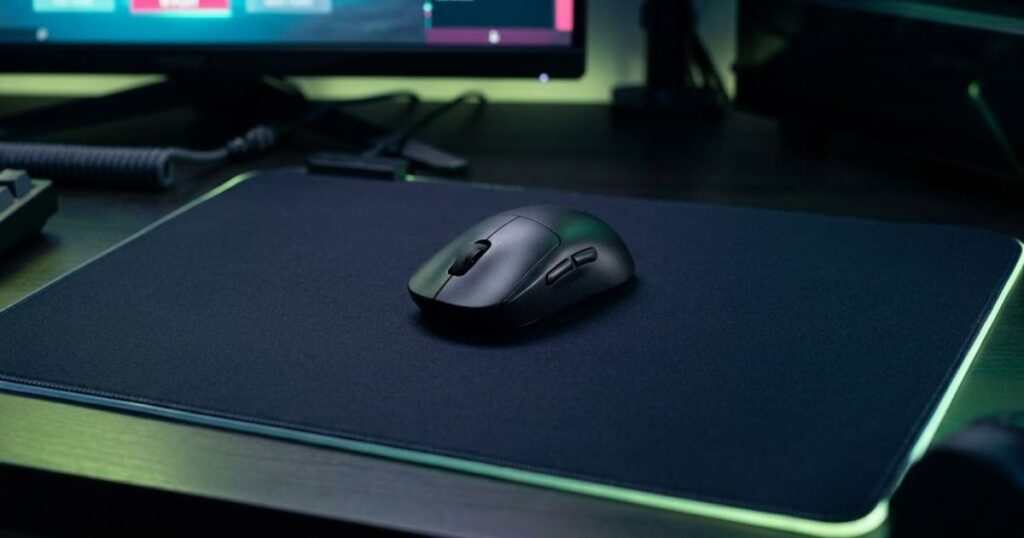
The setup illustrates the physical relationship between the mouse, the player’s hand, and the available movement area. The important consideration is not copying a specific setup, but having enough room for the movement range required by your own sensitivity.
Sensitivity should support your movement rather than force you into an aiming style. If a setting lets you make large adjustments comfortably while still giving you enough control for smaller corrections, it may work well with an arm-focused or hybrid technique. If it repeatedly creates physical limitations, changing the aiming technique alone will not solve the problem.
The right sensitivity for arm aiming is therefore the one that gives you a manageable physical movement range and repeatable control, not simply the lowest sensitivity you can use.
How Much Mouse Space Do You Need for Arm Aiming?
Arm aiming generally requires more usable mouse space than a wrist-focused technique because larger physical movements need enough room to travel without repeatedly reaching the edge of the mousepad. The amount of space you need depends on your sensitivity, movement range, and how often you make large adjustments during a match.
Why Mousepad Space Matters
Available mouse space determines how freely you can use larger movements without interrupting your aim. When the mousepad provides enough room, you can move the mouse farther across the surface and maintain the intended movement without immediately needing to lift and reposition it.
This becomes more noticeable when making large horizontal adjustments or turning toward a target that is far from your current crosshair position. A player who frequently reaches the edge of the pad may have to interrupt the movement, lift the mouse, reposition it, and continue. That interruption can make the aiming process feel less consistent even when the player’s movement technique itself is sound.
Mouse space also needs to match the physical movement created by your sensitivity. A setup that works comfortably for one player may feel restrictive for another because the amount of mouse travel required for the same in-game adjustment can be different.
What Happens When You Run Out of Mouse Space?
Running out of mouse space interrupts continuous movement and can force you to reset the mouse before completing an adjustment. This is not necessarily a sign that your aiming technique is wrong, but repeated interruptions can make a particular sensitivity and movement combination impractical for your physical setup.
Common consequences include:
- Frequent mouse resets: You need to lift and reposition the mouse during larger movements.
- Interrupted adjustments: A single crosshair movement may need to be completed in multiple physical motions.
- Restricted arm movement: The edge of the mousepad limits how far your forearm can move.
- Uncomfortable compensation: You may rely more heavily on the wrist when the arm runs out of available space.
The solution is not always to buy a larger mousepad. You can also evaluate whether your sensitivity and movement range are appropriate for the space you already have. The important goal is to prevent your physical setup from repeatedly interfering with the movement you are trying to perform.
The table below shows how available mouse space can affect different arm aiming situations:
| Available Mouse Space | Likely Effect | Best Consideration |
|---|---|---|
| Very limited | Frequent mouse resets during larger movements | Avoid requiring more physical travel than the space allows |
| Moderate | Some larger movements are possible but may require repositioning | Balance movement range with available space |
| Large | More freedom for broad arm movements | Allows greater physical movement without frequent resets |
| Very large | More room for extended low-sensitivity movement | Useful when your aiming technique requires substantial mouse travel |
You do not need a specific mousepad size to use arm aiming effectively. What matters is having enough usable surface for the movement range created by your own sensitivity and aiming habits.
Adequate mouse space gives arm aiming room to work, but it does not determine whether arm aiming is the right technique for you.
What Mouse Characteristics Matter for Arm Aiming?
Mouse shape, weight, glide, and overall movement freedom can affect how comfortable arm aiming feels, but no single mouse specification guarantees better aim. The most useful hardware choice is the one that allows you to move the mouse predictably and comfortably across the available surface without creating unnecessary resistance or instability.
Why Mouse Shape Matters
Mouse shape affects how your hand is supported and how naturally you can control the mouse during larger movements. A shape that fits your hand can make it easier to maintain a stable grip while moving the mouse across a wider area, whereas an uncomfortable shape can make larger movements feel awkward or require excessive tension.
The important consideration is how the shape interacts with your hand and movement mechanics. A mouse that feels comfortable during short movements may not necessarily feel equally natural when your forearm is contributing more to the movement.
This is also why mouse shape should be evaluated alongside your grip rather than treated as an isolated specification. The way your hand contacts and controls the mouse can change how naturally you transition between larger and smaller movements.
Does Mouse Weight Matter for Arm Aiming?
Mouse weight can change how the mouse feels during movement, but the preferred weight is highly individual. A lighter mouse may feel easier to move across the pad, while a heavier mouse can feel more substantial or stable to some players. Neither characteristic automatically produces better arm aiming.
What matters is whether the mouse weight allows you to start, control, and stop movements without feeling that the mouse is working against your intended motion. A player who prefers a lighter mouse may value easier movement, while another player may prefer a different balance of movement and stability.
Weight should therefore be treated as a comfort and control factor rather than a shortcut to better aim.
Do Mouse Skates Affect Arm Aiming?
Mouse skates can affect how easily the mouse moves across the surface because they influence the glide and friction between the mouse and mousepad. This can change the physical feel of broad arm movements as well as the control needed to slow or stop the mouse.
A smoother glide may make larger movements feel easier to initiate, while a different friction level can provide a more controlled stopping feel. The better choice depends on how you personally balance movement freedom with stopping control.
Mouse skates are therefore relevant when the physical glide of your setup is affecting how your arm movements feel. They should not be treated as an independent performance upgrade without considering the mousepad and your own movement preferences.
The table below shows how common mouse characteristics can influence the feel of larger aiming movements:
| Mouse Characteristic | Potential Effect on Arm Aiming | What to Evaluate |
|---|---|---|
| Shape | Changes hand support and grip stability | Whether the mouse remains comfortable during broad movements |
| Weight | Changes how much physical resistance the mouse feels like it has | Whether starting and stopping movements feel natural |
| Mouse skates | Changes glide and friction | Whether movement and stopping feel balanced |
| Sensor consistency | Supports predictable cursor movement | Whether the mouse responds consistently to physical input |
| Wireless or cable design | Can affect physical freedom around the mouse | Whether the connection method interferes with movement |
These characteristics should be considered as parts of the same physical system. A comfortable shape can become less useful if the weight feels wrong for your movement, and smooth mouse skates may not feel better if you prefer more stopping resistance.
For Valorant players, the practical goal is not to find a mouse with the most impressive specification list. It is to use hardware that lets you move, control, and stop the mouse naturally within the space available on your desk.
The right mouse for arm aiming is ultimately the one that supports consistent physical control without forcing you to compensate for an uncomfortable shape, weight, or glide.
How to Practice Arm Aiming in Valorant
The best way to practice arm aiming in Valorant is to build controlled movement first, then gradually apply that movement to target transitions and real matches. The goal is not to consciously use your arm for every shot. Instead, practice should make larger mouse movements feel predictable enough that your arm naturally contributes when a wider adjustment is required.
Start With Controlled Horizontal Movement
Begin by practicing horizontal movements that require you to move the mouse across a wider part of the pad while maintaining deliberate control. This isolates the movement pattern before adding the pressure and unpredictability of a real gunfight.
Use this sequence to build controlled arm movement:
- Start from a comfortable mouse position: Keep your hand and forearm relaxed rather than deliberately tensing the arm.
- Move between two points: Use the forearm to create the main movement instead of trying to complete the entire adjustment through the wrist.
- Focus on smooth movement: Avoid rushing the mouse simply to reach the target faster.
- Stop deliberately: Pay attention to how naturally you can slow the movement and bring the crosshair to the intended position.
- Reset your position: Return the mouse to a comfortable starting point before repeating the movement.
The purpose of this drill is to make the movement repeatable. Speed can be added later, but controlled movement gives you a clearer indication of whether your arm is contributing naturally or whether you are compensating with unnecessary wrist movement.
Practice Target Transitions
Once larger movements feel controlled, practice moving the crosshair between targets while keeping the arm responsible for the broader transition. This introduces the type of movement that occurs when you need to shift your attention from one target to another.
Follow this progression to practice target transitions:
- Choose two visible targets: Keep them far enough apart to require a meaningful mouse movement.
- Move toward the second target: Let the arm provide the main movement rather than forcing a short wrist flick.
- Refine the final position: Allow the wrist or fingers to make smaller corrections when needed.
- Repeat the transition: Focus on producing a similar movement each time rather than chasing maximum speed.
- Increase the difficulty gradually: Add more target positions or vary their distance once the basic movement becomes consistent.
This progression reinforces an important part of arm aiming: the arm does not need to perform the entire aiming action. It can provide the larger movement while the wrist and fingers help finish the adjustment.
Transfer the Movement Into Deathmatch
Deathmatch is useful for testing whether the movement remains natural when targets appear unpredictably and you have less time to consciously control each adjustment. The purpose is not to chase a particular score or force every engagement into an arm movement.
Instead, pay attention to whether your larger adjustments remain controlled when targets appear at different angles and distances. If the movement feels natural during repeated engagements, the technique is becoming less dependent on conscious execution.
Do not immediately change your sensitivity, grip, or mouse setup because one Deathmatch feels inconsistent. A single session can contain too much variation to tell you whether the underlying movement has actually improved.
This image shows how controlled arm movement can work with deliberate crosshair placement rather than replacing good positioning fundamentals:
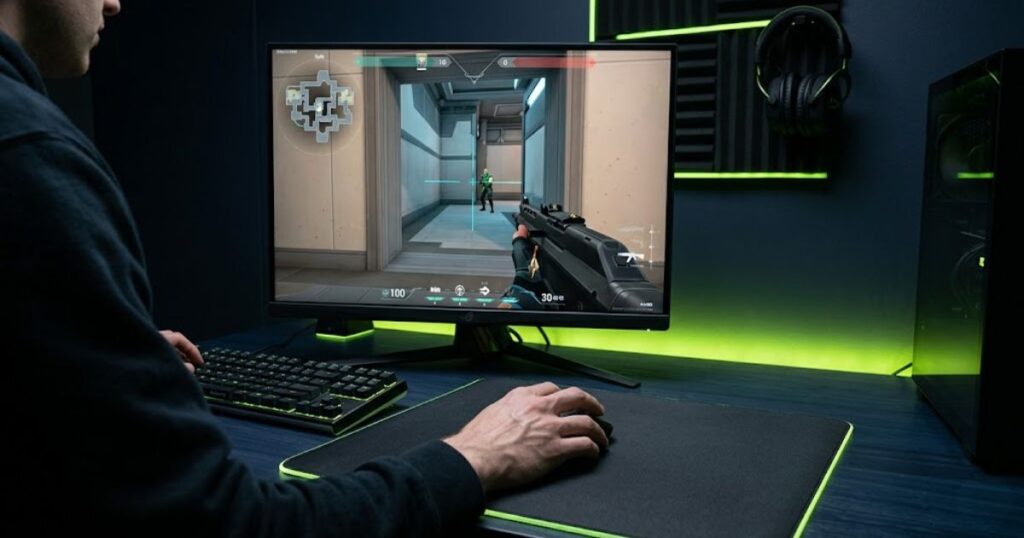
The image reinforces that arm movement is only one part of the aiming process. Keeping the crosshair near likely enemy positions can reduce the amount of physical movement required in the first place, allowing arm movement to handle the adjustments that actually need it.
Practice should make arm movement less conscious and more repeatable over time. If you constantly think about whether you are using your arm correctly during every engagement, the technique has not yet become a natural part of your mouse control.
Common Arm Aiming Mistakes in Valorant
Most arm aiming mistakes come from forcing the technique too aggressively, changing settings too often, or expecting arm movement to solve problems that come from elsewhere in the aiming process. The objective is controlled movement, not maximizing how much of your arm you use.
Forcing Every Movement With the Arm
Trying to perform every adjustment with the arm can make small corrections unnecessarily difficult. Arm movement is useful for broader adjustments, but the wrist and fingers can still provide fine control when the crosshair is already close to the intended position.
If you consciously prevent the wrist from contributing, you may create a rigid movement pattern that is less adaptable to different aiming situations. Effective arm aiming does not require eliminating smaller movements.
Lowering Sensitivity Too Much
Lowering sensitivity excessively can create more physical movement than your available space and mechanics can comfortably support. A lower setting can increase the amount of arm movement involved, but that does not make every lower setting more suitable for arm aiming.
If you repeatedly run out of mouse space or need unusually large movements for ordinary adjustments, the problem may be the relationship between your sensitivity and physical setup rather than a lack of arm movement.
Changing Sensitivity Too Often
Frequent sensitivity changes make it harder to determine whether your arm aiming technique is actually becoming more consistent. Each change alters the amount of physical movement required for the same in-game adjustment, which can make your mechanics feel different before you have adapted to the previous setting.
Once you have a reasonable setup, give yourself enough consistent practice to evaluate the movement before deciding that another change is necessary.
Ignoring Mouse Space
Ignoring available mouse space can make a technically sound movement pattern impractical. If the mouse repeatedly reaches the edge of the pad during larger adjustments, you will have to interrupt the movement and reposition it.
That interruption can become a recurring mechanical problem, particularly when your sensitivity requires substantial physical travel.
Gripping the Mouse Too Tightly
A tight grip can make arm aiming feel more rigid by adding unnecessary tension to the hand and forearm. The mouse still needs to be controlled securely, but excessive force can make it harder to produce smooth movements and fine corrections.
Instead of trying to hold the mouse as firmly as possible, focus on maintaining enough control to move and stop it predictably without creating unnecessary tension.
The table below summarizes common arm aiming mistakes and the adjustment that addresses each one:
| Mistake | Why It Hurts Consistency | Better Approach |
|---|---|---|
| Using only the arm | Small corrections can become unnecessarily difficult | Let the wrist and fingers contribute when appropriate |
| Lowering sensitivity too far | Creates excessive physical mouse travel | Use a movement range that fits your setup |
| Constantly changing sensitivity | Prevents consistent adaptation | Test changes over repeated sessions |
| Ignoring mouse space | Large movements are interrupted by the edge of the pad | Match movement requirements to available space |
| Gripping too tightly | Excess tension can restrict smooth movement | Maintain a secure but relaxed grip |
These mistakes all come from the same underlying problem: treating arm aiming as a rigid technique instead of adapting movement to the situation. The arm should contribute when broader movement is useful, while the rest of the hand remains available for smaller adjustments.
This image highlights common setup and movement mistakes that can make arm aiming feel less controlled or consistent:
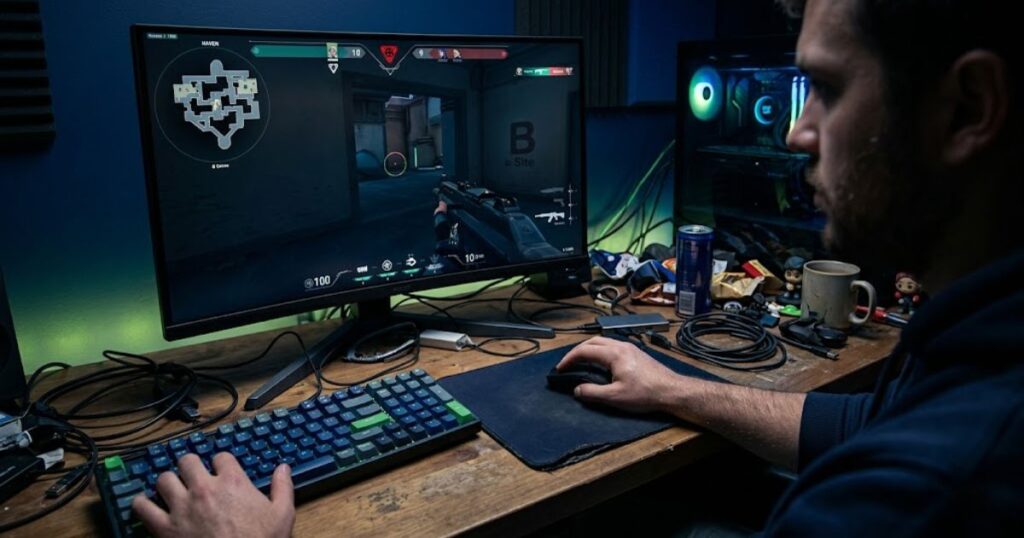
The image summarizes how unnecessary movement, poor physical control, and inefficient mouse handling can interfere with consistency. These problems are better addressed by refining the movement itself rather than simply trying to use more arm movement.
Good arm aiming is not about moving the arm more often. It is about using larger movement when the adjustment requires it while keeping the rest of your mouse control available for precision.
Should You Switch to Arm Aiming in Valorant?
You should consider switching to arm aiming if it addresses a specific problem with your current mouse control, especially when larger crosshair adjustments feel difficult or your wrist movement feels restricted. If your existing technique already feels comfortable and produces consistent results, there is no reason to change simply because arm aiming is popular among competitive players.
When Switching Makes Sense
Switching to a more arm-focused technique makes sense when you can identify a clear movement problem that the change may reasonably address:
- Large adjustments feel inconsistent: Your crosshair frequently falls short of or moves past the intended target during wider transitions.
- Your wrist feels restricted: Repeated larger movements make your current technique uncomfortable or difficult to repeat.
- You have enough mouse space: Your setup gives you sufficient room to make broader physical movements.
- You are comfortable testing a different movement pattern: You can practice consistently without expecting immediate improvement.
- Your current technique has a specific weakness: The change is intended to solve an identifiable problem rather than follow a general trend.
A change in aiming technique should be evaluated over repeated practice rather than a few individual rounds. The initial adjustment period can make a familiar technique feel worse before a new movement pattern becomes natural.
When Staying With Wrist or Hybrid Aim Makes More Sense
There is no need to switch if your current wrist or hybrid aiming technique already gives you reliable control and does not create a physical limitation. Aiming style should serve your mechanics rather than become another variable that constantly changes your setup.
- Your current aim is consistent: You can make both large and small adjustments without a recurring mechanical problem.
- Your mouse space is limited: A more arm-focused technique would repeatedly force you to reset the mouse.
- Arm movement feels unnatural: Adding more arm movement makes aiming feel less controlled rather than more controlled.
- Your current technique is comfortable: There is no physical discomfort or movement limitation that requires a change.
- You would be changing without a specific goal: Switching techniques simply because another player uses arm aiming does not establish a reason for the change.
The table below helps determine whether changing your aiming style is likely to solve a real movement problem:
| Situation | Recommended Approach | Reason |
|---|---|---|
| Large adjustments are consistently difficult | Test more arm movement | A broader movement source may address the specific limitation |
| Current wrist aim is already consistent | Keep the current approach | There is no clear problem requiring a change |
| Mouse space is very limited | Consider wrist or hybrid aim | Smaller movements may fit the available space better |
| Large mouse movements feel natural | Test arm or hybrid aim | The movement pattern may already fit your mechanics |
| Both movement ranges feel comfortable | Use a hybrid approach | Different movement sources can handle different adjustments |
| You want to switch only because arm aiming is popular | Do not switch yet | Popularity does not establish that the technique solves your problem |
The decision should come from your own movement requirements, physical setup, and consistency rather than from a universal rule about which aiming style is best. Arm aiming can be useful, but it is only one way to control the mouse in Valorant.
If your current technique works, you do not need to replace it. If it does not, test arm movement as a possible solution to the specific weakness you have identified.
FAQ About Arm Aiming in Valorant
These questions cover the most common decisions Valorant players make when considering arm aiming, including sensitivity, mouse space, movement technique, practice, and whether changing your setup is necessary. The answers focus on how arm aiming works in practice rather than treating it as a universal replacement for wrist or hybrid aiming
Is arm aiming better than wrist aiming in Valorant?
Arm aiming is not universally better than wrist aiming in Valorant. Arm movement can provide more physical range for larger adjustments, while wrist movement can be effective for shorter and more compact corrections. Many players use a combination of both.
Do Valorant pros use arm aiming?
Some competitive players use substantial arm movement, but professional players do not all use the same aiming technique. A player’s sensitivity, mouse space, grip, and personal mechanics can all influence how much arm movement they naturally use.
Can you arm aim with high sensitivity?
Yes, you can use arm movement with high sensitivity. Sensitivity changes how much physical movement is required for a given crosshair adjustment, but it does not impose a strict rule about which part of the arm must move.
Does arm aiming require a large mousepad?
Arm aiming does not require a specific mousepad size, but larger movements generally benefit from more usable space. The important factor is whether your available surface allows you to make the physical movements your sensitivity requires without constantly reaching the edge.
Can I combine arm and wrist aiming?
Yes, combining arm and wrist movement is a practical way to aim. The arm can handle broader adjustments while the wrist and fingers provide smaller corrections. This does not conflict with using an arm-focused aiming technique.
What sensitivity is good for arm aiming in Valorant?
There is no single sensitivity that is correct for arm aiming. A suitable setting should give you enough physical control for larger adjustments while remaining practical within your available mouse space. Consistency matters more than choosing a particular number.
Does arm aiming improve flick shots?
Arm aiming can help with larger flick movements for some players, but it does not automatically make flick shots more accurate. The result depends on how well the player controls the movement, stops the mouse, and positions the crosshair.
Does arm aiming improve crosshair placement?
Arm aiming does not directly improve crosshair placement. Crosshair placement is a positioning and aiming habit. Arm movement can help you make the physical adjustment when the crosshair needs to move, but better placement can reduce the size of that adjustment in the first place.
How long does it take to learn arm aiming?
There is no fixed amount of time required to learn arm aiming. The adjustment period depends on how different the new movement pattern is from your existing mechanics and how consistently you practice it. The goal should be repeatable control rather than reaching a specific number of days.
Should beginners learn arm aiming?
Beginners do not need to commit exclusively to arm aiming. It is more useful to develop comfortable and controlled mouse movement first, then determine whether greater arm involvement fits their sensitivity, available space, and natural mechanics.
Why does my wrist still move when I arm aim?
Your wrist can still move because arm aiming does not mean eliminating wrist movement. Larger adjustments can involve the arm while smaller corrections naturally come from the wrist and fingers. This combination is normal and does not mean you are using the technique incorrectly.
Should I change my mouse to use arm aiming?
You do not need to change your mouse simply to use arm aiming. Mouse shape, weight, glide, and movement feel can affect comfort, but hardware should only be changed when your current equipment creates a specific limitation that affects your control.
Final Takeaway
Arm aiming in Valorant is best viewed as a movement option rather than a requirement for good aim. It can give some players more control over larger crosshair adjustments, particularly when their physical setup provides enough room for broader mouse movements. At the same time, wrist and finger movement remain useful for smaller corrections, which makes a hybrid approach completely valid.
The most useful reason to adopt arm aiming is not that another player uses it. It is that the technique solves a problem in your own movement. If your current aim is consistent and comfortable, there is little reason to replace it. If larger adjustments remain difficult, testing more arm involvement can be a practical next step.
Thanks for reading, and I hope this guide helps you aim with more confidence in Valorant.Good Valorant aim comes from repeatable mouse control, not from forcing yourself into a particular aiming style.