
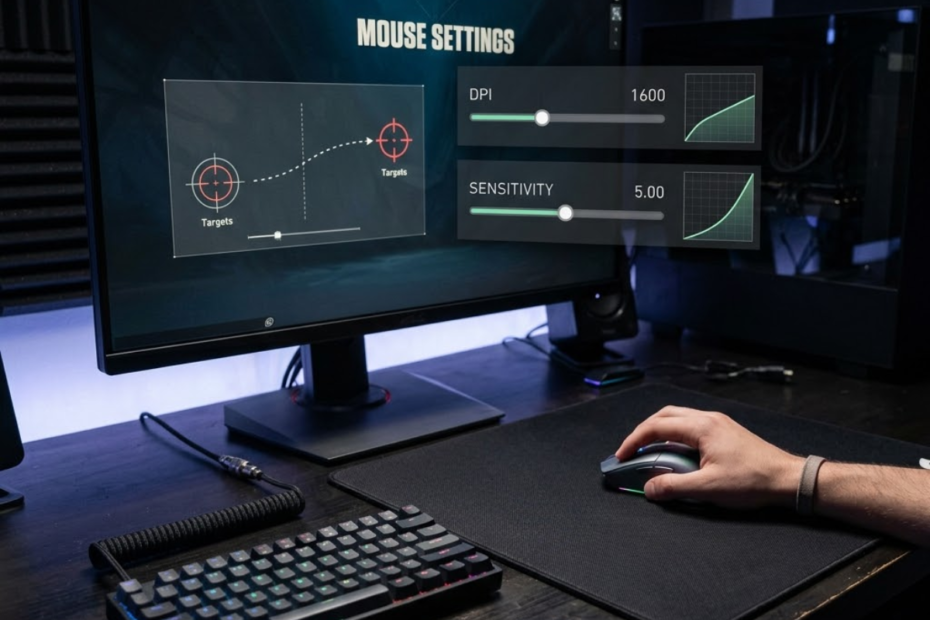
DPI vs sensitivity is one of the most misunderstood topics in FPS gaming because both settings affect aiming speed. Many players know that changing either number makes the crosshair move faster or slower, but fewer understand what each setting actually controls.
Understanding the relationship between DPI and sensitivity helps players make smarter adjustments instead of constantly changing settings after a few bad matches. Once you understand how these values work together, choosing comfortable and consistent settings becomes much easier.
What Is the Difference Between DPI and Sensitivity?
DPI and sensitivity are different settings that help control mouse movement in FPS games. DPI is a hardware setting inside the mouse, while sensitivity is a software setting that changes aiming speed inside the game.
Although both settings affect how fast your crosshair moves, they operate at different stages of the input process. DPI determines how much movement information the mouse sensor sends to the computer. Sensitivity determines how strongly the game responds to that information.
The illustration below shows how DPI and sensitivity operate at different stages of the aiming process:
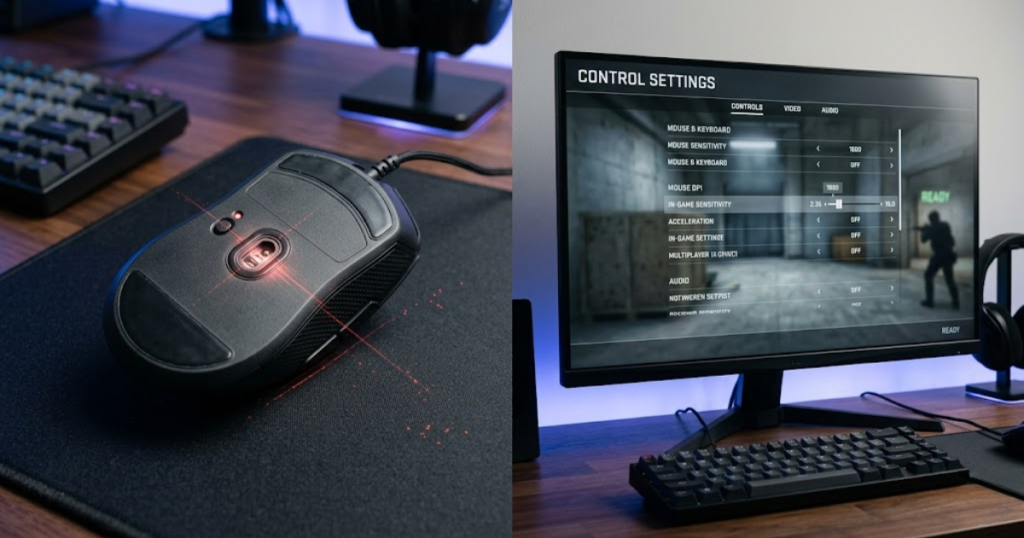
Many FPS players incorrectly treat DPI and sensitivity as interchangeable settings. In reality, understanding the distinction between them is the foundation of understanding eDPI, aim consistency, and overall mouse control. If you want a broader understanding of how mouse settings affect competitive aiming, this guide to gaming mouse for FPS games covers the key concepts behind FPS mouse performance.
The table below compares the key differences between DPI and sensitivity:
| Factor | DPI | Sensitivity |
|---|---|---|
| Type of Setting | Hardware | Software |
| Location | Mouse or mouse software | Inside the game |
| Main Function | Reports movement data | Scales movement data |
| Affects Desktop Cursor | Yes | No |
| Affects Game Aim | Indirectly | Directly |
The comparison shows that DPI and sensitivity influence aim from different layers of the input chain. Understanding this separation helps prevent incorrect sensitivity adjustments later.
What DPI Measures on a Gaming Mouse
DPI is a sensor measurement that helps determine how much movement information the mouse reports when it moves across a surface.
DPI stands for dots per inch. If a mouse is set to 800 DPI, the sensor reports 800 counts of movement for every inch the mouse travels. If the same mouse is set to 1600 DPI, it reports twice as many movement counts over the same distance.
Higher DPI increases how much movement data the computer receives. However, it does not automatically increase aiming skill, improve tracking, or make a player more accurate. It simply changes the scale of the raw input being generated.
DPI is best viewed as the foundation of mouse movement. It establishes the baseline that every sensitivity setting will later modify. For a deeper explanation of how DPI works and why FPS players care about it, see this guide on what DPI is in a gaming mouse.
What In-Game Sensitivity Changes
In-game sensitivity is a movement multiplier that helps determine how much crosshair movement occurs after the game receives mouse input.
Unlike DPI, sensitivity exists entirely within the game engine. When the game receives movement data from the mouse sensor, it multiplies that data according to the selected sensitivity value.
Lower sensitivity values create slower crosshair movement and usually require larger arm movements. Higher sensitivity values create faster crosshair movement and often rely more heavily on wrist movement.
Sensitivity gives players flexibility because it allows aim speed adjustments without changing the mouse itself. Most FPS players spend far more time adjusting sensitivity than DPI.
Why FPS Players Often Confuse DPI and Sensitivity
DPI and sensitivity are commonly confused because both settings help change overall aiming speed, even though they operate differently.
When a player raises DPI, the crosshair moves faster. When the same player raises sensitivity, the crosshair also moves faster. Because the final result appears similar, many players assume both settings do the same thing.
The confusion becomes even greater when players compare professional settings. Two players may use completely different DPI values but achieve nearly identical aim speeds through different sensitivity values. Looking only at one number rarely tells the full story.
Understanding this distinction helps players diagnose problems more accurately instead of randomly adjusting settings after every game session.
The most important takeaway from this section is that DPI controls raw sensor input while sensitivity controls how games interpret that input.
How DPI and Sensitivity Affect Mouse Movement
DPI and sensitivity are connected settings that help transform physical mouse movement into crosshair movement inside FPS games.
Every flick, track, and micro-adjustment begins as physical movement from the player’s hand. That movement travels through several stages before finally becoming visible on the screen.
The example below visualizes how physical mouse movement becomes crosshair movement inside an FPS game:
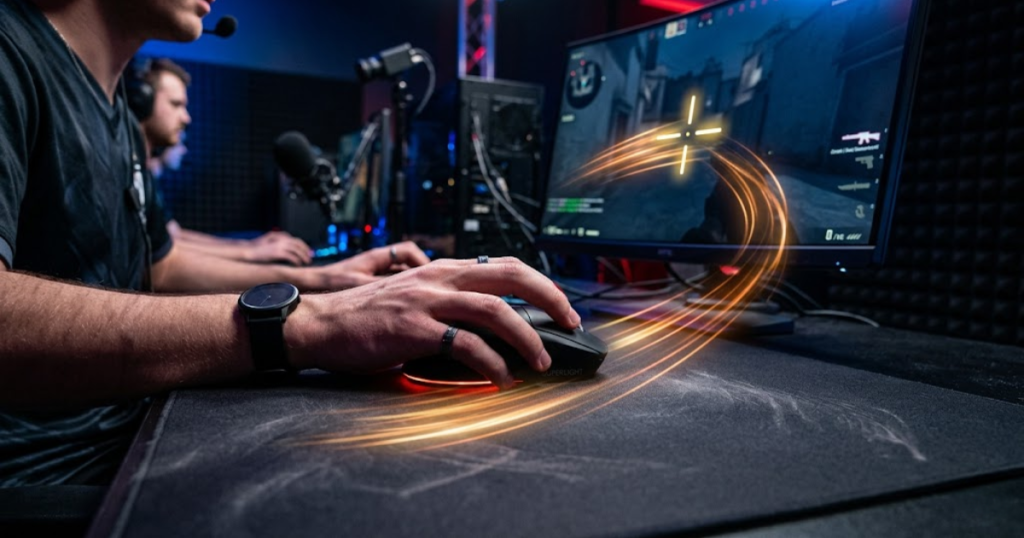
Understanding this process helps explain why changing either DPI or sensitivity can affect aim feel, even though they influence different parts of the movement chain.
The following process can help explain how mouse movement becomes crosshair movement:
- Physical Movement: The player moves the mouse across the mousepad.
- Sensor Tracking: The sensor detects movement and generates movement counts.
- DPI Processing: DPI determines how many movement counts are reported.
- Game Input: The game receives the reported movement data.
- Sensitivity Scaling: The game multiplies movement according to the sensitivity value.
- Crosshair Movement: The final movement appears on screen.
This process helps illustrate why DPI and sensitivity work together rather than compete with each other.
How Physical Mouse Movement Becomes Crosshair Movement
Physical mouse movement is the starting point that helps generate every aiming action performed inside an FPS game.
Regardless of DPI or sensitivity, every movement begins with the player’s hand. The mouse sensor records that movement and converts it into digital information that the game can understand.
The amount of physical movement required depends on the combination of DPI and sensitivity being used. Lower overall settings require more mouse travel, while higher overall settings require less.
Understanding the physical side of aiming is important because comfort and consistency begin before software settings are even applied.
How DPI Influences Cursor Responsiveness
DPI is a sensor setting that helps determine how much movement information is generated from a given physical movement.
As DPI increases, smaller hand movements generate more reported movement counts. This often creates a feeling of increased responsiveness because the cursor reacts more quickly to subtle adjustments.
Modern gaming mice generally perform well at common competitive values such as 400 DPI, 800 DPI, and 1600 DPI. The difference between these settings is primarily movement scaling rather than raw sensor quality.
DPI influences the starting point of the input chain, which is why it affects the overall feel of mouse movement even before sensitivity is applied.
How Sensitivity Scales In-Game Movement
Sensitivity is a movement multiplier that helps determine how aggressively the game responds to incoming mouse data.
If the same DPI value is used, increasing sensitivity causes the crosshair to travel farther for the same physical movement. Lowering sensitivity has the opposite effect.
This scaling process is one reason why players with identical DPI values can have dramatically different aiming experiences. The sensitivity value determines how much of that sensor data is ultimately translated into crosshair movement.
Sensitivity acts as the final adjustment layer, allowing players to fine-tune aim speed around an established DPI baseline.
The key lesson from this section is that DPI generates movement data while sensitivity determines how strongly that data influences crosshair movement.
Why DPI and Sensitivity Are Not the Same Thing
DPI and sensitivity are separate controls that help adjust aim behavior in different ways, even when overall aiming speed appears similar.
Many FPS players assume DPI and sensitivity are interchangeable because changing either setting can make the crosshair move faster. However, identical aim speed does not mean the settings are performing the same role.
DPI affects the amount of movement data generated before the game receives any information. Sensitivity affects how the game interprets that data after it arrives. Because these settings operate at different stages, they can create different aiming characteristics even when overall speed feels comparable.
Understanding this distinction becomes increasingly important when comparing player settings, troubleshooting aim consistency issues, or transitioning between different FPS games.
The table below compares how DPI and sensitivity influence aiming behavior differently:
| Behavior | DPI Influence | Sensitivity Influence |
|---|---|---|
| Raw Input Scaling | Directly affects input generation | Does not affect input generation |
| Crosshair Speed | Indirect effect | Direct effect |
| Movement Feel | Can alter responsiveness perception | Can alter aiming speed perception |
| Desktop Usage | Affects desktop cursor | Only affects the game |
| Game Dependency | Remains constant across games | Varies between games |
The comparison demonstrates that DPI and sensitivity may both influence aim feel, but they do so through completely different mechanisms.
Hardware Control Versus Software Control
DPI is a hardware-level setting that helps define mouse behavior, while sensitivity is a software-level setting that helps define game behavior.
DPI is typically stored within mouse firmware or controlled through mouse software. Once selected, the value remains active regardless of which game or application is being used.
Sensitivity exists only within the game itself. Every FPS title uses its own sensitivity scale, which means a value of 0.40 in one game may not behave similarly in another.
This difference explains why players often maintain the same DPI across multiple games while adjusting sensitivity individually for each title.
Why Changing DPI Feels Different From Changing Sensitivity
Changing DPI and changing sensitivity can create different aiming sensations because each adjustment affects a different stage of movement processing.
Increasing DPI changes the amount of input data being generated from the sensor. Increasing sensitivity changes how aggressively the game responds to that input. Although both adjustments can increase crosshair speed, the resulting feel may not be identical.
Some players describe higher DPI setups as feeling more responsive during small corrections, while lower DPI setups may feel more deliberate. Regardless of preference, the important concept is that DPI and sensitivity are not simply duplicate controls.
Recognizing these differences helps players make intentional adjustments rather than treating every movement problem as a sensitivity issue.
When Equal Aim Speed Can Produce Different Mouse Feel
Equal aim speed can still produce different mouse feel because DPI and sensitivity combinations can vary even when total movement output is similar.
Two players may require the same physical distance to complete a 360-degree turn, yet their individual DPI and sensitivity values can differ significantly. This can create subtle differences in how the mouse responds to tiny adjustments, target corrections, and precision movements.
These differences are usually less important than consistency and comfort, but they explain why players often prefer certain DPI baselines despite using similar eDPI values.
The key lesson is that matching aim speed does not automatically mean matching overall mouse feel.
Understanding that DPI and sensitivity influence different layers of the aiming system helps players make more informed adjustments when refining their setup.
What Is eDPI and How Does It Connect DPI and Sensitivity?
eDPI is a combined measurement that helps FPS players compare total aiming speed by multiplying DPI and sensitivity together.
Because DPI and sensitivity work together, comparing only one value rarely provides useful information. A player using 400 DPI and a player using 1600 DPI may actually have very similar aim speeds depending on their sensitivity settings.
The example below demonstrates how different DPI and sensitivity combinations can create the same eDPI:
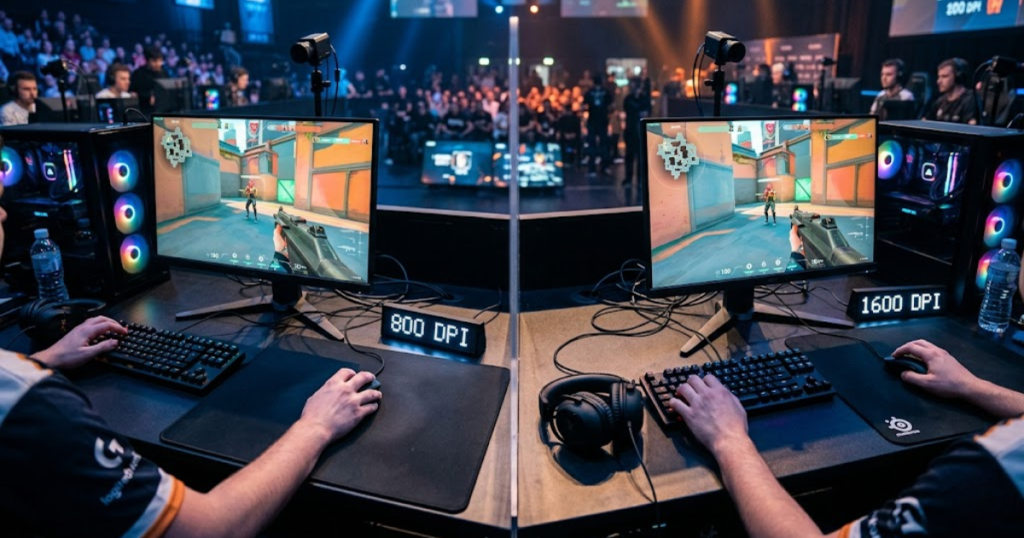
eDPI solves this problem by combining both values into a single number. This creates a more accurate representation of overall aiming speed and allows fair comparisons between different player setups. If you are still unsure when to focus on DPI versus eDPI, this comparison of DPI vs eDPI explains the purpose of each measurement.
For competitive FPS players, eDPI has become one of the most commonly used metrics when discussing sensitivity settings.
The table below explains how eDPI is calculated using different DPI and sensitivity combinations:
| DPI | Sensitivity | eDPI |
|---|---|---|
| 800 | 0.40 | 320 |
| 1600 | 0.20 | 320 |
| 400 | 0.80 | 320 |
| 800 | 0.30 | 240 |
| 1600 | 0.15 | 240 |
The examples show that multiple DPI and sensitivity combinations can generate the same eDPI, which is why eDPI is a more reliable comparison metric than either value alone.
How eDPI Is Calculated
eDPI is a mathematical value that helps combine DPI and sensitivity into a single aiming speed measurement.
The calculation is simple. If you want a complete walkthrough with examples and practical use cases, see our guide on how to calculate eDPI.
eDPI = DPI × Sensitivity
If a player uses 800 DPI and 0.40 sensitivity, the resulting eDPI is 320. If another player uses 1600 DPI and 0.20 sensitivity, the resulting eDPI is also 320.
This calculation allows players to compare settings more accurately than looking at DPI or sensitivity separately.
Why eDPI Creates Fair Comparisons Between Players
eDPI is a comparison metric that helps standardize sensitivity discussions across different player setups.
Without eDPI, players often compare settings incorrectly. One player may claim to use 1600 DPI while another uses 800 DPI, creating the impression that their setups are completely different.
Once eDPI is calculated, it often becomes clear that both players are actually operating within a very similar aiming speed range. This makes comparisons far more meaningful.
As a result, many sensitivity guides, community discussions, and professional settings databases use eDPI as their primary reference point.
Why Most FPS Communities Use eDPI Instead
FPS communities use eDPI because it helps provide a more complete picture of overall aiming speed than DPI or sensitivity alone.
When players share only DPI values, important context is missing. When players share only sensitivity values, the same problem occurs. Neither number independently describes total aiming speed.
eDPI combines both values into a single metric, making comparisons easier and reducing misunderstandings. If you are new to the concept, this guide explaining what eDPI is covers the calculation process and why FPS players use it.
For most competitive FPS discussions, eDPI has become the preferred language because it reflects how fast a setup actually behaves in practice.
The most important takeaway from this section is that eDPI acts as the bridge between DPI and sensitivity, allowing players to compare overall aim speed more accurately.
DPI vs Sensitivity Examples in Real FPS Games
Different DPI and sensitivity combinations can create identical eDPI values and help produce similar overall aiming speeds.
Many players assume that changing DPI automatically creates a completely different aiming experience. In reality, DPI and sensitivity must be viewed together. Looking at one value without the other often leads to incorrect conclusions about how fast a setup actually is.
Real-world examples help demonstrate why professional players can use different DPI values while maintaining similar aiming speeds. This is one of the main reasons eDPI has become the preferred comparison metric within FPS communities.
The table below compares several common FPS settings that produce similar overall aiming speeds:
| Setup | DPI | Sensitivity | eDPI |
|---|---|---|---|
| Setup A | 800 | 0.40 | 320 |
| Setup B | 1600 | 0.20 | 320 |
| Setup C | 400 | 0.80 | 320 |
| Setup D | 800 | 0.30 | 240 |
The examples show why comparing DPI alone rarely tells the full story. Total aiming speed depends on the interaction between both settings.
800 DPI and 0.40 Sensitivity Example
800 DPI and 0.40 sensitivity is a common competitive setup that helps balance speed, precision, and control.
This combination creates an eDPI of 320, which falls within a range frequently used by competitive FPS players. The setup provides enough speed for quick reactions while maintaining controlled crosshair placement.
Many players choose this type of configuration because it offers predictable movement without requiring excessive mousepad space.
This example demonstrates how moderate DPI and moderate sensitivity can work together effectively.
1600 DPI and 0.20 Sensitivity Example
1600 DPI and 0.20 sensitivity is an alternative setup that helps achieve the same overall aiming speed through a different configuration.
Even though the DPI value is doubled, the sensitivity value is reduced proportionally. The resulting eDPI remains 320, meaning overall aiming speed is very similar to the previous example.
This setup illustrates why judging settings solely by DPI can be misleading. A higher DPI does not automatically mean faster aim if sensitivity is adjusted accordingly.
The important lesson is that DPI values only become meaningful when viewed alongside sensitivity.
What These Examples Teach About Aim Settings
These examples are practical demonstrations that help show why overall aiming speed matters more than individual setting values.
Many FPS players spend time comparing DPI values while ignoring sensitivity. The examples above reveal why this approach often creates confusion. Two players can have vastly different DPI values while maintaining nearly identical aim speeds.
For this reason, evaluating complete setups is more useful than evaluating isolated numbers.
The main takeaway is that effective sensitivity analysis always requires considering DPI and sensitivity together.
Real-world examples make it easier to understand how DPI and sensitivity combine to create final aiming behavior.
Which Matters More for Aim Consistency?
Aim consistency is influenced by both DPI and sensitivity, helping players maintain repeatable control rather than relying on one setting alone.
Many players search for a single setting that determines aiming performance. In reality, consistency comes from how well both settings work together with mouse control, posture, desk space, and practice habits.
Neither DPI nor sensitivity should be viewed as a magic solution. Stable performance comes from maintaining settings that remain comfortable and repeatable over long periods of play. If you are also searching for hardware that supports consistent aim, our guide to the best gaming mouse for FPS games in 2026 highlights several competitive options worth considering.
The factors below explain what contributes most to aim consistency:
- Comfort: Settings should feel natural during long gaming sessions.
- Repeatability: Crosshair movement should behave predictably every time.
- Mouse Space: Available desk space affects viable sensitivity ranges.
- Movement Control: Players need reliable stopping power and tracking accuracy.
- Stability: Frequent setting changes often reduce consistency.
These factors have a greater impact on consistency than chasing extremely high or low values.
Situations Where DPI Has More Influence
DPI has greater influence when players are evaluating raw input behavior and baseline mouse responsiveness.
DPI determines how much movement data is generated before any game-specific scaling occurs. This means it affects the foundation upon which sensitivity operates.
Players experimenting with different DPI baselines may notice differences in how movement feels during micro-adjustments and precision corrections.
DPI becomes most relevant when establishing the starting point of an aiming setup.
Situations Where Sensitivity Has More Influence
Sensitivity has greater influence when players are adjusting overall aiming speed inside a specific game.
Sensitivity directly affects how much crosshair movement occurs for a given amount of mouse input. As a result, it is often the first setting players adjust when refining aim speed.
Most practical aiming adjustments occur through sensitivity because it allows fine tuning without changing the mouse configuration itself.
For many players, sensitivity is the setting that most visibly changes day-to-day gameplay behavior.
Why Consistency Matters More Than Individual Numbers
Consistency is a performance factor that helps produce reliable results regardless of the specific DPI or sensitivity values being used.
Players often focus heavily on numbers while overlooking repeatability. A technically perfect setting provides little value if it feels different every day or encourages constant adjustments.
Strong aim development comes from building familiarity with a stable setup rather than endlessly searching for a perfect configuration.
The most successful players usually prioritize consistency over experimentation.
The key lesson is that aim consistency depends more on stable habits than on any individual DPI or sensitivity value.
Common DPI vs Sensitivity Myths FPS Players Believe
Many DPI and sensitivity myths are based on misunderstandings that help create unrealistic expectations about aiming performance.
Because sensitivity discussions are common in competitive gaming communities, inaccurate information spreads quickly. These misconceptions often cause players to change settings unnecessarily instead of improving their mechanics.
The image below represents some of the most common misconceptions surrounding FPS mouse settings:
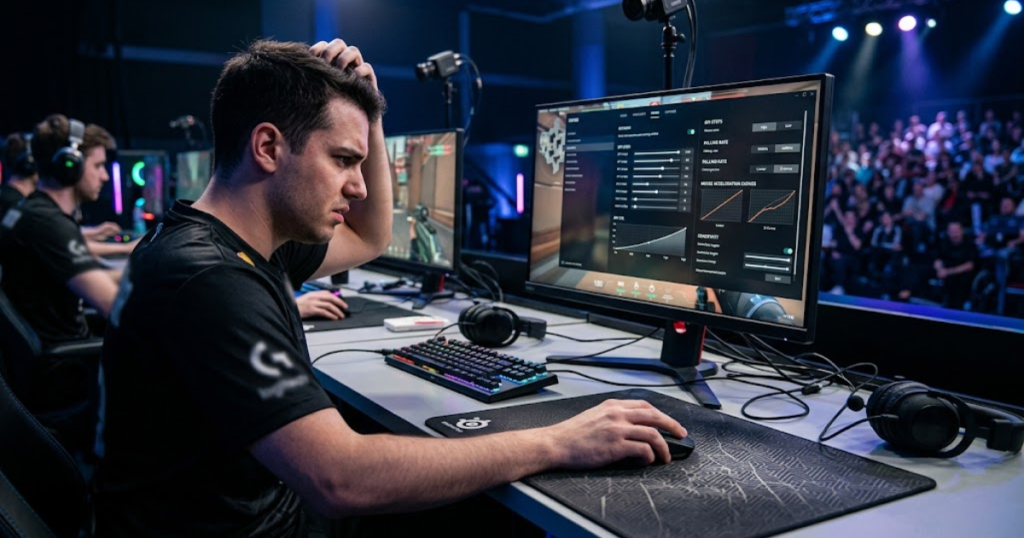
Understanding what these myths get wrong helps players make more informed decisions when building an aiming setup. Many of these misconceptions are covered in our guide about common DPI mistakes beginners make.
The myths below explain some of the most common misconceptions about DPI and sensitivity:
- Higher DPI Equals Better Aim: DPI alone does not improve accuracy.
- Lower Sensitivity Is Always Superior: Different players perform well with different ranges.
- Pro Settings Guarantee Results: Settings cannot replace practice and mechanics.
- One Perfect Sensitivity Exists: Multiple setups can support strong performance.
- Constant Tweaking Helps Improvement: Frequent changes often slow adaptation.
These misconceptions can distract players from focusing on actual skill development.
Higher DPI Does Not Automatically Improve Aim
Higher DPI is a sensor setting that helps change movement scaling, but it does not automatically improve aiming accuracy.
Accuracy depends primarily on player control rather than sensor counts. Increasing DPI may change how movement feels, but it cannot compensate for poor crosshair placement, timing, or tracking.
DPI should be viewed as a configuration choice rather than a performance upgrade.
The effectiveness of any DPI value depends on how well it integrates with the rest of the setup.
Lower Sensitivity Does Not Guarantee Accuracy
Lower sensitivity is a movement preference that helps some players gain control, but it does not automatically increase precision.
While lower sensitivity can improve stability for some users, excessively low values may introduce other problems such as limited turning speed and increased physical effort.
Every player must find a range that balances control with practical movement requirements.
The best sensitivity is one that remains comfortable and reliable during actual gameplay.
Pro Settings Do Not Automatically Work for Everyone
Professional settings are reference points that help provide context, but they are not universal solutions.
Professional players have different desk setups, grip styles, training habits, and experience levels. Copying their settings without understanding these factors often produces disappointing results.
Instead of blindly copying values, players should use professional setups as starting points for experimentation.
The most effective settings are the ones that fit an individual player’s needs rather than someone else’s preferences.
Understanding these myths helps FPS players evaluate DPI and sensitivity choices more realistically.
Frequently Asked Questions About DPI vs Sensitivity
DPI vs sensitivity questions are common topics that help FPS players understand how aiming speed, control, and consistency work together.
The questions below address some of the most common concerns players have when comparing DPI and sensitivity settings for competitive FPS games.
What is the difference between DPI and sensitivity?
DPI is a hardware setting that helps determine mouse input, while sensitivity is a software setting that helps determine how games scale that input.
DPI controls how much movement data the sensor generates. Sensitivity controls how strongly the game responds to that data. Both settings work together to create final aiming speed.
Is DPI more important than sensitivity?
DPI is not more important than sensitivity because both settings help influence overall aiming behavior.
DPI establishes the input baseline, while sensitivity adjusts how that input behaves inside a game. Effective aim settings require both values to work together.
Why do FPS players use eDPI?
eDPI is a comparison metric that helps combine DPI and sensitivity into a single aiming speed value.
Because different DPI and sensitivity combinations can produce similar aim speeds, eDPI provides a more accurate way to compare player setups.
Can different DPI settings produce the same eDPI?
Different DPI settings can produce the same eDPI when sensitivity is adjusted proportionally.
For example, 800 DPI with 0.40 sensitivity and 1600 DPI with 0.20 sensitivity both result in an eDPI of 320.
Does higher DPI improve accuracy?
Higher DPI does not automatically improve accuracy because aim performance depends primarily on player control, consistency, and mechanics. Understanding the difference between highest DPI vs usable DPI can help prevent unrealistic expectations about sensor specifications.
DPI changes movement scaling, but accurate aiming still depends on mechanics, consistency, and practice.
Is 800 DPI still good for FPS games?
800 DPI is a common competitive setting that helps provide a balanced combination of control and responsiveness.
Many professional FPS players continue using 800 DPI because it works well across different games and sensitivity ranges. Our guide on why pros use 800 DPI explains the reasoning behind this popular competitive setting.
Should I adjust DPI or sensitivity first?
DPI should usually be selected first because it helps establish a stable baseline for future sensitivity adjustments.
Once a comfortable DPI value is chosen, sensitivity can be adjusted gradually to achieve the desired aiming speed.
What DPI do most professional FPS players use?
Most professional FPS players use DPI values that help balance precision and consistency, with 800 DPI remaining one of the most common choices.
Some professionals use 400 DPI or 1600 DPI, but 800 DPI continues to be a widely adopted standard.
What is a good eDPI range for Valorant?
A good Valorant eDPI range is often between 200 and 400 because it helps balance control and speed.
Many professional Valorant players operate within this range, although individual preferences still vary.
Can sensitivity affect tracking performance?
Sensitivity affects tracking performance because it helps determine how easily players can follow moving targets.
If sensitivity is too high or too low for a player’s movement style, tracking consistency may become more difficult.
How often should I change my DPI and sensitivity?
DPI and sensitivity should only be changed when a clear problem exists because stable settings help build consistency.
Frequent adjustments often make it harder to develop reliable muscle memory and aiming habits.
Are professional player settings good for beginners?
Professional settings are useful reference points that help beginners understand common competitive ranges.
However, beginners should adapt settings to their own comfort, mouse space, and aiming style rather than copying numbers exactly.
These frequently asked questions reinforce the most important lesson of DPI vs sensitivity: both settings work together, and consistency matters more than chasing specific numbers.
Final Thoughts on DPI vs Sensitivity
DPI and sensitivity are complementary settings that help determine overall aiming speed, control, and consistency in FPS games.
Many players spend too much time searching for a perfect DPI value or a perfect sensitivity number. In reality, neither setting works independently. Your aiming experience is created by the combination of both values and how well they fit your playstyle, mouse space, and comfort level.
Understanding the difference between DPI and sensitivity removes much of the confusion surrounding FPS settings. Instead of blindly copying professional players or constantly changing numbers after bad matches, you can make informed adjustments based on how each setting actually functions.
The Key Differences to Remember
DPI is a hardware setting that helps determine mouse input, while sensitivity is a software setting that helps determine how games scale that input.
DPI controls how much movement data your mouse sensor generates. Sensitivity controls how strongly the game reacts to that data. Although both settings affect aim speed, they influence different parts of the aiming process.
Remembering this distinction makes it easier to troubleshoot aiming issues and understand why different player setups can produce similar results.
Why eDPI Simplifies Comparisons
eDPI is a combined measurement that helps compare overall aiming speed more accurately than DPI or sensitivity alone.
Looking at only DPI or only sensitivity often creates misleading comparisons. eDPI provides a clearer picture because it combines both values into a single metric.
This is why most FPS communities, sensitivity calculators, and professional settings databases use eDPI when discussing mouse settings.
Focus on Consistency Rather Than Chasing Numbers
Consistency is the factor that helps transform good settings into reliable performance over time.
The best DPI and sensitivity combination is not necessarily the fastest or the lowest. It is the setup that allows you to control your crosshair comfortably, repeat movements consistently, and perform reliably under pressure.
Rather than constantly chasing new settings, focus on building familiarity with a stable setup. Long-term consistency usually contributes more to improvement than endlessly experimenting with numbers.
The most important takeaway from this guide is simple: DPI creates the input, sensitivity scales the input, and eDPI helps compare the final result. Understanding how all three work together gives FPS players a stronger foundation for making informed aiming decisions.
Thank you for taking the time to read this guide. We hope this explanation of DPI vs sensitivity helps you better understand how FPS mouse settings work and gives you more confidence when adjusting your own setup