
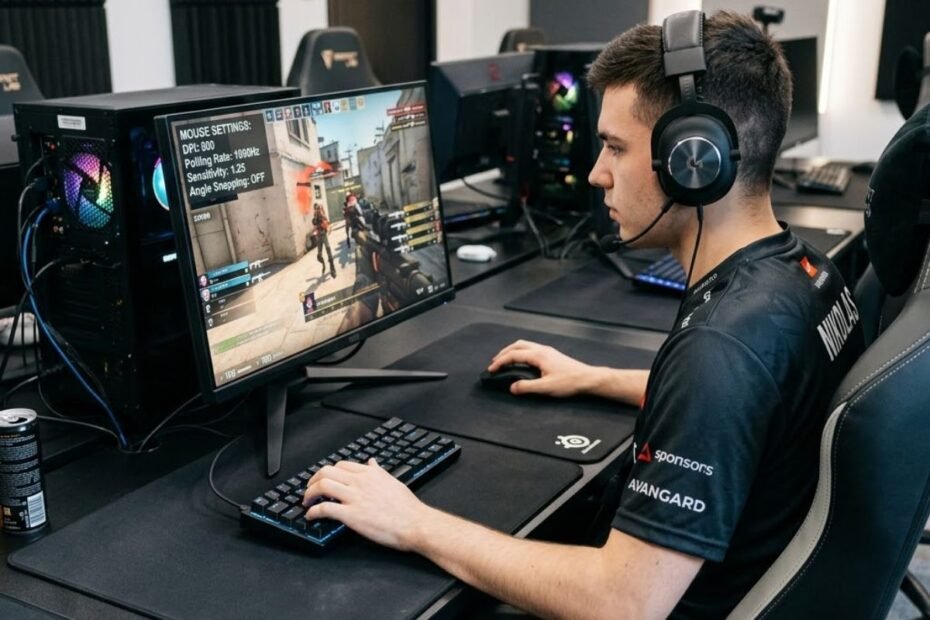
800 DPI is popular among professional FPS players because it provides a familiar and practical starting point for building a consistent sensitivity setup. It is not a magic accuracy setting, but a balanced baseline that can be paired with different in-game sensitivity values.
For competitive players, the value of 800 DPI comes from how easily it fits into a repeatable setup. Players can keep their mouse DPI stable while adjusting in-game sensitivity to match their preferred aim speed, movement control, and game. That makes 800 DPI useful without making it inherently better than every other DPI setting.
Why Do Pros Use 800 DPI?
Pros use 800 DPI mainly because it offers a familiar and practical baseline for competitive FPS settings. It provides a stable starting point that can be paired with different in-game sensitivity values to match a player’s preferred aiming style.
The important point is that professional players are not choosing 800 DPI because the number itself guarantees better aim. They are choosing a setting they can understand, reproduce, and keep stable over long periods of practice and competition.
800 DPI Became a Familiar Competitive Baseline
800 DPI has become a familiar reference point in competitive FPS settings because many players and communities already understand how it behaves. A familiar baseline also makes it easier to compare sensitivity setups without constantly changing the mouse’s hardware setting.
That familiarity matters more for professional players than simply choosing the largest or smallest DPI value. Competitive aiming depends heavily on repeatable mouse movements, so a setting that remains predictable over thousands of repetitions has practical value.
800 DPI should therefore be viewed as a common competitive baseline rather than a universal professional standard. Players can perform at a high level with other DPI values when those settings fit their established setup.
In short, 800 DPI became familiar through competitive use, but familiarity should not be confused with a built-in accuracy advantage.
800 DPI Gives Players Flexibility With In-Game Sensitivity
Mouse DPI and in-game sensitivity work together. Keeping the mouse at 800 DPI gives players a stable hardware setting while allowing them to adjust the game’s sensitivity when they need a different overall aim speed.
This flexibility is useful because FPS players do not all use the same sensitivity. Two players can use 800 DPI while having noticeably different in-game sensitivity settings and different aiming preferences.
The image below illustrates why 800 DPI can serve as a practical baseline while players fine-tune their overall FPS sensitivity through in-game settings:
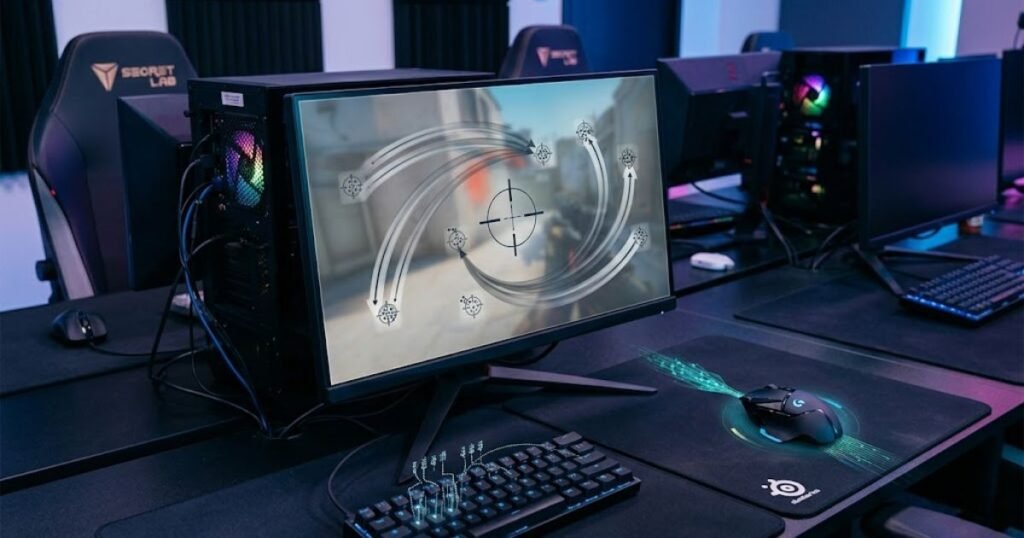
For that reason, 800 DPI should not be judged by itself. Its practical value comes from how easily it can fit into a complete sensitivity setup without forcing the player to repeatedly change the mouse’s DPI.
In short, 800 DPI gives players a stable hardware reference while leaving the game sensitivity available for individual adjustment.
Why a Familiar DPI Can Help With Consistency
Consistency is one of the most important reasons a professional player may keep a familiar DPI setting. Once a player has spent extensive time practicing with a specific setup, changing DPI without a clear reason introduces another variable into an already highly practiced movement system.
A stable DPI can help players maintain familiar mouse movements, sensitivity behavior, and practice conditions. This does not mean 800 DPI creates muscle memory by itself. Rather, keeping the same setup gives the player a consistent environment in which those movements can be repeated.
That is especially relevant in competitive FPS games, where repeated mouse movements and corrections need to remain predictable during practice and competition. A familiar setting gives the player one less variable to reconsider when refining their aim.
In short, the consistency benefit comes from maintaining a familiar setup, not from any special property unique to 800 DPI.
The following table summarizes the practical reasons 800 DPI became a common FPS baseline:
| Reason | Why It Matters |
|---|---|
| Familiarity | Players can build a consistent setup around it |
| Flexibility | It can be paired with different in-game sensitivity values |
| Competitive adoption | It is a familiar reference point across FPS communities |
| Practicality | It provides a stable baseline for gaming and general mouse use |
These factors explain why 800 DPI remains a practical choice for many competitive players. Its popularity comes from familiarity, flexibility, and consistency rather than from an inherent accuracy advantage over every other DPI setting.
Overall, pros use 800 DPI because it provides a dependable baseline that can be repeated and adjusted around individual sensitivity needs. The number itself is less important than the stable setup built around it.
Is 800 DPI Better Than 400 DPI for FPS Aim?
800 DPI is not automatically better than 400 DPI for FPS aim. Both settings can support competitive accuracy when the player builds a sensitivity setup they can control consistently. The main difference is how much mouse movement is translated into input before the game’s sensitivity setting is applied.
That distinction matters because switching from 400 DPI to 800 DPI does not automatically make a player’s aim faster, smoother, or more accurate. It changes the mouse input scale, while the final aiming behavior also depends on the game’s sensitivity setting and the player’s preferred control.
What Changes When You Switch From 400 to 800 DPI?
Moving from 400 DPI to 800 DPI doubles the mouse DPI value, so the mouse reports twice as much cursor movement for the same physical movement when other settings remain unchanged. In an FPS game, that means the overall sensitivity setup will also change unless the in-game sensitivity is adjusted.
This is why a player should not compare 400 DPI and 800 DPI in isolation. If someone changes from 400 DPI to 800 DPI while keeping the same in-game sensitivity, the resulting setup will feel substantially faster. If the player changes the in-game sensitivity as well, the overall sensitivity can be brought back toward the previous level.
The practical difference is therefore not that 800 DPI gives the player a special aiming advantage. It simply provides a different input scale that can be incorporated into the player’s preferred sensitivity setup.
In short, switching from 400 to 800 DPI changes the input scale, but the final aim speed still depends on how DPI and in-game sensitivity are combined.
Why 400 DPI Is Still a Competitive Choice
400 DPI remains a completely viable choice for FPS players because competitive aim does not require a specific DPI value. A player who already has reliable control at 400 DPI has little reason to change simply because 800 DPI is more commonly discussed.
Lower DPI settings are also widely associated with tactical shooters, where players often use larger physical mouse movements to control lower overall sensitivity. Logitech’s gaming mouse guide notes that lower DPI settings are more common in tactical shooters, while higher DPI can be preferred in faster game genres.
That makes 400 DPI especially relevant when a player’s existing setup already feels predictable. Changing it without a clear reason can create a new sensitivity variable without solving an actual aiming problem.
In short, 400 DPI can remain the better choice for a player who already has consistent control and no practical reason to change.
Does 800 DPI Make Aim More Accurate?
800 DPI does not inherently make FPS aim more accurate. DPI determines the mouse input scale, while accuracy depends on the complete setup and how consistently the player can control it.
This is an important distinction because DPI numbers can easily be mistaken for a measure of mouse quality. A higher DPI value does not automatically mean better tracking or better aim. Players still need an appropriate sensitivity, reliable mouse control, and enough practice to reproduce their movements consistently.
For a player deciding between 400 and 800 DPI, the more useful question is not which number sounds more competitive. The better question is which setting produces predictable control within the player’s complete sensitivity setup.
In short, 800 DPI can be an effective competitive baseline, but it should not be treated as an accuracy upgrade over 400 DPI.
The table below compares 400 DPI and 800 DPI without treating either setting as universally superior:
| Factor | 400 DPI | 800 DPI |
|---|---|---|
| Competitive viability | Fully viable for competitive FPS play | Fully viable for competitive FPS play |
| Input baseline | Lower mouse input scale | Higher mouse input scale |
| Common use | Common among low-sensitivity FPS setups | Common as a general competitive baseline |
| Main consideration | Works well when the player is comfortable with larger mouse movements | Works well when the player prefers a higher DPI baseline with adjusted in-game sensitivity |
Neither 400 DPI nor 800 DPI guarantees better aim. The better setting is the one that fits the player’s sensitivity, physical mouse movement, and established control without introducing unnecessary changes.
How Does 800 DPI Affect In-Game Sensitivity?
800 DPI affects in-game sensitivity by determining the mouse input value that is combined with the game’s sensitivity setting. The two values work together, so 800 DPI by itself does not tell you how fast an FPS setup will feel.
This is why two players can both use 800 DPI while having very different aiming speeds. Their in-game sensitivity values may be different, producing different effective sensitivity even though the mouse DPI is identical.
DPI and In-Game Sensitivity Control Different Parts of Aim
DPI describes the mouse’s input setting, while in-game sensitivity determines how strongly the game responds to that input. Changing either value can change the final sensitivity of the setup.
For example, a player using 800 DPI at 0.30 sensitivity has an eDPI of 240. If the same player increases in-game sensitivity to 0.50 while keeping 800 DPI, the eDPI becomes 400. The mouse DPI has not changed, but the effective sensitivity has increased.
This relationship means players should avoid treating 800 DPI as a complete sensitivity setting. The number only becomes meaningful when it is considered alongside the game’s sensitivity value.
In short, DPI sets one part of the input equation, while in-game sensitivity determines how that input is scaled inside the game.
Why the Same 800 DPI Can Feel Different Between Players
The same 800 DPI setting can produce very different aiming behavior because players may use different in-game sensitivity values. One player may prefer a slower setup for controlled mouse movements, while another may use a higher sensitivity for faster turns.
For example, 800 DPI at 0.25 sensitivity produces 200 eDPI, while 800 DPI at 0.50 sensitivity produces 400 eDPI. Both players use exactly the same mouse DPI, but their effective sensitivity is twice as high in the second setup.
This is also why copying a professional player’s DPI does not automatically reproduce that player’s sensitivity. The complete setup includes the in-game sensitivity and, depending on the game, other settings that influence how mouse input is handled.
In short, 800 DPI is only a starting value. The in-game sensitivity determines how that DPI translates into the player’s effective aiming speed.
How eDPI Helps Compare Sensitivity Setups
eDPI combines mouse DPI and in-game sensitivity into one value, making it easier to compare FPS sensitivity setups without focusing on DPI alone. The basic formula is eDPI = DPI × in-game sensitivity.
For example, 800 DPI with 0.40 sensitivity produces 320 eDPI. A different setup using 400 DPI with 0.80 sensitivity also produces 320 eDPI. The hardware settings are different, but the calculated effective sensitivity is the same.
GearTP’s guide on how eDPI combines DPI and in-game sensitivity explains why this calculation is useful when comparing FPS setups. eDPI provides a clearer reference than looking at the DPI number alone.
However, equal eDPI should not be interpreted as a guarantee that two setups will feel identical in every situation. Mouse hardware, game behavior, physical control, and personal preference can still affect the overall experience.
The following table separates DPI, in-game sensitivity, and eDPI by their role in an FPS setup:
| Setting | Role | What It Tells You |
|---|---|---|
| DPI | Mouse input setting | How the mouse input is scaled at the hardware level |
| In-game sensitivity | Game sensitivity multiplier | How strongly the game responds to mouse input |
| eDPI | Combined sensitivity value | The calculated effective sensitivity from DPI × in-game sensitivity |
The key takeaway is that 800 DPI does not determine an FPS player’s sensitivity on its own. It is one input in the overall equation, while in-game sensitivity determines the final eDPI. That is why players should evaluate the complete sensitivity setup rather than judging 800 DPI as a standalone performance setting.
Why Do Pros Keep 800 DPI Instead of Changing It?
Pros may keep 800 DPI because once a sensitivity setup is familiar, changing the mouse DPI can introduce an unnecessary variable into their practice routine. The goal is not to preserve 800 DPI because it is inherently superior, but to keep the input setup predictable while refining aim through repetition.
For a professional player, small changes to a well-practiced setup can create uncertainty without providing a meaningful competitive benefit. If the current DPI and sensitivity already support reliable control, maintaining them allows the player to focus on gameplay rather than repeatedly adjusting settings.
Stable Settings Reduce Unnecessary Variables
A stable mouse setting gives players a consistent reference when they practice. If DPI changes frequently, the player also has to account for how that change affects the relationship between mouse movement and the game’s sensitivity.
Keeping the DPI fixed does not make aim automatically more consistent. Instead, it removes one source of variation from the player’s routine. This can be useful when the player is already comfortable with the existing setup and has no specific problem that requires a change.
That is particularly valuable during competitive preparation. Players can make deliberate adjustments when there is a clear reason, rather than changing DPI simply because another value is popular among other players.
In short, a fixed DPI helps reduce unnecessary changes when the existing sensitivity setup already works.
Repetition Builds Familiar Mouse Control
Professional aim is developed through repeated practice, so players spend a large amount of time performing similar mouse movements under familiar conditions. Keeping the same DPI helps maintain those conditions while the player works on crosshair placement, target transitions, and corrections.
The important distinction is that the DPI number itself does not create muscle memory. Repetition under a stable setup is what allows a player to become familiar with how much physical mouse movement is required for different in-game actions.
If a player changes DPI and then changes other sensitivity settings at the same time, it becomes harder to determine which adjustment caused a difference in control. Keeping the mouse setting stable makes individual changes easier to evaluate.
In short, pros can benefit from leaving a familiar DPI unchanged because consistent practice conditions make their mouse control easier to reproduce.
Pros Optimize for Repeatability
Professional players generally have a reason for keeping their settings stable: repeatability matters more than chasing a supposedly perfect DPI. Once a setup has been tested and feels reliable, there may be little competitive value in changing it without a specific goal.
This also explains why professional settings should be interpreted as examples rather than instructions. A pro can keep 800 DPI because it fits their established sensitivity and physical control, while another player can reach the same level of consistency with 400 DPI or 1600 DPI.
The useful lesson is therefore not to copy the number blindly. Instead, players should identify whether their own setup is predictable, comfortable, and consistent enough to support their practice.
Several factors can make a familiar DPI worth keeping:
- Stable input behavior: The player knows how the existing setup responds to mouse movement.
- Familiar sensitivity: The player does not need to relearn a different relationship between physical movement and in-game response.
- Consistent practice conditions: Repeated drills and gameplay can be performed under the same basic input setup.
- Fewer unnecessary variables: The player can focus on improving aim instead of constantly changing settings.
These factors explain why a professional may keep 800 DPI even when other DPI values are equally viable. Stability is useful when it supports repeatable performance, while changing settings only makes sense when the player has a clear reason to do so.
In short, pros keep 800 DPI because a familiar setup can be easier to repeat than one that is constantly being changed. The competitive advantage comes from consistency in the overall routine, not from the 800 DPI number itself.
Does 800 DPI Reduce Input Lag?
800 DPI should not be treated as a direct input-lag reduction setting. DPI and polling rate control different parts of mouse input, so changing from 400 DPI to 800 DPI does not automatically make mouse input arrive at the computer faster.
If the goal is to reduce input latency, polling rate is the more relevant mouse setting to examine. DPI determines the mouse input scale, while polling rate determines how frequently the mouse reports its position to the computer.
DPI and Polling Rate Are Not the Same Thing
DPI and polling rate are often discussed together because both appear in gaming mouse specifications, but they describe different functions. DPI relates to mouse sensitivity and input scaling, while polling rate describes how often the mouse sends positional updates to the computer.
For example, a mouse running at 800 DPI and 1,000 Hz polling rate is not necessarily lower latency than the same mouse running at 400 DPI and 1,000 Hz simply because its DPI is higher. The polling rate remains unchanged, so the reporting frequency has not changed.
Logitech’s gaming mouse guide separately defines DPI as a mouse sensitivity setting and polling rate as the frequency at which a mouse relays its position to the computer. This distinction is useful when evaluating whether a change affects sensitivity or input responsiveness. Logitech’s gaming mouse guide
In short, DPI changes the input scale, while polling rate determines how frequently mouse position is reported. They should not be treated as interchangeable performance settings.
What Actually Matters for Mouse Input Latency?
Mouse input latency depends on more than the DPI number. The mouse’s reporting behavior, connection, system processing, game engine, and display pipeline can all contribute to the time between physical movement and what appears on screen.
For players using modern gaming mice, changing DPI solely to chase lower latency is therefore the wrong optimization target. A player can choose 800 DPI for sensitivity reasons while evaluating polling rate and the rest of the input chain separately.
Game-side input processing also matters. Riot Games, for example, states that VALORANT’s RawInputBuffer setting was removed as a configurable option in Patch 11.06 and is now enabled at all times because Riot considers it more performant. This is an example of why input responsiveness cannot be reduced to a single mouse DPI value.
In short, reducing input latency requires looking at the complete input path rather than assuming that a higher DPI automatically means faster input.
The table below separates DPI from polling rate so they are not treated as the same performance setting:
| Setting | Primary Role | Direct Latency Meaning |
|---|---|---|
| DPI | Controls the mouse input scale | Does not directly determine how frequently the mouse reports its position |
| Polling rate | Controls how frequently the mouse reports its position | Higher reporting frequency can reduce the interval between position updates |
| In-game sensitivity | Scales mouse input inside the game | Changes aiming speed rather than the mouse’s reporting frequency |
The practical takeaway is simple: use DPI to build the sensitivity setup you can control, and evaluate polling rate separately when considering mouse responsiveness. There is no sound reason to choose 800 DPI solely because you expect it to reduce input lag.
Do All FPS Pros Use 800 DPI?
No, not all FPS pros use 800 DPI. Professional players use a range of DPI settings, including 400, 800, 1600, and other values. The popularity of 800 DPI should be understood as a common competitive preference, not a requirement for professional-level aim.
Looking at professional settings is useful for understanding how different players build their setups, but the numbers do not establish a universal rule. A player’s DPI is only one part of the complete sensitivity configuration, and different players can reach reliable aim with very different settings.
Why 400 DPI Remains Popular Among Competitive Players
400 DPI remains popular because it can work well with low-sensitivity FPS setups that rely on larger physical mouse movements. This approach is particularly common in tactical shooters, where players may prefer slower overall sensitivity for controlled aiming and precise adjustments.
Players who have practiced extensively at 400 DPI also have a practical reason to keep it. If the existing setup already provides predictable control, changing to 800 DPI does not automatically solve an aiming problem.
This also reinforces an important point from the earlier comparison: competitive viability is not determined by whether the DPI number is higher or lower. The complete sensitivity setup and the player’s ability to control it matter more.
In short, 400 DPI remains a legitimate professional choice because it can support controlled low-sensitivity setups and established aiming habits.
Why Some Pros Use 1600 DPI or Other Values
Some professional players use 1600 DPI or other values because there is no single DPI setting that fits every player, game, mouse, or sensitivity preference. A player can select a different DPI and then build the rest of the sensitivity setup around it.
Higher DPI does not automatically mean that a player is using a higher overall sensitivity. The in-game sensitivity can be adjusted accordingly, which is why DPI should not be interpreted without considering the rest of the setup.
Other DPI values can also make sense for players who prefer a particular mouse configuration or want a specific relationship between hardware DPI and in-game sensitivity. The important consideration is whether the resulting setup is predictable and controllable.
In short, 1600 DPI and other values remain viable because professional performance does not depend on reaching one specific DPI number.
Why Pro Settings Are Examples, Not Rules
Professional settings are best used as reference points rather than instructions. A pro player’s DPI reflects that player’s mouse control, sensitivity, equipment, game preferences, and years of practice. Copying the number without understanding the complete setup can produce a sensitivity that feels completely wrong for another player.
There is also a selection effect when looking at professional settings. Seeing 800 DPI frequently does not mean every professional player uses it, nor does it prove that 800 DPI caused those players to perform well. The setting may simply be one part of a setup that the player has already optimized through practice.
For someone trying to improve FPS aim, the more useful lesson is to identify why a professional keeps a particular setup stable. The goal should be to develop a sensitivity configuration that the player can reproduce consistently rather than treating a pro’s DPI as a shortcut to better aim.
The table below shows why multiple DPI settings can remain viable at the professional level:
| DPI | Why Players May Use It |
|---|---|
| 400 | Fits many low-sensitivity setups and can support larger physical mouse movements |
| 800 | Provides a familiar competitive baseline that can be paired with different in-game sensitivity values |
| 1600 | Can work with a lower in-game sensitivity while maintaining the player’s preferred overall setup |
| Other values | May suit individual preferences, hardware configurations, or established sensitivity setups |
The professional scene demonstrates that several DPI values can support competitive aim. 800 DPI is popular, but 400 DPI, 1600 DPI, and other settings can also be effective when they are part of a sensitivity setup the player has practiced and can control reliably.
In short, there is no professional DPI requirement. The value of studying pro settings comes from understanding the reasoning behind a stable setup, not from copying one number.
Why Is 800 DPI Common Across Different FPS Games?
800 DPI is common across different FPS games because it can remain a stable mouse setting while players adjust their in-game sensitivity for each title. This gives players a consistent hardware baseline without requiring the same sensitivity value in every game.
That distinction is important when comparing settings across games. Keeping 800 DPI does not mean that a player will have the same aim speed in every FPS. Each game can use its own sensitivity scale, so the in-game setting still needs to be considered.
Keeping DPI Fixed Simplifies Cross-Game Setup
Players who move between multiple FPS games can keep their mouse DPI fixed and make game-specific adjustments through the sensitivity setting inside each title. This creates a familiar starting point whenever they switch games.
For example, a player may keep the mouse at 800 DPI across several FPS titles while using different in-game sensitivity values. The mouse hardware setting stays familiar, while the game-specific configuration is adjusted to produce the desired aiming behavior.
This approach can also make a player’s settings easier to record and reproduce. Instead of changing the mouse DPI whenever a new game is launched, the player can treat 800 DPI as the fixed hardware reference and manage the remaining sensitivity settings within each game.
In short, keeping DPI fixed can simplify a multi-game setup because the mouse provides one consistent hardware reference.
In-Game Sensitivity Still Changes Between FPS Titles
Keeping 800 DPI does not eliminate the need to configure each FPS separately. In-game sensitivity is still a game-specific setting, and the same numerical sensitivity value does not necessarily represent the same aiming behavior between different titles.
This means players should avoid copying a sensitivity number simply because the DPI is identical. A value that feels appropriate in one FPS may require a different value in another game.
The practical advantage of keeping DPI fixed is therefore organizational rather than magical. Players can maintain one familiar mouse setting while deliberately configuring each game’s sensitivity around their preferred control.
In short, 800 DPI can stay consistent across games, but the in-game sensitivity still needs to be evaluated for each title.
Why the Same DPI Does Not Create the Same Aim Feel
The same DPI does not guarantee identical aim behavior across FPS games because each game can interpret and scale mouse input differently. Even when two games use the same mouse DPI, their sensitivity systems and aiming mechanics can produce different results.
This is why cross-game sensitivity comparisons should focus on the complete setup rather than the DPI value alone. A player can maintain 800 DPI as a familiar starting point while using game-specific sensitivity settings to achieve the desired control.
It also explains why professional settings from one FPS should not be transferred blindly to another. The DPI may be easy to copy, but the rest of the sensitivity configuration still has to match the game and the player’s preferences.
The table below shows which parts of an FPS sensitivity setup can stay consistent between games:
| Component | Can Stay Consistent? | Why |
|---|---|---|
| Mouse DPI | Yes | A player can keep the same hardware DPI as a familiar baseline |
| In-game sensitivity | Not necessarily | Different FPS titles can use different sensitivity systems and scales |
| eDPI | Useful as a reference | It can help compare DPI and sensitivity combinations within compatible game contexts |
| Aim feel | No guarantee | Game-specific input behavior and mechanics can change the overall experience |
800 DPI can be a convenient cross-game baseline because it lets players keep the mouse setting familiar while adjusting the game-specific sensitivity separately. The consistency comes from the fixed DPI, not from expecting every FPS to feel identical.
In short, 800 DPI is common across FPS games because it can provide a stable starting point for multi-game setups. Players still need to configure each game’s sensitivity independently to achieve the control they want.
Should You Use 800 DPI Just Because Pros Do?
You should use 800 DPI only if it fits your own FPS sensitivity and aiming control, not simply because professional players use it. 800 DPI is a reasonable starting point for testing, but there is no competitive requirement to switch from a setting that already feels stable.
The best way to make the decision is to treat 800 DPI as one variable in your setup. If your current sensitivity already gives you reliable crosshair control, changing DPI without a specific reason may create unnecessary adjustment rather than improve your aim.
Use 800 DPI If You Need a Simple Starting Point
800 DPI can be a useful starting point for players who are still building their first consistent FPS sensitivity setup. It is a familiar competitive baseline, so players can use it as a fixed reference while determining an in-game sensitivity that feels controllable.
This is especially useful when you do not yet know whether your current sensitivity is too fast or too slow. Starting from a commonly used baseline can make the testing process easier to organize, as long as you evaluate the complete setup rather than assuming the DPI itself is responsible for better aim.
However, starting at 800 DPI does not mean you need to keep it permanently. The setting should earn its place in your setup through actual control and repeatable performance.
In short, 800 DPI makes sense as a starting point when you want a simple and familiar baseline, not because it guarantees better results.
Keep 400 DPI If Your Aim Is Already Consistent
If you already use 400 DPI and can consistently control your crosshair, there is no strong reason to change solely because 800 DPI is popular. Your existing setup has already been adapted to your mouse movements and sensitivity.
A change is more worthwhile when you can identify a specific problem, such as difficulty controlling your sensitivity or a setup that no longer fits the way you play. Without a clear problem, changing DPI can make it harder to separate genuine improvement from the temporary adjustment period.
This is particularly important for experienced players. Familiarity with a working setup has practical value, so a different DPI should be tested because it offers a meaningful benefit for the individual player, not because it appears frequently in professional settings.
In short, staying at 400 DPI is a sensible decision when your current setup already provides reliable control.
Consider 1600 DPI If It Fits Your Sensitivity Setup
1600 DPI can also be a valid choice when it fits the player’s preferred sensitivity configuration. A higher DPI value does not automatically require a high overall sensitivity because the in-game sensitivity can be adjusted as part of the complete setup.
The important question is whether the resulting configuration feels predictable and controllable. If 1600 DPI works well with the player’s preferred in-game sensitivity and mouse control, there is no competitive requirement to reduce it to 800 DPI.
This gives players three reasonable starting points: 400 DPI, 800 DPI, or 1600 DPI. The choice should come from the player’s setup and testing rather than from the assumption that one number is objectively superior.
In short, 1600 DPI is worth considering when it fits the sensitivity and control you actually want.
Test One Variable at a Time
The most reliable way to evaluate 800 DPI is to change it deliberately while keeping the rest of the setup controlled. If DPI, in-game sensitivity, mouse settings, and practice conditions all change simultaneously, it becomes difficult to identify what actually improved or hurt your aim.
The following process can help you test 800 DPI without changing too many variables at once:
- Record your current DPI and sensitivity. Keep a reference of the setup that you already understand.
- Switch to 800 DPI. Change the mouse DPI while avoiding unrelated hardware or software changes.
- Adjust in-game sensitivity deliberately. Build a sensitivity that gives you the intended overall control instead of keeping the old value automatically.
- Practice the same drills and gameplay. Use familiar scenarios so you can compare control under similar conditions.
- Keep the change only if your control remains consistent. If 800 DPI does not provide a meaningful improvement for your setup, there is no reason to force the change.
When evaluating the result, focus on repeatable control rather than whether the new setting feels different. A new sensitivity can initially feel unusual simply because it is unfamiliar, so one short session is not enough to establish that one DPI is objectively better.
If you are still experimenting with your setup, avoiding common DPI mistakes beginners make can help you make changes more deliberately instead of constantly switching settings without a clear testing method.
In short, testing one variable at a time gives you a much clearer basis for deciding whether 800 DPI actually fits your aim.
Ultimately, you do not need to use 800 DPI just because a professional player does. If 400 DPI already gives you consistent control, keep it. If 800 DPI provides a better starting point for your setup, use it. If 1600 DPI fits your preferred configuration, that can work as well.
800 DPI vs 400 DPI vs 1600 DPI: Which Should You Choose?
Choose 800 DPI if you want a familiar competitive baseline, 400 DPI if your current low-sensitivity setup already gives you reliable control, or 1600 DPI if it fits your preferred sensitivity configuration. None of these DPI values is universally best for FPS aim.
The right choice depends on how the DPI works with your in-game sensitivity and physical mouse control. A useful decision should therefore start with the setup you can consistently reproduce, rather than the DPI number that appears most often in professional settings.
Choose 800 DPI for a Familiar Competitive Baseline
800 DPI is a sensible choice when you want a straightforward starting point for building or rebuilding an FPS sensitivity setup. It gives you a familiar baseline while leaving the in-game sensitivity available for adjustment.
This option can be particularly practical when you are starting from scratch or deliberately testing a different setup. You can keep the mouse DPI fixed and tune the game’s sensitivity around your preferred aiming speed without repeatedly changing the hardware setting.
The key is to evaluate the complete setup after making the change. Choosing 800 DPI is useful when it gives you a configuration you can control consistently, not simply because the setting is common among competitive players.
In short, choose 800 DPI when you want a familiar and practical baseline for building your own sensitivity setup.
Choose 400 DPI If You Already Have Consistent Control
400 DPI is a strong choice when your current setup already feels predictable and supports the mouse movements you use comfortably. There is no practical need to move to 800 DPI if your existing configuration is already working well.
This can be especially relevant for players who prefer lower overall sensitivity and larger physical mouse movements. In that situation, 400 DPI may already be an established part of a setup that the player has practiced extensively.
Changing to a different DPI should have a specific purpose. If the only reason for switching is that 800 DPI is popular, the change may add an adjustment period without addressing an actual weakness in your aim.
In short, keep 400 DPI when it already supports consistent control and fits the way you naturally aim.
Choose 1600 DPI If It Fits Your Sensitivity Setup
1600 DPI is worth considering when you prefer to build your sensitivity around a higher mouse DPI while using an appropriate in-game sensitivity. The higher DPI number does not automatically mean that your final sensitivity must be higher.
What matters is the resulting setup. If 1600 DPI works with your preferred in-game sensitivity and gives you predictable mouse control, there is no competitive requirement to reduce the DPI to 800.
This also reinforces why DPI should be evaluated as part of the complete configuration. A player can use 400, 800, or 1600 DPI and still build a sensitivity setup that suits their own aiming requirements.
In short, choose 1600 DPI when its higher input scale fits the sensitivity configuration and control you prefer.
The table below matches common DPI settings with the situations in which they may make sense:
| DPI | Good Starting Situation | Main Consideration |
|---|---|---|
| 400 | You already use a low-sensitivity setup and have consistent control | Larger physical mouse movements may be part of the setup |
| 800 | You want a familiar competitive baseline for building or testing a setup | It still needs to be paired with an appropriate in-game sensitivity |
| 1600 | You prefer a higher DPI baseline with a suitable in-game sensitivity | The DPI number itself does not determine the final sensitivity |
All three settings can be reasonable choices for FPS players. Use 800 DPI when you want a familiar baseline, stay with 400 DPI when your current setup already works, or consider 1600 DPI when it fits your preferred configuration. The best choice is the one you can control and reproduce consistently.
In short, choosing between 400, 800, and 1600 DPI should be a personal setup decision rather than an attempt to find one universally superior professional setting.
What Is the Real Reason Pros Use 800 DPI?
The real reason pros use 800 DPI is that it can serve as a familiar, repeatable baseline for a complete FPS sensitivity setup. The number itself does not provide a secret accuracy advantage. Its value comes from how easily players can keep their mouse settings stable while building and maintaining consistent aim.
After comparing 400, 800, and 1600 DPI, the pattern is clear: professional players can perform with different settings. What separates a useful setup from a poor one is whether the player can control it consistently and reproduce the same input during practice and competition.
800 DPI Is a Baseline, Not a Secret Aim Advantage
800 DPI should be viewed as a practical baseline rather than a special performance setting. Its popularity does not mean that the number itself makes a player more accurate, reduces input lag, or guarantees better tracking.
The earlier sections of this guide show why the complete sensitivity configuration matters more. DPI interacts with in-game sensitivity, while the player’s physical mouse movement and control determine how that configuration is actually used during gameplay.
This distinction is important because professional settings can look like formulas to copy. A player may see 800 DPI repeatedly in pro settings and assume that changing to the same number will reproduce the same aim. In reality, the professional player’s result comes from the complete setup and extensive practice behind it.
In short, 800 DPI is popular because it is practical and familiar, not because it contains a hidden aiming advantage.
Consistency Matters More Than Copying a Pro
Professional settings are most useful when they help players understand how competitive setups are built. Copying a DPI number without considering sensitivity, mouse control, and practice habits can create a setup that feels unfamiliar rather than improving aim.
GearTP’s existing guide makes the same broader point about professional settings: DPI should not be viewed in isolation.
The useful lesson is to understand how DPI fits into the complete sensitivity setup rather than treating it as the main explanation for professional performance.
Consistency also gives players a better basis for evaluating changes. If the setup is constantly changing, it becomes difficult to know whether an improvement comes from the setting itself or simply from adapting to something new.
That is why a professional player’s DPI should be treated as a reference point, not a prescription. The goal is to find a configuration that you can control repeatedly under the conditions in which you actually play.
In short, learning from pros is useful, but reproducing their DPI number is less important than building a setup you can trust consistently.
What Players Should Actually Learn From Pro Settings
The most useful lesson from professional DPI settings is not that everyone should use 800 DPI. It is that competitive players tend to value settings they can understand, reproduce, and maintain over time.
Professional settings can therefore help players ask better questions: Is my sensitivity predictable? Can I make the same mouse movements repeatedly? Does my setup remain comfortable during long sessions? Am I changing settings because I found a real problem or simply because another setting is popular?
Wikipedia’s Computer mouse article describes the mouse as a pointing device that detects two-dimensional movement relative to a surface. In FPS games, that physical movement becomes part of the aiming system, which is why the relationship between mouse movement and game sensitivity matters more than the DPI number alone.
A computer mouse is a “hand-held pointing device that detects two-dimensional motion relative to a surface.”Wikipedia, “Computer mouse”
This definition provides useful context for the broader point of the article: DPI is part of how mouse input is configured, but it does not define the quality of a player’s aim by itself.
The image below summarizes why 800 DPI remains popular without treating it as a universal competitive requirement:
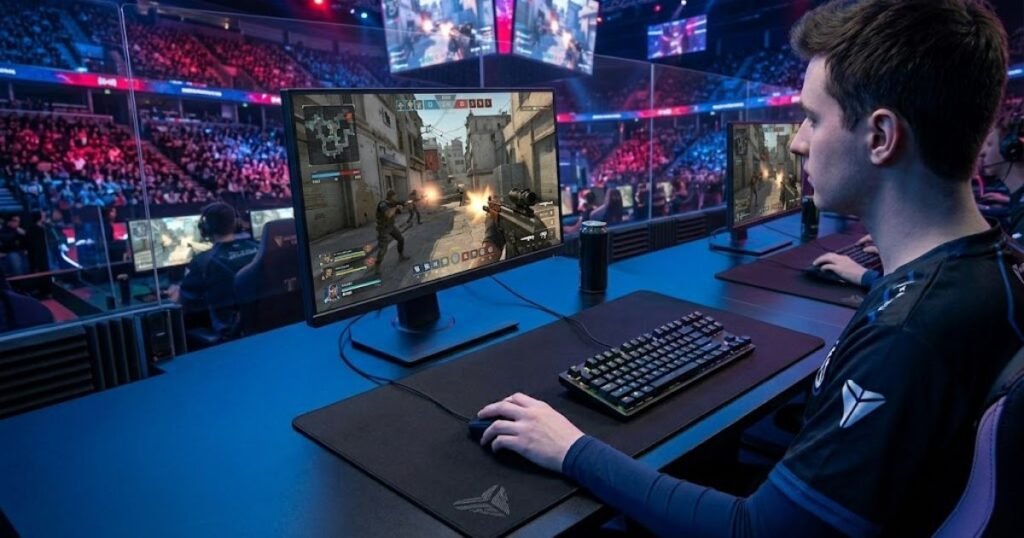
For most players, the takeaway is straightforward. If 800 DPI gives you a comfortable and repeatable sensitivity setup, it is a perfectly reasonable choice. If 400 DPI or 1600 DPI works better for your control, there is no competitive reason to switch simply because 800 DPI is popular.
In short, pros use 800 DPI because it fits a stable and repeatable approach to competitive FPS settings. The real advantage is consistency in the complete setup, not the number 800 itself.
Frequently Asked Questions About Why Pros Use 800 DPI
These questions cover the key concepts behind 800 DPI, how it affects FPS mouse settings, and how players can decide whether it fits their own setup. The answers focus on the practical meaning of DPI rather than treating 800 as a universal competitive requirement.
What is DPI on a gaming mouse?
DPI is a mouse sensitivity setting that describes how much cursor movement is produced relative to physical mouse movement. In FPS gaming, it is one part of the sensitivity setup rather than a direct measure of aim quality.
What is 800 DPI?
800 DPI is a mouse DPI setting that provides a specific input scale for mouse movement. It is commonly used as a baseline in FPS setups, but it does not guarantee better accuracy than 400 DPI, 1600 DPI, or other settings.
What is eDPI in FPS games?
eDPI is a calculated sensitivity value produced by multiplying mouse DPI by in-game sensitivity. It helps players compare different DPI and sensitivity combinations without evaluating the mouse DPI number by itself.
How does 800 DPI affect FPS sensitivity?
800 DPI affects the input scale that is combined with the game’s sensitivity setting. Changing DPI changes the overall sensitivity unless the in-game sensitivity is adjusted to compensate for the change.
Does 800 DPI reduce input lag?
No. 800 DPI should not be treated as a direct input-lag reduction setting. DPI controls mouse input scaling, while polling rate determines how frequently the mouse reports its position to the computer.
Is 800 DPI better than 400 DPI for FPS aim?
No. 800 DPI is not inherently better than 400 DPI for FPS aim. Both settings can support competitive performance when they are combined with an appropriate in-game sensitivity and a setup the player can control consistently.
Why do pros use 800 DPI?
Pros use 800 DPI because it is a familiar and practical baseline that can be combined with different in-game sensitivity settings. Its popularity comes from its usefulness as part of a repeatable setup, not from a special accuracy advantage.
Can 400 DPI be just as good as 800 DPI?
Yes. 400 DPI can be just as effective as 800 DPI when it fits the player’s overall sensitivity and provides reliable mouse control. Professional FPS players use different DPI values successfully.
Can 1600 DPI work for competitive FPS games?
Yes. 1600 DPI can work for competitive FPS games when it is paired with an appropriate in-game sensitivity. A higher DPI value does not automatically mean a higher overall sensitivity.
Should beginners use 800 DPI?
Beginners can use 800 DPI as a simple starting point, especially when they want a familiar baseline for building an FPS sensitivity setup. However, they should judge the setting by their own control rather than assuming that professional players make it mandatory.
Should I copy a pro player’s 800 DPI setting?
You can use a professional player’s DPI as a reference, but copying 800 DPI alone will not reproduce that player’s aim. The complete sensitivity configuration, mouse control, practice, and personal preference also influence the result.
What matters more than DPI for FPS aim?
Consistent mouse control and a stable overall sensitivity setup matter more than choosing a specific DPI value. A player who can reliably control 400, 800, or 1600 DPI can build a competitive setup around any of those settings.
Thanks for reading, and I hope this guide helps you build a more consistent FPS aim setup.