
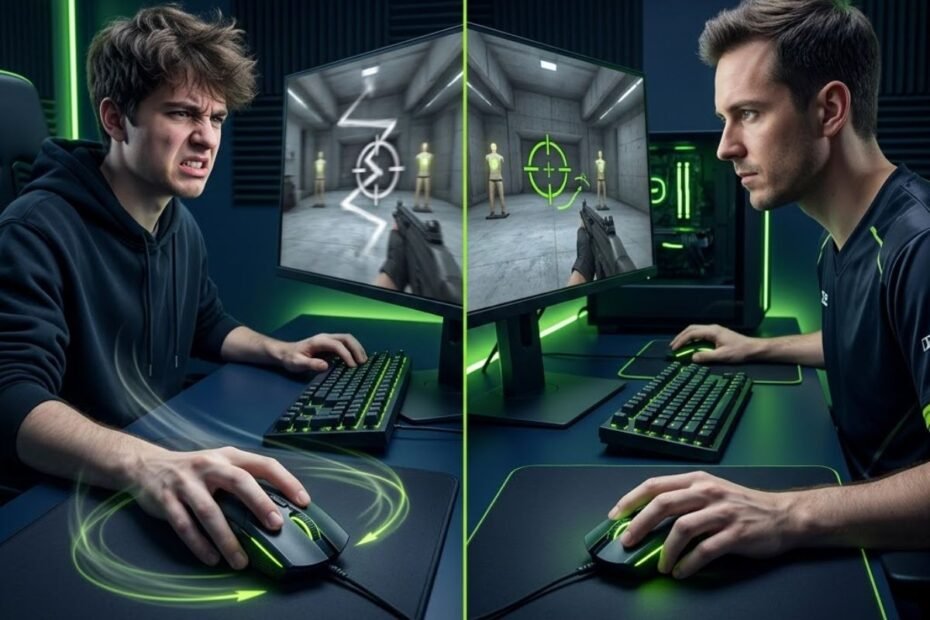
DPI mistakes beginners make are common setup errors that reduce aiming consistency and make FPS games feel harder than they should. Avoiding these mistakes helps new players develop better mouse control without constantly changing settings after every match.
Many beginners assume that poor aim is caused by low DPI, outdated hardware, or a lack of gaming experience. In reality, the problem is often much simpler. Small mistakes in DPI configuration can create sensitivity issues that make tracking, flicking, and micro adjustments less consistent.
This guide explains the most common DPI mistakes beginners make, why those mistakes hurt performance, and how to build a more stable aiming foundation for FPS games.
Why Believing Higher DPI Always Means Better Aim Is A Common Beginner Mistake
Believing higher DPI always means better aim is one of the most common DPI mistakes beginners make because DPI is a sensitivity setting, not an accuracy upgrade. Understanding this distinction helps players focus on control rather than chasing larger numbers.
Many gaming mouse advertisements highlight extremely high DPI values because they are easy to market. A larger number looks impressive, which leads many new players to assume that increasing DPI automatically improves aiming performance.
However, aim consistency comes from repeatable movement. If a player cannot control the sensitivity comfortably, increasing DPI rarely solves the underlying issue. In many cases, it simply creates a faster version of the same problem.
Why DPI Is Often Mistaken For An Accuracy Measurement
DPI is often mistaken for an accuracy measurement because many beginners associate larger technical specifications with better performance. This misunderstanding helps explain why new players frequently increase DPI when their aim feels inconsistent.
DPI measures how far the cursor moves relative to physical mouse movement. It does not directly measure precision, accuracy, reaction time, or aiming skill. A higher DPI only changes how movement is translated on screen.
When players misunderstand DPI as an accuracy setting, they often start adjusting the wrong variable. Instead of improving control, they create sensitivity levels that become more difficult to manage during actual gameplay. Players who are still unsure about the role of DPI should first learn what DPI means in a gaming mouse before making sensitivity changes.
The image below illustrates why higher DPI does not automatically create better aim accuracy:
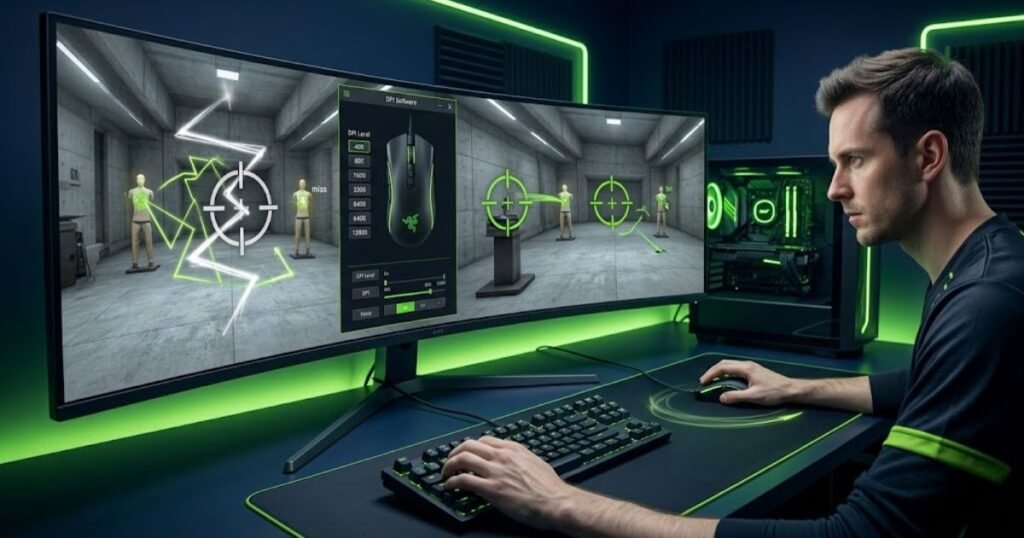
Understanding what DPI actually does is a better starting point than immediately searching for higher numbers. A clear understanding of what DPI means in a gaming mouse helps beginners build a more stable foundation before experimenting with settings.
The key takeaway is simple. DPI affects movement scaling, while aim accuracy depends on how consistently a player can control that movement.
How Marketing Numbers Create Unrealistic Expectations About DPI
Marketing numbers create unrealistic expectations about DPI because manufacturers often promote maximum DPI values as a headline specification. This helps products stand out but can give beginners the wrong impression about what matters in FPS games.
When a mouse advertises 26000 DPI, 30000 DPI, or even higher values, many players assume those numbers represent superior aiming performance. In reality, very few competitive FPS players use such extreme settings during normal gameplay.
The factors below explain why beginners often overvalue extremely high DPI numbers:
- Large specifications: Bigger numbers naturally appear more advanced and more powerful.
- Simple comparisons: DPI is easier to compare than sensor quality, latency, or tracking consistency.
- Desktop experience: High DPI often feels fast on the desktop, creating the illusion of improved responsiveness.
- Marketing emphasis: Product pages frequently highlight DPI before discussing practical gaming performance.
These factors can make DPI seem more important than it actually is. For FPS players, controllable sensitivity is usually far more valuable than the highest advertised DPI specification.
Rather than comparing maximum DPI values, beginners should focus on whether a setting feels comfortable and repeatable during gameplay.
What Factors Actually Influence Precision In FPS Games
Precision in FPS games is influenced by controllable sensitivity, consistent movement habits, and stable mouse control. Understanding these factors helps beginners focus on meaningful improvements instead of relying on DPI alone.
Accurate aiming requires the ability to stop the crosshair precisely where it needs to be. That process depends on muscle memory, comfortable sensitivity, and enough physical movement space to make adjustments confidently.
Mouse shape, grip style, mouse pad size, and overall sensitivity settings often have a larger impact on aim consistency than DPI itself. A player with a balanced setup can often outperform someone using a higher DPI but a less controllable configuration.
For beginners, the goal should be building repeatable movement patterns. When those patterns become consistent, aim improvement becomes much easier to achieve.
The conclusion of this mistake is straightforward. Higher DPI does not automatically create better aim because precision comes from control, not from larger numbers.
Why Using An Extremely High DPI Setting Makes Aim Harder To Control
Using an extremely high DPI setting makes aim harder to control because small physical movements create larger on-screen movements. This relationship helps explain why many beginners experience overshooting and inconsistent crosshair placement.
High DPI itself is not automatically harmful. The problem appears when the total sensitivity becomes too fast for the player’s ability to control accurately. At that point, minor hand movements can produce exaggerated results.
For new FPS players, this often creates the feeling that aim is unstable even when the mouse is functioning perfectly. The issue is not hardware quality but excessive sensitivity.
How Extremely High DPI Amplifies Small Hand Movements
Extremely high DPI amplifies small hand movements because every physical adjustment is translated into a larger cursor movement. This amplification helps explain why crosshair control can become difficult at very high settings.
Small corrections that would normally feel manageable can suddenly move the crosshair farther than intended. The player then has to compensate with another correction, creating a cycle of over-adjustment.
This effect becomes particularly noticeable during long-range engagements where precise crosshair placement is critical. Small aiming errors become easier to make and harder to recover from.
As DPI increases, movement becomes more sensitive to tiny hand inputs. That sensitivity can feel responsive, but it often reduces consistency for beginners.
The result is that aiming becomes more reactive and less controlled, which is the opposite of what most FPS players want.
Why Micro Adjustments Become Less Reliable At Excessive DPI Levels
Micro adjustments become less reliable at excessive DPI levels because players have less physical room to make precise corrections. This limitation helps explain why aiming can feel shaky despite using a modern gaming mouse.
Micro adjustments are small movements used to place the crosshair exactly where it needs to be. They are especially important in tactical FPS games where headshot accuracy often determines the outcome of a fight.
When DPI becomes excessively high, tiny hand movements can push the crosshair beyond the target. The player then has to compensate repeatedly, which creates inconsistency and reduces confidence.
Beginners often interpret this problem as poor aim. In reality, the sensitivity may simply be too aggressive for the level of control they currently possess.
More manageable DPI settings usually provide greater stability because they allow adjustments to happen more gradually.
What DPI Ranges Most FPS Players Actually Use For Consistent Control
Most FPS players use moderate DPI ranges because those settings provide a balance between speed and control. Understanding common DPI ranges helps beginners choose a practical starting point instead of chasing extreme values.
The table below compares common DPI ranges and their practical impact on FPS gameplay:
| DPI Range | Common Assumption | Practical FPS Experience |
|---|---|---|
| 400 DPI | Too slow | High control and large movement range |
| 800 DPI | Average setting | Balanced control and responsiveness |
| 1600 DPI | Very fast | Can remain controllable with lower sensitivity |
| 3200+ DPI | More precise | Often difficult for beginners to control consistently |
Table takeaway: Moderate DPI settings typically provide better control than extremely high DPI values for most beginners.
Many players eventually discover that comfortable control is more valuable than maximum sensitivity. This is one reason why discussions about highest DPI vs usable DPI often focus on practical performance rather than theoretical specifications. Many professional FPS players also prefer moderate settings such as 800 DPI because they provide a balance between responsiveness and control.
The conclusion is simple. Extremely high DPI may look impressive on paper, but controllable DPI settings usually produce more consistent aim in real FPS gameplay.
Why Frequently Changing DPI Prevents Muscle Memory Development
Frequently changing DPI prevents muscle memory development because consistent aiming relies on repeating the same physical movements over time. Keeping a stable setup helps players build reliable movement patterns instead of constantly relearning sensitivity.
Many beginners make the mistake of changing DPI after a bad match, a losing streak, or a few missed shots. While the adjustment may feel promising for a short time, repeated changes often create more inconsistency than improvement.
The example below shows how frequent DPI changes can interrupt muscle memory development:
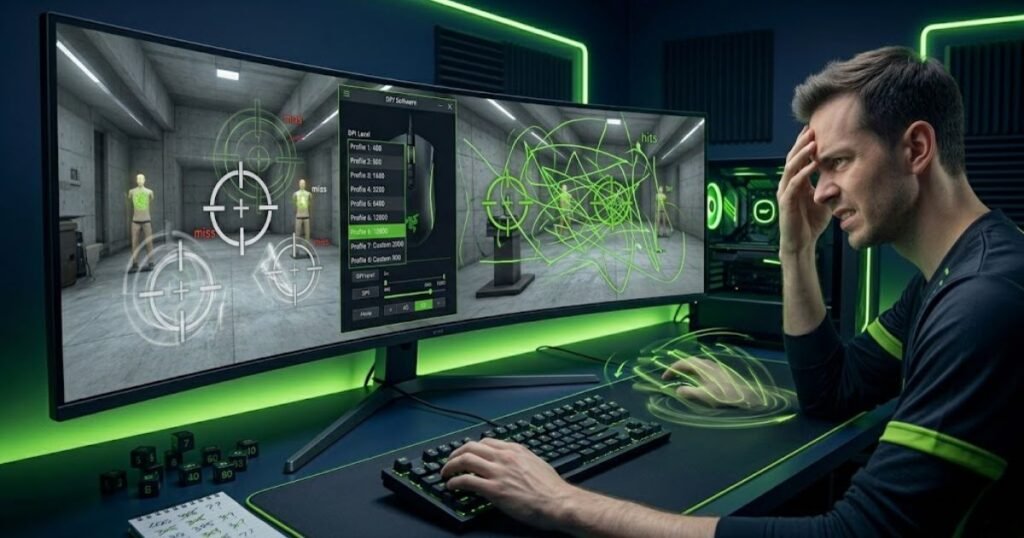
Aiming skill develops through repetition. Every unnecessary DPI adjustment changes how far the crosshair moves relative to hand movement, forcing the brain to adapt again.
How Consistent Settings Help Build Repetition-Based Accuracy
Consistent settings help build repetition-based accuracy because the brain learns to associate specific hand movements with predictable crosshair movement. This process helps players develop confidence and consistency over time.
When the same movement always produces the same result, the player gradually develops automatic control. Flicks become easier to judge, tracking becomes smoother, and target acquisition becomes more predictable.
Every competitive FPS player relies on some level of movement repetition. Even though aim is never perfectly identical, consistency allows the player to make faster corrections and better decisions.
Stable settings create the environment required for that repetition to occur. Without stability, the learning process slows significantly.
The more consistent the setup remains, the easier it becomes for the player to evaluate real improvement.
Why Constant DPI Tweaks Reset Aim Adaptation Progress
Constant DPI tweaks reset aim adaptation progress because each new setting changes the relationship between physical movement and crosshair movement. This change forces the player to adapt again instead of refining existing skills.
Many beginners mistake adaptation for improvement. A new DPI setting may feel exciting because it feels different, but different does not necessarily mean better.
After changing DPI, players often spend several days adjusting to the new setting. If they change again before adaptation is complete, they never spend enough time learning the previous configuration.
This cycle creates frustration because the player is always testing settings but rarely building long-term consistency.
The result is slower progress and less confidence in every sensitivity decision.
How Long Beginners Should Test A DPI Setting Before Making Changes
Beginners should test a DPI setting long enough to evaluate real performance rather than short-term feelings. Giving a setting enough time helps separate genuine problems from temporary adjustment periods.
Most players need multiple practice sessions before they can accurately judge whether a DPI setting is helping or hurting their aim. Immediate reactions are often influenced by habit rather than actual effectiveness.
The following process can help beginners evaluate a DPI setting properly:
- Select a starting DPI: Choose a reasonable DPI and avoid changing it immediately.
- Practice consistently: Use the same setting during several gaming sessions.
- Track performance: Observe aiming consistency rather than focusing on individual matches.
- Identify recurring issues: Look for repeated patterns instead of isolated mistakes.
- Adjust only when necessary: Make small changes if a consistent problem remains.
Following a structured evaluation process produces more reliable results than reacting to every good or bad game.
Consistent testing allows players to improve their aim while making sensitivity decisions based on evidence rather than frustration.
Why Copying A Professional Player’s DPI Settings Rarely Works For Beginners
Copying a professional player’s DPI settings rarely works for beginners because professional setups are built around individual preferences, experience, and equipment. Understanding the reason behind a pro setting helps more than copying the exact number.
Many new players assume that using the same DPI as a professional player will automatically improve performance. In reality, the setting is only one small part of a much larger aiming system.
Professional players spend thousands of hours refining their setup. Their DPI choice reflects personal comfort, playstyle, and years of adaptation rather than a universal formula.
Why Professional Players Can Use The Same DPI In Different Ways
Professional players can use the same DPI in different ways because DPI alone does not determine total sensitivity. This helps explain why two players using identical DPI values can have completely different aiming experiences.
One player may prefer aggressive flick shots while another relies on precise crosshair placement. Both may use the same DPI but pair it with different sensitivity settings and movement habits.
Professional players also develop unique aiming styles over time. Their setup evolves around those habits rather than around a fixed industry standard.
Because of these differences, copying only the DPI value rarely recreates the full experience of a professional setup. Players interested in the reasoning behind common professional settings can learn why many pros use 800 DPI instead of simply copying a number.
Understanding the complete context behind a setting is more useful than copying the number itself.
How Mouse Pad Size And Hand Movement Influence DPI Choice
Mouse pad size and hand movement influence DPI choice because physical space affects how players control their mouse. These factors help explain why one DPI setting may feel comfortable for one player but uncomfortable for another.
A player using a large mouse pad has more room for wide arm movements and may prefer lower sensitivity. A player with limited desk space may require a different balance between DPI and sensitivity.
Movement style also matters. Some players aim primarily with their arm, while others rely more heavily on wrist movement. Each approach creates different sensitivity preferences.
These physical differences make direct setting comparisons less meaningful than many beginners expect.
Choosing a DPI based on personal comfort usually produces better results than copying another player’s setup.
What Beginners Should Learn From Professional Settings Instead Of Copying Them
Beginners should learn the reasoning behind professional settings instead of copying the exact numbers. Understanding decision-making helps players build a setup that matches their own needs.
The table below compares the differences between professional and beginner setup considerations:
| Factor | Professional Player | Beginner Player |
|---|---|---|
| Practice Time | Thousands of hours | Limited experience |
| Sensitivity Testing | Extensive refinement | Still experimenting |
| Mouse Pad Space | Often optimized for competition | Varies significantly |
| Movement Habits | Highly developed | Still developing |
Table takeaway: The value of professional settings comes from understanding the reasoning behind them, not from copying the exact numbers.
For players who are curious about common professional sensitivity choices, learning why many pros use 800 DPI provides more useful insight than simply copying a setting without context.
The best DPI setting is the one that supports your own control, comfort, and long-term consistency rather than someone else’s preferences.
Why Ignoring The Relationship Between DPI And Sensitivity Creates Aim Problems
Ignoring the relationship between DPI and sensitivity creates aim problems because both settings work together to determine how fast the crosshair moves in-game. Understanding this relationship helps beginners make better adjustments instead of changing random settings.
Many players treat DPI and sensitivity as separate systems. When aim feels uncomfortable, they often increase or decrease DPI without considering how in-game sensitivity contributes to the final result.
In reality, changing either value affects overall responsiveness. Adjusting one setting without understanding the other often creates new problems instead of solving existing ones.
Why Adjusting DPI Alone Does Not Fix Sensitivity Issues
Adjusting DPI alone does not fix sensitivity issues because overall aiming speed depends on multiple settings rather than a single number. This helps explain why many beginners continue struggling even after changing DPI repeatedly.
If a player increases DPI while leaving in-game sensitivity unchanged, the total sensitivity becomes faster. If the player lowers DPI but compensates with a much higher in-game sensitivity, the overall feel may remain very similar.
Because of this interaction, changing DPI without understanding sensitivity often leads to confusion. The player notices a difference but cannot clearly identify whether the setup has actually improved.
Effective sensitivity tuning requires evaluating the complete setup instead of focusing on one variable in isolation. Understanding the relationship between DPI and sensitivity helps explain why changing a single setting rarely solves every aiming problem.
The most reliable approach is to understand how both settings contribute to crosshair movement before making adjustments.
How DPI And Sensitivity Work Together To Control Crosshair Movement
DPI and sensitivity work together to control crosshair movement because each setting affects a different part of the aiming process. Understanding this partnership helps beginners create more predictable aiming behavior.
DPI controls how mouse movement is translated into cursor movement. In-game sensitivity then multiplies that movement inside the game engine. The final result is the sensitivity the player actually experiences.
This is why two players can use completely different DPI values while still achieving similar levels of responsiveness. The relationship between DPI and sensitivity determines the final outcome.
Instead of asking whether a DPI value is good or bad, beginners should evaluate whether the total sensitivity feels controllable during real gameplay.
Thinking about both settings together provides a much clearer picture of overall aim behavior.
Common Situations Where Players Change The Wrong Setting
Players often change the wrong setting because they focus on symptoms rather than causes. Recognizing these situations helps beginners troubleshoot aim issues more effectively.
The table below compares common aiming problems and the settings players frequently misunderstand:
| Situation | Common Reaction | Better Approach |
|---|---|---|
| Aim feels too fast | Lower DPI immediately | Evaluate total sensitivity first |
| Aim feels too slow | Increase DPI dramatically | Check both DPI and sensitivity together |
| Inconsistent tracking | Change settings repeatedly | Test the same setup longer |
| Poor precision | Use higher DPI | Evaluate control and consistency |
Table takeaway: Looking at DPI without considering sensitivity often leads players to change the wrong setting.
Players who want a deeper explanation of how both settings influence aiming performance can learn more about DPI vs sensitivity and how each setting contributes to overall responsiveness.
The conclusion is simple. DPI and sensitivity should always be evaluated together because they work as a single aiming system rather than two independent settings.
Why Focusing Only On DPI Instead Of eDPI Leads To Incorrect Sensitivity Comparisons
Focusing only on DPI instead of eDPI leads to incorrect sensitivity comparisons because DPI does not represent actual in-game sensitivity by itself. Understanding eDPI helps players compare settings more accurately across different configurations.
Many beginners compare DPI values directly. If one player uses 800 DPI and another uses 1600 DPI, it may appear that the second player uses a much faster setup. However, that assumption is often incorrect.
The comparison below demonstrates why eDPI provides a more accurate sensitivity reference than DPI alone:
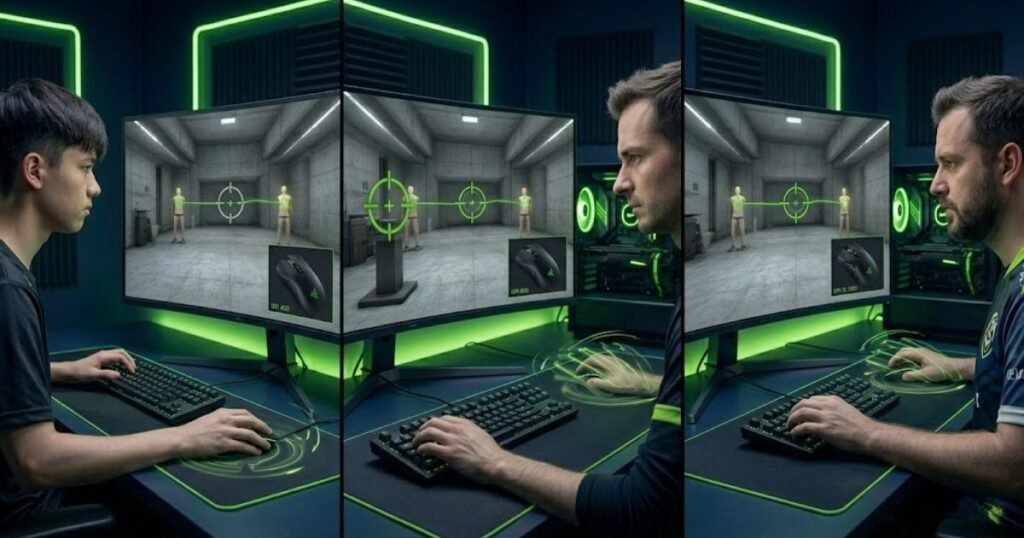
eDPI provides a more complete measurement because it combines DPI and in-game sensitivity into a single value. This makes sensitivity comparisons much more meaningful.
Why Two Players Can Use Different DPI Values And Similar Sensitivity
Two players can use different DPI values and similar sensitivity because in-game sensitivity can compensate for DPI differences. This relationship helps explain why DPI alone is not enough for meaningful comparisons.
A player using 800 DPI with a higher sensitivity can achieve a similar overall feel to a player using 1600 DPI with a lower sensitivity. Although the individual settings differ, the final responsiveness may be nearly identical.
This is one reason why direct DPI comparisons often create confusion. The number itself provides only part of the story. Players who want a more accurate comparison method should understand what eDPI is and how it combines DPI with in-game sensitivity.
Understanding the complete sensitivity setup gives players a much clearer perspective on actual aim behavior.
Comparing DPI without eDPI is similar to comparing only one ingredient in a recipe while ignoring everything else.
How eDPI Helps Standardize Sensitivity Comparisons
eDPI helps standardize sensitivity comparisons because it combines multiple variables into a single measurement. This helps players evaluate settings more consistently across different games and configurations.
Instead of comparing DPI values alone, players can compare overall sensitivity using eDPI. This makes it easier to understand whether two setups are actually similar or completely different. Players who want to verify their own settings can learn how to calculate eDPI using their current DPI and in-game sensitivity values.
Because eDPI reflects total sensitivity, it provides a more practical reference point when discussing aiming preferences with other players.
For beginners, eDPI often simplifies sensitivity discussions by reducing the number of variables that need to be compared.
Using eDPI creates more meaningful conversations than comparing DPI values in isolation.
Why Competitive Players Often Discuss eDPI Instead Of DPI
Competitive players often discuss eDPI instead of DPI because eDPI provides a more accurate picture of actual in-game sensitivity. This makes performance comparisons more useful and easier to understand.
The table below compares different DPI and sensitivity combinations that produce the same eDPI:
| DPI | In-Game Sensitivity | eDPI |
|---|---|---|
| 400 | 0.80 | 320 |
| 800 | 0.40 | 320 |
| 1600 | 0.20 | 320 |
Table takeaway: eDPI is often a more meaningful comparison tool than DPI because it reflects actual sensitivity rather than a single component.
Beginners who want to understand the concept in more detail can learn exactly what eDPI means and why it has become a standard sensitivity reference in competitive FPS communities.
The conclusion is clear. Comparing sensitivity through eDPI provides a more accurate picture than comparing DPI values alone.
Why Chasing The Highest DPI Number Is A Mistake When Choosing A Gaming Mouse
Chasing the highest DPI number is a mistake when choosing a gaming mouse because maximum DPI specifications rarely reflect real-world FPS performance. Understanding the difference between marketing numbers and practical usability helps beginners make smarter buying decisions.
Many gaming mice advertise extremely high DPI values because large numbers attract attention. While these specifications may demonstrate technical capability, they often have little connection to the settings most players actually use during competitive gameplay.
As a result, beginners sometimes choose a mouse based primarily on maximum DPI rather than focusing on factors that have a greater impact on aiming consistency.
Why Manufacturers Advertise Extremely High DPI Specifications
Manufacturers advertise extremely high DPI specifications because large numbers are easy to compare and market. This helps products stand out even when those numbers may not represent practical gaming performance.
Most consumers understand numerical comparisons immediately. A mouse advertised with 30000 DPI appears more advanced than one advertised with 16000 DPI, even though both may perform similarly during normal FPS gameplay.
This marketing approach is not necessarily misleading, but it can encourage beginners to focus on the wrong specification when evaluating a gaming mouse.
Technical capability and practical usability are not always the same thing. Understanding that distinction helps players make more informed decisions.
The highest advertised number is often less important than overall sensor performance and user control.
What Makes Maximum DPI Different From Usable DPI
Maximum DPI and usable DPI represent different concepts because a mouse can technically support settings that are impractical for competitive gameplay. Understanding this difference helps beginners avoid unrealistic expectations.
Maximum DPI refers to the highest sensitivity setting supported by the sensor. Usable DPI refers to the range that players can comfortably control during actual gameplay.
For many FPS players, usable DPI falls within a much lower range than the sensor’s maximum capability. This allows better precision, smoother adjustments, and more predictable movement.
The fact that a mouse supports extreme DPI values does not mean those values are ideal for aiming performance.
Usable control is usually a more meaningful metric than maximum sensitivity. Understanding the difference between highest DPI and usable DPI helps players focus on real gameplay performance instead of marketing specifications.
What Mouse Specifications Matter More Than Maximum DPI
Several mouse specifications matter more than maximum DPI because they directly influence how consistently the mouse performs during gameplay. Focusing on these factors helps beginners evaluate gaming mice more effectively.
The table below compares maximum DPI with other gaming mouse characteristics that often have a greater impact on FPS performance:
| Specification | Why It Matters | Practical FPS Impact |
|---|---|---|
| Sensor Quality | Determines tracking reliability | Directly affects aim consistency |
| Mouse Shape | Influences grip comfort | Improves long-term control |
| Mouse Weight | Affects movement feel | Changes stopping and flick control |
| Click Latency | Affects response timing | Improves responsiveness |
| Maximum DPI | Defines upper sensitivity limit | Often less important than expected |
Table takeaway: Sensor quality, shape, weight, and responsiveness usually contribute more to FPS performance than extremely high DPI specifications.
Players who want a deeper explanation of this distinction can explore highest DPI vs usable DPI to understand why practical sensitivity ranges matter more than marketing numbers.
The conclusion is straightforward. Choosing a gaming mouse based solely on maximum DPI often overlooks the factors that actually improve aiming performance.
How To Identify Signs That Your Current DPI Setting Is Not Working Well
Several common signs indicate that a DPI setting may not be working well. Recognizing these symptoms helps beginners identify setup issues before making unnecessary hardware changes.
Many players assume poor aim automatically means a lack of skill. While skill development is always important, certain recurring patterns can indicate that sensitivity settings may be contributing to the problem.
Identifying those patterns makes it easier to determine whether adjustments are actually needed.
Why You Frequently Overshoot Targets During Flick Shots
Frequently overshooting targets during flick shots can indicate that overall sensitivity is too difficult to control consistently. This symptom helps beginners recognize when crosshair movement may be excessive.
Overshooting occurs when the crosshair repeatedly travels beyond the intended target. The player then needs additional corrections to recover, which slows reaction time and reduces accuracy.
Occasional overshooting is normal, but a persistent pattern often suggests that sensitivity may be working against the player rather than supporting them.
Evaluating long-term patterns is more useful than focusing on isolated mistakes.
Repeated overshooting often serves as one of the clearest signs that sensitivity adjustments may be necessary.
Why Tracking Moving Targets Feels Inconsistent
Tracking moving targets can feel inconsistent when crosshair movement becomes difficult to predict. This symptom helps reveal situations where sensitivity settings may be reducing control.
Good tracking requires smooth movement and stable corrections. When sensitivity feels difficult to manage, maintaining consistent contact with a moving target becomes more challenging.
Players often describe this issue as feeling either too fast or too twitchy. While several factors can contribute to tracking inconsistency, sensitivity settings are frequently part of the equation.
Consistent tracking depends on control rather than speed alone.
Recognizing this symptom helps players evaluate their setup more objectively.
Why Your Aim Feels Different Every Time You Play
Aim that feels different every time you play can indicate a lack of consistency within the overall sensitivity setup. Recognizing this symptom helps beginners identify recurring stability issues.
The factors below explain common warning signs that a DPI-related issue may exist:
- Frequent overshooting: The crosshair regularly travels beyond intended targets.
- Overcorrection: Multiple corrections are needed after initial movements.
- Unstable tracking: Following moving targets feels inconsistent.
- Constant sensitivity changes: Settings are adjusted frequently without long-term testing.
- Inconsistent confidence: Aim feels different from session to session.
These symptoms do not automatically mean DPI is wrong, but they can indicate that the overall sensitivity setup deserves closer evaluation.
The table below summarizes common symptoms and their possible causes:
| Symptom | Possible Cause |
|---|---|
| Frequent overshooting | Excessive overall sensitivity |
| Difficulty tracking targets | Reduced movement control |
| Constant setup frustration | Frequent setting changes |
| Inconsistent aim performance | Lack of sensitivity stability |
Table takeaway: Consistent patterns are more valuable than isolated mistakes when evaluating DPI-related problems.
The goal is not to react to every missed shot. The goal is to identify recurring trends that reveal genuine setup issues.
A Step-By-Step Process Beginners Can Use To Fix Common DPI Mistakes
A structured testing process helps beginners fix DPI mistakes more effectively because decisions are based on observation rather than frustration. Following a consistent process helps create more reliable results.
Random adjustments often create confusion because it becomes difficult to identify which changes improved performance. A structured approach reduces that uncertainty.
The objective is to build a setup that remains stable long enough for meaningful evaluation.
How To Establish A Stable DPI Starting Point
Establishing a stable DPI starting point helps beginners create a consistent foundation for future adjustments. A stable baseline makes sensitivity testing much easier.
Rather than searching endlessly for the perfect number, players should begin with a practical DPI range and focus on learning how the setup feels during real gameplay.
A consistent baseline allows future changes to be evaluated more accurately.
Without a stable starting point, every adjustment becomes harder to measure objectively.
The first goal is consistency rather than perfection.
How To Fine Tune Sensitivity Without Constantly Changing DPI
Fine tuning sensitivity without constantly changing DPI helps players make controlled adjustments while maintaining consistency. This approach reduces unnecessary variables during testing.
Once a reasonable DPI setting has been selected, smaller adjustments can usually be made through in-game sensitivity rather than repeated DPI changes.
This method keeps the overall setup more stable and makes performance comparisons easier.
Reducing unnecessary variables improves the quality of sensitivity testing.
Small changes are generally easier to evaluate than large adjustments.
How To Evaluate Whether Your New Settings Are Actually Better
Evaluating whether new settings are actually better requires structured testing rather than emotional reactions. This helps players make evidence-based decisions instead of chasing temporary feelings.
The following process can help beginners evaluate new sensitivity settings more effectively:
- Select a reasonable baseline: Choose a practical DPI setting and avoid immediate changes.
- Practice consistently: Use the same settings across multiple sessions.
- Observe recurring patterns: Look for repeated strengths and weaknesses.
- Make small adjustments: Avoid large sensitivity jumps.
- Reevaluate performance: Compare long-term consistency instead of isolated matches.
Following a structured process produces more reliable conclusions than reacting to individual games or temporary frustration.
Players who want a more precise way to compare total sensitivity can learn how to calculate eDPI correctly when evaluating future sensitivity adjustments.
The conclusion is simple. Consistent testing produces better sensitivity decisions than constant experimentation.
Recommended DPI Starting Points For New FPS Players Based On Game Type
Recommended DPI starting points help new FPS players build a stable foundation because reasonable settings are easier to control and evaluate. Starting with practical DPI ranges helps beginners focus on aim development instead of constantly searching for new settings.
There is no universal DPI setting that works for every player. Individual preferences, desk space, mouse pad size, and movement style all influence what feels comfortable. However, certain DPI ranges are commonly used because they provide a balance between responsiveness and control.
For beginners, the goal is not finding a perfect DPI immediately. The goal is choosing a stable starting point that allows consistent practice and gradual improvement.
Recommended DPI Settings For Valorant Players
Recommended DPI settings for Valorant players are typically moderate because tactical shooters reward precision and controlled crosshair placement. These characteristics help players make accurate adjustments during slower engagements.
Many Valorant players prefer settings that allow precise stopping power and reliable micro corrections. Lower overall sensitivity often makes it easier to maintain consistent head-level crosshair placement.
Because Valorant emphasizes precision over movement speed, beginners usually benefit from starting with conservative sensitivity levels before making adjustments.
A stable and controllable setup often contributes more to long-term improvement than an aggressively fast sensitivity.
The most important factor is choosing a setting that remains comfortable across many practice sessions.
Recommended DPI Settings For Counter-Strike Players
Recommended DPI settings for Counter-Strike players are often similar to those used in other tactical shooters because accurate first-shot placement remains a priority. Consistency helps players perform more reliably during high-pressure situations.
Counter-Strike rewards disciplined crosshair control, clean positioning, and repeatable aiming mechanics. As a result, many players prefer sensitivity levels that provide predictable movement rather than maximum speed.
Beginners should focus on learning movement control before worrying about small sensitivity differences. Stable settings allow better evaluation of real aiming progress.
Consistency across practice sessions is usually more valuable than searching for an ideal numerical value.
The objective is creating an environment where aim development can occur naturally.
Recommended DPI Settings For Apex Legends Players
Recommended DPI settings for Apex Legends players may vary more because the game involves faster movement, longer tracking sequences, and greater emphasis on continuous target following. This creates different sensitivity preferences compared to tactical shooters.
Some players prefer slightly faster setups to accommodate rapid movement and dynamic engagements. Others maintain moderate sensitivity levels to preserve precision during long-range fights.
The table below summarizes common starting points for different FPS game types:
| Game Type | Typical DPI Range | Primary Goal |
|---|---|---|
| Valorant | 800 to 1600 DPI | Precision and crosshair control |
| Counter-Strike | 800 to 1600 DPI | Consistent first-shot accuracy |
| Apex Legends | 800 to 1600 DPI | Balanced tracking and mobility |
Table takeaway: Stable and controllable DPI settings are usually more valuable than extreme sensitivity values regardless of the FPS title being played.
Players who are still uncertain about their overall setup should remember that consistency matters more than copying specific numbers from other players.
Frequently Asked Questions About DPI Mistakes Beginners Make
DPI mistakes can affect aiming performance in different ways, which is why many beginners still have questions after adjusting their settings. The answers below address common concerns about DPI, sensitivity, eDPI, and how to build more consistent aim in FPS games.
What Is The Most Common DPI Mistake Beginners Make In FPS Games?
The most common DPI mistake beginners make is believing that higher DPI automatically improves aim accuracy. DPI affects movement speed, but consistent aim comes from controllable sensitivity and repeatable hand movements.
Does Increasing DPI Automatically Improve Aim Accuracy In FPS Games?
Increasing DPI does not automatically improve aim accuracy because DPI only changes how movement is translated on screen. Accuracy depends on how consistently a player can control their crosshair during real gameplay.
Why Do Many Beginners Struggle With Extremely High DPI Settings?
Many beginners struggle with extremely high DPI settings because small hand movements create larger crosshair movements. This often makes flicks, tracking, and micro adjustments harder to control consistently.
How Often Should Beginners Change Their DPI Settings?
Beginners should avoid changing DPI frequently because consistent settings help build muscle memory. Most players benefit from testing the same setup across multiple sessions before making adjustments.
Should You Copy A Professional Player’s DPI Configuration?
Copying a professional player’s DPI configuration is usually not the best approach because professional setups are based on personal preferences, experience, equipment, and playstyle. Understanding the reasoning behind a setup is more valuable than copying exact numbers.
What Is The Difference Between DPI And In-Game Sensitivity?
DPI controls how mouse movement is translated by the operating system, while in-game sensitivity controls how that movement is multiplied inside the game. Both settings work together to determine overall responsiveness.
Why Is eDPI More Useful Than DPI Alone When Comparing Settings?
eDPI is more useful than DPI alone because it combines DPI and in-game sensitivity into a single value. This makes sensitivity comparisons more accurate across different player configurations.
What DPI Range Is Most Commonly Used In FPS Games Today?
Most FPS players use moderate DPI ranges such as 800 or 1600 DPI because these settings provide a practical balance between responsiveness and control when paired with appropriate sensitivity values.
How Can You Tell If Your DPI Setting Is Too High?
Your DPI setting may be too high if you frequently overshoot targets, struggle with precise adjustments, or feel like the crosshair moves farther than intended during normal aiming movements.
How Can You Tell If Your DPI Setting Is Too Low?
Your DPI setting may be too low if turning feels difficult, large movements require excessive mouse travel, or you constantly feel restricted when trying to react quickly to targets.
What DPI Should A Beginner Use As A Starting Point?
Most beginners can start with 800 DPI or 1600 DPI because these settings are widely used and provide a reliable foundation for sensitivity testing and aim development.
Can Changing DPI Instantly Improve Aim Performance?
Changing DPI can alter how aiming feels, but it rarely produces immediate long-term improvement. Better aim usually comes from consistent practice and allowing enough time to adapt to a stable setup.
Understanding these common questions helps beginners make better sensitivity decisions and avoid repeating the same DPI mistakes that slow aim improvement. Rather than searching for a perfect number, players should focus on building a setup that feels comfortable, controllable, and consistent over time.
When DPI, sensitivity, and practice habits work together, aim development becomes much easier to measure and improve. The most effective setup is not necessarily the fastest or the highest DPI setting, but the one that allows repeatable performance every time you play.
Final Thoughts On The DPI Mistakes Beginners Should Avoid
Avoiding common DPI mistakes helps beginners improve aim consistency faster because stable settings allow meaningful skill development. Understanding how DPI fits into a complete sensitivity setup prevents unnecessary frustration and constant experimentation.
Many players spend months chasing new settings when the real solution is consistency. Changing DPI repeatedly, copying professional configurations without context, and focusing on marketing numbers often create more problems than benefits.
Successful aim development comes from building repeatable movement patterns, evaluating settings objectively, and giving the body enough time to adapt. The goal is not finding a magical DPI value. The goal is creating a setup that remains comfortable and controllable over time.
Remember that DPI is only one component of a larger aiming system. Long-term improvement comes from consistency, practice, and informed decision-making rather than constant sensitivity changes.
For players who want to continue improving their overall setup beyond DPI alone, exploring a complete guide to choosing a gaming mouse for FPS games can provide additional insight into the factors that influence aiming performance.
Players who are considering new hardware can also compare some of the best FPS gaming mice in 2026 to understand how shape, weight, and sensor quality contribute to overall contro
Thank you for reading. We hope this guide helps you avoid common DPI mistakes, build more consistent aim, and make better sensitivity decisions in your FPS games.