
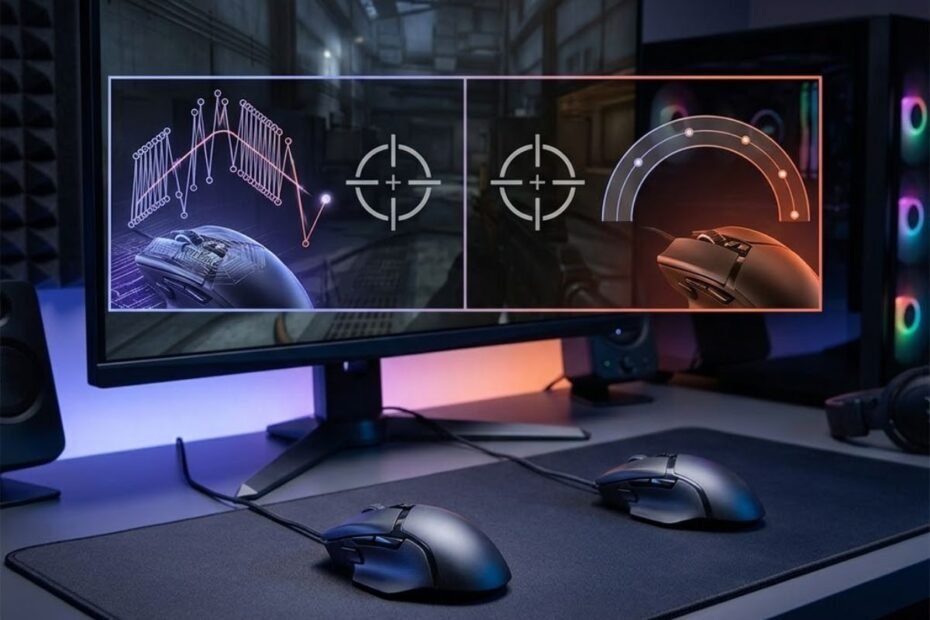
Many gaming mice now advertise maximum DPI ratings above 30,000, 35,000, or even 40,000 DPI. These numbers often appear as major selling points, leading many buyers to assume that a higher DPI rating automatically means a better gaming mouse.
Highest DPI is the maximum sensitivity a mouse sensor can achieve and helps define the sensor’s technical limits, while usable DPI is the practical sensitivity range that helps players maintain accurate and consistent aim during real gameplay. Understanding this difference is important because most FPS players never use the extremely high DPI values promoted in marketing materials.
In reality, professional players in games such as Valorant and Counter-Strike 2 typically use DPI settings between 400 and 1600. This creates an obvious question: if modern sensors can reach 30,000 DPI or more, why do experienced players continue using settings that are only a small fraction of that range?
This guide explains the difference between highest DPI and usable DPI, why gaming mouse manufacturers continue increasing DPI specifications, and which measurement actually matters when choosing a gaming mouse for competitive FPS games.
Highest DPI vs Usable DPI: What Do These Terms Actually Mean?
Highest DPI is the maximum tracking sensitivity a sensor can achieve and helps define its technical limits, while usable DPI is the practical sensitivity range that helps players maintain accurate and consistent aim during gameplay.
Although both measurements use the term DPI, they describe different aspects of mouse performance. Maximum DPI focuses on the sensor’s upper capability, while usable DPI focuses on the player’s ability to control movement effectively. If you are completely new to sensitivity settings, it helps to first understand what DPI means in a gaming mouse before comparing maximum and practical DPI values.
The visual example below illustrates how maximum DPI and practical DPI represent two very different concepts in gaming performance:
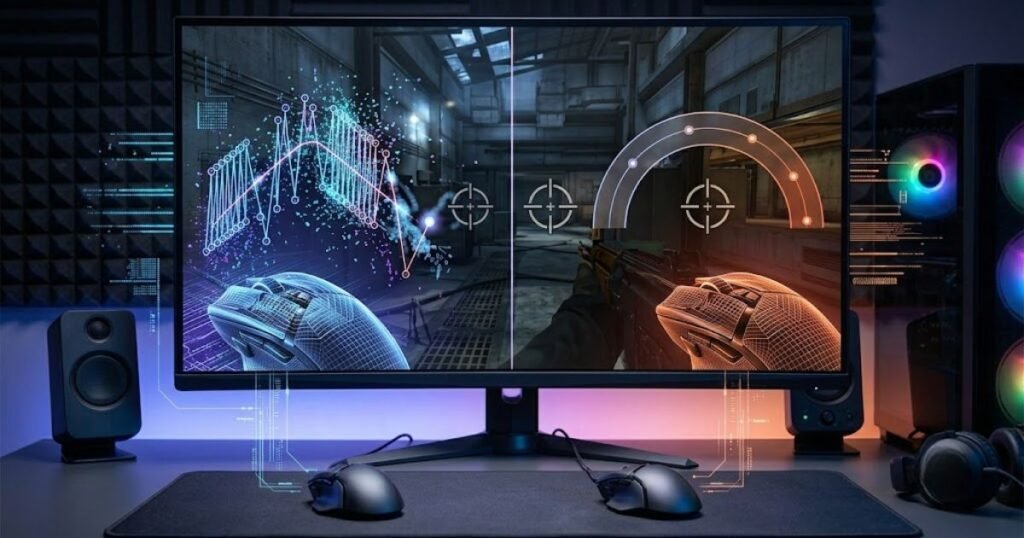
Understanding the distinction prevents buyers from assuming that a larger DPI number automatically translates into better gaming performance. In most cases, practical control matters far more than theoretical sensitivity limits.
What Is Highest DPI on a Gaming Mouse?
Highest DPI is the maximum sensitivity value a gaming mouse sensor can achieve and helps demonstrate the upper tracking limit of the hardware.
DPI stands for dots per inch and describes how far the cursor moves relative to physical mouse movement. When manufacturers advertise a sensor capable of 30,000 DPI, 35,000 DPI, or 44,000 DPI, they are referring to the highest sensitivity setting supported by that sensor.
At extremely high DPI values, even the smallest physical movement can produce significant cursor movement on screen. While this demonstrates the sensor’s capability, it does not necessarily indicate that such settings are useful for actual gameplay.
Modern gaming mouse manufacturers often compete by increasing maximum DPI specifications because higher numbers are easy to market and compare across products.
Highest DPI should therefore be viewed as a technical specification rather than a recommendation for real-world gaming use.
What Makes a DPI Setting Usable for FPS Gaming?
Usable DPI is the sensitivity range that remains comfortable, controllable, and practical for a player and helps maintain consistent performance during gameplay.
Unlike maximum DPI ratings, usable DPI depends on human control rather than sensor limitations. A setting becomes usable when a player can move accurately, make reliable micro-adjustments, and repeat movements consistently across many matches.
For most FPS players, this practical range typically falls between 400 and 1600 DPI. Within this range, players can balance precision and speed without making the cursor feel overly sensitive.
Usable DPI varies between individuals because factors such as hand movement habits, sensitivity preferences, mousepad size, and game type all influence what feels comfortable.
The most effective DPI setting is therefore not the highest one available but the one that supports consistent aiming performance.
Why Highest DPI and Usable DPI Are Different Measurements
Highest DPI and usable DPI are different measurements because one represents hardware capability and helps define sensor limits, while the other represents practical performance and helps players maintain control.
A useful comparison is the speedometer in a sports car. A vehicle may be capable of reaching extremely high speeds, but most daily driving happens far below those limits. The maximum value exists, but it is rarely used in practice.
The same principle applies to gaming mice. A sensor may support 35,000 DPI, but that does not mean a player can effectively aim at that sensitivity level during competitive gameplay.
Many gamers first learn about mouse sensitivity through DPI specifications. For a deeper explanation of how gaming mouse DPI works and how it affects cursor movement, understanding the fundamentals of DPI can provide useful context before comparing maximum and practical sensitivity ranges.
Recognizing the difference between capability and usability helps players evaluate mouse specifications more realistically.
Highest DPI and usable DPI may share the same unit of measurement, but they serve completely different purposes when evaluating gaming performance.
Why Gaming Mouse Brands Advertise Extremely High DPI Numbers
Extremely high DPI ratings are marketing-focused specifications and help gaming mouse brands differentiate products, even though most players never use those values.
Gaming mouse specifications have evolved significantly over the past decade. As sensor technology improved, manufacturers began competing not only on tracking quality but also on increasingly impressive numerical specifications.
Maximum DPI became one of the easiest numbers to advertise because it is simple to understand and easy for consumers to compare. Unfortunately, this simplicity often creates misconceptions about what actually improves gaming performance.
Why Bigger Numbers Attract Buyers
Bigger DPI numbers attract buyers because they help create the impression of superior performance and more advanced technology.
Consumers naturally compare products using specifications. When one gaming mouse advertises 20,000 DPI and another advertises 40,000 DPI, many buyers assume the second option must be significantly better.
This assumption is understandable because larger numbers often suggest greater capability. However, the relationship between maximum DPI and real-world gaming performance is far weaker than many people expect.
As a result, manufacturers frequently emphasize maximum DPI because it creates a simple and compelling marketing message.
Larger specifications may attract attention, but they do not necessarily provide meaningful advantages during gameplay.
The DPI Specification Race Among Gaming Mouse Brands
The DPI specification race exists because manufacturers continuously increase sensor ratings and help position new products as technological upgrades.
When one brand introduces a higher maximum DPI rating, competing brands often respond with even larger numbers in future releases. Over time, this creates an industry-wide trend toward increasingly extreme specifications.
Years ago, sensors capable of 3,200 DPI or 6,400 DPI were considered impressive. Today, many flagship gaming mice advertise values exceeding 30,000 DPI.
The increase does not necessarily reflect changing player needs. Instead, it often reflects competitive marketing and ongoing sensor development.
The result is a marketplace where maximum DPI values continue growing even though practical usage remains relatively stable.
Does a Higher Advertised DPI Mean a Better Mouse?
A higher advertised DPI does not automatically mean a better mouse and helps reveal why sensor quality is more important than maximum sensitivity ratings.
Tracking consistency, latency performance, motion accuracy, click responsiveness, shape, and weight all have a greater impact on FPS gaming performance than maximum DPI specifications.
Two gaming mice may advertise similar DPI ratings while delivering very different real-world experiences. Likewise, a mouse with a lower maximum DPI rating can still outperform another model if its sensor implementation and overall design are superior.
Many players also confuse DPI with other sensitivity-related concepts. Understanding the relationship between DPI vs sensitivity can help clarify why cursor responsiveness is influenced by more than a single specification.
Evaluating a gaming mouse requires looking beyond maximum DPI numbers and considering the complete performance package.
The factors below explain why manufacturers continue increasing DPI ratings:
- Marketing Advantage: Larger numbers are easy to promote and compare.
- Product Differentiation: Higher specifications help products stand out in crowded markets.
- Consumer Psychology: Buyers often associate larger numbers with better performance.
- Competitive Pressure: Brands respond to rival specifications with even higher ratings.
These factors show that maximum DPI values often serve a marketing purpose rather than addressing a practical gameplay need.
Understanding why manufacturers advertise extremely high DPI numbers helps buyers focus on the specifications that truly affect gaming performance.
How Modern Gaming Mouse Sensors Reach 30,000 DPI and Beyond
Modern gaming mouse sensors reach extremely high DPI values through advanced image processing and help detect smaller physical movements with greater sensitivity than older sensor generations.
Modern flagship gaming mice often advertise maximum DPI ratings between 30,000 and 44,000 DPI. While these numbers may seem excessive for FPS gaming, they are the result of significant improvements in sensor technology over the past decade.
Today’s sensors can capture more surface detail, process movement data faster, and maintain accurate tracking at sensitivity levels that were previously impossible. Understanding how these sensors work helps explain why manufacturers continue pushing maximum DPI limits higher even though most players never use them.
How Do Optical Gaming Mouse Sensors Track Movement?
Optical gaming mouse sensors track movement by capturing thousands of surface images every second and help calculate direction, distance, and speed with high precision.
Inside every modern gaming mouse is a tiny camera that continuously photographs the surface beneath the sensor. These images are analyzed in real time to determine how the mouse is moving.
When the mouse shifts position, the sensor compares consecutive images and measures the difference between them. This process allows the mouse to translate physical movement into cursor movement on the screen.
Higher-end sensors can capture more image data per second, improving their ability to maintain accurate tracking across different movement speeds and surface conditions.
This image-based tracking system forms the foundation of every modern optical gaming mouse sensor.
What Changes Inside the Sensor at Higher DPI Levels?
Higher DPI levels require sensors to detect smaller physical movements and help increase cursor sensitivity without requiring larger hand movements.
As DPI increases, the sensor divides physical movement into smaller measurement increments. This means even tiny mouse movements can generate noticeable cursor movement on screen.
To achieve these higher sensitivity levels, modern sensors rely on more advanced processing algorithms and increasingly detailed image analysis. Improved sensor hardware allows manufacturers to extend DPI limits far beyond what was possible in previous generations.
However, increasing DPI capability does not automatically improve gameplay performance. A sensor’s ability to support 30,000 DPI is different from a player’s ability to control that level of sensitivity effectively.
Higher DPI ratings demonstrate technical capability, but practical usability depends on the person using the mouse.
Are Maximum DPI Ratings Tested Under Real Gaming Conditions?
Maximum DPI ratings are typically measured under controlled testing conditions and help demonstrate sensor capability rather than real-world gaming performance.
Manufacturers validate maximum DPI performance in laboratory environments where variables such as surface consistency, tracking speed, and environmental interference can be carefully controlled.
These tests confirm that the sensor can technically operate at the advertised DPI level. However, they do not guarantee that the setting will be comfortable, practical, or beneficial during actual gameplay.
Most competitive FPS scenarios involve rapid target switching, micro-adjustments, recoil control, and precise tracking. In these situations, excessive sensitivity often creates more challenges than advantages.
Maximum DPI ratings therefore function primarily as a measure of sensor capability rather than a recommendation for competitive gaming use.
Understanding how sensors achieve extremely high DPI values helps separate genuine technological improvements from marketing-focused specifications.
What DPI Range Is Actually Usable for Most FPS Players?
The usable DPI range for most FPS players is typically between 400 and 1600 DPI and helps balance precision, control, and consistent aiming performance during gameplay.
Although modern sensors support extremely high sensitivity levels, most competitive players stay within a relatively narrow DPI range. This range provides enough responsiveness for fast target acquisition while still maintaining reliable control for micro-adjustments.
The goal is not to maximize sensitivity but to find a setting that allows repeatable and predictable aiming. For this reason, practical DPI values have remained remarkably stable even as sensor technology continues to advance.
The table below shows the most common usable DPI ranges in FPS gaming:
| DPI Range | Typical Usage | Common Users |
|---|---|---|
| 400 | Maximum control | Traditional FPS players |
| 800 | Balanced sensitivity | Most FPS players |
| 1600 | Modern competitive setups | Many professional players |
| 3200+ | Specialized use cases | Niche users |
The table shows that practical gaming DPI values remain far below the maximum ratings advertised by modern gaming mice.
Why Does 400 DPI Remain Popular Among FPS Players?
400 DPI remains popular because it helps provide exceptional control and allows players to make highly precise aiming adjustments.
For many years, 400 DPI served as the competitive standard in games such as Counter-Strike. Players became accustomed to the level of precision it offered, and many continue using it today.
Lower DPI settings can make crosshair movement feel more deliberate, which some players prefer when focusing on accuracy and consistency.
Although newer DPI options are available, 400 DPI remains a viable choice for players who prioritize maximum control over responsiveness.
Its continued popularity demonstrates that practical performance matters more than technological extremes.
Why Has 800 DPI Become the Most Common FPS Setting?
800 DPI has become the most common FPS setting because it helps balance precision, responsiveness, and overall comfort for a wide range of players.
Compared to 400 DPI, 800 DPI allows players to navigate menus, desktops, and games more comfortably without sacrificing aiming accuracy.
Many professional players use 800 DPI because it provides a versatile middle ground between low and high sensitivity approaches. It works well across multiple FPS titles and adapts easily to different sensitivity preferences.
Professional sensitivity choices often surprise newer players. Understanding why professional players use 800 DPI can provide additional insight into how consistency and control influence competitive settings.
Its balance of speed and precision has helped make 800 DPI the most widely adopted setting in modern FPS gaming.
Why Are Some Players Switching to 1600 DPI?
Some players are switching to 1600 DPI because it helps reduce input granularity and can provide smoother cursor movement while maintaining similar effective sensitivity.
Modern game engines and operating systems handle higher DPI values more effectively than older software. As a result, some players choose 1600 DPI while lowering their in-game sensitivity to maintain the same overall aiming speed.
This approach can improve cursor responsiveness during desktop use and may offer subtle technical benefits depending on the hardware and software environment. Even when players move from 800 DPI to 1600 DPI, many maintain nearly identical aiming speed by adjusting their eDPI settings.
However, the difference is often much smaller than many marketing claims suggest. Most players can perform equally well using either 800 DPI or 1600 DPI when their overall sensitivity remains consistent.
The growing popularity of 1600 DPI reflects changing preferences rather than a universal upgrade over lower settings.
Understanding the practical DPI ranges used by FPS players helps demonstrate why usability remains far more important than maximum sensor specifications.
Many discussions about sensitivity eventually lead to broader questions about effective sensitivity calculations. Learning how eDPI works can help explain why players using different DPI settings can still achieve nearly identical aiming speeds.
Highest DPI vs Usable DPI Comparison Table
Highest DPI and usable DPI measure different aspects of mouse performance and help explain why practical gameplay matters more than maximum specifications.
Because both values use the term DPI, many players mistakenly assume they represent the same thing. Comparing them directly makes it easier to understand their roles and why only one has a significant impact on gameplay.
The table below compares highest DPI and usable DPI across key FPS gaming factors:
| Factor | Highest DPI | Usable DPI |
|---|---|---|
| Purpose | Sensor limit | Real gameplay performance |
| Importance | Technical specification | Practical setting |
| FPS Impact | Low | High |
| Control | Not guaranteed | Critical |
| Marketing Value | High | Low |
| Buying Value | Secondary | Primary |
The comparison highlights that maximum DPI primarily reflects hardware capability, while usable DPI directly affects gameplay experience.
Recognizing this distinction helps players evaluate gaming mouse specifications more realistically and avoid focusing on numbers that rarely influence competitive performance.
Why Professional FPS Players Rarely Use Maximum DPI
Professional FPS players rarely use maximum DPI settings and help maintain better precision by choosing sensitivity levels that are easier to control during competitive gameplay.
Many gamers assume that professional players use the highest DPI available because they have access to premium equipment. In reality, the opposite is usually true. Most professional FPS players deliberately avoid extremely high DPI values because they prioritize consistency over raw sensitivity.
The goal of a competitive player is not to move the cursor as far as possible with minimal hand movement. The goal is to repeat precise movements thousands of times under pressure. This requirement makes control far more valuable than maximum sensitivity. This preference for controlled sensitivity is one reason 800 DPI remains the most common professional DPI setting across many FPS games.
The image below reflects the moderate DPI settings commonly preferred by professional FPS players:

As a result, professional settings often remain within a narrow range despite enormous advances in sensor technology.
The table below shows common DPI settings used by professional FPS players:
| Game | Common DPI |
|---|---|
| Valorant | 800 |
| Counter-Strike 2 | 400–800 |
| Apex Legends | 800–1600 |
The table demonstrates that professional players generally stay far below the maximum DPI capabilities of modern gaming mice.
Why Do Professional Players Prioritize Consistency Over Maximum Sensitivity?
Professional players prioritize consistency over maximum sensitivity because repeatable aim helps produce reliable results during competitive matches.
Competitive FPS games reward precision rather than speed alone. Players constantly perform tasks such as crosshair placement, recoil control, target tracking, and micro-adjustments. These actions must remain consistent across hundreds of rounds and thousands of engagements.
Extremely high DPI settings can make movement feel unpredictable because small physical motions create larger cursor movements. While this may appear faster, it often reduces precision during critical moments.
Consistency allows players to trust their muscle memory. This trust becomes one of the most valuable advantages in high-level competition.
For professional players, predictable performance almost always outweighs theoretical sensitivity benefits.
How Does Lower DPI Support Better Muscle Memory?
Lower and moderate DPI settings support better muscle memory and help players reproduce aiming movements more consistently over time.
Muscle memory develops through repetition. Every time a player performs a flick shot, tracks a moving target, or clears an angle, the brain learns the relationship between physical movement and screen movement.
If sensitivity becomes excessively high, tiny variations in hand movement can create larger differences on screen. This makes the learning process less stable and can reduce aiming consistency.
Moderate DPI values help create a predictable relationship between movement and response. This allows players to build stronger habits and improve accuracy over long practice periods.
Reliable muscle memory is one of the main reasons professional players avoid chasing maximum sensitivity settings.
Why Can Extremely High DPI Create More Problems Than Benefits?
Extremely high DPI settings can create control challenges and help explain why professional players rarely use maximum sensor sensitivity.
At very high DPI levels, small involuntary hand movements become more noticeable on screen. This can make crosshair placement less stable and increase the likelihood of overcorrections during aiming.
High sensitivity can also make it harder to perform precise adjustments when tracking distant targets or holding narrow angles. In many FPS games, these situations occur constantly.
Many discussions about DPI become confusing because players often compare DPI values without considering their overall effective sensitivity. Understanding the difference between DPI and eDPI helps explain why two players using different DPI settings can still achieve nearly identical aiming speeds.
Professional players generally prefer settings that minimize unnecessary complexity and maximize control.
The behavior of professional players provides strong evidence that practical usability is more important than maximum sensor capability.
When evaluating gaming mice, observing what experienced competitors actually use can be more valuable than focusing on marketing specifications.
Can Extremely High DPI Reduce Aim Control?
Extremely high DPI settings can reduce aim control and help make precise movements more difficult to manage consistently during FPS gameplay.
While high DPI values increase sensitivity, they do not automatically improve aiming performance. In many cases, excessive sensitivity creates new challenges that outweigh any potential benefits. DPI is only one part of responsiveness, and many competitive players also consider polling rate and input latency when optimizing their gaming setup.
Competitive aiming relies on precise movement, accurate tracking, and controlled adjustments. Extremely high DPI settings can interfere with these requirements by amplifying every physical movement.
The factors below explain why extremely high DPI can negatively affect aiming control:
- Oversensitivity: Small physical movements produce larger cursor movements.
- Reduced Precision: Fine aiming adjustments become more difficult.
- Inconsistent Tracking: Crosshair movement may feel less predictable.
- Overcorrections: Players are more likely to move beyond their intended target.
These factors illustrate why excessive sensitivity can create control issues even when the sensor itself remains highly accurate.
Why Do Small Hand Movements Become Harder to Control?
Small hand movements become harder to control at extremely high DPI settings and help increase the risk of unintended cursor movement.
No human hand remains perfectly still. Small adjustments, natural tremors, and unconscious movements occur constantly during gameplay.
At moderate DPI values, these tiny motions have limited impact on cursor positioning. At extremely high DPI levels, however, the same physical movement can translate into a much larger change on screen.
This amplification reduces stability and can make aiming feel more sensitive than intended.
Greater sensitivity often increases movement speed, but it does not necessarily improve control.
Why Do Micro Adjustments Become Less Predictable?
Micro adjustments become less predictable at very high DPI settings and help make precision aiming more difficult during competitive play.
Micro adjustments are small aiming corrections used to refine crosshair placement. These corrections are essential when tracking opponents, correcting flick shots, or controlling recoil.
When sensitivity becomes excessively high, tiny physical movements can produce larger-than-expected results. This increases the chance of overshooting a target and needing additional corrections.
Repeated overcorrections can disrupt aiming rhythm and reduce overall consistency.
Predictable micro adjustments are one of the main reasons most competitive players avoid maximum DPI settings.
How Can High DPI Hurt Aim Consistency?
High DPI can hurt aim consistency because excessive sensitivity makes it harder to repeat identical movements across different situations.
Consistency is one of the most important factors in FPS performance. Players improve by repeatedly executing the same movements until they become automatic.
If sensitivity is too high, the margin for error becomes smaller. Tiny variations in movement can produce noticeable differences on screen, making performance less repeatable.
Many players who struggle with sensitivity settings eventually discover that DPI alone is not the full picture. Learning how to calculate eDPI helps create a more accurate comparison between different sensitivity configurations.
Long-term aiming improvement depends on repeatability, which is why consistency remains more important than extreme sensitivity.
Understanding how excessive DPI affects control helps explain why practical DPI ranges remain relatively low across most competitive FPS games.
Does Higher DPI Improve Sensor Accuracy?
Higher DPI does not automatically improve sensor accuracy and helps demonstrate the difference between sensitivity settings and tracking performance.
One of the most common misconceptions in gaming hardware is the belief that increasing DPI makes a sensor more accurate. While DPI affects sensitivity, it does not directly determine how accurately a sensor tracks movement.
Modern gaming sensors are already capable of extremely precise tracking at relatively low DPI values. As a result, increasing DPI beyond practical levels rarely improves aiming performance. Players who want to understand the technology behind modern tracking performance should learn how gaming mouse sensors work rather than focusing exclusively on DPI numbers.
Why Are DPI and Accuracy Different Concepts?
DPI and accuracy are different concepts because DPI controls sensitivity and helps determine cursor speed, while accuracy describes tracking quality.
DPI changes how far the cursor moves in response to physical movement. Accuracy describes whether the sensor correctly detects that movement in the first place.
A sensor can be highly accurate at 400 DPI, 800 DPI, or 1600 DPI. Likewise, a sensor can support extremely high DPI values without providing any meaningful accuracy advantage.
Confusing sensitivity with tracking quality often leads players to overvalue maximum DPI specifications.
Understanding this distinction is essential when evaluating gaming mouse performance.
What Actually Determines Sensor Accuracy?
Sensor accuracy depends on tracking quality and helps ensure that physical movement is translated correctly into on-screen movement.
Several factors influence tracking accuracy, including sensor design, firmware tuning, surface compatibility, motion processing, and implementation quality.
A well-designed sensor can maintain excellent tracking performance even at relatively low DPI settings. Conversely, a poorly implemented sensor may struggle despite supporting very high maximum DPI values.
Tracking accuracy is therefore more closely related to overall sensor quality than to sensitivity settings.
This is why professional players often focus on sensor reputation rather than maximum DPI ratings.
Why Are Modern Sensors Already Accurate at Lower DPI?
Modern gaming sensors are already highly accurate at lower DPI settings and help eliminate the need for extremely high sensitivity values.
Current flagship sensors are capable of tracking movement with exceptional precision across a wide range of practical DPI settings. Improvements in sensor hardware and processing algorithms have made accuracy far less dependent on sensitivity levels than in the past.
For most FPS players, increasing DPI beyond practical ranges does not unlock additional tracking precision. Instead, it simply changes how sensitive the cursor feels.
Players who want to better understand how sensitivity settings interact with overall mouse movement can explore the relationship between DPI and sensitivity, which often has a larger impact on gameplay than raw DPI values alone.
Modern sensors have largely solved the accuracy challenges that once justified higher sensitivity experimentation.
As sensor technology continues to improve, practical control remains a more important consideration than maximum DPI capability.
Highest DPI vs Usable DPI for Different Types of Users
Different users benefit from different DPI ranges and help demonstrate why maximum DPI ratings rarely matter in practical situations.
Not everyone uses a gaming mouse for the same purpose. A professional Valorant player, a casual gamer, and a productivity user all interact with their mouse differently. Because of these differences, the most useful DPI setting depends on individual goals rather than the maximum sensitivity supported by the sensor.
This is one reason why focusing solely on the highest DPI rating can be misleading. A gaming mouse capable of 35,000 DPI may be suitable for many different users, but each person will likely use only a small portion of that range.
The table below recommends usable DPI ranges for different user types:
| User Type | Recommended DPI Range | Primary Goal |
|---|---|---|
| Competitive FPS Players | 400–800 | Maximum control and precision |
| Tactical FPS Players | 800–1600 | Balanced control and responsiveness |
| MOBA Players | 1200–2400 | Faster screen navigation |
| General Gamers | 800–2400 | Versatility across genres |
| Productivity Users | 1200–3200 | Efficient desktop navigation |
The table shows that practical DPI recommendations vary significantly depending on how the mouse is used. None of these categories require the extreme sensitivity levels often highlighted in marketing materials.
Choosing a DPI range based on your actual use case is far more valuable than selecting a mouse solely because it advertises a larger number.
How to Evaluate DPI Specifications When Buying a Gaming Mouse
Evaluating DPI specifications correctly helps buyers focus on real performance factors and helps avoid being distracted by marketing-focused sensor ratings.
Maximum DPI is often one of the most visible specifications on a product page. However, it should not be the primary factor influencing a purchasing decision. Most modern gaming mice already provide more sensitivity than most users will ever need.
A smarter approach is to evaluate the entire performance package instead of concentrating on a single number.
The table below shows which gaming mouse specifications deserve the most attention when comparing products:
| Specification | Priority Level | Impact on FPS Performance |
|---|---|---|
| Sensor Quality | High | Critical |
| Shape | High | Critical |
| Weight | High | Significant |
| Polling Rate | Medium | Moderate |
| Maximum DPI | Low | Minimal |
The comparison shows that maximum DPI is usually one of the least important specifications when assessing a gaming mouse for FPS performance. Players comparing gaming mice often discover that shape, weight, and sensor quality influence aiming performance far more than maximum DPI numbers. Our guide to the best gaming mouse for FPS games explores these factors in greater detail.
Why Does Sensor Quality Matter More Than Maximum DPI?
Sensor quality matters more than maximum DPI because reliable tracking helps ensure accurate movement translation during gameplay.
Tracking consistency, motion accuracy, lift-off behavior, and sensor stability all influence gameplay more directly than maximum sensitivity ratings. These characteristics affect every movement a player makes, regardless of the chosen DPI setting.
A high-quality sensor remains reliable across a wide range of practical DPI values, allowing players to focus on performance instead of hardware limitations.
Many modern gaming mice now offer excellent sensor performance, which is why differences in tracking quality have become more important than differences in maximum DPI numbers.
Strong sensor implementation provides a tangible gameplay benefit, while extremely high DPI ratings often remain unused.
Why Do Shape and Weight Affect Aim More Than DPI?
Mouse shape and weight affect aim more than DPI because they help determine comfort, control, and long-term consistency.
The way a mouse fits the hand influences grip stability, movement efficiency, and overall comfort. Even the most advanced sensor cannot compensate for a shape that feels uncomfortable during extended gaming sessions.
Weight also affects how quickly a player can start, stop, and adjust movements. These characteristics directly influence aiming mechanics throughout every match.
Because players physically interact with shape and weight every second they use a mouse, these factors often have a larger impact on performance than maximum DPI specifications.
Comfort and control remain foundational elements of consistent FPS performance.
When Can Maximum DPI Still Be Useful?
Maximum DPI can still be useful in certain situations and helps provide flexibility for specialized workflows and user preferences.
Users with multi-monitor setups, large-resolution displays, or unique productivity workflows may occasionally benefit from higher sensitivity settings. Some players also prefer experimenting with different DPI values when optimizing their setup.
However, these situations are exceptions rather than the rule. For most FPS players, practical performance remains concentrated within a relatively narrow sensitivity range.
Players researching gaming mice often focus heavily on specifications before understanding how those specifications affect actual gameplay. Choosing the right gaming mouse for FPS games typically involves evaluating shape, weight, sensor quality, and overall comfort rather than comparing maximum DPI numbers.
Maximum DPI should therefore be viewed as a useful capability rather than a primary buying criterion.
Understanding how to evaluate gaming mouse specifications helps buyers focus on factors that genuinely improve performance.
Once the marketing hype surrounding DPI is removed, it becomes easier to identify which characteristics truly matter for competitive gaming.
How to Find Your Ideal Usable DPI
Finding your ideal usable DPI helps create consistent aiming performance and helps match sensitivity settings to your individual playstyle.
No single DPI value is perfect for every player. The best setting depends on factors such as desk space, mousepad size, preferred sensitivity, and aiming style.
The example below shows a typical sensitivity testing environment used to find an ideal DPI setting:
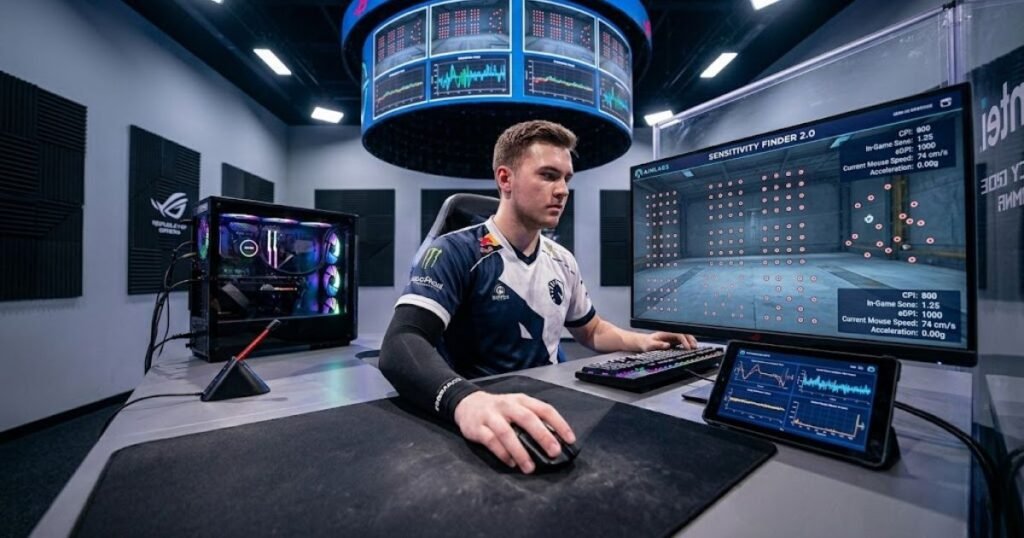
The goal is to find a setting that feels comfortable, predictable, and repeatable over long periods of practice. This process is often more valuable than copying another player’s exact configuration.
The following process can help you identify your ideal usable DPI setting:
- Start With 800 DPI: Begin with a widely used and balanced sensitivity baseline.
- Play Multiple Matches: Test the setting during realistic gameplay situations.
- Adjust Gradually: Make small changes rather than large jumps.
- Evaluate Consistency: Focus on control and repeatability rather than speed.
- Commit to a Setting: Allow enough time for muscle memory to develop.
Following a structured process helps players avoid constantly changing settings and allows meaningful performance evaluation.
Why Is 800 DPI a Good Starting Point?
800 DPI is a good starting point because it helps provide a balanced combination of control, precision, and responsiveness.
Many professional players and experienced gamers use 800 DPI because it works well across a wide variety of games and hardware setups. It offers enough sensitivity for comfortable desktop navigation while remaining highly controllable during FPS gameplay. If you are curious why this setting appears so frequently in professional esports, read our guide on why pros use 800 DPI.
Starting with a common baseline also makes future adjustments easier because changes can be measured relative to a well-established reference point.
For most users, 800 DPI provides an excellent foundation for sensitivity testing.
Its widespread adoption is one reason it remains a recommended starting point for new players.
How Can You Test DPI Without Constantly Changing Settings?
Testing DPI effectively requires consistency and helps prevent confusion caused by excessive sensitivity adjustments.
Many players change settings too frequently after a few missed shots or poor matches. This approach makes it difficult to determine whether performance issues are caused by sensitivity or by other factors.
A better strategy is to keep a setting long enough to experience a variety of gameplay situations. This provides a more reliable understanding of how the sensitivity feels over time.
Tracking performance across multiple sessions produces more useful results than reacting to individual matches.
Patience is often an overlooked part of finding the ideal DPI configuration.
When Should You Increase or Lower Your DPI?
You should increase or lower your DPI when consistent performance patterns help reveal a clear sensitivity problem.
If you regularly undershoot targets, a slightly higher effective sensitivity may be beneficial. If you frequently overshoot targets or struggle with micro-adjustments, a lower sensitivity may provide better control.
The key is to identify long-term trends rather than responding to isolated mistakes. Sensitivity adjustments should be deliberate and measured.
Players comparing different DPI values often discover that overall sensitivity remains surprisingly similar once effective sensitivity is calculated. Learning what eDPI is can help simplify these comparisons and provide a clearer picture of real aiming speed.
Finding the ideal DPI is ultimately a process of optimization rather than maximizing a specification.
A structured testing approach helps players identify a usable DPI range that supports consistent performance over time.
Final Verdict: Highest DPI vs Usable DPI
Usable DPI is more important than highest DPI and helps players achieve better aim control, consistency, and overall FPS performance.
Throughout the evolution of gaming mouse technology, maximum DPI ratings have increased dramatically. Modern sensors can now exceed 30,000 DPI, yet the practical DPI settings used by most competitive players remain remarkably similar to those used years ago.
This contrast highlights an important reality: the value of a gaming mouse is not determined by the largest number printed on the product box. Instead, performance comes from choosing settings that support accurate and repeatable movement during actual gameplay.
For most FPS players, practical control will always matter more than theoretical sensitivity limits.
The key takeaways below summarize the highest DPI vs usable DPI discussion:
- Highest DPI Is a Technical Limit: It represents the maximum sensitivity supported by the sensor.
- Usable DPI Affects Real Gameplay: It determines how controllable and practical a sensitivity setting feels.
- Most FPS Players Stay Below 1600 DPI: Competitive settings rarely require extreme sensitivity levels.
- Sensor Quality Matters More: Tracking consistency and implementation quality have a greater impact on performance.
- Marketing Numbers Can Be Misleading: Larger DPI ratings do not automatically create a better gaming experience.
These takeaways reinforce the idea that practical usability should always be prioritized over maximum specifications.
Understanding the difference between highest DPI and usable DPI helps players make more informed decisions when evaluating gaming mice and sensitivity settings.
Many gaming hardware discussions focus heavily on specifications, but successful FPS performance ultimately depends on comfort, consistency, and control. A well-balanced DPI setting contributes directly to those goals, while an extreme sensitivity setting often creates unnecessary challenges.
Players researching gaming mouse performance often encounter DPI discussions alongside broader hardware recommendations. Understanding how sensitivity fits into the bigger picture of choosing a gaming mouse for FPS games can help create a more complete and practical buying decision.
When comparing gaming mice in the future, remember a simple rule: maximum DPI tells you what the sensor can do, while usable DPI determines what you can do with it.
Frequently Asked Questions
Understanding the difference between highest DPI and usable DPI often leads to additional questions about sensitivity, aiming performance, professional settings, and gaming mouse specifications. The answers below address the most common questions FPS players ask when evaluating DPI settings and gaming mouse performance.
What is the difference between highest DPI and usable DPI?
Highest DPI is the maximum sensitivity a sensor can achieve and helps define hardware capability, while usable DPI is the practical sensitivity range that helps maintain accurate control during gameplay.
Maximum DPI represents a technical limit, whereas usable DPI focuses on real-world performance and aiming consistency.
Is 30,000 DPI useful for FPS games?
30,000 DPI is rarely useful for FPS games and helps demonstrate sensor capability more than practical gameplay benefits.
Most competitive players use DPI settings that are significantly lower than this value.
Why do gaming mice advertise 40K DPI?
Gaming mice advertise 40K DPI because it helps showcase sensor advancements and creates a simple specification for product comparison.
Higher numbers are often easier to market even when most users never utilize the full range.
What DPI do most Valorant players use?
Most Valorant players use DPI settings between 400 and 1600 and help balance precision with responsiveness.
800 DPI remains one of the most common settings among competitive players.
What DPI do most CS2 players use?
Most CS2 players use 400 or 800 DPI and help maximize control for precise aiming and crosshair placement.
These settings have remained popular throughout multiple generations of Counter-Strike.
Does higher DPI mean better accuracy?
Higher DPI does not mean better accuracy and helps control sensitivity rather than tracking quality.
Accuracy depends more on sensor performance and implementation quality than on sensitivity settings alone.
Can very high DPI hurt aiming performance?
Very high DPI can hurt aiming performance and helps explain why many players avoid extreme sensitivity settings.
Excessive sensitivity may increase overshooting, overcorrections, and inconsistency.
Is 800 DPI better than 3200 DPI for FPS games?
800 DPI is often better for FPS games and helps provide a balance between precision and control.
However, the ideal setting ultimately depends on the player’s overall sensitivity configuration.
Does sensor quality matter more than DPI?
Sensor quality matters more than maximum DPI and helps ensure reliable tracking during gameplay.
Tracking consistency, accuracy, and implementation quality have a greater impact on performance.
What is the best usable DPI for competitive gaming?
The best usable DPI for competitive gaming is typically between 400 and 1600 and helps support accurate and repeatable aiming.
The optimal value varies depending on individual preferences and playstyle.
Should I buy a mouse with the highest DPI available?
You should not choose a gaming mouse solely because it has the highest DPI and should focus on overall performance instead.
Shape, weight, sensor quality, and comfort are usually more important considerations.
How can I find my ideal DPI setting?
You can find your ideal DPI setting through structured testing and help identify a sensitivity range that feels comfortable and consistent.
Starting with 800 DPI and making gradual adjustments is a common and effective approach.
Conclusion
Highest DPI is a sensor specification that helps define maximum sensitivity limits, while usable DPI is the practical sensitivity range that helps players achieve consistent and accurate aim during real gameplay.
Although modern gaming mice can reach DPI values above 30,000 or even 40,000, most FPS players perform best within a much smaller range. Competitive aiming depends on control, repeatability, and comfort rather than extreme sensitivity levels.
Understanding the difference between highest DPI and usable DPI helps players evaluate gaming mouse specifications more effectively. Instead of focusing on the largest number advertised on a product page, buyers should prioritize factors such as sensor quality, shape, weight, and overall usability.
Ultimately, the best DPI setting is not the highest one available but the one that allows you to aim confidently, make precise adjustments, and maintain consistent performance across every match. For most FPS players, practical usability will always matter more than maximum sensor capability.
Thank you for reading this guide on highest DPI vs usable DPI. Understanding how DPI affects real gameplay is an important step toward choosing the right sensitivity settings and building a more consistent FPS gaming experience.