
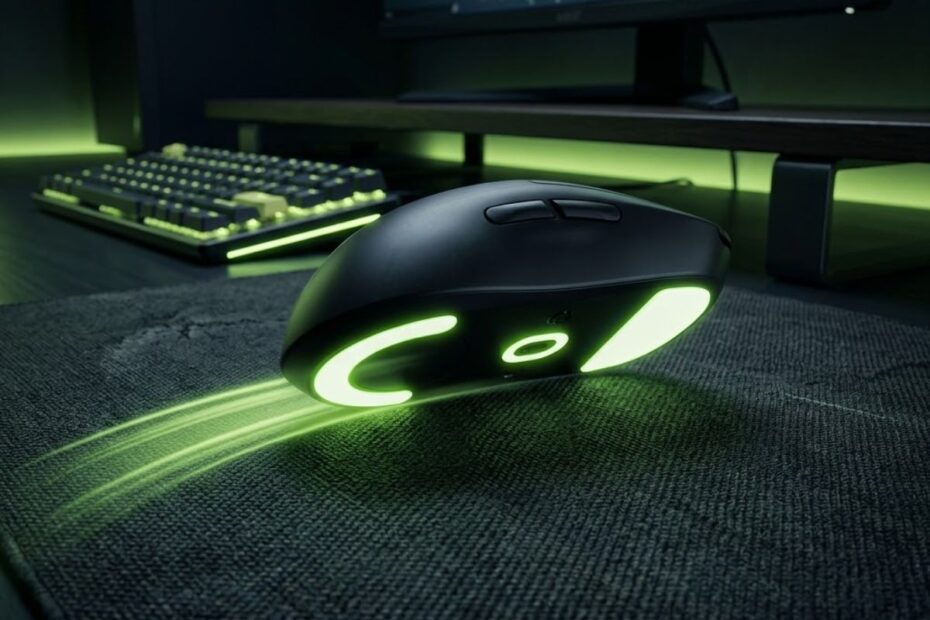
The best mouse skates for Valorant are balanced PTFE skates that give smooth glide without removing stopping control. Valorant is not a game where pure speed automatically makes your aim better, because most fights are decided by first bullet accuracy, crosshair discipline, and clean micro adjustments. A good set of mouse skates should make your mouse feel predictable, stable, and easy to stop on target during real ranked matches.
Many players upgrade their gaming mouse, change DPI, or copy pro sensitivity before checking the small feet under the mouse. That tiny part controls how the mouse touches the pad, how much friction you feel, and how confidently your hand can stop after a flick. When the skates are worn, too fast, too sticky, or mismatched with the mousepad, your aim can feel inconsistent even when your settings are technically correct.
This guide explains what mouse skates do, how they affect Valorant aim, which materials make sense, and how to choose the right glide style for your sensitivity. The goal is not to chase the fastest setup possible. The goal is to build a setup that helps you repeat the same movement again and again under pressure.
“Aiming consistency in Valorant is built through control and repeatable movement, not random speed.”
“Polytetrafluoroethylene is a synthetic fluoropolymer known for having an extremely low coefficient of friction.”
What Are Mouse Skates for Valorant?
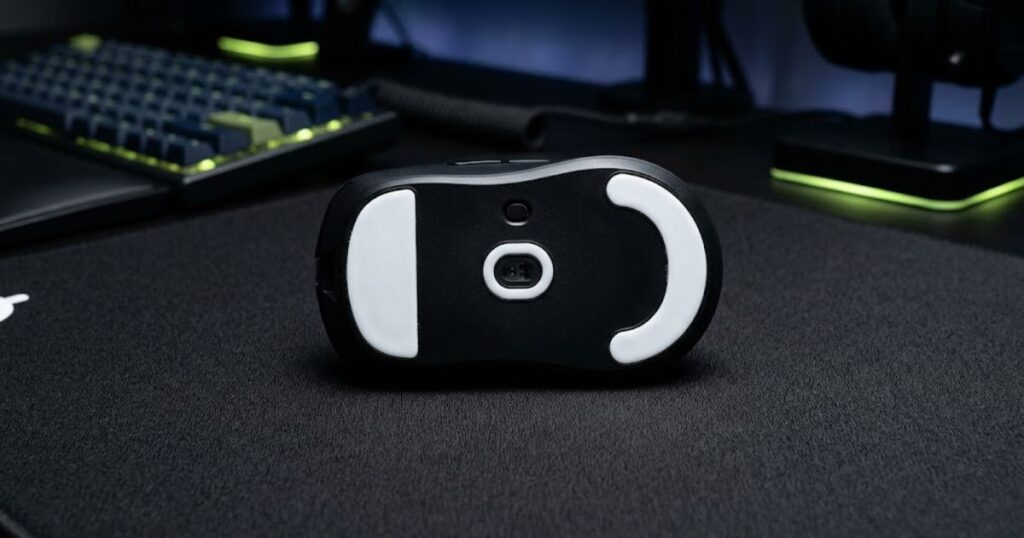
Mouse skates are the feet on the bottom of a gaming mouse that control glide, friction, and stopping feel on your mousepad. In Valorant, they matter because every flick, micro correction, counter strafe adjustment, and spray transfer passes through that contact point. If the contact between mouse and pad is inconsistent, your hand has to fight the surface instead of focusing on clean aim.
Most modern gaming mice use PTFE feet because PTFE is smooth, durable, and predictable on cloth mousepads. Some players also try glass skates or ceramic skates, but those options are usually faster and less forgiving. Valorant rewards control more than raw speed, so the safest recommendation for most players is still high quality PTFE with a balanced glide profile.
Mouse skates do not magically fix bad mechanics, but they can remove unnecessary friction problems from your setup. If your mouse feels scratchy, sticky, unstable, or different depending on movement direction, your skates may be limiting your consistency. That is why skate choice should be treated as part of your full aiming setup, not as a cosmetic accessory.
| Mouse Skate Factor | What It Changes | Why It Matters in Valorant |
|---|---|---|
| Initial friction | How easily the mouse starts moving | Affects micro adjustments and first movement control |
| Dynamic friction | How the mouse feels while moving | Affects tracking, clearing angles, and spray transfers |
| Stopping power | How quickly the mouse settles | Affects first bullet accuracy after flicks |
| Edge smoothness | How clean the skate feels on the pad | Affects scratchiness and comfort during long sessions |
| Material | How fast or controlled the glide feels | Affects whether the setup feels stable or slippery |
The important takeaway is simple. Mouse skates decide how your mouse behaves before your sensor even matters. A great sensor with bad skates can still feel inconsistent because the physical glide is not stable.
Why Mouse Skates Matter for Valorant Aim
Mouse skates matter for Valorant because the game is built around short aim windows, precise stopping, and small correction movements. You are not constantly tracking enemies for several seconds like in some arena shooters. You are often holding a head level angle, reacting to a swing, making one small correction, and firing before the opponent does.
This makes friction control extremely important. Too much friction can make the mouse feel heavy when you need to adjust quickly. Too little friction can make the mouse slide past the target before your hand can stop it.
Many Valorant players focus only on sensitivity while ignoring how hardware balance changes aiming consistency. Mouse skates, mousepad texture, mouse weight, and grip shape all interact together during flicks and micro adjustments. If you are still optimizing your overall competitive setup, this guide to gaming mouse for FPS games breaks down the most important gear factors that influence FPS aim performance.
Mouse Skates Affect Micro Adjustments
Micro adjustments are the tiny movements you make after your crosshair is close to the enemy but not perfectly on the head. In Valorant, these small corrections happen constantly because enemies swing, crouch, counter strafe, or appear at slightly different elevations. If your skates have too much initial friction, your mouse can resist those small movements and make your aim feel delayed.
Balanced skates reduce that problem by letting the mouse start moving without feeling loose. This is especially useful for low and medium sensitivity players who rely on controlled hand movement. The goal is to make the first tiny movement feel clean without making the entire mouse feel slippery.
Players who miss by a few pixels often blame sensitivity immediately, but the problem can also be friction. If your mouse takes too much force to start moving, your correction may arrive late. If it starts too easily, you may overshoot the target.
Mouse Skates Affect Flick Stopping
Flick stopping is the ability to move quickly and stop exactly on the enemy model. Valorant punishes poor stopping because overflicking usually means your first bullet misses. Good skates help your mouse move smoothly while still giving enough resistance to stop with confidence.
Very fast skates can feel impressive when you swipe around in the practice range. The problem appears in real matches when you need to stop on a small head hitbox after a stressful reaction. If the mouse keeps gliding after your hand wants it to stop, your flick consistency can suffer.
This is why the best skate choice for Valorant is usually not the fastest one. A balanced glide profile gives enough speed for quick reactions while keeping the stopping feel stable. Players working on Valorant flick shot aiming should prioritize repeatable stopping over pure glide speed.
Mouse Skates Affect Tracking and Spray Transfers
Tracking is not the main skill in Valorant, but it still matters during moving targets, spray transfers, pistol fights, and close range duels. Smooth skates help your mouse move without small interruptions while following a target. If the skates are worn unevenly, tracking can feel shaky or inconsistent.
Spray transfers also depend on clean horizontal and diagonal movement. When your mouse drags differently in one direction, your hand may compensate without realizing it. That compensation can make your aim feel different from one fight to the next.
A balanced skate setup gives you smoother transitions between targets without making the mouse too difficult to stop. That is the sweet spot most Valorant players should chase. Smooth movement matters, but it should never come at the cost of control.
| Aim Skill | Skate Quality Needed | Bad Skate Problem |
|---|---|---|
| Micro adjustment | Low but controlled initial friction | Mouse feels stuck or jumps past the target |
| Flick shot | Smooth glide with strong stopping | Overflicking or inconsistent landing point |
| Tracking | Stable dynamic friction | Shaky movement and uneven resistance |
| Spray transfer | Consistent directional glide | Drag changes between left, right, and diagonal movement |
In short, mouse skates affect more than comfort. They change how your hand interprets distance, friction, and stopping timing. That makes them a real performance factor for Valorant players who care about consistency.
PTFE vs Glass Mouse Skates for Valorant
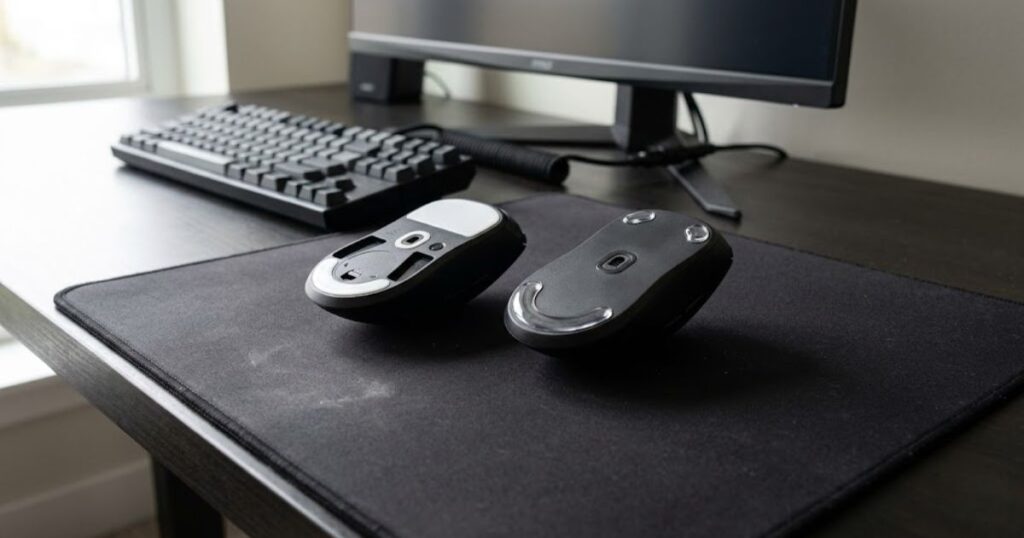
PTFE mouse skates are usually better for Valorant because they offer the best balance between smooth glide and controlled stopping. Glass skates can feel faster and more effortless, but that extra speed often makes precise tactical aiming harder. Valorant players should choose the material that helps them stop accurately, not the material that feels fastest on day one.
PTFE is the most common skate material for competitive FPS mice because it works well with cloth mousepads. It gives a smooth glide while keeping enough resistance for control. This makes it ideal for players who hold angles, clear corners, and rely on first bullet precision.
Glass skates are more niche because they reduce friction dramatically. Some players enjoy that feeling, especially if they use slower mousepads or prefer very light movement. However, if your setup already feels fast, glass skates can make the mouse feel floaty in Valorant.
PTFE Mouse Skates
PTFE skates are the safest and most practical option for most Valorant players. They provide smooth movement, good durability, and predictable stopping on standard cloth pads. This makes them useful for both low sensitivity arm aimers and medium sensitivity hybrid aimers.
Another advantage of PTFE is that it breaks in naturally over time. The edges become smoother after several hours of use, and the glide usually becomes more consistent. That break in period is normal, so players should avoid judging new PTFE skates after only five minutes.
PTFE also pairs well with the most common Valorant mousepads. Control cloth pads, balanced cloth pads, and many hybrid pads all work well with PTFE feet. That compatibility is one major reason PTFE remains the default choice for tactical shooters.
If you’re looking for a proven PTFE upgrade instead of relying on worn stock feet, the ESPTIGER ICE V2 is one of the easiest recommendations for competitive Valorant players. It delivers a fast yet predictable glide with rounded edges, making it an excellent match for balanced and control-focused cloth mousepads.
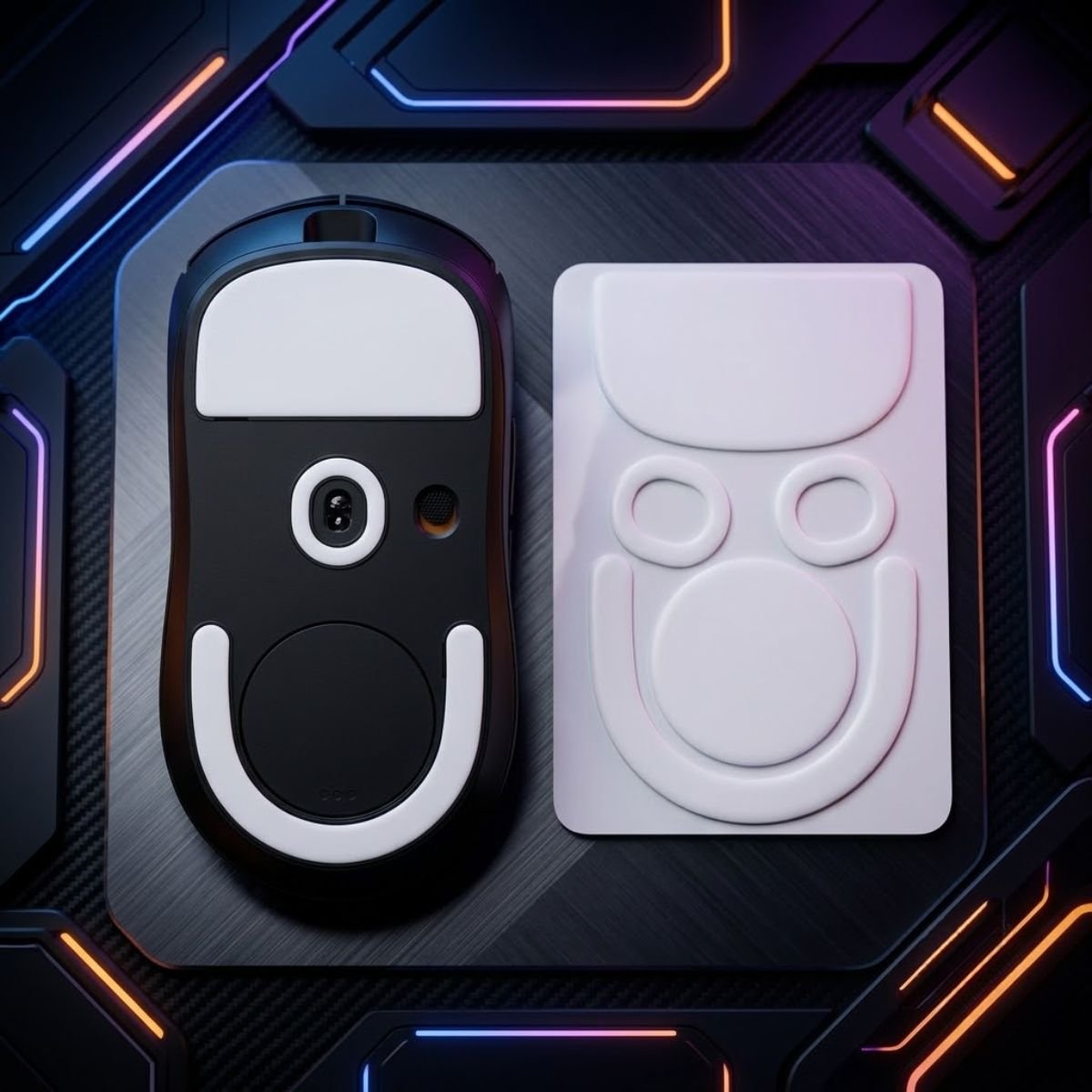
ESPTIGER ICE V2 PTFE Mouse Skates
The ESPTIGER ICE V2 is a PTFE replacement mouse skate designed for the Logitech G PRO X Superlight 2. It features rounded 2.5D edges, 3M adhesive backing, and a smooth white PTFE surface for replacing worn mouse feet.
Glass Mouse Skates
Glass skates are much faster and can make the mouse feel extremely light. They reduce friction so much that small movements require very little force. This can feel fun and responsive, but it can also reduce stopping confidence in Valorant.
The main risk with glass skates is overflicking. When glide is too fast, your mouse may continue moving farther than expected. That extra travel can make headshot adjustments feel less stable, especially under pressure.
Glass skates are not automatically bad, but they are less forgiving. They may work for players who use very slow mousepads, very low sensitivity, or a naturally controlled hand. For most Valorant players, balanced PTFE is easier to trust in ranked games.
| Skate Material | Glide Speed | Stopping Control | Best Use Case |
|---|---|---|---|
| PTFE | Medium to fast | High | Most Valorant players |
| Glass | Very fast | Lower | Players who want maximum glide |
| Ceramic | Fast | Medium | Niche setups and hard surface users |
| Stock black feet | Usually slower | Varies by mouse | Casual use or budget mice |
The best material depends on your mousepad and sensitivity, but the default recommendation is clear. Start with quality PTFE first. Try faster options only after you understand what kind of friction you actually prefer.
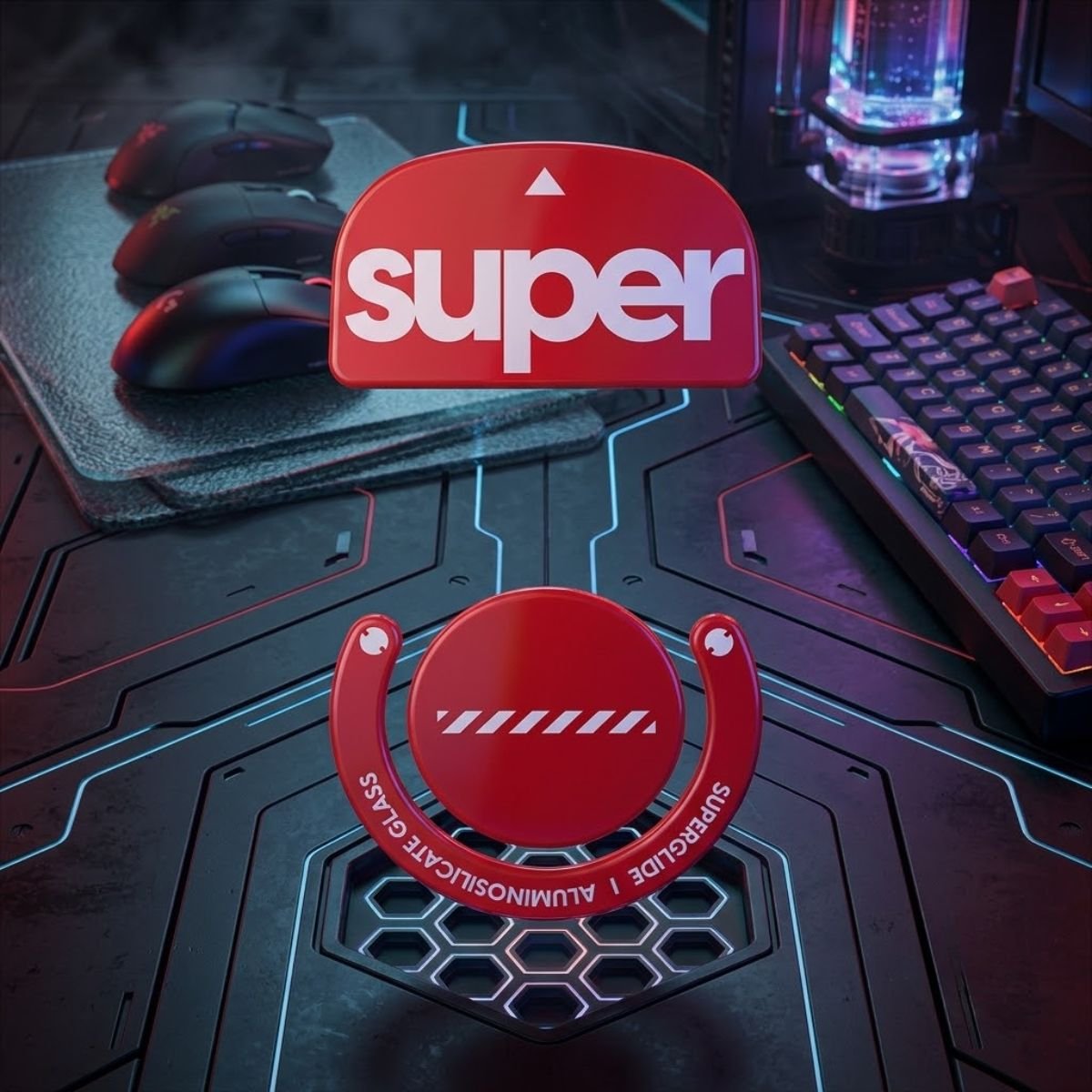
Glass mouse skates offer a different glide experience than PTFE. If you’re curious about trying a tempered glass option, the Pulsar Superglide 2 is one example available for a variety of popular gaming mouse models.
Pulsar Superglide 2 Glass Mouse Skates
The Pulsar Superglide 2 is a tempered glass replacement mouse skate available for a range of gaming mouse models. It features polished edges and is designed as a durable replacement option for compatible mice.
Fast vs Control Mouse Skates for Valorant
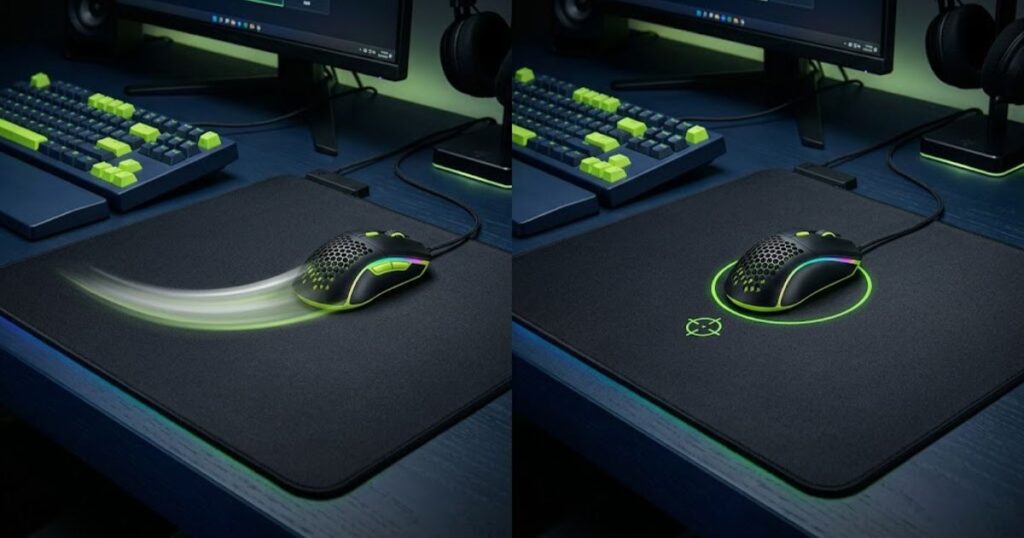
Most Valorant players should choose balanced or control oriented skates instead of extremely fast skates. Fast skates can help with effortless movement, but control skates usually help more with stopping, holding angles, and landing first bullet shots. The best skate is the one that makes your aim repeatable during pressure, not the one that feels fastest in a desk test.
Fast skates reduce resistance and make the mouse feel lighter. This can help players who feel stuck on slow mousepads or who need easier arm movement. However, too much speed can make the mouse harder to stop cleanly after a flick.
Control skates increase confidence when stopping on a target. They make the mouse feel more planted, which can help players who overflick or feel shaky during micro corrections. The tradeoff is that too much control can feel muddy if your pad is already slow.
When Fast Skates Make Sense
Fast skates make sense when your current setup feels too heavy, sticky, or tiring. They can help if you use a slow control mousepad and feel like your mouse requires too much force to move. They can also work if you have strong stopping discipline and rarely overflick.
Entry players who make fast target switches may enjoy a slightly faster glide. The extra speed can make clearing multiple angles feel easier. Still, fast skates should not remove your ability to stop accurately on the first enemy you see.
Fast does not mean uncontrolled when the setup is matched correctly. A fast skate on a controlled cloth pad can still feel balanced. A fast skate on a slick hybrid or hard pad may feel too slippery for Valorant.
When Control Skates Make Sense
Control skates make sense when you often overflick, lose stability, or feel like your mouse slides past the target. They can help create a more planted feeling during angle holding and headshot corrections. This is especially useful for players who value first shot accuracy over flashy movement.
Low sensitivity players may also prefer controlled skates because larger arm movements need a predictable stopping point. If the mouse travels too freely across the pad, the player may need extra effort to brake the movement. Controlled skates reduce that problem by giving more natural resistance.
The downside is that too much control can create fatigue. If your mousepad is already very slow, control skates may make your movement feel heavy. That is why the best setup usually sits between speed and control.
| Skate Type | Strength | Weakness | Best For |
|---|---|---|---|
| Fast skates | Easy movement and quick reactions | Can reduce stopping confidence | Players on slow pads or aggressive aimers |
| Balanced skates | Good mix of glide and control | Not extreme in either direction | Most Valorant players |
| Control skates | Strong stopping and planted feel | Can feel heavy on slow pads | Low sensitivity and precision players |
A safe rule is to avoid extremes unless you know exactly why you need them. If you are unsure, choose balanced PTFE skates first. Then adjust your mousepad or sensitivity only after you understand how the new glide feels in real matches.
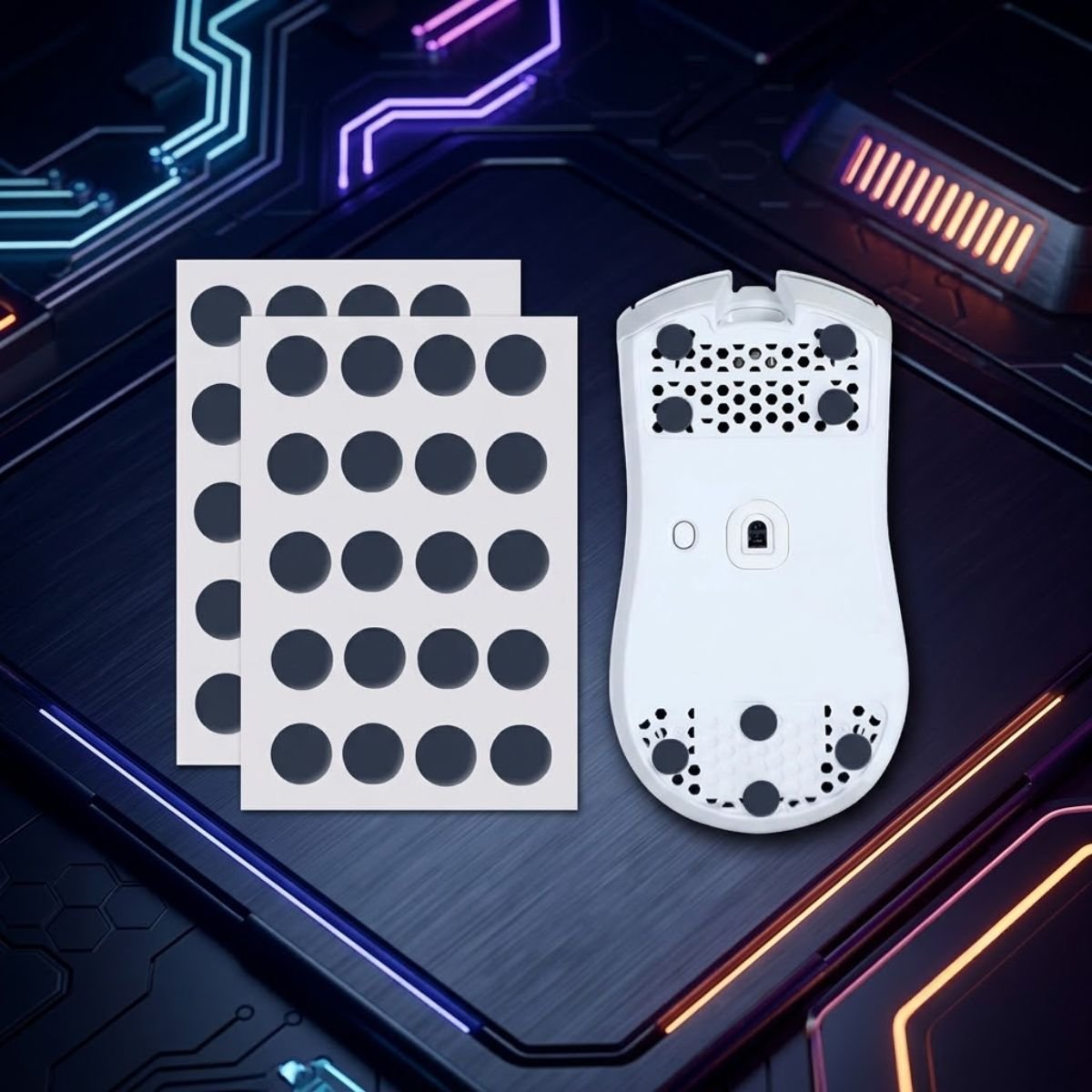
If you prefer a more controlled feel or want the flexibility to customize your skate layout, universal dot skates are another option to consider. The X-Raypad Obsidian Air / PRO Air uses a universal dot design, allowing you to place the skates based on your mouse and personal preference.
X-Raypad Obsidian Air / PRO Air Universal Dot Mouse Skates
The X-Raypad Obsidian Air / PRO Air is a universal dot mouse skate that uses U-PE material instead of a pre-cut shape. The individual dots allow users to customize placement for compatible gaming mice based on their preferred skate layout.
How to Choose Mouse Skates Based on Valorant Sensitivity
Your Valorant sensitivity changes which mouse skates feel best because sensitivity decides how much physical movement you need. Low sensitivity players move the mouse farther, so they often care more about glide comfort and stopping power. High sensitivity players move less, so they often care more about micro control and avoiding shaky movement.
This is why two players can use the same skates and disagree completely. One player may say the skates feel perfect, while another says they feel too fast or too slow. The difference usually comes from sensitivity, mousepad, grip style, and hand pressure.
Before buying skates, understand whether your aim style is built around large arm movement, small wrist movement, or a mix of both. If you are still finding that baseline, the guide on best sensitivity for Valorant can help you connect sensitivity choice with real aiming behavior. Mouse skates should support that sensitivity instead of forcing you to relearn your entire setup.
Low Sensitivity Players
Low sensitivity players usually need skates that glide smoothly without becoming too slippery. Because they move the mouse across larger distances, rough or worn skates can create fatigue during long matches. At the same time, low sensitivity players still need enough stopping control to land precise headshots after big arm movements.
Balanced PTFE skates are usually the best starting point for low sensitivity Valorant players. They reduce drag while keeping the mouse controlled on cloth pads. Players who use very slow pads may prefer slightly faster PTFE, but glass skates can still feel risky if stopping becomes unstable.
Low sensitivity players should pay close attention to the edge smoothness of the skates. Rounded edges feel better during long swipes because they reduce scratchiness. Flat or poorly cut edges can make large movements feel uneven.
Medium Sensitivity Players
Medium sensitivity players usually benefit from the widest range of skate options. They do not need maximum speed because the hand movement is not extremely large. They also do not need extreme control unless they frequently overflick.
For most medium sensitivity users, balanced PTFE is the easiest recommendation. It supports flicking, micro corrections, and angle clearing without making the mouse feel too loose. This is the range where matching skates to the mousepad matters more than chasing a specific material.
If your mousepad is fast, choose more controlled PTFE. If your mousepad is slow, choose smoother PTFE with rounded edges. That simple pairing usually creates a more stable setup than buying the fastest skates available.
High Sensitivity Players
High sensitivity players move the mouse less, so tiny friction changes feel more noticeable. If the skates are too fast, the crosshair can feel shaky during small wrist adjustments. If the skates are too slow, the mouse can feel sticky when making precise micro corrections.
High sensitivity Valorant players usually benefit from controlled or balanced skates. The goal is to make small movements clean without making the mouse glide too freely. A planted feeling often helps because high sensitivity already makes the cursor move quickly in game.
Players using high sensitivity should be careful with glass skates. The combination of high sensitivity and low friction can become hard to control. A stable PTFE setup is usually safer for ranked consistency.
| Sensitivity Style | Recommended Skate Feel | Main Risk to Avoid |
|---|---|---|
| Low sensitivity | Smooth balanced PTFE | Fatigue from too much drag |
| Medium sensitivity | Balanced PTFE | Mismatch with mousepad speed |
| High sensitivity | Controlled or balanced PTFE | Shaky aim from excessive speed |
Sensitivity and skates should always be tested together. A skate that feels perfect at 0.25 in game sensitivity may feel unstable at 0.45. That is why you should avoid changing sensitivity and skates on the same day if you want a clean comparison.
How Mousepad Surface Changes Mouse Skate Performance
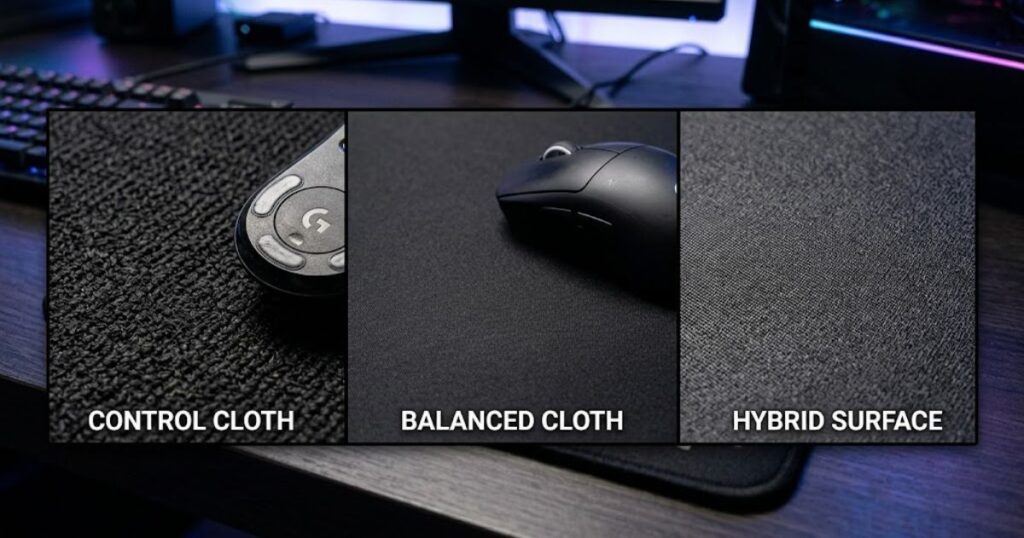
Your mousepad changes mouse skate performance as much as the skates themselves because the two surfaces work together. The same PTFE skates can feel controlled on a cloth pad, faster on a hybrid pad, and slippery on a hard pad. This is why skate recommendations are incomplete without considering the mousepad.
Valorant players usually use cloth pads because cloth gives strong stopping power and predictable control. That does not mean every cloth pad feels the same. Some cloth pads are slow and muddy, while others are balanced or fast.
Before upgrading skates, think about the surface you already use. If your pad is slow, faster skates may help. If your pad is already fast, controlled skates may be safer.
Control Cloth Mousepads
Control cloth mousepads are the safest pairing for Valorant because they help with stopping and angle stability. When paired with balanced PTFE skates, they create a predictable setup that works for most players. This combination is especially good for players who value first bullet accuracy.
The main benefit of control cloth is confidence. You can flick, stop, and make small corrections without feeling like the mouse wants to keep sliding. That stable feeling helps during long ranked sessions when mental pressure increases.
The risk is that some control pads feel too slow with worn skates. If your mouse feels muddy or tiring, replacing old skates may restore smoothness without requiring a new pad. For deeper pad matching, read best mousepad for Valorant before changing both parts at once.
Hybrid Mousepads
Hybrid mousepads usually feel faster than traditional cloth while keeping more control than hard pads. They can work well for players who want easier movement without losing all stopping power. Balanced PTFE skates are usually the best match because they prevent the setup from becoming too slippery.
Hybrid pads can make fast skates feel even faster. This may be enjoyable in practice but risky in competitive matches. If your aim starts floating past targets, the pad and skate combination may be too quick.
Players who use hybrid pads should test stopping drills after installing new skates. Do not judge only by how smooth the mouse feels when moving around freely. Valorant performance depends on stopping accuracy more than glide comfort alone.
Hard Mousepads
Hard mousepads create very low friction and fast movement. They can feel responsive, but they are usually harder to control in Valorant. When combined with fast skates, the mouse can feel slippery and difficult to stop.
Hard pads may work for players with strong hand control and very deliberate braking. They may also work for players who dislike cloth resistance. Still, they are not the safest recommendation for most tactical FPS players.
If you use a hard pad, avoid choosing the fastest skates immediately. A more controlled skate can balance the surface speed. Without that balance, your aim may become inconsistent during tense duels.
| Mousepad Type | Surface Feel | Best Skate Pairing | Valorant Risk |
|---|---|---|---|
| Control cloth | Slow to balanced | Balanced PTFE | Can feel muddy with old skates |
| Balanced cloth | Medium | Balanced PTFE | Few risks when matched well |
| Hybrid | Medium fast | Controlled or balanced PTFE | Can become too quick with fast skates |
| Hard pad | Very fast | Controlled PTFE | Stopping can become difficult |
The best setup is not about having the fastest skate and fastest pad. It is about creating a predictable friction profile that fits your hand. For Valorant, predictable usually beats extreme.
Best Mouse Skates for Different Valorant Playstyles
The best mouse skates for Valorant depend on whether you play with controlled angle holding, aggressive entry movement, low sensitivity arm aiming, or fast wrist based reactions. The best mouse skates for Valorant depend on whether you play with controlled angle holding, aggressive entry movement, low sensitivity arm aiming, or fast wrist based reactions. A Sentinel player holding tight angles may prefer more control, while a Duelist entry player may prefer slightly faster glide for quick target switching. If you also want to compare full mouse options by playstyle, the top best gaming mouse for FPS games in 2026 list can help you match skate feel with the right mouse category. A Sentinel player holding tight angles may prefer more control. A Duelist entry player may prefer slightly faster glide for quick target switching.
Playstyle does not replace mechanics, but it changes what kind of mouse feel supports your decisions. The goal is to choose skates that make your common movements easier. If your setup fights the way you naturally play, consistency becomes harder to build.
You should also consider grip style because palm, claw, and fingertip users apply different pressure to the mouse. A heavy palm grip may make the same skates feel slower than a light fingertip grip. Players refining grip can also compare this with best grip style for Valorant to make the full setup more consistent.
Angle Holders and Precision Players
Angle holders and precision players should prioritize stopping power and stability. These players often win by keeping the crosshair in the correct place and making small corrections when enemies appear. Balanced or control PTFE skates usually work best for this style.
A more planted glide helps reduce shaky aim while holding narrow angles. It also makes small left and right corrections feel more deliberate. That matters when fighting enemies who jiggle peek or wide swing from common spots.
These players should avoid extremely fast glass skates unless they have already tested faster setups successfully. The extra speed can make crosshair placement feel less anchored. In Valorant, an anchored crosshair often wins more fights than a flashy glide.
Entry Fraggers and Fast Reactors
Entry fraggers may prefer a slightly faster skate because they clear space quickly and react to multiple angles. They often need to move the mouse from one target zone to another in a short time. Smooth PTFE skates can help make those transitions feel easier.
The key word is slightly. Entry players still need stopping control because the first target matters. If the mouse slides too far, the player may lose the opening duel even with good reaction time.
A balanced fast PTFE skate on a control cloth pad is often better than glass skates on a fast pad. That setup gives movement freedom without removing all resistance. It supports aggression while keeping the aim grounded.
Low Sensitivity Arm Aimers
Low sensitivity arm aimers usually need skates that reduce drag during large swipes. If the skates are rough or worn, the player may feel fatigue during clearing and turning. Smooth PTFE with rounded edges is usually the best choice.
At the same time, low sensitivity players still need strong stopping power after larger movements. A skate that is too fast can make long flicks harder to brake. That is why balanced PTFE remains the safest option for most arm aimers.
If you rely heavily on arm movement, the article on arm aiming in Valorant can help you understand how friction, sensitivity, and movement range connect. Skates should make arm movement smoother, not less controlled. The right setup should feel comfortable after several matches, not only during a short test.
| Playstyle | Recommended Skate Feel | Reason |
|---|---|---|
| Angle holder | Controlled PTFE | Better stability and stopping |
| Balanced rifler | Balanced PTFE | Good mix of movement and precision |
| Entry fragger | Smooth balanced PTFE | Easier target switching without losing control |
| Low sensitivity arm aimer | Smooth PTFE with control | Reduces fatigue while keeping stopping power |
There is no single skate that fits every player perfectly. The best choice is the one that matches your role, sensitivity, pad, and natural hand pressure. Testing with a clear goal is better than copying a random recommendation.
Signs You Need New Mouse Skates
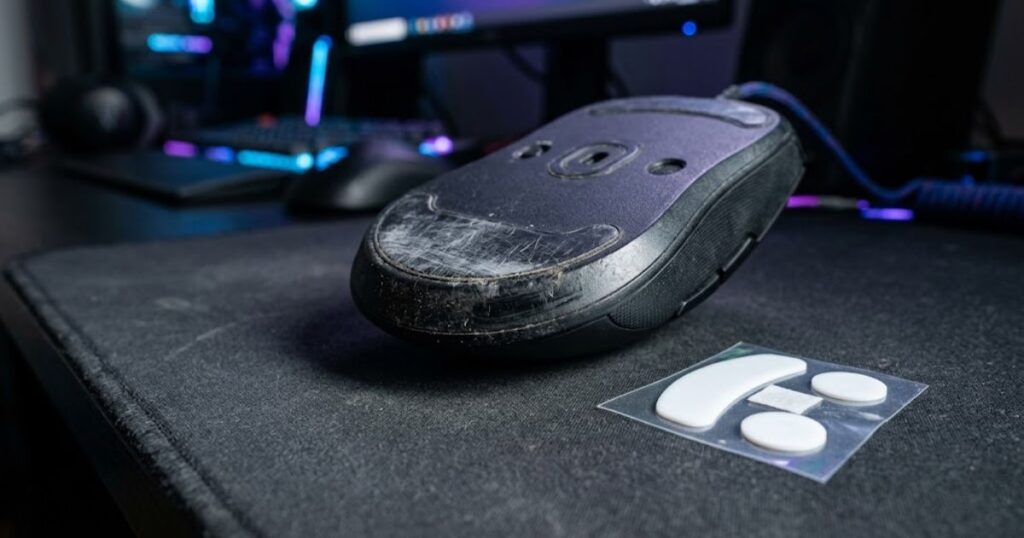
You need new mouse skates if your mouse feels scratchy, uneven, slow, unstable, or different from when you first bought it. Skate wear happens gradually, so many players adapt to bad glide without noticing. Once you replace old skates, the difference can feel much larger than expected.
Worn skates can also damage the feeling of your mousepad. If the skate edges become rough or thin, they may create more friction than intended. This can make the mouse feel inconsistent across different parts of the pad.
Replacing skates is usually cheaper than buying a new gaming mouse. If the sensor still works and the shape feels good, new skates can refresh the entire mouse feel. This is especially useful before assuming your mouse is outdated.
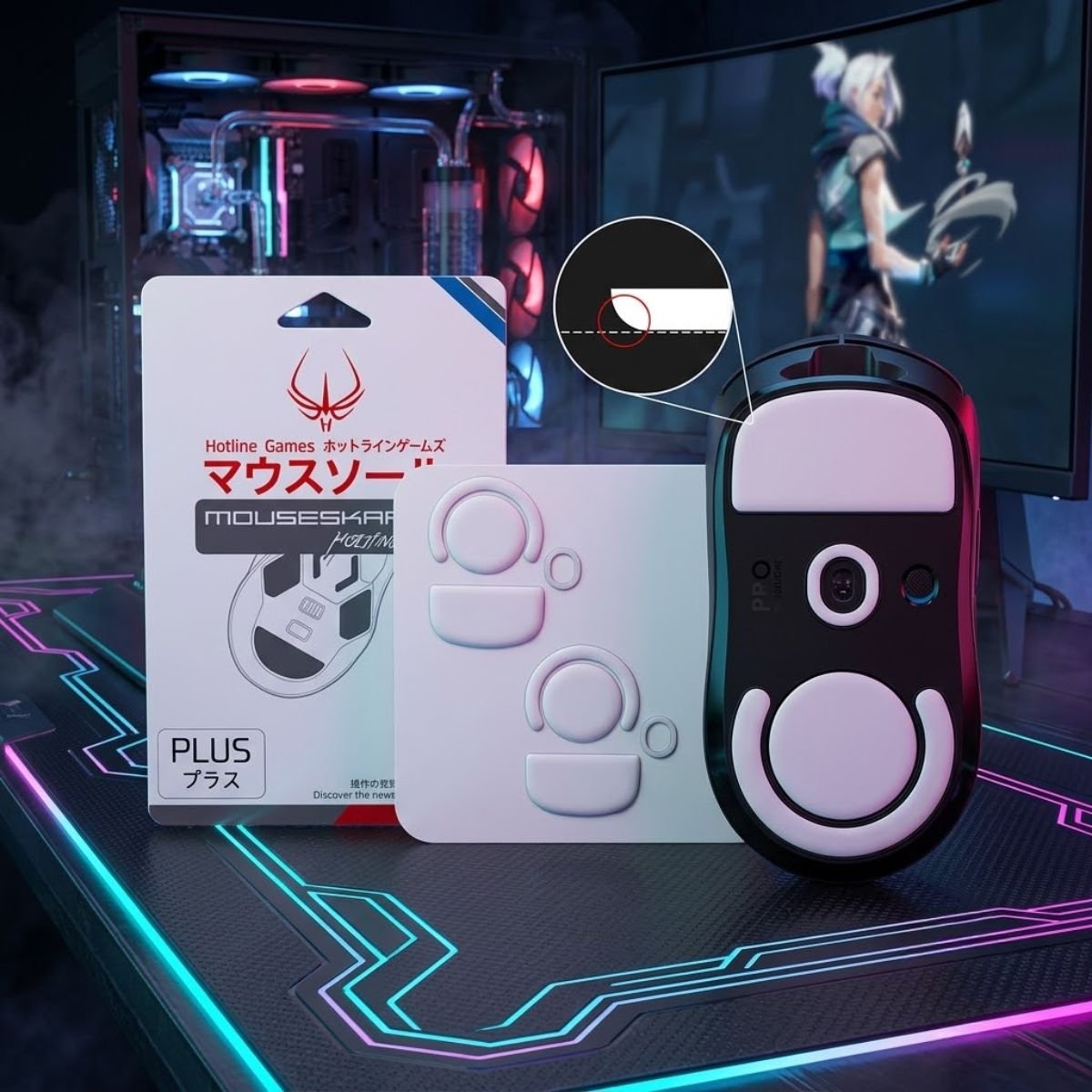
If your mouse feet have become worn or uneven, replacing them is often a simple and affordable upgrade. The HOTLINEGAMES 3.0 Plus is one replacement option available for the Logitech G PRO X Superlight, featuring rounded edges and PTFE material.
HOTLINEGAMES 3.0 Plus PTFE Mouse Feet
The HOTLINEGAMES 3.0 Plus is a PTFE replacement mouse feet set designed for the Logitech G PRO X Superlight. The package includes two replacement sets with rounded curved edges and a thickness of 0.8 mm.
Scratchy Movement
Scratchy movement is one of the clearest signs that your skates are worn or poorly shaped. You may feel roughness when moving the mouse slowly across the pad. This is especially noticeable during micro adjustments and slow tracking drills.
Scratchiness can come from thin skates, sharp edges, dust buildup, or adhesive residue. It can also happen when the skate material has worn unevenly. If cleaning the mousepad and mouse bottom does not fix the issue, replacement is likely needed.
Valorant players should not ignore scratchy movement because it affects confidence. When the mouse does not feel smooth, your hand may hesitate during corrections. That hesitation can turn a winnable duel into a missed shot.
Uneven Glide Direction
Uneven glide means the mouse feels different when moving left, right, up, down, or diagonally. This problem often appears when one skate wears faster than the others. It can also happen if a replacement skate was installed unevenly.
Valorant aim depends on consistent directional movement. If diagonal movement feels rougher than horizontal movement, your spray transfers and angle clearing can become less predictable. You may start compensating without realizing it.
A simple test is to move the mouse slowly in every direction on the same part of the pad. The resistance should feel similar. If one direction feels sticky or scratchy, the skates deserve inspection.
Mouse Feels Slower Than Before
If your mouse gradually feels slower, the skates may have flattened or collected residue. This can make the glide feel muddy even if the mousepad is clean. Many players mistake this for sensitivity feeling wrong, but the real issue may be friction.
A slow feeling can also come from worn cloth pads, humidity, or hand pressure. That is why you should clean the pad and mouse bottom before replacing parts. If the slow feeling remains after cleaning, new skates are a logical next step.
Fresh skates can restore the original glide and make the mouse feel lighter again. The goal is not always to make the setup faster. The goal is to restore predictable movement.
- Clean the mousepad and bottom of the mouse first.
- Check whether the skates are thin, flat, or uneven.
- Move the mouse slowly in all directions and feel for drag.
- Compare glide on the center and edges of the mousepad.
- Replace the skates if friction remains inconsistent after cleaning.
Do not wait until the mouse becomes unusable before replacing skates. A small amount of wear can already change how your aim feels. Competitive consistency depends on preventing problems before they become obvious.
How to Install Mouse Skates Correctly
Mouse skate installation matters because uneven placement can ruin the glide even when the skates themselves are high quality. The bottom surface must be clean, dry, and free from old adhesive before new skates are applied. If you rush this process, the mouse can feel tilted, scratchy, or inconsistent.
Most replacement skates come with pre cut shapes for specific mouse models. That makes installation easier, but it does not remove the need for careful cleaning and alignment. Good installation should make the skates sit flat and secure.
You should also give new skates a short break in period. Fresh PTFE can feel slightly different during the first few hours. After the edges smooth out, the glide usually becomes more natural.
Remove Old Skates Slowly
Remove old skates slowly so you do not damage the plastic shell under the mouse. A thin plastic tool, fingernail, or careful lift from the edge usually works. Avoid using sharp metal tools unless you are extremely careful because scratches can affect how the new skates sit.
Some mice hide screws under the skates, so check whether you need to preserve them for warranty or disassembly. If you are only replacing skates, focus on keeping the bottom surface clean. Do not leave torn skate pieces behind.
Once the old skates are removed, inspect the surface. Any raised adhesive or leftover material can create uneven contact. That residue must be cleaned before the new skates go on.
Clean the Surface Before Applying New Skates
Cleaning the surface is the most important installation step. Old adhesive creates bumps, and those bumps can make the mouse glide unevenly. Use a small amount of isopropyl alcohol on a microfiber cloth and wipe the area gently.
Let the bottom surface dry completely before applying new skates. If the surface is still damp, the adhesive may not bond properly. Poor adhesion can make the skates shift over time.
Do not rush this part just because the skates look easy to apply. Most installation problems come from leftover residue, not from the skates themselves. A clean surface gives the new skates the best chance to perform correctly.
Align and Press the New Skates Evenly
Align each skate carefully before pressing it down. Once the adhesive touches the mouse, repositioning can weaken the bond. Take your time and place the skate so it follows the original skate groove or shape.
Press gently but evenly after the skate is aligned. Do not press so hard that you deform the material. The goal is full contact without bending or damaging the skate.
After installation, test the mouse with slow movements first. Listen and feel for scratchiness. If the glide is smooth and stable, the installation is likely successful.
- Remove old skates carefully.
- Clean old adhesive completely.
- Let the bottom surface dry.
- Align new skates before pressing.
- Press evenly across each skate.
- Test slow movement before playing ranked.
- Allow a short break in period.
A clean install can make average skates feel good, while a bad install can make premium skates feel terrible. That is why installation should be treated as part of the upgrade. Take the extra few minutes and avoid creating a new problem.
Common Mouse Skate Mistakes Valorant Players Make
The most common mouse skate mistake in Valorant is choosing based on hype instead of personal friction needs. Players often buy whatever is fastest, newest, or most discussed without checking whether it supports their sensitivity and mousepad. This creates setup changes that feel exciting at first but become inconsistent in real matches.
Another common mistake is changing too many things at once. If you replace skates, change mousepad, adjust sensitivity, and switch grip in the same week, you will not know what actually helped or hurt your aim. Testing one variable at a time gives cleaner feedback.
Mouse skates should support your mechanics, not force your hand to fight a new feeling every round. A setup that feels stable and repeatable is usually better than a setup that feels fast but unpredictable. Valorant rewards calm control more than desk skating speed.
Choosing Maximum Speed
Choosing maximum speed is a mistake when the player does not have the stopping control to handle it. Very fast skates can make the mouse feel effortless, but they can also make flicks land past the target. In Valorant, that extra slide often matters because the head hitbox is small and the first shot is critical.
Speed also changes how micro adjustments feel. If the mouse moves too easily, tiny corrections can become shaky. This is especially risky for high sensitivity players who already need very small physical movements.
A better approach is to choose balanced glide first. If the setup still feels too slow after real testing, move slightly faster. Jumping straight to the fastest option is usually unnecessary.
Ignoring Mousepad Compatibility
Ignoring mousepad compatibility makes skate choice unreliable. A skate that feels controlled on one pad can feel slippery on another. This is why reviews can be confusing when reviewers use different surfaces.
Valorant players should think about skates and pads as one system. Fast skates on a slow pad can be balanced. Fast skates on a fast pad can become unstable.
Before judging the skates, test them on the pad you actually use for ranked. Do not judge based only on a different desk mat or a short swipe test. Real match movement is the only test that matters.
Replacing Skates Without Testing Baseline Aim
Replacing skates without testing baseline aim makes it hard to know whether the upgrade helped. You should run a few simple aim drills before and after the change. This gives you a practical comparison instead of relying only on feel.
Use the same sensitivity, same mousepad, same warmup routine, and same mouse grip during the test. If you change too many variables, the result becomes unclear. Good testing helps you make smarter setup decisions.
The goal is not to prove the new skates are better because you bought them. The goal is to see whether your aim becomes more consistent. If the new skates feel worse after several sessions, there is nothing wrong with returning to a more controlled option.
Waiting Too Long to Replace Worn Skates
Waiting too long is also a common mistake because worn skates degrade slowly. Players often adapt to the bad feeling and assume their aim is simply inconsistent. In reality, the mouse may no longer glide the way it did when the setup was new.
Old skates can create friction changes that affect every fight. The mouse may feel normal during casual use but unstable during precise Valorant corrections. This makes the problem harder to notice.
Inspect your skates every few months if you play often. You do not need to replace them on a strict schedule, but you should replace them when glide becomes uneven. Consistency is worth protecting.
How to Test New Mouse Skates in Valorant
The best way to test new mouse skates in Valorant is to check stopping control, micro adjustment comfort, and movement consistency across several sessions. A new glide can feel strange at first, so do not judge it after one deathmatch. You need enough time to separate normal break in from real mismatch.
Start in the practice range before playing ranked. Use slow micro corrections, medium flicks, and repeated target switches. Pay attention to whether the mouse stops where your hand expects it to stop.
Then test in deathmatch or unrated before competitive games. Ranked pressure can make any new setup feel worse because you are thinking about the change. A short adjustment period is normal, but the setup should become more trustworthy over time.
Use Micro Adjustment Drills
Micro adjustment drills show whether the skates feel controlled at small movement distances. Place your crosshair near a bot head, then make tiny corrections onto the target. The movement should feel clean without sticking or jumping.
If the mouse feels stuck, the skates or pad may be too slow. If the crosshair keeps sliding past the head, the setup may be too fast. You want corrections that feel smooth and easy to stop.
This test is especially useful for high precision players. Valorant fights often come down to small corrections after crosshair placement. If micro adjustments feel bad, the setup is not ready for ranked.
Use Flick and Stop Drills
Flick and stop drills show whether the skates support fast movement without losing control. Flick from one target to another and focus on whether the mouse settles naturally. Do not only count kills, because you are testing movement quality first.
If your flicks repeatedly land past the target, the setup may be too fast. If your flicks stop short and feel heavy, the setup may have too much friction. Balanced skates should let you move quickly while still braking confidently.
Repeat this test across different distances. Short flicks, medium flicks, and wide turns all reveal different friction problems. A good skate setup should feel predictable across all of them.
Use Real Match Movement
Real match movement is the final test because practice range movement is too controlled. In a real match, you clear angles, react to sound, adjust under pressure, and move your mouse in less predictable ways. This shows whether the skates actually help your gameplay.
Play several unrated or deathmatch sessions before deciding. One good or bad game is not enough. Look for patterns across multiple sessions.
If the mouse feels more trustworthy after the break in period, the skates are likely a good fit. If you keep thinking about the glide instead of the game, the setup may be wrong. A good setup disappears in your hand and lets you focus on decisions.
Best Mouse Skate Setup for Most Valorant Players
The best mouse skate setup for most Valorant players is balanced PTFE skates on a controlled or balanced cloth mousepad. The best mouse skate setup for most Valorant players is balanced PTFE skates on a controlled or balanced cloth mousepad. This setup gives enough smoothness for clean movement while preserving the stopping power needed for first bullet accuracy. If you are still choosing the mouse itself before upgrading skates, start with this best gaming mouse for Valorant guide so the shape, weight, sensor, and skate setup work together instead of fighting each other.This setup gives enough smoothness for clean movement while preserving the stopping power needed for first bullet accuracy. It is also the easiest setup to adapt to because it avoids extreme speed and extreme drag.
Most players should not start with glass skates, hard pads, or ultra fast combinations. Those setups can work for specific preferences, but they are less forgiving. If your goal is ranked consistency, start with the option that gives the widest control range.
A practical setup should feel stable across multiple maps, weapons, and roles. It should help with Sheriff taps, Vandal bursts, Phantom spray transfers, and quick angle clears. If it only feels good in one situation, it may not be the right all around choice.
| Player Type | Best Starting Setup | Reason |
|---|---|---|
| Most ranked players | Balanced PTFE with cloth pad | Reliable mix of speed and control |
| Low sensitivity users | Smooth PTFE with control cloth | Comfortable arm movement with stable stopping |
| High sensitivity users | Controlled PTFE with balanced cloth | Reduces shaky micro movement |
| Fast aim players | Smooth PTFE with control pad | Supports speed without losing too much control |
After choosing skates, keep your other settings stable for a few days. Do not instantly change DPI, sensitivity, grip, and pad at the same time. If you want to optimize settings later, use best mouse settings for Valorant as the next step instead of guessing randomly.
FAQ About the Best Mouse Skates for Valorant
Mouse skates can feel simple at first, but they affect many parts of aiming once you test them seriously. These questions answer the most common concerns Valorant players have before replacing or upgrading their skates. The goal is to help you choose a setup that feels stable, not just fast.
What are the best mouse skates for Valorant?
The best mouse skates for Valorant are balanced PTFE skates because they offer smooth glide and reliable stopping control. They work well with cloth mousepads, which are the most common choice for tactical FPS players. They are also easier to adapt to than extremely fast glass skates.
Are glass mouse skates good for Valorant?
Glass mouse skates can be good for some players, but they are not the safest choice for most Valorant users. They feel very fast and can reduce friction dramatically, which may hurt stopping accuracy. Players who already overflick should usually avoid glass skates.
Do mouse skates improve aim in Valorant?
Mouse skates can improve aim feel by making glide smoother and friction more consistent. They will not replace practice or good mechanics, but they can remove physical resistance problems from the setup. This helps micro adjustments, flick stopping, and tracking feel more predictable.
How often should I replace mouse skates?
You should replace mouse skates when they feel scratchy, uneven, thin, or noticeably slower than before. There is no perfect timeline because wear depends on playtime, mousepad texture, and hand pressure. Frequent players should inspect their skates every few months.
Are stock mouse skates good enough for Valorant?
Some stock mouse skates are good enough, especially on premium gaming mice. However, cheaper stock skates may feel rough, thin, or inconsistent after heavy use. Aftermarket PTFE skates can improve smoothness and restore glide if the original feet are worn.
Should low sensitivity Valorant players use fast skates?
Low sensitivity players can benefit from smooth skates because they move the mouse farther. However, they still need enough stopping control to land accurate flicks. Balanced PTFE is usually safer than extremely fast glass skates.
Should high sensitivity Valorant players use control skates?
High sensitivity players often benefit from controlled or balanced skates because small movements are already amplified in game. Too much glide speed can make micro corrections shaky. A planted skate feel usually helps high sensitivity aim feel calmer.
Can bad mouse skates cause inconsistent aim?
Yes, bad or worn mouse skates can cause inconsistent aim by creating uneven friction. The mouse may drag in one direction, feel scratchy, or stop differently than expected. That inconsistency can make your mechanics feel worse even if your sensitivity is correct.
Do mouse skates matter more than mousepad?
Mouse skates and mousepad matter together because they create one friction system. Skates control the contact point, while the pad controls the surface texture. A good skate can still feel bad on the wrong pad, so both parts should be matched carefully.
Can I use fast skates with a control mousepad?
Yes, fast skates can work well with a control mousepad because the pad adds stopping resistance. This pairing can create a balanced feel for players who want easier movement without losing all control. It is often safer than using fast skates on an already fast surface.
How do I know if my skates are too fast?
Your skates may be too fast if you often overflick, slide past heads, or struggle to stop on target. You may also feel like your crosshair floats during small corrections. If this happens across several sessions, you may need more controlled skates or a slower pad.
Should I change sensitivity after replacing mouse skates?
You should not change sensitivity immediately after replacing mouse skates because the new glide already changes your feel. Keep sensitivity stable for a few sessions so you can judge the skates properly. Adjust sensitivity only if the setup still feels wrong after the break in period.
Final Thoughts on the Best Mouse Skates for Valorant
The best mouse skates for Valorant are not the fastest skates on the market. They are the skates that make your mouse feel smooth, stable, and easy to stop during real fights. For most players, balanced PTFE skates on a cloth mousepad offer the best combination of comfort and competitive control.
If your aim feels inconsistent, do not immediately blame your mouse sensor or sensitivity. Check whether your skates are worn, scratchy, uneven, or mismatched with your mousepad. A small friction problem can affect every flick and micro adjustment you make.
Start with a stable setup, test one change at a time, and judge the skates by match consistency rather than desk feel. Valorant rewards repeatable control more than extreme speed. When your mouse glide feels predictable, your hand can focus on the fight instead of fighting the surface.
Thanks for reading, and good luck building a Valorant setup that actually feels consistent in ranked.