
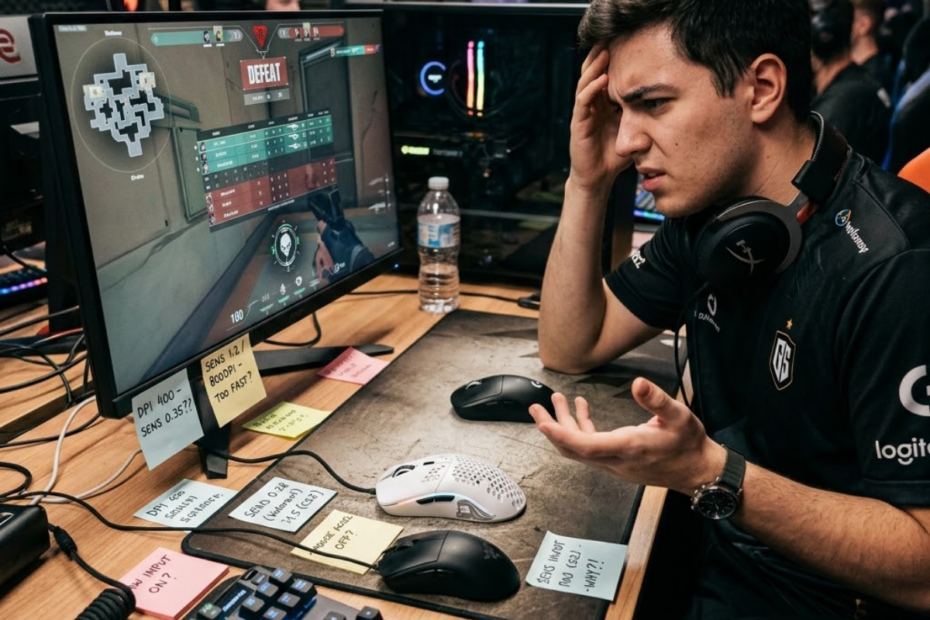
Common gaming mouse mistakes are setup, buying, and usage errors that reduce aiming consistency, and they help explain why many FPS players struggle with control even after upgrading their hardware.
Many players assume a better gaming mouse automatically leads to better aim. In reality, performance problems often come from the way a mouse is chosen, configured, or used. A gaming mouse can support precision and comfort, but it cannot compensate for every mistake a player makes.
Some mistakes happen before a purchase. Others appear during setup or daily gameplay. Understanding these issues helps players build a setup that feels more comfortable, predictable, and consistent over time.
What Are the Most Common Gaming Mouse Mistakes?
Common gaming mouse mistakes are decisions that create unnecessary aiming problems, and they help explain why some players never feel fully comfortable with their setup despite owning quality hardware.
Most gaming mouse mistakes are not dramatic. They are usually small choices that gradually reduce consistency. A mouse may be too large for the hand, a sensitivity setting may change too frequently, or a player may prioritize marketing features over practical comfort.
The image below highlights several common gaming mouse mistakes that can gradually reduce aiming consistency:
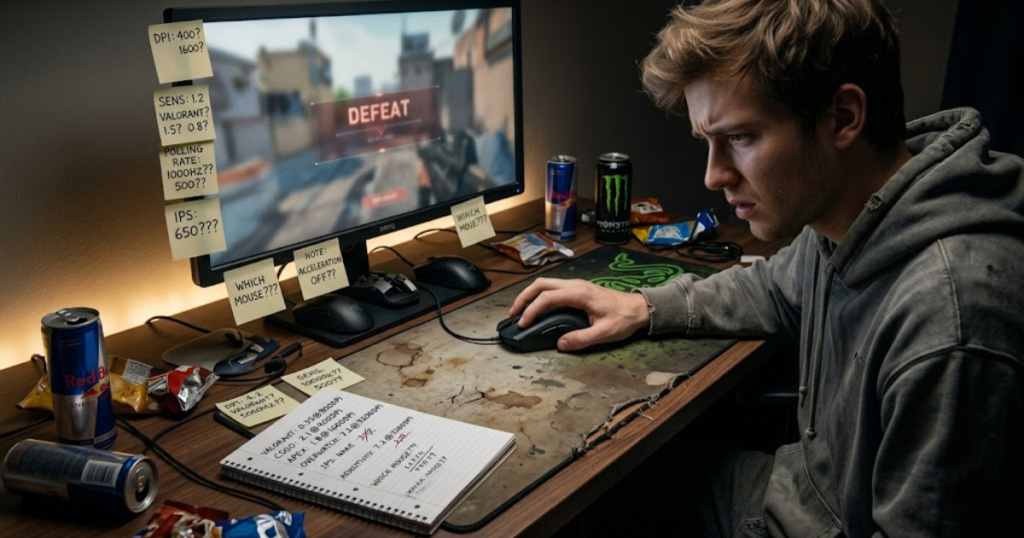
These mistakes often stack together. A player may use the wrong shape, copy professional settings, and blame DPI at the same time. This makes it difficult to identify the real source of the problem.
The factors below explain the most common gaming mouse mistakes FPS players make:
- Popularity-based buying: Choosing a mouse because it is popular instead of because it fits personal needs.
- Shape mismatch: Using a mouse that does not match hand size or grip style.
- Blindly copying professionals: Using settings without understanding why they work for someone else.
- Constant sensitivity changes: Resetting aiming consistency through excessive experimentation.
- DPI misconceptions: Treating DPI as the primary factor behind aiming skill.
- Grip style mistakes: Forcing unnatural hand positions that create tension.
- Feature obsession: Prioritizing specifications instead of comfort and control.
Most of these mistakes come from searching for shortcuts. Players who want a broader understanding of hardware fundamentals can start with this complete guide to gaming mice for FPS games.
Why Do Gaming Mouse Mistakes Affect FPS Performance?
Gaming mouse mistakes are setup problems that interfere with repeatable movement, and they help explain why aiming can feel inconsistent even when hardware quality is high.
FPS games reward precision under pressure. Every flick, micro-adjustment, and tracking movement depends on repeatability. When a setup creates discomfort or unpredictability, the player spends attention managing the mouse instead of focusing on gameplay.
Even small issues can have noticeable effects. An uncomfortable shape may encourage grip adjustments. Excessive sensitivity changes may make movement distances feel unfamiliar. A poorly matched mousepad can affect stopping control.
The best FPS setups feel predictable. Players should know how their mouse will respond before movement begins. That predictability is what allows mechanics to become consistent.
Understanding why mistakes affect performance makes it easier to evaluate setup problems objectively instead of assuming the mouse itself is defective.
Why Are Beginners More Vulnerable to These Mistakes?
Beginner gaming mouse mistakes are common because new players have limited experience evaluating hardware, and they help explain why beginners often chase settings instead of building stable habits.
Many beginners enter the FPS genre without understanding how mouse shape, weight, sensitivity, and grip style work together. Choosing a first gaming mouse for FPS beginners carefully can help avoid many of these problems.
Another problem is impatience. Beginners often expect immediate improvement from equipment changes. When performance does not improve quickly, they switch settings again, creating a cycle of constant adjustment.
Experienced players usually understand that consistency develops over time. Beginners often mistake temporary discomfort for a bad setup and temporary success for a perfect one.
Recognizing these tendencies helps newer players avoid unnecessary changes and focus on building repeatable mechanics.
Can Good Hardware Still Produce Poor Results?
Good gaming mouse hardware is quality equipment that supports performance, and it helps improve consistency only when the rest of the setup also fits the player.
A premium gaming mouse cannot automatically create good aim. The reasons why FPS players use gaming mice go beyond simply buying better hardware. A top-tier sensor still depends on a comfortable shape. A lightweight design still depends on appropriate control. Reliable hardware still depends on stable habits.
Many players become disappointed after purchasing an expensive mouse because they expected a direct performance boost. The reality is that hardware usually removes limitations rather than creating skill.
A player with poor crosshair placement, weak positioning, or inconsistent sensitivity habits may continue struggling even with excellent equipment. In these cases, the mouse is not the problem.
Good hardware creates opportunity. The player still has to take advantage of that opportunity through effective practice and stable mechanics.
Understanding this distinction helps players make more realistic decisions about upgrades and setup changes.
Choosing a Gaming Mouse Based Only on Popularity
Choosing a gaming mouse based only on popularity is a buying mistake that ignores personal compatibility, and it helps explain why highly rated mice do not always feel comfortable or effective for every player.
Popularity can provide useful information about a product’s reputation, but it cannot determine whether a specific mouse will fit a specific hand. Factors such as shape, size, grip support, and comfort vary significantly between players.
Many players purchase the same mouse used by a professional player and expect similar results. Unfortunately, popularity does not guarantee compatibility.
The table below compares common popularity-based buying reasons with real-world FPS considerations:
| Popular Buying Reason | Reality for FPS Players |
|---|---|
| Used by a professional player | May not fit your hand size or grip style. |
| Recommended by a streamer | The recommendation reflects their preferences, not yours. |
| High review scores | Reviews cannot fully predict personal comfort. |
| Bestseller ranking | Sales numbers do not guarantee compatibility. |
| Popular on social media | Trends often prioritize hype over fit. |
The comparison above shows that popularity can help players discover products, but it should never replace personal evaluation.
Successful gaming mouse choices are usually based on fit and comfort rather than public attention alone.
Why Popular Mice Do Not Fit Every Player
Popular gaming mice are widely recommended products, and they help many players discover trusted options while still requiring personal evaluation before purchase.
Every player’s hand is different. A mouse that feels comfortable for one player may feel awkward for another. Even small changes in width, hump placement, side curvature, or length can affect comfort and control.
Grip style creates additional variation. Fingertip players often prefer different shapes than palm grip players. Claw grip users may value different support characteristics than either group.
This means even the most popular gaming mouse in the world can still be the wrong choice for a specific user.
Popularity should be viewed as a starting point for research rather than proof of compatibility.
How Social Media Influences Mouse Buying Decisions
Social media influence is a powerful purchasing signal that shapes product perception, and it helps explain why many gaming mice become popular long before most users have tested them personally.
Modern gaming communities are heavily influenced by short-form content. Reviews, unboxings, and recommendation videos can generate significant excitement around specific products. While this content can be useful, it often focuses on excitement rather than long-term usability.
Viewers naturally associate visibility with quality. The more often a mouse appears online, the more trustworthy it seems. However, repeated exposure does not automatically mean the product fits individual needs.
Social media is most useful when it helps players discover options. It becomes less useful when it replaces personal evaluation.
Players should treat online recommendations as research material rather than final buying instructions.
What Factors Matter More Than Popularity?
Personal compatibility factors are characteristics that directly affect comfort and control, and they help players choose gaming mice based on practical performance rather than reputation.
The factors below matter more than popularity when evaluating a gaming mouse:
- Shape fit: The mouse should support natural hand positioning.
- Hand size: Dimensions should feel comfortable during extended sessions.
- Grip style: The design should complement the player’s preferred grip.
- Comfort: Long-term usability is more important than initial impressions.
- Control: Movements should feel stable and repeatable.
- Weight preference: The mouse should support the player’s aiming style.
These factors directly influence gameplay because they affect how the mouse feels during real matches rather than how it appears in marketing material.
Players who prioritize compatibility usually experience fewer setup frustrations and more consistent results.
Popularity may attract attention, but compatibility determines long-term satisfaction.
Ignoring Mouse Shape and Hand Size
Ignoring mouse shape and hand size is one of the most common gaming mouse mistakes, and it helps explain why some players experience discomfort, instability, or inconsistent aim despite using high-quality hardware.
Shape determines how the hand interacts with the mouse. It affects comfort, grip stability, button access, and movement control. Hand size influences whether that shape feels natural or restrictive.
The image below demonstrates how a poor shape match can create discomfort and reduce control during FPS gameplay:
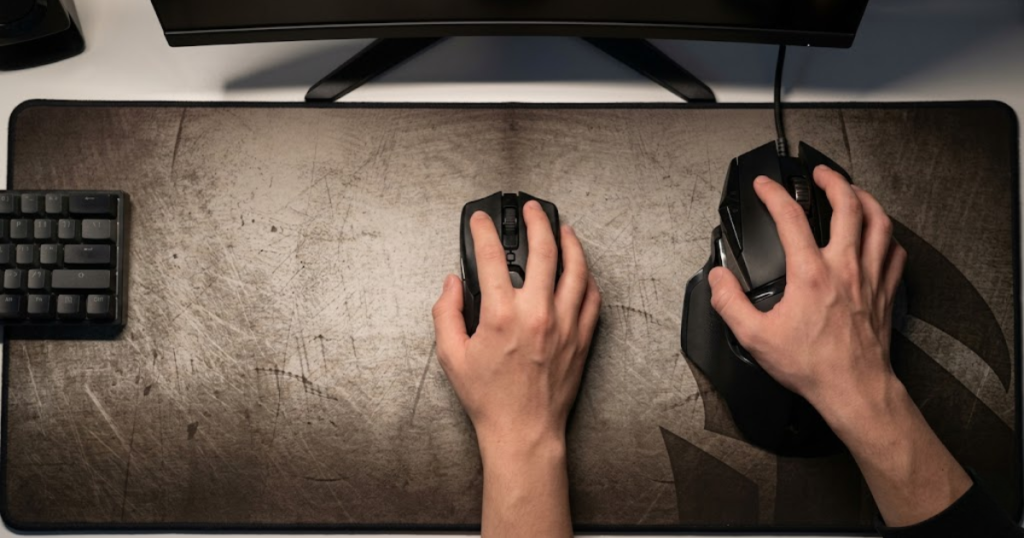
Many players focus heavily on sensors, polling rates, and specifications while overlooking the physical interaction between the hand and the mouse. This often leads to long-term comfort and control problems.
The table below shows common shape-related issues across different hand sizes:
| Hand Size | Common Shape Problem | Potential FPS Impact |
|---|---|---|
| Small | Mouse feels too large | Reduced precision and slower adjustments |
| Medium | Fit depends heavily on shape design | Variable comfort and control |
| Large | Mouse feels too short or narrow | Reduced support and stability |
This comparison demonstrates that shape compatibility changes significantly depending on hand size.
Ignoring these differences often creates problems that players mistakenly blame on sensitivity or hardware quality.
How Poor Shape Fit Changes Mouse Control
Poor mouse shape fit is a mismatch between the hand and the mouse design, and it helps explain why aiming can feel uncomfortable, unstable, or inconsistent.
When shape compatibility is poor, the player often compensates unconsciously. Grip pressure increases, fingers adjust more frequently, and movements become less natural. These compensations reduce repeatability.
The factors below explain how poor shape fit affects mouse control:
- Grip adjustments: Frequent repositioning interrupts consistency.
- Reduced stability: The mouse feels harder to control during rapid movements.
- Hand fatigue: Extra tension increases strain over long sessions.
- Inconsistent stopping power: Precision becomes less predictable.
Many players initially blame sensitivity settings when these symptoms appear. In reality, the root cause is often shape compatibility.
Improving shape fit frequently produces more noticeable benefits than changing specifications.
Common Problems Small-Handed Players Face
Small-handed players are users whose hands struggle with oversized mouse designs, and they help illustrate how excessive dimensions can reduce comfort and control.
Large gaming mice often require more finger extension and wider grip positions. Small-handed players may have difficulty reaching side buttons comfortably or controlling the front portion of the mouse during micro-adjustments.
These issues can make precision aiming feel more difficult. Instead of focusing on the game, players spend additional effort managing the mouse itself.
Shape compatibility is especially important for smaller hands because even minor dimensional differences can significantly affect comfort.
Finding a shape that supports natural finger positioning often improves control more effectively than upgrading technical specifications.
Common Problems Large-Handed Players Face
Large-handed players are users who require more support from a mouse shape, and they help explain why compact gaming mice sometimes feel unstable despite excellent performance specifications.
Small or narrow mice may provide insufficient palm support for larger hands. This often creates awkward grip positions, additional finger drag, or increased tension during extended sessions.
Large-handed players may also experience reduced stability if the mouse feels too short. Lack of support can make precise tracking and controlled stopping more difficult.
The goal is not necessarily finding the largest mouse available. The goal is finding enough support to maintain comfortable control throughout long gaming sessions.
Choosing a shape that complements hand size helps create a more stable foundation for aiming consistency.
Understanding shape compatibility allows players to solve control problems at their source rather than endlessly adjusting settings to compensate.
Copying Professional Player Settings Without Testing
Copying professional player settings without testing is a common gaming mouse mistake, and it helps explain why many players feel uncomfortable after switching to setups that work well for professional competitors.
Professional players build their settings around years of experience, specific hardware, individual mechanics, and unique playstyles. A setting that feels natural to a professional player may feel restrictive, uncomfortable, or inconsistent for someone with different habits and equipment.
The image below illustrates why professional gaming mouse settings do not automatically work for every player:
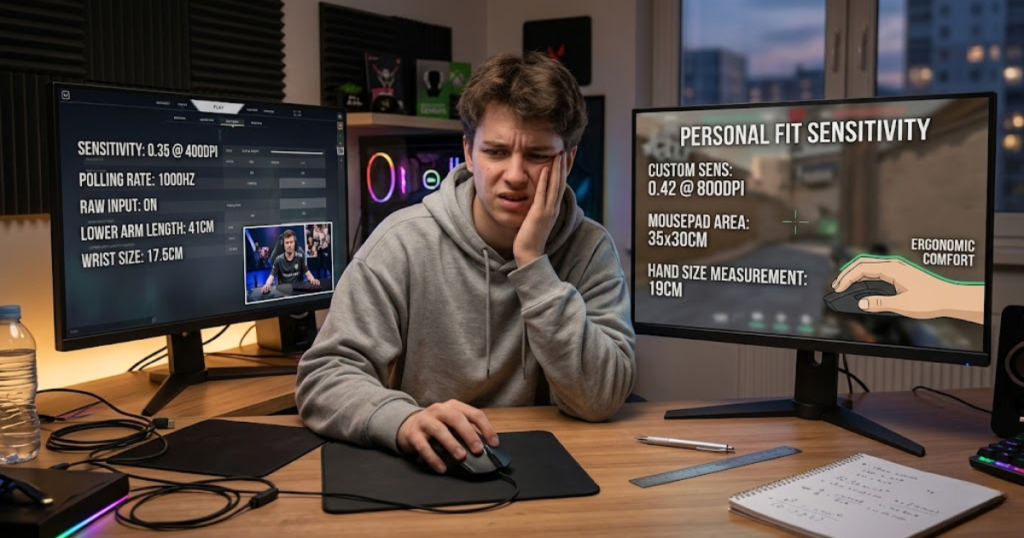
Many FPS players assume professional settings are universally optimal. In reality, professional settings are highly personalized. The value comes from understanding the reasoning behind them rather than copying numbers blindly.
The table below compares common professional setup elements with factors that can change how those settings feel:
| Professional Setup Element | Personal Compatibility Factor |
|---|---|
| DPI | Control preference and movement habits |
| Sensitivity | Available mouse space and aiming style |
| Mousepad | Surface preference and desk setup |
| Grip Style | Hand size and comfort |
| Mouse Weight | Tracking and stopping preferences |
The comparison above shows why identical settings can feel completely different between players.
Professional setups can provide useful reference points, but personal testing remains essential for long-term consistency.
Why Professional Settings Are Highly Personal
Professional gaming mouse settings are individualized performance preferences, and they help competitive players maximize consistency within their own environment.
Professional players spend thousands of hours developing muscle memory around specific sensitivities, grip styles, and movement patterns. Their settings are often the result of gradual refinement rather than a universal formula.
Two professional players can compete at the highest level while using noticeably different sensitivity ranges. This demonstrates that success depends more on consistency than on copying a particular number.
Players should focus on understanding why professionals make certain choices instead of assuming those choices will automatically improve their own performance.
The most effective setup is usually the one that feels predictable and comfortable for the individual player.
The Hidden Variables Behind Professional Setups
Hidden setup variables are environmental and personal factors that influence how mouse settings feel, and they help explain why copying professional configurations often produces mixed results.
Desk size is one of the most important hidden variables. A professional player using low sensitivity often has enough space to make large arm movements comfortably. Players with smaller desks may struggle with the same setup.
Mousepad size also changes the experience significantly. A large control-oriented mousepad creates a different aiming feel than a compact speed-focused surface.
Monitor placement, chair height, posture, and arm support further influence how settings perform during actual gameplay.
Ignoring these variables can make a professional setup feel far less effective than expected.
Understanding the complete environment helps players evaluate settings more realistically.
How to Adapt Settings Instead of Copying Them
Adapting gaming mouse settings is the process of modifying ideas to fit personal needs, and it helps players build a setup that supports their own mechanics rather than someone else’s.
The following process can help players adapt settings more effectively:
- Identify a starting point: Use your current setup as a baseline.
- Adjust one variable: Change only one setting at a time.
- Test consistently: Use the change across multiple sessions.
- Evaluate comfort: Focus on control, stability, and fatigue.
- Keep useful changes: Retain adjustments that improve consistency.
This process reduces confusion because each adjustment can be evaluated independently.
Players who adapt settings thoughtfully usually build more reliable setups than those who constantly copy new configurations.
Learning from professionals is valuable, but personalization is what ultimately creates long-term consistency.
Changing Sensitivity Too Frequently
Changing sensitivity too frequently is a consistency mistake, and it helps explain why some players never feel fully comfortable with their gaming mouse despite spending significant time optimizing settings.
Sensitivity affects how physical mouse movement translates into crosshair movement. Because aiming depends heavily on repetition, constant changes interrupt the development of reliable movement patterns.
Many players adjust sensitivity after a few poor matches. Unfortunately, this often creates additional inconsistency instead of solving the original problem.
The signs below explain when sensitivity changes may be happening too often:
- Daily adjustments: Sensitivity changes after short-term performance swings.
- Frequent DPI changes: Multiple DPI values are tested without a clear reason.
- Constant experimentation: More time is spent changing settings than practicing.
- Professional copying: New settings are adopted whenever a professional performs well.
- Lack of commitment: No setting is tested long enough to become familiar.
These habits often prevent players from developing confidence in their setup.
Consistency usually improves when settings remain stable long enough for meaningful evaluation.
How Frequent Changes Disrupt Consistency
Frequent sensitivity changes are repeated adjustments to aiming speed, and they help explain why movement distances can feel unpredictable from one session to the next.
Every sensitivity value creates a different relationship between hand movement and crosshair movement. When that relationship changes repeatedly, the player must constantly adapt to new movement distances.
Flick shots become harder to judge because familiar movements no longer produce familiar results. Tracking can also feel inconsistent because movement speed changes relative to expectations.
The issue is not that sensitivity should never change. The issue is that meaningful evaluation requires time and repetition.
Players who constantly change sensitivity often mistake adaptation problems for performance problems.
Signs You Are Chasing Settings Instead of Improving
Setting chasing is the habit of treating configuration changes as the primary solution to performance issues, and it helps explain why some players spend more time optimizing than improving.
One common sign is blaming every missed shot on sensitivity. Another sign is constantly searching for the perfect number despite achieving reasonable results with existing settings.
Players who chase settings often ignore more important issues such as positioning, timing, crosshair placement, and decision-making. Hardware becomes the focus while gameplay fundamentals receive less attention.
Improvement becomes difficult because every new setting resets the adaptation process.
Recognizing this pattern helps players shift their attention toward more productive forms of practice.
How Long Should New Settings Be Tested?
Testing new sensitivity settings is a structured evaluation process, and it helps players determine whether a change genuinely improves performance.
The following process can help players evaluate new settings more effectively:
- Select one setup: Choose a DPI and sensitivity combination.
- Commit to testing: Use it consistently across multiple sessions.
- Observe performance: Monitor comfort, tracking, and stopping control.
- Compare results: Evaluate long-term trends rather than isolated games.
- Make a decision: Keep the setup only if consistency improves.
This approach reduces emotional decision-making and creates more reliable feedback.
Most settings require time before their strengths and weaknesses become obvious.
Patience often produces better results than constant experimentation.
Focusing Too Much on DPI Numbers
Focusing too much on DPI numbers is a misunderstanding of gaming mouse performance, and it helps explain why many players overestimate the importance of a single specification.
DPI determines how sensitive the mouse sensor is to physical movement. If the concept feels confusing, this guide explains what DPI is in a gaming mouse in more detail. While it influences cursor and crosshair movement, it does not directly measure aiming skill, comfort, or control.
Many players assume higher DPI automatically creates better performance. This misconception often leads to unnecessary experimentation and unrealistic expectations.
The table below compares common DPI myths with practical FPS realities:
| DPI Myth | FPS Reality |
|---|---|
| Higher DPI means better aim | Control matters more than raw sensitivity. |
| All professionals use the same DPI | Professionals use a variety of DPI values. |
| DPI determines skill | Skill depends on mechanics and consistency. |
| Extreme DPI improves reactions | Very high DPI can reduce controllability. |
| One DPI fits everyone | Comfort and preference vary between players. |
The comparison above shows that DPI is only one part of a larger aiming system.
Understanding its actual role helps players make more informed setup decisions.
Common DPI Myths FPS Players Believe
DPI myths are oversimplified beliefs about mouse performance, and they help explain why players often misunderstand the relationship between hardware and aiming consistency.
The myths below are especially common among FPS players:
- Higher DPI is always superior: Greater sensitivity does not automatically improve accuracy.
- Low DPI guarantees precision: Control depends on the entire setup rather than one number.
- DPI creates skill: Mechanics develop through practice, not specifications.
- Professional DPI values are mandatory: Individual comfort remains more important.
These misconceptions often distract players from more meaningful aspects of setup optimization.
Focusing on overall control usually produces better results than focusing exclusively on DPI.
Why DPI Alone Does Not Determine Accuracy
DPI alone is a single sensitivity measurement, and it helps explain only part of how a gaming mouse behaves during FPS gameplay.
Accuracy depends on the interaction between DPI, in-game sensitivity, mousepad space, grip style, and physical movement habits. Two players using identical DPI values can experience very different aiming results.
For example, one player may pair high DPI with low in-game sensitivity while another uses lower DPI with higher in-game sensitivity. Despite different configurations, overall control can remain similar.
This demonstrates why evaluating DPI in isolation often leads to misleading conclusions.
Effective setups prioritize overall balance rather than extreme values.
What Most Competitive Players Actually Prioritize
Competitive gaming mouse priorities are setup characteristics that support long-term consistency, and they help explain why experienced players often focus less on DPI than beginners expect.
The factors below are commonly prioritized by competitive FPS players:
- Comfort: The setup should remain comfortable for extended sessions.
- Consistency: Movements should feel predictable under pressure.
- Shape fit: The mouse should complement natural grip mechanics.
- Reliable tracking: Sensor performance should remain stable.
- Control: Stopping and adjustment precision should feel dependable.
These priorities directly affect gameplay because they influence how repeatable movement feels during real matches.
Most competitive players care more about consistency than about chasing impressive specifications.
Understanding these priorities helps players focus on factors that genuinely influence FPS performance.
Buying a Mouse Only Because It Has the Latest Features
Buying a mouse only because it has the latest features is a specification-driven mistake, and it helps explain why some FPS players spend more money without gaining meaningful improvements in comfort or control.
Modern gaming mice advertise advanced sensors, extremely high polling rates, lightweight shells, wireless technology, customizable software, and various performance-focused features. Understanding which gaming mouse features matter for FPS can prevent unnecessary spending.
The biggest mistake is assuming that newer technology always creates better results. In reality, features only matter when they solve a problem that the player actually experiences.
The factors below explain which gaming mouse features players often overvalue:
- High polling rates: Often treated as essential even when system limitations reduce practical benefits.
- Extreme DPI ranges: Frequently marketed despite most players using only a small portion of available values.
- RGB lighting: Improves appearance but does not affect aiming performance.
- Software features: Useful in some situations but rarely responsible for major FPS improvements.
- Marketing specifications: Often emphasized more heavily than comfort and shape.
These features can provide value, but they should never be prioritized above shape compatibility and long-term comfort.
A gaming mouse should solve practical problems rather than simply offer impressive specifications.
Why New Features Do Not Guarantee Better Performance
New gaming mouse features are technological additions designed to improve certain aspects of performance, and they help players only when they address a real limitation within the existing setup.
Many players assume advanced features automatically create measurable performance gains. However, performance improvements depend heavily on context. A player struggling with discomfort will not suddenly improve because of a higher polling rate.
Similarly, a player using an uncomfortable shape will continue experiencing control issues regardless of how advanced the sensor becomes. Hardware improvements work best when the fundamentals of the setup are already solid.
Features should support existing strengths rather than compensate for fundamental weaknesses.
Understanding this distinction helps players make more practical purchasing decisions.
When Advanced Features Actually Matter
Advanced gaming mouse features are specialized technologies that enhance specific aspects of performance, and they help players most when their setup already provides strong comfort and consistency.
Higher polling rates may benefit players using high-refresh-rate displays and powerful systems. Wireless technology can reduce cable drag for players who dislike wired movement restrictions. Advanced software features may help users who frequently switch between games or profiles.
These advantages are real, but they become meaningful only after basic requirements have been satisfied. Shape compatibility, grip comfort, and stable sensitivity generally influence performance more significantly than premium features.
Players often achieve better results by improving fundamentals before pursuing advanced technology.
Features should refine performance rather than define it.
Features That Players Commonly Overvalue
Overvalued gaming mouse features are specifications that receive more attention than their practical impact deserves, and they help explain why some purchases fail to deliver expected results.
Many players become obsessed with numerical specifications because numbers appear objective. Unfortunately, comfort and compatibility are harder to measure despite being far more important during gameplay.
A mouse with moderate specifications and excellent shape compatibility often performs better than a technically superior mouse that feels uncomfortable. This is especially true in tactical FPS games where consistency matters more than raw speed.
Evaluating features within the context of personal needs creates more realistic expectations.
Practical usability should always outweigh specification-driven excitement.
Using the Wrong Grip Style for Your Natural Mechanics
Using the wrong grip style is a control-related gaming mouse mistake, and it helps explain why some players experience tension, instability, or discomfort despite using quality hardware.
Grip style affects how the hand interacts with the mouse during movement. It influences precision, tracking stability, lift-off behavior, and overall comfort. When the grip style feels unnatural, the entire setup becomes harder to control.
Many players force themselves into specific grips because professionals use them. Unfortunately, copying a grip style without considering hand structure and comfort often creates additional problems.
The table below compares common grip mistakes with their potential consequences:
| Grip Mistake | Potential Result |
|---|---|
| Forcing claw grip | Increased finger tension and fatigue |
| Forcing fingertip grip | Reduced stability during tracking |
| Forcing palm grip | Restricted mobility and slower adjustments |
| Excessive grip pressure | Reduced comfort and inconsistent control |
| Frequent grip switching | Loss of consistency and muscle memory |
The comparison above shows how grip-related issues can affect aiming even when the mouse itself is technically excellent.
Finding a natural grip usually produces more benefits than forcing a popular one.
Why Forcing a Grip Style Creates Problems
Forcing a grip style is the act of using a hand position that does not feel natural, and it helps explain why aiming sometimes feels uncomfortable despite extensive practice.
Natural movement patterns vary significantly between individuals. Some players naturally prefer more palm contact, while others rely heavily on finger control. Attempting to override those tendencies often increases tension and reduces fluidity.
When a grip feels forced, players typically compensate by adjusting pressure, changing posture, or repositioning the mouse more frequently. These adjustments create inconsistency.
A comfortable grip allows the player to focus on gameplay rather than hand placement.
Long-term consistency usually develops around natural movement rather than imitation.
Signs Your Grip Style Is Working Against You
A problematic grip style is a hand position that creates unnecessary limitations, and it helps players recognize when comfort and control are being reduced by the way they hold the mouse.
The signs below may indicate that your grip style is causing problems:
- Hand tension: Fingers feel strained during normal gameplay.
- Frequent adjustments: Grip position changes repeatedly throughout a session.
- Reduced precision: Fine corrections feel inconsistent.
- Unstable tracking: Continuous movement feels difficult to control.
- Fatigue: Hands become tired sooner than expected.
These symptoms often appear gradually, making them difficult to identify immediately.
Recognizing them early can prevent long-term discomfort and inconsistency.
How to Identify a More Natural Grip
A natural gaming mouse grip is a comfortable hand position that supports repeatable movement, and it helps players maintain consistency without unnecessary effort.
The easiest way to identify a natural grip is to stop actively thinking about grip categories. Instead, focus on how the hand naturally settles on the mouse during gameplay.
Players should evaluate whether the grip remains comfortable during flicks, tracking, and long sessions. A grip that works only during short tests may not remain effective under pressure.
Natural grips often combine elements from multiple grip styles. This is completely normal and does not require correction.
The goal is repeatable comfort rather than strict adherence to a specific category.
Overlooking Mouse Weight Preferences
Overlooking mouse weight preferences is a setup mistake that ignores personal control characteristics, and it helps explain why some players struggle with stability even when using highly regarded gaming mice.
Mouse weight changes how movement feels. It influences acceleration, stopping behavior, tracking smoothness, and fatigue. Because every player prefers a different balance of speed and control, weight preferences vary significantly.
Many players automatically assume lighter mice are always better because lightweight designs dominate current trends. While lightweight mice offer advantages, they are not universally superior.
The table below compares common weight preferences with mistakes players frequently make:
| Weight Preference | Common Mistake | Potential Result |
|---|---|---|
| Lightweight | Choosing extremely low weight without enough control | Overcorrections and unstable stopping |
| Medium Weight | Ignoring shape while focusing only on weight | Mixed comfort and control |
| Heavy Weight | Assuming more weight automatically means more precision | Increased fatigue during long sessions |
The comparison above demonstrates that weight should be evaluated alongside comfort and control rather than in isolation.
Personal preference remains more important than following trends.
Why Lightweight Trends Do Not Fit Everyone
Lightweight gaming mouse trends are industry movements toward lower mouse weight, and they help many players improve responsiveness while creating challenges for others.
Lightweight mice require less effort to move, making them attractive for fast-paced FPS gameplay. However, reduced resistance can also make stopping more difficult for some users.
Players who rely heavily on stability may find ultra-lightweight designs too sensitive to small hand movements. This can lead to overshooting targets and inconsistent tracking.
Weight should complement the player’s control style rather than follow market trends blindly.
A comfortable balance usually creates better long-term performance than pursuing the lowest possible weight.
Common Heavy Mouse Misconceptions
Heavy mouse misconceptions are beliefs that associate weight with precision, and they help explain why some players misunderstand the relationship between stability and control.
Heavier mice can feel stable because additional mass creates more resistance. However, stability does not automatically translate into better performance. Excessive weight may increase fatigue and reduce movement speed.
Some players perform extremely well with heavier mice because the additional resistance complements their aiming style. Others find the same weight restrictive.
Weight influences feel rather than skill. Different players simply prefer different movement characteristics.
Choosing weight based on comfort is generally more effective than choosing weight based on assumptions.
How Weight Influences Different Aiming Styles
Mouse weight is a movement characteristic that changes how force is applied during aiming, and it helps explain why different players prefer different hardware configurations.
The factors below explain how mouse weight influences various aiming styles:
- Flick aiming: Lighter mice often feel faster during rapid directional changes.
- Tracking: Moderate weight can provide smoother movement control.
- Micro-adjustments: Lower resistance may support faster corrections.
- Stopping control: Additional weight can help some players feel more stable.
- Fatigue management: Weight affects comfort during long gaming sessions.
Different aiming styles place different demands on hardware. This is why no single weight category works for everyone.
The best gaming mouse weight is usually the one that feels natural and repeatable over time.
Ignoring Mousepad Compatibility
Ignoring mousepad compatibility is a gaming mouse setup mistake that overlooks the interaction between the mouse and its surface, and it helps explain why the same mouse can feel completely different across different mousepads.
Many FPS players spend significant time researching gaming mice while paying little attention to the surface underneath them. In reality, the mousepad directly affects glide speed, stopping power, tracking feel, and movement consistency.
A high-quality gaming mouse cannot perform at its best if the surface does not match the player’s control preferences. Because of this, evaluating the mouse separately from the mousepad often leads to misleading conclusions.
The factors below explain common mousepad compatibility mistakes:
- Using an overly fast surface: Reduced stopping control may create inconsistent aim.
- Using an overly slow surface: Excessive friction can limit movement speed.
- Ignoring wear: Uneven glide develops as mousepads age.
- Using an undersized pad: Limited space restricts movement freedom.
- Poor maintenance: Dirt and debris can alter tracking consistency.
These mistakes often feel like mouse problems because players interact with both components simultaneously.
Evaluating mouse and mousepad compatibility together provides a more accurate understanding of setup performance.
Why Mousepads Influence Mouse Performance
Mousepads are movement surfaces that affect glide behavior, and they help determine how a gaming mouse feels during aiming, tracking, and stopping movements.
Every mousepad creates a different balance between speed and control. Faster surfaces reduce resistance, allowing quicker movement across the pad. Slower surfaces provide additional friction, which can improve stopping confidence for some players.
Texture also influences feedback. Some surfaces feel smooth and effortless, while others provide more tactile information through the hand. Neither approach is universally better because preferences vary significantly between players.
These differences become especially noticeable in tactical FPS games where precise micro-adjustments matter.
The mousepad should support the player’s aiming style rather than work against it.
Common Mouse and Mousepad Matching Mistakes
Mouse and mousepad matching mistakes are compatibility problems between hardware components, and they help explain why some setups feel unstable despite using quality equipment.
A lightweight mouse combined with an extremely fast surface may create too little resistance for certain players. Conversely, a heavier mouse paired with a very slow surface may feel sluggish during large movements.
Sensitivity settings further complicate compatibility. A low-sensitivity player may need significantly more movement space than a high-sensitivity player. The same mousepad can therefore feel ideal for one player and restrictive for another.
Compatibility should be evaluated as a complete system rather than as separate products.
Balanced setups usually provide more predictable performance than extreme combinations.
Signs Your Mousepad Is Holding You Back
A limiting mousepad is a surface that reduces consistency or comfort, and it helps players identify performance problems that may not originate from the mouse itself.
Common signs include uneven glide, worn areas, inconsistent stopping behavior, and difficulty maintaining smooth tracking movements. These symptoms often develop gradually as a mousepad ages.
Players may also notice that performance varies depending on which section of the pad they use. This inconsistency can make aiming feel unpredictable even when settings remain unchanged.
Replacing or cleaning a worn mousepad can sometimes provide more noticeable improvements than replacing the mouse itself.
Maintaining surface quality helps preserve long-term aiming consistency.
Understanding mousepad compatibility allows players to evaluate their setup more accurately and avoid blaming the wrong component.
Expecting Hardware to Fix Mechanical Problems
Expecting hardware to fix mechanical problems is a mindset mistake that places unrealistic expectations on gaming equipment, and it helps explain why many upgrades fail to produce the improvement players expect.
Gaming mice can improve comfort, reduce technical limitations, and support more consistent movement. However, understanding whether gaming mice improve aim helps set realistic expectations.
The image below highlights the difference between hardware limitations and gameplay fundamentals:
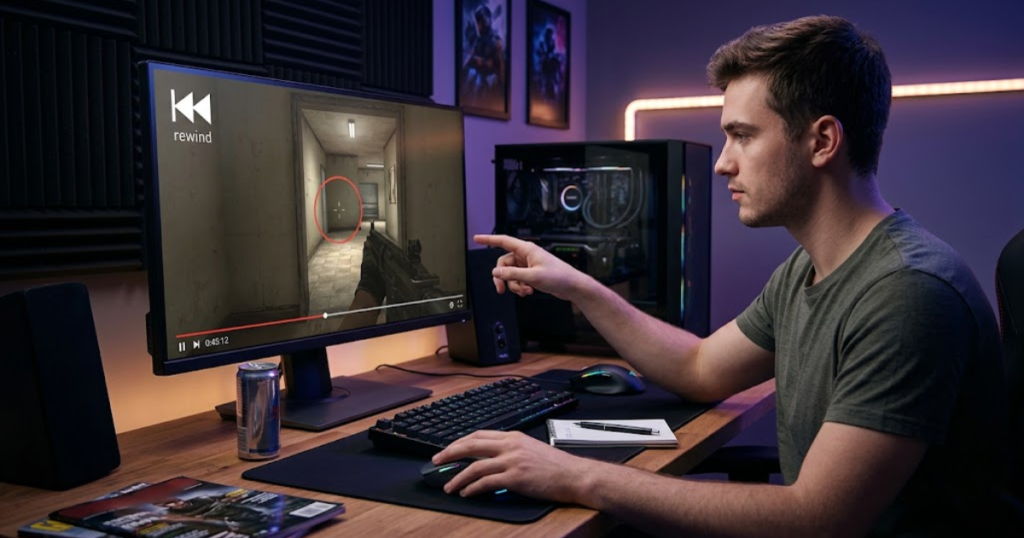
Many players purchase new hardware after periods of poor performance. While upgrades can solve genuine equipment issues, they rarely solve problems rooted in gameplay fundamentals.
The table below compares problems hardware can help solve with problems that require player development:
| Problem | Can Hardware Fix It? | Primary Solution |
|---|---|---|
| Uncomfortable mouse shape | Yes | Choose a more suitable shape |
| Poor sensor quality | Yes | Upgrade to a reliable gaming mouse |
| Crosshair placement | No | Practice positioning and angle discipline |
| Game sense | No | Develop decision-making and awareness |
| Poor movement habits | No | Improve mechanics through practice |
The comparison above highlights the difference between equipment limitations and player limitations.
Understanding that difference helps players make smarter upgrade decisions.
Skills That Hardware Cannot Replace
FPS fundamentals are player-controlled skills that determine combat effectiveness, and they help explain why hardware upgrades alone rarely transform performance.
The skills below cannot be replaced by gaming mouse upgrades:
- Crosshair placement: Proper positioning reduces the need for difficult flicks.
- Positioning: Better positioning creates easier engagements.
- Decision-making: Smart choices improve survival and combat outcomes.
- Movement control: Efficient movement supports better aim.
- Game awareness: Understanding enemy behavior improves reaction quality.
These skills influence performance more consistently than hardware specifications because they affect every engagement regardless of equipment.
Players who focus on fundamentals usually see larger long-term improvements than players who focus exclusively on hardware.
Why Fundamentals Matter More Than Upgrades
FPS fundamentals are core gameplay skills that influence every engagement, and they help create consistent performance regardless of which gaming mouse is being used.
Strong fundamentals reduce the difficulty of aiming situations before the shot even occurs. Better positioning creates easier targets. Better crosshair placement reduces correction distance. Better movement improves shot opportunities.
Because of this, improvements in fundamentals often produce larger performance gains than hardware upgrades. A better mouse can support strong fundamentals, but it cannot create them.
Understanding this relationship helps players prioritize improvement efforts more effectively.
Hardware works best when it complements existing skill development.
When a Mouse Upgrade Actually Makes Sense
A gaming mouse upgrade is a hardware change that removes a legitimate equipment limitation, and it helps players improve comfort, reliability, or control when the current device creates measurable problems.
Upgrades are often justified when the existing mouse causes discomfort, tracking issues, unreliable clicks, excessive weight, or poor shape compatibility. These are genuine hardware-related limitations that practice alone cannot solve.
By contrast, upgrading because of temporary frustration often leads to disappointment. The underlying issue may be inconsistent practice, fatigue, poor positioning, or unrealistic expectations.
Successful upgrades are usually based on clear evidence rather than emotional reactions.
Understanding the difference helps players invest more effectively in their setup.
How to Avoid Common Gaming Mouse Mistakes
Avoiding common gaming mouse mistakes is the process of building a stable and comfortable setup, and it helps players improve consistency without constantly chasing new hardware or settings.
Most gaming mouse mistakes occur because players make multiple changes simultaneously or prioritize trends over compatibility. A structured approach reduces confusion and makes setup decisions easier to evaluate.
The following process can help players avoid the most common gaming mouse mistakes:
- Prioritize shape first: Comfort and compatibility should come before specifications.
- Match the mouse to your hand: Evaluate hand size and grip style carefully.
- Choose stable settings: Avoid unnecessary sensitivity changes.
- Test consistently: Give each setup enough time to evaluate properly.
- Focus on comfort: Long-term usability matters more than hype.
This process simplifies decision-making by focusing on factors that directly affect gameplay.
Stable setups create a stronger foundation for skill development.
Build a Stable Setup Before Making Changes
A stable gaming mouse setup is a consistent combination of hardware and settings, and it helps players evaluate performance without introducing unnecessary variables.
The factors below should remain stable during testing periods:
- Sensitivity: Avoid changing values too frequently.
- Grip style: Maintain a natural hand position.
- Mousepad: Keep the same surface during evaluations.
- Practice routine: Use similar training methods for comparison.
- Desk environment: Maintain consistent positioning and posture.
Stable conditions make it easier to identify genuine improvements or problems.
Without stability, performance becomes difficult to evaluate accurately.
Test One Variable at a Time
Testing one variable at a time is a controlled evaluation method, and it helps players determine which changes genuinely influence performance.
The following process can help players evaluate setup changes more effectively:
- Select one variable: Change only a single component or setting.
- Use the setup consistently: Test it across multiple sessions.
- Monitor performance: Observe comfort, control, and fatigue.
- Compare results: Evaluate whether consistency improved.
This method reduces confusion because each result can be linked to a specific change.
Controlled testing often produces more reliable conclusions than rapid experimentation.
Focus on Long-Term Consistency Instead of Quick Fixes
Long-term consistency is the ability to reproduce comfortable and reliable performance over time, and it helps players improve more effectively than chasing short-term solutions.
The qualities below support long-term consistency:
- Comfort: The setup should remain comfortable for extended sessions.
- Repeatability: Movements should feel familiar and predictable.
- Confidence: The player should trust the setup under pressure.
- Control: Aim should feel stable during different scenarios.
- Patience: Improvement requires time and repetition.
Many players sabotage consistency by constantly searching for immediate results. Sustainable improvement usually develops through stability and repetition.
Reliable performance comes from trusting a setup long enough to fully understand it.
Consistency remains one of the most valuable advantages any FPS player can develop.
Frequently Asked Questions About Common Gaming Mouse Mistakes
Many FPS players experience gaming mouse problems without realizing the cause. The questions below address common concerns related to setup mistakes, buying decisions, comfort, control, and long-term aiming consistency.
What is the most common gaming mouse mistake?
The most common gaming mouse mistake is choosing a mouse based on popularity instead of personal compatibility. This helps explain why many players use highly rated mice that still feel uncomfortable or inconsistent during gameplay.
Can the wrong mouse shape hurt aiming performance?
Yes, the wrong mouse shape can hurt aiming performance. A poor shape fit helps create grip instability, increased hand tension, and inconsistent movement during flicks and tracking.
Should I copy professional gaming mouse settings?
Professional gaming mouse settings can provide useful references, but they should not be copied blindly. Personal comfort, hand size, desk space, and aiming style all influence whether a setup feels effective.
How often should I change my mouse sensitivity?
Mouse sensitivity should only be changed when a clear problem exists. Constant changes make it difficult to develop consistency because movement distances never become familiar.
Is higher DPI always better for FPS games?
No, higher DPI is not always better. DPI is simply a sensitivity measurement and helps determine cursor movement speed, but aiming performance depends more on overall control and consistency.
Do lightweight gaming mice improve aim automatically?
No, lightweight gaming mice do not automatically improve aim. Lower weight can help movement feel faster, but comfort and control still depend on the player’s preferences and mechanics.
Can a gaming mouse improve aim immediately?
A gaming mouse can improve comfort and remove hardware limitations, but it does not instantly improve skill. Most performance gains come from consistent practice and effective setup choices.
How do I know if my gaming mouse is too large?
A gaming mouse may be too large if you frequently adjust your grip, struggle to reach buttons comfortably, or feel reduced control during micro-adjustments and tracking movements.
How important is mousepad compatibility?
Mousepad compatibility is very important because the surface directly affects glide speed, stopping power, and movement consistency. A good mouse can feel completely different on different mousepads.
Are expensive gaming mice always better?
No, expensive gaming mice are not always better. Higher prices often provide additional features, but shape compatibility and comfort usually influence performance more than premium specifications. This becomes clearer when comparing a gaming mouse vs office mouse.
What matters most when choosing a gaming mouse?
Mouse shape is usually the most important factor when choosing a gaming mouse. Shape helps determine comfort, grip stability, and long-term aiming consistency during FPS gameplay.
How can I avoid common gaming mouse mistakes?
You can avoid common gaming mouse mistakes by prioritizing shape fit, maintaining stable settings, testing changes gradually, and focusing on long-term consistency instead of short-term trends.
Final Thoughts on Common Gaming Mouse Mistakes
Common gaming mouse mistakes are setup, buying, and usage decisions that reduce aiming consistency, and they help explain why some players struggle despite investing heavily in gaming hardware.
The most common mistakes include buying based on popularity, ignoring shape compatibility, copying professional settings blindly, changing sensitivity too often, misunderstanding DPI, forcing grip styles, chasing specifications, overlooking mousepad compatibility, and expecting hardware to solve mechanical problems.
Most of these issues share a common theme. Players focus on external solutions while overlooking personal compatibility and long-term consistency. Comfort, shape fit, stable settings, and effective practice usually have a greater impact on performance than chasing trends or specifications.
A gaming mouse should support the player rather than distract them. If you are ready to compare actual recommendations, explore the best gaming mice for FPS games in 2026.
Thank you for reading. Understanding and avoiding these common gaming mouse mistakes can help create a more consistent FPS experience and allow skill development to progress more naturally.