
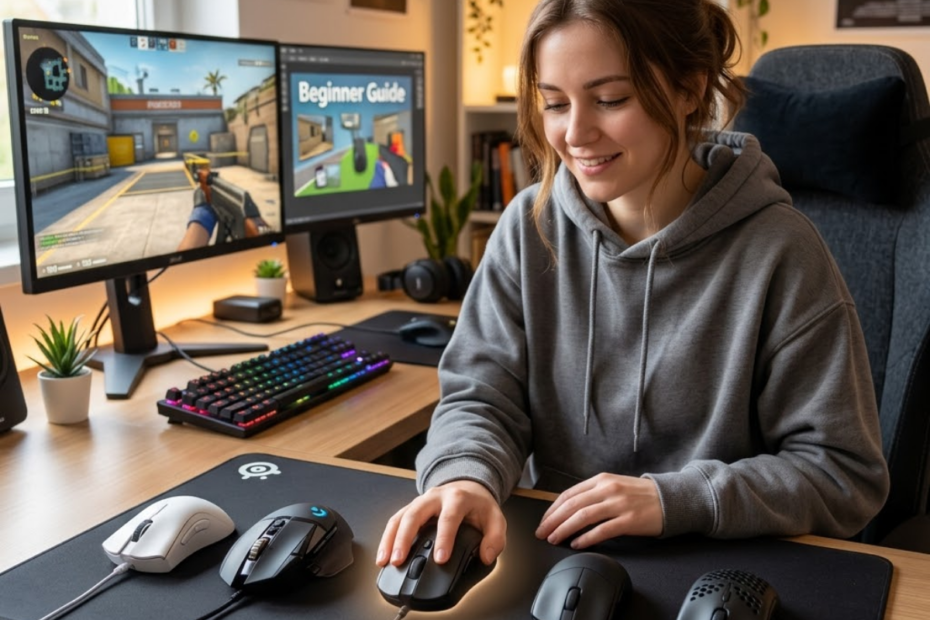
A first gaming mouse for FPS beginners is a mouse that helps new players build comfortable control, stable tracking, and consistent aiming habits without paying for features they do not need yet. If you are completely new to the category, it helps to first understand what a gaming mouse is for FPS games before comparing specific options.
Choosing your first FPS mouse can feel confusing because gaming mouse brands often talk about DPI, polling rate, sensor names, weight, switches, wireless speed, RGB, and software at the same time. For a beginner, the smartest choice is not always the most expensive model or the mouse used by a professional player. The better choice is usually the mouse that fits your hand, supports your grip, feels easy to move, and gives you enough performance to improve over time.
This guide focuses on the practical decisions beginners actually need to make before buying their first gaming mouse for FPS games. You will learn what matters first, what can wait, and how to avoid buying a mouse that looks impressive but feels wrong during real gameplay.
Why Your First Gaming Mouse Matters More Than Most Beginners Think
Your first gaming mouse is the foundation of your FPS aiming setup and helps shape how you learn movement, tracking, flicking, and stopping control. It helps beginners build cleaner habits because a comfortable and reliable mouse removes unnecessary hardware problems from the learning process.
The image below shows why a beginner-friendly gaming mouse can make learning FPS fundamentals easier:
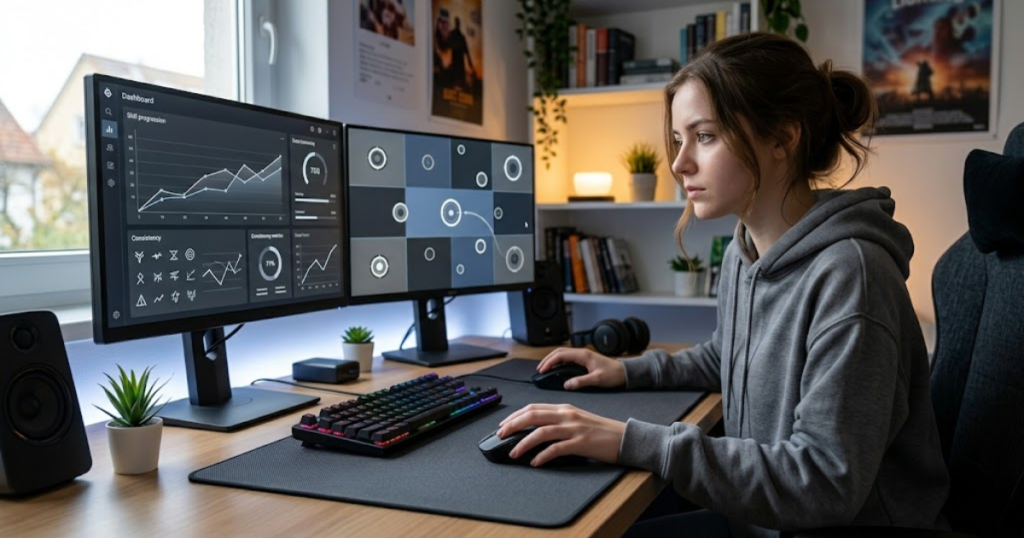
Many new FPS players think aim is only about practice. Practice matters, but the mouse still affects how easy that practice feels. A poor mouse can make movement feel inconsistent, heavy, delayed, or uncomfortable. A better first gaming mouse will not aim for you, but it gives your hand a more stable tool for learning.
The factors below explain why a first gaming mouse can affect the beginner learning experience:
- Comfort: A mouse that fits your hand reduces strain during long FPS sessions and makes practice easier to repeat.
- Consistency: A stable shape and reliable sensor make repeated aiming movements easier to control from match to match.
- Confidence: Reliable clicks and tracking help you trust your equipment during pressure situations.
- Control: Better mouse handling makes flicks, tracking, and small corrections feel more predictable.
- Adaptation: A beginner-friendly mouse helps you develop habits without constantly fighting your gear.
These factors matter because beginners need repeatable practice more than flashy specifications. A mouse that feels natural can make learning FPS fundamentals much smoother.
Why FPS Games Expose Mouse Weaknesses Faster Than Other Genres
FPS games are precision-based games that help reveal mouse problems quickly because every small movement can affect crosshair placement, tracking accuracy, and shot timing. They help expose poor tracking, uncomfortable shape, unstable grip, and inconsistent clicks faster than slower game genres.
In everyday computer use, a basic mouse may feel fine because you only move the cursor across menus, tabs, and documents. In FPS games, the same mouse has to handle fast turns, small corrections, recoil control, target tracking, and repeated stopping movements. That is where weak sensors, uncomfortable shells, and inconsistent buttons become more noticeable.
Beginners often feel that their aim is random when the mouse does not support clean control. The issue may not always be skill. Sometimes the mouse shape is too large, the sensor is unreliable, or the weight makes movement harder than necessary.
FPS games punish inconsistency, so your first mouse should make movement feel predictable instead of distracting.
How the Wrong Mouse Can Slow Down Improvement
The wrong gaming mouse is a poor fit for your hand, grip, or playing style and helps create extra friction during practice. It can slow beginner improvement because you spend more energy correcting discomfort than building aiming consistency.
If a mouse is too large, your fingers may stretch too much. If it is too small, your hand may feel cramped. If it is too heavy, wide flicks can feel tiring. If it is too light for your control preference, stopping may feel unstable at first. These issues can make practice feel harder than it should be.
A poor fit can also create bad habits. Some players grip too tightly to control an uncomfortable mouse. Others keep changing sensitivity because their mouse feels hard to manage. The real problem may be fit, not settings.
The right beginner mouse should reduce tension, not create new problems that hide behind aim practice.
Why Beginners Often Blame Aim Instead of Equipment Fit
Equipment fit is the match between your hand and your mouse, and it helps explain why some beginners struggle even when they practice often. Many beginners blame aim first because mouse fit is less obvious than missing shots.
When a beginner misses easy shots, the first thought is usually that their aim is bad. That may be partly true, but aim is affected by comfort, hand position, grip stability, and how easily the mouse starts and stops. A mouse that does not fit can make simple movements feel less consistent.
This does not mean every beginner should buy expensive gear. It means beginners should choose carefully. A good first mouse does not need to be elite, but it should not force your hand into an awkward position every time you play.
Before blaming your aim completely, it makes sense to check whether your mouse actually supports the way your hand wants to move.
Your first gaming mouse matters because it becomes part of your learning foundation. When the mouse feels comfortable and predictable, practice becomes easier to repeat and easier to trust.
What Beginners Should Prioritize in Their First FPS Gaming Mouse
A first FPS gaming mouse is a beginner setup tool that helps you control your aim comfortably and consistently. It helps new players improve faster when it prioritizes shape, comfort, sensor reliability, weight, and basic build quality before advanced features.
The image below highlights the gaming mouse characteristics beginners should prioritize first:
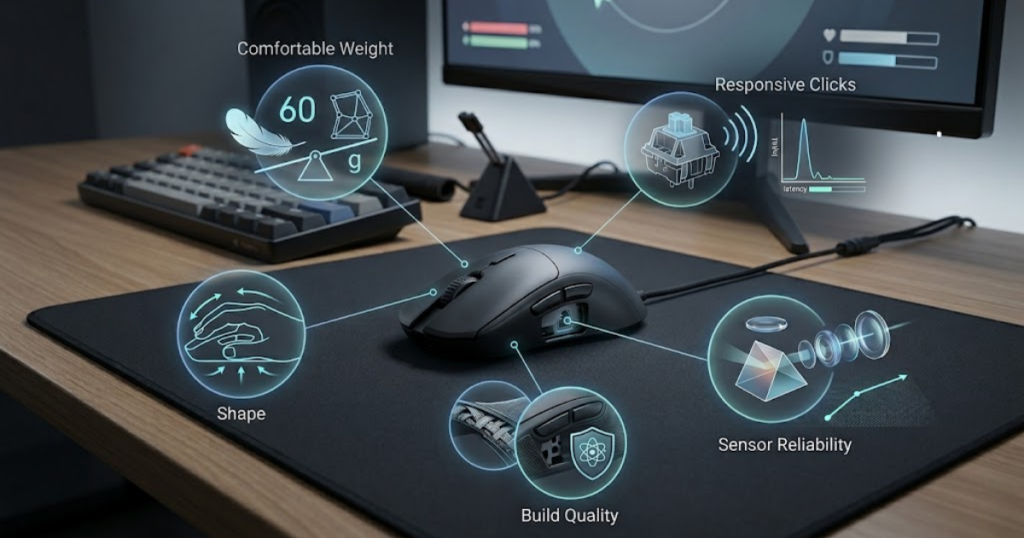
Beginners do not need to understand every technical detail before buying. The goal is to focus on what you will actually feel during gameplay. Shape affects how your hand rests. Weight affects how easily the mouse moves. Sensor reliability affects tracking. Click quality affects response confidence.
The factors below explain what beginners should prioritize in a first FPS gaming mouse:
- Shape: The mouse should support your natural hand position without forcing tension.
- Sensor: The mouse should track accurately without skipping, spinning out, or feeling unpredictable.
- Weight: The mouse should feel easy to move without becoming difficult to stop.
- Clicks: The buttons should feel responsive and reliable during repeated shots.
- Build Quality: The shell, buttons, wheel, coating, and feet should feel stable enough for regular play.
These priorities keep the buying decision practical. For a broader overview of shapes, weight, sensors, and buying considerations, explore this complete guide to gaming mice for FPS games.
Why Mouse Shape Should Be the First Decision
Mouse shape is the physical design of the mouse body and helps determine how naturally your hand rests, grips, and moves during FPS gameplay. It should be the first decision because comfort affects every aiming movement you make.
A good sensor cannot fix an uncomfortable shape. A high polling rate cannot fix a mouse that feels too wide, too narrow, too tall, or too flat for your hand. Shape decides whether your grip feels relaxed or forced during long sessions.
For beginners, a safe shape is usually one that does not push the hand into an extreme position. Many players do well with balanced symmetrical shapes because they support different grip styles. Others may prefer ergonomic shapes if they want more palm support.
Shape should come first because you interact with it every second you play.
Why Reliable Tracking Matters More Than Marketing Numbers
Reliable tracking is a sensor’s ability to follow your movement accurately and helps keep your crosshair movement predictable. It matters more than marketing numbers because beginners need stable control, not extreme DPI claims.
Many gaming mice advertise very high DPI numbers, but most FPS players use much lower practical settings. A beginner does not need a huge DPI ceiling to aim well. What matters more is that the mouse tracks smoothly at normal DPI ranges without sudden jumps or inconsistent movement.
A reliable modern sensor helps you focus on aim habits instead of wondering whether your hardware caused a miss. It also makes sensitivity testing more meaningful because your movement feedback becomes more consistent.
For a first gaming mouse, sensor reliability should mean stable tracking, not the biggest number printed on the box.
Why Comfortable Weight Improves Early Learning
Comfortable mouse weight is the amount of mass that feels easy to move and stop, and it helps beginners learn aim without excessive fatigue. It improves early learning because repeated practice becomes easier when the mouse does not feel tiring or unstable.
A very heavy mouse can make large movements feel slower, especially for low-sensitivity players who use more arm movement. A very light mouse may feel fast and free, but some beginners may need time to control stopping precision. The best starting point is usually a light or moderately light mouse that feels easy to handle.
Weight also connects to mousepad space and sensitivity. If you play on low sensitivity, lighter weight can help with large swipes. If you use medium sensitivity, balanced weight can feel more stable.
The best beginner weight is not one exact number. It is the weight that lets you move naturally without fighting the mouse.
Why Good Click Feel Helps Build Confidence
Good click feel is the combination of button response, tension, and feedback, and it helps beginners feel more confident when shooting, bursting, and tapping. It matters because FPS players click constantly during pressure situations.
A mushy or inconsistent click can make shots feel less precise. A very stiff click may create finger tension. A light and responsive click can feel easier for fast tapping, but it should not be so sensitive that accidental clicks happen often.
Beginners do not need exotic switch technology. They need buttons that feel consistent, responsive, and comfortable during normal gameplay. This is especially important in tactical shooters where single shots and controlled bursts matter.
Reliable clicks help new players trust the mouse during fights instead of second-guessing every input.
Prioritizing the right basics makes the first mouse decision easier. Shape, tracking, weight, clicks, and build quality give beginners a stronger foundation than flashy features they may never use.
Which Gaming Mouse Features Actually Matter for FPS Beginners
Important gaming mouse features for FPS beginners are the features that directly affect aiming comfort, movement control, and tracking consistency. For a deeper breakdown, see our guide to gaming mouse features that matter for FPS.
Many beginners feel overwhelmed because gaming mouse specifications often look equally important. In reality, only a few features have a meaningful impact on daily FPS performance. Understanding these priorities makes it easier to choose a first gaming mouse without overspending.
The table below explains which gaming mouse features have the greatest impact on beginner FPS performance:
| Feature | Impact on FPS Gameplay | Priority Level |
|---|---|---|
| Shape | Directly affects comfort and grip stability | Essential |
| Sensor | Determines tracking reliability | Essential |
| Weight | Influences movement effort and control | Important |
| Clicks | Affects shooting confidence and responsiveness | Important |
| Software Features | Provides customization options | Optional |
The comparison shows that shape, sensor quality, weight, and click feel influence gameplay far more than advanced customization tools. Beginners should focus on the features they will physically notice every time they play.
Why Shape Influences Every Movement You Make
Mouse shape is the physical design of a gaming mouse and helps determine how naturally your hand interacts with the mouse during gameplay. It helps improve grip stability, comfort, and long-term aiming consistency.
Every flick, swipe, lift, and micro-adjustment starts with how your hand contacts the shell. A shape that fits naturally allows movement to feel predictable and controlled. A poor shape can create tension, unstable grip pressure, and inconsistent stopping power.
Many beginners focus on specifications first, but shape is usually the feature they notice most during actual gameplay. Even a premium sensor cannot compensate for a shape that feels awkward in your hand.
Shape influences every movement because it directly affects how naturally the mouse becomes an extension of your hand.
Why Sensor Quality Still Matters in Modern FPS Games
Sensor quality is the ability of a mouse to accurately translate physical movement into cursor movement and helps maintain predictable tracking performance. It helps beginners build trust in their setup because movement remains consistent during both fast and slow aiming actions.
Modern gaming sensors are generally very reliable, but low-quality sensors can still introduce tracking issues that create inconsistent results. Reliable tracking allows players to focus on improving mechanics instead of questioning whether the mouse caused a mistake.
Beginners do not need the highest specifications available. They simply need a sensor that performs consistently across normal FPS sensitivity ranges.
A reliable sensor supports skill development by ensuring that mouse movement remains accurate and repeatable.
Why Weight Changes Mouse Handling Characteristics
Mouse weight is the physical mass of a gaming mouse and helps determine how much effort is required to start, stop, and redirect movement. It helps shape the overall handling feel during FPS gameplay.
Lighter mice generally require less force to move and can feel more agile during large aiming motions. Heavier mice often provide a more planted sensation that some players find reassuring during slower movements.
Neither option is universally better because comfort, sensitivity, desk space, and control style all matter. Beginners should choose a weight that feels manageable instead of chasing the lightest or heaviest option available.
Weight changes handling characteristics because it directly influences how movement feels in your hand.
Why Click Consistency Supports Better Shooting Habits
Click consistency is the ability of mouse buttons to provide predictable response and feedback during repeated use. It helps beginners develop confidence because every click feels similar regardless of the situation.
FPS games require frequent clicking for tapping, bursting, tracking, and weapon control. Inconsistent buttons can create hesitation or make shots feel less predictable. Consistent switches allow players to focus on timing and crosshair placement rather than button feel.
Beginners should not overthink switch names at first. The important part is that the buttons feel responsive, comfortable, and reliable during normal gameplay.
Reliable clicks support better shooting habits because they create predictable feedback during every engagement.
Why Software Features Should Not Be a Buying Priority
Mouse software features are customization tools that control DPI settings, lighting, button assignments, and profiles. They help personalize a mouse after purchase but rarely determine beginner FPS performance.
Many beginners spend too much time comparing software ecosystems before understanding basic comfort and fit. Most players only need simple DPI adjustments and a stable polling rate. Advanced customization becomes useful later when personal preferences are more developed.
Software can be helpful when it is simple, stable, and easy to use. It becomes a distraction when it pushes beginners to change settings constantly instead of practicing with one reliable setup.
Software features should remain secondary because physical comfort and control have a much larger influence on FPS improvement.
Overall, the gaming mouse features that matter most for beginners are the ones that directly affect comfort, tracking reliability, movement control, and shooting consistency. Focusing on these fundamentals makes choosing a first FPS gaming mouse significantly easier.
Which Gaming Mouse Features Beginners Can Safely Ignore
Overrated gaming mouse features are features that sound impressive in marketing but help beginners very little during actual FPS gameplay. They help manufacturers differentiate products, but they rarely improve comfort, tracking accuracy, or aim consistency for new players.
Many beginners assume every specification on a product page is equally important. In reality, some features have a direct impact on gameplay while others mainly exist to attract attention. Understanding this difference helps beginners spend money more efficiently and avoid paying extra for features they may never use.
The factors below explain which gaming mouse features beginners can safely ignore during their first purchase:
- Extremely High DPI: Most FPS players never use the maximum DPI advertised by gaming mouse brands.
- Advanced RGB Systems: Lighting customization does not improve aim, comfort, or tracking performance.
- Complex Macro Features: Most FPS beginners only need standard mouse buttons.
- Marketing Buzzwords: Many promotional terms exaggerate small differences between products.
- Multiple DPI Stages: Constantly switching DPI often creates inconsistency instead of improving control.
Ignoring these features allows beginners to focus on practical performance factors that actually influence gameplay. The first gaming mouse should solve comfort and control problems before adding unnecessary extras.
Why DPI Numbers Often Create Unnecessary Confusion
DPI is a sensitivity measurement that controls how far the cursor moves relative to physical mouse movement and helps players adjust overall mouse speed. It helps configure sensitivity, but the highest advertised DPI value rarely matters during real FPS gameplay.
Many gaming mice advertise extremely high DPI values because larger numbers look impressive on product pages. However, most FPS players use practical settings that sit far below those limits. A beginner does not need a massive DPI ceiling to build good aim fundamentals.
The real value comes from sensor consistency at commonly used DPI settings rather than the highest possible number available. Beginners should treat maximum DPI as a specification rather than a buying reason.
DPI matters as a setting, but maximum DPI rarely determines whether a gaming mouse is a good first FPS mouse.
Why RGB Lighting Does Not Improve FPS Performance
RGB lighting is a visual customization feature that changes the appearance of a gaming mouse and helps personalize a gaming setup. It helps improve aesthetics, but it does not directly improve aiming performance.
There is nothing wrong with enjoying RGB lighting. Many players like colorful setups and coordinated desk designs. The problem appears when RGB becomes more important than shape, comfort, or sensor reliability during the buying process.
Wireless users should also remember that lighting can reduce battery life on some models. Turning RGB off often increases battery efficiency without affecting gameplay.
RGB can make a setup look better, but it should never take priority over the features that influence actual FPS performance.
Why Extra Software Features Rarely Help New Players
Extra software features are advanced customization tools that help users modify settings beyond basic gameplay requirements. They help experienced players fine-tune preferences, but they rarely provide meaningful benefits for beginners.
New players often spend too much time adjusting settings instead of practicing. Constantly changing profiles, macros, lift-off settings, debounce settings, and other advanced options can create unnecessary confusion during the learning process.
A beginner benefits more from consistency than endless customization. A simple setup with stable settings is usually easier to learn than a heavily customized configuration that changes every few days.
Software customization becomes more valuable later when a player understands their own preferences and can identify specific adjustments that improve comfort or performance.
Beginners can safely ignore many heavily advertised features because FPS improvement depends far more on comfort, control, and practice than on advanced customization options.
Lightweight vs Heavy Gaming Mice for Beginners
Gaming mouse weight is the physical mass of a mouse and helps determine how easily the mouse moves, stops, and changes direction during gameplay. It helps shape the overall handling experience and influences how comfortable aiming feels over long sessions.
Weight is one of the first physical characteristics beginners notice after shape. Two mice with similar sensors can feel completely different simply because their weight changes how movement behaves during flicks, tracking, and corrections.
The table below compares lightweight and heavy gaming mice for beginner FPS players:
| Factor | Lightweight Mouse | Heavy Mouse |
|---|---|---|
| Movement Speed | Usually faster | Usually slower |
| Fatigue | Lower during long sessions | Higher during long sessions |
| Stopping Feel | Requires more control | Feels more planted |
| Large Swipes | Easier to perform | Requires more effort |
| Adaptation | Often easier for FPS beginners | May take longer to adjust to |
The comparison shows that lighter mice generally reduce movement effort and fatigue, while heavier mice provide a more stable feeling for some players. Most FPS beginners benefit from a lightweight or moderately lightweight mouse because movement feels easier to repeat consistently.
Why Lightweight Mice Feel Easier During Large Movements
Lightweight gaming mice are mice designed with reduced mass and help players move across larger distances with less physical effort. They help beginners perform flicks, turns, and resets more comfortably during FPS gameplay.
Many FPS games reward quick directional changes and frequent crosshair repositioning. Lower weight reduces the effort required for these actions, making long practice sessions feel less tiring. This benefit becomes especially noticeable for players using lower sensitivities.
Lighter weight does not automatically improve aim, but it often removes unnecessary resistance that can make learning more difficult.
Lightweight mice feel easier because they reduce the physical workload involved in repeated aiming movements.
Why Some Players Still Prefer Heavier Mice
Heavier gaming mice are mice with greater physical mass and help some players feel more stability during controlled aiming movements. They help create a planted sensation that certain users find reassuring.
Players coming from office mice sometimes prefer heavier mice because the transition feels more familiar. Additional weight can also make slow tracking movements feel smoother for some users.
The downside is that heavier mice require more effort during repeated movement. This can increase fatigue during long FPS sessions and make large flicks feel slower.
Heavier mice remain a valid preference, but beginners should choose them because they enjoy the feel rather than assuming heavier automatically means more accurate.
Which Weight Range Fits Most Beginners
A beginner-friendly weight range is a balanced weight category that helps provide comfortable movement without feeling difficult to control. It helps most new FPS players learn fundamentals without extreme handling characteristics.
Very heavy mice can feel tiring while extremely lightweight mice may feel overly sensitive for some first-time users. A balanced approach often gives beginners enough agility without sacrificing control.
Personal preference still matters because hand size, grip style, sensitivity, and mousepad surface all influence how weight feels during gameplay.
The best beginner weight is the weight that allows consistent movement without creating fatigue or unnecessary effort.
Weight influences handling more than many beginners expect. Starting with a lightweight or moderately lightweight gaming mouse is usually the safest path for learning FPS mechanics comfortably.
Wired vs Wireless Gaming Mice for a First Purchase
Wired and wireless gaming mice are two connection methods that help players interact with their computers during gameplay. They help achieve similar FPS performance today because modern gaming technology has significantly reduced the performance gap between the two options.
The image below compares wired and wireless gaming mice in a modern FPS gaming environment:
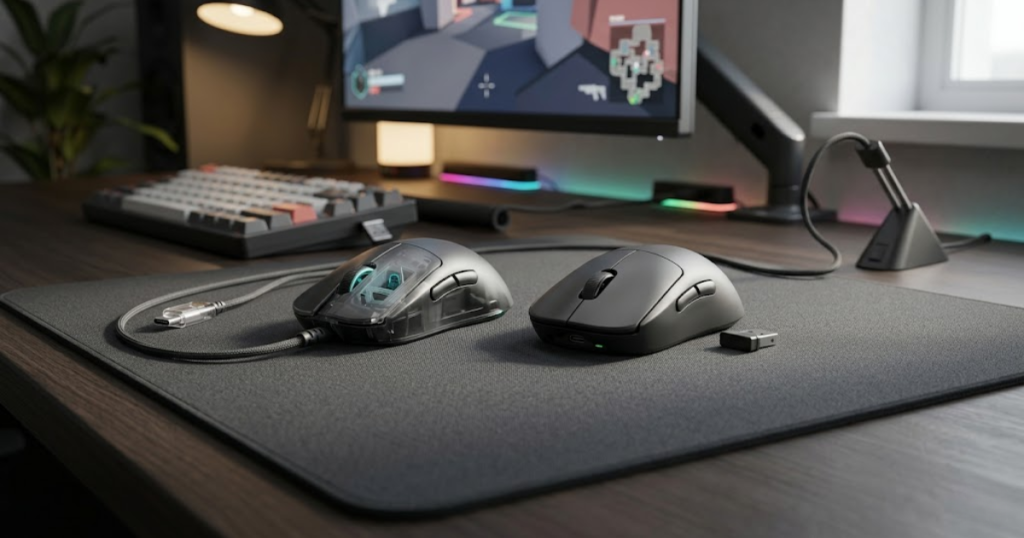
Years ago, wireless gaming mice were often criticized for latency and reliability concerns. Modern gaming mice have largely solved those issues, creating a buying decision that is now based more on convenience, price, and personal preference.
The table below compares wired and wireless gaming mice for first-time FPS buyers:
| Factor | Wired Gaming Mouse | Wireless Gaming Mouse |
|---|---|---|
| Price | Usually lower | Usually higher |
| Cable Drag | Present | Eliminated |
| Charging | Not required | Required |
| Setup Simplicity | Very simple | Slightly more management |
| Modern FPS Performance | Excellent | Excellent |
The comparison shows that both options deliver strong FPS performance. Wired mice generally offer better value, while wireless mice provide a cleaner and more flexible experience.
Why Wireless Performance Is No Longer a Major Concern
Modern wireless gaming performance is a low-latency communication system that helps transmit mouse input quickly and reliably. It helps players enjoy cable-free movement without sacrificing competitive performance.
Most reputable gaming brands now offer wireless technology that performs at a level suitable for competitive FPS gaming. For many players, the difference between wired and wireless is no longer noticeable during normal gameplay.
The larger concern today is usually battery management rather than latency. Players simply need to remember to keep the mouse charged.
Wireless performance is no longer the weakness it was years ago, making it a legitimate option for FPS beginners.
Why Wired Mice Remain Popular Among Budget Buyers
Wired gaming mice are cable-connected devices that help provide reliable FPS performance at a lower cost. They help budget-conscious beginners access strong gaming performance without paying extra for wireless technology.
A good wired mouse can deliver an excellent sensor, strong build quality, reliable clicks, and comfortable ergonomics at a lower price point than an equivalent wireless model.
Many beginners appreciate the simplicity of wired mice because there are no batteries to charge and no concerns about power management.
Wired mice remain popular because they provide excellent value while maintaining strong gaming performance.
Which Connection Type Fits Different Beginner Situations
The ideal connection type is the option that best matches a player’s budget, setup, and daily habits. It helps beginners choose a solution that feels practical rather than simply following trends.
Players who want maximum value often prefer wired mice. Players who dislike cable drag and want a cleaner desk setup may prefer wireless models. Neither choice is automatically better because both can perform extremely well in FPS games.
The decision should focus on convenience and budget rather than outdated assumptions about performance.
The best connection type is the one that removes the most friction from your personal gaming setup.
Both wired and wireless gaming mice can serve as excellent first FPS gaming mice. The better choice depends on how much value you place on convenience, flexibility, and overall budget.
How Mouse Shape Affects FPS Comfort and Long-Term Consistency
Mouse shape is the physical structure of a gaming mouse and helps determine how naturally your hand rests, grips, and controls movement during gameplay. It helps FPS beginners maintain comfort and consistency because every aiming action starts from how the hand interacts with the mouse.
The image below illustrates how mouse shape influences grip comfort and aiming consistency:
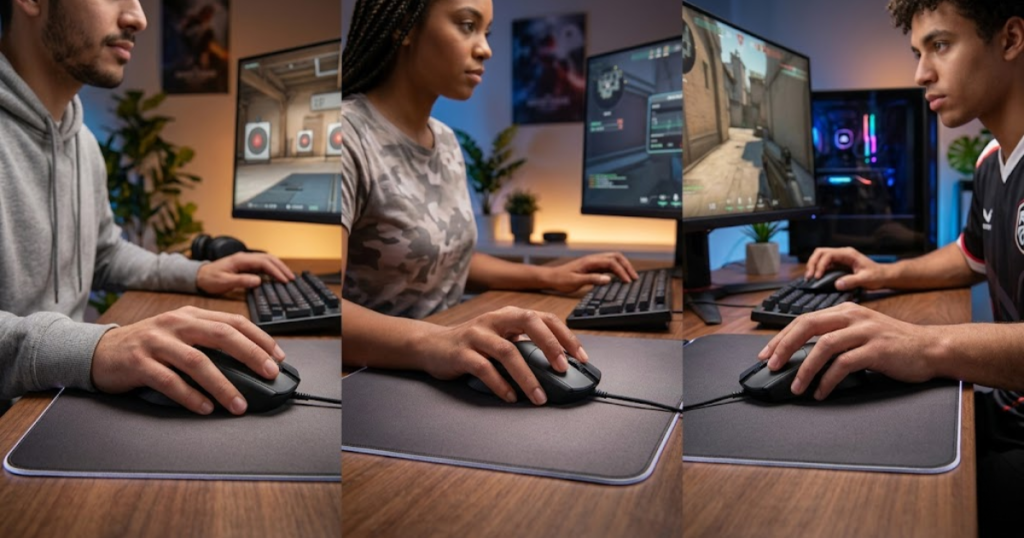
Many beginners focus on specifications such as DPI, polling rate, or sensor names before considering shape. In reality, shape often has a greater impact on daily gameplay because it directly affects comfort, grip stability, and movement confidence. A mouse that fits naturally can remain comfortable for hours, while an uncomfortable shape may create tension during every match.
The table below compares common gaming mouse shape categories for FPS beginners:
| Shape Type | Best For | General Feel |
|---|---|---|
| Symmetrical | Most grip styles | Balanced and versatile |
| Ergonomic | Palm grip users | Supportive and comfortable |
| Low Profile | Fingertip-oriented players | Agile and mobile |
| High Hump | Claw grip users | Locked-in control |
The comparison shows that no single shape works for everyone. The ideal shape depends on how your hand naturally grips the mouse and how much support you prefer during gameplay.
Why Symmetrical Shapes Are Usually the Safest Starting Point
Symmetrical mouse shapes are balanced designs that help support multiple grip styles without forcing the hand into one position. They help beginners adapt more easily because they provide flexibility while players are still discovering their preferences.
Many FPS players begin with a symmetrical shape because it works reasonably well across palm, claw, and hybrid grips. This versatility reduces the risk of choosing a highly specialized shape that may feel uncomfortable later.
For players who are unsure about their preferred grip style, a symmetrical mouse often provides the safest starting experience.
Symmetrical shapes remain popular because they offer flexibility without sacrificing control.
Why Ergonomic Shapes Prioritize Relaxed Hand Support
Ergonomic mouse shapes are hand-contoured designs that help support the natural resting angle of the hand. They help improve comfort by reducing strain during extended gaming sessions.
These shapes are especially popular among palm grip users because they provide more contact between the hand and the mouse. The added support can make long gaming sessions feel more comfortable and less tiring.
The tradeoff is that ergonomic designs often feel less adaptable than symmetrical shapes. Some players may find them restrictive if they frequently change grip positions.
Ergonomic shapes are strongest when comfort is the primary goal.
How Shape Influences Grip Stability During Matches
Grip stability is the ability to maintain a consistent hand position throughout gameplay and helps keep aiming movements predictable. It helps improve consistency because stable contact reduces unnecessary adjustments during fights.
A poorly fitting shape can cause fingers to shift during movement or force the player to squeeze harder for control. Over time, this creates tension and reduces comfort. A properly fitting shape allows the hand to stay relaxed while maintaining control.
Grip stability becomes increasingly important as players spend more time practicing FPS fundamentals and building muscle memory.
The best mouse shape is the one that allows your grip to remain stable without creating unnecessary tension.
Shape influences every aspect of how a gaming mouse feels during gameplay. Beginners who prioritize shape early often find it easier to build long-term comfort and aiming consistency.
How Much Should You Spend on Your First FPS Gaming Mouse?
A first gaming mouse budget is the amount of money spent to achieve reliable FPS performance without paying for unnecessary features. It helps beginners balance value and performance by focusing on the features that matter most during the learning stage.
Many new players assume expensive mice automatically perform better. While premium models can offer advantages, beginners often receive the best overall value from more affordable categories. The goal is not spending the most money. The goal is purchasing enough quality to support improvement.
The table below explains what beginners can typically expect at different gaming mouse price ranges:
| Budget Range | Typical Features | Best For |
|---|---|---|
| Under $30 | Basic gaming features | Entry-level buyers |
| $30-$60 | Reliable sensors and stronger shapes | Most beginners |
| $60-$100 | Premium materials and lighter designs | Dedicated FPS players |
| $100+ | Flagship features and wireless performance | Enthusiasts |
The comparison shows that the strongest value often exists in the mid-range category. Beginners can access reliable performance without needing flagship pricing.
What Beginners Can Expect From Entry-Level Gaming Mice
Entry-level gaming mice are affordable models that help provide basic FPS functionality without a large financial commitment. They help beginners access gaming-focused features while learning what preferences matter most.
Good entry-level mice can still offer solid sensors, comfortable shapes, and responsive buttons. However, build quality, coatings, and long-term durability may vary more than in higher price categories.
The goal at this level is finding reliability rather than chasing premium features.
Entry-level gaming mice work best when they prioritize fundamentals over marketing.
Why Mid-Range Gaming Mice Often Deliver the Best Value
Mid-range gaming mice are value-focused products that help combine strong performance with reasonable pricing. They help beginners access features that can remain competitive for years without reaching premium costs.
This category often includes reliable sensors, strong build quality, comfortable shapes, and lightweight designs. Many mice in this range are capable of supporting serious FPS improvement without obvious limitations.
Because of this balance, many experienced players continue using mid-range mice long after they stop being beginners.
Mid-range gaming mice remain popular because they offer the strongest balance between cost and performance.
When Premium Gaming Mice Actually Make Sense
Premium gaming mice are high-end products that help deliver advanced wireless performance, premium materials, and specialized designs. They help players refine preferences once they understand exactly what they want from a mouse.
For beginners, premium pricing only makes sense when the mouse offers a shape and feature set that clearly fits their needs. Buying expensive gear simply because it is expensive rarely improves the learning process.
A premium mouse can be an excellent long-term investment, but it should solve a specific requirement rather than serve as a shortcut to better aim.
Premium gaming mice make the most sense when fit and preference justify the additional cost.
Most beginners do not need flagship products to start improving. A balanced budget often provides more value than chasing the most expensive option available.
Common Buying Mistakes First-Time FPS Mouse Buyers Should Avoid
Gaming mouse buying mistakes are purchasing decisions that help create unnecessary problems during the learning process. Avoiding these mistakes helps beginners choose a mouse that supports improvement instead of creating new frustrations.
Many first-time buyers focus on specifications, trends, or professional recommendations without considering personal fit. As a result, they often spend more money than necessary or choose a mouse that feels uncomfortable during actual gameplay.
The factors below explain the most common beginner gaming mouse buying mistakes:
- Copying Professional Players: Pro preferences may not match your hand size or grip style.
- Ignoring Hand Fit: A poor fit can create comfort and control issues.
- Overspending Too Early: Expensive gear does not automatically improve aim.
- Chasing Specifications: Large numbers rarely tell the full performance story.
- Switching Mice Too Frequently: Constant changes interrupt consistency.
Most beginner mistakes happen because attention shifts toward hype instead of practical fit and usability.
Why Copying Professional Players Often Creates Problems
Professional gaming setups are personal equipment choices that help elite players perform at the highest level. They help professionals because they are built around years of experience, established preferences, and specific playstyles.
A beginner may have a completely different hand size, grip style, sensitivity, and comfort preference. As a result, blindly copying a professional setup can create more problems than benefits.
Professional gear recommendations are useful as references, but they should never replace personal comfort testing.
The best gaming mouse for a professional player is not automatically the best gaming mouse for a beginner.
Why Hand Size Matters More Than Most Specifications
Hand size compatibility is the relationship between your hand dimensions and mouse dimensions, and it helps determine long-term comfort and control. It helps improve consistency because a properly sized mouse feels easier to grip and move naturally.
A mouse that is too large may feel difficult to control, while a mouse that is too small may force awkward finger positioning. Both situations can create unnecessary tension during gameplay.
Hand size influences comfort every second the mouse is being used, making it more important than many technical specifications.
Choosing the correct size often solves more problems than upgrading to a more expensive sensor.
Why Constant Upgrading Can Slow Improvement
Constant upgrading is the habit of frequently replacing gaming mice in search of instant improvement and helps create inconsistency instead of stability. It often slows improvement because players never spend enough time adapting to one setup.
Every new mouse introduces a different shape, weight, button feel, and movement experience. Frequent switching prevents players from developing long-term familiarity with any single setup.
Once a beginner finds a comfortable mouse, consistent practice usually produces more improvement than searching for another upgrade.
Long-term consistency often matters more than constantly chasing new hardware.
Avoiding common buying mistakes helps beginners focus on the factors that genuinely influence comfort, control, and long-term FPS development.
How to Choose Your First FPS Gaming Mouse Step by Step
Choosing a first FPS gaming mouse is a decision-making process that helps beginners narrow hundreds of options into a small group of suitable choices. It helps reduce confusion by focusing on fit, comfort, and practical performance before looking at advanced specifications.
Many beginners start by comparing brands, sensors, or professional player recommendations. While those factors can be useful later, they often make the buying process more complicated than necessary. A structured approach allows beginners to eliminate unsuitable options before comparing final candidates.
The following process can help beginners choose the right first FPS gaming mouse:
- Measure Your Hand: Understand whether your hand size is small, medium, or large.
- Identify Your Grip Style: Determine whether you naturally use palm, claw, fingertip, or a hybrid grip.
- Set a Budget: Define a realistic spending range before comparing products.
- Shortlist Suitable Shapes: Remove shapes that clearly do not fit your hand or grip style.
- Compare Final Options: Focus only on the remaining candidates that meet your requirements.
Following these steps removes much of the uncertainty that beginners experience when researching gaming mice. Instead of comparing every mouse on the market, you only compare the ones that actually fit your needs.
How to Match Mouse Size to Your Hand Size
Mouse size matching is the process of selecting a mouse that fits your hand dimensions and helps maintain comfortable control during gameplay. It helps improve consistency because the mouse feels natural instead of forcing awkward finger placement.
Players with smaller hands often struggle with oversized mice because the buttons and shape feel difficult to reach comfortably. Players with larger hands may feel cramped when using very small mice that provide insufficient support.
Hand size does not automatically determine the perfect mouse, but it helps eliminate options that are obviously unsuitable. This creates a better starting point for evaluating shape and comfort.
Matching mouse size to hand size improves comfort before any technical specifications are considered.
How to Match Mouse Shape to Your Grip Style
Grip style matching is the process of choosing a mouse shape that supports the way you naturally hold the mouse and helps create more stable control. It helps improve comfort because the hand can move naturally instead of constantly adjusting position.
Palm grip users often prefer shapes that provide additional support across the hand. Claw grip users typically benefit from shapes that allow finger control while maintaining stability. Fingertip grip users usually prefer more agile shapes that are easier to reposition quickly.
Many beginners use hybrid grips without realizing it. In those situations, balanced shapes are often safer than highly specialized designs.
Grip compatibility matters because the mouse should support your natural habits rather than forcing entirely new ones.
How to Compare Final Gaming Mouse Candidates
Final mouse comparison is the process of evaluating a small number of suitable options and helps beginners make a confident buying decision. It helps simplify the purchase because only relevant products remain under consideration.
Once shape, size, grip compatibility, and budget have been addressed, the remaining options can be compared using factors such as weight, connection type, build quality, and long-term value. At this stage, the differences become easier to understand because unsuitable options have already been removed.
Many beginners make the mistake of expanding their search repeatedly instead of narrowing it. Limiting comparison to a small shortlist usually produces better decisions.
The final decision becomes much easier when only suitable candidates remain in consideration.
A structured buying process reduces confusion and helps beginners focus on the factors that genuinely influence comfort, control, and long-term FPS performance.
Best First Gaming Mouse Profiles for Different Types of FPS Beginners
The best first gaming mouse profile is a category of mouse characteristics that helps match different beginner needs and priorities. It helps simplify decision-making because not every beginner has the same goals, budget, or playstyle.
Some beginners want the lowest possible cost. Others care more about competitive improvement. Some simply want a comfortable gaming mouse that works well across multiple games. Understanding these profiles makes it easier to identify which characteristics deserve the most attention. If you want to compare real products, this list of the best gaming mice for FPS games in 2026 is a useful next step.
The table below matches common beginner profiles with suitable gaming mouse characteristics:
| Beginner Profile | Recommended Characteristics | Main Priority |
|---|---|---|
| Budget Beginner | Reliable sensor, simple design, strong value | Affordability |
| Competitive Beginner | Lightweight shape, reliable tracking, responsive clicks | Performance |
| Casual Beginner | Comfortable shape, easy setup, versatility | Ease of Use |
The comparison shows that different players benefit from different strengths. There is no universal gaming mouse that automatically fits every beginner equally well.
The Best Profile for Budget-Conscious FPS Beginners
A budget beginner profile is a value-focused buying approach that helps maximize performance while minimizing cost. It helps new players enter FPS gaming without spending unnecessary money on premium features.
Players in this category should prioritize shape, sensor reliability, and durability before considering wireless technology or advanced customization options. Reliable fundamentals provide significantly more value than expensive extras.
Many affordable gaming mice now offer performance levels that are more than sufficient for learning FPS fundamentals and improving aim consistency.
Budget-focused beginners should prioritize value rather than chasing flagship specifications.
The Best Profile for Competitive FPS Beginners
A competitive beginner profile is a performance-focused approach that helps support long-term FPS improvement. It helps players build consistent habits by prioritizing factors that directly affect gameplay.
These players often benefit from lightweight designs, reliable sensors, responsive clicks, and shapes that remain comfortable during extended practice sessions. The goal is not maximum specifications but rather dependable performance.
Competitive beginners usually gain more value from comfort and consistency than from cosmetic or software-based features.
A performance-focused profile works best when practical gameplay needs remain the highest priority.
The Best Profile for Casual FPS Players
A casual beginner profile is a comfort-focused approach that helps balance gaming performance with everyday usability. It helps players enjoy FPS games without turning the entire setup into a competitive project.
These users often appreciate versatile shapes, simple software, and comfortable handling characteristics. The mouse should feel easy to use whether playing games, browsing the web, or completing everyday tasks.
Comfort and reliability matter more than chasing small performance differences that may never be noticeable during casual play.
Casual FPS players often benefit most from a mouse that feels natural across many different situations.
Matching a gaming mouse to the correct beginner profile helps narrow options and creates a more personalized buying decision.
Frequently Asked Questions About First Gaming Mouse for FPS Beginners
A first gaming mouse for FPS beginners is often surrounded by questions about performance, comfort, value, and long-term improvement. The answers below help clarify common concerns that many new FPS players have before making a purchase.
Is a gaming mouse necessary for FPS beginners?
A gaming mouse is a gaming-focused input device that helps provide more reliable tracking and better control than most office mice. It helps beginners build consistent aiming habits because the hardware is designed for fast and precise movement.
While an office mouse can work temporarily, a gaming mouse usually offers a more predictable experience during FPS gameplay. This detailed comparison of gaming mouse vs office mouse explains the differences in more depth.
Can a gaming mouse instantly improve aim?
A gaming mouse is a tool that helps support better control and consistency, but it does not instantly improve aim. Learn more about whether gaming mice improve aim and where hardware actually makes a difference.
Real improvement still comes from repetition, crosshair placement, movement discipline, and game knowledge.
What is the most important feature in a first FPS gaming mouse?
Mouse shape is the physical design of a gaming mouse and helps determine long-term comfort and grip stability. It helps most beginners more than any other single feature because every movement starts with how the hand interacts with the mouse.
A comfortable shape is usually more valuable than premium specifications.
Should beginners choose wired or wireless gaming mice?
Wired and wireless gaming mice are two connection methods that help deliver similar FPS performance in modern gaming. They help beginners choose based on budget and convenience rather than performance concerns.
Both options can work extremely well when the mouse itself is reliable.
What mouse weight is best for FPS beginners?
A beginner-friendly mouse weight is a balanced weight range that helps provide comfortable movement and manageable control. It helps reduce fatigue while allowing repeated aiming movements to feel natural.
Most beginners adapt more easily to lightweight or moderately lightweight gaming mice.
How much should I spend on my first gaming mouse?
A first gaming mouse budget is a spending range that helps balance performance and value. It helps beginners avoid overspending while still obtaining reliable FPS performance.
For most players, the strongest value is often found in the mid-range category rather than flagship products.
Does DPI matter for FPS beginners?
DPI is a mouse sensitivity setting that helps determine cursor movement speed. It helps customize sensitivity, but maximum DPI values rarely affect real FPS performance.
Consistent tracking and comfortable sensitivity settings matter more than extreme DPI numbers.
Can beginners use the same mouse as professional players?
Professional gaming mice are products used by competitive players and help demonstrate common FPS preferences. They help provide reference points, but they are not automatically the best choice for every beginner.
Hand size, grip style, and comfort should remain the primary factors when choosing a mouse.
How long does it take to adjust to a new gaming mouse?
Mouse adaptation is a learning period that helps players become familiar with a new shape, weight, and button feel. It helps build consistency as the hand develops familiarity with the new equipment.
Most players require several days or weeks of regular use before a new mouse feels completely natural.
What is the biggest mistake beginners make when buying a gaming mouse?
The biggest beginner buying mistake is focusing on specifications instead of fit and comfort. It helps explain why some players spend more money but still feel dissatisfied with their purchase.
A mouse that fits properly often delivers more value than a mouse with better specifications but poor comfort.
Should beginners care about polling rate?
Polling rate is the frequency at which a mouse reports information to the computer and helps determine input responsiveness. It helps improve technical performance, but most beginners will perform well with standard modern polling rates.
Comfort, shape, and sensor quality usually have a larger impact on daily gameplay.
When should I upgrade my first gaming mouse?
A gaming mouse upgrade is a replacement decision that helps solve specific comfort, performance, or reliability problems. It helps players improve their experience when clear limitations become apparent.
If the current mouse remains comfortable, reliable, and enjoyable to use, continued practice often provides more benefit than an immediate upgrade. This guide on when you should upgrade your mouse can help identify the right time to make a change.
Final Thoughts on Choosing Your First Gaming Mouse for FPS Beginners
A first gaming mouse for FPS beginners is a learning tool that helps build comfort, control, and consistent aiming habits over time. It helps new players improve by providing reliable tracking, stable handling, and a comfortable foundation for practice.
Many beginners assume they need the most expensive gaming mouse available. In reality, shape, fit, comfort, and usability matter far more than premium pricing. A mouse that fits naturally often provides more value than a flagship model that feels uncomfortable during long sessions.
The most important factors remain shape, sensor reliability, weight, click consistency, and overall comfort. Features such as RGB lighting, extremely high DPI values, and advanced software customization should remain secondary considerations during a first purchase.
Choosing a first gaming mouse does not require finding a perfect mouse. The goal is finding a mouse that feels comfortable, performs reliably, and supports long-term improvement. Once those fundamentals are in place, practice becomes far more productive and enjoyable.
The best first FPS gaming mouse is not necessarily the most expensive option. It is the option that fits your hand, supports your grip, and helps you build confidence every time you play.
Thank you for reading and good luck finding the gaming mouse that best supports your FPS journey.