
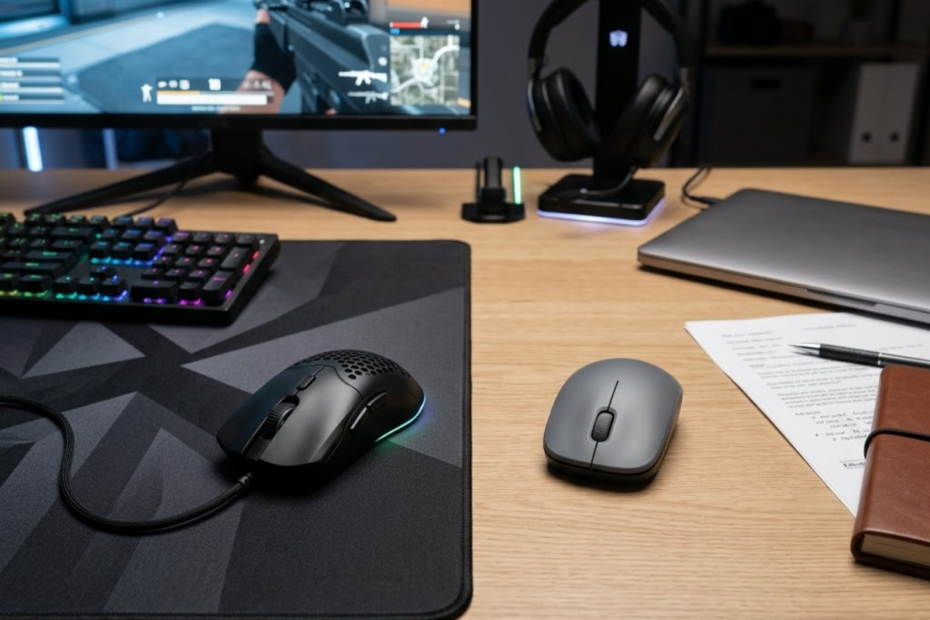
A gaming mouse is usually better than an office mouse for FPS games because it is built for accurate tracking, faster response, lighter movement, and better control under pressure. An office mouse can work for casual use, but it often becomes a limitation when precision and speed matter.
The real question is not whether a gaming mouse looks cooler or has more lighting. The real question is whether it gives FPS players more stable aim, cleaner movement, and better long-term control. If you are still unfamiliar with the category itself, it helps to first understand what a gaming mouse is for FPS games. This guide compares gaming mice and office mice from the perspective of real gameplay, not marketing hype.
Gaming Mouse vs Office Mouse: What Is the Real Difference?
A gaming mouse is designed for precision, speed, and movement control, while an office mouse is designed for comfort, productivity, and simple daily use. This difference affects how each mouse performs when fast aim and consistent tracking are required.
Both devices can move a cursor, click buttons, and scroll pages. However, they are built around different priorities. An office mouse is made for daily computer tasks such as browsing, document editing, spreadsheets, and meetings. A gaming mouse is built for faster hand movement, more accurate tracking, and repeated inputs during competitive gameplay.
How Each Mouse Is Designed for Different Goals
A gaming mouse is optimized for performance-focused movement, while an office mouse is optimized for low-stress productivity. This design gap explains why the same mouse can feel fine at work but weak during FPS gameplay.
The image below compares how gaming mice and office mice are designed around different priorities and user needs:
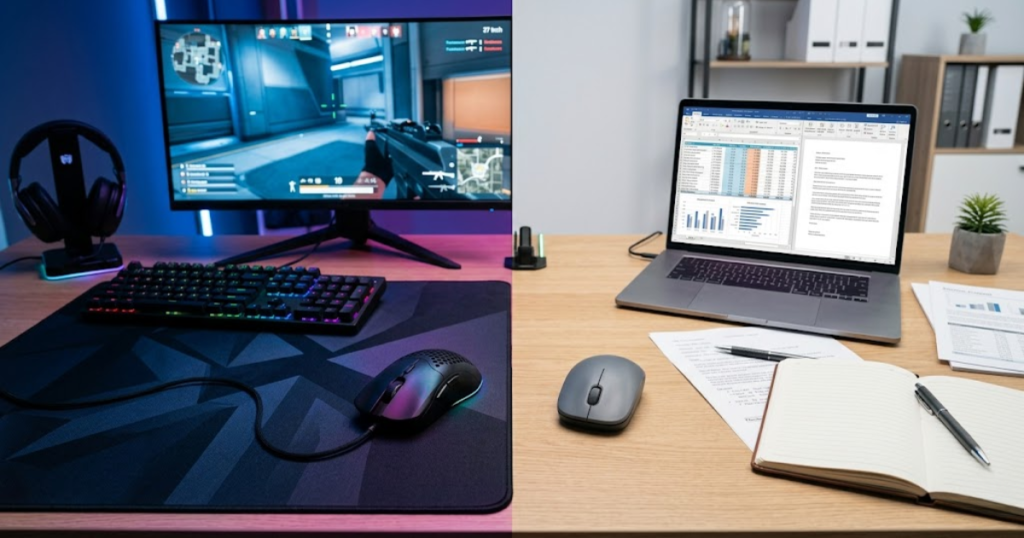
Office mice usually prioritize quiet clicks, battery life, simple wireless use, and ergonomic comfort for normal computer tasks. These features are useful when the goal is convenience rather than mechanical performance.
Gaming mice are built around a different problem. They need to track fast swipes, register quick clicks, support different grips, and stay predictable during repeated movement. That makes them more suitable for FPS players who depend on precise hand control.
This difference is not about one category being automatically better for everyone. It is about matching the mouse to the job it needs to perform.
The table below explains the main design differences between gaming mice and office mice:
| Category | Gaming Mouse | Office Mouse |
|---|---|---|
| Main Purpose | Gaming performance and precision | Productivity and everyday comfort |
| Movement Style | Fast swipes, flicks, tracking, and micro-adjustments | Slow cursor movement and basic navigation |
| Design Priority | Responsiveness, sensor quality, control, and grip stability | Battery life, quiet use, portability, and simplicity |
| Best Use Case | FPS games, competitive gaming, aim training, and fast input tasks | Office work, school work, browsing, and casual computer use |
| Upgrade Value | High for players who care about aim consistency | High for users who only need basic comfort and convenience |
The key difference is purpose. A gaming mouse is built to support performance under pressure, while an office mouse is built to make normal computer use easier and more comfortable. For a broader breakdown of sensors, weight, shapes, and other buying considerations, see this complete guide to gaming mice for FPS games.
Why the Differences Matter More in FPS Games
The differences between gaming and office mice matter more in FPS games because aiming depends on fast movement, accurate tracking, and repeatable control. Small hardware limits that feel invisible during office work can become obvious during gunfights.
In FPS games, the mouse is not only a navigation tool. It becomes the main connection between the player’s hand and the crosshair. Every flick, correction, angle hold, and recoil adjustment depends on how reliably the mouse translates physical movement into in-game movement.
An office mouse can feel normal when moving between browser tabs or clicking icons. That same mouse may feel less reliable when a player needs to turn quickly, stop on a target, or make a small correction after missing the first shot.
FPS games make mouse performance easier to notice because they punish unstable input. When tracking feels inconsistent, the player may blame aim, sensitivity, or reaction time, even though the mouse itself may be part of the problem.
This is why gaming mice matter more in competitive shooters than in casual desktop use. The performance gap appears when the game demands precision under pressure. These advantages also help explain why FPS players use gaming mice instead of relying on standard office peripherals.
When the Differences Are Hard to Notice
The difference between a gaming mouse and an office mouse is harder to notice during normal desktop use because most everyday tasks do not require fast tracking or precise stopping control. In simple tasks, comfort can matter more than gaming performance.
For browsing, homework, office work, and video streaming, an office mouse can feel completely fine. These tasks rarely push the sensor, buttons, or wireless connection in a way that exposes performance limits.
The gap may also feel small for casual players who mostly play slower games, story games, or strategy games. These genres do not demand the same level of fast aim correction as tactical FPS games.
That does not mean a gaming mouse is useless outside of gaming. It simply means the benefit becomes clearer when the task requires speed, accuracy, and consistency.
This section sets the foundation for the rest of the comparison. The real difference is not appearance, but the way each mouse is engineered for a different type of use.
Sensor Performance Comparison Between Gaming and Office Mice
Gaming mouse sensors are generally more reliable than office mouse sensors during fast and precise movement. This matters because FPS players need the cursor or crosshair to follow hand movement accurately without skipping, spinning out, or feeling unpredictable.
Sensor performance is one of the biggest technical differences between a gaming mouse and an office mouse. Office sensors are usually good enough for slow cursor movement, but they are not always designed to handle aggressive swipes, fast direction changes, or low-sensitivity FPS setups.
Why Sensor Accuracy Matters During Fast Movement
Sensor accuracy matters during fast movement because it determines whether the mouse reports hand movement correctly when the player moves quickly across the mousepad. Reliable sensor behavior helps the crosshair stay connected to the player’s actual motion.
The image below illustrates how sensor performance becomes more important when movement speed and aiming precision increase:
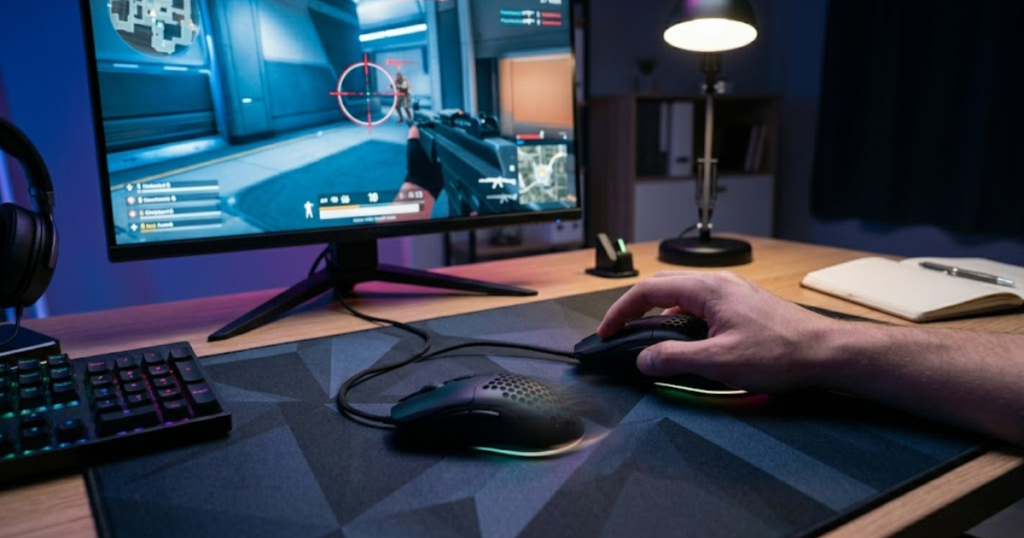
FPS players often use fast movement in short bursts. A player may clear a corner, flick to a target, drag the crosshair across a wide angle, or quickly reset after a missed shot. These actions require the sensor to keep tracking cleanly even when movement speed changes.
A weak sensor can make movement feel slightly off. The crosshair may not land where the player expects, or the movement may feel inconsistent from one swipe to the next. Even if the error is small, it can make aim harder to trust.
Good sensor accuracy does not aim for the player. It simply removes one source of inconsistency so the player can rely on their own mechanics.
How Office Mouse Sensors Behave During Rapid Swipes
Office mouse sensors can work well for slow cursor movement but may struggle with rapid swipes because they are not usually built for high-speed gaming input. This can create tracking loss, inconsistent movement, or a less controlled aiming feel.
Most office mice are designed for desk work, not wide arm movements across a large mousepad. Their sensors are often tuned for everyday tasks where speed and perfect tracking are less important.
During rapid swipes, some office mice may feel less stable. The cursor or crosshair can move differently than expected, especially when the player uses low sensitivity and needs larger physical movement.
This does not mean every office mouse is unusable. It means the design target is different. Office mice are usually tested for productivity comfort, while gaming mice are expected to handle movement patterns found in real games.
What Modern Gaming Mouse Sensors Do Differently
Modern gaming mouse sensors are built to maintain accurate tracking during fast swipes, sudden stops, and repeated direction changes. This makes them better suited for FPS players who depend on predictable aim movement. Sensor quality is only one part of the equation, and several other gaming mouse features that matter for FPS can also influence overall control and consistency.
Gaming mouse sensors are usually designed with higher tracking performance, better motion handling, and more gaming-focused tuning. The goal is to make movement feel consistent whether the player is making a small micro-adjustment or a large flick.
The table below compares sensor behavior in gaming mice and office mice:
| Sensor Factor | Gaming Mouse | Office Mouse |
|---|---|---|
| Fast Swipe Tracking | Usually stable during quick movement | May struggle during aggressive swipes |
| Micro-Adjustment Control | More predictable for small aim corrections | Acceptable for normal cursor movement |
| Low Sensitivity Use | Better suited for large mousepad movement | Less ideal for wide arm movement |
| Gaming Reliability | Designed for repeated high-speed input | Designed for everyday desktop tasks |
| DPI Control | Often adjustable in smaller performance-focused steps | Usually limited or simplified |
Sensor quality is not about chasing the highest DPI number. For FPS games, the more important factor is whether the sensor stays accurate and predictable when movement becomes fast or precise.
Gaming mouse sensors create value by reducing tracking uncertainty. When the sensor behaves consistently, players can focus more on crosshair placement, timing, and decision-making instead of fighting unstable input.
Gaming Mouse vs Office Mouse for Aim Consistency
A gaming mouse usually supports better aim consistency because it produces more predictable movement across repeated actions. Consistent mouse behavior helps FPS players build muscle memory instead of constantly adjusting to unstable input. Many players also wonder whether these advantages actually translate into performance gains and whether gaming mice improve aim in real FPS matches.
Aim consistency is different from raw aim skill. Raw skill comes from practice, positioning, crosshair placement, and reaction timing. Mouse consistency affects whether the player’s physical movement produces the same result again and again.
Why Consistent Tracking Improves Muscle Memory
Consistent tracking improves muscle memory because the player can repeat the same hand movement and expect the same in-game result. This makes aiming practice more reliable over time.
FPS players improve by repeating thousands of small actions. They learn how far to move the hand for a flick, how much to correct after a miss, and how to stop the crosshair near a target.
If the mouse behaves differently during similar movements, that learning process becomes less stable. The player may feel like their sensitivity changes even when the settings are the same.
A gaming mouse helps by making movement more repeatable. It does not replace practice, but it gives practice a more stable foundation.
The factors below explain how gaming mice can support more consistent aim:
- Predictable tracking: The crosshair follows hand movement more reliably during repeated swipes.
- Cleaner stopping control: The player can stop the mouse closer to the intended target after a flick.
- Stable micro-adjustments: Small corrections feel easier because movement does not feel delayed or distorted.
- Repeatable sensitivity feel: The same physical motion is more likely to create the same in-game result.
- Reduced hardware doubt: Players can focus on mechanics instead of questioning whether the mouse caused the mistake.
These factors matter because consistency is built through repetition. A mouse that behaves predictably makes that repetition more useful.
How Sensor Errors Affect Crosshair Placement
Sensor errors affect crosshair placement by making the crosshair move less accurately than the player intended. This can create overcorrections, missed first shots, and unstable aim during pressure moments.
Crosshair placement is partly a decision-making skill and partly a control skill. The player needs to place the crosshair where an opponent is likely to appear, then make small corrections when the fight starts.
If the mouse produces inconsistent movement, the player may enter fights with the crosshair slightly off target. That forces extra correction during a moment where time is limited.
Office mice are not automatically bad for crosshair placement, but weaker tracking can make precision less dependable in demanding situations. Gaming mice reduce that risk by making movement response more controlled.
This is especially important in games where the first bullet matters. The less correction a player needs before shooting, the more stable their gunfight timing becomes.
Why Competitive Players Notice These Differences Faster
Competitive players notice mouse differences faster because they repeat precise movements more often and play in situations where small input problems are easier to feel. The higher the skill level, the more obvious inconsistency becomes.
A casual player may not immediately feel the difference between a gaming mouse and an office mouse. They may play at a slower pace, use higher sensitivity, or avoid situations that expose tracking weakness.
Competitive players interact with the mouse differently. They practice aim routines, hold tight angles, perform fast target switches, and repeat the same mechanical actions across many matches.
Because of that repetition, small hardware differences become easier to identify. A mouse that feels slightly delayed, heavy, or unpredictable can become frustrating over time.
A gaming mouse does not guarantee better aim, but it gives competitive players a more stable tool for building and maintaining aim consistency.
Weight and Shape Differences That Affect Comfort
Gaming mice usually offer lighter weights and more shape variety, while office mice often prioritize relaxed comfort for general use. Weight and shape matter because they affect how easily the hand can control the mouse during long sessions and fast movement.
This section focuses on physical control rather than sensor performance. Even with a good sensor, a mouse can feel wrong if the weight, shape, or grip support does not match the player’s hand and movement style.
Why Most Office Mice Feel Heavier or Slower
Many office mice feel heavier or slower because they are built for steady desk use rather than fast repositioning. This can make them less comfortable for FPS players who need repeated flicks and quick corrections.
The image below highlights how mouse weight and shape can influence comfort, grip stability, and long-session control:
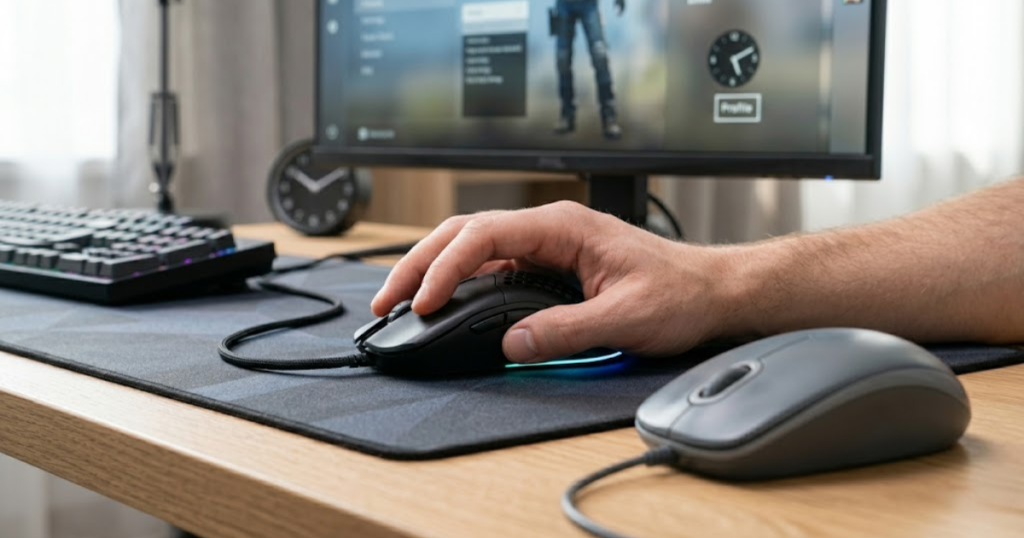
Office mice often use designs that feel stable for browsing and productivity. A slightly heavier body can feel comfortable for slow movement because it reduces accidental cursor motion.
In FPS games, that same feeling can become a drawback. More weight can make the mouse harder to start, stop, and redirect quickly. This does not affect every player equally, but it becomes noticeable during long gaming sessions or low-sensitivity gameplay.
Gaming mice usually try to reduce unnecessary weight so movement feels easier and less tiring. The goal is not always to make the mouse as light as possible, but to make control feel less restricted.
How Gaming Mice Reduce Hand Fatigue
Gaming mice can reduce hand fatigue by making repeated movement easier and offering shapes that support common gaming grips. Better physical fit helps players stay relaxed during longer sessions.
FPS players often move the mouse more aggressively than office users. They may lift the mouse, reset position, flick between angles, and make fast corrections many times in a single match.
If the mouse is too heavy, too wide, too tall, or poorly shaped for the player’s grip, the hand may tense up. That tension can make aim feel stiff and inconsistent.
Gaming mice usually offer more options for claw grip, palm grip, fingertip grip, small hands, large hands, and different aim styles. This variety helps players choose a shape that fits their natural control habits.
Comfort in gaming is not only about softness. It is about staying relaxed while still being able to move quickly and stop accurately.
Which Shape Characteristics Help FPS Players Most
The best FPS mouse shapes usually support stable grip, easy lifting, controlled stopping, and comfortable micro-adjustments. These shape traits help players control the mouse without fighting their own hand position.
A good FPS shape should feel secure without forcing the player to squeeze too hard. If the hand constantly shifts during fights, the shape may not be supporting the grip properly.
Shape also affects how easily the player can lift and reset the mouse. This is important for players who use lower sensitivity and need more mousepad space.
The table below compares how weight and shape usually differ between gaming mice and office mice:
| Physical Factor | Gaming Mouse | Office Mouse |
|---|---|---|
| Typical Weight Focus | Lighter movement and faster control | Stable comfort for normal desk work |
| Shape Variety | More options for grip style and hand size | Usually fewer shape-specific choices |
| Lift Control | Often easier to lift and reset during FPS play | May feel less suited for repeated lifting |
| Long Gaming Sessions | Designed to reduce movement fatigue | Comfortable for work, but not always for fast gaming |
| Grip Support | Often supports palm, claw, or fingertip grip preferences | Usually built for relaxed general holding |
Weight and shape are personal, but they still affect performance. A gaming mouse gives FPS players more room to find a physical fit that supports their movement style.
The best choice is not always the lightest mouse or the most aggressive shape. The best choice is the one that lets the player move, stop, and adjust without tension.
Gaming Mouse vs Office Mouse for Valorant and CS2
A gaming mouse provides a clearer advantage in Valorant and CS2 because these games demand precise reactions during high-pressure situations. The difference becomes noticeable when players repeatedly face gunfights where timing, confidence, and clean control matter.
This section focuses on real match situations, not raw specifications. Valorant and CS2 both reward players who can hold angles, react to movement, and make accurate decisions quickly. That is where a gaming mouse usually feels more useful than an office mouse.
Why Tactical Shooters Expose Mouse Limitations Faster
Tactical shooters expose mouse limitations faster because every fight has a smaller margin for error. A weak input experience may feel acceptable in casual tasks, but it can feel restrictive when one missed shot decides a round.
The image below shows why competitive games like Valorant and CS2 make mouse differences easier to notice:
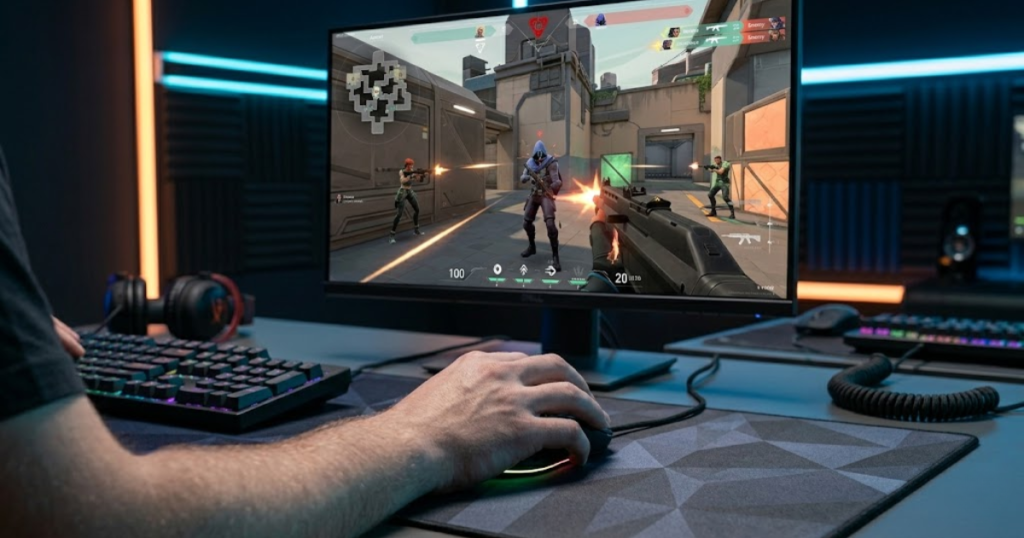
In Valorant and CS2, players often need to clear corners, hold narrow angles, react to wide swings, and adjust quickly after first contact. These moments create pressure that makes hardware feel more important than it does during normal computer use.
The mouse does not replace decision-making, positioning, or game sense. It simply affects how confidently a player can execute those decisions when the fight begins.
That is why tactical shooters reveal small input problems earlier than slower games. The faster the decision window becomes, the less room there is for hesitation or awkward control.
Situations Where Gaming Mice Create a Clear Advantage
Gaming mice create the clearest advantage in situations that require quick adjustment, confident stopping, and fast target transitions. These moments happen constantly in ranked matches and competitive play.
A player may not notice much difference while walking around the map, but the difference becomes easier to feel during fights. Holding an angle, reacting to a swing, or switching targets after a trade all require clean input.
The table below shows common FPS situations where gaming mice often provide a stronger experience:
| Gameplay Situation | Gaming Mouse Advantage |
|---|---|
| Holding tight angles | More controlled crosshair positioning during small adjustments |
| Reacting to wide swings | Cleaner response when an enemy appears suddenly |
| Fast target switching | Smoother movement between multiple threats |
| Retake situations | More confidence when clearing several angles quickly |
| Clutch scenarios | Better control when every small action feels important |
This comparison shows why gaming mice feel more useful in real match situations than in simple desktop tasks. The advantage appears when players need to react quickly, control pressure, and execute clean movements during gunfights.
Can Skilled Players Still Perform Well With Office Mice?
Skilled players can still perform well with office mice because game sense, positioning, communication, and practice remain more important than equipment alone. A better mouse supports performance, but it does not create skill by itself.
Some players can adapt to limited hardware and still play well. However, adapting to a limitation is different from removing that limitation. A gaming mouse can make the experience feel cleaner and more dependable, especially during long-term improvement.
For casual matches, an office mouse may be acceptable. For ranked improvement in Valorant or CS2, a gaming mouse usually makes more sense because it reduces unnecessary friction during important fights.
The practical answer is simple. Skill matters most, but better hardware can make that skill easier to apply consistently.
Valorant and CS2 highlight the gap between gaming mice and office mice because the games constantly demand clean execution. This does not mean an office mouse is unusable, but it does mean a gaming mouse is usually the stronger choice for serious FPS players.
Input Latency and Responsiveness Comparison
Input latency affects how quickly a mouse action feels connected to what happens on screen. Lower latency does not automatically make someone a better player, but it can make movement and clicks feel more immediate during fast gameplay.
This section focuses only on responsiveness. It does not repeat sensor accuracy, weight, or shape. The goal is to compare how gaming mice and office mice are usually tuned when a user clicks, moves, or reacts quickly.
What Input Delay Feels Like During Gameplay
Input delay often feels like a slight disconnect between your hand and the game. It may not feel obvious at first, but it can make quick actions feel less immediate.
During gameplay, a player may feel late when switching targets, reacting to movement, or clicking at the exact moment they intend to shoot. The difference can be subtle, but competitive FPS games make subtle timing issues easier to feel.
This does not mean every missed shot is caused by latency. Most missed shots still come from timing, positioning, panic, or poor crosshair placement. However, a more responsive mouse can make the player’s input feel cleaner.
The value of lower latency is not magic. It is about reducing the feeling that the hardware is slightly behind the player.
Why Office Mice Prioritize Battery Life Over Speed
Office mice often prioritize battery life because their main users value convenience, portability, and low-maintenance use. For work and school tasks, long battery life usually matters more than maximum responsiveness.
This design choice makes sense for productivity. A user writing documents, browsing websites, or managing spreadsheets does not usually need gaming-level input speed.
Many office mice are built to stay connected for a long time with minimal charging or battery replacement. That can be excellent for daily work, but it is not always ideal for competitive gaming.
The tradeoff is simple. Office mice often favor convenience, while gaming mice usually favor response feel.
How Gaming Mice Improve Responsiveness
Gaming mice improve responsiveness by prioritizing fast input feedback and performance-focused tuning. The goal is to make clicks and movement feel connected during quick actions.
For FPS players, this connected feeling can be valuable during duels, target switches, and pressure moments. It helps the mouse feel like an extension of the player’s hand rather than a delayed tool.
The table below compares responsiveness priorities between gaming mice and office mice:
| Responsiveness Factor | Gaming Mouse | Office Mouse |
|---|---|---|
| Input Priority | Performance-focused response | Efficiency-focused use |
| Click Feel | Designed to feel faster and more direct | Designed to feel comfortable and quiet |
| Wireless Tuning | Often tuned for gaming responsiveness | Often tuned for battery life |
| Best Scenario | Fast gameplay and competitive actions | Work, browsing, and general navigation |
| User Expectation | Immediate feedback | Convenient daily reliability |
Responsiveness does not replace skill, but it can make player input feel more connected. For FPS players, that connected feeling can support faster reactions and cleaner timing during pressure moments.
Latency is not the only reason to choose a gaming mouse, but it is part of the overall experience. When the mouse feels responsive, players can focus more on the fight and less on whether their input feels delayed.
Durability and Long-Term Usage Differences
Durability matters because a mouse needs to stay reliable after months or years of repeated use. A gaming mouse is not automatically more durable than an office mouse, but heavy gaming and daily productivity stress different parts of the hardware.
This section focuses on long-term ownership, not aim performance. The important question is whether the mouse can keep its buttons, scroll wheel, shell, and overall feel consistent over time.
Switch Lifespan Comparison
Switch lifespan matters because mouse buttons are used constantly, especially by FPS players. Repeated clicking can reveal weak switches faster than normal desktop use.
Gaming mice are often designed with frequent clicking in mind. Office mice may also last a long time, but their switches are usually expected to handle productivity patterns rather than repeated combat actions.
That does not mean every gaming mouse lasts longer. A poorly built gaming mouse can fail earlier than a well-built office mouse. Brand quality, switch quality, and usage habits all matter.
For heavy users, switch feel should remain consistent over time. Once clicks become mushy, inconsistent, or unreliable, the mouse starts affecting the user experience.
Scroll Wheel and Button Reliability
Scroll wheel and button reliability affect both gaming and daily use because these parts receive repeated physical stress. A mouse can still move properly but feel frustrating if the wheel or side buttons become unreliable.
FPS players may use buttons for weapon switching, pinging, utility, push-to-talk, or quick actions. Office users may rely on the wheel for documents, spreadsheets, browsing, and navigation.
This means durability should not only be judged by whether the mouse still turns on. It should be judged by whether the mouse still feels consistent and dependable during real use.
Good button and scroll wheel reliability keeps the mouse feeling trustworthy long after the first few weeks of use.
Which Type Lasts Longer for Heavy Daily Use?
The type that lasts longer depends more on build quality than the label “gaming” or “office.” A premium office mouse and a premium gaming mouse can both last well when built properly.
For heavy daily use, the better choice is the mouse with stronger construction, reliable switches, a solid scroll wheel, and a shape that does not cause unnecessary strain.
The table below compares common durability considerations between gaming mice and office mice:
| Durability Factor | Gaming Mouse | Office Mouse |
|---|---|---|
| Switch Use | Built for frequent clicking during games | Built for steady daily productivity |
| Scroll Wheel Use | Used for games and normal navigation | Often heavily used for documents and browsing |
| Shell Stress | May face stronger grip pressure during matches | Usually faces lighter general handling |
| Long-Term Feel | Depends on build quality and usage intensity | Depends on build quality and work habits |
| Replacement Reason | Often replaced for upgrades or wear | Often replaced when comfort or reliability drops |
Durability should be judged by construction quality, switch feel, scroll wheel reliability, and long-term consistency rather than category name alone. A well-built mouse in either category can last, but heavy gaming use places different stress on the hardware.
For most buyers, the safest approach is to avoid judging durability by marketing labels. Look at real build quality, long-term user feedback, and how intensely the mouse will be used.
Gaming Mouse vs Office Mouse Price Comparison
Price is often the deciding factor when comparing a gaming mouse and an office mouse. The better choice is not always the cheaper one, but the one that matches how much gaming performance actually matters to the user.
This section focuses on value rather than raw performance. A gaming mouse may cost more because it includes gaming-focused features, but those features only matter if they support the way someone plays.
What You Actually Pay For in a Gaming Mouse
In a gaming mouse, the extra cost usually goes toward performance-focused components, tuning, lighter construction, better buttons, and gaming software features. These upgrades are most useful for players who spend serious time in competitive games.
That does not mean every expensive gaming mouse is automatically worth it. Some features may not matter to every player, especially if they mostly play casual games or use the mouse for school and work.
The value depends on whether the extra features solve a real problem. If a player struggles with control, response feel, or long-session comfort, the upgrade becomes easier to justify.
For FPS players, paying more can make sense when the mouse supports the way they actually aim and practice.
When an Office Mouse Is the Better Value
An office mouse is the better value when the user mostly needs comfort, battery life, portability, and simple reliability. Not everyone needs a gaming mouse to have a good computer experience.
Students, office workers, and casual users may get more practical value from a simple mouse that lasts long and feels comfortable. If FPS games are only played occasionally, the benefit of a gaming mouse may feel smaller.
This is why the cheapest gaming mouse is not always the smartest buy. A comfortable office mouse can be better for someone who spends most of their time working rather than competing.
- Competitive FPS players usually gain more value from gaming mice.
- Casual users may find office mice sufficient for everyday tasks.
- Students often benefit more from balancing price and usage needs.
- Long-term value depends on how often the mouse is actually used for gaming.
- The cheapest option is not always the most cost-effective choice.
The better value always depends on the user’s real routine, not just the product category.
The Best Upgrade Point for Most Players
The best upgrade point appears when FPS performance becomes important enough that basic office-mouse convenience is no longer enough. This usually happens when a player starts taking ranked matches, aim practice, or competitive improvement more seriously.
At that stage, a gaming mouse becomes less of a luxury and more of a practical tool. The player is no longer buying lighting or branding. They are buying a more suitable input device for the games they care about.
The table below compares value considerations between gaming mice and office mice:
| Buying Factor | Gaming Mouse | Office Mouse |
|---|---|---|
| Initial Cost | Usually higher | Usually lower |
| Best Value For | FPS players and competitive users | Work, school, and general browsing |
| Performance Benefit | More noticeable in games | Limited for FPS performance |
| Convenience Value | Good, depending on model | Usually strong |
| Upgrade Logic | Makes sense when gaming becomes serious | Makes sense when simplicity matters most |
Price only makes sense when it matches the user’s real needs. An office mouse can be the smarter buy for productivity, while a gaming mouse becomes easier to justify when FPS performance is a serious priority.
For most FPS players, the best upgrade is not necessarily the most expensive mouse. It is the mouse that solves the biggest limitation in their current setup without wasting money on features they will never use.
Who Should Use a Gaming Mouse?
A gaming mouse is the better choice for users who regularly play competitive games and want a mouse that supports precise, confident control. It makes the most sense when gaming performance is a real part of the user’s routine.
This section focuses on who should upgrade, not on repeating technical differences. The goal is to match the mouse type with the user’s actual behavior.
Competitive FPS Players
Competitive FPS players should use a gaming mouse because their games require repeated precision under pressure. A gaming mouse supports the kind of control needed for ranked play, aim practice, and serious improvement.
These players usually care about consistency across many matches. They are not just clicking around a desktop. They are making quick decisions, repeating mechanical actions, and trying to remove avoidable limits from their setup.
For this group, a gaming mouse is a practical upgrade rather than a cosmetic accessory.
Regular Ranked Players
Regular ranked players can benefit from a gaming mouse because they play often enough to notice when their setup feels limiting. The more time someone spends in ranked matches, the more valuable a dependable mouse becomes.
A ranked player may not need the most expensive model available. However, using a mouse designed for gaming usually gives them a better foundation than relying on a basic office mouse.
The upgrade makes the most sense when the player is actively trying to improve instead of only playing casually once in a while.
Players Who Practice Aim Seriously
Players who spend time practicing aim should use a gaming mouse because practice works best when the input device feels dependable. Serious practice becomes less useful if the mouse feels inconsistent or uncomfortable over time.
Aim training, deathmatch sessions, and repeated drills all depend on clean repetition. A gaming mouse helps create a setup that feels more suitable for that kind of practice.
This does not mean the mouse creates skill by itself. It simply gives the player a more appropriate tool for building that skill.
The users below are most likely to benefit from a gaming mouse:
- Competitive players: They need a mouse that supports serious gameplay and repeated pressure situations.
- Ranked grinders: They play often enough for small setup problems to become frustrating.
- Aim trainers: They benefit from a mouse that feels dependable during repeated drills.
- FPS enthusiasts: They spend enough time in shooters to justify a performance-focused upgrade.
- Setup-focused players: They want their mouse, mousepad, sensitivity, and grip to work together smoothly.
These users are more likely to notice the practical value of a gaming mouse because their games and habits demand more from their setup.
A gaming mouse is best for people who actually use the features it provides. If FPS games are a major part of your routine, the upgrade is easier to justify.
Who Can Stay With an Office Mouse?
An office mouse is still a good choice for users who mostly work, study, browse, or play casual games. Not everyone needs a gaming mouse, especially if gaming performance is not a serious priority.
This section keeps the comparison honest. A gaming mouse is better for competitive FPS use, but an office mouse can still be the smarter choice for many users.
Office and School Users
Office and school users can stay with an office mouse because their main tasks usually do not require gaming-focused performance. For writing, browsing, research, and productivity apps, comfort and convenience often matter more.
A simple office mouse can be easier to carry, quieter to use, and more practical for daily work. It may also offer long battery life and a cleaner setup for people who do not want extra software or gaming features.
For this group, upgrading only makes sense if gaming becomes a regular and serious part of their routine.
Casual Single-Player Gamers
Casual single-player gamers can often stay with an office mouse because many story-based games do not demand the same input precision as competitive shooters. The experience may still feel enjoyable without gaming-specific hardware.
Games that focus on exploration, story, strategy, or casual mechanics usually place less pressure on mouse performance. In those cases, an office mouse may feel completely acceptable.
If the user is not chasing ranked improvement or competitive consistency, a gaming mouse may be nice to have rather than necessary.
Users Who Prioritize Simplicity
Users who prioritize simplicity may prefer an office mouse because it usually offers a straightforward experience. They may not want software settings, extra buttons, gaming profiles, or performance features they will rarely use.
A basic office mouse can be easier to understand and maintain. For users who only need reliable clicking, scrolling, and browsing, simplicity can be more valuable than advanced features.
The best mouse is not always the most powerful one. It is the one that fits the user’s actual needs with the least friction.
The users below can usually stay with an office mouse:
- Productivity users: They mainly need comfort, scrolling, and simple navigation.
- Students: They may prefer a low-cost mouse that works well for school and browsing.
- Casual gamers: They do not need competitive-focused hardware for occasional play.
- Minimal setup users: They prefer simple plug-and-play use without extra tuning.
- Budget-focused buyers: They may get better value from a basic mouse if gaming is not a priority.
These users are not making a bad choice by staying with an office mouse. They are simply choosing a tool that fits a different priority.
An office mouse remains a smart option when comfort, simplicity, and daily productivity matter more than competitive FPS performance.
Common Myths About Gaming Mouse vs Office Mouse
Common myths about gaming mice and office mice can make the buying decision more confusing than it needs to be. The truth is that a gaming mouse can help the right user, but it is not a shortcut to instant skill.
This section clears up the most common misconceptions so the decision stays practical and honest.
A Gaming Mouse Will Not Instantly Improve Aim
A gaming mouse will not instantly improve aim because skill still comes from practice, decision-making, positioning, and game understanding. Better hardware can support aim, but it cannot replace the work needed to improve.
Some players expect a new mouse to immediately fix every missed shot. That is unrealistic. A better mouse can make control feel cleaner, but the player still needs to build habits and confidence over time.
The honest benefit is support, not magic.
Expensive Does Not Always Mean Better
Expensive does not always mean better because the best mouse depends on fit, use case, and personal preference. A costly gaming mouse can still feel wrong if it does not match the player’s needs.
Some users may perform better with a simpler mouse that feels natural in their hand. Others may pay for features they never use. Price should be judged by practical value, not by hype alone.
A smart buying decision starts with the user’s real routine, not the highest price tag.
RGB Does Not Improve Performance
RGB does not improve performance because lighting is visual design, not a gameplay advantage. It can make a setup look better, but it does not make the mouse more accurate or the player more skilled.
RGB can still be enjoyable for users who care about aesthetics. The problem begins when lighting is treated as a performance feature.
For FPS players, practical comfort and control matter far more than lighting effects.
The myths below are the most common mistakes buyers make when comparing gaming mice and office mice:
- Instant aim improvement: A gaming mouse supports aim, but it does not create skill by itself.
- Higher price equals better choice: The best mouse is the one that fits the user, not always the most expensive one.
- RGB equals performance: Lighting affects appearance, not competitive ability.
- Office mice are useless: Office mice can still be excellent for work, school, and casual use.
- All gaming mice feel the same: Different designs can feel very different depending on the user.
These myths matter because they can push buyers toward the wrong product. A good decision should be based on use case, comfort, and real needs.
A gaming mouse is valuable when its strengths match the user’s goals. Without that match, even a popular product can become the wrong choice.
Is a Gaming Mouse Worth It for FPS Games?
A gaming mouse is worth it for FPS games if you play regularly, care about improvement, and want a mouse that better supports competitive control. It may not be necessary for casual users who mostly work, browse, or play slower games.
This final section turns the comparison into a simple decision process. The goal is to help readers choose clearly instead of buying based on hype.
When Upgrading Makes Sense
Upgrading makes sense when your current mouse feels like it limits your gameplay or comfort during FPS sessions. If you play often and care about competitive performance, a gaming mouse is usually a reasonable upgrade.
The decision becomes easier when gaming is not just an occasional hobby. Players who spend many hours in shooters are more likely to benefit from a mouse designed for that environment.
In that situation, the upgrade is not about owning gaming gear. It is about choosing a tool that better fits the task.
When It Does Not Make Sense
Upgrading does not make sense if your current mouse already fits your needs and gaming performance is not a priority. A gaming mouse is not required for basic computer use or casual entertainment.
If most of your time is spent on school, work, streaming, or light browsing, an office mouse may remain the better practical choice. Buying a gaming mouse only because it is popular can lead to wasted money.
The upgrade should solve a real problem, not create a new purchase just for the sake of it.
The Final Buying Recommendation
The final recommendation is simple: choose a gaming mouse if FPS performance matters, and choose an office mouse if everyday comfort and simplicity matter more. The right answer depends on how you actually use your computer.
The following process can help you make the final decision:
- Identify your main use: Choose based on whether you mostly play FPS games or mostly do productivity tasks.
- Check your current limitation: Upgrade only if your current mouse feels uncomfortable, unreliable, or unsuitable for gaming.
- Match the mouse to your routine: Serious FPS players should prioritize gaming-focused control, while casual users can prioritize simplicity.
- Avoid buying for hype: Do not pay extra for features that do not support how you actually use the mouse.
- Choose practical value: The best mouse is the one that solves your real use case without wasting money.
This process keeps the decision focused on real needs instead of marketing claims. The right mouse should make your setup feel more natural, not more complicated.
For serious FPS players, a gaming mouse is usually worth it. For casual users, students, and office-focused buyers, an office mouse can still be the smarter and more practical option.
FAQ About Gaming Mouse vs Office Mouse
The comparison between gaming mice and office mice often raises additional questions about performance, value, and practical use. The answers below address the most common concerns from FPS players, casual users, and buyers who are deciding whether an upgrade is worthwhile.
Is a gaming mouse better than an office mouse?
A gaming mouse is better than an office mouse for FPS games, but not always better for every user. Office mice can still be excellent for productivity, school, and casual browsing.
Can you play Valorant with an office mouse?
Yes, you can play Valorant with an office mouse, especially casually. However, players who take ranked improvement seriously usually benefit from a gaming mouse.
Can a gaming mouse fix bad aim habits?
Gaming mice can support better aim consistency, but they do not automatically improve aim. Practice, positioning, and game sense still matter more than hardware alone.
What is the biggest difference between a gaming mouse and an office mouse?
The biggest difference is purpose. A gaming mouse is built for performance-focused control, while an office mouse is built for comfort, convenience, and everyday productivity.
Are gaming mice worth the extra money?
Gaming mice are worth the extra money if you regularly play FPS games and care about performance. They may not be worth it if you mostly use your computer for work or school.
Can office mice be used for competitive gaming?
Office mice can be used for competitive gaming, but they are not usually the ideal choice. Competitive players usually prefer gaming mice because they reduce unnecessary setup limitations.
Should students buy a gaming mouse?
Students should buy a gaming mouse if they play competitive games often. If they mainly need a mouse for schoolwork, an office mouse may be the better value.
Are gaming mice only for professional players?
No, gaming mice are not only for professional players. Any regular FPS player can benefit from a mouse that better matches gaming use.
Is an office mouse enough for casual gaming?
An office mouse is usually enough for casual gaming, especially slower games or story-based titles. The need for a gaming mouse grows when gameplay becomes more competitive.
Do all gaming mice feel better than office mice?
No, not all gaming mice feel better than office mice. A gaming mouse still needs to fit the user’s hand, habits, and use case.
What type of mouse is best for FPS games?
A gaming mouse is usually the best type of mouse for FPS games because it is designed around control, responsiveness, and repeated precision.
Should I upgrade from an office mouse to a gaming mouse?
You should upgrade if your current mouse feels limiting during FPS gameplay. If your main use is productivity and casual browsing, upgrading may not be necessary.
Conclusion
A gaming mouse and an office mouse are designed for different priorities. Gaming mice focus on performance, responsiveness, and competitive control, while office mice focus on comfort, convenience, and everyday productivity.
For FPS players who spend significant time in games such as Valorant and CS2, a gaming mouse is usually the better long-term choice because it aligns more closely with the demands of competitive play. For users who mainly work, study, browse, or play casually, an office mouse may continue to provide excellent value without requiring additional investment.
The most important takeaway is that the best mouse is not determined by marketing labels alone. The right choice depends on how you actually use your computer, what games you play, and whether performance or convenience matters more in your daily routine.
Choosing a mouse that matches your real needs will usually provide a better experience than simply buying the most expensive option available.
Thank you for reading GearTP. We hope this comparison helps you make a more confident decision when choosing between a gaming mouse and an office mouse.