
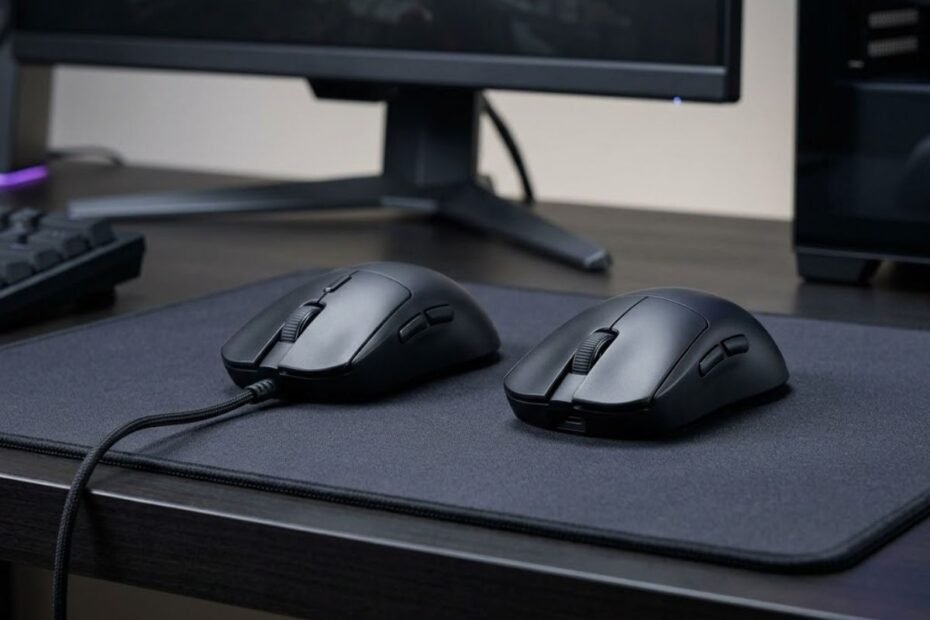
Choosing between a wireless and wired gaming mouse is less about finding a universally better connection and more about deciding which trade-offs fit your setup. Modern 2.4GHz wireless gaming mice can provide highly responsive performance, while wired mice remain appealing for their simplicity, consistent connection, and lack of battery management.
For most gamers, the better choice depends on what matters more: cable-free movement and a cleaner setup, or simplicity and no need to manage a battery. The connection type is only one part of the decision, so it should be considered alongside the way you play and how your gaming setup is arranged.
Understanding the basic difference between wired and wireless mice is the first step before comparing responsiveness, movement, battery life, and long-term ownership.
Wireless vs Wired Gaming Mouse: What Is the Difference?
A wired gaming mouse sends input to the computer through a physical USB connection, while a wireless gaming mouse typically uses a dedicated wireless receiver. The main practical difference is therefore the presence of a cable and the need for battery management, not simply whether the mouse is designed for gaming.
The physical difference between the two connection types is easiest to see when both mice are placed in the same gaming setup:
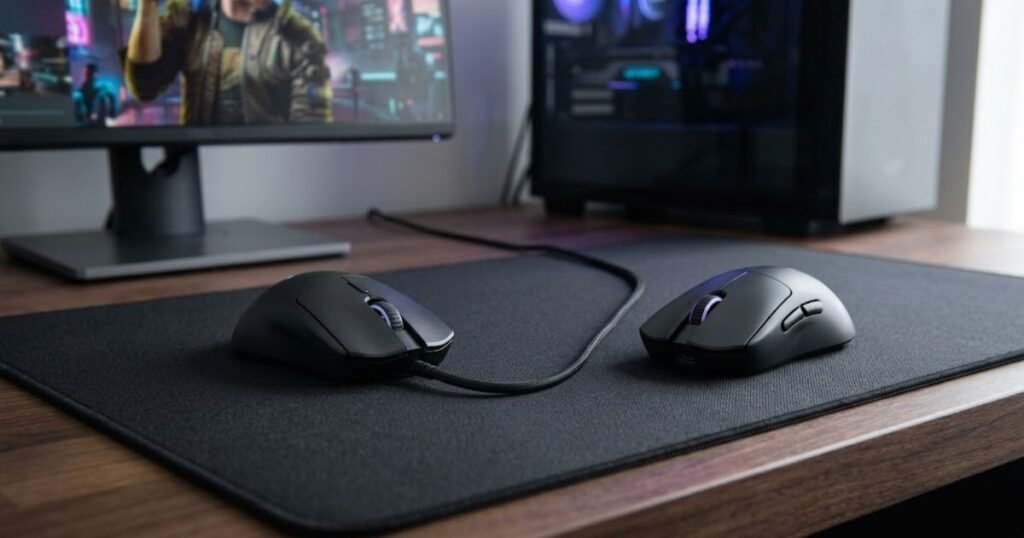
Both connection types are designed to translate mouse movement and button inputs into actions on the computer. What changes is how that information reaches the system and what the player has to manage during everyday use.
How a Wired Gaming Mouse Connects to Your PC
A wired gaming mouse connects directly to the computer through a cable, which carries both data and power during use. Because the mouse does not rely on an internal battery for normal operation, there is no charging cycle to manage while gaming.
This direct connection also makes the setup straightforward. Plugging the mouse into a compatible USB port establishes the physical connection, while the cable provides a continuous path between the mouse and computer.
The main trade-off is physical rather than electronic. The cable has to move with the mouse, so its routing and position on the desk can influence how freely the mouse moves.
For players who prefer a simple setup and do not mind managing a cable, a wired gaming mouse can therefore remain a practical choice.
How a Wireless Gaming Mouse Connects to Your PC
A gaming-focused wireless mouse commonly communicates with the computer through a dedicated USB receiver rather than a physical data cable. The mouse uses its internal battery to power the device while the receiver provides the wireless connection to the computer.
This removes the physical cable from the mouse’s movement path. As a result, the player has fewer cable-management concerns and can move the mouse without the cable following the movement across the desk.
Wireless gaming mice can also support Bluetooth on some models, but Bluetooth should not automatically be treated as equivalent to a dedicated gaming wireless connection. The specific connection technology and implementation matter when evaluating a mouse for gaming.
The trade-off is that wireless introduces battery management. Charging requirements, battery condition, and the specific wireless implementation can therefore become part of the ownership experience.
Wireless is consequently not simply a wired mouse without a cable. It changes both the physical setup and the way the device is powered and connected.
The table below compares the main practical differences between wired and wireless gaming mice:
| Factor | Wired | Wireless |
|---|---|---|
| Connection | USB cable | Wireless receiver |
| Cable movement | Required | Not required |
| Battery | Not required for normal use | Required |
| Desk management | Requires cable routing | Less cable clutter |
| Portability | Simple, but includes a cable | Convenient for cable-free setups |
| Ownership considerations | Simple connection and no battery charging | Battery and charging management |
The core difference between wired and wireless gaming mice is therefore the trade-off between a physical connection and greater freedom from cable management. Neither connection type is automatically better for every player, which is why the next comparison should focus on how each option affects gaming performance and everyday use.
Is a Wireless Gaming Mouse as Fast as a Wired Mouse?
A well-designed 2.4GHz wireless gaming mouse can deliver highly responsive performance comparable to many wired gaming mice. Being wireless does not automatically mean noticeable input delay because responsiveness depends on the specific wireless implementation, receiver, firmware, sensor, and other parts of the mouse.
The connection path becomes easier to understand when wired, dedicated wireless, and Bluetooth are viewed as separate connection methods:
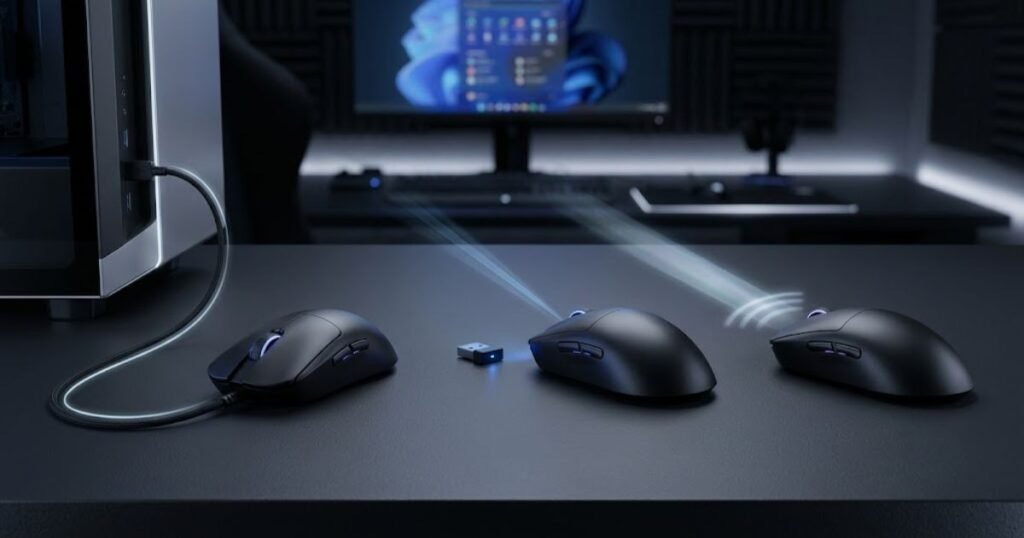
The assumption that wireless gaming mice are inherently slower is increasingly outdated. Modern gaming-focused wireless systems have reduced the performance gap substantially, so the more useful question is whether a specific mouse provides the responsiveness you need rather than whether it uses a cable.
Does Wireless Add Noticeable Input Delay?
Input latency is the time between a physical action on the mouse and the computer registering that input. Lower latency generally allows an input to be registered more quickly, which can matter more when a game requires fast and precise responses.
Independent testing from RTINGS’ mouse click-latency testing separates wired connections, wireless connections through a USB receiver, and Bluetooth because these connection methods can produce different latency results. RTINGS measures click latency with a USB protocol analyzer and averages the results from a large number of clicks.
RTINGS reports that wired mice and wireless mice using proprietary USB receivers generally achieve low click latency, while Bluetooth tends to produce higher latency. Its testing also shows that many modern wireless gaming mice can match or even surpass some wired models in measured click latency.
These results do not mean every wireless gaming mouse performs the same way. Individual models can differ because their wireless hardware, firmware, sensor, and other components are implemented differently. A wireless mouse therefore needs to be evaluated as a specific product rather than judged only by its connection type.
For most gaming buyers, the practical question is whether the mouse provides sufficiently low latency for the type of gaming they do. A well-implemented wireless connection does not automatically create a noticeable disadvantage.
Why 2.4GHz Wireless Should Not Be Treated Like Bluetooth
The word wireless covers more than one connection method. Gaming mice commonly use a dedicated USB receiver for their primary wireless connection, while some models also support Bluetooth for broader device compatibility or lower-power use.
These connection methods should not be treated as interchangeable when evaluating gaming responsiveness. A dedicated gaming receiver is designed around the communication requirements of the mouse, while Bluetooth can have different latency characteristics and priorities.
That distinction matters when comparing wireless gaming mice because a specification that simply says “wireless” does not tell you how the mouse communicates with the computer during gaming. If a mouse supports multiple wireless modes, the performance of each mode should be considered separately.
For gaming, a dedicated receiver is therefore the more relevant wireless connection to compare with a wired mouse. Bluetooth can still be useful for compatible devices and everyday tasks, but it should not automatically be treated as equivalent to a gaming-focused wireless connection.
Does Polling Rate Matter More Than the Connection Type?
Polling rate determines how frequently a mouse reports information to the computer. A higher polling rate can reduce the interval between reports, but it does not guarantee that one mouse will have lower overall latency than another.
Overall responsiveness involves several parts of the input chain. Click latency, sensor latency, polling behavior, firmware, and the connection implementation can all contribute to how quickly an action is reflected by the computer.
RTINGS tests compatible mice using their highest available polling rate and other optimized settings when measuring latency. Its testing also separates click latency from sensor latency, illustrating why polling rate should be treated as one part of the overall responsiveness picture rather than as a standalone measure of mouse performance.
This is why a high polling rate should not be used as a shortcut for deciding between wired and wireless. A wired mouse with a high polling rate is not automatically faster than every wireless mouse, just as a wireless mouse with a high polling rate is not automatically superior to every wired model.
When comparing specific wireless models, wireless mouse latency is one useful performance factor to examine alongside the mouse’s other specifications and measured results.
Overall, modern receiver-based wireless gaming mice should not be dismissed as slower simply because they do not use a cable. Wired remains a straightforward option for responsive gaming, but a well-designed wireless implementation can deliver similarly responsive performance without making the connection itself a meaningful limitation.
How Wired and Wireless Mice Affect Mouse Movement
A wireless gaming mouse removes the physical cable from the mouse’s movement path, while a wired mouse requires the cable to move with the device. The practical difference becomes more noticeable when the cable catches on the desk, creates resistance during larger movements, or limits how freely the mouse can be repositioned.
The physical difference becomes more apparent when the mouse has to move across a larger area of the desk:
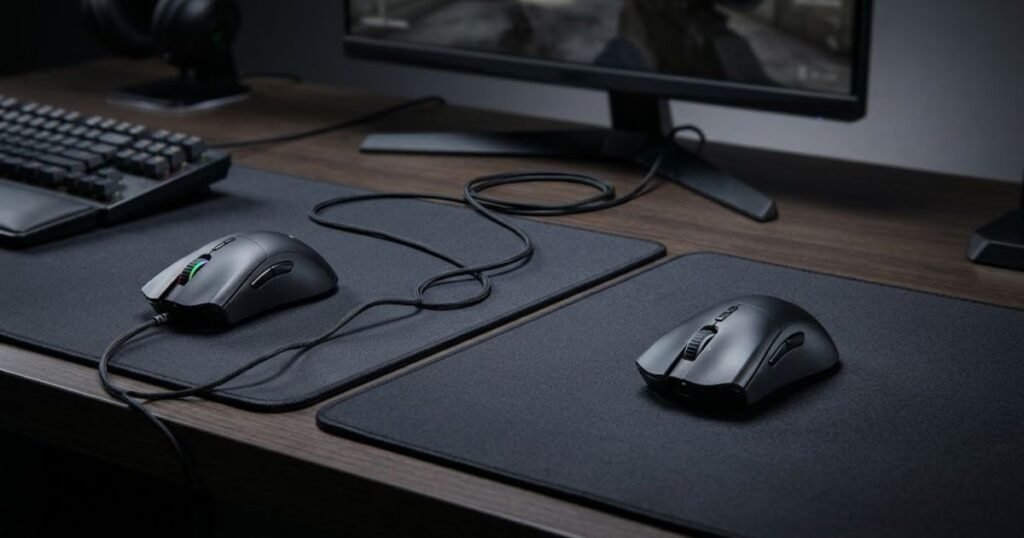
This does not mean every wired mouse creates significant movement resistance. Cable design, routing, desk layout, and the way the mouse is used can all affect how noticeable the cable feels during movement. Likewise, removing the cable does not automatically make a wireless mouse more comfortable for every player.
Why Cable Drag Can Affect Mouse Movement
Cable drag occurs when the mouse cable creates resistance as the mouse moves across the desk. The effect can come from the cable itself, the way it is routed, or the point where the cable contacts the desk surface. When the mouse is moved farther from the computer or across a wider area of the mousepad, the cable may need to move or bend with it.
This can be more noticeable during broad mouse movements because the cable has to follow a larger range of motion. If the cable catches against the edge of the desk or another object, the resistance can become more obvious and may interrupt the movement the player is trying to make.
However, cable drag should not be treated as a guaranteed disadvantage of every wired gaming mouse. Cable construction makes a meaningful difference. Current testing guidance from RTINGS’ wired mouse testing notes that a flexible, lightweight cable can create less drag and make a wired mouse feel closer to a wireless model during use.
The practical takeaway is that the presence of a cable matters less than how that cable behaves during movement. A poorly positioned or stiff cable can become an annoyance, while a flexible cable with sensible routing may have very little impact on everyday use.
When Cable-Free Movement Makes a Real Difference
The absence of a cable becomes more useful when the player’s movement pattern regularly requires a large amount of space. This is especially relevant when the mouse is moved across a large portion of the mousepad or frequently repositioned during play.
A cable-free setup can also be useful when the desk layout makes cable management difficult. If the cable repeatedly touches the monitor stand, desk edge, keyboard, or another object, removing the cable eliminates that particular source of resistance instead of requiring the player to reposition it.
Wireless can therefore provide a more consistent physical movement experience for players whose main problem is cable interference. The benefit is not that wireless changes the mouse’s fundamental tracking ability, but that there is one less physical object interacting with the movement path.
For players who make smaller movements or already have effective cable management, the difference may be much less important. In those setups, switching from wired to wireless may solve a problem that was barely noticeable in the first place.
Can a Wired Gaming Mouse Avoid Most Cable Problems?
A wired gaming mouse can avoid much of the inconvenience associated with cable drag through proper cable management. Positioning the cable so that it has enough slack, keeping it away from desk edges, and preventing it from catching on nearby objects can reduce unnecessary resistance.
A mouse bungee can also help keep the cable elevated and controlled near the front of the desk. This does not remove the cable from the setup, but it can reduce how much of the cable rests on the desk or moves unpredictably as the mouse changes position.
The cable itself also matters. A flexible cable can follow mouse movements more easily than a stiff one, which can make a wired mouse feel less restrictive during use. This is why comparing only “wired” and “wireless” can miss an important part of the actual movement experience.
For a wired setup, the goal is therefore not necessarily to eliminate every trace of cable movement. It is to prevent the cable from becoming an unwanted source of resistance during normal mouse movement.
Wireless removes cable-related movement entirely, which makes it the simpler option when cable interference is a recurring problem. A well-managed wired mouse, however, can provide a similarly unobtrusive movement experience without requiring the user to switch to wireless.
Is Wireless or Wired Better for Competitive FPS Gaming?
Both wired and well-designed wireless gaming mice can be suitable for competitive FPS gaming. Wireless can remove cable-related movement restrictions, while wired provides a simple connection without battery management. The better choice depends on which trade-off matters more in the player’s setup rather than on a universal advantage of one connection type.
Competitive FPS puts more emphasis on consistent mouse control because players often make repeated, precise movements while responding to fast changes on screen. That makes connection quality and physical movement relevant, but neither factor should be isolated from the rest of the mouse’s design.
Why Wireless Can Be Useful for Competitive FPS
Wireless can be particularly useful when a player wants unrestricted physical movement around the mousepad. Removing the cable means there is no cable to route, reposition, or prevent from catching during repeated mouse movements.
This can be relevant for players who regularly make large movements or use a substantial portion of their mousepad. In those situations, the absence of a cable can simplify the physical interaction between the mouse and the desk.
Modern gaming-focused wireless technology is also being developed specifically for high-performance gaming. For example, Razer describes its HyperSpeed Wireless Gen-2 technology as being designed for the demands of professional esports and provides performance figures for specific compatible mice. Those claims apply to Razer’s own technology and products, rather than establishing that every wireless gaming mouse offers the same performance.
The main point for a competitive player is therefore not that wireless is automatically better. Its advantage is that it can combine a dedicated gaming wireless connection with cable-free physical movement, provided the specific mouse is designed well enough for the intended use.
Why Wired Still Makes Sense for Competitive Players
A wired gaming mouse remains a straightforward option for competitive FPS because the connection does not require the player to manage a wireless battery. Once the mouse is connected, there is no need to plan around charging or battery level during a gaming session.
Wired also removes one category of wireless-specific considerations from the buying decision. Instead of evaluating a receiver, wireless mode, battery behavior, and related features, the player can focus more directly on the mouse’s shape, weight, sensor, clicks, and other characteristics.
This simplicity can be valuable for players who do not experience meaningful problems from a mouse cable. If the cable is well managed and does not interfere with movement, switching to wireless may provide little practical benefit beyond removing the cable itself.
Wired therefore remains a sensible choice for competitive FPS players who value a simple setup and do not consider cable management a significant limitation.
Does a Wireless Gaming Mouse Automatically Improve Aim?
No. Removing the cable does not automatically make a player aim better. Wireless can change the physical conditions under which the mouse is moved, but aiming still depends on factors such as mouse control, sensitivity, consistency, and how well the mouse fits the player’s hand and movement style.
A player who already has a well-managed wired setup may notice little improvement after switching to wireless. Conversely, a player whose cable repeatedly interferes with movement may find the cable-free experience more convenient and easier to manage.
This distinction matters because convenience and performance are not the same thing. A wireless mouse can remove a source of physical interference without directly improving the player’s mechanical skill or guaranteeing better accuracy.
The same principle applies in reverse. Choosing wired does not automatically put a competitive player at a disadvantage. If the connection is responsive and the cable does not interfere with movement, the player can still use the mouse effectively in competitive FPS games.
For competitive FPS, the wired-versus-wireless decision is therefore best treated as a question of setup fit. Wireless can make sense when cable-free movement is valuable, while wired can make sense when simplicity and zero battery management matter more.
Wired vs Wireless Gaming Mouse: Price, Battery, and Long-Term Ownership
Wired gaming mice generally offer a simpler ownership experience because they do not require battery charging, while wireless gaming mice add charging and battery management in exchange for a cable-free setup. Price and battery life can vary considerably between individual models, so neither connection type should be judged by a single universal price or battery-life figure.
The ownership difference becomes more important after the initial purchase. A wired mouse can remain ready to use whenever it is connected, while a wireless mouse requires the player to keep track of its battery and charging needs. For some gamers, that extra maintenance is negligible. For others, it is one of the main reasons to choose wired.
Are Wireless Gaming Mice More Expensive?
Wireless gaming mice can cost more than comparable wired models because the design has to incorporate additional wireless hardware, a battery, and charging components. However, price differences depend heavily on the specific models being compared, so wireless should not automatically be treated as the more expensive option in every product category.
The more useful comparison is between mice with similar performance, shape, weight, and feature sets. A lower-priced wireless mouse may not offer the same implementation or features as a more expensive wired model, while a premium wired mouse can also cost substantially more than a basic wireless model.
For that reason, connection type should be treated as one part of the buying decision rather than as a reliable indicator of price by itself. If two mice are otherwise very different, comparing their prices only because one is wired and the other is wireless can lead to a misleading conclusion.
How Battery Life Affects Wireless Gaming Mouse Ownership
Battery life determines how often a wireless gaming mouse needs to be charged or have its battery replaced. The useful figure is not a universal number for wireless mice because manufacturers measure battery performance under different conditions and individual models can use different power systems.
For example, Logitech lists up to 95 hours of battery life for the PRO X SUPERLIGHT 2 DEX under its stated constant-motion test condition, while Razer lists different battery-life figures depending on the model and wireless mode. Razer’s Basilisk Mobile, for example, is rated for up to 105 hours over HyperSpeed Wireless and up to 180 hours over Bluetooth under its stated test conditions.
These figures should therefore be treated as model-specific manufacturer specifications rather than as a standard expectation for every wireless gaming mouse. Actual battery life can also change with factors such as usage, lighting, polling behavior, wireless mode, and battery condition.
The practical issue for the owner is frequency of charging. A mouse with long battery life may require very little attention, while a model with shorter runtime can make charging a more noticeable part of the gaming routine.
When comparing specific wireless mice, wireless mouse battery life is therefore worth considering alongside the mouse’s connection mode, features, and intended usage rather than as an isolated specification.
What Happens When a Wireless Mouse Runs Low on Battery?
A low battery means the wireless mouse eventually needs to be connected to a charger or have its battery replaced, depending on the model. The exact charging experience varies, so buyers should check whether the mouse supports use while charging and what type of battery or charging system it uses.
Some rechargeable gaming mice can continue operating through a wired connection while they charge. Others may require a different charging arrangement, while mice using replaceable batteries require the battery to be changed instead.
This distinction can matter for people who regularly use a mouse for long sessions. A rechargeable mouse with a convenient wired fallback can reduce the disruption caused by a low battery, but it also means the owner still needs to maintain the battery before it becomes an issue.
Battery management is therefore not necessarily a major inconvenience, but it is an additional ownership consideration that does not exist with a conventional wired mouse.
The table below compares the main long-term ownership trade-offs between wired and wireless gaming mice:
| Factor | Wired | Wireless |
|---|---|---|
| Charging | Not required | Required for rechargeable models |
| Battery management | None | Battery level and charging need attention |
| Cable management | Required | Not required during wireless use |
| Long-term simplicity | High | Depends on battery and charging needs |
| Ownership considerations | Connection and cable condition | Battery condition, charging, and wireless hardware |
Wired mice minimize battery-related maintenance, while wireless mice add charging as the main ownership trade-off for cable-free use. The difference is therefore less about one connection type being inherently more reliable and more about which form of maintenance fits the way you use your mouse.
Which Is Better for Your Gaming Setup?
Choose wired if you prioritize simplicity, predictable ownership, and avoiding battery management. Choose wireless if you value cable-free movement, a cleaner desk, and greater freedom around your mousepad. Neither option is universally better, so the right choice depends on which inconvenience you would rather eliminate from your setup.
By this point, the main differences are clearer. Wired removes the need to manage a battery but keeps a physical cable in the setup. Wireless removes that cable from the movement path but introduces battery and charging considerations. The better option is the one that solves the problem you notice most often when using a gaming mouse.
The table below matches common gaming priorities with the connection type that best addresses them:
| Gaming Priority | Better Fit | Why |
|---|---|---|
| Lower upfront cost | Wired | More options are available without wireless hardware and battery components |
| No charging | Wired | Power comes through the cable during normal use |
| Cable-free movement | Wireless | Removes the mouse cable from the movement path |
| Cleaner desk | Wireless | Reduces cable clutter around the mouse area |
| Simple setup | Wired | Uses a direct physical connection |
| Portability | Wireless | Reduces cable management when moving between setups |
| Competitive gaming | Either | Both can provide suitable performance when the specific mouse is well designed |
The comparison shows that the decision is mostly about which trade-off fits your setup. Wired favors simplicity and no battery management, while wireless favors freedom from the physical cable. Competitive gaming does not automatically require one connection type over the other.
Choose Wired If You Prioritize Simplicity and Value
A wired gaming mouse is a strong fit when you want the mouse to work without thinking about battery level or charging. It can also make sense when your existing cable setup does not interfere with how you move the mouse.
Wired is particularly straightforward for players who prefer to spend their budget on the mouse itself rather than on wireless functionality. Instead of evaluating battery life, charging behavior, or wireless modes, the buying decision can focus more directly on the mouse’s shape, weight, sensor, clicks, and other characteristics.
Wired is a practical fit when these priorities describe your setup:
- Budget: You want to maximize the mouse features you get for the money.
- No charging: You do not want battery management to be part of your gaming routine.
- Simple setup: You prefer a direct connection without additional wireless considerations.
- Low maintenance: You want fewer power-related variables to manage over time.
The strongest reason to choose wired is therefore not that it is automatically faster or more accurate. It is that it removes battery management and keeps the connection straightforward.
Choose Wireless If You Prioritize Freedom of Movement
A wireless gaming mouse is a strong fit when the physical cable is one of the main limitations in your setup. Removing the cable can make it easier to use the available mousepad space without having to account for cable routing or movement.
Wireless can also make sense when you regularly move your gaming mouse between setups or prefer a cleaner desk around the mouse area. These benefits are practical rather than universal performance advantages, so they become more valuable when they address an actual problem in your setup.
Wireless is a practical fit when these priorities describe your setup:
- Cable-free movement: You want the mouse to move without a physical cable following it.
- Large swipes: You regularly use a large portion of your mousepad for movement.
- Clean setup: You prefer fewer cables around your desk.
- Portability: You frequently move the mouse between different gaming setups.
The strongest reason to choose wireless is therefore not that wireless automatically improves gaming performance. It is that removing the cable can make the physical setup easier to manage when cable interference is a genuine annoyance.
Once you know whether wired simplicity or wireless freedom fits your setup better, the next decision is the mouse itself. Shape, weight, sensor performance, comfort, and price can separate models that use the same connection type, which is why the best gaming mice for FPS games in 2026 should be compared by the priorities that matter to you rather than by connection type alone.
Ultimately, the better connection is the one that removes the bigger source of friction from your setup. Wired is the simpler choice when battery management is more annoying than cable management, while wireless makes more sense when cable-free movement is worth the added responsibility of keeping the mouse charged.
What Matters Beyond the Wired vs Wireless Decision?
After choosing between wired and wireless, the most important factors are mouse shape, weight, grip fit, sensor performance, and the specific model’s technical specifications. Connection type determines how the mouse communicates with the computer, but it does not determine whether the mouse fits your hand, movement style, or overall gaming setup.
This is an important distinction because two gaming mice can use the same connection type and still feel very different in actual use. A wireless mouse that does not fit your hand well is not automatically a better choice than a wired mouse that fits comfortably, and the reverse is also true.
Consider Mouse Shape and Grip Fit
Mouse shape determines how the hand sits on the device and how easily the player can control it during movement. A mouse that fits one hand position well may feel less suitable for another, so shape should be evaluated independently from the wired or wireless connection.
Grip style can also influence which shapes feel natural. Palm, claw, and fingertip grips position the hand differently, which means the same mouse can feel different depending on how it is held.
The practical goal is not to find a universally best mouse shape. It is to find a shape that supports a stable and comfortable hand position for the way you actually use the mouse.
Consider Mouse Weight and Movement Feel
Mouse weight affects how the device feels when it is lifted, repositioned, and moved across the mousepad. A lighter mouse may feel easier to reposition for some players, while a heavier mouse may provide a different sense of stability.
Weight should therefore be considered together with movement habits rather than treated as an isolated specification. A player who frequently lifts and resets the mouse may evaluate weight differently from someone who keeps the mouse on the pad for longer continuous movements.
Connection type does not determine mouse weight. Both wired and wireless gaming mice are available across different weight ranges, so choosing wireless does not automatically mean choosing a lighter mouse, and choosing wired does not automatically mean choosing a heavier one.
Check Sensor and Overall Tracking Performance
The sensor determines how the mouse detects and translates physical movement into cursor movement. When comparing gaming mice, sensor performance should therefore be considered separately from the wired or wireless connection.
A gaming mouse can have a wired connection and still differ substantially from another wired model in sensor behavior, firmware implementation, or available settings. The same applies to wireless mice.
For that reason, the connection type should be treated as one selection criterion rather than as a shortcut for judging the complete performance of the mouse.
Verify the Specific Model’s Technical Specifications
Technical specifications should be checked at the individual model level because features can vary substantially between mice that appear similar. Important specifications can include weight, polling rate, sensor, connectivity modes, battery capacity or rated battery life for wireless models, dimensions, and supported charging features.
Manufacturer specifications are the appropriate starting point when a buying decision depends on a specific technical figure. Testing from an independent source can then provide additional context when measured performance is relevant.
The table below shows which factors should be checked after deciding between wired and wireless:
| Factor | What to Check | Why It Matters |
|---|---|---|
| Shape | Dimensions and overall form | Affects how the hand interacts with the mouse |
| Grip fit | Palm, claw, or fingertip compatibility | Influences hand position and control |
| Weight | Published weight of the specific model | Affects movement and repositioning feel |
| Sensor | Sensor model and relevant specifications | Provides context for tracking capability |
| Polling rate | Supported polling rates | Determines how frequently the mouse reports movement |
| Connectivity | Wired, 2.4GHz wireless, Bluetooth, or supported combinations | Determines how the mouse connects to devices |
The key point is that wired versus wireless is only the first layer of the decision. Once the connection type fits your setup, the mouse still needs to match your hand, movement preferences, and performance requirements.
How to Choose Between a Wireless and Wired Gaming Mouse
Choose a wired or wireless gaming mouse by identifying your main setup priority first, then checking the mouse’s physical fit, performance characteristics, and model-specific specifications before making the final decision.
A simple decision process helps prevent one attractive feature from dominating the entire purchase. Instead of starting with a brand or a single specification, work through the factors in order and eliminate options that do not fit your actual requirements.
- Identify your main problem: Decide whether cable management or battery management is the bigger inconvenience in your current setup.
- Choose the connection type: Select wired if simplicity and no battery management matter more, or wireless if cable-free movement is more valuable.
- Check the mouse shape: Make sure the shape works with your hand size and preferred grip.
- Evaluate weight and movement: Consider how the mouse feels during normal movement, lifting, and repositioning.
- Verify performance and specifications: Check the sensor, polling rate, dimensions, connectivity, and other model-specific specifications from reliable sources.
- Compare the final candidates: Choose the model that satisfies your priorities without paying for features that do not solve a real problem in your setup.
The purpose of this process is to prevent the connection type from becoming the entire buying decision. Once you have narrowed the choice to wired or wireless, the final mouse should still be judged by how well its physical design and specifications match your actual use.
If you need to compare those broader criteria across gaming mice, the gaming mouse for FPS games pillar provides the wider framework for evaluating gaming mice beyond their connection type.
In short, wired versus wireless should answer the question of how you want the mouse to connect and move within your setup. Shape, grip, weight, sensor performance, and model-specific specifications then determine whether the particular mouse is actually a good fit.
Wireless vs Wired Gaming Mouse: Final Verdict
Choose a wired gaming mouse if you value simplicity, lower ownership complexity, and no battery management. Choose a wireless gaming mouse if cable-free movement, a cleaner setup, and greater flexibility matter more. Neither connection type is universally better, so the right choice depends on which trade-offs fit your setup.
For most modern gaming setups, the decision no longer needs to start with the assumption that wireless is too slow for serious gaming. A properly designed wireless gaming mouse can provide highly responsive performance, while a wired mouse remains a practical option for players who prefer a direct connection and do not mind managing a cable.
“The better choice depends on the player’s budget, desk setup, movement style, and willingness to manage battery life.”GearTP, Best Gaming Mouse for FPS Games
That principle is important because the connection type only solves one part of the buying decision. Once wired or wireless fits your setup, the specific mouse still needs to match your hand, movement preferences, performance requirements, and budget.
“A computer mouse … is a hand-held pointing device that detects two-dimensional motion relative to a surface.”Wikipedia, Computer mouse
The basic function of a mouse remains the same regardless of its connection method. The difference is how the device connects to the computer and how that connection fits into the user’s setup.
The table below summarizes the main decision points for choosing between wired and wireless gaming mice:
| Priority | Better Fit | Main Reason |
|---|---|---|
| Simplicity | Wired | Direct connection without battery management |
| No charging | Wired | Does not rely on an internal rechargeable battery |
| Cable-free movement | Wireless | Removes the physical cable from the movement path |
| Cleaner desk | Wireless | Reduces cable clutter around the mouse area |
| Budget-focused setup | Often wired | Provides more options without wireless hardware and battery components |
| Competitive gaming | Either | Both can provide suitable performance when the specific mouse is well designed |
The final decision is therefore about priorities rather than a universal winner. Wired is the simpler choice when avoiding charging matters most, while wireless is the stronger fit when removing the cable solves a real problem in the setup.
Frequently Asked Questions About Wireless vs Wired Gaming Mice
The questions below clarify the key definitions, technical differences, and buying considerations that can help you choose between a wireless and wired gaming mouse. Each answer focuses on one specific question so the information can be understood quickly without repeating the main sections of the article.
What is the main difference between a wired and wireless gaming mouse?
A wired gaming mouse connects to the computer through a physical cable, while a wireless gaming mouse communicates through a wireless connection such as a dedicated USB receiver. The main practical difference is how the mouse connects and how that connection affects cable management, power, and everyday use.
Wired mice normally receive power through the cable, while rechargeable wireless mice rely on an internal battery during wireless use. The connection type therefore changes the ownership experience as well as the physical setup.
In short, wired prioritizes a direct physical connection, while wireless prioritizes freedom from the mouse cable.
What is a 2.4GHz wireless gaming mouse?
A 2.4GHz wireless gaming mouse is a mouse that uses a dedicated wireless radio connection, typically through a USB receiver, to communicate with the computer. This connection is designed specifically for communication between the mouse and its receiver rather than relying on a general-purpose Bluetooth connection.
Gaming mice can use different wireless technologies, so “2.4GHz” should not be treated as a guarantee of identical performance across every model. The implementation, receiver, firmware, and other hardware still matter.
In short, 2.4GHz describes the wireless communication band, not a universal performance specification for every gaming mouse.
Is Bluetooth the same as 2.4GHz wireless for gaming?
No. Bluetooth and dedicated 2.4GHz receiver-based wireless are different connection methods, even though both operate wirelessly. A dedicated gaming receiver is generally designed around the performance requirements of the mouse, while Bluetooth serves broader device compatibility and can have different latency characteristics.
Some gaming mice support both modes, allowing the user to switch between a dedicated receiver and Bluetooth depending on the device or situation. The supported modes should therefore be checked for the specific model.
In short, both are wireless, but Bluetooth and dedicated gaming wireless should not be treated as interchangeable technologies.
What is mouse latency?
Mouse latency is the delay between a physical mouse input and the computer registering or responding to that input. It can involve different stages of the input process, including button actuation, sensor reporting, processing, and communication with the computer.
Because latency can be measured at different points in the input chain, a single latency number does not necessarily describe every aspect of a mouse’s responsiveness. Testing methodology and measurement conditions therefore matter when comparing products.
In short, latency describes input delay, but the exact meaning of a latency measurement depends on what part of the input chain is being measured.
Does a higher polling rate always mean a faster gaming mouse?
No. A higher polling rate can reduce the interval between mouse reports, but it does not guarantee lower overall latency or better performance in every situation. Overall responsiveness can also depend on click latency, sensor behavior, firmware, and the connection implementation.
Polling rate is therefore one technical specification rather than a complete measure of mouse responsiveness. Comparing the whole implementation is more useful than judging a mouse from polling rate alone.
In short, polling rate matters, but it should not be used as a shortcut for deciding whether a wired or wireless mouse is faster.
Does a wireless gaming mouse need a battery?
A wireless gaming mouse needs a power source for wireless operation, and rechargeable models use an internal battery. The battery allows the mouse to operate without drawing power through a physical connection to the computer.
Battery design and runtime vary between models, so there is no single battery-life expectation for all wireless gaming mice. Manufacturer specifications are the appropriate source when comparing the rated battery life of a specific model.
In short, rechargeable wireless mice add battery management to the ownership experience, while conventional wired mice do not require this type of power management.
Can a wireless gaming mouse work without its wireless receiver?
It depends on the mouse and the connection modes it supports. A wireless mouse designed only around a proprietary receiver may require that receiver for wireless operation, while a model with Bluetooth support may be able to connect to a compatible device through Bluetooth.
Some models can also operate through a wired USB connection, but this is a model-specific feature rather than something that should be assumed for every wireless mouse.
In short, the available connection options depend on the specific mouse, so the manufacturer’s specifications should be checked before buying.
Does a wired gaming mouse have better connection stability?
A wired mouse provides a direct physical connection, so it does not depend on a wireless signal between the mouse and receiver. This removes wireless-specific factors such as receiver placement and wireless interference from the connection setup.
However, this does not mean every wired mouse will automatically provide better overall gaming performance than every wireless mouse. Modern gaming wireless implementations can also provide highly responsive and consistent connections.
In short, wired simplifies the connection path, but connection stability should still be evaluated at the specific product level.
Can cable drag make a wired gaming mouse feel slower?
Cable drag can make a wired mouse feel more restrictive during physical movement, but it is different from electronic input latency. A cable can create resistance when it bends, catches on an object, or moves across the desk, while latency concerns how quickly the input is registered by the computer.
This distinction matters because reducing cable drag does not necessarily reduce electronic latency. A flexible cable and good cable management can make a wired mouse feel less restrictive without changing the underlying connection latency.
In short, cable drag affects physical movement, while input latency concerns electronic response, and the two should not be treated as the same problem.
Is wireless better for low-sensitivity FPS players?
Wireless can be useful for low-sensitivity FPS players when they regularly make large mouse movements and cable interference is a genuine limitation. Removing the physical cable gives the mouse more freedom across the available mousepad area.
However, low sensitivity alone does not make wireless necessary. A well-managed wired mouse can also support large movements if the cable does not interfere with the player’s setup.
In short, low sensitivity can increase the practical value of cable-free movement, but it does not make wireless universally better.
Does a wireless gaming mouse improve aim?
No. A wireless gaming mouse does not automatically improve aim or mechanical skill. Wireless can remove cable-related restrictions, but aiming consistency still depends on factors such as mouse fit, sensitivity, movement control, and practice.
A player who already has a comfortable wired setup may gain little from switching to wireless if the cable does not interfere with movement. Another player may find wireless more comfortable because it removes a recurring physical distraction.
In short, wireless can change the conditions under which you use the mouse, but it does not directly improve aiming ability.
Which should you choose if you are still unsure: wired or wireless?
Choose wired if you value simplicity, no battery management, and a direct connection; choose wireless if cable-free movement and a cleaner setup are more important to you. Neither connection type is universally better, so the decision should be based on the problem you actually want the mouse to solve.
After choosing the connection type, evaluate the specific mouse by its shape, grip fit, weight, sensor, supported features, and manufacturer specifications. This prevents the connection type from becoming the only factor in the purchase decision.
In short, the best choice is the connection type that removes the biggest source of friction from your gaming setup.
Thanks for reading, and we hope this guide helps you choose the right gaming mouse for your setup.