
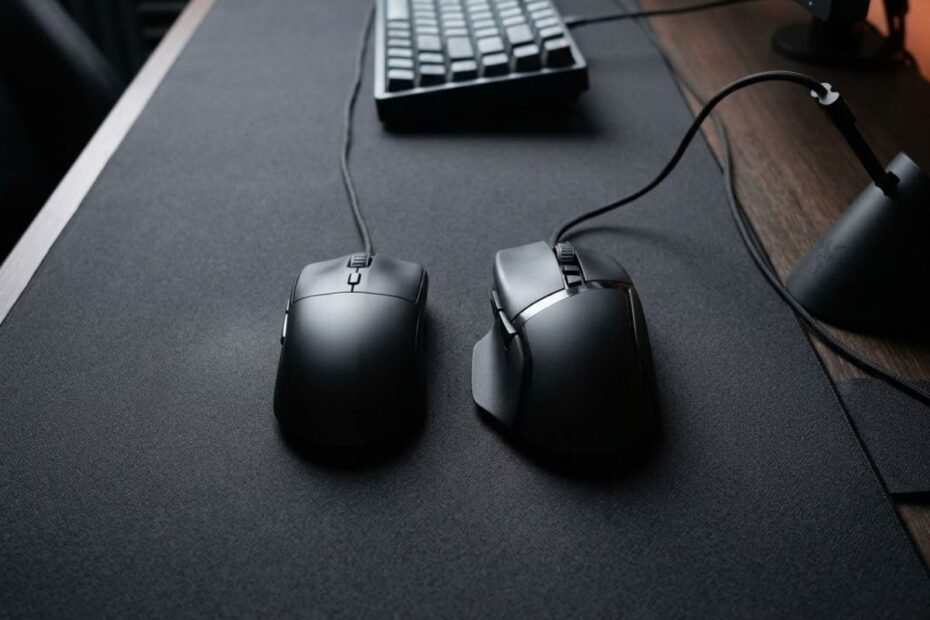
A narrow vs wide gaming mouse comparison is ultimately a comparison of how mouse width affects comfort, control, and aiming behavior. Narrow mice provide a slimmer grip area that encourages finger movement, while wide mice provide a larger contact surface that emphasizes support and stability.
Many FPS players focus on weight, sensor specifications, or polling rate, yet width often has a bigger impact on how a mouse actually feels in the hand. Even a small difference in width can change grip pressure, tracking comfort, and overall confidence during gameplay.
This guide explains how mouse width changes the FPS experience, which players benefit most from each category, and how to determine the right width for your own hand and aiming style.
What Are the Main Differences Between Narrow and Wide Gaming Mice?
A narrow gaming mouse uses a slimmer body that increases finger mobility, while a wide gaming mouse uses a broader body that increases hand support. This difference affects how the mouse feels during aiming, tracking, lifting, and long gaming sessions.
Width is one of the most influential shape dimensions because it directly determines how your fingers and palm interact with the shell. Unlike weight or sensor specifications, width is something your hand constantly feels during every movement.
Understanding the role of width helps explain why two mice with similar dimensions can produce very different aiming experiences.
How Mouse Width Is Measured
Mouse width is the horizontal measurement of a mouse body, usually taken across the grip area or the widest section of the shell. This measurement helps estimate how much space the mouse occupies under the hand.
Manufacturers often publish maximum width specifications, but the grip width is usually more important for FPS players. The grip area is where the thumb, ring finger, and pinky control the mouse, making it the primary contact zone during aiming.
Because side curvature differs between mouse designs, two mice with similar published widths may still feel noticeably different. Real-world grip width often matters more than the specification sheet alone.
Width measurements provide useful guidance, but hand contact and grip comfort remain the most important factors when evaluating a mouse shape.
How Width Changes Hand Contact Points
Mouse width changes how much of your hand touches the shell and where that contact occurs. This directly influences support, comfort, and movement freedom.
Different grip styles often respond differently to mouse width:
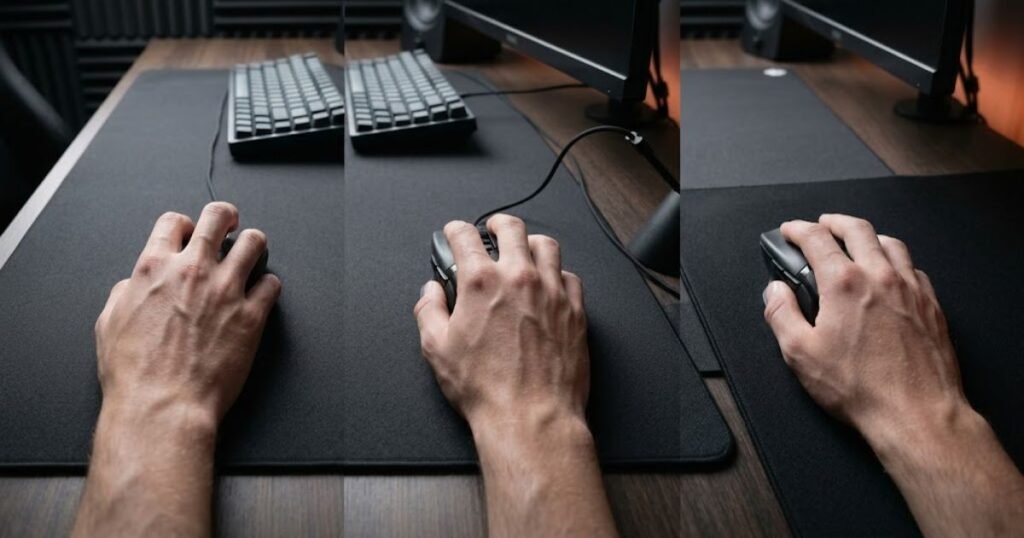
A narrower mouse typically reduces palm contact while increasing the role of the fingers in controlling movement. Players often feel more freedom to reposition the mouse and make small adjustments through finger motion alone.
A wider mouse increases the amount of surface area touching the palm and side fingers. This creates a fuller feeling in the hand and often reduces the need to grip the mouse aggressively.
The location and amount of hand contact created by width can dramatically change how comfortable and controllable a mouse feels during FPS gameplay.
Why Width Influences Mouse Control Feel
Mouse width influences control feel because it changes how force is applied to the shell. The amount of effort required to hold, guide, and stabilize the mouse depends heavily on width.
With a narrow mouse, players often use more finger input to guide movements. This can make the mouse feel agile, responsive, and easy to reposition. Many players describe narrow mice as feeling more precise during small adjustments.
With a wide mouse, more of the hand contributes to movement control. This can create a smoother and more planted feeling, especially during continuous tracking movements and longer gaming sessions.
Width affects control feel by changing the balance between finger-driven precision and full-hand stability.
Narrow and Wide Mouse Design Characteristics
Narrow and wide gaming mice are designed around different ergonomic priorities. Each width category emphasizes a different balance between mobility and support.
Narrow mice generally focus on reducing bulk and maximizing finger freedom. Wide mice generally focus on increasing contact area and reducing hand strain through greater support.
Neither design philosophy is universally better. The effectiveness of each width depends on how well it matches the player’s hand structure, grip style, and aiming preferences.
Width categories should be viewed as different approaches to mouse control rather than as upgrades or downgrades of one another.
The table below compares the fundamental differences between narrow and wide gaming mice:
| Factor | Narrow Gaming Mouse | Wide Gaming Mouse |
|---|---|---|
| Hand Contact | Lower overall contact area | Higher overall contact area |
| Finger Mobility | Higher freedom of movement | More restricted finger movement |
| Palm Support | Lower support | Higher support |
| Grip Feel | Compact and agile | Full and stable |
| Lift-Off Control | Easier for many players | May require more hand movement |
| Typical Preference | Precision-focused players | Comfort-focused players |
As shown above, narrow mice generally prioritize mobility and finger control, while wide mice prioritize stability and hand support. The better option depends on how you naturally aim rather than which category appears more popular.
When evaluating shape preferences, width should be viewed as a fundamental ergonomic characteristic because it influences nearly every aspect of mouse handling.
Width is only one component of overall shape design. Factors such as hump placement, side curvature, and rear support also influence comfort, which is why many players evaluate the complete best mouse shape for aiming before making a final decision.
How Does Mouse Width Affect Aim Performance in FPS Games?
Mouse width affects aim performance by changing how your hand controls the shell during precision movements, tracking movements, and stabilization. The influence is indirect but often noticeable during long-term use.
Rather than improving aim automatically, width changes the mechanics that support aiming. The right width allows movements to feel natural and repeatable, while the wrong width can create unnecessary tension or instability.
Understanding these mechanical differences helps explain why some players perform better with narrow designs while others prefer wider shapes.
How Width Affects Micro Corrections
Mouse width affects micro corrections by changing how easily the fingers can manipulate the shell. Micro corrections are the small aiming adjustments used to refine crosshair placement before or after a shot.
Narrow mice often make these corrections feel easier because the fingers have more influence over movement. Many players can shift the mouse slightly without relying heavily on wrist or arm motion.
However, if a mouse becomes too narrow for the hand, stability may decrease. Excessive finger involvement can sometimes make aiming feel overly sensitive or inconsistent.
For players who rely heavily on precision adjustments, width can significantly influence how natural micro corrections feel during gameplay.
How Width Affects Long Tracking Movements
Mouse width affects long tracking movements by changing the amount of support available during continuous target following. Tracking requires smooth and controlled motion over an extended period of time.
Wider mice often feel more stable during tracking because the hand rests more securely on the shell. This added support can reduce unnecessary movement and help maintain consistent crosshair placement.
Narrow mice can still perform extremely well during tracking, but they often rely more on finger control and grip discipline to maintain smooth movement.
The ideal width for tracking depends on whether a player prefers freedom of movement or additional stability during extended aim sequences.
How Width Influences Mouse Stability
Mouse width influences stability by affecting how securely the hand controls the shell under pressure. Stability becomes particularly important during stressful situations where precise movement is required.
A wider shell often distributes contact across a larger portion of the hand, creating a more planted feeling. This can help reduce accidental movement and improve confidence during controlled aiming scenarios.
A narrower shell may feel less stable for some players but more responsive for others. The result depends on grip style, hand size, and individual aiming habits.
Stability should not be confused with performance. The best width is the one that provides enough support without limiting natural movement.
The factors below explain how mouse width can influence FPS aiming mechanics:
- Finger Mobility: Width affects how freely the fingers can manipulate the shell during aiming.
- Palm Contact: Width changes how much support the hand receives during movement.
- Grip Pressure: Poor width matching can increase unnecessary grip tension.
- Tracking Control: Width influences how stable continuous movement feels.
- Movement Confidence: A comfortable width can improve consistency over long sessions.
These factors demonstrate that width affects aim through mechanical comfort and control rather than through direct performance boosts.
In practical FPS gameplay, the best mouse width is usually the one that allows precise movements without creating tension, instability, or fatigue.
Which Mouse Grip Styles Work Best With Narrow and Wide Mice?
Different grip styles interact with mouse width differently because each grip relies on unique contact points between the fingers, palm, and shell. A width that feels perfect for one grip style may feel uncomfortable or restrictive for another.
Mouse width should not be evaluated independently from grip style. The same mouse can feel narrow for a palm grip user while feeling perfectly balanced for a fingertip grip player.
Understanding this relationship helps narrow down which width category is more likely to support your natural aiming mechanics.
Why Fingertip Grip Usually Prefers Narrow Mice
Fingertip grip often works best with narrow mice because this grip style relies heavily on finger movement rather than palm support. A slimmer shell allows the fingers to manipulate the mouse with greater freedom.
Since the palm rarely touches the mouse during fingertip grip, excessive width can feel unnecessary. A wide shell may reduce agility and make fast directional adjustments feel less natural.
Many fingertip grip users prefer shapes that disappear beneath the hand rather than filling it. A narrower body often achieves this feeling more effectively.
For fingertip players, width is usually more valuable as a source of mobility than as a source of support.
Why Claw Grip Can Work With Multiple Width Categories
Claw grip can adapt to both narrow and wide mice because it combines finger control with partial palm contact. This flexibility allows players to prioritize either agility or stability depending on personal preference.
Different grip styles often respond differently to mouse width:
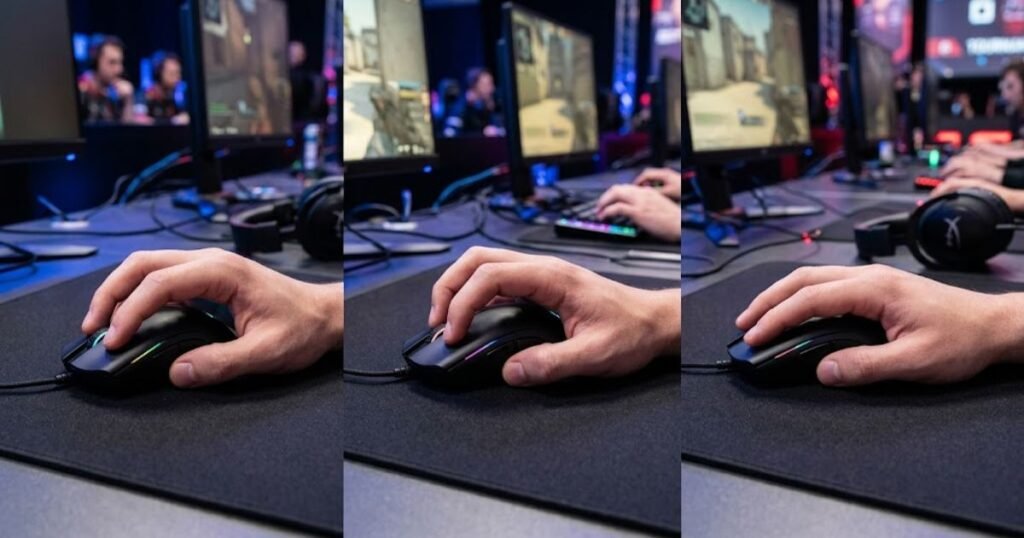
Players who use an aggressive claw grip often lean toward narrower shapes because they generate most movement through the fingers. Meanwhile, relaxed claw users may appreciate the extra support provided by wider shells.
The effectiveness of each width depends on how much the player relies on finger activation versus palm support during aiming.
Claw grip remains one of the most adaptable grip styles when choosing between narrow and wide gaming mice.
Why Palm Grip Often Benefits From Wider Shells
Palm grip often benefits from wider mice because the hand rests across a larger portion of the shell. Additional width helps distribute support more evenly throughout the palm and fingers.
A narrow mouse may leave portions of the hand unsupported, forcing players to grip more aggressively than intended. Over time, this can reduce comfort and increase fatigue.
Wider mice generally provide a fuller and more relaxed feeling for palm grip users. The hand can rest naturally without constantly squeezing the mouse for stability.
For most palm grip players, width contributes more to comfort and support than to raw agility.
How Hybrid Grip Players Should Evaluate Width
Hybrid grip users should evaluate width based on their dominant movement pattern rather than their grip label alone. Hybrid grips often combine characteristics from multiple grip styles.
Some hybrid players use palm support for stability while still relying on fingertip movement for adjustments. Others lean heavily toward claw mechanics despite occasional palm contact.
The best approach is to identify whether support or finger freedom contributes more to your aiming consistency. That answer usually reveals the most suitable width category.
Hybrid grip users benefit most from understanding how they actually aim rather than focusing solely on grip terminology.
The table below shows how mouse width affects different grip styles:
| Grip Style | Narrow Mouse | Wide Mouse |
|---|---|---|
| Fingertip Grip | Usually preferred for finger freedom | Can feel restrictive |
| Aggressive Claw Grip | Often preferred for responsiveness | May reduce finger mobility |
| Relaxed Claw Grip | Works well for many users | Works well if extra support is desired |
| Palm Grip | May feel unsupported | Usually preferred for comfort |
| Hybrid Grip | Depends on movement preference | Depends on support preference |
Grip style often provides one of the clearest indicators of width preference. Players who rely on finger movement typically favor narrower shells, while players who prioritize support often prefer wider designs.
Grip style is only one factor, however. Hand size can dramatically change how a particular width feels in practice.
Mouse hump placement can also influence how width feels during different grip styles, especially for claw and palm users. Players comparing shell support characteristics may also benefit from understanding low hump vs high hump mouse designs.
How Hand Size Influences the Ideal Mouse Width
Hand size influences mouse width preference because it determines how much of the shell your hand naturally contacts. A width that feels comfortable for one hand size may feel completely unsuitable for another.
This explains why mouse recommendations often conflict online. Players with different hand dimensions can have opposite experiences with the exact same shape.
Choosing width according to hand size helps eliminate many comfort and control problems before they appear.
Recommended Width Ranges for Small Hands
Small hands generally benefit from narrower mouse widths because the fingers can maintain control without excessive stretching. A compact grip area often feels more natural and easier to manage.
If a mouse becomes too wide, smaller hands may struggle to maintain comfortable contact with both sides of the shell. This can reduce control and increase grip fatigue.
The goal is to maintain comfortable finger positioning while preserving enough support for stable movement.
For many players with small hands, narrower mice provide a more balanced combination of control and comfort.
Recommended Width Ranges for Medium Hands
Medium-sized hands can usually adapt to a wider range of mouse widths because they sit near the middle of the ergonomic spectrum. Both narrow and wide categories can work effectively depending on grip style.
Hand size can significantly influence mouse width preference:
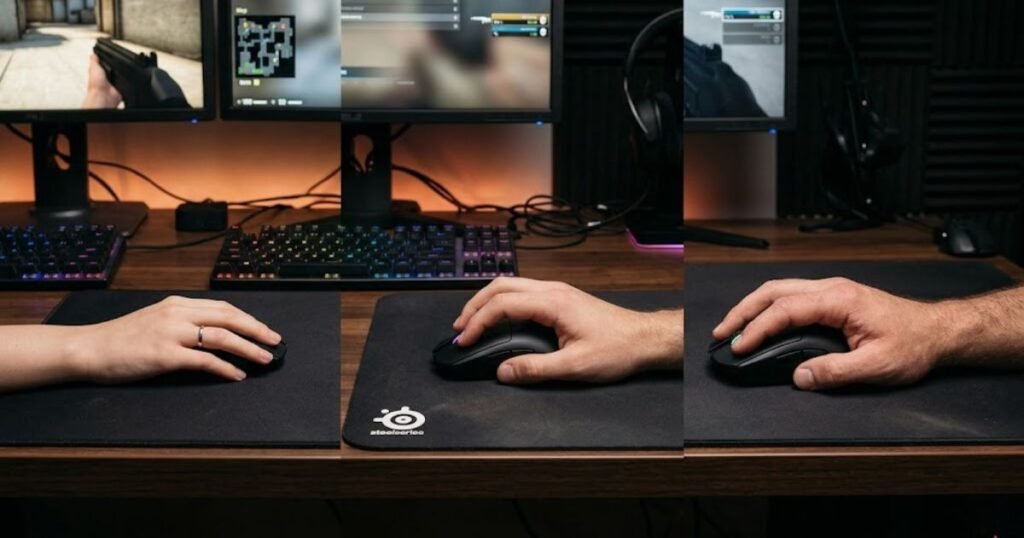
Grip preference often becomes more important than hand size within this range. Fingertip and aggressive claw users may still prefer narrow mice, while palm users may appreciate additional width.
This flexibility allows medium-handed players to focus more on shape design and grip behavior rather than width alone.
Medium hand sizes typically have the broadest selection of viable mouse width options.
Recommended Width Ranges for Large Hands
Large hands often benefit from wider mice because additional width helps support a greater portion of the hand. This can reduce strain and improve overall comfort.
A very narrow shell may require large-handed players to curl or compress their fingers excessively. While some players enjoy this feeling, others find it uncomfortable during longer sessions.
Wider mice can provide a more natural resting position and reduce the need for constant grip tension.
For many large-handed users, width becomes increasingly important as gaming session length increases.
Why Hand Width Matters More Than Hand Length
Hand width often influences mouse width preference more directly than hand length because width determines how the fingers interact with the sides of the shell.
Two players with identical hand lengths can have very different finger spacing and palm widths. As a result, they may prefer completely different mouse widths.
Evaluating only hand length can create misleading recommendations. Considering overall hand proportions provides a more accurate starting point.
Hand width helps explain why personal comfort remains highly individual even among players with similar measurements.
The table below matches hand sizes with suitable mouse width categories:
| Hand Size | Typical Width Preference | Reason |
|---|---|---|
| Small | Narrow | Easier finger reach and control |
| Medium | Narrow or Wide | Depends heavily on grip style |
| Large | Wide | Provides greater support and comfort |
Hand size does not determine mouse width automatically, but it provides a strong starting point. Combining hand size with grip style usually produces much more accurate recommendations than using either factor alone.
What Are the Advantages of Narrow Gaming Mice?
Narrow gaming mice provide greater finger freedom and faster shell manipulation, which helps many FPS players perform quick adjustments and repositioning movements more efficiently. Their biggest advantage is not raw speed but the ability to make precise movements with minimal physical resistance.
Because less of the hand contacts the shell, narrow mice often feel more responsive during active aiming. This characteristic has made them popular among competitive players who rely heavily on precision-oriented mechanics.
The benefits of narrow mice become most noticeable when the player values agility, movement freedom, and quick directional changes.
Better Finger Independence for Precision Aim
Narrow gaming mice improve finger independence by reducing the amount of shell occupying the hand. This allows the fingers to play a larger role in controlling movement.
Greater finger involvement can make small crosshair adjustments feel easier because the hand is not relying entirely on wrist or arm movement. Instead, tiny corrections can be initiated directly through finger positioning and pressure changes.
This additional freedom often creates a feeling of precision that many FPS players appreciate during demanding aiming situations.
Finger independence is one of the most valuable advantages narrow mice provide for precision-focused players.
Faster Repositioning During Flick Shots
Narrow gaming mice often feel easier to reposition because less hand contact creates less resistance during movement transitions. This can help when repeatedly lifting, resetting, and re-centering the mouse.
Many FPS players perform dozens or even hundreds of repositioning movements during a single match. A shell that feels easier to move can make those repeated actions feel less demanding over time.
The benefit is especially noticeable when large arm movements are combined with frequent mouse resets on lower sensitivities.
Efficient repositioning contributes to a more fluid aiming experience during fast-paced FPS gameplay.
Easier Lift-Off and Mouse Resetting
Narrow mice are often easier to lift because the fingers can wrap around the shell more securely. This creates a more direct connection between the hand and the mouse during lift-off movements.
Players who frequently reset their mouse position may find narrow shapes easier to handle because less effort is required to establish a firm grip before lifting.
This does not automatically improve aim, but it can improve comfort and confidence when repeated lift-offs are part of a player’s routine.
Reliable lift-off control remains one of the practical benefits many players notice after switching to a narrower shape.
The factors below explain the primary advantages of narrow gaming mice:
- Greater Finger Freedom: Allows more direct finger involvement during aiming movements.
- Faster Repositioning: Makes repeated mouse resets feel more efficient.
- Improved Lift-Off Control: Helps establish a secure grip during lifting.
- Responsive Handling: Creates a lighter and more agile feeling in the hand.
- Compact Ergonomics: Reduces the amount of shell occupying hand space.
These advantages make narrow gaming mice particularly appealing to players who prioritize agility, movement freedom, and active mouse control.
Width is only one aspect of shape design. Side curvature and overall shell structure can also influence how agile a mouse feels, which is why many players compare symmetrical vs ergonomic mouse shape designs when evaluating comfort and control.
What Are the Advantages of Wide Gaming Mice?
Wide gaming mice provide increased support, stability, and comfort by creating more contact between the hand and the shell. Their primary strength is helping the mouse feel secure and controlled during extended use.
Rather than emphasizing mobility, wide mice focus on reducing unnecessary hand strain and creating a more stable interaction between the player and the mouse.
For many users, the biggest advantage of a wide shell is the feeling of confidence that comes from having more physical support throughout the hand.
Increased Palm Contact and Support
Wide gaming mice increase palm contact by providing more surface area beneath the hand. This additional support can create a more relaxed and natural grip position.
When the palm receives adequate support, the hand often requires less effort to maintain stability. This can improve overall comfort during long gaming sessions.
The benefit is not limited to comfort alone. Increased support can also help players maintain more consistent control over extended periods of gameplay.
Palm support remains one of the defining advantages of wider gaming mouse designs.
More Stable Tracking Performance
Wide mice often feel more stable during continuous tracking movements because a larger portion of the hand contributes to controlling the shell.
This added stability can help reduce unwanted movement during situations where smooth crosshair motion is important. Many players describe wide mice as feeling more planted during tracking scenarios.
While stability does not guarantee better accuracy, it can improve confidence and consistency for players who prefer a supported grip.
Stable tracking is one of the key reasons some FPS players consistently choose wider mouse shapes.
Reduced Hand Fatigue During Long Sessions
Wide gaming mice can reduce hand fatigue by distributing contact across a larger area. This may decrease the amount of grip pressure required to control the mouse.
When less force is needed to maintain stability, the hand often remains more relaxed throughout long practice sessions or competitive matches.
Reduced tension can contribute to a more comfortable gaming experience, particularly for players who spend many hours using the same setup.
Comfort and endurance are important advantages that wide gaming mice frequently provide.
The factors below explain the primary advantages of wide gaming mice:
- Greater Palm Support: Provides a fuller and more supported hand position.
- Improved Stability: Helps the mouse feel planted during movement.
- Reduced Grip Tension: May lower the amount of force required to control the shell.
- Enhanced Comfort: Supports longer gaming sessions with less strain.
- Consistent Tracking Feel: Promotes smooth and controlled motion.
These strengths make wide gaming mice attractive to players who value stability, comfort, and long-term consistency during FPS gameplay.
Narrow vs Wide Gaming Mouse for Different FPS Genres
Different FPS genres reward different aiming behaviors, which means mouse width preferences can vary depending on the game being played. The ideal width is often influenced by how frequently players perform flicks, tracking movements, and large directional changes.
While individual preference always matters, certain width characteristics tend to align naturally with the mechanical demands of specific FPS genres. Understanding these patterns can make mouse selection easier.
Rather than searching for a universally superior width, it is often more useful to evaluate which width supports the dominant aiming style used within a particular game.
Tactical FPS Games Such as Valorant and CS2
Tactical FPS games place a strong emphasis on precision, crosshair placement, and controlled engagements. Players often spend more time making small adjustments than performing continuous tracking movements.
Different FPS genres can favor different mouse width characteristics:
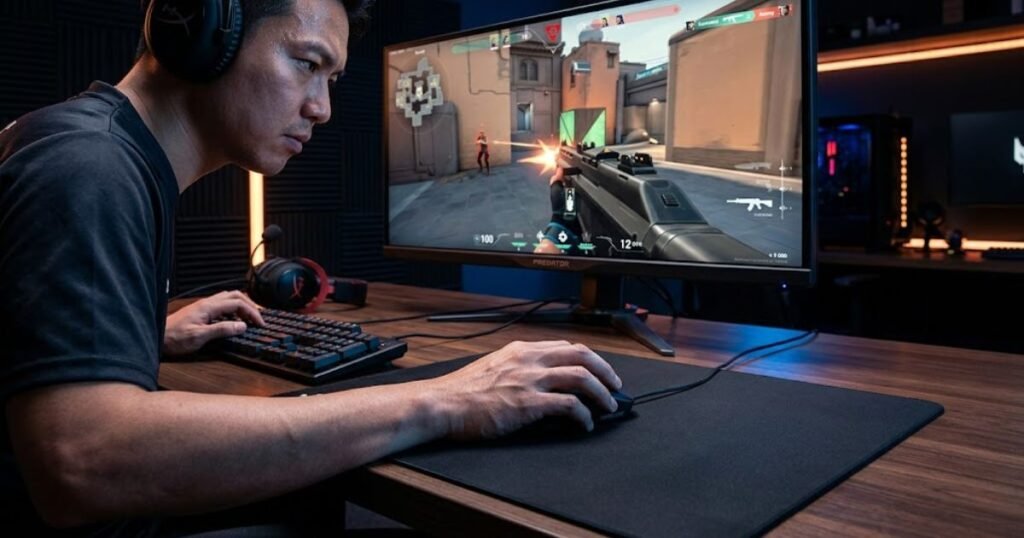
Because of this, many players gravitate toward narrower mice that allow easier finger-driven corrections and efficient repositioning between engagements. The increased mobility can help maintain precise control during demanding aim scenarios.
That said, some players still prefer wider mice for the added stability they provide when holding angles and maintaining disciplined crosshair positioning.
Tactical FPS games often reward whichever width allows the player to perform precise and repeatable aiming adjustments with confidence.
Tracking Focused FPS Games Such as Apex Legends
Tracking-heavy FPS games require players to follow moving targets continuously while maintaining smooth crosshair movement. Stability and consistency become increasingly important in these situations.
Many players appreciate wider mice because the additional support can make long tracking sequences feel more controlled. The larger contact area may help reduce unnecessary movement during extended engagements.
Narrow mice remain viable, but they often require greater grip discipline to maintain consistent tracking performance over longer periods.
For tracking-oriented FPS titles, stability frequently becomes a larger consideration than raw agility.
Hybrid FPS Games Such as Call of Duty
Hybrid FPS games combine elements of flick aiming, target tracking, movement mechanics, and close-range engagements. This creates a broader range of viable width preferences.
Players who emphasize aggressive movement and rapid target switching may prefer narrower mice, while players who prioritize control and consistency may prefer wider options.
The mixed nature of these games means width selection often becomes highly individual. Multiple width categories can perform equally well depending on playstyle.
Hybrid FPS titles highlight the importance of matching width to personal mechanics rather than following a single recommendation.
The table below compares mouse width preferences across major FPS genres:
| FPS Genre | Narrow Mouse | Wide Mouse |
|---|---|---|
| Tactical FPS | Commonly preferred for precision adjustments | Preferred by players seeking stability |
| Tracking FPS | Requires greater movement control | Often favored for tracking stability |
| Hybrid FPS | Works well for aggressive playstyles | Works well for controlled playstyles |
As shown above, no width category dominates every FPS genre. The ideal choice depends on which aiming behaviors appear most frequently within the games you play.
The overall mouse ecosystem also influences performance. Players evaluating complete FPS setups may benefit from exploring the broader gaming mouse for FPS games guide.
What Signs Indicate Your Mouse Is Too Narrow or Too Wide?
Many aiming and comfort issues are caused by a width mismatch rather than by sensitivity settings, sensor performance, or mouse weight. Recognizing these signs can help identify whether width is limiting performance.
A mouse that feels uncomfortable, unstable, or difficult to control may simply be the wrong width for the player’s hand and movement habits.
Identifying these symptoms early can prevent unnecessary hardware changes and make mouse selection much more efficient.
Common Signs Your Mouse Is Too Narrow
A mouse may be too narrow if you constantly feel the need to squeeze the shell to maintain control. Excessive grip tension is one of the most common indicators of insufficient width.
Some players also experience hand fatigue because the fingers must work harder to stabilize the mouse during movement. This can become more noticeable during long gaming sessions.
If the mouse feels unstable despite otherwise fitting your preferences, insufficient width may be contributing to the problem.
Frequent grip tension and a lack of support are common signs that a mouse may be too narrow.
Common Signs Your Mouse Is Too Wide
A mouse may be too wide if your fingers feel restricted or if movement feels slower than expected. Excessive width can reduce the amount of freedom available for fine adjustments.
Some players describe wide mice as feeling bulky or difficult to reposition quickly. This sensation often appears when the shell occupies more hand space than necessary.
If precision adjustments consistently feel awkward despite adequate practice, excessive width may be a contributing factor.
Restricted movement and reduced agility are common indicators that a mouse may be too wide.
Width Related Problems Often Mistaken for Sensitivity Issues
Width-related problems are often misdiagnosed as sensitivity problems because both issues can influence aiming consistency. Players frequently change DPI or sensitivity settings when the real problem is ergonomic fit.
A width mismatch can create instability, overcorrection, excessive grip tension, or inconsistent movement patterns. These symptoms can resemble poor sensitivity settings even when the sensitivity itself is appropriate.
Before making major sensitivity adjustments, it is often worth evaluating whether the mouse width supports natural hand positioning and comfortable control.
Ergonomic fit and sensitivity should be evaluated together because both contribute to overall aiming consistency.
The factors below may indicate a width mismatch:
- Constant Grip Tension: The mouse requires excessive squeezing to feel secure.
- Hand Fatigue: Discomfort appears quickly during extended gaming sessions.
- Restricted Finger Movement: Fine adjustments feel difficult or unnatural.
- Unstable Control: The mouse feels difficult to guide consistently.
- Frequent Repositioning Problems: Lift-offs and resets feel awkward or inefficient.
These warning signs do not guarantee that width is the problem, but they often provide useful clues when evaluating overall mouse fit.
How Should You Choose Between a Narrow and Wide Gaming Mouse?
The best mouse width is determined by how your hand interacts with the shell during real gameplay. Rather than focusing on trends or recommendations from other players, the goal is to identify which width supports your natural movement patterns most effectively.
By this stage, grip style, hand dimensions, aiming preferences, and comfort requirements should already be clear. The final decision comes from combining those factors into a practical selection process.
A structured approach often produces better results than choosing a mouse based solely on specifications or popularity.
Start With Your Hand Measurements
Hand measurements provide the foundation for width selection because they determine how much space your fingers and palm require. Width that feels comfortable for one hand size may feel restrictive or unsupported for another.
The objective is not to find a perfect number but to establish a realistic starting point. This helps narrow the field before evaluating specific shapes.
Hand dimensions should be used as a guide rather than a strict rule because personal preference still plays an important role.
Hand measurements help create a practical starting point for narrowing down width options.
Evaluate Your Preferred Grip Style
Grip style reveals how the hand actually controls the mouse during gameplay. Because grip mechanics influence contact points and movement patterns, they provide valuable information when selecting width.
Choosing the right width involves balancing several personal factors:
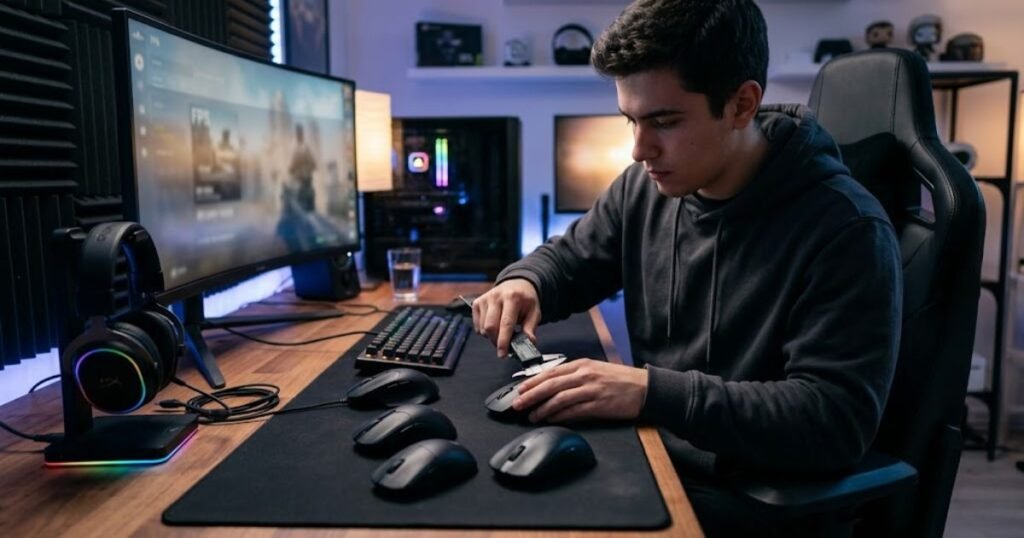
Players who rely heavily on finger movement often prefer different width characteristics than players who prioritize palm support and stability. Understanding these tendencies helps reduce trial and error.
The most suitable width is usually the one that complements your natural grip rather than forcing you to change it.
Grip style remains one of the strongest indicators when deciding between narrow and wide mouse designs.
Consider Your Primary FPS Aiming Style
Aiming style influences which width characteristics feel most beneficial during gameplay. Some players prioritize rapid directional changes, while others prioritize stability and smooth control.
The ideal width should support the movement patterns that occur most frequently during your matches. A mouse that feels natural during your primary aiming tasks will usually provide the best long-term experience.
Evaluating width through actual gameplay requirements often leads to more reliable decisions than focusing on specifications alone.
Aiming style helps determine whether mobility or support should receive greater priority during the selection process.
The table below provides a practical framework for choosing the right mouse width:
| Factor | Lean Toward Narrow | Lean Toward Wide |
|---|---|---|
| Hand Feel Preference | Compact and agile | Full and supportive |
| Grip Behavior | Finger driven control | Palm supported control |
| Movement Preference | Fast repositioning | Stable movement |
| Comfort Priority | Mobility focused | Support focused |
| Overall Goal | Freedom of movement | Consistency and stability |
The framework above is not intended to force a decision. Instead, it helps identify which width category naturally aligns with your existing habits and preferences.
Once width preferences become clear, comparing actual mouse models becomes much easier. Players looking for specific recommendations can explore the top best gaming mouse for FPS games in 2026 guide for additional options.
Is a Narrow or Wide Gaming Mouse Better for FPS Players?
Neither narrow nor wide gaming mice are universally better because performance depends on how well the width matches the player’s hand structure, grip mechanics, and aiming habits. Width is a fit-related decision rather than a performance ranking.
Throughout this comparison, one pattern becomes clear. Narrow mice generally emphasize movement freedom and responsiveness, while wide mice generally emphasize support and stability. Both approaches can be highly effective when matched to the right player.
The most successful mouse choice is usually the one that feels natural enough to disappear from conscious thought during gameplay.
Who Should Choose a Narrow Gaming Mouse
Narrow gaming mice are often attractive to players who enjoy active mouse control, frequent repositioning, and greater finger involvement during aiming movements.
These players typically prioritize agility and responsiveness over maximum hand support. They often prefer shapes that allow movement freedom rather than filling the entire hand.
The ideal narrow mouse should feel controllable without creating excessive grip tension or instability.
Narrow designs are often best suited for players who value mobility and precision-oriented handling.
Who Should Choose a Wide Gaming Mouse
Wide gaming mice are often attractive to players who prioritize support, comfort, and consistent control. The broader shell creates a more secure connection between the hand and the mouse.
These players frequently appreciate a fuller grip and a more planted feeling during gameplay. Stability and comfort often take priority over maximum movement freedom.
The ideal wide mouse should provide support without making movement feel restricted or bulky.
Wide designs are often best suited for players who value stability and long-term comfort.
Why Personal Fit Matters More Than Community Trends
Community recommendations can provide useful starting points, but they cannot account for individual anatomy, grip habits, and comfort preferences. What feels perfect for one player may feel completely wrong for another.
Mouse width is highly personal because it directly influences how the hand interacts with the shell. This makes individual fit far more important than popularity or market trends.
Long-term consistency usually comes from finding a shape that works naturally with your hand rather than copying another player’s setup.
Personal fit remains the most important factor when choosing between narrow and wide gaming mice.
Mouse width is only one piece of the larger FPS mouse selection process. For a complete overview of shapes, features, and recommendations, explore our guide to gaming mouse for FPS games.
Frequently Asked Questions About Narrow and Wide Gaming Mice
Mouse width affects comfort, control, and overall gaming experience in different ways. The questions below address common concerns that FPS players often have when comparing narrow and wide gaming mice.
Does mouse width affect aiming accuracy?
Yes, mouse width can affect aiming accuracy by changing how comfortably and consistently you control the shell. The right width helps maintain natural movement patterns and reduces unnecessary grip tension.
Is a narrow gaming mouse always better for competitive FPS games?
No, a narrow gaming mouse is not automatically better for competitive FPS games. Performance depends on how well the width matches the player’s hand size, grip style, and aiming habits.
Can a wide gaming mouse improve tracking performance?
Yes, a wide gaming mouse can improve tracking performance for some players by increasing stability and hand support during continuous target-following movements.
Do professional FPS players prefer narrow or wide mice?
Professional FPS players use both categories. Preferences vary based on personal ergonomics, game requirements, and long-term comfort rather than width alone.
How can I tell if my gaming mouse is too narrow?
A gaming mouse may be too narrow if you constantly squeeze the shell, experience finger fatigue, or feel that the mouse lacks stability during normal gameplay.
How can I tell if my gaming mouse is too wide?
A gaming mouse may be too wide if your fingers feel restricted, small adjustments feel difficult, or the mouse feels bulky during movement.
Does mouse width matter more than mouse weight?
Neither factor is universally more important. Mouse width affects ergonomics and control, while mouse weight affects movement effort. Both should be evaluated together.
Should small hands always choose narrow gaming mice?
No, small hands often prefer narrower mice, but grip style and personal comfort can sometimes make a wider mouse a better choice.
Should large hands always choose wide gaming mice?
No, many large-handed players prefer wider mice for support, but some still choose narrow shapes because they prefer greater finger mobility.
Can mouse width affect wrist or hand comfort?
Yes, mouse width can influence comfort by changing grip tension and hand positioning. A poorly matched width may contribute to fatigue during long gaming sessions.
Is width more important than mouse shape?
Width is an important part of shape, but it is not the only factor. Hump placement, side curvature, length, and overall shell design also influence comfort and control.
What is the best way to choose between a narrow and wide gaming mouse?
The best approach is to evaluate hand size, grip style, aiming behavior, and comfort preferences together rather than relying on a single measurement or recommendation.
Conclusion: Narrow vs Wide Gaming Mouse
A narrow vs wide gaming mouse decision should come down to fit, not popularity. Narrow mice usually favor finger freedom, quick corrections, and agile handling. Wide mice usually favor support, stability, and long-session comfort.
The best choice depends on how your hand size, grip style, and aiming habits work together. If your current mouse feels tense, unstable, bulky, or restrictive, width may be one of the first shape factors worth checking.
In the end, the right FPS mouse width is the one that lets you aim naturally without thinking about the mouse in your hand.
Thanks for reading GearTP.