
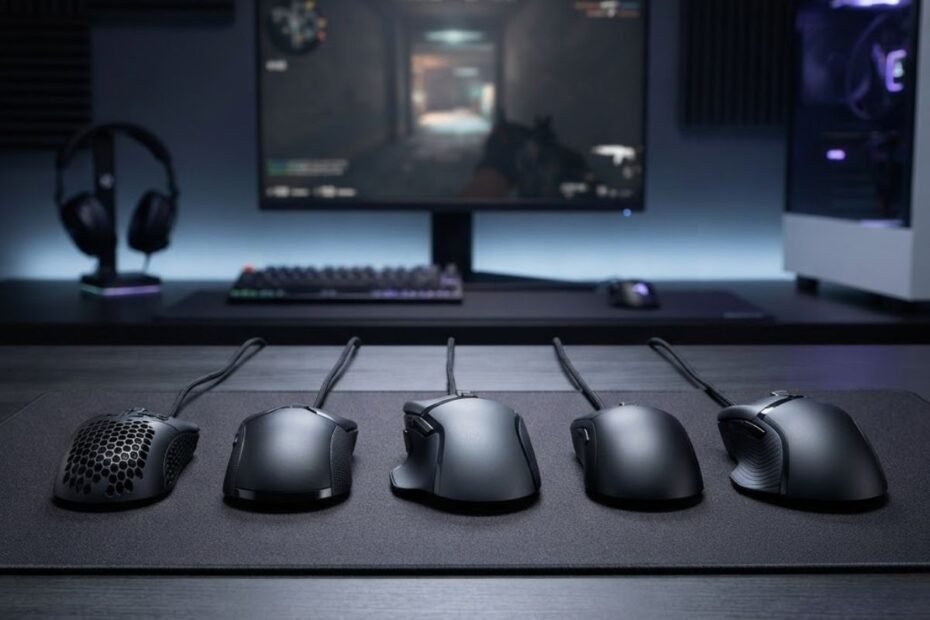
If you are looking for the best wired gaming mouse under 30, the safest choice depends on more than DPI or the number of features listed on the box. At this price, shape, weight, sensor consistency, click response, and overall value matter more than chasing the highest specification.
For most buyers, the Logitech G203 LIGHTSYNC is the strongest all-around option, while the Razer Cobra is the better fit for players who want a much lighter mouse. The ASUS TUF Gaming M3 Gen II offers another lightweight option, the SteelSeries Rival 3 Gen 2 targets players who want a balanced FPS-oriented design, and the Razer DeathAdder Essential is worth considering if an ergonomic right-handed shape is more important than low weight.
This guide focuses specifically on wired gaming mice priced at or below the $30 budget. Prices can change, so a model that qualifies today may move above the threshold later. The goal is to compare the mice based on practical buying factors rather than treating a higher DPI number or extra RGB lighting as proof of better gaming performance.
The Best Wired Gaming Mice Under $30 at a Glance
The five mice below cover the main buying priorities in this budget, from overall value and lightweight movement to ergonomic comfort and FPS-focused performance.
The table below compares the five wired gaming mice by the factors that matter most at this budget:
| Mouse | Best For | Weight | Max Resolution | Connection | Key Advantage |
|---|---|---|---|---|---|
| Logitech G203 LIGHTSYNC | Best Overall | 85g | 8,000 DPI | Wired | Balanced feature set |
| Razer Cobra | Best Lightweight Pick | 58g | 8,500 DPI | Wired | Very low weight |
| ASUS TUF Gaming M3 Gen II | Best FPS Value | 59g | 8,000 DPI | Wired | Lightweight feature set |
| SteelSeries Rival 3 Gen 2 | Tracking-Focused FPS | 77g | 8,500 CPI | Wired | TrueMove Core sensor |
| Razer DeathAdder Essential | Best Ergonomic Pick | 96g | 6,400 DPI | Wired | Right-handed ergonomic shape |
The comparison shows that these mice are not competing for exactly the same buyer. The G203 focuses on balanced value, the Cobra and TUF M3 Gen II emphasize lower weight, the Rival 3 Gen 2 takes a more performance-focused approach, and the DeathAdder Essential prioritizes ergonomic shape.
That distinction matters because the best mouse for one player may be a poor fit for another. Instead of choosing solely by DPI, the rest of this guide evaluates what each mouse does well, where it falls short, and which type of player should consider it.
How We Chose the Best Wired Gaming Mouse Under $30
The best wired gaming mouse under $30 should be judged by how well it fits the player’s hand, movement style, and gaming needs, not by its highest advertised specification. For this comparison, the most important factors are shape, weight, sensor consistency, click response, cable design, build quality, and whether the current price still fits the budget.
These are the main factors used to evaluate each mouse:
- Shape: A mouse should feel natural in the hand and work well with the player’s preferred grip.
- Weight: Mouse weight affects how the mouse feels during repeated movements, especially in games that require frequent aim adjustments.
- Sensor: Consistent tracking matters more than simply choosing the mouse with the highest advertised DPI.
- Click response: Consistent button response is important for repeated actions in competitive games.
- Cable: Because every mouse in this guide is wired, cable design and flexibility can affect everyday usability.
- Build quality: A budget mouse still needs to provide a reliable feel during regular gaming use.
- Current price: A mouse only qualifies for this guide when its current price fits the under-$30 budget at the time of evaluation.
These criteria keep the comparison focused on factors that can directly affect the buying decision rather than cosmetic features or isolated specification numbers. They also make it easier to compare mice that are designed for different preferences instead of forcing every model into the same performance category.
Why Shape and Weight Matter More Than Maximum DPI
Shape and weight can have a more noticeable effect on day-to-day control than a mouse’s maximum DPI rating. A mouse that fits the hand properly is easier to control consistently, while its weight determines how light or planted it feels during movement.
Players also have different preferences. A lightweight mouse can feel easier to reposition, while a heavier model may feel more stable to someone who prefers a more substantial design. Grip style and hand size can further change how the same mouse feels from one player to another.
That is why this comparison does not rank mice simply by weight or treat the lightest model as automatically superior. Weight is evaluated together with shape and the type of player each mouse is intended to suit.
In short, shape establishes how naturally the mouse fits your hand, while weight influences how it feels when you move it. Both deserve attention before maximum DPI.
Why Sensor Numbers Should Not Decide the Purchase
A higher maximum DPI does not automatically make one gaming mouse better than another. Maximum DPI describes the upper resolution capability of the sensor, but it does not by itself tell you how well the mouse will fit your hand, how its buttons feel, or whether its overall design suits your gaming style.
For a budget gaming mouse, sensor evaluation should therefore focus on whether the manufacturer provides a suitable sensor implementation and whether the mouse delivers the practical features needed for consistent control. Other specifications should be considered alongside shape, weight, buttons, cable design, and build quality.
This approach also prevents the comparison from becoming a race between specification sheets. A mouse can have an impressive DPI number and still be the wrong choice if its shape or weight does not suit the person using it.
The result is a more useful buying framework: specifications help establish what a mouse offers, but fit and practical usability determine whether those specifications matter to you.
Logitech G203 LIGHTSYNC Is the Best Overall Wired Gaming Mouse Under $30
The Logitech G203 LIGHTSYNC is the best overall pick for buyers who want a balanced wired gaming mouse without spending much. Its compact design, 85g weight, six programmable buttons, 8,000 DPI sensor, and 1,000Hz USB report rate give it a practical feature set for everyday gaming without relying on a premium price.
What Makes the G203 a Strong All-Around Pick
The G203 stands out because it does not rely on one standout specification to justify its position. Instead, it combines a familiar compact design with useful customization and a sensor specification that is more than sufficient for the way most players use a gaming mouse.
Its six programmable buttons also give the mouse more flexibility than a basic office-style model, while Logitech G HUB provides software-based customization for supported settings. That makes the G203 a practical choice for players who want one mouse that can handle FPS games, general gaming, and everyday desktop use.
The 85g weight also places it in a middle ground. It is not designed to compete with ultra-light mice such as the Razer Cobra, but it avoids the heavier feel of some traditional ergonomic gaming mice. That makes the G203 easier to recommend when the buyer has not already decided that they specifically want an ultra-light or ergonomic design.
Overall, the G203 earns its position through balance. It does not need to win every specification category to be a strong budget choice because its combination of features, weight, customization, and wired connectivity covers a broad range of gaming needs.
If the G203 matches what you are looking for, you can check its current Amazon listing and availability below:
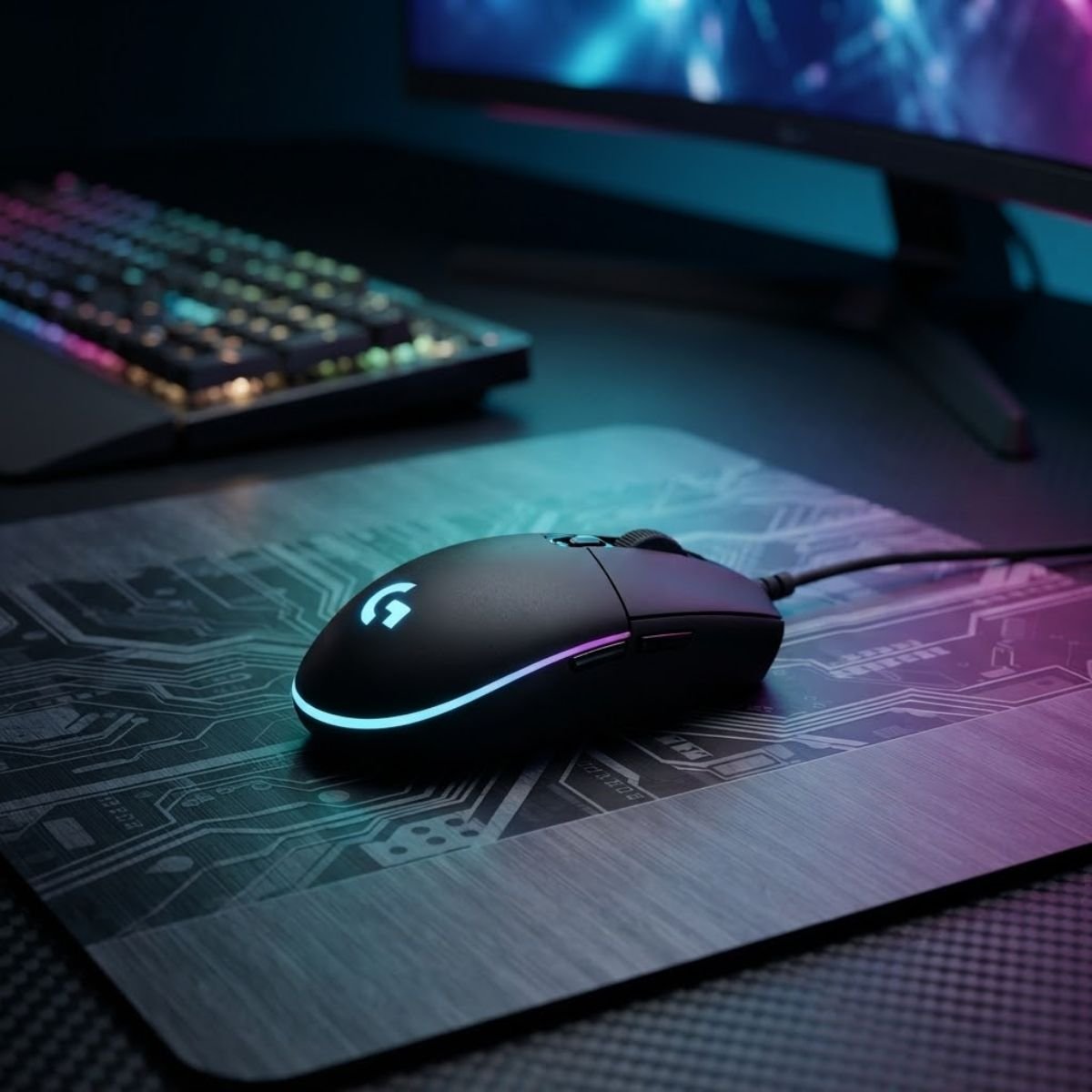
Logitech G203 LIGHTSYNC Wired Gaming Mouse
A balanced wired gaming mouse for buyers who want a compact design, practical customization, and reliable gaming features without exceeding a tight budget.
G203 Technical Specifications
Logitech’s official specifications list the G203 with an 8,000 DPI resolution range, 85g mouse-only weight, six programmable buttons, a 2.1m cable, and a 1,000Hz USB report rate. These manufacturer specifications are the basis for the technical comparison below.
| Specification | Logitech G203 LIGHTSYNC |
|---|---|
| Connection | Wired USB |
| Resolution | 200 to 8,000 DPI |
| Report Rate | 1,000Hz |
| Weight | 85g |
| Dimensions | 116.6 × 62.15 × 38.2mm |
| Programmable Buttons | 6 |
| Cable Length | 2.1m |
| RGB Lighting | LIGHTSYNC RGB |
Logitech G203 Technical Specifications
The verified specifications show why the G203 works well as an all-around budget option. Its 1,000Hz report rate and 8,000 DPI maximum resolution provide a solid specification baseline, while the 85g weight keeps it from feeling excessively heavy without trying to compete directly with lightweight-focused mice.
Who Should Buy the G203?
The G203 is a strong choice for buyers who want a straightforward wired gaming mouse with useful customization and a balanced physical design.
The G203 is particularly suitable for these buyers:
- Budget FPS players: The mouse provides a practical sensor and 1,000Hz report rate without requiring a higher budget.
- First-time gaming mouse buyers: Its balanced design makes it easier to recommend when the buyer has not settled on a specialized mouse shape.
- Players who want programmable buttons: Six programmable buttons provide more flexibility for games and everyday use.
- Users who prefer a medium-weight feel: The 85g weight sits between traditional heavier mice and modern ultra-light designs.
The main advantage is flexibility. The G203 does not require the buyer to have one very specific preference before it makes sense as a purchase.
Where the G203 Falls Short
The G203 is not the ideal choice for every player because its balanced design also means it does not specialize in lightweight performance or ergonomic support. At 85g, it is noticeably heavier than the Razer Cobra, and its compact shape may not suit players who prefer a larger right-handed ergonomic mouse.
The wired design can also be a limitation for players who specifically want a cable-free setup. That is not a performance problem with the G203 itself, but it matters when convenience and desk setup are part of the buying decision.
In other words, the G203 is strongest when the buyer wants balance. Players who already know they want an extremely light mouse or a larger ergonomic shape may have better options elsewhere in this list.
For buyers without a strong preference for one specialized design, the G203 remains the safest overall choice because its strengths are spread across the features that matter most at this price.
Razer Cobra Is the Best Lightweight Wired Gaming Mouse Under $30
The Razer Cobra is the strongest choice in this group for buyers who specifically want a lightweight wired gaming mouse. At 58g excluding the cable, it is substantially lighter than the Logitech G203 while still offering an 8,500 DPI optical sensor, six programmable buttons, and a Speedflex cable.
Why the Cobra’s 58g Weight Matters
The Cobra’s main advantage is its low weight. At 58g excluding the cable, it requires less physical effort to reposition than the heavier mice in this comparison, which can appeal to players who make frequent mouse movements or simply prefer a lighter feel.
That does not mean a 58g mouse is automatically better for every player. Some users prefer the more planted sensation of a heavier mouse, while others may find an ultra-light design easier to control. The important point is that the Cobra gives buyers a distinctly different physical experience from the G203 without requiring a move to a higher price category.
The Cobra also uses a compact symmetrical form factor designed for right-handed use. That makes its low weight particularly relevant for buyers who want a smaller, lighter mouse rather than a large ergonomic model.
The 58g weight is therefore the reason to choose the Cobra, not simply a specification to admire on a product page. It changes how the mouse feels during movement and gives it a clear position within this budget comparison.
If the Razer Cobra’s lightweight design matches what you are looking for, you can check its current Amazon listing and availability below:
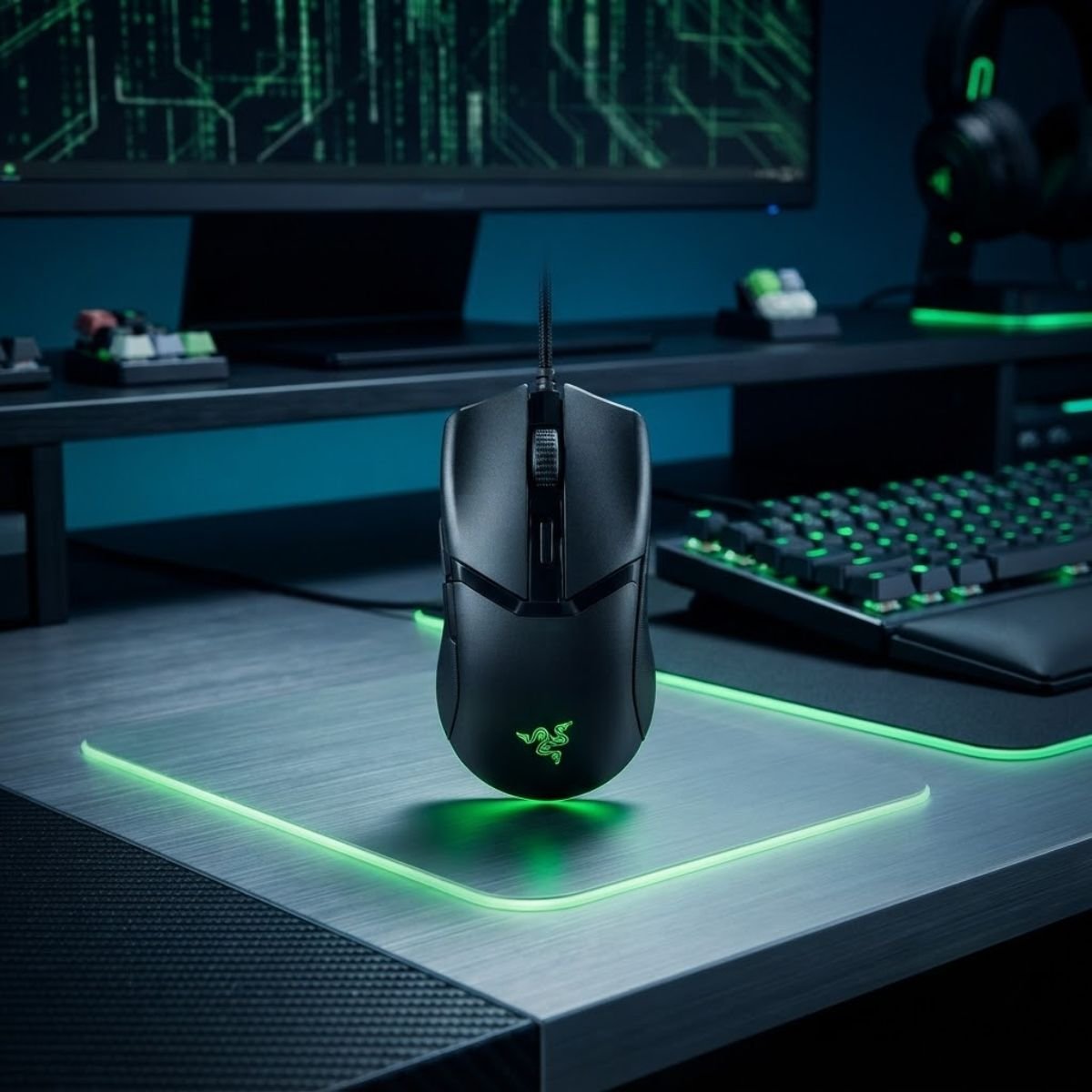
Razer Cobra Wired Gaming Mouse
A lightweight wired gaming mouse for players who want faster-feeling movement, a compact symmetrical shape, and practical FPS performance without moving into a higher price tier.
Razer Cobra Technical Specifications
Razer’s official technical specifications list the Cobra with an 8,500 DPI optical sensor, up to 300 IPS tracking speed, up to 35G acceleration, six programmable buttons, Gen-3 optical mouse switches rated for up to 90 million clicks, 100% PTFE feet, and a 58g mouse-only weight.
| Specification | Razer Cobra |
|---|---|
| Connection | Wired |
| Sensor Resolution | 8,500 DPI |
| Maximum Speed | 300 IPS |
| Maximum Acceleration | 35G |
| Weight | 58g excluding cable |
| Dimensions | 119.6 × 62.5 × 38.1mm |
| Programmable Buttons | 6 |
| Switches | Gen-3 Optical Mouse Switches |
| Switch Rating | Up to 90 million clicks |
| Mouse Feet | 100% PTFE |
| Cable | Razer Speedflex Cable |
The Cobra’s specification sheet supports its position as the lightweight-focused option in this comparison. Its 58g weight is the clearest differentiator, while the optical sensor, programmable buttons, Speedflex cable, and PTFE feet give the mouse a broader feature set than weight alone would suggest.
Who Should Choose the Cobra?
The Cobra makes the most sense for buyers who already know that they prefer a lightweight and compact mouse rather than simply wanting the most balanced option.
The Cobra is particularly suitable for these buyers:
- Players who prefer lightweight mice: The 58g mouse-only weight is the main reason to choose the Cobra.
- FPS players who make frequent mouse movements: Its low weight can make repositioning feel less demanding.
- Users who prefer a compact design: Its dimensions suit buyers looking for a smaller mouse rather than a large ergonomic shape.
- Players who want modern switch and cable features: The optical switches and Speedflex cable add to the overall feature set.
The Cobra is therefore a more specialized recommendation than the G203. Its appeal is strongest when low weight is already one of the buyer’s priorities.
What You Give Up With a Lightweight Compact Mouse
Choosing a 58g mouse also means accepting a different physical feel from a heavier or larger gaming mouse. Players who prefer a substantial mouse under the palm may find the Cobra less satisfying, while users with larger hands may prefer a larger shape.
The compact symmetrical design also means the Cobra is not intended to serve the same ergonomic role as a larger right-handed mouse. Its advantage comes from keeping the design light and compact, so buyers should not expect it to provide the same physical support as an ergonomic alternative.
This makes the Cobra a better recommendation for players who already value low weight rather than for buyers who simply want the highest number of features for the money.
For the right player, however, the trade-off is worthwhile. The Cobra delivers a genuinely lightweight wired design while retaining the core specifications and features expected from a modern gaming mouse.
ASUS TUF Gaming M3 Gen II Is a Strong FPS Value Pick
The ASUS TUF Gaming M3 Gen II is a strong value option for FPS players who want a lightweight wired mouse with a practical set of gaming features. Its 59g weight, 8,000 DPI resolution, 1,000Hz USB report rate, six buttons, and PAW3318 sensor give it a competitive specification package without pushing beyond the budget category.
Why the M3 Gen II Works Well for FPS Gaming
The M3 Gen II stands out by combining a lightweight design with the core features most FPS players are likely to use. At 59g without the cable, it sits very close to the Razer Cobra in weight, but it takes a different approach with its larger physical dimensions and TUF Gaming design.
The 1,000Hz USB report rate also gives the mouse a practical polling rate for gaming, while the six-button layout provides additional controls without turning the mouse into a heavily specialized MMO-style design.
Its value comes from the combination rather than one isolated specification. Players who want a relatively light wired mouse but prefer the M3 Gen II’s physical design and ASUS software ecosystem have a clear reason to consider it.
The M3 Gen II is therefore best viewed as a feature-balanced FPS option rather than simply another lightweight mouse. Its appeal comes from putting several useful gaming features into one budget-focused design.
ASUS TUF Gaming M3 Gen II Technical Specifications
ASUS lists the TUF Gaming M3 Gen II with a PAW3318 sensor, up to 8,000 DPI resolution, up to 200 IPS tracking speed, up to 30G acceleration, a 1,000Hz USB report rate, six buttons, 60-million-click L/R switches, and a 59g mouse-only weight.
| Specification | ASUS TUF Gaming M3 Gen II |
|---|---|
| Connection | USB 2.0 |
| Sensor | PAW3318 |
| Resolution | 8,000 DPI |
| Maximum Speed | 200 IPS |
| Maximum Acceleration | 30G |
| USB Report Rate | 1,000Hz |
| Weight | 59g without cable |
| Dimensions | 123 × 68 × 40mm |
| Buttons | 6 |
| L/R Switch Rating | 60 million clicks |
| Lighting | Aura Sync |
ASUS TUF Gaming M3 Gen II Technical Specifications
The verified specifications position the M3 Gen II as a lightweight, feature-rich budget option. Its 59g weight keeps it competitive with lighter mice, while the six-button layout, 1,000Hz report rate, and 8,000 DPI resolution give it the baseline features expected from a modern wired gaming mouse.
Who Should Consider the M3 Gen II?
The M3 Gen II makes the most sense for buyers who want a lightweight FPS mouse but do not want to choose a mouse solely because it has the lowest possible weight.
These buyers have the clearest reason to consider the M3 Gen II:
- FPS players who prefer a lightweight mouse: The 59g mouse-only weight keeps the design easy to reposition.
- ASUS ecosystem users: Aura Sync and Armoury Crate support make the mouse a natural fit for users already using compatible ASUS hardware.
- Players who want six buttons: The additional buttons provide more flexibility for gaming and general desktop use.
- Budget-conscious players who want a broad feature set: The M3 Gen II combines a lightweight design with a 1,000Hz report rate and 8,000 DPI resolution.
The strongest reason to choose the M3 Gen II is its combination of weight and features. It gives buyers another path to a lightweight wired setup without requiring them to choose the smallest or lightest mouse available.
How It Differs From the G203
The G203 and M3 Gen II target similar budget buyers, but their physical designs and feature priorities are different. The G203 is more compact and weighs 85g, while the M3 Gen II is larger and weighs 59g without the cable.
That difference can matter more than their maximum DPI numbers. A buyer deciding between them should consider which physical design feels more appropriate rather than assuming that the higher specification automatically represents better performance.
| Factor | Logitech G203 | ASUS TUF Gaming M3 Gen II |
|---|---|---|
| Weight | 85g | 59g without cable |
| Maximum Resolution | 8,000 DPI | 8,000 DPI |
| Report Rate | 1,000Hz | 1,000Hz |
| Buttons | 6 programmable | 6 |
| Main Differentiator | Compact all-around design | Lower weight and larger dimensions |
G203 vs TUF Gaming M3 Gen II
The comparison shows that both mice provide a similar 8,000 DPI maximum resolution and 1,000Hz report rate, but their physical characteristics are considerably different. The G203 is the more compact, heavier option, while the M3 Gen II is designed around a substantially lower mouse-only weight.
For buyers who value a lighter setup, the M3 Gen II has the clearer advantage. For buyers who prefer the G203’s more compact physical profile, the difference in weight may not be enough to justify switching.
SteelSeries Rival 3 Gen 2 Is a Strong Tracking-Focused Pick
The SteelSeries Rival 3 Gen 2 is a strong choice for players who want a balanced wired mouse with an FPS-oriented sensor and click response rather than an ultra-light design. Its TrueMove Core sensor, 8,500 CPI resolution, 1.35ms wired click latency, 77g weight, and 100% PTFE feet give it a distinct position between lightweight and traditional budget mice.
What Makes the Rival 3 Gen 2 Competitive for FPS
The Rival 3 Gen 2 takes a different approach from the Cobra and M3 Gen II. At 77g, it is heavier than both lightweight-focused options, but it remains considerably lighter than the 85g G203 and is built around a performance-oriented feature set.
SteelSeries specifically lists a 1.35ms wired click latency for the Rival 3 Gen 2. The mouse also uses the TrueMove Core optical sensor with an 8,500 CPI maximum and includes 100% PTFE feet.
These specifications give the Rival 3 Gen 2 a clear identity within this comparison. Instead of competing primarily on minimum weight, it focuses on combining a moderate weight with sensor and click-response features aimed at gaming.
That makes it a useful option for players who want something between an ultra-light mouse and a more traditional budget design.
SteelSeries Rival 3 Gen 2 Technical Specifications
SteelSeries lists the Rival 3 Gen 2 with a TrueMove Core optical sensor, 8,500 CPI maximum resolution, 1.35ms wired click latency, 60-million-click durability, 77g wired weight, and 100% PTFE feet.
| Specification | SteelSeries Rival 3 Gen 2 |
|---|---|
| Connection | Wired |
| Sensor | TrueMove Core optical sensor |
| Maximum Resolution | 8,500 CPI |
| Wired Click Latency | 1.35ms |
| Weight | 77g |
| Switch Durability | 60 million clicks |
| Mouse Feet | 100% PTFE |
The Rival 3 Gen 2’s specifications support its role as a performance-oriented budget option. Its 77g weight keeps it lighter than some traditional gaming mice, while the TrueMove Core sensor, 1.35ms wired click latency, and PTFE feet give it a clear focus on gaming performance.
Who Should Choose the Rival 3 Gen 2?
The Rival 3 Gen 2 is most appropriate for players who want a moderate-weight wired mouse with a specification package centered on gaming performance.
The Rival 3 Gen 2 makes the most sense for these buyers:
- FPS players who do not need an ultra-light mouse: The 77g weight provides a middle ground between lightweight and heavier designs.
- Players who value click response: SteelSeries specifies a 1.35ms wired click latency for the Gen 2 model.
- Users who want PTFE feet: The mouse uses 100% PTFE feet as part of its physical design.
- Players looking for a performance-focused budget option: The TrueMove Core sensor and other gaming-oriented specifications give the mouse a clear competitive focus.
The Rival 3 Gen 2 is therefore a strong middle-ground choice. It does not try to win the lightweight category, but it also avoids the heavier feel associated with many older budget gaming mice.
For buyers who want a wired mouse with a balanced physical weight and clearly defined gaming specifications, the Rival 3 Gen 2 earns its place as a strong alternative rather than simply another budget option.
Razer DeathAdder Essential Is the Best Ergonomic Budget Pick
The Razer DeathAdder Essential is the best choice in this group for buyers who prioritize a traditional right-handed ergonomic shape over a lightweight design. Its 96g weight, 6,400 DPI optical sensor, five programmable buttons, and 1,000Hz polling rate give it a straightforward gaming feature set, while its ergonomic body makes it fundamentally different from the lighter mice in this comparison.
Razer currently lists the DeathAdder Essential at $29.99 on its US store, keeping it within the budget used for this guide at the time of writing. Because retail pricing can change, its eligibility should still be checked whenever the article is updated.
Why Shape Matters More Than DPI for Ergonomic Buyers
The main reason to choose the DeathAdder Essential is its physical design, not its 6,400 DPI maximum. The mouse uses a right-handed ergonomic form factor that gives it a different hand position from compact or symmetrical gaming mice.
This matters for buyers who prefer a mouse that fills more of the hand instead of feeling small and easy to reposition. A larger ergonomic design can provide a more substantial point of contact for players who prefer that sensation, although the right shape ultimately depends on hand size and grip.
The DeathAdder Essential is also considerably heavier than the Razer Cobra and ASUS TUF Gaming M3 Gen II. That makes it a poor choice for someone whose main priority is minimizing mouse weight, but it can be an advantage for buyers who prefer a more substantial mouse during everyday use.
For this reason, the DeathAdder Essential should be considered a shape-first recommendation. Its value comes from offering an ergonomic alternative within the same budget rather than competing directly with lightweight-focused mice.
If the DeathAdder Essential’s ergonomic shape matches what you are looking for, you can check its current Amazon listing and availability below:
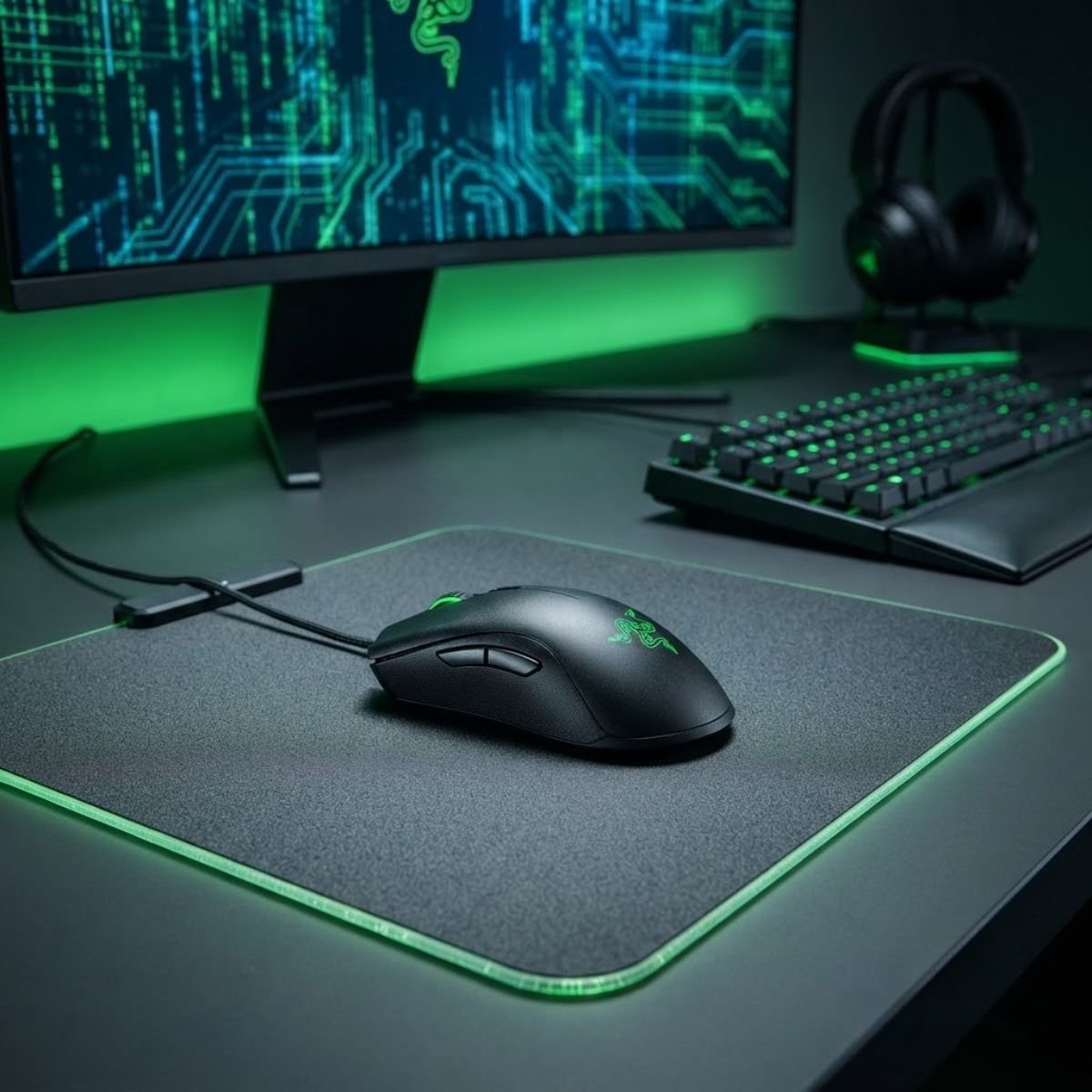
Razer DeathAdder Essential Ergonomic Wired Gaming Mouse
A traditional ergonomic wired gaming mouse for players who prefer a more substantial right-handed shape over the lighter feel of compact FPS mice.
Razer DeathAdder Essential Technical Specifications
Razer’s official specifications list the DeathAdder Essential with a 6,400 DPI optical sensor, up to 220 IPS tracking speed, up to 30G acceleration, 1,000Hz Ultrapolling, five independently programmable HyperResponse buttons, a 1.8m cable, and a 96g mouse-only weight. Razer also specifies an ergonomic right-handed design and mechanical switches rated for up to 10 million clicks.
| Specification | Razer DeathAdder Essential |
|---|---|
| Connection | Wired |
| Sensor | True 6,400 DPI optical sensor |
| Maximum Speed | 220 IPS |
| Maximum Acceleration | 30G |
| Polling Rate | 1,000Hz |
| Weight | 96g excluding cable |
| Dimensions | 127 × 73 × 44mm |
| Programmable Buttons | 5 |
| Switch Type | Razer Mechanical Mouse Switches |
| Switch Rating | Up to 10 million clicks |
| Cable Length | 1.8m |
| Design | Ergonomic right-handed |
The specifications confirm that the DeathAdder Essential takes a more traditional approach than the lightweight options in this guide. Its 96g weight and larger dimensions are paired with a 1,000Hz polling rate, five programmable buttons, and a 6,400 DPI optical sensor, giving the mouse a straightforward specification package for gaming.
Who Should Choose the DeathAdder Essential?
The DeathAdder Essential makes the most sense for buyers who already know they prefer a right-handed ergonomic mouse and do not consider low weight their top priority.
The DeathAdder Essential is particularly suitable for these buyers:
- Players who prefer ergonomic right-handed mice: The physical design is the main reason to choose this model.
- Users who prefer a more substantial mouse: Its 96g weight gives it a noticeably different feel from the lightweight options in this guide.
- Players who want straightforward gaming controls: Five programmable HyperResponse buttons provide additional control without an overly complex layout.
- Buyers who value familiar ergonomic designs: The DeathAdder shape provides a clear alternative to compact and lightweight mouse designs.
The key is knowing what you want from the mouse before buying it. If ergonomic support and a substantial feel are priorities, the DeathAdder Essential has a clear purpose within this budget.
Why It Is Not the Best Choice for Every FPS Player
The DeathAdder Essential’s main limitation for some FPS players is its physical size and weight. At 96g, it is substantially heavier than the Razer Cobra and ASUS TUF Gaming M3 Gen II, so players who specifically want fast repositioning from a lightweight mouse may prefer another option.
Its right-handed ergonomic shape also makes it less suitable for buyers who want a compact symmetrical design. This is not a flaw in the mouse itself, but it means the DeathAdder Essential depends more heavily on personal hand fit than a general-purpose recommendation might suggest.
The 6,400 DPI maximum is also lower than the 8,000 to 8,500 DPI figures found on several other mice in this comparison. That difference should not be treated as a direct measure of gaming quality, but buyers who compare specification sheets may notice it.
The DeathAdder Essential therefore works best when its ergonomic design is the feature you actually want. If your priority is minimum weight, compact movement, or a lighter physical feel, one of the other mice in this guide is likely to make more sense.
For buyers who prefer a right-handed ergonomic mouse and want to stay within a $30 budget, the DeathAdder Essential provides a clear alternative to the lightweight-focused models rather than trying to outperform them in the same category.
Which Wired Gaming Mouse Under $30 Should You Buy?
The right wired gaming mouse under $30 depends on the specific experience you want from the mouse. Instead of ranking every model against one universal standard, the better approach is to match each option with the priority it handles best.
Use the following decision guide if you already know what matters most to you:
| If You Prioritize | Best Pick | Why |
|---|---|---|
| Overall balance | Logitech G203 LIGHTSYNC | Balanced feature set and moderate weight |
| Lowest weight | Razer Cobra | 58g mouse-only weight |
| FPS value | ASUS TUF Gaming M3 Gen II | 59g weight with a broad gaming feature set |
| Tracking-focused use | SteelSeries Rival 3 Gen 2 | TrueMove Core sensor and 1.35ms wired click latency |
| Ergonomic shape | Razer DeathAdder Essential | Right-handed ergonomic design |
The decision becomes simpler when the buyer starts with the desired physical experience instead of the specification sheet. The G203 is the broadest recommendation, while the Cobra and M3 Gen II make more sense for lightweight preferences, the Rival 3 Gen 2 targets a balanced gaming setup, and the DeathAdder Essential is the ergonomic choice.
No single mouse wins every category. The strongest purchase is the one whose physical design and feature set match the way you actually want the mouse to feel and perform.
Best Wired Mouse for Valorant
The best wired mouse for Valorant should give you predictable control without making the buying decision unnecessarily complicated. For most players, shape, manageable weight, and consistent tracking matter more than choosing the mouse with the highest advertised DPI.
Valorant places a strong emphasis on precise crosshair placement, controlled flicks, and small aim corrections. That makes a mouse that feels predictable in your hand more useful than one chosen purely because its sensor has a higher maximum resolution.
Players who want to narrow their choices specifically around Valorant can use the best budget mouse for Valorant recommendations to compare budget-focused options for that game.
For a wired mouse under $30, the best choice ultimately comes down to which shape and weight you can control comfortably over long sessions. A lightweight model may feel easier to reposition, while a more substantial design can feel steadier for players who prefer additional physical feedback.
Best Wired Mouse for CS2
The best wired mouse for CS2 should provide consistent control and a shape that remains comfortable during repeated aiming and movement. Players should prioritize predictable handling over specifications that have little practical effect on their chosen sensitivity.
CS2 can place different demands on mouse control than faster movement-heavy games because precision, controlled adjustments, and repeatable aim are important throughout a match. A mouse that feels stable and natural in your hand can therefore be more valuable than one selected only for its maximum DPI.
If CS2 is your main game, the best budget mouse for CS2 recommendations provide a more focused comparison of budget options for Counter-Strike 2.
The key decision is still personal fit. A wired mouse that feels comfortable and predictable gives you a more consistent starting point than switching between models based only on specification differences.
What to Look For in a Wired Gaming Mouse Under $30
The best way to choose a wired gaming mouse under $30 is to narrow the options in a practical order, starting with physical fit and ending with price. This prevents small specification differences from distracting you from the factors that have the biggest effect on everyday use.
Follow these steps to narrow down your choice:
- Start with shape: Eliminate mice that do not feel compatible with your hand size or preferred grip.
- Choose your preferred weight: Decide whether you want a lightweight mouse for easier repositioning or a more substantial feel for additional stability.
- Check the sensor and polling rate: Confirm that the mouse provides a suitable sensor and report rate without treating maximum DPI as the deciding factor.
- Consider the cable: Look at the cable design and length because a wired connection becomes part of the physical experience.
- Check the buttons and build: Make sure the button layout and construction fit how you actually use the mouse.
- Verify the current price: Confirm that the mouse still falls within the $30 limit before buying it.
This order keeps the decision focused on the factors that are hardest to change after purchase. Shape and weight determine how the mouse feels, while the sensor, buttons, cable, and current price help confirm whether the model makes sense for your specific setup.
Shape and Grip Compatibility
Shape should be one of the first things you eliminate or approve because it determines how naturally your hand rests on the mouse. A specification sheet cannot tell you whether a particular body shape will feel comfortable with your hand size and grip.
Compact symmetrical designs, larger ergonomic bodies, and different height profiles can produce very different experiences even when two mice have similar sensors and polling rates. If the physical shape feels wrong, a small specification advantage is unlikely to compensate for it.
That makes shape a practical filter rather than a technical specification. Choose the models whose physical design makes sense for your hand before comparing smaller performance differences.
Weight and Movement Preference
Weight should be treated as a preference rather than a universal ranking system. A lighter mouse can make repositioning feel easier, while a heavier mouse can provide a more substantial and planted sensation.
The five mice in this guide cover a meaningful range, from the 58g Razer Cobra to the 96g Razer DeathAdder Essential. That range exists because different players prefer different physical feedback.
The right question is not whether a mouse is light enough in isolation. It is whether its weight matches the way you naturally move and control a mouse.
Sensor and Polling Rate
Sensor and polling rate should confirm that a mouse has a suitable gaming foundation, but they should not override physical fit. The mice in this guide already provide specifications suitable for the budget category, so the decision should focus on the complete design rather than chasing the largest number.
Maximum DPI is particularly easy to overvalue because it is simple to compare on a product page. In actual use, most players do not need to operate at the maximum resolution advertised by the manufacturer.
Use sensor specifications as a quality check, then return to shape, weight, buttons, cable, and price when making the final decision.
Cable and Build Quality
A wired gaming mouse has one physical component that wireless buyers can largely ignore: the cable. Its length, flexibility, and overall design can influence how freely the mouse moves across the desk.
Build quality also matters because the mouse will be subjected to repeated movement and button presses. A strong budget choice should feel dependable during regular use rather than relying on lighting or cosmetic features to justify its price.
These factors rarely determine the winner by themselves, but they can separate two otherwise similar budget options when the buyer is already comfortable with both shapes.
Why Current Price Matters
The $30 limit is part of the search intent, so price has to be evaluated at the time of purchase rather than treated as a permanent product characteristic. A mouse that offers excellent value at $29.99 can become a different recommendation if its current price moves substantially higher.
This is especially important when comparing established gaming brands because retail pricing can change through promotions, availability, and regional differences. The product should therefore qualify for the budget at the time the buying decision is made.
Once shape, weight, sensor, cable, and build quality have been checked, current price becomes the final filter. That produces a more reliable buying decision than selecting the cheapest model without considering how well it actually fits your needs.
Wired vs. Wireless Under $30: Is Wired Still Worth It?
Yes, a wired gaming mouse is still worth considering under $30, especially if your priority is getting reliable gaming performance without spending more on wireless hardware. At this price point, wired models can offer strong sensors, low connection complexity, and solid gaming features while keeping the purchase within a strict budget.
The main advantage is simplicity. A wired mouse does not require charging, battery management, or a wireless receiver, and the connection is established through the cable as soon as the mouse is plugged in. For a player who mainly cares about consistent everyday use, that simplicity can be a genuine advantage.
Wireless can still be attractive if you strongly value a cleaner desk or unrestricted mouse movement. However, the decision becomes more dependent on the specific model and its current price rather than simply choosing wireless because it is newer.
Why a Wired Mouse Can Be the Better Budget Choice
A wired mouse can make more sense when the goal is to maximize gaming features within a limited budget. Removing the battery and wireless hardware from the equation can leave more room for the manufacturer to focus on the sensor, switches, body design, and other components.
For budget-focused FPS players, the practical advantages include:
- No battery management: The mouse does not need to be recharged between gaming sessions.
- Simple connection: Plugging the mouse into a compatible USB port provides a straightforward setup.
- More predictable desk setup: There is no wireless receiver to position or battery level to monitor.
- Strong value potential: A wired model can put more of the budget toward core gaming hardware.
These advantages make wired mice particularly easy to recommend when the buyer has a firm $30 ceiling. The tradeoff is that the cable becomes part of the setup and can affect how freely the mouse moves.
When Wireless Makes More Sense
Wireless becomes more compelling when freedom of movement and desk simplicity matter more than maximizing the specifications available at the same price. Players who dislike cable drag or frequently move between setups may find the additional convenience worthwhile.
However, wireless should not automatically be treated as an upgrade. A buyer should still evaluate shape, weight, sensor performance, battery behavior, connection method, and current price before choosing a wireless model over a wired alternative.
For a broader budget comparison that includes both connection types, GearTP’s best gaming mouse under $30 guide provides a wider starting point before narrowing the decision to a wired model.
In other words, wired is not simply the cheaper version of wireless. Under a strict budget, it can be the more practical choice when dependable performance and straightforward ownership matter most.
Common Mistakes When Buying a Gaming Mouse Under $30
The most common mistake is choosing a mouse from one impressive specification instead of evaluating how the entire product fits the player’s needs. A low price can make this problem worse because buyers may focus on getting the most features on paper rather than choosing the mouse they will actually enjoy using.
These are the mistakes worth avoiding before you buy:
- Choosing maximum DPI as the main criterion: A higher maximum DPI does not automatically make a mouse more accurate or better for your sensitivity.
- Ignoring shape: A mouse with excellent specifications can still feel uncomfortable if its body does not suit your hand or grip.
- Assuming lighter is always better: Lower weight can help some players, but others prefer a more substantial and stable feel.
- Comparing numbers without considering use: Small differences in sensor specifications may matter less than the physical characteristics you interact with every second.
- Forgetting the cable: A wired mouse can perform well technically while still feeling inconvenient if the cable interferes with movement.
- Buying from an outdated price: A mouse that once fit the budget may no longer qualify when you actually place the order.
- Choosing based on brand alone: A familiar brand does not guarantee that every model will match your hand, grip, or gaming habits.
These mistakes all lead to the same problem: optimizing for information that is easy to compare instead of factors that affect the actual experience. A better purchase starts with how you use the mouse and then uses specifications to confirm the decision.
Do Not Let RGB Decide the Purchase
RGB lighting can improve the appearance of a gaming setup, but it should rarely determine which mouse you buy under a strict budget. Lighting does not compensate for an uncomfortable shape, unsuitable weight, or poor cable experience.
If two mice meet your performance requirements equally well, RGB can be a reasonable tie-breaker. It should not become the primary reason to choose one mouse over another.
The practical rule is simple: treat lighting as an additional feature rather than a core performance criterion.
Do Not Assume the Cheapest Mouse Is the Best Value
The lowest purchase price does not necessarily represent the best value. A mouse can be cheaper while offering a shape you dislike, a button layout that does not suit your games, or a physical design that becomes uncomfortable during longer sessions.
Value comes from the relationship between price and usefulness. A slightly more expensive option within your budget can be the better purchase if it fits your hand and gaming habits substantially better.
That is why the $30 ceiling should be treated as a maximum budget, not as a requirement to buy whichever model has the lowest price.
Do Not Buy a Mouse Only Because It Is Popular
Popularity can be useful for identifying products worth investigating, but it does not remove the need to check personal fit. Gaming mice are physical products, and the same shape can feel very different depending on hand size, grip, and movement style.
A popular mouse becomes a stronger recommendation when its characteristics match what you actually need. If the shape or weight is wrong for you, popularity alone does not solve the problem.
The safest approach is to use popularity as a starting signal, then make the final decision based on fit, use case, and current value.
How to Avoid Buyer’s Remorse With a $30 Gaming Mouse
The simplest way to avoid buyer’s remorse is to decide what you need before looking at the final price. When the budget is fixed, knowing your preferred shape, weight, and gaming use case makes it much easier to reject attractive but unsuitable options.
Before placing an order, make sure these questions have clear answers:
- What grip do I use? Know whether the mouse shape is compatible with your natural grip.
- Do I prefer lightweight or substantial? Your movement preference should guide the weight choice.
- Which games matter most? Prioritize the characteristics that fit your main games instead of trying to optimize for every possible use case.
- Do I want wired simplicity? Decide whether a cable is acceptable before comparing wired and wireless models.
- Is the current price actually under $30? Verify the price when you are ready to buy.
Once these questions are answered, the choice becomes much narrower. That is the point of a good buying process: not finding the mouse with the most impressive specification sheet, but finding the mouse that creates the fewest compromises for your particular use.
Final Verdict: Which Wired Gaming Mouse Under $30 Is Best?
The best wired gaming mouse under $30 depends on what you value most, but the Logitech G203 LIGHTSYNC is the strongest all-around choice for most buyers. The Razer Cobra is the better pick if low weight is your priority, while the Razer DeathAdder Essential makes more sense for players who specifically want a larger ergonomic shape.
The ASUS TUF Gaming M3 Gen II and SteelSeries Rival 3 Gen 2 also make strong cases for buyers with different preferences. Instead of treating one mouse as universally superior, the better decision is to match each model’s overall design with the way you play.
Use this final comparison to identify the best fit for your specific priority:
| Mouse | Best For | Weight | Maximum DPI | Main Reason to Choose It |
|---|---|---|---|---|
| Logitech G203 LIGHTSYNC | Best overall | 85g | 8,000 | Balanced combination of shape, features, and everyday usability |
| Razer Cobra | Lightweight FPS play | 58g | 8,500 | Very low weight with a compact symmetrical design |
| ASUS TUF Gaming M3 Gen II | Feature-focused budget buyers | 59g | 8,000 | Lightweight body with a practical feature set |
| SteelSeries Rival 3 Gen 2 | Balanced FPS use | 77g | 8,500 | Balanced weight and competitive-focused specifications |
| Razer DeathAdder Essential | Ergonomic grip preference | 96g | 6,400 | Larger right-handed ergonomic shape |
Best Wired Gaming Mouse Under $30 Final Comparison
The comparison shows why there is no single specification that determines the winner. The strongest choice changes according to whether you prioritize overall balance, low weight, features, or ergonomic comfort.
If you want the safest general-purpose recommendation, choose the Logitech G203 LIGHTSYNC. If your main goal is reducing weight for faster mouse movement, the Razer Cobra and ASUS TUF Gaming M3 Gen II deserve closer consideration. If you prefer a larger ergonomic body, the DeathAdder Essential is the more natural choice.
Ultimately, staying within the $30 budget does not mean accepting a poor gaming experience. It means being more selective about which characteristics deserve your money.
Best Wired Gaming Mouse Under $30 FAQ
These questions cover the most common decisions buyers face after comparing wired gaming mice under $30, including performance, weight, DPI, FPS suitability, and which type of mouse makes the most sense for different players.
What is the best wired gaming mouse under 30?
The Logitech G203 LIGHTSYNC is the best overall wired gaming mouse under 30 for most buyers because it offers a balanced combination of weight, sensor capability, programmable buttons, and everyday usability.
Is a wired gaming mouse better than wireless under $30?
A wired gaming mouse can be the better value under $30 because it avoids battery management and wireless hardware while providing a straightforward gaming connection.
What is the best lightweight wired gaming mouse under $30?
The Razer Cobra is the lightest mouse in this guide at 58g, making it the strongest option for buyers who specifically prioritize a lightweight design.
What is the best ergonomic wired gaming mouse under $30?
The Razer DeathAdder Essential is the strongest ergonomic option in this guide because its larger right-handed shape is designed around an ergonomic grip preference.
Is 8,000 DPI enough for gaming?
Yes, 8,000 DPI is more than enough for normal gaming use, and most players do not need to operate their mouse anywhere near its maximum advertised DPI.
Does a higher DPI make a gaming mouse more accurate?
No, a higher maximum DPI does not automatically make a gaming mouse more accurate. Sensor consistency, sensitivity settings, and physical control are more relevant to the actual aiming experience.
Is a 1,000Hz polling rate good for FPS gaming?
Yes, a 1,000Hz polling rate is a standard high polling rate for wired gaming mice and provides a report interval of approximately 1 millisecond.
What weight should a gaming mouse have for FPS games?
There is no universal ideal weight for FPS gaming. Lighter mice can make repositioning easier, while heavier mice can feel more stable, so the preferred weight depends on the player’s movement style.
Is the Logitech G203 still worth buying under $30?
Yes, the Logitech G203 remains a strong option when its current price is within the $30 budget because its balanced design makes it suitable for a wide range of gaming setups.
Is the Razer Cobra good for competitive FPS gaming?
Yes, the Razer Cobra is a strong competitive FPS option for players who prefer a lightweight and compact symmetrical mouse that is easy to reposition.
Should I choose a gaming mouse based on DPI or weight?
Weight and physical fit should generally have more influence on the decision than maximum DPI because they directly affect how the mouse feels and moves during gameplay.
What should I check before buying a wired gaming mouse under $30?
Check the mouse’s shape, weight, sensor, polling rate, button layout, cable design, build quality, and current price before buying it.
Conclusion
The best wired gaming mouse under 30 is not determined by the biggest DPI number or the lowest listed price. The right choice is the model that fits your hand, movement preference, gaming needs, and budget with the fewest compromises.
For most buyers, the Logitech G203 LIGHTSYNC is the safest all-around recommendation. The Razer Cobra stands out for lightweight FPS use, the ASUS TUF Gaming M3 Gen II offers another lightweight alternative, the SteelSeries Rival 3 Gen 2 provides a balanced competitive option, and the Razer DeathAdder Essential remains the better choice for players who prefer an ergonomic right-handed design.
Before buying, verify the current price and make sure the mouse’s physical design matches your grip. That final check matters more than chasing a specification you may never use.
Thank you for reading GearTP.