
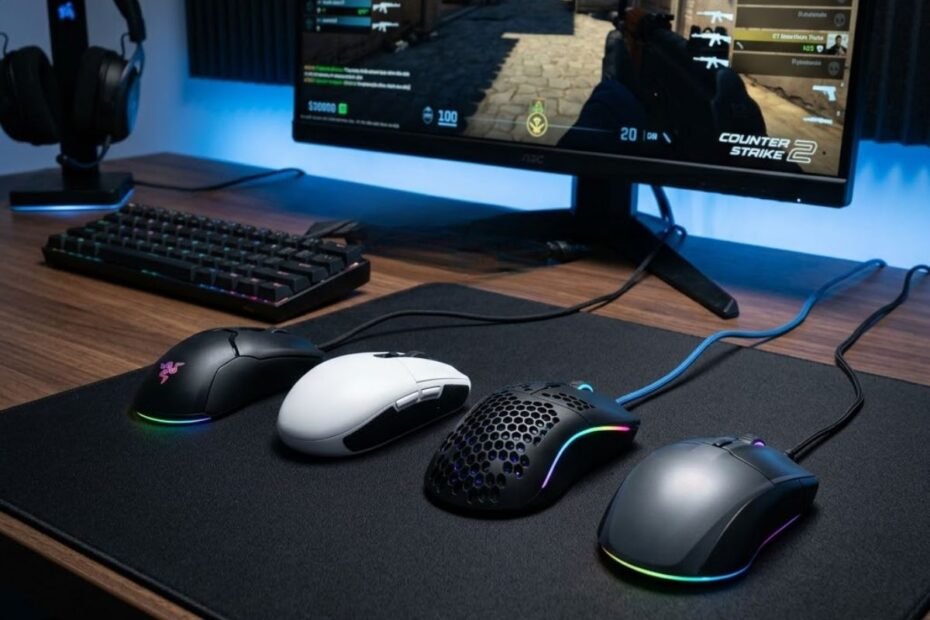
Finding the best budget mouse for CS2 is easier today than it was just a few years ago. Competitive gaming hardware has become more accessible, allowing players to get reliable sensors, responsive switches, and comfortable shapes without spending premium-level money.
For most Counter-Strike 2 players, performance does not come from owning the most expensive mouse available. Consistent aim is usually the result of choosing a mouse that fits your hand, supports your grip style, and delivers predictable tracking during long competitive sessions.
Modern budget gaming mice have narrowed the gap between entry-level and flagship products. Many affordable models now offer features that were once exclusive to professional esports equipment, making value and usability far more important than raw specifications alone.
This guide focuses on helping CS2 players identify which budget gaming mice provide the strongest overall value, which models deserve consideration, and which options are most suitable for different play styles and budgets.
What Is the Best Budget Mouse for CS2 Right Now for Most Competitive Players?
The best budget mouse for CS2 is a gaming mouse that provides reliable tracking performance, responsive click feedback, and a comfortable shape without requiring a large financial investment. It helps players maintain aim consistency, improve crosshair control, and compete effectively while staying within a limited budget.
The definition of a budget mouse has changed significantly in recent years. Many affordable gaming mice now include sensors capable of handling fast flicks, precise micro-adjustments, and long tracking movements that are common in Counter-Strike 2. As a result, budget-conscious players no longer need to sacrifice competitive performance simply to save money.
Instead of focusing on expensive branding or extreme specifications, most players should prioritize overall value. A mouse that offers dependable performance, good build quality, and a shape that complements the hand will often produce better results than a more expensive model that feels uncomfortable during extended gameplay.
Examples of today’s most competitive budget mouse categories for CS2 players can be seen below:
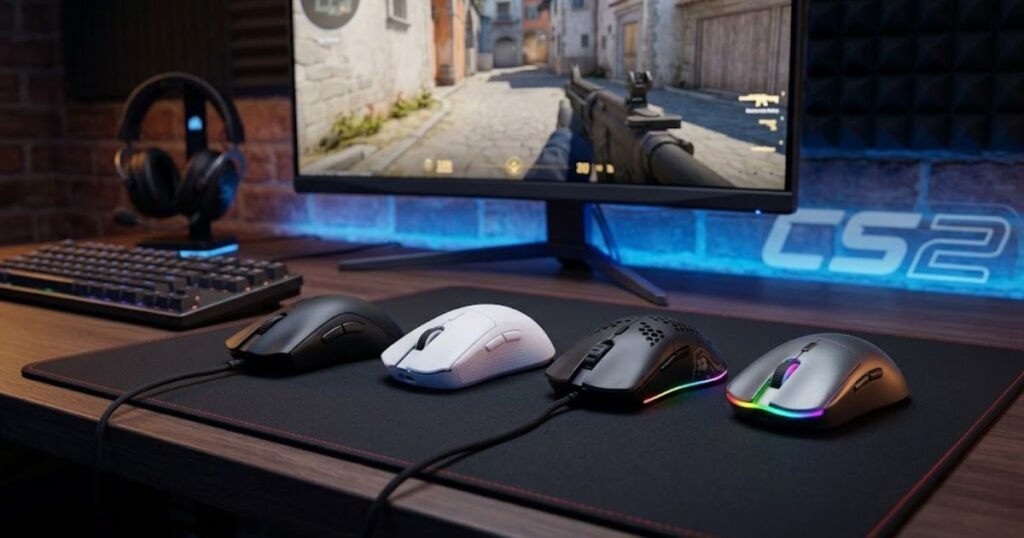
The strongest budget options typically fall into four categories. Some focus on overall value, others emphasize lightweight performance, wireless freedom, or long-term durability. Understanding these categories makes it easier to narrow down the right choice before comparing individual products.
The table below compares the most important budget mouse categories for CS2 players:
| Category | Primary Advantage | Best For | Typical Budget Range |
|---|---|---|---|
| Best Overall Value | Balanced performance and price | Most competitive players | $25-$50 |
| Budget Wireless | Cable-free movement | Players seeking flexibility | $25-$50 |
| Budget Lightweight | Faster mouse movement | Low-sensitivity players | $25-$50 |
| Entry-Level Budget | Lowest cost of entry | New CS2 players | Under $30 |
The comparison highlights that the best budget mouse is not always the cheapest option. The right category depends on how you play, how much flexibility you want, and which characteristics matter most during competitive matches.
For most players, the best results come from identifying the category that matches their needs before evaluating individual products. This approach prevents overspending on features that may never provide meaningful benefits in actual gameplay.
How Do You Identify a Budget Gaming Mouse That Can Actually Perform Well in CS2?
Identifying a strong budget gaming mouse for CS2 is the process of evaluating the features that directly influence aiming performance rather than focusing on marketing claims. It helps players avoid poor-value purchases and concentrate on the factors that genuinely affect competitive gameplay.
Many budget gaming mice advertise extremely high DPI numbers, flashy RGB lighting, or large feature lists. While these specifications can appear impressive, they rarely determine whether a mouse will feel reliable during a competitive Counter-Strike match.
Instead, experienced players usually focus on a smaller group of characteristics that consistently influence aim quality and long-term comfort. These factors create a more accurate picture of real-world performance than marketing specifications alone.
Why Sensor Consistency Matters More Than Maximum DPI Ratings
Sensor consistency is the ability of a mouse sensor to accurately track movement under a wide range of speeds and conditions. It helps players develop predictable aim because the cursor behaves the same way every time the mouse is moved.
Many budget gaming mice now feature sensors that are more than capable of handling competitive gameplay. Once a sensor reaches a certain level of reliability, increasing DPI numbers provides very little practical benefit for most CS2 players.
What matters far more is whether the sensor can maintain accurate tracking during rapid flicks, controlled spray transfers, and subtle micro-corrections. Consistent sensor behavior creates confidence because players know exactly how the crosshair will respond during critical moments.
A reliable sensor also improves long-term muscle memory development. When tracking remains predictable, players can focus on positioning and decision-making instead of fighting inconsistent hardware behavior.
In competitive CS2, dependable tracking quality is significantly more valuable than extremely high DPI figures that most players will never use.
Why Mouse Shape Has a Bigger Impact Than Most Hardware Specifications
Mouse shape is the physical structure that determines how a player’s hand interacts with the device during gameplay. It helps create stability, comfort, and movement consistency throughout long gaming sessions.
Even a technically excellent sensor cannot compensate for a shape that feels uncomfortable. If a player struggles to grip the mouse naturally, aim consistency often suffers regardless of how advanced the internal hardware may be.
Shape influences wrist movement, finger placement, lift-off behavior, and overall control. Small differences in curvature, width, and hump placement can dramatically change how a mouse feels during repeated aiming movements.
The image below demonstrates how mouse shape influences hand positioning and overall control:
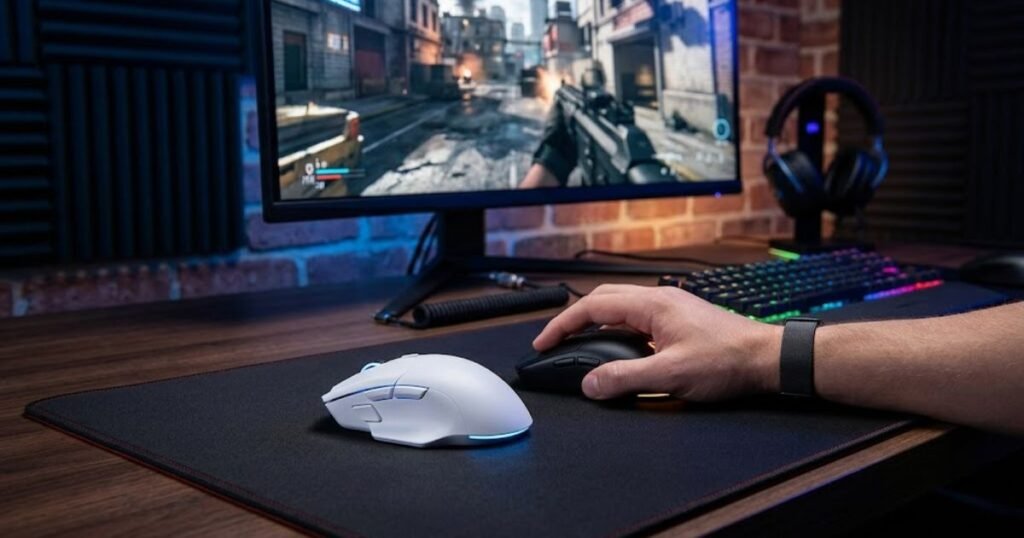
Because every hand size and grip style is different, the best budget mouse for one player may feel completely wrong for another. This is why shape remains one of the most important considerations when comparing gaming mice in any price category.
For most competitive players, finding the right shape produces a larger performance improvement than upgrading to a more expensive sensor.
Why Click Response and Build Quality Still Matter in Budget Models
Click response and build quality refer to the reliability of a mouse’s switches, buttons, shell construction, and overall durability. They help ensure that performance remains consistent over months or years of regular gameplay.
CS2 requires constant clicking during weapon control, utility usage, and movement interactions. A mouse with inconsistent click feedback can negatively affect confidence and precision during competitive situations.
Build quality also affects long-term ownership value. A well-constructed budget mouse can remain reliable for years, while a poorly built model may develop button issues, shell flex, or tracking inconsistencies after a short period of use.
Durability becomes especially important for players who practice frequently. Competitive gamers often spend hundreds of hours developing aim mechanics, making dependable hardware a worthwhile investment even at lower price points.
Strong switches and solid construction help budget gaming mice deliver a better ownership experience long after the initial purchase has been made.
The factors below explain what separates a strong budget gaming mouse from a poor-value alternative:
- Sensor Reliability: Consistent tracking performance under both slow and fast movements.
- Comfortable Shape: A design that supports natural hand positioning and control.
- Responsive Clicks: Predictable switch feedback during repeated gameplay actions.
- Reasonable Weight: A weight range that supports accurate movement without causing fatigue.
- Solid Build Quality: Durable construction that remains reliable over time.
- Practical Value: Useful performance benefits rather than unnecessary marketing features.
Players who evaluate budget mice using these factors are far more likely to choose a model that improves their competitive experience instead of simply purchasing the cheapest option available.
Understanding these performance fundamentals creates a stronger foundation for comparing actual product recommendations, which is where the buying decision becomes much easier.
Which Budget Gaming Mice Under $30 Deliver the Best Value for CS2 Players?
Budget gaming mice under $30 are affordable models that provide competitive-level fundamentals without requiring a large investment. They help CS2 players gain reliable aiming performance, dependable tracking, and comfortable control while staying within a strict budget.
The under-$30 category is often where new CS2 players begin their search. Many assume that low-cost gaming mice automatically suffer from poor performance, but that is no longer true. Several models in this price range now offer sensors and switches that are more than capable of supporting competitive gameplay.
The challenge is identifying which products prioritize meaningful performance improvements and which products focus mainly on marketing features. At this budget level, every dollar matters, making overall value significantly more important than impressive-looking specifications.
The following recommendations focus on practical performance, long-term usability, and overall value for competitive Counter-Strike 2 players.
Why Logitech G203 Remains One of the Safest Entry-Level Choices for CS2
The Logitech G203 is an entry-level gaming mouse that focuses on dependable fundamentals rather than advanced premium features. It helps new CS2 players access reliable tracking and predictable control without spending more than necessary.
One of the biggest strengths of the G203 is its simplicity. The shape has remained popular for years because it works well across multiple grip styles and hand sizes. While it may not be the lightest mouse available today, it continues to provide a comfortable experience for players developing their aiming mechanics.
The sensor performance is also more than sufficient for competitive Counter-Strike 2. Most players will never encounter tracking limitations during normal gameplay, making the G203 a strong choice for anyone building their first FPS setup.
Its long-standing reputation, broad availability, and frequent discounts help make it one of the safest recommendations in the entire budget category.
For players looking for a proven entry-level FPS mouse, the following recommendation deserves consideration:
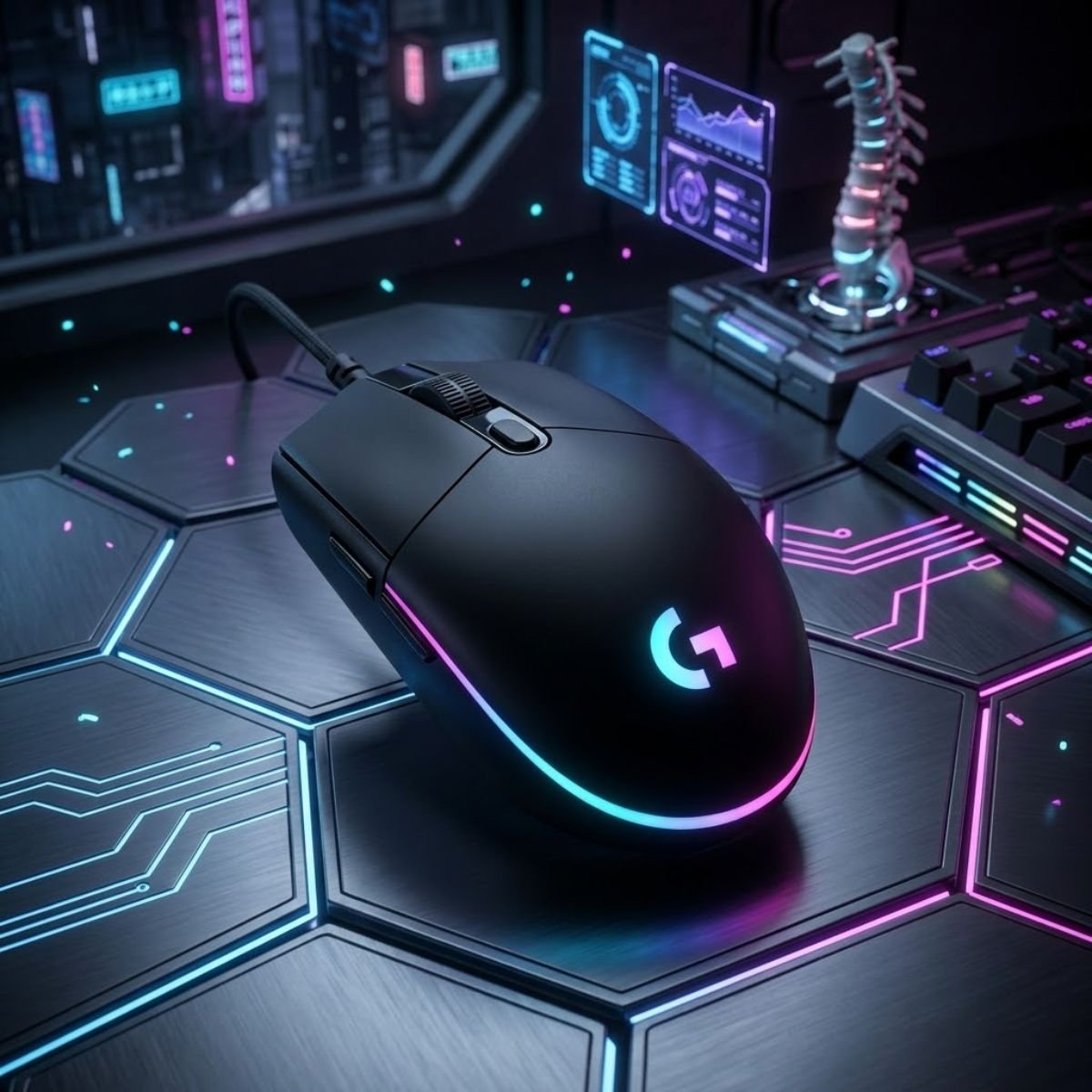
Best Entry-Level Choice
Logitech G203 LIGHTSYNC Gaming Mouse
The Logitech G203 remains one of the safest budget gaming mice for CS2 players who want reliable tracking, comfortable handling, and strong value without exceeding a tight budget.
- Best For: New CS2 players.
- Connection: Wired.
- Strength: Reliable all-around performance.
- Budget Range: Under $30.
The G203 remains an excellent starting point because it prioritizes reliability and consistency instead of unnecessary complexity.
Why Logitech G305 Continues to Offer Exceptional Wireless Value
The Logitech G305 is a budget wireless gaming mouse that combines reliable wireless technology with proven gaming performance. It helps players experience cable-free gameplay without paying the premium prices commonly associated with wireless esports mice.
Wireless gaming was once considered a compromise for competitive FPS titles. Modern wireless technology has largely eliminated those concerns, allowing affordable products like the G305 to deliver responsive performance suitable for CS2.
The strongest advantage of the G305 is value. Few wireless gaming mice can match its combination of gaming-focused features, battery life, and affordability. This makes it particularly attractive for players who dislike cable drag but cannot justify investing in flagship wireless products.
Although newer mice may offer lower weight or more advanced specifications, the overall package remains highly competitive within its price bracket.
Players seeking affordable wireless freedom should consider the following option:
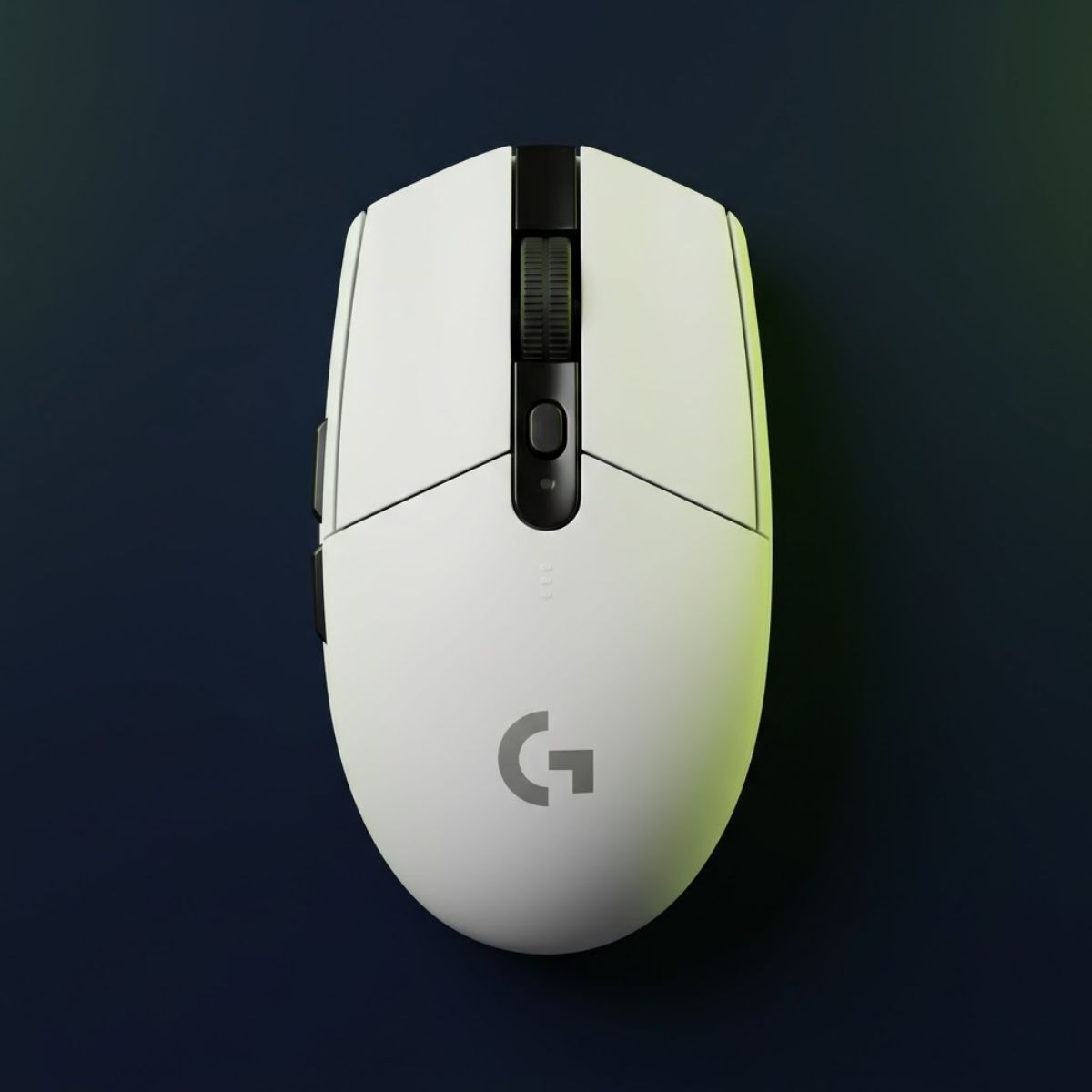
Best Budget Wireless Pick
Logitech G305 Lightspeed Wireless Gaming Mouse
The Logitech G305 continues to offer one of the best wireless gaming experiences available in the budget category, making it a strong option for competitive CS2 players.
- Best For: Wireless FPS gaming.
- Connection: Wireless.
- Strength: Excellent value.
- Budget Range: Around $26.
The G305 continues to prove that strong wireless performance does not have to come with a premium price tag.
Why Razer Cobra Appeals to Players Who Prefer Lightweight Control
The Razer Cobra is a lightweight wired gaming mouse designed to prioritize speed, agility, and precise movement control. It helps players perform rapid directional adjustments while maintaining a comfortable and responsive aiming experience.
Lightweight mice have become increasingly popular among FPS players because they require less effort to move across large mouse pads. This characteristic can benefit low-sensitivity users who rely on broad arm movements during matches.
The Cobra stands out because it delivers this lightweight experience while remaining accessible to budget-conscious players. Its compact design also appeals to gamers who prefer smaller mice and faster hand movement.
While shape preference remains highly personal, players seeking an agile aiming experience often find lightweight designs easier to control during extended gaming sessions.
For players interested in a lightweight budget option, the following recommendation fits particularly well:
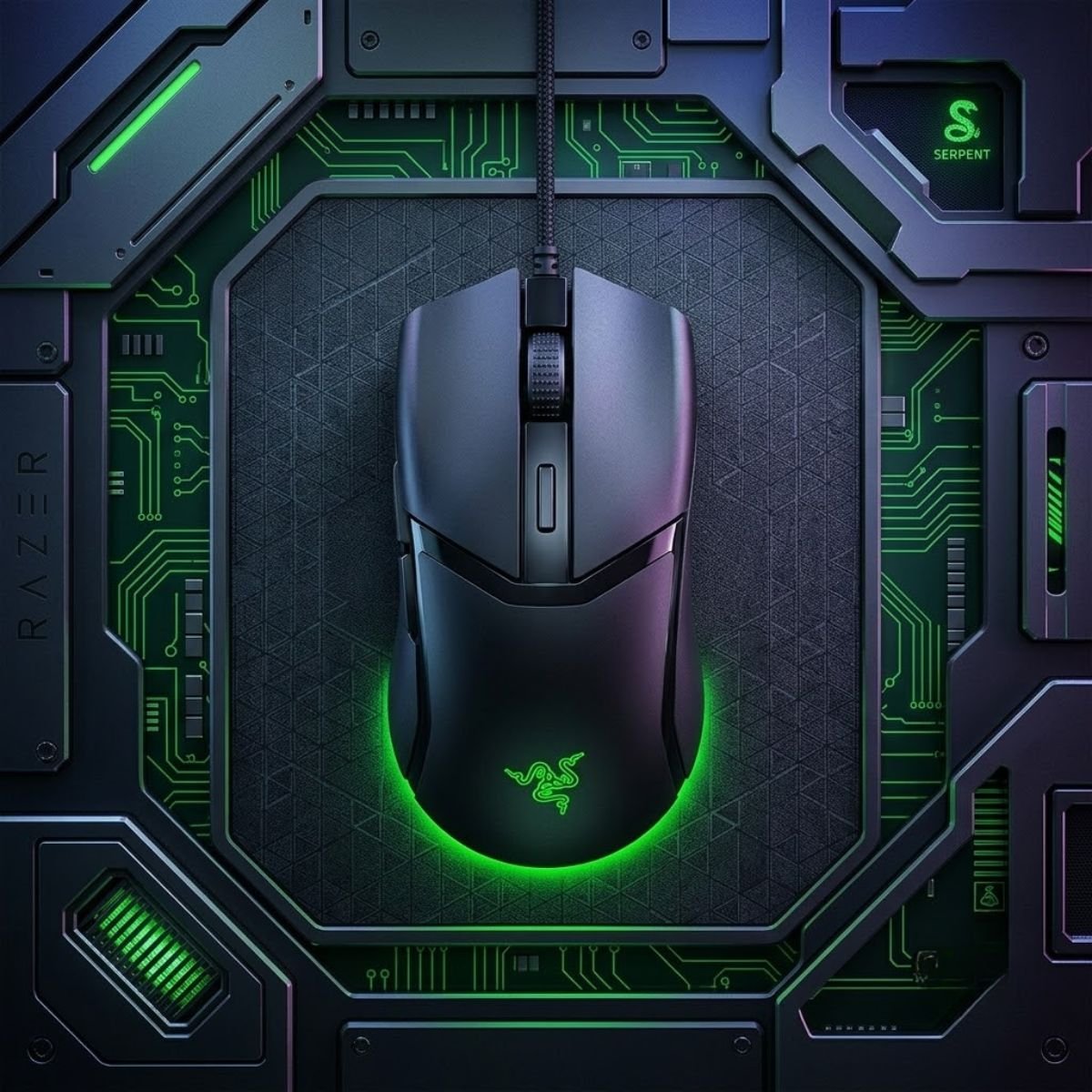
Best Lightweight Budget Pick
Razer Cobra Wired Gaming Mouse
The Razer Cobra is designed for players who prefer lightweight movement and fast directional control while maintaining dependable performance for competitive FPS games.
- Best For: Lightweight FPS gameplay.
- Connection: Wired.
- Strength: Agile handling.
- Budget Range: Around $29.
The Cobra demonstrates how lightweight design can be introduced into the budget category without sacrificing essential gaming performance.
Why SteelSeries Prime Still Deserves Attention for Tactical FPS Gameplay
The SteelSeries Prime is a budget-focused esports mouse built around stability, durability, and competitive-oriented performance. It helps tactical FPS players maintain control during precise aiming situations where consistency matters more than flashy features.
Unlike some budget mice that focus heavily on visual appeal, the Prime emphasizes practical gaming performance. Its design philosophy aligns well with games such as Counter-Strike 2, where controlled movement and precise shot placement often determine outcomes.
The shape provides a stable feeling in hand, while the overall construction is designed to withstand frequent competitive use. Players who value confidence and predictability often appreciate this more conservative approach.
Although it may not generate as much attention as newer lightweight releases, the Prime remains a strong value-oriented option for tactical FPS enthusiasts.
Players who prioritize stability and control should examine the following recommendation:
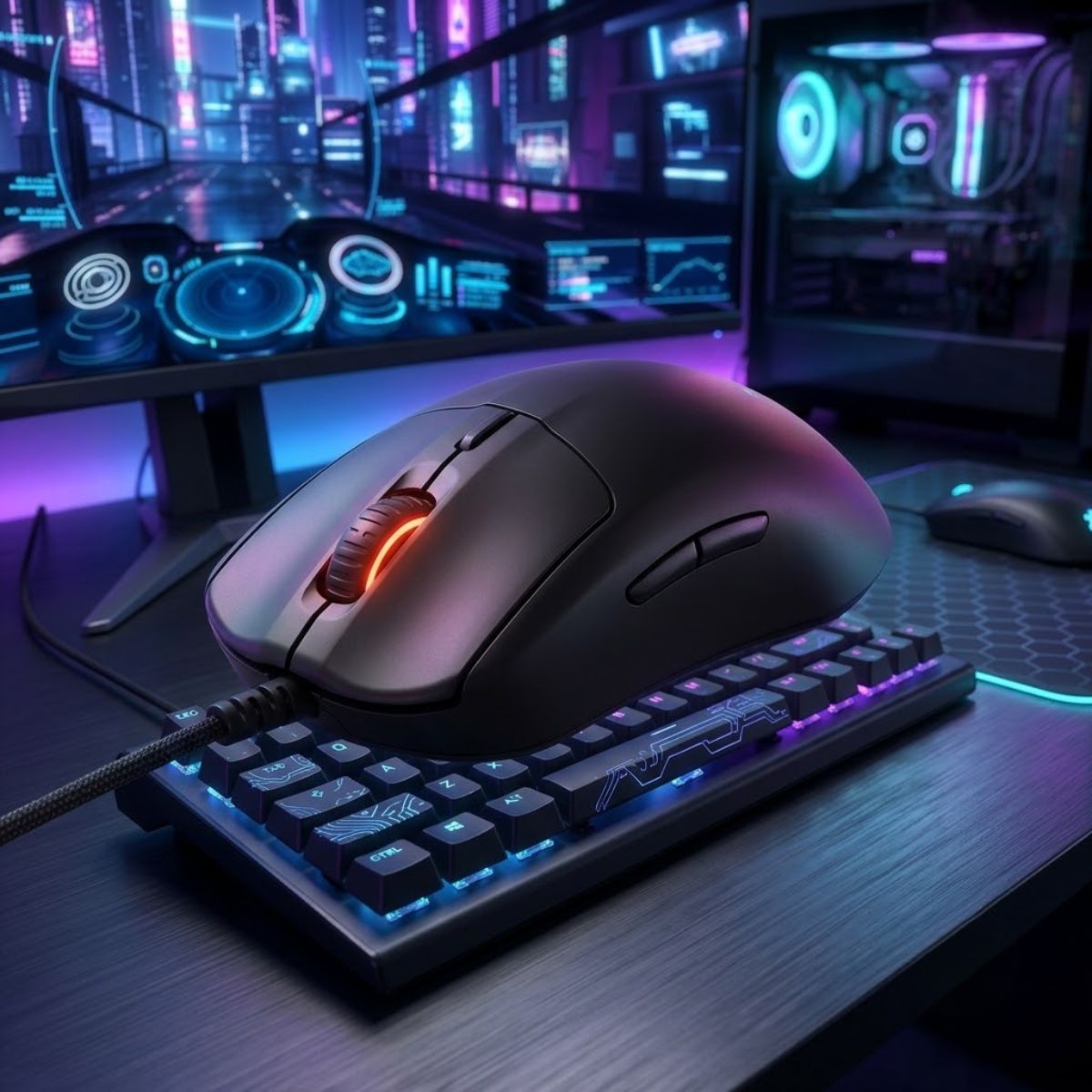
Best Tactical FPS Value
SteelSeries Prime Esports Gaming Mouse
The SteelSeries Prime focuses on dependable control and tactical FPS consistency, making it a strong value-oriented choice for competitive Counter-Strike 2 players.
- Best For: Tactical FPS players.
- Connection: Wired.
- Strength: Stable control.
- Budget Range: Around $21.
The Prime remains relevant because its strengths align closely with the demands of disciplined tactical shooters like CS2.
The table below compares the most competitive budget gaming mice currently available under $30 for CS2 players:
| Mouse | Connection | Main Strength | Best For |
|---|---|---|---|
| Logitech G203 | Wired | Reliable all-around value | New FPS players |
| Logitech G305 | Wireless | Affordable wireless gaming | Wireless users |
| Razer Cobra | Wired | Lightweight handling | Low-sensitivity players |
| SteelSeries Prime | Wired | Stable tactical performance | CS2-focused players |
The comparison shows that each option targets a different type of player rather than competing solely on specifications. Understanding personal preferences often leads to a better purchasing decision than focusing only on technical numbers.
Players who want additional recommendations within this price category can also explore our guide to the best gaming mouse under $30, which covers a broader selection of affordable FPS-focused options.
For most buyers, the under-$30 category already provides enough performance to enjoy competitive CS2 without feeling limited by their hardware. The next step is determining whether spending slightly more unlocks enough additional value to justify the higher investment.
Which Budget Gaming Mice Between $30 and $50 Offer the Best Long-Term Investment?
Budget gaming mice between $30 and $50 are value-focused models that usually offer better sensors, lighter designs, stronger switches, or more modern wireless features than entry-level options. They help CS2 players buy a mouse that can stay reliable longer instead of needing another upgrade too soon.
This price range is where budget buyers often get the best return. A small increase over the cheapest models can unlock lighter shells, stronger wireless performance, better coatings, and more competitive sensor options.
For CS2 players, this matters because the mouse is used constantly during aiming, movement, peeking, recoil control, and utility interactions. A slightly better mouse can feel more stable over long practice sessions and more dependable during ranked matches.
The goal in this range is not to chase premium branding. The goal is to find a product that gives meaningful competitive benefits without moving into expensive flagship pricing.
Why ATK VXE Dragonfly R1 SE+ Is a Strong Spec-Driven Budget Wireless Choice
The ATK VXE Dragonfly R1 SE+ is a lightweight wireless gaming mouse that focuses on high-end specifications at a budget-friendly price. It helps CS2 players get modern wireless performance, low weight, and strong sensor capability without paying flagship prices.
This mouse is especially interesting for players who care about technical value. It offers a lightweight build and modern wireless flexibility, making it a strong candidate for players who want a more current budget mouse instead of a traditional entry-level design.
Its biggest appeal is the balance between low weight and wireless convenience. For CS2 players who use lower sensitivity settings, a lighter mouse can reduce fatigue during wide arm movements and repeated crosshair repositioning.
Because the Dragonfly R1 SE+ is more specification-focused than many older budget mice, it fits players who want maximum value from every dollar spent.
Players who want a lightweight wireless option with strong modern specs should place this product card here:
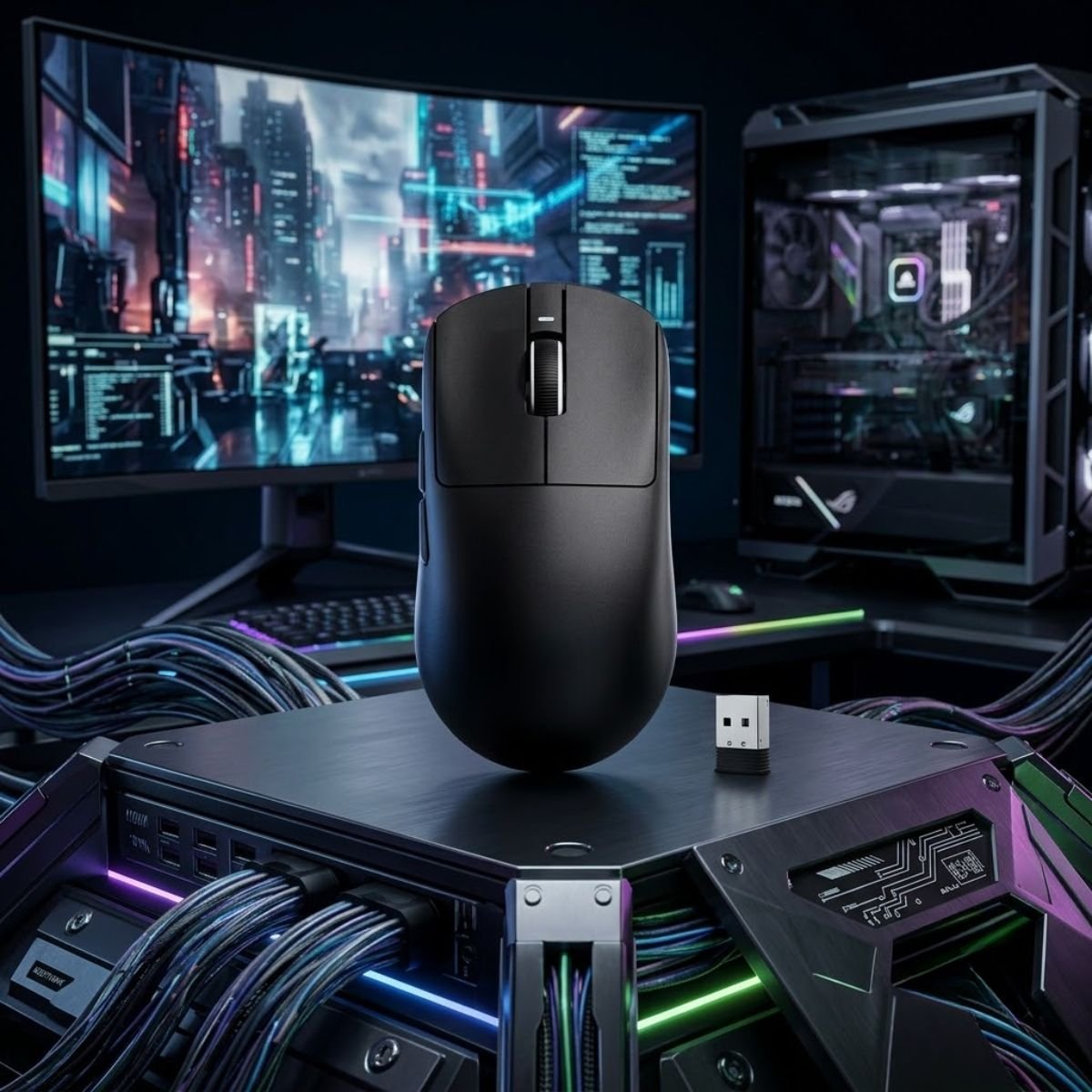
Best Modern Wireless Value
ATK VXE Dragonfly R1 SE+ Wireless Gaming Mouse
The ATK VXE Dragonfly R1 SE+ offers a rare combination of lightweight construction, modern wireless functionality, and competitive FPS-focused performance at a budget-friendly price point.
- Best For: Players seeking modern wireless performance.
- Connection: Wireless.
- Strength: Lightweight design with strong value.
- Budget Range: Around $26.98.
The Dragonfly R1 SE+ is best suited for players who want lightweight wireless performance without jumping into premium esports pricing.
Why HyperX Pulsefire Fuse Works Well as a Balanced Everyday CS2 Mouse
The HyperX Pulsefire Fuse is a budget gaming mouse designed to provide a balanced mix of comfort, reliability, and everyday competitive performance. It helps CS2 players who want one practical mouse for aiming practice, ranked matches, and general gaming use.
Not every player needs the lightest possible shell or the most advanced feature set. Some players benefit more from a balanced mouse that feels dependable across many situations and does not require much adjustment time.
The Pulsefire Fuse fits that kind of buyer. It is a practical option for players who want a comfortable gaming mouse that can handle CS2 while still being useful outside competitive FPS sessions.
This makes it a good choice for players who want a safer middle-ground option instead of choosing a mouse based only on one extreme feature.
Players looking for a balanced budget gaming mouse should place this product card here:
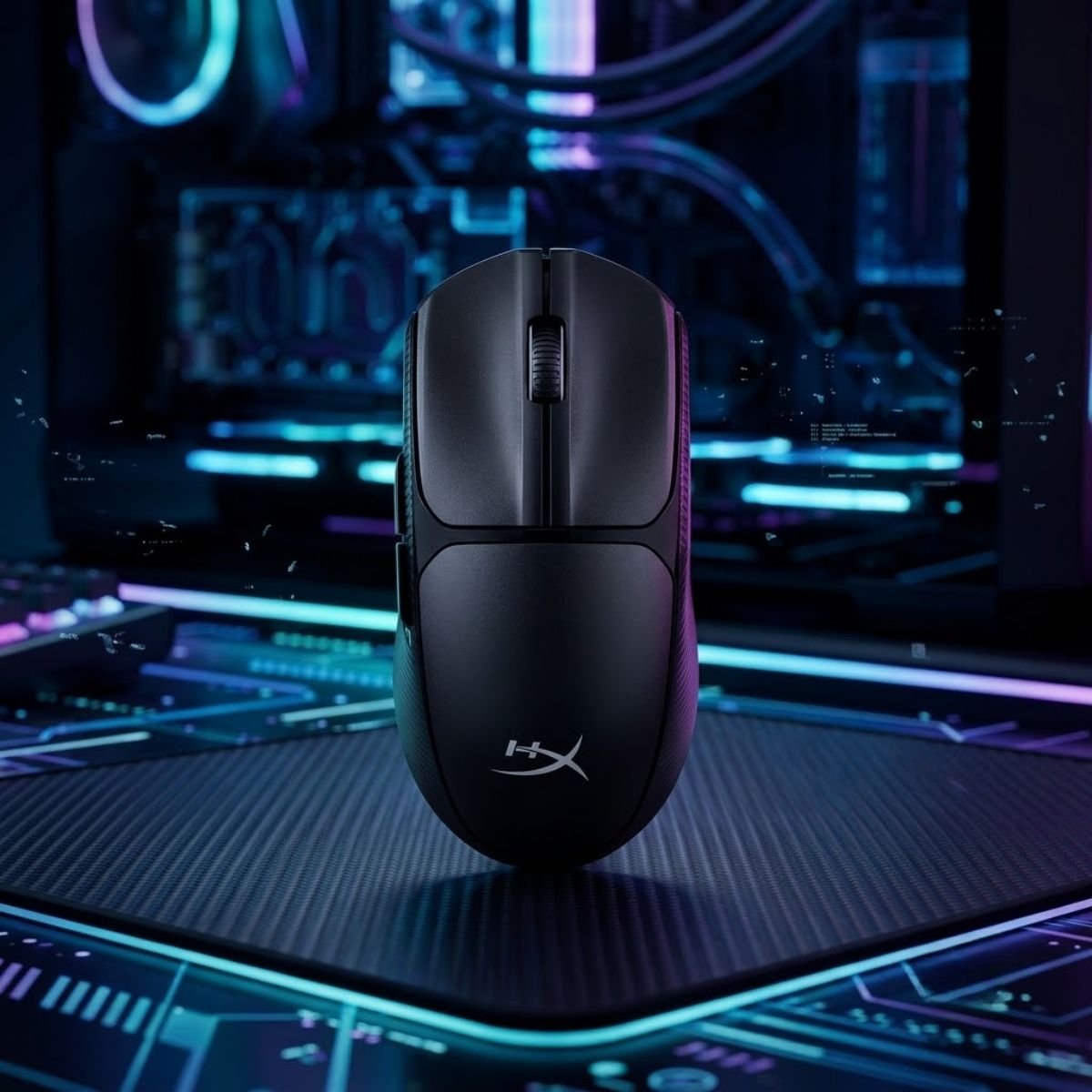
Best Balanced Everyday Choice
HyperX Pulsefire Fuse Gaming Mouse
The HyperX Pulsefire Fuse delivers a balanced experience that combines comfort, reliability, and practical gaming performance for players who want a dependable all-around mouse.
- Best For: Everyday competitive gaming.
- Connection: Wired.
- Strength: Comfortable all-around performance.
- Budget Range: Around $36.20.
The Pulsefire Fuse is most appealing to players who want a simple, balanced mouse that can support CS2 without feeling overly specialized.
The table below compares the strongest $30-$50 budget gaming mouse options for CS2 players:
| Mouse | Connection | Main Advantage | Best For |
|---|---|---|---|
| ATK VXE Dragonfly R1 SE+ | Wireless | Lightweight modern specs | Players who want wireless value |
| HyperX Pulsefire Fuse | Wired | Balanced everyday performance | Players who want a safe all-around mouse |
| Logitech G305 | Wireless | Proven long-term reliability | Players who want a familiar wireless option |
| Razer Cobra | Wired | Lightweight wired control | Players who prefer faster hand movement |
The comparison shows that the $30-$50 range is less about finding the cheapest mouse and more about choosing the best long-term value. Players can often get better wireless freedom, lighter handling, or more balanced comfort by spending slightly above entry-level pricing.
For most CS2 players, this range is the smartest place to shop if the goal is to buy once and avoid upgrading again too quickly.
Are Budget Wireless Gaming Mice Good Enough for Competitive CS2 in 2026?
Budget wireless gaming mice are now good enough for many competitive CS2 players when they use reliable wireless technology, stable sensors, and responsive click performance. They help players remove cable drag while still maintaining the control needed for ranked and competitive matches.
The old belief that wireless mice are always worse for competitive FPS games is no longer accurate. Many wireless gaming mice now perform well enough that the difference between wired and wireless is difficult for most players to notice during normal gameplay.
For CS2, the real question is not whether wireless is usable. The better question is whether a specific wireless mouse is reliable enough, comfortable enough, and priced fairly enough for your budget.
Why Modern Wireless Technology Is No Longer a Major Limitation
Modern wireless gaming technology is a low-latency connection method designed to keep mouse input stable during fast gameplay. It helps CS2 players move freely without cable resistance while maintaining responsive control.
Cable drag can affect aim feel, especially for players who use large mouse pads and lower sensitivity settings. Removing the cable can make broad arm movements feel smoother and less restricted.
The example below illustrates how modern wireless gaming mice fit into competitive FPS setups:
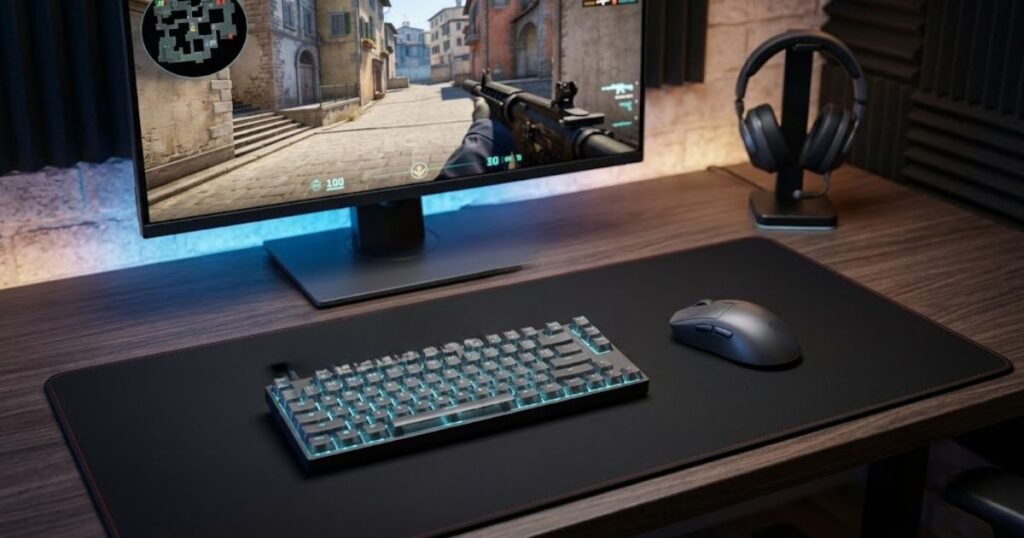
This is why budget wireless mice can be attractive for CS2 players. When the wireless connection is stable, players can gain comfort and freedom without giving up the consistency needed for competitive play.
However, wireless quality still varies between products. A good budget wireless mouse should be judged by real usability, battery convenience, sensor reliability, and total value rather than the word wireless alone.
Modern wireless is no longer the automatic disadvantage it once was, but players should still choose proven models instead of unknown low-quality options.
When a Wired Budget Mouse Still Makes More Sense
A wired budget mouse is still the better choice when a player wants the lowest cost, simple setup, and no battery management. It helps CS2 players focus on gameplay without worrying about charging, wireless dongles, or connection maintenance.
Wired mice remain excellent for budget buyers because they often deliver strong performance at lower prices. Without the added cost of wireless hardware, more of the budget can go toward sensor quality, switches, shape, or build quality.
Some players also prefer the direct feeling of a wired connection. Even when wireless performance is good, a simple wired setup can feel more trustworthy for players who do not want extra variables.
For beginners, a wired mouse can be the safest route because it is easy to use, easy to replace, and usually cheaper than a comparable wireless option.
Wired mice still make sense when value, simplicity, and reliability matter more than cable-free movement.
The table below compares wired and wireless budget mice for competitive CS2 players:
| Choice | Main Benefit | Main Trade-Off | Best For |
|---|---|---|---|
| Budget Wireless Mouse | Freedom from cable drag | Battery and dongle management | Players who want smoother movement freedom |
| Budget Wired Mouse | Lower cost and simple reliability | Cable can affect movement feel | Players who want maximum value |
| Lightweight Wireless Mouse | Fast movement with cable-free control | Usually costs more than wired options | Low-sensitivity CS2 players |
| Classic Wired FPS Mouse | Stable performance at a low price | Less flexible desk movement | Entry-level competitive players |
The comparison shows that wireless is now a practical option for many CS2 players, but wired mice still offer excellent value for buyers who want the lowest cost and simplest setup.
Players who want to compare budget options against broader FPS recommendations can continue with our guide to the best gaming mouse for FPS games in 2026.
For most budget buyers, the right choice depends on whether cable-free movement is worth paying slightly more. If wireless freedom improves comfort and consistency, it can be worth it. If the goal is maximum value, a good wired mouse remains one of the smartest CS2 purchases.
How Does Mouse Shape Influence Aim Consistency and Comfort in CS2?
Mouse shape is the physical design that determines how a player’s hand interacts with the mouse during gameplay. It helps create stable movement patterns, repeatable aiming mechanics, and long-term comfort during competitive Counter-Strike 2 matches.
Many players spend hours comparing sensors, DPI settings, and wireless technologies while overlooking the factor that directly affects every movement they make. The reality is that shape often has a greater impact on aim consistency than many technical specifications.
A gaming mouse can have an excellent sensor and responsive switches, but if the shape feels uncomfortable, maintaining accurate control becomes much more difficult. This is especially true in CS2, where players repeatedly perform flick shots, micro-adjustments, spray transfers, and angle clearing throughout every match.
Choosing a shape that matches your hand size and grip style creates a more natural connection between physical movement and on-screen results. Over time, this allows muscle memory to develop more consistently.
Why Symmetrical Mouse Shapes Are Popular Among Competitive CS2 Players
A symmetrical mouse shape is a balanced design where the left and right sides follow a similar structure. It helps players achieve flexible movement control and consistent handling across a wide range of aiming situations.
Symmetrical designs remain extremely common in competitive FPS gaming because they allow players to reposition their grip easily during fast engagements. This flexibility can be useful when performing repeated flick shots or making rapid directional changes.
Another advantage is predictability. Many symmetrical mice provide a neutral feeling that works well for claw grip and fingertip grip users. Because the shape does not aggressively force the hand into one position, players often find it easier to adapt the mouse to their personal preferences.
For players who frequently make quick aiming corrections and dynamic crosshair movements, symmetrical shapes often provide a balanced combination of comfort and control.
These characteristics explain why many popular competitive FPS mice continue to use symmetrical designs.
Why Ergonomic Mouse Shapes Can Improve Stability and Support
An ergonomic mouse shape is a design that follows the natural contour of the hand rather than maintaining perfect symmetry. It helps increase support, reduce strain, and create a more stable grip during long gaming sessions.
Ergonomic mice are often favored by players who prefer palm grip or hybrid grip styles. The additional hand support can make the mouse feel more secure during controlled aiming movements and extended practice sessions.
Because the hand rests more naturally on the shell, some players experience less fatigue compared to flatter symmetrical designs. This can be particularly useful for players who spend many hours playing CS2 each week.
The trade-off is that ergonomic shapes are often more specialized. A shape that feels excellent for one player may feel uncomfortable for another, making personal preference especially important.
For players who prioritize comfort and stability, an ergonomic design can become a valuable long-term investment.
How to Match Mouse Shape With Hand Size and Grip Style
Matching mouse shape with hand size and grip style is the process of selecting a design that naturally complements the way you hold and move the mouse. It helps players maintain better control while reducing unnecessary tension during gameplay.
Hand size influences how much of the mouse is supported by the palm and fingers. A mouse that feels too small may create instability, while a mouse that feels too large can restrict movement and reduce comfort.
Grip style is equally important. Fingertip grip users often prefer smaller and lighter shapes that allow rapid finger adjustments. Claw grip users frequently benefit from shapes with more rear support, while palm grip users generally favor larger designs that provide full hand contact.
The image below compares common mouse shape categories used by competitive CS2 players:
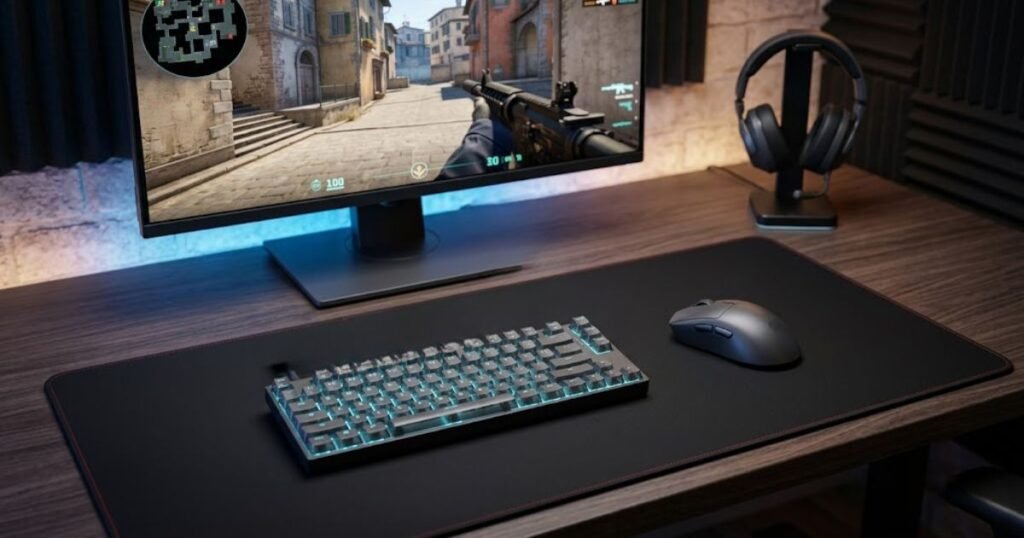
The goal is not to find a universally perfect shape. The goal is to find a shape that allows your hand to move naturally and consistently throughout every round.
Players who align shape selection with their hand size and grip style often develop more repeatable aiming mechanics over time.
The table below explains how different shape styles fit common CS2 player profiles:
| Player Profile | Recommended Shape | Primary Advantage | Common Grip Style |
|---|---|---|---|
| Small Hands | Compact Symmetrical | Fast movement control | Fingertip |
| Medium Hands | Medium Symmetrical | Balanced versatility | Claw |
| Large Hands | Large Ergonomic | Greater support | Palm |
| Low-Sensitivity Players | Lightweight Symmetrical | Easy repositioning | Claw or Fingertip |
The comparison demonstrates that shape selection depends heavily on individual physical characteristics rather than raw specifications. A shape that feels natural will often provide more consistent results than a technically superior mouse that feels uncomfortable.
Players who want a broader understanding of how shape influences FPS performance can explore our guide to gaming mouse for FPS games.
For competitive CS2 players, shape should be treated as a primary buying factor rather than a secondary feature. Choosing the right shape often creates a stronger improvement in long-term aim consistency than upgrading to more expensive hardware.
What Are the Most Common Mistakes Players Make When Buying a Budget Mouse for CS2?
Common buying mistakes are decisions that cause players to prioritize marketing claims over the factors that actually affect gameplay performance. They help explain why some purchases feel disappointing even when the product specifications appear impressive.
Many budget gaming mice offer strong value today, but choosing the wrong model can still lead to frustration. Most buying mistakes happen because players focus on isolated specifications while ignoring how the mouse will actually perform during daily gameplay.
Avoiding these mistakes often produces better results than simply spending more money.
The factors below explain the most common budget mouse buying mistakes among CS2 players:
- Buying Based Only on DPI Numbers: Extremely high DPI figures rarely provide meaningful advantages for competitive CS2 gameplay.
- Ignoring Mouse Shape: A poor shape fit can reduce comfort and consistency regardless of how strong the internal hardware may be.
- Prioritizing RGB Lighting: Lighting effects do not improve tracking accuracy, aiming precision, or overall gameplay performance.
- Ignoring Weight Preferences: Different players perform better with different weight ranges, making personal preference important.
- Choosing Unknown Sensors: Reliable sensor behavior is more valuable than flashy marketing specifications.
- Following Popularity Alone: A mouse that works for another player may not fit your hand size, grip style, or aiming habits.
These mistakes are common because they are easy to notice during product research. Specifications and marketing features are often easier to compare than shape compatibility and long-term comfort.
Players comparing FPS-specific budget recommendations can also review our guide to the best budget mouse for Valorant for additional decision-making perspectives.
Avoiding these mistakes dramatically increases the likelihood of finding a budget mouse that feels comfortable, performs consistently, and remains satisfying over the long term.
Which Budget Mouse Should You Buy Based on Your Playing Style and Budget?
The best budget mouse depends on the combination of your budget, preferred grip style, movement habits, and desired features. It helps narrow the decision process by matching specific player needs with the most suitable recommendation.
By this point, most players have already identified whether they prioritize wireless freedom, lightweight movement, stability, comfort, or maximum value. The final decision becomes much easier once those priorities are matched to a specific category.
Rather than searching for a single mouse that works for everyone, it is usually more effective to identify which recommendation best aligns with your playing style.
The table below summarizes the strongest budget mouse recommendations based on different player needs:
| Player Need | Recommended Mouse | Main Reason |
|---|---|---|
| Best Overall Value | Logitech G305 | Balanced wireless performance and affordability |
| Best Under $30 | Logitech G203 | Reliable entry-level FPS performance |
| Best Wireless Value | ATK VXE Dragonfly R1 SE+ | Modern wireless features and lightweight design |
| Best Lightweight Option | Razer Cobra | Fast and agile movement control |
| Best Tactical FPS Choice | SteelSeries Prime | Stable and controlled aiming experience |
| Best Balanced Everyday Mouse | HyperX Pulsefire Fuse | Comfortable all-around gaming performance |
The recommendation matrix demonstrates that different mice excel in different situations. There is no universal winner because each player values different characteristics.
Choosing a mouse that matches your personal priorities usually leads to a better experience than selecting a product solely because it tops a generic ranking list.
With the major categories now covered, the final step is summarizing which budget mice stand out most strongly for CS2 players in 2026.
Frequently Asked Questions About Budget Mice for CS2
Frequently asked questions about budget mice for CS2 are common concerns that players encounter before making a purchasing decision. They help clarify important buying considerations, performance expectations, and hardware-related factors that may not fit naturally into the main sections of this guide.
The questions below address practical concerns from budget-conscious CS2 players who want to improve their gaming experience without spending unnecessary money on premium hardware.
Is a Budget Gaming Mouse Good Enough for Competitive CS2 Matches?
Yes, a good budget gaming mouse is capable of supporting competitive CS2 gameplay. Modern budget mice often provide reliable sensors, responsive switches, and comfortable shapes that are more than sufficient for ranked and competitive matches.
What Is the Best Budget Mouse for CS2 Under $30?
The Logitech G203 remains one of the strongest budget gaming mice under $30 for CS2. It offers reliable performance, a proven shape, and excellent overall value for players entering competitive FPS gaming.
Is Logitech G305 Still Worth Buying for CS2 in 2026?
Yes, the Logitech G305 continues to be a strong value option in 2026. Its combination of dependable wireless technology, gaming-focused performance, and affordable pricing keeps it relevant for budget-conscious CS2 players.
Should I Choose a Wired or Wireless Budget Mouse for CS2?
The choice depends on your priorities rather than raw performance. Wireless mice provide greater movement freedom, while wired mice often deliver excellent value at lower prices and require no battery management.
Do Lightweight Gaming Mice Improve Aim in CS2?
Lightweight gaming mice can improve comfort and movement speed for some players. They help reduce effort during large arm movements, although the ideal weight ultimately depends on personal preference and aiming style.
What Mouse Shape Works Best for Most CS2 Players?
Symmetrical shapes tend to work well for the largest number of competitive FPS players. Their balanced design supports multiple grip styles and allows flexible hand positioning during gameplay.
How Much Should I Spend on a Budget Gaming Mouse for CS2?
Most players can find an excellent budget gaming mouse between $25 and $50. This range typically provides the strongest balance between affordability, reliability, and long-term usability.
Can a Cheap Gaming Mouse Compete With Premium Esports Mice?
In many situations, yes. A well-designed budget gaming mouse can deliver performance levels that are difficult for most players to distinguish from significantly more expensive esports models.
Does Mouse Weight Matter More Than DPI for CS2?
For most players, mouse weight has a greater practical impact than extremely high DPI values. Weight directly affects movement feel and comfort, while modern gaming mice already provide more DPI than most players need.
What Is the Biggest Mistake When Buying a Budget Gaming Mouse?
The biggest mistake is ignoring shape compatibility. Even a technically impressive mouse can feel uncomfortable if its shape does not match your hand size or preferred grip style.
How Long Should a Good Budget Gaming Mouse Last?
A quality budget gaming mouse can remain reliable for several years with proper use. Durability depends on build quality, switch longevity, maintenance habits, and overall usage intensity.
Which Budget Mouse Offers the Best Overall Value for CS2 Players?
The Logitech G305 currently offers one of the strongest overall value propositions for CS2 players. Its combination of wireless convenience, proven reliability, and affordable pricing makes it a compelling option for many buyers.
Final Verdict on the Best Budget Mouse for CS2 in 2026
The best budget mouse for CS2 is the one that delivers reliable performance while matching your personal preferences, grip style, and spending limit. It helps create consistent aiming habits without requiring a premium investment.
While premium esports mice continue to attract attention, modern budget gaming mice have reached a point where many players can enjoy excellent competitive performance without overspending. For most CS2 players, comfort, shape, reliability, and overall value remain more important than chasing the latest flagship release.
The recommendations below summarize the strongest budget mouse choices for different CS2 player profiles:
- Best Overall Value: Logitech G305.
- Best Under $30: Logitech G203.
- Best Wireless Value: ATK VXE Dragonfly R1 SE+.
- Best Lightweight Option: Razer Cobra.
- Best Tactical FPS Choice: SteelSeries Prime.
- Best Balanced Everyday Choice: HyperX Pulsefire Fuse.
These recommendations demonstrate that there is no single perfect mouse for every player. Different strengths appeal to different preferences, making personal comfort and long-term usability critical parts of the buying process.
Whether you prioritize wireless freedom, lightweight handling, tactical stability, or maximum value, today’s budget gaming mouse market offers more capable options than ever before. Choosing a mouse that fits your hand and supports your play style will usually provide a greater benefit than spending significantly more on premium specifications alone.
Thanks for reading GearTP’s guide to the best budget mouse for CS2. We hope this comparison helps you find the right gaming mouse for your next competitive match.