
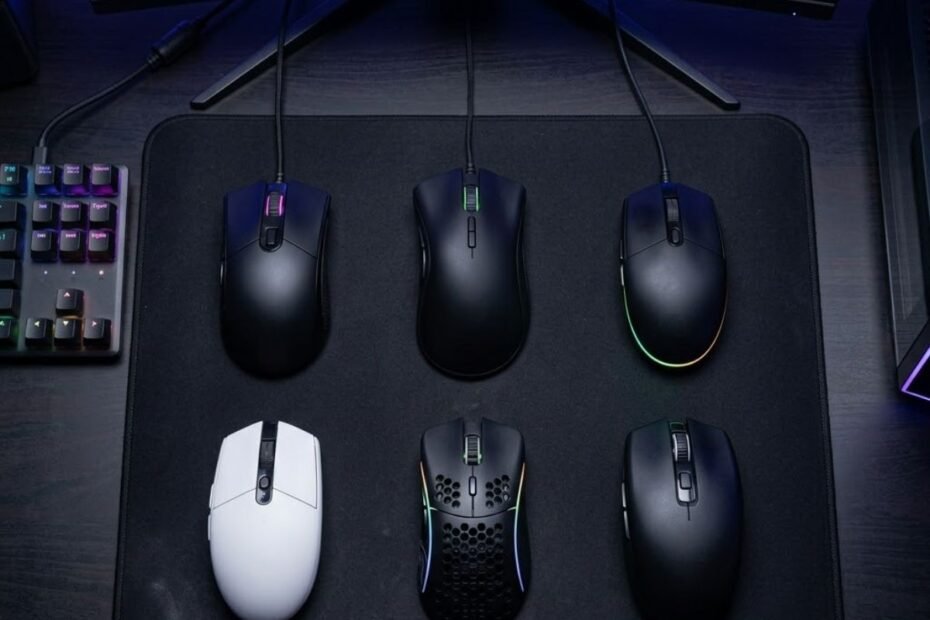
A gaming mouse under $30 is a budget-friendly peripheral that can still deliver reliable aiming performance, responsive clicks, and comfortable handling for competitive FPS games. It helps players improve consistency in titles like Valorant, Counter-Strike 2, Apex Legends, and Warzone without spending the same amount as premium gaming mice.
The budget gaming mouse market has improved significantly over the last few years. Features that were once limited to high-end products, including lightweight shells, wireless connectivity, programmable buttons, and gaming-focused sensors, are now available in models that cost less than thirty dollars. As a result, choosing the right mouse is no longer about finding the most expensive option. It is about finding the best balance between performance, comfort, and value.
This guide focuses on gaming mice that provide meaningful FPS benefits rather than flashy marketing features. Every recommendation was selected based on real-world gaming value, practical usability, and current pricing that fits within the under-$30 category.
Best Gaming Mouse Under $30 at a Glance
The best gaming mouse under $30 is a model that combines reliable performance, comfortable ergonomics, and strong value within a strict budget. It helps FPS players maximize aiming potential while avoiding unnecessary spending on premium features they may never use.
For example, the image below illustrates how different budget gaming mice can serve different types of FPS players:
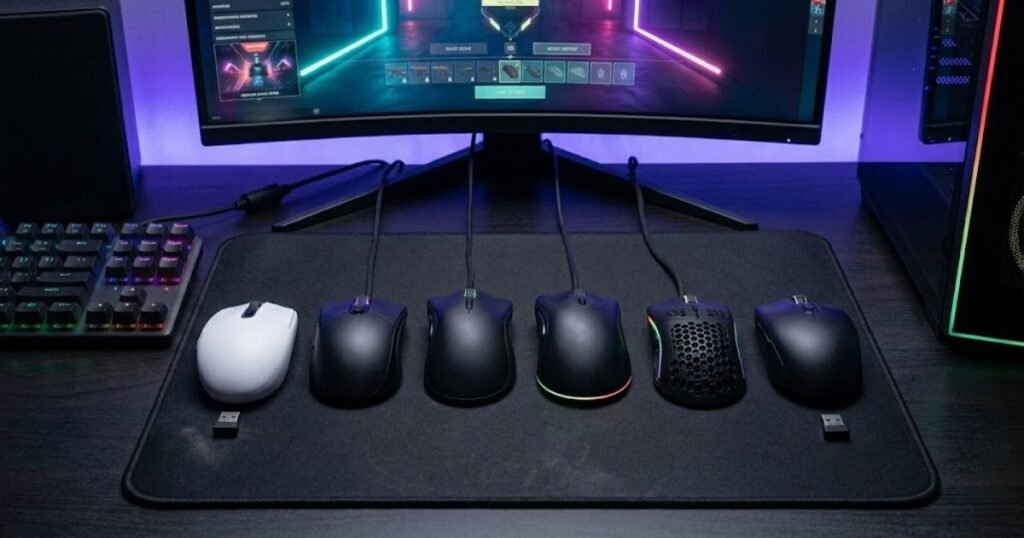
Different players prioritize different characteristics when buying a gaming mouse. Some value wireless freedom, while others prefer ultra-lightweight designs for faster flicks. Certain players focus on tactical shooters such as Valorant and CS2, whereas others spend most of their time tracking fast-moving opponents in Apex Legends or Warzone. Because of these differences, the ideal choice depends on your specific needs rather than a single universal recommendation.
The following table highlights the strongest gaming mouse options currently available for under $30:
| Gaming Mouse | Primary Category | Connection | Typical Street Price | Best For |
|---|---|---|---|---|
| Logitech G203 LIGHTSYNC | Best Overall | Wired | Under $30 | Most FPS Players |
| Logitech G305 LIGHTSPEED Renewed | Best Wireless | Wireless | ~$26 | Wireless Gaming |
| ATK VXE Dragonfly R1 SE+ | Best Lightweight | Tri-Mode Wireless | ~$26.98 | Fast Aim Adjustments |
| SteelSeries Prime | Best Tactical FPS | Wired | ~$21 | Valorant and CS2 |
| SteelSeries Rival 3 Renewed | Best Tracking FPS | Wired | ~$18 | Apex and Warzone |
| Redragon Wired Gaming Mouse | Best Budget Value | Wired | ~$15 | Entry-Level Buyers |
The comparison above shows how diverse the budget gaming mouse market has become. Buyers are no longer limited to a single safe choice because different products now excel in specific areas such as wireless connectivity, lightweight construction, tactical precision, or overall affordability.
The standout recommendations include:
- Best Overall: Logitech G203 LIGHTSYNC for players seeking a balanced combination of comfort, reliability, and long-term value.
- Best Wireless: Logitech G305 LIGHTSPEED Renewed for gamers who want cable-free performance while staying within budget.
- Best Lightweight: ATK VXE Dragonfly R1 SE+ for players who prioritize quick movements and reduced hand fatigue.
- Best Tactical FPS: SteelSeries Prime for precision-focused shooters such as Valorant and Counter-Strike 2.
- Best Tracking FPS: SteelSeries Rival 3 Renewed for games that reward continuous target tracking and rapid movement.
- Best Budget Value: Redragon Wired Gaming Mouse for buyers who want gaming-focused features at the lowest possible cost.
Each recommendation serves a different type of FPS player rather than attempting to satisfy every possible use case. This approach creates a more practical buying guide because the best mouse for a Valorant player is not always the best mouse for someone who spends most of their time in Apex Legends or Warzone.
Overall, players looking for the safest all-around purchase should start with the Logitech G203 LIGHTSYNC, while more specialized users can choose a recommendation that better matches their preferred games and play style.
How We Chose the Best Gaming Mice Under $30
The best gaming mouse under $30 is a model that delivers dependable FPS performance without forcing buyers to pay for premium features they may never use. It helps players focus on the characteristics that actually influence aiming consistency, comfort, and overall gaming experience instead of becoming distracted by marketing claims.
The budget gaming mouse category is one of the most competitive segments in the gaming peripheral market. Manufacturers frequently advertise extremely high DPI numbers, elaborate RGB systems, and long lists of technical specifications. While these features can make a product appear impressive, they do not always translate into meaningful improvements during gameplay. Because of this, every recommendation in this guide was evaluated using practical FPS-focused criteria rather than promotional messaging.
The Performance Factors We Evaluated
The most important gaming mouse characteristics are the ones that directly affect how a mouse behaves during real matches. They help determine whether a mouse feels predictable during fast engagements, comfortable during long gaming sessions, and reliable across different FPS titles.
The following example highlights several factors commonly evaluated when comparing gaming mice:
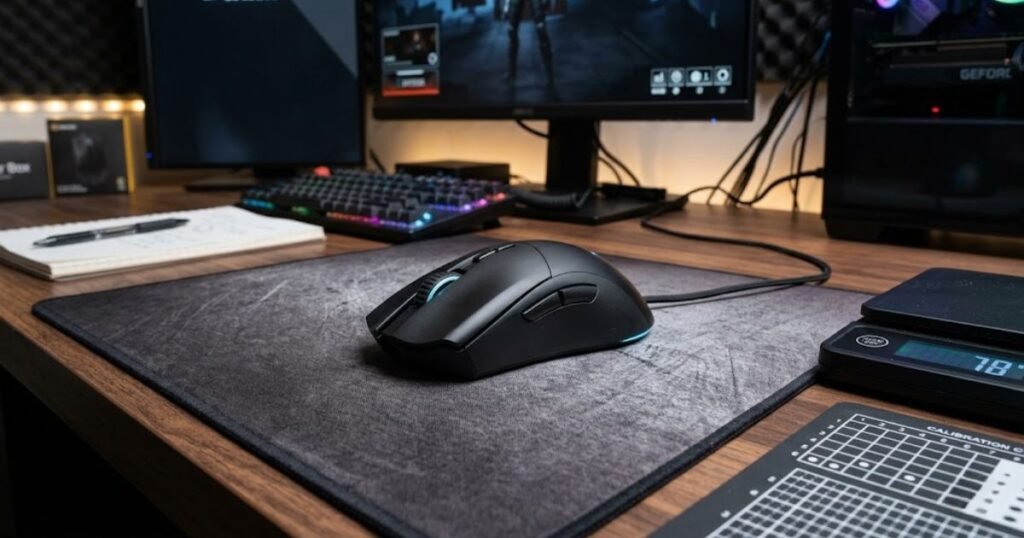
The evaluation process focused on the following factors:
- Shape and ergonomics: Comfort remains one of the most important aspects of any gaming mouse because an uncomfortable shape can negatively affect control regardless of specifications.
- Weight: Mouse weight influences movement speed, stopping precision, and fatigue during extended gaming sessions.
- Sensor reliability: Consistent tracking performance is more important than excessively high sensitivity ratings.
- Button responsiveness: Crisp and predictable clicks improve confidence during repeated engagements and rapid target switching.
- Build quality: A durable shell contributes to long-term usability and a more stable feel during gameplay.
- Overall value: Every recommendation must justify its cost while remaining within the under-$30 category.
The purpose of these criteria is to prioritize practical gaming benefits rather than features that exist primarily for marketing purposes. A balanced mouse that performs consistently often provides more value than a feature-heavy alternative that sacrifices comfort or reliability.
What Matters More Than Marketing Claims
Many buyers assume that the mouse with the highest specifications is automatically the best choice. In practice, experienced FPS players often pay more attention to shape, comfort, and handling characteristics than they do to extreme performance figures.
For example, a mouse that fits your hand naturally is usually easier to control than a technically superior alternative with an uncomfortable shape. Likewise, a lightweight design can improve movement efficiency even when compared to a mouse that advertises more aggressive specifications.
The following factors typically matter more than marketing claims:
- Comfort during long gaming sessions.
- Confidence during flick shots and micro-adjustments.
- Consistent tracking behavior.
- Grip stability under pressure.
- Long-term reliability.
Understanding these priorities makes it easier to separate genuinely useful products from options that rely heavily on promotional features. This approach is particularly important when shopping within a strict budget because every dollar should contribute toward performance rather than unnecessary extras.
Players who want a broader understanding of how shape, weight, sensors, and ergonomics influence performance can also explore our complete guide to gaming mouse for FPS games.
Overall, selecting the right budget gaming mouse is less about chasing specifications and more about identifying the characteristics that genuinely improve gameplay. The recommendations in this guide were chosen with that philosophy in mind.
Best Overall Gaming Mouse Under $30 for Most FPS Players
The Logitech G203 LIGHTSYNC is the best overall gaming mouse under $30 because it provides one of the strongest combinations of comfort, reliability, software support, and value in its price category. It helps FPS players obtain a dependable gaming experience without requiring a significant financial investment.
Many gaming mice under $30 excel in one particular area while making noticeable compromises elsewhere. Some prioritize lightweight construction but sacrifice build quality, while others focus on features that look impressive on paper but contribute little to actual gameplay. The Logitech G203 LIGHTSYNC stands out because it remains consistently competent across multiple categories, making it an easy recommendation for a wide range of players.
Its current discounted pricing further strengthens its position within this category. Buyers can access a gaming mouse from a well-established brand while remaining comfortably below the $30 budget threshold, which significantly improves its overall value proposition.
To better understand why the Logitech G203 LIGHTSYNC continues to be one of the strongest budget gaming mouse recommendations, take a look at the product below:
To better understand why the Logitech G203 LIGHTSYNC continues to be one of the strongest budget gaming mouse recommendations, take a look at the product below:

Image: Logitech G203 LIGHTSYNC Gaming Mouse for FPS Games
Logitech G203 LIGHTSYNC Wired Gaming Mouse
The Logitech G203 LIGHTSYNC is a wired gaming mouse featuring an 8,000 DPI sensor, six programmable buttons, onboard memory, and LIGHTSYNC RGB lighting. It remains one of the strongest all-around choices for FPS players shopping under $30.
Current note: discounted below $30 at the time of review. Prices may change.
Check Price on AmazonWhy This Mouse Earned the Top Overall Ranking
The Logitech G203 LIGHTSYNC earns its position as the top overall recommendation because it delivers a balanced experience rather than focusing on a single niche advantage. It helps players enjoy predictable performance across multiple FPS genres while avoiding many of the weaknesses commonly associated with budget peripherals.
One of the biggest advantages of the G203 is its versatility. The symmetrical shape accommodates several grip styles, making it accessible to a broad audience rather than only serving a specific type of player. This flexibility increases the likelihood that a first-time buyer will find the mouse comfortable without needing extensive research beforehand.
Another strength is the maturity of Logitech’s ecosystem. Software support remains straightforward, customization options are easy to access, and replacement parts or accessories are generally easier to find than they are for lesser-known brands.
Combined with its current sale pricing, these factors create a package that is difficult to surpass within the under-$30 category.
Strengths and Weaknesses
No gaming mouse is completely free of trade-offs, particularly in the budget segment. Understanding both the strengths and limitations of a product helps buyers determine whether it matches their specific requirements and expectations.
The following table summarizes the most important advantages and limitations of the Logitech G203 LIGHTSYNC:
| Strengths | Limitations |
|---|---|
| Comfortable symmetrical shape that supports multiple grip styles | May feel small for some users with larger hands |
| Reliable wired connection with no battery concerns | Does not offer wireless flexibility |
| Strong software support through Logitech’s ecosystem | Heavier than certain modern ultra-lightweight alternatives |
| Excellent value when discounted below $30 | Feature set is intentionally simple |
| Easy availability from a trusted gaming brand | Not specifically optimized for one niche play style |
The comparison above illustrates why the G203 performs so well as an all-around recommendation. Instead of dominating one specific category, it consistently performs well across several areas that matter to everyday FPS players.
This balanced profile often provides greater long-term satisfaction because buyers are less likely to encounter a major weakness that affects their experience after purchase.
Who Should Buy This Mouse
The Logitech G203 LIGHTSYNC is an excellent choice for players who want dependable gaming performance without spending more than necessary. It helps both new and experienced FPS players access proven gaming hardware while maintaining a reasonable budget.
The following users are likely to benefit most from this mouse:
- First-time gaming mouse buyers.
- Students building a budget-friendly gaming setup.
- Players who prefer the simplicity of a wired connection.
- Users with small to medium hand sizes.
- Gamers looking for a reliable all-around FPS mouse.
Because of its versatility, the G203 adapts well to multiple game genres instead of specializing in only one type of shooter. This flexibility makes it particularly attractive for players who frequently switch between tactical FPS games and faster-paced multiplayer experiences.
If you would like to compare this recommendation against higher-end alternatives and additional categories, explore our roundup of the best gaming mouse for FPS games.
Overall, the Logitech G203 LIGHTSYNC earns its position as the best overall gaming mouse under $30 by combining accessibility, reliability, comfort, and value into a package that suits the largest number of FPS players.
Best Wireless Gaming Mouse Under $30 for Cable-Free FPS Gaming
The Logitech G305 LIGHTSPEED is the best wireless gaming mouse under $30 because it delivers dependable wireless performance, long battery life, and a proven gaming-focused design within a budget-friendly price range. It helps FPS players eliminate cable drag while maintaining the consistency needed for competitive gameplay.
Wireless gaming technology has improved dramatically over the past decade. What was once considered a compromise for serious players is now a legitimate option for competitive gaming. Modern wireless gaming mice can provide responsiveness that feels virtually indistinguishable from many wired alternatives, making them increasingly attractive for FPS players who value freedom of movement.
Within the under-$30 category, however, reliable wireless options remain relatively limited. Many products either sacrifice build quality, use outdated hardware, or become difficult to recommend once pricing fluctuates. The Logitech G305 LIGHTSPEED stands out because it continues to offer a trusted wireless experience while remaining accessible when discounted or purchased as a renewed unit.
To see why the Logitech G305 LIGHTSPEED remains one of the most recommended wireless gaming mice in the budget category, take a look at the product below:
To see why the Logitech G305 LIGHTSPEED remains one of the most recommended wireless gaming mice in the budget category, take a look at the product below:

Image: Logitech G305 LIGHTSPEED Wireless Gaming Mouse for FPS Players
Logitech G305 LIGHTSPEED Wireless Gaming Mouse Renewed
The Logitech G305 LIGHTSPEED Renewed is a wireless gaming mouse designed for players who want cable-free movement without leaving the budget category. It is especially appealing when its renewed price stays below $30.
Current note: renewed model priced around $26 at the time of review. Prices may change.
Check Price on AmazonWhy Wireless Technology Has Improved at This Price Point
Wireless gaming mice are no longer reserved exclusively for premium budgets. Advances in battery efficiency, wireless communication technology, and sensor development have allowed manufacturers to bring reliable wireless gaming performance into more affordable categories.
For FPS players, one of the biggest benefits is the removal of cable resistance. Even a lightweight cable can introduce minor drag depending on desk setup, mousepad material, and movement style. Eliminating that physical connection creates a cleaner movement experience that many players immediately notice.
Another advantage is setup flexibility. Wireless mice reduce cable clutter and make it easier to maintain a cleaner gaming environment, particularly for players who frequently move their equipment or switch between work and gaming setups.
What Makes This the Best Wireless Pick
The Logitech G305 LIGHTSPEED succeeds because it focuses on reliability rather than gimmicks. Instead of relying on excessive RGB lighting or unnecessary features, it emphasizes wireless stability, practical design, and proven gaming performance.
The main advantages include:
- Wireless freedom without cable drag.
- Long battery life that reduces charging concerns.
- Compact shape suitable for many FPS players.
- Trusted Logitech wireless ecosystem.
- Strong overall value when available below $30.
These strengths make the G305 particularly attractive for players who want to transition from wired gaming without significantly increasing their budget. Rather than feeling like a budget compromise, it delivers a gaming experience that remains competitive even against more expensive alternatives.
Who Will Benefit Most
The Logitech G305 LIGHTSPEED is best suited for players who prioritize wireless convenience while still taking FPS performance seriously. It helps gamers enjoy a cleaner setup without sacrificing the responsiveness required for competitive matches.
Players who travel frequently, participate in LAN events, or simply dislike managing cables are likely to appreciate the benefits of this design. Its balance between affordability and reliability is what makes it stand out within the under-$30 category.
Overall, the Logitech G305 LIGHTSPEED remains one of the safest wireless gaming mouse recommendations for FPS players seeking cable-free performance on a limited budget.
Best Lightweight Gaming Mouse Under $30 for Faster Aim Adjustments
The ATK VXE Dragonfly R1 SE+ is the best lightweight gaming mouse under $30 because it combines an ultra-lightweight 55-gram design with modern gaming-focused hardware and flexible connectivity options. It helps FPS players make quicker aim adjustments while reducing fatigue during extended gaming sessions.
Lightweight gaming mice have become increasingly popular among competitive players because they require less effort to move across a mousepad. Although weight alone does not determine aiming skill, reducing unnecessary mass can make certain movements feel more natural, especially during fast-paced engagements that demand frequent corrections.
Within the budget category, lightweight mice are often forced to compromise on build quality or features. The VXE Dragonfly R1 SE+ stands out because it manages to offer an extremely light design while still maintaining the functionality expected from a modern gaming mouse.
The following product demonstrates why lightweight gaming mice have become increasingly attractive for competitive FPS players:
The following product demonstrates why lightweight gaming mice have become increasingly attractive for competitive FPS players:
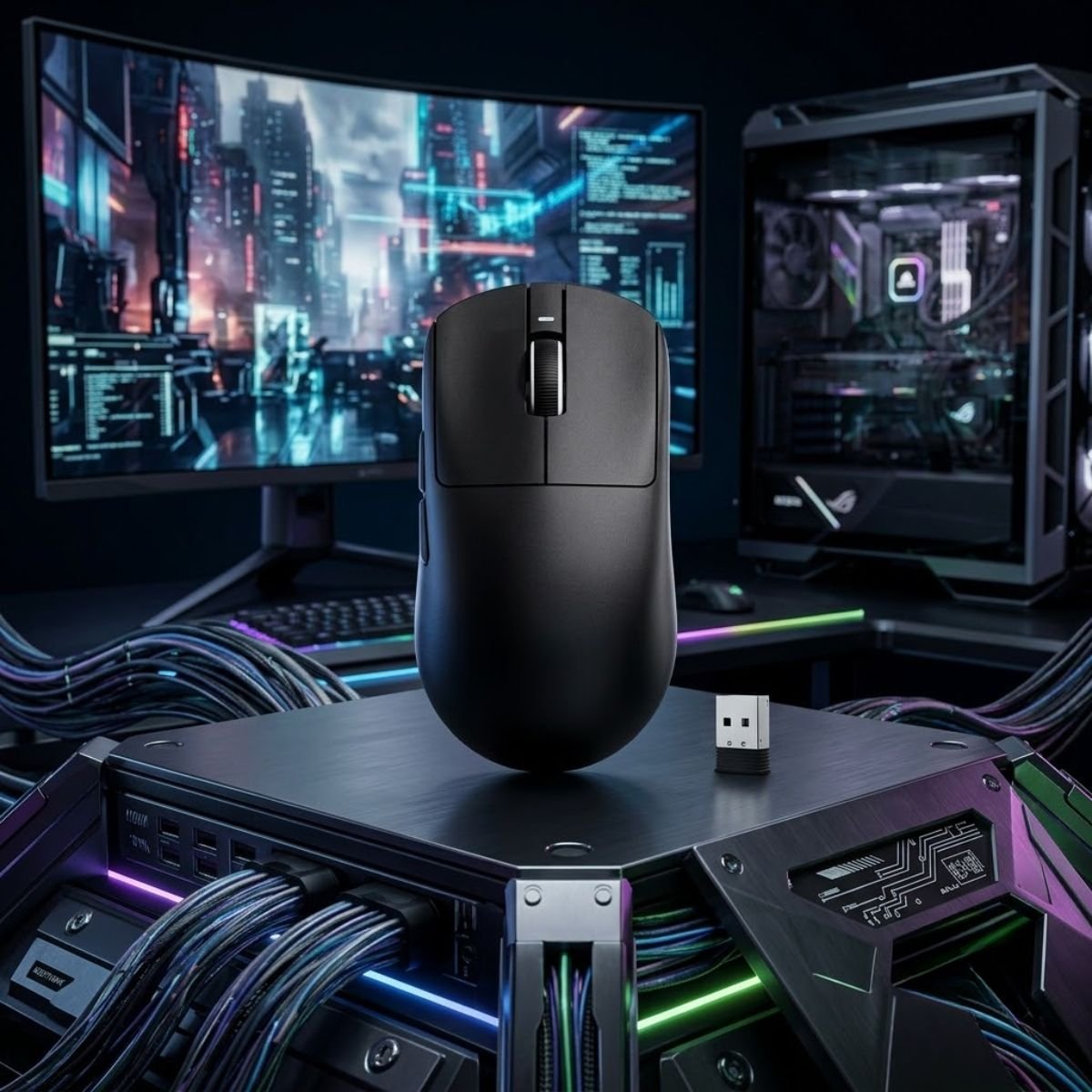
Image: ATK VXE Dragonfly R1 SE+ Lightweight Wireless Gaming Mouse
ATK VXE Dragonfly R1 SE+ Wireless Gaming Mouse
The ATK VXE Dragonfly R1 SE+ is a 55g lightweight wireless gaming mouse with a PAW3395 SE sensor, tri-mode connectivity, adjustable DPI, 2K polling, and up to 70 hours of battery life. It is built for FPS players who want faster aim adjustments at a budget-friendly price.
Current note: priced around $26.98 at the time of review. Prices may change.
Check Price on AmazonWhy Lightweight Designs Remain Popular in FPS Games
Lightweight gaming mice remain popular because they reduce the physical effort required to move the mouse repeatedly throughout a match. This advantage becomes more noticeable during long gaming sessions where accumulated fatigue can gradually influence consistency.
Many FPS players also prefer lighter mice because they allow faster directional changes. Rapid flick shots, micro-corrections, and target transitions often feel easier when less force is needed to initiate and stop movement.
While some players still prefer heavier mice for additional stability, the broader competitive gaming market has increasingly shifted toward lighter designs due to their efficiency and responsiveness.
Key Advantages of This Lightweight Pick
The ATK VXE Dragonfly R1 SE+ distinguishes itself by offering more than just a low weight figure. It combines lightweight construction with specifications that are typically associated with significantly more expensive products.
The most important advantages include:
- Ultra-lightweight 55g design.
- Reduced fatigue during long gaming sessions.
- Easier micro-adjustments and target corrections.
- Flexible tri-mode connectivity options.
- Strong value relative to its price category.
These characteristics create a mouse that feels agile without becoming difficult to control. Rather than relying solely on low weight as a marketing feature, the overall package remains practical for a wide range of FPS players.
Who Should Consider This Option
The VXE Dragonfly R1 SE+ is particularly appealing to players who enjoy rapid movements and frequent aim adjustments. It helps users maintain a fluid aiming style while reducing the effort associated with repeated mouse movement.
Players who use lower sensitivities may also appreciate the reduced physical workload that comes with a lighter design, especially when performing large arm movements across extended mousepad surfaces.
Because of its combination of low weight, modern hardware, and aggressive pricing, the VXE Dragonfly R1 SE+ offers one of the strongest lightweight gaming mouse value propositions currently available under $30.
Overall, it is the ideal recommendation for FPS players who want speed, efficiency, and comfort without exceeding a strict budget.
Best Gaming Mouse Under $30 for Tactical FPS Games Like Valorant and CS2
The SteelSeries Prime is the best gaming mouse under $30 for tactical FPS games because it emphasizes precision, click consistency, and controlled aiming rather than raw movement speed. It helps players maintain stable crosshair placement and execute more confident shots in games where a single bullet can decide the outcome of a round.
Tactical shooters such as Valorant and Counter-Strike 2 reward a very different aiming style than movement-heavy FPS titles. Players spend more time holding angles, pre-aiming common positions, and carefully controlling crosshair placement than they do continuously tracking opponents across the screen. Because of this, the ideal mouse for tactical shooters often prioritizes stability and predictability over maximum agility.
Within the under-$30 category, the SteelSeries Prime stands out because its design philosophy aligns closely with the requirements of tactical FPS gameplay. Instead of focusing on flashy features, it was developed around competitive esports fundamentals that remain valuable in games where precision matters most.
To better understand why the SteelSeries Prime is such a strong fit for tactical FPS games, take a look at the product below:
To better understand why the SteelSeries Prime is such a strong fit for tactical FPS games, take a look at the product below:

Image: SteelSeries Prime Esports Gaming Mouse for Tactical FPS Games
SteelSeries Prime Esports FPS Gaming Mouse
The SteelSeries Prime is an esports-focused wired gaming mouse with a 69g lightweight body, five programmable buttons, an 18K CPI TrueMove Pro sensor, magnetic optical switches, and RGB lighting. It is a strong budget pick for tactical FPS players who care about precision and consistency.
Current note: priced around $21 at the time of review. Prices may change.
Check Price on AmazonWhat Tactical Shooters Demand From a Mouse
Tactical FPS games reward consistency more than raw speed. A player may only have a fraction of a second to react during a duel, which means every movement must feel controlled and deliberate. The mouse becomes an extension of the player’s crosshair, making comfort and predictability critical factors.
Unlike battle royale games that often involve long tracking engagements, tactical shooters frequently revolve around first-shot accuracy. Players spend significant time clearing corners, holding defensive positions, and preparing for highly precise engagements where small aiming adjustments determine success or failure.
The most important characteristics for tactical FPS gaming include:
- Consistent crosshair placement.
- Predictable stopping control.
- Reliable click responsiveness.
- Comfort during long competitive sessions.
- Stable performance during precision-focused aiming.
These priorities explain why many experienced tactical FPS players place greater emphasis on shape and consistency than they do on aggressive specifications or marketing features.
Why This Mouse Fits Precision-Based Gameplay
The SteelSeries Prime was designed with competitive esports players in mind, which makes it particularly well suited for games that emphasize precision. It helps players maintain confidence during high-pressure engagements by providing a stable and predictable aiming experience.
One of its strongest characteristics is its focus on controlled gameplay. The shape encourages secure handling, while the overall design philosophy prioritizes repeatability over experimentation. This approach aligns naturally with tactical shooters where muscle memory and consistency play an important role in long-term improvement.
The biggest advantages for tactical FPS players include:
- Comfortable shape for controlled aiming.
- Strong click feel for precise shot timing.
- Reliable performance during angle holding.
- Predictable behavior during flick shots.
- Esports-oriented design philosophy.
Rather than attempting to maximize movement speed, the Prime focuses on creating a stable platform for accurate aiming. This distinction makes it particularly attractive to players who spend most of their time in Valorant and Counter-Strike 2.
Who Should Consider This Option
The SteelSeries Prime is an excellent choice for players who prefer tactical shooters and prioritize accuracy over speed. It helps users develop a consistent aiming style while maintaining confidence during precision-focused engagements.
Players who frequently play ranked Valorant, Counter-Strike 2, or other tactical shooters are likely to appreciate its emphasis on stability and predictability. These characteristics become increasingly valuable as players develop stronger mechanical skills and rely more heavily on muscle memory.
Overall, the SteelSeries Prime is one of the strongest tactical FPS gaming mouse recommendations currently available under $30 because it aligns closely with the demands of precision-based gameplay.
Best Gaming Mouse Under $30 for Fast-Paced FPS Games Like Apex and Warzone
The SteelSeries Rival 3 is the best gaming mouse under $30 for fast-paced FPS games because it supports rapid target tracking, frequent directional changes, and continuous combat scenarios. It helps players maintain smoother movement during high-mobility engagements where opponents rarely remain stationary for long.
Games such as Apex Legends and Warzone place unique demands on aiming mechanics. Instead of relying heavily on single-shot precision, these games often require players to continuously track moving targets while repositioning, sliding, jumping, and reacting to multiple threats simultaneously. As a result, the ideal mouse for this style of gameplay differs significantly from one designed primarily for tactical shooters.
Within the budget category, the SteelSeries Rival 3 provides a combination of comfort, responsiveness, and versatility that works particularly well for these faster-paced environments. Its design encourages fluid movement and adaptability, both of which are important in games where engagements rarely unfold in a predictable manner.
The following product highlights why the SteelSeries Rival 3 remains a strong budget option for players who spend most of their time in fast-paced FPS games:
The following product highlights why the SteelSeries Rival 3 remains a strong budget option for players who spend most of their time in fast-paced FPS games:
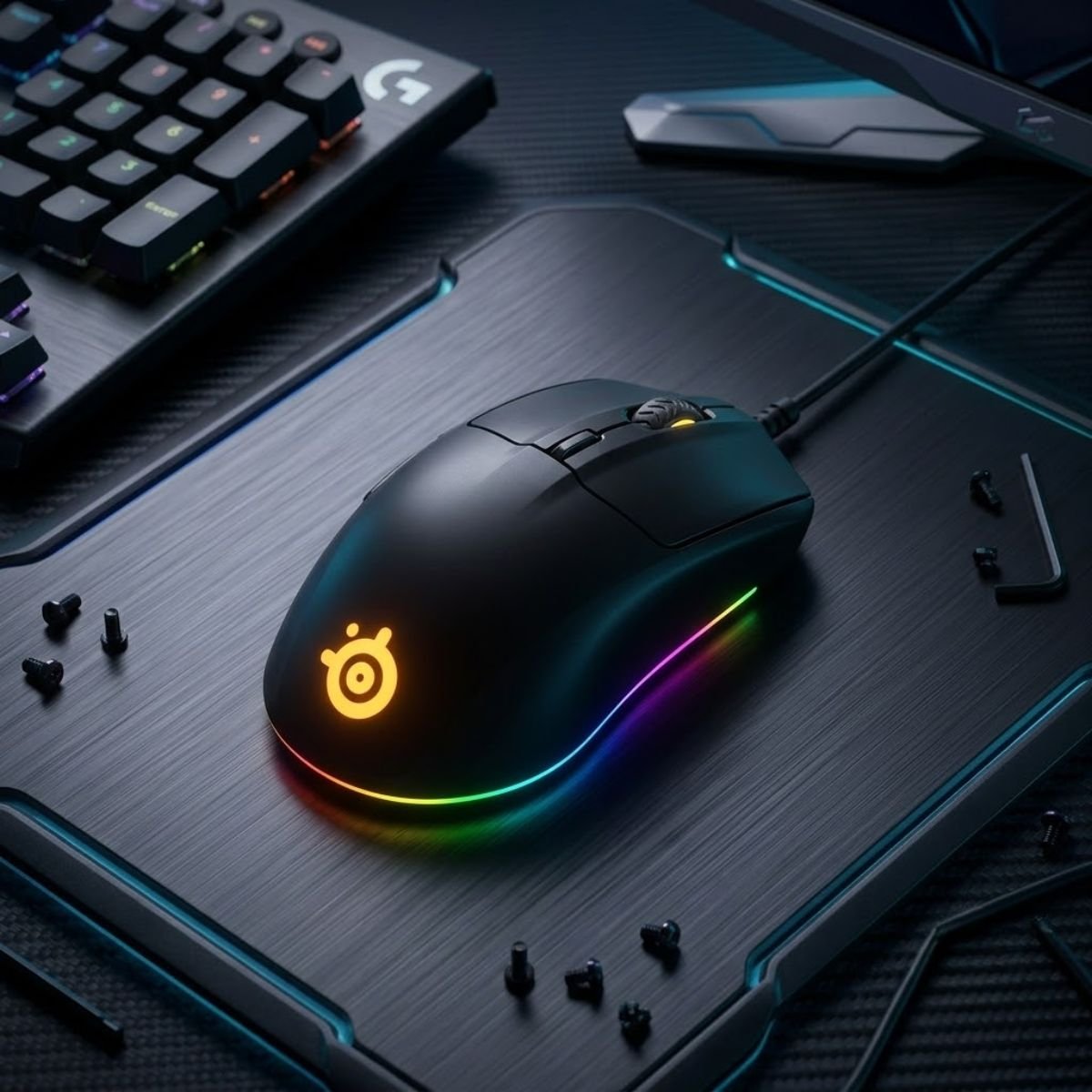
Image: SteelSeries Rival 3 Gaming Mouse for Fast-Paced FPS Games
SteelSeries Rival 3 Gaming Mouse Renewed
The SteelSeries Rival 3 Renewed is a budget-friendly gaming mouse designed for players who want a lightweight feel, comfortable handling, and responsive movement for fast-paced FPS games. It is especially useful for players who need smooth tracking in games like Apex Legends and Warzone.
Current note: renewed model priced around $18 at the time of review. Prices may change.
Check Price on AmazonWhy Tracking-Oriented FPS Games Require Different Characteristics
Tracking-heavy FPS games require players to maintain aim on moving targets for extended periods rather than relying exclusively on single-shot accuracy. This style of aiming places different demands on both the player and the mouse.
During a typical Apex Legends or Warzone engagement, opponents may change direction repeatedly while utilizing movement mechanics that force constant aim corrections. Players must therefore make dozens of small adjustments throughout a fight rather than committing to one decisive flick shot.
The most important characteristics for tracking-focused FPS games include:
- Smooth movement across the mousepad.
- Comfort during extended engagements.
- Reliable target tracking.
- Easy directional changes.
- Versatility across different combat situations.
Because these games often involve longer engagements, comfort and fluidity become increasingly important as match duration increases.
What Makes This Mouse Suitable for High-Mobility Gameplay
The SteelSeries Rival 3 succeeds because it provides a balanced platform for players who regularly engage in movement-heavy combat. It helps maintain control during continuous target tracking without feeling overly specialized or restrictive.
One of its key strengths is adaptability. The shape accommodates multiple grip styles while remaining comfortable during rapid movement sequences. This flexibility allows players to react naturally to constantly changing situations rather than fighting against the mouse itself.
The primary advantages for tracking-oriented FPS players include:
- Comfortable shape for extended gameplay.
- Reliable target tracking performance.
- Easy adaptation to different aiming situations.
- Strong overall versatility.
- Excellent value within the budget category.
These strengths make the Rival 3 particularly attractive to players who divide their time between battle royale titles, arena shooters, and other FPS genres that emphasize movement and target tracking.
Who Will Benefit Most From This Mouse
The SteelSeries Rival 3 is best suited for players who enjoy dynamic combat environments where rapid reactions and continuous tracking are more important than deliberate precision aiming. It helps users maintain control during hectic engagements without requiring a significant financial investment.
Players who regularly compete in Apex Legends, Warzone, XDefiant, or similar high-mobility shooters are likely to benefit from its balanced handling characteristics. The mouse provides enough versatility to remain useful across multiple FPS genres while still offering strengths that align closely with movement-focused gameplay.
Overall, the SteelSeries Rival 3 earns its place as the best tracking-focused gaming mouse under $30 because it supports the fluid aiming style required by many of today’s most popular fast-paced FPS games.
Which Gaming Mouse Under $30 Fits Your Grip Style Best?
The best gaming mouse under $30 for your grip style is the one that allows your hand to maintain a comfortable and repeatable position during gameplay. It helps improve consistency by reducing unnecessary strain and allowing movements to feel more natural throughout long gaming sessions.
Many buyers focus heavily on specifications such as DPI, polling rate, or weight while overlooking one of the most important factors: how they actually hold the mouse. Even an excellent gaming mouse can feel uncomfortable if its shape conflicts with your preferred grip style. This is why understanding grip compatibility is often more valuable than comparing small differences in hardware specifications.
The image below shows the three most common mouse grip styles used by FPS players:
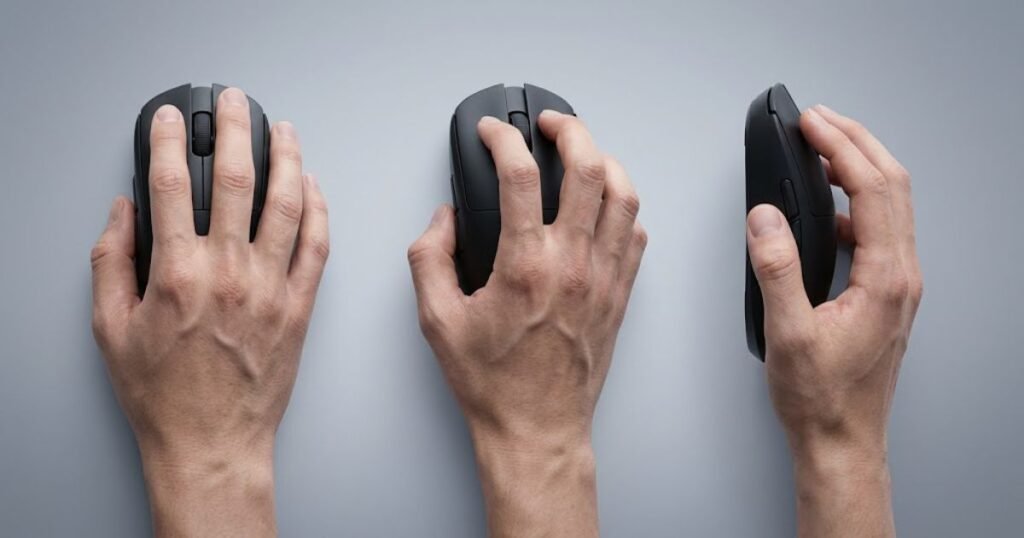
Although there is no universally perfect grip style, most FPS players naturally fall into one of three categories: palm grip, claw grip, or fingertip grip. Each style creates different demands for shape, size, and overall ergonomics.
Best Options for Palm Grip Players
Palm grip is a grip style where most of the hand rests directly on the mouse. It helps distribute pressure more evenly across the hand and often provides a comfortable experience during extended gaming sessions.
Players who use palm grip generally benefit from mice with larger bodies and fuller shapes because they provide more support across the palm. A shape that feels too small may create unnecessary tension and reduce overall comfort during long matches.
For FPS games, palm grip often favors stability and control over maximum movement speed. This makes it a popular option among players who prioritize consistency and comfort.
Best Options for Claw Grip Players
Claw grip is a grip style where the palm partially contacts the mouse while the fingers remain arched. It helps create a balance between stability and agility, making it one of the most popular grip styles among competitive FPS players.
The elevated finger position allows faster click activation and quicker directional changes while still maintaining a relatively secure hold. Because of this balance, claw grip adapts well to both tactical shooters and faster-paced FPS titles.
Players who use claw grip often prefer medium-sized symmetrical shapes that allow rapid adjustments without sacrificing overall control.
Best Options for Fingertip Grip Players
Fingertip grip is a grip style where only the fingertips contact the mouse while the palm remains elevated. It helps maximize movement freedom and enables extremely fast adjustments during gameplay.
This grip style often works best with lighter mice because reduced weight can make rapid movements feel easier to control. Fingertip grip users typically rely on finger dexterity rather than full-hand support, making shape and weight especially important.
While fingertip grip can offer exceptional agility, it may require additional practice to maintain consistency during longer gaming sessions.
The following table summarizes how different grip styles typically match with gaming mouse characteristics:
| Grip Style | Recommended Shape | Typical Mouse Size | Primary Advantage |
|---|---|---|---|
| Palm Grip | Ergonomic or Full Symmetrical | Medium to Large | Comfort and Stability |
| Claw Grip | Symmetrical | Medium | Balanced Control and Agility |
| Fingertip Grip | Compact Symmetrical | Small to Medium | Fast Adjustments |
The table above should be viewed as a starting point rather than a strict rule. Individual preferences vary, and some players may perform exceptionally well using shapes that differ from conventional recommendations.
Overall, selecting a mouse that aligns with your natural grip style can improve comfort and consistency more than chasing minor hardware differences between products.
Wired vs Wireless Gaming Mice Under $30: Which One Offers Better Value?
The better value option depends on your priorities rather than the connection type itself. Wired gaming mice help maximize performance per dollar, while wireless gaming mice help create a cleaner and more flexible gaming experience.
For many years, wired mice were considered the only serious option for competitive gaming. Today, wireless technology has advanced significantly, making both connection types viable choices for FPS players. The challenge is determining which approach provides the best value within a limited budget.
The example below highlights the visual differences between wired and wireless gaming mouse setups:
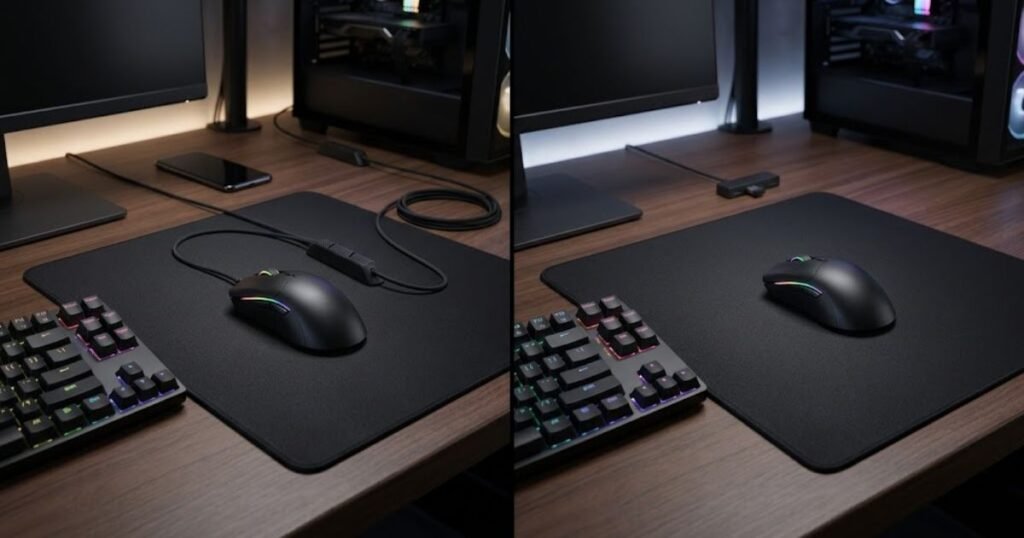
Because every dollar matters in the under-$30 category, understanding the strengths and weaknesses of each option can help buyers make a more informed decision.
Situations Where Wired Still Makes More Sense
Wired gaming mice remain popular because they often provide the strongest value at lower price points. They help manufacturers allocate more of the budget toward core gaming features rather than batteries, wireless hardware, and charging systems.
As a result, buyers frequently gain access to better components, stronger build quality, or more established gaming brands when choosing wired options within the same budget range.
Wired mice are also attractive for players who prefer a simple plug-and-play experience without worrying about battery management. For buyers who have already decided that a wired connection is the better fit, the best wired gaming mouse under $30 comes down to differences in shape, weight, sensor performance, and overall value.
Situations Where Wireless Is Worth Paying For
Wireless gaming mice are attractive because they eliminate cable drag and reduce desk clutter. They help create a cleaner gaming environment while providing greater freedom of movement during gameplay.
For players who strongly dislike cables or frequently move their equipment between locations, the convenience of wireless gaming may justify spending a larger portion of the available budget on connectivity.
As wireless technology continues to improve, many budget wireless mice are becoming increasingly capable of supporting competitive gameplay.
The following table compares the most important differences between wired and wireless gaming mice under $30:
| Feature | Wired | Wireless |
|---|---|---|
| Typical Value | Higher | Moderate |
| Cable Management | Required | Not Required |
| Battery Maintenance | None | Required |
| Setup Flexibility | Lower | Higher |
| Budget Availability | More Options | Fewer Options |
The comparison above shows why wired mice often dominate the budget category. Buyers simply gain access to a larger selection of strong options when wireless hardware is removed from the manufacturing cost.
Consider the following decision process:
- Determine whether wireless freedom is a high priority.
- Evaluate your available budget flexibility.
- Consider your desk setup and cable management preferences.
- Compare available models within your target price range.
Following this process can simplify the decision and prevent buyers from paying extra for features they may not actually need.
Overall, wired mice usually offer better raw value under $30, while wireless mice provide greater convenience for players who prioritize a cleaner setup.
What Features Matter Most When Buying a Gaming Mouse Under $30?
The most important gaming mouse features under $30 are the ones that directly influence comfort, control, and consistency. They help players improve their gaming experience far more than cosmetic features or extreme specification numbers.
Because budget gaming mice often compete aggressively on marketing, buyers are frequently exposed to long lists of features that sound impressive but contribute very little to actual gameplay. Understanding which characteristics deserve attention can make the buying process significantly easier.
Rather than focusing on the longest specification sheet, buyers should prioritize the elements that influence everyday gaming performance.
Features Worth Prioritizing
The most valuable gaming mouse features are the ones that affect how the mouse feels and performs during real gameplay. They help create a more predictable and enjoyable experience regardless of the game being played.
The following features deserve the highest priority:
- Shape: Comfort and grip compatibility should always be near the top of the decision-making process.
- Weight: Mouse weight influences movement speed, control, and fatigue.
- Sensor Reliability: Consistent tracking is more important than extreme sensitivity figures.
- Build Quality: A solid construction contributes to long-term durability and confidence.
These factors remain relevant long after the excitement of a new purchase has faded, which is why they deserve more attention than many advertised specifications.
Features That Matter Less Than Most Buyers Think
Several commonly advertised features receive significant marketing attention despite having a relatively small impact on actual FPS performance. Understanding this distinction can help buyers avoid unnecessary spending.
The following features are often overvalued:
- Extreme DPI Numbers: Most players never use the highest sensitivity settings advertised on product pages.
- RGB Lighting: Lighting customization rarely affects gaming performance.
- Aggressive Marketing Claims: Promotional language often exaggerates real-world benefits.
These features may still provide value depending on personal preference, but they should not outweigh considerations such as comfort, shape, and overall usability.
Players who want additional recommendations focused specifically on maximizing value can also explore our guide to the best cheap gaming mouse for FPS.
Overall, prioritizing shape, weight, sensor reliability, and build quality will usually lead to a better purchasing decision than focusing on cosmetic features or marketing specifications.
Common Mistakes People Make When Buying a Gaming Mouse Under $30
The most common gaming mouse buying mistakes occur when buyers focus on marketing claims instead of real-world usability. These mistakes often lead to uncomfortable purchases, inconsistent gameplay experiences, and unnecessary spending despite having a limited budget.
The image below demonstrates several common mistakes buyers make when selecting a gaming mouse:
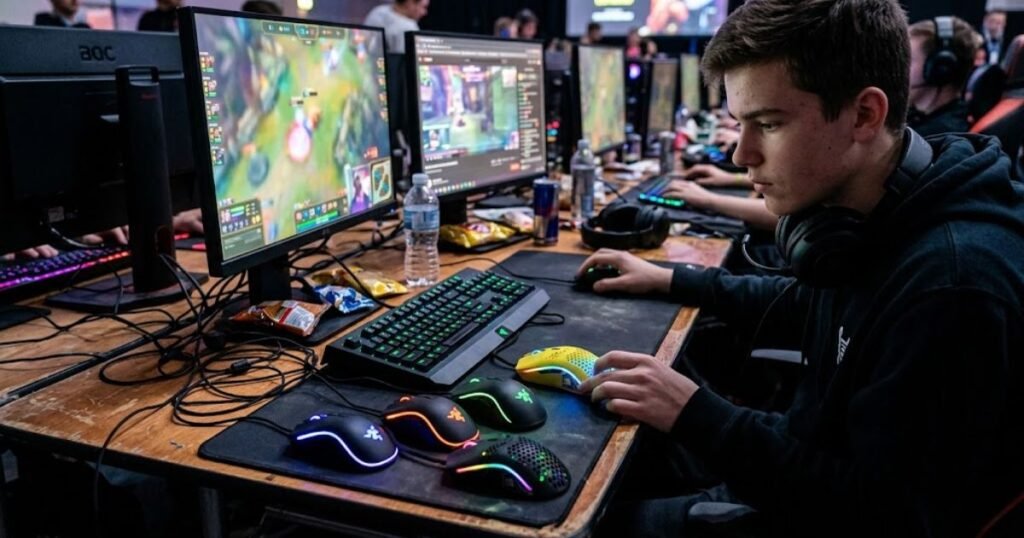
The good news is that most of these problems can be avoided with a better understanding of what actually influences FPS performance. Rather than chasing impressive specifications, buyers should focus on the factors that affect comfort, control, and long-term satisfaction.
Choosing Based Only on DPI Numbers
One of the most common mistakes is assuming that a higher DPI number automatically means better gaming performance. While DPI affects cursor sensitivity, extremely high DPI settings rarely provide meaningful advantages for most FPS players.
Many gaming mouse advertisements promote five-digit DPI ratings because they look impressive on product pages. However, competitive FPS players often use significantly lower settings that prioritize consistency and precision instead of raw sensitivity.
Focusing exclusively on DPI can distract buyers from more important factors such as shape, weight, and overall comfort. These characteristics typically have a much larger impact on gameplay than extremely high sensitivity settings.
Ignoring Shape and Comfort
Another frequent mistake is purchasing a gaming mouse based solely on reviews without considering hand size or grip style. A mouse that works perfectly for one player may feel uncomfortable for another due to differences in ergonomics and personal preference.
Shape influences how naturally a mouse fits the hand, while comfort affects how consistently a player can perform during long gaming sessions. Even excellent hardware specifications cannot compensate for a shape that feels awkward or restrictive.
This is why experienced FPS players often evaluate ergonomics before comparing technical specifications. A comfortable mouse encourages better consistency and reduces fatigue over time.
Prioritizing Features Instead of Performance
Many buyers become attracted to RGB lighting, excessive customization options, or long feature lists while overlooking the characteristics that actually affect gameplay. Although these extras can improve aesthetics and personalization, they rarely influence aiming performance directly.
Budget-conscious buyers should instead focus on practical considerations such as tracking reliability, build quality, button feel, and overall comfort. These areas contribute more to everyday gaming satisfaction than cosmetic additions.
The most common buying mistakes include:
- Choosing a mouse based solely on DPI specifications.
- Ignoring grip style and hand size compatibility.
- Prioritizing RGB lighting over comfort.
- Selecting the cheapest option available without evaluating overall value.
Understanding these mistakes can help buyers make more informed decisions and avoid products that fail to meet their expectations after extended use.
Overall, successful gaming mouse purchases are usually driven by comfort, consistency, and usability rather than marketing claims or flashy features.
Frequently Asked Questions About Gaming Mice Under $30
Choosing a gaming mouse under $30 often raises additional questions about performance, durability, wireless technology, and overall value. The following answers address some of the most common concerns FPS players have before making a purchase decision.
Is a Gaming Mouse Under $30 Good Enough for FPS Games?
Yes. A gaming mouse under $30 can provide reliable FPS performance when it offers a comfortable shape, dependable tracking, and responsive clicks. Many budget-friendly models are fully capable of supporting competitive gameplay without requiring a premium investment.
What Is the Best Wireless Gaming Mouse Under $30?
The Logitech G305 LIGHTSPEED is one of the strongest wireless options available under $30 when purchased at a discounted or renewed price. It combines wireless convenience with proven gaming performance and long battery life.
Is Logitech G203 LIGHTSYNC Still Worth Buying in 2026?
Yes. The Logitech G203 LIGHTSYNC remains a strong recommendation because it offers a balanced combination of comfort, reliability, software support, and affordability. It continues to provide excellent value for FPS players on a budget.
Can a Budget Gaming Mouse Improve Aim?
A budget gaming mouse can improve aim if it offers a comfortable shape and reliable tracking. While hardware alone cannot replace practice, using a mouse that feels consistent can make it easier to develop better aiming habits.
Should I Choose a Wired or Wireless Gaming Mouse?
The decision depends on personal preference. Wired mice often provide better value under $30, while wireless mice offer greater convenience and a cleaner gaming setup.
Is a Lightweight Gaming Mouse Better for FPS Games?
Not always. Lightweight mice can reduce fatigue and make rapid movements feel easier, but some players prefer slightly heavier mice for additional control and stability. The ideal weight varies between individuals.
What DPI Setting Is Best for FPS Gaming?
There is no single best DPI setting for every player. Many FPS gamers use moderate DPI settings combined with in-game sensitivity adjustments to create a comfortable balance between speed and precision.
Are Renewed Gaming Mice Worth Buying?
Renewed gaming mice can provide excellent value when purchased from reputable sellers. Buyers should review warranty information, seller ratings, and product condition details before completing a purchase.
How Long Should a Gaming Mouse Under $30 Last?
A quality gaming mouse under $30 can often last several years with proper care. Durability depends on factors such as build quality, usage habits, and environmental conditions.
Which Grip Style Is Best for FPS Games?
No grip style is universally superior. Palm grip emphasizes comfort, claw grip balances agility and control, while fingertip grip maximizes movement freedom. The best option is the one that feels most natural to the individual player.
What Is the Best Gaming Mouse Under $20?
The Redragon Wired Gaming Mouse is one of the strongest options in the under-$20 category because it offers gaming-focused features at a very affordable price point.
Which Gaming Mouse Under $30 Is Best for Beginners?
The Logitech G203 LIGHTSYNC is often the safest recommendation for beginners because it combines accessibility, comfort, reliability, and strong overall value within a budget-friendly package.
Final Verdict: Which Gaming Mouse Under $30 Should You Buy?
The best gaming mouse under $30 ultimately depends on your preferred games, grip style, and personal priorities. Fortunately, the current budget gaming mouse market offers several excellent options that cater to different types of FPS players without requiring a large financial commitment.
Best Overall Choice
The Logitech G203 LIGHTSYNC is the strongest all-around recommendation for most players because it delivers a balanced combination of comfort, reliability, software support, and value.
Best Wireless Choice
The Logitech G305 LIGHTSPEED remains one of the safest wireless gaming mouse recommendations under $30 thanks to its dependable wireless performance and proven gaming pedigree.
Best Lightweight Choice
The ATK VXE Dragonfly R1 SE+ stands out for players who prioritize rapid movements, reduced fatigue, and a modern lightweight design.
Best Tactical FPS Choice
The SteelSeries Prime is the strongest recommendation for Valorant and Counter-Strike 2 players who value precision, consistency, and controlled aiming.
Best Tracking FPS Choice
The SteelSeries Rival 3 is an excellent option for Apex Legends, Warzone, and other movement-heavy FPS games that reward continuous target tracking.
Best Budget Value Choice
The Redragon Wired Gaming Mouse offers one of the lowest entry costs while still providing features designed specifically for gaming.
Players who focus primarily on Counter-Strike 2 may also benefit from exploring our dedicated guide to the best budget mouse for CS2 for additional recommendations tailored to tactical FPS gameplay.
Whether you prioritize wireless freedom, lightweight movement, tactical precision, or maximum affordability, there is now a gaming mouse under $30 capable of supporting your FPS journey.
At GearTP, our goal is to help FPS players find gaming gear that delivers meaningful performance improvements without exceeding their budget.
Thank you for reading, and we hope this guide helps you find the best gaming mouse under $30 for your FPS gaming needs.