
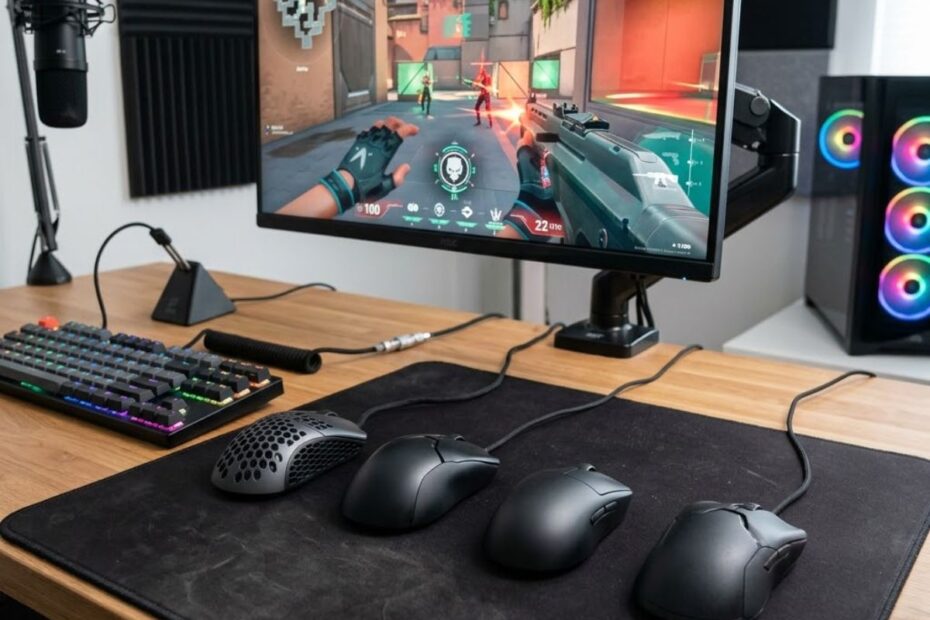
The best gaming mouse for tracking FPS games is one that delivers smooth target following, predictable movement control, and long-term comfort during extended gaming sessions. While many gaming mice advertise impressive specifications, tracking performance is primarily determined by shape, weight, and sensor consistency rather than extreme DPI values.
Games such as Apex Legends, Overwatch 2, and The Finals place a heavy emphasis on continuous target tracking. In these situations, choosing the right mouse can make maintaining crosshair contact feel significantly easier and more consistent.
Players who want a broader understanding of competitive mouse performance can also explore our complete guide to gaming mouse for FPS games before selecting a tracking-focused model.
What Features Matter Most in a Tracking-Focused Gaming Mouse?
A tracking-focused gaming mouse should provide stable movement, reliable control, and minimal fatigue during continuous aim adjustments. Mouse shape, weight, and sensor stability have the greatest influence on tracking performance because they directly affect how naturally a player can follow moving targets.
The example below highlights several key factors that influence tracking performance:
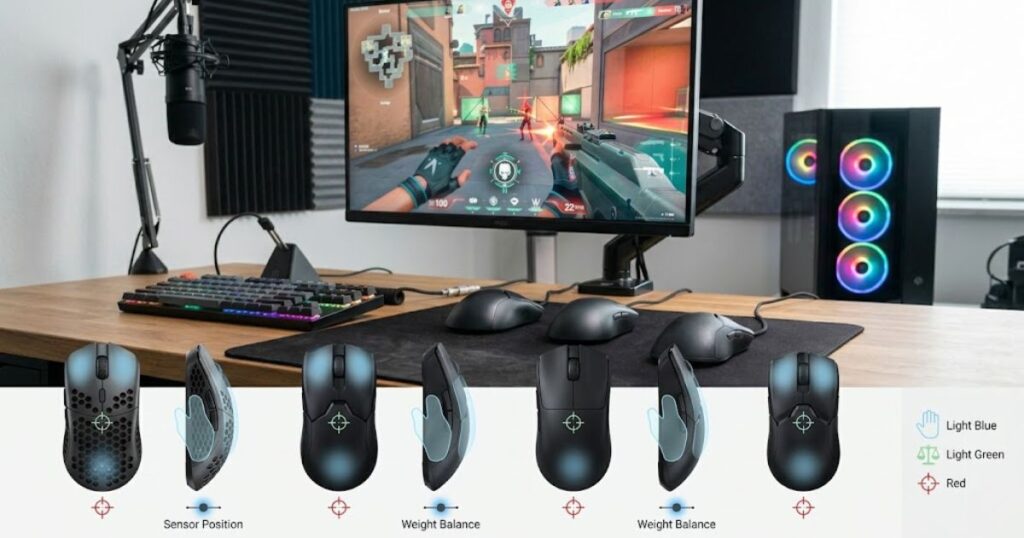
Unlike flick aiming, tracking requires constant corrections throughout an engagement. The longer your mouse stays in motion, the more important comfort, balance, and consistency become.
Why Mouse Shape Influences Tracking Consistency
Mouse shape influences tracking consistency because it determines how comfortably your hand can maintain control during continuous movement. A shape that matches your grip style allows smoother adjustments and reduces unnecessary strain during long gaming sessions.
Tracking often requires hundreds of small corrections within a single match. If a mouse shape creates discomfort or limits movement freedom, maintaining accurate crosshair placement becomes increasingly difficult over time.
Many competitive players prefer symmetrical shapes for their balanced movement characteristics, while others achieve better control with ergonomic designs that provide additional palm support. The ideal shape depends on how you naturally aim and control the mouse.
Ultimately, shape is often the first factor that determines whether a gaming mouse feels comfortable and reliable for tracking-focused gameplay.
Why Weight Affects Continuous Target Tracking
Mouse weight affects tracking because it influences how quickly and effortlessly a player can react to changing target movement. Lighter mice generally require less force to accelerate, stop, and redirect during tracking scenarios.
Continuous tracking places a greater physical demand on the hand than occasional flick shots. Excessive weight can increase fatigue and make rapid directional adjustments feel slower during extended matches.
Modern competitive gaming mice typically target lower weight ranges because they provide a strong balance between speed and control. However, the lightest mouse is not always the best choice if it sacrifices comfort or stability.
The best tracking mouse weight is the one that allows smooth movement without creating unnecessary fatigue or reducing confidence during target-following situations.
Why Sensor Stability Matters More Than High DPI Numbers
Sensor stability matters more than high DPI numbers because accurate tracking depends on consistent movement translation rather than maximum sensitivity. A reliable sensor ensures that every physical movement is reflected predictably on screen.
Many gaming mice promote extremely high DPI values, but most competitive FPS players never use those settings. Instead, they prioritize sensors that remain stable during both slow corrections and fast directional changes.
A dependable sensor helps build stronger muscle memory because the mouse behaves consistently across different tracking scenarios. This reliability becomes particularly valuable when following fast-moving opponents in competitive matches.
For tracking-focused FPS gameplay, sensor consistency is far more important than chasing the highest DPI specification available.
The table below compares the most important tracking mouse characteristics:
| Feature | Impact on Tracking | Importance Level |
|---|---|---|
| Shape | Determines comfort and movement control | Very High |
| Weight | Affects speed, responsiveness, and fatigue | High |
| Sensor Stability | Ensures predictable cursor movement | High |
| Balance | Influences overall handling feel | Medium |
| Maximum DPI | Limited impact on real tracking performance | Low |
These characteristics collectively determine how comfortable and effective a gaming mouse feels during tracking-focused FPS gameplay. Understanding their importance makes it easier to evaluate recommendations and choose a mouse that supports your preferred aiming style.
Best Overall Gaming Mouse for Tracking FPS Players
The Logitech G PRO X Superlight 2 is the best overall gaming mouse for tracking FPS players because it combines a lightweight design, safe symmetrical shape, reliable sensor performance, and broad compatibility across different grip styles. For most players, it offers the easiest path to consistent tracking performance without requiring major adjustments to existing aiming habits.
Tracking-focused FPS players often need a mouse that performs well across multiple scenarios rather than excelling in only one area. The G PRO X Superlight 2 stands out because it balances speed, stability, comfort, and long-session usability better than most alternatives currently available.
If you want to compare tracking-focused recommendations with broader competitive options, see our list of top gaming mice for FPS games.
Logitech G PRO X Superlight 2 Overview
The Logitech G PRO X Superlight 2 is a lightweight wireless gaming mouse designed for competitive esports performance. Its combination of low weight, responsive wireless technology, and versatile shape makes it one of the strongest choices for players who rely heavily on continuous target tracking.
Unlike many specialized mice that cater to a narrow audience, the G PRO X Superlight 2 works effectively for a wide range of hand sizes and grip styles. This versatility helps explain why it remains a popular option among competitive FPS players across different games and playstyles.
The mouse also benefits from a highly refined shape that allows precise micro-adjustments without feeling overly aggressive or restrictive. During tracking-heavy engagements, this balanced design can help maintain smoother crosshair control when targets change direction unexpectedly.
The image below shows the type of balanced design many tracking players prefer:
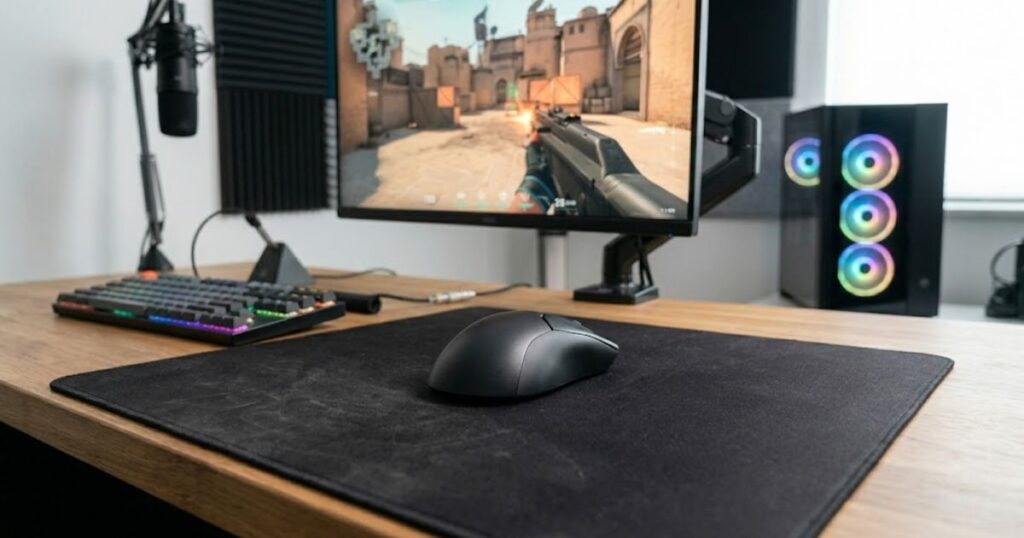
One mouse consistently stands out for balanced tracking performance across nearly every competitive FPS title:
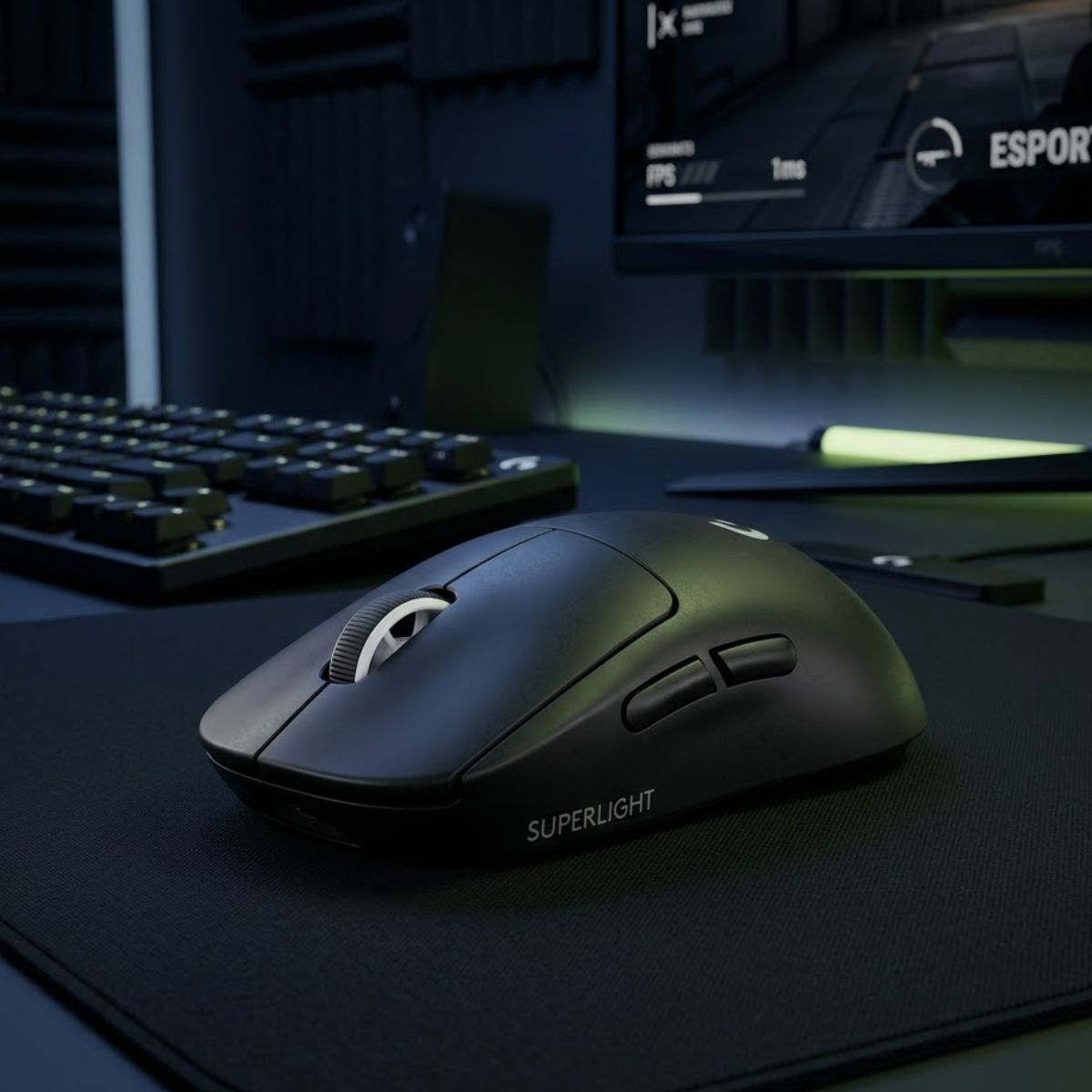
Best Overall
Logitech G PRO X Superlight 2
The Logitech G PRO X Superlight 2 is the safest overall recommendation for tracking FPS players thanks to its balanced shape, lightweight design, and consistent performance across multiple competitive games.
Check Price on AmazonThe table below summarizes the key specifications of the Logitech G PRO X Superlight 2:
| Specification | Details |
|---|---|
| Connection | Wireless |
| Weight | Approximately 60 g |
| Sensor | HERO 2 Sensor |
| Maximum DPI | 32,000 DPI |
| Polling Rate | Up to 8,000 Hz Compatible |
| Shape Type | Symmetrical |
These specifications help explain why the G PRO X Superlight 2 performs so consistently across a wide variety of tracking-focused FPS environments.
Who Should Choose the Logitech G PRO X Superlight 2
The Logitech G PRO X Superlight 2 is best suited for players who want a safe and versatile tracking mouse without committing to a highly specialized shape. It works particularly well for users who play multiple FPS titles and need one mouse that can adapt to different aiming requirements.
Players who use claw grip, relaxed claw grip, or fingertip grip often find the shape easy to control because it provides freedom of movement without forcing the hand into a specific position. This flexibility makes it a strong option for both wrist-based and hybrid tracking styles.
It is also an excellent choice for players transitioning from older competitive mice because the shape feels familiar while still delivering modern performance improvements. This reduces the learning curve that sometimes accompanies more aggressive designs.
Players looking for an all-around recommendation beyond tracking performance can also check our guide to the best gaming mouse for FPS games overall.
For most FPS players, the Logitech G PRO X Superlight 2 remains one of the safest and most effective tracking mouse recommendations available today due to its balance of comfort, performance, and adaptability.
Best Lightweight Gaming Mice for Fast Tracking Movements
The best lightweight gaming mice for fast tracking movements prioritize speed, effortless control, and reduced fatigue during extended play sessions. Lower weight can make following unpredictable targets feel smoother by reducing the physical effort required to change direction rapidly.
The image below demonstrates why many competitive players prefer lightweight gaming mice:
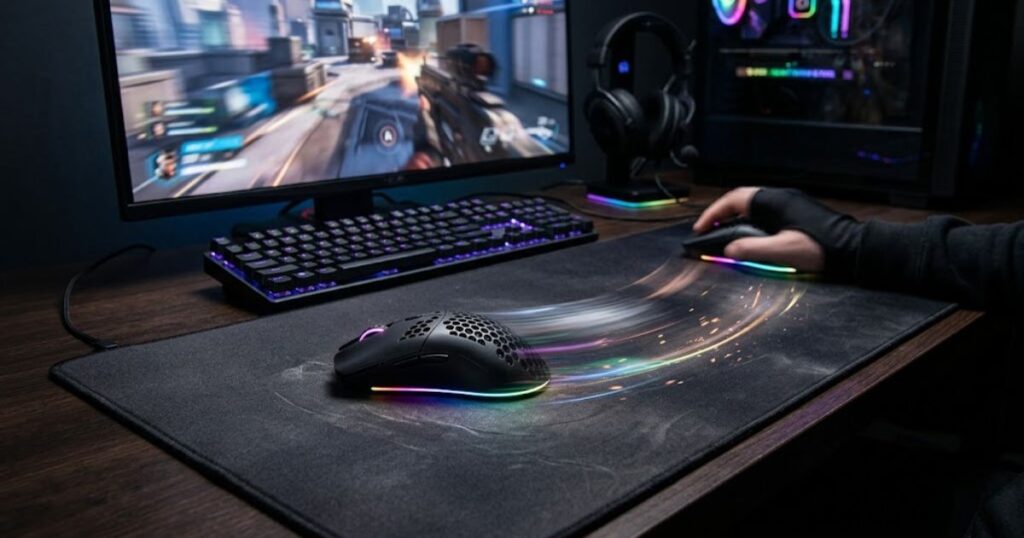
While lightweight mice are not automatically better for every player, they often provide a noticeable advantage in tracking-heavy games where continuous movement and fast corrections occur throughout every engagement. The following options stand out for players who value agility above all else.
Razer Viper V3 Pro for Competitive Tracking
The Razer Viper V3 Pro is one of the strongest tracking-focused gaming mice currently available due to its extremely lightweight design, balanced symmetrical shape, and exceptional responsiveness. It is particularly popular among players who prioritize rapid target acquisition and continuous aim adjustments.
The shape promotes fluid movement while maintaining stability during longer tracking sequences. Combined with its low weight, this allows players to make frequent directional corrections without feeling slowed down by the mouse itself.
Many competitive players appreciate the Viper V3 Pro because it delivers high-end performance while remaining comfortable enough for extended gaming sessions. This balance makes it especially attractive for fast-paced FPS environments.
For players who prioritize pure tracking precision and rapid target acquisition, the following mouse is worth considering:
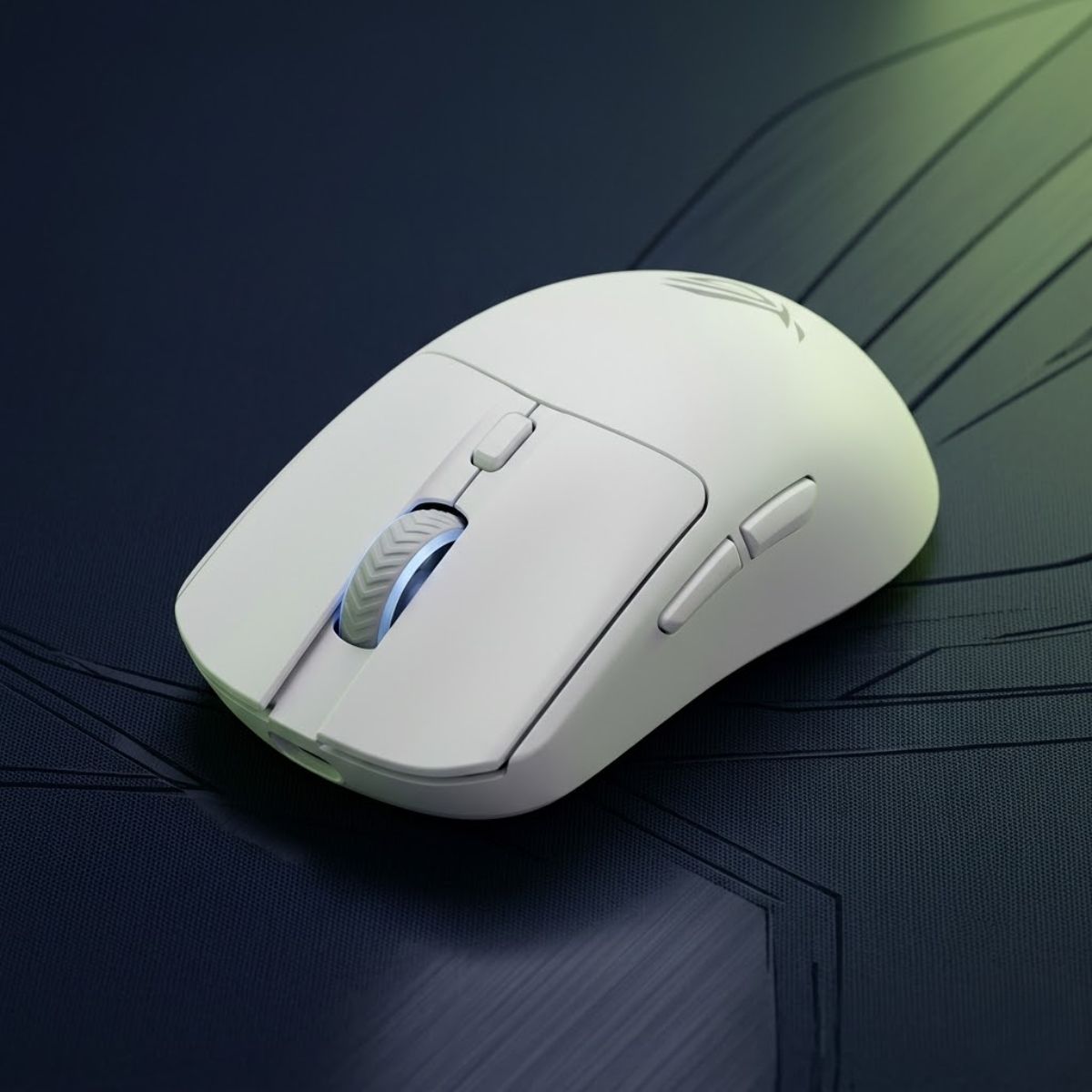
Best Ultra-Lightweight
ASUS ROG Harpe II Ace
The ASUS ROG Harpe II Ace focuses on maximum agility and minimal fatigue, helping players maintain smooth tracking during extended gaming sessions.
Check Price on AmazonASUS ROG Harpe II Ace for Ultra-Lightweight Control
The ASUS ROG Harpe II Ace targets players who want maximum freedom of movement with as little physical resistance as possible. Its ultra-lightweight design allows quick directional changes and effortless long-range tracking adjustments.
Tracking-heavy FPS games often reward players who can maintain precise control while reacting instantly to movement changes. The Harpe II Ace supports this style by minimizing the amount of force required to reposition the mouse.
Its shape remains stable despite the low weight, helping players maintain confidence during both close-range and long-range engagements. This combination makes it a compelling option for users who prefer extremely agile mice.
If minimizing hand fatigue during long tracking sessions is your priority, this lightweight option deserves attention:
Best Ultra-Lightweight
ASUS ROG Harpe II Ace
The ASUS ROG Harpe II Ace focuses on maximum agility and minimal fatigue, helping players maintain smooth tracking during extended gaming sessions.
Check Price on AmazonThe table below compares two leading lightweight gaming mice for tracking-focused FPS players:
| Mouse | Weight | Shape | Primary Strength |
|---|---|---|---|
| Razer Viper V3 Pro | 54 g | Symmetrical | Competitive tracking precision |
| ASUS ROG Harpe II Ace | 48 g | Symmetrical | Ultra-lightweight agility |
Both mice deliver excellent tracking performance, but the Viper V3 Pro prioritizes overall competitive balance while the Harpe II Ace focuses more heavily on extreme weight reduction and movement freedom.
Best Ergonomic Gaming Mouse for Long Tracking Sessions
The best ergonomic gaming mouse for long tracking sessions is one that reduces hand fatigue while maintaining smooth and predictable control. Unlike lightweight symmetrical mice that prioritize agility, ergonomic designs focus on supporting the natural shape of the hand during extended gameplay.
For tracking-heavy FPS games, comfort becomes increasingly important as match duration increases. A mouse that feels comfortable after ten minutes may not feel the same after several hours of continuous target tracking and repetitive aim adjustments.
Razer DeathAdder V3 HyperSpeed Overview
The Razer DeathAdder V3 HyperSpeed is one of the strongest ergonomic gaming mice available for tracking-focused FPS players. Its lightweight design, comfortable right-handed shape, and responsive sensor make it particularly appealing for players who rely on larger arm movements and extended gaming sessions.
Unlike many traditional ergonomic mice that prioritize comfort at the expense of agility, the DeathAdder V3 HyperSpeed maintains a competitive weight while still providing the palm support that many tracking players prefer. This balance helps reduce fatigue without making the mouse feel sluggish during fast engagements.
The shape encourages a relaxed grip posture, allowing players to maintain consistent control during long matches. This can be especially valuable in games where continuous tracking and repeated target transitions occur throughout every round.
Players who prefer ergonomic comfort and large arm movements may find the following model particularly effective:
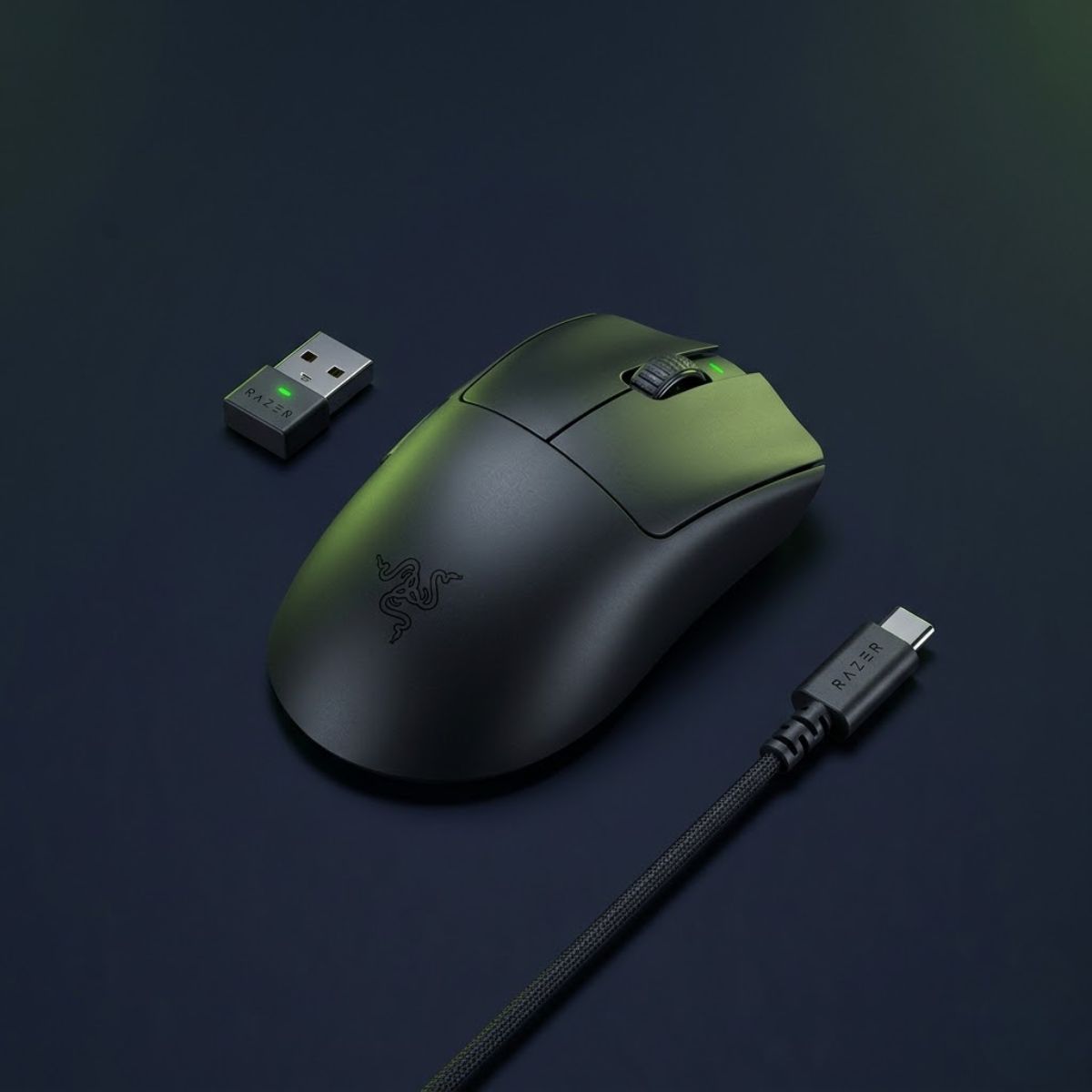
Best Ergonomic Tracking Mouse
Razer DeathAdder V3 HyperSpeed
The Razer DeathAdder V3 HyperSpeed combines a lightweight 55 g design with an ergonomic shape that supports long tracking sessions, making it an excellent choice for low-sensitivity and arm-aim FPS players.
Check Price on AmazonThe table below summarizes the key specifications of the Razer DeathAdder V3 HyperSpeed:
| Specification | Details |
|---|---|
| Connection | Wireless |
| Weight | 55 g |
| Sensor | Focus X 26K Optical Sensor |
| Maximum DPI | 26,000 DPI |
| Battery Life | Up to 100 Hours |
| Shape Type | Right-Handed Ergonomic |
These specifications highlight why the DeathAdder V3 HyperSpeed remains one of the most compelling ergonomic options for tracking-focused FPS players.
When an Ergonomic Shape Is Better Than a Symmetrical Shape
An ergonomic shape is often better than a symmetrical shape when a player prioritizes comfort, stability, and long-session endurance over maximum movement freedom. The additional palm support provided by ergonomic designs can help reduce muscle tension during extended tracking sessions.
Players who primarily use low sensitivity settings frequently perform larger arm movements. In these situations, an ergonomic mouse can provide a more secure grip and reduce the amount of effort required to maintain control throughout a match.
Symmetrical mice remain excellent options for players who frequently switch grip positions or rely heavily on fingertip control. However, players who consistently use palm grip or relaxed claw grip often find ergonomic designs more comfortable over longer periods.
Neither approach is universally better. The most effective choice depends on how you naturally aim, grip the mouse, and manage fatigue during extended gaming sessions.
The table below compares the primary advantages of symmetrical and ergonomic mouse shapes for tracking FPS games:
| Factor | Symmetrical Shape | Ergonomic Shape |
|---|---|---|
| Movement Freedom | Excellent | Good |
| Palm Support | Moderate | Excellent |
| Long-Session Comfort | Good | Excellent |
| Fingertip Grip Compatibility | Excellent | Moderate |
| Low-Sensitivity Tracking | Good | Excellent |
Both shape categories can perform exceptionally well for tracking FPS games. The decision ultimately depends on whether you value unrestricted movement or additional hand support during extended play.
Which Mouse Shape Is Best for Different Tracking Styles?
The best mouse shape for tracking depends on how you physically control your aim rather than the mouse itself. Different tracking styles place different demands on hand positioning, wrist movement, and arm involvement, making certain shape categories more suitable than others.
The comparison below illustrates how different mouse shapes support different tracking styles:
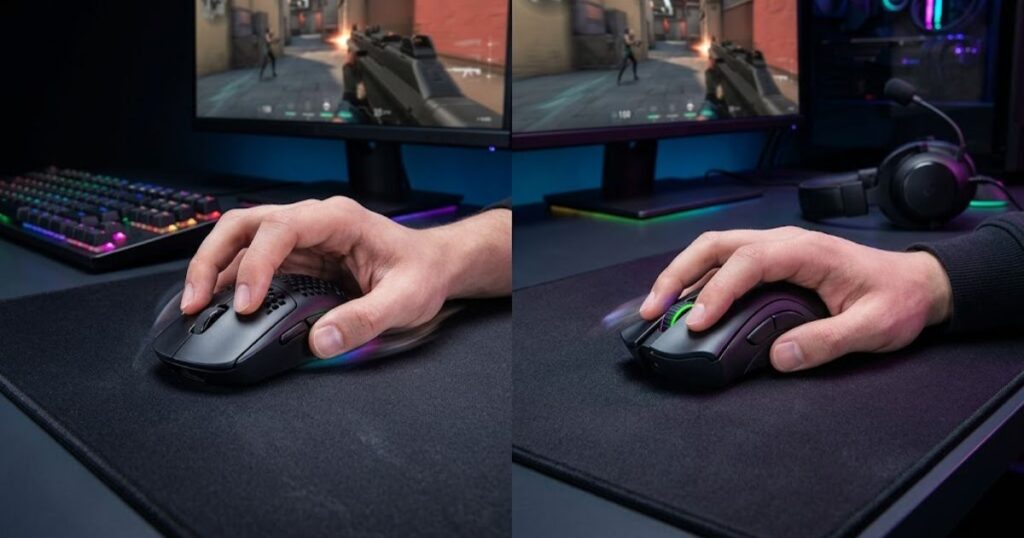
Instead of asking which shape is universally best, players should focus on identifying which shape aligns most closely with their natural movement patterns. A shape that complements your tracking style often feels more consistent than one chosen purely because of popularity or professional player usage.
Best Shapes for Wrist-Based Tracking
Wrist-based tracking generally benefits from compact and agile shapes that allow quick directional adjustments with minimal effort. Players who primarily track using wrist movements often prefer mice that feel responsive during rapid micro-corrections.
Lower-profile symmetrical designs tend to perform particularly well in this category because they allow unrestricted movement across multiple grip styles. Their balanced structure also makes it easier to perform frequent directional changes without feeling locked into a specific hand position.
Players who rely heavily on wrist movement typically prioritize agility and maneuverability over maximum palm support. As a result, smaller symmetrical shapes often become the preferred choice.
For wrist-based tracking, freedom of movement is usually more important than extensive hand support.
Best Shapes for Arm-Based Tracking
Arm-based tracking generally benefits from shapes that provide stability and support during larger movements. Since the arm contributes more heavily to aim control, maintaining a secure grip becomes increasingly important.
Many low-sensitivity players naturally gravitate toward larger shapes because they provide a more planted feeling during long tracking sequences. Additional palm contact can also reduce grip pressure and improve comfort over extended sessions.
Ergonomic designs frequently perform well in this category because they help support larger movement ranges while maintaining consistent control. This makes them particularly attractive for players who spend hours practicing tracking-intensive games.
For arm-based tracking, stability and comfort often become more valuable than maximum agility.
Best Shapes for Hybrid Tracking Styles
Hybrid tracking styles combine wrist and arm movement, requiring a shape that balances freedom, comfort, and adaptability. Players using this approach often benefit from versatile designs that perform well across multiple aiming situations.
Medium-sized symmetrical mice are commonly recommended because they provide enough support for arm movement while still allowing fast wrist corrections. This flexibility makes them suitable for a wide range of FPS titles and sensitivity settings.
Hybrid players frequently transition between different movement techniques depending on engagement distance, target speed, and game mechanics. A balanced shape helps support these adjustments without feeling restrictive.
For most players, hybrid tracking shapes provide the broadest combination of comfort, versatility, and long-term consistency.
The table below matches common tracking styles with the shape characteristics that typically work best:
| Tracking Style | Recommended Shape | Primary Benefit |
|---|---|---|
| Wrist-Based | Compact Symmetrical | Fast Corrections |
| Arm-Based | Ergonomic | Stability and Comfort |
| Hybrid | Medium Symmetrical | Versatility |
Matching your mouse shape to your natural tracking style often produces better results than simply choosing the most popular gaming mouse on the market.
Best Gaming Mouse for Apex Legends Tracking
The best gaming mouse for Apex Legends tracking is one that supports fast target transitions, smooth continuous aim adjustments, and reliable control during unpredictable movement. Because Apex Legends features high mobility mechanics, tracking performance often has a greater impact on overall aim consistency than raw flick-shot ability.
The image below shows the type of fast target movement common in Apex Legends:
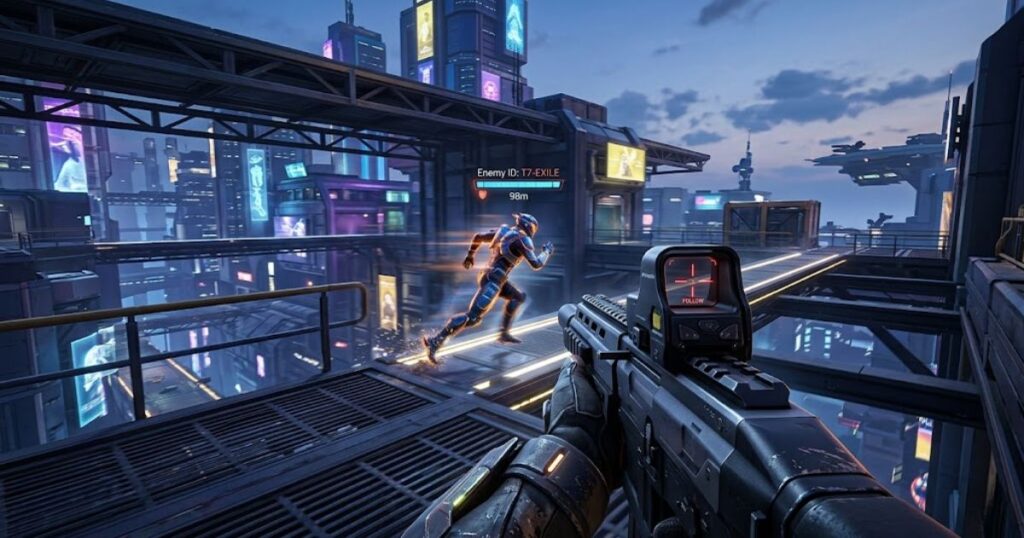
Unlike many tactical FPS games, Apex regularly forces players to follow airborne targets, sliding opponents, and rapid directional changes. This places greater emphasis on maintaining crosshair contact over extended periods rather than relying solely on first-shot accuracy.
Why Apex Legends Rewards Strong Tracking Ability
Apex Legends rewards strong tracking ability because most engagements involve targets that remain in motion throughout the fight. Players frequently encounter enemies who strafe, slide, jump, climb, or use movement abilities that make precise tracking essential.
Weapons commonly used in Apex, including SMGs and many assault rifles, achieve their highest effectiveness when players can consistently keep their crosshair on target throughout an entire magazine. Missing a few bullets can often determine the outcome of an otherwise even engagement.
This emphasis on continuous damage output explains why many experienced Apex players prioritize lightweight mice, stable sensors, and shapes that allow effortless target-following adjustments.
For Apex Legends players, tracking consistency often contributes more to long-term performance than occasional highlight-reel flick shots.
Recommended Mice for Apex Legends Players
The best gaming mice for Apex Legends generally combine low weight, balanced handling, and strong tracking characteristics. Players benefit most from mice that remain comfortable during long sessions while supporting frequent movement corrections.
The recommendations below highlight gaming mice that perform particularly well in Apex Legends tracking scenarios:
- Logitech G PRO X Superlight 2: A balanced all-around choice that delivers excellent tracking consistency across different sensitivity levels and grip styles.
- Razer Viper V3 Pro: An outstanding option for players who prioritize lightweight handling and rapid target transitions during aggressive fights.
- ASUS ROG Harpe II Ace: A strong choice for players who want maximum agility and reduced fatigue during extended gaming sessions.
- Razer DeathAdder V3 HyperSpeed: An ergonomic alternative that supports low-sensitivity tracking and larger arm movements.
These mice provide different strengths, but all of them support the smooth target-following behavior that Apex Legends rewards most heavily.
If your primary focus is precision and first-shot accuracy rather than continuous tracking, our guide to the best gaming mouse for tactical FPS games may be a better fit.
Apex players should prioritize consistency and comfort over chasing the lightest or most expensive mouse available. A mouse that complements your aiming style will almost always outperform one chosen solely because of its specifications.
Best Gaming Mouse for Overwatch 2 Tracking
The best gaming mouse for Overwatch 2 tracking is one that can adapt to different hero requirements while maintaining smooth and predictable aim control. Because Overwatch features a wide variety of movement speeds, hitbox sizes, and engagement ranges, versatility becomes particularly valuable.
Tracking remains one of the most important mechanical skills for heroes such as Tracer, Soldier: 76, Sojourn, and Sombra. Maintaining consistent crosshair contact often determines whether players can maximize damage output during fast-paced team fights.
Tracking Demands Across Different Hero Types
Different Overwatch heroes place different demands on tracking performance. Some heroes require extremely precise continuous aim, while others rely on a balance of tracking and target acquisition.
Heroes such as Tracer and Sombra frequently engage at close range against highly mobile opponents. These situations reward players who can make rapid corrections while maintaining smooth crosshair control throughout an engagement.
Soldier: 76 and Sojourn often require longer tracking sequences across multiple distances. In these cases, consistency and stability become more important than raw movement speed alone.
Understanding how your preferred heroes engage opponents can help determine which mouse characteristics deserve the highest priority.
Recommended Mice for Overwatch 2 Players
The best gaming mice for Overwatch 2 combine versatility, comfort, and responsive handling. Because players often switch between different heroes and playstyles, a balanced mouse usually performs better than a highly specialized option.
The recommendations below highlight gaming mice that work particularly well across a wide range of Overwatch heroes:
- Logitech G PRO X Superlight 2: A versatile option that adapts well to both tracking-heavy and hybrid aiming styles.
- Razer Viper V3 Pro: Ideal for highly mobile heroes that demand fast reactions and rapid directional corrections.
- Razer DeathAdder V3 HyperSpeed: A comfortable ergonomic choice for players who spend long hours practicing aim-intensive heroes.
- ASUS ROG Harpe II Ace: An excellent lightweight option for players who prioritize speed and effortless movement.
Each of these mice supports different approaches to Overwatch aim, but all of them provide the consistency needed to perform effectively across multiple hero archetypes.
Players who frequently switch heroes should generally prioritize versatility over specialization when choosing a tracking-focused gaming mouse.
How Sensitivity Changes Your Ideal Tracking Mouse
Sensitivity significantly influences which gaming mouse feels best for tracking because it changes how much physical movement is required to follow a target. The ideal mouse for a low-sensitivity player may feel completely different from the ideal mouse for someone using a high-sensitivity setup.
Understanding how sensitivity affects movement requirements can help players choose a mouse that complements their aiming style rather than fighting against it.
Best Tracking Mice for Low Sensitivity Players
Low-sensitivity players generally benefit from mice that remain comfortable during large arm movements and long tracking sequences. Stability and support often become more important than achieving the lowest possible weight.
Many low-sensitivity players prefer shapes that provide additional palm contact because they help maintain control during wide swipes across the mouse pad. Ergonomic designs frequently perform well in this environment.
The Razer DeathAdder V3 HyperSpeed and Logitech G PRO X Superlight 2 are particularly strong options because they balance comfort, control, and tracking consistency without feeling overly restrictive.
For low-sensitivity tracking, stability and comfort typically outweigh extreme weight reduction.
Best Tracking Mice for Medium Sensitivity Players
Medium-sensitivity players often have the greatest flexibility when selecting a gaming mouse because they combine both wrist and arm movement during gameplay. This hybrid approach allows a wider range of shapes and weights to perform effectively.
Balanced symmetrical mice frequently work well because they support both precise micro-corrections and larger directional adjustments. This versatility makes them suitable for multiple FPS titles and aiming styles.
The Logitech G PRO X Superlight 2 and Razer Viper V3 Pro remain particularly attractive choices because they adapt well to a variety of movement patterns.
For medium sensitivity users, versatility is often more valuable than specialization.
Best Tracking Mice for High Sensitivity Players
High-sensitivity players generally rely more heavily on wrist movement and micro-adjustments. As a result, agility and responsiveness often become more important than maximum support or stability.
Compact symmetrical mice frequently excel in this category because they allow fast directional changes while maintaining precise control during short tracking sequences. Lower weight can also make repeated corrections feel more effortless.
The Razer Viper V3 Pro and ASUS ROG Harpe II Ace are particularly well suited to players who prioritize speed and rapid target transitions.
For high-sensitivity tracking, quick responsiveness and unrestricted movement often provide the greatest advantage.
The table below matches sensitivity ranges with gaming mouse characteristics that typically perform best for tracking:
| Sensitivity Style | Recommended Mouse Type | Primary Priority |
|---|---|---|
| Low Sensitivity | Stable Ergonomic or Balanced Symmetrical | Comfort and Control |
| Medium Sensitivity | Versatile Symmetrical | Adaptability |
| High Sensitivity | Lightweight Symmetrical | Agility and Responsiveness |
Matching your mouse characteristics to your sensitivity range can improve comfort and consistency while making long-term tracking development feel more natural.
Common Mistakes When Buying a Gaming Mouse for Tracking
Many FPS players choose a gaming mouse based on specifications, marketing claims, or professional player recommendations without considering how those factors affect their own tracking performance. Avoiding a few common purchasing mistakes can often improve tracking consistency more than upgrading to a more expensive mouse.
Because tracking depends heavily on comfort, movement control, and long-term consistency, selecting a mouse that fits your individual needs is usually more important than chasing the newest specifications.
The mistakes below explain why many tracking-focused mouse purchases fail to deliver the expected results:
- Buying Based on DPI Alone: High DPI numbers rarely improve tracking performance because most competitive FPS players use moderate DPI settings that prioritize consistency over sensitivity.
- Choosing the Wrong Shape: A shape that feels uncomfortable or unnatural can negatively affect tracking regardless of how advanced the sensor may be.
- Ignoring Long-Session Comfort: Tracking-heavy games often involve hours of continuous aim adjustments, making comfort a critical factor for sustained performance.
- Copying Professional Player Setups Blindly: Professional players have unique preferences, hand sizes, grip styles, and training habits that may not match your own needs.
- Prioritizing Specifications Over Feel: A mouse that feels natural and predictable usually performs better than one chosen solely because of impressive technical specifications.
A successful tracking mouse purchase focuses on compatibility with your aiming style rather than simply selecting the most popular or expensive option available.
How to Test a Mouse Before Fully Committing to It
Testing a gaming mouse before fully committing to it allows players to verify whether it genuinely improves tracking performance. A mouse should demonstrate consistent control across different scenarios rather than feeling impressive during only a few matches.
Objective testing can also prevent buyers from confusing novelty with actual performance improvement. The following evaluation methods help determine whether a mouse truly supports your tracking style.
Tracking Tests in Aim Labs
Aim Labs provides controlled tracking exercises that make it easier to evaluate movement consistency and target-following performance. Because variables remain relatively stable, players can focus on how the mouse behaves during repeated tracking scenarios.
Exercises involving continuous target movement are particularly useful because they reveal weaknesses in comfort, control, and movement precision that may not appear during normal gameplay.
Aim Labs serves as an effective starting point for identifying whether a new mouse supports smoother and more confident tracking behavior.
Tracking Scenarios in Kovaak’s
Kovaak’s offers a wide variety of tracking scenarios that simulate different aiming challenges. These exercises can help players evaluate how a mouse performs under changing target speeds, movement patterns, and engagement distances.
Because Kovaak’s includes both simple and highly demanding tracking drills, it provides a broader perspective on overall mouse performance than relying on a single exercise alone.
Consistent results across multiple scenarios often indicate that a mouse is well suited to tracking-focused gameplay.
Real Match Tracking Evaluation
Real match performance remains the most important test because it reflects how a mouse behaves under actual gameplay conditions. Training tools are valuable, but they cannot fully replicate the unpredictability of competitive matches.
Players should evaluate whether they can maintain smoother target tracking, make more reliable corrections, and remain comfortable during longer sessions. These practical observations often reveal more useful information than benchmark scores alone.
Combining training exercises with real match evaluation creates a more complete picture of overall tracking performance.
The following process can help evaluate tracking performance effectively:
- Start with Aim Labs: Run several tracking-specific exercises to establish a performance baseline.
- Move to Kovaak’s: Test the mouse across multiple tracking scenarios with different target behaviors.
- Play Real Matches: Evaluate comfort, consistency, and tracking performance in actual gameplay situations.
- Compare Results: Review both objective performance and subjective comfort before making a final decision.
This evaluation process provides a more reliable assessment than judging a mouse after only a few matches or brief first impressions.
Recommended Tracking Setup for Most FPS Players
A balanced tracking setup combines reasonable DPI settings, manageable sensitivity, and a mouse pad that supports smooth movement. Even the best gaming mouse for tracking FPS games cannot perform at its full potential if the surrounding setup creates unnecessary limitations.
Most players benefit from a setup that emphasizes consistency and control rather than extreme settings. Small improvements across multiple areas often produce better results than dramatic changes in a single category.
Recommended DPI for Tracking
A DPI range between 400 and 1600 works well for most tracking-focused FPS players because it provides responsive cursor movement while maintaining predictable control. These values are widely used across competitive gaming because they balance precision and consistency.
Higher DPI settings are not inherently better for tracking. What matters most is selecting a value that feels comfortable and supports accurate movement translation throughout extended play sessions.
For most players, consistency is far more valuable than maximizing sensitivity.
Recommended Sensitivity Settings
Sensitivity should allow players to track targets comfortably without feeling either restricted or overly reactive. The ideal setting varies between individuals, but moderate sensitivity ranges often provide the best balance between precision and mobility.
Players should prioritize finding a sensitivity that allows smooth corrections rather than constantly adjusting settings in search of a perfect value. Consistency over time is a major contributor to tracking development.
Once a comfortable sensitivity is established, frequent changes usually create more problems than benefits.
Mouse Pad Characteristics That Improve Tracking
A mouse pad designed for consistent glide can improve tracking performance by providing predictable resistance across the entire surface. Smooth and reliable movement helps reduce unexpected interruptions during continuous aim adjustments.
Large mouse pads are particularly useful for low-sensitivity players because they provide enough space for extended tracking movements without forcing repositioning during engagements.
The goal is not to find the fastest mouse pad available but to choose one that supports consistent movement characteristics throughout daily use.
The table below summarizes a balanced tracking setup for most FPS players:
| Setup Component | Recommendation | Purpose |
|---|---|---|
| DPI | 400–1600 | Consistent Cursor Control |
| Sensitivity | Moderate and Stable | Reliable Tracking Adjustments |
| Mouse Pad | Large Consistent Surface | Smooth Continuous Movement |
A balanced setup allows the mouse, sensitivity, and surface to work together, creating a more stable foundation for long-term tracking improvement.
Frequently Asked Questions About Tracking Gaming Mice
Players often have additional questions about tracking-focused gaming mice, particularly when comparing shapes, weights, and setup choices. The answers below address some of the most common concerns.
What is the best gaming mouse for tracking FPS games?
The Logitech G PRO X Superlight 2 is one of the best overall options because it combines a safe shape, lightweight design, and strong tracking consistency across multiple FPS titles.
Is a lightweight mouse better for tracking?
A lightweight mouse can make target-following adjustments feel easier, but comfort and shape compatibility remain equally important factors.
Does mouse shape matter more than DPI for tracking?
Yes. Shape influences comfort, control, and movement quality, while DPI primarily affects sensitivity.
Is the Logitech G PRO X Superlight 2 good for Apex Legends?
Yes. Its balanced design and tracking consistency make it a strong choice for Apex Legends players.
Is the Razer Viper V3 Pro worth it for tracking aim?
Yes. The lightweight design and responsive handling make it one of the strongest tracking-focused gaming mice available.
Are ergonomic mice better than symmetrical mice for tracking?
Not always. Ergonomic shapes often improve comfort, while symmetrical shapes usually provide greater movement freedom.
What mouse weight is ideal for tracking FPS games?
Many competitive players prefer mice between 45 and 65 grams because they balance agility and control.
Which grip style works best for tracking?
No single grip style is universally best. The ideal choice depends on individual comfort and aiming habits.
Do professional Apex players prefer lightweight gaming mice?
Many do because lightweight designs support fast target transitions and reduced fatigue during long sessions.
Does polling rate improve tracking accuracy?
Higher polling rates can improve responsiveness, but they usually provide smaller benefits than shape, weight, and sensor quality.
Can a mouse pad affect tracking performance?
Yes. A consistent mouse pad surface can improve movement predictability and support smoother tracking adjustments.
How can I tell if a mouse improves my tracking?
Improved consistency, reduced fatigue, and more reliable target-following performance are strong indicators that a mouse fits your tracking style.
Final Verdict: Which Tracking FPS Mouse Should You Choose?
The best gaming mouse for tracking FPS games depends on your preferred aiming style, sensitivity settings, and comfort requirements. However, a few models consistently stand out for their ability to deliver reliable tracking performance across a wide variety of competitive environments.
Best Overall Tracking Mouse
The Logitech G PRO X Superlight 2 remains the safest recommendation for most FPS players because it balances comfort, versatility, and tracking consistency exceptionally well.
Best Lightweight Tracking Mouse
The Razer Viper V3 Pro excels at fast target transitions and continuous tracking while maintaining an extremely lightweight design.
Best Ultra-Lightweight Tracking Mouse
The ASUS ROG Harpe II Ace is ideal for players who prioritize maximum agility and minimal fatigue during long gaming sessions.
Best Ergonomic Tracking Mouse
The Razer DeathAdder V3 HyperSpeed provides excellent comfort and stability for players who rely on larger arm movements and extended tracking sessions.
Choosing a mouse that matches your natural aiming style will almost always provide better results than simply selecting the most popular option on the market.
Thanks for reading.