
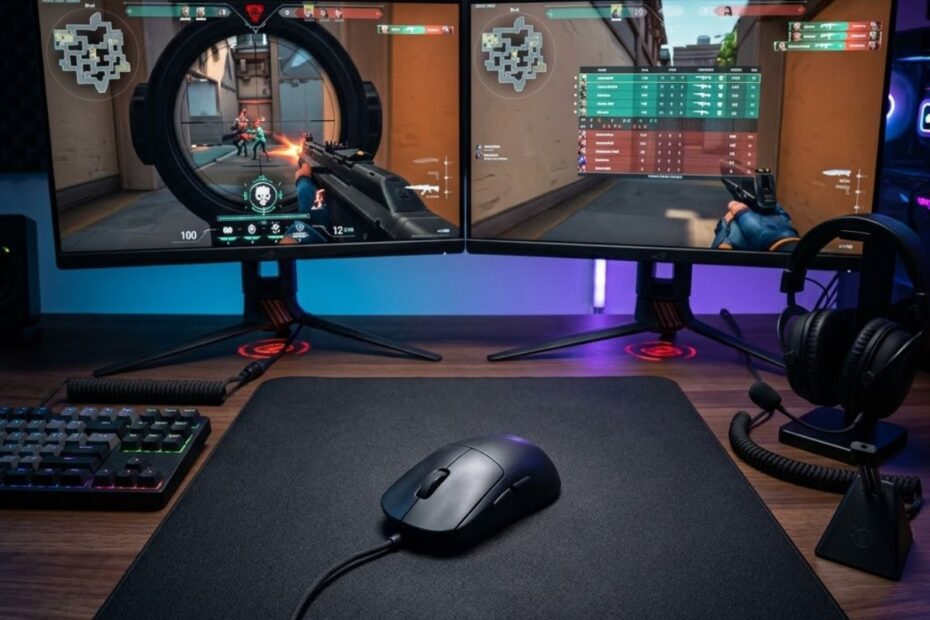
The best gaming mouse for FPS games overall in 2026 is the Razer Viper V3 Pro because it delivers the strongest balance of lightweight control, sensor precision, shape versatility, and competitive reliability. It is not only fast, but also stable enough for tactical shooters and responsive enough for tracking-heavy FPS games. For most competitive players who want one premium mouse instead of several specialized options, it is the safest overall pick.
Buying an FPS gaming mouse is harder now because many modern mice look excellent on paper. High DPI numbers, ultra-light shells, and fast wireless claims can make almost every flagship mouse sound like the right choice. The real question is not which mouse has the loudest specification sheet, but which one stays accurate, comfortable, and predictable across real FPS situations.
This guide is written for players who are ready to choose a mouse, not for readers who only want a basic definition. It focuses on practical buying decisions for Valorant, Counter-Strike 2, Apex Legends, Rainbow Six Siege, Call of Duty, and similar competitive shooters. If you want the broader foundation first, read our full guide to gaming mouse for FPS games before comparing these final recommendations.
What Is the Best Gaming Mouse for FPS Games Overall?
The best gaming mouse for FPS games overall is the Razer Viper V3 Pro because it performs at an elite level across multiple FPS genres without forcing the player into a narrow hand position or playstyle. It offers the speed expected from a lightweight esports mouse while still feeling controlled enough for precise crosshair placement. That balance is exactly why it fits the “overall best” role better than a mouse designed for only one specific FPS style.
Some FPS mice are excellent for one type of player but weaker for another. A large ergonomic mouse can feel stable in tactical shooters, but it may feel less agile for small-handed players or fingertip users. A tiny ultra-light mouse can feel fast, but it may lack enough palm support for players who need stability during longer sessions.
The image below shows a premium all-around FPS gaming mouse setup:
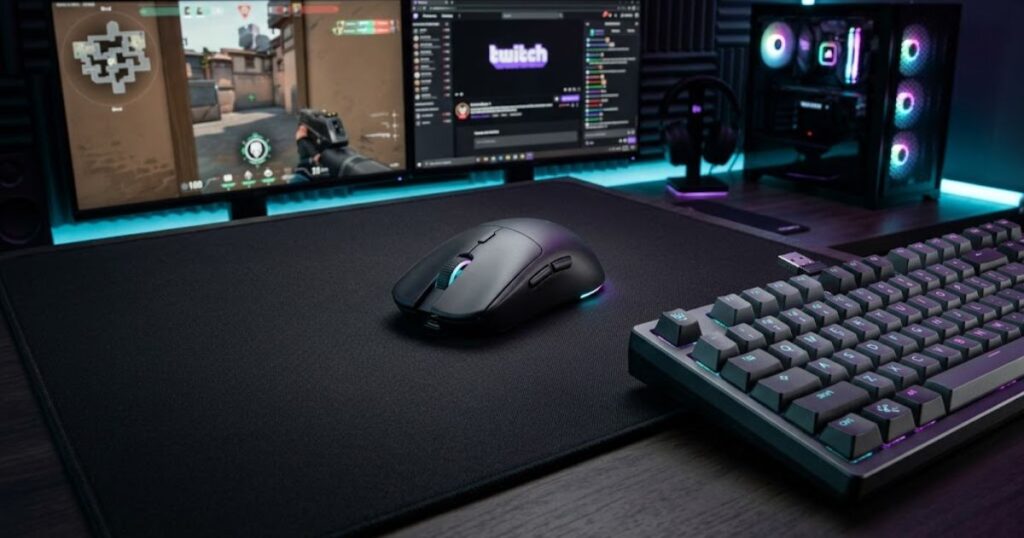
The Viper V3 Pro avoids many of those tradeoffs because its symmetrical shape feels neutral and adaptable. It supports claw grip, fingertip grip, and several hybrid grips without pushing the hand too aggressively in one direction. This makes it a strong fit for players who switch between different FPS games or who have not fully locked in one grip style yet.
Why Razer Viper V3 Pro Stands Out From Other FPS Mice
The Razer Viper V3 Pro stands out because it combines high-end FPS performance with a shape that works for more players than most specialized esports mice. It does not rely on one extreme feature to look impressive. Instead, it delivers a complete competitive package built around low weight, strong wireless performance, consistent tracking, and a safe symmetrical shell.
This matters because FPS performance depends on repeatability. A mouse can have an excellent sensor, but if the shape makes your grip unstable, your aim will still feel inconsistent. A mouse can also feel comfortable, but if it is too heavy or poorly balanced, fast flicks and tracking corrections become harder over long sessions.
The Viper V3 Pro earns the overall spot because it keeps these factors balanced. It feels fast without becoming twitchy, controlled without feeling slow, and premium without adding unnecessary features that distract from aim performance. This makes it easier to recommend to a wide range of serious FPS players.
In conclusion, this H3 shows why the Viper V3 Pro wins as an overall recommendation instead of only winning one narrow category. Its biggest strength is not one isolated specification, but the way its shape, weight, sensor behavior, and wireless performance work together.
Who Should Buy the Razer Viper V3 Pro
The Razer Viper V3 Pro is best for competitive FPS players who want one premium mouse that can handle tactical aiming, fast tracking, micro-adjustments, and long practice sessions. It is especially useful for players who rotate between games like Valorant, CS2, Apex Legends, and Call of Duty. Those games reward different aiming skills, so a balanced mouse is more useful than a mouse built around only one strength.
This mouse also makes sense for players who already know they prefer lightweight wireless mice. It gives enough speed for aggressive entries, enough stability for holding angles, and enough shape flexibility for different grip styles. Players who want a simple “buy once and use everywhere” answer will likely appreciate it more than players chasing a very specific niche feel.
However, it may not be the best choice for every budget. Some players can get solid FPS performance from less expensive mice, especially if they are still learning their sensitivity, grip style, and preferred shape. The Viper V3 Pro is best treated as a premium long-term pick for players who already care about consistency and competitive feel.
In conclusion, this H3 narrows the recommendation to the correct buyer. The Viper V3 Pro is strongest for serious FPS players who want top-tier performance across multiple games, not for buyers who only need the cheapest possible mouse.
The table below summarizes the strongest FPS mouse recommendations by player need:
| Player Need | Recommended Mouse | Why It Fits |
|---|---|---|
| Best overall FPS mouse | Razer Viper V3 Pro | Best balance of speed, control, shape, and reliability |
| Tactical FPS control | Razer DeathAdder V3 Pro | Ergonomic shape supports stable aim and controlled stopping |
| Tracking-focused FPS | Logitech G PRO X Superlight 2 | Lightweight handling helps with smooth continuous tracking |
| Large hands | Pulsar Xlite V3 Medium | Medium ergonomic shell gives more hand support |
| Small hands | HyperX Pulsefire Haste 2 Mini | Compact body improves control for smaller hands |
| Budget buyers | Logitech G305 Lightspeed | Strong wireless value for lower-budget FPS players |
This table shows that the best overall mouse is not always the best mouse for every specific player type. The Razer Viper V3 Pro wins the overall category because it covers the widest range of FPS needs with the fewest major compromises. Other mice can still be better for a specific hand size, budget, or game style.
In conclusion, the best gaming mouse for FPS games overall should be judged by balance, not by one isolated specification. The Viper V3 Pro earns that role because it gives most competitive players a reliable mix of speed, control, comfort, and performance.
How We Chose the Best FPS Gaming Mouse
We chose the best FPS gaming mouse by prioritizing the factors that directly affect aim consistency, comfort, and competitive reliability instead of ranking mice by marketing claims alone. Sensor quality matters, but it is not the only deciding factor anymore because many modern sensors are already excellent. Shape, weight balance, wireless performance, and long-term build quality often decide whether a mouse actually helps a player aim better.
FPS players do not all aim the same way. A Valorant player may need precise stopping power and stable angle holding, while an Apex Legends player may need smooth tracking during long target movement. A strong overall gaming mouse must support both types of aiming without feeling awkward in either situation.
This evaluation also avoids choosing products only because they are popular with professional players. Pro usage can be useful context, but it does not automatically mean a mouse will fit every hand size, grip style, or budget. For a broader product comparison beyond the overall winner, see our guide to the top gaming mice for FPS games in 2026.
Sensor Accuracy and Motion Consistency
Sensor accuracy matters because your mouse must translate physical movement into in-game crosshair movement without unpredictable behavior. In FPS games, even small inconsistencies can make flicks, tracking, and micro-corrections feel less trustworthy. A good sensor should feel invisible because it lets the player focus on aiming instead of fighting the hardware.
Most premium FPS mice now use sensors that are good enough for competitive play. That means the real difference often comes from implementation, motion consistency, lift-off behavior, and how stable the mouse feels during fast movement. A strong FPS mouse should remain accurate during slow corrections, fast swipes, and repeated repositioning.
We gave high priority to mice that feel consistent across different aiming speeds and common sensitivity ranges. A mouse that only performs well in one narrow scenario is less suitable for an overall recommendation. The best overall mouse should remain predictable whether the player is clearing a corner, tracking a strafing enemy, or making a quick 180-degree turn.
In conclusion, sensor accuracy is a core requirement, but it only becomes meaningful when paired with stable real-world motion behavior. A great FPS mouse should help the player trust every movement without needing to think about the sensor.
Weight and Handling Performance
Weight affects FPS performance because it changes how quickly a player can start, stop, lift, and correct the mouse during gameplay. Lightweight mice can reduce hand fatigue and make fast movement feel easier. However, the best FPS mouse is not automatically the lightest mouse on the market.
Too much weight can make rapid corrections feel slower, especially in games that require frequent flicks or wide mousepad movement. On the other hand, an extremely light mouse can feel unstable if the shape, coating, or balance does not support the hand properly. Competitive performance depends on controlled speed, not just low grams.
We evaluated weight together with handling quality. A mouse must feel easy to move, but it also needs enough stability to stop accurately after a flick or remain smooth during tracking. This is why a balanced lightweight design often performs better than a mouse that only tries to win the lowest-weight number.
In conclusion, weight matters because it affects both speed and fatigue, but it must be judged with control. The best FPS mouse should feel quick without making the player lose stability.
Shape Compatibility Across Grip Styles
Shape compatibility matters because the wrong shell can ruin aim consistency even when the sensor and weight are excellent. A mouse that does not fit your grip can create tension, unstable finger placement, or inconsistent pressure during aiming. Over time, those small comfort issues can turn into missed shots and poor confidence.
Grip style plays a major role in mouse selection. Claw grip players often want a responsive shell with enough rear support, fingertip players usually prefer freedom of movement, and palm or relaxed hybrid users may want more contact area. A strong overall mouse should work across several of these patterns instead of serving only one narrow grip style.
We gave extra value to shapes that feel neutral, predictable, and easy to adapt to. Aggressive ergonomic shapes can be excellent for certain hands, but they may not be universal enough for the overall category. A safer symmetrical shape often makes more sense when the goal is to recommend one mouse to the widest group of FPS players.
In conclusion, shape is one of the most important buying factors because it affects every second of gameplay. A mouse can have elite specifications and still be the wrong choice if the shape does not support the player’s hand and grip.
Build Quality and Long-Term Reliability
Build quality matters because FPS players need a mouse that stays consistent after months of clicking, swiping, lifting, and daily practice. Competitive gaming puts constant stress on switches, side buttons, scroll wheels, shell structure, feet, and wireless components. A mouse that feels great for two weeks but develops wobble, creaking, or unreliable clicks is not a strong long-term recommendation.
Long-term reliability is especially important for players who train seriously. If a mouse changes feel over time, the player may need to adjust grip pressure, timing, or movement habits. That interrupts muscle memory and makes performance feel less stable.
We favored mice with strong construction, proven wireless stability, consistent clicks, and practical battery life. Extra features were less important than dependable daily performance. The best FPS gaming mouse should feel like a reliable tool, not a fragile piece of desk decoration.
In conclusion, build quality protects the value of the purchase. A great FPS mouse should remain consistent enough for long practice sessions, ranked games, and repeated use without forcing the player to worry about hardware reliability.
The table below explains the evaluation criteria used to choose the best FPS gaming mouse overall:
| Evaluation Factor | Importance | What It Affects |
|---|---|---|
| Shape compatibility | Very high | Comfort, grip stability, and long-term aim consistency |
| Sensor accuracy | Very high | Tracking precision and predictable crosshair movement |
| Weight and balance | High | Speed, stopping control, and fatigue management |
| Wireless performance | High | Responsiveness and freedom of movement |
| Build quality | High | Durability, reliability, and consistent feel over time |
| Battery life | Medium | Convenience during daily use and long sessions |
This table separates practical competitive factors from surface-level marketing claims. A mouse with a huge DPI number is not automatically better if its shape, balance, or reliability does not support real gameplay. The strongest FPS mouse is the one that keeps these factors working together in a consistent way.
In conclusion, our selection process favors complete competitive performance instead of one impressive specification. This keeps the recommendation aligned with the real intent of the keyword, which is helping the reader choose the best gaming mouse for FPS games overall.
Best Gaming Mouse for FPS Games Overall
The best gaming mouse for FPS games overall is the Razer Viper V3 Pro because it delivers elite-level performance without forcing players into a specific game, grip style, or aiming philosophy. Many premium gaming mice excel in one area, but few maintain the same level of performance across tactical shooters, tracking-heavy titles, and general competitive play. The Viper V3 Pro succeeds because it remains versatile while still offering top-tier competitive performance.
For a mouse to earn the overall recommendation, it must perform well in situations that demand very different aiming skills. Valorant rewards controlled flicks and angle holding. Apex Legends rewards continuous tracking and rapid target transitions. Call of Duty often combines aggressive movement with fast reaction speed. The Viper V3 Pro consistently handles all of these scenarios without feeling specialized toward only one genre.
Another reason this mouse stands out is adaptability. Many FPS players eventually change their grip style, sensitivity, mousepad, or even primary game. A highly specialized mouse can become limiting during those transitions. The Viper V3 Pro remains effective across a wide range of setups, making it a safer long-term investment than products designed around a narrower audience.
As a result, the Viper V3 Pro earns the overall recommendation not because it dominates every category individually, but because it offers the most complete competitive FPS experience for the largest number of players.
The mouse below currently provides the strongest all-around FPS gaming experience available today:
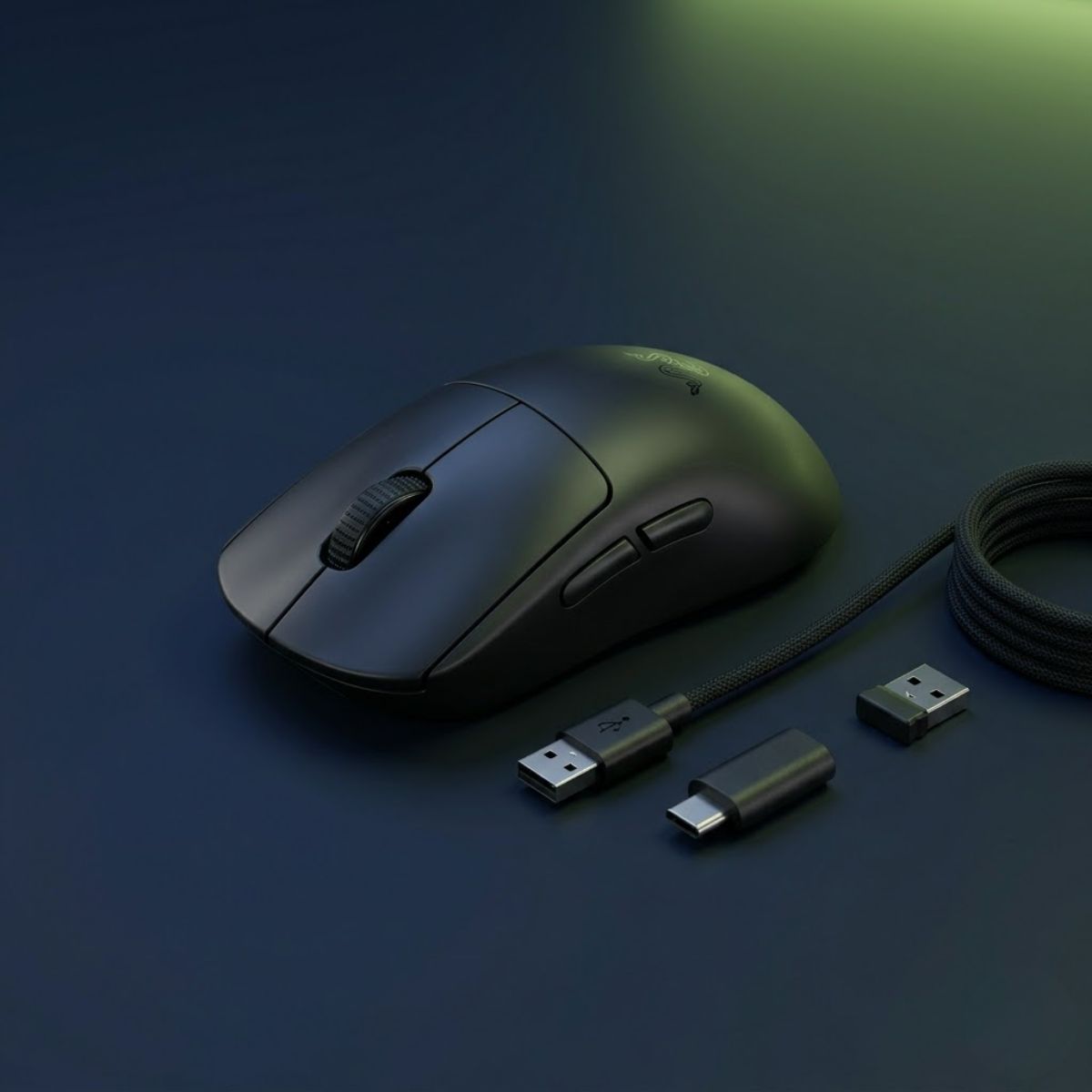
Razer Viper V3 Pro
A premium lightweight wireless FPS mouse built for players who want elite speed, reliable tracking, and a versatile symmetrical shape.
- Best for: Overall FPS performance
- Shape: Symmetrical
- Connection: Wireless
- Use case: Valorant, CS2, Apex
Key Strengths for Competitive FPS Performance
The Razer Viper V3 Pro excels because its strengths directly impact real gameplay rather than simply improving specification sheets. Every major design decision focuses on helping players aim more consistently during competitive matches. This approach makes the mouse feel predictable under pressure, which is often more valuable than adding extra features.
The factors below explain why the Viper V3 Pro performs so well in competitive FPS environments:
- Neutral Shape: Supports claw grip, fingertip grip, and multiple hybrid grip styles without feeling restrictive.
- Lightweight Design: Reduces fatigue and allows faster directional changes during flick-heavy gameplay.
- Reliable Wireless Performance: Delivers a responsive experience without the drag and limitations of a cable.
- High-End Sensor Implementation: Maintains stable tracking behavior across different movement speeds and sensitivity ranges.
- Professional-Level Adoption: Widely trusted by competitive players across multiple FPS titles.
- Long-Term Versatility: Remains effective even when players switch games, sensitivity settings, or grip styles.
Together, these strengths create a balanced competitive package that remains effective across many FPS scenarios instead of only excelling in one niche.
The biggest advantage is consistency. Players often improve more when their equipment behaves predictably than when it offers one extreme characteristic. A mouse that feels stable every day allows muscle memory to develop more naturally over time.
In conclusion, the Viper V3 Pro earns its reputation through balance and reliability rather than gimmicks. Its strengths align closely with the factors that matter most during real competitive FPS gameplay.
Potential Drawbacks to Consider
No gaming mouse is perfect, and the Razer Viper V3 Pro still has limitations that some buyers should consider before purchasing. Understanding these tradeoffs helps ensure that players choose the right mouse for their specific needs rather than automatically buying the most recommended option.
One limitation is price. The Viper V3 Pro sits firmly within the premium category, making it significantly more expensive than many capable alternatives. Players on tighter budgets may find better value by targeting a different category rather than chasing the flagship option.
Another consideration is shape preference. While the symmetrical shell works for many users, some players strongly prefer ergonomic designs that provide additional palm support. Those players may feel more comfortable with alternatives built around ergonomic comfort rather than universal adaptability.
Some users may also prefer heavier mice because they enjoy a more planted feeling during slower tactical gameplay. Although lightweight designs dominate modern esports recommendations, personal preference still plays an important role in long-term satisfaction.
These drawbacks do not remove the Viper V3 Pro from the top position, but they do explain why some players may ultimately choose a different mouse.
In conclusion, the Viper V3 Pro remains the strongest overall recommendation, but buyers should still consider budget, shape preference, and personal comfort before making a final decision.
The table below compares the major advantages and disadvantages of the Razer Viper V3 Pro:
| Pros | Cons |
|---|---|
| Excellent all-around FPS performance | Premium pricing |
| Very lightweight design | May exceed some budgets |
| Versatile symmetrical shape | Not ideal for players who prefer large ergonomic shells |
| Reliable wireless implementation | Some users may prefer more weight |
| Strong long-term adaptability | Less specialized than niche-focused mice |
This comparison highlights why the Viper V3 Pro remains the overall winner despite not being perfect for every player. Its advantages directly influence competitive performance, while most disadvantages relate to personal preference or budget constraints.
In conclusion, the strengths of the Viper V3 Pro outweigh its weaknesses for the majority of FPS players. That balance is precisely what allows it to hold the position of best gaming mouse for FPS games overall.
Best Lightweight Gaming Mouse for FPS Players
The best lightweight gaming mouse for FPS players is the ASUS ROG Harpe II Ace because it combines an extremely low weight with a shape and feature set designed specifically for high-level competitive gaming. Lightweight mice have become increasingly popular because they reduce physical effort during long sessions and allow faster directional changes. However, not every lightweight mouse maintains the stability and control required for serious FPS play.
The Harpe II Ace stands out because it does not treat low weight as the only goal. Instead, it balances weight reduction with structural rigidity, responsive performance, and a shape that remains practical for competitive aiming. This allows players to gain the benefits of a lightweight design without sacrificing confidence during precise movements.
Unlike the previous section, which focused on overall versatility, this category focuses specifically on maximizing movement efficiency. Players who value speed, low fatigue, and effortless repositioning often prioritize lightweight mice above all other characteristics.
As a result, the Harpe II Ace earns this recommendation because it delivers an elite lightweight experience while still maintaining the qualities required for competitive FPS performance.
The following mouse is one of the strongest lightweight options currently available for competitive FPS players:
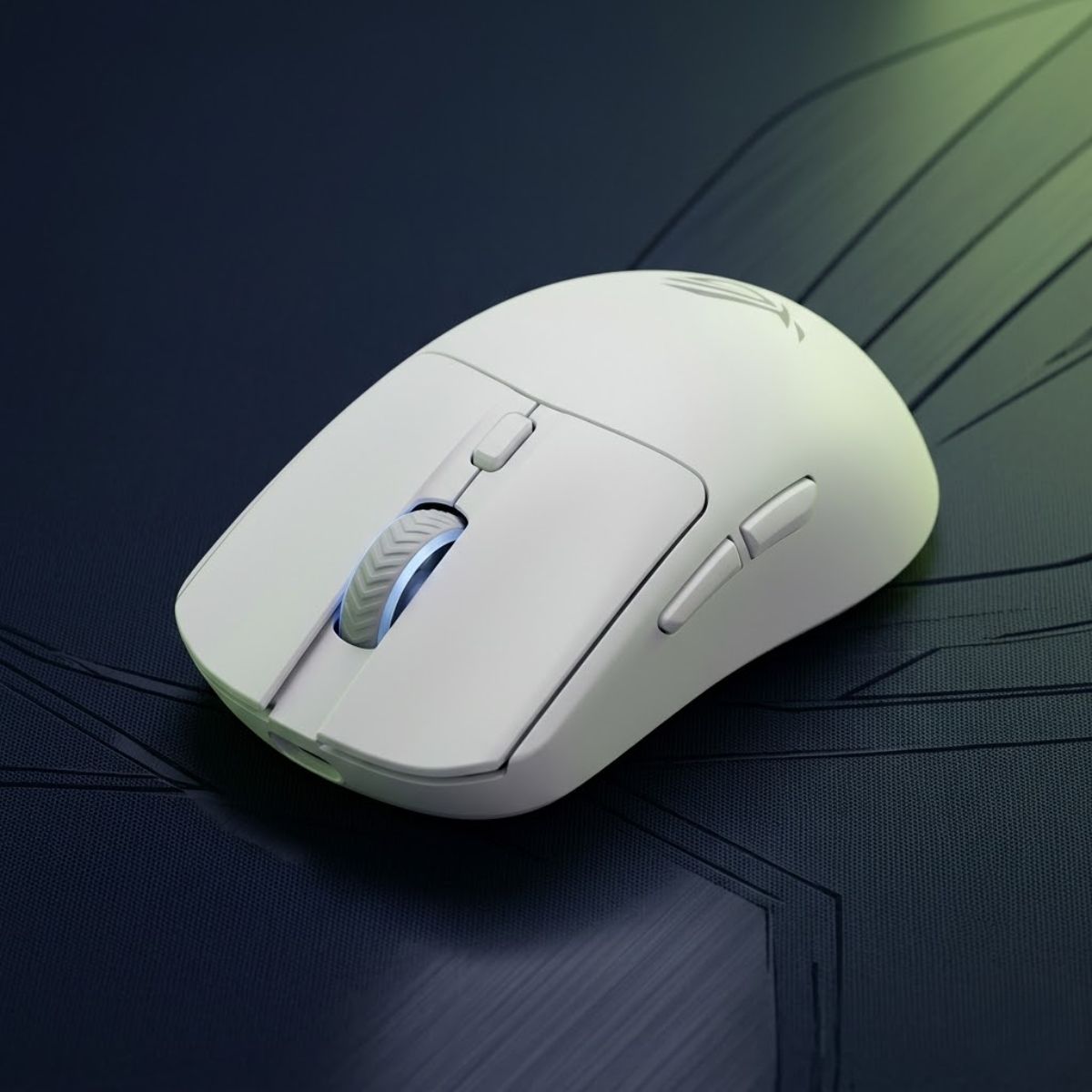
ASUS ROG Harpe II Ace
A very lightweight esports-focused gaming mouse made for fast reactions, low fatigue, and quick directional changes in competitive FPS games.
- Best for: Lightweight FPS control
- Shape: Symmetrical
- Connection: Wireless
- Use case: Fast flicks and tracking
Why Lightweight Mice Improve Fast Reactions
Lightweight mice improve fast reactions by reducing the amount of force required to start, stop, and redirect movement. In FPS games, even small reductions in effort can help players react more comfortably during extended practice sessions and high-intensity matches.
Lower weight often makes flick shots feel easier because the mouse can accelerate and decelerate more quickly. This advantage becomes especially noticeable when clearing multiple angles or responding to unexpected threats. Players who use low sensitivity settings may also benefit because they frequently move the mouse across larger distances.
Lightweight designs can also reduce fatigue. Over several hours of practice, repeatedly moving a heavier mouse requires more effort than moving a lighter alternative. While the difference may seem small initially, it becomes more noticeable during longer gaming sessions.
However, lightweight performance should never be viewed in isolation. Shape, balance, and control still determine whether the mouse feels stable enough for consistent aiming.
In conclusion, lightweight mice improve reaction speed and reduce effort, but they work best when combined with a strong overall design rather than simply chasing the lowest possible weight.
Who Benefits Most From Ultra-Light Designs
Ultra-light gaming mice are most beneficial for players who prioritize movement speed, frequent repositioning, and rapid directional changes. These characteristics often appear in fast-paced FPS environments where players constantly adjust their crosshair and tracking behavior.
Players who use claw grip and fingertip grip frequently appreciate lightweight designs because those grip styles naturally emphasize mobility. Smaller adjustments become easier to execute, and repeated lifting feels less demanding.
Ultra-light mice can also benefit players who practice extensively because reduced fatigue may help maintain consistent performance throughout longer sessions. The advantage becomes more apparent when training aim for several hours rather than playing only occasionally.
That said, some players still prefer slightly heavier mice because they enjoy the added feeling of control during slower and more deliberate aiming situations. Lightweight mice are powerful tools, but they are not universally superior for every individual.
In conclusion, ultra-light designs are best suited for players who value speed and agility, while players prioritizing maximum stability may prefer a different balance point.
The table below compares important characteristics of lightweight FPS gaming mice:
| Characteristic | Benefit |
|---|---|
| Lower Weight | Faster movement and reduced fatigue |
| Quicker Repositioning | Easier large mousepad movements |
| Improved Agility | More responsive directional changes |
| Long Session Comfort | Less strain over extended gameplay |
| Enhanced Mobility | Supports dynamic aiming styles |
This comparison illustrates why lightweight mice continue gaining popularity among competitive players. Their benefits become most noticeable in games and aiming styles that demand constant movement and adjustment.
In conclusion, lightweight gaming mice provide meaningful advantages for many FPS players, and the ASUS ROG Harpe II Ace currently represents one of the strongest examples of that design philosophy.
Best Gaming Mouse for Tactical FPS Games
The best gaming mouse for tactical FPS games is the Razer DeathAdder V3 Pro because its ergonomic shape provides exceptional stability during precise aiming, controlled flicks, and disciplined crosshair placement. Tactical shooters reward accuracy more than raw movement speed. Players often spend more time holding angles, clearing corners, and making deliberate adjustments than performing constant high-speed tracking. For that reason, shape and control become especially important.
Games such as Valorant and Counter-Strike 2 punish missed shots heavily. A single mistake can decide an entire round, making consistent mouse control far more valuable than chasing the lightest possible weight or the highest possible specification numbers. The DeathAdder V3 Pro remains one of the strongest choices because it prioritizes confidence and stability without sacrificing competitive performance.
Unlike the overall category that focuses on versatility across many FPS styles, this recommendation focuses specifically on helping players maintain precise crosshair placement and repeatable aim during tactical engagements. Those priorities align closely with the demands of tactical shooters.
As a result, the DeathAdder V3 Pro earns the top recommendation for players who value controlled aim, reliable stopping power, and long-session comfort in tactical FPS games.
Why Tactical FPS Players Prefer Ergonomic Shapes
Many tactical FPS players prefer ergonomic mice because they provide additional hand support and promote more stable aiming behavior during slower, precision-focused gameplay. An ergonomic shape naturally fills more of the hand, which can create a stronger feeling of control during small corrections and angle holding.
The image below illustrates a tactical FPS-focused gaming mouse setup:
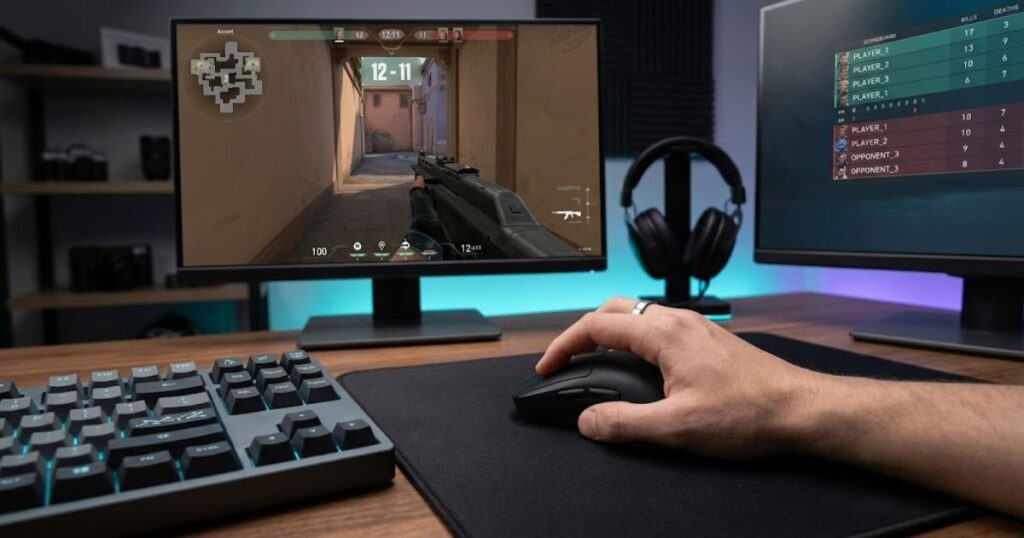
This advantage becomes noticeable when players spend extended periods holding defensive positions or preparing for precise first-bullet engagements. A stable grip often allows more predictable crosshair placement than a shape that prioritizes maximum agility.
Ergonomic designs can also reduce unnecessary hand tension. Instead of relying entirely on finger control to stabilize the mouse, the palm and hand structure contribute more support. For many players, this creates a smoother and more comfortable aiming experience.
That does not mean ergonomic mice are universally superior. Some players still prefer symmetrical shapes. However, for tactical FPS environments, ergonomic designs frequently provide advantages that align well with the pace and demands of the genre.
In conclusion, ergonomic shapes remain popular in tactical FPS games because they help many players maintain steadier aim and greater long-term comfort during precision-focused gameplay.
Benefits for Valorant and CS2 Players
Valorant and CS2 players benefit from the DeathAdder V3 Pro because its shape supports the deliberate aiming patterns commonly found in tactical shooters. These games emphasize first-shot accuracy, crosshair discipline, and efficient movement rather than continuous tracking.
Many engagements begin with careful positioning rather than reactive spray control. Players often pre-aim common angles and rely on small corrections to secure eliminations. A mouse that feels stable during these moments can improve confidence and consistency.
The DeathAdder V3 Pro also remains lightweight enough to support fast flicks when necessary. This balance prevents the mouse from feeling sluggish while still providing the support that many tactical FPS players appreciate.
If you want a deeper comparison focused specifically on this category, our guide to the best gaming mouse for tactical FPS games explores additional options and tactical-focused considerations.
In conclusion, the DeathAdder V3 Pro fits Valorant and CS2 particularly well because it balances precision, comfort, and responsiveness without forcing players to sacrifice mobility.
The table below highlights the qualities that matter most in tactical FPS gaming:
| Factor | Why It Matters |
|---|---|
| Shape Stability | Supports consistent crosshair placement |
| Comfort | Reduces fatigue during long sessions |
| Controlled Flicking | Improves first-shot engagements |
| Reliable Tracking | Maintains confidence during corrections |
| Predictable Handling | Supports repeatable muscle memory |
The factors above explain why many tactical FPS players prioritize stability and comfort alongside raw performance. A mouse that feels predictable under pressure often produces better long-term results than a mouse that only excels in laboratory specifications.
In conclusion, tactical FPS success depends heavily on precision and consistency, which is why the DeathAdder V3 Pro remains one of the strongest choices available for this category.
Players who prioritize control, stability, and tactical precision should consider the following mouse:
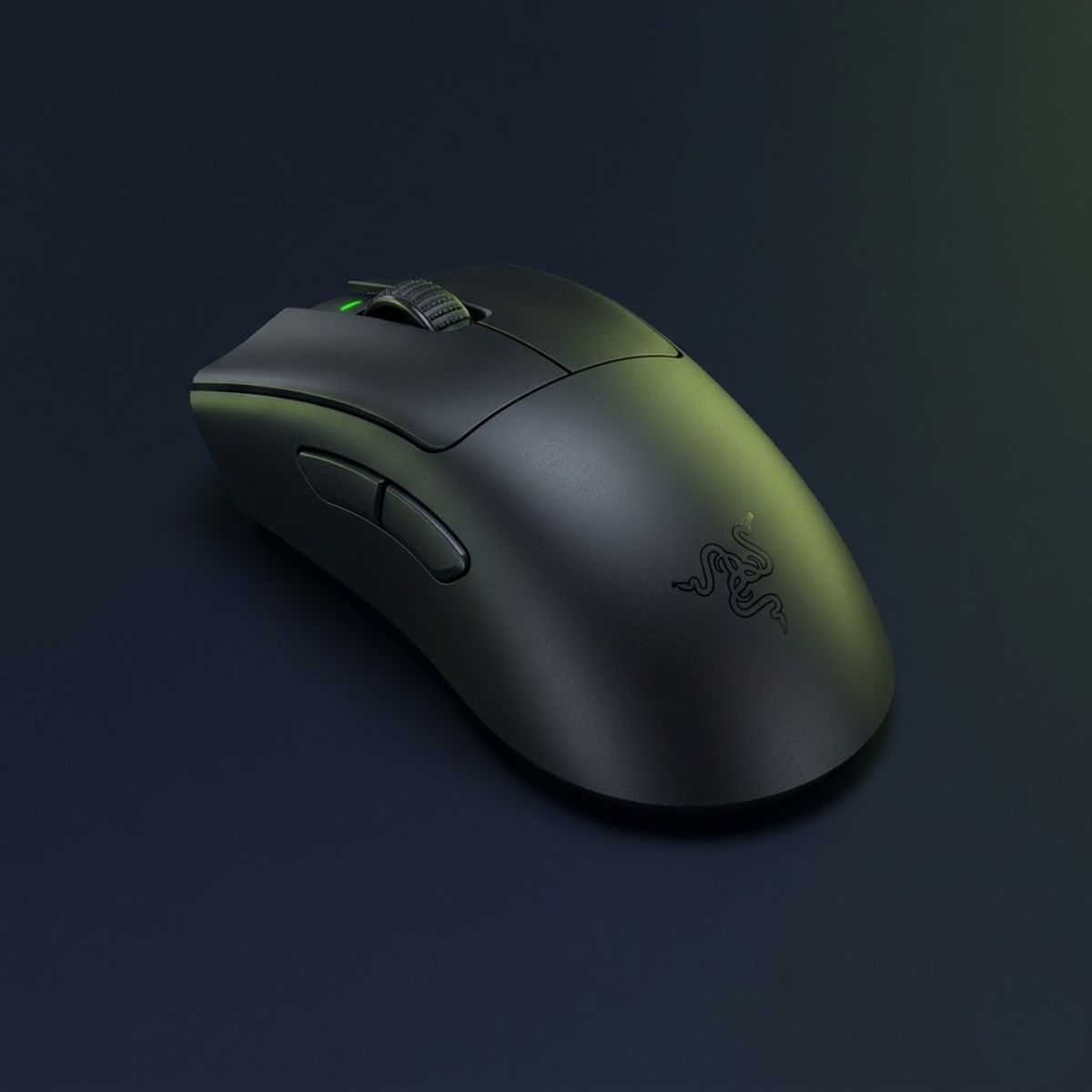
Razer DeathAdder V3 Pro
A lightweight ergonomic esports mouse designed for players who prioritize stability, precision, and consistent crosshair control in tactical FPS games.
- Best for: Tactical FPS games
- Shape: Ergonomic right-handed
- Connection: Wireless
- Use case: Valorant and CS2
Best Gaming Mouse for Fast-Paced FPS Games
The best gaming mouse for fast-paced FPS games is the Logitech G PRO X Superlight 2 because it combines lightweight handling, effortless movement, and exceptional responsiveness for tracking-heavy gameplay. Fast-paced shooters reward rapid target transitions, continuous tracking, and aggressive movement more than methodical angle holding. These demands place a greater emphasis on agility and mobility.
Games such as Apex Legends, Call of Duty, and other movement-heavy shooters frequently require players to track opponents through unpredictable movement patterns. In these situations, the ability to reposition quickly and maintain fluid mouse control becomes a major advantage.
The Superlight 2 has earned a strong reputation because it removes unnecessary obstacles between player intention and mouse movement. Its lightweight design allows fast reactions while still maintaining the consistency expected from a flagship FPS mouse.
As a result, the Superlight 2 stands out as one of the strongest options for players who prioritize speed, tracking, and continuous target acquisition.
Why Tracking Games Need Different Mouse Characteristics
Tracking-focused FPS games often require different mouse characteristics because players spend more time following moving targets than performing isolated precision flicks. Smooth movement becomes extremely important when enemies remain visible for longer periods and continue changing direction throughout an engagement.
The image below demonstrates a gaming setup built for fast-paced FPS action:
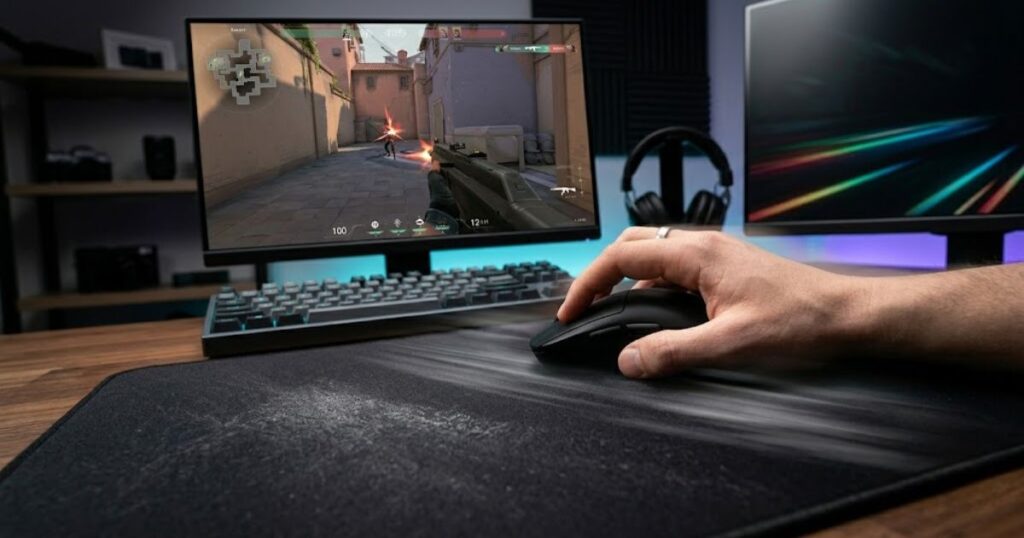
In these situations, players frequently perform continuous corrections rather than single decisive shots. A mouse that feels effortless to move can make those adjustments easier to execute repeatedly during combat.
Lightweight designs often perform well because they reduce the effort required to maintain target tracking across extended movement paths. This advantage becomes especially noticeable when opponents use advanced movement mechanics or unpredictable strafing patterns.
The goal is not simply moving faster. The goal is maintaining smooth, repeatable control while reacting to constantly changing target behavior.
In conclusion, tracking-focused games place greater value on fluid movement and rapid corrections, making lightweight handling an important advantage.
Advantages in Apex Legends and Similar Games
The Logitech G PRO X Superlight 2 performs exceptionally well in Apex Legends and similar titles because it supports the movement-heavy nature of those games. Players often engage enemies across varying distances while continuously adjusting aim to follow jumps, slides, strafes, and rapid direction changes.
The lightweight design helps reduce physical effort during these repeated corrections. Over time, this can contribute to greater consistency and reduced fatigue, particularly during long gaming sessions.
The mouse also maintains the versatility required for mixed engagements. While tracking remains a priority, players still need accurate flicks, quick repositioning, and reliable general handling. The Superlight 2 remains strong across all of these scenarios.
If you want a dedicated comparison for this style of gameplay, our guide to the best gaming mouse for tracking FPS explores tracking-focused recommendations in greater detail.
In conclusion, the Superlight 2 excels because it supports the fast, dynamic aiming behavior that defines many modern tracking-oriented FPS games.
The table below summarizes the key characteristics that benefit fast-paced FPS players:
| Factor | Competitive Benefit |
|---|---|
| Lightweight Design | Faster directional changes |
| Smooth Handling | Improved tracking consistency |
| Low Fatigue | Better long-session performance |
| Rapid Repositioning | Supports movement-heavy gameplay |
| Responsive Feel | Helps maintain target contact |
The characteristics above explain why lightweight, agile mice continue dominating many tracking-focused FPS environments. They help players maintain smooth control while reacting quickly to changing combat situations.
In conclusion, fast-paced FPS games reward mobility and tracking consistency, making the Logitech G PRO X Superlight 2 one of the strongest choices available for this category.
The mouse below excels in tracking-heavy FPS games and rapid target transitions:
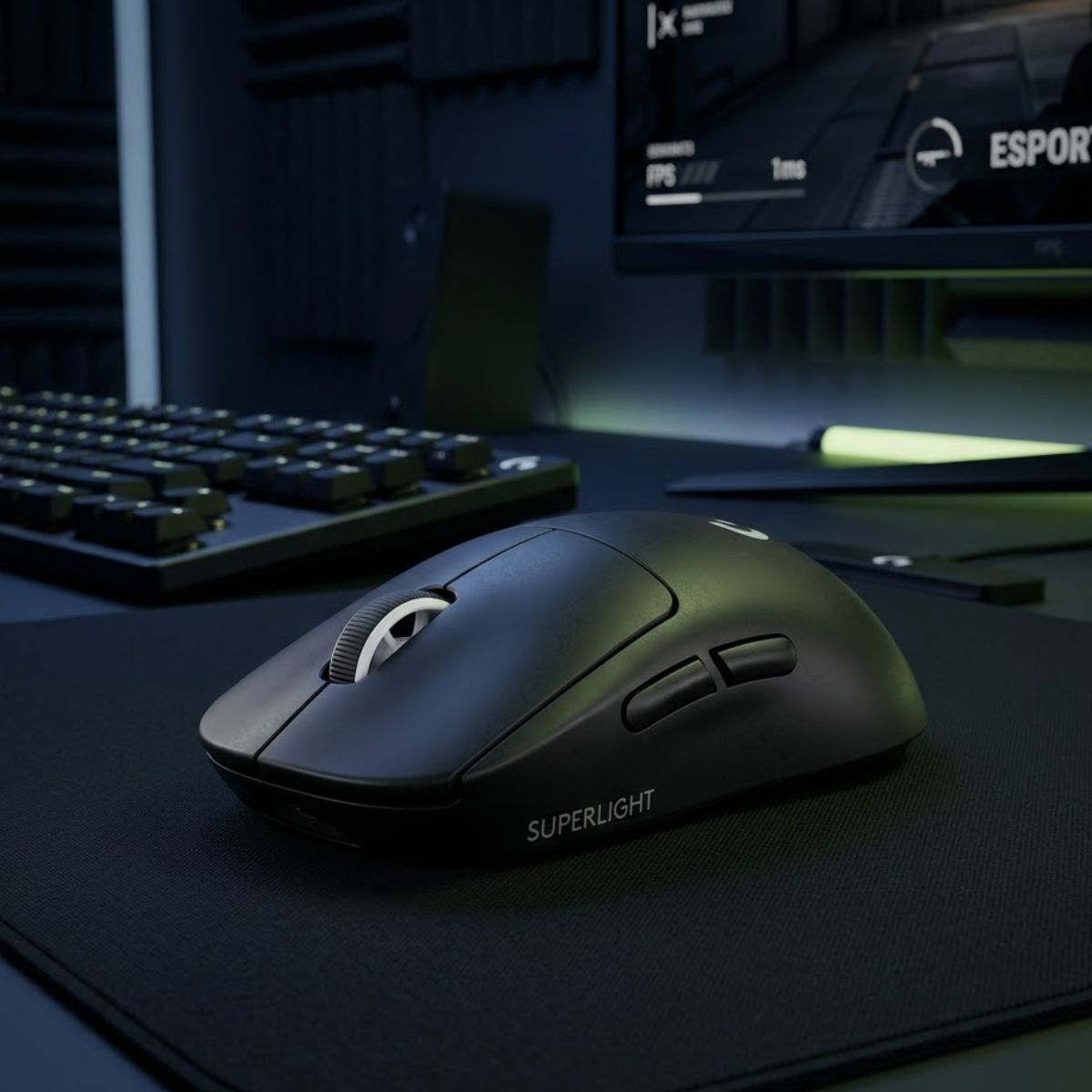
Logitech G PRO X Superlight 2
A lightweight wireless esports mouse built for rapid target transitions, smooth tracking, and effortless movement in fast-paced FPS games.
- Best for: Tracking-focused FPS games
- Shape: Symmetrical
- Connection: Wireless
- Use case: Apex Legends and Call of Duty
Best Gaming Mouse for Large Hands
The best gaming mouse for large hands is the Pulsar Xlite V3 Medium because it provides additional palm support, a comfortable ergonomic profile, and enough room for larger hand movements without feeling bulky. Players with large hands often face a different challenge than players with small hands. Instead of needing maximum compactness, they need enough surface area to maintain a relaxed and stable grip throughout long gaming sessions.
Many popular FPS mice are becoming smaller and lighter every year. While this trend benefits some users, it can create comfort problems for larger-handed players. A mouse that feels too small may force finger curling, inconsistent grip pressure, or excessive tension during gameplay.
The Xlite V3 Medium addresses these concerns by offering a shape that fills the hand more naturally while still maintaining competitive-level agility. Rather than feeling oversized, it strikes a balance between comfort and performance.
As a result, the Pulsar Xlite V3 Medium stands out as one of the strongest choices for FPS players who need additional hand support without sacrificing responsiveness.
Shape Benefits for Large-Handed Players
Large-handed players often benefit from larger contact surfaces because they promote a more relaxed and repeatable grip position. When the hand fits the mouse properly, it becomes easier to maintain consistent pressure during aiming movements.
A mouse that is too small can create unnecessary instability. Players may constantly readjust their grip or rely excessively on finger tension to maintain control. Over time, this can contribute to fatigue and inconsistent aim performance.
The ergonomic profile of the Xlite V3 Medium helps distribute contact more evenly across the hand. This creates a more natural feeling during tracking, flicking, and general movement. The result is often greater comfort without sacrificing agility.
The image below shows how a larger gaming mouse can improve hand support:
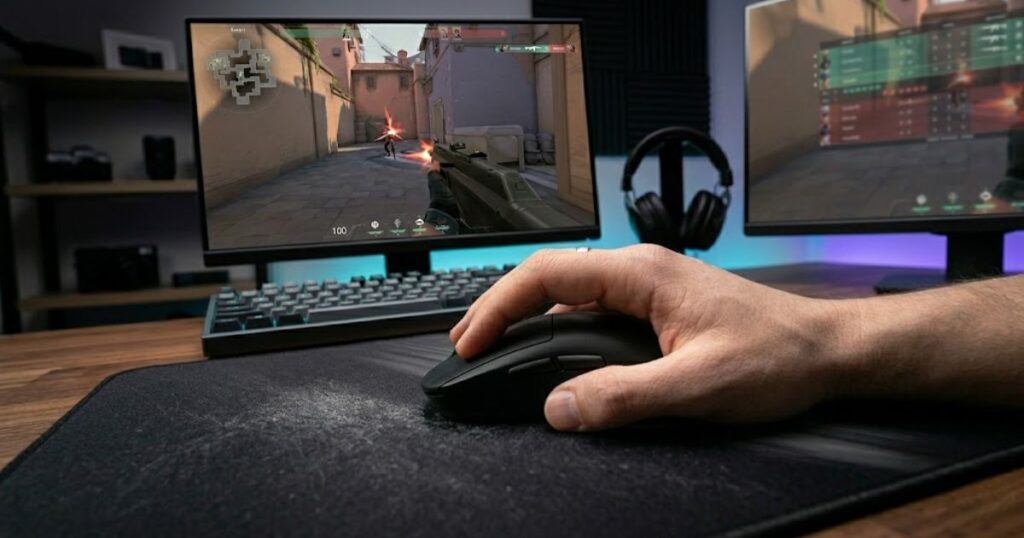
Another advantage is confidence during longer sessions. A comfortable grip can help maintain consistency across multiple hours of gameplay, which is particularly valuable for competitive players who practice frequently.
In conclusion, larger shapes benefit many large-handed players because they improve comfort, reduce grip strain, and support more stable long-term aiming performance.
Grip Styles That Work Best With Larger Mice
Larger gaming mice often work especially well with palm grip, relaxed claw grip, and hybrid grip styles. These grip styles typically benefit from additional hand contact and support.
Palm grip users generally prefer a mouse that allows most of the hand to rest naturally on the shell. A larger shape makes this easier to achieve while reducing the need for constant adjustments.
Relaxed claw grip users can also benefit because the additional rear support creates a stable platform for controlled aiming. The hand remains mobile enough for competitive play while still receiving meaningful support from the mouse body.
Even some fingertip and hybrid users with large hands may prefer slightly larger mice because they provide more flexibility in positioning. The ideal fit depends on personal preference, but additional space often creates a more forgiving experience.
In conclusion, larger mice tend to work best with grip styles that value comfort, stability, and long-session consistency rather than maximum compactness.
The table below compares common characteristics that large-handed FPS players should prioritize:
| Factor | Benefit for Large Hands |
|---|---|
| Larger Shell | Provides greater hand support |
| Ergonomic Shape | Improves comfort and stability |
| Balanced Weight | Maintains control without feeling heavy |
| Wider Grip Area | Reduces grip tension |
| Additional Palm Contact | Supports long gaming sessions |
The factors above help explain why hand size remains an important part of mouse selection. Even a technically excellent mouse may feel uncomfortable if the dimensions do not match the player’s hand.
In conclusion, large-handed FPS players often achieve better long-term comfort and consistency by choosing a shape that properly supports their natural grip position.
The following mouse provides excellent comfort and support for players with larger hands:
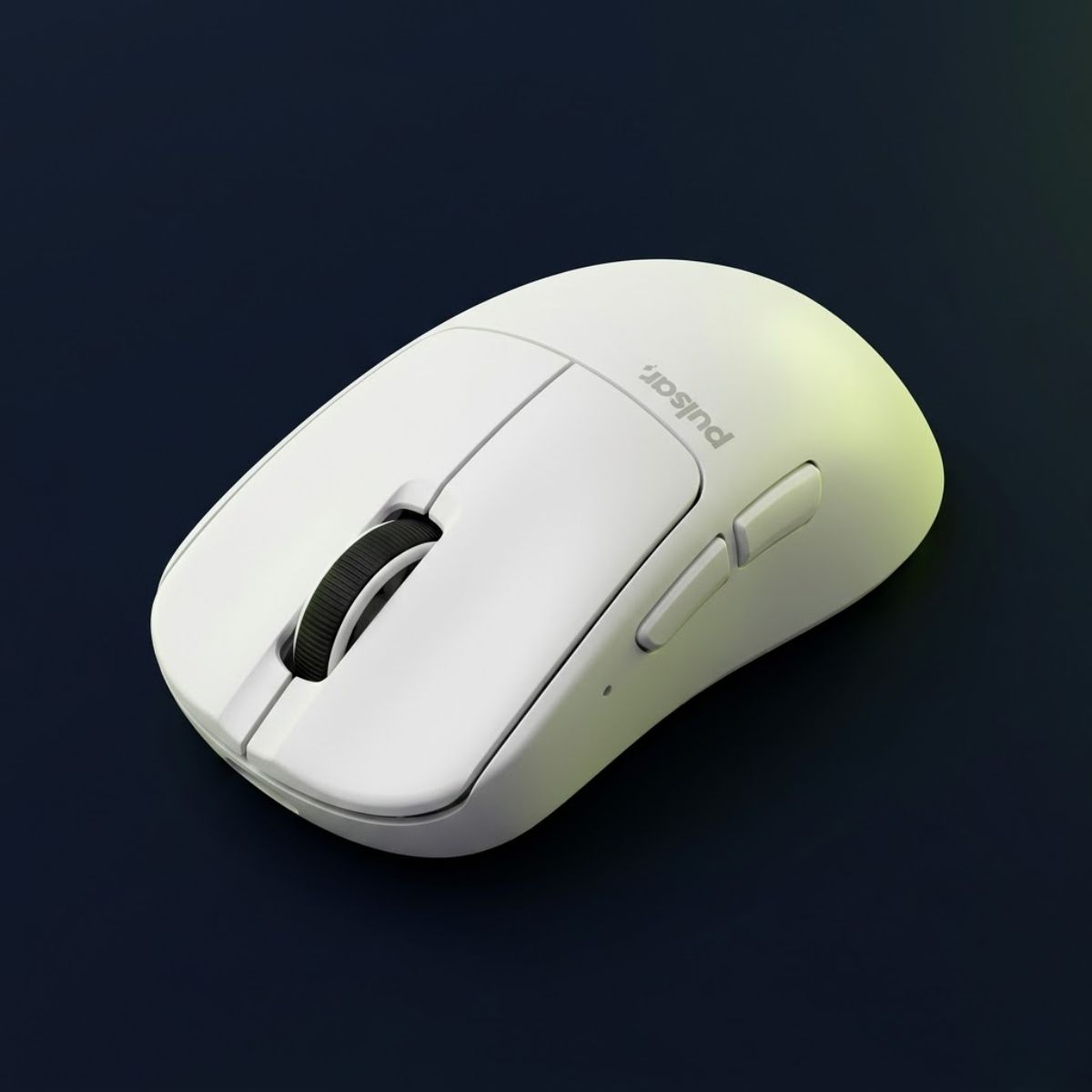
Pulsar Xlite V3 Medium
A lightweight ergonomic FPS mouse that provides excellent palm support, long-session comfort, and stable handling for players with larger hands.
- Best for: Large hands
- Shape: Ergonomic
- Connection: Wireless
- Use case: Competitive FPS gaming
Best Gaming Mouse for Small Hands
The best gaming mouse for small hands is the HyperX Pulsefire Haste 2 Mini because its compact dimensions allow smaller-handed players to maintain better control, cleaner grip positioning, and more efficient mouse movement. Hand size plays a significant role in FPS performance because it directly affects how comfortably a player can control the mouse.
When a mouse is too large, smaller-handed players may struggle to reach buttons comfortably or maintain a consistent grip. These issues can reduce confidence and create unnecessary effort during aiming adjustments.
The Pulsefire Haste 2 Mini solves this problem by reducing overall size while preserving the characteristics that competitive FPS players value. It remains lightweight, responsive, and easy to maneuver without feeling cramped.
Unlike the previous category that focused on additional support, this recommendation focuses on maximizing control and accessibility for smaller hands. The goal is to create a setup that feels natural rather than oversized.
As a result, the Pulsefire Haste 2 Mini earns the top recommendation for FPS players who need a compact shape that improves control and comfort.
Why Compact Mice Improve Control
Compact gaming mice improve control because they allow smaller-handed players to interact with the mouse more naturally. Better reach and positioning often lead to more consistent movements and improved comfort during gameplay.
When the hand can comfortably access all major contact points, grip adjustments become easier and more predictable. This can improve confidence during both fast reactions and precision-focused aiming situations.
Compact mice also make lifting and repositioning easier for many users. Players who frequently reset their mouse position may appreciate the reduced effort required to perform these actions repeatedly.
Rather than forcing the hand to adapt to a larger shell, a compact mouse allows the shape to fit the user’s natural proportions more effectively.
In conclusion, compact mice improve control by creating a more natural connection between the player’s hand and the mouse.
Ideal Hand Sizes and Grip Styles
The Pulsefire Haste 2 Mini works particularly well for smaller hands using claw grip, fingertip grip, and hybrid grip styles. These grip styles often benefit from the increased maneuverability that compact mice provide.
Claw grip users can take advantage of the responsive shape while maintaining precise finger control. Fingertip users may appreciate the freedom of movement that comes from a smaller and lighter shell.
Hybrid grip users also benefit because the compact dimensions create flexibility in hand positioning. This allows players to adapt their grip naturally without feeling restricted by excess size.
Although larger-handed players can sometimes use compact mice successfully, the category is primarily designed to solve fit and comfort issues for smaller-handed users.
In conclusion, compact mice work best when hand size and grip style align with the intended dimensions of the design.
The table below outlines the advantages that compact gaming mice offer smaller-handed FPS players:
| Characteristic | Competitive Advantage |
|---|---|
| Compact Dimensions | Improves reach and control |
| Lower Weight | Easier repositioning |
| Improved Button Access | Faster and more comfortable inputs |
| Flexible Grip Positioning | Supports multiple grip styles |
| Better Fit | Reduces unnecessary strain |
The advantages above demonstrate why hand size should never be ignored when selecting an FPS gaming mouse. A shape that fits properly often improves comfort and consistency more than a specification upgrade.
In conclusion, the HyperX Pulsefire Haste 2 Mini remains one of the strongest choices for smaller-handed FPS players because it combines compact dimensions with competitive-level performance.
The mouse below is designed to provide better control and comfort for players with smaller hands:
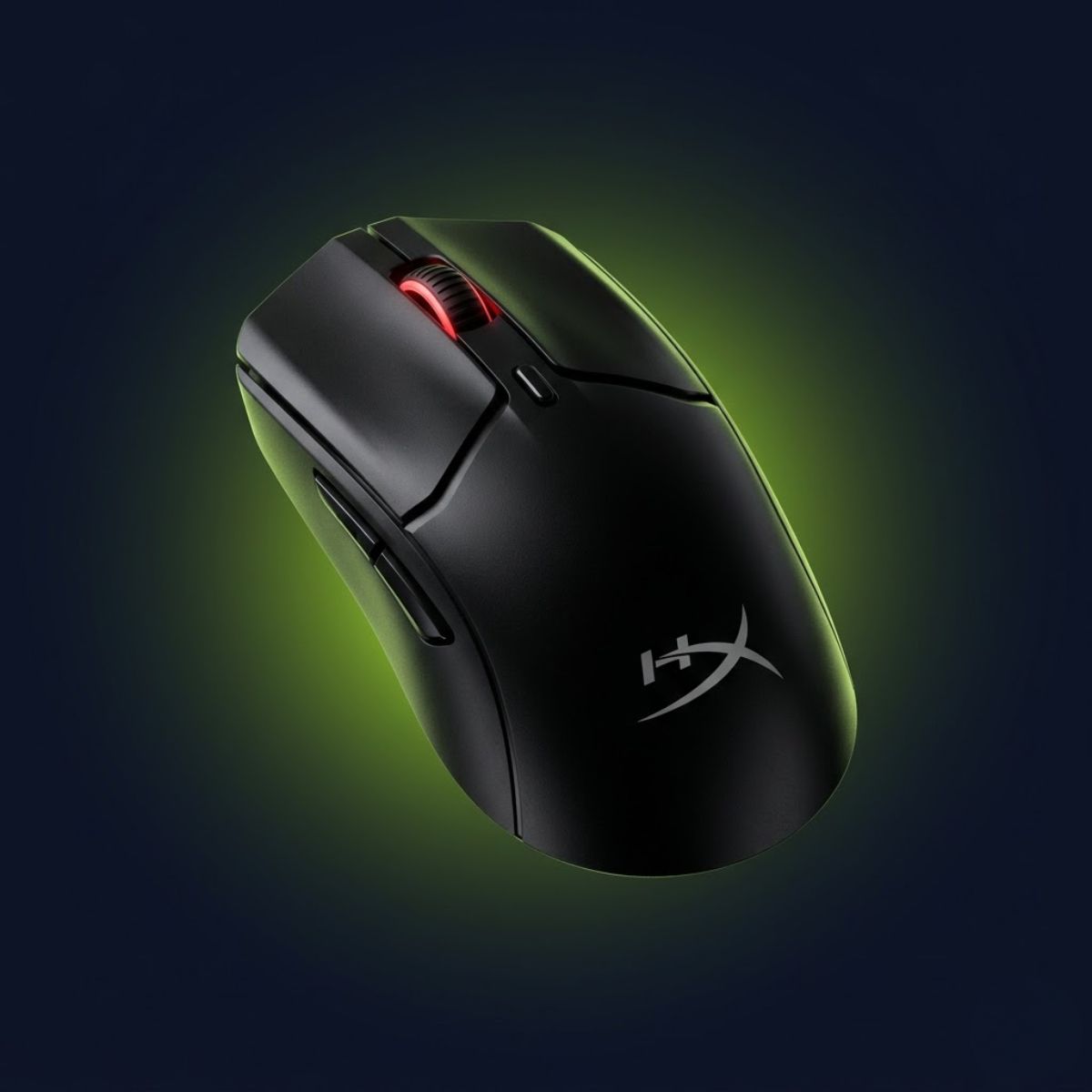
HyperX Pulsefire Haste 2 Mini
A compact lightweight wireless gaming mouse built to provide better control, easier reach, and improved comfort for players with smaller hands.
- Best for: Small hands
- Shape: Symmetrical
- Connection: Wireless
- Use case: Claw and fingertip grip
Best Wireless Gaming Mouse for FPS Games
The best wireless gaming mouse for FPS games is the Razer DeathAdder V3 HyperSpeed because it delivers excellent wireless performance, strong battery life, and competitive responsiveness in a lightweight package. Modern wireless technology has reached a point where competitive players no longer need to choose between freedom of movement and reliable performance.
Today’s best wireless gaming mice offer latency levels that are effectively indistinguishable from wired alternatives during real-world gameplay. As a result, wireless designs have become the preferred choice for many competitive FPS players.
The DeathAdder V3 HyperSpeed stands out because it combines reliable wireless performance with an ergonomic shape and practical battery efficiency. This balance makes it an attractive option for players who want convenience without sacrificing competitiveness.
Unlike the previous categories that focused on hand size, this recommendation centers on connection type and overall wireless experience.
As a result, the DeathAdder V3 HyperSpeed earns a strong recommendation for FPS players who want the advantages of a wireless setup while maintaining competitive performance.
Modern Wireless Performance for Competitive Gaming
Modern wireless gaming mice can now compete directly with wired models because advances in wireless technology have eliminated most of the performance concerns that once discouraged competitive players. A decade ago, many FPS players avoided wireless mice due to concerns about latency, signal stability, and battery reliability. Those concerns are far less relevant today.
Premium wireless gaming mice now deliver responsiveness that is effectively indistinguishable from wired alternatives during normal competitive gameplay. This allows players to enjoy unrestricted movement without sacrificing the consistency needed for high-level FPS performance.
Removing the cable also eliminates drag caused by wire movement. While the impact varies depending on the setup, many players appreciate the smoother and more natural feeling that wireless gaming provides. This can be especially noticeable when using lower sensitivities that require larger mousepad movements.
The DeathAdder V3 HyperSpeed demonstrates how modern wireless technology has matured. Instead of focusing solely on convenience, it delivers the performance standards expected from a serious competitive FPS mouse.
In conclusion, modern wireless gaming has evolved beyond convenience and now represents a legitimate competitive choice for FPS players.
Battery Life and Practical Advantages
Battery life has become an important advantage because today’s wireless FPS mice can operate for extended periods without disrupting gameplay. Early wireless gaming devices often required frequent charging, creating uncertainty during longer gaming sessions. Modern designs have improved significantly in this area.
A strong battery implementation allows players to focus on performance rather than constantly monitoring charge levels. This becomes particularly valuable for competitive players who practice regularly or participate in longer gaming sessions.
Wireless gaming mice also simplify desk organization. Without a cable, players gain greater freedom when positioning their mouse, mousepad, and overall gaming setup. While this may seem like a minor benefit, it contributes to a cleaner and more flexible environment.
Another practical advantage is portability. Wireless mice are often easier to transport for LAN events, travel, or gaming at multiple locations because they reduce cable management concerns.
In conclusion, battery improvements and practical usability enhancements have helped wireless gaming mice become the preferred choice for many competitive FPS players.
The table below summarizes the primary advantages of modern wireless FPS gaming mice:
| Wireless Advantage | Benefit for FPS Players |
|---|---|
| No Cable Drag | Smoother mouse movement |
| Competitive Responsiveness | Reliable performance during gameplay |
| Improved Battery Life | Fewer charging interruptions |
| Greater Setup Flexibility | Cleaner gaming environment |
| Better Portability | Easier travel and transport |
The advantages above explain why wireless gaming mice have become increasingly common across competitive FPS communities. Performance improvements have largely removed the traditional drawbacks that once favored wired alternatives.
In conclusion, the Razer DeathAdder V3 HyperSpeed represents a strong example of how modern wireless technology can deliver both convenience and competitive-level performance.
Players who want competitive wireless performance without the limitations of a cable should consider the following mouse:
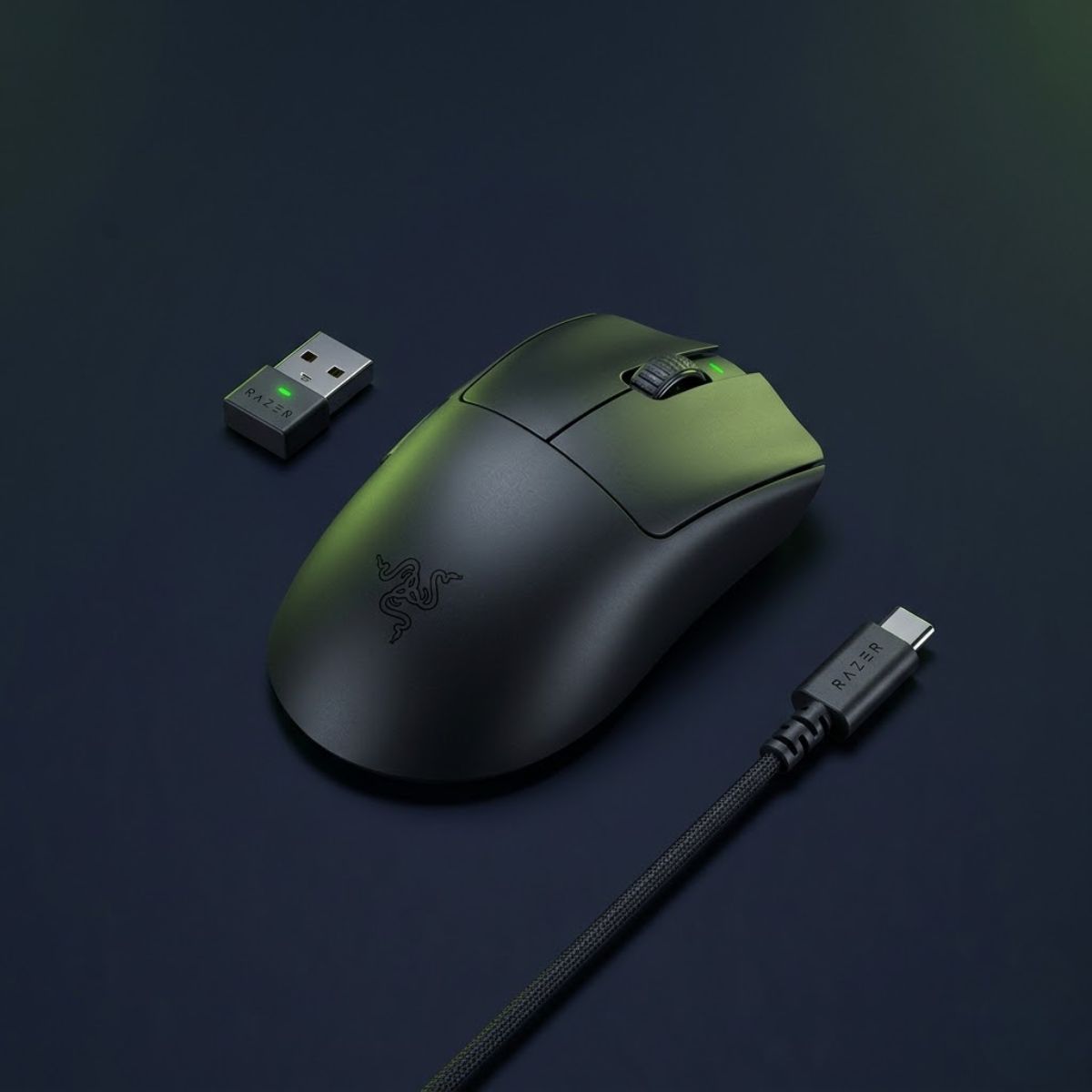
Razer DeathAdder V3 HyperSpeed
A lightweight wireless FPS gaming mouse that combines reliable responsiveness, efficient battery life, and ergonomic comfort for competitive play.
- Best for: Wireless FPS gaming
- Shape: Ergonomic
- Connection: Wireless
- Use case: Competitive FPS players
Best Budget Gaming Mouse for FPS Games
The best budget gaming mouse for FPS games is the Logitech G305 Lightspeed because it delivers reliable wireless performance, proven FPS capability, and excellent value at a significantly lower price than most flagship models. Budget players often assume they need expensive hardware to compete effectively, but modern gaming mice have reached a point where strong FPS performance is available across multiple price ranges.
The most important goal in the budget category is maximizing performance per dollar. Rather than chasing premium materials or cutting-edge features, budget-focused buyers typically want a mouse that performs reliably in competitive games without unnecessary expense.
The G305 has remained popular for years because it focuses on the essentials. It provides dependable wireless performance, a familiar symmetrical shape, and a reputation for consistency that continues to attract budget-conscious FPS players.
Unlike the wireless category above, which focused on maximizing overall wireless quality, this section focuses on extracting the greatest value from a limited budget.
As a result, the Logitech G305 Lightspeed remains one of the safest and most proven budget FPS mouse recommendations available today.
Why Budget Players Do Not Need Expensive Mice
Budget players do not necessarily need expensive gaming mice because strong FPS performance depends more on fit, comfort, and consistency than on premium pricing. Once a mouse reaches a reasonable performance standard, factors such as shape compatibility and user preference often become more important than additional specifications.
Many modern gaming mice already provide sensors, switches, and wireless implementations that are more than capable of supporting competitive gameplay. Spending significantly more money does not automatically create a proportional improvement in performance.
This is particularly true for newer players who are still developing aim fundamentals. A reliable budget mouse paired with consistent practice often produces greater improvement than a premium mouse used without proper training.
The goal should be selecting equipment that supports good habits and long-term consistency rather than assuming that the highest-priced option will always perform better.
In conclusion, budget-conscious FPS players can remain highly competitive without spending flagship-level money on a gaming mouse.
What You Sacrifice at Lower Prices
Budget gaming mice can provide excellent value, but they may sacrifice certain premium features that appear in higher-priced models. Understanding these tradeoffs helps buyers set realistic expectations while still making smart purchasing decisions.
Premium mice often offer lower weight, upgraded materials, longer battery life, more advanced coatings, or additional customization features. These improvements can enhance the overall experience, but they do not always translate directly into better in-game performance.
The G305 demonstrates this balance well. It does not attempt to compete directly with flagship esports mice in every specification category. Instead, it focuses on delivering reliable competitive performance at a far more accessible price point.
For many FPS players, this tradeoff makes perfect sense. The performance remains strong enough for serious gameplay while reducing the overall cost of entry.
In conclusion, budget gaming mice may sacrifice certain premium refinements, but they can still deliver the core performance characteristics required for competitive FPS gaming.
The table below compares the strengths of budget FPS gaming mice:
| Budget Advantage | Player Benefit |
|---|---|
| Lower Cost | Improved affordability |
| Proven Performance | Reliable FPS capability |
| Accessible Entry Point | Suitable for new players |
| Good Value | Higher performance per dollar |
| Practical Features | Focuses on FPS essentials |
The comparison above demonstrates why budget gaming mice continue to hold an important place in the FPS market. They allow players to prioritize performance without committing to flagship-level pricing.
In conclusion, the Logitech G305 Lightspeed remains one of the strongest budget recommendations because it balances affordability, reliability, and competitive FPS performance.
The following mouse delivers excellent FPS value without requiring a premium budget:
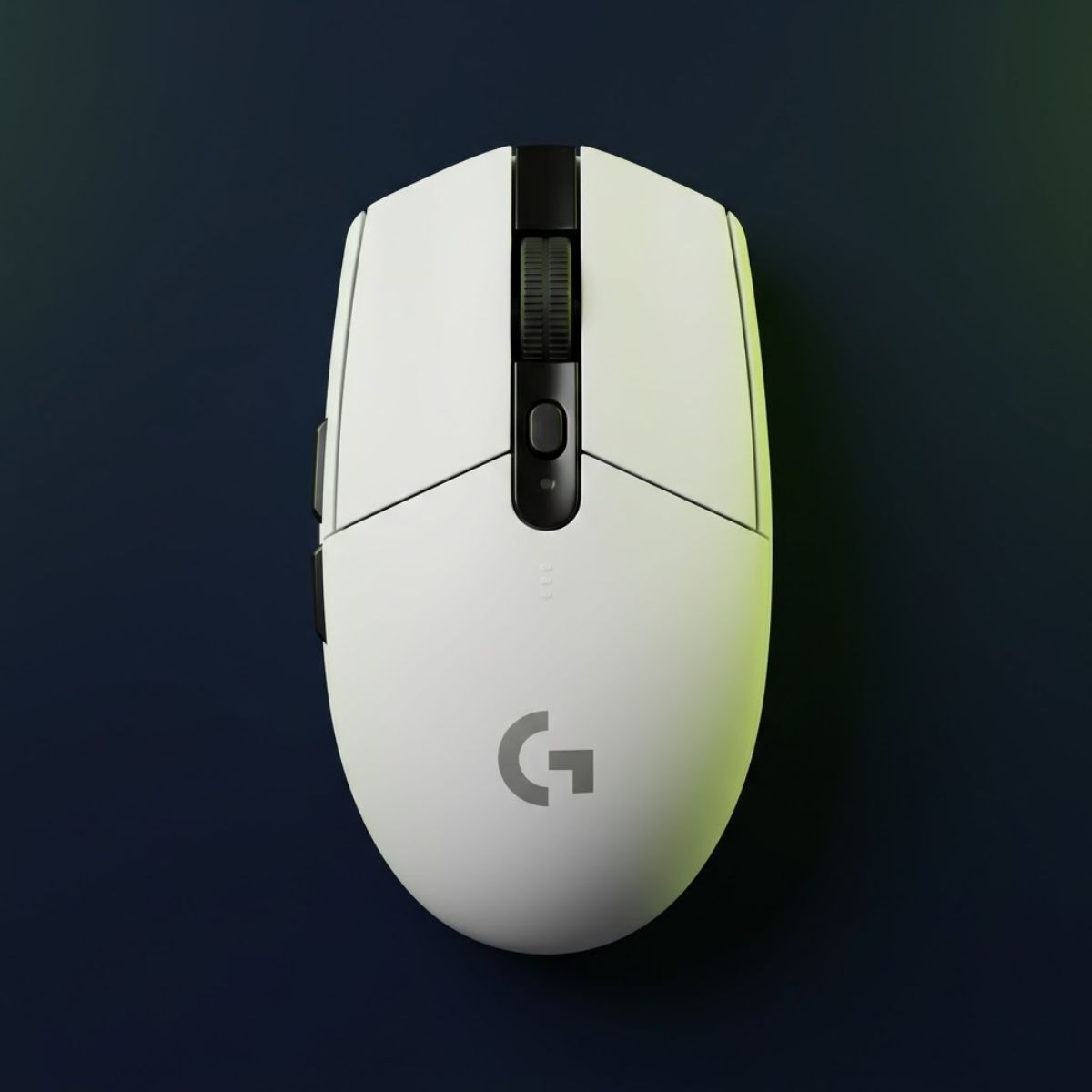
Logitech G305 Lightspeed
A proven budget-friendly wireless gaming mouse that delivers reliable FPS performance, strong value, and competitive-ready responsiveness.
- Best for: Budget FPS gaming
- Shape: Symmetrical
- Connection: Wireless
- Use case: Competitive gaming under a tight budget
Which FPS Gaming Mouse Should You Choose?
The right FPS gaming mouse depends on your primary game, hand size, grip style, and budget rather than a single universal recommendation. Although the Razer Viper V3 Pro earned the overall winner position, some players can achieve better results with a more specialized option. The goal is choosing the mouse that best matches your individual needs rather than automatically selecting the most expensive product.
Different FPS games reward different aiming styles. Likewise, hand size and grip preference can significantly influence comfort and long-term consistency. Matching the mouse to these factors often produces better results than focusing exclusively on specifications.
The recommendations below simplify the selection process by connecting common player profiles with the most suitable options from this guide.
The list below helps match different FPS player types with the most appropriate recommendation:
- Competitive Valorant Players: Razer DeathAdder V3 Pro for controlled flicks, angle holding, and tactical precision.
- Competitive CS2 Players: Razer DeathAdder V3 Pro for stability and reliable first-shot accuracy.
- Apex Legends Players: Logitech G PRO X Superlight 2 for smooth tracking and fast directional changes.
- Players Seeking One Overall Recommendation: Razer Viper V3 Pro for balanced performance across multiple FPS genres.
- Large-Handed Players: Pulsar Xlite V3 Medium for additional support and long-session comfort.
- Small-Handed Players: HyperX Pulsefire Haste 2 Mini for improved control and accessibility.
- Wireless Enthusiasts: Razer DeathAdder V3 HyperSpeed for cable-free competitive performance.
- Budget-Conscious Buyers: Logitech G305 Lightspeed for strong value and dependable FPS performance.
The recommendations above demonstrate that the best mouse depends heavily on the individual player. A product that feels perfect for one user may not be ideal for another due to differences in hand size, grip style, and preferred game.
If you want to continue exploring FPS gear, visit GearTP for additional gaming mouse guides, comparisons, and FPS-focused recommendations.
In conclusion, selecting the right FPS gaming mouse becomes much easier when the decision is based on your actual gameplay needs rather than marketing claims.
Common Mistakes When Buying an FPS Gaming Mouse
Many FPS players choose the wrong gaming mouse because they focus on marketing specifications while ignoring factors that have a much larger impact on real gameplay performance. These mistakes often lead to unnecessary spending, poor comfort, and inconsistent aiming results.
Understanding common buying mistakes can help players avoid frustration and make more informed purchasing decisions. The goal is not simply buying a popular mouse but selecting a mouse that genuinely supports long-term improvement.
Focusing Too Much on DPI Numbers
One of the most common mistakes is assuming that higher DPI automatically means better FPS performance. Modern gaming mice frequently advertise extremely high DPI values, but most competitive players use settings far below those maximum numbers.
DPI is only one part of a complete sensitivity setup. Shape, comfort, control, and consistency often have a much greater influence on actual gameplay performance than chasing larger DPI figures.
In conclusion, DPI matters, but it should never be treated as the primary reason to choose one gaming mouse over another.
Copying Professional Players Without Context
Many players attempt to copy professional setups without considering the differences between their own needs and the needs of professional competitors. A mouse that works perfectly for a professional player may not fit another player’s hand size, grip style, or preferred game.
Professional recommendations can provide useful reference points, but they should not replace personal fit and comfort considerations. A mouse that feels natural to you is often more valuable than a mouse selected solely because a professional player uses it.
In conclusion, professional usage can be informative, but personal compatibility should remain the final deciding factor.
Ignoring Hand Size and Shape Compatibility
Ignoring hand size is one of the fastest ways to create unnecessary comfort and performance problems. Even a technically excellent gaming mouse can feel awkward if the dimensions do not fit the player’s hand properly.
Large-handed players and small-handed players often require different shape characteristics. Choosing a mouse that supports your natural grip style typically produces better results than forcing yourself to adapt to an uncomfortable design.
In conclusion, shape compatibility remains one of the most important factors in successful FPS mouse selection.
The table below summarizes common FPS mouse buying mistakes:
| Common Mistake | Potential Consequence |
|---|---|
| Overvaluing DPI | Poor purchasing priorities |
| Copying Pro Players Blindly | Uncomfortable setup choices |
| Ignoring Hand Size | Reduced comfort and consistency |
| Prioritizing Features Over Fit | Lower long-term performance |
| Assuming Expensive Means Better | Unnecessary spending |
The mistakes above often create more problems than limitations in hardware itself. Many players can improve their experience significantly simply by choosing a mouse that better fits their individual needs.
In conclusion, avoiding common buying mistakes can be just as important as selecting the right product.
How to Choose the Right FPS Gaming Mouse
Choosing the right FPS gaming mouse becomes much easier when the decision follows a structured process rather than relying on random specifications or marketing claims. A clear framework helps narrow the options and increases the likelihood of finding a mouse that remains comfortable and effective long term.
The process below focuses on the factors that consistently influence FPS performance and buying satisfaction.
Follow these steps when selecting an FPS gaming mouse:
- Identify your primary FPS game.
- Determine your hand size.
- Select your preferred grip style.
- Choose between symmetrical and ergonomic shapes.
- Set a realistic budget.
- Compare the final shortlist using real gameplay priorities.
Each step removes unnecessary options and brings the decision closer to a mouse that genuinely fits your requirements. This approach is more reliable than comparing specification sheets alone.
In conclusion, the best FPS gaming mouse is usually the result of a structured decision-making process rather than a single specification or trend.
Frequently Asked Questions About FPS Gaming Mice
The FAQs below answer the most common questions FPS players ask when choosing a gaming mouse. These answers focus on practical buying decisions, performance expectations, hand size considerations, and competitive FPS requirements. Reviewing these questions can help you avoid common mistakes and select a mouse that fits your needs more effectively.
In conclusion, these FAQs provide quick answers to the most important FPS gaming mouse buying questions.
What Is the Best Gaming Mouse for FPS Games Overall?
The best gaming mouse for FPS games overall is the Razer Viper V3 Pro because it offers the strongest balance of shape versatility, lightweight handling, wireless performance, and competitive reliability. It performs exceptionally well across tactical shooters, tracking-heavy games, and general competitive FPS environments.
In conclusion, the Razer Viper V3 Pro remains the safest recommendation for most FPS players.
What Is the Best Gaming Mouse for Valorant?
The Razer DeathAdder V3 Pro is one of the best gaming mice for Valorant because its ergonomic shape supports precise crosshair placement, stable angle holding, and controlled flick shots. These characteristics align closely with the demands of tactical FPS gameplay.
In conclusion, Valorant players who prioritize precision should strongly consider the DeathAdder V3 Pro.
What Is the Best Gaming Mouse for CS2?
The Razer DeathAdder V3 Pro is also one of the strongest choices for Counter-Strike 2 because it provides excellent control and long-session comfort. Its stable handling helps support consistent first-shot accuracy and disciplined aiming.
In conclusion, CS2 players often benefit from the ergonomic stability of the DeathAdder V3 Pro.
What Is the Best Gaming Mouse for Apex Legends?
The Logitech G PRO X Superlight 2 is one of the best gaming mice for Apex Legends because it supports smooth tracking, rapid target transitions, and fast movement. These characteristics are particularly valuable in tracking-focused FPS games.
In conclusion, Apex Legends players frequently benefit from the lightweight agility of the Superlight 2.
Are Wireless Gaming Mice Good for FPS Games?
Yes, modern wireless gaming mice are excellent for FPS games because they now provide responsiveness that is effectively comparable to wired alternatives. They also eliminate cable drag and improve movement freedom.
In conclusion, wireless gaming mice are fully capable of supporting competitive FPS performance.
Do Professional FPS Players Use Wireless Gaming Mice?
Yes, many professional FPS players use wireless gaming mice because modern wireless technology delivers the performance required for competitive play. Wireless models have become increasingly common across esports environments.
In conclusion, professional adoption confirms the effectiveness of modern wireless gaming mice.
How Important Is Mouse Weight for FPS Gaming?
Mouse weight is important because it influences movement speed, fatigue, and overall handling characteristics. However, weight should always be evaluated alongside shape, comfort, and grip compatibility.
In conclusion, the ideal weight depends on personal preference and gameplay style.
Should I Choose a Symmetrical or Ergonomic Gaming Mouse?
You should choose a symmetrical or ergonomic gaming mouse based on your grip style, comfort preferences, and aiming habits. Symmetrical shapes generally offer greater versatility, while ergonomic shapes often provide additional support and stability.
In conclusion, the best shape is the one that feels most natural during long FPS sessions.
What Is the Best Gaming Mouse for Large Hands?
The Pulsar Xlite V3 Medium is one of the best gaming mice for large hands because it offers excellent support, comfort, and ergonomic control. Its shape helps reduce grip strain while maintaining competitive responsiveness.
In conclusion, large-handed players should prioritize shape compatibility alongside performance.
What Is the Best Gaming Mouse for Small Hands?
The HyperX Pulsefire Haste 2 Mini is one of the best gaming mice for small hands because its compact design improves control, reach, and maneuverability. Smaller dimensions often create a more comfortable experience for players with smaller hands.
In conclusion, choosing a mouse that fits your hand size can significantly improve comfort and consistency.
Do Expensive Gaming Mice Improve FPS Performance?
Expensive gaming mice can provide premium features and refinements, but they do not automatically improve FPS performance. Shape compatibility, comfort, and consistent practice usually have a greater impact than price alone.
In conclusion, the best gaming mouse is the one that fits your needs rather than the one with the highest price tag.
What Is the Best Budget Gaming Mouse for FPS Games?
The Logitech G305 Lightspeed is one of the best budget gaming mice for FPS games because it offers reliable wireless performance, proven competitive capability, and excellent value. It remains a popular choice among players who want strong FPS performance without spending premium-level money.
In conclusion, the Logitech G305 Lightspeed is one of the safest budget FPS gaming mouse recommendations available.
Frequently Asked Questions About FPS Gaming Mice
The FAQs below answer the most common questions about FPS gaming mice, buying decisions, and competitive gaming performance.
What Is an FPS Gaming Mouse?
An FPS gaming mouse is a mouse designed to provide accurate tracking, responsive clicks, and consistent control for first-person shooter games such as Valorant, CS2, Apex Legends, and Call of Duty.
What Makes an FPS Gaming Mouse Different From a Regular Mouse?
An FPS gaming mouse differs from a regular mouse by offering lower latency, better sensors, improved shape design, and features optimized for competitive aiming.
What Is the Most Important Feature in an FPS Gaming Mouse?
The most important feature in an FPS gaming mouse is shape because comfort and grip stability directly affect aiming consistency more than most specifications.
What Is the Best Gaming Mouse for FPS Games Overall?
The Razer Viper V3 Pro is the best gaming mouse for FPS games overall because it combines lightweight handling, shape versatility, and elite competitive performance.
Which FPS Gaming Mouse Is Best for Valorant and CS2?
The Razer DeathAdder V3 Pro is one of the best FPS gaming mice for Valorant and CS2 because its ergonomic shape supports stable crosshair placement and controlled flick shots.
Which FPS Gaming Mouse Is Best for Apex Legends?
The Logitech G PRO X Superlight 2 is one of the best FPS gaming mice for Apex Legends because its lightweight design supports smooth tracking and rapid target transitions.
Should I Buy a Wireless or Wired FPS Gaming Mouse?
Most FPS players should buy a wireless gaming mouse because modern wireless technology provides competitive performance without cable drag.
What Is the Best Budget Gaming Mouse for FPS Games?
The Logitech G305 Lightspeed is one of the best budget gaming mice for FPS games because it delivers reliable wireless performance at an affordable price.
Does Mouse Weight Affect FPS Performance?
Yes, mouse weight affects FPS performance because it influences movement speed, fatigue, tracking behavior, and flick-shot control.
Does DPI Matter for FPS Gaming?
Yes, DPI matters for FPS gaming, but shape, comfort, and sensitivity settings usually have a greater impact on aiming performance than maximum DPI values.
Can a Gaming Mouse Improve Aim in FPS Games?
A gaming mouse can improve aim consistency when its shape, weight, and handling characteristics match the player’s hand size, grip style, and aiming preferences.
How Do I Choose the Right FPS Gaming Mouse?
You can choose the right FPS gaming mouse by evaluating your primary game, hand size, grip style, preferred shape, and budget before comparing products.
Final Verdict
The best gaming mouse for FPS games overall is the Razer Viper V3 Pro because it delivers the strongest combination of shape versatility, lightweight handling, wireless performance, and competitive reliability. While other mice may perform better in specific situations, the Viper V3 Pro provides the most complete solution for the widest range of FPS players.
Tactical FPS players may prefer the stability of the Razer DeathAdder V3 Pro, while tracking-focused players can benefit from the agility of the Logitech G PRO X Superlight 2. Players with larger hands may find the Pulsar Xlite V3 Medium more comfortable, and those with smaller hands may achieve better control with the HyperX Pulsefire Haste 2 Mini. Budget-conscious players can still enjoy competitive performance with the Logitech G305 Lightspeed.
Ultimately, the best FPS gaming mouse is the one that matches your hand size, grip style, preferred game, and budget. By focusing on fit, comfort, and consistency instead of marketing claims, you can make a more confident purchase and build a setup that supports long-term improvement.
In conclusion, choosing the right FPS gaming mouse is less about finding the most expensive option and more about finding the option that best supports your individual playstyle.
Thanks for reading GearTP. We hope this guide helps you find the best gaming mouse for FPS games and make a more confident buying decision.