
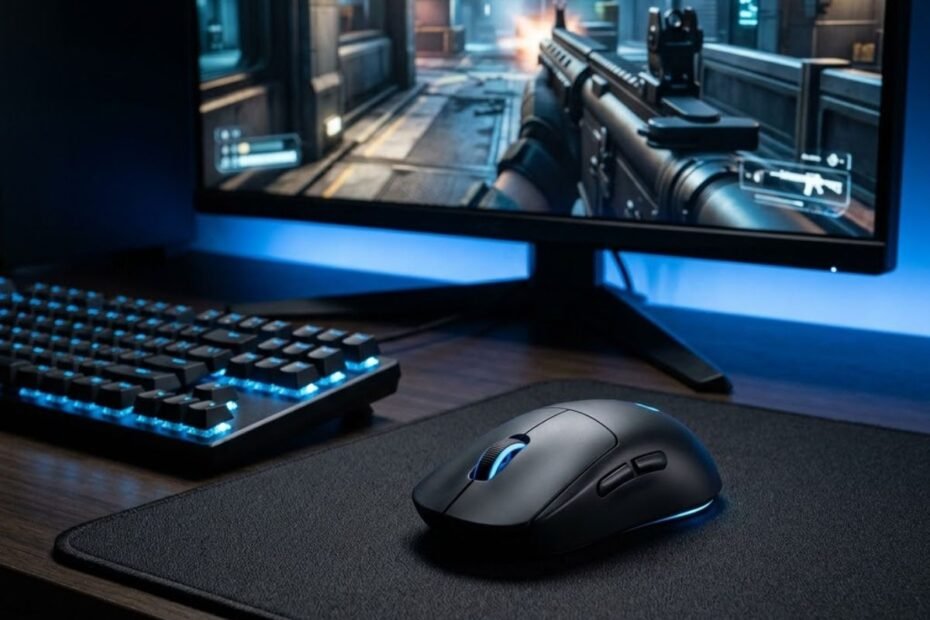
Yes, a good wireless gaming mouse can be excellent for FPS. Modern gaming wireless connections can provide the responsiveness and consistency needed for competitive shooters, so the absence of a cable is not, by itself, a reason to avoid a wireless mouse. The more important factors are the quality of the wireless connection, mouse shape, weight, sensor performance, click responsiveness, and battery management.
For FPS players, the main concern is usually whether wireless connectivity introduces enough delay or instability to affect aim and control. That concern is reasonable, but it is important to distinguish modern gaming wireless technology from general-purpose wireless connections. A gaming mouse designed around a dedicated wireless receiver can be built specifically for responsive input during fast-paced games.
A wireless mouse also needs to meet the same basic performance requirements as any other FPS mouse. A reliable connection cannot compensate for an uncomfortable shape, unsuitable weight, inconsistent tracking, or controls that do not match the way you play. This is why wireless should be treated as one part of the mouse rather than the deciding factor by itself.
Why Are Wireless Gaming Mice Good for FPS?
Wireless gaming mice can be good for FPS because modern gaming wireless systems are designed around responsive input and reliable connectivity. When the wireless implementation is suitable for gaming, removing the cable does not automatically make the mouse less capable for fast-paced shooters.
Wireless gaming mice can give FPS players greater freedom during large mouse movements:
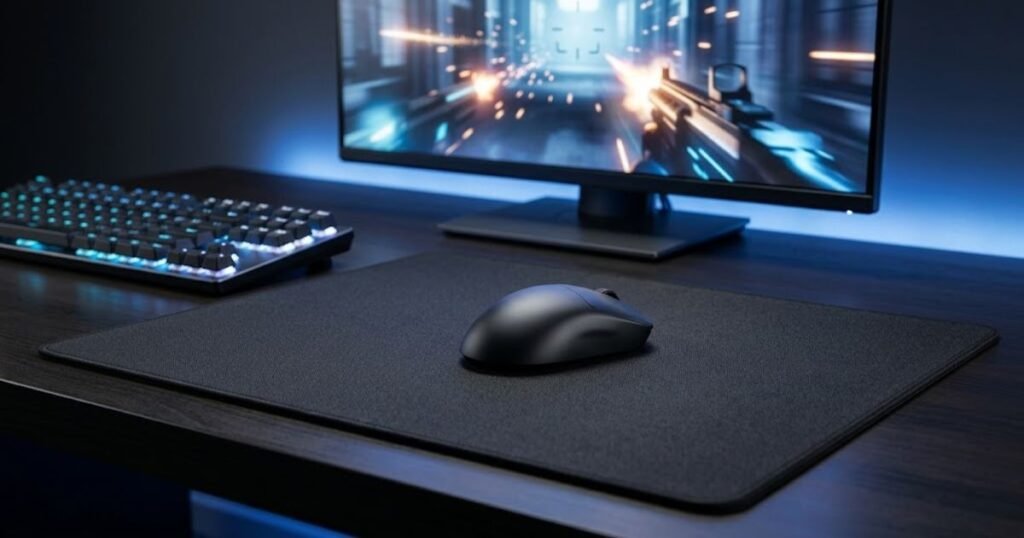
The biggest practical advantage is freedom of movement. Without a cable pulling against the mouse or catching on the edge of a desk, players have fewer physical restrictions when making large movements. This can be particularly useful for FPS players who use lower sensitivity and frequently move the mouse across a larger area of the pad.
However, the benefit should not be overstated. Wireless connectivity does not make a mouse inherently more accurate or automatically improve aim. The player still needs a mouse that fits their hand, provides consistent tracking, and feels predictable during both large movements and small corrections.
Modern Gaming Wireless Is Different From Basic Wireless Connectivity
Not every wireless mouse uses the same type of connection. A general-purpose wireless mouse may prioritize convenience and battery efficiency, while a gaming mouse can use a dedicated wireless receiver and a connection system designed around responsive input.
This distinction matters because the word “wireless” describes how the mouse communicates with the computer, not how well it performs. Two wireless mice can therefore provide very different experiences in an FPS game depending on their wireless hardware, receiver, firmware, and overall implementation.
For example, Logitech G describes its LIGHTSPEED technology as a wireless system designed for gaming performance, with an emphasis on low latency and reliable performance. Logitech’s current PRO X SUPERLIGHT product page also identifies LIGHTSPEED as its wireless technology and describes the connection as low latency. :contentReference[oaicite:0]{index=0}
This is why FPS players should evaluate the actual wireless technology used by a gaming mouse rather than assuming that every wireless connection will behave the same way.
For a broader view of the characteristics that matter when choosing a mouse for shooters, gaming mice for FPS games need to balance factors such as control, responsiveness, and physical comfort rather than relying on connectivity alone.
The table below compares the main connection approaches an FPS player may encounter:
| Connection Type | Typical FPS Use | Main Consideration |
|---|---|---|
| Wired | Competitive and everyday FPS | Direct physical connection with no battery management |
| Gaming wireless receiver | Competitive and everyday FPS | Wireless implementation and connection stability |
| Bluetooth | General use and casual gaming | Not primarily designed around competitive gaming responsiveness |
The key difference is not simply whether a mouse has a cable. A wired mouse, a gaming wireless mouse, and a Bluetooth mouse can all be wireless or cable-connected in different ways, but their communication methods and intended uses are not identical. For FPS gaming, a dedicated gaming wireless implementation is the relevant comparison when evaluating a wireless gaming mouse.
Does a Wireless Connection Affect FPS Aim?
A wireless connection does not automatically make FPS aim worse. Aim depends on the complete interaction between the player and the mouse, including movement control, tracking consistency, shape, weight, sensitivity, and input responsiveness. Wireless connectivity is only one part of that system.
The absence of a cable can actually remove one physical source of resistance during mouse movement. When the cable does not drag against the desk or mouse pad, the player’s hand can move the mouse without having to manage that additional physical constraint. The practical benefit depends on the player’s setup and preferences rather than guaranteeing better aim for everyone.
At the same time, wireless should not be treated as an automatic upgrade. A poorly implemented wireless mouse can still be a poor FPS mouse, just as a wired mouse can be unsuitable because of its shape, weight, or tracking behavior. The important question is whether the complete mouse provides the performance and control the player needs.
This distinction also prevents a common mistake when comparing gaming mice: treating the connection type as if it determines the entire gaming experience. A good wireless FPS mouse should first be a good gaming mouse, with wireless connectivity adding freedom of movement without compromising the qualities that matter for aiming.
In short, modern gaming wireless can be a strong choice for FPS, but the connection type alone does not determine aim quality. The wireless implementation, physical design, and overall mouse performance all need to work together.
Does Wireless Mouse Latency Matter for FPS?
Yes, wireless mouse latency matters for FPS, but a modern gaming mouse using a dedicated USB receiver can provide highly responsive input. The important distinction is between gaming-focused wireless connections and higher-latency options such as Bluetooth.
Mouse latency describes the responsiveness between a physical mouse action and the input registered by the computer:
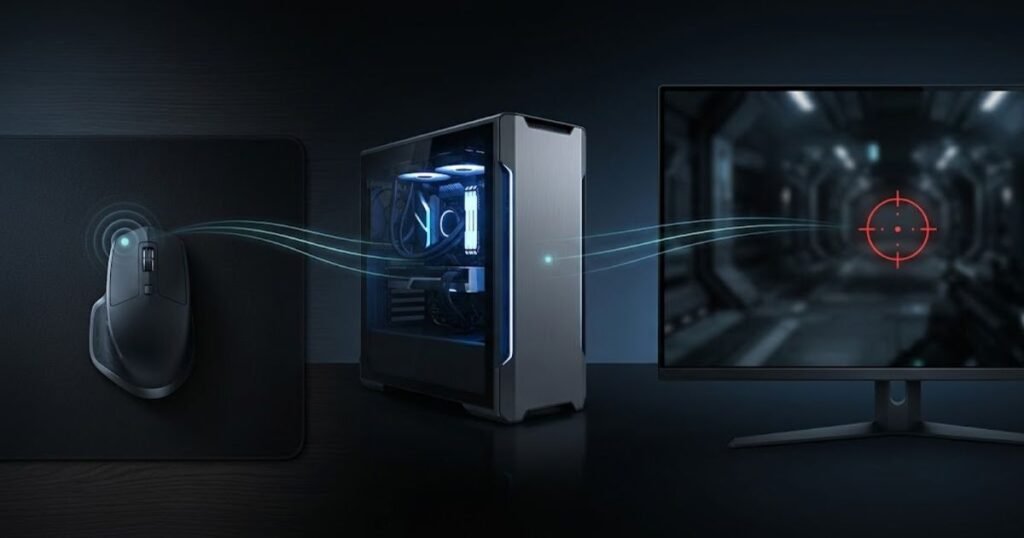
Latency is the delay between a physical mouse action and the computer registering that input. In an FPS game, lower latency helps actions feel more immediate, particularly when you are making quick clicks or small corrections. However, mouse latency is only one part of the complete input chain, so it should not be treated as the sole measure of gaming performance.
Independent testing supports the distinction between wireless connection types. RTINGS measures click latency separately for wired, wireless receiver, and Bluetooth connections, and reports that wired mice and wireless mice using proprietary USB receivers generally achieve the lowest latency, while Bluetooth tends to have the highest. Their testing uses a USB protocol analyzer and averages 205 clicks for each connection type. RTINGS’ click latency testing methodology provides the technical basis for this comparison.
For FPS players, this means the relevant question is not simply whether a mouse is wireless. The more useful question is whether its wireless connection provides sufficiently low and consistent latency for the type of FPS gaming you do.
How Wireless Mouse Latency Affects FPS Responsiveness
Mouse latency affects how quickly an input is registered after you press a button. A lower-latency mouse can make clicks feel more immediate, which matters more in fast-paced and competitive games than in slower everyday tasks.
However, the effect should be kept in perspective. Your mouse is only one component of the complete input path between your physical movement and what appears on screen. Computer processing, the game, and display latency can also contribute to the overall response time. A small difference in mouse latency therefore does not automatically translate into a noticeable difference in actual gameplay.
This is also why it is misleading to assume that every wireless mouse introduces a meaningful disadvantage. RTINGS’ current testing notes that many gaming mice using proprietary USB receivers now achieve latency performance comparable to, and in some cases better than, wired gaming mice. The result depends on the implementation rather than wireless connectivity alone.
For an FPS player, the practical takeaway is simple: prioritize a gaming mouse with a well-implemented connection and consistent performance instead of rejecting wireless solely because it uses radio communication.
Is 2.4GHz Wireless Better for FPS Than Bluetooth?
For competitive FPS, a dedicated wireless receiver is generally the better choice than Bluetooth. Gaming mice that use a USB receiver are designed around responsive communication with the computer, while Bluetooth is commonly optimized for broader device compatibility, convenience, and power efficiency.
Bluetooth can still be useful when a mouse needs to connect to devices without a dedicated gaming receiver, but that does not make it the preferred connection for competitive FPS. RTINGS’ testing identifies Bluetooth as the highest-latency option among the connection types they test and specifically recommends using a wired connection or wireless USB receiver when minimizing click latency matters.
This distinction is important because the term “wireless” covers different technologies. Treating a dedicated gaming receiver and Bluetooth as equivalent can lead to an inaccurate conclusion about wireless FPS performance.
For that reason, an FPS player comparing wireless mice should look at the actual connection mode used for gaming rather than stopping at the word “wireless.”
The table below compares the connection types most relevant to FPS mouse responsiveness:
| Connection Type | FPS Suitability | Latency Consideration | Typical Use |
|---|---|---|---|
| Wired | Excellent | Generally very low latency | Competitive and everyday gaming |
| Gaming wireless receiver | Excellent on suitable models | Can provide very low latency | Competitive and everyday gaming |
| Bluetooth | Less suitable for competitive FPS | Generally higher latency | General use and power-saving scenarios |
The table shows why “wireless” should not be treated as a single performance category. A gaming wireless receiver can provide a very different experience from Bluetooth, so FPS players should evaluate the connection actually intended for gaming.
Can Wireless Interference Affect FPS Performance?
Wireless interference can affect connection reliability, although the practical impact depends on the mouse, receiver, environment, and setup. A stable wireless connection is important because inconsistent communication can be more disruptive than simply having a slightly higher measured latency.
Receiver placement can also matter. RTINGS notes that USB wireless receivers can experience increased latency as the distance from the receiver increases, which is one reason some gaming mice include an extender that allows the receiver to be positioned closer to the mouse.
For an FPS setup, the goal is therefore not to eliminate every possible source of wireless interference. It is to use the connection as intended, keep the receiver positioned appropriately, and choose hardware with a reliable gaming-focused wireless implementation.
Wireless latency should be treated as one part of FPS mouse performance rather than an automatic disadvantage. A suitable gaming wireless connection can provide the responsiveness required for FPS, while the larger differences between connection types become more relevant when the mouse uses a less gaming-oriented connection such as Bluetooth.
What Makes a Wireless Mouse Good for FPS?
A good wireless FPS mouse needs more than a reliable wireless connection. Its shape, weight, sensor consistency, click responsiveness, and battery behavior all affect how well the mouse fits your gameplay.
A wireless FPS mouse needs several physical and performance characteristics to work well as a complete input device:
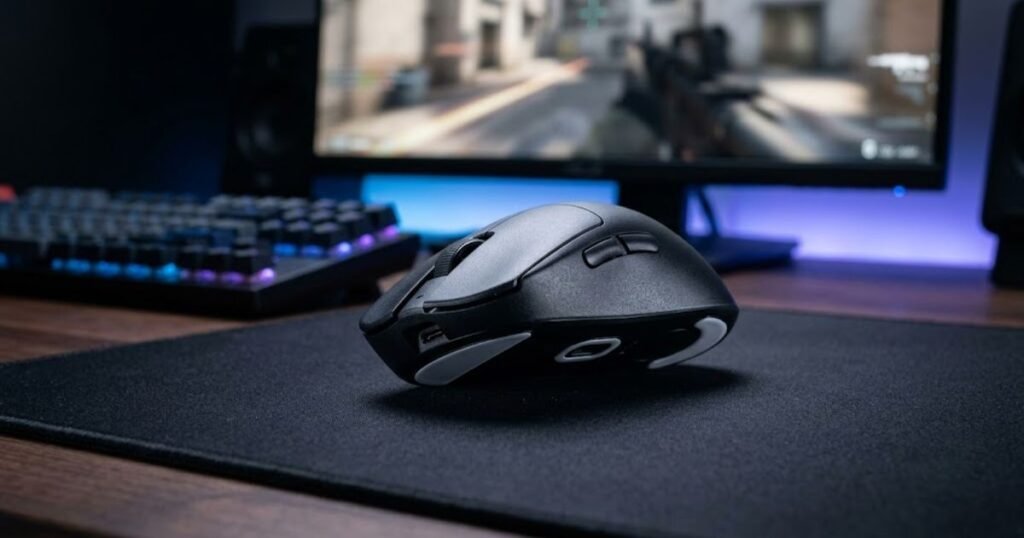
Wireless connectivity only determines how the mouse communicates with the computer. It does not determine whether the mouse feels comfortable, controlled, or predictable during an FPS match. Two wireless gaming mice can use similarly capable connections while feeling very different because of their physical design and performance characteristics.
For FPS players, the better approach is to evaluate the mouse as a complete input device. The goal is not to find the mouse with the most impressive specification on paper, but one that gives you consistent control during flicks, tracking, repositioning, and repeated clicks.
Why Mouse Shape Still Matters With a Wireless FPS Mouse
Mouse shape matters because it determines how naturally your hand rests on the mouse and how easily you can control it during repeated movements. A wireless connection cannot compensate for a shape that feels awkward or forces your hand into an uncomfortable position.
The right shape depends on factors such as hand size, grip style, and personal preference. A mouse that feels stable for one player may feel restrictive to another, even if both players use the same sensitivity and game settings.
Shape can also influence how consistently you return your hand to the same position after lifting and repositioning the mouse. That consistency matters in FPS because aiming involves repeated movements rather than a single isolated action.
For this reason, wireless should not be used as a reason to overlook the physical design of the mouse. A cable-free mouse still needs to provide a predictable and comfortable hand position throughout a gaming session.
The main point is that wireless freedom is only useful when the mouse itself remains easy to control. Shape should therefore be evaluated alongside connectivity rather than treated as a secondary feature.
How Mouse Weight Affects FPS Movement
Mouse weight affects how the mouse feels when you start, stop, and change direction. In FPS games, these sensations can influence how a player approaches large flicks, tracking movements, and frequent repositioning.
A heavier mouse can feel more substantial during movement, while a lighter mouse can require less physical effort to reposition. Neither characteristic automatically makes a mouse better for FPS. The useful weight depends on how the player moves the mouse and how much control they want during different types of aim.
Weight also interacts with the size of the mouse pad and the player’s sensitivity. A player who regularly makes large movements may evaluate weight differently from someone who relies on smaller movements within a limited area.
This is why the lowest possible weight should not automatically be treated as the ideal target. A mouse should feel controllable and predictable at the speed and movement range you actually use.
In practical terms, weight is a control preference rather than a universal performance ranking. The right wireless FPS mouse should have a weight that complements your movement style instead of simply chasing the lowest number.
Why Sensor Consistency Matters More Than Maximum DPI
Sensor consistency matters because FPS aiming depends on the mouse translating physical movement into predictable cursor movement. A very high maximum DPI number does not automatically mean the sensor will provide a better gaming experience.
DPI primarily describes sensitivity rather than overall sensor quality. An FPS player can use a relatively low sensitivity and still need accurate, consistent tracking across repeated movements. What matters is how predictably the sensor behaves at the settings you actually use.
This distinction is especially important when comparing gaming mice because maximum DPI is easy to advertise but says little about whether the mouse fits your actual aiming requirements. A useful evaluation should consider tracking behavior and consistency rather than treating the largest DPI figure as the strongest indicator of performance.
For most FPS players, the practical question is therefore whether the sensor behaves predictably at their chosen sensitivity. A wireless mouse with consistent tracking can be a strong FPS option even if its maximum DPI is far beyond what the player will ever use.
Maximum DPI can be a specification worth knowing, but it should not overshadow the qualities that directly affect control during gameplay.
Does Click Responsiveness Matter for FPS?
Yes, click responsiveness matters for FPS because shooting, ability activation, and other actions can depend on how quickly and consistently button inputs are registered. However, click responsiveness should be considered alongside the rest of the mouse rather than treated as an isolated specification.
Button design can also affect how a mouse feels during repeated actions. Consistent actuation and a predictable click can make inputs feel easier to control, particularly during situations where players need to react quickly.
It is also important to separate click responsiveness from the broader concept of mouse performance. A responsive click does not make an uncomfortable mouse suitable for every player, and it does not compensate for poor sensor behavior or an unsuitable shape.
For FPS use, the most useful approach is to look for consistent and predictable button behavior that matches the way you play. This keeps click performance in its proper place as one component of the complete mouse experience.
The table below summarizes the main factors that affect how a wireless mouse performs in FPS:
| Factor | Why It Matters for FPS | What to Prioritize |
|---|---|---|
| Wireless connection | Determines how the mouse communicates with the computer | Reliable gaming-focused implementation |
| Shape | Affects hand position and movement control | A comfortable shape that suits your grip |
| Weight | Influences movement, stopping, and repositioning | A weight that matches your movement style |
| Sensor | Affects how consistently physical movement is translated into cursor movement | Consistent tracking at your actual sensitivity |
| Click responsiveness | Affects how quickly and predictably button inputs feel | Consistent and predictable actuation |
| Battery | Affects the practical convenience of wireless use | Battery behavior that fits your gaming routine |
The main takeaway is that wireless performance should be evaluated as part of the complete mouse rather than in isolation. Shape and weight influence physical control, sensor consistency affects tracking, and click responsiveness affects how inputs feel. Battery behavior also determines how convenient the wireless setup remains over time.
A wireless mouse can therefore be excellent for FPS without having the most extreme specifications available. What matters more is whether its overall design gives you predictable control and fits the way you actually play.
Wireless vs Wired for FPS: Which Should You Choose?
Both wired and wireless mice can be excellent for FPS. Wired mice prioritize simplicity and uninterrupted use, while wireless mice remove cable drag and provide greater freedom of movement. The better choice depends on which trade-offs matter to your setup.
The practical difference between wired and wireless becomes most noticeable when the mouse cable affects how freely you can move:
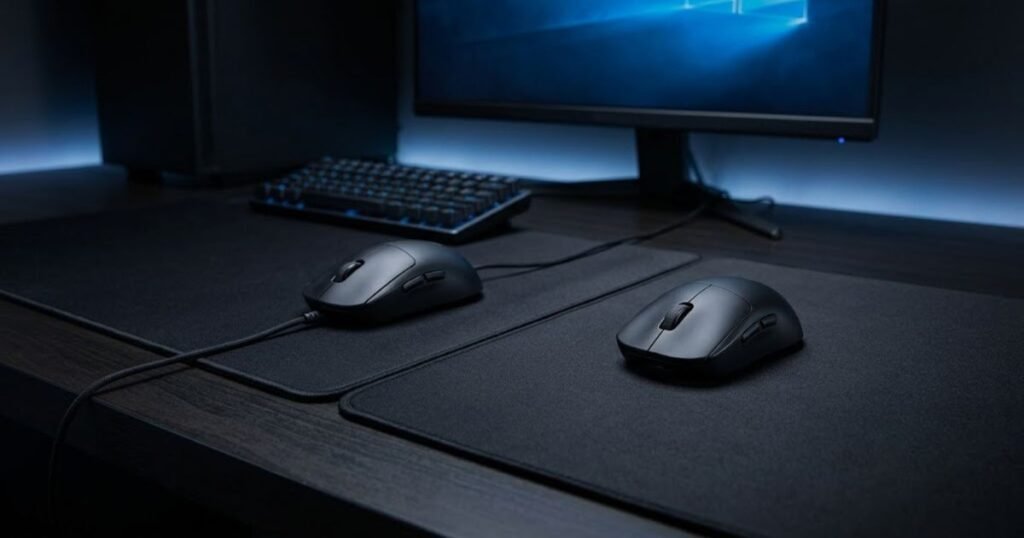
For FPS gaming, choosing between wired and wireless is less about finding a universally superior connection and more about deciding which physical and practical characteristics you value. A wired mouse keeps the setup straightforward, while a wireless mouse gives you more freedom to move without managing a cable.
This distinction matters because the benefits of wireless are primarily practical. A wireless connection does not automatically improve aim, and a cable does not automatically make a wired mouse more accurate. The decision should instead reflect how you move the mouse, how you manage your setup, and how much you value cable-free movement.
Choose Wired If You Want Simplicity and Lower Cost
A wired mouse is a strong choice for FPS players who want a straightforward setup without battery management. Once connected, the mouse can be used without planning around charging or checking how much battery remains before a gaming session.
Wired mice can also provide better value when two otherwise comparable models have a meaningful price difference. If cable-free movement is not important to you, paying more for wireless functionality may not provide a benefit that you will actually notice during everyday gaming.
The main trade-off is the physical cable. Depending on the desk and setup, the cable can introduce resistance or catch against nearby objects during large mouse movements. How noticeable this is varies considerably between players and setups, so it should not be treated as an automatic disadvantage for every FPS player.
Wired therefore makes the most sense when your priority is a simple, consistent setup and you do not consider cable management a significant problem.
Choose Wireless If Cable Drag Bothers You
A wireless mouse becomes more compelling when the physical cable interferes with the way you move the mouse. Removing the cable can make large movements feel less restricted and can give the player more freedom to position the mouse across the available surface.
This can be particularly relevant for players who frequently make broad mouse movements or use a setup where the cable tends to rub against the desk. In these situations, the value of wireless comes from removing a physical constraint rather than from making the mouse inherently more accurate.
Wireless can also make the desk setup easier to position because the mouse is not physically connected to the computer. That convenience may be worthwhile for players who regularly change their setup or simply prefer a cleaner physical arrangement.
However, these benefits should be weighed against the practical responsibilities that come with wireless, including battery management and potentially higher purchase costs. If those trade-offs provide little value to you, wired may remain the more sensible choice.
The decision ultimately comes down to the trade-offs between cable drag, battery management, cost, and movement freedom, which are central to the difference between wireless vs wired gaming mice.
The table below compares the practical differences between wired and wireless mice for FPS:
| Factor | Wired Mouse | Wireless Mouse |
|---|---|---|
| FPS suitability | Excellent | Excellent on suitable gaming models |
| Cable drag | Present | None |
| Battery management | Not required | Required |
| Connection | Physical cable | Wireless connection |
| Movement freedom | Limited by cable length and placement | Greater physical freedom |
| Typical cost | Often lower | Often higher |
The comparison shows that neither connection type automatically wins for FPS. Wired is attractive when simplicity and value matter most, while wireless becomes more useful when removing cable drag and gaining movement freedom are worth the additional trade-offs.
For FPS players, the most useful decision is therefore not “Which connection is better?” but “Which set of trade-offs fits my setup better?” That question leads to a more practical choice without assuming that wired or wireless is universally superior.
Are Wireless Mice Good Enough for Competitive FPS?
Yes, a modern gaming wireless mouse can be good enough for competitive FPS. The important requirement is not the absence of a cable, but whether the mouse provides consistent control and responsiveness that match the demands of competitive play.
Competitive FPS players generally need equipment that behaves predictably during repeated matches. A mouse should respond consistently, remain comfortable throughout long sessions, and avoid introducing practical problems that interfere with play. Wireless connectivity can meet those requirements when the mouse is designed for gaming.
However, “good enough for competitive FPS” does not mean that every wireless mouse is suitable. The category includes products with different designs, connection systems, controls, and intended uses. A player should therefore evaluate the complete mouse rather than treating wireless capability as proof of competitive performance.
Can You Use a Wireless Mouse for Valorant and CS2?
Yes, you can use a suitable wireless gaming mouse for games such as Valorant and Counter-Strike 2. These games do not require players to use a wired mouse simply because they are competitive FPS titles. What matters is whether the mouse provides predictable control and responsive input throughout gameplay.
For tactical shooters, consistency can be especially important because players often repeat precise movements, controlled corrections, and rapid actions throughout a match. A mouse that feels predictable from one session to another is more useful than one chosen solely because it has a particular connection type.
The same principle applies across different competitive FPS games. The game itself does not make wireless inherently unsuitable. The player’s mouse, settings, and personal preferences still determine whether the setup feels reliable enough for regular competitive play.
This also means that switching from wired to wireless should not be treated as a guaranteed performance upgrade. If your current mouse already gives you consistent control and the cable does not interfere with your movements, changing connection types may provide little practical benefit.
Do Competitive Players Need Wired Mice?
No, competitive FPS players do not inherently need a wired mouse. Wired connectivity remains a valid choice because it offers a simple setup, but the presence of a cable is not a requirement for competitive play.
It is also important not to confuse professional player preferences with a universal hardware rule. A competitive player choosing a particular mouse demonstrates that the mouse works for that player, but it does not prove that the same mouse or connection type is objectively better for everyone.
Personal preference can influence equipment choices for many reasons, including familiarity, setup habits, physical comfort, and confidence. A player who performs consistently with a wired mouse may have little reason to change, while another player may prefer the freedom of a wireless setup.
The strongest conclusion is therefore about suitability rather than superiority. A competitive player can use either connection type successfully, provided the complete mouse fits the player’s requirements and does not create a practical disadvantage.
When Can Wireless Be a Poor Choice for FPS?
A wireless mouse can be a poor choice for FPS when its practical or performance characteristics do not fit the player’s needs. Wireless is most useful when its benefits solve an actual problem, rather than simply because it is considered a newer or more convenient option.
Common situations include:
- The wireless implementation is not designed for gaming: A general-purpose wireless mouse may not provide the performance characteristics an FPS player expects from dedicated gaming hardware.
- Battery management does not fit your routine: If charging or monitoring battery status becomes an unnecessary interruption, the convenience of wireless may not outweigh the added responsibility.
- You do not experience meaningful cable interference: If the cable on your current mouse does not restrict your movement, removing it may provide little practical improvement.
- The wireless premium does not provide useful value: Paying more for wireless functionality makes less sense when you do not benefit from cable-free movement.
These situations show why the decision should be based on the player’s actual setup rather than the assumption that wireless is automatically more advanced or better suited to competitive gaming.
The table below shows how wireless suitability can vary across different FPS use cases:
| FPS Use Case | Wireless Suitability | Main Consideration |
|---|---|---|
| Casual FPS | Excellent | Convenience and personal preference |
| Ranked FPS | Excellent with suitable gaming hardware | Consistent control and reliable operation |
| Competitive FPS | Excellent with suitable gaming hardware | Consistency, control, and player preference |
| Wireless general-purpose mouse | Less suitable | May not be designed around gaming performance |
| Wireless setup with poor practical fit | Not ideal | Battery management or other trade-offs may outweigh the benefits |
The important distinction is between wireless as a connection method and wireless as part of a complete gaming mouse. A suitable gaming wireless mouse can work for casual, ranked, and competitive FPS, while a poorly matched wireless setup can create unnecessary trade-offs regardless of the player’s skill level.
Competitive FPS therefore does not require a wired mouse by default. The better choice is the one that gives the player consistent control without introducing practical problems that interfere with their normal way of playing.
How to Choose a Wireless Mouse for FPS
Choose a wireless FPS mouse by evaluating the connection, shape, weight, sensor consistency, click responsiveness, battery requirements, and overall value as one complete package. The best choice is the mouse that fits your gameplay rather than the one with the most impressive specification.
Once you have decided that wireless fits your FPS setup, the decision becomes more specific. Instead of asking whether wireless is good, you need to determine whether a particular mouse provides the characteristics you actually need for your games and playing style.
This is important because gaming mice can differ substantially even when they are all marketed for FPS. A useful buying process should therefore start with the factors that can affect your actual experience and finish with whether the complete package is worth the price.
The following process can help you evaluate a wireless mouse for FPS:
- Check the wireless connection: Make sure the mouse uses a gaming-focused connection that is appropriate for the way you intend to play.
- Check the shape: Make sure the physical design works with your hand position and preferred grip.
- Consider the weight: Decide whether the mouse feels appropriate for the size and speed of your typical movements.
- Evaluate sensor performance: Prioritize predictable tracking at the sensitivity settings you actually use rather than focusing only on maximum DPI.
- Check click responsiveness: Look for consistent button behavior that matches the demands of your FPS games.
- Consider battery requirements: Make sure charging and battery management fit naturally into your gaming routine.
- Compare overall value: Decide whether the mouse’s complete feature set justifies its price for your specific needs.
Start With the Connection You Will Actually Use
The first step is to identify how the mouse will connect during gaming. This prevents a common mistake: choosing a wireless mouse based only on the fact that it supports wireless operation without considering which connection mode is intended for gaming.
For an FPS setup, the connection should be evaluated in the context of the mouse’s intended gaming use. If a mouse offers multiple connection modes, pay attention to which mode provides the performance characteristics you want during gameplay rather than assuming every available mode is equivalent.
The goal is not to choose the most complicated connection. It is to make sure the connection fits the role the mouse will actually perform on your gaming PC.
Choose a Shape That Supports Consistent Control
Shape should be evaluated based on how naturally your hand interacts with the mouse during extended use. A mouse can have strong technical specifications and still be a poor choice if its shape makes your movements feel awkward or inconsistent.
Consider how the mouse supports your preferred hand position and whether you can comfortably perform the movements you use most often in FPS games. The goal is a shape that allows repeatable control rather than a particular design that is universally considered best.
When comparing several wireless mice, physical fit can therefore be a more useful decision factor than choosing between small differences in specifications that you may never notice during gameplay.
Match the Weight to Your Movement Style
Weight should be considered in relation to how you move the mouse. Players who make broad movements may evaluate mouse weight differently from players who mainly make smaller movements, so there is no single weight that works for every FPS player.
Rather than automatically choosing the lightest available model, consider whether the mouse feels stable when you need to stop, change direction, and reposition it. A suitable weight should support the way you control the mouse instead of forcing you to adapt your movement style around the hardware.
Prioritize Consistent Tracking Over Maximum DPI
When evaluating the sensor, focus on predictable tracking at your actual sensitivity settings. Maximum DPI can be useful as a specification, but it does not by itself determine whether a mouse will provide the control you need in an FPS.
If you already know the sensitivity range you prefer, use that as the practical reference point. The relevant question is whether the mouse behaves consistently within the settings you actually use rather than how high its maximum DPI number can go.
This approach also makes product comparisons more useful because it shifts attention away from specification inflation and toward characteristics that can affect real gameplay.
Check Click Responsiveness and Button Behavior
Button responsiveness should be evaluated according to how the mouse feels during the actions you perform repeatedly. FPS players may place different demands on their primary clicks, secondary click, and side buttons, so consistent actuation is more useful than simply looking for the largest specification number.
When product testing is available, prioritize evidence about actual click behavior rather than relying only on marketing language. A predictable button can contribute to a consistent experience, but it should still be evaluated alongside the mouse’s other characteristics.
Make Sure Battery Management Fits Your Routine
Battery requirements are a practical part of choosing a wireless mouse. A mouse can perform well during gameplay but become inconvenient if its charging routine does not fit the way you use your setup.
Think about how frequently you use the mouse and whether you are comfortable charging it as part of your normal routine. The right battery setup is therefore not simply the one with the largest advertised runtime, but the one that provides enough convenience for your actual usage.
Compare the Complete Value, Not Just Individual Specifications
The final step is to evaluate whether the complete mouse is worth its price. A higher-priced wireless mouse may offer characteristics that are useful to one FPS player but unnecessary to another, so price should be considered together with the features that actually affect your decision.
This is also where specification chasing can become misleading. A mouse does not become a better FPS choice simply because it has a higher DPI rating, a lower listed weight, or a longer advertised battery figure. Those characteristics only have value when they solve a problem or improve a part of your actual setup.
For players who have already decided that wireless fits their setup, comparing the best gaming mice for FPS games in 2026 can then become a product-level decision based on the criteria that matter most to their use case.
The table below provides a practical checklist for evaluating a wireless FPS mouse:
| Factor | Question to Ask | What to Prioritize |
|---|---|---|
| Connection | Is the gaming connection appropriate for my setup? | Reliable gaming-focused implementation |
| Shape | Does the mouse fit my hand and preferred grip? | Natural and repeatable control |
| Weight | Does the mouse suit how I move it? | Predictable movement and stopping |
| Sensor | Does it track consistently at my settings? | Consistent performance at actual sensitivity |
| Clicks | Do the buttons feel consistent during repeated actions? | Predictable actuation and control |
| Battery | Does charging fit my gaming routine? | Practical battery management |
| Value | Does the complete package justify the price? | Features that provide actual benefits |
The checklist turns the decision into a practical evaluation rather than a specification race. Start with how the mouse connects and fits your hand, then consider movement characteristics, tracking, clicks, battery requirements, and finally whether the complete package is worth the cost.
For most FPS players, there is no need to maximize every specification. A better wireless mouse is the one that removes meaningful friction from your setup while providing the control and consistency you need during actual gameplay.
What Are the Downsides of Using a Wireless Mouse for FPS?
Wireless mice can be excellent for FPS, but they still have practical trade-offs. The main drawbacks are battery management, potentially higher purchase costs, and the fact that wireless only adds value when cable-free movement is useful to the player.
Choosing wireless does not mean accepting a major performance disadvantage, but it does mean taking on a few responsibilities that do not exist with a traditional wired setup. The most important question is whether those trade-offs matter enough to affect your actual gaming routine.
Battery Management Can Be a Practical Trade-Off
A wireless mouse needs a power source, so charging becomes part of normal ownership. For a player who games frequently, battery management can be easy to handle when it fits naturally into their routine. For someone who wants a mouse that is always ready without any additional planning, a wired model may be simpler.
Battery life should also be considered as a practical feature rather than a specification to maximize at all costs. A mouse with a long advertised runtime may not provide meaningful additional value if your normal usage already fits comfortably within its charging cycle.
If battery behavior is an important part of the purchase decision, wireless mouse battery life becomes a separate consideration from the mouse’s FPS performance itself.
The important distinction is that battery management does not make wireless unsuitable for FPS. It is simply an ownership trade-off that should match how you use the mouse.
Wireless Can Cost More Than Comparable Wired Models
Wireless functionality can increase the price of a gaming mouse, although the difference varies between models and product tiers. For some players, the additional cost is worthwhile because removing the cable solves a real problem. For others, the same money may be better spent on characteristics that have a more direct impact on their setup.
This is why price should be evaluated together with actual benefits. Paying more for wireless does not automatically produce better aim, better tracking, or better competitive performance. The value comes from whether the wireless design provides something useful to you.
A wired mouse can therefore remain the better value when cable drag is not a concern and the player has no particular need for cable-free movement.
Wireless Quality Still Depends on the Complete Mouse
Wireless connectivity does not make an otherwise unsuitable mouse a good FPS mouse. A player can still encounter problems with the physical design, controls, tracking, or general fit even when the mouse communicates wirelessly.
This is an important limitation because wireless can sometimes become the main feature people focus on during a purchase. The connection method should instead be considered alongside the rest of the mouse and the player’s actual requirements.
A computer mouse is fundamentally a pointing device that translates physical movement into cursor movement, and modern mice can communicate with a computer without a cable. Wikipedia describes this broader function while noting that many modern mice use short-range radio communication rather than a physical connection. Wikipedia’s definition of a computer mouse provides useful context for why wireless changes the connection method, not the fundamental role of the mouse.
That distinction matters for FPS. Wireless removes the physical cable connection, but the mouse still needs to provide predictable control and consistent behavior for the player.
The table below summarizes the main trade-offs to consider before choosing a wireless FPS mouse:
| Trade-Off | Potential Benefit | What to Consider |
|---|---|---|
| Battery | Cable-free operation | Charging needs to fit your routine |
| Price | Greater setup flexibility | Wireless may cost more than comparable wired models |
| Connection hardware | Freedom from a physical cable | The complete wireless implementation still matters |
| Setup | Cleaner physical arrangement | Requires the appropriate wireless hardware and receiver setup |
| Overall value | More freedom of movement | The benefits should justify the additional cost and responsibility |
The drawbacks of wireless are mostly practical rather than a fundamental barrier to FPS performance. Battery management, price, and the quality of the complete mouse should all be considered before buying, but none of these factors makes wireless inherently unsuitable for competitive gaming.
The strongest reason to choose wireless remains the freedom it provides from a physical cable. If that benefit matters to your setup, the trade-offs may be worthwhile. If it does not, a wired mouse can provide a simpler path to the same basic FPS functionality.
FAQ About Wireless Mice for FPS
These frequently asked questions explain what wireless FPS mice are, how their connections affect responsiveness, and what players should consider when deciding whether wireless is suitable for competitive gaming.
What Is a Wireless Gaming Mouse for FPS?
A wireless gaming mouse for FPS is a gaming mouse that communicates with a computer without a physical data cable while providing the control and responsiveness needed for first-person shooter games. Unlike a basic wireless mouse designed mainly for everyday use, a gaming mouse can use a dedicated wireless receiver and hardware designed around responsive input.
How Does a Wireless Gaming Mouse Connect to a PC?
A wireless gaming mouse can connect to a PC through a dedicated USB receiver or Bluetooth, depending on the model. Gaming-focused wireless mice commonly use a dedicated receiver for their primary gaming connection, while Bluetooth is often included as an additional connection option for broader device compatibility.
Is a Wireless Mouse Good for FPS?
Yes, a suitable wireless gaming mouse can be excellent for FPS. The important factors are the quality of the mouse’s wireless implementation, its overall responsiveness, and whether its physical design provides consistent control during gameplay.
Does a Wireless Mouse Have More Latency Than a Wired Mouse?
Not necessarily, because modern gaming wireless mice can achieve very low latency through dedicated wireless receivers. The actual result depends on the mouse and its wireless implementation rather than the simple fact that the connection is wireless.
Is 2.4GHz Wireless Good for FPS Gaming?
Yes, a gaming-focused 2.4GHz wireless connection can be suitable for FPS gaming. What matters is how the manufacturer implements the wireless system, including the receiver, communication protocol, firmware, and overall connection stability.
Is Bluetooth Good for Competitive FPS?
Bluetooth is generally less suitable when competitive FPS responsiveness is a priority. Bluetooth and dedicated gaming wireless receivers are different connection approaches, and independent latency testing has found higher click latency on Bluetooth than on many gaming-focused wireless receiver connections.
Can Wireless Interference Affect a Gaming Mouse?
Yes, wireless interference can affect connection reliability in some environments. The potential impact depends on the wireless hardware, surrounding radio activity, receiver placement, and distance between the mouse and receiver. A properly configured gaming wireless setup is designed to maintain a stable connection during normal use.
Does a Wireless Mouse Affect FPS Aim?
A wireless connection does not automatically make FPS aim worse. Aim depends on the complete interaction between the player and the mouse, including movement control, sensor consistency, shape, weight, sensitivity, and input responsiveness.
Does Mouse Weight Matter for FPS?
Yes, mouse weight can affect how an FPS mouse feels during movement, stopping, and repositioning. However, there is no universally correct mouse weight because the preferred balance depends on the player’s movement style, sensitivity, and personal control preferences.
Does DPI Determine Whether a Wireless Mouse Is Good for FPS?
No, maximum DPI does not determine whether a wireless mouse is good for FPS. DPI primarily represents sensitivity, while FPS performance also depends on consistent sensor behavior, physical control, and how the mouse performs at the sensitivity settings the player actually uses.
Are Wireless Mice Good Enough for Competitive FPS?
Yes, suitable gaming wireless mice can provide the performance required for competitive FPS. Competitive play does not inherently require a wired connection. The more relevant requirements are consistent control, responsive input, and a mouse that fits the player’s setup and playing style.
What Should You Look for in a Wireless FPS Mouse?
Look for a reliable gaming connection, suitable shape and weight, consistent sensor performance, responsive clicks, practical battery behavior, and reasonable overall value. No single specification determines whether a wireless mouse is right for FPS, so the complete design should be evaluated against the way you actually play.
Conclusion: Is a Wireless Mouse Good for FPS?
Yes, a wireless mouse can be an excellent choice for FPS. Modern gaming wireless technology can provide the responsiveness needed for competitive shooters, so having no cable is not a reason to avoid wireless by itself.
The decision ultimately comes down to the complete mouse. Connection quality, shape, weight, sensor consistency, click responsiveness, battery management, and price all influence whether a particular model makes sense for your setup.
Wired remains a strong option when simplicity and value matter most. Wireless becomes more compelling when removing cable drag and gaining freedom of movement provide a meaningful benefit.
The best choice is therefore not the mouse with the most impressive specification or the newest connection type. It is the mouse that provides consistent control, fits your playing style, and solves a real problem in your FPS setup.
Thanks for reading GearTP.