
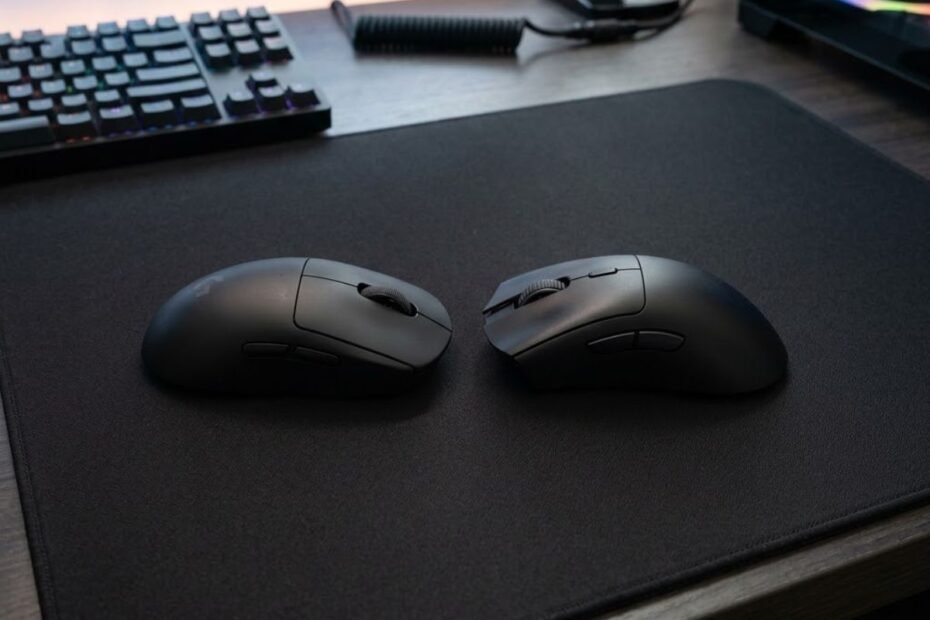
Symmetrical vs ergonomic mouse shape is a comparison between two mouse designs that help FPS players achieve different balances of aiming freedom, comfort, stability, and long-term consistency. Symmetrical shapes typically prioritize neutral hand positioning and flexible movement, while ergonomic shapes prioritize hand support and natural comfort.
Neither design is automatically better for every player. Some FPS players aim more consistently with a symmetrical shape because it allows easier grip adjustments and faster directional changes. Others perform better with an ergonomic shape because the added palm support improves stability and reduces fatigue during long gaming sessions.
If you are trying to choose a new FPS mouse, understanding the differences between these two shape categories is often more important than comparing sensor specifications or weight alone. Mouse shape is the physical connection between your hand and your aim, which is why it plays such a large role in overall performance.
This guide focuses specifically on helping FPS players decide which shape category fits their aiming style, grip preference, and gameplay needs.
Symmetrical vs Ergonomic Mouse Shape: Quick Comparison
A symmetrical mouse shape is a balanced shell design that helps players achieve greater grip flexibility and aiming freedom, while an ergonomic mouse shape is a hand-contoured design that helps players achieve greater comfort and palm support. The better option depends on how you aim, grip the mouse, and interact with the shell during gameplay.
The visual comparison below highlights the overall design differences between symmetrical and ergonomic mouse shapes:
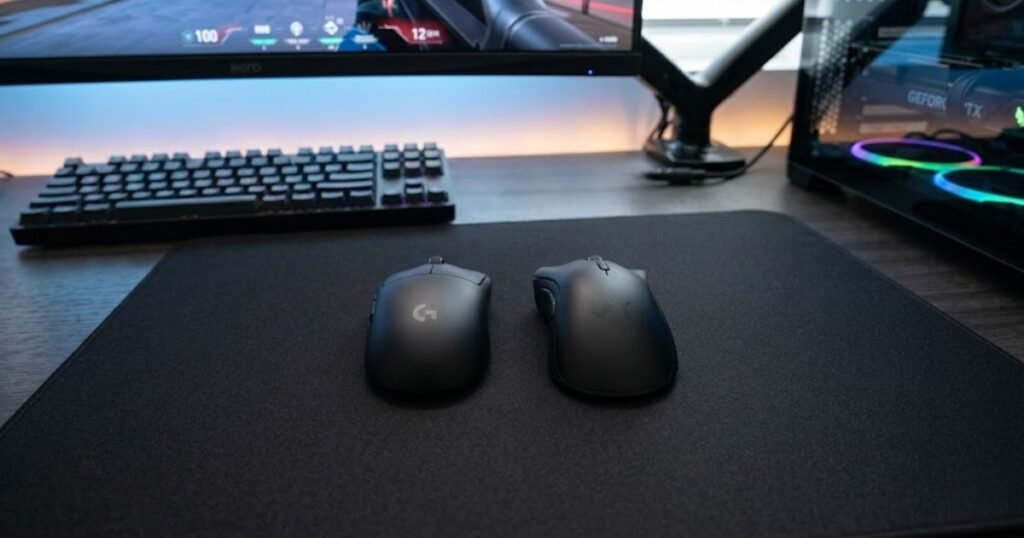
Many players mistakenly assume one category is objectively superior. In reality, both designs can perform exceptionally well in FPS games when matched with the right user. The goal is not to find the universally best shape but to identify which design supports your mechanics more effectively.
The table below compares the key differences between symmetrical and ergonomic mouse shapes:
| Factor | Symmetrical Shape | Ergonomic Shape |
|---|---|---|
| Shell Design | Balanced left and right sides | Hand-contoured design |
| Primary Advantage | Grip flexibility | Comfort and support |
| Best Grip Styles | Claw and fingertip | Palm and relaxed claw |
| Movement Feel | Neutral and agile | Stable and supported |
| Popular FPS Use | Competitive aiming focus | Comfort-oriented gameplay |
| Main Tradeoff | Less palm support | Less grip flexibility |
As shown above, symmetrical and ergonomic shapes solve different problems rather than competing to do the exact same job. Symmetrical designs prioritize freedom of movement, while ergonomic designs prioritize support and comfort.
If you want a broader explanation of how shape affects aiming performance overall, read our complete guide to best mouse shape for aiming.
How Symmetrical and Ergonomic Shapes Change Hand Contact
Symmetrical and ergonomic mouse shapes change hand contact by distributing pressure differently across the fingers, palm, and wrist. A symmetrical shape helps players maintain a neutral grip position, while an ergonomic shape helps players maintain a more naturally supported hand posture.
When using a symmetrical mouse, hand contact points tend to remain relatively balanced. The shell does not strongly encourage one specific grip angle, allowing players to reposition their fingers more freely during gameplay. This flexibility can be valuable when making rapid aim adjustments or changing grip pressure between engagements.
Ergonomic mice create a different experience because the shell is intentionally sculpted around the natural shape of the hand. Instead of encouraging adaptability, the design encourages stability. Many players immediately notice increased palm contact and reduced pressure concentration across certain parts of the hand.
These differences may seem subtle during casual use, but they become increasingly noticeable during competitive FPS sessions where aiming precision and comfort are constantly tested.
Ultimately, the way a shape interacts with your hand can influence both confidence and consistency during gameplay.
Why Mouse Shape Choice Can Improve or Hurt Aim Consistency
Mouse shape choice can improve or hurt aim consistency because every aiming movement originates from the way your hand interfaces with the shell. A shape that supports your natural mechanics helps create repeatable movements, while a shape that conflicts with your grip can introduce inconsistency.
For example, a player who naturally uses a claw grip may struggle to maintain precise finger control on an overly aggressive ergonomic shell. Conversely, a palm grip player may feel unstable on a small symmetrical mouse that provides limited palm support.
Consistency is not only about hitting impressive flick shots. It is also about producing predictable results repeatedly across hundreds of engagements. A shape that feels comfortable during one match but causes fatigue after several hours may eventually reduce overall performance.
Many FPS players spend significant time adjusting sensitivity settings, DPI values, and mousepad choices while overlooking the physical shape they interact with every second. In reality, shape often influences long-term consistency more than small specification differences.
That is why finding the right shape category can have a meaningful impact on both comfort and aiming confidence.
What Is a Symmetrical Mouse Shape in FPS Gaming?
A symmetrical mouse shape is a balanced shell design that helps FPS players maintain equal control across both sides of the mouse. Instead of aggressively supporting one side of the hand, the shape remains relatively neutral and allows greater grip adaptability.
Most modern symmetrical gaming mice are not perfectly mirrored because button layouts often favor right-handed users. However, the main shell geometry remains balanced enough to create the neutral feel that symmetrical shapes are known for.
The example below shows the balanced shell structure commonly found on symmetrical gaming mice:
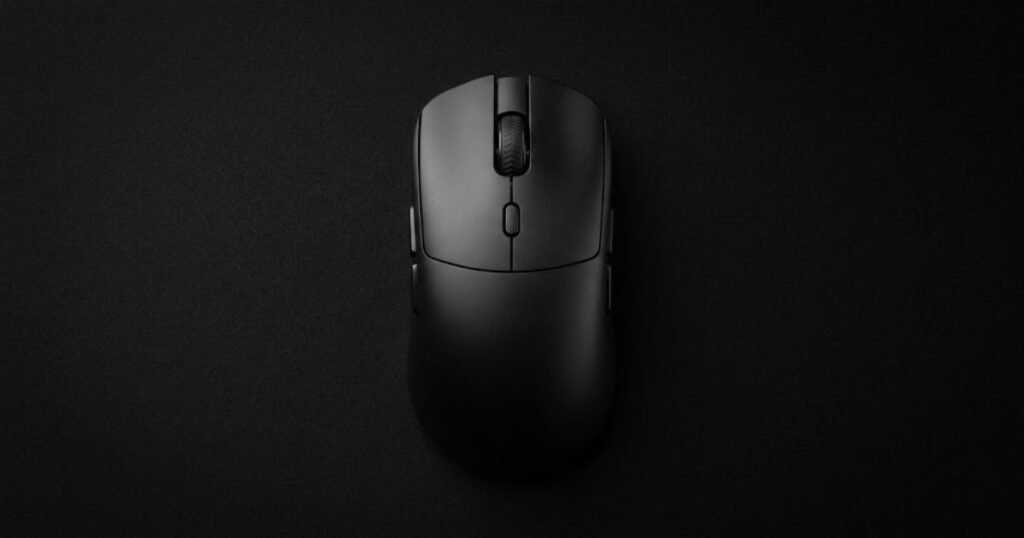
This design philosophy has become extremely popular within competitive FPS communities because it allows players to make grip adjustments without feeling constrained by the shell itself. The mouse becomes easier to reposition, lift, and control from different angles.
How Symmetrical Designs Create Balanced Hand Positioning
Symmetrical designs create balanced hand positioning by keeping the left and right sides of the shell relatively even. This helps players apply force more evenly when moving the mouse horizontally, vertically, or diagonally across the mousepad.
Because neither side of the mouse strongly dominates the hand position, players can naturally adjust finger placement based on the situation. Some players shift toward a more aggressive claw grip during tense situations, while others loosen their grip during tracking sequences. Symmetrical shells often accommodate these transitions well.
This balanced structure also makes lift-offs and mouse resets feel more predictable. Since the shell does not heavily bias one side of the hand, many players find repositioning movements easier and more consistent.
These characteristics help explain why symmetrical shapes remain common among players who prioritize precision and adaptability.
Balanced positioning is one of the main reasons symmetrical mice continue to perform well in competitive FPS environments.
Why Symmetrical Mice Remain Popular Among Competitive FPS Players
Symmetrical mice remain popular among competitive FPS players because they help maximize grip flexibility, directional freedom, and aiming adaptability. Many professional players value shapes that allow them to adjust their mechanics without fighting against the shell design.
Competitive FPS games often require constant transitions between flicking, tracking, recoil control, and micro-corrections. A neutral shape can make these transitions feel smoother because the hand is not locked into a specific position.
Another advantage is versatility. Symmetrical shapes are often compatible with a wider range of grip styles, allowing players to experiment with different techniques while maintaining familiar shell characteristics.
This does not mean every professional player uses a symmetrical mouse, but it helps explain why symmetrical designs consistently appear in many competitive FPS setups.
For players who value control flexibility and adaptable aim mechanics, symmetrical shapes continue to be one of the most trusted options available.
What Is an Ergonomic Mouse Shape in FPS Gaming?
An ergonomic mouse shape is a hand-contoured shell design that helps FPS players achieve greater comfort, palm support, and wrist stability. Unlike symmetrical mice, ergonomic designs intentionally follow the natural shape of the hand to create a more supported grip experience during gameplay.
Most ergonomic gaming mice feature a higher right-side contour, thumb support area, and asymmetrical side curves. These design elements encourage the hand to rest in a more natural position, reducing the amount of effort needed to maintain a stable grip over long periods.
The example below illustrates the curved shell profile commonly used by ergonomic gaming mice:
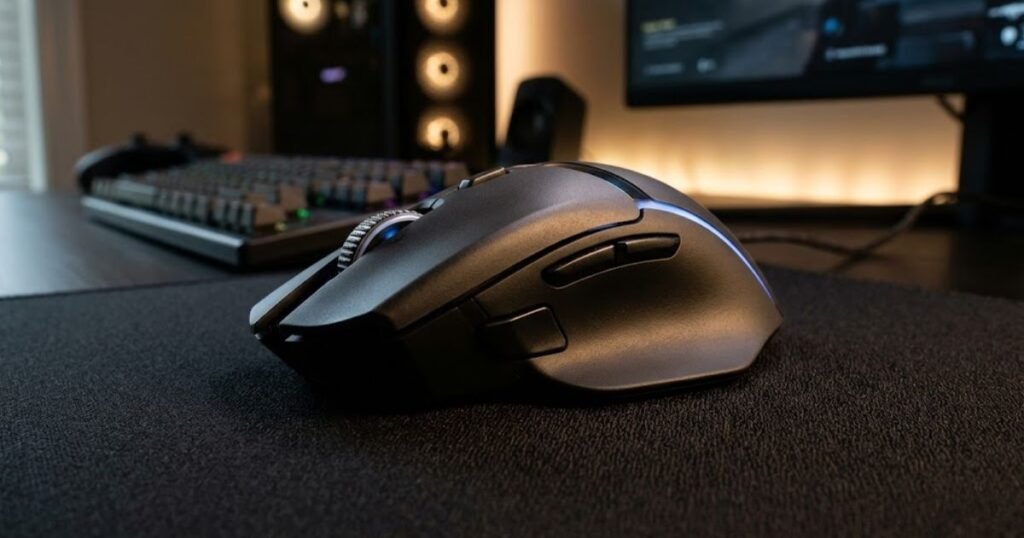
While ergonomic shapes may not offer the same level of grip freedom as symmetrical designs, many players prefer the added support they provide. This is particularly true for users who prioritize comfort during extended gaming sessions or naturally use a palm-oriented grip style.
For FPS players who experience hand fatigue, wrist discomfort, or instability during long sessions, ergonomic designs can often feel significantly more comfortable than neutral symmetrical shells.
How Ergonomic Curves Support Natural Hand Movement
Ergonomic curves support natural hand movement by aligning the mouse shell more closely with the resting position of the hand. This helps distribute pressure across the palm and fingers more evenly while reducing unnecessary strain on certain contact points.
Instead of forcing the hand to adapt to a neutral shape, an ergonomic mouse adapts the shell to the hand itself. This often creates a feeling of immediate comfort because the palm receives more contact and support. Many users describe ergonomic mice as feeling more secure or locked into the hand compared to symmetrical alternatives.
The additional support can also reduce the amount of grip tension required to control the mouse. Rather than constantly squeezing the shell to maintain stability, players can often relax their grip while still retaining control. This can be particularly beneficial during lengthy practice sessions or competitive matches.
Although individual preferences vary, ergonomic curves are specifically designed to improve comfort and reduce physical strain rather than maximize grip adaptability.
As a result, ergonomic mice often appeal to players who value comfort and stability as much as raw aiming performance.
Why Ergonomic Shapes Reduce Hand Fatigue During Long Sessions
Ergonomic shapes reduce hand fatigue during long sessions by helping the hand maintain a more natural posture with less muscular tension. Better palm support often means fewer small muscles need to work continuously to stabilize the mouse.
During extended FPS sessions, even minor differences in grip tension can accumulate into noticeable fatigue. A shape that constantly requires adjustment may feel acceptable for an hour but become uncomfortable after several hours of gameplay. Ergonomic designs attempt to minimize this issue by creating a more supportive resting position.
This benefit becomes especially noticeable for players who spend many hours practicing aim trainers, grinding ranked matches, or participating in competitive events. Reduced fatigue can help maintain consistency deeper into long gaming sessions when physical strain normally begins to affect performance.
Comfort alone does not guarantee better aim, but discomfort can certainly contribute to worse aim. That is why many players consider ergonomic shapes a valuable option even when comparing purely competitive gaming performance.
For users who prioritize endurance and long-term comfort, ergonomic shapes often provide meaningful advantages.
How Symmetrical and Ergonomic Shapes Affect Aim Mechanics
Symmetrical and ergonomic mouse shapes affect aim mechanics by changing how players generate flicks, tracking movements, micro-adjustments, and target transitions. A symmetrical shape helps players achieve greater movement freedom, while an ergonomic shape helps players achieve greater stability and support.
The comparison below demonstrates how different mouse shapes influence common FPS aiming movements:
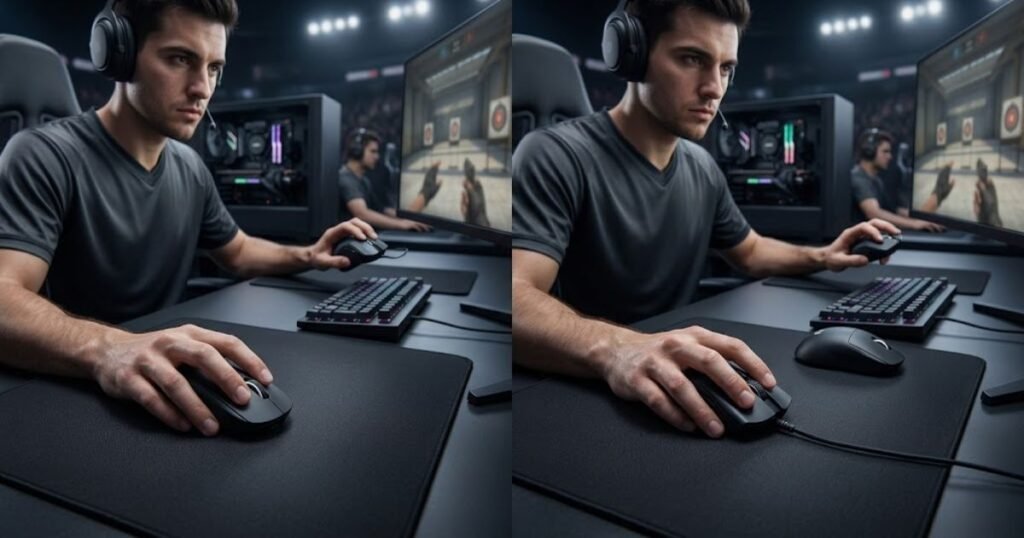
Shape does not directly determine skill, but it influences how easily a player can execute specific aiming behaviors. Because every aiming movement starts with physical hand interaction, shell geometry becomes an important factor in overall performance consistency.
The table below compares how symmetrical and ergonomic shapes influence key FPS aiming mechanics:
| Aim Attribute | Symmetrical Shape | Ergonomic Shape |
|---|---|---|
| Flick Speed | Often faster and more flexible | Usually slightly more controlled |
| Tracking Stability | Depends heavily on grip control | Often benefits from added support |
| Micro Adjustments | Very adaptable for finger control | Can feel more stable but less flexible |
| Mouse Repositioning | Typically easier | May feel more restrictive |
| Grip Adaptability | High | Moderate |
| Long Session Stability | Depends on user comfort | Often stronger |
The differences above do not automatically determine which shape is superior. Instead, they highlight how each design supports different aiming behaviors depending on the player’s preferences and mechanics.
Impact on Flick Shot Precision
Symmetrical mouse shapes generally help players achieve faster and more adaptable flick shot execution because the neutral shell allows easier directional movement. Many competitive FPS players prefer this freedom when performing rapid target acquisition.
During flick shots, the hand often relies on explosive movement followed by immediate stopping power and correction. A symmetrical shape can make these transitions feel smoother because the shell does not heavily guide the hand toward one specific posture. Players who frequently perform aggressive crosshair movements often appreciate this flexibility.
Ergonomic shapes can still perform very well for flicking, especially when the player prefers a more stable grip. The additional palm support may improve confidence for some users, particularly those who naturally rely on larger arm movements rather than aggressive finger adjustments.
The deciding factor is often personal technique rather than the category itself. Some players gain speed from freedom, while others gain accuracy from stability.
For most aim-focused FPS players, symmetrical shapes tend to be associated with greater flicking versatility.
Impact on Continuous Tracking Accuracy
Tracking accuracy depends on maintaining smooth and controlled crosshair movement over time, and both shape categories approach this challenge differently. Symmetrical shapes help players achieve adaptable movement control, while ergonomic shapes help players achieve stable hand positioning.
Games such as Apex Legends and Overwatch 2 place heavy emphasis on continuous tracking. During these scenarios, a stable grip often becomes just as important as raw movement speed. Ergonomic shells may provide an advantage for players who benefit from stronger palm contact and reduced grip fatigue.
Symmetrical shapes remain highly effective for tracking as well, especially for players with refined finger control. Many experienced users can maintain exceptional tracking performance through grip flexibility and precise micro-adjustments.
Neither category owns tracking performance exclusively. Instead, success depends on whether the player benefits more from support or adaptability.
Tracking accuracy is often where personal preference becomes more important than design theory.
Impact on Micro Corrections and Fine Adjustments
Micro corrections and fine adjustments are often influenced by how easily a player can manipulate the mouse with the fingers. Symmetrical shapes generally help players achieve greater adjustment flexibility, while ergonomic shapes often help players achieve more stable control.
In tactical FPS games such as Valorant and CS2, tiny corrections can determine whether a shot lands on the head or misses entirely. Many players favor symmetrical designs because the neutral shell allows easier finger-driven corrections without interference from aggressive contours.
Ergonomic mice can still support excellent micro-adjustment performance, particularly for users whose grip naturally benefits from additional support. The difference is that the shell often encourages a more fixed hand position, which may reduce adaptability for certain players.
Micro-adjustment performance is highly individual because it depends heavily on grip mechanics, sensitivity, and aiming habits. Shape influences these behaviors, but it does not define them completely.
Ultimately, the best shape for fine adjustments is the one that allows your hand to make precise corrections without unnecessary effort.
Which Mouse Shape Feels More Comfortable During Long Gaming Sessions?
Ergonomic mouse shapes generally help players achieve greater long-session comfort because the shell provides more palm support and encourages a more natural hand position. Symmetrical shapes can still be comfortable, but they typically rely more on the user’s grip style and individual hand mechanics.
Comfort becomes increasingly important as gaming sessions become longer. A shape that feels acceptable during a short match may begin causing tension, fatigue, or discomfort after several hours of continuous use. This is one reason why many players evaluate shape separately from raw aiming performance.
While competitive players often prioritize aim characteristics first, comfort still affects consistency. A hand that remains relaxed and supported for longer periods can maintain stable performance more effectively than a hand constantly fighting discomfort.
The factors below explain why ergonomic shapes are often associated with greater long-term comfort:
- Palm Support: Larger contact areas help distribute pressure more evenly across the hand.
- Natural Wrist Position: The hand can rest in a posture that often feels more relaxed.
- Reduced Grip Tension: Players may not need to squeeze the shell as aggressively to maintain control.
- Lower Fatigue Risk: Extended sessions often place less stress on certain hand muscles.
These advantages explain why many comfort-focused FPS players gravitate toward ergonomic designs even when they recognize the aiming benefits of symmetrical mice.
How Palm Support Influences Long-Term Comfort
Palm support influences long-term comfort by helping the hand maintain stability with less muscular effort. When more of the palm rests naturally on the shell, fewer small adjustments are required to keep the mouse under control.
Many ergonomic mice are designed specifically around this principle. The shell supports the natural curve of the hand and reduces the feeling of floating above the mouse. This often creates a more secure and relaxed experience during long gaming sessions.
Symmetrical mice can still provide excellent comfort, especially when properly matched to hand size and grip style. However, they generally offer less built-in support and rely more heavily on active grip control.
For players who value comfort above all else, palm support is often one of the strongest arguments in favor of ergonomic designs.
How Shape Affects Hand Fatigue Over Time
Mouse shape affects hand fatigue by changing how much tension the hand must maintain to control the shell. A shape that naturally supports the hand often reduces the workload placed on smaller stabilizing muscles.
Fatigue rarely appears immediately. Instead, it gradually builds during extended sessions, particularly when players maintain a consistent grip for several hours. Small ergonomic advantages can become far more noticeable under these conditions.
Players who experience discomfort around the palm, thumb, or wrist sometimes discover that changing shape categories provides more relief than changing weight or sensitivity settings. This highlights how important physical ergonomics can be for long-term comfort.
Reducing fatigue does not automatically increase skill, but it can help preserve performance during extended practice and competitive play.
How Grip Style Changes the Ideal Mouse Shape Choice
Grip style often helps determine the ideal mouse shape because different grips rely on different contact points, movement patterns, and levels of palm support. A shape that feels perfect for one grip style may feel awkward for another.
The illustration below shows how different grip styles interact with mouse shape design:
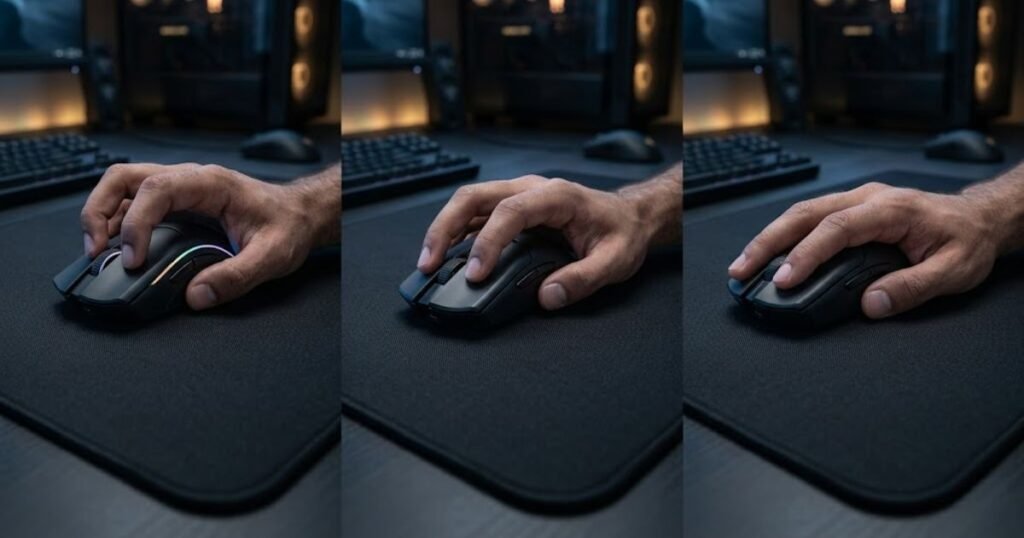
This is why two players with similar hand sizes can have completely different preferences. The way the hand interacts with the shell is often more important than the shape category itself. Understanding grip compatibility helps narrow down the best option far more effectively than comparing specifications alone.
The table below compares how common FPS grip styles interact with symmetrical and ergonomic mouse shapes:
| Grip Style | Symmetrical Shape | Ergonomic Shape |
|---|---|---|
| Fingertip Grip | Usually preferred | Can feel restrictive |
| Claw Grip | Very popular choice | Depends on shell design |
| Relaxed Claw Grip | Commonly used | Also works well |
| Palm Grip | Depends on mouse size | Often preferred |
The table shows that grip style often influences shape preference more strongly than many players initially expect. Matching shape to grip style can significantly improve comfort and control.
Why Claw and Fingertip Players Often Prefer Symmetrical Shapes
Claw grip and fingertip grip users often prefer symmetrical shapes because these grips rely heavily on finger movement, rapid adjustments, and grip flexibility. A neutral shell makes it easier to reposition the fingers without interference from aggressive contours.
Fingertip players in particular benefit from shapes that feel agile and unobtrusive. Since much of the movement comes directly from the fingers, excessive palm support can sometimes feel unnecessary or restrictive. Symmetrical designs often provide the freedom these players seek.
Claw grip users also tend to value adaptability. Many symmetrical mice support aggressive claw positions while still allowing subtle grip changes during different gameplay situations.
This combination of freedom and adaptability explains why symmetrical shapes remain extremely popular among claw and fingertip users.
Why Palm Grip Players Often Prefer Ergonomic Shapes
Palm grip players often prefer ergonomic shapes because the design provides more natural support across the hand. Since palm grip relies on significant hand-to-shell contact, ergonomic contours can improve both comfort and stability.
The additional support helps create a secure feeling that many palm grip users appreciate. Instead of relying primarily on finger pressure, the hand can rest more naturally against the shell. This often reduces fatigue and improves long-session comfort.
Some palm grip users still prefer larger symmetrical mice, but ergonomic designs frequently align more closely with the core characteristics of the grip style itself. The shape complements the natural resting posture that palm grip users typically adopt.
For players who spend most of their time using a true palm grip, ergonomic mice are often among the most comfortable options available.
If you are still deciding between shell dimensions beyond overall shape category, our guides on low hump vs high hump mouse and narrow vs wide gaming mouse explain how additional shape characteristics influence comfort and control.
Which Mouse Shape Works Better for Different Hand Sizes?
Hand size affects mouse shape preference because it changes how much of the shell contacts the palm, fingers, and thumb. Both symmetrical and ergonomic mice can work well across different hand sizes, but the ideal choice often depends on how comfortably the shell fills the hand without limiting movement.
Many players focus entirely on shape category while ignoring fit. In reality, a well-sized mouse often performs better than a poorly sized mouse from a theoretically superior category. This is why hand size should always be considered alongside shape design.
The table below compares how different hand sizes typically interact with symmetrical and ergonomic mouse shapes:
| Hand Size | Symmetrical Shape | Ergonomic Shape |
|---|---|---|
| Small Hands | Often easier to control | Can feel oversized if the shell is large |
| Medium Hands | Works well across many shapes | Works well across many shapes |
| Large Hands | May require larger shells | Often benefits from added support |
As the table demonstrates, hand size alone does not determine the best shape category. Instead, it helps narrow down which shell dimensions are most likely to feel comfortable and controllable.
Best Shape Considerations for Small Hands
Players with small hands often benefit from shapes that remain easy to maneuver without forcing excessive finger stretching. A compact shell generally improves access to primary buttons and makes repositioning easier.
Many small-hand users naturally gravitate toward symmetrical mice because neutral shells are frequently available in smaller form factors. These designs can make claw grip and fingertip grip easier to maintain without unnecessary hand strain.
However, ergonomic shapes are not automatically unsuitable. Compact ergonomic mice can still provide excellent comfort if the dimensions match the user’s hand size appropriately.
The most important factor is avoiding oversized shells that reduce control and force awkward hand positioning.
Best Shape Considerations for Medium Hands
Medium-sized hands usually have the widest range of viable options because they can adapt comfortably to many different shell designs. Both symmetrical and ergonomic mice often work well within this size category.
This flexibility allows medium-hand users to focus more heavily on grip style and aiming preference rather than worrying about basic fit. Shape selection becomes less about accommodation and more about optimization.
Because both categories remain highly viable, medium-sized hands often benefit most from testing different shapes rather than relying on generalized recommendations.
For many players, medium hands provide the greatest freedom when choosing between shape categories.
Best Shape Considerations for Large Hands
Players with large hands often require larger shells to maintain comfortable palm contact and stable control. A mouse that is too small can create unnecessary tension by forcing the hand into a cramped position.
Ergonomic shapes frequently perform well for large hands because the additional contours provide meaningful support across a larger surface area. This can improve comfort during extended sessions and reduce fatigue.
Large symmetrical mice can also perform exceptionally well, especially for players who prioritize grip flexibility and aggressive aiming styles. The key is ensuring that the shell dimensions properly match the user’s hand size.
Large-hand users should evaluate overall fit before focusing exclusively on shape category.
Which Mouse Shape Performs Better in Different FPS Games?
Different FPS games emphasize different aiming mechanics, causing symmetrical and ergonomic mouse shapes to excel in different situations. The best shape often depends on whether the game rewards rapid flicks, continuous tracking, or a combination of both.
While individual preference remains important, certain gameplay environments naturally align more closely with the strengths of each design philosophy. Understanding these tendencies can make shape selection easier.
The table below compares how symmetrical and ergonomic shapes typically fit different FPS genres:
| FPS Genre | Often Favored Shape | Primary Reason |
|---|---|---|
| Tactical Shooters | Symmetrical | High emphasis on precision and fast target switching |
| Tracking-Heavy Shooters | Depends on player preference | Balance between stability and adaptability |
| Arena Shooters | Symmetrical | Rapid directional movement demands |
| Casual FPS Gaming | Either category | Comfort often becomes a larger factor |
The table highlights general trends rather than strict rules. Exceptional players succeed with both shape categories across virtually every FPS title.
Best Shape for Valorant and CS2
Valorant and Counter-Strike 2 place enormous emphasis on first-shot accuracy, precise crosshair placement, and rapid target acquisition. These characteristics often align well with the strengths commonly associated with symmetrical mouse shapes.
Many tactical FPS players value grip flexibility because engagements frequently involve quick flicks followed by tiny corrections. Symmetrical shells often support these behaviors effectively by allowing easier grip adjustments and movement freedom.
This does not mean ergonomic mice are ineffective in tactical shooters. Many players perform at a high level using ergonomic designs. However, symmetrical mice tend to appear more frequently among highly competitive tactical FPS users.
The popularity of symmetrical shapes in these games largely stems from movement freedom rather than any guaranteed performance advantage.
Best Shape for Apex Legends and Overwatch 2
Apex Legends and Overwatch 2 often require a combination of tracking, target switching, vertical movement control, and sustained engagements. This broader aiming profile allows both shape categories to remain highly competitive.
Some players prefer symmetrical shapes because they facilitate rapid directional changes and dynamic movement. Others prefer ergonomic designs because additional support helps maintain stability during longer tracking sequences.
The choice frequently comes down to comfort and personal mechanics rather than genre-specific requirements. Both categories have proven successful within high-level play across these games.
As a result, tracking-heavy shooters often showcase a wider variety of shape preferences than tactical FPS titles.
Best Shape for Players Who Play Multiple FPS Genres
Players who regularly switch between different FPS genres often benefit from shapes that remain adaptable across a wide range of aiming scenarios. Consistency becomes more important than optimizing for a single mechanic.
Many multi-game players choose symmetrical designs because the neutral shell adapts well to different movement requirements. However, players who prioritize comfort across long sessions may still prefer ergonomic options.
The ideal solution is usually the shape that feels natural regardless of whether the current game emphasizes flicking, tracking, or hybrid aiming mechanics.
For multi-genre FPS players, long-term consistency often matters more than maximizing one specific aiming behavior.
How to Choose Between a Symmetrical and Ergonomic Mouse Shape
Choosing between a symmetrical and ergonomic mouse shape depends on your grip style, hand size, comfort preferences, and aiming habits. A symmetrical shape helps players achieve greater movement freedom and adaptability, while an ergonomic shape helps players achieve greater comfort and support during extended gaming sessions.
Many FPS players make the mistake of copying professional setups without evaluating their own mechanics. The best shape is not necessarily the one used by your favorite pro player. Instead, it is the shape that allows you to maintain consistent control and comfort across hundreds of engagements.
The following process can help you choose the right mouse shape for your playstyle:
- Identify Your Grip Style: Determine whether you primarily use claw grip, fingertip grip, relaxed claw, or palm grip.
- Measure Your Hand Size: Evaluate whether you have small, medium, or large hands to avoid shape mismatches.
- Consider Your Main FPS Games: Different games emphasize different aiming mechanics and movement patterns.
- Evaluate Comfort During Long Sessions: A shape should remain comfortable after several hours, not just a few minutes.
- Prioritize Performance Over Popularity: Choose the shape that supports your own mechanics rather than following trends.
Following this framework can help narrow down your options and avoid expensive trial-and-error purchases.
Five Questions to Ask Before Buying a New FPS Mouse
Asking the right questions before purchasing a mouse helps players avoid choosing a shape that looks good on paper but feels uncomfortable in practice. Small differences in shell design can have a major impact on long-term performance.
The questions below can help you evaluate which shape category may fit you best:
- What grip style do I naturally use? Your grip style often influences shape preference more than technical specifications.
- Do I prioritize comfort or movement freedom? Understanding this tradeoff helps narrow your options quickly.
- How large are my hands? Shell fit plays a major role in both comfort and control.
- What FPS games do I play most often? Different genres reward different aiming characteristics.
- Do I experience hand fatigue during long sessions? Comfort-related issues may point toward a more supportive shape.
These questions provide a practical starting point for narrowing down the right shape category before evaluating individual mouse models.
Signs Your Current Mouse Shape May Be Holding You Back
Your current mouse shape may be limiting performance if it consistently creates discomfort, instability, or unnecessary grip adjustments during gameplay. Many players spend years changing settings while overlooking shape-related issues.
The signs below may indicate that your current mouse shape is not an ideal match:
- Frequent Hand Fatigue: Discomfort appears after relatively short gaming sessions.
- Constant Grip Adjustments: You regularly reposition your fingers to maintain control.
- Inconsistent Aim Confidence: The mouse feels different depending on the situation.
- Difficulty Reaching Buttons: Your hand size may not match the shell dimensions.
- Persistent Wrist Tension: The shape may be forcing an unnatural hand position.
Recognizing these warning signs can help determine whether changing shape categories may be beneficial.
If you are building a complete FPS mouse setup, our guide to gaming mouse for fps games covers the broader factors that influence overall mouse performance.
Which FPS Players Should Choose a Symmetrical Mouse?
Symmetrical mice help players achieve greater grip flexibility, aiming freedom, and adaptability. They are often favored by users who value movement precision and frequent grip adjustments during gameplay.
The table below highlights the types of FPS players who often benefit from symmetrical mouse shapes:
| Player Type | Why a Symmetrical Shape May Fit |
|---|---|
| Claw Grip Users | Supports dynamic finger control and flexibility |
| Fingertip Grip Users | Allows greater freedom of movement |
| Tactical FPS Players | Popular for precise target acquisition |
| Multi-Genre FPS Players | Adapts well to different aiming demands |
| Players Who Frequently Reposition Grip | Provides greater adaptability during gameplay |
While individual preferences always matter, symmetrical designs often appeal most strongly to players who prioritize adaptability and movement freedom.
Which FPS Players Should Choose an Ergonomic Mouse?
Ergonomic mice help players achieve greater comfort, stability, and support. They are often preferred by users who value long-session comfort and a more secure hand position.
The table below highlights the types of FPS players who often benefit from ergonomic mouse shapes:
| Player Type | Why an Ergonomic Shape May Fit |
|---|---|
| Palm Grip Users | Provides extensive hand support |
| Comfort-Focused Players | Reduces fatigue during long sessions |
| Large-Hand Users | Often offers better palm contact |
| Players Seeking Stability | Creates a secure and supported feel |
| Extended Session Gamers | Prioritizes long-term comfort |
Ergonomic designs are often attractive to players who value comfort and support as much as competitive performance.
Final Verdict: Should You Choose a Symmetrical or Ergonomic Mouse Shape?
Symmetrical mouse shapes help players achieve greater aiming flexibility and grip adaptability, while ergonomic mouse shapes help players achieve greater comfort and long-session support. Neither category is objectively better because the ideal choice depends on the individual player.
Players who rely heavily on claw grip, fingertip grip, rapid target switching, and grip flexibility often gravitate toward symmetrical designs. Players who prioritize palm support, comfort, and stability often gravitate toward ergonomic designs.
When a Symmetrical Mouse Is the Better Option
A symmetrical mouse is often the better option when aiming freedom, grip flexibility, and adaptability are your highest priorities. These qualities make symmetrical shapes particularly popular among competitive FPS players who frequently perform aggressive aiming movements.
The side-by-side example below summarizes the typical user profile for each mouse shape category:
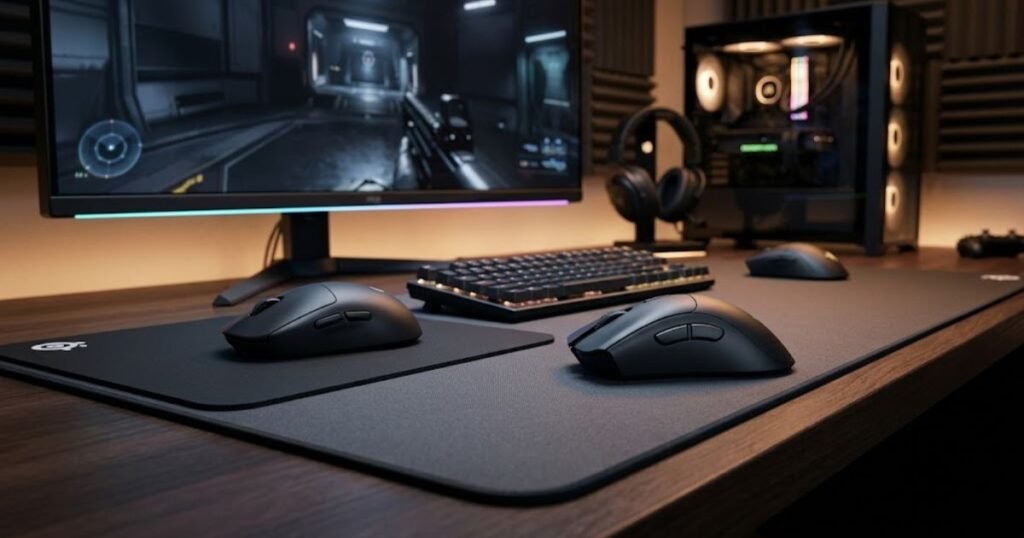
Players who enjoy experimenting with grip position or switching between different FPS genres may also appreciate the versatility that symmetrical designs provide.
For many aim-focused users, the freedom offered by a symmetrical shell outweighs the reduced palm support.
When an Ergonomic Mouse Is the Better Option
An ergonomic mouse is often the better option when comfort, support, and long-session stability are your highest priorities. These characteristics can be especially valuable for palm grip users and players who spend many hours gaming each week.
The additional hand support may also help reduce fatigue and improve comfort consistency during lengthy practice sessions.
For comfort-oriented users, ergonomic designs often provide a more natural and relaxed experience.
The Best Mouse Shape Is the One You Aim Best With
The best mouse shape is ultimately the one that helps you achieve consistent aim while remaining comfortable over time. Performance is influenced by the interaction between your hand, grip style, aiming mechanics, and shell design rather than by shape category alone.
Understanding the strengths and tradeoffs of both categories allows you to make a more informed decision instead of relying on popularity or marketing claims.
If you are still exploring mouse options, our curated list of top gaming mouse recommendations for fps players can help you compare real-world examples from both shape categories.
Frequently Asked Questions About Symmetrical vs Ergonomic Mouse Shapes
Choosing between symmetrical and ergonomic mouse shapes often raises additional questions about aim performance, comfort, grip styles, and long-term usability. The FAQ section below answers some of the most common concerns FPS players have before making a decision.
Is a symmetrical mouse always better for FPS games?
No. A symmetrical mouse helps many players achieve greater aiming flexibility, but an ergonomic mouse can perform equally well when it better matches the user’s grip style and comfort needs.
Do professional FPS players prefer symmetrical mice?
Many professional FPS players use symmetrical mice, but professional preferences vary significantly depending on grip style, hand size, and personal comfort.
Are ergonomic mice bad for competitive gaming?
No. Ergonomic mice are widely used by competitive players who prioritize stability, comfort, and palm support.
Which shape is better for claw grip?
Many claw grip users prefer symmetrical shapes because they provide greater freedom for finger-driven aiming adjustments.
Which shape is better for palm grip?
Many palm grip users prefer ergonomic shapes because they offer more hand support and comfort.
Can hand size matter more than mouse shape?
Yes. A properly sized mouse often feels and performs better than an improperly sized mouse regardless of shape category.
Are symmetrical mice more accurate?
Not necessarily. Accuracy depends on the player’s mechanics, comfort, and consistency rather than shape category alone.
Which shape is better for Valorant and CS2?
Many tactical FPS players prefer symmetrical shapes, but successful players use both categories at high levels.
Which shape is better for Apex Legends and Overwatch 2?
Both categories can work well. The ideal choice depends on whether the player benefits more from adaptability or support.
Can an ergonomic mouse improve comfort during long sessions?
Yes. Ergonomic shapes are specifically designed to improve support and reduce fatigue during extended use.
Should beginners start with a symmetrical or ergonomic mouse?
Beginners should start with the shape that feels most comfortable and natural rather than focusing on trends.
What matters more than mouse shape?
Grip style, hand size, comfort, and consistent practice often have a larger impact on performance than shape category alone.
Conclusion
Choosing between a symmetrical and ergonomic mouse shape is not about finding a universally superior design. It is about finding the shape that best matches your grip style, hand size, aiming habits, and comfort preferences.
Symmetrical mice generally appeal to FPS players who value grip flexibility, fast directional changes, and adaptable aiming mechanics. Ergonomic mice generally appeal to players who prioritize comfort, palm support, and long-session stability. Both categories are capable of delivering excellent FPS performance when paired with the right user.
Instead of asking which shape is objectively better, a more useful question is which shape allows you to aim confidently, stay comfortable, and remain consistent across every match. The answer to that question will lead you toward the mouse shape that genuinely fits your playstyle.
Thanks for reading GearTP. We hope this guide helps you find the mouse shape that improves both your comfort and FPS aiming performance.