
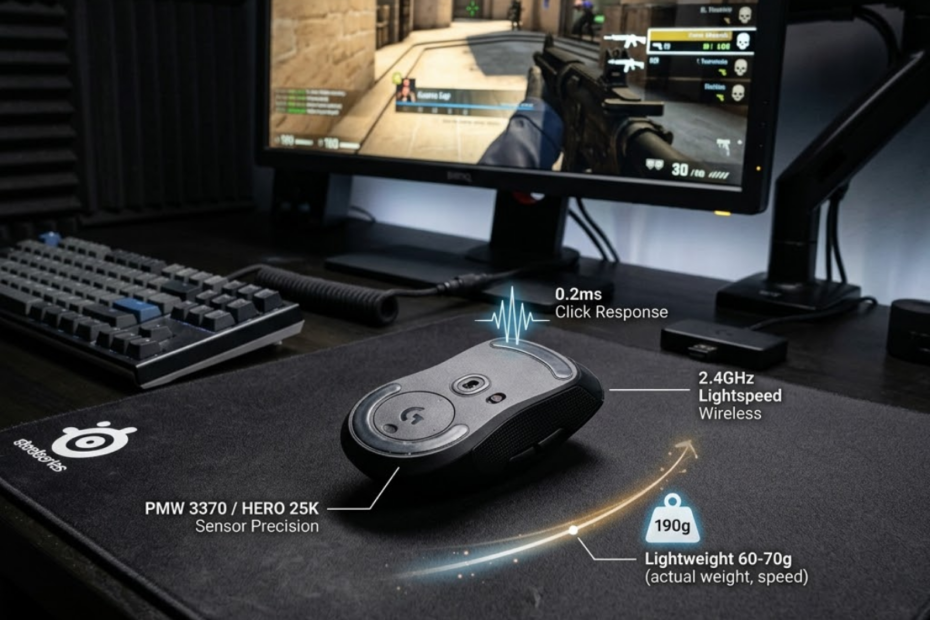
Gaming mouse features that matter for FPS are the features that help improve aim consistency, movement control, shot timing, and comfort during real matches. If you are still learning the basics, it helps to first understand what a gaming mouse is for FPS games before evaluating individual features.
This guide explains which gaming mouse features actually matter for FPS games and which ones are less important than marketing makes them seem.
What Gaming Mouse Features Matter Most for FPS?
Gaming mouse features that matter most for FPS are the characteristics that help players aim consistently, move with control, and react without hardware friction. Shape, weight, sensor reliability, click response, and wireless stability usually matter more than extreme DPI numbers, RGB lighting, or cosmetic design. These are also some of the main reasons why FPS players use gaming mice instead of standard office hardware.
The image below highlights the gaming mouse features that have the biggest impact on real FPS performance:
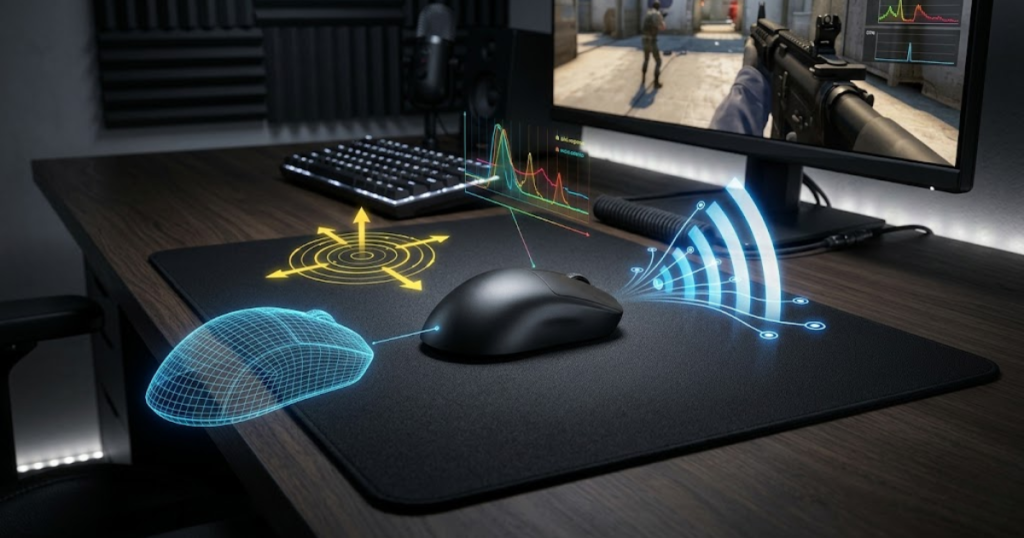
FPS games punish small mistakes. A mouse that feels uncomfortable, too heavy, too slippery, or inconsistent can make aiming feel harder than it should. The right features do not aim for you, but they make your mechanics easier to repeat.
Why Some Features Affect FPS Performance More Than Others
Some gaming mouse features affect FPS performance more because they directly influence how your hand moves the crosshair. Shape, weight, and sensor tracking are connected to real aiming behavior, while visual features mostly affect appearance.
For example, a better shape can make your grip more stable during flicks. A lighter or better-balanced mouse can make repeated adjustments easier. A reliable sensor helps keep movement predictable when you swipe quickly across the mousepad.
This is why FPS players should judge features by how they affect control, not by how impressive they sound in product descriptions.
Essential Features vs Optional Features
Essential FPS mouse features are the features that help maintain control during aiming, while optional features improve appearance or convenience without strongly changing performance. Essential features should guide the buying decision first.
Shape, weight, sensor reliability, click response, and connection stability belong in the essential group. RGB lighting, extremely high DPI, large macro systems, and decorative shell designs are usually optional for FPS.
A mouse can look plain and still perform extremely well. A mouse can also look premium but feel wrong in your hand during matches.
What FPS Players Usually Notice During Real Matches
FPS players usually notice comfort, glide, stopping control, click feel, and wireless freedom more than raw specification numbers. These are the details that appear during pressure situations, not just during setup.
If a mouse shape causes grip tension, you notice it during long sessions. If a mouse feels too heavy, you notice it during repeated flicks. If a button feels mushy, you notice it during tap firing and first-shot fights.
Real match feel should always matter more than a spec sheet alone.
The table below explains which gaming mouse features usually matter most for FPS performance:
| Feature | Impact on FPS Performance | Priority |
|---|---|---|
| Shape | Very high impact on grip stability and aim consistency | Essential |
| Weight | Very high impact on movement speed and stopping control | Essential |
| Sensor Reliability | High impact on accurate tracking during fast movement | Essential |
| Click Response | Important for shot timing and repeated firing | Important |
| Wireless Stability | Important for cable-free movement and clean control | Important |
| Polling Rate | Situational impact depending on setup and sensitivity | Situational |
| RGB Lighting | Low impact on actual gameplay performance | Optional |
The main takeaway is simple: prioritize the features that help your aim feel repeatable before considering extra features. For a broader overview of FPS mouse selection, explore this complete guide to gaming mice for FPS games.
Why Mouse Shape Has the Biggest Impact on Aim Consistency
Mouse shape is the most important gaming mouse feature for FPS because it helps create stable grip positioning, repeatable hand movement, and long-term aiming consistency. These benefits also explain how gaming mice improve aim when they remove physical limitations from movement.
The image below demonstrates how mouse shape affects grip stability and long-term aiming consistency:
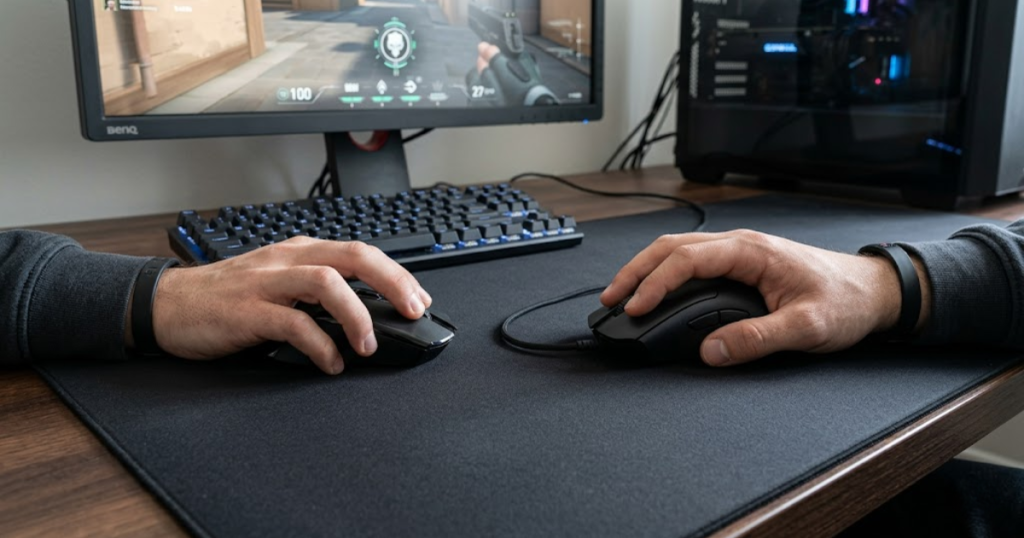
Shape controls how your palm, fingers, and wrist interact with the mouse. When the shape fits well, you can move naturally without constantly adjusting your grip. When the shape feels wrong, your hand may fight the mouse during every flick, correction, or spray adjustment.
How Shape Influences Grip Stability
Mouse shape influences grip stability because it determines where your fingers rest and how securely your hand controls the shell. A stable grip helps players repeat the same movement pattern without unnecessary tension.
For claw grip players, a rear hump or narrow waist may improve control. For palm grip players, more hand support may feel better. For fingertip grip players, a smaller and lighter shape may allow faster micro-adjustments.
Grip stability matters because FPS aim depends on repeating small movements under pressure.
Why the Wrong Shape Creates Aim Problems
The wrong mouse shape creates aim problems because it forces the hand into an unnatural position. This can lead to overgripping, inconsistent finger placement, or unstable micro-adjustments.
A mouse that is too wide can limit finger control. A mouse that is too narrow can feel unstable. A mouse that is too tall or too flat may not support your grip style correctly.
When shape mismatch happens, players often blame sensitivity before realizing the mouse simply does not fit their hand.
How Different FPS Playstyles Prefer Different Shapes
Different FPS playstyles often prefer different mouse shapes because aim demands change between tactical shooters, tracking-heavy games, and fast arena-style movement. A player who holds angles may need different support than a player who constantly flicks and repositions.
Tactical FPS players often value stability for crosshair placement and first-shot accuracy. Tracking-focused players may prefer shapes that allow smooth continuous movement. Aggressive players may choose shapes that feel easier to lift, reset, and reposition.
The best shape is not universal. It should match the player’s hand size, grip style, and in-game movement habits.
The factors below explain why mouse shape affects FPS aim consistency:
- Grip stability: A suitable shape helps the hand hold the mouse without constant readjustment.
- Finger placement: Proper button and side positioning helps the fingers stay relaxed during aim corrections.
- Wrist comfort: A comfortable shell reduces strain during long FPS sessions.
- Micro-adjustment control: A fitting shape makes small crosshair corrections easier to repeat.
- Long-session consistency: Better comfort helps prevent aim quality from dropping too quickly over time.
These factors show why shape affects real aim behavior more than many technical specifications. If the mouse does not fit your hand, other premium features become less useful.
Mouse shape should be the first feature FPS players evaluate because it controls the physical connection between the hand and the crosshair.
How Mouse Weight Changes Movement and Stopping Control
Mouse weight is a gaming mouse characteristic that helps determine how quickly players start movement, stop movement, and perform repeated aim adjustments during gunfights. The right weight can make aim feel smoother, faster, or more controlled depending on the player.
The image below compares how different mouse weights can influence movement speed and stopping control:
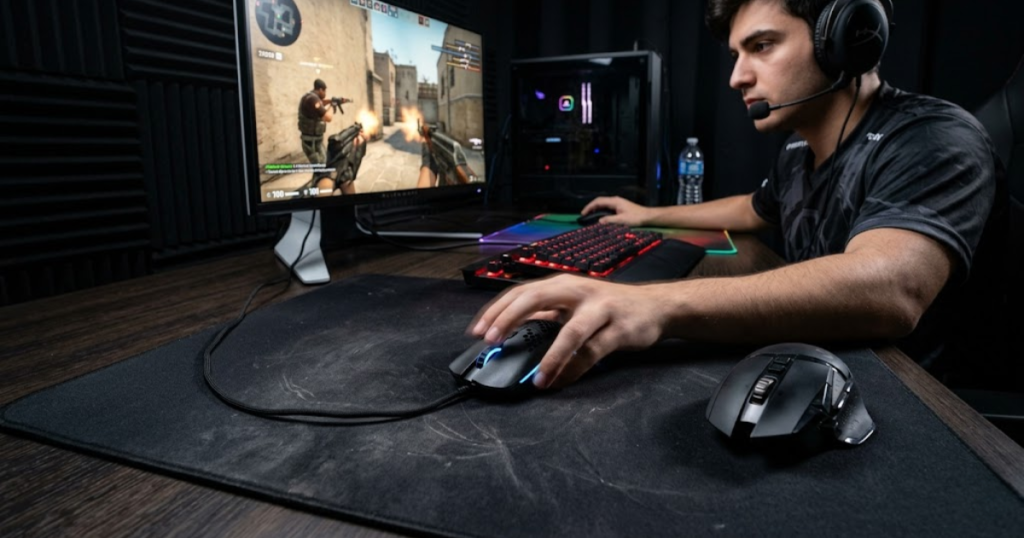
Weight affects momentum. A lighter mouse can feel easier to move and reset. A heavier mouse can feel steadier but may require more effort during fast direction changes.
Why Lightweight Mice Feel Faster
Lightweight mice feel faster because they require less force to start movement and change direction. This can help FPS players perform quick flicks, wide swipes, and repeated corrections with less fatigue.
Many competitive players like lightweight mice because modern FPS games often require fast repositioning. A lighter mouse can also make low-sensitivity aiming feel less tiring during long sessions.
However, lighter does not automatically mean better. Some players may feel less stable if the mouse is too light for their control style.
Why Some Players Prefer More Weight
Some players prefer more weight because a heavier mouse can feel steadier during tracking and controlled aiming. Extra weight may help prevent shaky movement for players who naturally over-flick or tense their hand.
A heavier mouse can also feel more planted on the mousepad. This may benefit casual players or players who value smooth control more than maximum speed.
The tradeoff is that heavier mice can feel slower during rapid corrections and repeated lift-offs.
Choosing a Weight Range for Your Playstyle
Choosing the right mouse weight means matching the mouse to your sensitivity, grip style, and aiming habits. A player using low sensitivity may appreciate a lighter mouse, while a player using controlled medium sensitivity may prefer a balanced weight.
Most FPS players should avoid extreme choices at first. A moderate lightweight mouse often gives enough speed without feeling unstable.
The best weight is the one that lets you move quickly and stop accurately without fighting the mouse.
The table below compares common gaming mouse weight ranges for FPS players:
| Weight Range | Typical Feel | Common User Type |
|---|---|---|
| Under 60g | Fast, agile, easy to reposition | Competitive FPS players |
| 60g to 75g | Balanced speed and control | Most FPS players |
| Over 75g | Stable, planted, slower to reset | Casual players or control-focused users |
Mouse weight matters because FPS aim is not just about moving fast. It is also about stopping cleanly after the movement.
Why Sensor Reliability Still Matters for Competitive FPS
Sensor reliability is the ability of a gaming mouse to track movement accurately, helping players maintain consistent cursor control during fast and precise FPS gameplay. A reliable sensor makes your hand movement translate predictably into crosshair movement.
Most modern gaming sensors are good enough for serious play, but reliability still matters. Poor tracking, unwanted acceleration, spinouts, or inconsistent lift-off behavior can break trust in your mouse during important fights.
What Reliable Tracking Actually Means
Reliable tracking means the mouse follows your movement accurately without random jumps, skips, or unpredictable acceleration. In FPS games, this helps your crosshair move the way your hand expects it to move.
Good tracking is especially important during fast swipes, wide turns, and quick target switches. If tracking feels inconsistent, players may start adjusting their aim around the mouse instead of trusting their mechanics.
Reliable tracking should feel invisible. You should not have to think about the sensor during a match.
Common Sensor Issues That Affect Accuracy
Common sensor issues that affect accuracy include spinouts, inconsistent lift-off distance, jitter, and unwanted smoothing. These problems can make aim feel disconnected from hand movement.
Lift-off distance matters when players reset the mouse often. If the cursor keeps moving too much while the mouse is lifted, repositioning can feel messy. Jitter and tracking errors can also make micro-adjustments feel unstable.
These issues are less common on quality gaming mice, but they still explain why sensor reliability remains a real FPS feature.
Why Most Modern High-End Sensors Perform Similarly
Most modern high-end sensors perform similarly because sensor technology has improved enough that many reputable gaming mice now offer accurate tracking. This means players should not choose a mouse based only on sensor branding.
Once the sensor reaches a reliable competitive level, shape and weight often become more noticeable in real gameplay. A perfect sensor inside an uncomfortable shell will not feel better than a reliable sensor inside a shape that fits your hand.
Sensor quality matters, but it should be evaluated alongside the full mouse design.
The table below explains the sensor factors that matter most for FPS players:
| Sensor Factor | FPS Benefit |
|---|---|
| Tracking Accuracy | Helps movement stay consistent across fast and slow swipes |
| Motion Stability | Helps reduce unwanted cursor behavior during intense movement |
| Lift-Off Distance | Helps reposition the mouse without unwanted crosshair movement |
| Reliability | Helps reduce tracking errors during competitive play |
Sensor reliability remains important for FPS because players need to trust that every movement is being tracked correctly.
How Click Response Influences Shot Timing
Click response is the speed and consistency of mouse button activation that helps ensure shots register when players intend to fire. In FPS games, clean click timing can support first-shot accuracy, tap firing, and repeated burst control.
Click response is not only about raw latency. Button feel, pre-travel, post-travel, stiffness, and consistency can all affect how confident the mouse feels during firing.
Why Click Timing Matters in Tactical Shooters
Click timing matters in tactical shooters because a small delay between decision and shot can change the outcome of a duel. Games built around first-shot accuracy reward clean and predictable firing.
When the button response feels crisp, players can time shots more confidently. When the click feels mushy or delayed, tap firing can feel less precise.
Good click timing helps the mouse feel connected to your decision-making during fights.
How Click Feel Influences Consistency
Click feel influences consistency because players rely on tactile feedback to repeat firing patterns. A button that feels too heavy, too soft, or uneven can make repeated shots less comfortable.
Some players prefer light clicks for fast firing. Others prefer slightly firmer clicks to avoid accidental shots. The right click feel depends on weapon style, grip pressure, and personal preference.
The best click feel is one that lets you fire intentionally without adding tension.
When Players Notice Click Performance Differences
Players notice click performance differences most during precise firing situations. These include pistol rounds, semi-automatic weapons, tap firing, and moments where one shot decides the fight.
Click performance may be less obvious during casual play, but it becomes more noticeable as players become more consistent. Competitive players often care about button feel because small timing differences affect confidence.
Click response should feel predictable every time the button is pressed.
The situations below explain when click response becomes noticeable in FPS games:
- First-shot fights: Crisp activation helps players trust the exact moment a shot is fired.
- Burst firing: Consistent buttons help maintain controlled firing rhythm.
- Tap firing: Predictable clicks support clean single-shot timing.
- Semi-automatic weapons: Button feel can affect repeated precision shots.
- Precision peeking: Responsive clicks help players act quickly after confirming a target.
These situations show that click response matters most when timing and precision are important. It is not the only factor in aim, but it can influence confidence during key moments.
Click response is a meaningful FPS mouse feature because clean shot timing makes aiming feel more connected and repeatable.
Does Polling Rate Really Matter for FPS Games?
Polling rate is a reporting frequency setting that helps reduce input delay and improve cursor update responsiveness, although its practical impact is usually smaller than shape, weight, or sensor reliability. Higher polling rates can feel smoother, but they are not magic upgrades for every player.
The image below illustrates how polling rate influences mouse responsiveness in modern FPS setups:
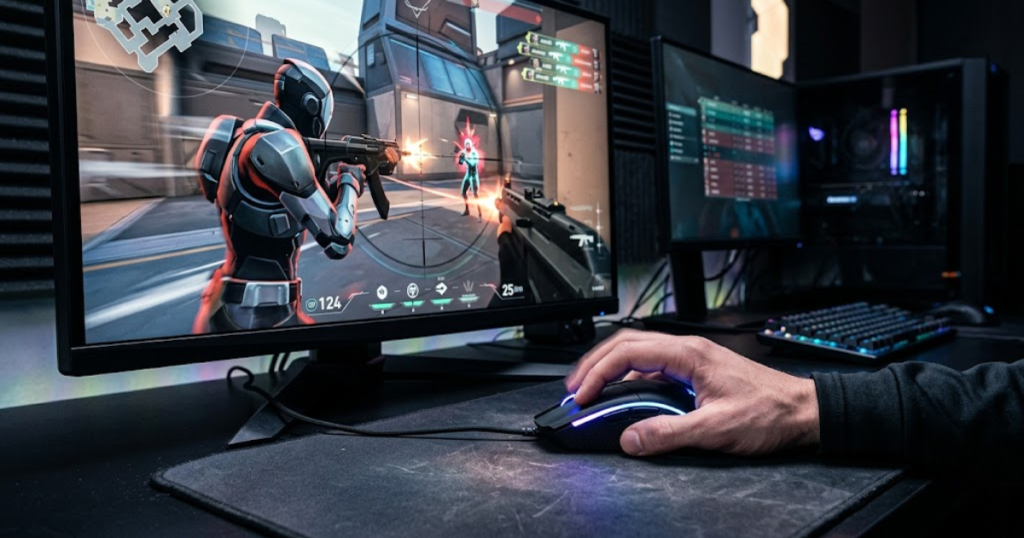
Polling rate describes how often the mouse reports its position to the computer. A higher number means more frequent updates, but the benefit depends on the mouse, system performance, monitor refresh rate, and player sensitivity.
What Polling Rate Changes During Gameplay
Polling rate changes how frequently mouse movement data is sent to the system. In theory, a higher polling rate can make cursor movement feel more responsive and smoother.
In real gameplay, the difference may be subtle. Many players perform well at 1000Hz because it is already responsive enough for competitive play. Higher polling rates are more noticeable on high-refresh-rate monitors and strong systems.
Polling rate can improve feel, but it does not replace good mouse control.
Comparing 1000Hz, 4000Hz, and 8000Hz
1000Hz, 4000Hz, and 8000Hz polling rates differ by how often the mouse sends updates. Higher rates reduce the time between reports, but they can also use more system resources.
1000Hz is the common competitive standard. 4000Hz can feel smoother for some players with high-refresh setups. 8000Hz is more niche and usually benefits players who already have optimized hardware and stable performance.
The right polling rate should improve feel without hurting system stability.
When Higher Polling Rates Are Worth Using
Higher polling rates are worth using when the system can handle them smoothly and the player can actually feel the improvement. They make the most sense for high-refresh monitors, strong CPUs, and players who are sensitive to input feel.
If higher polling causes stutter, frame drops, or inconsistent performance, it is not worth forcing. Stable performance is more important than a bigger polling rate number.
A smooth 1000Hz setup is usually better than an unstable 8000Hz setup.
The table below compares common polling rate options for FPS gaming mice:
| Polling Rate | Update Interval | Typical Usage |
|---|---|---|
| 1000Hz | 1 ms | Standard competitive play |
| 4000Hz | 0.25 ms | High-refresh enthusiast setups |
| 8000Hz | 0.125 ms | Niche high-end setups with strong hardware |
Polling rate matters, but it should be treated as a refinement after shape, weight, sensor reliability, and comfort are already right.
Why Wireless Performance Is No Longer a Major Concern
Modern wireless gaming technology is a connection system that helps FPS players achieve cable-free movement without the latency problems associated with older wireless mice. For most competitive players, high-quality wireless mice are now reliable enough for serious FPS gameplay.
The old idea that wired mice are always safer for competitive play is outdated for many modern models. Today, the bigger question is whether the mouse has stable wireless performance, good battery behavior, and a shape that fits the player.
How Wireless Technology Improved Over Time
Wireless technology improved by reducing latency, improving signal stability, and making battery life more practical. Modern gaming mice are designed specifically for low-latency input instead of basic office use.
Better receivers, stronger wireless protocols, and more efficient sensors have made wireless performance much more dependable. This is why many serious FPS players now use wireless mice without feeling limited.
Wireless is no longer just a convenience feature. In many cases, it supports cleaner movement.
Wireless Benefits During FPS Gameplay
Wireless mice benefit FPS gameplay by removing cable drag and giving players freer movement across the mousepad. This can make large swipes and repositioning feel cleaner.
Cable drag can subtly affect aim, especially for low-sensitivity players who move the mouse across a larger area. Removing the cable can make the mouse feel more predictable during wide movements.
For many players, the biggest wireless benefit is not speed. It is movement freedom.
Situations Where Wired Mice Still Make Sense
Wired mice still make sense when players want simplicity, lower cost, or no battery management. A good wired mouse can still perform extremely well in FPS games.
Some players also prefer wired mice because they do not want to charge another device. Others choose wired models because they can offer strong performance at a lower price.
Wired is not outdated. It is simply no longer the only serious option.
The advantages below explain why modern wireless mice became popular among FPS players:
- No cable drag: Wireless design removes cable tension during wide swipes.
- Greater movement freedom: Players can move across the mousepad without cable resistance.
- Cleaner desk setup: A cable-free mouse area can feel less cluttered.
- Competitive responsiveness: Quality wireless gaming mice can feel fast enough for serious FPS play.
- Better portability: Wireless mice are easier to move between setups.
These advantages show why wireless performance has become a practical FPS feature rather than only a comfort upgrade. The main value is clean, unrestricted movement.
Wireless performance matters when it is stable, responsive, and paired with a mouse shape that fits your hand.
Which Gaming Mouse Features Are Mostly Marketing?
Some gaming mouse specifications are heavily advertised but provide little measurable improvement for most FPS players compared with core performance features. Extremely high DPI, complex RGB lighting, and oversized macro systems usually matter less than shape, weight, sensor reliability, and click feel.
Marketing features are not always bad. They can make a mouse look better or feel more premium. The problem starts when players mistake them for the main reason a mouse will improve FPS performance.
Why Extremely High DPI Numbers Rarely Matter
Extremely high DPI numbers rarely matter because most FPS players use much lower practical DPI settings. A mouse advertising 30,000 DPI does not mean the player should use 30,000 DPI in a match.
FPS aim depends more on usable sensitivity, eDPI, control, and consistency. Very high DPI settings usually make the cursor too fast for precise aiming unless sensitivity is adjusted heavily.
High DPI capability can show sensor range, but it should not be treated as the main performance feature.
Cosmetic Features vs Performance Features
Cosmetic features change how a mouse looks, while performance features change how it feels or responds during gameplay. FPS players should understand the difference before buying.
RGB lighting, transparent shells, and decorative patterns may be attractive, but they do not directly improve tracking, stopping control, or shot timing. Performance features are the ones that affect movement, input, and comfort.
A good-looking mouse is fine, but it should still perform well first.
Specifications That Most Players Will Never Notice
Some specifications are difficult for most players to notice because their real-world effect is very small or only useful in narrow situations. These features may sound exciting but rarely change match results for average players.
For example, extreme DPI, complex macro systems, and advanced lighting zones may not help in games where aim, positioning, movement, and reaction timing matter more. FPS players should be careful not to pay extra for features they will not use.
The best purchase decision starts with what affects gameplay, not what sounds most advanced.
The table below separates common marketing-focused features from real FPS impact:
| Advertised Feature | Real FPS Impact |
|---|---|
| 30,000+ DPI | Very low for most practical FPS settings |
| Advanced RGB Systems | Very low because lighting does not affect aim |
| Large Macro Systems | Low because most FPS games rely on simple inputs |
| Decorative Shell Designs | Low unless the design changes grip comfort |
Marketing features can be nice extras, but they should never replace the core FPS mouse features that affect real gameplay.
Which Features Matter Most for Different Types of FPS Players?
The gaming mouse features that matter most depend on player experience, goals, and the types of FPS games they play most frequently. Beginners usually need comfort and consistency, while competitive players may care more about weight, click feel, and fine control.
A new FPS player and an advanced ranked player do not always need the same mouse. The correct feature priority changes as the player becomes more aware of their aim habits.
Priorities for New FPS Players
New FPS players should prioritize comfort, shape, and simple consistency because these features help build stable mechanics. If you are shopping for your first device, this guide to choosing your first gaming mouse for FPS beginners can help narrow down the options.
Comfort matters because new players are still learning grip, sensitivity, and aiming habits. A mouse that feels natural makes it easier to practice without unnecessary hand tension.
For beginners, the best mouse is usually the one that helps them play comfortably and consistently.
Priorities for Competitive Ranked Players
Competitive ranked players should prioritize shape, weight, sensor reliability, and click consistency because they already notice small differences in control. These players need a mouse that supports repeatable aim under pressure.
Ranked players often play longer sessions and face more demanding fights. A bad shape or poorly balanced mouse can become more noticeable when every duel matters.
At this stage, performance features become more important than cosmetic extras.
Priorities for Advanced Competitive Players
Advanced competitive players should prioritize refined fit, low weight if preferred, responsive clicks, stable wireless performance, and setup-level consistency. They usually know their sensitivity, grip style, and movement habits well.
These players may benefit from higher polling rates, premium sensor tuning, or specific shell shapes, but only after the basic fit is already correct. Advanced features are refinements, not shortcuts.
For advanced players, small improvements matter most when the full setup is already stable.
The table below shows which gaming mouse features different FPS players should prioritize:
| Player Type | Highest Priorities |
|---|---|
| Beginner | Shape, comfort, simple setup |
| Intermediate | Shape, weight, sensor reliability |
| Competitive | Shape, weight, click response, wireless stability |
The best FPS mouse feature set depends on the player, not just the product category.
How to Prioritize Gaming Mouse Features Before Buying
Choosing gaming mouse features in the right order helps players focus on factors that directly influence performance instead of being distracted by marketing specifications. If you want to compare real-world examples, this list of the best gaming mice for FPS games in 2026 is a useful reference point. The smartest buying process starts with fit and control before moving into advanced performance details.
A good buying decision should answer one main question: will this mouse help you aim more consistently over time? If the answer is unclear, the feature list alone is not enough.
A Simple Feature Evaluation Framework
A simple feature evaluation framework helps FPS players compare mice without getting lost in specifications. The goal is to rank features by practical impact instead of advertising appeal.
Start with shape because it affects your hand directly. Then evaluate weight because it changes movement. After that, check sensor reliability, click response, wireless quality, and polling rate.
This order keeps the decision focused on real gameplay feel.
The following process can help prioritize gaming mouse features before buying:
- Check shape first: Make sure the mouse supports your hand size and grip style.
- Evaluate weight second: Choose a weight that matches your movement speed and stopping control.
- Confirm sensor reliability: Avoid mice with poor tracking, inconsistent lift-off behavior, or unreliable movement.
- Test click response: Look for buttons that feel consistent and easy to fire intentionally.
- Consider wireless performance: Choose stable wireless if you want cable-free movement.
- Review polling rate last: Treat higher polling rates as a refinement, not the main buying reason.
This process helps prevent players from buying based on one impressive number. A balanced mouse usually performs better than a mouse with one extreme feature and several weak areas.
A clear buying framework makes it easier to choose a mouse that fits your actual FPS needs.
Common Buying Mistakes FPS Players Make
Common buying mistakes happen when FPS players focus on marketing claims instead of real control. These mistakes can lead to a mouse that looks strong on paper but feels uncomfortable in matches.
Many players buy based on DPI, copy a professional player’s setup, or prioritize appearance before shape. These choices often ignore the most personal part of mouse performance: how the mouse feels in your hand.
Avoiding these mistakes makes the buying decision much cleaner.
The mistakes below explain what FPS players should avoid when choosing a gaming mouse:
- Buying based only on DPI: Extremely high DPI does not automatically improve aim.
- Ignoring shape fit: A poor shape can make even a premium mouse feel inconsistent.
- Copying pro setups blindly: Professional players use mice that fit their own hands and habits.
- Prioritizing RGB over performance: Lighting does not improve movement control or shot timing.
- Chasing specifications without testing comfort: A spec sheet cannot fully predict long-session feel.
These mistakes show why FPS players should judge mice by practical fit and control first. Specs matter, but they should support the player rather than distract from comfort.
A smart purchase starts with your hand, your games, and your aiming habits.
Why Long-Term Consistency Matters More Than Specifications
Long-term consistency matters more than specifications because FPS improvement depends on repeating stable mechanics over many matches. A mouse that feels good for one highlight clip but uncomfortable after two hours is not a strong long-term choice.
The best mouse should help you maintain control when you are tired, tilted, or under pressure. This is where comfort, shape, and predictable movement become more important than extreme numbers.
FPS players should buy for repeatable performance, not short-term excitement.
The Best Gaming Mouse Feature Combination for Most FPS Players
The best gaming mouse feature combination for most FPS players is a comfortable shape, balanced weight, reliable sensor, responsive clicks, and stable wireless or wired performance. This combination helps create consistent aim without overvaluing unnecessary extras.
Most players do not need the most extreme mouse in every category. They need a mouse that feels natural, moves predictably, and supports their aim style across many matches.
The Feature Combination That Fits Most Players
The feature combination that fits most players is comfort-first shape, moderate lightweight design, reliable tracking, and consistent button response. This creates a strong foundation for FPS aim.
A mouse around a balanced weight range, with a reliable sensor and comfortable shell, will usually help more players than an extreme mouse built for a very specific preference.
Most FPS players benefit from balance before specialization.
Why Balance Usually Beats Extreme Specifications
Balance usually beats extreme specifications because FPS performance depends on the full mouse experience, not one isolated feature. A mouse with extreme DPI or very high polling rate still needs good shape, weight, and comfort.
Extreme features can help certain players, but they can also create tradeoffs. Very low weight may feel unstable for some people. Very high polling may strain weaker systems. Very aggressive shapes may not fit all hands.
A balanced mouse is often easier to adapt to and more reliable across different games.
What to Upgrade First If Aim Feels Inconsistent
If aim feels inconsistent, players should upgrade or adjust the features that affect control first. Shape fit, weight comfort, mousepad feel, and sensitivity stability usually matter before advanced specs.
Before buying a new mouse, ask whether the problem is grip discomfort, poor stopping control, tracking issues, or click inconsistency. The answer tells you which feature actually needs attention.
Upgrading works best when it solves a specific problem instead of chasing a general promise of better aim.
The following framework summarizes the best feature combination for most FPS players:
- Start with a comfortable shape: Choose a shell that supports your natural grip.
- Use a manageable weight: Pick a weight that feels fast enough without losing stopping control.
- Choose a reliable sensor: Make sure tracking feels accurate during fast and slow movement.
- Look for responsive clicks: Use buttons that feel consistent during tap firing and repeated shots.
- Select stable connection performance: Choose quality wireless or dependable wired performance based on your setup.
This framework shows that the strongest FPS mouse setup is built from multiple practical features working together. No single specification can replace overall comfort and control.
The best gaming mouse for FPS is not the mouse with the loudest marketing. It is the mouse that helps your aim feel stable, repeatable, and comfortable during real matches.
Conclusion: Which Gaming Mouse Features Should FPS Players Care About?
FPS players should care most about gaming mouse features that help improve control, consistency, and comfort. Shape should come first, weight should come second, and sensor reliability, click response, and connection stability should support the rest of the setup.
Features like high DPI, RGB lighting, and decorative design can still matter for personal preference, but they should not guide the whole buying decision. A good FPS mouse should make your hand movement feel natural and your aim easier to repeat.
If you want a simple rule, choose the mouse that fits your hand, supports your grip, moves predictably, and stays comfortable after long sessions.
Frequently Asked Questions About Gaming Mouse Features for FPS
The questions below answer the most common concerns FPS players have about gaming mouse features, including shape, weight, DPI, polling rate, wireless performance, and upgrade value.
What gaming mouse feature matters most for FPS?
Mouse shape matters most for FPS because it helps create stable grip positioning and repeatable aim control. If the shape does not fit your hand, other features become less useful.
Is mouse shape more important than sensor quality?
Mouse shape is often more noticeable than sensor quality because most modern gaming sensors are already reliable. Once the sensor is good enough, shape and comfort usually affect real gameplay more.
Does a lighter mouse improve aiming performance?
A lighter mouse can improve aiming performance for players who need faster movement and easier repositioning. However, some players may still prefer a slightly heavier mouse for better stopping control.
How much does polling rate matter for FPS games?
Polling rate matters for responsiveness, but it usually has a smaller impact than shape, weight, and sensor reliability. Most players can perform well at 1000Hz if the mouse and system are stable.
Is 8000Hz polling rate worth using?
8000Hz polling rate is worth using only if your system can handle it smoothly and you can feel the difference. If it causes stutter or instability, 1000Hz or 4000Hz is usually the better choice.
Do professional FPS players prefer lightweight mice?
Many professional FPS players prefer lightweight mice because they support fast movement and repeated adjustments. However, mouse choice still depends on grip style, hand size, and personal control preference.
Can a gaming mouse improve accuracy?
A gaming mouse can help improve accuracy by reducing hardware friction and making aim feel more consistent. It does not replace practice, positioning, or crosshair discipline.
Does higher DPI improve aim?
Higher DPI does not automatically improve aim because FPS accuracy depends more on usable sensitivity and control. Most players use practical DPI settings instead of extremely high maximum DPI.
Are expensive gaming mice worth buying?
Expensive gaming mice are worth buying when the extra cost improves shape fit, weight, sensor reliability, click feel, or wireless stability. They are not worth it if the price only adds cosmetic features.
Is wireless as good as wired for FPS gaming?
High-quality wireless gaming mice can be as practical as wired mice for FPS gaming. Wired mice still make sense for players who want lower cost, simplicity, or no battery management.
Which gaming mouse feature should beginners prioritize first?
Beginners should prioritize shape and comfort first because these features help build stable aiming habits. Advanced specifications matter less if the mouse feels uncomfortable.
What feature combination is best for competitive FPS players?
The best feature combination for competitive FPS players is a comfortable shape, manageable weight, reliable sensor, responsive clicks, and stable connection performance. This combination supports consistent aim better than one extreme specification.
Final Thoughts: Choose Features That Make Aim More Consistent
The best gaming mouse features for FPS are the features that help your aim feel more stable, comfortable, and repeatable during real matches. Shape, weight, sensor reliability, click response, and connection stability matter most because they directly affect how your hand controls the crosshair.
Do not choose a mouse only because it has extreme DPI, bright RGB, or the highest polling rate on the spec sheet. Those features can be useful in the right setup, but they do not matter as much as comfort and control.
For most FPS players, the smartest choice is a mouse that fits your hand, supports your grip style, moves easily, stops cleanly, and stays reliable during long sessions.
Thank you for reading. We hope this guide helps you focus on the gaming mouse features that genuinely matter for FPS performance and make more confident decisions for your next upgrade.