
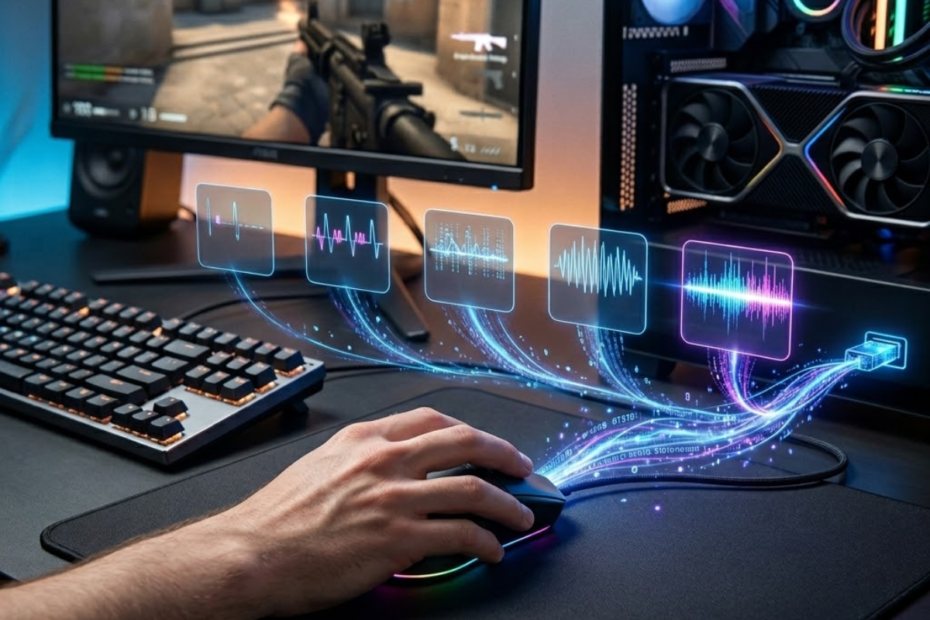
A gaming mouse polling rate is the number of times your mouse reports its position and input data to your computer every second. It helps determine how often your PC receives fresh mouse movement data, which can affect how responsive your aim feels in FPS games.
For most players, polling rate sounds more complicated than it really is because brands often advertise numbers like 1000Hz, 4000Hz, or 8000Hz without explaining what those numbers mean in real gameplay. The important thing is simple: polling rate is about reporting frequency, not magic aim improvement.
This guide explains what polling rate means in a gaming mouse, how it works, how it differs from DPI, and why FPS players care about it when choosing mouse settings or upgrading their setup.
What Is Polling Rate in a Gaming Mouse?
Polling rate is the reporting frequency of a gaming mouse and helps your computer receive mouse movement and click data more often. It is measured in Hertz, or Hz, which means times per second. A 1000Hz gaming mouse reports data to the computer 1000 times per second.
When you move your mouse across a mousepad, the sensor detects movement, the mouse processes that information, and the device sends a report to your computer. Polling rate describes how often that report happens. A higher polling rate means the computer receives updates more frequently.
The illustration below shows how polling rate controls communication between a gaming mouse and a computer:
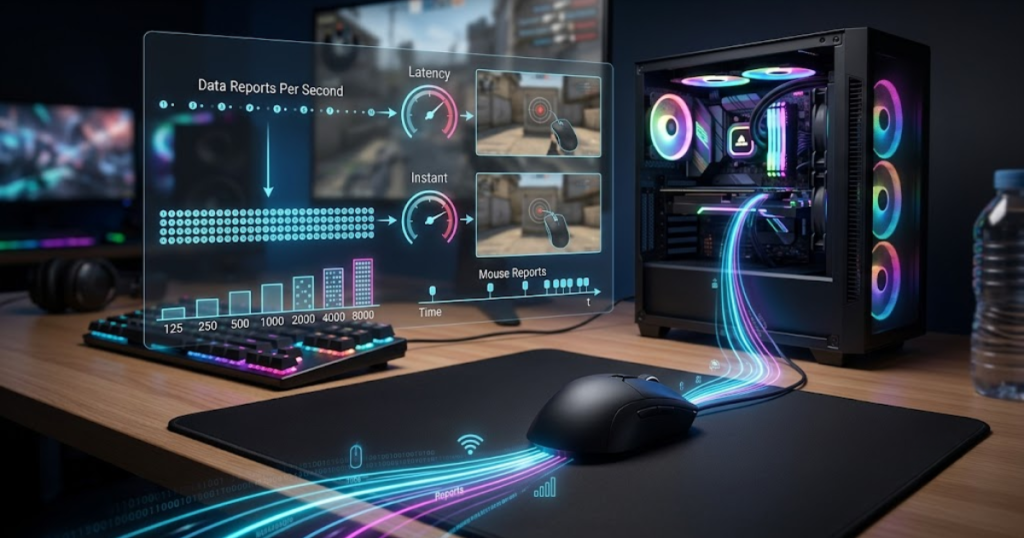
This matters because FPS games depend heavily on fast and consistent input. When you aim, track a target, flick to a corner, or make a small correction, your mouse is constantly sending movement data. Polling rate helps shape how fresh that data feels when it reaches your system.
The key concepts below explain polling rate fundamentals:
- Reporting frequency: Polling rate describes how many times per second your mouse sends input data to your computer.
- Hertz measurement: Polling rate is measured in Hz, so 1000Hz means 1000 reports per second.
- Movement updates: Each report can include mouse movement, button input, and scroll information.
- Input responsiveness: More frequent reports can reduce the time between physical movement and computer response.
- Gaming relevance: FPS players care about polling rate because mouse input timing affects aim feel and consistency.
These basics help separate polling rate from other gaming mouse specs. Polling rate is not the same as DPI, sensor accuracy, mouse shape, or weight.
Why Do Gaming Mice Use Polling Rate?
Gaming mice use polling rate as a communication system and help the computer receive updated input data at a predictable rhythm. Without polling, the computer would not know when to check for new mouse movement or button input.
In simple terms, the computer and mouse communicate in short repeated intervals. The mouse collects movement data, prepares a report, and sends that report to the computer. The polling rate controls how frequently this reporting cycle happens.
For office use, a lower polling rate can still feel acceptable because basic tasks do not demand tight input timing. Moving a cursor across a spreadsheet or clicking a browser tab does not require the same precision as tracking an enemy in Valorant, CS2, or Apex Legends.
Gaming mice use higher polling rates because FPS games reward fast feedback. When the mouse reports more often, the system has more chances to receive newer movement data. That can make input feel smoother, especially when combined with a high refresh rate monitor and stable frame rates.
The main point is that polling rate exists to manage input communication. It helps your mouse and computer stay synchronized during movement, clicking, and fast gameplay actions.
What Does Polling Rate Tell You About a Mouse?
Polling rate tells you how frequently a mouse sends data to the computer and helps you understand one part of its input responsiveness. It does not tell you whether the mouse is comfortable, accurate, durable, or good for your grip style.
A mouse with a higher polling rate can send input reports more often, but that does not automatically make it the best mouse for every player. A bad shape with 8000Hz can still feel worse than a comfortable 1000Hz mouse. Polling rate is useful, but it should not be treated as the only spec that matters.
For FPS players, polling rate is most useful when comparing input responsiveness. If one mouse reports at 125Hz and another reports at 1000Hz, the 1000Hz mouse sends updates more frequently. That difference can be noticeable in fast games because the gap between reports is shorter.
However, once you reach 1000Hz, the gains become smaller for many players. Moving from 125Hz to 1000Hz is a large jump. Moving from 1000Hz to 4000Hz or 8000Hz can still reduce report intervals, but the real-world benefit depends on your monitor, PC performance, game engine, and personal sensitivity to input delay.
Polling rate should be read as a responsiveness specification. It helps explain how often the mouse communicates, but it does not replace comfort, sensor quality, click feel, wireless stability, or overall control. Polling rate is only one factor that contributes to overall mouse performance. To see how polling rate fits alongside shape, weight, sensors, and grip comfort, explore our complete guide to gaming mouse for FPS games.
In short, polling rate gives you one important piece of the gaming mouse performance picture. It helps explain input update frequency, but it should always be considered alongside the full mouse setup.
How Does Polling Rate Work?
Polling rate is a communication process and helps a gaming mouse continuously send movement and click information to a computer. The mouse does not send one long stream of motion. Instead, it sends many small reports every second.
Every time you move the mouse, the sensor tracks motion across the surface. The mouse then processes that movement and sends a report through its wired or wireless connection. Your computer receives the report and updates the cursor or in-game camera based on that information.
The example below visualizes the reporting cycle between a gaming mouse and a computer:
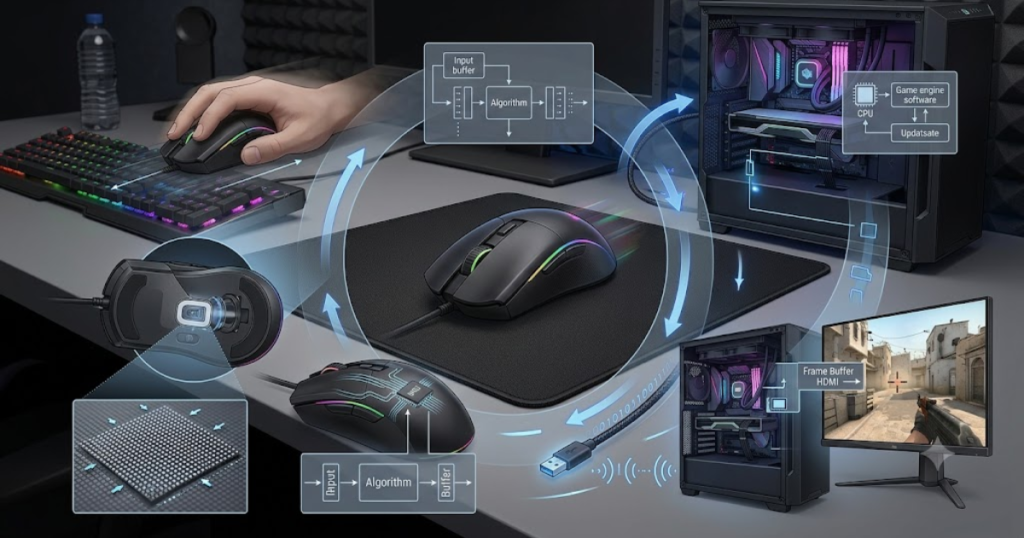
The more often this cycle happens, the shorter the delay between reports. At 1000Hz, the mouse reports about every 1 millisecond. At 500Hz, it reports about every 2 milliseconds. At 125Hz, it reports about every 8 milliseconds.
The following process can help explain how polling rate works:
- Mouse movement occurs: The player moves the mouse across the mousepad during aiming, tracking, or menu navigation.
- Sensor captures movement: The mouse sensor reads surface movement and converts it into tracking data.
- Mouse processes data: The internal hardware and firmware prepare the movement or click input for reporting.
- Data is sent to the computer: The mouse sends an input report through its USB cable, receiver, or wireless connection.
- Screen updates input: The computer and game use the input data to update cursor movement or camera direction.
This process happens repeatedly while the mouse is active. A higher polling rate simply means this reporting loop happens more often each second.
What Happens During a Polling Cycle?
A polling cycle is one input report from the mouse and helps the computer receive updated movement or click information. Each cycle is small, but many cycles together create the feeling of smooth mouse movement.
During a polling cycle, the mouse sends a report that can include movement on the X axis, movement on the Y axis, button states, and sometimes scroll wheel input. The computer reads that report and uses it as the latest available mouse information.
In an FPS game, this process affects how your physical hand movement becomes camera movement. When you swipe left, pull down for recoil control, or make a small micro-adjustment, the game responds based on the data it receives from the mouse and system.
Lower polling rates create longer gaps between reports. Higher polling rates reduce those gaps. This is why a jump from 125Hz to 1000Hz can feel much smoother, especially for players who are used to fast camera movement or precise crosshair placement.
A polling cycle is not about making the sensor more accurate. It is about how often the mouse sends what it already detected. That distinction matters because players often confuse reporting speed with tracking quality.
Understanding the polling cycle helps explain why polling rate affects responsiveness, but not every part of mouse performance.
How Mouse Data Reaches the Screen
Mouse data reaches the screen through a chain of input processing and helps convert physical hand movement into visible cursor or camera movement. Polling rate is only one step in that chain.
After the mouse reports data, the operating system receives the input. Then the game engine reads that input and applies it to the camera or cursor. Finally, the monitor displays the result based on the current frame and refresh cycle.
This means polling rate works together with other system factors. Your mouse may report quickly, but the final on-screen response also depends on frame rate, monitor refresh rate, game settings, CPU performance, GPU performance, and input handling inside the game.
For example, an 8000Hz mouse can send reports extremely often, but a low refresh rate monitor or unstable frame rate may limit how much of that responsiveness you actually feel. On the other hand, a high refresh rate monitor with stable FPS can make faster input reporting easier to notice.
This is why polling rate should be understood as part of the complete input chain. It helps send data more often, but the screen response depends on the entire system.
In practical terms, smoother mouse data only matters when the rest of the setup can show and process it well. That is why 1000Hz remains enough for many players, while 4000Hz or 8000Hz makes more sense for specific competitive setups.
What Does Polling Rate Measure?
Polling rate is a measurement of reporting frequency and helps describe how often a mouse communicates with a computer. It measures how many input reports are sent per second, not how accurate the mouse sensor is.
This is one of the most important distinctions in gaming mouse specs. A mouse can have a high polling rate and still feel bad if the shape is uncomfortable, the sensor implementation is poor, the wireless connection is unstable, or the feet do not glide well on the mousepad.
Polling rate measures frequency. It does not measure quality by itself. The number tells you how often data is reported, but it does not guarantee that the data is more useful, more accurate, or easier to control.
The table below explains what polling rate measures and what it does not measure:
| Polling Rate Measures | Polling Rate Does Not Measure |
|---|---|
| Report frequency | Sensor quality |
| Communication speed | Tracking accuracy |
| Data update interval | Mouse shape comfort |
| Input reporting rate | DPI value |
| How often data reaches the PC | Whether the mouse fits your grip |
This comparison shows that polling rate is only responsible for how often input data is reported to the computer. It does not determine sensor accuracy, comfort, sensitivity, or overall gaming mouse quality.
What Polling Rate Actually Measures
Polling rate actually measures how often a mouse sends reports to the computer and helps define the update interval between input reports. That update interval is the time gap between one report and the next.
For example, 1000Hz means the mouse can report 1000 times per second. Since one second has 1000 milliseconds, a 1000Hz polling rate creates an approximate 1ms interval between reports. A 500Hz polling rate creates an approximate 2ms interval.
This reporting interval is why higher polling rates are often connected to lower input delay. If the mouse reports more often, the computer has more frequent opportunities to receive fresh movement data. That can make fast inputs feel more immediate.
Still, reporting frequency is not the same as perfect responsiveness. The mouse report is only the first part of the input path. After the report reaches the computer, the system and game still need to process that information before you see the result on screen.
Polling rate is best understood as the frequency of communication between your mouse and PC. It measures how often the mouse speaks, not how well every other part of the setup listens and responds.
What Polling Rate Does Not Measure
Polling rate does not measure overall mouse quality and helps avoid confusing report frequency with aim accuracy. A high polling rate alone does not guarantee better aim, better tracking, or better comfort.
Many players see a large number like 8000Hz and assume it means the mouse is automatically more accurate. That is not true. Accuracy depends more on sensor implementation, stable tracking, mouse shape, weight balance, mousepad surface, and the player’s control.
Polling rate also does not control sensitivity. Sensitivity is usually controlled by DPI and in-game sensitivity settings. Polling rate controls how often input is reported, while DPI controls how much cursor or camera movement comes from physical mouse movement.
It also does not measure click quality. A mouse can have fast polling but still use switches that feel heavy, mushy, or inconsistent. For FPS players, click feel can matter for tapping, bursting, and timing shots, but that is separate from polling frequency.
The safest way to read polling rate is as one input responsiveness specification. It matters, but it should not be used alone to judge whether a gaming mouse is good.
By understanding what polling rate does and does not measure, players can avoid buying based only on the biggest number printed on the box.
Common Polling Rate Levels Explained
Common polling rate levels are predefined reporting frequencies and help gaming mice send data to a computer at different intervals. Each polling rate determines how often the mouse updates the system with new movement and click information. Higher values reduce the time between reports, but they do not always create a dramatically different gaming experience.
The comparison below illustrates how report intervals become shorter as polling rates increase:
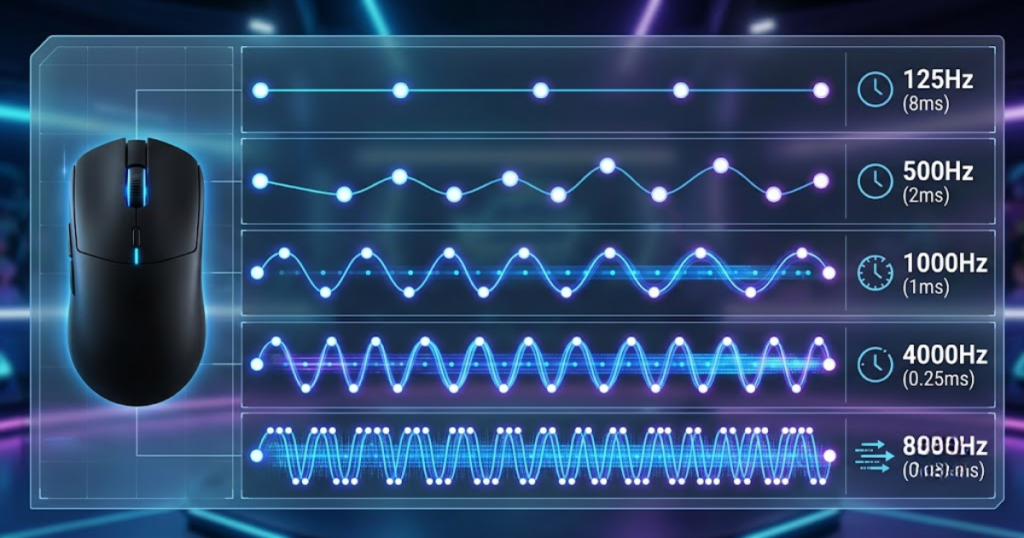
Modern gaming mice commonly support 125Hz, 500Hz, 1000Hz, 2000Hz, 4000Hz, and 8000Hz. These options exist because different users, devices, and gaming scenarios benefit from different reporting frequencies.
The table below explains the most common polling rate levels used in gaming mice:
| Polling Rate | Reports Per Second | Approximate Update Interval |
|---|---|---|
| 125Hz | 125 | 8ms |
| 500Hz | 500 | 2ms |
| 1000Hz | 1000 | 1ms |
| 2000Hz | 2000 | 0.5ms |
| 4000Hz | 4000 | 0.25ms |
| 8000Hz | 8000 | 0.125ms |
Understanding these polling rate levels helps players see how reporting frequency changes across different settings. While higher polling rates reduce report intervals, the practical benefit depends on the player’s hardware, game environment, and ability to notice responsiveness differences.
Why 1000Hz Became the Industry Standard
1000Hz is the industry standard polling rate and helps provide a balance between responsiveness, compatibility, and system efficiency. For many years, 1000Hz has delivered fast enough reporting for competitive gaming without creating meaningful hardware demands.
At 1000Hz, the mouse sends updates approximately every 1 millisecond. This reporting interval is already extremely fast compared to human reaction times, making it suitable for most FPS games. As gaming hardware improved, 1000Hz became widely supported by operating systems, game engines, drivers, and USB controllers.
Another reason 1000Hz became the standard is consistency. Manufacturers could reliably deliver stable performance at this level without introducing unnecessary compatibility issues. As a result, nearly every modern gaming mouse supports 1000Hz polling.
For the majority of players, 1000Hz provides a highly responsive experience while maintaining excellent stability across different systems and games.
Why Higher Polling Rates Were Introduced
Higher polling rates were introduced to help reduce report intervals and support increasingly responsive gaming hardware. As high refresh rate monitors, powerful processors, and esports-focused peripherals became more common, manufacturers looked for additional ways to reduce input delays.
Moving from 1000Hz to 4000Hz or 8000Hz reduces the time between reports even further. This means the computer receives newer movement information more frequently. In ideal conditions, this can improve the smoothness and immediacy of mouse input. If you are deciding between the newest high polling rate options, our comparison of 4000Hz vs 8000Hz polling rate explains the practical differences for FPS players.
However, these improvements are much smaller than the jump from older polling rates such as 125Hz or 500Hz. The higher the polling rate becomes, the smaller the practical gain tends to be for most users.
The factors below explain why manufacturers developed higher polling rates:
- Lower report intervals: Faster reporting reduces the gap between individual mouse updates.
- Competitive gaming demand: Esports players often seek every possible responsiveness advantage.
- High refresh displays: Faster monitors make subtle input improvements easier to notice.
- Improved hardware: Modern CPUs can process more input reports efficiently.
- Technology progression: Gaming peripherals continue to push for lower latency specifications.
These developments explain why polling rates beyond 1000Hz exist, even though many players remain satisfied with the standard setting.
Choosing the right polling rate depends on the player’s hardware, game type, and responsiveness requirements. If you are comparing complete gaming mouse options instead of individual specifications, check our roundup of the best gaming mouse for FPS games in 2026.
Polling Rate vs Mouse Latency
Polling rate is one factor that affects mouse latency and helps determine how quickly input information reaches a computer. Although polling rate and latency are closely related, they are not the same thing. Polling rate influences latency, but latency is produced by multiple stages throughout the entire input chain.
Many players assume that increasing polling rate automatically eliminates latency. In reality, latency depends on how quickly data travels from the mouse sensor to the screen. Polling rate affects only one part of that journey.
How Polling Rate Influences Input Delay
Polling rate influences input delay and helps reduce the waiting time between mouse reports. When a mouse sends updates more frequently, the computer receives newer movement data sooner.
For example, a 125Hz mouse reports every 8 milliseconds, while a 1000Hz mouse reports every 1 millisecond. Because the reporting interval is shorter, input information reaches the system more often. This can make aiming feel more responsive during fast movements.
In FPS games, lower reporting intervals can improve the feeling of immediacy when tracking targets, flicking between angles, or making micro-adjustments. However, the impact becomes progressively smaller as polling rates increase.
Polling rate contributes to latency reduction by increasing report frequency, but it does not remove all other sources of delay. To understand how reporting frequency interacts with overall responsiveness, read our complete guide to polling rate and input latency.
Other Factors That Affect Mouse Latency
Mouse latency depends on multiple system components and helps explain why polling rate is only one part of overall responsiveness. Even if a mouse reports extremely quickly, other parts of the system can introduce delays.
After the mouse sends data, the operating system processes the report, the game engine interprets the input, the graphics card renders a frame, and the monitor displays the result. Delays can occur at every stage.
The table below explains the main factors that influence mouse latency:
| Factor | Influences Latency |
|---|---|
| Polling Rate | Yes |
| Sensor Processing | Yes |
| Firmware | Yes |
| Wireless Technology | Yes |
| CPU Performance | Yes |
| Monitor Refresh Rate | Yes |
| DPI | No Direct Impact |
Understanding these components helps players evaluate responsiveness more accurately instead of focusing on a single specification.
Overall, polling rate contributes to mouse latency by affecting how often input reports reach the computer. However, latency is influenced by multiple components throughout the entire input chain rather than a single specification.
Polling Rate vs DPI
Polling rate is a communication frequency measurement and helps determine how often data is reported, while DPI measures how sensitive mouse movement feels. Although these two specifications often appear together in gaming mouse software, they control completely different aspects of performance.
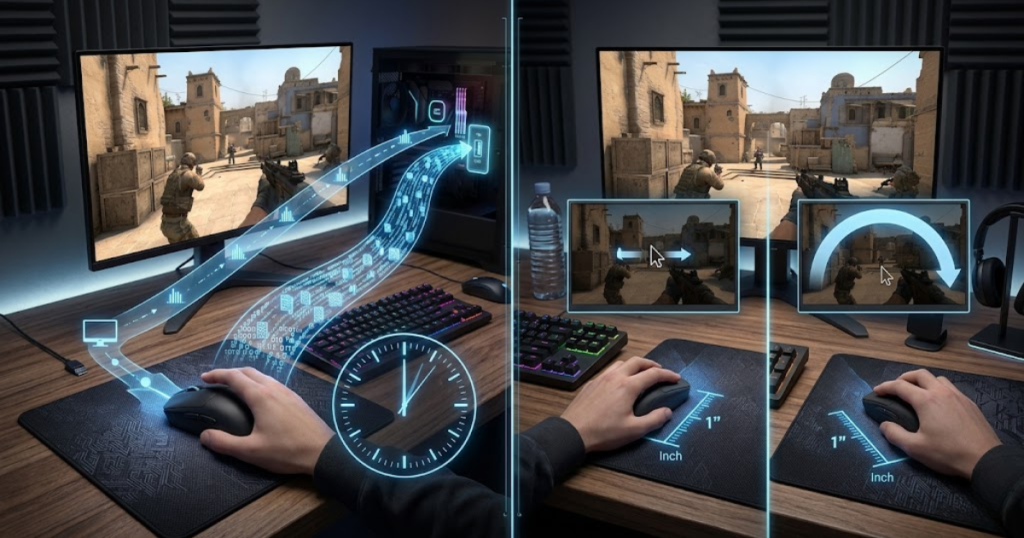
The image below highlights the difference between reporting frequency and sensitivity:
Players frequently confuse polling rate and DPI because both are adjustable settings. However, changing one does not directly change the function of the other.
What Polling Rate Controls
Polling rate controls reporting frequency and helps determine how often the computer receives mouse input updates. Increasing polling rate changes the number of reports sent every second, but it does not affect how far the cursor moves.
Whether the mouse is set to 400 DPI or 3200 DPI, the polling rate still determines how frequently input reports reach the system. The two settings operate independently.
Polling rate focuses on communication speed between the mouse and computer rather than movement sensitivity.
What DPI Controls
DPI controls cursor sensitivity and helps determine how much on-screen movement results from physical mouse movement. A higher DPI setting causes the cursor to travel farther with less hand movement.
DPI affects how sensitive a mouse feels, while polling rate affects how often movement data is reported. Because they solve different problems, players should avoid treating them as interchangeable settings.
The table below explains the differences between polling rate and DPI:
| Polling Rate | DPI |
|---|---|
| Reporting frequency | Sensitivity |
| Measured in Hz | Measured in DPI |
| Controls communication | Controls movement speed |
| Affects update intervals | Affects cursor travel distance |
Understanding the difference helps players adjust settings more effectively without misunderstanding what each specification actually changes.
Overall, polling rate and DPI serve different purposes and should not be adjusted with the same goal in mind. Understanding their individual roles helps players make more informed mouse setting decisions.
Does Higher Polling Rate Improve Aim?
Higher polling rates can improve responsiveness and help reduce the delay between mouse movement and on-screen feedback. However, a higher polling rate does not automatically improve aiming skill, tracking ability, or overall accuracy. It simply allows the mouse to report input data more frequently.
Many FPS players assume that moving from 1000Hz to 4000Hz or 8000Hz will instantly improve aim. In reality, polling rate affects the quality of input delivery rather than the player’s mechanical skill. Better reporting frequency cannot replace practice, positioning, crosshair placement, or game knowledge.
The actual benefit depends on the player’s hardware, monitor refresh rate, game type, and sensitivity to input responsiveness. Some players notice smoother input immediately, while others experience little difference.
Situations Where Higher Polling Rates Can Help
Higher polling rates can help in situations where players benefit from receiving fresher input data more frequently. Competitive FPS games place heavy emphasis on precise mouse control, making responsiveness an important part of the overall experience.
Fast-paced aiming scenarios often generate continuous movement updates. When a mouse reports more frequently, the system receives newer information sooner, potentially making movement feel smoother and more connected to hand motion.
The situations below explain when higher polling rates may provide noticeable benefits:
- Competitive FPS games: Faster reporting may improve responsiveness during aiming-intensive gameplay.
- High refresh rate monitors: Displays running at 240Hz, 360Hz, or higher can reveal subtle input differences more clearly.
- Fast target tracking: Continuous movement can benefit from more frequent data updates.
- Micro-adjustments: Small aiming corrections may feel smoother with reduced report intervals.
- Low-latency setups: Players optimizing every component of their system may gain more value from higher polling rates.
These situations highlight where higher polling rates are most likely to provide a measurable advantage. The benefit becomes easier to notice when the rest of the gaming setup is already optimized.
Situations Where Improvements Are Hard to Notice
Higher polling rates may be difficult to notice when other system limitations reduce the impact of faster input reporting. In many gaming setups, other factors contribute more to the overall experience than polling rate alone.
A player using a lower refresh rate monitor, unstable frame rates, or older hardware may struggle to identify meaningful differences between 1000Hz and higher polling rate settings. The improvements become increasingly subtle as report intervals get smaller.
For many users, the jump from 125Hz to 1000Hz feels significant because report intervals decrease dramatically. The jump from 1000Hz to 4000Hz or 8000Hz is much smaller, making the improvement harder to detect during normal gameplay. For a detailed breakdown of real-world differences between these popular settings, see our guide to 1000Hz vs 4000Hz polling rate.
Because of this, higher polling rates should be viewed as refinements rather than revolutionary upgrades. Their value depends heavily on the player’s environment and expectations.
The table below explains when higher polling rates are most beneficial:
| Scenario | Potential Benefit |
|---|---|
| Casual Gaming | Low |
| Competitive FPS | Medium |
| Esports Competition | High |
| High Refresh Displays | High |
| Older Systems | Low |
Understanding these scenarios helps players set realistic expectations before upgrading to higher polling rate hardware.
Overall, higher polling rates can improve responsiveness, but the practical impact varies between players and setups. The largest improvement usually comes from reaching 1000Hz, while gains beyond that become increasingly dependent on the surrounding hardware.
Why FPS Players Care About Polling Rate
Polling rate is an important gaming mouse specification and helps FPS players maintain smoother and more consistent input behavior. While polling rate does not directly improve aiming skill, it influences how quickly movement information reaches the game.
FPS games place unique demands on mouse input because aiming relies on continuous movement updates. Small inconsistencies can feel more noticeable during tracking, flicking, and recoil control than in slower genres.
For this reason, competitive players often pay attention to polling rate when evaluating gaming mice and input settings.
How Polling Rate Supports Tracking Accuracy
Polling rate supports tracking accuracy by helping the computer receive movement information more frequently. Tracking requires players to continuously follow moving targets while maintaining control of their crosshair.
Because tracking generates a constant stream of movement data, higher polling rates provide more opportunities for the system to receive updated information. This can contribute to smoother cursor and camera movement.
Although tracking skill still depends primarily on the player, consistent input delivery can make the aiming experience feel more predictable. Many competitive players value this consistency because it reduces uncertainty during prolonged engagements.
Polling rate contributes to the quality of input delivery, which is why it remains relevant for players focused on tracking-heavy FPS games.
How Polling Rate Helps During Fast Aim Adjustments
Polling rate helps during fast aim adjustments by reducing the time between movement reports. Fast aim adjustments include flick shots, target switching, and rapid corrections after missing an initial shot.
These movements often involve quick bursts of input. More frequent reporting allows newer movement information to reach the computer sooner, helping maintain a responsive feeling during sudden direction changes.
Players who rely heavily on flick aiming may appreciate the smoother input delivery that comes from shorter report intervals. However, the mechanical ability to execute a flick remains far more important than polling rate itself.
The benefits below explain why FPS players pay attention to polling rate:
- Smoother tracking: Frequent updates can improve movement consistency.
- Responsive input: Faster reporting reduces the delay between reports.
- Better feedback: Input can feel more connected to physical movement.
- Stable performance: Consistent reporting supports predictable aiming behavior.
- Competitive optimization: Players often seek every possible responsiveness improvement.
These benefits explain why polling rate remains a common discussion topic within competitive FPS communities. The value comes from improved input delivery rather than direct aim enhancement.
Overall, FPS players care about polling rate because it influences how consistently movement information reaches the game. While it cannot replace skill, it contributes to the overall responsiveness of the aiming experience.
Can High Polling Rates Affect System Performance?
High polling rates can increase system workload and help generate significantly more input reports for the computer to process. As polling rate increases, the number of reports sent every second also increases dramatically.
Although modern systems are generally capable of handling high polling rates, the additional workload is not completely free. Extremely high polling rates may increase CPU usage and create compatibility concerns in certain environments.
Understanding these trade-offs helps players decide whether higher polling rates are worth enabling.
How Higher Polling Rates Increase CPU Activity
Higher polling rates increase CPU activity by requiring the system to process more mouse reports every second. A mouse running at 8000Hz generates eight times as many reports as a mouse running at 1000Hz.
This additional reporting creates more work for the operating system and processor. While the increase is often manageable on modern hardware, weaker systems may experience a greater impact.
The effect varies depending on the game, background processes, operating system behavior, and hardware configuration. Some users may never notice a difference, while others may prefer lower polling rates for efficiency.
CPU workload becomes one of the primary considerations when evaluating very high polling rate settings.
Potential Compatibility Challenges
High polling rates can introduce compatibility challenges and help explain why some players choose lower settings despite owning capable hardware. Not every game, driver, operating system, or application is optimized for extremely high report frequencies.
Some users may encounter inconsistent behavior, unexpected performance fluctuations, or reduced stability when using the highest available polling rates. These situations are less common today but still occur depending on the software environment.
Compatibility concerns are one reason why many competitive players continue using 1000Hz despite having access to 4000Hz or 8000Hz options.
The table below explains how different polling rates may affect system resources:
| Polling Rate | Relative CPU Load |
|---|---|
| 1000Hz | Low |
| 2000Hz | Low |
| 4000Hz | Medium |
| 8000Hz | High |
Understanding these resource requirements helps players balance responsiveness, efficiency, and compatibility more effectively.
Overall, higher polling rates can provide additional responsiveness, but they may also increase system workload. Players should consider both the potential benefits and the associated hardware demands before choosing extremely high polling rate settings.
What Is the Best Polling Rate for FPS Games?
The best polling rate for FPS games is usually 1000Hz and helps provide an excellent balance between responsiveness, compatibility, and system efficiency. While higher polling rates can reduce report intervals even further, 1000Hz remains the most widely recommended setting for the majority of players.
Modern FPS games already feel highly responsive at 1000Hz because the mouse reports data every millisecond. This level of reporting frequency is sufficient for most competitive environments and is supported consistently across games, operating systems, and hardware platforms.
The illustration below shows common polling rate recommendations for different FPS gaming scenarios:
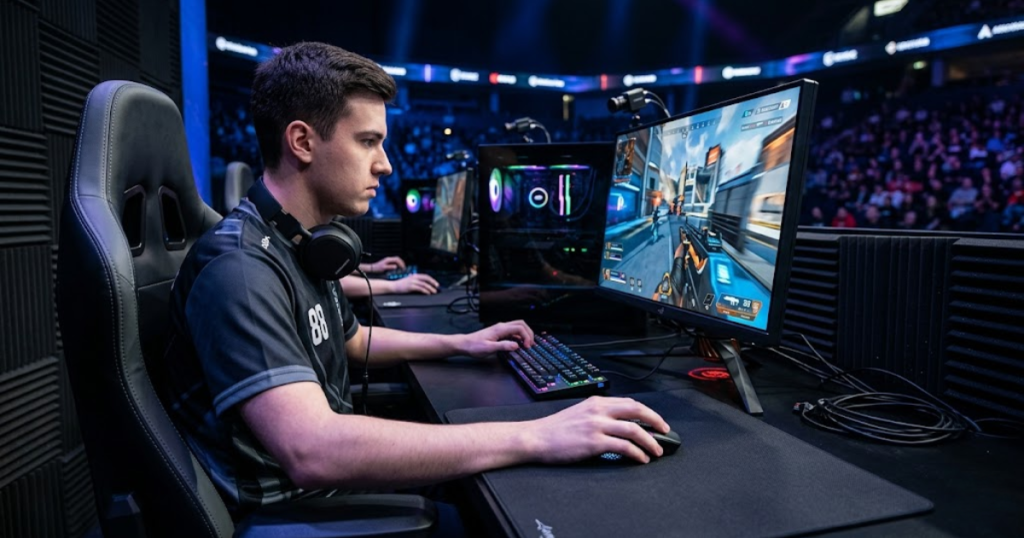
The ideal polling rate depends on the player’s setup, performance goals, and hardware capabilities. However, most users benefit more from improving aim fundamentals, monitor refresh rate, or system stability than from pushing polling rates to the highest available setting.
Why 1000Hz Is Still the Best Choice for Most Players
1000Hz remains the best choice for most FPS players and helps deliver fast input reporting without creating unnecessary hardware demands. It has become the industry standard because it offers a reliable balance between performance and practicality.
At 1000Hz, input reports arrive frequently enough that most players cannot identify meaningful responsiveness limitations during gameplay. The setting is also compatible with virtually every modern game and operating system.
Another advantage is efficiency. Compared to extremely high polling rates, 1000Hz places minimal strain on system resources while still delivering excellent responsiveness.
For many players, 1000Hz represents the point where increasing polling rate further produces diminishing returns.
When Higher Polling Rates Become Worthwhile
Higher polling rates become worthwhile when a gaming setup can fully benefit from faster input reporting. Not every player will notice improvements from 4000Hz or 8000Hz, but certain environments make those differences easier to detect.
High refresh rate monitors, powerful processors, stable frame rates, and competitive FPS gameplay create conditions where faster report intervals may contribute to a smoother input experience.
Even then, the gains are typically incremental rather than transformative. Higher polling rates should be viewed as refinements rather than essential upgrades.
The table below explains polling rate recommendations for different player types:
| Player Type | Recommended Polling Rate |
|---|---|
| Beginner FPS Player | 1000Hz |
| Casual FPS Player | 1000Hz |
| Competitive FPS Player | 1000Hz–4000Hz |
| Esports Player | 4000Hz–8000Hz |
| Older System User | 1000Hz |
This comparison shows that 1000Hz remains the most practical recommendation for the majority of users. Higher polling rates become more relevant as hardware performance and competitive demands increase.
Understanding these recommendations helps players choose a setting that matches their actual needs instead of simply selecting the highest available number.
Overall, 1000Hz remains the best polling rate for most FPS players because it provides excellent responsiveness with minimal drawbacks. Higher polling rates can be beneficial, but they are most valuable in specialized competitive environments.
Should You Upgrade for Higher Polling Rates?
Upgrading for a higher polling rate is worthwhile only when the rest of the gaming setup can benefit from faster input reporting. A higher polling rate alone does not guarantee a better gaming experience.
Before upgrading, players should consider their monitor refresh rate, system performance, game preferences, and current mouse performance. In many situations, other upgrades provide a greater impact than moving beyond 1000Hz.
Polling rate upgrades make the most sense when the goal is refining an already optimized setup rather than solving fundamental performance issues.
Signs That an Upgrade May Be Worth Considering
A higher polling rate upgrade may be worth considering when a player is actively pursuing maximum responsiveness. Competitive players with modern hardware are the most likely to benefit from faster reporting frequencies.
These players often use high refresh rate displays, maintain stable frame rates, and spend significant time playing precision-focused FPS games. Under these conditions, small responsiveness improvements become easier to appreciate.
The factors below explain when an upgrade may be worthwhile:
- High refresh rate monitor: Faster displays can reveal subtle responsiveness improvements.
- Competitive FPS focus: Players seeking maximum responsiveness may benefit more.
- Modern hardware: Strong processors handle higher polling rates more efficiently.
- Low-latency optimization: Polling rate may complement other latency-focused upgrades.
- Existing premium setup: Small improvements matter more when the rest of the system is already optimized.
These situations represent the environments where higher polling rates are most likely to provide measurable value.
Signs That an Upgrade May Not Be Necessary
A polling rate upgrade may not be necessary when current performance already feels responsive and consistent. Many players experience excellent results at 1000Hz without any meaningful limitations.
If gameplay feels smooth, aim feels predictable, and system performance is stable, upgrading solely for a higher polling rate may offer little practical benefit.
Players using older hardware or lower refresh rate displays often gain more value from other upgrades before increasing polling rate.
The goal should be improving the overall gaming experience rather than chasing specifications that may not produce noticeable results.
Overall, upgrading for a higher polling rate should be based on actual gaming needs rather than marketing numbers. For many FPS players, 1000Hz already delivers an excellent balance of responsiveness, compatibility, and efficiency.
Frequently Asked Questions About Polling Rate in Gaming Mice
The frequently asked questions below explain the most common concerns about polling rate in gaming mice and help clarify how polling rate affects FPS gaming performance. These questions focus on practical usage, gaming responsiveness, system compatibility, and common misconceptions that players often encounter when researching gaming mouse specifications.
What is polling rate in a gaming mouse?
Polling rate is the number of times a gaming mouse reports input data to a computer every second and helps determine how frequently movement information is updated.
Is 1000Hz polling rate good for FPS games?
Yes, 1000Hz is considered the standard polling rate for FPS games and helps provide fast, consistent, and reliable input reporting.
Does polling rate affect aim accuracy?
Polling rate affects how often input data is reported, but it does not directly improve aiming skill or tracking accuracy.
Is polling rate the same as DPI?
No, polling rate measures reporting frequency while DPI measures mouse sensitivity and cursor movement speed.
Does 8000Hz polling rate improve gaming performance?
8000Hz can improve responsiveness in certain situations, but the benefit varies depending on hardware, monitor refresh rate, and game environment.
Can polling rate reduce input lag?
Polling rate can contribute to lower input lag by reducing report intervals, but overall latency depends on multiple system components.
What polling rate do professional FPS players use?
Most professional FPS players use at least 1000Hz, while some use 4000Hz or 8000Hz depending on their hardware and preferences.
Should wireless gaming mice use 1000Hz or higher?
Most wireless gaming mice perform extremely well at 1000Hz, although some modern models support higher polling rate options.
Does higher polling rate increase CPU usage?
Yes, higher polling rates generate more input reports and can increase CPU workload, especially at 4000Hz and 8000Hz.
Is 4000Hz worth it for competitive gaming?
4000Hz may be worthwhile for competitive players using high-end systems, but the improvement is generally smaller than the jump from lower polling rates to 1000Hz.
Can older computers handle 8000Hz polling rates?
Many older systems can run 8000Hz, but they may experience higher CPU usage or reduced efficiency compared to modern hardware.
What polling rate should beginners use?
Beginners should generally use 1000Hz because it provides excellent responsiveness while remaining easy to support across different systems and games.
Final Thoughts on Polling Rate in Gaming Mice
Polling rate is a communication specification that helps determine how often a gaming mouse reports input data to a computer. While higher polling rates can reduce report intervals and improve responsiveness, they do not automatically improve aiming skill or overall gaming performance.
For most FPS players, 1000Hz remains the ideal balance between responsiveness, compatibility, stability, and efficiency. Higher polling rates such as 4000Hz and 8000Hz can provide additional benefits, but those benefits are often most noticeable in highly optimized competitive setups.
Understanding how polling rate works allows players to make better decisions when configuring gaming mouse settings or evaluating new hardware. Rather than focusing only on the largest number available, players should consider how polling rate fits into the complete gaming experience.
Ultimately, polling rate is one part of a much larger performance equation. A comfortable mouse shape, reliable sensor, consistent settings, and strong aiming fundamentals will almost always have a greater impact on FPS performance than polling rate alone.
Thank you for taking the time to read this guide. We hope this explanation helps you understand eDPI more clearly and make more informed sensitivity decisions for your FPS games.