
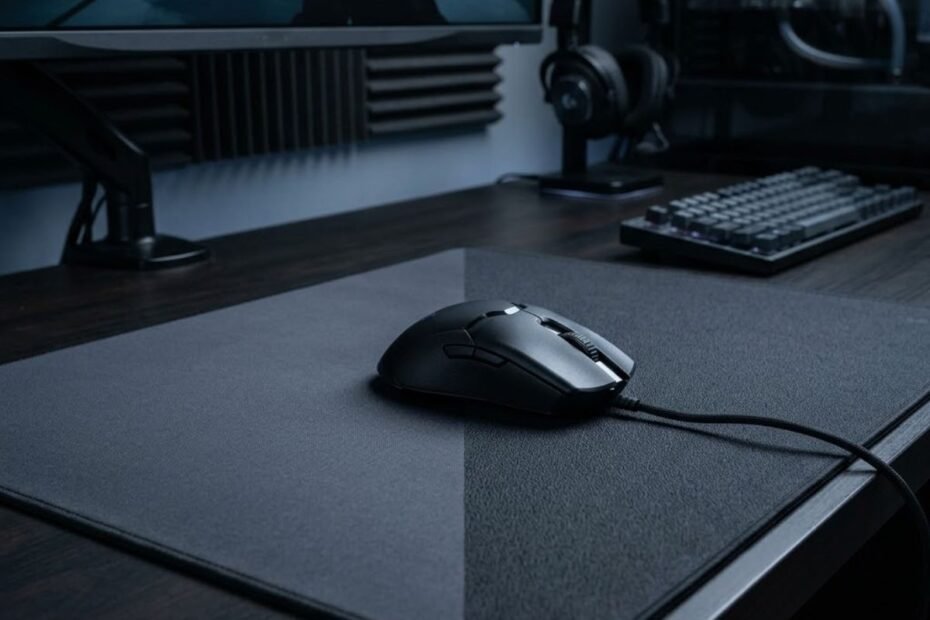
Speed and control mouse pads solve different mouse movement problems. A speed mouse pad prioritizes freer movement and lower resistance, while a control mouse pad provides more resistance to help with stopping and deliberate corrections. Neither surface is universally better, so the right choice depends on how you move, stop, and adjust your mouse during FPS gameplay.
The difference becomes easier to understand when you look beyond the labels. Speed is mainly about how freely the mouse moves across the surface, while control is more closely related to how much resistance you feel when starting, slowing, and stopping a movement. Your sensitivity, mouse weight, and aiming style can also change how the same surface feels.
A gaming mouse pad for FPS games gives your mouse a consistent surface for tracking, flicks, micro-adjustments, and stopping power.GearTP
This is why choosing between speed and control should not start with the question of which surface is better. A more useful question is which type of movement you need your mouse pad to support.
Speed vs Control Mouse Pad: What Is the Real Difference?
Speed mouse pads make mouse movement feel freer, while control mouse pads provide more resistance that can make stopping and deliberate corrections feel easier. The difference is not simply about whether one pad is fast and the other is slow. It is about how the surface changes the amount of resistance you feel throughout a mouse movement.
The visual below shows how the same mouse movement can feel different across speed and control surfaces:
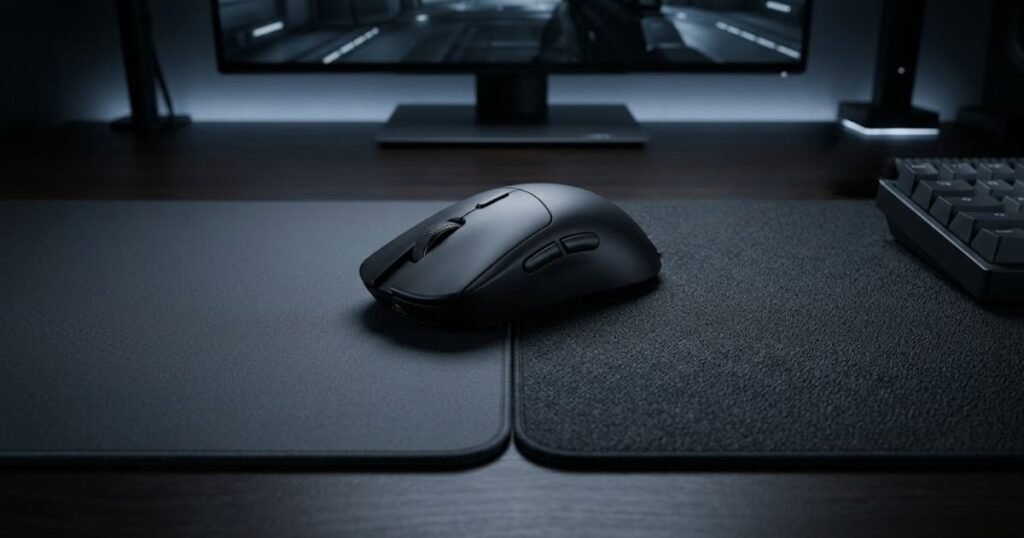
A speed-oriented surface generally makes it easier to start and continue a movement. A control-oriented surface places more resistance between the mouse and the pad, which can make deceleration and stopping feel more deliberate. These characteristics create different trade-offs during FPS aiming.
What a Speed Mouse Pad Changes in Mouse Movement
A speed mouse pad reduces the amount of resistance you feel while moving the mouse, making large and continuous movements feel freer. This can be noticeable when you move the mouse across a wider portion of the pad, switch between targets, or continuously follow a moving opponent.
The main characteristic is not simply higher movement speed. It is the lower resistance that allows the mouse to travel across the surface with less drag. For players who dislike a heavy or sticky feeling under the mouse, this can make aiming feel more fluid.
Speed can also change how quickly a movement settles after the mouse starts moving. Because there is less resistance working against the movement, the player’s hand has a larger role in controlling acceleration and stopping. This can feel responsive for some players while requiring more deliberate hand control for others.
In practice, a speed surface emphasizes movement freedom. It can make broad swipes and continuous tracking feel easier, but the player still needs to control where the movement ends.
Speed therefore describes a movement characteristic rather than a guaranteed aiming advantage.
What a Control Mouse Pad Changes in Mouse Movement
A control mouse pad provides more resistance during mouse movement, which can make slowing down and stopping feel more deliberate. Instead of prioritizing unrestricted glide, a control-oriented surface gives the hand more resistance to work against throughout the movement.
This can be especially noticeable when a player needs to stop a flick close to a target or make a series of small corrections. The added resistance does not automatically make the mouse more accurate, but it can change how predictable the stopping phase feels.
Control surfaces can also make the mouse feel more planted during deliberate movements. For players who find very low resistance surfaces difficult to settle, this additional feedback may feel easier to manage.
The trade-off is movement freedom. More resistance can make large or continuous movements feel less effortless, particularly for players who prefer a very light glide.
Control therefore describes a surface that places more emphasis on resistance and stopping behavior rather than maximum movement freedom.
Why Faster Does Not Automatically Mean Better
A faster mouse pad does not automatically produce better aim because aiming requires both movement and control. Moving the mouse quickly is only one part of an FPS aiming action. The player also has to slow the movement, stop at the intended position, and make any necessary correction.
A very low-resistance surface can make a large swipe feel easy, but that does not mean the player will stop more accurately. In the same way, a highly controlled surface can make stopping feel more deliberate without necessarily being the best choice for every type of movement.
This creates a trade-off rather than a simple performance ranking. Speed emphasizes how freely the mouse moves. Control emphasizes how much resistance is available during that movement. Your own hand control determines how effectively you use either characteristic.
The distinction also matters because two players can use the same mouse pad and have completely different experiences. Sensitivity, mouse weight, skate condition, grip, and aiming habits can all change how much resistance feels appropriate.
The useful question is therefore not whether speed or control is objectively better. It is which surface characteristic solves the movement problem you actually experience.
The table below compares the core movement characteristics of speed and control mouse pad surfaces:
| Factor | Speed Surface | Control Surface |
|---|---|---|
| Glide feel | Freer | More resistant |
| Initial movement | Easier | More deliberate |
| Stopping | More dependent on hand control | More supported by resistance |
| Large movement | More fluid | More resistant |
| Corrections | More responsive | More deliberate |
The comparison shows that speed and control represent different movement priorities rather than a simple better-versus-worse choice. Speed gives the mouse more freedom to move, while control adds resistance that can make stopping and deliberate corrections feel more manageable.
That trade-off is the foundation for the rest of the comparison. The more important question is how these different movement characteristics affect specific FPS aiming tasks such as tracking, flicking, and micro-adjustments.
How Speed and Control Affect Different FPS Aim Tasks
Speed and control surfaces can affect FPS aiming differently depending on the movement task. Tracking emphasizes continuous mouse movement, flick shots require both rapid movement and controlled stopping, while micro-adjustments depend on how easily you can make small corrections near the target. The same surface can therefore feel useful for one task and less suitable for another.
Speed vs Control for Tracking
Tracking involves continuously moving the mouse to follow a target, so the main difference between speed and control is how much resistance you feel throughout that movement. A speed-oriented surface generally allows the mouse to move more freely, which can make repeated directional changes and longer tracking movements feel less restricted.
A control-oriented surface introduces more resistance during those movements. That can make the mouse feel more deliberate, but it also means the hand has to work against more resistance when following a target across a wider area.
Tracking is not simply a matter of moving the mouse as quickly as possible. The crosshair has to remain aligned with a moving target while the hand continuously adjusts direction and distance. Because of this, the amount of resistance that feels manageable can vary between players.
For a player who feels that resistance is interfering with continuous movement, a more speed-oriented surface may address that specific problem. A player who prefers more resistance during movement may have a different experience.
The visual below illustrates how different FPS aim tasks can change the physical demands placed on the mouse:
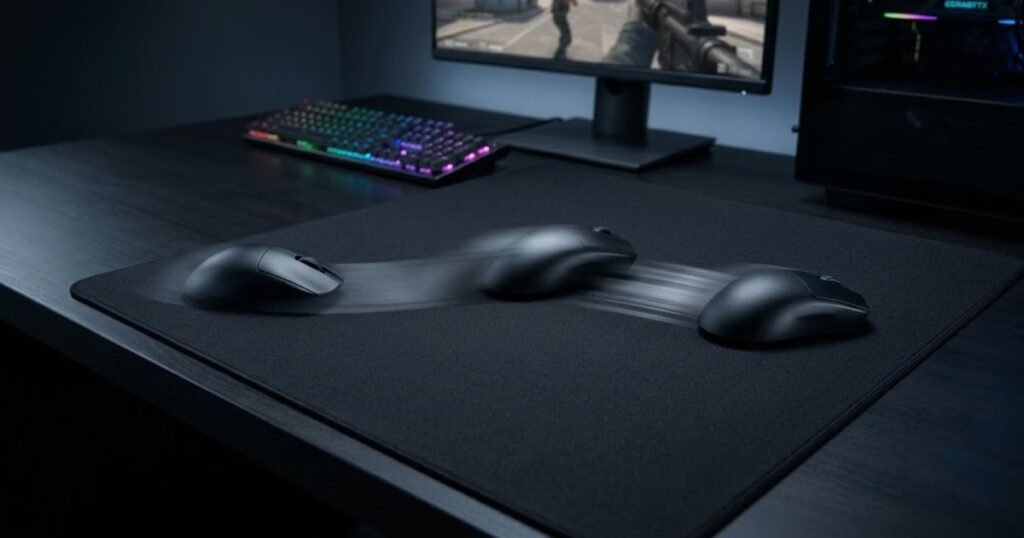
The important distinction is that speed changes the freedom of the tracking movement, while control changes how much resistance the hand encounters during that movement.
Speed vs Control for Flick Shots
Flick shots require more than fast movement because the mouse must also slow down and stop close to the intended target. A speed-oriented surface can make the initial movement feel freer, but the player has to manage the stopping phase with their hand. A control-oriented surface provides more resistance throughout the movement, which can make deceleration feel more deliberate.
This creates two separate parts of a flick: reaching the target area and stopping at the intended position. Focusing only on the first part can make a speed surface seem automatically advantageous, but the second part is equally important to the final crosshair position.
A player who regularly moves past the target may care more about stopping behavior than the initial speed of the swipe. Conversely, a player who feels restricted during large target transitions may place more value on freer movement.
Flick performance therefore depends on the balance between movement freedom and stopping control rather than on raw surface speed alone.
Speed vs Control for Micro-Adjustments
Micro-adjustments are small mouse movements used to refine crosshair placement, so the relevant difference is how easily the hand can make and control tiny corrections. A speed-oriented surface can make small movements feel responsive because there is less resistance opposing the hand.
A control-oriented surface can make those same corrections feel more deliberate because the added resistance reduces how freely the mouse moves. For some players, that can make it easier to settle the crosshair instead of continuing to move past the intended position.
However, more resistance does not automatically make micro-adjustments more accurate. If the surface feels excessively resistant, small corrections can become harder to initiate or repeat. The goal is not maximum resistance but a level of resistance that the player can control consistently.
This is also why micro-adjustments should be evaluated separately from flicking. A surface that feels comfortable during a large swipe may not produce the same feeling when the movement becomes extremely small.
Micro-adjustment performance is therefore about finding a surface behavior that allows precise corrections without making those corrections unnecessarily difficult to initiate or control.
The table below compares how speed and control surfaces can change different FPS aiming tasks:
| Aim Task | Speed Surface | Control Surface |
|---|---|---|
| Tracking | Freer continuous movement | More resistance during movement |
| Flick movement | Less resistance during the initial swipe | More resistance throughout the movement |
| Flick stopping | More dependent on hand control | More resistance during deceleration |
| Micro-adjustments | Responsive small movements | More deliberate small movements |
| Continuous target movement | More fluid | More resistant |
The table highlights why the choice cannot be reduced to a single aiming advantage. Speed emphasizes freer movement across different tasks, while control adds resistance that can change how deliberate the movement and stopping phases feel.
For that reason, the most useful way to evaluate a surface is to identify which aiming task causes the most problems in your current setup. A player struggling with continuous movement may need a different surface characteristic from someone struggling primarily with stopping or small corrections.
Which FPS Playstyles Fit Speed or Control Surfaces?
Your FPS playstyle is a more useful starting point than the game title alone when choosing between a speed and control mouse pad. Precision-focused players may value a more deliberate feel during mouse movement, while players who spend more time on continuous target movement may prefer less resistance. Players who switch between different FPS games may also prefer a balanced surface that does not strongly favor either extreme.
The game itself should not determine the choice. Two players can play the same FPS game while using different sensitivities, mouse weights, and aiming habits, which can make the same surface feel very different. The better approach is to look at how you actually play and which part of mouse movement feels limiting in your current setup.
Precision-Focused Tactical FPS Playstyles
Players with a precision-focused tactical FPS playstyle may place more value on a surface that feels deliberate and predictable during aiming. Tactical FPS gameplay often involves holding angles, maintaining careful crosshair placement, and making controlled movements around engagements. These situations can make the overall feel of the mouse pad more noticeable, particularly when the player needs to settle the mouse into a precise position.
This does not mean a control mouse pad is automatically the right choice for every tactical FPS player. A player using a lower sensitivity may still want a freer surface because large mouse movements cover more physical space. Another player may prefer additional resistance because it matches the way they naturally move and stop the mouse.
For players specifically comparing the two surface types in VALORANT, the speed vs control for Valorant decision can be evaluated in the context of that game’s aiming demands rather than relying on a general rule about tactical shooters.
The visual below contrasts the physical setup considerations of precision-focused and tracking-heavy FPS play:
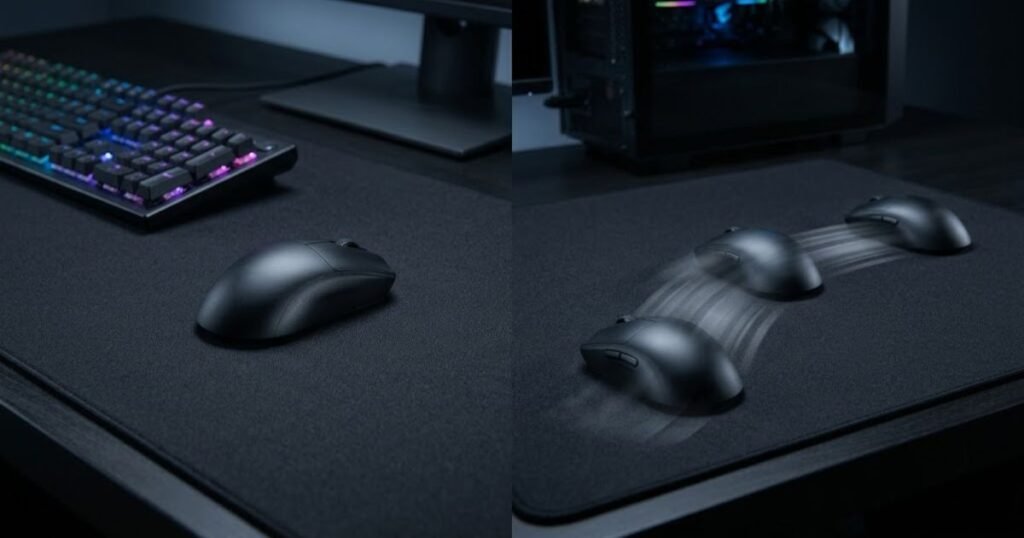
The key point is that tactical FPS play can make controlled movement an important consideration, but the player’s sensitivity and personal movement habits still determine whether speed or control feels more appropriate.
Tracking-Heavy FPS Playstyles
Players who rely heavily on continuous target tracking may place more value on a surface that allows the mouse to move freely across the pad. Tracking can require repeated directional changes and sustained movement, so resistance can become more noticeable when the hand needs to keep moving rather than make a single deliberate adjustment.
A speed-oriented surface may appeal to players who feel that resistance is getting in the way of these continuous movements. The lower resistance can make broad mouse movement feel less restricted, particularly for players who frequently reposition the mouse while following moving targets.
However, a tracking-focused player can still prefer a control-oriented surface. Some players may value the additional resistance because it gives their hand a more deliberate physical feel while moving. The relevant question is not whether the game is known for tracking, but whether the surface behavior actually fits the player’s movement style.
This distinction matters because tracking performance depends on more than surface speed. Sensitivity, mouse weight, available pad space, and the player’s technique can all influence how much physical movement is required during gameplay.
Tracking-heavy playstyles can therefore make freer movement worth considering, but they do not create a universal requirement for a speed mouse pad.
Players Who Switch Between Different FPS Games
Players who regularly switch between different FPS genres may find a balanced surface useful when their games place different demands on mouse movement. A player who alternates between precision-focused tactical shooters and games with more continuous target movement may not want a surface that strongly favors only one type of movement.
For example, a player who spends part of the week playing VALORANT and another part playing a tracking-heavy FPS may notice different advantages and limitations from the same surface. A strongly speed-oriented pad can emphasize freer movement, while a strongly control-oriented pad can emphasize resistance. Neither characteristic automatically solves every aiming situation.
A balanced surface sits between these two extremes. It can provide enough freedom for larger movements while retaining enough resistance to avoid an extremely loose feel. This can make it a practical option for players with varied gaming habits or for those who have not yet identified a strong preference.
Balanced does not mean that the surface is objectively better than speed or control. It simply means that the surface places less emphasis on either extreme, which can be useful when the player’s gaming routine requires different types of mouse movement.
A mixed FPS library therefore changes the decision from choosing one extreme to deciding how much compromise makes sense for the way you actually play.
The table below connects common FPS playstyles with the surface characteristics that may be worth prioritizing:
| FPS Playstyle | Surface Direction to Consider | Primary Reason |
|---|---|---|
| Precision-focused tactical play | Control | More deliberate movement feel |
| Tracking-heavy play | Speed | Freer continuous movement |
| Mixed FPS games | Balanced | Compromise between movement freedom and resistance |
| Frequent genre switching | Balanced | Less emphasis on either extreme |
| Strong existing surface preference | Match your current preference | Consistency with established movement habits |
The table provides a starting point rather than a fixed rule. Precision-focused play may make control characteristics more relevant, tracking-heavy play may make freer movement more relevant, and mixed FPS habits may make a balanced surface worth considering.
Ultimately, your playstyle matters more than the label attached to the game. The most useful choice is the surface that addresses the movement limitation you actually experience, rather than the surface that is commonly associated with a particular FPS genre.
How Your Mouse Setup Changes the Speed vs Control Feel
The same mouse pad can feel faster or more controlled depending on the rest of your mouse setup. Mouse weight, mouse skates, and sensitivity can all change how much physical effort is required to move the mouse and how the surface feels during gameplay. This means a surface should not be judged in isolation from the equipment and settings you use with it.
This is especially important when comparing two mouse pads. If your mouse, skates, or sensitivity change at the same time as the pad, it becomes harder to identify which change caused the difference in feel.
How Mouse Weight Changes Perceived Resistance
A heavier mouse can make the same mouse pad feel more resistant because moving more mass requires more physical effort. A lighter mouse can feel easier to reposition, which may make the surface seem faster even when the pad itself has not changed.
This difference becomes more noticeable when making repeated movements or repositioning the mouse across a large area. The surface creates one part of the movement experience, while the mouse itself contributes another part.
For this reason, switching from a heavier mouse to a lighter one can change your perception of a control surface without changing the surface. The reverse can also happen when moving to a heavier mouse.
When comparing speed and control pads, keeping the same mouse during the comparison makes the result easier to interpret. Otherwise, a change in mouse weight can be mistaken for a change in surface behavior.
Mouse weight therefore matters because the pad and mouse work together to determine how much effort your hand needs to move the setup.
How Mouse Skates Change Surface Feel
Mouse skates can change how the mouse interacts with the surface, so changing skates can alter the perceived speed or control of the same pad. Different skate materials, shapes, coverage areas, and conditions can change how the mouse feels during movement.
This is why a mouse pad that previously felt familiar can feel different after replacing worn skates. The surface has not necessarily changed, but the contact between the mouse and pad has.
New skates can also change the initial feel of a setup compared with worn skates. If you replace both the mouse pad and skates at the same time, it becomes difficult to determine which component created the new sensation.
When evaluating speed versus control, keeping the same skates throughout the comparison provides a cleaner reference point. If the skates are already worn or damaged, however, replacing them may be necessary before judging the pad itself.
Mouse skates should therefore be treated as part of the overall mouse setup rather than as an independent factor that can be ignored during a surface comparison.
How Sensitivity Changes Physical Mouse Movement
Your sensitivity setting changes how much physical mouse movement is required to move the crosshair, which can change how strongly you notice a pad’s speed or control characteristics. Lower sensitivity generally requires more physical mouse movement for the same on-screen rotation, while higher sensitivity requires less.
This means a low-sensitivity player may interact with a larger portion of the mouse pad during normal gameplay. The physical feel of the surface can consequently become more noticeable because the hand spends more time moving across it.
A higher-sensitivity player may use a smaller physical movement range for the same in-game action. In that setup, the player may experience the surface differently because large portions of the pad are used less frequently.
Sensitivity does not make a speed or control pad objectively better. It changes the amount and type of physical movement involved, which can affect which surface characteristics matter most to the individual player.
Sensitivity should therefore be kept consistent when comparing mouse pads, especially if the goal is to determine whether the surface itself improves the feel of your existing setup.
The table below shows how different parts of a mouse setup can change the perceived speed or control of a surface:
| Setup Factor | What Changes | Why It Matters |
|---|---|---|
| Mouse weight | Physical effort required to move the mouse | A heavier or lighter mouse can change perceived resistance |
| Mouse skates | Contact between the mouse and surface | Different or worn skates can change the overall glide feel |
| Sensitivity | Amount of physical movement required in-game | Changes how much of the surface and how often it is used |
| Mouse pad | Surface movement characteristics | Provides the primary surface behavior being compared |
The important takeaway is that speed versus control is a system-level decision. A mouse pad can change the movement experience, but mouse weight, skates, and sensitivity can also change how that surface feels in actual use.
How to Tell When a Mouse Pad Feels Too Fast or Too Controlled
A mouse pad may be too fast when your movements feel difficult to settle, or too controlled when resistance makes normal movement feel unnecessarily difficult. The useful signal is not whether the pad has a particular label, but whether its movement characteristics create a repeatable problem during your actual games.
These signs should be treated as observations rather than proof that the mouse pad is the problem. Changes in sensitivity, mouse hardware, technique, or even familiarity with a new surface can produce similar sensations.
Signs Your Mouse Pad Feels Too Fast
A surface may feel too fast when the main problem is controlling movement rather than initiating it. Players may notice that the mouse moves more freely than they can comfortably manage, especially when they need to settle into a precise position.
Common signs that a surface may feel too fast include:
- Frequent overshooting: The mouse regularly travels beyond the intended position during otherwise familiar movements.
- Difficult stopping: Slowing or settling the mouse feels less predictable than expected.
- Excessive movement freedom: The mouse feels so easy to move that deliberate positioning becomes harder to maintain.
- Repeated correction: You often need an additional movement after reaching the target area.
These signs suggest that reducing movement freedom may be worth testing, but they do not automatically mean that a control pad will solve the problem. The same symptoms can come from settings or technique.
Signs Your Mouse Pad Feels Too Controlled
A surface may feel too controlled when resistance becomes the main limitation during normal mouse movement. Instead of struggling to stop the mouse, the player may feel that initiating or continuing movement requires more effort than expected.
Common signs that a surface may feel too controlled include:
- Movement feels heavy: The mouse requires noticeable effort to move through normal aiming motions.
- Large movements feel restricted: Repositioning across the pad feels less natural than on a freer surface.
- Repeated movement feels tiring: Frequent mouse movements require more physical effort than you prefer.
- Small corrections feel difficult to initiate: The resistance makes subtle changes feel less immediate.
These signs indicate that the surface may be providing more resistance than your playstyle requires. However, changing to a faster pad is only one possible solution because mouse weight and other setup factors can produce a similar feeling.
When the Mouse Pad May Not Be the Problem
If the problem appears only after changing several parts of your setup, the mouse pad should not be blamed immediately. A new mouse, different skates, changed sensitivity, or unfamiliar shape can alter how the entire setup feels.
Check these factors before replacing the surface:
- Mouse: Confirm whether the mouse weight or shape changed at the same time.
- Skates: Check whether the skates are worn, damaged, or newly replaced.
- Sensitivity: Make sure your in-game sensitivity has not changed during the comparison.
- Adjustment period: Give yourself enough time to determine whether the unfamiliar feel is actually a problem.
- Technique: Consider whether the movement issue occurs consistently rather than only during isolated mistakes.
Separating these variables makes the decision more reliable because you can identify whether the surface is actually creating the limitation or simply exposing a difference elsewhere in the setup.
The table below helps distinguish common surface-related sensations from other setup factors:
| What You Notice | Possible Surface Issue | Other Factor to Check |
|---|---|---|
| Frequent overshooting | Surface may feel too fast | Sensitivity or technique |
| Movement feels heavy | Surface may feel too controlled | Mouse weight or skate condition |
| Small corrections feel inconsistent | Surface may not match your preferred resistance | Sensitivity or adjustment period |
| Large movements feel restricted | Surface may provide too much resistance | Mouse weight or sensitivity |
| Feel changed after new skates | Pad may not have changed | Skate material or condition |
The table shows why a surface should be evaluated together with the rest of the setup. A feeling that seems like a speed or control problem can sometimes come from another variable that changed at the same time.
The most reliable signal is a problem that appears repeatedly with the same setup and across normal gameplay. Once those other variables are controlled, it becomes much easier to decide whether you actually need a different balance between movement freedom and resistance.
How Your Mouse Setup Changes the Speed vs Control Feel
The speed or control feel of a mouse pad depends on the entire mouse setup, not the pad alone. Mouse weight, mouse skates, and sensitivity can change how much physical effort you use and how much of the pad you interact with during gameplay. This is why the same surface can feel different when paired with another mouse or a different sensitivity setting.
Keeping the rest of your setup consistent is especially important when comparing two mouse pads. If you change the mouse, skates, sensitivity, and pad at the same time, you cannot easily tell which change caused the difference.
How Mouse Weight Changes Perceived Resistance
Mouse weight can change how much effort your hand needs to move the setup, which can make the same mouse pad feel more or less controlled. A heavier mouse requires more physical effort to accelerate and reposition, while a lighter mouse generally requires less effort for the same movement.
This difference can become noticeable when you make frequent repositioning movements or use a large portion of the pad. A surface that feels controlled with a heavier mouse may feel noticeably freer after switching to a lighter mouse.
The opposite can also happen. A player moving from a lighter mouse to a heavier model may perceive the same pad as more resistant even though the surface itself has not changed.
Because of this, comparing mouse pads with different mice can produce a misleading impression of which surface is faster or more controlled. Using the same mouse during the comparison gives you a clearer reference point.
Mouse weight is therefore not a property of the pad, but it can significantly influence how the pad feels during actual use.
How Mouse Skates Change Surface Feel
Mouse skates can change the feel of a mouse pad by changing how the mouse moves across its surface. The condition and design of the skates affect the overall interaction between the mouse and pad, so replacing them can make a familiar surface feel noticeably different.
The visual below shows the main physical components that can change how a mouse pad feels:
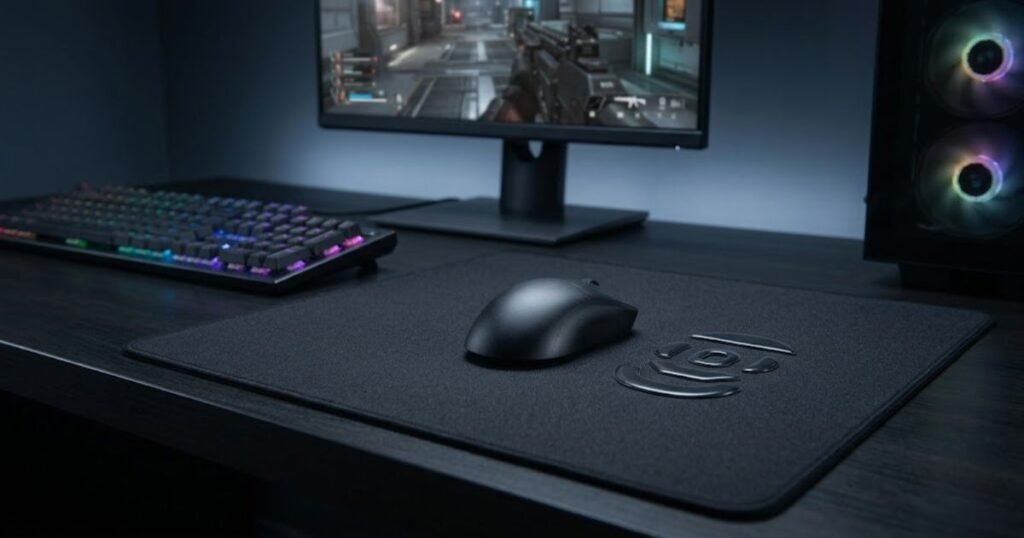
This matters when evaluating a new mouse pad. If your current skates are heavily worn and you replace them at the same time as the pad, the change in movement may come from both components rather than the pad alone.
New skates can also change the feel of an existing surface without any change to the pad. A player may interpret that difference as a change in surface speed even though the pad has remained the same.
For a cleaner comparison, keep the same mouse and skates when testing different surfaces. If the skates are worn or damaged, address that condition before making a final judgment about the pad.
Mouse skates should therefore be treated as part of the complete setup when comparing speed and control surfaces.
How Sensitivity Changes Physical Mouse Movement
Sensitivity changes how much physical mouse movement is required to produce a given amount of crosshair movement, which can change how strongly you notice the mouse pad. Lower sensitivity generally requires more physical movement, while higher sensitivity generally requires less physical movement for the same in-game rotation.
With lower sensitivity, your hand may travel across a larger portion of the pad during normal gameplay. This can make the physical characteristics of the surface more noticeable because the mouse interacts with more of it.
With higher sensitivity, many in-game movements can be completed with smaller physical mouse movements. The surface still affects the mouse, but the player may interact with a smaller area of the pad during typical movements.
Sensitivity does not determine whether speed or control is the correct choice. Instead, it changes the physical movement requirements of your setup, which can affect which surface characteristics you notice most.
For that reason, keeping sensitivity unchanged is important when comparing two mouse pads. Otherwise, the difference in physical movement can make the surface comparison harder to interpret.
The table below shows how the main parts of a mouse setup can influence the perceived speed or control of a mouse pad:
| Setup Factor | What It Changes | Effect on Surface Feel |
|---|---|---|
| Mouse weight | Physical effort required to move the mouse | Can make the same surface feel freer or more resistant |
| Mouse skates | How the mouse moves across the surface | Can change the perceived glide of the same pad |
| Sensitivity | Physical movement required for in-game movement | Changes how much of the surface you use |
| Mouse pad | Surface movement characteristics | Provides the surface behavior being evaluated |
The main takeaway is that speed versus control should be evaluated as part of the complete setup. Changing the mouse or skates can alter the physical feel, while changing sensitivity can alter how much of the surface you use.
Keeping these variables consistent makes a mouse pad comparison much more useful because you can isolate the surface instead of judging several changes at once.
How to Tell When a Mouse Pad Feels Too Fast or Too Controlled
A mouse pad may be too fast when movement feels difficult to settle, or too controlled when resistance becomes a limitation during normal movement. The useful signal is a repeatable problem that appears during your regular gameplay, not simply the fact that a pad has a speed or control label.
These sensations should also be investigated before replacing the pad. A different mouse, worn skates, changed sensitivity, or unfamiliar setup can create similar symptoms.
Signs Your Mouse Pad Feels Too Fast
A surface may feel too fast when the main difficulty is controlling movement after it has started. If the mouse feels easy to move but difficult to settle where you intend, the surface may be providing more freedom than your current setup handles comfortably.
Common signs that a surface may feel too fast include:
- Frequent overshooting: The mouse regularly travels beyond the intended position during familiar movements.
- Uncomfortable stopping: Settling the mouse into the desired position feels less predictable than expected.
- Repeated corrections: You often need another movement after reaching the target area.
- Excessive movement freedom: The mouse feels easier to move than you can comfortably control.
These signs can indicate that a surface with more resistance is worth testing, but they do not prove that the pad is the only cause. The rest of the setup should be checked first.
Signs Your Mouse Pad Feels Too Controlled
A surface may feel too controlled when resistance becomes the main obstacle to comfortable movement. Instead of struggling to stop the mouse, you may feel that starting, continuing, or repositioning the mouse requires more effort than you want.
Common signs that a surface may feel too controlled include:
- Heavy movement: Normal mouse movements require more physical effort than expected.
- Restricted repositioning: Moving the mouse across a larger area feels unnecessarily difficult.
- Excessive physical effort: Repeated movements feel more demanding than they were with your previous setup.
- Slow movement initiation: Small physical movements feel less immediate because of the resistance you experience.
These signs suggest that a freer surface may be worth testing. However, mouse weight and skate condition should also be considered before deciding that the pad itself is too controlled.
When the Mouse Pad May Not Be the Problem
If the problem appeared after changing more than one part of your setup, the mouse pad may not be the actual cause. A new mouse, new skates, different sensitivity, or unfamiliar equipment can change the way your movements feel even when the pad is performing normally.
Check these factors before replacing the mouse pad:
- Mouse weight: Check whether a heavier or lighter mouse was introduced at the same time.
- Mouse skates: Check whether the skates are worn, damaged, or newly replaced.
- Sensitivity: Confirm that your in-game sensitivity has remained consistent during the comparison.
- Adjustment period: Consider whether the new surface simply feels unfamiliar compared with your previous setup.
- Repeatability: Check whether the same problem appears repeatedly rather than only during isolated mistakes.
Separating these variables gives you a better basis for deciding whether a different surface is actually necessary.
The table below helps separate common speed or control sensations from other setup factors that can create a similar experience:
| What You Notice | Possible Surface Issue | Other Factor to Check |
|---|---|---|
| Frequent overshooting | Surface may feel too fast | Sensitivity or movement technique |
| Movement feels heavy | Surface may feel too controlled | Mouse weight or skate condition |
| Large repositioning feels difficult | Surface may provide too much resistance | Mouse weight or sensitivity |
| Feel changes after new skates | Pad may not be responsible for the change | Skate condition or design |
| Problem appears only after changing sensitivity | Surface may not be the main issue | New physical movement requirements |
The most useful signal is a repeatable limitation that remains after the rest of the setup is kept consistent. If the same issue continues across normal gameplay, changing the balance between speed and control becomes a more reasonable next step.
That distinction matters because buying a different mouse pad will not necessarily solve a problem caused by mouse weight, skates, sensitivity, or simply adapting to a different setup.
How Should You Choose Between Speed, Control, and Balanced?
Choose between speed, control, and balanced based on the movement limitation you want to solve, not on which surface type is considered better overall. A speed surface makes sense when movement freedom is the priority, a control surface makes sense when you want more resistance during mouse movement, and a balanced surface can make sense when you need a middle ground for different games or aiming demands.
The decision becomes easier when you stop asking which surface is best and instead identify what you want your next mouse pad to change. Your current mouse, sensitivity, playstyle, and preferred amount of resistance should all be considered before making the switch.
Choose Speed When Movement Is the Main Limitation
A speed-oriented surface is worth considering when resistance is making normal mouse movement feel unnecessarily restricted. This can be relevant for players who frequently use larger movements or prefer a freer feeling when repositioning the mouse.
The goal is not to make the mouse move as quickly as possible. The goal is to reduce the amount of resistance that interferes with the way you naturally move the mouse.
Speed may be worth considering when:
- Movement feels restricted: You want the mouse to move more freely across the pad.
- You use large physical movements: Your aiming style regularly requires more space on the mouse pad.
- Resistance feels distracting: The surface itself feels like it is interfering with normal mouse movement.
- You prefer a freer feel: You naturally perform better when the mouse moves with less resistance.
Speed is therefore most relevant when movement freedom is the problem you are trying to solve. If your main concern is controlling where the mouse stops, reducing resistance may not address the underlying issue.
Choose Control When Stopping Is the Main Limitation
A control-oriented surface is worth considering when you want more resistance to help create a more deliberate movement feel. This can be useful for players who feel more comfortable when the mouse does not move as freely across the surface.
The purpose is not to maximize resistance. Too much resistance can become a limitation of its own, so the useful target is a level of control that fits your movement habits without making normal mouse movement unnecessarily difficult.
Control may be worth considering when:
- You prefer deliberate movement: You are more comfortable with noticeable resistance under the mouse.
- You want a more restrained feel: A freer surface feels less natural for your aiming style.
- Movement feels difficult to settle: You prefer a surface that provides more physical resistance during mouse movement.
- You value resistance over freedom: Your preferred setup feels more predictable when the mouse does not move as freely.
Control is therefore most relevant when additional resistance matches the way you want the mouse to behave. It should not be chosen simply because control surfaces are associated with precision-focused gameplay.
Consider a Balanced Surface When You Need Both
A balanced surface can be a practical choice when you want both reasonable movement freedom and a noticeable amount of resistance without strongly favoring either extreme. This can be especially relevant for players who use different FPS games or have not developed a strong preference for either surface direction.
The visual below represents the three main surface directions available when choosing an FPS mouse pad:
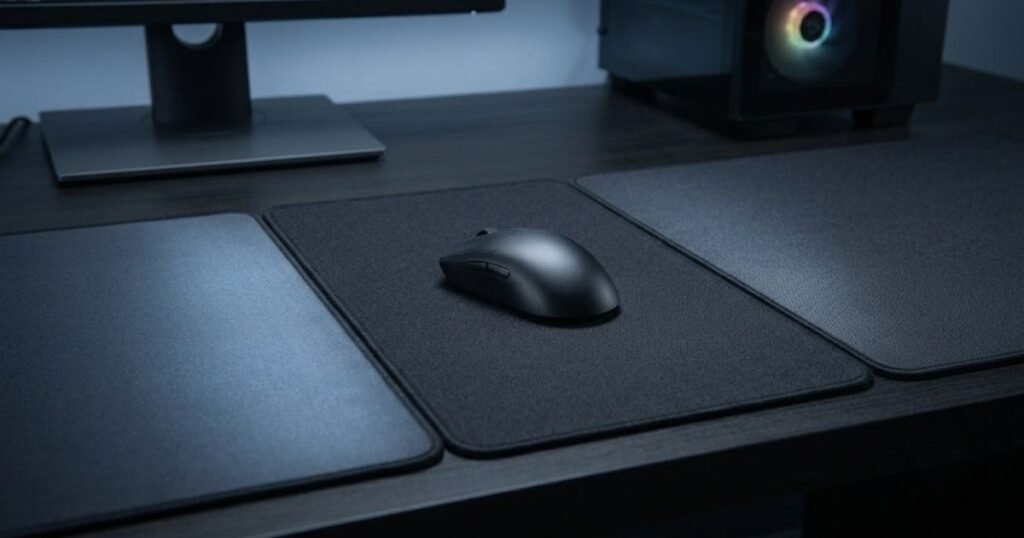
A balanced surface is not a compromise that every player needs. If you already know that you strongly prefer either a freer or more resistant feel, choosing a surface closer to that preference may make more sense.
A balanced surface may be worth considering when:
- You play different FPS genres: Your games place different demands on physical mouse movement.
- You want versatility: You do not want the surface to strongly emphasize speed or control.
- You are unsure of your preference: You want a middle-ground starting point before moving toward either extreme.
- You share one setup across different games: Your mouse pad needs to work across multiple aiming styles.
A balanced surface can reduce the emphasis on either extreme, but that does not make it universally better. Its value depends on whether the middle-ground feel actually matches your gaming habits.
For a broader view of how surface type fits into an FPS setup, the gaming mouse pad for FPS games guide provides the larger context around surface types and FPS use cases.
The table below summarizes which surface direction may fit different decision scenarios:
| Your Main Priority | Surface Direction | Reason to Consider It |
|---|---|---|
| More movement freedom | Speed | Less resistance during mouse movement |
| More resistance | Control | More deliberate physical movement |
| Different FPS game demands | Balanced | Middle ground between the two extremes |
| Strong existing preference | Match your preference | Maintains a familiar movement feel |
| Unclear preference | Balanced | Provides a neutral starting point for testing |
The decision should come from the characteristic you want to change in your current setup. Speed prioritizes movement freedom, control prioritizes resistance, and balanced surfaces sit between the two.
There is no universal surface choice because the same characteristic can be useful to one player and inconvenient to another. The most reliable decision is the one that matches the movement demands you actually experience.
How to Test a Speed vs Control Mouse Pad Before Switching
The best way to compare speed and control surfaces is to change as few variables as possible and test the pads under the same gaming conditions. Keeping your mouse, sensitivity, and other major setup variables consistent makes it easier to determine whether the surface itself is responsible for the difference you feel.
A short test can create a misleading impression if you judge the pad from one isolated match or one successful aiming sequence. The goal is to identify a repeatable difference in how the setup feels during normal gameplay.
Keep Your Mouse and Settings the Same
Use the same mouse, sensitivity, and core settings when comparing two surfaces. Changing multiple parts of the setup at once makes the comparison less useful because you cannot separate the effect of the mouse pad from the other changes.
If possible, keep your mouse grip and general setup position consistent as well. The purpose is not to create a laboratory test, but to make the two surfaces as comparable as possible under your normal conditions.
This gives you a clearer answer about the surface itself rather than the combined effect of several equipment changes.
Test Tracking, Flicking, and Micro-Adjustments Separately
Test different aiming tasks separately instead of judging the entire surface from one movement type. A surface can feel comfortable during one type of movement and less comfortable during another, so testing multiple situations gives you a more complete picture.
Pay attention to whether the difference you notice is consistent. The goal is not to find one perfect movement but to determine whether the surface changes your overall experience in a meaningful way.
Compare Consistency Across Multiple Sessions
Compare the surfaces across multiple sessions rather than making the decision from a single gaming session. A new surface can feel unusual simply because it differs from what you are accustomed to, so an immediate reaction may not represent your longer-term preference.
Use the same mouse and settings and compare how each surface feels over normal gameplay. Focus on recurring limitations rather than isolated mistakes.
Follow these steps for a cleaner speed versus control comparison:
- Keep the setup consistent: Use the same mouse, skates, sensitivity, and core settings for both surfaces.
- Test multiple aiming tasks: Compare how each surface feels during tracking, flicking, and small corrections.
- Use normal gameplay: Test the surfaces in the games and situations you actually play instead of relying only on isolated practice movements.
- Repeat the comparison: Test each surface across multiple sessions so one unusual session does not determine the result.
- Identify the recurring limitation: Choose the surface direction that better addresses the problem you consistently experience.
This process helps separate a genuine surface preference from a temporary reaction to unfamiliar equipment.
The most useful result is not a universal answer about speed or control. It is a clear understanding of which surface characteristics fit your own setup and which limitations you are actually trying to solve.
Testing should therefore come before a final purchase decision whenever possible. A surface that looks ideal on paper may feel different under your mouse, while a less obvious choice can fit your setup better once you use it consistently.
Speed vs Control Mouse Pad: The Final Decision
The right speed vs control mouse pad depends on which movement characteristics fit your setup, playstyle, and FPS games most consistently. Speed surfaces prioritize freer movement, control surfaces provide more resistance, and balanced surfaces sit between the two. None of these categories is universally better, so the final decision should come from the type of movement you want your mouse pad to support.
If you already know that your current surface feels too restrictive, moving toward a faster surface may make sense. If you want more resistance during mouse movement, a control-oriented surface may be more appropriate. If you regularly switch between different FPS games or do not have a strong preference, a balanced surface can provide a middle ground.
That decision also needs to account for the rest of your setup. Mouse weight, skates, sensitivity, and physical mouse movement can all change how a surface feels, which is why the same mouse pad can produce different experiences for different players.
The table below summarizes the main decision points when choosing between speed, control, and balanced mouse pads:
| What You Want From the Surface | Surface to Consider | Main Reason |
|---|---|---|
| More freedom during mouse movement | Speed | Lower resistance and freer movement |
| More resistance during movement | Control | More deliberate physical movement |
| A middle ground between speed and control | Balanced | Moderate movement freedom and resistance |
| Different FPS games throughout the week | Balanced | Less emphasis on one surface extreme |
| A strong preference for one surface type | Match your preference | Consistency with your established movement habits |
The comparison shows that the choice is primarily about matching surface behavior to your own requirements. Speed is relevant when movement freedom matters most, control is relevant when resistance is more desirable, and balanced surfaces can work when you need flexibility between the two.
For players ready to compare actual products across these categories, the best gaming mouse pads for FPS games in 2026 guide can be used as the next step after identifying the surface direction that fits your setup.
A mouse pad is ultimately a physical interface between your mouse and desk, so the category label is only part of the decision. As Wikipedia defines it, A mousepad or mousemat is a surface for placing and moving a computer mouse.
For FPS players, the useful question is therefore how that surface supports the way they actually move the mouse.
The most reliable choice is the one that solves a repeatable limitation in your current setup without creating a new limitation somewhere else.
Frequently Asked Questions About Speed vs Control Mouse Pads
The most common speed vs control mouse pad questions come down to surface feel, FPS playstyle, mouse setup, and how to test a pad before switching. Speed surfaces prioritize freer movement, control surfaces provide more resistance, and balanced surfaces sit between the two. The right choice depends on how those characteristics interact with your sensitivity, mouse, skates, and aiming habits.
The questions below address the practical decisions players commonly face when comparing these surface types, from choosing a surface for a specific FPS playstyle to determining whether a mouse pad is actually responsible for a problem.
Understanding these factors makes it easier to move from a general speed versus control comparison to a decision that fits your own gaming setup.
What Is the Difference Between a Speed and Control Mouse Pad?
A speed mouse pad emphasizes freer mouse movement, while a control mouse pad provides more resistance during movement. Speed surfaces generally make the mouse feel easier to move across the pad, while control surfaces place more emphasis on resistance and deliberate movement.
The difference is therefore about the physical feel of the surface rather than a universal difference in aiming ability.
Neither category is automatically better because the useful balance depends on the player’s setup and movement preferences.
Is a Speed Mouse Pad Better for FPS Games?
A speed mouse pad is not universally better for FPS games, but it can suit players who prefer freer mouse movement. Players who frequently make larger movements or prefer less resistance may find a speed-oriented surface more comfortable.
Players who prefer more resistance may instead find a control or balanced surface easier to manage.
The relevant question is whether the additional movement freedom solves a limitation in your current setup.
Is a Control Mouse Pad Better for Tactical FPS Games?
A control mouse pad can fit tactical FPS playstyles that prioritize deliberate movement, but tactical FPS games do not automatically require a control surface. Sensitivity, mouse weight, aiming habits, and personal preference can change which surface feels appropriate.
A control surface may make sense when the player specifically values additional resistance during aiming.
The game genre provides context, but the player’s actual movement requirements should determine the final choice.
Does a Speed Mouse Pad Help With Tracking?
A speed mouse pad can make continuous tracking movements feel freer because the mouse encounters less resistance. This can be useful for players who frequently follow moving targets and prefer unrestricted movement.
However, lower resistance does not automatically produce better tracking performance.
The benefit depends on whether the player can comfortably control the freer movement with their mouse, sensitivity, and aiming technique.
Does a Control Mouse Pad Help With Flick Stopping?
A control mouse pad provides more resistance during mouse movement, which can make stopping feel more deliberate for some players. This can be useful when the player prefers additional physical resistance while settling the mouse.
More resistance does not guarantee better stopping accuracy, however.
The useful amount of control is the amount that matches the player’s movement habits without making normal mouse movement unnecessarily difficult.
Can a Speed Mouse Pad Cause Overshooting?
A speed-oriented surface can make overshooting more noticeable if the player is not comfortable controlling its freer movement. Lower resistance allows the mouse to move more easily, which can require the player to manage stopping through their own hand control.
Overshooting can also come from sensitivity, technique, or unfamiliarity with the surface.
A different mouse pad should therefore not be treated as the automatic solution until those other factors have been considered.
Can a Control Mouse Pad Feel Too Slow?
A control mouse pad can feel too slow when its resistance makes normal mouse movement require more effort than the player prefers. This can become noticeable during larger repositioning movements or repeated mouse movements.
The problem is not that control surfaces are inherently slow, but that the resistance may not match the player’s preferred movement style.
If resistance consistently feels like the main limitation, a balanced or faster surface may be worth testing.
Does Mouse Weight Affect Speed vs Control?
Mouse weight can affect how a speed or control surface feels because heavier and lighter mice require different amounts of physical effort to move. A heavier mouse can make the same surface feel more resistant, while a lighter mouse can make it feel freer.
This means two players can use the same mouse pad and perceive its movement characteristics differently.
Keeping the same mouse during a surface comparison makes it easier to isolate the effect of the pad.
Do Mouse Skates Change How a Mouse Pad Feels?
Mouse skates can change how a mouse moves across a pad, which can alter the perceived feel of the surface. Changing skates can therefore make an existing pad feel different even when the pad itself has not changed.
Worn or damaged skates can also affect how consistently the mouse moves across the surface.
When comparing mouse pads, keeping the same skates helps reduce another variable from the comparison.
Does Sensitivity Affect the Speed vs Control Choice?
Sensitivity can affect which surface characteristics you notice because it changes how much physical mouse movement is required for in-game movement. Lower sensitivity generally requires more physical mouse movement, while higher sensitivity generally requires less.
This does not make one surface category automatically correct for a particular sensitivity.
Instead, sensitivity changes the physical demands placed on the mouse pad, so it should remain consistent when comparing different surfaces.
Is a Balanced Mouse Pad Good for Mixed FPS Games?
A balanced mouse pad can be useful for players who switch between FPS games with different movement demands. It provides a middle ground instead of strongly prioritizing either freer movement or greater resistance.
This can make a balanced surface practical for players who want one setup across different games.
However, balanced does not mean universally better. Players with a strong preference for speed or control may still prefer a more specialized surface.
How Can I Test a Speed and Control Mouse Pad Before Buying?
The most useful comparison is to test both surfaces while keeping your mouse, skates, sensitivity, and other major settings consistent. This reduces the number of variables that can influence the result.
Test the surfaces across normal gameplay and multiple aiming situations rather than judging them from one isolated movement or one gaming session.
A repeated difference that remains consistent across sessions provides a more useful basis for choosing between the two surfaces.
After identifying whether speed, control, or balanced characteristics fit your setup, you can move from the surface decision to specific mouse pad models without treating one category as universally superior.
Thanks for reading GearTP. We hope this guide helps you find a mouse pad that feels right for the way you play and aim.