
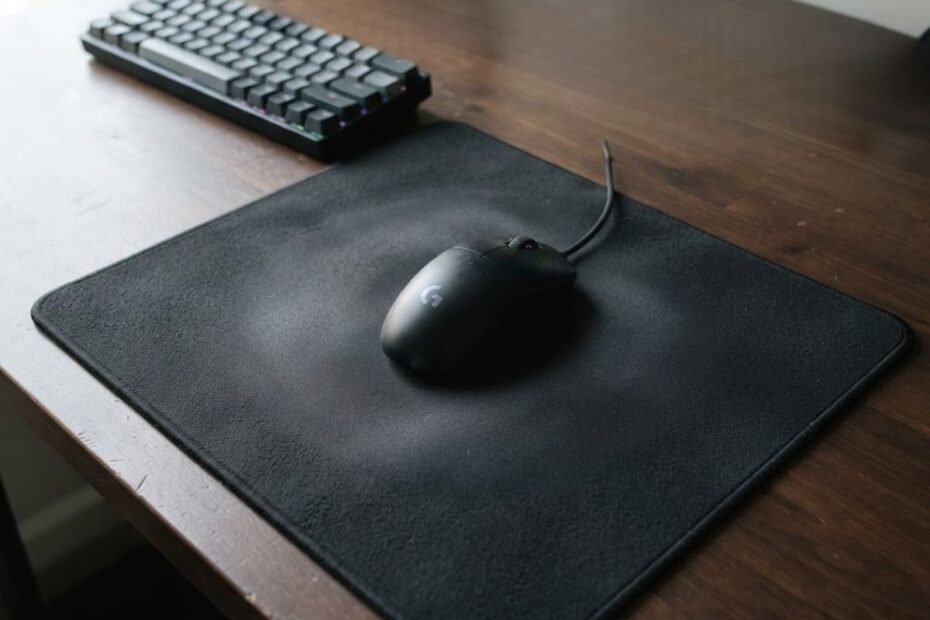
There is no fixed schedule for replacing a mouse pad. You should replace it when cleaning no longer restores a consistent surface, or when wear starts affecting glide, friction, tracking, stability, or comfort.
For FPS players, the condition of the surface matters more than how old the mouse pad is. A pad that has been used for a long time can still be perfectly usable if its surface remains consistent, while a newer pad may need replacement if it develops uneven wear or other problems that affect movement.
If you are evaluating a pad specifically for FPS gaming, understanding what a gaming mouse pad for FPS games is designed to provide can also help you recognize when its original performance characteristics begin to change.
This guide focuses on the practical signs that matter when deciding whether to keep using, clean, or replace your current mouse pad.
How Often Should You Replace a Mouse Pad?
You should replace a mouse pad when its condition starts affecting consistent movement and proper cleaning no longer restores the surface. There is no universal replacement interval because usage, material, cleaning habits, and surface wear vary from one player to another.
Why Mouse Pad Age Alone Does Not Tell You When to Replace It
The calendar age of a mouse pad is only a reference point. Two mouse pads that are the same age can have very different conditions because one may have been used for several hours every day while the other was used only occasionally.
Heavy gaming also exposes the surface to more repeated mouse movement, friction, skin oils, sweat, and dust. Over time, these factors can change how the surface feels. Regular cleaning can remove some temporary buildup, but it cannot reverse permanent physical wear.
The same amount of time can produce very different levels of wear depending on how a mouse pad is used:
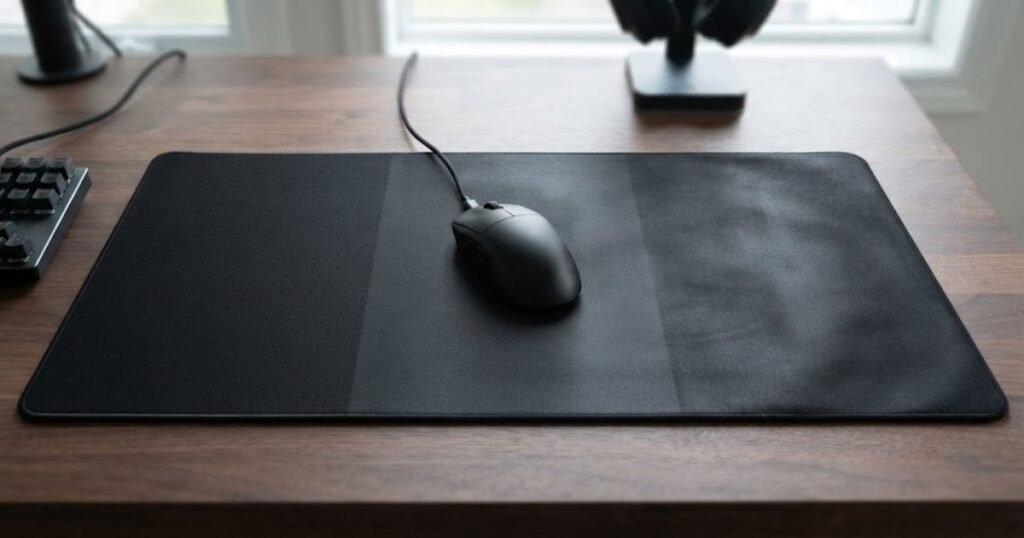
That is why replacement decisions should focus on the pad’s current condition rather than an arbitrary number of months or years.
The table below shows why replacement timing varies between users:
| Usage Factor | What Can Change | What to Monitor |
|---|---|---|
| Daily gaming | More frequent surface contact and repeated movement | Glide consistency |
| Heavy FPS use | More repeated swipes and frequent contact with the same areas | Friction and uneven wear |
| Occasional use | Slower accumulation of surface wear | Overall physical condition |
| Regular cleaning | Less buildup from dust, oils, and other surface contaminants | Whether the original feel returns after cleaning |
In practice, a mouse pad does not become unusable simply because it reaches a certain age. The more useful question is whether the surface still provides the consistent movement and control you expect from it.
If the pad remains smooth, stable, and predictable after normal cleaning, there is no performance-based reason to replace it solely because it is old. If its condition continues to interfere with movement or comfort, replacement becomes much easier to justify.
What Are the Signs That a Mouse Pad Needs Replacing?
A mouse pad likely needs replacing when its surface no longer feels consistent, physical wear becomes noticeable, or proper cleaning fails to restore its previous performance. The strongest signs are changes that persist during normal use rather than temporary dirt or moisture.
The Surface No Longer Feels Consistent
One of the clearest signs of wear is when different areas of the same mouse pad no longer feel the same. You may notice that the mouse glides smoothly in one area but feels slower, rougher, or less predictable in another.
This matters because consistent surface behavior makes mouse movement easier to repeat. If the difference remains after the pad has been properly cleaned and dried, the surface itself may have developed permanent wear.
Cleaning No Longer Restores the Original Feel
A mouse pad can feel different simply because dust, skin oils, sweat, or other buildup has accumulated on the surface. In that situation, cleaning may restore much of the original glide and texture.
The most useful replacement signs are changes that remain noticeable during normal mouse movement:
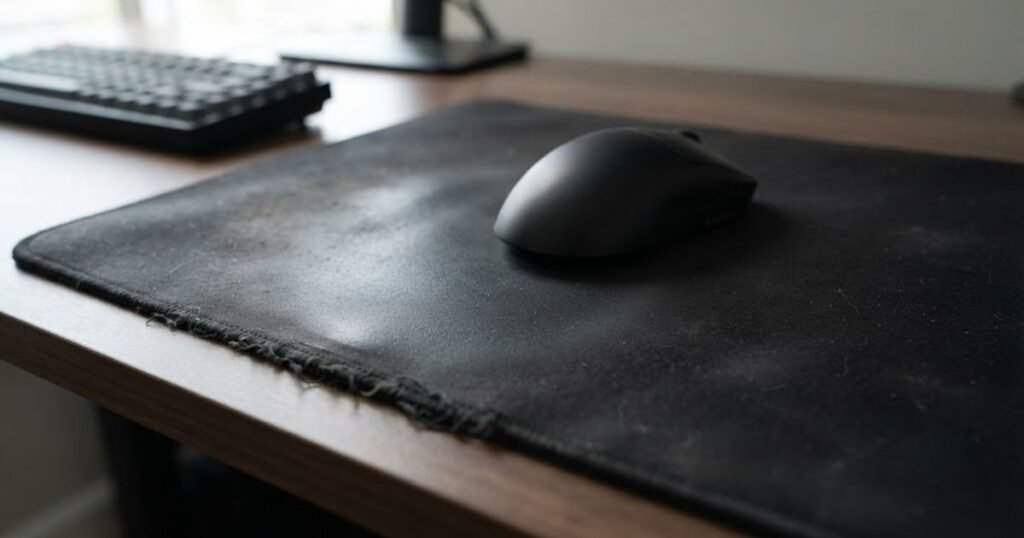
The more meaningful replacement signal appears when the pad still feels noticeably different after proper cleaning. If the surface remains uneven, unusually slow, unusually fast, or otherwise inconsistent when clean, the problem is more likely related to wear than contamination.
The Edges, Surface, or Base Show Physical Wear
Visible damage can also indicate that a mouse pad is approaching the end of its useful life. Frayed stitching, peeling surfaces, warping, or a base that no longer grips the desk can affect how reliably the pad performs.
Not every cosmetic imperfection requires replacement. Minor edge wear may have little practical effect if the active surface remains consistent and the pad stays securely in place. Replacement becomes more reasonable when physical damage starts interfering with movement, stability, or comfort.
These are the main signs worth checking before replacing a mouse pad:
- Glide: Movement no longer feels consistent across different areas of the surface.
- Surface: Texture or friction has changed noticeably and does not return after proper cleaning.
- Edges: Stitching or fabric shows persistent damage that interferes with normal use.
- Base: The mouse pad no longer stays securely in place during movement.
- Cleaning: Proper cleaning no longer restores the surface’s previous feel.
These signs become more meaningful when they persist after basic cleaning and normal troubleshooting. A mouse pad does not need to look perfect to remain useful, but lasting changes to its consistency, stability, or usability are stronger reasons to consider replacement.
Should You Clean a Mouse Pad Before Replacing It?
You should clean a mouse pad before replacing it when dirt, skin oils, sweat, or surface buildup may be affecting how it feels. Cleaning can restore the surface when contamination is the problem, but it cannot reverse permanent material wear or physical damage.
This makes cleaning a useful troubleshooting step rather than a replacement rule. The goal is to determine whether the change in surface feel is temporary or remains after the pad has been properly cleaned and dried.
When Cleaning Can Restore the Surface
A mouse pad can gradually collect dust, skin oils, sweat, and other debris during normal use. These contaminants can change surface friction and make mouse movement feel different even when the underlying material is still in good condition.
In this situation, cleaning may restore a more familiar surface feel. If the mouse pad becomes consistent again after cleaning and drying, there may be no practical reason to replace it.
A careful cleaning can help determine whether a change in surface feel comes from buildup or permanent wear:
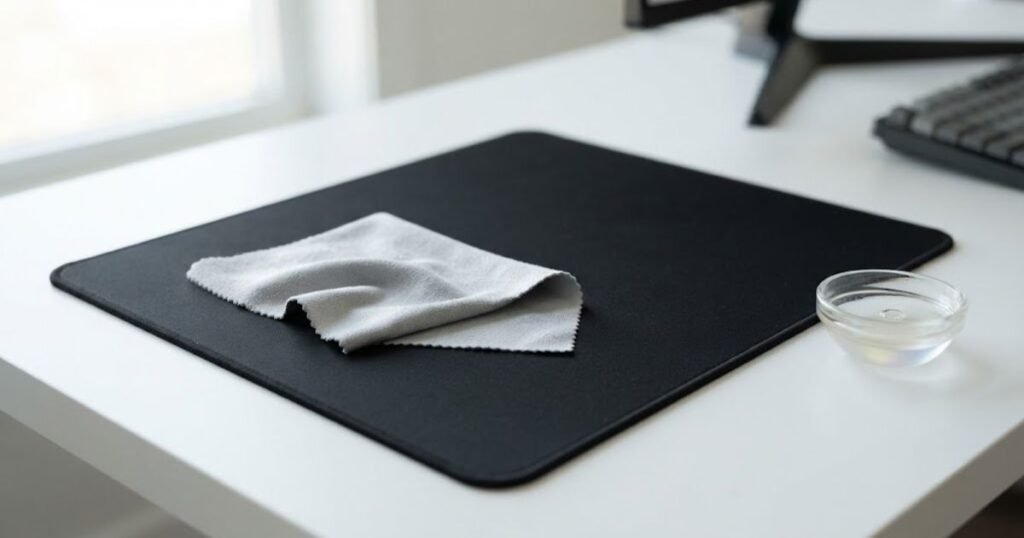
ASUS ROG notes that dust, skin oils, sweat, and everyday debris can affect the look and feel of a mouse pad, and recommends gentle cleaning to help preserve consistent surface performance.
When Cleaning Is No Longer Enough
Cleaning has a clear limit: it removes buildup, but it does not repair permanent changes to the material. If the surface still feels different after it has been cleaned and completely dried, the underlying condition of the pad becomes more important than its cleanliness.
The same applies when the pad has physical damage that cleaning cannot address. A damaged surface, deteriorated stitching, or a base that no longer provides stable contact requires a different decision from simply removing dirt.
This distinction prevents a clean but worn mouse pad from being mistaken for a dirty one. If cleaning produces little or no improvement, replacing the pad may be more reasonable than repeatedly cleaning it.
What Manufacturers Recommend for Mouse Pad Cleaning
Manufacturer guidance supports gentle cleaning rather than aggressive treatment:
ASUS ROG recommends gently wiping a fabric mouse pad with a damp cloth or a small amount of mild detergent, while advising against alcohol and harsh cleaning agents. The company also recommends allowing the mouse pad to air dry completely before using it again.
Logitech similarly recommends lightly moistening a clean, soft, lint-free cloth with water, using a small amount of soap for heavier stains when needed, and letting the mouse pad dry flat. Logitech also warns against washing its mats in a washing machine, using a tumble dryer, or applying bleach, acetone, strong solvents, or abrasives.
Follow these steps before deciding that a mouse pad needs replacement:
- Clean: Gently remove surface buildup using a cleaning method appropriate for the mouse pad material.
- Rinse: Remove any remaining soap or cleaning residue when the cleaning method requires it.
- Dry: Let the mouse pad dry completely according to the manufacturer’s guidance.
- Test: Check whether the surface feel and movement consistency have returned after it is fully dry.
- Decide: Consider replacement if the same surface problems remain after proper cleaning and drying.
Cleaning should be the first troubleshooting step when surface buildup may be responsible for a change in feel. If the problem remains after the pad is clean and completely dry, the evidence points more toward lasting wear or physical deterioration.
How Long Do Different Mouse Pad Materials Usually Last?
Different mouse pad materials can wear in different ways, but no material has a universal replacement lifespan. Cloth, hard, glass, and hybrid mouse pads should be judged by how their surface changes over time rather than by a fixed number of months or years.
The material mainly affects what kind of wear you are likely to notice. A cloth pad may gradually change in texture and glide, while a hard or glass pad may show physical surface damage instead. Hybrid pads can depend heavily on the condition of their particular surface or coating.
Cloth Mouse Pads
Cloth mouse pads can gradually develop changes in surface texture as they are used repeatedly. The fabric may become more worn in areas that receive frequent mouse movement, particularly when the same portions of the pad are used heavily every day.
The important consideration is not whether the cloth looks slightly older. A cloth pad can remain useful after becoming broken in if its surface still feels consistent. Replacement becomes more relevant when changes in the fabric create persistent differences in movement or when physical deterioration interferes with normal use.
Hard and Glass Mouse Pads
Hard and glass mouse pads have rigid surfaces, so their wear pattern differs from fabric pads. Physical damage such as scratches, chips, cracks, or other surface changes can be more important than gradual fabric wear.
A hard or glass pad does not automatically need replacement because it has been used for a long time. If the surface remains intact and provides consistent movement, age alone is not a sufficient reason to replace it. Physical damage that changes how the mouse moves is a much stronger replacement trigger.
Hybrid Mouse Pads
Hybrid mouse pads combine characteristics of different surface materials, so their long-term behavior depends on the specific construction. Changes to the surface texture, coating, or other active contact layer can affect how the mouse moves across the pad.
Because hybrid designs vary, it is more reliable to evaluate the actual surface condition than to assign a standard lifespan to every hybrid mouse pad. The same condition-based approach applies: if the surface remains consistent and usable, replacement is not automatically necessary.
The table below compares common replacement triggers by mouse pad material:
| Material | Common Wear Concern | Stronger Replacement Signal |
|---|---|---|
| Cloth | Changes in fabric texture and surface feel | Persistent changes in glide or surface consistency |
| Hard | Scratches or other physical surface damage | Damage that changes mouse movement |
| Glass | Scratches, chips, cracks, or other surface damage | Physical damage that affects normal movement |
| Hybrid | Changes to the surface texture or coating | Persistent changes in the intended surface behavior |
The main difference between materials is how wear becomes visible or noticeable, not how many months a mouse pad is guaranteed to last. A consistent surface can remain useful regardless of its age, while significant material degradation can justify replacement sooner.
Does Gaming More Often Mean You Should Replace Your Mouse Pad Sooner?
Gaming more often can make a mouse pad reach noticeable wear sooner, but heavy use does not create a fixed replacement deadline. The more useful approach is to consider how frequently the surface is used and whether its condition remains consistent during normal gaming.
Heavy FPS Players Put More Demands on the Surface
FPS players can put substantial repeated movement across the same areas of a mouse pad, especially when playing for several hours each day. Frequent swipes, rapid corrections, and repeated arm movements increase the amount of contact between the mouse feet and the surface.
This does not mean every heavy FPS player needs to replace a mouse pad after a specific number of months. It means that frequent use can make changes in surface condition become relevant sooner than they might for someone who rarely uses the pad.
Casual Players May Keep a Consistent Pad Longer
Players who use their mouse pad for shorter sessions or only a few times a week generally put less repeated use on the surface. A pad in this situation may remain consistent for a long time, provided it is stored and maintained properly.
However, lower usage does not guarantee a longer useful life. Physical damage, poor storage, or changes in the surface can still make replacement necessary. Usage frequency is a factor, not a replacement rule.
Competitive Players May Notice Small Changes Earlier
Competitive FPS players often rely on highly repeatable mouse movements, so relatively small changes in surface feel may become noticeable during practice or competition. A subtle difference in glide may matter more to a player who depends heavily on consistent movement than to someone playing casually.
This does not mean competitive players should replace their mouse pads simply because they have used them heavily. The relevant question is whether the change is noticeable enough to interfere with their normal control or consistency.
The table below shows how usage intensity changes what you should monitor:
| Usage Pattern | Main Consideration | What to Monitor |
|---|---|---|
| Competitive FPS | High volume of repeated mouse movement | Surface consistency and control |
| Daily FPS gaming | Frequent contact with commonly used areas | Glide and friction changes |
| Mixed gaming | Moderate and varied surface use | Overall surface condition |
| Occasional gaming | Lower frequency of repeated movement | Physical condition and stability |
More gaming can accelerate the point at which surface changes become noticeable, but it does not determine when a mouse pad must be replaced. The best decision still comes from the pad’s current condition and whether it remains consistent for the way you use it.
How Can You Tell if a Mouse Pad Is Dirty, Broken-In, or Worn Out?
A mouse pad is dirty when surface buildup is affecting its feel, broken-in when its character has changed but remains consistent, and worn out when lasting surface or physical deterioration interferes with normal use. These three conditions require different decisions.
Signs of a Dirty Mouse Pad
A dirty mouse pad has accumulated material on the surface that can temporarily change how the mouse moves. Dust, skin oils, sweat, and other buildup can make a pad feel different without meaning that the underlying surface has reached the end of its useful life.
The key distinction is that contamination is temporary. If proper cleaning restores a more familiar and consistent surface feel, the mouse pad is dirty rather than necessarily worn out.
That makes cleaning and retesting the appropriate first response instead of immediately replacing the pad.
What a Broken-In Mouse Pad Should Feel Like
A broken-in mouse pad has developed a more established feel through regular use, but its surface can still behave consistently across the areas where you normally move the mouse.
A broken-in surface may feel different from when the pad was new without creating a meaningful performance problem. If movement remains predictable and the pad still provides the control you expect, a change in feel alone is not a strong reason to replace it.
In other words, broken-in does not automatically mean worn out. The important factor is whether the surface remains reliable during normal use.
When Normal Wear Becomes a Replacement Problem
A mouse pad is more likely to be worn out when changes to its surface or construction persist during normal use and are no longer adequately addressed by cleaning or basic maintenance.
This can include lasting changes to surface behavior, significant physical deterioration, or damage that interferes with movement, stability, or comfort. Unlike temporary contamination, these problems remain after the pad has been properly cleaned and allowed to dry.
The strongest evidence of wear is therefore not simply that the pad looks old. It is that its condition has changed enough to affect how reliably you can use it.
The table below separates temporary dirt from normal break-in and actual wear:
| Condition | Typical Situation | Best Next Step |
|---|---|---|
| Dirty | Dust, oils, sweat, or other buildup affects the surface feel | Clean and retest |
| Broken-In | The surface feel has changed but remains consistent | Keep using it |
| Worn Out | Surface or physical condition remains problematic during normal use | Consider replacement |
The practical difference is simple: a dirty pad may improve after cleaning, a broken-in pad can remain reliable despite having a different feel, and a worn-out pad continues to cause problems because its condition has changed more permanently.
What Should You Check Before Replacing a Mouse Pad?
Before replacing a mouse pad, check whether its surface remains consistent, whether proper cleaning restores its feel, and whether any physical problems interfere with normal use. If the pad still performs reliably after these checks, there is usually no need to replace it simply because it is old.
The purpose of this checklist is to make the replacement decision based on the pad’s current condition rather than its age alone.
Check these factors before buying a replacement:
- Consistency: Make sure the surface still provides predictable movement across the areas you normally use.
- Cleaning: Confirm that proper cleaning does not leave persistent changes in the surface feel.
- Surface: Check whether the active area remains suitable for normal mouse movement without lasting changes that affect control.
- Stability: Make sure the pad stays securely in place during normal mouse movement.
- Physical condition: Check for damage that interferes with movement, stability, or comfort.
- Comfort: Consider whether the pad still feels comfortable during the length of your typical gaming sessions.
A mouse pad that passes these checks can usually continue being used regardless of how long you have owned it. Replacement becomes more justified when several problems persist and the pad no longer provides the consistent experience you need.
How Often Should You Replace a Mouse Pad? FAQ
These answers cover the most common questions about mouse pad lifespan, surface wear, cleaning, and replacement decisions. Each answer focuses on one specific question so you can quickly determine whether your current mouse pad still needs to be replaced.
What Is the Lifespan of a Mouse Pad?
A mouse pad does not have one universal lifespan. Its useful life depends on the material, frequency of use, maintenance, and whether the surface remains consistent during normal use.
What Does It Mean When a Mouse Pad Is Broken-In?
A broken-in mouse pad has developed a more established surface feel through use while remaining consistent and reliable. A change from its original feel does not automatically mean the pad is worn out.
What Does a Worn-Out Mouse Pad Mean?
A worn-out mouse pad is one whose surface or physical condition has deteriorated enough to interfere with consistent movement, stability, or comfort, and the problem is no longer resolved by normal cleaning.
Can a Worn Mouse Pad Affect Mouse Tracking?
It can, particularly when surface deterioration creates inconsistent conditions for mouse movement or tracking. However, tracking problems should not automatically be attributed to the mouse pad because the mouse, sensor, settings, and other variables can also contribute.
Does Mouse Pad Friction Change as It Wears?
Yes. Repeated use and changes to the surface can alter how much resistance the mouse encounters. The important replacement signal is not simply that friction has changed, but whether the change has become inconsistent or interferes with normal control.
Can Cleaning Restore an Old Mouse Pad?
Cleaning can restore an old mouse pad when dirt, oils, sweat, or other surface buildup is responsible for the change in feel. It cannot restore material that has permanently worn, damaged, or deteriorated.
How Often Should You Replace a Mouse Pad?
You should replace a mouse pad when its condition starts affecting consistent movement and proper cleaning no longer restores the surface. There is no fixed replacement schedule that applies to every mouse pad.
Should You Replace a Mouse Pad Just Because It Is Old?
No. Age alone is not a strong reason to replace a mouse pad if the surface remains consistent, stable, comfortable, and reliable during normal use.
Should You Clean a Mouse Pad Before Replacing It?
Yes, when surface buildup may be affecting its feel. Cleaning and completely drying the pad can help determine whether the problem is temporary contamination or lasting wear.
How Do You Know When a Mouse Pad Needs Replacing?
A mouse pad needs replacing when persistent surface changes, physical damage, instability, or comfort problems interfere with normal use and remain after appropriate cleaning and basic troubleshooting.
Is a Broken-In Mouse Pad Still Good to Use?
Yes. A broken-in mouse pad is still good to use if its surface remains consistent and predictable. A different feel from when it was new does not by itself mean replacement is necessary.
What Is the Best Way to Decide Whether to Replace a Mouse Pad?
The best approach is to clean the pad, let it dry completely, test its surface consistency, and check for physical damage. Replace it when persistent problems remain and the pad no longer provides the movement, stability, or comfort you need.
Thanks for reading GearTP. We hope this guide helps you make a more confident decision about when to replace your mouse pad and keep your setup performing consistently.