
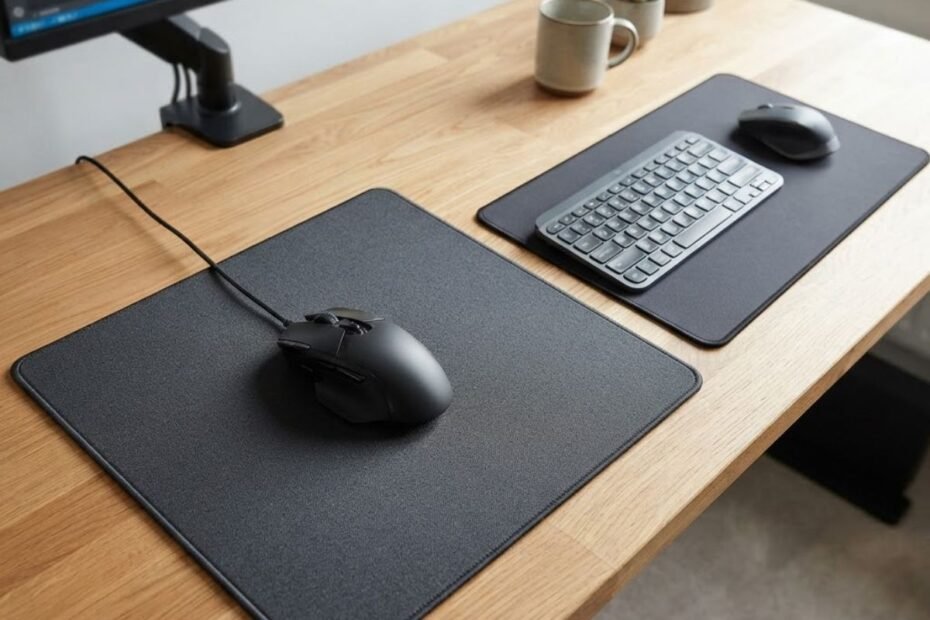
When comparing a gaming mouse pad vs office mouse pad, the better choice depends on how you use your mouse. Gaming mouse pads are designed around repeatable mouse movement, surface consistency, and stability during active use, while office mouse pads generally focus on everyday cursor movement, comfort, and practical desk use. Neither type is automatically better for everyone.
The important difference is not simply whether a mouse pad is labeled “gaming” or “office.” What matters is how its surface, base, and overall construction match the movements you make every day. A person who spends hours playing FPS games may value characteristics that are unnecessary for someone who mainly works in spreadsheets, browses the web, or uses a mouse for basic productivity.
That distinction becomes especially important for people who use the same desk for both work and gaming. Instead of assuming that a gaming mouse pad will always be the better upgrade, it makes more sense to compare what each type is designed to prioritize and then match those characteristics to your actual use.
Gaming Mouse Pad vs Office Mouse Pad: What Is the Real Difference?
The real difference between a gaming mouse pad and an office mouse pad is their design priority. A gaming mouse pad is built around predictable and repeatable mouse movement, while an office mouse pad is generally designed for comfortable, practical everyday computer use.
This does not mean an office mouse pad is incapable of supporting gaming, or that every gaming mouse pad will feel better to every player. Modern mice can work across many surfaces. The more useful comparison is whether the pad provides the movement characteristics, stability, and surface feel that fit your particular setup.
What Is a Gaming Mouse Pad Designed to Do?
A gaming mouse pad is designed to give mouse movement a more consistent surface for repeated use, particularly when a player makes frequent or rapid movements. Its design can place greater emphasis on surface consistency, predictable glide, and keeping the pad stable on the desk.
For example, Logitech describes its G440 gaming mouse pad as having a consistent surface texture and a rubber base designed to keep the pad in place during gaming. Those characteristics show how gaming-oriented products can be designed around movement consistency and stability rather than simply providing a surface under the mouse.
For FPS players who want to understand the broader role of a dedicated gaming surface, a gaming mouse pad for FPS games is best understood as part of the physical interface between hand movement and the mouse rather than as a performance upgrade by itself.
In short, a gaming mouse pad is designed to make repeated mouse movement more predictable and stable, which matters more as gaming becomes a larger part of the setup.
What Is an Office Mouse Pad Designed to Do?
An office mouse pad is generally designed for straightforward everyday computer use, where the main priorities are comfortable mouse movement, a practical surface, and compatibility with a normal desk setup.
For office work, most mouse movements are relatively routine. You may move between documents, browser tabs, spreadsheets, menus, and other applications without needing the same level of repeatable movement demanded by competitive gaming. That makes a simple and comfortable surface perfectly adequate for many users.
An office mouse pad can also make sense when gaming is only an occasional activity. If the existing surface already feels comfortable and the mouse tracks reliably, replacing it with a gaming model may not produce a meaningful improvement in everyday use.
The physical differences between the two categories become easier to understand when they are viewed side by side:
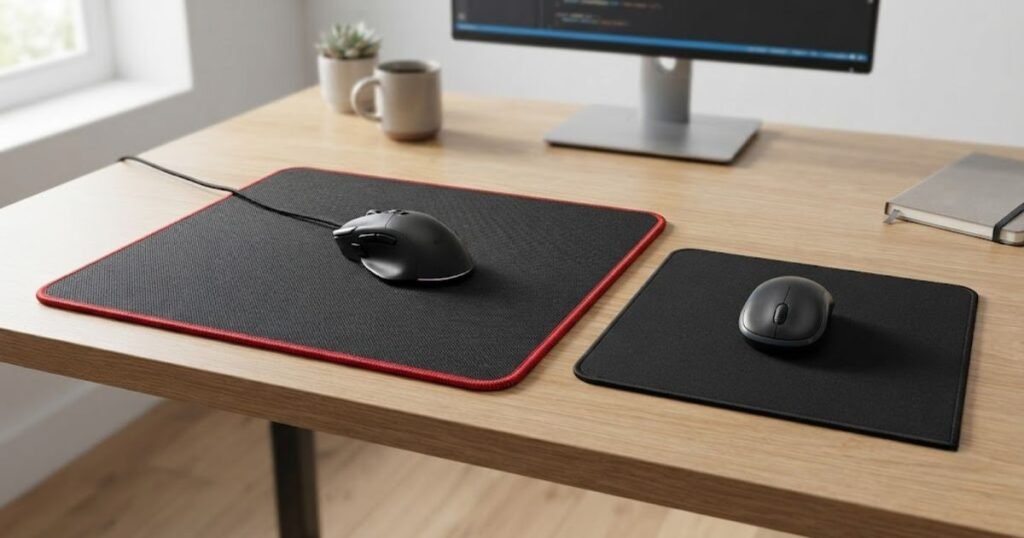
In short, an office mouse pad is built around practical everyday use, making it a sensible choice when productivity and general computer use matter more than gaming-specific characteristics.
The table below compares the main design priorities of gaming and office mouse pads:
| Factor | Gaming Mouse Pad | Office Mouse Pad |
|---|---|---|
| Primary purpose | Gaming and repeated mouse movement | Everyday computer use |
| Surface priority | Predictable and consistent movement | Comfortable everyday gliding |
| Movement demands | Frequent, repeated, and sometimes rapid movement | Routine cursor movement |
| Base stability | Important during active mouse movement | Important for normal desk use |
| Construction focus | Performance and movement consistency | Comfort and practicality |
| Best fit | Frequent gamers and gaming-focused setups | Office, productivity, and general computer use |
The distinction is therefore less about one category being universally superior and more about what each design is trying to accomplish. If gaming is a regular part of your setup, the consistency and stability emphasized by gaming-oriented pads may matter more. If most of your time is spent working, an office mouse pad can provide everything you actually need without adding gaming-focused characteristics that may have little practical value.
How Does a Gaming Mouse Pad Feel Different From an Office Mouse Pad?
A gaming mouse pad can feel more deliberate during repeated mouse movement, while an office mouse pad is often tuned toward simple, comfortable everyday use. The difference comes from the surface material, texture, and base construction rather than the product label alone.
That distinction matters because the same mouse can feel noticeably different when moved across different surfaces. However, there is no universal “gaming feel.” Two gaming mouse pads can feel very different from each other, just as two office mouse pads can have different levels of smoothness, resistance, and comfort.
How Surface Feel Changes Mouse Movement
Surface feel affects how easily the mouse starts moving, how it glides across the pad, and how natural the movement feels under your hand. A smoother surface may make the mouse feel easier to move, while a surface with more resistance can give the movement a more controlled feel.
For everyday office work, these differences are usually less important because cursor movement tends to be short and routine. Gaming can make the distinction more noticeable because players may repeatedly move the mouse across the same area and become familiar with exactly how the surface responds.
This is also why the “gaming” label should not be treated as a shortcut for a specific surface feel. A gaming pad can be smooth, textured, soft, firm, or designed around a particular balance of movement characteristics. The actual surface matters more than the category name.
The key takeaway is that surface feel changes the physical character of mouse movement, but the right feel depends on the user rather than the gaming label alone.
How Pad Stability Changes During Repeated Movement
Pad stability becomes more noticeable when you repeatedly move the mouse across the desk because unwanted pad movement can change the position of the surface underneath the mouse. A stable base keeps the pad where you expect it to be instead of allowing it to shift during normal use.
This matters more during active gaming than during typical office tasks. A person moving a mouse between spreadsheet cells may never notice a small amount of pad movement, while someone making repeated swipes during a game may notice it much sooner.
The base is therefore an important part of the comparison. A gaming-oriented pad may place greater emphasis on staying stable during active movement, but that does not mean every office pad will move around or every gaming pad will stay perfectly fixed. Desk material, pad construction, pressure, and the specific product all affect the result.
In practice, stability matters when the pad itself becomes part of the movement problem, not simply because the pad is marketed for gaming.
Why Comfort Matters for Long Work and Gaming Sessions
Comfort matters because your hand and wrist can remain in contact with the mouse pad for hours, making surface texture, softness, and edge construction relevant to the overall experience. This is especially important for users who use the same setup for both work and gaming.
An office-first user may place more value on a comfortable surface during long periods of browsing, writing, or other desk work. A gaming-first user may accept a more performance-focused surface if its movement characteristics better match the way they play.
For hybrid setups, the decision becomes less about choosing the “better” category and more about finding a surface that does not become uncomfortable during work while still feeling predictable during gaming. A mouse pad that performs well in a short gaming session but feels unpleasant after a full workday may not be the best overall choice.
Surface texture, mouse movement, and desk stability are easier to compare when the physical characteristics are shown together:
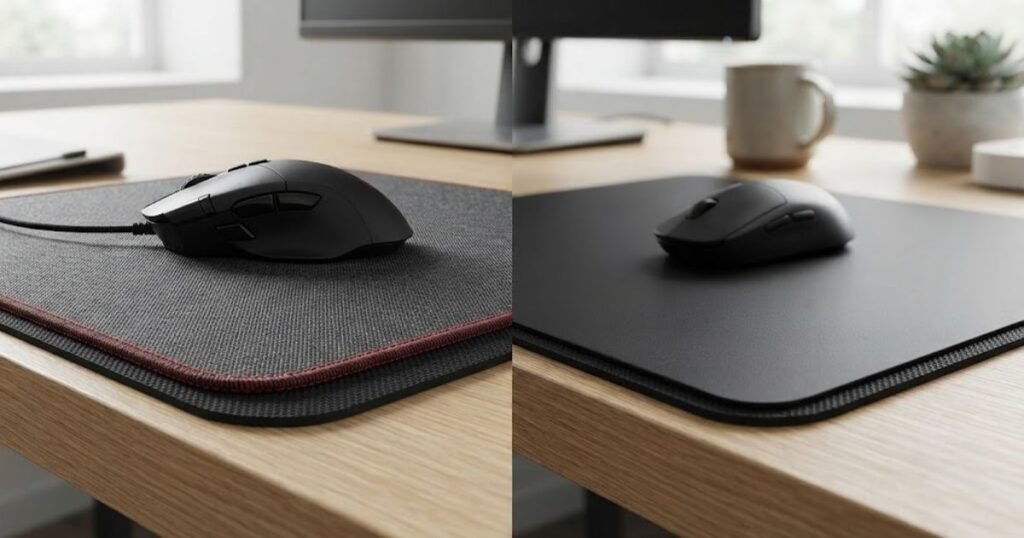
For mixed-use setups, comfort should be treated as part of performance because the best mouse pad is one you can use consistently across both work and gaming.
These everyday differences become easier to understand when the two pad types are compared by how they affect normal use:
| Everyday Factor | Gaming Mouse Pad | Office Mouse Pad |
|---|---|---|
| Mouse glide | Often designed around predictable gaming movement | Generally suited to routine cursor movement |
| Surface feel | Can vary widely depending on the gaming surface | Usually focused on practical everyday use |
| Repeated movement | Designed with active mouse movement in mind | Usually sufficient for normal office movement |
| Pad stability | Important during active gaming movement | Important for consistent everyday use |
| Long-session comfort | Depends on surface and construction | Often an important consideration for desk work |
The practical difference is therefore about how the surface behaves under your hand, not simply whether the product carries a gaming or office label. Gaming can make movement characteristics and stability more noticeable, while office work can place greater emphasis on comfort and practicality. For anyone who uses one desk for both activities, the best choice is the surface that feels predictable during gaming without becoming a compromise during everyday work.
Which Is Better for Gaming, Office Work, and Hybrid Setups?
A gaming mouse pad is usually the better fit when gaming is a regular part of your setup, while an office mouse pad is enough for most work-focused users. If you regularly switch between work and gaming, choose based on which activity places greater demands on your mouse movement and how well the pad fits both routines.
The important question is not which category is better in general. It is which one makes sense for the way you actually use your desk. Someone who plays competitive games several nights a week has different priorities from someone who occasionally plays after work, and both are different from someone who spends eight hours a day working at the same desk.
When a Gaming Mouse Pad Makes More Sense for Gaming
A gaming mouse pad makes more sense when gaming is frequent enough that the characteristics of the surface become part of your regular playing experience. This is particularly relevant for players who spend substantial time gaming and want their mouse movement to feel familiar from session to session.
For competitive games, consistency can matter more than having the most specialized or expensive surface. If you regularly make repeated mouse movements and already know what type of surface feel you prefer, a dedicated gaming pad can provide a more suitable foundation for that routine.
That does not mean every gamer needs one. A casual player who is comfortable with an existing office pad may have little reason to replace it simply because a gaming alternative exists. The upgrade becomes more meaningful when the current pad is limiting the experience or does not suit the way the player uses the mouse.
For frequent gamers, a gaming mouse pad is most useful when it solves a specific limitation rather than simply carrying a gaming label.
When an Office Mouse Pad Is Enough for Everyday Work
An office mouse pad is usually enough when most of your mouse use involves everyday productivity rather than extended gaming. Tasks such as browsing, working with documents, managing spreadsheets, and navigating applications generally do not require a gaming-focused surface.
For these users, practicality can matter more than specialized movement characteristics. If the mouse moves comfortably, the pad stays usable on the desk, and the surface fits the user’s preferences, there may be little practical benefit in changing to a gaming model.
This is also why buying a gaming mouse pad solely because it is marketed as a performance product can be unnecessary for an office-first setup. A more specialized product is only valuable when its characteristics address something the user actually notices.
For office-first users, an office mouse pad remains a sensible choice when it already provides comfortable and reliable everyday use.
What Should Work and Gaming Users Choose?
Users who work and game on the same computer should choose the mouse pad that creates the fewest compromises across both activities. In a hybrid setup, gaming frequency, working hours, and personal surface preference all matter because the same pad has to remain suitable throughout the day.
If gaming is only an occasional break from work, an office-oriented pad may be perfectly adequate. If gaming is a regular part of the routine, a gaming-oriented pad can make more sense because the user will spend enough time gaming for its characteristics to matter.
The middle ground is especially useful for people who do not want separate work and gaming setups. Rather than optimizing exclusively for one activity, they can prioritize a surface that feels comfortable during long work sessions while still providing the movement experience they prefer when gaming.
The best choice changes with the way the same desk is used throughout the day:
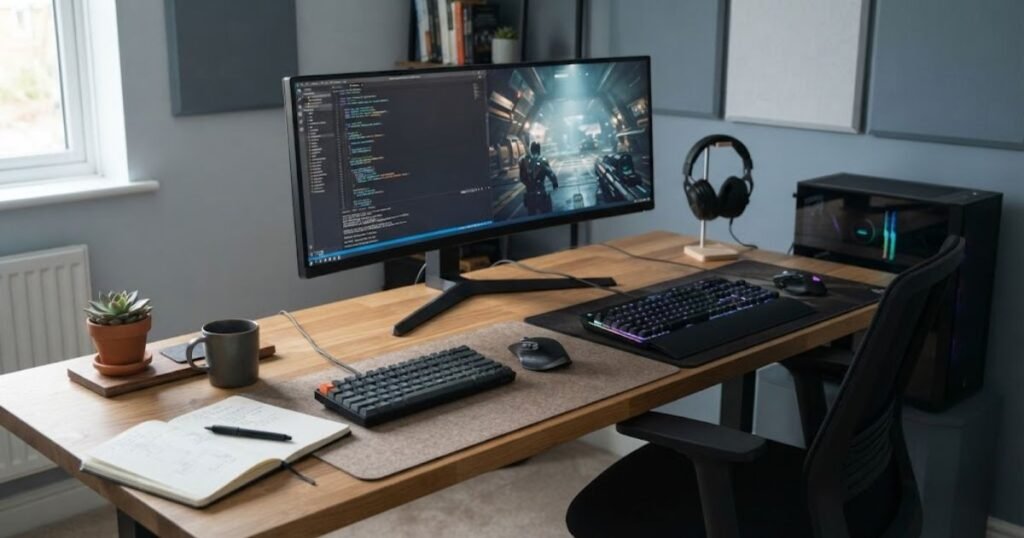
For a hybrid setup, the best choice is the one that works well enough for both activities without forcing you to sacrifice comfort or usability in either one.
The right choice changes depending on how the mouse pad will actually be used:
| User Scenario | Better Starting Point | Main Reason |
|---|---|---|
| Office work only | Office mouse pad | Provides practical everyday use without requiring gaming-focused characteristics |
| Casual gaming | Either | The existing pad may already be sufficient, so personal preference matters more |
| Frequent gaming | Gaming mouse pad | More suitable when gaming becomes a regular part of the setup |
| Competitive FPS | Gaming mouse pad | Repeated mouse movement makes a consistent setup more relevant |
| Work and gaming | Versatile gaming or hybrid-oriented option | Needs to remain suitable across both daily work and gaming |
The clearest dividing line is therefore how often and how seriously you use the mouse for gaming. Office-first users generally have little reason to prioritize gaming-specific characteristics, while frequent gamers have more reason to choose a dedicated gaming surface. For people doing both, the decision should focus on minimizing compromises rather than automatically choosing the most specialized option.
Does a Gaming Mouse Pad Actually Improve Your Mouse Control?
A gaming mouse pad can make mouse movement feel more predictable, but it does not automatically improve aim or mouse control. Its practical value comes from giving the mouse a surface with behavior that the player can become familiar with and reproduce consistently, not from adding skill to the player.
This distinction matters when comparing a gaming mouse pad with an office mouse pad. A gaming-oriented surface can be useful when a player notices that the current surface does not suit their movements, but replacing a mouse pad will not compensate for inconsistent technique, unsuitable sensitivity, or a lack of practice.
What a Gaming Mouse Pad Can Actually Change
A gaming mouse pad can change how predictable the physical movement of the mouse feels. When the surface behaves consistently, a player can become familiar with how much effort is needed to move the mouse and how the mouse responds during repeated movements.
That can be useful in games where players rely heavily on mouse input. Instead of adapting to an unfamiliar surface every time they move the mouse, they can develop a more consistent physical routine around the same setup.
The important point is that the mouse pad affects the interaction between the mouse and the desk surface. It does not change the mouse sensor’s capabilities or the player’s underlying ability. A good pad can provide a more suitable physical environment, but the player still controls the mouse.
The useful benefit is therefore greater predictability in the physical interaction, not an automatic increase in gaming skill.
What a Gaming Mouse Pad Cannot Fix
A gaming mouse pad cannot fix poor mouse control, unsuitable settings, inconsistent technique, or insufficient practice. If the main problem comes from the player or another part of the setup, changing the surface may have little effect.
For example, a player who frequently changes sensitivity may struggle to build consistent movement regardless of which mouse pad is underneath the mouse. Similarly, a player who has not developed reliable mouse control should not expect a specialized surface to produce an immediate improvement in performance.
This is an important reason to avoid treating a gaming mouse pad as a performance shortcut. The pad is one part of the physical setup. It can support a player’s preferred movement characteristics, but it cannot replace the skills and habits that produce consistent input.
A mouse pad should solve a surface-related problem, not be used as a substitute for improving the rest of the setup or the player’s technique.
When the Difference May Be Hard to Notice
The difference between a gaming mouse pad and an office mouse pad may be difficult to notice when the existing pad already feels comfortable and works reliably. Not every user has a problem that requires a gaming-focused surface.
Casual players may notice little difference because they do not spend enough time gaming for changes in surface behavior to become important. The same can be true for users who primarily perform routine office tasks and only play games occasionally.
A mouse pad changes the surface under the mouse, but it does not replace the user’s own control or technique:
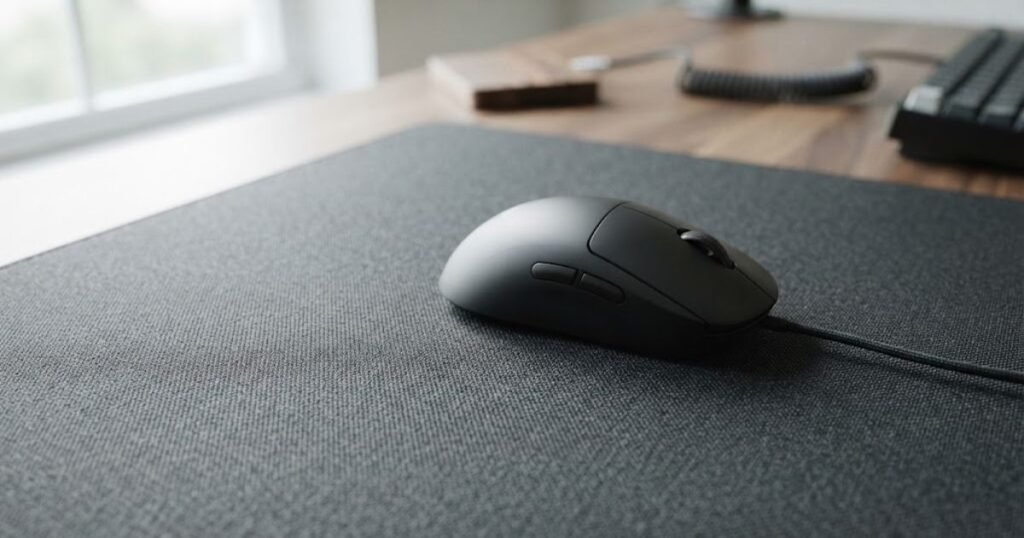
The difference can also be less meaningful when the two products being compared have similar surface characteristics. The category name alone does not determine how a mouse pad feels or performs. A well-suited office pad can work better for a particular person than a gaming pad with a surface they dislike.
This makes the current setup an important part of the buying decision. If your existing mouse pad already gives you the movement and comfort you want, there is no need to replace it simply because another product is marketed toward gamers.
If you cannot identify a specific problem with your current surface, the practical benefit of upgrading to a gaming mouse pad may be small.
The practical impact depends more on the user and the setup than on the gaming label alone:
| User Situation | Likely Impact of a Gaming Mouse Pad | Why |
|---|---|---|
| Office-only use | Low | Gaming-focused characteristics may provide little practical benefit |
| Casual gaming | Low to moderate | The existing surface may already be sufficient |
| Frequent FPS gaming | Moderate | Repeated mouse input can make surface behavior more noticeable |
| Competitive FPS gaming | Moderate to high | A predictable physical setup can become more important to the player’s routine |
| Already satisfied with the current pad | Low | An upgrade may not address a meaningful problem |
The main takeaway is simple: a gaming mouse pad can support consistent mouse movement, but it cannot create better aim on its own. The upgrade makes the most sense when the current surface is genuinely limiting the user’s preferred movement or consistency. If the existing pad already works well, keeping it can be the better decision.
Are Gaming Mouse Pads Worth Paying More For?
A gaming mouse pad is worth paying more for when its construction solves a problem that matters to you, but a higher price does not automatically mean a better mouse pad. The value comes from the specific combination of surface, construction, stability, and usability you need, rather than from the gaming label itself.
This is important because the price difference between mouse pads can be easy to justify with gaming-focused language without necessarily providing a meaningful benefit for every buyer. Someone who already has a comfortable and reliable office mouse pad may gain very little from spending more, while a frequent gamer with a specific surface or construction preference may find the upgrade worthwhile.
What Are You Actually Paying For?
When a gaming mouse pad costs more, you are generally paying for differences in materials, construction, surface treatment, size, or overall build quality rather than simply paying for better gaming performance. The exact combination varies by product, so price should always be evaluated against the characteristics you actually want.
Construction can affect how the pad feels and behaves over time. The surface, base, edges, and overall materials all contribute to the product experience. A more expensive pad may also target a particular type of user who cares more about its specific characteristics than a general office user does.
For example, Logitech positions its G440 as a hard gaming mouse pad with a low-friction polyethylene surface and a rubber base intended to provide stability during gaming. That is a useful example of what a gaming-focused product is actually selling: a particular combination of surface and construction characteristics, not a guarantee of better aim.
The right question is therefore not “Is this gaming mouse pad expensive?” but “What does the extra cost give me that my current pad does not?”
When an Office Mouse Pad Is the Better Value
An office mouse pad is the better value when it already provides the comfort, usability, and mouse movement you need. There is no practical reason to pay for gaming-oriented characteristics that do not address a problem in your current setup.
This is especially true for people whose primary use is work, browsing, or other everyday computer tasks. If the mouse moves comfortably and the pad remains stable enough for normal use, a more specialized gaming product may offer little additional value.
The same logic applies to casual gamers. If you only play occasionally and your current office mouse pad does not interfere with how you play, replacing it should be based on a specific improvement you want rather than the assumption that gaming products are inherently superior.
For many office-first and casual users, keeping a suitable existing pad can provide better value than buying a more specialized replacement.
When a Gaming Mouse Pad Premium Makes Sense
Paying more for a gaming mouse pad makes sense when its specific characteristics match how you use your mouse and provide something your current pad lacks. The more often that limitation affects your daily gaming, the easier it is to justify spending more on a purpose-built alternative.
A premium can be reasonable when you have already identified a preference for a particular type of surface or construction, or when the current pad has become a clear limitation for your setup. In those situations, you are not paying simply for the word “gaming.” You are paying for a product that better matches your requirements.
It is still important to keep expectations realistic. A more expensive mouse pad does not automatically produce better results than a cheaper one. If two pads both meet your needs, the cheaper option may be the more rational purchase.
A gaming mouse pad earns its premium when the added characteristics solve a real problem or provide a meaningful preference, not merely because the product sits higher in a price range.
The value of a gaming mouse pad depends on the problem it solves:
| Buyer Type | Gaming Pad Value | What Justifies Spending More |
|---|---|---|
| Office-only user | Low | A specific comfort, construction, or usability benefit |
| Casual gamer | Low to moderate | A noticeable limitation with the current pad |
| Frequent gamer | Moderate to high | Characteristics that better match regular gaming use |
| Competitive FPS player | Moderate to high | A preferred surface and construction that support a consistent setup |
| Work and gaming user | Moderate | A versatile pad that works comfortably across both activities |
The best value is not necessarily the cheapest mouse pad or the most expensive gaming model. It is the option that provides the characteristics you actually need without making you pay for features that have no meaningful effect on your setup. If your current office mouse pad already works well, there may be nothing to gain from spending more. If it creates a specific problem during regular gaming, paying for a better-suited construction can be justified.
Which Mouse Pad Surface Makes Sense for Your Setup?
Cloth, hard, and hybrid mouse pads can all work well, but the right surface depends on how you use your mouse, how the surface feels under movement, and whether gaming or everyday work is the bigger priority. There is no single surface type that is automatically better for every user.
The gaming versus office distinction also does not map perfectly to surface material. Gaming mouse pads can use cloth, hard, or hybrid constructions, while office mouse pads can also come in different materials. The more useful approach is to choose the surface based on the experience you want from the mouse pad rather than assuming that one material belongs exclusively to one category.
When a Cloth Surface Is the Practical Choice
A cloth mouse pad is a practical choice when you want a versatile surface that can work comfortably across both gaming and everyday computer use. Cloth surfaces are common because they can provide a familiar mouse feel while remaining suitable for long periods at a desk.
For a hybrid setup, cloth can be particularly appealing when the same mouse pad needs to serve both work and gaming. You do not have to maintain separate surfaces simply because your computer has two different uses.
Cloth also gives manufacturers considerable flexibility in how they construct the surface, which means two cloth mouse pads can still feel quite different. The material category is therefore only the starting point. The weave, coating, thickness, and base construction can all affect the final experience.
Logitech’s Studio Series is one example of an office-oriented cloth design. Logitech describes it as a soft, smooth mouse pad with a fine-weave cloth surface, an anti-slip natural rubber base, and a design intended for comfortable, quiet gliding in office or home environments.
Cloth is therefore a strong general-purpose option when versatility and everyday comfort matter alongside gaming use.
When a Hard Surface Makes More Sense
A hard mouse pad makes more sense when you prefer a firm surface and want a mouse pad with a rigid construction rather than a fabric-based surface. Hard surfaces can create a distinctly different physical experience from cloth, so the main reason to choose one should be personal preference and suitability for your setup.
Hard surfaces can also make sense for users who specifically prefer the feel of a rigid pad. However, choosing hard simply because it is marketed as a gaming product does not guarantee that it will feel better. The surface still needs to match the user’s preferred movement characteristics.
Logitech’s G440 illustrates this category with a polyethylene hard surface and a rigid polystyrene core. Logitech also states that its surface has a consistent texture and that the natural rubber base is firmly bonded to the core to keep the pad in place.
That example also shows why it is useful to separate surface material from product purpose. The G440 is a gaming product, but its hard construction is a specific design choice rather than a requirement for gaming in general.
A hard surface is most appropriate when you specifically prefer its rigid construction and movement characteristics, not simply because you want a gaming mouse pad.
When a Hybrid Surface Is Worth Considering
A hybrid mouse pad is worth considering when you want characteristics that sit between traditional cloth and hard surfaces. Hybrid construction can appeal to users who want a different balance of surface feel, durability, and movement without committing completely to either a soft fabric pad or a rigid hard pad.
This can be particularly relevant for people who use the same setup for work and gaming but have not found a traditional cloth surface or hard surface that fits both activities comfortably.
However, “hybrid” is not a standardized experience. Different manufacturers can use different materials and construction methods, so the label alone does not tell you exactly how the pad will feel. When comparing hybrid products, the actual surface material and construction matter more than the category name.
A hybrid surface makes sense when you have specific preferences that are not fully satisfied by a conventional cloth or hard pad.
These surface types make sense in different setups and user preferences:
| Surface Type | Main Characteristic | Best Fit |
|---|---|---|
| Cloth | Soft and versatile surface with a familiar feel | Gaming, office work, and hybrid setups |
| Hard | Firm surface with a rigid construction | Users who prefer a hard surface and its specific movement characteristics |
| Hybrid | Combines characteristics from different surface constructions | Users looking for a middle ground between conventional surface types |
The most important point is that surface type should follow your actual preference and use case, not the product category alone. Cloth is often the easiest starting point for a mixed work and gaming setup, while hard and hybrid surfaces can make more sense when you already know that you prefer their specific construction. The right choice is ultimately the one that fits your daily use without creating an unnecessary compromise.
How Do You Choose Between a Gaming Mouse Pad and an Office Mouse Pad?
Choose a gaming mouse pad if gaming is a regular priority and you want a surface suited to repeated mouse movement. Choose an office mouse pad if everyday work is the main use and your current surface already feels comfortable and reliable. For a setup that serves both purposes, choose the option that creates the fewest compromises across your normal work and gaming routine.
The decision becomes much easier when you stop comparing product labels and instead look at your actual use. Gaming frequency, work time, movement requirements, and whether your current pad has a specific limitation are more useful decision points than simply asking which category is better.
Choose a Gaming Mouse Pad If Gaming Is a Regular Part of Your Setup
A gaming mouse pad is the stronger choice when gaming takes up enough of your time that the surface underneath your mouse becomes an important part of your setup. This does not require competitive play, but the more frequently you game, the more useful it becomes to choose a surface that matches your preferred movement and routine.
Before buying one, make sure there is an actual reason to change. A gaming mouse pad makes the most sense when you want a dedicated surface for regular gaming rather than simply replacing a perfectly functional pad because it is marketed toward gamers.
These factors make a gaming mouse pad a more logical choice:
- Frequent gaming: You spend enough time gaming for your preferred surface characteristics to matter.
- Repeated mouse movement: Your games require frequent movement rather than only short cursor adjustments.
- Gaming-focused setup: Your desk is built around regular gaming rather than occasional play.
- Specific surface preference: You already know what type of mouse movement feels comfortable to you.
- Current pad limitation: Your existing surface has a problem that a better-suited gaming pad could address.
When several of these conditions apply, a gaming mouse pad becomes easier to justify because it serves a clear purpose in the setup rather than being a cosmetic upgrade.
Choose an Office Mouse Pad If Work Is Your Main Priority
An office mouse pad is the more practical choice when most of your computer use involves work, browsing, and everyday productivity and you have no meaningful problem with your current surface. You do not need gaming-focused characteristics simply because you occasionally play games.
This is especially relevant for users who spend most of their day working and only use their computer for casual gaming afterward. If the mouse already moves comfortably and the pad fits the desk well, an office-oriented option can remain the more sensible choice.
An office mouse pad is usually enough when these conditions describe your setup:
- Work comes first: Most of your mouse use involves productivity rather than gaming.
- Gaming is occasional: You play casually and do not rely heavily on repeated gaming movement.
- Your current pad works: The existing surface does not create a problem during normal use.
- Practicality matters most: You want a straightforward surface for everyday computer use.
- You have no specific gaming requirement: There is no particular surface characteristic you need to change.
If your setup already satisfies these conditions, spending more on a gaming-oriented product may add cost without solving a problem that affects your daily use.
Choose a Versatile Option If You Regularly Switch Between Work and Gaming
A versatile mouse pad is the better choice for users who spend substantial time working and gaming on the same desk and do not want to optimize the setup exclusively for one activity. The goal is to find a surface that remains comfortable during work while still matching the movement experience you want during gaming.
This is where the decision becomes more personal. A work-first user who only games occasionally may lean toward a general-purpose surface, while someone who spends most evenings gaming may prefer a gaming-oriented option that still works comfortably during the workday.
There is no need to create separate categories for every hybrid user. Instead, identify which activity places greater demands on the mouse pad and make that the primary consideration, then make sure the choice does not create an obvious problem for the other activity.
For a hybrid setup, the best choice is the one that fits your dominant use without making the secondary use unnecessarily uncomfortable or impractical.
At this point, the decision should be based on a specific problem or preference rather than the assumption that gaming products are automatically better. If both options satisfy your needs, there is little reason to overcomplicate the choice.
What Should You Check Before Buying a Mouse Pad?
Before buying a mouse pad, check your primary use, current setup, movement needs, surface preference, available desk space, and construction quality. These factors help you decide whether you actually need a gaming-oriented pad or whether a simpler office model already fits your needs.
The goal is not to find the most feature-rich mouse pad. It is to identify the characteristics that matter in your own setup and avoid paying for differences that will not improve your everyday experience.
- Identify your primary use: Decide whether gaming or everyday work represents the larger part of your mouse use.
- Evaluate your current pad: Identify the specific problem you want a new mouse pad to solve instead of assuming an upgrade is automatically necessary.
- Consider your movement needs: Think about how you normally move the mouse and whether your current surface gives you enough usable space for those movements.
- Choose the surface you prefer: Decide whether you prefer the feel of a cloth, hard, or hybrid surface based on your actual experience rather than the product category.
- Check your desk space: Make sure the mouse pad fits comfortably alongside your keyboard and other equipment without making the workspace harder to use.
- Inspect the construction: Consider the surface, base, edges, thickness, and overall build instead of judging the product only by its branding.
- Compare the price with the benefit: Make sure the additional cost corresponds to a characteristic you actually need or value.
- Decide whether the upgrade solves a real problem: If your current mouse pad already feels comfortable and works reliably, replacing it may not provide enough practical benefit to justify the purchase.
The strongest buying decision comes from starting with a real requirement and then finding a mouse pad that satisfies it. This approach also makes it easier to avoid paying for gaming-focused characteristics that do not matter to your particular setup.
Gaming Mouse Pad vs Office Mouse Pad: Which One Should You Choose?
Choose a gaming mouse pad if gaming is a regular priority, choose an office mouse pad if everyday work is your main use, and choose a versatile option when both activities are important. The best choice depends on which product fits your routine without creating unnecessary compromises.
There is no universal winner in the gaming mouse pad vs office mouse pad comparison. A gaming mouse pad can make sense for a dedicated gaming setup, while an office mouse pad can remain the smarter choice for a work-focused desk. If both options meet your needs, there is no reason to spend more simply for a gaming label.
Best Choice for Gaming-First Users
Gaming-first users should generally choose a gaming mouse pad when they want a surface specifically suited to regular gaming use. This is particularly reasonable when the user has already identified the type of surface and construction they prefer.
The purchase makes the most sense when it addresses a genuine requirement in the gaming setup rather than being treated as an automatic performance upgrade.
For gaming-first users, choose the gaming mouse pad that matches your preferred surface and setup instead of choosing solely by price or branding.
Best Choice for Office-First Users
Office-first users should generally choose an office mouse pad when it already provides comfortable and reliable everyday use. There is no need to introduce gaming-focused characteristics when they do not solve a problem in the work setup.
If gaming is only occasional and the current office-oriented surface already works well, keeping that type of pad can be the more practical decision.
For office-first users, a suitable office mouse pad can provide all the functionality needed without paying for characteristics that are rarely used.
Best Choice for Work and Gaming
Users who regularly work and game on the same desk should choose the option that performs comfortably across both activities. A versatile gaming-oriented or hybrid option can make sense when gaming is important enough to influence the choice but the mouse pad must still remain comfortable throughout the workday.
The right compromise depends on which activity dominates your routine. There is no need to optimize the entire setup around gaming if most of your day is spent working, and there is little reason to prioritize an office-only experience if gaming occupies a substantial part of your regular computer use.
For a mixed setup, prioritize the activity that places greater demands on the mouse pad while making sure the choice remains practical for everything else you do at the desk.
This final decision matrix summarizes which option fits each type of user:
| If This Describes You | Choose |
|---|---|
| Gaming is your main use | Gaming mouse pad |
| Office work is your main use | Office mouse pad |
| You game occasionally | Either, based on comfort and surface preference |
| You play FPS games frequently | Gaming mouse pad |
| You work and game regularly | Versatile gaming or hybrid-oriented option |
| Your current mouse pad already works well | Keep it unless you have a specific reason to replace it |
The simplest answer is that gaming mouse pads are not automatically better than office mouse pads. Choose the gaming option when its characteristics match your regular gaming needs, choose the office option when everyday work is the priority, and choose a versatile surface when you need one setup to handle both. The best purchase is the one that solves a real problem without adding unnecessary cost or complexity.
Gaming Mouse Pad vs Office Mouse Pad FAQ
These frequently asked questions explain the key differences between gaming and office mouse pads, how their technical characteristics affect use, and which option makes the most sense for different setups. The answers focus on practical buying decisions rather than treating either category as universally better.
What Is the Difference Between a Gaming Mouse Pad and an Office Mouse Pad?
A gaming mouse pad is generally designed around regular mouse movement for gaming, while an office mouse pad is primarily designed for everyday computer use. The distinction comes from the intended use and product design, not from a rule that one type can only be used for a specific activity.
The right choice depends on whether your setup is primarily gaming-focused, work-focused, or used for both.
What Is a Gaming Mouse Pad Designed For?
A gaming mouse pad is designed to provide a dedicated surface for repeated mouse movement during gaming. Its size, surface material, base, and construction can be selected around the movement patterns and preferences of gamers.
This makes gaming-oriented pads particularly relevant when gaming is a regular part of your computer use.
What Is an Office Mouse Pad Designed For?
An office mouse pad is designed for everyday mouse use such as browsing, documents, spreadsheets, and general computer work. Its design typically prioritizes practical desk use, comfort, and straightforward functionality.
An office mouse pad can also work for gaming when its surface and size suit the user’s needs.
Can You Use the Same Mouse Pad for Gaming and Office Work?
Yes, you can use the same mouse pad for gaming and office work if its size, surface, comfort, and stability work well for both activities. A dedicated gaming mouse pad is not automatically necessary for a mixed-use setup.
The most suitable option is the one that handles your primary activity without creating a meaningful limitation for the other.
Does the Mouse Pad Surface Affect Mouse Movement?
Yes, the mouse pad surface affects how mouse movement feels because different materials and textures create different physical interactions with the mouse. The difference can be noticeable in glide, resistance, and overall movement feel.
For this reason, surface characteristics are more useful for evaluating a mouse pad than relying only on whether it is labeled gaming or office.
Does a Gaming Mouse Pad Improve Mouse Control?
A gaming mouse pad can provide a more predictable surface for repeated mouse movement, but it does not automatically improve a player’s mouse control. The actual benefit depends on whether the surface matches the user’s preferences and playing style.
A mouse pad should therefore be viewed as part of the input environment rather than a substitute for technique or practice.
Does a Gaming Mouse Pad Work With Any Mouse?
A gaming mouse pad can generally be used with modern optical gaming mice, but the experience can vary depending on the mouse sensor and the surface. Surface consistency and compatibility matter more than the gaming label itself.
When choosing a pad, users should consider the characteristics of both the mouse and the surface rather than evaluating either component in isolation.
Is a Gaming Mouse Pad Worth It for Casual Gaming?
A gaming mouse pad may not be worth replacing a functional office mouse pad if you only game occasionally and have no problem with your current surface. The upgrade becomes easier to justify when gaming is frequent or when the existing pad has a limitation you want to solve.
This makes the decision primarily about actual use and value rather than the assumption that gaming products are always better.
Which Is Better, a Gaming Mouse Pad or an Office Mouse Pad?
Neither is universally better. A gaming mouse pad is usually the more relevant choice for regular gaming, while an office mouse pad can be the better fit for work-focused users. A mixed-use setup can use either category when the physical characteristics suit both activities.
The better product is the one that fits the user’s dominant activity and solves a genuine need.
Can an Office Mouse Pad Be Good Enough for Gaming?
Yes, an office mouse pad can be good enough for gaming when it provides comfortable movement, sufficient usable space, and a surface that feels consistent to the player. The fact that a product is marketed for office use does not automatically make it unsuitable for gaming.
For occasional or casual gaming, keeping a suitable office mouse pad can be a perfectly reasonable decision.
Should You Buy a Gaming Mouse Pad If You Work and Game on the Same Desk?
If you regularly work and game on the same desk, choose a mouse pad that handles both activities comfortably rather than optimizing for gaming alone. A gaming-oriented or versatile surface can make sense when gaming is a significant part of your routine.
The deciding factor should be the balance between your work requirements, gaming needs, available desk space, and preferred surface feel.
What Should You Look for When Comparing Gaming and Office Mouse Pads?
Compare the surface, size, stability, comfort, construction, desk fit, and price against your actual usage rather than comparing product labels alone. These characteristics determine whether a mouse pad is a good fit for your setup.
Thanks for reading. I hope this guide helps you choose the right mouse pad for your setup.