
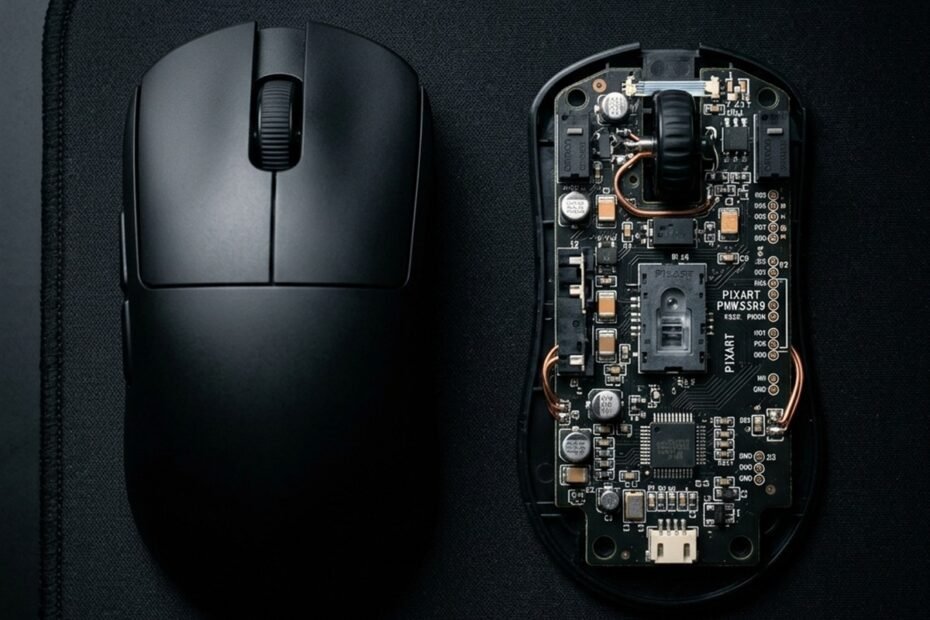
Recognizing critical cheap gaming mouse mistakes is essential for competitive first-person shooter players seeking tournament-grade precision on an entry-level budget. Inexpensive peripherals frequently promise astronomical DPI figures and flamboyant RGB illumination, yet beneath flashy shells lie severe engineering deficiencies. Choosing a flawed budget peripheral introduces tracking spin-outs, click latency penalties, and high static friction that directly compromise your crosshair placement in tactical shooters.
While budget engineering has progressed remarkably in recent seasons, uneducated buyers often fall into deceptive marketing traps set by off-brand manufacturers. Distinguishing viable sub-30 dollar hardware from e-waste requires evaluating optical sensor tracking ceilings, switch debounce mechanisms, and glide friction tolerances. To understand the baseline criteria for tournament-grade budget peripherals, explore our comprehensive evaluation of the best gaming mouse under 30.
What Is the Most Costly Mistake When Buying a Cheap Gaming Mouse?
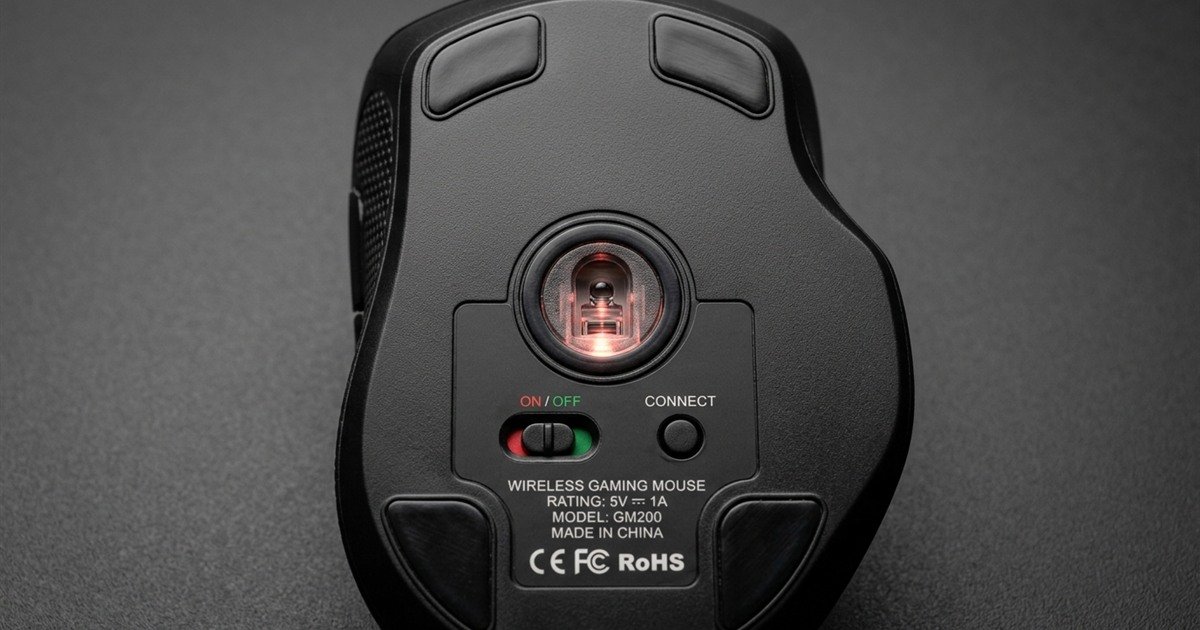
The single most costly cheap gaming mouse mistake is prioritizing advertised maximum DPI figures over sensor tracking speed (IPS) and acceleration thresholds, which leads directly to violent sensor spin-outs during high-velocity arm flicks.
Off-brand peripheral brands frequently splash bold marketing claims across retail listings, promoting figures such as 12,800 DPI or 16,000 DPI for under 15 dollars. In reality, these astronomical sensitivity ratings are achieved entirely through aggressive software interpolation applied over primitive office-grade optical sensors. The underlying imaging sensor operates with a microscopic framing rate and tiny CMOS array incapable of processing rapid physical movements.
When a competitive player executes a low-sensitivity swipe to clear a 180-degree angle in Counter-Strike 2 or Valorant, physical movement velocity easily surpasses 3.0 meters per second (approximately 120 IPS). An office-grade sensor tops out at a meager 30 to 60 IPS. Once that velocity ceiling is breached, the sensor buffer overflows, causing your in-game crosshair to violently freeze or snap downward toward the floor. Investing in genuine optical tracking speed rather than inflated sensitivity ensures absolute tracking reliability under pressure.
Close-up inspection of optical sensor aperture placement and baseplate alignment on an entry-level gaming mouse:
7 Critical Cheap Gaming Mouse Mistakes That Ruin Competitive Aim
The seven fatal budget mistakes include falling for interpolated DPI traps, accepting stiff rubber cable drag, tolerating recycled plastic skates, settling for low-grade mechanical switches, ignoring center of gravity, purchasing dust-prone honeycomb shells, and enduring erratic polling jitter.
Mistake 1: Prioritizing Inflated DPI Figures Over Sensor Tracking Speed (IPS)
Novice gamers frequently mistake DPI for an indicator of sensor quality. In reality, professional tactical shooter players standardize their hardware between 400 and 1600 DPI to maintain maximum tracking accuracy and minimize cursor jitter. What truly dictates competitive viability is Inches Per Second (IPS) and maximum acceleration (measured in G). Bargain mice equipped with obscure generic sensors malfunction during rapid crosshair resets, while tournament-viable sensors like the PixArt PAW3395 or PMW3327 deliver flawless tracking past 220 IPS and 30G acceleration.
Mistake 2: Stiff Rubber Cables Mimicking Artificial Weight and Friction
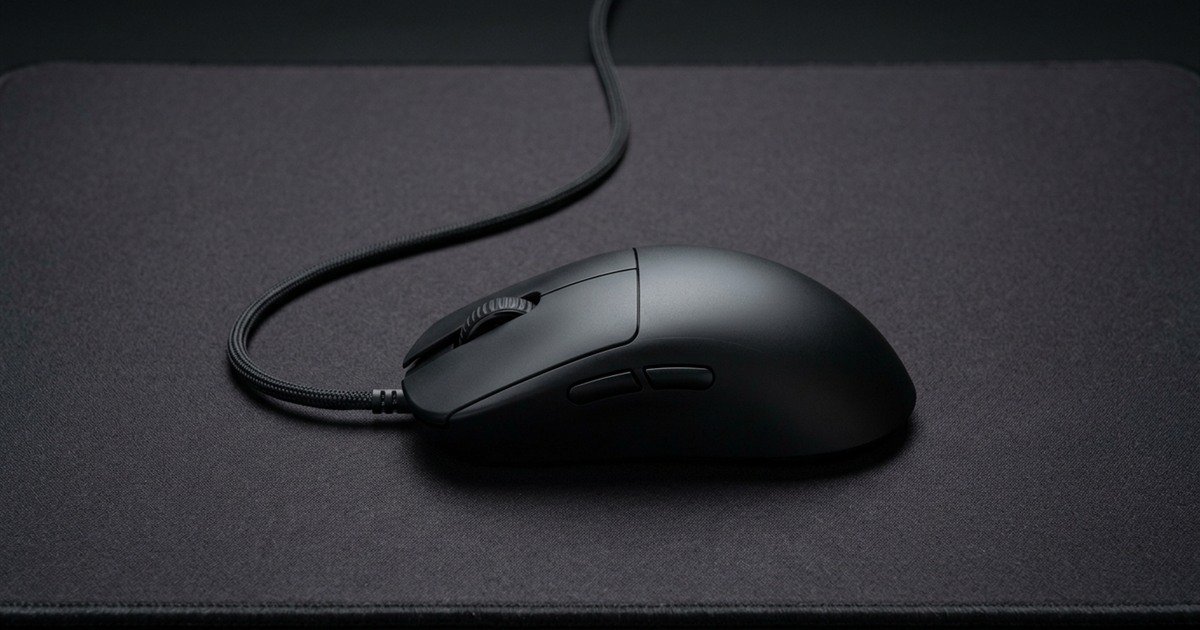
Many sub-20 dollar mice cut manufacturing costs by utilizing thick, unshielded PVC rubber cables. These rigid cords retain severe packaging kinks that push back against your hand during micro-adjustments. On a cloth mouse pad, a stiff rubber cable creates asymmetric directional resistance that mimics an extra 20 to 30 grams of phantom weight, dragging your crosshair off target during delicate tracking sequences. Choosing ultra-flexible paracord cables or stable budget wireless connections eliminates this physical penalty entirely.
Visual comparison between proper front-mounted flexible cable routing and restrictive surface drag:
Mistake 3: Recycled Black Plastic Skates Destroying Glide Consistency
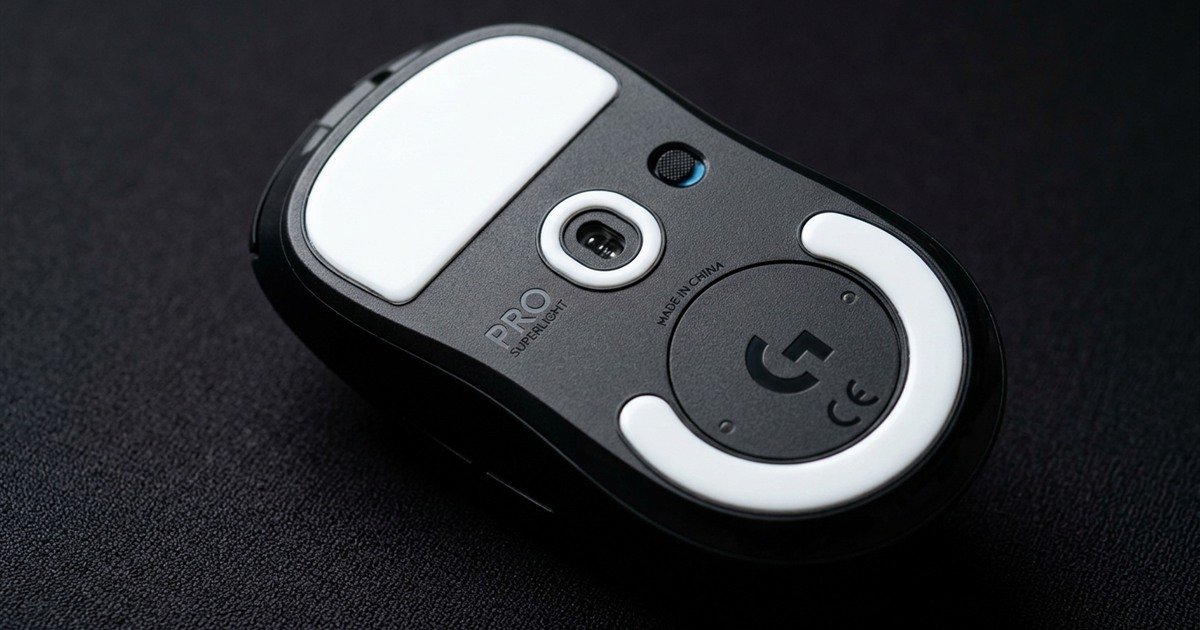
The contact points between your mouse and desk surface govern kinematic consistency. Cheap budget peripherals frequently feature stamped black recycled plastic or dyed PTFE blends with sharp, unrounded borders. These inferior skates produce severe static friction, requiring excessive initial hand force to break static resting inertia. As a result, micro-adjustments feel jerky and scratchy, wearing down cloth mouse pad weaves prematurely. Pure virgin-grade PTFE skates with rounded beveled edges are mandatory for fluid aim control.
Detailed surface inspection of white virgin PTFE glide skates featuring rounded perimeter bevels:
Mistake 4: Generic Mechanical Switches Prone to Premature Double-Clicking
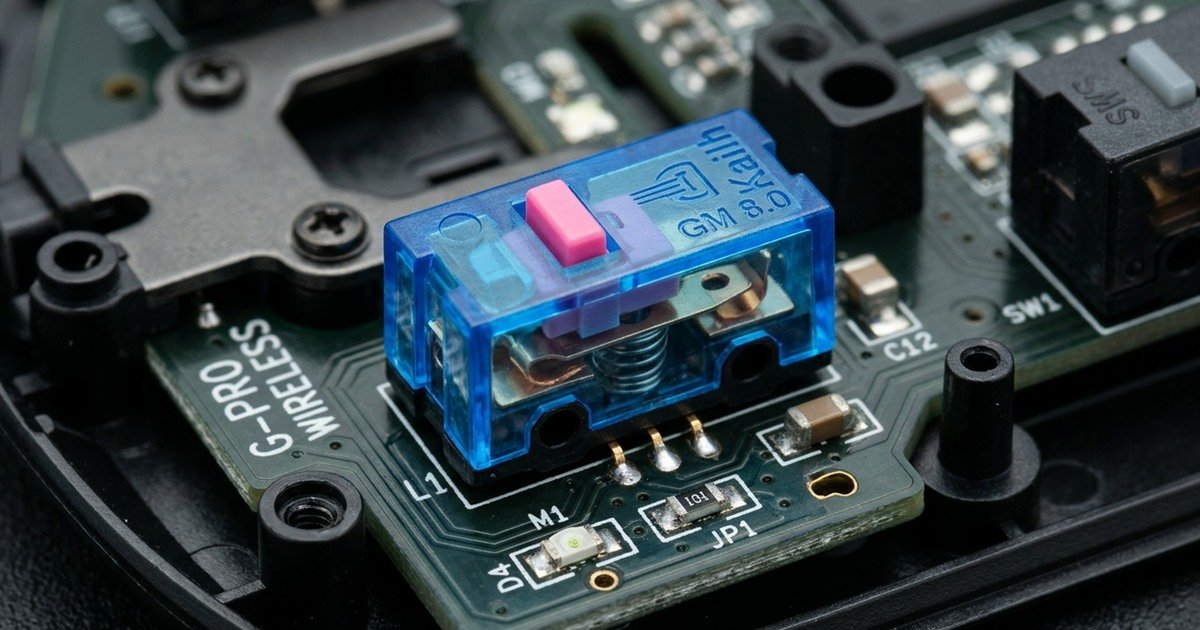
Button switches are subjected to millions of aggressive actuations during intense gaming seasons. Bottom-tier gaming mice incorporate generic, unbranded mechanical leaf springs that oxidize rapidly under ambient humidity. Within three to six months of daily usage, contact bounce degrades, causing the mouse to register accidental double clicks or drop hold commands during automatic rifle sprays. Premium budget builds deploy reputable Huano, Kailh GM 8.0, or optical switch architectures that guarantee crisp tactile feedback across 80 million actuations without debounce failure.
Technical macro view of high-grade mechanical click microswitches and internal PCB engineering:
Mistake 5: Rear-Heavy Weight Balance Causing Crosshair Overshooting
Total weight is meaningless if the internal center of gravity is misaligned. Poorly engineered budget mice often position heavy lithium-ion batteries or ornamental lead weights near the rear shell to simulate a hefty, premium feel. This rearward weight bias turns the mouse into an awkward lever during rapid vertical pick-ups and resets. The rear base drags against the mouse pad, disrupting muscle memory and inducing crosshair overshooting during clutch duels. Symmetrical balance directly aligned beneath the sensor lens is vital for predictable hand movement.
Mistake 6: Uncoated Perforated Honeycomb Shells Trapping Dust and Moisture
When ultralight gaming mice rose to prominence, cheap peripheral manufacturers copied the trend by punching crude hexagonal holes through generic plastic molds. However, legitimate esports brands coat internal printed circuit boards with protective water-resistant conformal barriers. Bargain honeycomb mice omit this protective layer entirely, leaving bare electronic traces, micro-switches, and scroll wheel optical encoders vulnerable to airborne dust, sweat droplets, and dead skin cells, culminating in catastrophic hardware failure. For a deeper breakdown of structural shell durability, review our analysis of the best lightweight mouse under 30.
Mistake 7: Unstable Polling Rates and Sensor Smoothing Inducing Latency Jitter
Many low-cost peripherals boast 1000Hz USB polling rates in packaging literature, but employ sluggish 8-bit microcontrollers that cannot sustain steady 1-millisecond transmission cycles. Under continuous high-speed movement, packet timing fluctuates wildly between 250Hz and 850Hz, causing visible micro-stuttering on high-refresh-rate gaming monitors. Furthermore, cheap firmware often applies forced sensor smoothing algorithms to mask sensor noise at higher DPI levels, introducing 8 to 15 milliseconds of processing lag that ruins instantaneous flick-shot timing.
Always demand verified hardware baselines: insist on at least 220 IPS tracking speed, 30G acceleration, 100 percent virgin PTFE skates, and durable mechanical or optical switches to avoid sensor spin-outs and latency penalties in tactical shooters.
Hardware Comparison: Cheap Mouse Traps vs Tournament-Viable Specs
Comparing bargain design flaws against tournament-viable engineering reveals major divergences in optical tracking limits, skate composition, switch contact durability, and cable flexibility that determine FPS aim consistency.
Key mechanical trade-offs between deceptive budget traps and tournament-viable hardware standards:
| Hardware Component | Common Cheap Mouse Trap | Tournament-Viable Standard | Competitive In-Game Impact |
|---|---|---|---|
| Optical Sensor | Office IC (under 60 IPS, 15G acceleration) | PixArt PAW3395 / PMW3327 (220+ IPS, 30G+) | Office sensors violently spin out during rapid 180-degree swipe turns. |
| Sensitivity Tech | Software-interpolated 12,800+ DPI | Native un-interpolated DPI steps (400-3200 DPI) | Interpolation adds erratic cursor jitter and artificial aim deviation. |
| Mouse Skates | Stamped black plastic / recycled rough PTFE | 100% white virgin PTFE with rounded bevels | Plastic skates generate high static friction and scratch cloth pads. |
| Click Switches | Unbranded mechanical (rated under 10M clicks) | Huano Pink Dot / Optical (rated 80M+ clicks) | Cheap switches develop fatal double-clicking and click dropouts quickly. |
| Connecting Cable | Thick, stiff rubber with permanent bends | Flexible paracord weave or 2.4GHz wireless | Stiff cables push back against micro-adjustments, mimicking phantom weight. |
| Chassis Structure | Perforated honeycomb without PCB coating | Ribbed solid ABS shell (sub-65 grams) | Uncoated perforated shells permit dust and sweat to corrode internal traces. |
| USB Polling Rate | Unstable 125Hz-500Hz with timing jitter | Locked 1000Hz with sub-1ms report intervals | Polling jitter causes frame pacing tears and micro-stutters during aim tracking. |
Evaluating these physical specifications prior to purchasing ensures you secure genuine competitive performance rather than fragile aesthetic novelties.
How to Verify Real Sensor Models and Polling Stability Before Buying?
Verify optical sensor models against official PixArt datasheets, examine community teardown photographs to confirm micro-controller architectures, and execute standardized tracking benchmarks to validate report packet stability.
Step-by-step verification protocol to confirm authentic gaming mouse specifications:
- Inspect the Specific Sensor Model Number: Reliable manufacturers explicitly state the underlying optical sensor model (e.g., PixArt PAW3395, PAW3311, PMW3327, or Razer Focus). If a listing vaguely claims a “High-End Gaming Sensor” without naming the manufacturer or model, it is almost certainly a repurposed office sensor.
- Cross-Check Internal Teardowns and PCB Markings: Review technical hardware teardowns from trusted peripheral communities to confirm that the physical micro-switches, scroll encoder, and micro-controller match advertised specifications.
- Run Automated Swipe Benchmarks: Utilize tracking verification software such as MouseTester to plot tracking counts over time. Authentic gaming sensors produce clean, tight sinusoidal data lines during fast swipes, whereas flawed budget sensors exhibit jagged data dropouts or plateau caps.
- Measure USB Polling Report Consistency: Test report packet intervals at 1000Hz using standardized polling rate monitors. Legitimate hardware demonstrates steady 1-millisecond intervals, whereas defective micro-controllers display erratic timing spikes exceeding 4 milliseconds.
- Verify Physical Weight and Shell Balance: Place the mouse on a precision digital gram scale and test its pivot balance on a centered stand. The center of gravity must align directly beneath the thumb placement to prevent rotational inertia during lifts.
Following this objective verification sequence guarantees that your hardware investment translates into measurable competitive confidence in ranked tactical shooter lobbies. For players who demand dedicated wired stability without battery management, explore our curated analysis of the best wired gaming mouse under 30.
Frequently Asked Questions
Explore expert answers to the most common questions regarding cheap gaming mouse mistakes and hardware pitfalls:
What is sensor spin-out on a cheap gaming mouse?
Sensor spin-out occurs when an optical sensor reaches its maximum velocity threshold during an aggressive flick shot. The sensor fails to capture surface frames accurately, causing the in-game crosshair to violently freeze or shoot directly toward the floor or sky.
What is software-interpolated DPI in budget mice?
Software-interpolated DPI is an artificial method where budget firmware digitally multiplies coordinate reporting from a low-resolution sensor. While advertised as 12,800 DPI, it merely guesses missing coordinate points, introducing cursor jitter and aim inconsistency.
What causes polling rate jitter on cheap gaming mice?
Polling rate jitter is caused by low-cost 8-bit microcontrollers struggling to process USB reporting queues in real time. Instead of delivering steady 1000Hz intervals every millisecond, reporting times fluctuate wildly, resulting in frame stuttering on high-refresh monitors.
What is virgin-grade PTFE and why does it matter?
Virgin-grade PTFE is 100 percent unadulterated fluoropolymer plastic with zero added dyes or recycled impurities. It provides an exceptionally low coefficient of dynamic and static friction, allowing effortless micro-aiming adjustments without the scratchy drag of black plastic feet.
Why can an office mouse with RGB lighting not be used for competitive FPS?
An office mouse dressed in RGB lighting lacks high-speed optical tracking architecture, featuring low IPS tracking ceilings below 60 IPS and sluggish 125Hz polling rates. In fast tactical shooters, rapid arm swipes inevitably trigger severe tracking failure.
Do optical mouse switches prevent double-clicking?
Yes, optical mouse switches prevent double-clicking entirely by using an infrared light beam rather than physical metal contacts to actuate clicks. Without mechanical leaf spring wear and electrical contact bounce, optical switches cannot produce phantom double clicks.
How does a stiff rubber cable harm gaming mouse control?
A stiff rubber cable creates severe directional drag as it bends across the mouse pad, adding 20 to 30 grams of perceived resistance against your hand movements. This drag resists subtle crosshair corrections and disrupts consistent muscle memory.
How does mouse center of gravity affect micro-adjustments?
A rear-heavy center of gravity causes the rear base of the mouse to drag during vertical pick-ups and quick angle resets. This imbalance creates rotational momentum that pulls crosshairs off headshot targets during rapid micro-flicks.
Should competitive FPS players buy gaming mice under 10 dollars?
No, gaming mice priced under 10 dollars invariably feature inferior office sensors, non-PTFE plastic skates, and fragile mechanical switches that fail quickly. Investing 20 to 30 dollars secures genuine PixArt sensors and tournament-viable hardware longevity.
Are perforated honeycomb gaming mice durable over long periods?
Perforated honeycomb mice are durable only if the internal circuit board features a water-resistant conformal coating. Cheap honeycomb mice lack this protection, allowing dust and sweat to penetrate and corrode internal switches within months.
How can you identify if your mouse sensor is skipping or spinning out?
You can identify sensor spin-out by performing a rapid, high-velocity arm swipe across your entire mouse pad. If the crosshair freezes mid-turn, skips across the screen, or instantly points toward the floor, your sensor has failed its tracking limit.
What are the minimum hardware specs for a budget CS2 and Valorant mouse?
The minimum hardware specs for tactical shooters include an optical sensor with at least 220 IPS and 30G acceleration, a true 1000Hz polling rate, virgin PTFE skates with rounded edges, and a flexible paracord cable or stable 2.4GHz wireless connection.
Final Verdict: How to Choose a Budget FPS Gaming Mouse Without Regret?
Avoiding cheap gaming mouse mistakes requires demanding a genuine PixArt optical sensor, 100 percent virgin PTFE skates, high-durability switches, and a neutrally balanced shell rather than falling for inflated DPI marketing or flashy RGB gimmicks.
Avoiding cheap gaming mouse mistakes does not require investing hundreds of dollars into flagship esports peripherals. Modern peripheral engineering has democratized professional-grade optical sensors and lightweight chassis designs down to accessible sub-30 dollar price points. The secret lies in looking past superficial cosmetic flourishes like flashy multi-zone RGB lighting and excessive software DPI claims, and demanding verified internal components that directly dictate in-game performance.
Ensure your chosen budget mouse incorporates an authentic PixArt or manufacturer-customized gaming sensor with at least 220 IPS tracking speed, pure white virgin PTFE skates with beveled perimeter contours, and high-grade Huano, Kailh, or optical micro-switches. When combined with a balanced center of gravity and a flexible paracord cable, an entry-level mouse will deliver surgical tracking accuracy and durable tactical shooter performance across thousands of hours of intense competitive play. To explore exceptional ultra-lightweight designs that successfully avoid these budget pitfalls, review our field evaluation of the best cheap gaming mouse for FPS.