
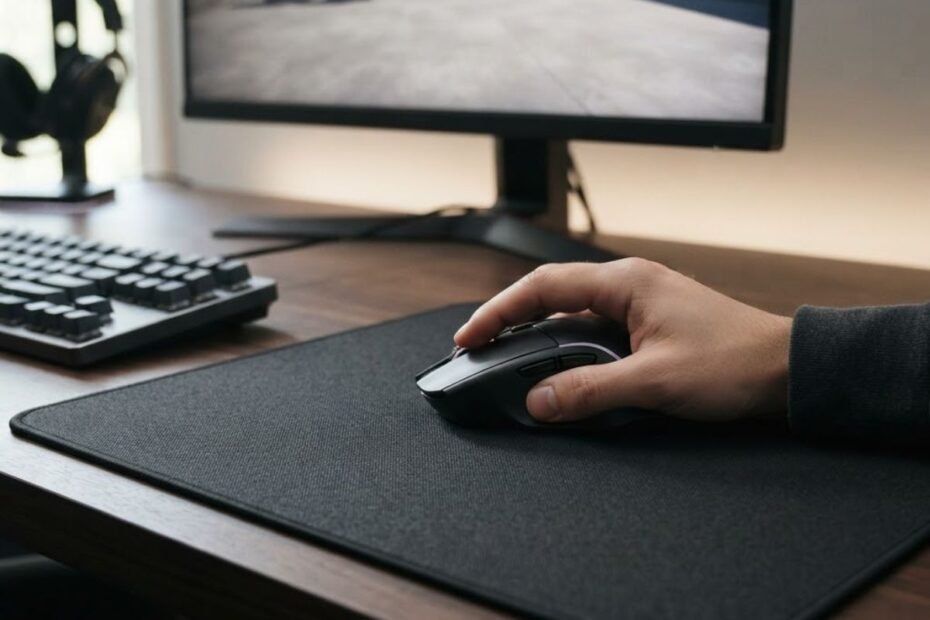
Yes, mouse pads can affect tracking accuracy, but they do not change the underlying accuracy of a gaming mouse sensor. The surface under the mouse is part of the tracking environment, so differences in surface quality can affect how consistently the sensor detects movement.
That distinction matters because tracking accuracy and aim consistency are not exactly the same thing. A mouse sensor has its own hardware capabilities, while the mouse pad determines part of the physical surface the sensor reads during movement. A capable sensor can perform very well, but it still needs a suitable surface to translate physical movement into reliable cursor movement.
For FPS players, this relationship becomes more noticeable because mouse movement can range from tiny corrections to large swipes across the active area. A gaming mouse pad for FPS games therefore does more than provide a place for the mouse to glide. Its surface becomes part of the environment in which the sensor operates.
Do Mouse Pads Affect Tracking Accuracy?
Yes, a mouse pad can affect tracking accuracy by changing the surface conditions the mouse sensor reads during movement, but it does not upgrade or downgrade the sensor hardware itself. A sensor detects movement by reading changes in the surface beneath the mouse, so the quality and consistency of that surface can influence how reliably movement is detected.
The interaction between the mouse sensor and the surface becomes easier to understand when the tracking path is viewed as a complete system:
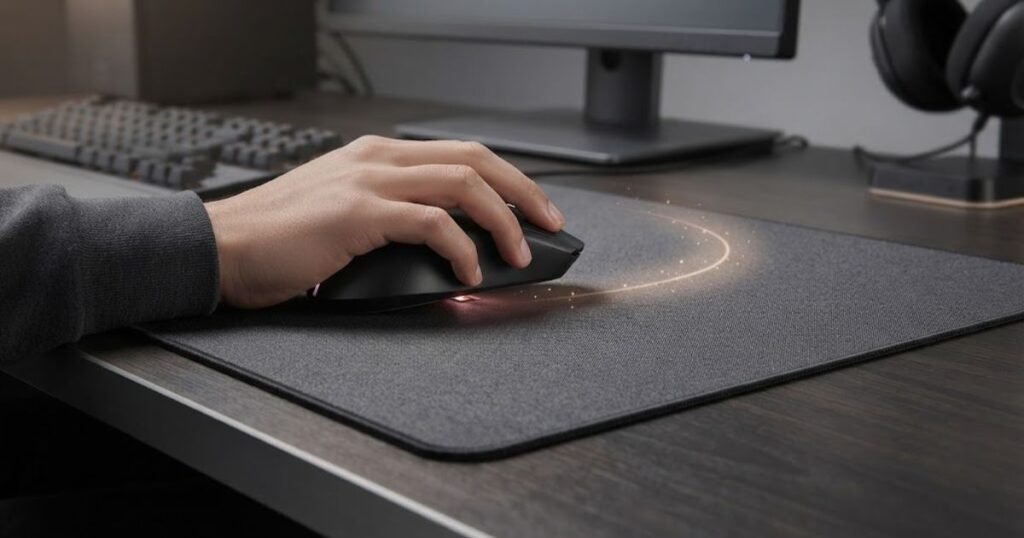
Logitech explicitly supports this relationship through its Surface Tuning feature, which is designed to tune compatible gaming mice for tracking accuracy on different surfaces. The process asks the user to tune the mouse on the surface they actually intend to use, showing that the operating surface can be relevant to sensor behavior. Logitech Surface Tuning provides the manufacturer’s explanation of this process.
This does not mean that changing a mouse pad automatically makes a mouse more accurate. Instead, the surface can determine whether the sensor has a consistent and readable environment for detecting movement. The distinction is important when diagnosing tracking issues because a problem that appears only on one surface should not automatically be treated as a defective mouse sensor.
What Does Tracking Accuracy Mean for a Gaming Mouse?
Tracking accuracy describes how reliably a mouse sensor detects the direction and amount of physical movement and translates that movement into cursor movement. In practical terms, the mouse should respond predictably when you move it across the surface, without unexplained changes in movement detection.
Modern gaming mice use optical or similar imaging-based sensing systems to detect movement relative to the surface underneath them. Wikipedia describes an optical mouse as a device that uses a light source and detector to detect movement relative to a surface.
An optical mouse uses a light source and light detector to detect movement relative to a surface.
That definition highlights an important point for this article: the sensor does not detect movement in isolation. It detects movement relative to a surface. The surface therefore becomes part of the tracking process, even though the sensor itself remains inside the mouse.
Tracking accuracy should also be separated from other aspects of mouse performance. DPI determines how much cursor movement is produced from physical movement, while polling rate affects how frequently the mouse reports data to the computer. Neither changes the basic fact that the sensor needs a readable surface to detect movement.
In other words, a high-end sensor can have excellent hardware capabilities while still behaving differently across surfaces. The sensor’s specifications remain the same, but the conditions under which it reads movement can change.
In summary, tracking accuracy is about how reliably the sensor detects physical movement, and the surface beneath the mouse is one of the conditions involved in that process.
Why Does the Mouse Pad Matter to Sensor Tracking?
The mouse pad matters because it provides the surface information that an optical sensor uses to detect movement. A consistent surface gives the sensor a more predictable tracking environment, while a surface with meaningful differences across the active area can change the information available to the sensor.
The mouse does not simply measure how far your hand has moved through space. The sensor observes the surface underneath it and uses changes in that visual information to calculate movement. As the mouse travels, the sensor repeatedly analyzes the surface and determines how its position has changed.
This is why surface quality is relevant even when the mouse itself has not changed. The same mouse can be placed on two different surfaces while keeping the same DPI, polling rate, and in-game sensitivity. The hardware settings remain identical, but the sensor is now operating over a different tracking environment.
GearTP has previously described this relationship as follows:
A mouse pad does not magically make a bad sensor elite, but it can help a good sensor perform more consistently.
The important idea is not that one mouse pad universally makes a sensor more accurate. Instead, a suitable surface can provide conditions that allow the sensor to operate consistently. Logitech’s own Surface Tuning documentation supports this principle by allowing compatible mice to be tuned to the surface being used.
This also explains why the phrase tracking environment is more accurate than simply saying that a mouse pad “improves” a sensor. The pad does not modify the sensor’s hardware. It changes the physical surface against which the sensor detects movement.
In summary, the mouse pad matters because it forms part of the sensor’s tracking environment, not because it changes the sensor’s underlying hardware.
Can a Good Mouse Sensor Still Track Poorly on a Certain Surface?
Yes, a capable mouse sensor can still behave poorly on a particular surface if that surface does not provide suitable tracking conditions. Sensor quality reduces many surface limitations, but it does not make every possible surface behave identically.
This is easiest to understand by separating sensor capability from surface compatibility. Sensor capability describes what the mouse hardware is designed to detect and process. Surface compatibility describes how well that sensor can operate on the particular material and texture beneath it.
For example, a surface can have characteristics that make it less suitable for a particular sensor. Glossy or highly reflective surfaces can be problematic for some optical implementations, while inconsistent or dirty surfaces can provide less predictable visual information. The exact effect depends on the sensor and the surface combination, so it would be inaccurate to claim that every modern gaming mouse will have the same response.
This is also why manufacturer guidance matters. Logitech does not simply treat all surfaces as identical. Its Surface Tuning process allows supported mice to be tuned to the surface being used, including custom surface settings.
At the same time, a surface issue should not automatically be blamed for every tracking problem. A mouse can experience tracking problems for other reasons, including sensor contamination, wireless issues, software configuration, or hardware faults. Those possibilities require separate diagnosis and will be addressed later in the article rather than being mixed into the definition of surface-related tracking.
The key distinction is therefore simple: a good sensor gives you strong tracking capability, while a suitable surface gives that sensor a consistent environment in which to operate.
In summary, even a high-quality sensor can behave differently on different surfaces, but the effect depends on the specific sensor and surface combination rather than the mouse pad category alone.
The relationship between the mouse, sensor, and surface can be summarized as follows:
| Factor | What It Affects | Role in Tracking |
|---|---|---|
| Mouse sensor | Movement detection and processing | Provides the core tracking capability |
| Mouse pad surface | The physical surface being read | Creates the tracking environment |
| Surface consistency | Similarity of tracking conditions across the usable area | Supports predictable sensor behavior |
| Surface condition | Whether the surface remains clean and usable | Can influence the consistency of sensor input |
| Mouse settings | How detected movement is translated into cursor or in-game movement | Changes the response, not the physical surface being read |
The table shows why tracking accuracy should not be attributed to the mouse sensor alone. The sensor provides the movement-detection capability, while the surface provides the environment in which that capability operates. Settings then determine how the detected movement is presented to the user.
In summary, mouse pads can affect tracking accuracy because the surface is part of the sensor’s operating environment, but the pad does not change the underlying capability of the mouse sensor.
How Does a Mouse Pad Surface Affect Mouse Sensor Tracking?
A mouse pad surface can affect sensor tracking by changing the visual information available to the mouse sensor as it moves. A surface with a consistent texture gives the sensor a more uniform tracking environment, while significant patterns or inconsistent areas can make the surface information less predictable.
A consistent surface gives the sensor a more predictable visual area to read during movement:
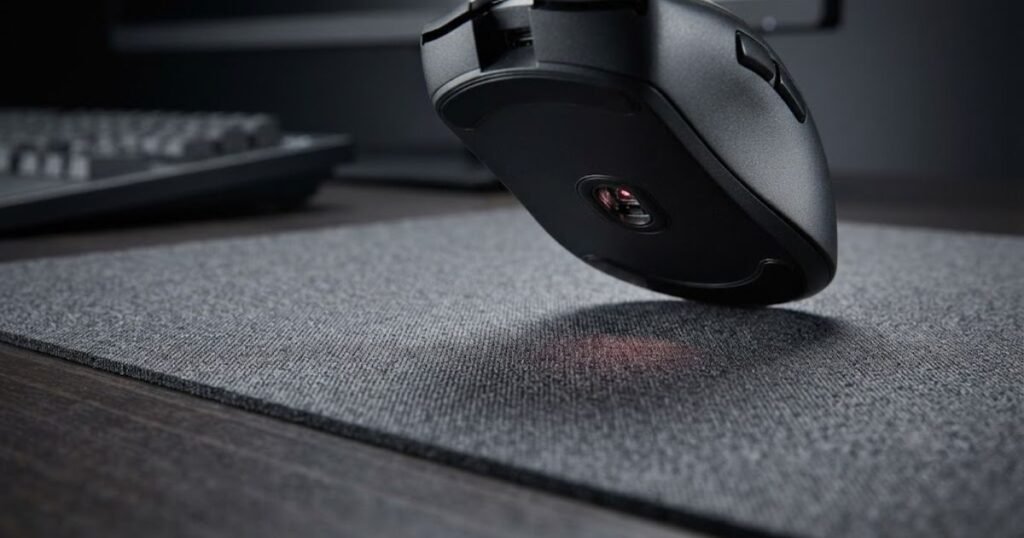
This does not mean that every textured mouse pad will cause tracking problems. Modern gaming mice are designed to work across a range of surfaces, and the actual result depends on the specific sensor and surface combination. The important factor is whether the surface provides sufficiently consistent information for the sensor to detect movement reliably.
Logitech provides a useful manufacturer example with its G440 hard gaming mouse pad. Logitech states that heavy patterns and designs can interfere with sensor performance and describes the G440’s clean, consistent surface texture as providing sensors with better imagery for translating mouse movement into cursor movement. Logitech’s G440 documentation supports this surface consistency principle.
How Optical Mouse Sensors Detect Movement From a Surface
An optical mouse sensor detects movement by repeatedly capturing information from the surface underneath the mouse and comparing those changes over time. The sensor is therefore dependent on the surface providing visual information that it can consistently interpret as the mouse moves.
During movement, the sensor captures successive images of the area beneath the mouse. The mouse’s internal processing system compares these images to determine how the observed surface pattern has shifted. That calculated change is then converted into movement data that the computer can use to move the cursor.
This is why the surface is more than a physical platform for the mouse. From the sensor’s perspective, the texture underneath it provides information that can be analyzed from one moment to the next.
A useful way to understand the process is:
- Surface: The mouse sensor observes the texture and visual characteristics directly beneath the mouse.
- Image capture: The sensor repeatedly captures information from the surface as the mouse moves.
- Comparison: The mouse compares successive observations to determine how the observed pattern has shifted.
- Movement calculation: The internal processing converts those changes into directional movement data.
- Cursor response: The computer receives the movement data and translates it into cursor or in-game movement.
This process explains why surface characteristics can matter without implying that the mouse pad itself is measuring movement. The sensor remains responsible for detecting and processing movement. The surface simply provides the visual information from which that movement is calculated.
It also explains why a surface does not need to feel rough or smooth in a particular way to be suitable for tracking. Physical feel and sensor readability are related but separate considerations. A surface can feel smooth under the mouse while still providing useful visual information to the sensor, just as a surface that feels acceptable to the hand may not necessarily provide the same tracking conditions for every sensor.
In summary, optical tracking depends on the sensor being able to consistently interpret changes in the surface beneath the mouse, which makes surface characteristics relevant to tracking behavior.
Why Consistent Surface Texture Matters
Consistent surface texture matters because it gives the sensor a more uniform visual environment across the area where the mouse is moving. When the surface characteristics remain reasonably consistent, the sensor does not have to move between substantially different visual conditions as the mouse travels.
Logitech specifically identifies consistent surface texture as an important characteristic of its G440. The manufacturer says its clean, consistent texture gives sensors better imagery for translating mouse movement into cursor movement compared with inconsistent or dirty table and desk surfaces.
The key word here is consistent, not simply smooth. Tracking performance is not determined by how soft, hard, rough, or silky a surface feels to your hand. The relevant question is whether the sensor can obtain sufficiently consistent information from the surface as the mouse moves.
For an FPS player, this matters because a single mouse movement can cross a relatively large portion of the pad. If the surface provides substantially different tracking conditions from one area to another, the mouse is no longer operating over one uniform environment.
A consistent texture also makes the surface more predictable. When the same mouse is used repeatedly over the same type of surface, the player is working with a stable physical setup rather than constantly changing the conditions underneath the sensor.
That does not mean every mouse pad must have an identical texture across every square inch. Nor does it mean a surface with visible texture is automatically unsuitable. The practical concern is whether meaningful variations in the surface interfere with the sensor’s ability to interpret movement consistently.
In summary, surface consistency matters because it helps maintain predictable tracking conditions across the mouse’s active movement area, rather than because a particular texture is universally superior.
Can Surface Patterns Affect Some Mouse and Surface Combinations?
Yes, surface patterns can affect some mouse and surface combinations, but the effect is not universal across every gaming mouse. The interaction depends on how a particular sensor interprets the visual characteristics of the surface.
Logitech explicitly notes that heavy patterns and designs can interfere with sensor performance on its G440 product documentation. The manufacturer contrasts those surfaces with a clean, consistent texture designed to provide sensors with better imagery for translating movement into cursor movement.
This should not be interpreted as a rule that printed mouse pads are automatically inaccurate. A large number of gaming mouse pads use printed designs without creating noticeable tracking problems for their users. The more precise conclusion is that surface characteristics can interact with sensor behavior, and some combinations may be less suitable than others.
The same principle applies when moving between different surfaces. A mouse may behave normally on one surface but respond differently when placed on another because the sensor is receiving different visual information. That difference does not necessarily indicate a defect in the mouse. It can simply mean that the two surfaces provide different tracking conditions.
For this reason, it is better to evaluate the surface and sensor as a combination rather than declaring one material, color, or texture universally good or bad. Manufacturer testing and surface-specific calibration can provide additional information when compatibility is uncertain, but those considerations belong to the diagnostic stage of the article.
For FPS players, the practical takeaway is straightforward. If a mouse tracks normally across a clean, consistent area but behaves differently when moved onto a substantially different surface pattern, the surface itself becomes a reasonable variable to investigate.
In summary, surface patterns can influence tracking for some sensor and surface combinations, but the effect depends on the specific hardware and surface rather than on the presence of a pattern alone.
The main surface characteristics that matter to sensor tracking can be summarized as follows:
| Surface Characteristic | Possible Effect on Tracking | Why It Matters |
|---|---|---|
| Consistent texture | Provides relatively uniform visual information | Helps maintain predictable tracking conditions |
| Uneven texture | Can create different visual conditions across the active area | May make tracking behavior less consistent in some combinations |
| Heavy patterns | Can interfere with sensor performance on some surfaces | May change the visual information available to the sensor |
| Dirt or residue | Can alter the surface being observed | Creates conditions that differ from the intended surface |
| Consistent active area | Keeps tracking conditions more uniform during movement | Useful for predictable mouse behavior across larger swipes |
The table shows why there is no simple rule such as “hard surfaces track better” or “rough surfaces track worse.” The more useful question is whether the particular surface provides consistent and interpretable information for the mouse sensor.
In summary, surface texture affects tracking primarily through the information it provides to the sensor, with consistency being more important than simply labeling a surface as smooth, rough, hard, or soft.
Which Mouse Pad Conditions Can Affect Tracking Accuracy?
The mouse pad conditions most likely to affect tracking accuracy are surface inconsistency, localized wear, accumulated dirt or residue, and areas that behave differently from the rest of the pad. These conditions matter because they can change the tracking environment while you are moving the mouse, making the same physical movement behave differently from one part of the pad to another.
Surface condition can change over time, especially in the areas where the mouse is used most often:
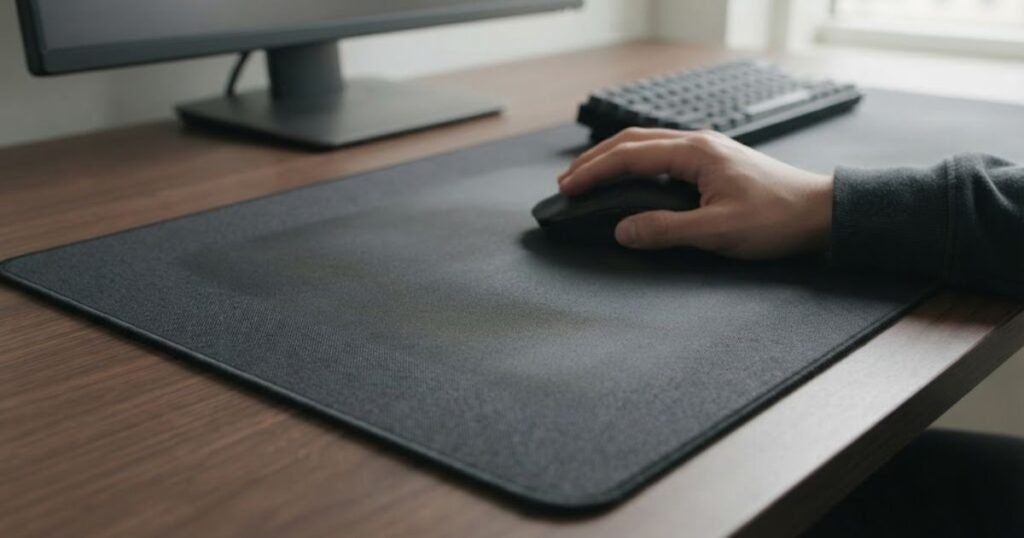
This is different from the surface characteristics discussed earlier. A mouse pad can have a particular texture or pattern and still work normally. The concern here is the condition of the surface during actual use. Even a pad that originally provided consistent tracking can become less predictable after prolonged use, contamination, or uneven wear.
For FPS players, this distinction is especially useful because tracking problems caused by a surface condition often appear as a change in behavior rather than an obvious sensor failure. The mouse may work normally in one area and feel different in another, which gives you a useful clue about where the problem may be coming from.
How Surface Texture Can Affect Tracking Conditions
A change in surface texture can affect tracking conditions when different areas of the mouse pad present noticeably different information to the sensor. The important issue is not whether the texture is inherently good or bad, but whether it remains sufficiently consistent throughout the area where the mouse is used.
Consider a mouse pad that has one uniform surface when new. Over time, the area used most frequently may develop a different feel or surface character from the less-used edges. The mouse is then no longer moving over exactly the same type of surface throughout a large swipe.
That difference can matter because FPS movement often covers more than a small portion of the pad. A player may start a tracking movement near the center, move toward one side, and then reverse direction. If the active area has developed noticeably different surface conditions, the physical feel and tracking environment can change during the same movement.
It is important not to overstate this relationship. A difference in texture does not automatically mean that the sensor will lose tracking or produce inaccurate movement. Some differences may be too small to matter, while others may be more significant depending on the mouse and surface combination.
The useful signal is therefore repeatability. If the same mouse repeatedly behaves differently when it reaches a particular area of the pad, the surface condition becomes a reasonable variable to investigate.
In summary, surface texture becomes a tracking concern when meaningful differences develop across the active area, not simply because the pad has a textured surface.
How Uneven Wear Can Change Tracking Across the Pad
Uneven wear can change tracking conditions by making the most-used part of the mouse pad different from areas that receive less contact. This is particularly relevant when the player repeatedly moves the mouse through the same central area during everyday use.
Wear does not happen uniformly on every mouse pad. The part of the surface that receives thousands of repeated mouse movements can experience more physical contact than the surrounding areas. Depending on the construction and usage pattern, that can eventually produce a noticeable difference in surface condition.
The important point is that wear should be evaluated through its effect on the actual surface rather than through age alone. A mouse pad that has been used for a long time is not automatically unsuitable for tracking. Likewise, a relatively new pad can develop a localized problem if one area receives unusually heavy use or becomes contaminated.
Uneven wear can also be easier to notice through movement behavior than through visual inspection. You may not immediately see a problem when looking at the pad, but the mouse can feel different when crossing the heavily used area compared with a less-used section.
For an FPS player who relies on repeated arm movements, this distinction matters. If tracking or movement behavior seems to change consistently around the same physical location, the location itself provides more useful evidence than simply assuming the mouse sensor has become inaccurate.
This is also why a replacement decision should not be based solely on how many months or years a mouse pad has been used. The relevant question is whether the surface still provides the behavior you expect across the area you actually use.
In summary, uneven wear matters when it creates meaningful differences across the active area, while the age of the mouse pad by itself does not prove that tracking has deteriorated.
How Dirt, Sweat, and Residue Can Change the Surface
Dirt, sweat, skin oils, and other residue can change the condition of the surface and make it less consistent than when it was clean. These contaminants can accumulate in the areas where the mouse is used most often, creating another variable between the intended surface and the surface the sensor actually encounters.
This is particularly relevant to cloth mouse pads because the surface can accumulate particles and residue through repeated contact. However, contamination is not limited to one particular mouse pad material. Any surface can become dirty enough that its original condition no longer represents the environment in which the mouse is operating.
Contamination can also create a misleading diagnosis. A player may notice that tracking feels inconsistent and immediately assume that the mouse sensor is failing. If the issue is actually related to the surface, cleaning the pad and checking whether the behavior changes can provide useful evidence.
The reverse is also important. If cleaning the surface does not change the behavior, that does not prove the mouse is defective. It simply means that surface contamination becomes a less convincing explanation, and other variables should be considered.
For that reason, cleanliness is best treated as a surface condition rather than a performance specification. A clean surface does not guarantee perfect tracking, but it removes an avoidable source of inconsistency from the tracking environment.
In summary, dirt and residue can change the surface the sensor interacts with, so maintaining a clean active area helps keep the tracking environment closer to its intended condition.
Why Tracking Problems That Follow One Area of the Pad Matter
If a tracking problem repeatedly appears in the same physical area of the mouse pad, that pattern is useful evidence that the surface may be contributing to the problem. A problem that follows a specific area is different from a problem that follows the mouse regardless of where it is used.
For example, imagine that the mouse behaves normally when moved across the left side of the pad but repeatedly feels different around the center. If the same behavior occurs in the same location after several movements, the surface condition in that area becomes worth investigating.
The opposite pattern provides different evidence. If the mouse produces the same tracking behavior after being moved to another suitable surface, the original pad becomes a less obvious explanation. This distinction will become important when the article reaches the dedicated diagnostic section.
The key is to avoid turning a single unusual movement into a conclusion. Tracking problems should be repeatable before they are treated as evidence of a surface-related issue. One missed movement can result from many factors and does not establish that the mouse pad is responsible.
FPS players can use the physical location of a problem as a useful observation:
- Same area: The problem repeatedly appears in one section of the pad.
- Worn area: The behavior corresponds with a visibly or physically different section of the surface.
- Contaminated area: The affected section has noticeable dirt, residue, or other surface buildup.
- Different surface feel: The mouse behaves differently when crossing a particular part of the active area.
- Repeatable pattern: The behavior can be reproduced rather than occurring only once.
This list is not a diagnosis by itself. It identifies observations that make the mouse pad a reasonable variable to investigate. A proper comparison with another surface and checks of the mouse itself are still necessary before attributing the tracking problem to the pad.
In summary, a repeatable problem that follows one physical area of the pad is more informative than a one-time tracking irregularity because it gives you a specific surface condition to investigate.
The main surface conditions that can become relevant to tracking accuracy are:
| Surface Condition | What Can Change | Why It Matters |
|---|---|---|
| Uneven texture | Tracking conditions can differ between areas | The sensor may encounter different surface information during one movement |
| Localized wear | The most-used area can develop different surface characteristics | Repeated movements may cross areas with different conditions |
| Dirt or residue | The surface no longer matches its intended condition | Contamination introduces another variable into sensor tracking |
| Different active-area behavior | Mouse movement can feel or behave differently in specific locations | A location-specific pattern can help identify a surface-related issue |
| Repeatable localized problem | The same behavior occurs in the same area repeatedly | Provides stronger evidence than an isolated tracking irregularity |
The important distinction is between a mouse pad having a particular surface characteristic and that surface becoming inconsistent during use. A texture or material is not automatically a tracking problem. The stronger concern is a surface condition that changes the environment across the area where the mouse is actually moving.
In summary, surface-related tracking issues are more likely to become meaningful when wear, contamination, or localized inconsistency creates repeatable differences across the active area.
Do Cloth, Hard, and Hybrid Mouse Pads Affect Tracking Differently?
Cloth, hard, and hybrid mouse pads can provide different tracking conditions, but the surface type alone does not determine tracking accuracy. Each construction creates a different physical surface for the mouse to move across, and the relevant question is whether that particular surface remains consistent and works predictably with the mouse sensor.
The physical characteristics of each surface type can be seen more clearly when the materials are compared side by side:
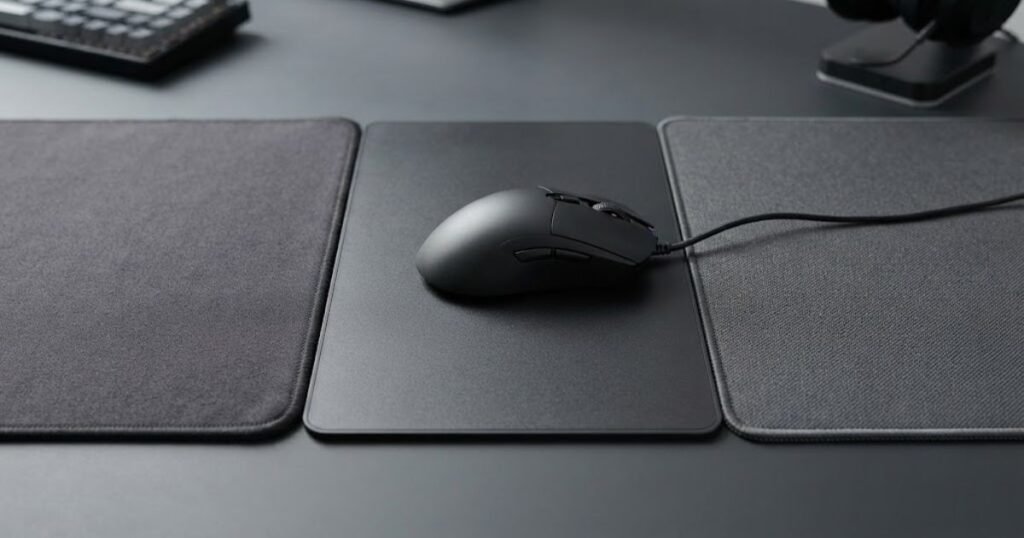
This means there is no universal rule that cloth pads track less accurately than hard pads, or that hybrid pads are automatically more precise. Two mouse pads made from different materials can both provide reliable tracking, while two pads with the same general material category can behave differently depending on their surface construction and condition.
For the question do mouse pads affect tracking accuracy, the useful distinction is therefore between surface type and surface behavior. Material category describes what the pad is made from. Tracking behavior depends on how the resulting surface interacts with the mouse during actual movement.
Cloth Mouse Pads and Tracking
Cloth mouse pads can provide reliable tracking when their surface gives the sensor a consistent environment across the area where the mouse is used. Their flexible construction and woven surface create a different physical interface from rigid mouse pads, but that difference does not by itself make tracking less accurate.
Cloth surfaces are commonly used for FPS gaming because they provide a flexible surface with a controlled feel during mouse movement. From a tracking perspective, however, the important consideration is whether the surface remains sufficiently consistent for the particular mouse being used.
A cloth pad can perform normally even when its surface has visible texture. What matters is whether that texture remains reasonably uniform across the active area. If one heavily used section becomes noticeably different from the surrounding surface, the tracking environment can also become less uniform.
This is why the condition of a cloth pad matters more than simply identifying it as cloth. A new or well-maintained cloth pad and a heavily worn cloth pad may belong to the same material category while providing different conditions during use.
For FPS players, this distinction is particularly relevant when using large movements. If most mouse movement takes place across one central area, that area becomes the part of the pad that should receive the most attention when evaluating tracking consistency.
In summary, cloth does not inherently reduce tracking accuracy. The more relevant factor is whether the cloth surface remains consistent and suitable for the sensor during actual use.
Hard Mouse Pads and Tracking
Hard mouse pads provide a rigid surface that can offer consistent physical conditions across the active area, but rigidity alone does not guarantee better sensor tracking. The actual tracking result still depends on the surface characteristics and the compatibility between the mouse and that surface.
A rigid surface does not compress under the mouse in the same way a flexible pad can. This gives hard pads a different physical structure, but it should not be confused with sensor accuracy. The sensor still has to interpret the surface beneath it, regardless of whether that surface is rigid or flexible.
Hard surfaces can also have different finishes and textures. A smooth rigid surface and a textured rigid surface do not necessarily provide identical tracking conditions. Likewise, a hard pad that remains uniform across its active area can provide a predictable environment without being inherently more accurate than every cloth or hybrid alternative.
For this reason, the word hard should not be treated as a synonym for accurate. Hardness describes the physical construction of the pad. Tracking accuracy describes how reliably the mouse detects and translates movement.
The distinction is especially important when comparing products across different categories. If a player changes from cloth to hard and notices a different mouse response, that observation does not automatically prove that the hard surface has a more accurate sensor interaction. The entire surface and mouse combination has changed.
In summary, a hard mouse pad can provide a consistent tracking environment, but its rigid construction does not automatically make sensor tracking more accurate.
Hybrid Mouse Pads and Tracking
Hybrid mouse pads combine characteristics of different surface constructions, so their tracking behavior depends on the specific surface they provide rather than the hybrid label itself. The same principle applies here as with cloth and hard pads: the material category is only a starting point for understanding the tracking environment.
Hybrid surfaces can be designed to balance different physical characteristics, which means they may feel different from both traditional cloth and rigid surfaces. For tracking, the relevant question is whether the resulting surface remains consistent and provides suitable information for the mouse sensor.
A hybrid pad should therefore not be considered automatically more accurate because it combines multiple construction characteristics. Nor should it be considered less accurate because its surface differs from a conventional cloth pad.
For an FPS player, the practical difference may become noticeable through the overall movement experience. However, a change in movement feel should not immediately be interpreted as a change in sensor accuracy. Physical glide, resistance, and stopping behavior are separate considerations that can influence how movement feels without changing the sensor’s underlying capability.
This distinction prevents a common mistake when comparing mouse pads. A player may prefer one surface because it feels easier to control, but that preference does not necessarily establish that the surface produces more accurate sensor tracking.
In summary, hybrid mouse pads should be evaluated by the consistency and characteristics of their actual surface, not by the hybrid category alone.
The main tracking considerations for each surface type can be compared as follows:
| Surface Type | Main Tracking Consideration | What to Watch |
|---|---|---|
| Cloth | Consistency of the woven surface | Whether the active area remains uniform during repeated use |
| Hard | Consistency of the rigid surface | Whether the finish provides suitable conditions for the specific sensor |
| Hybrid | Characteristics of the combined surface construction | Whether the resulting surface remains predictable across the active area |
| Any surface type | Compatibility with the mouse sensor | Whether the specific mouse and surface combination tracks reliably |
| Any surface type over time | Changes in surface condition | Whether wear or contamination creates meaningful differences across the pad |
The comparison shows why surface category should not be used as a shortcut for judging tracking accuracy. Cloth, hard, and hybrid pads can all provide suitable tracking conditions when their surfaces are consistent and compatible with the mouse being used.
In summary, the type of mouse pad can change the tracking environment, but no single surface category is inherently guaranteed to provide more accurate sensor tracking than the others.
Does Mouse Pad Friction Affect Tracking Accuracy?
Mouse pad friction can affect how tracking feels during physical movement, but friction itself is not the same as sensor tracking accuracy. Friction determines how much resistance exists between the mouse feet and the surface, while tracking accuracy concerns how reliably the sensor detects and translates the mouse’s movement.
This distinction matters because a mouse can feel faster or slower on different surfaces without the sensor becoming more or less accurate. A lower-friction surface can make the mouse easier to move, while a higher-friction surface can provide more resistance. Neither description, by itself, tells you whether the sensor is accurately detecting movement.
What Is the Difference Between Friction and Sensor Tracking?
Friction describes the physical resistance encountered when the mouse moves across the pad, while sensor tracking describes the sensor’s ability to detect that movement. They interact during use, but they represent different parts of the mouse movement system.
When you move a mouse, the mouse feet physically contact the surface and experience resistance. At the same time, the sensor observes the surface underneath the mouse and calculates movement. The resistance affects how much physical force is required to move the mouse, while the sensor determines how that physical movement is detected.
This means that changing friction can change the player’s movement experience without necessarily changing the accuracy of the sensor.
For example, suppose the same mouse is moved between two surfaces and one requires more force to start moving. The player may perceive the second surface as slower or more controlled. That does not automatically mean the sensor is detecting distance less accurately.
The distinction is important for FPS players because movement feel and tracking accuracy are not interchangeable terms. A surface can feel predictable because of its friction characteristics, while sensor tracking remains a separate technical consideration.
In summary, friction controls physical resistance during movement, while sensor tracking concerns movement detection. A change in one does not automatically prove a change in the other.
How Friction Changes the Feel of Tracking
Friction changes the physical feel of tracking by influencing how easily the mouse starts, continues, and stops moving across the surface. This can affect how the player experiences a tracking movement even when the sensor continues to detect movement normally.
A surface with more resistance can make movement feel more controlled because the mouse requires more physical force to move. A lower-resistance surface can make the mouse feel more responsive to small changes in hand force because less resistance opposes movement.
These differences can be noticeable during FPS gameplay, particularly when the player makes continuous adjustments to follow a moving target. The player’s hand must account for the physical behavior of the mouse, so changing the surface can change the way the same movement feels.
However, this is primarily a physical movement effect. It should not be described as the sensor becoming more or less accurate simply because the mouse moves more easily.
This is also why two players can describe the same mouse pad differently. One player may prefer its resistance because it gives them a familiar sense of control, while another may prefer a lower-resistance surface. Those preferences describe interaction with the surface, not a universal measurement of sensor accuracy.
In summary, friction can change how tracking movements feel and how much physical effort they require, but that experience should not automatically be interpreted as a difference in sensor accuracy.
Why a Faster Mouse Pad Is Not Automatically More Accurate
A faster mouse pad is not automatically more accurate because movement speed and sensor accuracy measure different things. A faster surface generally means less physical resistance, allowing the mouse to move more freely, but that does not establish that the sensor detects movement more precisely.
This distinction prevents a common misconception in mouse pad comparisons. Players often associate smooth, fast movement with better tracking because the mouse can follow a target with less physical resistance. But the ease of movement comes from the interaction between the mouse feet and surface, not necessarily from improved sensor measurement.
Likewise, a slower-feeling surface is not automatically inaccurate. Higher resistance can make the mouse feel more controlled during movement, while the sensor can still detect that movement reliably.
The more useful way to evaluate a mouse pad is therefore to separate three questions:
- Movement resistance: How much physical resistance does the surface create when the mouse moves?
- Movement feel: How predictable and controllable does that resistance feel during gameplay?
- Sensor tracking: How reliably does the mouse detect and translate physical movement?
These characteristics can influence one another during real gameplay, but they should not be treated as the same measurement. A player can prefer a faster surface for its movement characteristics without having evidence that it produces more accurate sensor tracking.
For a deeper explanation of the physical resistance involved, the concept of mouse pad friction should be considered separately from sensor accuracy.
In summary, a faster mouse pad can change movement resistance and feel, but speed alone does not demonstrate superior tracking accuracy.
The distinction between friction and sensor tracking can be summarized as follows:
| Variable | Primary Effect | Directly Changes Sensor Hardware? |
|---|---|---|
| Static friction | Resistance when starting mouse movement | No |
| Dynamic friction | Resistance while the mouse is moving | No |
| Surface consistency | Consistency of the physical and visual tracking environment | No |
| Sensor performance | How reliably movement is detected and processed | It is the sensor’s own function |
| Sensitivity | How detected movement translates into cursor or in-game movement | No |
The distinction is straightforward: friction changes the physical resistance of mouse movement, while sensor tracking concerns the detection of that movement. A change in friction can strongly change how a mouse feels without proving that the sensor is tracking more or less accurately.
In summary, mouse pad type and friction can change the physical tracking experience, but neither should be treated as a direct measurement of sensor accuracy.
How Can You Tell If Your Mouse Pad Is Affecting Tracking?
The most reliable way to tell whether your mouse pad is affecting tracking is to change only the surface variable and compare the mouse’s behavior under otherwise similar conditions. If tracking problems repeatedly appear on one area or one surface but disappear on another suitable surface, the mouse pad becomes a stronger suspect.
A controlled surface test can help separate a mouse pad problem from a problem with the mouse itself:
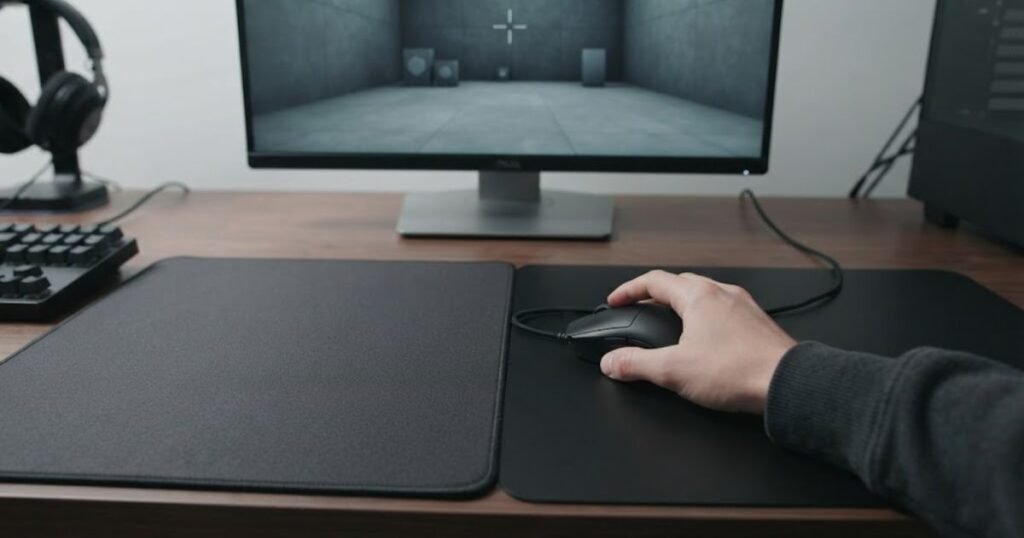
The key is to avoid changing several things at once. If you switch the mouse, DPI, polling rate, game sensitivity, USB connection, and mouse pad simultaneously, you cannot tell which variable caused the difference. A controlled comparison gives you much more useful evidence.
This section is about diagnosing the cause, not simply describing what a mouse pad does. The goal is to separate a surface-related problem from issues involving the mouse, sensor, connection, or software.
Check Whether Tracking Changes Across the Same Pad
If tracking behavior changes repeatedly in one area of the same mouse pad, that location is worth investigating before replacing the mouse. A location-specific pattern provides more useful evidence than a single unexpected movement.
Start by moving the mouse through different parts of the pad using similar movements. Pay attention to whether the behavior changes when the sensor reaches a particular section. You are looking for a repeatable difference, not a one-time mistake.
For example, if the mouse tracks normally near the edge but repeatedly behaves differently through the center, check the center area for changes in surface condition. A heavily used section may have different characteristics from the surrounding areas, while dirt or residue can also create a localized difference.
Keep your mouse settings unchanged during this comparison. The purpose is to determine whether the physical location of the mouse corresponds with the tracking behavior.
A useful observation is whether the problem follows the area. If you reproduce the same movement several times and the unusual behavior consistently occurs at approximately the same location, the surface becomes a reasonable variable to investigate.
However, this test does not prove that the mouse pad is responsible. It only establishes a pattern that can be compared with the results of the next tests.
In summary, a repeatable tracking change that follows a specific area of the same pad is useful evidence, but it should be treated as a clue rather than a final diagnosis.
Test the Same Mouse on Another Surface
Testing the same mouse on another suitable surface is one of the simplest ways to determine whether the original mouse pad is contributing to the problem. The mouse, settings, and movement should remain as consistent as possible while only the surface changes.
Use the same mouse and keep the same DPI, polling rate, operating-system settings, and in-game sensitivity. Then perform comparable movements on the alternative surface.
If the tracking issue appears on the original pad but not on the alternative surface, the original surface becomes a stronger suspect. If the same issue follows the mouse onto the second surface, the mouse pad becomes a less convincing explanation.
The alternative surface does not have to be another gaming mouse pad for this comparison to be useful, but it should be reasonably suitable for optical mouse tracking. The goal is not to determine which surface is better. The goal is to determine whether changing the surface changes the behavior.
It is also useful to repeat the comparison rather than relying on one movement. Repeated results provide stronger evidence because they reduce the chance that the difference came from an accidental movement or unrelated software behavior.
Logitech’s troubleshooting guidance for inconsistent gaming mouse tracking includes surface tuning among the factors that can be checked when cursor behavior is inconsistent. This supports treating the surface as one possible variable rather than assuming every tracking problem originates inside the mouse.
In summary, if the same mouse behaves differently when only the surface changes, the comparison gives you meaningful evidence about whether the mouse pad is involved.
Check the Mouse Before Blaming the Mouse Pad
A tracking problem should not be attributed to the mouse pad until basic mouse-related causes have also been considered. A surface can contribute to inconsistent behavior, but sensor contamination, connection problems, settings, or hardware issues can produce symptoms that look similar.
Start with the parts of the mouse that can be checked without changing your overall setup. Make sure the sensor area is clean and that there is nothing physically obstructing it. If you are using a wireless mouse, also consider whether the connection is stable before treating the pad as the primary cause.
Software and configuration should remain on the diagnostic checklist as well. An unexpected sensitivity setting or other configuration change can alter how movement feels even though the mouse pad has not changed.
The important principle is isolation. If you change the mouse and the mouse pad at the same time, you lose the ability to identify which variable was responsible. Keep the mouse constant when comparing surfaces, then keep the surface constant when checking the mouse.
This approach also prevents an expensive mistake. Replacing a mouse pad will not solve a tracking problem caused by the mouse itself, just as replacing a mouse will not necessarily solve a problem caused by a contaminated or inconsistent surface.
Manufacturer troubleshooting is useful here because it treats inconsistent tracking as a problem with multiple possible causes rather than assigning the cause to the surface automatically. Logitech’s support guidance includes surface tuning alongside other troubleshooting considerations for inconsistent gaming mouse tracking.
In summary, check the mouse, sensor area, connection, and relevant settings before concluding that the mouse pad is the source of inconsistent tracking.
Use Surface Calibration If Your Mouse Supports It
If your mouse supports surface calibration, using the manufacturer’s calibration feature can help determine whether the sensor is optimized for the surface you are using. This is particularly useful when the mouse provides a dedicated calibration system rather than requiring you to guess whether the surface is compatible.
For example, Razer’s Surface Calibration feature is designed to optimize supported Precision Sensors for the surface being used. Razer describes the feature as a way to optimize the sensor to a surface and configure tracking distance according to that surface.
Razer Surface Calibration should therefore be treated as a manufacturer-specific diagnostic and configuration feature, not as a universal requirement for gaming mice.
Not every mouse has the same calibration system, and not every surface requires calibration. If your mouse does not support the feature, you should not assume that tracking will be inaccurate without it.
When calibration is available, follow the manufacturer’s instructions and perform the process on the surface you actually intend to use. Avoid changing multiple settings at the same time because that makes it harder to understand what caused any subsequent change in behavior.
Calibration can also help distinguish two different situations. If the mouse’s behavior improves after an appropriate surface calibration process, that provides evidence that the surface and sensor interaction was relevant. If the same problem remains unchanged, other variables deserve more attention.
In summary, surface calibration can be a useful manufacturer-supported option when available, but it should be treated as one diagnostic variable rather than a guaranteed solution to every tracking problem.
A controlled troubleshooting sequence can help isolate the surface from other possible causes:
- Clean the surface: Remove obvious dirt or residue so contamination is not mistaken for a tracking problem.
- Keep settings unchanged: Maintain the same DPI, polling rate, sensitivity, and other relevant settings during the comparison.
- Test different areas: Move the mouse across different parts of the same pad and check whether the behavior changes in a repeatable location.
- Try another suitable surface: Use the same mouse and comparable movements on another surface to see whether the behavior follows the mouse or stays with the original pad.
- Check the sensor: Inspect and clean the sensor area according to the mouse manufacturer’s recommendations.
- Check the connection: If the mouse is wireless, make sure the connection is stable before treating the surface as the cause.
- Use calibration if supported: Apply the manufacturer’s surface calibration feature when the mouse provides one.
This sequence is designed to isolate variables rather than produce a quick yes-or-no answer from a single test. The strongest evidence comes from a repeatable change that occurs when the surface changes while the rest of the setup remains controlled.
In summary, test the surface systematically, keep the mouse and settings consistent, and use manufacturer-supported calibration when available before deciding that a mouse pad is causing the tracking issue.
What Makes a Mouse Pad Reliable for Tracking?
A mouse pad is reliable for tracking when its active surface remains consistent, predictable, and suitable for the mouse being used. The goal is not to find a surface that is universally “most accurate,” but one that maintains stable tracking conditions throughout normal use.
That distinction matters because tracking reliability is about consistency over time and across the area where the mouse actually moves. A surface can work well when new but become less predictable after significant wear or contamination. Likewise, a technically consistent surface may still be unsuitable for a particular mouse and surface combination.
For FPS players, a reliable tracking surface should therefore be evaluated through the characteristics that remain relevant during real gameplay: surface consistency, uniformity across the active area, condition over time, and compatibility with the mouse sensor.
Consistent Surface Texture
A consistent surface texture gives the mouse sensor a more uniform environment to read throughout normal mouse movement. Consistency matters more than simply describing a surface as smooth, rough, soft, or hard.
The sensor interacts with the surface beneath the mouse as it detects movement. If the surface provides reasonably consistent characteristics across the active area, the conditions encountered by the sensor remain more predictable as the mouse moves.
This does not require every mouse pad to have an identical microscopic texture across its entire surface. What matters in practical use is whether there are meaningful changes that could alter the tracking environment from one section to another.
A reliable surface should therefore not be judged only by how it feels when you first place your hand on it. The more useful question is whether the surface behaves consistently during the movements you actually make in-game.
In summary, consistent texture supports predictable tracking conditions, while the specific texture type is not by itself a measure of tracking accuracy.
Consistent Performance Across the Active Area
A reliable mouse pad should provide reasonably consistent conditions across the area where you actually use the mouse. This becomes especially important for FPS players who make large swipes rather than keeping the mouse within a small central area.
A mouse movement does not always stay in one location. Low-sensitivity players, for example, may move the mouse across a substantial portion of the pad during a single turn or tracking sequence. If the surface behaves noticeably differently between those areas, the physical conditions can change during the same movement.
This does not mean that every square inch must perform identically. Minor variations may have no meaningful effect on gameplay. The concern is a noticeable difference that repeatedly corresponds with a change in mouse behavior.
Area consistency is therefore best considered relative to your actual active zone. The unused corners of a large mouse pad are less important than the areas your mouse repeatedly crosses during gameplay.
This also explains why a player can have a generally good mouse pad but still encounter a localized problem. The overall product category or reputation does not tell you whether the specific surface condition in your active area remains uniform.
In summary, tracking reliability depends more on consistency across your actual movement area than on achieving identical conditions across every part of the pad.
Surface Condition That Holds Up Over Time
A reliable tracking surface should maintain its intended characteristics during normal use instead of developing meaningful changes in the areas you use most. Durability matters because tracking conditions are not only determined when the mouse pad is new.
Repeated mouse movement places the greatest amount of contact on the areas used most frequently. Over time, those sections can develop different physical characteristics from areas that receive little use. The result may be a surface that is technically the same mouse pad but no longer behaves uniformly across its active zone.
Cleanliness also belongs to surface condition. Accumulated dirt, skin oils, and other residue can change the condition of the surface without changing the underlying construction of the pad.
For this reason, the age of a mouse pad should not be treated as a direct measurement of tracking reliability. Some pads may remain usable for a long time, while another pad may develop noticeable problems earlier depending on usage, maintenance, and the condition of the active area.
The more useful indicator is whether cleaning and normal maintenance can preserve the surface’s expected behavior. When the active area remains consistent and predictable, there may be no tracking-related reason to replace the pad simply because it has reached a certain age.
In summary, long-term reliability depends on whether the surface continues to provide consistent tracking conditions, not on a fixed replacement age.
Compatibility With the Mouse Sensor
A reliable mouse pad must also work predictably with the specific mouse sensor being used. Surface quality cannot be evaluated completely in isolation because different mouse and surface combinations can produce different results.
A surface that works normally with one mouse may not necessarily behave identically with another. This does not mean that either mouse is defective. It means that sensor and surface characteristics interact during tracking.
Manufacturer features such as surface tuning reflect this relationship. Logitech provides Surface Tuning for supported gaming mice so the mouse can be tuned to the surface being used. Razer similarly provides Surface Calibration for supported mice, allowing the sensor to be optimized for a particular surface.
These features do not mean that every mouse pad requires calibration or that a surface is unsuitable without it. They simply demonstrate why sensor and surface compatibility can be considered together when evaluating tracking behavior.
For an FPS player, this means that a mouse pad should not be judged solely by its material, texture, or how another player describes it. The relevant question is whether your mouse and your surface provide stable behavior in your actual setup.
In summary, sensor compatibility is part of tracking reliability because the same surface can interact differently with different mouse sensors.
The characteristics of a reliable tracking surface can be summarized as follows:
| Characteristic | Why It Matters |
|---|---|
| Consistent texture | Helps provide a predictable environment for the sensor across normal movement. |
| Uniform active area | Reduces meaningful changes in surface conditions during large mouse movements. |
| Durable surface | Helps maintain the intended tracking environment through repeated use. |
| Clean condition | Removes avoidable changes caused by dirt and residue. |
| Sensor compatibility | Helps ensure the specific mouse and surface combination behaves predictably. |
The important point is that no single characteristic guarantees perfect tracking. Reliability comes from the combination of a consistent surface, a stable active area, reasonable long-term condition, and compatibility with the mouse being used.
In summary, a reliable mouse pad is defined by predictable surface behavior during actual use rather than by material type, marketing claims, or a single surface characteristic.
Can Replacing a Mouse Pad Fix Tracking Problems?
Replacing a mouse pad can fix tracking problems when the pad itself has developed a persistent surface issue, but replacing it will not solve problems caused by the mouse, sensor, connection, or software. The replacement decision should therefore follow evidence that the existing surface is contributing to the problem.
This is where the earlier diagnostic process becomes useful. If tracking problems repeatedly occur on the existing pad, disappear on another suitable surface, and cannot be explained by the mouse or its configuration, replacing the pad becomes a reasonable solution.
On the other hand, if the same tracking problem follows the mouse across multiple suitable surfaces, changing the pad is unlikely to address the underlying cause.
The distinction protects against a common mistake: treating a mouse pad as the default explanation whenever tracking feels inconsistent. A replacement is useful when it removes a demonstrated surface problem, not simply because a newer pad is available.
When the Mouse Pad Is the Likely Cause
The mouse pad becomes the more likely cause when the tracking issue is repeatable on that surface and changes or disappears when the same mouse is used elsewhere. A consistent relationship between the problem and the surface provides stronger evidence than a subjective feeling that the pad has become “bad.”
Several observations can strengthen that conclusion. The problem may appear in a particular worn area, occur only on the existing pad, or change after the surface is cleaned. A comparison with another suitable surface can provide additional evidence.
In this situation, replacing the pad can remove the problematic surface from the setup. However, the goal should be to restore consistent tracking conditions rather than simply buying a different material category.
If the existing pad has reached a point where normal cleaning no longer restores the surface’s intended behavior, replacement can also become a practical maintenance decision. The relevant question is whether the surface still performs consistently enough for the way you use it.
For a more specific replacement decision, when to replace a mouse pad depends more on surface condition and performance than on a universal time limit.
In summary, replacing the mouse pad makes the most sense when repeatable evidence connects the tracking problem to the existing surface.
When the Mouse Is More Likely the Problem
The mouse becomes a more likely source of the problem when inconsistent tracking follows it across multiple suitable surfaces. If changing the surface does not meaningfully change the behavior, the original mouse pad becomes a weaker explanation.
Other clues can also point away from the surface. If the problem occurs across different areas of the pad and remains present after moving to another suitable surface, the issue is less likely to be caused by one localized surface condition.
The sensor area should also be considered. Dust or contamination around the sensor can interfere with normal operation, while wireless connection problems or configuration issues can produce movement behavior that feels like tracking inconsistency.
This does not mean that every problem that follows the mouse is automatically a hardware failure. It simply means that the investigation should move beyond the mouse pad and consider other variables.
The important diagnostic principle is to change one variable at a time. If the same mouse behaves the same way across different suitable surfaces, continuing to replace mouse pads is unlikely to provide useful information.
In summary, a tracking problem that follows the mouse across different surfaces provides stronger evidence against the original mouse pad being the primary cause.
When Replacing the Pad Will Not Solve the Problem
Replacing the mouse pad is unlikely to solve the problem when the underlying cause is unrelated to the surface. A new pad cannot correct an unstable wireless connection, a contaminated sensor, incorrect software settings, or a hardware problem inside the mouse.
It is also unlikely to help when the perceived tracking problem is actually caused by movement feel rather than sensor detection. A different surface can change friction and the physical response of the mouse, but that does not necessarily address a sensor-related issue.
Another warning sign is when the player changes the pad but also changes several other variables at the same time. If the mouse, sensitivity, polling rate, connection method, and pad all change together, any improvement cannot be confidently attributed to the new surface.
The replacement should therefore be treated as the final step after the surface has become a credible cause, rather than the first troubleshooting action.
In summary, a new mouse pad cannot fix a problem that originates outside the surface, so identifying the likely cause should come before replacement.
The symptoms below can help distinguish a surface-related problem from a mouse-related problem:
| Symptom | Surface More Likely | Mouse More Likely |
|---|---|---|
| Problem occurs only on one pad | Yes | Less likely |
| Problem follows the mouse to another suitable surface | Less likely | Yes |
| Problem follows a worn area | More likely | Less likely |
| Cleaning changes the behavior | More likely | Less likely |
| Problem remains across multiple suitable surfaces | Less likely | More likely |
These patterns are clues rather than absolute diagnoses. The strongest evidence comes from controlled comparisons where the mouse and settings remain unchanged while the surface is changed, or where the surface remains unchanged while the mouse is checked.
In summary, replace a mouse pad when evidence points to a persistent surface problem, not simply because tracking feels inconsistent or the pad has reached a certain age.
What Should FPS Players Prioritize for Consistent Tracking?
FPS players should prioritize predictable tracking conditions over chasing a specific mouse pad material or the fastest-feeling surface. The most useful setup is one that lets the mouse behave consistently throughout the movements you actually make, especially when tracking targets or making repeated aim adjustments.
At this point, the distinction is important: a mouse pad does not increase the inherent accuracy of the mouse sensor. Its role is to provide a surface that supports consistent movement and reliable sensor operation. That makes surface consistency more useful as a practical priority than simply choosing between cloth, hard, or hybrid construction.
The right priority can also depend on how you play. A low-sensitivity player making large arm movements interacts with more of the mouse pad, while a player who spends most of the time making small corrections may use a much smaller active area. Players who already have a capable mouse should also consider the surface before assuming that changing the mouse will solve every tracking concern.
What Low-Sensitivity FPS Players Should Prioritize
Low-sensitivity FPS players should prioritize consistent tracking conditions across the full area used for large mouse movements. Because a lower sensitivity setting generally requires more physical mouse movement for the same in-game camera movement, the player may travel across a larger portion of the pad during normal gameplay.
This makes active-area consistency particularly relevant. If the mouse regularly crosses from one section of the pad to another, meaningful differences between those sections can become more noticeable during gameplay.
The priority is not necessarily a larger pad, a particular material, or a specific friction level. Those are separate considerations. For tracking accuracy, the more fundamental question is whether the surface remains predictable across the area the player actually uses.
A useful way to think about this is to define your active area rather than judging the entire pad equally. The section repeatedly used for aiming deserves more attention than unused corners. If that area remains consistent, the player has a more stable tracking environment for large swipes.
This also means that a small localized surface issue can matter more to a low-sensitivity player than to someone who rarely moves the mouse outside a small central zone. The relevance of a surface condition depends partly on how much of the pad your gameplay actually covers.
In summary, low-sensitivity FPS players should focus on consistency across their full active movement area because large swipes expose the mouse to more of the surface during normal play.
What Tracking-Heavy Players Should Prioritize
Tracking-heavy players should prioritize predictable mouse movement across repeated directional adjustments rather than assuming that a faster surface automatically provides more accurate tracking. Continuous tracking requires the player to make frequent corrections while following a moving target, so unpredictable changes in the surface can become distracting.
The important distinction is between tracking accuracy and tracking feel. Sensor tracking concerns whether physical movement is detected reliably. Tracking feel includes how the mouse physically moves across the surface and how controllable that movement feels to the player.
A player may prefer a particular surface because its movement characteristics feel easier to control during continuous adjustments. That preference can be completely valid without proving that the surface produces objectively more accurate sensor tracking.
For this reason, tracking-heavy players should pay attention to whether the mouse behaves consistently during repeated movements. If the physical response changes noticeably across the active area, the player may perceive the difference even when the mouse sensor itself has not changed.
Consistency is especially useful for developing repeatable movement habits. When the physical conditions remain predictable, the player does not have to constantly adapt to a different surface response during ordinary tracking movements.
In summary, tracking-heavy players should prioritize predictable surface behavior and consistent movement conditions rather than equating a faster glide with greater sensor accuracy.
What Players With a Good Mouse Should Check First
Players who already use a capable gaming mouse should check the surface and overall setup before assuming that a new mouse will improve tracking accuracy. A high-quality sensor can only operate within the conditions provided by the surface beneath it, so changing the mouse is not always the most relevant first step.
If the mouse already performs reliably on a suitable surface, upgrading the sensor may not address a problem that is actually related to surface condition or setup consistency. Conversely, if the same tracking issue appears across multiple suitable surfaces, the surface becomes a less convincing explanation.
This is where the earlier distinction between sensor capability and surface compatibility becomes useful. A mouse can have strong sensor hardware while still producing different behavior when the operating surface changes.
Players should also avoid using marketing categories as proof of tracking performance. Terms such as fast, control, premium, hard, cloth, or hybrid describe aspects of the product or its intended characteristics, but they do not independently establish sensor accuracy.
The most useful priority is therefore to keep the setup stable and evaluate the part that is actually causing the problem. If the mouse is already functioning consistently and the surface is also stable, there may be no tracking-related reason to change either component.
In summary, players with a capable mouse should verify the surface and setup before assuming that a different sensor or mouse will solve a tracking problem.
The practical priorities for different FPS situations can be summarized as follows:
| Player Situation | Primary Priority |
|---|---|
| Low sensitivity | Consistent conditions across the full area used for large movements |
| Large arm movements | A uniform active surface that remains predictable across repeated swipes |
| Tracking-heavy gameplay | Predictable movement conditions during continuous directional adjustments |
| Existing high-quality mouse | Check surface and setup consistency before changing the mouse |
| Worn mouse pad | Determine whether the active area still provides consistent conditions |
The common thread is consistency. Different FPS players may use different sensitivities, movement ranges, and mouse preferences, but reliable tracking depends on having predictable conditions during the movements that matter to them.
In summary, FPS players should prioritize a stable and predictable tracking environment that matches their actual movement patterns rather than assuming that one mouse pad type or speed is universally more accurate.
Can Replacing a Mouse Pad Fix Tracking Problems?
Replacing a mouse pad can fix tracking problems when the existing pad has a persistent surface issue, but a new pad will not solve a problem caused by the mouse, sensor, connection, or software. The replacement decision should therefore be based on whether the existing surface is actually contributing to the inconsistent behavior.
A mouse pad does not have a fixed expiration date for tracking accuracy. What matters is whether the surface still provides the conditions you expect during normal use. If the active area has developed a persistent difference that remains after reasonable cleaning and the same mouse performs normally on another suitable surface, replacement can be justified.
On the other hand, replacing the pad is unlikely to help when the same problem follows the mouse across different suitable surfaces. In that situation, the surface is a weaker explanation and other parts of the setup deserve attention.
When the Mouse Pad Is the Likely Cause
The mouse pad is a stronger suspect when the tracking problem repeatedly occurs on that surface and changes when the same mouse is moved to another suitable surface. The important evidence is the relationship between the problem and the surface, rather than simply how old the pad is.
A persistent problem may also correspond with a specific section of the active area. If the mouse behaves differently whenever it reaches the same worn or contaminated location, the surface provides a reasonable explanation that can be tested further.
Cleaning can also provide useful evidence. If the behavior changes after the surface is properly cleaned, contamination becomes a more credible factor. If the behavior remains unchanged, the problem may involve another surface condition or another component of the setup.
Replacement becomes more reasonable when the surface no longer returns to its expected condition through normal maintenance. A pad that has developed a persistent difference in the area used most often may no longer provide the consistency the player needs.
The decision should therefore focus on current surface behavior, not a simple rule such as replacing a mouse pad every six months or every year. Different usage patterns can produce very different results.
In summary, the mouse pad is more likely to be the cause when the problem is repeatable on that surface, changes on another suitable surface, or corresponds with a persistent condition in the active area.
When the Mouse Is More Likely the Problem
The mouse becomes a stronger suspect when the same tracking problem follows it across multiple suitable surfaces. If changing the surface does not meaningfully change the behavior, the original mouse pad becomes less likely to be responsible.
This pattern is particularly useful because it keeps the comparison focused on the variable being tested. The same mouse should be tested with the same relevant settings while the surface changes. If the behavior remains consistent across surfaces, there is less evidence that the original pad is causing it.
Other mouse-related variables can also produce symptoms that resemble tracking problems. The sensor area may need cleaning, a wireless connection may be unstable, or a software setting may have changed the way movement is being reported or interpreted.
None of these observations automatically prove that the mouse hardware has failed. They simply indicate that replacing the mouse pad is not supported by the available evidence.
This distinction is important because repeatedly changing mouse pads without isolating the cause can make troubleshooting more difficult. If the behavior follows the mouse, investigate the mouse and its setup instead of treating every new surface as a potential solution.
In summary, a problem that follows the mouse across suitable surfaces provides stronger evidence that the issue lies outside the original mouse pad.
When Replacing the Pad Will Not Solve the Problem
Replacing the pad will not solve the problem when the underlying cause is unrelated to the surface. A new surface cannot correct a contaminated sensor, an unstable connection, incorrect configuration, or a hardware problem inside the mouse.
Replacement is also unlikely to help when the perceived problem is actually a difference in movement feel. A different surface can change how much physical resistance the mouse encounters, which can make tracking movements feel different without changing how accurately the sensor detects movement.
Another problem occurs when several variables are changed at the same time. If you replace the mouse pad while also changing the mouse, sensitivity, DPI, polling rate, or connection method, an improvement cannot be confidently attributed to the new surface.
For that reason, replacing the pad should be treated as a response to evidence rather than a generic troubleshooting step. If testing has not established that the surface is involved, buying another pad may simply introduce another variable without addressing the actual problem.
In summary, a new mouse pad is not a universal fix for tracking problems, so the likely cause should be isolated before replacement.
The following patterns can help distinguish a surface-related issue from a mouse-related issue:
| Symptom | Surface More Likely | Mouse More Likely |
|---|---|---|
| Problem occurs only on one pad | More likely | Less likely |
| Problem follows the mouse to another suitable surface | Less likely | More likely |
| Problem follows a worn area | More likely | Less likely |
| Cleaning changes the behavior | More likely | Less likely |
| Problem remains across multiple suitable surfaces | Less likely | More likely |
These patterns are evidence to consider, not absolute diagnoses. A surface-related problem should be repeatable, while a mouse-related problem should remain observable when the surface changes. The more controlled the comparison, the more useful the result.
In summary, replacing a mouse pad makes sense when the existing surface is demonstrably contributing to the problem; otherwise, the investigation should continue with the mouse and the rest of the setup.
What Should FPS Players Prioritize for Consistent Tracking?
FPS players should prioritize predictable tracking conditions over chasing a specific mouse pad material or the fastest-feeling surface. The goal is to keep mouse movement consistent across the areas and movements used during actual gameplay.
There is no universal mouse pad type that guarantees more accurate tracking. A player’s sensitivity, movement range, and playstyle determine which parts of the surface matter most. The practical priority is a setup that behaves consistently enough that the player does not have to compensate for unexpected changes during normal aim movement.
What Low-Sensitivity FPS Players Should Prioritize
Low-sensitivity FPS players should prioritize consistent conditions across the full area used for large mouse movements. Lower sensitivity generally requires more physical mouse movement, so a greater portion of the active surface can become relevant during a single aiming sequence.
This makes consistency across the active area more important than focusing on a specific surface category. If a player regularly moves the mouse from the center toward the edge of the pad, the conditions across that path matter more than the characteristics of an unused section.
Low-sensitivity players should also pay attention to whether their usual movement path remains predictable over time. A surface that behaves consistently throughout the area used for aiming provides a more stable foundation for repeated movements.
In summary, low-sensitivity players should prioritize a consistent active area that supports the full range of movement their sensitivity requires.
What Tracking-Heavy Players Should Prioritize
Tracking-heavy players should prioritize predictable movement conditions during continuous aim adjustments. When following a moving target, the player makes repeated corrections rather than relying on one isolated movement, so unexpected changes in surface behavior can become more noticeable.
The important distinction is between tracking accuracy and movement feel. A surface can feel faster, slower, smoother, or more controlled without necessarily making the mouse sensor more or less accurate.
For this reason, tracking-focused players should judge a surface by whether its behavior remains predictable during the movements they repeatedly perform. A consistent response makes it easier to maintain the same physical movement habits instead of adapting to changing surface conditions.
This does not mean that every tracking player needs the same type of mouse pad. Personal preference still matters, but preference for a particular movement feel should not be presented as proof of superior sensor accuracy.
In summary, tracking-heavy players should prioritize predictable movement conditions rather than assuming that a particular glide characteristic automatically produces more accurate tracking.
What Players With a Good Mouse Should Check First
Players who already have a capable gaming mouse should check the consistency of their existing setup before assuming that a new mouse will improve tracking accuracy. A mouse sensor has its own capabilities, but those capabilities still operate within the conditions created by the surface and the rest of the setup.
If the mouse already tracks consistently and the player is not experiencing a repeatable surface-related issue, changing the mouse may not provide a meaningful tracking benefit. Conversely, if a problem appears only under particular surface conditions, changing the sensor may not address the actual source of the problem.
The same principle applies to marketing claims. A mouse pad described as fast, control-oriented, premium, hard, cloth, or hybrid should not automatically be interpreted as more accurate. Those descriptions do not independently establish sensor tracking performance.
A stable setup is often more useful than constantly changing components. Once the mouse, surface, sensitivity, and other relevant settings are working predictably together, keeping those variables consistent can make it easier to identify genuine changes in performance.
In summary, players with a good mouse should first verify that their existing surface and setup are consistent before assuming that another mouse will improve tracking accuracy.
The main priorities differ slightly depending on how an FPS player uses the mouse:
| Player Situation | Primary Priority |
|---|---|
| Low sensitivity | Consistent conditions across the larger active movement area |
| Large arm movements | A predictable surface across repeated long swipes |
| Tracking-heavy gameplay | Stable movement conditions during continuous corrections |
| Existing high-quality mouse | Verify the surface and setup before changing the mouse |
| Worn mouse pad | Determine whether the active area still behaves consistently |
The common factor is consistency. Different players can use different sensitivities and surface preferences while still benefiting from a tracking environment that remains predictable during their normal movements.
In summary, FPS players should prioritize stable and predictable tracking conditions that match their actual movement patterns rather than treating one mouse pad category as universally more accurate.
Frequently Asked Questions About Mouse Pads and Tracking Accuracy
These frequently asked questions cover the most common concerns about mouse pads, sensor tracking, surface conditions, and tracking consistency.</strong> The answers focus on the practical relationship between the mouse sensor and the surface without repeating the detailed explanations covered in the main sections.
Can a Mouse Pad Make a Mouse More Accurate?
A mouse pad cannot change the underlying accuracy of the mouse sensor, but a suitable surface can provide more consistent conditions for tracking. The sensor’s hardware remains the same when you change pads.
Can a Bad Mouse Pad Cause Tracking Problems?
Yes, an unsuitable or inconsistent surface can contribute to tracking problems in some mouse and surface combinations. However, the mouse, sensor, connection, and software should also be considered before identifying the pad as the cause.
Does Mouse Pad Texture Affect Sensor Tracking?
It can, because the sensor uses information from the surface to detect movement. The effect depends on the specific texture and mouse sensor combination rather than texture alone.
Do Different Mouse Pads Work Differently With the Same Mouse?
Yes, the same mouse can behave differently on different surfaces. Changing the pad changes the surface conditions available to the sensor and the physical interaction between the mouse and surface.
Can a Worn Mouse Pad Affect Tracking?
A worn mouse pad can affect tracking conditions when wear creates meaningful differences across the area being used. Age alone does not prove that a pad has become unsuitable.
Do Hard Mouse Pads Track Better Than Cloth Pads?
Not universally. Hard and cloth surfaces provide different physical characteristics, but material type alone does not determine which surface will provide more reliable tracking with a particular mouse.
Does Mouse Pad Color Affect Tracking?
Color by itself should not be treated as a universal indicator of tracking accuracy. What matters is how the complete surface interacts with the particular mouse sensor, including its visual characteristics and consistency.
Does Mouse Pad Friction Affect Sensor Accuracy?
Friction affects physical movement resistance rather than directly changing the sensor’s hardware accuracy. A mouse can feel faster or slower without the sensor itself becoming more or less accurate.
Can Cleaning a Mouse Pad Improve Tracking?
Cleaning can help when dirt or residue is contributing to inconsistent surface conditions. If cleaning does not change the behavior, another cause should be considered.
Should I Replace My Mouse Pad If Tracking Feels Inconsistent?
Replace it when there is evidence that the surface is contributing to the problem and normal maintenance no longer restores consistent behavior. Replacing the pad is unlikely to help when the same issue follows the mouse across other suitable surfaces.
How Do I Test Whether My Mouse Pad Is Causing Tracking Problems?
Keep the mouse and settings unchanged, compare different areas of the pad, and then test the same mouse on another suitable surface. A repeatable change that occurs when only the surface changes provides useful evidence.
Can Surface Calibration Improve Tracking on Different Surfaces?
Surface calibration can help supported mice optimize sensor behavior for a particular surface. Its usefulness depends on whether the mouse manufacturer provides the feature and how that specific sensor interacts with the surface.
These answers reinforce the main point: mouse pads can affect tracking conditions, but they do not change the underlying hardware capability of the mouse sensor.
Conclusion
Mouse pads can affect tracking accuracy because the surface is part of the environment the mouse sensor uses to detect movement. However, the pad does not make the sensor itself more or less capable. The practical difference comes from how consistently the particular mouse and surface combination behaves during use.
For FPS players, the most useful approach is to focus on predictable tracking conditions rather than assuming that cloth, hard, hybrid, fast, or control surfaces are inherently more accurate. Surface consistency, active-area behavior, condition over time, and compatibility with the mouse all matter more than the category label alone.
If tracking feels inconsistent, isolate the surface as a variable before replacing hardware. A repeatable problem that changes when the surface changes provides meaningful evidence that the mouse pad may be involved. If the same problem follows the mouse across suitable surfaces, the investigation should move elsewhere.
The bottom line is simple: a mouse pad can influence how reliably a mouse tracks, but the best surface is the one that provides predictable conditions for your specific mouse and the movements you actually make in FPS games.
Thanks for reading, and we hope this guide helps you get more consistent tracking in your FPS games.