
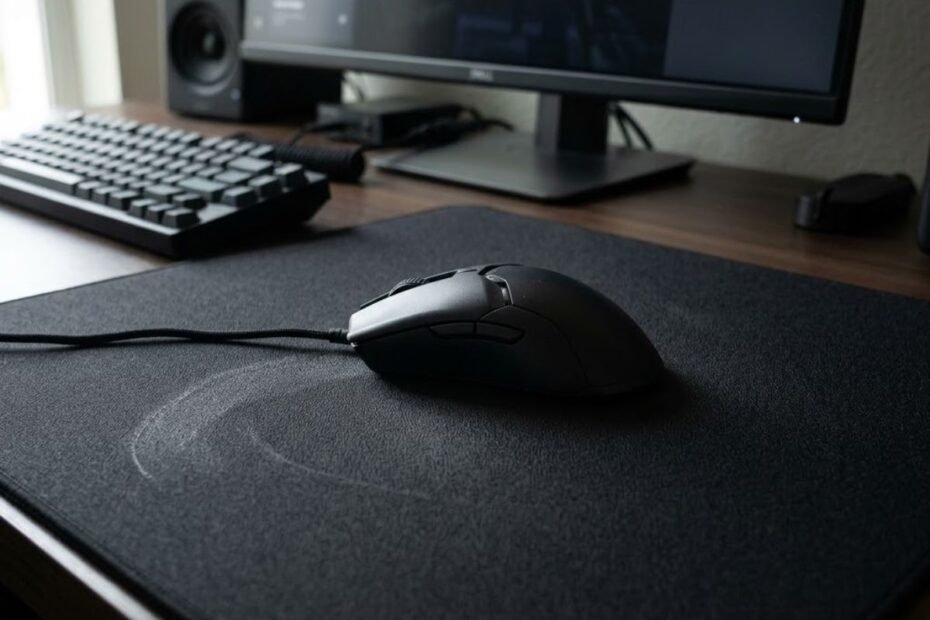
A control mouse pad is a mouse pad designed to provide more resistance and stopping power during mouse movement. Instead of prioritizing the fastest possible glide, a control surface makes it easier to slow down and stop the mouse precisely, giving movement a more deliberate and predictable feel.
For FPS players, this difference can become noticeable when stopping a flick on a target, making small crosshair corrections, or maintaining consistent mouse movement. A control surface does not prevent the mouse from gliding. It simply adds more resistance compared with a speed-oriented surface.
The term “control” also does not refer to one specific material or a universal technical specification. Different mouse pads can provide different levels of resistance and stopping power, so two pads described as control surfaces may still feel noticeably different.
What Does “Control” Mean on a Mouse Pad?
“Control” on a mouse pad refers to how easily the surface allows you to slow down, stop, and make deliberate mouse movements. A control-oriented surface generally provides more resistance than a speed-oriented surface, which can make stopping the mouse feel more predictable.
The mouse pad surface is the main physical interface that determines how the mouse feels during movement:
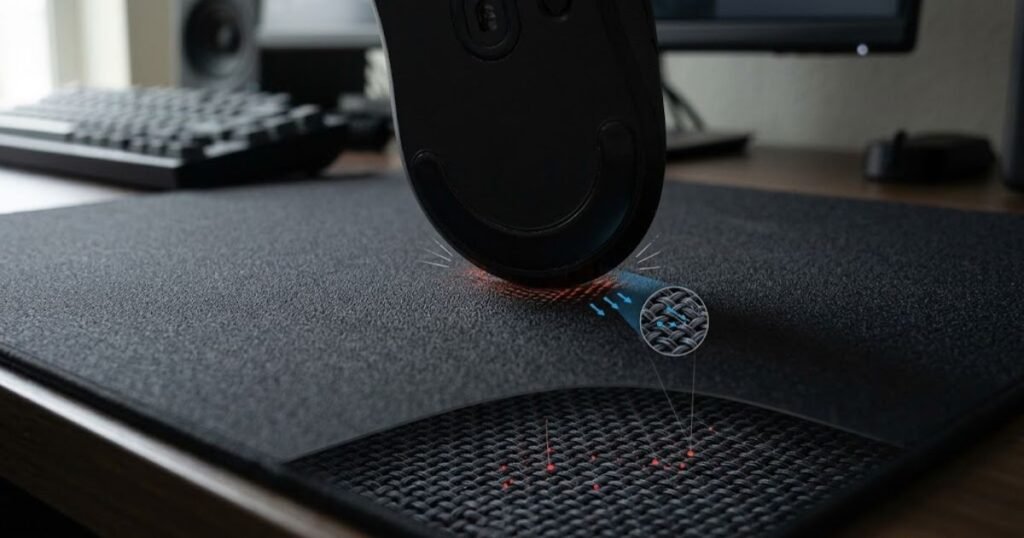
When you move a gaming mouse, the mouse skates interact with the pad surface. That interaction creates friction and affects how freely the mouse moves across the pad. More resistance can make the mouse feel easier to slow down and stop, while less resistance generally allows the mouse to glide more freely.
This is why control is better understood as a description of movement behavior rather than simply a measurement of how slow a mouse pad is. The same control surface can also feel different depending on the mouse, mouse skates, sensitivity, pressure, and movement style being used.
GearTP’s explanation of mouse pad friction covers how resistance between the mouse skates and surface affects the way a mouse moves. That interaction is one of the main reasons a control pad can feel more predictable when slowing down or stopping.
In practical terms, a control mouse pad is about having enough surface resistance to make mouse movement easier to manage. It is not necessarily the slowest mouse pad available, and control should not be treated as an exact technical rating shared consistently across every manufacturer.
How Is a Control Mouse Pad Different From a Slow Mouse Pad?
A control mouse pad and a slow mouse pad can feel similar, but the terms describe different aspects of mouse movement. “Control” focuses on how the surface helps with deliberate movement and stopping, while “slow” primarily describes how quickly the mouse glides across the surface.
A slow surface will generally offer more resistance than a faster surface, but that does not automatically mean every slow pad has the same stopping characteristics or feels identical during aim. Control is more closely associated with how predictable the mouse feels when you need to reduce movement or stop it precisely.
These terms can overlap because increased resistance can influence both glide speed and stopping behavior. However, they should not be treated as interchangeable labels when comparing different mouse pads.
The key differences between the two descriptions are:
| Term | What It Describes | Typical Movement Feel | Main Emphasis |
|---|---|---|---|
| Control | How the surface supports deliberate movement, slowing, and stopping | More controlled and predictable when reducing movement | Stopping control and precision |
| Slow | How quickly or slowly the mouse glides across the surface | More resistant and less free-flowing | Lower glide speed |
Control and slow are related, but they are not exactly the same thing. A slow mouse pad describes a lower-glide movement feel, while a control mouse pad emphasizes predictable movement and stopping. This distinction becomes more useful when comparing different surface types rather than assuming that every slower pad provides the same level of control.
How Does a Control Mouse Pad Affect Mouse Movement?
A control mouse pad affects mouse movement by increasing the resistance you feel while moving, slowing, and stopping the mouse. This added resistance can make directional changes feel more deliberate and give you more physical feedback when trying to stop the mouse at a specific point.
The effect is most noticeable during movements where you need to change speed or direction. A fast swipe does not simply continue moving freely across the surface. As you reduce hand movement, the interaction between the mouse skates and pad helps determine how quickly the mouse settles into position.
This is why a control surface can change the character of aiming without changing your mouse sensor, DPI, or in-game sensitivity. The settings determine how much cursor movement your hand produces, while the pad changes how the physical mouse movement feels underneath your hand.
How Surface Resistance Affects Mouse Movement
Surface resistance determines how much physical effort you feel when moving the mouse across the pad. A surface with more resistance generally requires more force to maintain movement and gives you more resistance when reducing or stopping that movement.
When you move the mouse, its skates remain in contact with the pad. The texture and material of the surface interact with those skates throughout the movement, creating the friction that you physically feel through the mouse.
That interaction can affect three basic stages of movement:
Surface resistance influences the following parts of a mouse movement:
- Starting movement: More resistance can make the initial movement feel less loose and more deliberate.
- Continuous movement: Resistance affects how freely the mouse travels once it is already moving.
- Stopping movement: Greater resistance can make it easier to reduce momentum and settle the mouse into position.
These characteristics are why friction should not be viewed simply as something that makes a mouse pad “slow.” The interaction between the mouse skates and surface also influences how predictable the mouse feels during changes in direction and speed.
GearTP’s existing explanation of mouse pad friction covers this surface interaction in greater detail, including how resistance affects the way a mouse starts, glides, and stops during FPS gameplay.
In practice, surface resistance changes the amount of physical feedback you receive from the pad. A control-oriented surface uses that resistance to make movement feel more deliberate rather than allowing the mouse to glide with minimal opposition.
Why Stopping Power Matters During Aim
Stopping power matters because accurate aiming often requires you to stop the mouse at a specific position rather than simply move it toward the target. After a fast movement, the ability to reduce that movement predictably can affect how easily you settle the crosshair where you intended.
This becomes particularly relevant during flicks. A flick involves moving the mouse quickly toward a target and then reducing movement once the crosshair reaches the desired position. If the surface offers very little resistance, the mouse can feel more free-moving, which places more responsibility on your hand to control the final part of the movement.
A control surface provides additional physical resistance during this stage. It does not automatically make a flick more accurate, but it can give the player a more resistant surface against which to regulate the movement.
The same principle applies to small corrections after the initial movement. Instead of making another large swipe, you may only need a small adjustment to move the crosshair into position. A predictable amount of resistance can make those movements feel easier to regulate.
Stopping power is therefore about movement regulation, not simply slowing the mouse down. The useful characteristic of a control surface is the ability to provide predictable resistance when the hand needs to reduce movement and settle the mouse.
How Mouse Skates Change the Feel of a Control Surface
Mouse skates can change how much control a mouse pad feels like it provides because they form the contact point between the mouse and the surface. The same control-oriented pad can feel different when paired with different skate materials, shapes, or conditions.
This does not mean the skates change the fundamental design of the mouse pad. Instead, they change the interaction taking place between the mouse and the surface. Lower-friction skates can make the same pad feel more free-moving, while a combination that produces more resistance can make its control characteristics feel stronger.
Skate condition also matters. Worn edges, uneven contact, or accumulated debris can change how consistently the mouse moves across the surface. That can make a pad feel different even when the pad itself has not changed.
Mouse skates influence the final feel of a control surface in several ways:
- Material: Different skate materials can produce different levels of glide and resistance on the same pad.
- Condition: Worn or contaminated skates can create less consistent movement than clean, properly maintained skates.
- Contact area: The amount of skate material touching the pad can influence the overall movement feel.
- Edge condition: Smooth skate edges help maintain predictable contact during changes in direction.
The important point is that a mouse pad does not determine the final glide experience by itself. The pad surface and mouse skates work together, so changing the skates can make a control pad feel faster, slower, smoother, or more resistant without changing the pad.
A control mouse pad ultimately changes mouse movement by adding predictable resistance throughout the physical interaction between the mouse and the surface. That resistance can influence how movement starts, how freely it continues, and how easily it settles after a fast or precise movement. The exact feel still depends on the complete setup, including the mouse skates and surface condition.
Who Should Use a Control Mouse Pad?
A control mouse pad is generally suited to players who prefer deliberate mouse movement, predictable stops, and a more measured aiming feel. It can be particularly useful for tactical FPS players, players who prioritize precision over unrestricted glide, and some low-sensitivity players who want a surface that feels stable during large aiming movements.
However, a control surface is not automatically the right choice for everyone. The best fit depends on the games you play, how you move the mouse, your sensitivity, and whether you naturally prefer resistance or freer movement.
Instead of choosing a control pad simply because it is marketed for competitive gaming, it is more useful to match the surface to the type of movement you perform most often.
Why Tactical FPS Players May Prefer More Control
Tactical FPS players may prefer control surfaces because these games often place a strong emphasis on precise crosshair placement, controlled flicks, and small corrections. Games such as Valorant and Counter-Strike 2 frequently reward players for holding angles carefully and placing the crosshair accurately before an opponent appears.
In this type of gameplay, the player may spend less time continuously following a moving target and more time making deliberate movements between specific positions. A control-oriented surface can fit that style because it provides a movement feel that favors deliberate positioning rather than unrestricted glide.
This does not mean every tactical FPS player needs a control mouse pad. Players can perform well with different surface types, and familiarity with a particular pad can matter more than its category.
Control can be especially relevant when your aiming style regularly involves:
- Angle holding: Precise crosshair placement can make predictable mouse movement more important than maximum glide speed.
- Short flicks: Players who frequently make quick movements between nearby targets may prefer a more deliberate surface feel.
- Small corrections: Controlled movement can suit players who frequently make subtle adjustments around the target.
- First-shot precision: A surface that feels predictable can help players maintain a consistent physical routine when preparing for a shot.
The main reason tactical FPS players may choose control is therefore the movement style of the game, not a claim that control surfaces are universally more accurate. A player who values deliberate positioning may simply find this type of surface easier to work with during repeated tactical engagements.
Why Low-Sensitivity Players May Value Stopping Control
Low-sensitivity players may value a control surface because they move the mouse farther across the pad during normal aiming. Lower sensitivity requires more physical mouse movement to produce the same amount of in-game rotation, so the surface becomes part of a much larger range of arm movement.
For these players, surface size is often just as important as surface type. A control pad can provide the movement characteristics they prefer, but it still needs enough usable area for wide swipes, turns, tracking, and mouse resets.
Low sensitivity also does not automatically mean that a player should use the slowest or most resistant pad available. If the surface creates more resistance than the player can comfortably move across during long sessions, it can make large movements feel unnecessarily demanding.
GearTP’s FPS mouse pad guide similarly emphasizes that low-sensitivity players need more physical space because their mouse travels farther during flicks, tracking, and resets. :contentReference[oaicite:1]{index=1}
For a low-sensitivity player, the useful combination is usually enough movement space plus a surface feel that matches the player’s preferred level of resistance. Sensitivity alone should not determine the choice.
Who May Prefer a Faster Mouse Pad?
Players who prioritize free movement, wide tracking, or minimal surface resistance may prefer a faster mouse pad instead of a control-oriented surface. This can be relevant in tracking-heavy games or for players who dislike feeling resistance during continuous mouse movement.
A faster surface may also feel more natural to players who frequently make broad movements and want the mouse to travel across the pad with less physical effort. This preference can exist regardless of whether the player uses high, medium, or low sensitivity.
A faster surface may be worth considering if you tend to:
- Track continuously: You spend a large portion of your aim following moving targets rather than stopping at fixed positions.
- Make wide movements: Your aiming style frequently involves large sweeps across the available mouse space.
- Dislike surface resistance: You prefer a lighter movement sensation and want less physical opposition from the pad.
- Switch targets rapidly: You often need to move quickly between targets in games with frequent directional changes.
These preferences do not make a speed surface objectively better. They simply indicate that the player’s movement demands may align more closely with a faster glide characteristic.
The right surface should match the movement you repeatedly perform, not the label attached to the product. If your FPS setup involves tactical positioning and deliberate corrections, a control-oriented gaming mouse pad for FPS games may fit naturally. If your gameplay depends more heavily on continuous tracking and wide movements, a faster surface may feel more appropriate.
A control mouse pad is best understood as a preference for a particular type of movement behavior rather than a requirement for a specific player category. Tactical FPS players and some low-sensitivity players may naturally appreciate its characteristics, while tracking-focused players or users who dislike resistance may prefer a faster surface.
Control vs Speed Mouse Pad: What Is the Difference?
The main difference between control and speed mouse pads is how they balance mouse movement and stopping. A control surface is designed around a more deliberate movement feel, while a speed surface allows the mouse to move more freely across the pad. The difference becomes easiest to understand when you compare how each surface behaves during specific aiming movements.
The two surface types can therefore create noticeably different movement experiences during common FPS aiming tasks:
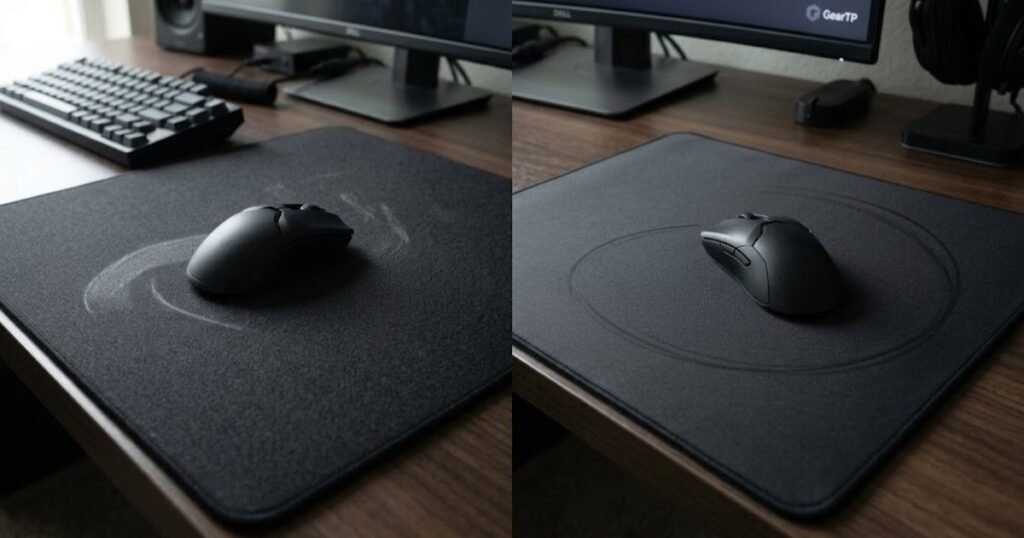
Neither surface type represents a universal performance advantage. They simply create different physical conditions for moving the mouse. The same player may even prefer different surface characteristics depending on the type of game or aiming task.
For a broader comparison of these surface categories, GearTP’s speed vs control mouse pads guide covers the overall differences between glide, stopping, and surface behavior. This section focuses specifically on what those differences mean during common mouse movements.
How Control and Speed Surfaces Differ During Flicks
Control surfaces generally make the stopping phase of a flick feel more deliberate, while speed surfaces make the initial movement and continued glide feel more effortless. The difference is most noticeable when the mouse needs to transition from a fast movement into a precise stopping point.
A flick is not just a fast swipe toward a target. It also involves controlling where the mouse finishes. With a control-oriented surface, the movement can feel more resistant as you settle the mouse. A speed surface provides less resistance, so the mouse can travel more freely during the same physical motion.
This creates two different movement experiences. Control emphasizes a more measured transition into the final position, while speed emphasizes freedom during the movement itself.
The practical difference during a flick can be summarized like this:
- Control surface: The movement can feel more deliberate as the mouse approaches and settles on the target.
- Speed surface: The mouse can feel more fluid during the initial swipe and continued movement.
- Player input: The player’s hand still determines the actual movement and stopping accuracy on either surface.
Control and speed therefore change the feel of the same flick rather than changing what a flick fundamentally is. A control surface emphasizes a more measured stopping experience, while a speed surface emphasizes freer movement throughout the swipe.
How Control and Speed Surfaces Differ During Tracking
Speed surfaces generally feel more fluid during continuous tracking, while control surfaces provide more resistance throughout the movement. This distinction matters when the mouse needs to keep moving smoothly instead of repeatedly stopping at a specific point.
Tracking requires the crosshair to follow a moving target while the player’s hand continuously adjusts the mouse position. Because the movement does not always have a clearly defined stopping point, some players may prefer the lighter movement sensation of a faster surface.
A control surface can still support tracking, but its more resistant feel may make continuous movement feel more deliberate. Whether that is helpful depends on how the player controls the mouse and how much physical resistance feels comfortable during repeated movement.
The important distinction is that tracking does not automatically require a speed pad. A player who prefers more resistance can still track effectively on a control surface. The surface simply changes the physical effort and movement sensation involved.
For continuous tracking, the difference is mainly about movement freedom versus resistance. Speed surfaces favor a lighter glide sensation, while control surfaces provide a more resistant movement experience.
How Control and Speed Surfaces Differ During Micro-Adjustments
Control surfaces tend to make micro-adjustments feel more deliberate, while speed surfaces allow small movements to happen with less resistance. This can make the two surface types feel noticeably different when the crosshair is already close to the intended position.
Micro-adjustments are small changes in mouse position rather than large movements across the pad. At this stage, the player is usually trying to refine an existing crosshair position rather than rapidly move toward a completely different location.
On a control surface, the added resistance can make these movements feel more measured. On a speed surface, the mouse can move more freely, which may make rapid corrections feel lighter but can also require more deliberate hand control from the player.
Neither behavior guarantees better micro-adjustments. The useful characteristic depends on whether the player prefers stronger physical feedback or a lighter movement sensation.
Micro-adjustments highlight the core difference between the two surface types. Control emphasizes a more deliberate movement feel, while speed emphasizes easier and freer mouse movement.
The following table summarizes how control and speed surfaces differ across the main movement behaviors discussed in this article:
| Movement | Control Surface | Speed Surface | Main Difference |
|---|---|---|---|
| Flicks | More deliberate movement when settling the mouse | Freer movement during the swipe | Stopping feel versus movement freedom |
| Tracking | More resistant continuous movement | More fluid continuous movement | Resistance versus glide |
| Micro-adjustments | More measured small movements | Lighter and freer small movements | Physical feedback versus freedom |
| Direction changes | More resistance during transitions | Less resistance during transitions | Deliberate movement versus quick repositioning |
Control and speed surfaces solve different movement preferences rather than representing two levels of the same performance scale. Control emphasizes a more deliberate and resistant experience, while speed emphasizes freer and more fluid movement. Understanding that distinction is more useful than choosing a surface simply because it is labeled faster or more controlled.
How Can You Tell If a Mouse Pad Is a Control Surface?
You can identify a control mouse pad by looking at how the manufacturer describes its surface behavior and by evaluating how the mouse moves across it. Terms such as control, stopping power, consistent glide, and surface resistance can provide useful clues, but “control” is not a universal technical rating shared by every mouse pad manufacturer.
This matters because product names alone do not always tell you exactly how a surface will feel. Two mouse pads can both be marketed toward controlled movement while having noticeably different textures, glide characteristics, and levels of resistance.
What Surface Characteristics Indicate More Control?
A surface generally indicates a stronger control focus when it provides noticeable resistance and makes mouse movement feel deliberate rather than extremely free-flowing. The goal is not simply to find the roughest or slowest surface, but to identify characteristics that support predictable movement.
Several surface characteristics can be observed when evaluating a control-oriented pad:
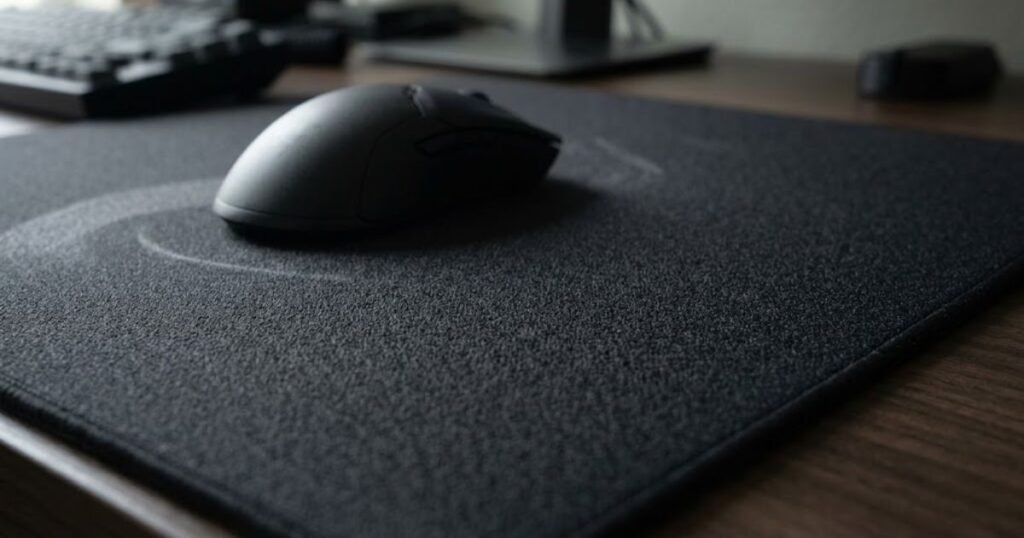
Look for these characteristics when evaluating a control-oriented surface:
- Higher resistance: The mouse encounters more opposition during movement than it would on a highly fast surface.
- Predictable glide: The mouse movement remains consistent instead of feeling excessively loose or difficult to regulate.
- Strong stopping feel: The surface provides noticeable resistance when you reduce mouse movement and settle into position.
- Controlled texture: The surface texture contributes to a deliberate movement sensation rather than prioritizing maximum glide.
- Consistent surface behavior: The pad maintains a relatively predictable feel across the areas where the mouse is normally used.
These characteristics are useful clues, but none of them should be treated as a universal measurement of control. The actual experience still depends on the complete mouse and pad combination, as well as how the individual player moves the mouse.
Why “Control” Is Not a Universal Technical Rating
“Control” is not a standardized technical rating that gives every mouse pad the same measurable level of resistance. Manufacturers can use the term to describe different surface designs and movement characteristics, so the label should be treated as a product description rather than a universal specification.
For example, ARTISAN’s official surface guide categorizes mouse pad surfaces using speed levels such as Low-Speed, Medium Speed, and High Speed, while also discussing characteristics related to stopping power. This illustrates why surface classification can involve multiple characteristics rather than one universal “control” number.
As a result, comparing two control pads requires more than checking whether both products use the word “control.” Their surface descriptions, intended movement characteristics, and actual interaction with your mouse can still differ.
The word “control” is therefore best used as a category for understanding surface behavior, not as a precise measurement. When comparing products, the specific surface description is more informative than the label alone.
How to Evaluate a Control Surface Before Choosing One
The most reliable way to evaluate a control surface is to compare its described characteristics with the movement experience you actually want. Start with the manufacturer’s surface description, then consider how the pad’s resistance and glide fit your mouse, sensitivity, and preferred movement style.
Use this process when evaluating whether a surface matches your definition of control:
- Read the surface description: Look for specific information about speed, resistance, stopping behavior, texture, or glide instead of relying only on the product name.
- Compare the intended movement: Consider whether the surface is designed around controlled movement, balanced glide, or unrestricted speed.
- Consider your mouse setup: Your mouse and skates interact directly with the pad, so the same surface can feel different across different setups.
- Match the surface to your sensitivity: Think about how much physical movement you normally make rather than choosing a surface based on sensitivity alone.
- Evaluate comfort over longer sessions: A surface can provide the desired level of control while still feeling too resistant for your preferred movement style.
This process helps separate the marketing label from the actual characteristics that matter. Instead of asking whether a pad is simply “control,” you can evaluate how its surface behavior matches the way you actually use your mouse.
Does a Control Mouse Pad Improve Aim?
A control mouse pad does not automatically improve aim, but its movement characteristics can suit players who prefer more deliberate and predictable mouse control. The pad changes the physical interaction between the mouse and surface, while aiming performance still depends on the player’s mechanics, settings, consistency, and familiarity with the setup.
A control surface can feel useful when its movement characteristics match the way a player naturally aims. If the player prefers more resistance and a deliberate movement feel, the surface may make the physical process of aiming feel easier to regulate.
However, switching to a control pad cannot compensate for inconsistent sensitivity, poor mouse control, or a lack of practice. A surface is one part of the complete aiming setup rather than an independent source of accuracy.
Can More Stopping Control Reduce Overshooting?
More stopping control can make it easier for some players to regulate the final part of a mouse movement, which may reduce the tendency to move past the intended position. This is particularly relevant when a player already has the correct movement pattern but wants a more resistant surface feel.
Overshooting is not caused by the mouse pad alone. It can result from sensitivity, movement technique, timing, muscle control, or simply unfamiliarity with the setup. A more resistant surface may change the physical feedback, but the player still has to control the movement.
This is why a control pad should not be presented as a guaranteed solution for overshooting. Its potential benefit comes from how its surface characteristics interact with the player’s existing technique.
A control surface may help a player feel more comfortable managing the end of a movement, but it does not remove the need for accurate mouse control.
Can a Control Surface Help With Aim Consistency?
A control surface can contribute to a consistent aiming setup when its movement characteristics feel predictable and comfortable to the player. Consistency comes from being able to reproduce similar mouse movements repeatedly, and the surface is one physical factor that can influence that experience.
A predictable surface can become part of a repeatable aiming setup when its movement characteristics match the player’s technique:
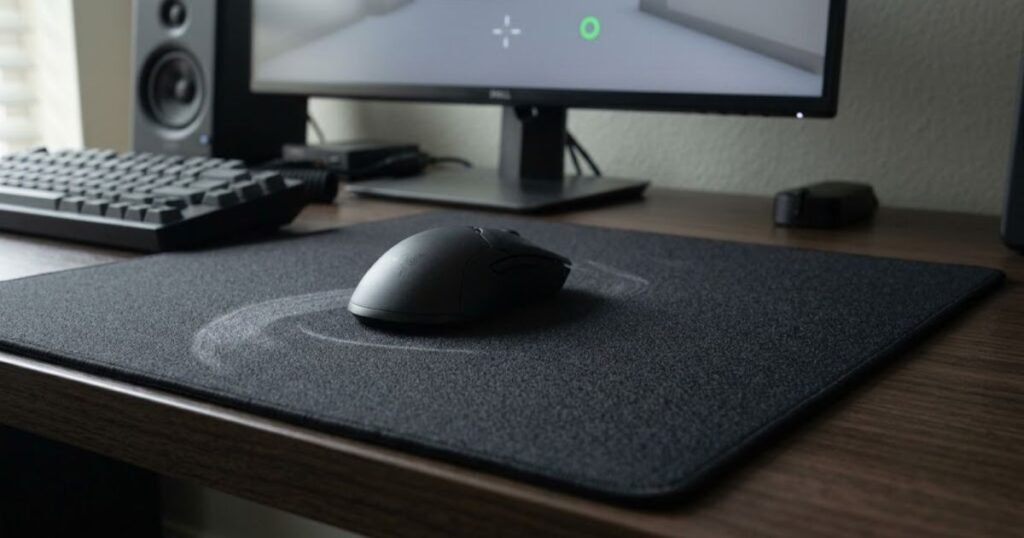
If the player becomes familiar with how the mouse moves across the pad, the surface can become a stable part of the aiming routine. That does not mean the pad itself creates consistency. Familiarity, technique, sensitivity, and repeated practice remain important.
GearTP’s article on mouse pad aim consistency examines how surface characteristics can influence repeatable aiming and movement consistency in greater detail.
The useful role of a control surface is therefore consistency of feel rather than a direct accuracy boost. A predictable surface can support a repeatable setup when its characteristics fit the player’s technique.
Why Personal Preference Still Matters
Personal preference matters because the same level of surface resistance can feel controlled to one player and restrictive to another. There is no single control level that guarantees the same aiming experience for every player.
Your preference can be influenced by several factors:
- Movement style: Players who use different combinations of arm and wrist movement can experience the same surface differently.
- Sensitivity: The amount of physical mouse movement required during gameplay affects how the surface feels over time.
- Game demands: Different games can place different demands on flicking, tracking, and continuous movement.
- Physical comfort: A surface that feels controlled during short tests may become tiring if it requires more effort during long sessions.
- Familiarity: Players often need time to adapt when changing to a surface with noticeably different movement characteristics.
The best control surface is therefore the one whose movement characteristics fit your own setup and habits. A pad does not need to provide the maximum possible resistance to be a useful control surface, and more control is not automatically more effective for every player.
Frequently Asked Questions About Control Mouse Pads
These questions cover the core definition, technical characteristics, and practical points readers are most likely to search for when trying to understand control mouse pads. The answers are kept concise so each question can stand on its own and provide a clear explanation.
What Is a Control Mouse Pad?
A control mouse pad is a mouse pad designed to provide a more deliberate and predictable mouse movement feel. Compared with a speed-oriented surface, it generally provides more resistance and emphasizes controlled movement and stopping.
What Does “Control” Mean on a Mouse Pad?
“Control” describes a mouse pad’s emphasis on predictable movement and stopping rather than maximum glide. It refers to how the surface feels when you move, slow down, and settle the mouse into position.
Is a Control Mouse Pad the Same as a Slow Mouse Pad?
No, a control mouse pad and a slow mouse pad are related but do not describe exactly the same characteristic. “Slow” primarily describes lower glide speed, while “control” focuses more on deliberate movement and stopping behavior.
Are Control Mouse Pads Good for FPS Games?
Control mouse pads can suit FPS players who prefer deliberate movement and predictable stopping. They can be particularly relevant to players who value precise crosshair placement and controlled mouse movements.
How Does a Control Mouse Pad Affect Mouse Movement?
A control mouse pad increases the resistance felt during mouse movement, which can make the mouse feel more deliberate when moving and stopping. The exact effect depends on the surface, mouse skates, sensitivity, and movement style.
Does a Control Mouse Pad Have More Friction?
Control-oriented mouse pads generally provide more resistance than faster surfaces. The friction between the mouse skates and pad contributes to how much resistance the player feels during movement.
Does a Control Mouse Pad Have More Stopping Power?
Control-oriented surfaces generally provide more stopping control than speed-oriented surfaces. This additional resistance can make it easier for some players to regulate the final part of a mouse movement.
Can Mouse Skates Change How a Control Mouse Pad Feels?
Yes, mouse skates can change how a control mouse pad feels. Because the skates directly contact the surface, differences in skate material, condition, and design can change the overall glide and resistance of the setup.
Why Do Control Mouse Pads Feel More Predictable?
Control mouse pads can feel more predictable because their resistance gives the player more physical feedback during mouse movement. This can make changes in speed and direction feel more deliberate, although the experience varies between surfaces and setups.
Does a Control Mouse Pad Improve Aim?
A control mouse pad does not automatically improve aim, but its movement characteristics can suit players who prefer more deliberate and predictable mouse control. Aiming performance still depends on factors such as technique, sensitivity, consistency, and familiarity with the setup.
Is a Control Mouse Pad Good for Low Sensitivity?
A control mouse pad can work well for low-sensitivity players when its resistance and available surface area are comfortable for their larger physical movements. Low sensitivity alone does not determine whether a control surface is the right choice.
How Do I Know If a Control Mouse Pad Is Right for Me?
A control mouse pad may be a good fit if you prefer predictable resistance, deliberate movement, and a controlled stopping feel. The most useful way to judge the fit is to consider your sensitivity, movement style, games, mouse setup, and long-session comfort together.
Thank you for reading, and we hope this guide helped you better understand what a control mouse pad is and whether it fits your gaming style.