
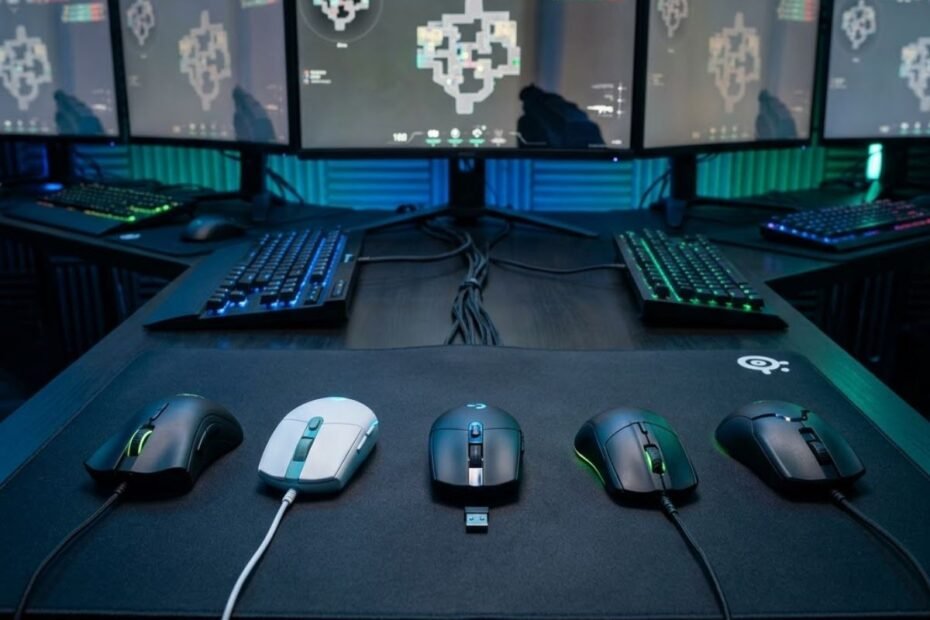
The best budget mouse for Valorant is a gaming mouse that gives you stable tracking, a comfortable shape, and reliable click response without forcing you to pay premium esports prices. For most budget-focused Valorant players, the safest starting point is a mouse that fits your hand and grip style before chasing extreme DPI numbers or flashy design.
Valorant rewards small crosshair corrections, calm pre-aim, controlled flicks, and repeatable movement more than raw speed. That means a cheaper mouse can still perform extremely well if the sensor is consistent, the shape does not fight your grip, and the weight feels manageable during long ranked sessions.
This guide focuses on affordable mice that make sense for real Valorant players, especially students, beginners, and budget-conscious FPS players who want better gear without wasting money. Instead of listing random cheap mice, each recommendation is matched to a specific use case so you can choose based on your actual playstyle.
What Is the Best Budget Mouse for Valorant Right Now?
A strong budget mouse for Valorant is a low-cost gaming mouse that helps players aim consistently through reliable tracking, comfortable control, and practical value. The best overall choice for most players is the Logitech G305 because it offers wireless freedom, dependable performance, and a price that usually fits the budget category.
The right answer still depends on what kind of player you are. A low-sensitivity player may care more about wireless freedom and stable control, while a fast flick player may prefer a lighter wired mouse. A player with smaller hands may also need a compact shape instead of the most popular model overall.
That is why this article separates the recommendations by scenario instead of forcing one mouse to fit everyone. The goal is not to crown the most expensive or most hyped product, but to find the option that gives you the clearest value for Valorant.
The table below gives a quick recommendation for each type of budget Valorant player:
| Player Need | Recommended Mouse | Best Reason to Choose It |
|---|---|---|
| Best Overall Budget Pick | Logitech G305 | Reliable wireless value for most Valorant players |
| Best Under $20 | SteelSeries Rival 3 | Very low entry price with a trusted gaming brand |
| Best Lightweight Budget Pick | Razer Cobra | Lightweight wired control for fast aim adjustments |
| Best Budget Wireless Alternative | ATK VXE Dragonfly R1 SE+ | Modern wireless features at a budget-friendly price |
| Best for Small Hands | Logitech G203 LIGHTSYNC | Compact wired shape for easier fingertip and claw control |
For most players, the Logitech G305 is the safest first recommendation because it balances price, wireless convenience, and long-term familiarity. However, players who care more about low weight, wired consistency, or smaller shell size may get better results from another option in the list.
In summary, the best budget mouse for Valorant is not simply the cheapest mouse available. It is the mouse that gives you the strongest mix of control, comfort, and price for your specific way of aiming.
How We Evaluated Budget Gaming Mice for Valorant
A good Valorant mouse evaluation is a practical testing framework that helps separate real FPS value from marketing claims. For budget mice, the most important factors are sensor consistency, shape comfort, weight control, click reliability, and price-to-performance value.
Valorant is not a game where every player needs the highest DPI or the most expensive esports mouse. Most players benefit more from stable tracking, a predictable shape, and a mouse that stays comfortable during repeated aim duels. This is especially important when you are playing ranked matches for several hours.
Budget mice also need stricter evaluation because low prices can hide trade-offs. Some models save money by using older shapes, heavier builds, basic cables, or simpler materials. Those trade-offs are not always bad, but they should match the type of Valorant player buying the mouse.
The table below explains the main factors used to evaluate each budget gaming mouse for Valorant:
| Evaluation Factor | Why It Matters in Valorant | What to Look For |
|---|---|---|
| Sensor Consistency | Helps maintain accurate tracking during flicks and micro-adjustments | Stable tracking without obvious spinouts or smoothing issues |
| Mouse Shape | Helps your hand stay relaxed and repeat the same aim movement | A shell that fits your grip style and hand size |
| Weight | Helps control how fast and easily you move the mouse | Light enough for quick corrections but not unstable |
| Click Feel | Helps with tapping, bursting, and precise shooting rhythm | Consistent primary clicks without a loose or mushy feel |
| Connection Type | Helps determine cable freedom, desk comfort, and convenience | Reliable wired or wireless performance for long sessions |
| Price Value | Helps avoid overspending on features that do not improve aim | A clear performance reason for every dollar spent |
For Valorant, shape and control usually matter more than extreme technical numbers. A comfortable mouse helps you repeat the same crosshair movement under pressure, while a poor shape can make your aim feel inconsistent even when the sensor is technically capable.
The evaluation process becomes easier to understand when comparing the factors shown below:
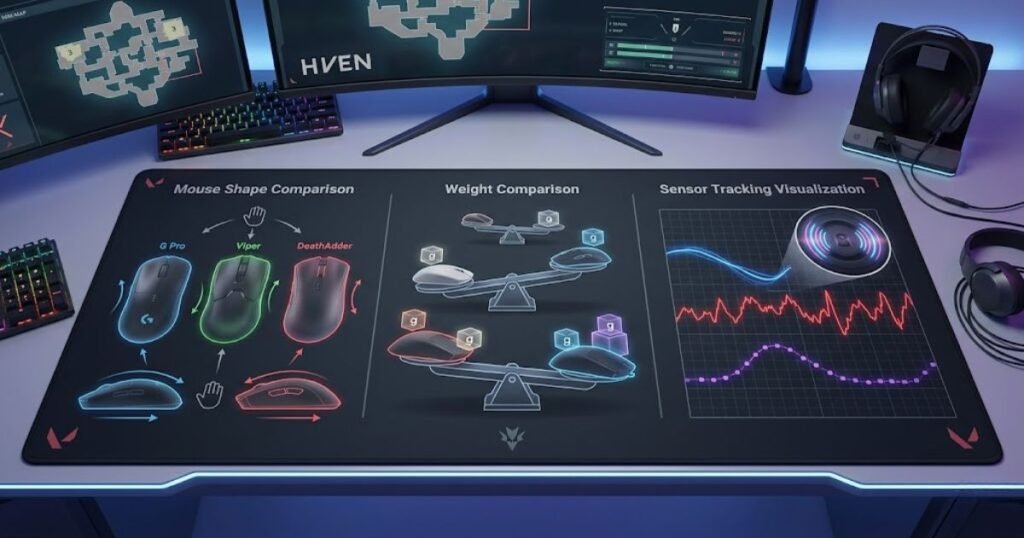
In summary, evaluating budget mice through real Valorant use cases makes the recommendations more useful than a simple spec list. The best options are the ones that help players aim comfortably, spend wisely, and avoid paying for features they do not need.
Best Budget Gaming Mice for Valorant Compared
A budget gaming mouse comparison is a side-by-side breakdown that helps Valorant players choose the right mouse based on price, connection type, weight feel, and best-use scenario. This section helps reduce confusion before going into the individual product recommendations.
The five mice below were selected because they match the budget-focused intent of this guide. They are not the most premium gaming mice on the market, and that is the point. Each one offers a clear reason to consider it if your main goal is better Valorant performance without overspending.
The comparison also keeps premium esports mice out of the main list. A mouse like a flagship wireless model may be excellent, but it does not satisfy the search intent of someone looking for the best budget mouse for Valorant.
The table below compares the selected budget mice for Valorant by use case and practical buying reason:
| Mouse | Connection | Approximate Budget Position | Best For | Main Trade-Off |
|---|---|---|---|---|
| Logitech G305 | Wireless | Under $30 range | Most budget Valorant players | Heavier than many modern lightweight mice |
| SteelSeries Rival 3 | Wired | Under $20 range | Lowest-cost reliable starting point | Less modern than newer lightweight options |
| Razer Cobra | Wired | Under $30 range | Players who want a lighter wired mouse | Not wireless |
| ATK VXE Dragonfly R1 SE+ | Wireless | Under $30 range | Players wanting modern wireless value | Less established brand trust than Logitech or Razer |
| Logitech G203 LIGHTSYNC | Wired | Under $30 range | Small hands and compact grip control | Basic wired design compared with newer models |
The SteelSeries Rival 3 is the most aggressive budget pick for players who simply want a working gaming mouse from a recognizable brand at the lowest possible price. The Logitech G203 makes more sense for players who prefer a smaller wired mouse and do not need wireless convenience.
In summary, this comparison narrows the article to five mice that match the real buying intent behind the keyword. The next sections explain why each one fits a specific Valorant player instead of treating every budget mouse as the same kind of recommendation.
Why Logitech G305 Is the Best Overall Budget Mouse for Valorant
The Logitech G305 is a budget wireless gaming mouse that helps Valorant players achieve reliable aim performance through consistent tracking, dependable wireless technology, and strong long-term value. For most players searching for the best budget mouse for Valorant, it remains the safest overall recommendation because it balances performance, familiarity, and affordability better than most competitors.
The image below shows the Logitech G305 in a typical competitive FPS gaming environment:
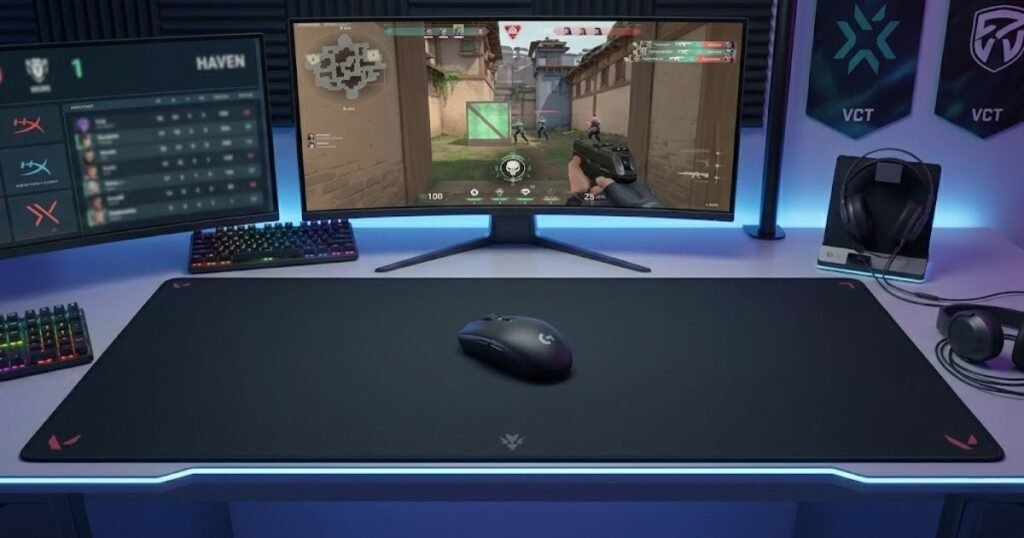
One reason the G305 continues to stay relevant is that it focuses on the fundamentals that actually matter in Valorant. Tactical shooters reward consistency more than flashy features. A player benefits far more from predictable tracking and comfortable control than from extreme DPI numbers or unnecessary RGB effects.
The mouse also appeals to a wide range of players because its shape is easy to adapt to. Whether someone is transitioning from an office mouse or upgrading from an entry-level gaming mouse, the learning curve is relatively small compared to many aggressive esports-focused shapes.
The strengths below explain why many Valorant players still choose the Logitech G305:
- Reliable Wireless Performance: LIGHTSPEED wireless technology provides responsive performance without the cable drag that can interfere with low-sensitivity aiming.
- Trusted Sensor Performance: The HERO sensor delivers stable tracking for flick shots, crosshair placement, and micro-adjustments.
- Strong Value Proposition: Players gain wireless convenience without paying the premium pricing normally associated with competitive wireless mice.
- Widely Proven Platform: The G305 has been recommended by FPS players for years, reducing the uncertainty that often comes with lesser-known alternatives.
These strengths make the G305 one of the most balanced options available within the budget category.
Many budget mice force players to compromise heavily on either tracking quality or overall reliability. The G305 avoids that problem by delivering a complete package rather than excelling in only one area. For Valorant players who simply want a dependable mouse that works well in most situations, that balance is extremely valuable.
The mouse is particularly attractive for players building their first serious FPS setup. Instead of worrying about whether the hardware is limiting performance, players can focus on improving mechanics, positioning, and game sense.
The Logitech G305 remains one of the safest budget gaming mouse recommendations for Valorant players who want reliable wireless performance at a highly affordable price:
The Logitech G305 remains one of the safest budget gaming mouse recommendations for Valorant players who want reliable wireless performance at a highly affordable price:
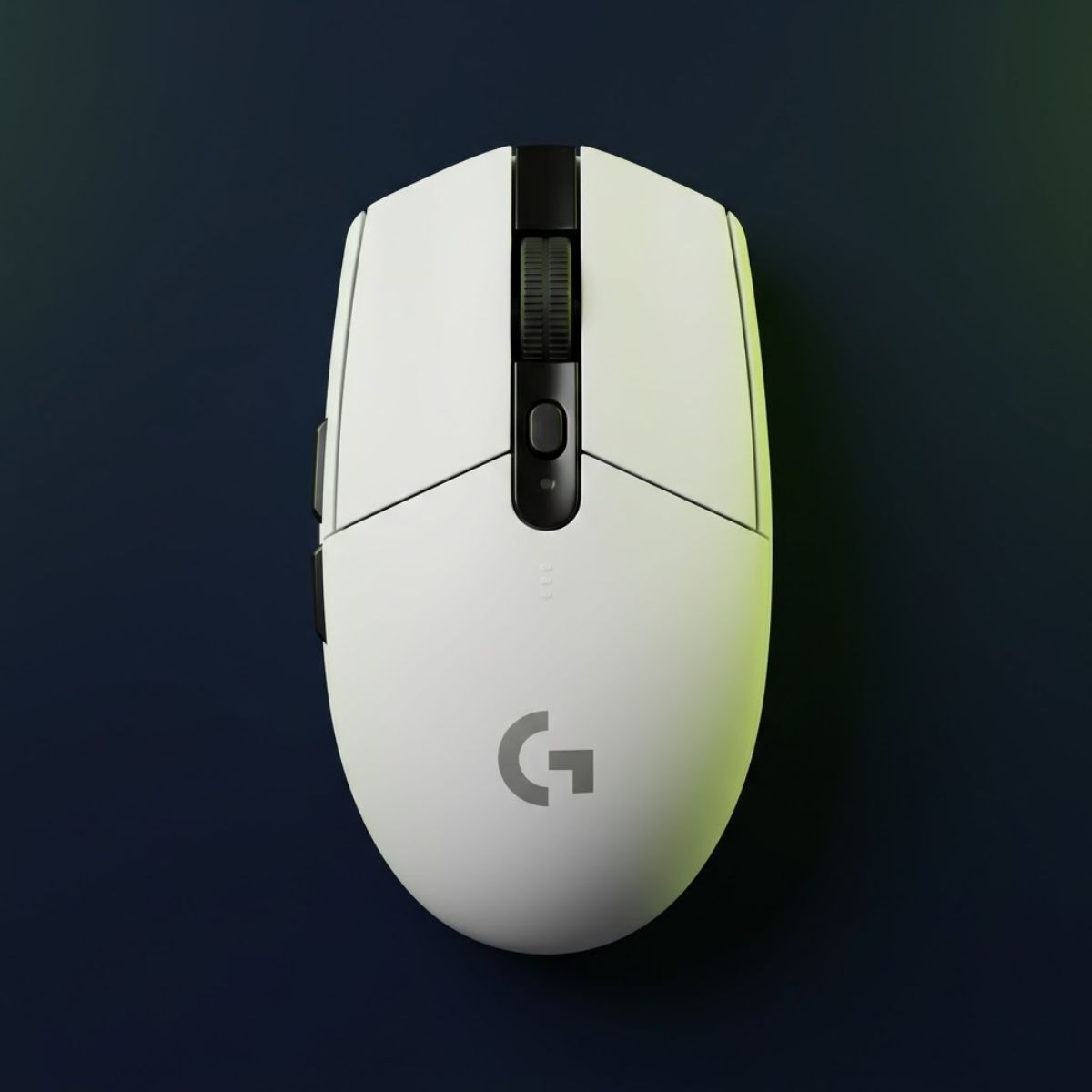
Logitech G305 Lightspeed Wireless Gaming Mouse
A reliable wireless budget mouse for Valorant players who want stable tracking, proven performance, and strong value without spending premium-level money.
- Best for: Most budget Valorant players.
- Connection: Wireless.
- Sensor: HERO Sensor.
- Main strength: Reliable LIGHTSPEED wireless performance.
- Main trade-off: Heavier than many modern ultralight mice.
The limitations below are important to understand before purchasing:
- Heavier Weight: The battery-powered design makes the mouse heavier than many modern ultralight gaming mice.
- Older Design Philosophy: Newer lightweight models may feel more agile during extremely fast flick-heavy gameplay.
- Not Shape-Specific: While versatile, it may not feel as optimized as certain mice built specifically for claw or fingertip grip users.
These limitations are relatively minor for most budget-focused players but should still be considered before making a final decision.
Which Valorant Players Benefit Most from the Logitech G305?
The Logitech G305 is best suited for Valorant players who want dependable wireless performance, proven reliability, and strong value without spending premium-level money.
Players who prioritize consistency often benefit the most from the G305. The shape is approachable, the sensor performance is trustworthy, and the wireless implementation removes cable-related distractions during gameplay. This combination makes it particularly appealing for players who value stability over experimentation.
It is also a practical option for students and budget-conscious players who want one mouse that can handle both competitive gaming and everyday computer use. Instead of paying extra for niche esports features, they receive a product that performs well across multiple scenarios.
Players looking for additional affordable recommendations may also want to explore our guide to the best gaming mouse under $30, especially if minimizing cost is the highest priority.
In summary, the G305 works best for players seeking a safe, proven, and versatile budget mouse rather than an aggressively specialized esports design.
What Limitations Should You Know Before Buying the Logitech G305?
The biggest limitation of the Logitech G305 is its weight, which may feel less agile than many newer lightweight gaming mice designed specifically for competitive FPS players.
Modern mouse trends increasingly favor lighter designs because they reduce the effort required for repeated flicks and rapid directional changes. While the G305 remains fully capable for Valorant, some players immediately notice the difference when comparing it directly against ultralight alternatives.
The shape can also be considered conservative. Rather than targeting a specific grip style aggressively, it attempts to accommodate a broad audience. This versatility is helpful for many users but may feel less optimized for players with highly specific preferences.
Despite these limitations, the G305 remains one of the strongest overall value choices because its weaknesses rarely outweigh its reliability and affordability advantages.
In summary, the G305 may not be the lightest or most specialized option available, but it continues to deliver one of the most dependable experiences in the budget gaming mouse category.
Why SteelSeries Rival 3 Is the Best Budget Mouse Under $20
The SteelSeries Rival 3 is an entry-level gaming mouse that helps Valorant players access dependable FPS performance at one of the lowest price points available from a major gaming brand. For players whose primary goal is minimizing cost while still avoiding low-quality hardware, it represents one of the strongest budget options on the market.
The challenge with extremely cheap gaming mice is that many sacrifice fundamental performance in order to reach a lower price. The Rival 3 succeeds because it focuses on delivering a solid foundation instead of trying to compete with premium products through exaggerated marketing claims.
For new Valorant players, this approach can actually be beneficial. Rather than paying for advanced features that may never be fully utilized, they receive a mouse capable of handling competitive play while staying within a very limited budget.
The strengths below explain why the SteelSeries Rival 3 remains a popular low-cost recommendation:
- Extremely Affordable Entry Point: It provides access to a recognized gaming brand without requiring a large investment.
- Dependable FPS Performance: The mouse delivers sufficient tracking quality for the vast majority of Valorant players.
- Comfortable General-Purpose Shape: The design works reasonably well across multiple grip styles.
- Low Financial Risk: Players can upgrade later without feeling that they overspent on their first gaming mouse.
These advantages make the Rival 3 particularly appealing for beginners and budget-restricted players.
Price matters because many players entering Valorant are still discovering their preferred sensitivity, grip style, and aiming habits. Spending heavily before understanding those preferences often creates unnecessary risk. The Rival 3 allows players to learn what they like before committing to more specialized hardware.
Another benefit is accessibility. The mouse is frequently available at a price point that feels achievable for students and younger players who may not have the budget for premium peripherals.
Players looking for the lowest possible entry price should consider the SteelSeries Rival 3 before exploring more expensive alternatives:
Players looking for the lowest possible entry price should consider the SteelSeries Rival 3 before exploring more expensive alternatives:
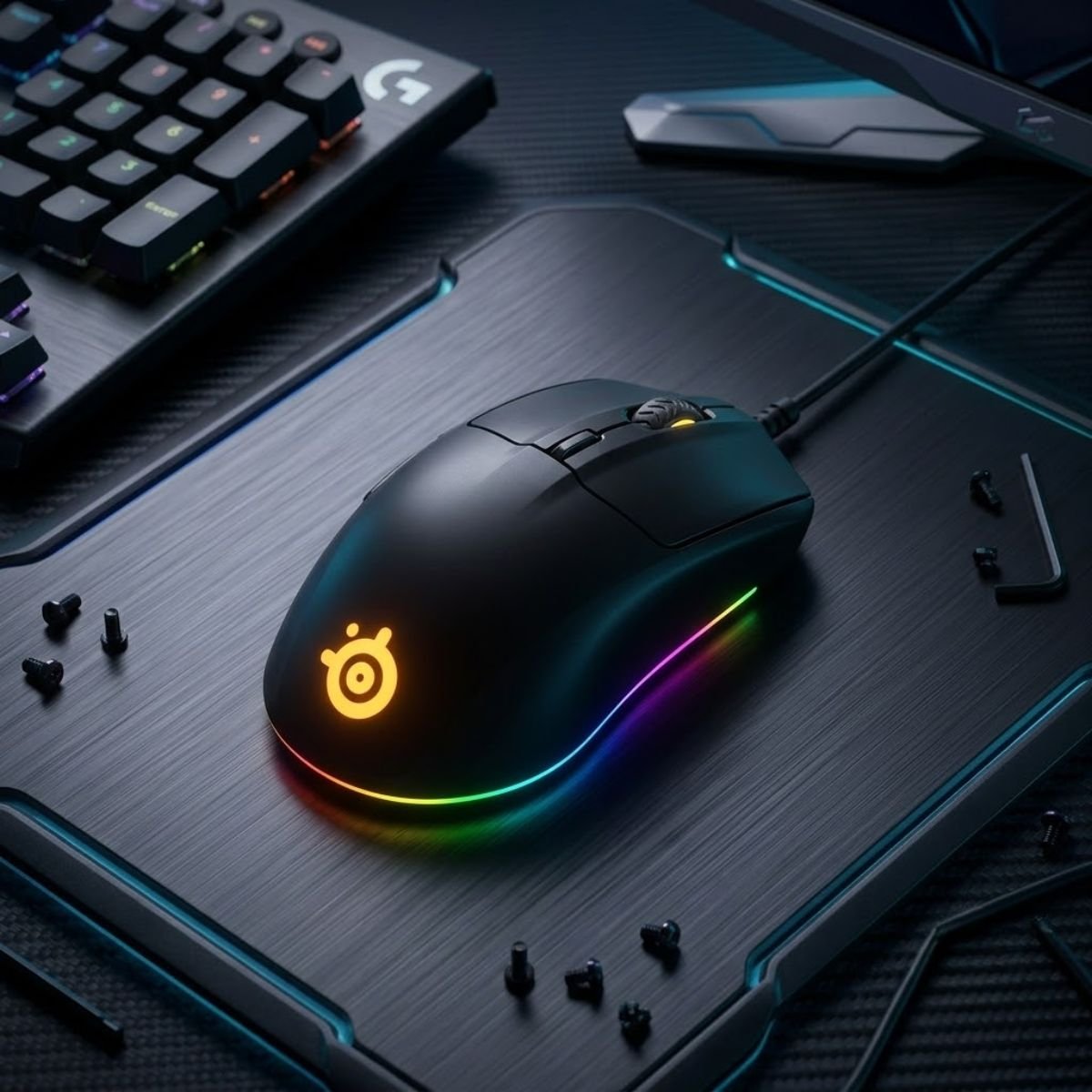
SteelSeries Rival 3 Gaming Mouse
A very affordable wired gaming mouse for Valorant players who want dependable FPS performance from a trusted gaming brand while keeping costs as low as possible.
- Best for: Beginners and lowest-budget Valorant players.
- Connection: Wired.
- Sensor: TrueMove Core Sensor.
- Main strength: Extremely affordable entry price.
- Main trade-off: Less modern than newer lightweight options.
The limitations below should be considered before choosing the Rival 3:
- Fewer Premium Features: It does not offer the advanced technologies found in higher-priced gaming mice.
- Less Competitive Advantage Potential: Serious competitive players may eventually prefer lighter or more specialized options.
- Basic Value-Focused Design: The mouse prioritizes affordability over innovation.
These trade-offs are expected at this price point and do not significantly reduce the mouse’s overall value proposition.
Why the Rival 3 Offers Exceptional Value at Its Price
The Rival 3 offers exceptional value because it focuses spending on the features that directly affect gameplay while avoiding unnecessary cost increases.
Many budget players do not need premium wireless technology, exotic materials, or advanced customization systems. What they need is a mouse that tracks reliably, feels comfortable, and remains dependable over time. The Rival 3 delivers that experience at a price that few competitors can consistently match.
Because of this balance, the mouse often serves as an ideal first upgrade from a generic office mouse or bundled gaming accessory.
In summary, the Rival 3 succeeds by delivering practical gaming performance where it matters most instead of chasing premium specifications.
Who Should Consider Spending More Than the Rival 3?
Players who already know their preferred grip style, sensitivity range, and competitive goals may benefit from investing slightly more in a mouse tailored to their specific needs.
For example, players seeking lighter weight, wireless freedom, or highly specialized shapes may find greater long-term satisfaction in other budget recommendations discussed later in this guide. Those features are not mandatory for success in Valorant, but they can improve comfort and personal preference.
The decision ultimately depends on whether a player values maximum affordability or greater hardware refinement.
In summary, the Rival 3 is ideal for minimizing cost, while more experienced players may prefer to spend slightly more for features that better match their individual playstyle.
Why the Razer Cobra Is the Best Lightweight Budget Mouse for Valorant
The Razer Cobra is a lightweight wired gaming mouse that helps Valorant players make faster flicks, cleaner micro-adjustments, and smoother target corrections without moving into premium pricing. It fits players who want a lighter feel than traditional budget mice but still prefer the simplicity and stability of a wired connection.
A lightweight mouse design can significantly change how quick aim adjustments feel:
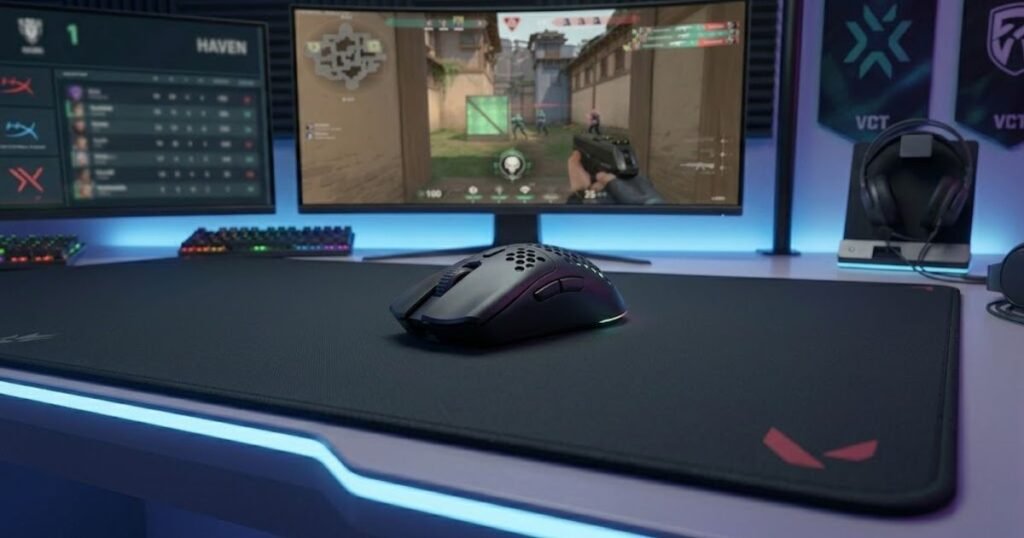
Weight matters in Valorant because many gunfights are decided by small hand corrections rather than long tracking movements. A lighter mouse can make those corrections feel easier, especially when you need to adjust from head height to a slightly off-angle enemy quickly.
The Cobra also makes sense for players who do not want to manage charging, batteries, or wireless settings. Its wired design keeps the setup simple, while its lighter shell gives it a more modern FPS feel than many older budget mice.
The strengths below explain why the Razer Cobra stands out as a lightweight budget option for Valorant:
- Lightweight Control: The lighter body helps reduce hand fatigue during repeated flicks and small aim corrections.
- Wired Simplicity: The wired connection removes battery concerns and keeps the setup straightforward for daily ranked play.
- Modern Razer Shape: The compact symmetrical design works well for many claw and fingertip players.
- Budget-Friendly Performance: It offers a more competitive lightweight feel without reaching premium esports mouse prices.
These strengths make the Razer Cobra a strong choice for players who care more about fast handling than wireless convenience.
The Cobra is especially useful for players who feel that heavier budget mice slow down their crosshair corrections. In Valorant, this can affect how quickly you recover after a missed first shot or how comfortably you clear multiple angles in one round.
It is also a practical option for players who keep their setup simple. If you want a mouse that feels quick, stays plugged in, and does not require battery management, the Cobra fits that use case clearly.
The Razer Cobra delivers an ultralight-focused experience without pushing beyond the typical budget gaming mouse price range:
The Razer Cobra delivers an ultralight-focused experience without pushing beyond the typical budget gaming mouse price range:
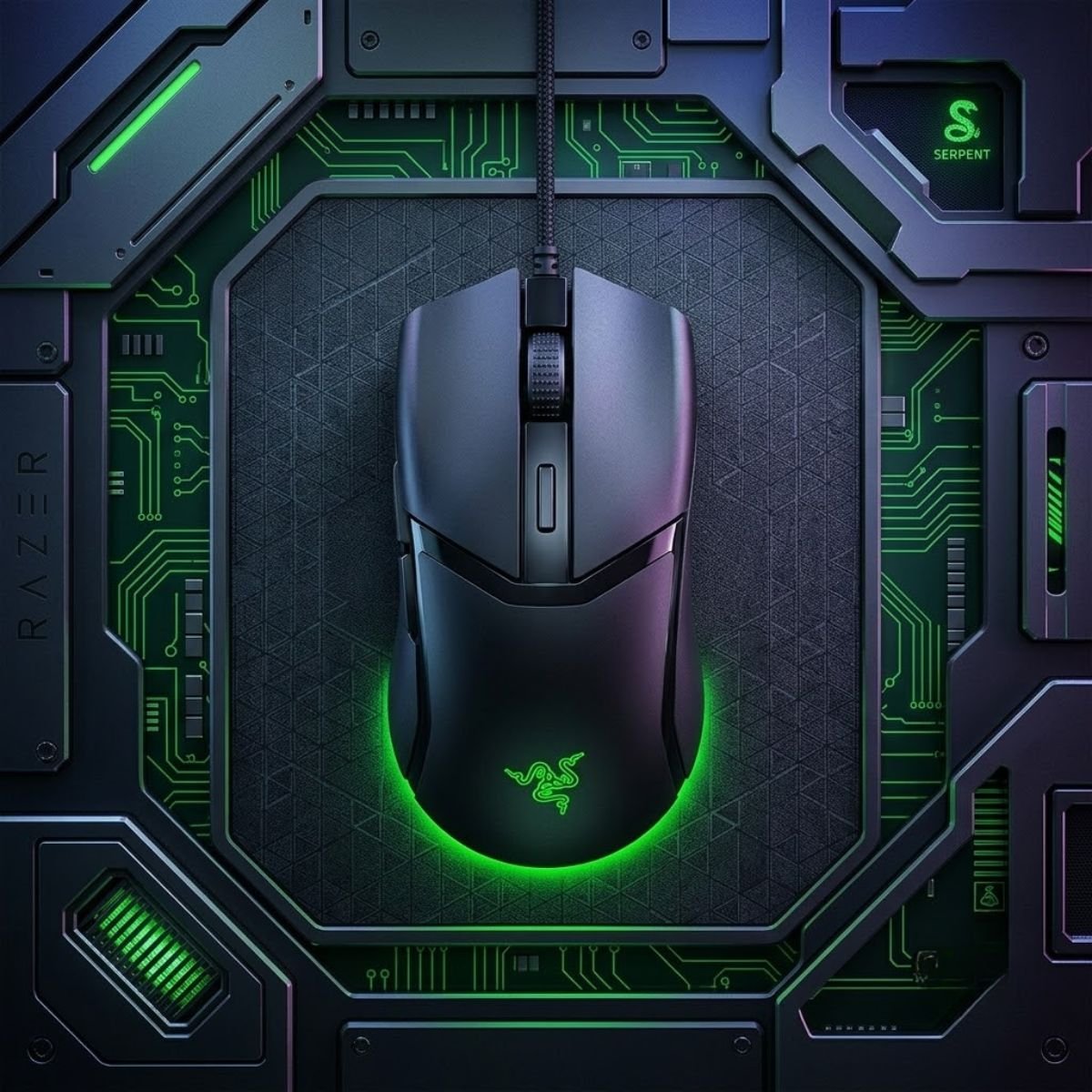
Razer Cobra Wired Gaming Mouse
A lightweight wired gaming mouse built for Valorant players who want faster flicks, cleaner micro-adjustments, and a more agile aiming experience without spending premium-level money.
- Best for: Claw grip and fingertip grip players.
- Connection: Wired.
- Weight: Approximately 58g lightweight design.
- Main strength: Fast handling and effortless micro-adjustments.
- Main trade-off: Less suitable for larger palm grip users.
The limitations below explain when the Razer Cobra may not be the best fit:
- No Wireless Freedom: Players who strongly dislike cable movement may prefer a budget wireless alternative.
- Compact Feel: Larger hands may find the shell less supportive for palm grip.
- Less Ideal for Heavy Control Preference: Players who like more weight for stopping power may prefer a heavier mouse.
These drawbacks do not make the Cobra weak, but they define the type of player who should choose it.
How Lower Mouse Weight Affects Valorant Aim Performance
Lower mouse weight is a performance factor that helps Valorant players move the mouse with less physical effort during flicks, corrections, and repeated angle checks. This can make fast aim transitions feel easier, especially for players who use claw or fingertip grip.
In Valorant, lighter weight does not automatically mean better aim. A mouse that is too light for your control style can make stopping harder, especially if you already use high sensitivity. The real benefit appears when the weight matches your sensitivity and aiming rhythm.
Players who use lower sensitivity often notice the advantage more clearly because they move the mouse across a larger area. A lighter shell can reduce fatigue during long sessions while still allowing quick corrections after the first shot.
If you are comparing lighter options across different FPS games, our guide to the best cheap gaming mouse for fps can help you understand which budget mice make sense beyond Valorant alone.
In summary, lower weight helps most when it supports your existing aim style instead of forcing you to change how you control the mouse.
Is the Razer Cobra a Good Choice for Every Grip Style?
The Razer Cobra is not ideal for every grip style, but it helps claw and fingertip players who want a compact mouse with quick handling and easy lift control. Palm grip users with larger hands may need a fuller shape for better long-term comfort.
Claw grip players may appreciate the Cobra because the smaller body makes it easier to control with finger pressure. Fingertip players may also benefit from the lighter weight because the mouse responds quickly to small directional inputs.
Palm grip players should be more careful. If your hand needs more rear support, the Cobra may feel too small or too low during longer sessions. In that case, a larger ergonomic budget mouse may feel more stable.
In summary, the Cobra is strongest for players who want a compact, fast, lightweight mouse rather than a large comfort-focused shell.
Why the ATK VXE Dragonfly R1 SE+ Is the Best Budget Wireless Alternative
The ATK VXE Dragonfly R1 SE+ is a modern budget wireless mouse that helps Valorant players access lightweight wireless performance, updated sensor technology, and flexible connectivity at a low price. It is best for players who want a more current wireless feel than older budget options without paying flagship prices.
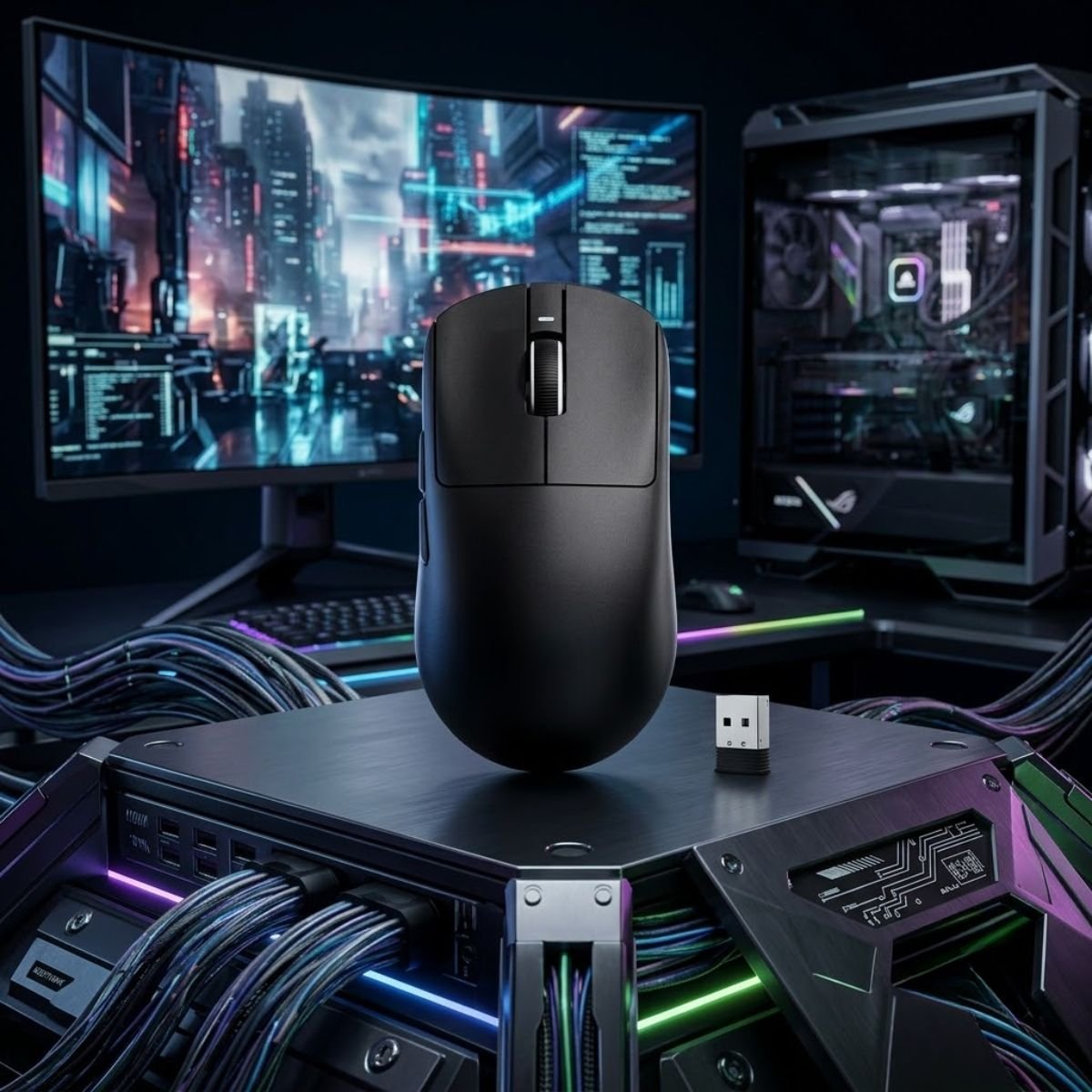
The image below highlights the type of lightweight wireless design many budget-conscious players now prefer:
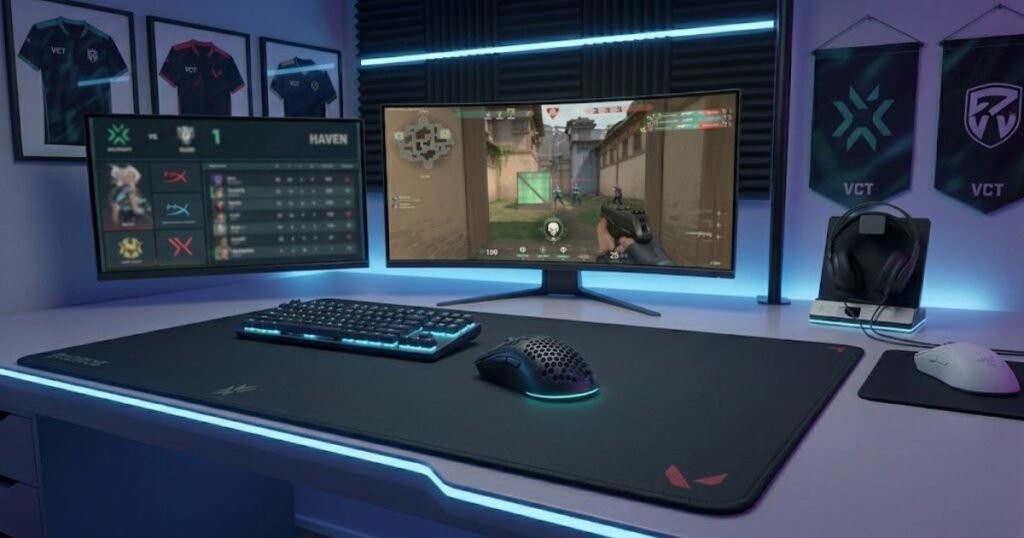
The main appeal of the Dragonfly R1 SE+ is that it brings modern enthusiast-style features into the budget category. Instead of feeling like a basic entry-level mouse, it targets players who want wireless freedom, low weight, and a more performance-focused design.
That makes it a different recommendation from the Logitech G305. The G305 wins on long-term brand trust and proven reliability, while the Dragonfly R1 SE+ is more attractive to players who want newer specs and a lighter feel for the money.
The strengths below explain why the ATK VXE Dragonfly R1 SE+ is a strong budget wireless alternative:
- Modern Wireless Value: It offers wireless convenience without moving into premium mouse pricing.
- Lightweight Build: The lighter body supports quicker adjustments and less fatigue during long Valorant sessions.
- Flexible Connectivity: Multiple connection modes make it easier to use across different setups.
- Performance-Focused Positioning: It targets players who want newer features rather than a traditional entry-level design.
These strengths make the Dragonfly R1 SE+ a good choice for players who want maximum feature value from a budget wireless mouse.
For Valorant, the key benefit is freedom of movement. Cable drag can be distracting for low-sensitivity players who swipe more often, especially during wide angle clears or fast repositioning. A wireless mouse removes that friction and makes the desk setup feel cleaner.
The trade-off is trust. Newer value-focused brands can offer excellent specifications, but some players may still prefer the familiarity and support history of larger brands like Logitech, Razer, or SteelSeries. That is why this mouse is positioned as the best wireless alternative rather than the safest overall pick.
For players seeking modern wireless features at a budget-friendly price, the ATK VXE Dragonfly R1 SE+ offers impressive value:
For players seeking modern wireless features at a budget-friendly price, the ATK VXE Dragonfly R1 SE+ offers impressive value:
ATK VXE Dragonfly R1 SE+ Wireless Gaming Mouse
A modern budget wireless gaming mouse that combines lightweight construction, strong wireless value, and competitive FPS-focused features for players who want more than a traditional entry-level mouse.
- Best for: Budget-conscious wireless FPS players.
- Connection: Wireless.
- Weight: Approximately 55g lightweight design.
- Main strength: Modern wireless performance at a budget price.
- Main trade-off: Less established reputation than major gaming brands.
The limitations below explain when the Dragonfly R1 SE+ may not be the safest choice:
- Lower Brand Familiarity: Some buyers may feel less confident compared with established mainstream gaming brands.
- Feature-Heavy Appeal: Players who only want a simple plug-and-play mouse may not need all of its flexibility.
- Long-Term Trust Gap: It may not have the same long-standing reputation as older budget favorites.
These limitations do not remove its value, but they make it a better fit for players comfortable trying newer budget-focused hardware.
What Makes the Dragonfly R1 SE+ Different from Traditional Budget Mice?
The Dragonfly R1 SE+ is different from traditional budget mice because it helps players access modern wireless, lightweight construction, and performance-oriented features at a price normally associated with simpler entry-level products.
Many older budget mice were built around compromise. They offered acceptable performance but often felt heavier, more basic, or less refined than premium options. The Dragonfly R1 SE+ tries to close that gap by offering a more modern package at a lower price.
This difference matters most for players who already understand what they want from a mouse. If you know you prefer wireless, lighter weight, and a modern FPS shape, this model may feel more exciting than safer legacy options.
In summary, the Dragonfly R1 SE+ stands out because it brings newer wireless expectations into the budget category instead of behaving like a basic starter mouse.
Who Should Choose This Mouse Over the Logitech G305?
The Dragonfly R1 SE+ is a better choice than the Logitech G305 for Valorant players who prioritize lower weight, newer wireless features, and a more modern FPS feel over long-established brand trust.
If the G305 feels too heavy or too traditional, the Dragonfly R1 SE+ may be more appealing. It targets players who want the freedom of wireless without accepting the older weight profile that comes with a battery-based design.
However, players who value proven reliability above all else may still prefer the G305. The choice depends on whether you want the safest recommendation or the more feature-forward budget wireless alternative.
In summary, choose the Dragonfly R1 SE+ if you want a newer, lighter wireless experience, and choose the G305 if long-term trust is your highest priority.
Why the Logitech G203 Remains a Strong Choice for Small Hands
The Logitech G203 LIGHTSYNC is a compact gaming mouse that helps Valorant players with smaller hands maintain better control, cleaner grip positioning, and more consistent mouse movement. While newer budget mice often focus on lower weight or wireless technology, the G203 continues to succeed because its size naturally fits a large group of players who struggle with larger mouse shells.
Many players assume performance problems come from sensors, DPI settings, or sensitivity values when the real issue is mouse size. A mouse that feels too large can make aiming less comfortable because the hand must constantly adjust its position to maintain control. Over time, this can create inconsistency during flicks and target transitions.
The G203 solves this problem by offering a compact shape that feels easier to control for players with smaller hands. Instead of fighting the mouse, players can focus on crosshair placement, positioning, and gunplay decisions.
The strengths below explain why the Logitech G203 remains a popular choice for smaller-handed Valorant players:
- Compact Shape: Helps smaller hands maintain comfortable control without excessive stretching.
- Easy Lift Control: The smaller shell is easier to reposition during low-sensitivity gameplay.
- Familiar Design: Many FPS players adapt to the shape quickly because it follows a traditional symmetrical layout.
- Affordable Entry Point: Provides dependable FPS performance without requiring a large budget.
These strengths make the G203 particularly appealing to players who value control and comfort more than advanced features.
The mouse also works well as a first gaming mouse because its shape is relatively easy to understand. Players can spend less time adapting to unusual ergonomics and more time developing aim fundamentals.
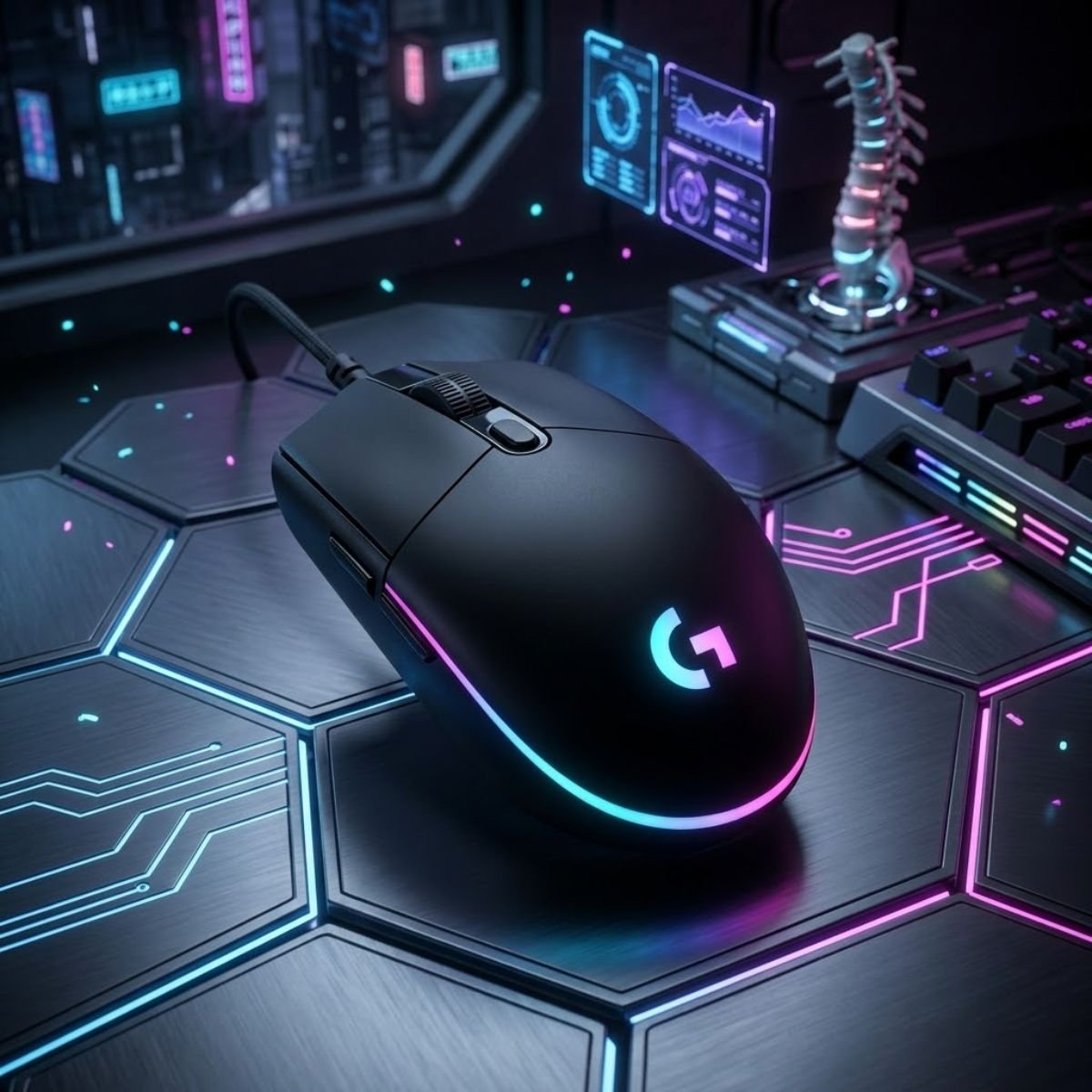
For players with smaller hands who want an affordable FPS-focused mouse, the Logitech G203 remains a practical recommendation:
For players with smaller hands who want an affordable FPS-focused mouse, the Logitech G203 remains a practical recommendation:
Logitech G203 LIGHTSYNC Gaming Mouse
A compact and affordable gaming mouse that helps Valorant players with smaller hands maintain better control, cleaner grip positioning, and more consistent aiming performance.
- Best for: Small hands and compact grip styles.
- Connection: Wired.
- Sensor: Gaming-grade optical sensor.
- Main strength: Compact shape that is easy to control.
- Main trade-off: Less suitable for larger palm grip users.
The limitations below explain when the G203 may not be the ideal option:
- Not Wireless: Players seeking cable-free movement may prefer a wireless alternative.
- Not Ultralight: Newer lightweight mice may feel faster during rapid directional changes.
- Limited Hand Size Range: Larger hands may find the shell too compact for extended use.
These limitations mainly affect players whose preferences fall outside the compact-mouse category.
Why Mouse Size Matters More Than Many Players Realize
Mouse size is a physical factor that helps determine how naturally a player can control aiming movements. For Valorant, a shape that fits the hand properly often contributes more to long-term consistency than chasing higher-end specifications.
When a mouse is too large, players may struggle to reposition it efficiently. Small adjustments become less comfortable, and maintaining a repeatable grip becomes more difficult. These issues can affect aim even if the sensor itself performs perfectly.
A properly sized mouse allows the hand to stay relaxed while maintaining control. This reduces unnecessary movement and helps players focus on precision rather than compensating for an awkward shape.
In summary, mouse size directly influences comfort, consistency, and control, making it one of the most important factors when selecting a budget Valorant mouse.
When Should You Avoid Smaller Mouse Shapes?
Smaller mouse shapes are less suitable for players with large hands who rely heavily on palm grip for comfort and stability. In these situations, a compact shell may feel cramped and require more effort to maintain control.
Players who prefer resting their entire hand on the mouse often benefit from larger shapes that provide greater support. A compact design may force the fingers into uncomfortable positions during longer gaming sessions.
The goal is not to choose the smallest mouse possible. The goal is to choose the mouse that naturally matches your hand dimensions and grip behavior.
In summary, smaller mice excel when they fit the user correctly, but they should not be treated as a universal solution for every Valorant player.
Which Budget Mouse Fits Your Grip Style in Valorant?
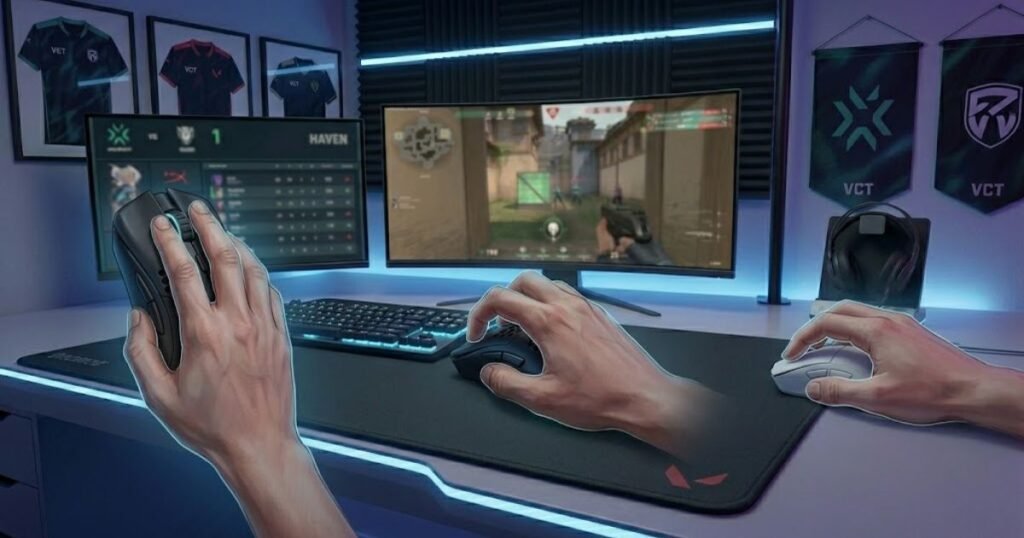
The best budget mouse for your grip style is the one that helps you maintain repeatable control, comfortable positioning, and stable aiming mechanics throughout a match. Because different grip styles create different hand movements, certain mice naturally fit some players better than others.
Many buying mistakes happen because players copy recommendations without considering how they actually hold the mouse. A highly rated product can still feel uncomfortable if the shape conflicts with the user’s natural grip style.
Understanding this relationship helps narrow the decision significantly. Instead of comparing dozens of specifications, players can focus on a few models that support their preferred grip behavior.
The table below matches common grip styles with the most suitable budget mouse options discussed in this guide:
| Grip Style | Recommended Mouse | Main Reason |
|---|---|---|
| Claw Grip | Razer Cobra | Compact shape with fast directional control |
| Fingertip Grip | Razer Cobra | Lightweight design for rapid adjustments |
| Relaxed Claw | Logitech G305 | Balanced shape and wireless flexibility |
| Palm Grip | ATK VXE Dragonfly R1 SE+ | More supportive shape with lightweight handling |
| Hybrid Grip | Logitech G203 | Versatile shape for mixed grip behaviors |
Players who are still unsure about their grip style should focus on shape compatibility before comparing advanced specifications. A comfortable shape creates a stronger foundation for aim development than small hardware differences.
Different grip styles often require different mouse shapes and handling characteristics:
If you want a broader understanding of how shape influences FPS performance, our complete guide to gaming mouse for fps games explores the role of shape, weight, and design in greater detail.
In summary, matching a mouse to your grip style reduces unnecessary variables and makes consistent aiming easier to achieve.
Which Budget Mouse Fits Your Hand Size Best?
The best budget mouse for your hand size is the one that allows comfortable control without forcing awkward finger positions or unnecessary grip adjustments. Hand size directly influences how stable a mouse feels during aiming movements.
Players with smaller hands often benefit from compact shapes that are easier to lift and reposition. Larger hands typically require more support to prevent fatigue and maintain comfort during extended sessions.
Because hand size affects comfort so heavily, it should be considered before comparing advanced features such as DPI, polling rate, or software customization.
The table below matches hand size categories with the most suitable budget mice covered in this guide:
| Hand Size | Recommended Mouse | Main Benefit |
|---|---|---|
| Small | Logitech G203 | Compact shell for easier control |
| Small to Medium | Razer Cobra | Lightweight handling with compact dimensions |
| Medium | Logitech G305 | Balanced comfort and versatility |
| Medium to Large | ATK VXE Dragonfly R1 SE+ | More supportive shape with wireless freedom |
| Flexible Entry-Level Option | SteelSeries Rival 3 | Comfortable general-purpose fit |
Choosing based on hand size helps narrow the field quickly and reduces the risk of buying a mouse that feels uncomfortable after extended use.
In summary, selecting a mouse that matches your hand dimensions creates a stronger foundation for both comfort and aiming consistency.
Budget Gaming Mouse vs Premium Gaming Mouse for Valorant
A budget gaming mouse is a value-focused option that helps Valorant players achieve reliable performance without paying for every premium feature available. While premium mice often provide refinements, the gap is usually smaller than many marketing campaigns suggest.
The visual comparison below highlights the typical differences between budget and premium gaming mice:
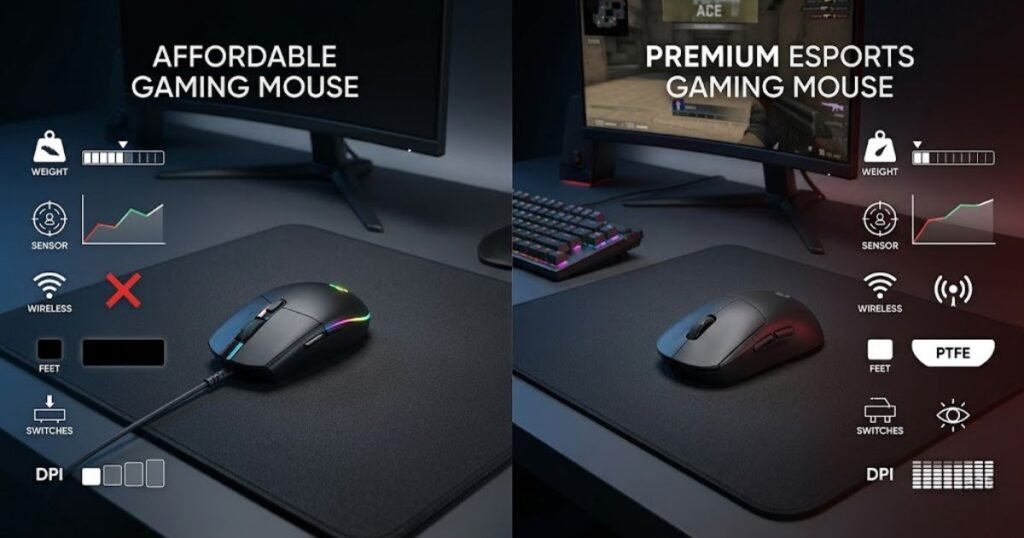
For most Valorant players, mechanical skill, positioning, and crosshair placement contribute more to performance than moving from a good budget mouse to an expensive flagship model. This does not mean premium mice are useless, but it does mean their advantages are often incremental rather than transformational.
The more important question is whether the extra cost creates meaningful value for the individual player.
The table below compares the practical differences between budget and premium gaming mice for Valorant:
| Category | Budget Mouse | Premium Mouse |
|---|---|---|
| Price | Lower upfront investment | Higher overall cost |
| Sensor Performance | Usually more than sufficient | Often slightly more refined |
| Weight | Varies by model | More lightweight options available |
| Build Materials | Practical and functional | Often more premium feeling |
| Value for Money | Typically stronger | Depends heavily on player needs |
Players interested in seeing how premium recommendations compare against budget choices can explore our guide to the top best gaming mouse for fps games in 2026 for broader market context.
In summary, premium mice offer additional refinements, but a well-chosen budget mouse remains fully capable of supporting competitive Valorant gameplay.
Common Mistakes Players Make When Buying a Budget Mouse for Valorant
Common buying mistakes are decision errors that prevent players from choosing the mouse that best fits their gameplay needs. Many Valorant players focus on marketing claims or specifications while overlooking the factors that actually influence aiming consistency.
A budget gaming mouse can perform extremely well when it matches the player’s grip style, hand size, and control preferences. Unfortunately, many purchases are driven by hype rather than practical requirements.
Avoiding the mistakes below helps players spend money more effectively and reduce the chances of regretting their purchase later.
The mistakes below explain why many players choose the wrong budget mouse for Valorant:
- Buying Based on DPI Alone: High DPI numbers rarely improve real Valorant performance.
- Ignoring Mouse Shape: Shape compatibility often matters more than technical specifications.
- Ignoring Hand Size: An unsuitable size can reduce comfort and consistency.
- Following Professional Players Blindly: What works for a professional player may not work for your preferences.
- Choosing Features Over Comfort: RGB lighting and software features rarely improve aim.
These mistakes often lead players toward hardware that looks impressive on paper but feels uncomfortable during actual gameplay.
Most buying regrets occur because players focus on what a mouse can do instead of how the mouse feels in their hand. Comfort, shape, and control usually have a larger impact on long-term satisfaction.
In summary, avoiding common purchasing mistakes is often easier and more valuable than constantly searching for a perfect mouse.
How to Choose the Right Budget Mouse for Valorant
Choosing the right budget mouse is a structured process that helps Valorant players identify the option that best matches their hand size, grip style, and budget limitations. Following a simple framework often produces better results than comparing dozens of specifications.
The goal is not to find the most advanced mouse. The goal is to find the mouse that helps you aim comfortably and consistently within your budget.
A clear decision-making process also reduces the risk of purchasing a mouse that feels impressive initially but becomes uncomfortable over time.
The process below can help you choose the right budget mouse for Valorant:
- Measure your hand size.
- Identify your primary grip style.
- Set a realistic spending limit.
- Compare mouse shapes before comparing specifications.
- Decide whether wired or wireless fits your preferences.
- Select the model that best matches your overall requirements.
Following this process reduces the chances of choosing a mouse based solely on marketing claims or temporary trends.
Players who also enjoy tactical shooters beyond Valorant may find additional recommendations in our guide to the best budget mouse for cs2, where many of the same decision-making principles apply.
The strongest purchase decisions usually come from understanding personal preferences first and comparing products second.
In summary, a simple evaluation framework helps players choose confidently without becoming overwhelmed by unnecessary technical details.
Frequently Asked Questions About Budget Mice for Valorant
Budget gaming mice generate many recurring questions because players want to balance affordability, performance, and long-term value. The answers below address the most common concerns Valorant players have before making a purchase decision.
Can a budget mouse perform well in Valorant?
Yes. A good budget mouse can provide more than enough performance for Valorant when it offers reliable tracking, a comfortable shape, and consistent click response.
What is the best budget mouse for most Valorant players?
The Logitech G305 remains one of the safest overall recommendations because it combines wireless convenience, dependable performance, and strong value.
Is wireless better than wired for Valorant?
Neither is automatically better. Modern wireless mice can perform exceptionally well, while wired mice remain attractive for players who prefer simplicity and lower costs.
How much should I spend on a budget Valorant mouse?
Most players can find a suitable option between $20 and $40 without sacrificing important FPS performance factors.
Does higher DPI improve aiming accuracy?
No. Higher DPI does not automatically improve accuracy. Shape, control, and comfort generally contribute more to consistent aim.
Is mouse weight important in Valorant?
Yes. Mouse weight influences movement speed and comfort, although the ideal weight depends on personal preference and aiming style.
What is the best budget mouse for small hands?
The Logitech G203 is one of the strongest options because its compact shape is easier to control for many smaller-handed players.
Should I choose a mouse based on professional player recommendations?
Professional recommendations can be helpful, but personal comfort and compatibility should always take priority.
Do I need an ultralight mouse to play Valorant competitively?
No. Many players perform extremely well using mice that are not classified as ultralight.
How important is mouse shape compared to specifications?
Mouse shape is often more important because it directly affects comfort, grip stability, and aiming consistency.
Can a budget mouse last for several years?
Yes. A quality budget gaming mouse can remain reliable for years when properly maintained and used within normal conditions.
Which factor matters most when choosing a budget mouse for Valorant?
Shape compatibility is usually the most important factor because it influences how naturally and consistently a player can control the mouse.
Final Verdict: Which Budget Mouse Should You Buy for Valorant?
The best budget mouse for Valorant is the mouse that helps you maintain consistent aim, comfortable control, and strong overall value without paying for unnecessary premium features. While every player has different preferences, several recommendations stand out for specific situations.
Some players prioritize wireless convenience, others prefer lightweight handling, and many simply want the best value possible. Matching the recommendation to the intended use case produces better results than searching for a single universal answer.
The table below summarizes the strongest budget mouse recommendations for different types of Valorant players:
| Scenario | Recommended Mouse | Main Reason |
|---|---|---|
| Best Overall | Logitech G305 | Balanced wireless value and proven reliability |
| Best Under $20 | SteelSeries Rival 3 | Excellent entry-level affordability |
| Best Lightweight | Razer Cobra | Fast handling and agile control |
| Best Wireless Alternative | ATK VXE Dragonfly R1 SE+ | Modern wireless features at a budget price |
| Best for Small Hands | Logitech G203 | Compact shape and easy control |
For most players, the Logitech G305 remains the strongest overall recommendation because it delivers a dependable balance of performance, comfort, and value. However, the other options may provide a better fit depending on your individual preferences.
In summary, the best budget mouse for Valorant is the one that matches your hand, grip style, and gameplay habits while staying within your budget.
Thanks for reading, and good luck finding the right budget mouse for your Valorant setup.