
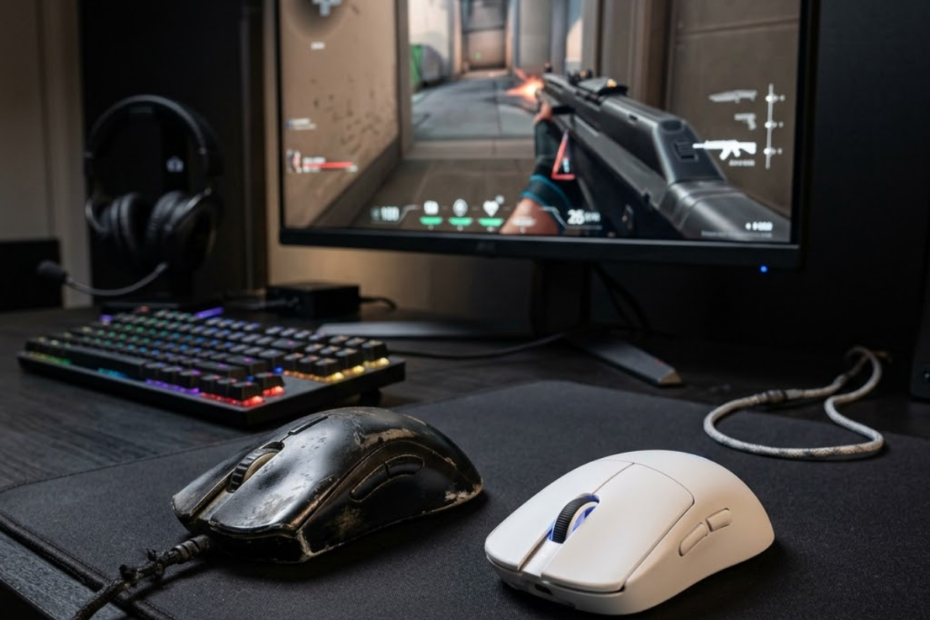
When should you upgrade your mouse? You should upgrade your mouse when its tracking, clicks, comfort, or physical condition start hurting your consistency. A new mouse helps when your current one becomes a real hardware limit, not just when a newer model looks tempting.
For FPS players, the decision should be based on real signs instead of hype. Understanding the fundamentals of gaming mice for FPS games makes it easier to recognize when an upgrade is actually necessary.
What Are the Biggest Signs You Should Upgrade Your Mouse?
The biggest signs you should upgrade your mouse are unreliable tracking, failing clicks, visible wear, and comfort problems. These signs help separate real hardware issues from normal bad aim days.
Your Mouse Tracking No Longer Feels Consistent
Inconsistent mouse tracking is a strong sign that your current mouse may need upgrading. It helps explain why your crosshair sometimes feels unpredictable even when your sensitivity and aim routine have not changed.
The image below highlights common physical warning signs that may indicate your gaming mouse is ready for an upgrade:
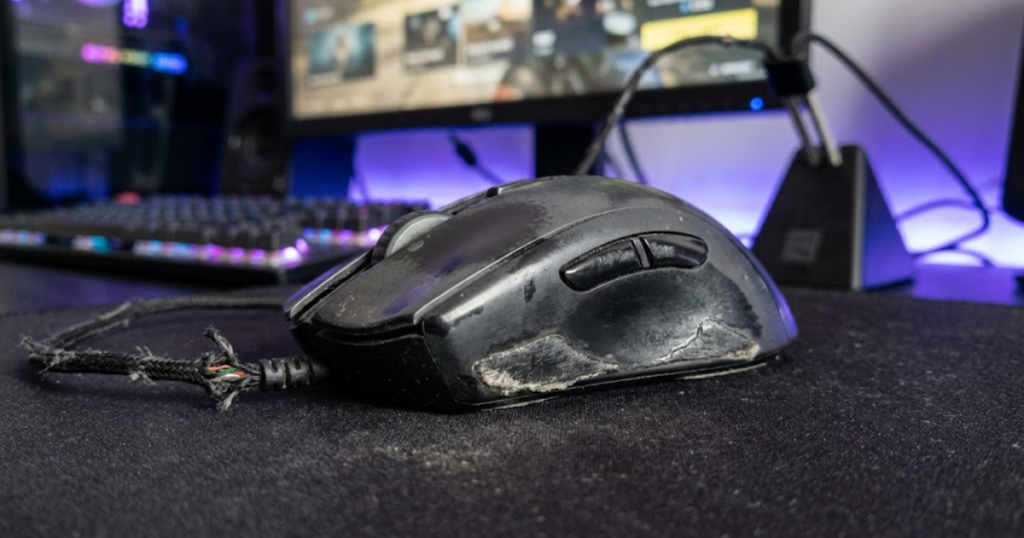
Tracking problems can feel like small skips, delayed movement, sudden cursor jumps, or a strange floaty feeling during normal swipes. In FPS games, this matters because aim depends on repeatable movement. If the mouse does not translate your hand movement accurately, your muscle memory becomes harder to trust.
This problem is especially noticeable during micro-adjustments, recoil control, and fast target switches. If your mouse behaves differently across the same movement pattern, the issue may be hardware-related instead of skill-related.
Consistent tracking is important because FPS aiming depends on predictable input. When tracking becomes unreliable, upgrading becomes easier to justify.
Click Reliability Starts Affecting Gameplay
Click reliability is a major reason to upgrade your mouse because dependable inputs help you react with confidence during gunfights. If clicks fail, double-click, or feel delayed, the mouse is no longer supporting consistent gameplay.
In FPS games, a missed click can mean losing the first shot, failing to fire when peeking, or accidentally shooting at the wrong time. These problems are not just annoying. They directly affect timing and control.
Click issues often come from worn switches, heavy use, dust, or internal wear. If the problem keeps returning after cleaning or testing on another device, replacement is usually more practical than forcing yourself to adapt.
A good mouse should let you focus on the fight, not the button. Once click reliability becomes questionable, the upgrade decision becomes much stronger.
Physical Wear Becomes Noticeable During Use
Physical wear is a sign that your mouse may be losing its original feel. It helps reveal when the shell, feet, coating, cable, or buttons are starting to affect daily use.
Some wear is normal. A faded coating or minor scratches do not always mean the mouse is bad. The real issue starts when wear changes how the mouse performs or feels in your hand.
Worn mouse feet can make glide uneven. A damaged cable can create drag. Loose buttons can reduce control. A slippery coating can make your grip unstable during longer sessions.
Physical wear matters when it changes performance, comfort, or control. If the damage affects how you aim, upgrading may be the cleaner solution.
Hand Comfort Gets Worse Over Time
Hand discomfort is a valid reason to upgrade your mouse because comfort helps maintain consistent aim during long sessions. A mouse that causes tension can slowly reduce control even if the sensor still works well.
Discomfort may show up as finger strain, wrist fatigue, palm pressure, or constant grip changes. This usually means the shape, size, weight, or button placement no longer fits your hand naturally.
FPS games reward relaxed control. If your hand is fighting the mouse, your aim can become stiff. That stiffness often gets worse during ranked games because pressure makes players grip harder.
Comfort is not just a luxury feature. If the mouse makes your hand tense every session, upgrading to a better shape can be a practical performance decision.
The table below explains common signs that may indicate a gaming mouse upgrade is necessary:
| Upgrade Sign | What It Usually Means | Upgrade Priority |
|---|---|---|
| Tracking skips | The sensor or surface interaction may be unreliable | High |
| Double-clicking | The switch may be worn or failing | High |
| Uneven glide | The mouse feet may be worn down | Medium |
| Hand fatigue | The shape, size, or weight may not fit your hand | Medium to High |
| Loose buttons | The shell or switches may be aging | Medium |
This table helps you judge whether the problem is minor, repairable, or serious enough to justify replacement.
The main point is simple: upgrade when the mouse creates repeated problems that affect reliability, comfort, or control. Do not upgrade only because a newer model exists.
How Can an Old Mouse Hold Back Your FPS Performance?
An old mouse can hold back FPS performance when it makes aim less predictable, movement less comfortable, or inputs less reliable. This helps explain why hardware issues can feel like skill problems during real matches.
Tracking Problems Create Unpredictable Aim
Tracking problems are harmful because they make your crosshair movement feel inconsistent. They help turn simple aiming actions into guesses instead of repeatable movements.
The image below illustrates how hardware wear and tracking issues can gradually affect FPS aiming consistency:
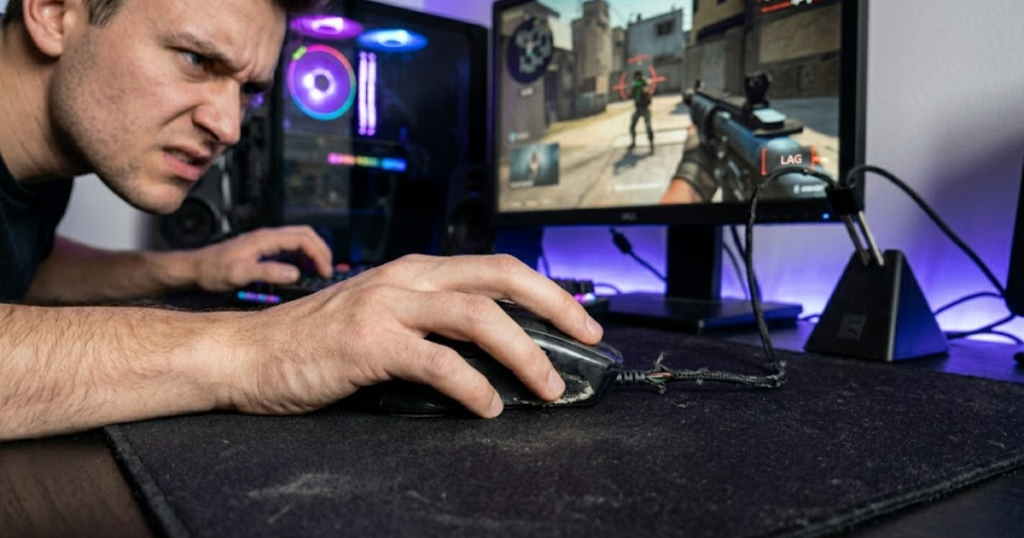
When a mouse tracks poorly, the same hand motion may not always produce the same on-screen result. This can create doubt during flicks, angle clearing, and small corrections. The player may start overcompensating without realizing the mouse is part of the problem.
This is especially frustrating in games like Valorant, CS2, and Apex Legends because each game rewards different aiming demands. Tactical shooters need precise stopping power, while faster shooters need reliable tracking during movement.
If tracking problems appear across multiple games and surfaces, the mouse may be limiting consistency. Reliable aim starts with reliable input.
Worn Components Reduce Mechanical Consistency
Worn components reduce consistency because they change how the mouse responds over time. They help explain why a mouse can feel fine one day and slightly off the next.
Switches, scroll wheels, side buttons, mouse feet, and cables can all wear down. Even small changes can affect timing and comfort. For example, a mushy click can make tapping feel less confident, while worn skates can make stopping feel rough.
These issues are often gradual, so players may blame themselves first. The problem is that gradual wear becomes normal until the player compares the mouse with a newer or better-maintained one.
Mechanical consistency matters because FPS performance depends on repeatable inputs. Once components stop feeling dependable, the mouse may no longer be worth keeping.
Poor Glide Makes Precision More Difficult
Poor glide is a problem because it makes mouse movement less smooth and less predictable. It helps explain why aiming can feel sticky, heavy, or uneven even when sensitivity settings are unchanged.
Mouse feet wear down as they rub against the mousepad. Dust, humidity, pad texture, and pressure can also change glide. When glide becomes inconsistent, players may struggle with small corrections or clean stopping control.
In tactical FPS games, poor glide can hurt first-shot accuracy. In tracking-heavy games, it can make continuous aim feel shaky. The issue is not always the whole mouse, though. Sometimes replacing mouse feet is enough.
Glide problems should be inspected before buying a new mouse. If new skates and cleaning do not fix the feel, upgrading becomes more reasonable.
Long-Term Discomfort Affects Performance Stability
Long-term discomfort affects performance because tension builds slowly during a session. It helps explain why your aim may feel worse after several games even when you started strong.
A mouse that is too large, too small, too heavy, or poorly shaped can force your hand into an unnatural position. Over time, that creates fatigue. Fatigue makes micro-adjustments less controlled and flicks less stable.
This does not mean every uncomfortable match requires a new mouse. Posture, desk height, mousepad space, and grip pressure also matter. But if discomfort follows the same mouse across multiple setups, the mouse shape may be the issue.
Performance stability is not only about peak aim. A good mouse should help your aim stay consistent from the first game to the last.
The table below explains how common old mouse problems can affect FPS performance:
| Old Mouse Problem | FPS Performance Impact | Why It Matters |
|---|---|---|
| Sensor inconsistency | Unpredictable aim movement | Reduces trust in muscle memory |
| Worn switches | Missed or accidental clicks | Hurts timing in gunfights |
| Worn mouse feet | Uneven glide and stopping | Makes precision less stable |
| Cable drag | Restricted movement | Can interfere with large swipes |
| Shape discomfort | Hand fatigue over time | Reduces long-session consistency |
This table shows that an old mouse can affect more than raw aim. It can influence comfort, timing, stopping control, and confidence.
The key is to look for repeated patterns. If the same hardware issue keeps affecting matches, the mouse may be holding you back more than you think.
Which Mouse Problems Are Worth Upgrading For?
Mouse problems are worth upgrading for when they cannot be solved through cleaning, settings, practice, or small part replacement. This helps you spend money only when a new mouse offers a meaningful improvement.
Shape Issues That Cannot Be Solved Through Practice
Shape issues are worth upgrading for when the mouse never feels natural in your hand. They help explain why some players feel uncomfortable even after weeks of trying to adapt.
A poor shape can force awkward finger placement, unstable palm contact, or constant grip correction. Practice can improve aim, but it cannot fully fix a shape that does not match your hand size or grip style.
This is common when players copy a popular pro mouse without checking whether it fits their own grip. A mouse that works for one player may feel cramped, bulky, or unstable for another.
If the mouse shape keeps fighting your hand, upgrading is not a luxury. It is a fit correction.
Weight Limitations That Affect Your Playstyle
Weight limitations are worth upgrading for when the mouse feels like extra effort instead of control. They help identify whether your current mouse matches your movement style.
Heavy mice can feel stable for some players, but they may become tiring during fast flicks or repeated wide swipes. Very light mice can feel fast, but some players may find them harder to stop cleanly.
The right weight depends on playstyle, sensitivity, mousepad control, and grip. If your current mouse makes movement feel forced, weight may be part of the issue.
Weight is not about chasing the lowest number. It is about choosing a mouse that supports your natural movement.
Hardware Reliability Problems That Continue Returning
Recurring reliability problems are worth upgrading for because repeated failures reduce trust in the device. They help show when a mouse has moved from minor inconvenience to real limitation.
If cleaning fixes the issue for one day but the problem returns, the hardware may be worn. If clicks fail in multiple games, tracking skips on different pads, or connection problems keep happening, replacement may save time and frustration.
Reliable hardware should disappear into the background. You should not need to troubleshoot your mouse every time you play.
When reliability problems become routine, upgrading is usually more practical than constantly patching the issue.
Features Missing From Your Current Setup
Missing features are worth upgrading for when they solve a specific problem you already have. They help avoid buying new technology just because it sounds impressive.
Wireless freedom may matter if cable drag bothers you. A lighter shell may matter if long sessions feel tiring. Better side buttons may matter if your current buttons are hard to reach. Higher polling rates may matter only if your setup can benefit from them.
The important question is whether the feature solves a real limitation. If it does not change comfort, reliability, or control, it may not be worth paying for.
Features should support your use case. They should not become the reason you invent a problem.
The factors below explain which mouse problems are usually worth upgrading for:
- Bad shape fit: The mouse consistently feels awkward, unstable, or uncomfortable no matter how long you use it.
- Recurring click issues: The buttons double-click, fail, or feel unreliable during normal gameplay.
- Tracking inconsistency: The cursor movement feels unpredictable across different games or surfaces.
- Movement fatigue: The mouse weight makes long sessions feel more tiring than they should.
- Setup limitation: The current mouse lacks a feature that would directly solve a real problem, such as cable drag or poor button placement.
These problems are stronger upgrade reasons because they affect how the mouse performs, feels, or supports consistency.
A smart upgrade starts with a real limitation. If the current mouse still feels reliable and comfortable, waiting may be the better decision.
Which Problems Will a New Mouse Not Solve?
A new mouse will not solve problems caused by poor fundamentals, weak practice habits, or bad decision-making. This is also why understanding whether gaming mice improve aim helps set realistic expectations before upgrading.
Poor Crosshair Placement Habits
Poor crosshair placement is not solved by a new mouse because it is a gameplay habit, not a hardware feature. A better mouse helps with input quality, but it cannot aim at the correct angle for you.
Many FPS players blame missed shots on their mouse when the real issue is starting with the crosshair too low, too wide, or too far from expected enemy positions. This creates harder flicks than necessary.
A new mouse may make those flicks feel smoother, but it will not remove the need for better placement. Good crosshair placement reduces the amount of aiming correction needed before a fight starts.
Upgrade hardware for hardware limits. Train crosshair placement for positioning and angle discipline.
Inconsistent Practice Routines
Inconsistent practice is not fixed by a new mouse because improvement depends on repeated, focused habits. A better mouse helps only when your practice already has structure.
If you change sensitivity every few days, skip warmups, or play only when tilted, a new mouse will not create consistency by itself. The player still needs time to adapt, review mistakes, and build repeatable mechanics.
Hardware can remove friction, but practice builds skill. Without consistent practice, even a high-end gaming mouse can feel disappointing.
A new mouse should support improvement. It should not replace the work needed to improve.
Weak Positioning and Decision Making
Weak positioning is not solved by a new mouse because positioning is a game sense issue. A better mouse may help you execute shots, but it cannot choose safer fights or smarter angles.
Players often lose fights before the aim duel even begins. Bad peeks, poor spacing, unnecessary re-peeks, and weak timing can make any mouse feel bad.
If you often die while exposed, surprised, or outnumbered, the problem is probably not the mouse. Better hardware cannot compensate for taking low-percentage fights repeatedly.
Mouse upgrades help mechanical control. Positioning improvements come from awareness, map knowledge, and better decision-making.
Unrealistic Hardware Expectations
Unrealistic hardware expectations are dangerous because they turn a mouse upgrade into a false shortcut. A new mouse helps only when it solves a real limitation in your current setup. Many upgrade decisions come from the same gaming mouse mistakes that cause players to chase hardware instead of solving actual problems.
Marketing can make every new release sound like a performance breakthrough. In reality, most improvements are only useful when they match your needs. A lighter mouse will not help if your issue is poor timing. A higher polling rate will not fix bad crosshair placement.
The best upgrade mindset is practical. Ask what problem the new mouse solves and whether that problem is actually hurting your play.
A new mouse can support better performance, but it cannot replace fundamentals.
The factors below explain which problems a new mouse usually cannot fix:
- Poor fundamentals: Bad crosshair placement, weak movement, and poor angle discipline still require practice.
- Random settings changes: Constantly changing sensitivity makes consistency harder regardless of mouse quality.
- Bad positioning: A better sensor cannot fix unsafe peeks or weak decision-making.
- Tilt habits: Frustration, panic aiming, and rushed decisions are mental and gameplay issues.
- Unclear goals: Buying a mouse without knowing the problem often leads to disappointment.
These issues should be improved through practice, review, and better gameplay habits rather than hardware replacement alone.
This section matters because it protects your budget. Upgrade when the mouse is the limitation, not when the real issue is how the game is being played.
When Does Mouse Shape Become a Good Reason to Upgrade?
Mouse shape becomes a good reason to upgrade when the design no longer supports a natural grip, comfortable hand position, or repeatable aim mechanics. A better shape helps reduce unnecessary tension and allows movements to feel more consistent during FPS gameplay.
Your Current Shape Never Feels Natural
A mouse shape is worth replacing when it never feels natural in your hand. A comfortable shape helps your grip remain stable without requiring constant adjustment or conscious effort.
The image below shows how an uncomfortable mouse shape can create hand tension and reduce grip stability during gameplay:
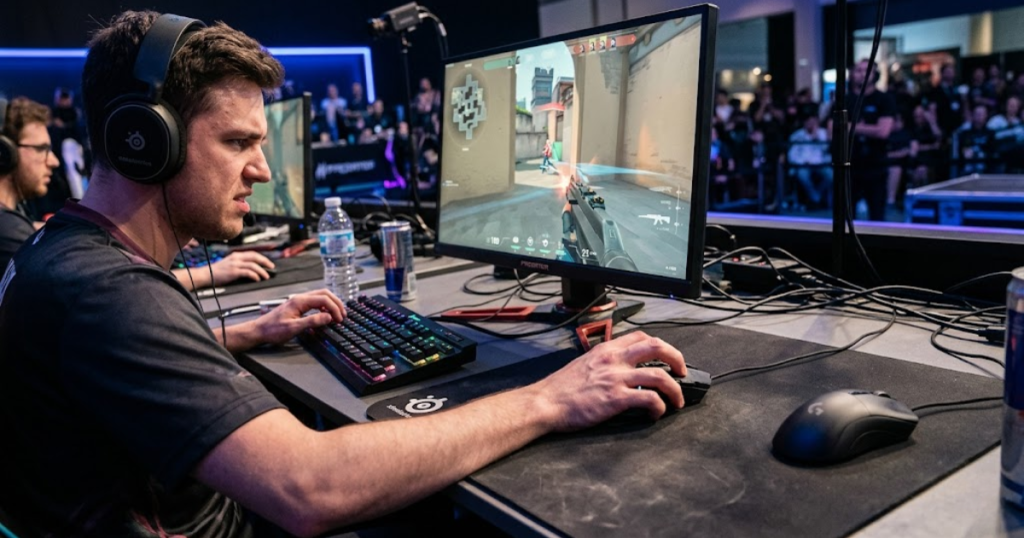
Some players spend months trying to adapt to a mouse simply because it is popular among professionals. Unfortunately, popularity does not guarantee compatibility. A shape that feels too wide, too narrow, too tall, or too flat can create subtle discomfort every time you play.
When a shape never feels natural, the hand often compensates by gripping harder or changing finger positions. These small adjustments may seem insignificant individually, but they can affect long-term consistency.
If a mouse still feels awkward after a reasonable adjustment period, the shape itself may be the limiting factor rather than your adaptation process.
You Constantly Adjust Your Grip During Matches
Frequent grip adjustments are a common sign that the mouse shape is not fully supporting your hand. A proper shape helps maintain grip stability even during intense situations.
Many FPS players notice themselves repositioning their fingers between rounds, after flicks, or during stressful fights. This behavior often indicates that the mouse is not naturally locking into the preferred grip style.
Every adjustment creates a small interruption. Over time, these interruptions can affect confidence and consistency because the hand is never fully settled.
A stable grip should feel automatic. If grip corrections happen constantly, a shape upgrade may provide a noticeable improvement.
Hand Fatigue Appears After Long Sessions
Hand fatigue can indicate a shape mismatch because a suitable shape helps distribute pressure more comfortably across the hand. Less strain often translates into more stable performance during longer gaming sessions.
Fatigue commonly appears in the fingers, palm, wrist, or thumb. While posture and desk setup contribute to comfort, an uncomfortable mouse shape can amplify those issues.
Players sometimes mistake fatigue for normal tiredness. However, if the discomfort consistently appears when using one specific mouse, the shape deserves closer attention.
A shape that fits properly should support extended sessions without creating unnecessary tension.
Your Grip Style Has Changed Since Buying the Mouse
A grip style change can justify a shape upgrade because different grip styles often benefit from different mouse designs. The right shape helps support the mechanics associated with your current grip preference.
Some players transition from palm grip to claw grip as they become more competitive. Others move toward fingertip grip after lowering sensitivity or experimenting with lighter mice.
A mouse purchased years ago may have been ideal for a previous grip style but less effective today. As preferences evolve, hardware requirements can evolve as well.
Evaluating shape through the lens of your current grip style often provides a more accurate upgrade decision.
The table below explains situations where mouse shape may justify an upgrade:
| Situation | Potential Shape Issue | Upgrade Consideration |
|---|---|---|
| Constant grip changes | Poor hand support | High |
| Hand fatigue | Pressure distribution problem | High |
| Awkward finger placement | Shape mismatch | Medium to High |
| Grip style changed | Current shape no longer ideal | Medium |
| Comfort remains poor after adaptation | Fundamental fit issue | High |
This comparison helps identify whether discomfort comes from temporary adaptation or a genuine shape mismatch.
Shape upgrades often deliver the most noticeable improvements because they directly influence how the mouse interacts with the hand.
When Does Mouse Weight Become a Limiting Factor?
Mouse weight becomes a limiting factor when movement requires more effort than necessary or when the weight no longer matches your preferred aiming style. The right weight helps balance control, comfort, and responsiveness.
Heavy Weight Slows Down Fast Direction Changes
Excessive weight can become a limitation because lighter movement helps players react more quickly to sudden target changes. Fast directional adjustments are especially important in modern FPS games.
A heavier mouse requires more force to accelerate and stop. While some players enjoy that stability, others may feel delayed during quick flicks or rapid target transitions.
The effect becomes more noticeable at lower sensitivities where larger arm movements are required. Repeated effort can gradually reduce comfort and responsiveness.
Weight becomes a problem when movement starts feeling laborious rather than controlled.
Extra Weight Creates Fatigue During Long Sessions
Additional weight can contribute to fatigue because every movement requires slightly more effort. Reduced effort helps preserve consistency over longer gaming sessions.
Even small differences can accumulate after several hours of gameplay. Players who spend significant time in competitive matches often notice fatigue sooner than casual users.
This does not mean heavier mice are automatically bad. The key question is whether the weight supports your preferred movement style without creating unnecessary strain.
When fatigue becomes a recurring issue, weight deserves evaluation as part of the upgrade decision.
Lightweight Designs Better Match Your Current Playstyle
Lightweight designs may justify an upgrade when they align more closely with your current playstyle. Lower weight helps many FPS players perform repeated movements with less effort.
Players who rely on aggressive flicking, frequent repositioning, and low sensitivity often appreciate the freedom provided by lighter mice. The reduced mass can make movement feel more effortless.
However, lightweight does not automatically mean better. Some players prefer additional weight because it helps them feel more planted and controlled.
The best weight is the one that complements your mechanics rather than fighting against them.
Weight Feels Like Effort Instead of Control
Weight becomes a limitation when it feels like extra work instead of added stability. A suitable mouse weight helps movement feel efficient and natural.
If the mouse feels tiring to start, difficult to stop, or exhausting during longer sessions, it may no longer fit your preferences. The issue is not necessarily the absolute number on the scale but how the weight feels during real gameplay.
Many players discover their ideal weight only after trying different categories. Experience often reveals preferences more accurately than specifications.
Once weight consistently feels restrictive, upgrading can become a reasonable solution.
The table below explains how different weight-related issues can affect FPS performance:
| Weight Issue | Potential Impact | Upgrade Priority |
|---|---|---|
| Slow directional changes | Reduced responsiveness | Medium |
| Long-session fatigue | Lower consistency | High |
| Movement feels restricted | Reduced comfort | High |
| Current playstyle changed | Weight mismatch | Medium |
| Control feels forced | Poor weight preference match | Medium to High |
This overview helps determine whether weight is contributing to movement inefficiency or fatigue.
Weight should support your natural aiming style rather than becoming an obstacle to it.
How Long Should You Keep a Gaming Mouse Before Replacing It?
The ideal time to replace a gaming mouse depends more on performance, reliability, and comfort than age alone. A well-maintained mouse helps deliver consistent performance for many years, while a heavily used mouse may develop problems much sooner.
Why Lifespan Depends More on Usage Than Age
Mouse lifespan depends heavily on usage because daily wear helps determine how quickly components deteriorate. Two mice purchased on the same day can age very differently depending on how often they are used.
A competitive FPS player who spends several hours gaming every day places far more stress on switches, feet, and cables than someone who plays only a few matches each week. This difference can significantly affect long-term durability.
Usage habits matter because performance-related wear accumulates through movement, clicks, and physical contact rather than simply through time passing.
Evaluating wear based on usage often produces a more accurate replacement decision than focusing on age alone.
How Mouse Switches Wear Over Time
Mouse switches gradually wear because repeated clicks help create mechanical fatigue inside the switch mechanism. Reliable switches are important because they directly influence shooting consistency.
Over time, switches may feel softer, less responsive, or inconsistent. Some eventually develop double-clicking problems that make accurate input more difficult.
The lifespan of switches varies between models, manufacturers, and usage patterns. Heavy users typically notice wear earlier than casual players.
Switch performance should be monitored because clicking reliability remains one of the most important aspects of a gaming mouse.
How Mouse Feet Change the Experience
Mouse feet wear gradually because constant friction helps remove material from the skates over time. Smooth mouse feet support predictable glide and stopping control.
As feet wear down, movement may begin feeling rougher, slower, or less consistent. Players sometimes mistake this change for a sensor issue when the real problem is simply worn skates.
Fortunately, mouse feet are often replaceable. Installing new skates can restore much of the original feel without requiring a completely new mouse.
Inspecting mouse feet regularly can help determine whether maintenance or replacement is the better solution.
Signs Your Mouse Is Nearing the End of Its Useful Life
A mouse may be nearing the end of its useful life when multiple performance issues begin appearing at the same time. Consistent reliability helps distinguish a healthy mouse from one that is gradually failing.
Examples include tracking inconsistencies, unreliable clicks, worn feet, damaged cables, loose buttons, and increasing discomfort. One small issue may be manageable, but several issues together often indicate broader wear.
When multiple problems start affecting gameplay, replacing the mouse may become more cost-effective than repeatedly repairing individual components.
A useful gaming mouse should remain reliable, comfortable, and predictable. Once those qualities begin disappearing, replacement becomes easier to justify.
The table below explains common gaming mouse components and their typical wear considerations:
| Component | Common Wear Sign | Replacement Consideration |
|---|---|---|
| Switches | Double-clicking or missed clicks | High |
| Mouse Feet | Uneven glide | Low to Medium |
| Cable | Drag or connection issues | Medium |
| Shell | Structural looseness | Medium |
| Sensor | Tracking inconsistency | High |
This comparison shows that different components age differently and should be evaluated individually.
A gaming mouse should be replaced when reliability declines, not simply because it reaches a certain age.
Should You Upgrade Your Mouse or Replace Individual Parts?
Replacing individual parts is often worthwhile when the mouse still performs well overall. A full upgrade helps when the underlying problem involves shape, reliability, or multiple aging components.
Situations Where New Mouse Feet Are Enough
New mouse feet can solve many glide-related issues because fresh skates help restore smooth and predictable movement. This is often the cheapest maintenance upgrade available.
If the sensor tracks properly and the shape still feels comfortable, replacing worn skates may restore performance without requiring a new mouse.
Many players are surprised by how much glide quality can improve after installing fresh feet.
Mouse feet should be evaluated before assuming the entire mouse needs replacement.
Problems That Cleaning Can Fix
Cleaning can solve several common issues because removing dust and debris helps restore normal functionality. Dirt accumulation frequently affects sensors, buttons, and scroll wheels.
Dust near the sensor may create tracking issues. Dirt inside the wheel may affect scrolling. Build-up around buttons can change click feel.
A thorough cleaning is often the first troubleshooting step before spending money on replacement hardware.
Simple maintenance can sometimes extend the useful life of a mouse considerably.
When Replacing a Cable Makes Sense
Cable replacement may be worthwhile when the mouse still performs well but cable damage affects usability. A healthy cable helps maintain reliable connection and unrestricted movement.
Older wired mice occasionally develop cable stiffness, fraying, or intermittent connection problems. If the rest of the mouse remains excellent, replacing the cable may be financially sensible.
This is especially true for premium mice that continue to perform well in every other area.
Replacing one component is often smarter than replacing an otherwise excellent mouse.
When Full Replacement Is the Better Investment
Full replacement becomes the better choice when several problems appear simultaneously. A new mouse helps eliminate multiple limitations at once instead of repeatedly fixing individual issues.
If the shape feels uncomfortable, clicks are unreliable, feet are worn, and the cable is aging, replacing everything separately may cost more time and effort than upgrading.
At some point, maintenance becomes less efficient than replacement. The challenge is identifying where that point occurs.
A complete upgrade makes the most sense when the mouse no longer meets your needs as a whole.
The table below explains when repair or replacement may be the better option:
| Problem | Repair First | Replace Mouse |
|---|---|---|
| Worn skates | Yes | Usually No |
| Dirty sensor | Yes | No |
| Cable wear | Sometimes | Sometimes |
| Shape mismatch | No | Yes |
| Multiple failures | Rarely | Yes |
This comparison helps prevent unnecessary spending while identifying situations where a new mouse offers better value.
The goal is to solve the problem efficiently rather than replacing hardware automatically.
Are Modern Gaming Mouse Features Worth Upgrading For?
Modern gaming mouse features are worth upgrading for when they solve a real limitation in your current setup. New technology helps improve the experience only when it addresses comfort, movement, reliability, or responsiveness problems that already exist. Before paying for new technology, it helps to understand which gaming mouse features matter for FPS and which features are mostly marketing improvements.
Wireless Technology Improvements
Modern wireless technology is worth upgrading for because it helps eliminate cable drag without sacrificing competitive performance. Today’s wireless gaming mice are significantly more reliable than early wireless models.
For many FPS players, removing the cable creates a cleaner feeling during large swipes and rapid directional changes. The desk feels less restrictive and movement feels more natural.
However, wireless alone does not improve aim. The benefit comes from reducing physical interference rather than increasing skill.
Wireless technology is most valuable when cable management is currently limiting comfort or movement freedom.
Higher Polling Rates and Real-World Benefits
Higher polling rates can be worth upgrading for because they help provide more frequent communication between the mouse and computer. This can create smoother cursor updates under the right conditions.
While 4000Hz and 8000Hz polling rates receive significant attention, most players already perform well on 1000Hz. The difference often becomes more noticeable on high refresh rate monitors and powerful systems.
Many players expect dramatic improvements from polling rate upgrades and become disappointed when the change feels subtle. The reality is that polling rate improvements are usually refinements rather than game-changing upgrades.
Higher polling rates are best viewed as an enhancement rather than a primary upgrade reason.
Sensor Improvements in Modern Gaming Mice
Modern sensors are worth upgrading for when your current sensor creates reliability concerns. A quality sensor helps ensure movement remains accurate and predictable across different aiming situations.
The good news is that many gaming mice from the last several years already contain excellent sensors. Sensor quality has improved to the point where most modern gaming sensors perform extremely well for competitive play.
This means players should not automatically upgrade purely because a newer sensor exists. The upgrade becomes meaningful only if the current sensor struggles with tracking consistency.
Reliable tracking matters more than chasing the latest sensor generation.
Lightweight Design Trends and Their Impact
Lightweight designs are worth upgrading for when reduced movement effort aligns with your aiming style. Lower weight helps many FPS players perform repeated movements more comfortably.
Lightweight mice have become increasingly popular because they reduce fatigue and can make movement feel faster. Many competitive players appreciate the freedom that comes with reduced mass.
At the same time, some players still prefer moderate weight because it feels more controlled. Preferences vary significantly between individuals.
The value of lightweight designs depends on personal comfort rather than industry trends.
The table below explains whether common modern gaming mouse features justify an upgrade:
| Feature | Potential Benefit | Upgrade Value |
|---|---|---|
| Wireless connectivity | Removes cable drag | High |
| 4K polling rate | Smoother input updates | Medium |
| 8K polling rate | Maximum responsiveness | Low to Medium |
| Modern sensor | Improved reliability | Medium |
| Lightweight design | Reduced movement effort | High |
This comparison helps identify which features solve meaningful problems and which features may provide only incremental improvements.
Features should support your needs rather than become the reason for an upgrade by themselves.
Should Casual Players Upgrade Their Mouse as Often as Competitive Players?
Casual players usually do not need to upgrade as often as competitive players because their performance demands and usage patterns are different. Upgrade frequency should reflect goals, usage intensity, and personal priorities.
How Play Frequency Changes Upgrade Needs
Play frequency affects upgrade needs because more hours of use help accelerate wear and expose limitations sooner. Frequent use places greater stress on switches, feet, and overall comfort.
A competitive player who uses a mouse daily may notice limitations much earlier than someone who only plays occasionally on weekends.
Higher usage often creates stronger justification for investing in hardware improvements.
Frequency matters because wear accumulates through use rather than ownership alone.
Why Competitive Players Notice Hardware Limits Faster
Competitive players notice hardware limitations faster because they spend more time performing demanding movements. Higher sensitivity to performance differences helps reveal small issues more quickly.
Small inconsistencies that casual players barely notice can become obvious to someone who practices aiming every day. Competitive environments naturally magnify weaknesses.
This does not mean competitive players must constantly upgrade. It simply means they tend to recognize limitations sooner.
Performance-focused players often evaluate hardware more critically than casual users.
Why Casual Players Often Upgrade Less Frequently
Casual players often upgrade less frequently because their goals place less emphasis on maximizing performance. A reliable mouse helps them enjoy games without needing constant optimization.
Many casual users can comfortably use the same mouse for years if it remains reliable and comfortable. They are less likely to notice incremental improvements from newer hardware.
This makes upgrade timing more flexible for players who prioritize enjoyment over competitive performance.
Reliability and comfort often matter more than having the newest technology.
Matching Upgrade Decisions to Your Goals
Upgrade decisions should match personal goals because different players value different outcomes. The right upgrade helps support the experience you want from gaming.
A competitive FPS player may prioritize responsiveness, shape, and weight. A casual player may prioritize comfort, durability, and overall value.
Neither approach is inherently better. The important thing is aligning hardware decisions with actual usage.
Goals provide the most useful framework for deciding when an upgrade makes sense.
The table below compares upgrade tendencies between casual and competitive players:
| Player Type | Upgrade Frequency | Primary Motivation |
|---|---|---|
| Casual | Lower | Comfort and reliability |
| Regular FPS player | Moderate | Performance and comfort balance |
| Competitive player | Higher | Maximum consistency |
This comparison shows that upgrade frequency depends heavily on gaming goals and usage intensity.
The best upgrade schedule is the one that reflects your actual needs rather than someone else’s habits.
How Can You Decide If You Really Need a Mouse Upgrade?
Deciding whether you need a mouse upgrade requires evaluating performance, comfort, reliability, and cost. A structured process helps separate real hardware limitations from temporary frustration. Players buying their first gaming mouse for FPS beginners often benefit more from choosing the right shape and weight than upgrading repeatedly.
Check for Performance-Related Issues
Performance-related issues should be evaluated first because they directly affect gameplay consistency. Reliable performance helps build trust in your equipment.
The image below demonstrates a practical way to evaluate whether your current mouse is creating real limitations or still meeting your needs:
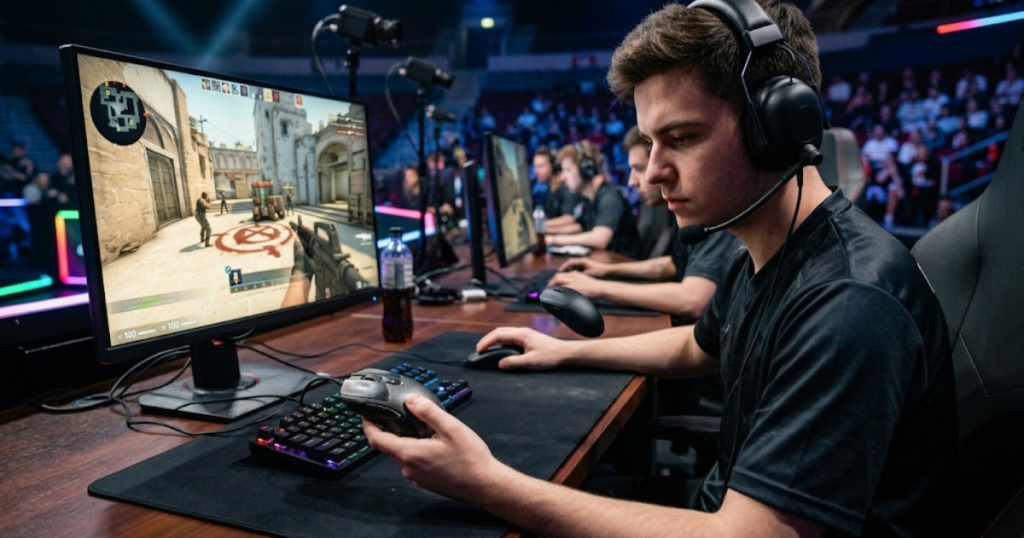
Look for tracking problems, click failures, connection issues, and glide inconsistencies. These problems often create measurable impact during gameplay.
If performance remains stable across different situations, upgrading may not be necessary.
Reliable hardware should consistently support your intended movements.
Check for Comfort-Related Issues
Comfort-related issues matter because physical comfort helps sustain long-term consistency. Reduced strain allows better focus during extended sessions.
Consider grip stability, fatigue, hand pain, and overall confidence while holding the mouse. Persistent discomfort may indicate a shape or weight mismatch.
Comfort problems deserve attention because they influence performance over time.
A comfortable mouse should feel natural rather than distracting.
Check for Hardware Reliability Problems
Hardware reliability problems should be assessed because dependable equipment helps reduce frustration and uncertainty. Consistency is one of the most valuable qualities a mouse can provide.
Recurring issues such as double-clicking, connection drops, or tracking errors often signal deeper wear.
When reliability becomes questionable, replacement becomes increasingly reasonable.
A trustworthy mouse should behave predictably every time it is used.
Compare the Cost of Fixing vs Replacing
Comparing repair and replacement costs helps determine the most efficient solution. Smart decisions balance performance improvements with financial value.
Replacing skates, cleaning components, or fixing a cable may cost far less than purchasing a completely new mouse. However, multiple repairs can eventually exceed the value of keeping the old mouse.
Evaluating total value helps avoid both overspending and unnecessary compromises.
The best decision is usually the one that solves the problem most effectively.
The following process can help determine whether you truly need a mouse upgrade:
- Inspect performance: Check for tracking, clicking, and movement issues.
- Evaluate comfort: Consider fatigue, grip stability, and hand comfort.
- Review reliability: Look for recurring hardware problems.
- Compare costs: Decide whether repair or replacement provides better value.
- Make the decision: Upgrade only if a meaningful limitation exists.
This process creates a practical framework for evaluating upgrade decisions objectively.
A structured evaluation helps reduce emotional purchases and focuses attention on genuine limitations.
Is Upgrading Your Mouse Worth It Right Now?
Upgrading your mouse is worth it when the current device limits comfort, reliability, or consistency. The decision helps make sense only when a clear problem exists and the upgrade directly addresses it.
Situations Where Upgrading Makes Sense
Upgrading makes sense when the mouse consistently creates problems that affect gameplay. Meaningful improvements help justify the investment.
Tracking issues, shape discomfort, recurring click failures, and severe wear are all examples of situations where replacement can provide immediate benefits.
In these cases, a new mouse removes obstacles rather than simply adding features.
Solving a real limitation is the strongest upgrade reason.
Situations Where Waiting Is the Better Choice
Waiting is often smarter when the current mouse remains reliable and comfortable. Patience helps prevent unnecessary spending.
If the mouse performs well and the desire to upgrade comes mainly from curiosity or marketing, there may be little practical benefit in replacing it.
Many players perform exceptionally well with older hardware that still meets their needs.
Newer does not automatically mean better for your specific situation.
Situations Where Replacing Parts Is Smarter
Replacing parts is smarter when a single worn component causes the issue. Targeted maintenance helps restore performance at a lower cost.
Mouse feet, cables, and cleaning-related fixes often provide meaningful improvements without requiring a full replacement.
Repairing one component can sometimes extend the useful life of an otherwise excellent mouse.
Maintenance should always be considered before replacing functioning hardware.
The Final Question Every FPS Player Should Ask
The final question is simple: what specific problem will the new mouse solve? Clear answers help prevent unnecessary purchases.
If the upgrade addresses a genuine limitation, it may be worthwhile. If the answer is vague or uncertain, waiting may be the smarter decision.
Hardware should solve problems rather than create expectations.
The strongest upgrade decisions are based on needs rather than excitement.
The factors below explain when upgrading is usually worth it:
- Reliability issues: Tracking, clicks, or connection problems repeatedly affect gameplay.
- Comfort limitations: The shape or weight consistently creates fatigue.
- Performance restrictions: Current hardware prevents efficient movement or control.
- Repair no longer makes sense: Multiple problems make replacement the better value.
- A clear benefit exists: The new mouse directly solves an existing issue.
These situations provide practical reasons to upgrade rather than emotional reasons.
The best mouse upgrade is the one that removes a real limitation from your gaming experience.
Common Questions About Upgrading a Gaming Mouse
The questions below answer common concerns FPS players have when deciding whether a mouse upgrade is actually necessary.
How do I know if my mouse is holding back my aim?
Your mouse may be holding back your aim if tracking feels inconsistent, clicks fail unexpectedly, or comfort problems repeatedly affect your control. Reliable hardware helps create predictable movement and confidence.
Can a new gaming mouse immediately improve FPS performance?
A new gaming mouse can improve comfort and consistency immediately, but it does not instantly improve skill. Better hardware helps remove limitations rather than replace practice.
How often should FPS players replace their mouse?
FPS players should replace their mouse when reliability, comfort, or performance declines. Usage patterns matter more than age alone.
Is mouse shape a valid reason to upgrade?
Yes. Mouse shape is one of the most important upgrade reasons because proper shape helps support grip stability and long-term comfort.
Can worn mouse feet make aiming harder?
Yes. Worn mouse feet can create inconsistent glide, which may make precision aiming and stopping control more difficult.
Should I replace my mouse if it double-clicks?
Not always. Some mice can be repaired, but repeated double-clicking often becomes a strong reason to consider replacement.
How long do gaming mouse switches usually last?
Gaming mouse switches often last for several years depending on click volume, switch quality, and usage habits.
Is a lighter mouse always better for FPS games?
No. Lightweight mice help many FPS players, but the ideal weight depends on personal preference, grip style, and aiming habits.
Are wireless gaming mice worth upgrading to?
Wireless gaming mice are often worth upgrading to when cable drag affects comfort or movement freedom. Modern wireless performance is highly competitive.
Should casual gamers upgrade their mouse regularly?
Casual gamers usually do not need frequent upgrades unless comfort, reliability, or performance issues appear.
Is upgrading a mouse better than improving aim practice?
No. Practice remains more important than hardware. A mouse upgrade helps only when the current mouse creates genuine limitations.
What is the strongest sign that a mouse upgrade is necessary?
The strongest sign is recurring reliability issues that affect gameplay, such as tracking problems, click failures, or severe comfort limitations.
Final Thoughts on When You Should Upgrade Your Mouse
Knowing when should you upgrade your mouse is less about chasing new technology and more about recognizing meaningful limitations. A new mouse helps when your current one no longer provides the comfort, reliability, or consistency needed for enjoyable FPS gameplay.
Many players benefit more from solving a real problem than from buying the newest release. Shape, comfort, click reliability, tracking consistency, and overall usability usually matter more than marketing features.
If your current mouse continues to perform reliably and feels comfortable, there may be no urgent reason to upgrade. If it repeatedly creates problems that affect your experience, replacing it may be one of the simplest ways to improve your setup. If you decide an upgrade is justified, you can compare some of the best gaming mice for FPS games in 2026 before making a purchase.
Ultimately, the right time to upgrade is when the mouse becomes the limitation rather than the player.
Thank you for reading this guide. We hope it helps you identify whether your current mouse is still meeting your needs or whether it is time for a meaningful upgrade