
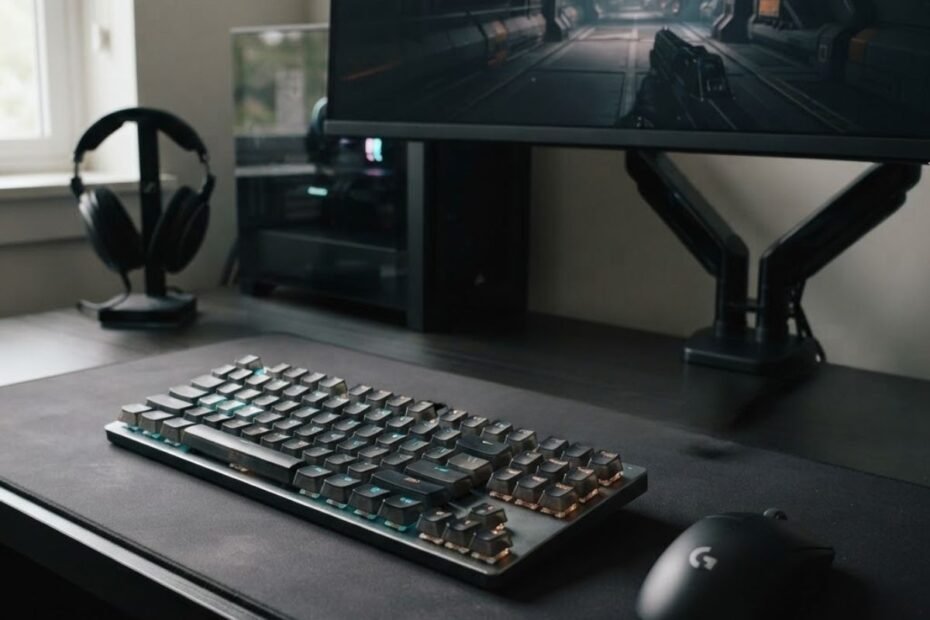
A gaming keyboard for FPS games is a keyboard designed around consistent, responsive input for movement, commands, and repeated actions in first person shooters. Unlike an everyday typing model, exploring a gaming keyboard vs office keyboard shows that an FPS gaming keyboard puts more attention on how keys activate, reset, and fit into a competitive gaming setup.
That does not mean every gaming keyboard feature improves FPS performance. The useful characteristics are the ones that affect how reliably you can control movement and commands, how naturally the keyboard fits your desk, and whether its design matches the way you play.
What Is a Gaming Keyboard for FPS Games?
A gaming keyboard for FPS games is a keyboard designed to provide consistent input, predictable key behavior, and a practical layout for first person shooter gameplay. Its main role is to translate repeated key presses into reliable in-game commands, particularly for movement and other actions that depend on quick, controlled inputs.
The important distinction is that an FPS gaming keyboard is not defined simply by RGB lighting, a gaming logo, or a long list of specifications. GearTP’s current keyboard guide emphasizes that characteristics such as actuation consistency, key reset, input behavior, and keyboard size have a more direct relationship with FPS use than cosmetic features.
What Makes a Keyboard a Gaming Keyboard?
A gaming keyboard is differentiated by features and design choices that give players more control over how the keyboard feels, responds, and fits into a gaming setup. These can include different switch technologies, gaming-focused layouts, customizable input behavior, dedicated software, and construction choices designed around repeated use.
However, the presence of these features alone does not make a keyboard better for gaming. A keyboard can have extensive customization and still offer little practical benefit to a particular player. The more useful question is whether its design improves a real part of the player’s setup.
For FPS players, that distinction matters because keyboard input is repetitive and movement-focused. The keyboard needs to feel predictable when the player repeatedly presses, holds, and releases keys. A feature is therefore more relevant when it changes that interaction in a useful way rather than simply adding another specification to the product page.
Gaming keyboards can also differ in physical layout. Full-size, TKL, 75%, 65%, and 60% keyboards occupy different amounts of desk space and provide different levels of dedicated key access. That choice can become important for FPS players because the keyboard shares desk space with the mouse.
In other words, a gaming keyboard is better understood as a combination of input behavior, physical design, and usability rather than as a product category defined by appearance alone.
What Makes an FPS Gaming Keyboard Different?
An FPS gaming keyboard is different because its useful characteristics are evaluated around the demands of first person shooter gameplay, especially repeated movement inputs, predictable activation, and available mouse space. The keyboard does not need to provide every gaming feature available. It needs to handle the inputs the player actually uses in a way that feels consistent.
FPS games place repeated demands on keyboard inputs. Players may hold movement keys, change direction, crouch, jump, reload, switch weapons, or activate abilities while simultaneously controlling the mouse. That makes predictable key behavior more relevant than features that have little connection to gameplay.
Layout is another important distinction. A keyboard that occupies less desk space can leave more room for mouse movement, while a larger keyboard preserves dedicated keys that may be useful outside gaming. Neither approach is automatically better. The appropriate choice depends on the player’s setup and how the keyboard is used.
This is why a gaming keyboard for FPS should be evaluated by how its design supports the player’s actual inputs and desk setup rather than by how many gaming features appear on its specification sheet.
The same principle applies to performance claims. A higher polling rate, shorter actuation, or advanced input feature may sound better on paper, but the practical value depends on how the complete keyboard behaves and whether the player can actually benefit from the change. GearTP’s existing guide makes the same distinction between core performance factors and secondary features.
The table below separates the characteristics that define an FPS-oriented keyboard from features that are mainly secondary:
| Keyboard characteristic | What it affects | Why it matters for FPS |
|---|---|---|
| Input behavior | How consistently key presses are registered | Supports predictable movement and command inputs |
| Actuation and key reset | When a key activates and becomes ready for another input | Can affect the feel of repeated movement inputs |
| Keyboard layout | Desk space and access to dedicated keys | Changes how much room remains for mouse movement |
| Switch technology | Key feel and input behavior | Lets players choose characteristics that fit their preferences and needs |
| RGB lighting | Appearance and visual customization | Provides personalization but does not directly improve keyboard input |
| Media controls | Convenience outside core gameplay | Useful for general use but not a defining FPS performance factor |
Table conclusion: The most meaningful differences for FPS players come from input behavior, key activation, reset behavior, switch characteristics, and physical layout, while features such as RGB lighting and media controls are primarily about convenience or personal preference.
That distinction helps prevent a common mistake when evaluating gaming keyboards. A keyboard does not become more suitable for FPS simply because it has more features. Its value depends on whether those features improve the way the player actually interacts with the game.
In summary, a gaming keyboard for FPS games is best defined by how consistently it handles player input and how well its design fits the demands of FPS gameplay. The next step is to look at what the keyboard actually does during a match, particularly how it handles movement and other game commands.
A gaming keyboard gives FPS players a physical way to control movement and trigger in-game commands. Most keyboard actions in a first person shooter begin with a key press, whether the player is moving across the map, changing direction, crouching, jumping, switching weapons, or activating an ability.
The keyboard is therefore responsible for handling a different part of FPS gameplay than the mouse. The mouse is primarily used for aiming and camera control, while the keyboard provides the movement and command inputs that let the player position the character and respond to the game.
What Does a Gaming Keyboard Do in FPS Games?
A gaming keyboard controls movement and a wide range of game commands in FPS games by translating physical key presses into in-game actions. The most frequent inputs usually involve movement, but players also use the keyboard for actions such as crouching, jumping, reloading, switching weapons, using abilities, interacting with objects, and communicating with teammates.
The keyboard and mouse handle different parts of FPS control, making their roles easier to understand when viewed together:
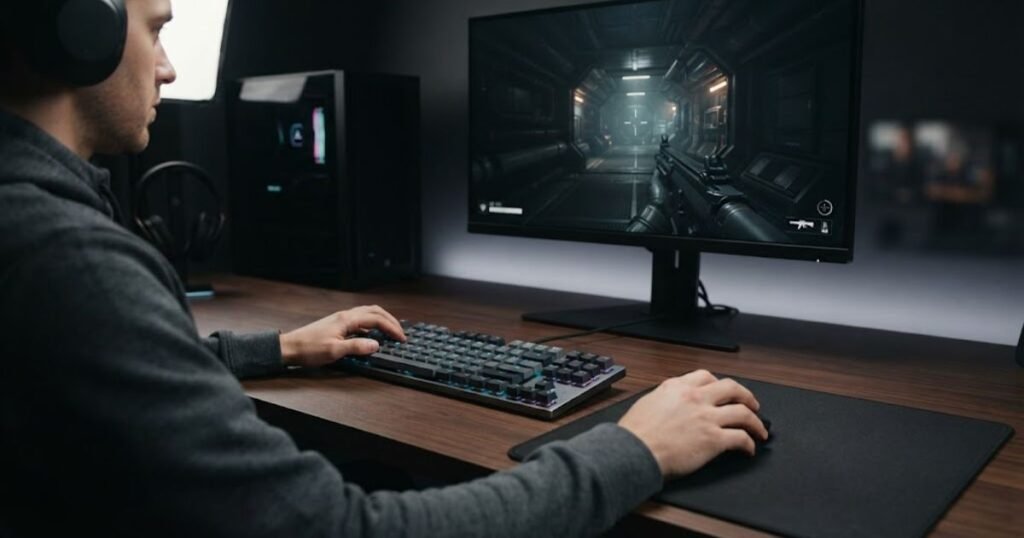
What matters here is the keyboard’s role in the input system. It does not determine where the player aims or automatically make shots more accurate. Instead, it gives the player control over the actions that happen alongside aiming and camera movement.
How Keyboard Inputs Control FPS Movement
Keyboard movement inputs control the direction and position of the player’s character in an FPS. The most familiar example is the WASD cluster, which typically handles forward, backward, left, and right movement.
Players combine these directional inputs to move through the environment, change position during fights, and adjust their movement while keeping their aim under mouse control. Holding a movement key produces continuous movement when the game allows it, while pressing and releasing keys lets the player make shorter directional changes.
Other movement-related actions are commonly assigned to nearby keys. Crouching and jumping, for example, can be triggered independently from the primary movement keys. The exact key bindings vary between games and players, but the underlying role remains the same: the keyboard provides the commands that control character movement.
Movement also does not always happen through a single key. Players may combine directional inputs with other commands to perform more complex actions. This makes the keyboard an active part of moment-to-moment FPS control rather than simply a device for entering occasional commands.
Common keyboard-controlled movement actions include:
- Forward and backward movement: Moves the character along the primary direction of travel.
- Strafing: Moves the character sideways while allowing the player to maintain control of the camera with the mouse.
- Crouching: Changes the character’s stance when the game supports a crouch command.
- Jumping: Triggers the game’s jump action when assigned to a keyboard key.
- Directional combinations: Combines multiple movement inputs to control positioning and movement direction.
The important point is that the keyboard handles the character’s movement instructions, while the player coordinates those inputs with mouse movement and the rules of the specific FPS game.
In summary, keyboard movement inputs give FPS players direct control over where their character moves and how quickly they can change direction within the limits of the game.
How Keyboard Inputs Handle Weapons and Abilities
Keyboard inputs also trigger many of the commands players use to manage weapons, abilities, equipment, and interactions during an FPS match. These commands are usually assigned to keys that the player can reach without taking attention away from the game.
Weapon-related commands can include switching between weapons, reloading, selecting equipment, or activating other game-specific actions. The exact commands depend on the FPS, but the keyboard provides the physical inputs that initiate them.
Abilities work in a similar way. Games with character abilities, tactical equipment, or utility systems commonly assign those actions to specific keys. A player may therefore use movement keys with another keyboard command within the same sequence of play.
Keyboard inputs can also control actions that are not directly related to movement or weapons. Interactions, communication commands, menus, and other game functions may all be assigned to keyboard keys depending on the game’s control system.
These commands can be grouped into several common categories:
- Weapon commands: Switches between available weapons and triggers weapon-related actions assigned to keys.
- Equipment and abilities: Activates grenades, abilities, tactical equipment, or other game-specific tools.
- Reload and interaction: Handles actions such as reloading, interacting with objects, or completing contextual actions.
- Communication: Provides access to voice, text, ping, or other communication commands when assigned to the keyboard.
The exact control scheme varies by game, and players can often remap keys to suit their preferences. That means there is no single universal keyboard layout for every FPS. What remains consistent is the keyboard’s role as the primary physical input device for a large portion of game commands.
In summary, keyboard inputs extend beyond movement by giving FPS players access to weapons, abilities, equipment, interactions, and communication commands throughout a match.
A gaming keyboard therefore serves as the main physical control surface for movement and many game commands in an FPS. Its role is different from the mouse’s role in aiming, but both input devices work together during gameplay. The next question is why the consistency of those keyboard inputs matters when the player is making repeated movements and commands under pressure.
Keyboard input matters in FPS games because players depend on repeated, controlled inputs to maintain movement and respond to situations during a match. When those inputs feel predictable and comfortable, players can focus more of their attention on positioning, aiming, timing, and decision-making instead of constantly adjusting to the keyboard itself.
This does not mean a gaming keyboard automatically makes someone a better FPS player. Its practical value comes from reducing friction between what the player intends to do and how the keyboard feels during repeated use.
Why Does Keyboard Input Matter in FPS Games?
Keyboard input matters in FPS games because movement and other commands are performed repeatedly, often while the player is simultaneously aiming, tracking opponents, and making decisions. A keyboard that fits the player’s hands and setup can make those repeated interactions feel more predictable and less distracting during gameplay.
The benefit is therefore not simply about pressing a key faster. It is about having a control surface that behaves consistently enough for the player to develop reliable habits and execute familiar inputs without unnecessary friction.
Why Consistent Movement Matters
Consistent movement matters because FPS players often repeat the same directional inputs under changing gameplay conditions. Moving into cover, changing direction, holding a position, repositioning during a fight, and combining movement with aiming all require the player to reproduce familiar inputs accurately.
When the keyboard feels predictable, the player can build a consistent relationship between a physical key press and the resulting action. This becomes particularly relevant during repeated movement patterns, where small differences in how an input feels can become noticeable over a long session.
Consistent input is not only about how a key registers, but also about how naturally the player’s hands interact with the keyboard throughout a long session:
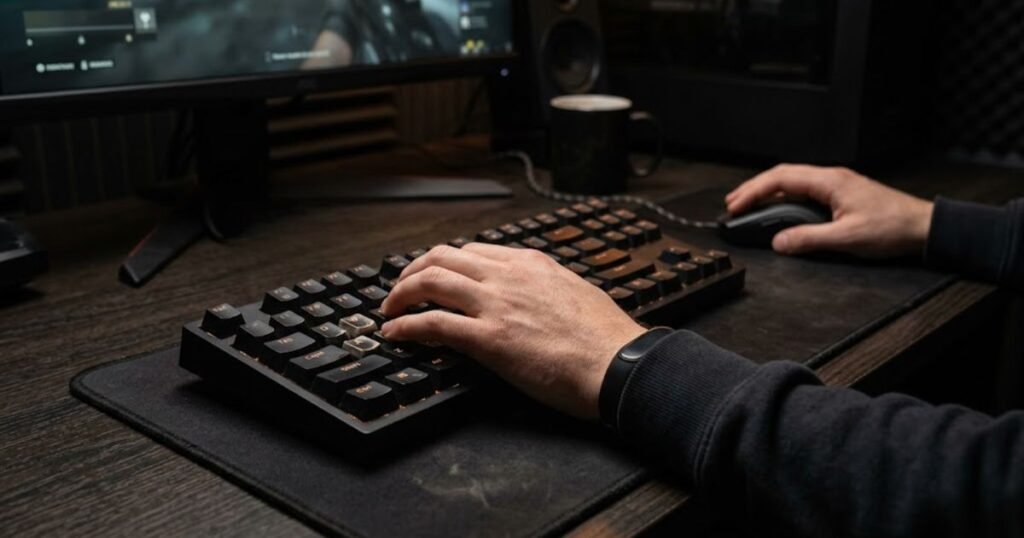
Consistency does not mean that every player needs the same keyboard or the same switch behavior. Players have different preferences for key feel, actuation, resistance, and layout. What matters is that the chosen keyboard provides behavior the player can understand and reproduce comfortably.
This distinction is important because FPS performance is not determined by the keyboard alone. Movement technique, aim, positioning, game knowledge, reaction, and decision-making all contribute to performance. A keyboard can support consistent input, but it cannot create those skills by itself.
For that reason, the practical value of consistent keyboard input is best understood as reducing unnecessary variation in a repeated physical interaction. The player still has to perform the movement correctly, but the keyboard should not introduce avoidable uncertainty into that process.
In summary, consistent keyboard input helps FPS players reproduce familiar movement actions with less physical uncertainty, allowing more attention to remain on the game itself.
Why Comfort Matters During Long FPS Sessions
Keyboard comfort matters because FPS players can spend long periods repeatedly using the same keys, and an uncomfortable setup can become increasingly distracting over time. Key spacing, keyboard position, layout, key feel, and the amount of desk space available can all influence how naturally the player interacts with the keyboard.
Comfort is highly personal. A layout that feels natural to one player may feel cramped or unnecessarily large to another. The same applies to key resistance and switch feel. There is no single comfort profile that works for every FPS player.
Desk positioning also matters because the keyboard shares the playing surface with the mouse. Players who use a large mousepad or a wider mouse movement area may prefer a keyboard that leaves more usable space beside it. Others may value dedicated keys because they also use the same keyboard for productivity or other games.
Comfort should therefore be evaluated as part of the complete setup rather than as an isolated keyboard specification. A keyboard can have impressive technical characteristics and still be a poor fit if its size, position, or key feel makes the player’s normal hand position uncomfortable.
There is also an important difference between comfort and performance claims. A comfortable keyboard does not automatically improve aim or reaction time. Its more defensible benefit is that it can make repeated use feel more natural and reduce distractions caused by a poor physical fit.
In summary, comfort matters because FPS gameplay involves repeated keyboard interaction, and a keyboard that fits the player’s hands and desk can make long sessions easier to manage.
Why FPS Players May Prefer Gaming Keyboards
FPS players may prefer gaming keyboards because gaming-oriented designs can give them more control over input characteristics, keyboard layout, and the way the keyboard fits their setup. The reason for choosing one should come from a specific need rather than from the gaming label itself.
For example, one player may prefer a particular key feel because it makes repeated inputs feel more natural. Another may want a compact layout to create more room for mouse movement. Someone else may value customization because the keyboard is used across several games with different control schemes.
These are different reasons to prefer a gaming keyboard, and they do not have equal importance for every player. The strongest case for an upgrade is usually the one connected to an identifiable limitation in the current setup.
This is also why why FPS players need a gaming keyboard should be considered in terms of actual gameplay needs rather than the assumption that gaming hardware is automatically better than standard hardware.
A player who already has a reliable, comfortable keyboard may have little reason to replace it. On the other hand, a player who finds the current keyboard limiting may benefit from characteristics that better match the way they play.
The decision ultimately comes down to fit. A gaming keyboard becomes more meaningful when its design addresses something the player actually experiences, whether that is input feel, physical space, comfort, or customization.
In summary, FPS players may prefer gaming keyboards because certain gaming-focused characteristics can better match their individual setup and playing habits, but the benefit depends on the problem the keyboard is solving.
Keyboard input matters in FPS games because players repeatedly depend on the keyboard while managing movement, aiming, positioning, and decisions at the same time. Consistent input can make repeated actions feel more predictable, while a comfortable setup can reduce unnecessary physical friction during long sessions. The next step is to examine which specific keyboard characteristics actually affect that experience, rather than assuming every gaming feature has equal value.
The most relevant FPS keyboard features are the ones that affect how reliably a key registers, how predictably it resets, and how consistently the keyboard handles repeated inputs. Features such as RGB lighting or decorative customization may improve appearance, but they do not have the same direct relationship with in-game input.
For FPS players, it is more useful to evaluate a keyboard by what happens between pressing a key and seeing the intended action occur in the game. That means looking at input behavior first and treating secondary features separately.
Which Gaming Keyboard Features Matter for FPS?
The gaming keyboard features that matter most for FPS are consistent actuation, predictable key reset, reliable rollover, and responsive input behavior. These characteristics influence how the keyboard handles repeated movement and command inputs during gameplay.
Not every specification deserves equal weight. A keyboard can advertise a high polling rate, advanced software, extensive RGB controls, or other premium features without those characteristics making a meaningful difference to the way a particular player uses the keyboard.
Switch Type and Key Feel
Switch type affects how a key feels and how its input is registered, making it relevant to the consistency and control of repeated keyboard inputs. Mechanical, optical, and magnetic switches use different mechanisms, and those differences can change actuation behavior, key feel, and available customization.
Mechanical switches are widely available and come in different feel profiles, giving players substantial choice in how keys respond under their fingers. Optical switches use a different method of detecting activation, while Hall Effect switches use magnetic sensing to detect key position and can support adjustable actuation on compatible keyboards.
However, switch category alone does not determine whether a keyboard is good for FPS. Two keyboards using the same broad switch technology can still behave differently because of their implementation, tuning, firmware, stabilizers, and overall construction.
Key feel also comes down to personal preference. Some players prefer a lighter and more immediate feeling key, while others prefer more resistance or a more deliberate press. There is no universal switch feel that every FPS player should use.
The useful question is therefore not simply which switch technology is fastest. It is whether the switch behavior feels predictable and appropriate for the inputs the player performs repeatedly.
In summary, switch type matters because it influences input behavior and key feel, but the switch category itself should not be treated as a universal ranking of FPS performance.
Actuation Point and Rapid Trigger
Actuation point determines how far a key must travel before the keyboard registers the input, while Rapid Trigger changes how the keyboard handles activation and reset during key movement. Both can be relevant to FPS players who rely heavily on repeated directional inputs.
A shorter actuation point can make a key register earlier in its travel. Some keyboards also allow the actuation point to be adjusted, giving players more control over how much key travel is required before an input is registered.
Rapid Trigger is more specific. Rather than relying only on a fixed reset point, compatible keyboards can respond to changes in key travel as the key moves back upward. This can make repeated directional inputs feel more immediate for players whose movement style depends on rapid key presses and releases.
The differences between keyboard features become easier to understand when the physical keys are connected to the way inputs are activated and reset:
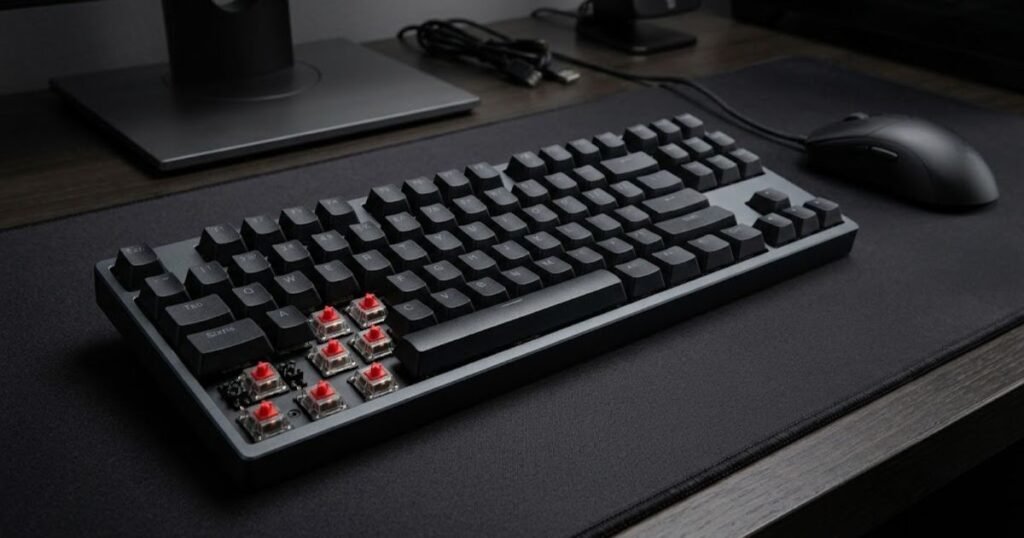
That does not make Rapid Trigger a universal requirement for FPS gaming. Its practical value depends on the game, the player’s movement habits, and whether the player actually benefits from faster repeated activation and reset behavior.
This distinction matters because a feature can be technically advanced without being equally useful to every player. A movement-focused competitive player may value adjustable actuation and Rapid Trigger much more than someone who primarily wants a comfortable and reliable keyboard.
In summary, actuation and Rapid Trigger are relevant when they match the player’s movement style, but neither should be treated as a mandatory FPS feature.
Input Latency, Polling Rate, and Key Rollover
Input latency describes how long it takes for a physical key press to become a usable input, polling rate describes how frequently the keyboard reports its state, and rollover determines how reliably multiple key presses can be registered together. These concepts are related to keyboard responsiveness, but they are not interchangeable.
Input latency covers the overall path between pressing a key and the system receiving the corresponding input. A lower latency can reduce the delay between the physical action and its registration, but the practical difference depends on the complete implementation rather than one specification alone.
Polling rate refers to how frequently the keyboard reports its state to the computer. A higher polling rate can reduce the maximum interval between reports, but the benefit becomes smaller as reporting rates increase. GearTP’s current guide therefore treats polling rate as one part of responsiveness rather than the sole measure of keyboard performance.
Key rollover addresses a different problem. It concerns how many simultaneous key presses the keyboard can recognize correctly. This can matter when an FPS player combines movement with other commands and expects multiple inputs to register without unintended omissions.
These distinctions are important because a keyboard with an impressive polling rate can still provide a less convincing experience if its overall input behavior is inconsistent. Similarly, rollover is useful for reliable multi-key input, but it does not by itself make a keyboard faster.
The table below separates the main FPS keyboard features by what they actually affect:
| Feature | What It Affects | Why It Matters for FPS |
|---|---|---|
| Actuation consistency | How predictably keys register inputs | Supports repeatable movement and command inputs |
| Key reset | How quickly a key becomes ready for another input | Can matter during repeated directional inputs |
| Input latency | Time between physical input and system registration | Lower latency can reduce input delay when implementation is consistent |
| Polling rate | How frequently keyboard state is reported | Can reduce reporting intervals, with diminishing gains at higher rates |
| Key rollover | Recognition of multiple simultaneous key presses | Helps prevent missed inputs when several keys are pressed together |
| RGB lighting | Visual appearance and customization | Does not directly change keyboard input behavior |
Table conclusion: Actuation consistency, key reset, input latency, and reliable rollover have a more direct relationship with FPS input than cosmetic features, while polling rate should be considered as one part of overall responsiveness rather than an isolated performance score.
For players evaluating actual keyboards, the most useful approach is to start with the characteristics that affect repeated inputs and then consider secondary features based on personal preference.
That distinction also prevents a common buying mistake: treating the highest specification as automatically superior. A feature matters when it changes a real part of the player’s interaction with the game, not simply because its number is larger.
For a broader breakdown of the characteristics that affect FPS keyboard selection, the gaming keyboard features that matter for FPS can be evaluated individually rather than as a single specification checklist.
In summary, the most important FPS keyboard features are those that make repeated inputs predictable and responsive. Actuation, reset behavior, latency, and rollover deserve more attention than cosmetic additions, while advanced features should be judged according to the player’s actual movement style and needs.
There is no single keyboard size that is best for every FPS player. Smaller layouts can leave more room for mouse movement, while larger layouts provide dedicated keys and a more familiar desktop layout. The right choice depends mainly on desk space, mouse movement, and whether the keyboard is also used for work or other tasks.
For FPS players, keyboard size is therefore less about performance specifications and more about how the keyboard fits into the physical space around the player.
Which Keyboard Size Is Best for FPS Games?
The best keyboard size for FPS depends on how much desk space you need for your mouse, which dedicated keys you use, and whether the keyboard needs to support tasks beyond gaming. A compact keyboard can create more usable mouse space, while a larger layout keeps more keys immediately accessible.
Keyboard size becomes much easier to compare when the physical footprint is viewed alongside the mouse space available on the same desk:
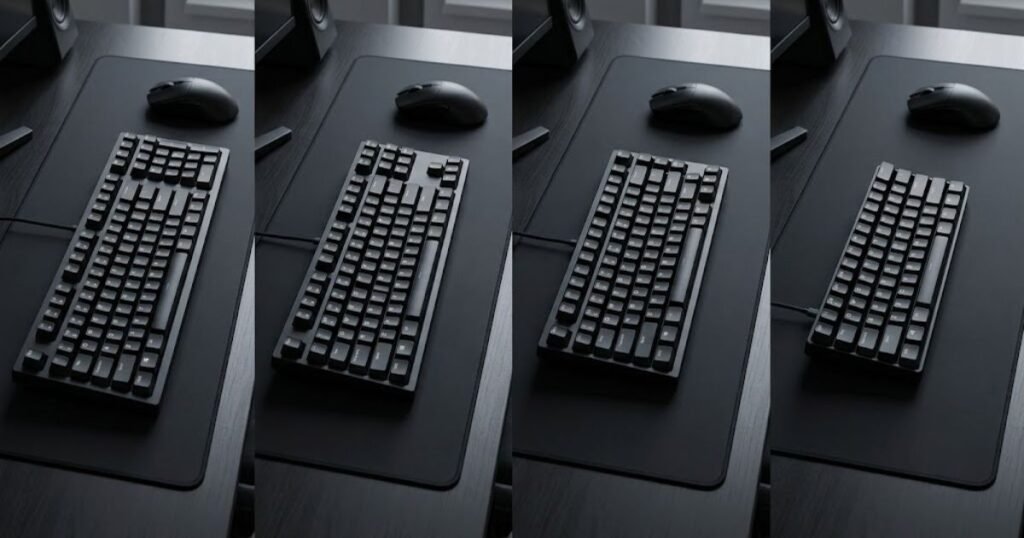
FPS players often need enough room to move the mouse freely, particularly when using lower sensitivity. At the same time, removing keys from a keyboard introduces trade-offs that may matter for productivity, shortcuts, or other games.
That makes keyboard size a setup decision rather than a simple performance ranking. A 60% keyboard is not automatically better for FPS than a TKL keyboard, and a TKL keyboard is not automatically better than a full-size model.
Full-Size Keyboards for FPS
A full-size keyboard gives FPS players the complete traditional keyboard layout, including a dedicated number pad and navigation keys. Its main advantage is access to a large number of dedicated keys without relying heavily on function layers or secondary key combinations.
The trade-off is physical size. A full-size keyboard takes up more horizontal desk space, which can reduce the amount of room available for the mouse. This may matter more for players who use large mouse movements or a low mouse sensitivity.
Full-size keyboards can still make sense for FPS players who also use their computer for work, school, productivity, or games that benefit from dedicated keys. In those situations, the additional desk space may be an acceptable trade-off for keeping the complete layout.
A full-size layout is therefore best viewed as a practical choice for players who value dedicated keys and broader everyday functionality more than maximizing mouse space.
In summary, full-size keyboards provide the most complete traditional layout, but their larger footprint can leave less room for mouse movement on a gaming desk.
Tenkeyless Keyboards for FPS
A tenkeyless, or TKL, keyboard removes the dedicated number pad while retaining the main navigation and function-key structure. This creates a middle ground between a full-size keyboard and more compact layouts.
The reduced width gives the mouse more room without removing as many familiar keys as smaller keyboards do. Players can therefore maintain dedicated function and navigation keys while gaining additional desk space.
TKL keyboards can be particularly practical for players who use their keyboard for both gaming and everyday computer tasks. The layout remains familiar while taking up less horizontal space than a full-size keyboard.
For FPS, the main benefit is not that TKL changes how the game processes keyboard input. Its benefit is physical: the keyboard occupies less of the desk, leaving more space for the mouse and other equipment.
In summary, TKL is a balanced option for FPS players who want additional mouse space without giving up the dedicated keys found on larger layouts.
75% and 60% Keyboards for FPS
75% and 60% keyboards reduce the physical footprint further by removing or consolidating more dedicated keys. Their main appeal for FPS players is the amount of desk space they can free up around the mouse.
A 75% layout generally keeps more of the keyboard’s familiar functionality in a compact arrangement, while a 60% layout removes additional dedicated keys and relies more heavily on function layers or secondary commands.
This compact design can work well for players who prioritize mouse space and have little need for dedicated navigation or number-pad keys. It can also create a cleaner physical setup with more open desk space around the keyboard.
The trade-off is accessibility. Keys that are physically removed or consolidated may require alternate key combinations, and that can be less convenient for players who regularly use those functions outside FPS games.
Compact layouts therefore make the most sense when the player actually benefits from the additional desk space and is comfortable with the reduced dedicated-key access.
The following comparison shows how the main keyboard sizes differ in the areas that matter most for an FPS setup:
| Keyboard layout | Desk footprint | Dedicated keys | Mouse space | Main trade-off |
|---|---|---|---|---|
| Full-size | Largest | Most | Least | Uses more horizontal desk space |
| TKL | Medium | Most common dedicated keys | More | Loses the dedicated number pad |
| 75% | Compact | Fewer | More | Some keys are consolidated or repositioned |
| 60% | Smallest | Fewest | Most | Greater reliance on function layers and shortcuts |
Table conclusion: Smaller layouts generally provide more room for mouse movement, while larger layouts preserve easier access to dedicated keys. The best balance depends on which trade-off fits the player’s setup.
For most FPS players, the practical question is not whether a keyboard is full-size or compact in isolation. It is whether the layout leaves enough room for the player’s mouse movement without removing keys that the player genuinely needs.
A player using low mouse sensitivity may place greater value on additional horizontal space, while someone who uses the same keyboard for productivity may prefer the convenience of a larger layout. Neither choice is inherently more competitive.
In summary, keyboard size should be chosen around desk space, mouse movement, and access to the keys you actually use. Compact layouts can be useful for FPS setups when mouse space is limited, while TKL and full-size keyboards can make more sense when dedicated-key access is equally important.
You do not need a mechanical keyboard to play FPS games, but mechanical keyboards can offer key feel and input characteristics that some players prefer. What matters is whether the keyboard provides reliable input and feels appropriate for the player’s setup, rather than whether it uses a particular switch technology.
Mechanical keyboards are popular in gaming because they offer a wide range of switch designs and key feels. However, other keyboard technologies can also provide suitable input for FPS games, so the choice should be based on the player’s actual needs rather than the mechanical label alone.
Do You Need a Mechanical Keyboard for FPS Games?
No, a mechanical keyboard is not required for FPS games. FPS games can be played with different keyboard technologies as long as the keyboard reliably registers the inputs the player uses.
The reason mechanical keyboards are often associated with competitive gaming is that they provide a broad range of switch options and can offer a distinct, consistent key feel. Some gaming keyboards also use optical or magnetic technologies that provide different approaches to key activation and customization.
This means the more useful question is not whether a keyboard is mechanical, but whether its input behavior, key feel, and overall design match the player’s needs.
Mechanical Keyboards for FPS
Mechanical keyboards use individual mechanical switches beneath the keys, giving players a wide range of choices in key feel, actuation characteristics, and switch behavior. Different mechanical switches can feel linear, tactile, or clicky, depending on their design.
Mechanical is only one of several keyboard technologies used for FPS gaming, and the differences become clearer when their underlying approaches are viewed side by side:
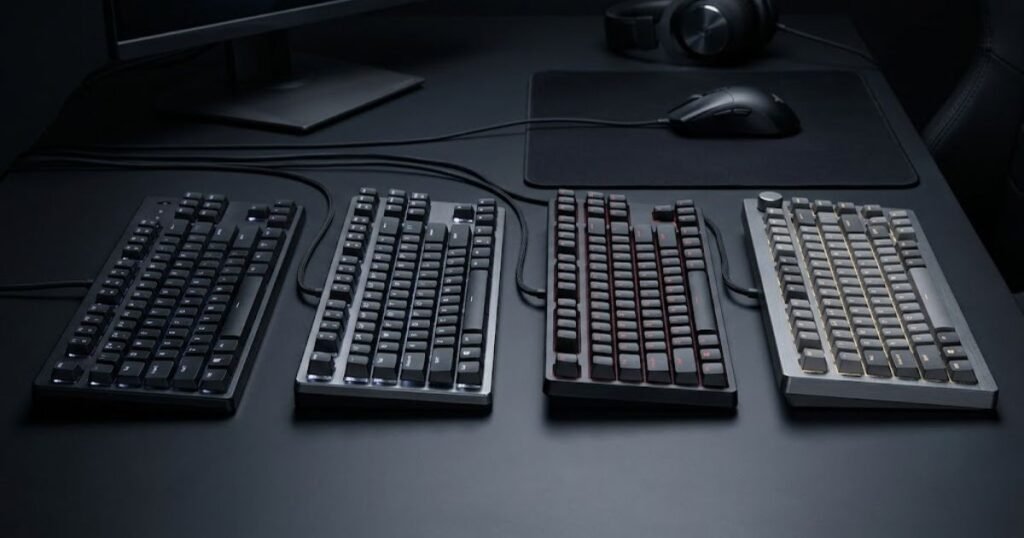
For FPS players, the main advantage is choice. A player can select a switch that feels comfortable for repeated movement and command inputs rather than being limited to one universal key response.
Mechanical keyboards are also available across a wide range of gaming designs and price levels. However, mechanical construction by itself does not guarantee lower latency, better movement, or better competitive performance.
The actual experience depends on the complete keyboard implementation, including its switches, firmware, controller, and other components. Two mechanical keyboards can therefore provide noticeably different input behavior even though they belong to the same broad technology category.
Mechanical keyboards are a strong option for players who value switch choice and a particular key feel, but they should not be treated as a requirement for FPS gaming.
In summary, mechanical keyboards can provide useful customization and predictable key feel, but their mechanical construction alone does not determine FPS performance.
Membrane Keyboards for FPS
Membrane keyboards can also be used for FPS games because they can provide the basic keyboard inputs required for movement and commands. Their key mechanism differs from mechanical switches, but that does not prevent them from functioning as an FPS gaming input device.
For a player who already owns a comfortable and reliable membrane keyboard, replacing it solely because it is not mechanical may not provide a meaningful improvement.
The decision becomes different when the existing keyboard has characteristics that the player dislikes, such as an uncomfortable key feel, inconsistent input behavior, or a physical design that does not fit the setup. In that situation, the relevant question is whether a replacement solves the specific limitation.
Membrane keyboards can therefore be perfectly adequate for players who do not need the characteristics offered by more specialized gaming keyboards.
In summary, a membrane keyboard is not automatically unsuitable for FPS. Its usefulness depends on how reliably it handles inputs and whether its feel and design work for the player.
Magnetic and Hall Effect Keyboards for FPS
Magnetic and Hall Effect keyboards use magnetic sensing to detect key position and can enable adjustable input behavior on compatible designs. This gives them capabilities that differ from traditional mechanical and membrane keyboards.
One notable characteristic is adjustable actuation. On compatible keyboards, players can configure how far a key needs to travel before the input is registered. Some implementations also support Rapid Trigger, which can change how activation and reset respond to key movement.
These capabilities can be particularly relevant to players who want more control over repeated directional inputs. However, having more adjustment options does not automatically make a keyboard better for every FPS player.
Some players may notice a meaningful difference from adjustable input behavior, while others may prefer a simpler keyboard that already feels predictable and comfortable. The value depends on the player’s movement style, preferences, and whether the additional functionality addresses a real need.
The following table compares the main keyboard technologies from an FPS perspective:
| Keyboard technology | Primary characteristic | Potential FPS benefit | Main consideration |
|---|---|---|---|
| Mechanical | Individual mechanical switches with different feel profiles | Wide choice of key feel and switch behavior | Mechanical construction alone does not guarantee better performance |
| Membrane | Membrane-based key activation | Can provide reliable basic FPS input | Key feel and input characteristics may differ from mechanical designs |
| Optical | Optical detection of key activation | Can provide different approaches to input detection | Implementation varies between keyboards |
| Magnetic / Hall Effect | Magnetic sensing of key position | Can enable adjustable actuation and advanced input behavior | Additional features are useful only when they match the player’s needs |
Table conclusion: Mechanical, membrane, optical, and magnetic keyboards can all serve FPS players, but they offer different input characteristics. The most advanced technology is not automatically the best choice for every player.
For someone choosing between these technologies, the most important distinction is whether the keyboard solves an actual problem. A player who wants a specific mechanical key feel may benefit from a mechanical keyboard. A player who wants adjustable actuation may prefer a compatible Hall Effect design. Someone who is already comfortable with a reliable membrane keyboard may have little reason to change.
This is also why the term “mechanical” should not be treated as a performance shortcut. The technology category tells you something about how the keyboard works, but it does not tell you whether that particular keyboard is a good fit for your FPS setup.
In summary, you do not need a mechanical keyboard for FPS games. Mechanical keyboards offer extensive switch choices, while membrane keyboards can provide sufficient basic input and magnetic or Hall Effect keyboards can add adjustable input capabilities. The right choice depends on the characteristics the player actually values.
The best way to choose a gaming keyboard for FPS is to start with your actual setup and identify the limitation you want the keyboard to solve. From there, compare the characteristics that address that limitation, check whether the keyboard fits your desk and playing habits, and only then consider price and extra features.
This approach prevents a common mistake in gaming gear selection: choosing the keyboard with the longest specification list instead of choosing the keyboard that fits the player’s actual needs.
How Should You Choose a Gaming Keyboard for FPS?
Choose a gaming keyboard for FPS by matching its input behavior, size, technology, and features to the way you actually play. The goal is not to find the keyboard with the most advanced specifications, but to find one that solves a relevant problem without introducing unnecessary trade-offs.
A practical decision starts with the current setup. If the existing keyboard already feels comfortable, registers inputs reliably, and leaves enough room for the mouse, there may be little reason to replace it. An upgrade becomes more meaningful when the current keyboard creates a specific limitation.
Start With Your Current Keyboard
Start by identifying what, if anything, is limiting your current keyboard during FPS gameplay. This keeps the decision grounded in an actual need instead of starting with product specifications.
For example, a player may find that the current keyboard takes up too much desk space, feels uncomfortable during long sessions, or does not provide the input characteristics they prefer. Another player may have no meaningful problem with the current keyboard at all.
That last situation matters. Not every FPS player needs a gaming keyboard upgrade. If the existing keyboard already performs its basic role reliably and fits the player’s setup, buying a new keyboard may produce little practical benefit.
Before comparing products, consider whether the current keyboard creates a problem in one of these areas:
- Physical fit: The keyboard occupies more desk space than you want to give up.
- Key feel: The current keys do not feel natural or comfortable during repeated use.
- Input behavior: The keyboard does not provide the type of activation or reset behavior you prefer.
- Usability: The layout does not provide the balance of dedicated keys and compactness you need.
- Customization: You have a specific need for adjustable or programmable input behavior.
These are starting points rather than reasons that automatically justify an upgrade. The important step is identifying which limitation actually affects your experience.
In summary, evaluating your current keyboard first prevents unnecessary upgrades and gives you a specific reason for comparing alternatives.
Match Keyboard Features to Your Needs
Once you identify a limitation, choose only the keyboard characteristics that directly address it. This creates a more focused comparison and prevents secondary features from dominating the decision.
A player who needs more mouse space may prioritize a smaller physical layout. Someone who wants a particular key feel may focus on switch characteristics. A player interested in adjustable actuation may consider a compatible Hall Effect keyboard.
These choices are not interchangeable. A feature should be evaluated according to the problem it solves rather than its reputation within the gaming market.
For example, a high polling rate may sound attractive, but it should not automatically outweigh a keyboard’s physical fit or key feel. Similarly, RGB customization may be valuable for aesthetics, but it should not become the deciding factor if the player’s actual concern is desk space.
The same principle applies to price. A more expensive keyboard can include additional capabilities, but those capabilities only create value when the player actually uses them.
In summary, match each major keyboard characteristic to a real requirement instead of treating every gaming specification as equally important.
Use a Simple Decision Process
A simple decision process is enough to narrow down an FPS keyboard without comparing every specification on the market. Start with the problem, identify the relevant characteristic, remove options that do not fit the setup, and then compare the remaining choices.
- Identify the limitation: Decide what is missing or inconvenient about your current keyboard.
- Define the relevant characteristic: Determine whether the issue relates to layout, key feel, input behavior, technology, or another specific requirement.
- Set your physical requirements: Make sure the keyboard fits your available desk space and leaves enough room for your mouse.
- Remove unnecessary features: Ignore specifications that do not solve a problem you actually have.
- Compare suitable options: Evaluate the remaining keyboards by overall fit, reliability, features, and price.
This process also helps separate a genuine upgrade from a specification-driven purchase. If a new keyboard does not solve a meaningful limitation, its additional features may have little practical value for that particular player.
Conversely, a relatively simple keyboard can be a better choice when it provides exactly what the player needs without unnecessary complexity or cost.
In summary, choosing an FPS keyboard becomes easier when the decision moves from problem identification to requirement matching and finally to product comparison.
The right gaming keyboard for FPS is therefore the one that fits the player’s actual needs rather than the one with the most impressive specification sheet. Start with the current setup, identify a meaningful limitation, match the relevant characteristics to that limitation, and remove features that do not contribute to the decision.
Once those requirements are clear, the remaining question is whether upgrading the keyboard is actually worthwhile for the player.
A gaming keyboard can be worth upgrading for FPS when it solves a real limitation in your current setup, but upgrading is not automatically worthwhile just because a newer keyboard has better specifications. The strongest reason to upgrade is a clear improvement in fit, input behavior, or usability that matches how you actually play.
This distinction matters because FPS performance depends on much more than the keyboard. Aim, movement technique, positioning, game knowledge, reaction, and decision-making all contribute to performance. A keyboard can improve the physical input experience, but it cannot replace those skills.
Is a Gaming Keyboard Worth It for FPS Games?
A gaming keyboard is worth considering for FPS when your current keyboard creates a limitation that a new keyboard can realistically solve. If the current keyboard is comfortable, reliable, and appropriate for your setup, replacing it may provide little practical benefit.
The value of an upgrade therefore depends on the difference between the current keyboard and the proposed replacement. A new keyboard should have a specific reason for being better suited to the player rather than simply having a higher price or more gaming-oriented branding.
For some players, that reason may be physical. For others, it may be input behavior or a particular feature that their current keyboard does not provide.
When an Upgrade Makes Sense
An FPS keyboard upgrade makes the most sense when the current keyboard has a limitation that directly affects the player’s setup or repeated use. The improvement does not need to transform gameplay. It simply needs to solve a problem that matters to the player.
An upgrade may be reasonable when the current keyboard takes up too much desk space, feels uncomfortable during long sessions, or does not provide the input characteristics the player wants. A player may also have a specific reason for wanting adjustable input behavior or a different key feel.
Another legitimate reason is consistency of the overall setup. If the player already uses a low-sensitivity mouse configuration and needs more usable desk space, changing to a smaller keyboard may provide a physical improvement even if the underlying game inputs remain the same.
The strongest upgrade cases are therefore specific rather than abstract:
- The current keyboard does not fit the desk: Its footprint leaves less usable room than the player needs for the mouse.
- The current key feel is unsuitable: Repeated inputs feel uncomfortable or unnatural during normal play.
- The player wants different input behavior: The current keyboard does not provide characteristics the player specifically wants.
- The current keyboard has a reliability problem: Inputs do not register consistently enough for normal use.
- The player has a clear feature requirement: A particular capability addresses an identifiable need rather than simply adding another specification.
Even in these situations, the upgrade should be evaluated against its cost. A meaningful improvement does not necessarily require the most expensive keyboard available.
In summary, an upgrade makes sense when a new keyboard addresses a real limitation that the player can identify and reasonably expect the replacement to improve.
When You Probably Do Not Need to Upgrade
You probably do not need to upgrade when your current keyboard already provides reliable input, feels comfortable, fits your desk, and does not create a meaningful limitation during gameplay. Owning a standard keyboard is not by itself a reason to replace it.
This is especially important for players who are tempted to upgrade because a newer keyboard advertises a higher polling rate, shorter actuation, advanced lighting, or other premium specifications. A specification can be technically impressive without producing a noticeable improvement for a particular player.
The same principle applies to mechanical keyboards. If a player already has a reliable keyboard that feels comfortable and works well with their setup, switching to a mechanical keyboard solely because it is considered more appropriate for gaming may not solve anything.
There is also an opportunity cost to upgrading. Money spent on a keyboard is money that cannot be spent elsewhere in the setup. If the current keyboard is not causing a problem, the practical value of an upgrade may be lower than improving another part of the gaming environment.
The following table summarizes when an upgrade is more or less justified:
| Current situation | Upgrade case | Reason |
|---|---|---|
| Keyboard is reliable and comfortable | Low | There may be no meaningful problem to solve |
| Keyboard takes up too much desk space | High | A smaller layout may provide more usable mouse space |
| Key feel is uncomfortable | Moderate to high | A different keyboard may provide a better physical fit |
| Inputs are unreliable | High | A reliable replacement can address a functional limitation |
| Player simply wants newer specifications | Low to moderate | The specifications may not create a meaningful practical improvement |
| Player wants a specific feature with a clear use case | Moderate to high | The feature may address an identifiable requirement |
Table conclusion: The strongest reason to upgrade is a clear limitation in the current setup, while replacing a reliable keyboard simply to obtain newer specifications has a weaker practical case.
There is no universal point at which an FPS player “needs” a gaming keyboard. The decision depends on the current setup, the player’s expectations, and whether the replacement produces a meaningful improvement for the money spent.
A player who already performs comfortably with their current keyboard may gain more by keeping it and improving other parts of their setup or simply continuing to develop their skills. Conversely, a player who has identified a specific limitation has a stronger reason to consider an upgrade.
For players who have decided that an upgrade is justified, the next decision is not simply to buy the most expensive model. The available gaming keyboards for FPS in 2026 should be evaluated according to the requirements identified earlier in the decision process.
In summary, a gaming keyboard is worth upgrading for FPS when it solves a meaningful problem in the player’s current setup. If the existing keyboard is already reliable, comfortable, and suitable for the player’s needs, upgrading may offer little practical value.
Frequently Asked Questions About Gaming Keyboards for FPS Games
These questions cover practical FPS keyboard concerns that are useful when deciding whether a gaming keyboard fits your setup. The answers focus on specific situations and common misconceptions that are not fully addressed by the main sections above.
Can a gaming keyboard improve FPS aim?
A gaming keyboard cannot directly improve your aim because aiming is primarily controlled through the mouse and your own motor skills. A suitable keyboard can make movement and other inputs feel more predictable, which may help you execute your overall control scheme more comfortably.
Does a gaming keyboard increase FPS?
No, a gaming keyboard does not increase the game’s frame rate. FPS as frames per second is primarily determined by the computer’s hardware, game settings, and software environment, while the keyboard is an input device.
Can you use a regular keyboard for FPS games?
Yes, you can use a regular keyboard for FPS games if it reliably registers the inputs you need. A gaming keyboard becomes more relevant when you want specific input characteristics, physical design choices, or customization that your current keyboard does not provide.
Does keyboard latency matter more at higher FPS?
Keyboard latency remains an input consideration regardless of frame rate, but a higher game frame rate does not automatically make every difference in keyboard latency noticeable. The practical effect depends on the complete input chain and how large the latency difference actually is.
Is a higher keyboard polling rate always better?
A higher polling rate is not automatically better because its practical benefit depends on the rest of the keyboard’s input system. Increasing the reporting rate can reduce the maximum interval between reports, but the improvement becomes smaller as reporting rates increase.
Does keyboard size affect FPS performance?
Keyboard size does not directly change how the game processes your inputs, but it can affect how much physical space you have for the mouse. This can matter for players whose setup requires larger mouse movements.
Is a 60% keyboard too small for FPS?
A 60% keyboard is not inherently too small for FPS, but it removes more dedicated keys than larger layouts. It can suit players who prioritize desk space and are comfortable using function layers or secondary key combinations.
Do FPS players need Rapid Trigger?
No, Rapid Trigger is not required for FPS gaming. It can provide a different activation and reset behavior on compatible keyboards, but its value depends on the player’s movement habits and whether that behavior provides a meaningful advantage for their use.
Can a mechanical keyboard make you a better FPS player?
A mechanical keyboard cannot replace FPS skills such as aim, positioning, movement technique, or decision-making. It can provide a key feel and input behavior that some players prefer, but the technology itself does not create better gameplay.
Should you replace a working keyboard just because it is old?
You do not need to replace a working keyboard simply because it is old. An upgrade is more justified when the current keyboard has a reliability, comfort, physical-fit, or input limitation that a replacement can actually address.
Does a more expensive gaming keyboard mean better FPS performance?
A higher price does not guarantee better FPS performance. More expensive keyboards may offer additional materials, customization, or advanced input features, but those additions only create practical value when they match the player’s needs.
What should you prioritize if you are new to FPS gaming keyboards?
Start with reliable input, a comfortable physical setup, and a keyboard size that leaves enough room for your mouse. Once those basics are covered, consider specialized features only when you understand why you need them.
Final Takeaway: What Is a Gaming Keyboard for FPS Games?
A gaming keyboard for FPS games is an input device designed to provide reliable, consistent, and responsive control while leaving the player free to focus on movement, aiming, positioning, and decision-making. Its value comes from how well its input behavior, physical design, and features fit the player’s actual setup rather than from the gaming label alone.
There is also no requirement for every FPS player to use the same type of keyboard. A compact layout may make more sense for someone who needs additional mouse space, while another player may prefer a larger layout with more dedicated keys. Mechanical, membrane, optical, and Hall Effect keyboards can also serve different needs.
The most important distinction is between a genuine limitation and a specification-driven upgrade. If your current keyboard is reliable, comfortable, and well suited to your setup, replacing it may not meaningfully improve your FPS experience. If it creates a problem that a new keyboard can realistically solve, an upgrade can make sense.
Ultimately, the best gaming keyboard for FPS is not necessarily the fastest, most expensive, or most feature-packed model. It is the one that provides the input behavior, physical fit, and usability you actually need without adding unnecessary complexity or cost.
Thanks for reading, and I hope this guide helps you choose a gaming keyboard that fits the way you actually play FPS games.