
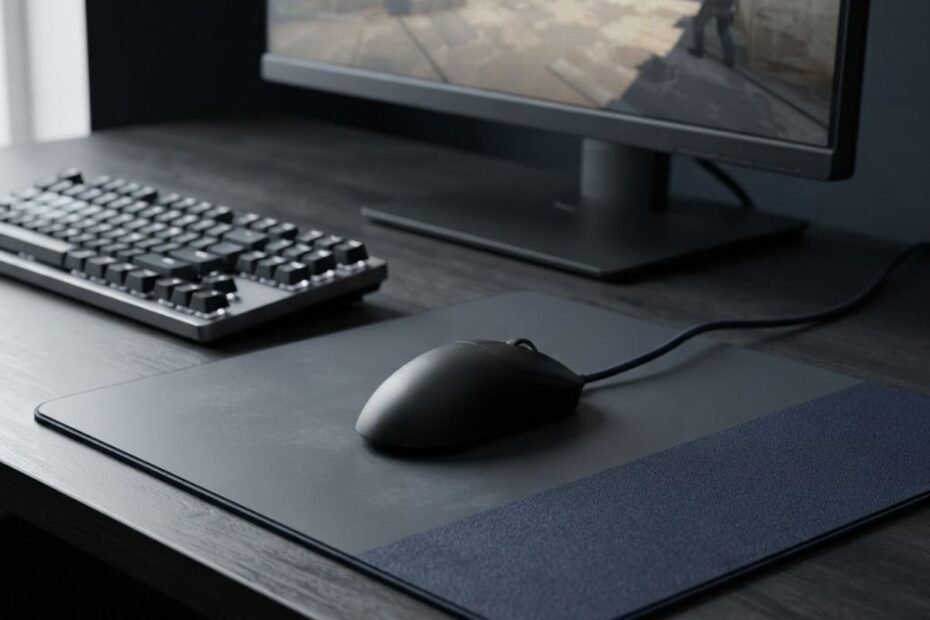
Speed and control mouse pads can both work well for CS2. A speed surface makes large mouse movements easier and more fluid, while a control surface adds resistance that can make stopping and small corrections feel more deliberate. The better choice depends on your sensitivity, mouse weight, mouse skates, and the specific aiming problem you are trying to solve.
For CS2 players, the decision is less about finding a universally better mouse pad and more about matching the surface to how the mouse needs to move. A player who struggles to move quickly across the pad may need a different surface from someone who consistently overshoots a target after a flick.
That distinction matters because speed and control describe different movement characteristics. A faster surface can reduce resistance during large swipes, but it can also require more active control when stopping. A more controlled surface can make stopping feel more deliberate, but too much resistance may make wide movements feel restrictive.
This guide focuses specifically on how those differences affect CS2 aim, including flicks, micro corrections, sensitivity, mouse setup, and common aiming situations. The goal is to help you identify which surface characteristic addresses your actual problem instead of choosing a mouse pad based only on its speed label.
What Is the Difference Between Speed and Control for CS2?
Speed and control surfaces differ mainly in how much resistance they provide during mouse movement. A speed surface prioritizes easier glide and larger movements, while a control surface provides more resistance that can make stopping and precise corrections feel more deliberate. In CS2, that difference becomes noticeable when you switch between large target transitions, flicks, and small crosshair adjustments.
How a Speed Surface Changes Mouse Movement in CS2
A speed surface makes it easier to move the mouse across a larger distance with less resistance. This can be useful when a CS2 player needs to make a wide swipe, transition between targets, or reposition the crosshair across a large part of the screen.
The physical difference between speed and control becomes easier to understand when both surfaces are compared in the same gaming setup:
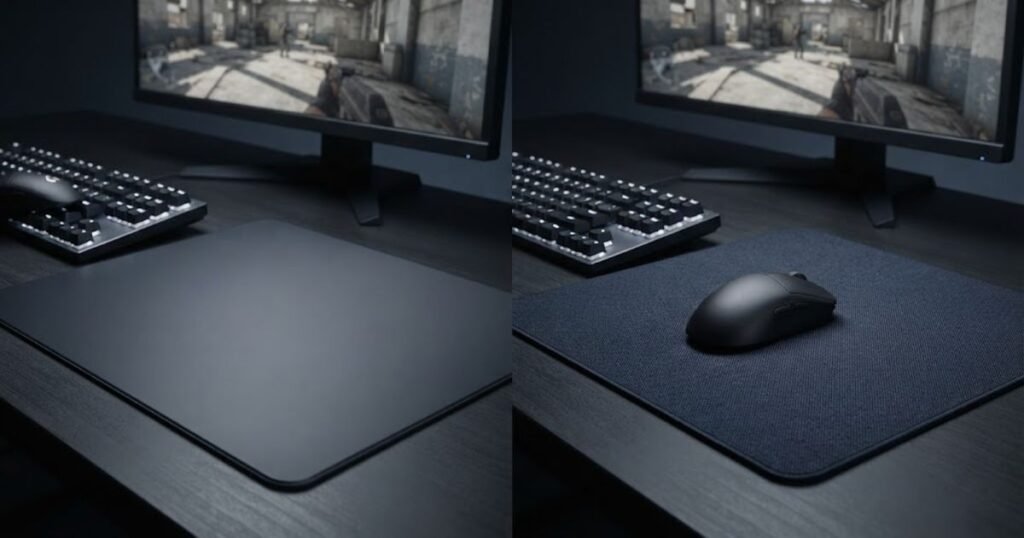
The main benefit is freedom of movement. The mouse can travel across the surface with less resistance, so large movements may require less physical effort. This can be particularly noticeable for players who use their arm for wider aiming motions or who dislike the feeling of the mouse being held back by the surface.
However, easier movement does not automatically mean easier accuracy. A faster surface also gives the player less physical resistance to work against when the mouse needs to stop. The player therefore has to control the end of the movement through their own hand and mouse control rather than relying as much on surface resistance.
In CS2, this distinction becomes important during a fast flick. Reaching the target quickly is only one part of the movement. The crosshair still needs to stop at the intended position, and the amount of surface resistance can change how that stopping phase feels.
Speed therefore primarily addresses situations where movement freedom is the limiting factor. It does not automatically solve overshooting, poor sensitivity, or inconsistent aim.
How a Control Surface Changes Mouse Movement in CS2
A control surface adds more resistance to mouse movement, which can make stopping and small corrections feel more deliberate. Instead of prioritizing the easiest possible glide, the surface gives the mouse more resistance throughout the movement.
This can be useful when a CS2 player frequently reaches the target but struggles to stop the crosshair precisely. The additional resistance can make the final part of a movement feel more controlled, particularly when making small corrections around the target.
Control is also relevant when the mouse starts close to the intended position and only needs a small adjustment. In that situation, the player may value predictable movement over maximum glide speed. The surface does not perform the correction for the player, but its resistance changes the physical feel of that correction.
A control surface can therefore feel more planted during precise movements. The tradeoff is that larger mouse movements may require more effort because the mouse has to overcome more resistance while traveling across the pad.
For CS2, control primarily addresses situations where stopping and deliberate movement are more important than minimizing resistance.
Why Faster Does Not Automatically Mean Better Aim
A faster mouse pad does not automatically produce better CS2 aim because aiming requires both movement speed and accurate stopping. Reducing resistance can make the mouse easier to move, but easier movement is only useful when the player can consistently control where that movement ends.
Consider a simple target transition. A player may reach a target faster on a low-resistance surface, but if the crosshair repeatedly travels beyond the intended position, the faster movement has not solved the underlying aiming problem. The same principle applies in reverse: adding resistance may make stopping easier for some players, but excessive resistance can make large movements feel unnecessarily restricted.
This is why the speed versus control decision should start with the problem you are experiencing rather than the label printed on the product. If your mouse feels difficult to move across the pad, more speed may address that limitation. If your main problem is consistently passing the target during corrections, more control may be worth testing.
There is also no fixed point where one surface category becomes objectively better. Your CS2 sensitivity, mouse weight, mouse skates, movement style, and aiming habits all influence how the same surface feels.
The table below compares the main movement characteristics that separate speed and control surfaces in CS2:
| Characteristic | Speed Surface | Control Surface |
|---|---|---|
| Initial movement | Easier and less resistant | More resistant |
| Large swipes | Generally easier | Requires more effort |
| Glide feel | Faster and more fluid | Slower and more deliberate |
| Stopping | More dependent on hand control | More resistance during the stopping phase |
| Micro corrections | Less restricted | More deliberate |
| Movement feel | Free and responsive | Planted and controlled |
Speed and control therefore represent different tradeoffs rather than a simple good-versus-bad choice. Speed prioritizes easier movement, while control prioritizes resistance and deliberate stopping. The useful question for a CS2 player is which side of that tradeoff addresses the movement problem they experience most often.
For a broader comparison of these two surface categories beyond the specific demands of CS2, the speed vs control mouse pad framework covers the general differences between their glide and control characteristics.
In CS2, the right surface is ultimately the one that gives you the movement characteristics you can control consistently. Speed can make large movements easier, while control can make stopping and small corrections feel more deliberate, but neither category replaces good sensitivity and repeatable mouse control.
How Does a Speed Mouse Pad Affect CS2 Aim?
A speed mouse pad can make large aiming movements and target transitions feel easier in CS2, but it also requires the player to actively manage the stopping phase. The lower resistance can help the mouse travel quickly across the surface, which is useful when the crosshair needs to move a significant distance between targets.
When Faster Glide Helps Large CS2 Movements
Faster glide can be useful when a CS2 aiming movement covers a large distance. Wide target transitions often require the mouse to travel farther across the pad, so less surface resistance can make the movement feel less restricted.
Large target transitions and quick mouse movements show where a low-resistance surface can change the physical feel of CS2 aiming:
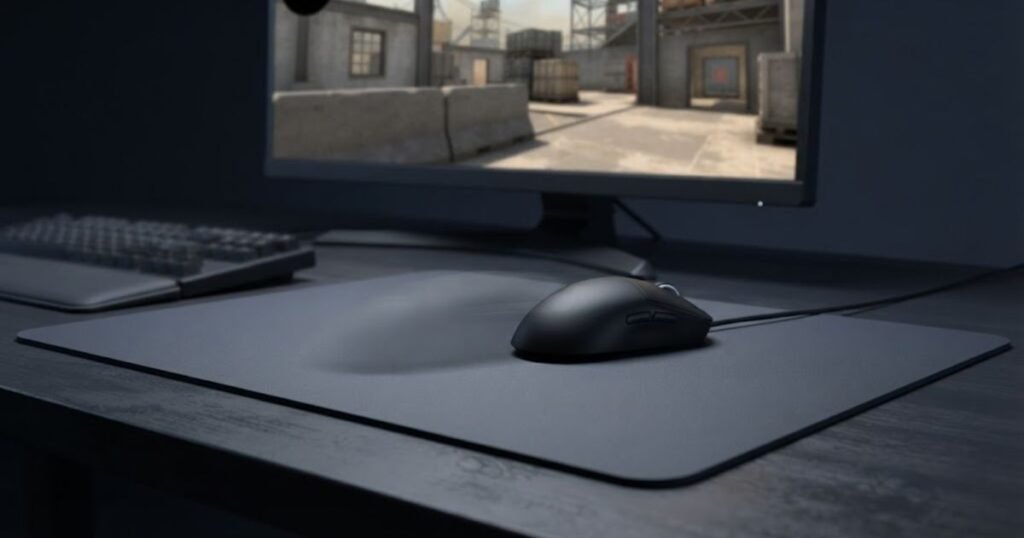
This matters most when the aiming motion is not limited to a small wrist adjustment. A player may need to move the mouse across a substantial portion of the pad when switching between targets positioned far apart. A surface that allows the mouse to travel freely can make these movements feel more natural and require less effort from the hand and arm.
The benefit is not that the mouse suddenly becomes more accurate. Instead, the physical movement needed to reposition the crosshair can feel easier to execute. The player still has to determine the correct movement distance and stop at the intended location.
For CS2 players who regularly feel that the mouse is being held back during wide movements, this is where a speed surface can provide a meaningful difference in aiming feel.
A speed surface is therefore most relevant when movement freedom is limiting your target transitions rather than when stopping accuracy is the main problem.
How Speed Changes Flick Stopping
A speed surface can make the movement toward a flick target easier, but stopping the crosshair becomes more dependent on the player’s own hand control. The mouse has less resistance working against its movement, so the transition itself can feel quick and unrestricted.
A flick is not only about moving the crosshair from one location to another. The movement has to finish at the intended target. On a faster surface, there is less physical resistance to help slow the mouse as the movement ends, so the player has to manage the stopping point through their own movement control.
This creates an important distinction between flick speed and flick stopping. A surface can make the first part of a flick feel fast without guaranteeing that the final position will be accurate.
If a player consistently reaches the target and then moves past it, changing to an even faster surface may not address the actual problem. The relevant question is whether the player needs less movement resistance or more predictable stopping feedback.
Speed can therefore support fast target transitions, but the quality of the flick still depends on how consistently the player can control the end of the movement.
When a Speed Surface Can Feel Too Unstable
A speed surface can feel too fast when the player repeatedly struggles to control the final part of a movement. The issue is not simply that the surface is fast. It is that the reduced resistance may not match the player’s preferred level of physical feedback during aiming.
One common pattern is reaching the target quickly but making several corrections before settling on the intended position. Another is consistently moving beyond the target during fast transitions. These patterns can make a speed surface feel less predictable even when the mouse itself moves smoothly.
However, this does not automatically prove that the mouse pad is the problem. Sensitivity, mouse control, and the player’s familiarity with the surface can also affect the result. A single poor round is not enough evidence to conclude that a surface is too fast.
The more useful signal is a repeated pattern. If the same overshooting or stopping difficulty appears across multiple sessions while other settings remain consistent, the surface becomes a reasonable factor to evaluate.
A speed surface can feel unstable when its low resistance exceeds what the player can comfortably control, so the decision should be based on repeated movement behavior rather than the speed label alone.
How Does a Control Mouse Pad Affect CS2 Aim?
A control mouse pad can make precise CS2 aiming movements feel more deliberate by adding resistance during movement and stopping. This can be useful when the player values a more planted feel for small adjustments or has difficulty consistently stopping the mouse at the intended position.
How Control Changes Small Crosshair Corrections
A control surface can make small crosshair corrections feel more deliberate because the mouse encounters more resistance during movement. This can matter when the crosshair is already close to the intended position and only a small adjustment is required.
Small corrections and deliberate stopping are easier to visualize when the mouse movement is shown on a higher-resistance control surface:
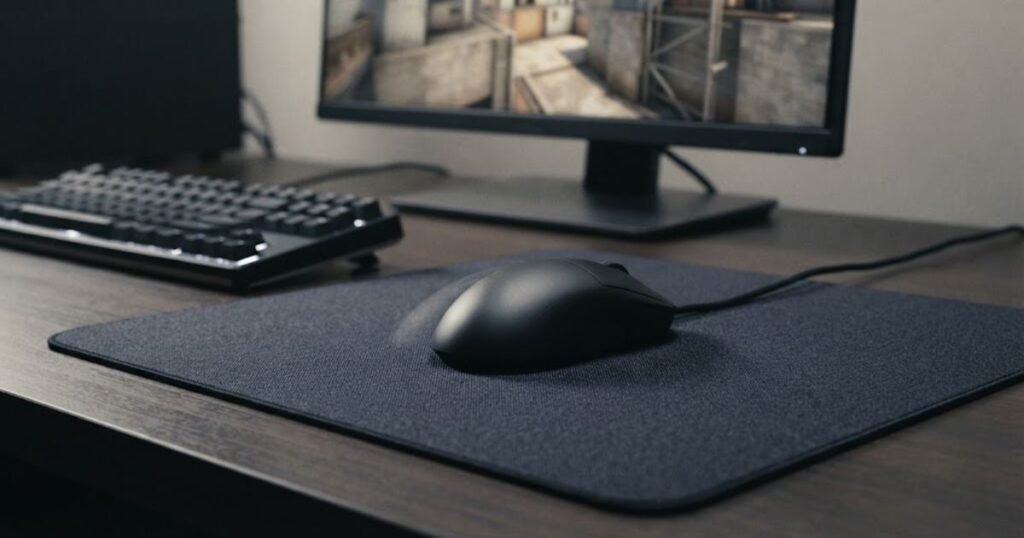
In these situations, the goal is not to move the mouse as far or as quickly as possible. The player is trying to make a controlled change in position without turning a small correction into a larger movement.
The additional resistance can provide a more deliberate physical feel during these adjustments. Instead of the mouse moving freely with very little resistance, the hand has more resistance to work against. Some players may find this easier to control when making repeated small corrections around a target.
This does not mean that a control surface automatically makes micro-adjustments accurate. The player still determines the direction and amount of movement. The surface simply changes the physical conditions under which that movement takes place.
Control is therefore most relevant when small movement precision is more important to the player than minimizing resistance.
How Control Affects Flick Stopping
A control surface can make the stopping phase of a flick feel more deliberate because the mouse encounters greater resistance as the movement is completed. This can be useful for players who frequently reach the general target area but have difficulty settling the crosshair precisely.
The important distinction is between reaching the target and stopping on the target. A player may execute the initial movement correctly but still need a final adjustment because the crosshair traveled farther than intended.
More resistance can change how that final movement feels. The mouse does not move as freely, which may give the player a more planted sensation while controlling the end of the flick.
There is a tradeoff, however. The same resistance that can make stopping feel more deliberate also remains present during the rest of the movement. If the player needs to make a large transition, that additional resistance may make the movement feel less effortless.
A control surface can therefore support a more deliberate stopping feel, but it does so by accepting more resistance throughout the mouse movement.
Why Control Does Not Change CS2 Recoil Mechanics
A control mouse pad does not change CS2’s recoil pattern or the game’s shooting mechanics. It only changes the physical resistance the player experiences while moving the mouse.
This distinction is important when discussing spray corrections. During a spray, the player may need to make repeated mouse movements while managing the weapon’s recoil. A more controlled surface can change how those mouse movements feel, particularly when making deliberate corrections, but it does not alter how the weapon behaves inside the game.
The same principle applies to other mechanical aspects of CS2. A mouse pad cannot change bullet spread, weapon recoil values, hit registration, or the game’s underlying mechanics. It can only affect the physical interaction between the player’s hand, mouse, skates, and surface.
That makes the mouse pad a physical input factor, not a gameplay mechanic. Its value comes from how comfortably and consistently the player can translate hand movement into crosshair movement.
Control should therefore be evaluated for the movement feel it provides during aiming, not as a way to directly improve CS2’s recoil system.
How Does CS2 Sensitivity Change the Speed vs Control Tradeoff?
CS2 sensitivity changes how much physical mouse movement you use, which can change how noticeable a speed or control surface feels. Lower sensitivity generally requires more physical mouse movement for a given on-screen adjustment, while higher sensitivity requires less. Because of that difference, the same mouse pad can feel very different depending on how you move the mouse.
The relationship between sensitivity and surface feel becomes clearer when different physical mouse movement demands are shown together:
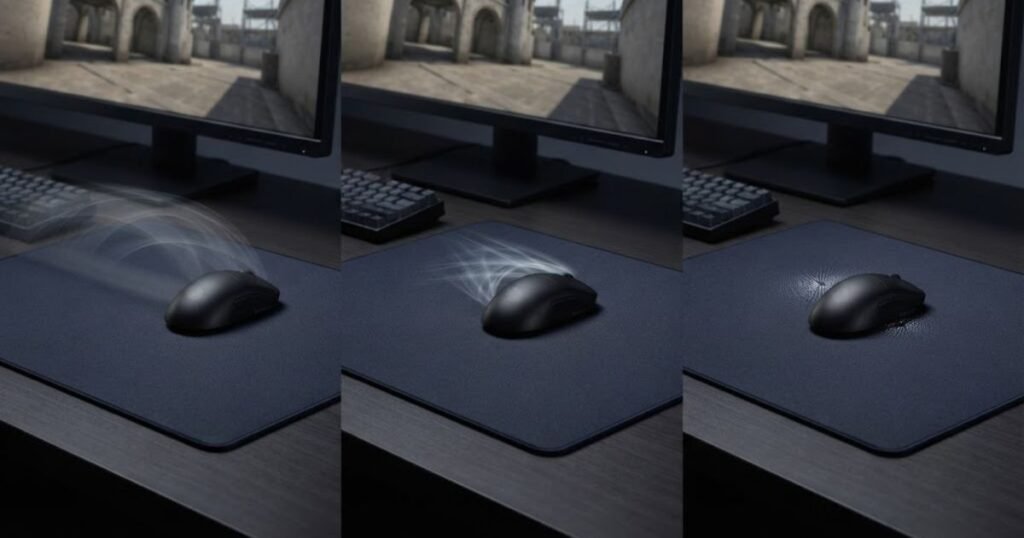
The important point is that sensitivity does not determine a universally correct surface category. Instead, it changes the physical demands placed on the mouse pad. A player using broader movements may notice the surface’s glide characteristics more often, while a player making shorter movements may pay more attention to how the mouse starts and stops.
This is why choosing a surface based only on a sensitivity label can be misleading. Your actual movement pattern matters more than assigning yourself to a fixed speed or control category.
How Lower Sensitivity Changes the Physical Movement Demand
Lower sensitivity can require larger physical mouse movements, making the amount of available glide and surface resistance more noticeable during CS2 aiming. When the mouse has to travel farther to produce a comparable change on screen, the surface becomes part of a larger portion of the physical movement.
This does not mean that every low sensitivity player needs a speed surface. A player may prefer the additional resistance of a control surface even when using large movements. Another player with similar sensitivity may prefer less resistance because they find repeated long movements more comfortable that way.
The useful consideration is how your physical movement interacts with the surface. If you regularly use a large portion of the pad, resistance can become a more noticeable part of the aiming experience. If the surface feels restrictive during those movements, a faster option may be worth testing.
On the other hand, if the additional resistance gives you a movement feel that you can control comfortably, there is no reason to change surface type simply because your sensitivity is low.
Lower sensitivity therefore makes surface characteristics more relevant to larger physical movements, but it does not prescribe a specific surface category.
How Medium Sensitivity Changes Surface Balance
Medium sensitivity can create a mixed movement pattern where both larger transitions and smaller corrections matter, making overall surface balance more noticeable. The player may use enough physical movement for glide to matter while still making frequent short adjustments.
In this situation, choosing between speed and control can involve a clearer tradeoff. A very fast surface may make wider movements feel easy but require more active stopping control. A more controlled surface may provide a more planted feel but introduce additional resistance during larger movements.
Rather than treating medium sensitivity as a fixed range that demands a particular pad, it is more useful to look at how often each type of movement occurs in your actual CS2 sessions.
If your aim involves a mixture of wide transitions and precise adjustments, a surface that sits between the two extremes may also be worth considering. The goal is not to find a mathematically perfect match for your sensitivity, but to avoid creating unnecessary friction between your preferred movement style and the physical surface.
Medium sensitivity can therefore make the overall balance of glide and resistance more noticeable, especially when your aiming style regularly switches between larger and smaller movements.
How Higher Sensitivity Changes Shorter Mouse Movements
Higher sensitivity can reduce the physical distance required for an on-screen adjustment, which can make the initial movement and stopping feel more noticeable than the total distance traveled. When the mouse does not need to travel as far, small differences in physical resistance can become more apparent during short movements.
Again, sensitivity alone should not determine the surface choice. Two players using similar sensitivity can have very different mouse control, grip styles, and movement habits. One may prefer a faster surface because it feels responsive, while another may prefer more resistance because it gives a more deliberate physical feel.
The more useful question is whether your current surface makes your normal movement pattern easier or harder to control. If short movements feel too unrestricted, a more controlled surface may be worth testing. If they feel unnecessarily resistant, a faster surface may provide a better fit.
Higher sensitivity can therefore shift attention toward how the surface feels during shorter movements, but the final choice still depends on the player’s actual aiming behavior.
The table below shows how different sensitivity patterns can change the way a CS2 player experiences surface speed and control:
| Sensitivity Pattern | Typical Physical Demand | Surface Factor to Evaluate |
|---|---|---|
| Lower sensitivity | Larger physical movements | Glide, resistance, and available movement space |
| Medium sensitivity | Combination of larger and smaller movements | Overall balance between movement freedom and resistance |
| Higher sensitivity | Shorter physical movements | Initial movement feel and control during small adjustments |
Sensitivity changes the physical demands placed on a mouse pad, but it does not create a universal speed-versus-control rule. Your actual movement pattern is the stronger reference point when deciding whether the surface feels too restrictive or too free.
How Do Mouse Weight and Skates Change Speed vs Control in CS2?
Mouse weight and mouse skates can change how a speed or control surface feels because they affect the physical interaction between the mouse and the pad. This means two players can use the same mouse pad and experience noticeably different movement characteristics with different mice or skate setups.
The mouse pad should therefore be viewed as one part of the complete aiming setup. Surface choice makes more sense when considered alongside the hardware that actually moves across it.
How a Lightweight Mouse Feels on a Control Surface
A lightweight mouse can make a control surface feel less restrictive than the same surface might feel with a heavier mouse. Because the mouse has less mass, the player may experience the surface resistance differently during movement.
This does not mean that a lightweight mouse automatically turns a control pad into a speed surface. The surface still has its own characteristics, but the physical interaction can feel different because the mouse itself contributes less weight to the movement.
For a player deciding between surface categories, this is an important reason not to judge a pad in isolation. A control surface that feels appropriately resistant with one mouse may feel more demanding when paired with a different setup.
The same principle works in reverse. A player who likes a controlled feeling may find that the combination of a lightweight mouse and a more resistant surface gives enough physical feedback without making movement feel excessively heavy.
Mouse weight can therefore modify the perceived balance of a surface, rather than replacing the surface’s underlying characteristics.
How a Heavy Mouse Changes the Feel of a Speed Surface
A heavier mouse can make a speed surface feel more planted while still allowing the surface to provide relatively easy glide. The additional mass changes how the mouse responds physically during movement, which can affect the overall feel of the setup.
This can be useful when a player likes the movement freedom of a faster surface but does not want the setup to feel excessively light or difficult to settle. The heavier mouse can change the physical sensation without requiring the player to move to a completely different surface category.
However, weight should not be treated as a simple substitute for surface control. A heavier mouse does not guarantee better stopping or more consistent aim. It simply changes the physical conditions under which the player moves the mouse.
That distinction matters when diagnosing a surface preference. If a setup feels too fast, changing mouse weight and changing the surface are two different adjustments. They should not be treated as the same solution.
Mouse weight can influence how a speed surface feels, but the player’s preference for glide or resistance remains a separate consideration.
Why Mouse Skates Can Change How a Surface Feels
Mouse skates can change the perceived glide of a mouse pad because they are the contact points between the mouse and the surface. Their condition and characteristics can therefore affect how freely the mouse moves across the pad.
This becomes especially important when comparing two surfaces. If the skates are significantly different, the player may end up comparing the entire mouse setup rather than the mouse pads themselves.
Worn or damaged skates can also change the consistency of movement. A player may interpret a change in glide as a surface issue when the contact points underneath the mouse are contributing to the difference.
For a fair surface comparison, keeping the same mouse and skate setup removes one major variable. That makes it easier to determine whether the difference in movement actually comes from the mouse pad.
Skates therefore belong in the surface decision because they influence the physical interaction with the pad, but they should be evaluated separately from the surface itself.
The table below shows how common mouse setup factors can change the perceived balance between speed and control:
| Setup Factor | How It Can Change Surface Feel | What to Keep in Mind |
|---|---|---|
| Lightweight mouse | Can make movement feel more responsive | Does not automatically make a control surface a speed surface |
| Heavier mouse | Can make the setup feel more planted | Does not guarantee better stopping or accuracy |
| Faster-feeling skates | Can increase perceived glide | Compare surfaces with the same skate setup |
| Worn or damaged skates | Can alter movement consistency | Check the skates before blaming the surface |
Mouse weight and skates can change the way speed and control surfaces feel without changing the fundamental category of the pad. For a meaningful CS2 surface comparison, keep the mouse and skates consistent before deciding that one surface is inherently better for your aim.
Which Surface Fits Different CS2 Aiming Situations?
The most useful way to compare speed and control surfaces in CS2 is to match their movement characteristics to the aiming situation you encounter most often. A player who spends more time making wide target transitions may value easier movement, while a player who frequently needs small corrections may prefer a more resistant surface. Neither preference is automatically better because the useful choice depends on what the player needs to control.
Different CS2 aiming situations place different demands on mouse movement. Holding an angle can involve small crosshair adjustments, while switching between targets can require a much larger physical movement. Looking at these situations separately makes it easier to understand where a surface characteristic may actually matter.
Holding Angles and Small Corrections
Control-oriented surfaces can feel more suitable for holding angles when the player frequently makes small crosshair adjustments. When the crosshair is already close to the intended position, the physical movement required is relatively small, so some players may prefer having more resistance during those adjustments.
The key consideration is not the act of holding an angle itself. The surface cannot improve crosshair placement or game awareness. Instead, it changes how the mouse feels when the player makes a small adjustment to the position of the crosshair.
A speed-oriented surface can also work well in this situation if the player is comfortable controlling low resistance. The important difference is the physical feel during the correction. Less resistance allows freer movement, while more resistance can make the movement feel more deliberate.
This makes angle holding a useful situation for evaluating surface preference, but not a reason to automatically classify control as better for CS2.
For players who spend a large amount of time making short adjustments while holding angles, the preferred surface is usually the one whose resistance feels predictable rather than the one with the most extreme speed or control characteristics.
Flicking Between Targets
Speed-oriented surfaces can feel useful for large target transitions because they allow the mouse to move across the pad with less resistance. This can matter when two targets are separated by a large distance and the player needs to make a quick physical movement between them.
However, a target transition has two distinct parts: moving toward the new target and controlling where the movement ends. A surface that makes the first part feel easier does not automatically make the second part more accurate.
For some players, the reduced resistance of a speed surface may make the initial movement feel more natural. Others may prefer additional resistance because it gives them a more deliberate physical sensation while controlling the end of the movement.
The relevant question is therefore not simply whether the surface is fast enough for flicks. It is whether the player can repeatedly make the complete movement from the starting position to the intended stopping point without the surface feeling unnecessarily restrictive or difficult to control.
For target transitions, speed primarily changes how freely the mouse travels, while control changes how much resistance the player experiences throughout the movement.
Spray Corrections Without Changing Recoil Mechanics
A mouse pad can change the physical feel of mouse movements used during spray corrections, but it does not change CS2 recoil mechanics. The surface only affects how the player’s hand and mouse interact with the pad while those movements are being performed.
During a spray, the player may make repeated mouse movements while attempting to keep the crosshair aligned with the target. A more controlled surface can make these movements feel more deliberate, while a faster surface allows the mouse to move with less resistance.
That difference should not be confused with changing the recoil pattern itself. The weapon’s behavior remains determined by the game. The mouse pad only changes the physical input experience on the player’s side.
This distinction also means that a player should not choose a control surface simply because they believe it will make recoil easier. If the underlying issue is knowledge of the recoil pattern or poor spray technique, changing the surface does not replace that skill.
A surface can influence the feel of repeated mouse movements during a spray, but it cannot directly improve or modify the weapon’s recoil behavior.
Reacquiring Targets After Large Movements
Speed-oriented surfaces can make large repositioning movements feel less restricted, while control-oriented surfaces can make the following adjustment feel more deliberate. This situation combines a large movement with a smaller correction, making the tradeoff between the two surface characteristics more noticeable.
For example, a player may first move the mouse a long distance to reacquire an opponent and then make a smaller adjustment once the crosshair approaches the target. The first movement favors freedom of movement, while the second movement may benefit from a physical feel that the player finds easier to control.
This is one reason a player’s overall CS2 aiming behavior can matter more than a single isolated action. If your matches contain both wide target transitions and frequent small corrections, choosing a surface based on only one of those movements may create a different tradeoff elsewhere.
A balanced surface may be worth considering when neither extreme feels appropriate, but that decision belongs to the later comparison between speed, control, and balanced surfaces.
For target reacquisition, the important factor is how comfortably the surface supports the transition from a larger movement into the final correction without creating a physical feel that the player consistently struggles to manage.
The table below compares speed and control characteristics across common CS2 aiming situations:
| CS2 Aiming Situation | Speed Surface | Control Surface | Main Consideration |
|---|---|---|---|
| Holding angles | Allows freer small movements | Provides more resistance during corrections | Which movement feel is easier to control |
| Flicking between targets | Makes large movement feel less restricted | Adds resistance throughout the transition | Balance between movement and stopping |
| Spray corrections | Allows corrections with less resistance | Provides a more resistant movement feel | Physical input feel, not recoil changes |
| Reacquiring targets | Supports larger repositioning movements | Provides more resistance during the movement | How the surface feels from transition to correction |
No single CS2 aiming situation proves that one surface category is universally better. Speed can be useful when freedom of movement matters, while control can feel preferable when the player values additional resistance. The most useful choice comes from identifying which physical movement demands occur most often in your own gameplay.
Should You Choose Speed, Control, or Balanced for CS2?
CS2 players should choose speed, control, or balanced based on the movement problem they want to solve, rather than treating one surface type as universally better. Speed prioritizes easier movement, control prioritizes resistance and deliberate stopping, while balanced surfaces sit between those extremes. The right starting point depends on whether your main difficulty is moving the mouse freely, controlling the end of a movement, or avoiding an extreme in either direction.
By this point, the important distinction is not whether speed or control is theoretically better for CS2. The more useful question is which surface characteristic fits the way your current setup feels during actual play.
Choose Speed If Your Main Problem Is Movement Resistance
A speed surface is worth considering when your mouse consistently feels restricted during larger movements and target transitions. The goal is not to make your aim faster for its own sake. The goal is to reduce a physical limitation that makes your normal mouse movements feel unnecessarily difficult.
This can make sense when you regularly use a large portion of the pad and dislike the amount of resistance you feel while moving between targets. A lower-resistance surface may allow those movements to feel more fluid without requiring as much effort from your hand or arm.
However, choosing speed makes less sense when the main complaint is repeated overshooting. In that situation, reducing resistance further may move the setup in the opposite direction from what you are trying to achieve.
The decision should therefore start with the symptom rather than the product category. If the mouse feels held back before it reaches the target, speed is the direction worth testing.
A speed surface may fit these recurring CS2 movement problems:
- Restricted movement: Large mouse movements consistently feel held back by surface resistance.
- Heavy glide: The mouse requires more effort than you prefer during normal target transitions.
- Wide transitions: You frequently move across a large portion of the pad and want less resistance.
- Low-resistance preference: You already have reliable stopping control and prefer a freer mouse movement.
Speed makes the most sense when movement resistance is the problem you are trying to remove. It should not be selected simply because faster movement sounds better.
Choose Control If Your Main Problem Is Stopping
A control surface is worth considering when you repeatedly struggle to stop the mouse where you intend, especially during precise target transitions and small corrections. Its additional resistance can provide a more deliberate physical feel when the mouse needs to settle into position.
This does not mean that a control surface automatically fixes overflicking. Your sensitivity, mouse control, and aiming technique still affect the result. The surface only changes the physical resistance available while you make the movement.
Control is therefore more relevant when your mouse already moves freely enough, but the movement does not feel predictable when you need to bring it to a stop.
There is also a point where additional resistance can become counterproductive. If large movements start feeling unnecessarily difficult, moving toward an even slower surface may create a new problem instead of solving the original one.
The useful decision is therefore not “more control is better.” It is whether additional resistance addresses a recurring stopping problem without making the rest of your movement feel restricted.
A control surface may fit these recurring CS2 aiming problems:
- Frequent overshooting: The mouse repeatedly travels beyond the intended stopping point.
- Uncertain stopping: The final part of a movement feels difficult to control consistently.
- Deliberate corrections: You prefer more physical resistance during small adjustments.
- Predictable movement: You value a planted surface feel more than maximum glide.
Control is most relevant when stopping and deliberate movement are the main limitations. More resistance is useful only when it improves the physical feel of your setup without creating excessive drag.
Choose Balanced If You Want a Middle Ground
A balanced surface can make sense when you want enough glide for larger movements without giving up too much stopping resistance. It is particularly useful for players who do not have a strong preference toward either extreme or who want one surface to handle different FPS games and aiming demands.
Balanced does not mean that every player will find it ideal. It simply reduces the distance between the two extremes. You give up some of the unrestricted movement of a speed surface and some of the stronger resistance of a control-focused surface.
For a CS2 player who is still learning what surface characteristics feel natural, this middle position can also make the decision less extreme. Instead of moving directly from a very controlled surface to a very fast one, a balanced surface provides another reference point.
It can also be useful when CS2 is only one of several FPS games you play. A surface that sits closer to the middle may avoid making the setup feel heavily optimized for one particular movement preference.
Balanced is therefore not a default answer for every CS2 player. It is a practical option when the tradeoff between movement freedom and stopping resistance matters more than maximizing either characteristic.
A balanced surface can make sense in these situations:
- Mixed aiming demands: You regularly alternate between larger movements and precise corrections.
- Uncertain preference: You are not sure whether you prefer a faster or more controlled surface.
- Multiple FPS games: You use the same setup across CS2 and games with different aiming demands.
- Moderate surface feel: You want neither very low resistance nor a strongly controlled glide.
A balanced surface reduces the extremes rather than eliminating the speed-versus-control tradeoff. It is most useful when versatility matters more than specializing the surface around one movement preference.
The table below summarizes the main reasons a CS2 player might choose each surface category:
| Surface Type | Main Strength | Main Tradeoff | Best Starting Point |
|---|---|---|---|
| Speed | Easier movement with less resistance | Requires more active control when stopping | Players who feel restricted during movement |
| Balanced | Middle ground between glide and resistance | Less specialized toward either extreme | Players who want versatility or are unsure |
| Control | More resistance during movement and stopping | Can feel slower during larger movements | Players who struggle with stopping or overshooting |
The decision comes down to the problem you are trying to solve. Choose speed when resistance is restricting movement, control when stopping is the recurring issue, and balanced when you want to avoid committing strongly to either extreme.
How Can You Tell If Your CS2 Mouse Pad Is Too Fast or Too Slow?
A CS2 mouse pad may be a poor match when it repeatedly creates the same movement problem across multiple sessions. A surface that feels too fast may make stopping difficult, while a surface that feels too slow may make normal movements feel unnecessarily restricted. However, neither symptom proves that the mouse pad is the only cause.
Your sensitivity, mouse, skates, technique, and familiarity with the surface can all affect how aiming feels. The goal is therefore to identify a consistent pattern before replacing the pad.
What Are the Signs Your CS2 Mouse Pad May Be Too Fast?
A mouse pad may feel too fast when you repeatedly struggle to control the end of movements even though moving across the surface feels easy. The important signal is not simply that the mouse glides quickly, but that the available resistance does not feel compatible with your ability to control the movement.
Repeated overshooting is one possible sign. You may reach the general target area quickly but regularly move beyond the position you intended to reach. Small corrections can also feel overly sensitive when the mouse moves more freely than you can comfortably manage.
Another useful distinction is consistency. If you occasionally overshoot during a difficult round, that does not establish that the surface is too fast. If the same stopping problem appears repeatedly during normal play, the surface becomes a reasonable factor to investigate.
Before changing the mouse pad, keep your other variables stable. If the problem disappears after changing sensitivity or using a different mouse setup, the surface may not have been the primary cause.
A surface is worth considering as too fast when low resistance repeatedly makes your normal stopping behavior harder to control, not simply because the pad has a fast label.
What Are the Signs Your CS2 Mouse Pad May Be Too Slow?
A mouse pad may feel too slow when its resistance repeatedly makes normal mouse movements feel restricted or unnecessarily effortful. The clearest signal is that you want to move the mouse farther or more freely, but the surface consistently works against that movement.
This can appear during repeated wide transitions where the mouse has to travel across a substantial portion of the pad. The movement may feel heavier than you prefer, especially when you need to reposition the crosshair quickly between distant targets.
However, feeling resistance is not automatically a problem. Some players deliberately prefer a more resistant surface because it gives them the physical feedback they want during aiming. The question is whether the resistance interferes with movements you regularly need to perform.
As with a surface that feels too fast, the pattern should be repeated rather than based on one session. A new pad can also feel unfamiliar at first, so immediate discomfort does not necessarily mean the surface is a poor match.
A surface is worth considering as too slow when its resistance repeatedly restricts movements that are otherwise comfortable with your preferred setup.
How Can You Separate a Surface Problem From a Sensitivity Problem?
You can separate a surface problem from a sensitivity problem by changing one variable at a time and checking whether the same aiming symptom remains. If the problem changes substantially when sensitivity changes while the mouse pad stays the same, sensitivity may be contributing to the behavior.
For example, if your main complaint is that movements regularly travel farther than intended, changing the surface is not the only possible adjustment. A different sensitivity changes the relationship between physical mouse movement and the resulting on-screen movement, so it can alter how the same surface feels.
The reverse is also useful. If your sensitivity remains unchanged but the same mouse movement feels consistently restricted or difficult to manage across different surfaces, the surface becomes a more relevant variable.
The important part is avoiding multiple changes at the same time. If you replace the mouse pad, change sensitivity, and install new skates simultaneously, you lose the ability to identify which change affected the result.
A sensitivity problem and a surface problem can also coexist. The goal is not always to find one single cause, but to determine which variable is creating the most meaningful limitation.
The most reliable diagnosis therefore comes from isolating variables and looking for repeatable changes rather than immediately replacing the mouse pad.
When Should You Check Your Mouse Skates Instead?
You should check your mouse skates when the mouse movement feels inconsistent, changes unexpectedly, or differs from how the same surface previously felt. Because the skates are the contact points between the mouse and the pad, their condition can affect the physical feel of the setup.
Worn or damaged skates can make movement feel different from what you remember. A player may interpret that change as a problem with the mouse pad even though the surface itself has not changed.
This is particularly relevant when comparing an old and new pad. If the mouse and skates also changed during the comparison, the result does not isolate the surface. The player is evaluating several variables at once.
Checking the skates is therefore useful before making a surface decision, especially when the change in feel is sudden or inconsistent rather than gradually associated with the surface.
If the skates are contributing to the problem, replacing the mouse pad may solve the wrong variable. The better diagnosis starts by checking the complete contact setup.
The table below connects common CS2 aiming symptoms with the factors worth checking first:
| CS2 Aiming Symptom | First Factor to Check | Why It Matters |
|---|---|---|
| Repeated overshooting | Surface resistance and sensitivity | Both can influence how easily movement can be stopped and how far the mouse needs to travel |
| Large movements feel restricted | Surface resistance | A more resistant surface can make wide movements feel more demanding |
| Small corrections feel difficult | Surface feel and sensitivity | Both affect how controlled short movements feel |
| Movement suddenly feels different | Mouse skates and surface condition | Changes in the contact surface can alter the physical feel |
| Aim feels inconsistent across sessions | Complete setup and testing conditions | Changing multiple variables makes the underlying cause harder to isolate |
Aiming symptoms are useful clues, but they are not proof that the mouse pad is responsible. Checking sensitivity, skates, and other setup variables first can prevent you from replacing a surface when another part of the setup is actually causing the problem.
How to Test Speed vs Control for CS2 Before Buying
The most useful way to test speed vs control for CS2 is to keep your settings and mouse setup consistent while comparing the same movements on each surface. This gives you a cleaner comparison because the surface becomes the main variable instead of changing several parts of the setup at once.
The test should focus on repeatable movement rather than whether one surface produces a single impressive round. A mouse pad can feel immediately different without actually being a better long-term fit for your aiming habits.
How to Keep Your CS2 Settings and Mouse Setup Consistent
Keep your DPI, CS2 sensitivity, mouse, and skates unchanged when comparing two surfaces. The purpose is to make the physical surface the primary difference between the tests.
If you change sensitivity at the same time as the mouse pad, the resulting movement difference becomes difficult to interpret. The same problem occurs when switching to a different mouse or skate setup.
Consistency does not mean that your current settings are objectively correct. It simply means that the comparison is controlled enough for you to understand what the surface itself changes.
Once you have identified which surface feels more appropriate, you can evaluate other setup changes separately.
A controlled comparison starts with one meaningful variable at a time.
How to Test Large Movements and Flick Stops
Test both the movement toward the target and the stopping phase instead of judging only how fast the mouse travels. This shows whether a surface that feels easy to move across also remains comfortable when the movement needs to end precisely.
Use repeated target transitions that require different movement distances. Pay attention to whether the mouse feels restricted during the movement and whether you can consistently settle the crosshair where you intend.
The purpose is not to measure an absolute “best” surface. It is to identify whether the resistance feels compatible with your normal movement.
A useful comparison should therefore evaluate the complete movement from start to finish rather than focusing only on glide speed.
Testing both movement and stopping reveals whether the surface’s main characteristic actually fits your CS2 aiming behavior.
How to Test Micro Corrections
Test small crosshair adjustments separately because a surface can feel comfortable during large movements but less predictable during short corrections. These movements require much less physical travel, so the way resistance feels under the mouse can become easier to notice.
Use repeated small adjustments around the same target area and focus on whether the mouse responds in a way that feels predictable. Avoid judging the test based solely on one successful correction.
The useful signal is repeatability. If you can repeatedly make the same type of small movement without feeling that the mouse is either excessively free or unnecessarily restricted, the surface may be a better physical match for your preferences.
This test should complement the large-movement test rather than replace it. A surface needs to feel workable across the movements you actually use in CS2.
Micro-correction testing helps reveal whether the surface remains comfortable when the physical movement becomes small and deliberate.
How to Compare Consistency Instead of One Good Session
Compare repeated sessions rather than choosing a surface based on one unusually good or bad performance. Familiarity, fatigue, warm-up, and normal variation in gameplay can all affect how a mouse pad feels from one session to another.
A useful comparison looks for recurring patterns. If one surface repeatedly makes the same type of movement easier to manage while another repeatedly creates the same limitation, the difference becomes more meaningful.
You also do not need to prove that one surface produces better aim in every situation. A surface can simply be a better physical fit for your preferred movement style while another player reaches a different conclusion with the same two options.
This approach also reduces the risk of making an expensive purchase based on a short-term impression. The purpose of testing is to understand the tradeoff before committing to a new surface.
Consistency across repeated tests provides stronger evidence than a single strong performance.
The following process can help you compare two mouse pad surfaces consistently:
- Keep settings unchanged: Use the same DPI and CS2 sensitivity for both surfaces.
- Keep the mouse unchanged: Use the same mouse and skate setup during the comparison.
- Test large movements: Compare how freely the mouse moves during wider target transitions.
- Test stopping: Check whether you can repeatedly settle the crosshair where you intend.
- Test micro corrections: Compare how predictable small adjustments feel on each surface.
- Repeat the comparison: Look for recurring patterns across multiple sessions instead of relying on one result.
The test should give you a clearer picture of how each surface interacts with your actual CS2 movement style. The goal is not to find a universally superior pad, but to identify which surface creates fewer recurring problems for your setup.
How Should You Make the Final Speed vs Control Decision for CS2?
The final speed vs control decision for CS2 should come from the movement problem that remains after you have tested your current setup. If your mouse feels unnecessarily restricted, a faster surface may be worth considering. If stopping consistently feels difficult, a more controlled surface may be worth testing. If neither extreme fits your needs, a balanced surface can provide a middle ground.
The important step is to make the decision after identifying a repeatable pattern rather than choosing a surface because it is popular or marketed as better for CS2. Your sensitivity, mouse, skates, and movement habits all influence the result, so the same surface can produce different experiences for different players.
What If You Frequently Overshoot Your Target?
If you repeatedly overshoot targets, investigate stopping control and sensitivity before deciding that you need a different mouse pad. A more controlled surface may be worth testing if the same problem remains after your other variables are consistent.
Overshooting can have several causes. A surface with very little resistance may contribute to a movement feeling difficult to settle, but sensitivity and hand control can create a similar symptom. Changing all of these variables at once makes the cause harder to identify.
If testing shows that the same overshooting pattern remains with your current sensitivity and setup, comparing a more controlled surface can provide useful evidence. The goal is not to eliminate overshooting simply by buying a control pad, but to determine whether additional physical resistance gives you a movement feel that is easier to manage.
Repeated overshooting is therefore a reason to investigate the stopping side of the setup, not an automatic instruction to buy a control mouse pad.
What If Your Mouse Feels Too Restricted?
If your mouse consistently feels restricted during normal movements, a faster surface may be worth testing after confirming that the resistance is actually coming from the pad. This is especially relevant when the same movement repeatedly feels more demanding than you prefer.
Before changing surfaces, check whether the mouse skates are worn and whether the setup has changed. A problem with the contact points underneath the mouse can alter the movement feel and create the impression that the pad itself is too slow.
If the setup is consistent and larger movements still feel unnecessarily resistant, moving toward a faster surface can address the physical limitation more directly.
The decision should remain based on your actual movement experience rather than the assumption that every CS2 player benefits from lower resistance.
A faster surface is therefore most relevant when excessive resistance is a persistent limitation in your normal movement pattern.
What If You Cannot Decide Between Speed and Control?
If neither speed nor control clearly solves a recurring problem, a balanced surface can be a reasonable option to test. It provides a middle ground instead of strongly prioritizing either movement freedom or resistance.
This can be useful when your CS2 sessions contain a mixture of large movements and precise corrections, or when you simply do not have a strong preference for either surface characteristic.
A balanced surface should not be treated as a guaranteed compromise with no disadvantages. It gives up some of the extremes of both categories, which may be exactly what you want or may feel less specialized than either option.
If you are uncertain, the most useful next step is still testing rather than assuming that the middle category must be the correct answer.
Balanced is therefore a practical choice when the tradeoff between speed and control is not clearly resolved by your current aiming behavior.
What If You Play CS2 Alongside Other FPS Games?
If you regularly switch between CS2 and other FPS games, consider how the same surface feels across your broader aiming routine rather than optimizing it around one game mechanic. Different games can place different demands on movement, target transitions, and tracking.
A highly specialized surface may suit one movement preference particularly well but feel less natural when you switch to another game. A more moderate surface can reduce that difference, especially if you want to keep the same mouse setup across several FPS titles.
However, this does not mean that a balanced surface is automatically the right answer for a multi-game player. If your preferred movement style remains consistent across games, you may still prefer a more speed-oriented or control-oriented surface.
The practical decision is to prioritize the games you play most and the movement characteristics you want to preserve across them.
For players who regularly move between CS2 and other FPS games, surface versatility can be more important than maximizing one extreme characteristic.
The table below provides a final decision framework based on the most common CS2 surface problems:
| Recurring Problem | Surface Direction to Test | What to Verify First |
|---|---|---|
| Frequent overshooting | More control | Check sensitivity and stopping behavior first |
| Mouse feels restricted | More speed | Check skates and surface condition first |
| Neither extreme feels right | Balanced | Confirm that your preference is genuinely between the two |
| Large movements feel unnecessarily difficult | More speed | Confirm that surface resistance is the limiting factor |
| Small movements feel difficult to settle | More control | Check sensitivity and mouse control before changing the pad |
| Same setup used across multiple FPS games | Balanced or preferred moderate surface | Prioritize the movement characteristics you want across games |
The final choice should reflect the problem that remains after you have controlled the other variables in your setup. A surface is a tool for changing physical movement feel, so the most useful choice is the one that addresses a recurring limitation without creating a larger problem elsewhere.
FAQ About Speed vs Control for CS2
These answers cover the most common questions that come up when CS2 players compare speed, control, and balanced mouse pad surfaces. The focus is on practical decisions rather than repeating the detailed explanations from the main sections.
Is a Control Mouse Pad Better for CS2?
Not universally. A control surface may suit a player who prefers more resistance during stopping and small adjustments, while another player may prefer the freer movement of a speed surface.
Is a Speed Mouse Pad Good for CS2?
Yes, a speed mouse pad can work well for CS2. It can suit players who prefer lower resistance and easier large mouse movements, provided they are comfortable controlling the stopping phase.
What Is the Difference Between Speed and Control for CS2?
The main difference is the amount of resistance the player feels during mouse movement. Speed surfaces prioritize easier movement, while control surfaces provide more resistance for a more deliberate movement feel.
Does a Speed Mouse Pad Make Flick Shots Easier in CS2?
It can make the movement toward a target feel easier, but it does not guarantee more accurate flicks. Flick accuracy still depends on how consistently the player can control the movement and stop at the intended position.
Does a Control Mouse Pad Help With Stopping Aim?
It can make stopping feel more deliberate because the mouse encounters more resistance. That physical feel may suit players who have difficulty controlling the final part of a movement.
Should Low-Sensitivity CS2 Players Use a Speed or Control Pad?
Low sensitivity alone does not determine the correct surface. Because lower sensitivity can involve larger physical movements, the player should consider whether they prefer easier glide or more resistance during those movements.
Should High-Sensitivity CS2 Players Use a Control Pad?
High sensitivity does not automatically require a control surface. The more useful question is whether the player prefers more resistance during shorter physical movements or a freer response from the mouse.
Does Mouse Weight Affect Speed vs Control in CS2?
Yes, mouse weight can change how a surface feels during movement. A different mouse can alter the physical interaction with the same pad, so surface comparisons are more meaningful when the mouse remains consistent.
Do Mouse Skates Change How Fast a Mouse Pad Feels?
Yes, mouse skates can change the perceived glide of a mouse pad. Because they are the contact points between the mouse and surface, changing their condition or characteristics can change the overall movement feel.
Is a Balanced Mouse Pad Good for CS2?
A balanced surface can be a good fit when you want a middle ground between easier movement and additional resistance. It is an option for players who do not want to strongly favor either extreme.
How Do I Know If My CS2 Mouse Pad Is Too Fast?
Look for a repeated pattern where low resistance makes your normal stopping behavior difficult to control. Confirm that the pattern remains after keeping sensitivity, mouse, and skates consistent.
Should I Change My Mouse Pad or My CS2 Sensitivity First?
Test one variable at a time rather than changing both simultaneously. Keeping your current surface while evaluating sensitivity can help isolate whether the problem comes from the relationship between physical movement and on-screen movement.
Conclusion
Speed vs control for CS2 is ultimately a decision about physical movement preference and recurring aiming problems, not a search for one universally superior mouse pad. Speed surfaces can make larger movements feel easier, control surfaces can provide more resistance for deliberate movement, and balanced surfaces can sit between those extremes.
The strongest choice comes from observing what repeatedly happens during your own CS2 sessions. If movement feels restricted, test more speed. If stopping feels consistently difficult, test more control. If neither direction clearly fits, a balanced surface may provide a useful middle ground.
Before buying a new pad, keep your sensitivity, mouse, and skates consistent and test the movements that matter most to your play. That approach gives you better evidence than choosing a surface solely because it is marketed as the best option for CS2.
Ultimately, the right mouse pad is the one whose physical characteristics work with your setup and give you a movement feel you can control consistently.
Thanks for reading GearTP, and we hope this guide helps you find the right mouse pad surface for your CS2 aim.