
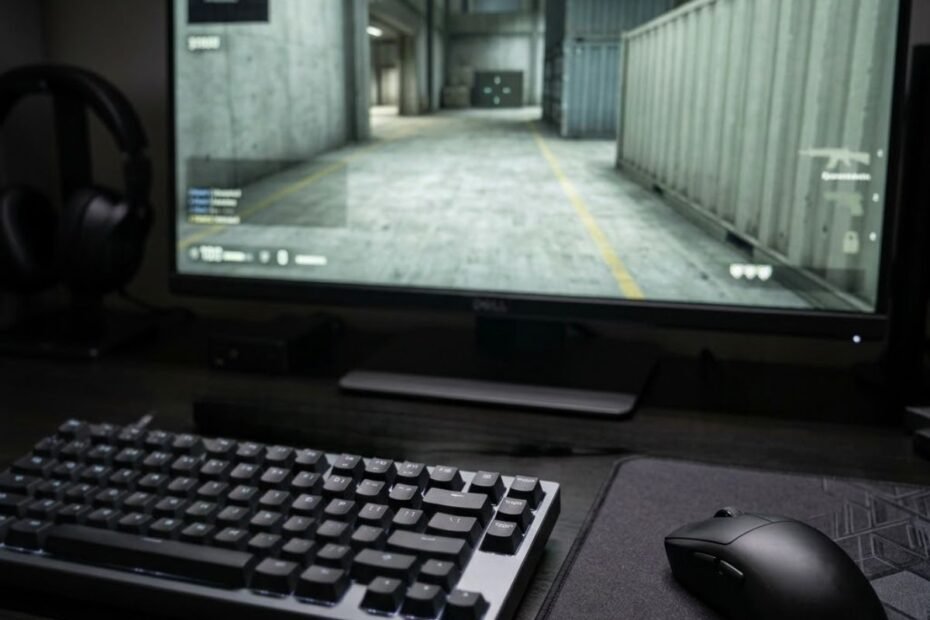
If you play competitive FPS games, it is easy to assume that a faster gaming keyboard should help you aim better. A new keyboard can make movement feel quicker, key presses feel more responsive, and directional changes feel cleaner. But that does not mean the keyboard is directly improving your aim.
Gaming keyboards do not directly improve aim because they do not control crosshair movement. They primarily affect movement and other keyboard inputs, which can indirectly influence the timing and consistency of a gunfight.
That distinction matters because a player can feel a clear difference after switching keyboards without actually becoming more accurate with the mouse. The keyboard may change how quickly or consistently movement inputs register, while the actual control of the crosshair remains a separate skill.
Do Gaming Keyboards Actually Improve Aim?
No. A gaming keyboard does not directly improve aim because aiming depends primarily on controlling the crosshair, while the keyboard primarily handles movement and other key inputs.
Keyboard movement and mouse aiming serve different roles in an FPS control system:
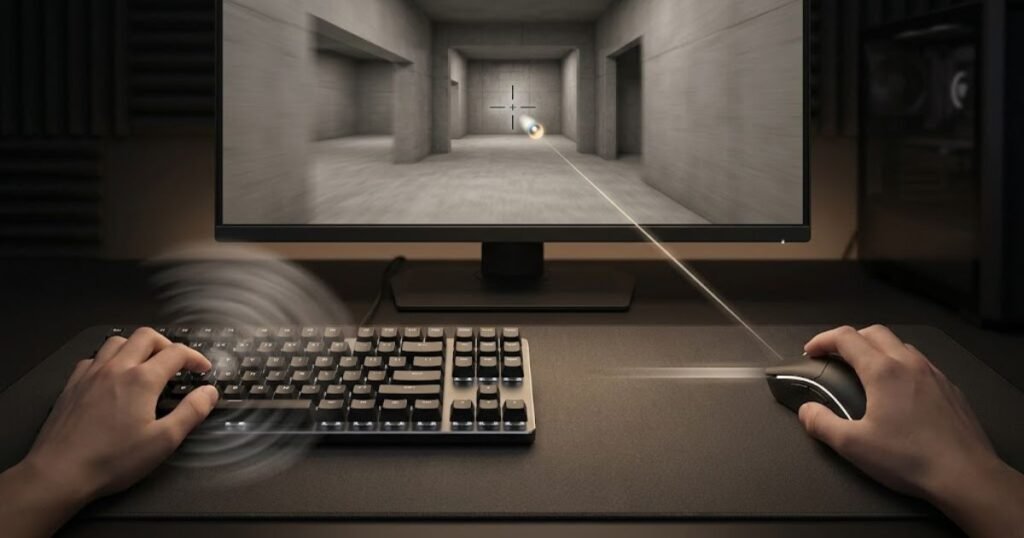
In an FPS game, the keyboard and mouse have different jobs. The mouse controls the direction and position of the crosshair, while the keyboard supplies movement and other game commands. This means a keyboard can influence the conditions under which you take a shot without directly controlling where that shot is aimed.
The distinction becomes especially important when evaluating features such as faster actuation or more responsive key reset. Those features can change the behavior of movement inputs, but they do not move the crosshair for you.
That is why a player may feel more responsive after changing keyboards and still see no meaningful improvement in raw aiming accuracy. The hardware can change the input experience without changing the underlying mechanics required to place the crosshair accurately.
What Does Aim Actually Depend On?
FPS aim primarily depends on how accurately and consistently you control the crosshair, including mouse movement, target tracking, flicking, and small positional adjustments.
When players talk about improving aim, they are usually referring to the ability to place the crosshair where it needs to be and keep it there as a target moves. That involves controlling the mouse with enough precision to perform both large and very small movements.
- Crosshair placement: Keeping the crosshair positioned where an opponent is likely to appear.
- Flicking: Moving the crosshair quickly toward a target.
- Tracking: Following a moving target with controlled mouse movement.
- Micro-adjustments: Making small corrections when the crosshair is close to the intended position.
- Shooting control: Combining accurate crosshair placement with the correct timing for firing.
These mechanics are primarily controlled through the mouse rather than the keyboard. A more responsive keyboard cannot compensate for poor crosshair placement or inconsistent mouse control.
That does not make the keyboard irrelevant. It simply means its contribution needs to be evaluated through the part of the FPS input system it actually controls.
The keyboard can support the conditions for a good shot, but it does not create accurate crosshair control by itself.
What Does the Keyboard Control in an FPS?
The keyboard primarily controls movement and game commands, including directional movement, crouching, jumping, reloading, and other key-bound actions.
Movement is particularly important in FPS games because your character’s position and direction can change while you are preparing to shoot. Inputs such as moving left or right, stopping, changing direction, or combining movement with another action are handled through the keyboard.
This is where a gaming keyboard can become relevant to shooting performance. If the keyboard provides consistent and predictable input, it can help you execute the movement you intended. That can affect the circumstances in which you take a shot, even though the keyboard is still not controlling the crosshair itself.
For a broader explanation of what a gaming keyboard does in FPS games, the important distinction is that keyboard input and mouse aim serve different functions within the same control system.
The practical takeaway is simple: a keyboard upgrade should be evaluated for its effect on movement and input behavior, not as a direct upgrade to aiming ability.
A gaming keyboard can change how you move and how consistently your inputs register, but better aim still comes from controlling the crosshair accurately.
How Can a Gaming Keyboard Affect FPS Performance?
A gaming keyboard can affect FPS performance by changing how consistently and responsively movement inputs are registered, rather than by directly improving mouse aim.
The distinction from the previous section is important: the keyboard does not become an aiming device simply because it can register inputs quickly. Its potential benefit appears earlier in the sequence of an FPS fight, when movement determines how your character reaches, holds, or leaves a position before a shot is taken.
Why Movement Can Affect the Quality of a Shot
Movement can affect the quality of a shot because many FPS weapons become less accurate while the player is moving, making deliberate movement and stopping an important part of shooting execution.
In VALORANT, movement accuracy affects how reliably you can shoot while moving, which is why controlling your movement before firing matters in competitive FPS games.. Riot has specifically described movement accuracy as a factor in combat and has made changes intended to reward players who stop or control their movement before shooting.
This creates an important distinction between aiming accuracy and movement execution. Your mouse may determine where the crosshair goes, but your keyboard determines much of how your character moves into the moment when you fire.
Consider a simple sequence: you move left, release the movement key, change direction, and fire. The keyboard is involved in the movement portion of that sequence, while the mouse is responsible for placing the crosshair. If the movement input is inconsistent, the problem can affect the timing or position from which you take the shot without changing your underlying mouse aim.
This is why a more responsive keyboard can sometimes feel like it improves aim. What may actually be changing is the player’s ability to execute movement inputs consistently before or during an engagement.
Riot’s own discussion of strafing and shooting also highlights how closely movement timing and shooting can interact in VALORANT, including situations involving counter-strafing and the timing of shots immediately after movement changes.
The keyboard can therefore influence the setup and timing of a shot, but the improvement is indirect: better movement execution does not mean the keyboard is controlling the crosshair more accurately.
Why Input Consistency Matters More Than a Faster-Sounding Specification
Consistent input matters because a keyboard only provides a practical FPS advantage when its behavior helps the player execute intended movements reliably.
A specification can describe what a keyboard is capable of, but the specification alone does not tell you whether it will make your movement better. A player who already performs directional inputs consistently may notice little practical benefit from a keyboard that promises faster or more responsive input.
The more useful question is therefore not simply whether a keyboard has a faster specification. It is whether the keyboard changes an input limitation that is actually affecting your gameplay.
- Reliable movement input: The intended directional input should register consistently.
- Predictable key behavior: The player should be able to repeat the same movement without unexpected differences in key response.
- Consistent execution: The keyboard should support the player’s existing movement technique rather than forcing unnecessary adjustments.
- Repeatable performance: Any perceived improvement should remain noticeable across multiple sessions rather than appearing only during the first few games with new hardware.
This also explains why two players can use the same gaming keyboard and experience different results. Hardware can change the input characteristics, but the player still determines how effectively those inputs are used.
A keyboard that removes an actual movement limitation can be useful. A keyboard that simply has a more impressive specification sheet does not automatically produce better FPS performance.
The meaningful benefit is not “faster keyboard equals better aim.” It is whether the keyboard helps you execute the movement you already intend with greater consistency.
Which Gaming Keyboard Features Can Affect FPS Movement?
The gaming keyboard features most relevant to FPS movement are adjustable actuation, Rapid Trigger, and reliable multi-key input, because they can change how and when movement inputs are registered.
These keyboard technologies change how movement inputs are registered and released:
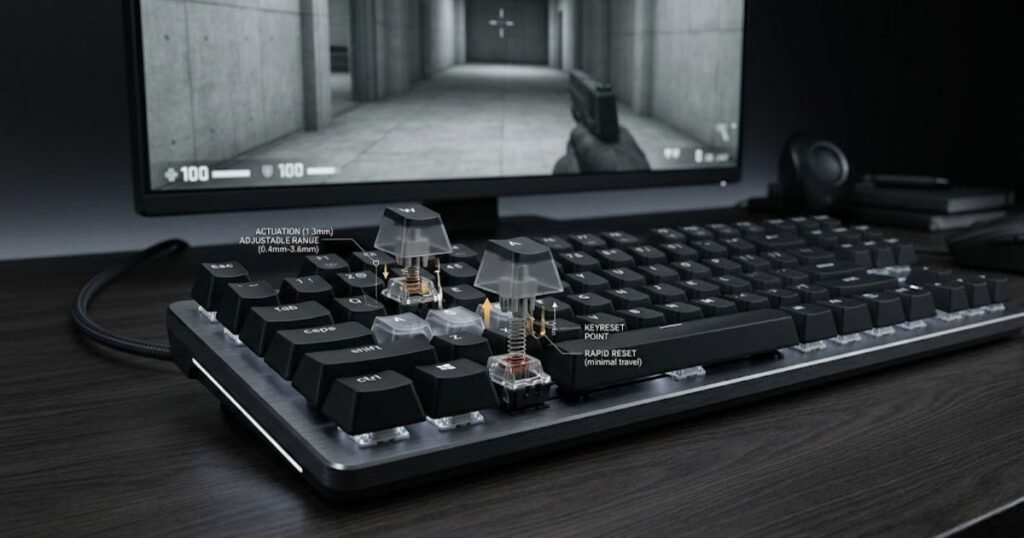
Not every gaming keyboard has these features, and not every feature produces the same practical result. The important distinction is what a feature actually changes at the input level. A keyboard can make a key register at a different point or reset differently, but that does not mean the player automatically becomes more accurate.
For example, Razer’s current esports keyboards offer adjustable actuation and Rapid Trigger as separate features. Razer describes adjustable actuation as allowing users to customize how sensitive the keys are, while Rapid Trigger changes how quickly a key can reset for repeated inputs. Razer’s official Huntsman V3 Pro documentation provides the manufacturer’s specifications for these functions.
The table below separates what each feature changes from what it does not directly control:
| Feature | What It Changes | FPS Movement Relevance | Direct Aim Effect |
|---|---|---|---|
| Adjustable actuation | When a key registers a press | Can change how early or late movement input begins | None |
| Rapid Trigger | How a key resets and registers repeated input | Can make repeated directional inputs more responsive | None |
| Multi-key input reliability | How multiple simultaneous key presses are registered | Can support consistent movement and key combinations | None |
| Polling rate | How frequently the keyboard reports input to the system | Relates to input reporting, not movement technique | None |
The table shows why it is misleading to describe a gaming keyboard feature as an “aim improvement.” These technologies operate on the keyboard input side of the control system. Their potential benefit is more accurately described as a change in input behavior or movement responsiveness.
Does Adjustable Actuation Improve Aim?
No. Adjustable actuation does not directly improve aim. It changes the point at which a key registers, which can alter how movement inputs feel and behave.
On keyboards that support this feature, the player can choose how far a key needs to travel before the input is registered. For example, Razer lists a 0.1 to 4.0 mm adjustable actuation range on the Huntsman V3 Pro, while ASUS lists a 0.1 to 4.0 mm range for its ROG HFX magnetic switches. These are manufacturer specifications for specific products, not a universal range for gaming keyboards. Razer’s official product specifications and ASUS ROG’s keyboard technology documentation describe these ranges directly.
A shorter actuation setting can make a key register with less physical travel, while a deeper setting requires more movement before the input activates. That can change the way a player experiences movement, but it does not change the player’s ability to move a mouse accurately.
This distinction is especially important when a player feels that a new keyboard is making their aim “faster.” The actual change may be that movement inputs begin at a different point, making the overall interaction feel more immediate.
Adjustable actuation can change movement input behavior, but it cannot directly improve crosshair control.
Does Rapid Trigger Improve Aim?
Rapid Trigger does not directly improve aim. Its potential FPS benefit comes from changing how quickly a key can reset and respond to repeated movement inputs.
Traditional keyboard switches generally use a fixed reset point. Rapid Trigger changes that behavior by allowing the key to respond based on the direction and distance of the key’s movement rather than requiring the same fixed reset point. ASUS describes its Rapid Trigger technology as allowing a switch to reset as it moves upward, while Razer describes its implementation as allowing keys to reset with very small upward movement. ASUS explains the underlying Rapid Trigger behavior in its official keyboard technology documentation.
For FPS movement, this can matter when a player repeatedly changes directional inputs. A shorter reset response may allow the next input to register sooner, depending on the keyboard’s implementation and the game being played.
That still does not mean Rapid Trigger creates better aim. The feature changes the keyboard’s response to the player’s input. The player must still control the mouse, place the crosshair correctly, and execute the shot.
Razer makes a similar distinction in its Rapid Trigger documentation, describing the technology as a way to increase responsiveness during repeated keystrokes and in-game movement. Razer’s official Rapid Trigger documentation explains how its implementation works.
Rapid Trigger can change the timing and feel of movement inputs, but any resulting improvement in a gunfight is indirect rather than a direct improvement to aim.
Can Faster Keyboard Input Make Movement More Consistent?
Potentially, but only when the keyboard’s input behavior addresses a real limitation in the player’s movement execution.
A feature can reduce the amount of key travel or change how quickly repeated inputs are recognized, but hardware responsiveness is only one part of the result. The player still has to make the correct input at the correct time.
This is why a faster keyboard should not automatically be treated as a performance upgrade. If your movement is already consistent and your current keyboard registers your inputs reliably, changing to a keyboard with more aggressive input settings may produce a noticeable difference in feel without producing a meaningful difference in performance.
The practical question is therefore not whether a keyboard has the fastest possible input specification. It is whether the feature helps you execute a movement technique more consistently.
The useful distinction is simple: keyboard responsiveness can change input behavior, while player technique determines how effectively that behavior is used.
For a broader look at which keyboard technologies matter specifically for FPS use, the relevant GearTP guide is gaming keyboard features that matter most for FPS.
Keyboard features can change movement input, but none of them should be presented as a direct aim upgrade.
Gaming Keyboard vs Gaming Mouse for Aim
A gaming mouse has a more direct role in FPS aim because it controls crosshair movement, while a gaming keyboard primarily controls movement and other key inputs.
This distinction helps explain why replacing a keyboard does not normally produce the same type of aiming improvement as changing the mouse or improving mouse control. The two devices contribute to different parts of the aiming process, so the right upgrade depends on which part of your performance is actually limiting you.
In a typical FPS engagement, the mouse is responsible for moving the crosshair toward and across the target. The keyboard controls your character’s movement and other assigned actions. Both inputs can occur at the same time, but they do not perform the same job.
The comparison below separates each device by the type of FPS input it directly controls:
| Device | Primary Input | Relationship to Aim | Main FPS Role |
|---|---|---|---|
| Gaming mouse | Mouse movement | Direct | Crosshair control and target acquisition |
| Gaming keyboard | Key presses | Indirect | Character movement and game commands |
| Mousepad | Mouse surface interaction | Indirect | Supports consistent mouse movement |
| Monitor | Visual output | Indirect | Displays targets and game state |
The important point is not that one device matters and the others do not. FPS performance comes from the interaction between these inputs. However, when the specific problem is crosshair control, the mouse is the more directly relevant device.
If Your Aim Is Inconsistent, Is the Keyboard the First Thing to Upgrade?
Usually not. If your main problem is inconsistent crosshair control, changing the keyboard is unlikely to address the underlying limitation directly.
For example, if your crosshair consistently stops short of a target, overshoots during a flick, or struggles to stay on a moving opponent, those problems occur primarily on the mouse-control side of the input system. A more responsive keyboard cannot correct those mouse movements.
The same applies to sensitivity problems. If your sensitivity makes small corrections difficult or causes you to overcorrect during fast movements, changing the keyboard does not address that setting or the technique behind it.
A keyboard becomes more relevant when the problem is instead connected to movement execution. If directional inputs feel inconsistent, movement timing is difficult to reproduce, or the keyboard itself creates a physical limitation, then evaluating the keyboard makes more sense.
Match the hardware decision to the input that is actually causing the problem.
When Does the Keyboard Become the More Relevant Upgrade?
A keyboard becomes more relevant when movement consistency, key behavior, comfort, or the physical setup is limiting how effectively you can execute FPS movement.
This does not mean every movement problem requires a new keyboard. Before replacing the hardware, consider whether the limitation comes from your technique, settings, familiarity with the current keyboard, or an actual hardware constraint.
For example, a player may have difficulty with repeated directional inputs because the current keyboard does not provide the input behavior they prefer. Another player may simply need more practice with the same movement technique. The symptoms can look similar while requiring completely different solutions.
The same principle applies to desk space. A large keyboard can occupy space that could otherwise be used for wider mouse movements, particularly for players who use lower mouse sensitivity. In that situation, the relevant benefit of a smaller keyboard may be the additional physical space it creates rather than a direct improvement in the keyboard’s input speed.
The keyboard becomes a meaningful upgrade candidate when it solves a specific movement or setup limitation that you can identify, rather than simply because it is marketed as faster.
That distinction also prevents a common upgrade mistake: changing hardware before identifying which part of the input chain is actually holding back performance.
For FPS aim, the mouse is the more direct aiming device, while the keyboard can influence the movement and setup surrounding each shot. A keyboard upgrade therefore makes the most sense when the limitation is on the keyboard side rather than the crosshair-control side.
Can a Faster Gaming Keyboard Actually Make You Better at FPS?
A faster-feeling gaming keyboard does not automatically make you better at FPS games because hardware responsiveness only matters when it solves a real input limitation in your gameplay.
A faster specification does not automatically translate into better player performance:
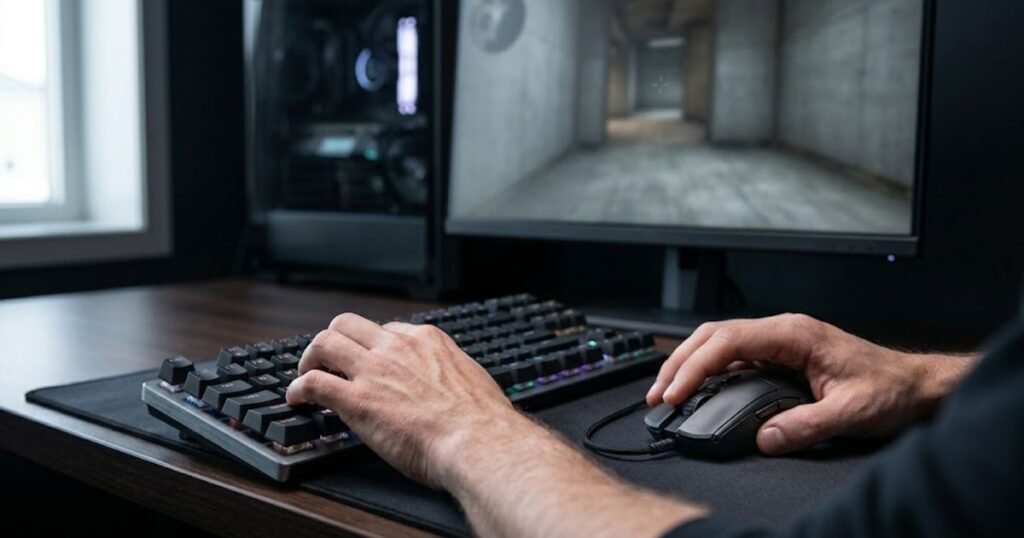
A keyboard can have aggressive actuation settings, Rapid Trigger, a high polling rate, or other performance-oriented specifications and still produce little meaningful improvement for a player who already has consistent movement and reliable inputs.
This is where gaming keyboard marketing can become misleading. A specification tells you what the hardware is designed to do. It does not prove how much better you will perform after buying it.
The difference is important because FPS performance depends on both input capability and player execution. A keyboard can change the first one, but it cannot automatically improve the second.
Why Faster Input Does Not Automatically Mean Better Aim
Faster input does not automatically produce better aim because the keyboard’s response speed does not control the accuracy of your mouse movements or your ability to place the crosshair.
Suppose a keyboard allows a movement key to register earlier than your previous keyboard. That may change when your character begins moving, but it does not teach you where to place the crosshair, how far to move the mouse, or when to fire.
There is also a practical limit to how much a player can benefit from faster input. If your existing keyboard already registers your intended inputs reliably and your movement technique is consistent, reducing input delay further may not address the reason you are missing shots.
This creates three separate concepts that should not be treated as interchangeable:
- Hardware capability: What the keyboard can technically register or report.
- Input execution: How consistently the player uses those inputs during a game.
- Gameplay outcome: Whether those inputs actually contribute to better movement, positioning, or shooting performance.
A change in hardware capability can influence the second and third categories only if it creates a meaningful difference in how the player performs. Without that connection, a faster specification remains a technical characteristic rather than a guaranteed performance improvement.
The key point is that reducing an input bottleneck can help, but removing a bottleneck that was never limiting you does not automatically make you better.
How Keyboard Feature Marketing Can Mislead FPS Players
Keyboard marketing can mislead FPS players when a technical specification is presented as if it guarantees a measurable improvement in aim or overall skill.
Terms such as “faster,” “instant,” “ultra-responsive,” or “pro-level” can create the impression that a keyboard will immediately produce better gameplay. Those descriptions may refer to real hardware characteristics, but the conclusion that the player will aim better requires an additional assumption that the specification directly solves a performance problem.
That assumption is not always justified.
A player who already has reliable movement may notice that a new keyboard feels different without becoming more accurate. The novelty of new hardware can also make the change feel larger than it actually is, especially during the first few sessions.
This is why specifications should be interpreted as evidence about what the keyboard can do, not as evidence that you will perform better with it.
When evaluating a gaming keyboard, ask what problem each specification solves before treating it as a reason to upgrade.
Common mistakes in this evaluation process include focusing on specifications without identifying a real gameplay limitation, assuming a more expensive keyboard must perform better for every player, and confusing a noticeable change in input feel with a measurable improvement in FPS performance. These are the kinds of mistakes players make when evaluating keyboard features that can turn a hardware upgrade into an unnecessary purchase.
There is nothing wrong with preferring a faster or more responsive keyboard. The problem occurs when preference is presented as proof of performance improvement.
A gaming keyboard can provide better input characteristics, but “better specifications” and “better player performance” are not the same claim.
How Can You Test Whether a Gaming Keyboard Actually Helps?
The most reliable way to test whether a gaming keyboard helps is to keep other variables constant and compare movement and aiming separately.
A new keyboard can feel dramatically different without producing a measurable improvement in FPS performance. The opposite can also happen: a small change in input behavior may be useful even when the difference is difficult to notice immediately.
That makes a controlled comparison more useful than relying on the first impression you get from a new keyboard. The goal is not to prove that the new hardware is better. The goal is to determine whether it solves a limitation that actually affects your gameplay.
Test the Keyboard’s Direct Effect on Movement
To test the keyboard itself, isolate movement from other hardware and settings so you can compare the same movement tasks under consistent conditions.
Use the following process to isolate the keyboard’s effect on movement:
- Keep the same mouse: Do not change the primary aiming device during the comparison.
- Keep the same sensitivity: Use identical sensitivity settings so mouse behavior does not become another variable.
- Keep the same mousepad: Keep the physical surface consistent when evaluating the keyboard.
- Test repeated movement inputs: Compare the same directional movements, stops, and direction changes on both keyboards.
- Repeat the sessions: Look for a consistent difference across multiple sessions instead of judging the keyboard from one match.
This approach does not need to produce a dramatic result. If the new keyboard makes a specific movement easier to execute consistently, that is useful evidence. If the only difference is that the keyboard feels faster while your movement performance remains unchanged, the specification may not be solving a meaningful problem.
A useful keyboard test should reveal a repeatable difference in movement execution, not simply a stronger first impression.
Test Aim Separately From Movement
Aim should be evaluated separately because an improvement in movement can otherwise be mistaken for a direct improvement in aiming ability.
If you change the keyboard and immediately perform better in a match, that result does not prove that the keyboard improved your aim. Your performance can vary naturally from one session to another, and better positioning or movement can create more favorable shooting situations.
Instead, evaluate the parts of aiming that are primarily controlled through the mouse:
- Crosshair placement: Check whether the crosshair consistently reaches the intended position.
- Flick consistency: Observe whether fast mouse movements repeatedly stop where you expect them to.
- Tracking: Evaluate whether you can maintain controlled mouse movement on moving targets.
- Micro-adjustments: Pay attention to small corrections around the target rather than judging aim only from large movements.
The purpose is not to create a perfect scientific experiment. It is to avoid attributing every improvement in a match to the keyboard when the keyboard does not directly control those aiming actions.
If mouse-controlled aim remains unchanged while movement becomes more consistent, the keyboard may be helping your movement without actually improving your aim.
Why One Good Session Is Not Enough
One good session is not enough to establish that a keyboard improved performance because normal variation, familiarity, fatigue, and the novelty of new hardware can all affect how a player performs.
A new keyboard can also temporarily change your attention. You may consciously notice every key press, adjust your movement technique, or simply feel more engaged because the hardware is new. Those effects can make an upgrade seem more impactful than it becomes after the keyboard feels normal.
For that reason, look for patterns rather than isolated results. If the same movement task becomes easier to execute across repeated sessions while your mouse, sensitivity, and other relevant conditions remain unchanged, the result is more meaningful.
There is also no need to force a positive conclusion. If repeated testing shows little difference, that is useful information too. It may indicate that your existing keyboard was already good enough for your current needs.
The purpose of testing is to identify whether the keyboard removes a real limitation, not to justify an upgrade you have already decided to buy.
Once you separate movement performance from mouse-controlled aim and compare the same tasks repeatedly, it becomes much easier to judge whether a keyboard upgrade has a practical FPS benefit.
When Is a Gaming Keyboard Upgrade Actually Worth It for FPS?
A gaming keyboard upgrade is worth considering when your current keyboard creates a specific limitation in movement, input consistency, comfort, or desk space that affects how you play.
A keyboard upgrade makes more sense when it solves a specific limitation:
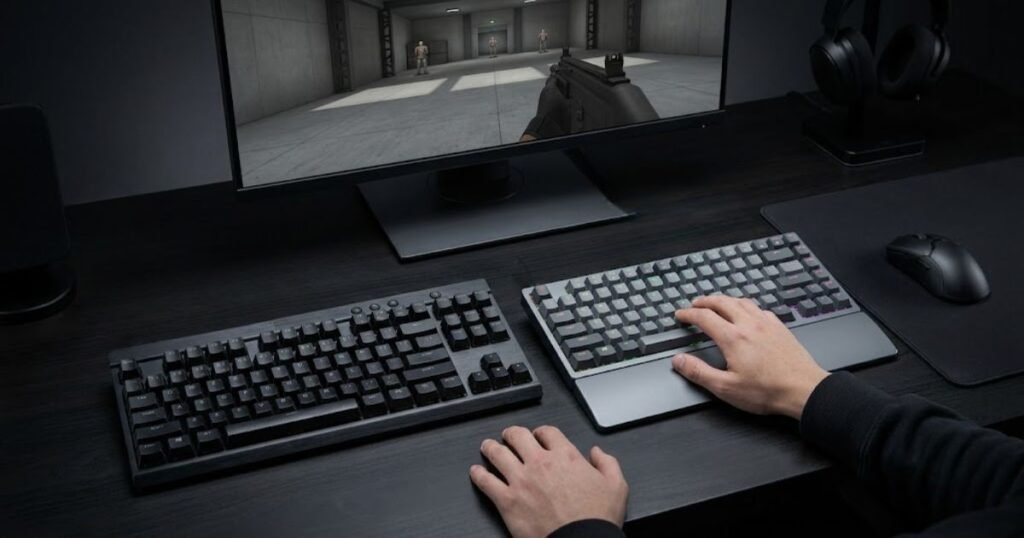
Not every FPS player needs a new keyboard. If your current keyboard registers inputs reliably, feels comfortable, and does not interfere with your movement, replacing it may produce little meaningful improvement in gameplay.
The better approach is to identify the limitation first. A keyboard should solve a problem that already exists rather than become the reason you start looking for a problem.
The table below matches common FPS limitations with how relevant a keyboard upgrade is to each situation:
| FPS Problem | Is a Keyboard Upgrade Relevant? | Why |
|---|---|---|
| Poor crosshair control | Usually no | The keyboard does not control mouse movement. |
| Inconsistent strafing | Potentially | The keyboard directly controls directional movement. |
| Uncomfortable movement inputs | Potentially | Key behavior and layout can affect how comfortably inputs are executed. |
| Accidental key presses | Potentially | A different input behavior or setup may reduce unwanted activation. |
| Limited mouse space | Potentially | A smaller keyboard layout can leave more room for mouse movement. |
| Current keyboard works reliably | Usually no | There may be no meaningful keyboard-side limitation to solve. |
The important distinction is between a hardware limitation and a skill limitation. If your crosshair control is inconsistent, changing keyboards does not directly address the problem. If your movement inputs are difficult to execute consistently because of the keyboard itself, the situation is different.
A keyboard can also become relevant for physical reasons. For example, a smaller layout may give a low-sensitivity player more room for wide mouse movements. In that case, the benefit does not come from the keyboard magically improving aim. It comes from changing the physical arrangement of the controls around the mouse.
What Problem Should You Solve Before Buying a New Keyboard?
Identify the specific gameplay or setup problem first, then determine whether the keyboard is actually responsible for it.
Start with the symptom rather than the product specification. If the problem is inconsistent crosshair placement, investigate the mouse and aiming technique. If the problem is inconsistent movement input, investigate the keyboard and movement technique. If the problem is limited desk space, examine the keyboard’s physical size and layout.
This prevents an upgrade from becoming a substitute for diagnosis. A new keyboard can feel better while leaving the original problem untouched.
If the current keyboard is creating a genuine limitation, the decision about when you should upgrade your keyboard should be based on that limitation rather than on how impressive a newer specification looks.
The right upgrade is the one that addresses the bottleneck you can actually identify.
When Is Your Current Keyboard Already Good Enough?
Your current keyboard is probably good enough when it provides reliable inputs, comfortable movement, and no clear physical limitation that interferes with your FPS setup.
A player does not need every modern keyboard feature to perform well. If your movement is consistent and your keyboard responds predictably, the absence of a newer feature does not automatically make the current keyboard a performance problem.
This is particularly important for players who are tempted to upgrade because another keyboard feels faster in demonstrations or reviews. A noticeable difference in hardware behavior is not the same as a meaningful difference in your own gameplay.
Keeping a keyboard that already works well can also make sense when the upgrade would require changing your muscle memory without solving a specific problem. Familiarity has practical value when your current inputs are already consistent.
If your keyboard is reliable and is not limiting your movement or setup, keeping it may be the more rational FPS decision.
A gaming keyboard is therefore best viewed as a tool for removing a specific input or setup limitation, not as a guaranteed path to better aim.
The upgrade is justified when the keyboard is the bottleneck. If it is not the bottleneck, a newer keyboard may change how your setup feels without meaningfully changing how you perform.
Do Gaming Keyboards Improve Aim? The Final Verdict
Gaming keyboards do not directly improve aim. They can improve the consistency and responsiveness of movement inputs, which may indirectly support FPS performance, but accurate crosshair control still depends primarily on the player’s mouse control and aiming technique.
The distinction is important because a keyboard and mouse perform different jobs during an FPS fight. The keyboard influences movement and other key inputs, while the mouse controls the crosshair. A faster or more responsive keyboard can therefore change how movement feels without automatically making the player more accurate.
Features such as adjustable actuation and Rapid Trigger can be useful when they address a genuine movement or input limitation. However, their presence alone does not prove that a player will aim better. The same applies to other performance specifications: a technical improvement in the hardware is not automatically a measurable improvement in player performance.
The key distinction is simple:
- Direct aim: Primarily depends on mouse-controlled crosshair movement.
- Movement: Primarily depends on keyboard input.
- Keyboard features: Can change how movement inputs behave.
- FPS performance: Can improve indirectly when a keyboard removes a real movement limitation.
- Player skill: Still determines how effectively the hardware is used.
A player who already has reliable movement and a keyboard that responds consistently may gain little from upgrading solely for the expectation of better aim. On the other hand, a player whose keyboard creates a specific movement or setup limitation may benefit from changing hardware.
The most useful way to evaluate a gaming keyboard is therefore to ask what problem it solves. If the problem is crosshair control, the keyboard is unlikely to be the direct solution. If the problem is movement input or physical setup, a keyboard upgrade may be more relevant.
A gaming keyboard can support better FPS execution, but it does not replace mouse control, aiming practice, or player skill.
Do Gaming Keyboards Improve Aim? FAQs
Gaming keyboards do not directly improve aim, but they can affect movement, input behavior, and FPS performance in specific situations. The questions below address the most common concerns about gaming keyboards, aiming, movement, keyboard features, and whether an upgrade can make a practical difference.
Do gaming keyboards improve aim?
No. Gaming keyboards do not directly improve aim because they do not control crosshair movement. They can affect movement input and timing, which may indirectly influence FPS performance.
Can a gaming keyboard make you better at FPS games?
A gaming keyboard can help FPS performance when it solves a real movement or input limitation, but it does not automatically make a player better. The benefit depends on how the player uses the keyboard and whether the previous keyboard was actually limiting performance.
Does a mechanical keyboard improve aim?
A mechanical keyboard does not directly improve aim simply because it uses mechanical switches. Its potential benefit depends on the specific switch behavior, input characteristics, and whether those characteristics address a limitation in the player’s movement.
Can a gaming keyboard improve crosshair placement?
No. A gaming keyboard does not directly control crosshair placement. Crosshair placement is primarily performed through mouse movement, while the keyboard controls character movement and other inputs.
Can a gaming keyboard improve movement in FPS games?
It can, depending on the keyboard and the player’s needs. Input behavior, key response, and consistency can affect how movement inputs are executed, particularly when the previous keyboard created a noticeable limitation.
Does Rapid Trigger directly improve aim?
No. Rapid Trigger changes keyboard input behavior rather than mouse-controlled aim. Its potential benefit comes from how it handles repeated key inputs during movement.
Does adjustable actuation improve aim?
No. Adjustable actuation does not directly improve crosshair control. It changes the point at which a key registers, which can alter how movement inputs feel and behave.
Is a gaming mouse more important than a keyboard for aim?
For direct aim, the gaming mouse is more relevant because it controls crosshair movement. The keyboard remains important for movement, but the two peripherals affect different parts of FPS input.
Should I upgrade my keyboard or mouse first for better aim?
If the problem is crosshair control, the mouse is the more directly relevant device to investigate. If the problem is movement consistency or keyboard input, evaluating the keyboard makes more sense.
Can keyboard latency affect FPS performance?
Keyboard input latency can be part of the overall input path, but a lower latency specification does not automatically produce better aim. Its practical importance depends on whether the latency represents a meaningful limitation for the player’s actual use case.
Is a Hall Effect keyboard worth it for FPS players?
A Hall Effect keyboard can be worth considering for FPS players who specifically want features such as adjustable actuation or Rapid Trigger. Those features should be evaluated according to the movement problem they are intended to solve rather than treated as automatic aim improvements.
How can I test whether a new gaming keyboard actually helps?
Keep your mouse, sensitivity, mousepad, and other relevant variables consistent, then compare the same movement tasks across multiple sessions. Evaluate movement separately from aim so that better positioning or normal performance variation is not mistaken for a direct improvement in aiming ability.
Thanks for reading, and I hope this guide helps you make a more informed decision about your gaming keyboard.