

You should upgrade your keyboard when it becomes unreliable, uncomfortable, poorly suited to your setup, or unable to provide a feature you genuinely need. A keyboard does not become outdated simply because it has been used for several years or because newer models offer more features. The stronger reason to upgrade is a real limitation that affects how you use the keyboard.
For FPS players, that limitation can show up as inconsistent key registration, a layout that takes up too much desk space, discomfort during long sessions, or a missing capability that your current keyboard cannot reasonably provide. The key is to identify whether the problem is persistent enough to justify replacing a keyboard that may still be perfectly usable.
What Are the Signs That You Should Upgrade Your Keyboard?
The clearest signs that you should upgrade your keyboard are repeated reliability problems, persistent discomfort, poor fit with your desk setup, or a limitation that prevents you from using the keyboard the way you need. These signs are more meaningful than the keyboard’s age or the release of a newer model.
Your Keys Are Becoming Unreliable
Repeated key registration problems are one of the strongest reasons to consider a keyboard upgrade. When a key does not register consistently, registers twice, or behaves unpredictably, the problem affects the basic function of the keyboard rather than simply its appearance or feature set.
For an FPS player, reliability matters particularly on frequently used movement and modifier keys. A missed input can interrupt an action even when the player presses the key correctly. If the same problem keeps happening instead of appearing as an isolated incident, replacing the keyboard becomes easier to justify.
Common reliability problems include:
- Keys that occasionally fail to register.
- Keys that register more than once from a single press.
- Intermittent connection problems during normal use.
- Keys that behave differently from the rest of the keyboard.
- Physical wear that makes frequently used keys increasingly inconsistent.
The important distinction is consistency. One isolated problem does not automatically mean the entire keyboard needs to be replaced. A recurring problem that interferes with normal use is a much stronger upgrade signal.
Your Keyboard Has Become Uncomfortable to Use
Persistent discomfort can justify an upgrade when the keyboard’s size, position, or typing feel repeatedly makes long sessions less comfortable. A keyboard can remain fully functional while still becoming a poor fit for the way you actually use your desk.
This can happen when your setup changes, when you spend more time gaming or typing, or when you realize that the current keyboard’s physical characteristics do not suit your preferred position. The issue is not whether another keyboard feels more premium. The question is whether the current one creates a recurring usability problem.
For example, a board that leaves little room for the mouse can become frustrating for an FPS player who uses broad mouse movements. Similarly, a keyboard that consistently feels uncomfortable during extended sessions may be worth replacing even if every key still works.
The strongest case for an upgrade is therefore repeated discomfort, not a temporary preference for how another keyboard looks or feels.
Your Keyboard No Longer Fits Your Desk or Setup
A keyboard can become worth upgrading when its physical layout takes up space you now need for the rest of your setup. This is especially relevant for FPS players because keyboard size directly affects how much desk space remains available for the mouse.
A change in desk size, mousepad size, sensitivity preference, or overall setup can make a previously comfortable keyboard harder to use. In that situation, the keyboard itself may not have deteriorated. The problem is that the relationship between the keyboard and the rest of the setup has changed.
This is why keyboard age alone is a weak replacement rule. A keyboard can be several years old and still fit perfectly, while a relatively new keyboard can become inconvenient after a setup change.
Your Current Keyboard Cannot Provide a Feature You Actually Need
A missing feature is a good reason to upgrade only when it solves a real limitation in your current setup. Wanting a newer feature is not automatically the same as needing it.
For example, a player may genuinely need a different layout because the current board occupies too much desk space. Another player may need a specific input behavior that the existing keyboard cannot provide. In both cases, the upgrade has a clear purpose.
By contrast, a new keyboard that offers a longer feature list without addressing an existing problem may provide very little practical value. GearTP’s existing keyboard research follows the same principle: features should be judged by whether they affect input behavior, movement control, consistency, or usability, rather than by how impressive they look on a specification sheet. :contentReference[oaicite:2]{index=2}
A feature becomes a meaningful upgrade reason when:
- Your current keyboard cannot provide the function you need.
- The missing capability affects how you actually use the keyboard.
- The new feature solves a specific limitation rather than adding another optional extra.
- You can explain what will improve after the upgrade.
If you cannot identify the specific problem that the new feature would solve, the feature itself is probably not a strong enough reason to replace the keyboard.
What Should You Look For Before Replacing Your Keyboard?
Before replacing your keyboard, look for a persistent problem that affects reliability, comfort, setup space, or a specific function you genuinely need. This keeps the upgrade decision tied to your actual use instead of the keyboard’s age, appearance, or the number of new features available on current models.
A useful starting point is to separate problems that interfere with normal use from preferences that would simply make the keyboard nicer to own. Reliability failures and persistent physical limitations are stronger signals than cosmetic changes or curiosity about newer specifications.
Once you can identify a specific limitation, the next step is determining whether the keyboard itself is actually responsible for the problem. That distinction matters because replacing hardware will not solve an issue caused by another part of the setup.
The takeaway is simple: upgrade because your current keyboard has become a meaningful limitation, not because a newer keyboard exists.
How Can You Tell If Your Keyboard Is Actually the Problem?
Your keyboard is more likely to be the real problem when the issue consistently appears during keyboard input and can be traced back to the keyboard itself. Before replacing it, separate keyboard-related limitations from problems caused by skill, game settings, software, or another part of your setup.
Separate Hardware Problems From Skill Problems
A keyboard cannot compensate for weaknesses in fundamental gaming skills. Poor aim, inconsistent crosshair placement, inefficient movement, and unfamiliarity with a game can all affect performance without indicating that the keyboard needs to be replaced.
Before replacing the keyboard, identify whether the problem actually comes from the keyboard itself:

This distinction matters because an upgrade only makes sense when the keyboard is creating a limitation that a different keyboard could actually address. If the same problem remains after changing how you practice, position your hands, or use your existing controls, buying a new keyboard may not solve the underlying issue.
The same principle applies to aim. A keyboard controls keyboard inputs, but aiming in FPS games depends primarily on mouse control and other aspects of gameplay. A new keyboard should therefore have a specific input-related benefit rather than being treated as a general performance upgrade.
For example, if the concern is whether a gaming keyboard itself can improve aiming performance, whether a gaming keyboard can improve aim is a separate question from whether your current keyboard is physically failing or limiting your inputs.
The key question is simple: Can you identify a keyboard-related limitation that a replacement would directly address?
Separate Keyboard Limitations From Game or System Issues
Not every inconsistent input is automatically a keyboard hardware problem. A problem can also come from the game, software, connection, or the way the system is configured.
If an input behaves differently only in one game, for example, the keyboard should not immediately be treated as the cause. The same applies when the problem disappears after changing a setting, reconnecting the device, or addressing a connection issue.
Diagnosis should therefore start with the behavior of the problem rather than the age or price of the keyboard. A useful question is whether the same issue occurs consistently across normal keyboard use or only under a particular software or game condition.
Look for these distinctions before deciding that the keyboard is responsible:
- The problem occurs across different applications or games.
- The same key consistently behaves incorrectly.
- The issue remains after checking relevant software or game settings.
- The behavior cannot be explained by another part of the setup.
If the problem cannot be reliably connected to the keyboard, replacing it is premature. The goal is not to find a reason to buy new hardware, but to identify the component actually responsible for the limitation.
Ask What a New Keyboard Would Actually Change
A strong upgrade decision starts with a specific improvement you expect from the replacement. If you cannot explain what the new keyboard would change in your daily use or gaming setup, the upgrade may be driven more by novelty than by an actual need.
Start with the problem rather than the product. Instead of asking which new keyboard looks better, ask what is currently preventing you from using your setup comfortably or consistently.
For example, a player might identify a specific limitation such as unreliable key registration, an unsuitable layout, insufficient desk space, or a feature that is genuinely required. Those are concrete problems that can be evaluated against what a replacement keyboard offers.
On the other hand, statements such as “this keyboard is old” or “newer keyboards have better specifications” do not explain what will actually improve. Without a clear connection between the current limitation and the expected benefit, the case for upgrading remains weak.
A useful upgrade test is:
- What exactly is wrong with the current keyboard?
- Is the keyboard definitely responsible for the problem?
- What specific change would a replacement provide?
- Would that change meaningfully improve how you use the keyboard?
If you cannot answer those questions clearly, there is not yet a strong reason to replace the keyboard.
The takeaway is simple: diagnose the limitation before evaluating the replacement. A keyboard upgrade is justified by a problem that the new keyboard can actually solve, not by the assumption that newer hardware will automatically produce better results.
Which Keyboard Problems Justify an Upgrade?
The keyboard problems most likely to justify an upgrade are repeated reliability failures, persistent comfort issues, or limitations that interfere with how you use your setup. Cosmetic preferences and interest in newer features are weaker reasons unless they solve a specific problem you already have.
Different keyboard problems can have very different reasons for replacement:
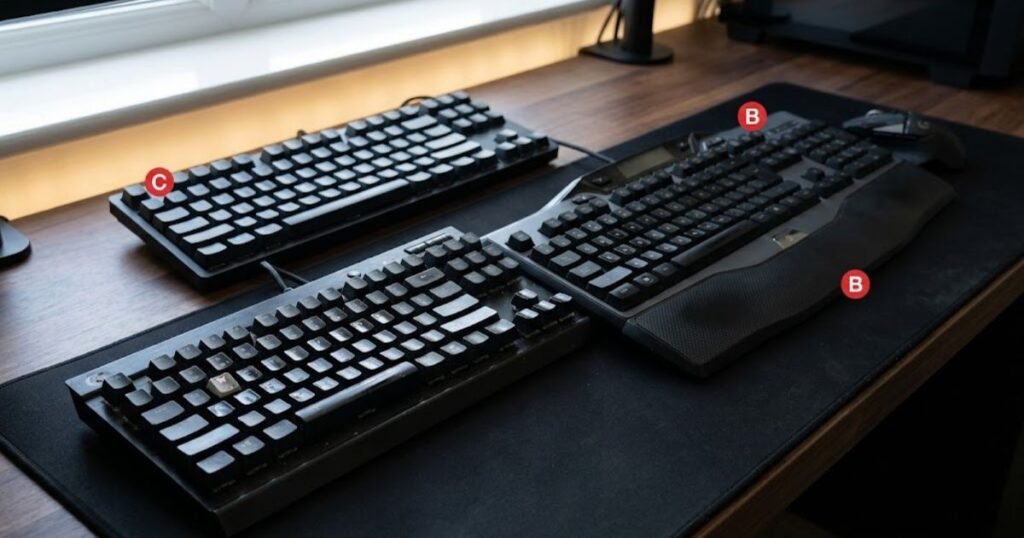
Not every inconvenience deserves the cost of a replacement. The stronger the effect on reliability, comfort, or everyday use, the easier it is to justify an upgrade.
Reliability Problems Are the Strongest Reason to Replace a Keyboard
Repeated hardware failures are usually the clearest reason to replace a keyboard because they directly affect whether the device can perform its basic function reliably. If keys regularly fail to register, produce unintended inputs, or the connection repeatedly becomes unreliable, the keyboard is no longer consistently doing its primary job.
This is different from a minor annoyance that appears occasionally. A recurring problem that interferes with normal gaming or typing has a much stronger case for replacement, particularly when it cannot be resolved through a simple fix.
Reliability also matters because an inconsistent keyboard can make otherwise predictable inputs less dependable. If the same problem continues to occur during ordinary use, replacing the keyboard can address a functional limitation rather than simply providing a newer product.
Reliability is a strong upgrade reason when:
- The same keys repeatedly fail to register.
- Unintended repeated inputs occur during normal use.
- Connection problems continue after basic troubleshooting.
- The problem affects frequently used keys or normal daily tasks.
If the keyboard remains reliable and the problem is only cosmetic, the case for replacement is considerably weaker.
Comfort and Setup Problems Can Justify an Upgrade
Comfort and setup limitations can justify an upgrade when they repeatedly interfere with long sessions or prevent the keyboard from fitting the way you need on your desk. Unlike a hardware failure, these problems do not necessarily mean the keyboard is defective. They mean the keyboard is no longer a good fit for its intended use.
A keyboard may become inconvenient after your desk setup changes, your mouse space requirements change, or you spend more time using the device. In these situations, the value of a replacement comes from solving a persistent usability problem rather than simply getting a newer keyboard.
For an FPS player, desk space can be particularly important because keyboard size affects how much room remains for mouse movement. If the current layout repeatedly restricts the way you position or use the rest of your setup, a different layout can be a meaningful upgrade.
The same principle applies to physical comfort. If the keyboard consistently feels uncomfortable during extended sessions and its size, layout, or overall design is the source of that problem, replacing it can be reasonable even when every key still works.
Comfort or setup becomes a stronger upgrade reason when:
- The problem occurs repeatedly rather than occasionally.
- The keyboard restricts how you position other parts of your setup.
- Your current layout no longer matches how you use your desk.
- The discomfort continues during normal or extended sessions.
Feature Preferences Are Weaker Upgrade Reasons
A new feature is a weaker reason to upgrade when it adds capability without solving a problem you currently experience. Newer keyboards can offer more customization, different input behavior, or additional features, but a longer specification list does not automatically create meaningful value.
The important question is not whether a feature is technically newer. It is whether that feature changes something you actually need from the keyboard.
For example, replacing a perfectly functional keyboard solely because a newer model offers more customization may provide little practical benefit. The same applies when a player chooses a keyboard because a specification sounds impressive but cannot explain how it will improve their actual use.
This distinction matters because buying based on specifications alone can turn a minor preference into an unnecessary upgrade. That pattern is also relevant to the broader common gaming keyboard mistakes that can make a keyboard purchase harder to justify.
A feature is a stronger reason to upgrade when:
- Your current keyboard cannot provide something you genuinely need.
- The feature addresses a specific limitation in your current setup.
- You have a clear use case for the feature.
- The expected improvement is meaningful enough to justify replacing the current keyboard.
If the feature only makes the new keyboard seem more attractive, it is better treated as a preference than a compelling upgrade reason.
The key distinction is impact: reliability problems affect whether the keyboard works, comfort and setup problems affect how well it fits your use, while feature preferences often affect what you want rather than what you actually need.
The table below compares common keyboard problems by how strongly they justify an upgrade:
| Problem | Impact | Upgrade Priority |
|---|---|---|
| Repeated key failures | Prevents reliable input | High |
| Recurring connection problems | Interrupts normal use | High |
| Persistent discomfort | Affects extended use | Medium to High |
| Poor desk fit | Restricts the overall setup | Medium |
| Missing useful feature | Depends on the actual need | Medium |
| Cosmetic preference | Mostly changes appearance | Low |
A keyboard upgrade is easiest to justify when the current board creates a repeated functional or usability problem. Reliability issues generally deserve the highest priority, while comfort and setup limitations depend on how significantly they affect your use. A feature or cosmetic preference becomes a stronger reason only when it solves a specific limitation rather than simply making a newer keyboard more appealing.
Should You Upgrade Your Keyboard for Better FPS Performance?
You should upgrade your keyboard for FPS performance when your current board creates a specific limitation in movement, input consistency, layout, or another part of your keyboard-based control. A new keyboard can change how inputs feel and behave, but it should not be treated as a shortcut to better aim, game sense, or overall mechanical skill.
For FPS players, the useful question is not whether a gaming keyboard is technically faster or more advanced. It is whether the keyboard’s characteristics address something that currently limits the way you play.
When a Keyboard Upgrade Can Help FPS Players
A keyboard upgrade can be useful for FPS players when it improves a specific part of the input experience that matters during gameplay. This can include a layout that gives you more usable desk space, a more suitable input feel, or a keyboard characteristic that better matches how you control movement.
Movement is one of the clearest areas where the keyboard matters because directional inputs are handled directly through the board. A keyboard that feels consistent and comfortable can make repeated movement inputs easier to control, especially during long sessions.
Layout can also matter. If a large keyboard restricts mouse space or forces an awkward hand position, changing to a more suitable form factor can improve the overall setup without requiring a change to your playing style.
The important point is that the upgrade should have a clearly identifiable purpose. A gaming keyboard for FPS games is most useful when its design addresses a real requirement in the player’s setup rather than simply offering a longer list of specifications.
For example, an FPS player may benefit from a different keyboard because the current layout interferes with mouse movement or because the existing input behavior does not match their preferences. Those are concrete reasons to consider an upgrade.
When a New Keyboard Is Unlikely to Improve Your Gameplay
A new keyboard is unlikely to create a meaningful gameplay improvement when your current keyboard already registers inputs reliably, fits your setup, and does not create a specific control limitation. In that situation, changing the hardware may alter the experience without changing the underlying skill that determines performance.
A keyboard does not replace practice, positioning, crosshair placement, game knowledge, or mouse control. If those areas are responsible for the performance problem, replacing the keyboard addresses the wrong part of the setup.
This is especially important for players who expect a new keyboard to immediately make movement or aiming feel dramatically better. Hardware can change the characteristics of an input, but the player still has to adapt to those characteristics and develop the skills required to use them effectively.
There is also a difference between input consistency and gameplay improvement. A reliable keyboard can provide more predictable inputs, but predictable inputs do not automatically translate into better decisions, better aim, or better results.
If your current keyboard already provides reliable movement inputs and causes no meaningful discomfort or setup limitation, the expected performance gain from replacing it may be small.
Why a Higher Specification Does Not Automatically Mean a Better Upgrade
A higher specification is only valuable when it produces a meaningful benefit for the way you actually use the keyboard. Numbers and feature labels can describe what a keyboard is capable of, but they do not determine whether that capability matters to every player.
This is particularly relevant when comparing gaming keyboards with different input technologies. A specification may look better on paper while making little practical difference to someone whose current keyboard already meets their needs.
The same principle applies to advanced gaming features. A feature can be technically useful without being necessary for every FPS player. Its value depends on whether it addresses a real limitation and whether the player can actually make use of it.
For that reason, the right comparison is not simply:
- Which keyboard has the faster specification?
- Which keyboard has more features?
- Which keyboard is newer?
The more useful question is:
Which characteristic of the new keyboard would improve something that currently limits my FPS setup?
If the answer is unclear, a higher specification alone is not a strong reason to upgrade.
The takeaway is simple: an FPS keyboard upgrade is worthwhile when it solves a real input or setup limitation, not when it merely offers better numbers on a specification sheet.
Which Keyboard Features Are Worth Upgrading For?
The keyboard features worth upgrading for are the ones that directly address your input, movement, consistency, or setup needs. Features such as consistent actuation, reliable key reset, suitable rollover, useful layout options, and adjustable input behavior can have a practical purpose for FPS players. Other features may be useful to own without meaningfully changing in-game responsiveness.
The value of a keyboard feature depends on what it changes in actual use:
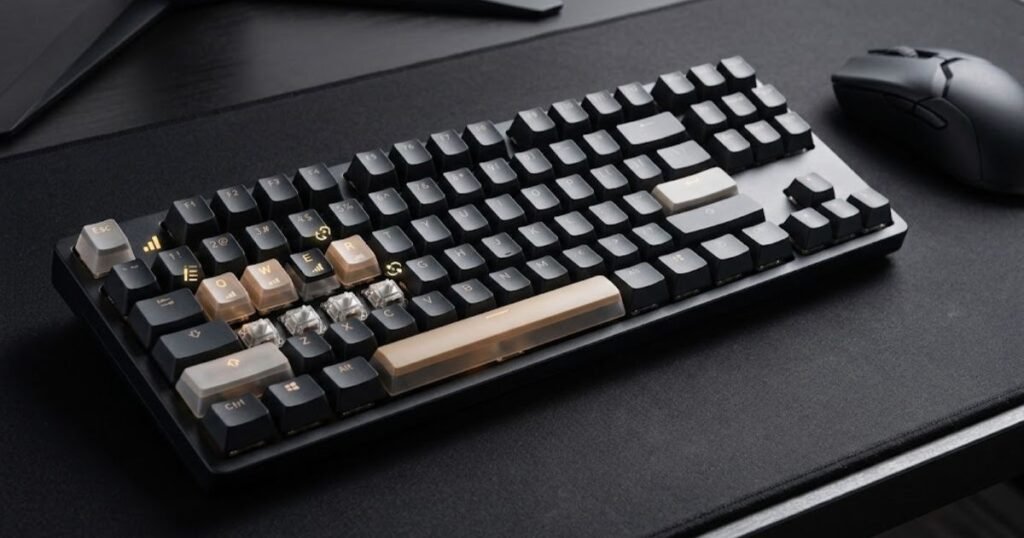
The right feature depends on the limitation you identified earlier in the upgrade decision. A feature should earn its place in the upgrade when you can explain what it changes and why that change matters to the way you actually play.
A Better Layout Can Be a Meaningful Upgrade
A different keyboard layout can be worth upgrading to when the current board takes up space you need or includes keys you rarely use. For FPS players, this can matter because the keyboard’s footprint affects how much room remains for the mouse and how freely the player can position both devices.
A smaller layout is not automatically better, though. Removing keys can create new compromises if you regularly use the function row, navigation keys, number pad, or other controls outside your games. The useful upgrade is therefore the layout that removes unnecessary space without removing keys you actually need.
This makes layout a practical upgrade feature rather than a specification to chase. If a smaller board gives you noticeably more usable desk space while preserving the controls you rely on, the change has a clear purpose. If your current layout already fits your desk and workflow, changing sizes may offer little benefit.
Consider a different layout when:
- Your current keyboard restricts available mouse space.
- You rarely use keys included in a larger layout.
- Your desk setup has changed since you bought the current keyboard.
- A smaller board would improve positioning without removing keys you actually use.
The goal is not to choose the smallest keyboard possible. It is to choose a layout that gives you the space and controls your setup actually requires.
Switch Feel and Input Behavior Can Matter More Than Newer Specs
Switch behavior can be a meaningful upgrade when the way your current keys feel or respond does not match how you use the keyboard. Mechanical, optical, and Hall Effect switches can provide different input characteristics, customization options, and levels of actuation control, so the useful choice depends on the player’s needs rather than a universal ranking.
Mechanical switches offer a wide range of feel and customization, while optical switches use a different method of registering input and can provide consistent behavior. Hall Effect switches use magnetic sensing and can enable adjustable actuation and features such as Rapid Trigger. These differences matter most when they solve a specific limitation in how you want the keyboard to behave. :contentReference[oaicite:3]{index=3}
Actuation is particularly relevant when evaluating an upgrade. The actuation point determines how far a key needs to travel before the input registers. Some keyboards allow this behavior to be adjusted, giving players more control over how individual keys respond.
Key reset is another consideration for repeated inputs. A key needs to return far enough before it can register another press, so reset behavior can matter during rapid repeated movement inputs. A keyboard with consistent actuation and reset behavior can therefore be more meaningful than one that simply advertises a newer specification. :contentReference[oaicite:4]{index=4}
If you want to evaluate these characteristics against your actual FPS needs, gaming keyboard features that matter for FPS provides the broader feature framework used by GearTP.
Advanced Input Features Are Worth Paying For Only With a Clear Use Case
Advanced input features are worth paying for when your movement style can actually benefit from the additional control they provide. Adjustable actuation and Rapid Trigger are good examples because they can change how quickly or repeatedly certain inputs can be registered, but that does not make them necessary for every FPS player.
Adjustable actuation allows the player to change where a key registers within its travel. This can provide more flexibility when different keys need different levels of intentionality. A shorter setting may suit movement keys for players who prefer a more immediate response, while a deeper setting can make accidental presses less likely on keys that are used less frequently.
Rapid Trigger approaches key reset differently by allowing the keyboard to respond to changes in key travel rather than relying on a fixed reset point. This can be particularly relevant to players who make frequent, rapid direction changes during movement-heavy FPS play. :contentReference[oaicite:5]{index=5}
That does not mean every player should pay a premium for these features. If your movement style does not depend on rapid repeated taps or you have no need to tune actuation, the additional capability may have limited practical value.
Advanced input features make more sense when:
- Your movement style relies on frequent repeated directional inputs.
- You want to adjust actuation rather than use a fixed response point.
- You understand how the feature changes your input behavior.
- You are willing to spend more for tuning flexibility you will actually use.
If those conditions do not apply, a reliable keyboard with consistent input behavior may be a better use of your budget.
Not every useful keyboard feature is a performance feature. Hot-swappable switches, programmable macro layers, and onboard profile storage can make a keyboard easier to customize or maintain, but they do not necessarily change its basic responsiveness. RGB lighting, keycap aesthetics, deck materials, and other cosmetic choices are even more dependent on personal preference. :contentReference[oaicite:6]{index=6}
The table below separates keyboard upgrades that can affect FPS input from features that mainly add flexibility or personal preference:
| Upgrade Area | Useful When | Weak Reason to Upgrade |
|---|---|---|
| Keyboard layout | Your current board restricts desk space or includes keys you rarely use | You simply prefer the appearance of a smaller layout |
| Actuation behavior | You have a specific preference or use case for controlling when keys register | You assume a shorter actuation point automatically makes you a better player |
| Key reset behavior | You rely on frequent repeated movement inputs | You are chasing a specification without noticing a real input limitation |
| Rapid Trigger | Your movement style benefits from fast repeated directional inputs | You expect it to improve every part of your gameplay |
| Hot-swap support | You want to change or tune switches over time | You expect it to directly improve raw responsiveness |
| RGB and aesthetics | You value the appearance and ownership experience | You expect lighting or appearance to improve FPS performance |
The best feature upgrade is the one that solves a limitation you already have. Layout can solve a desk-space problem, switch and actuation behavior can change how inputs feel and register, and advanced features such as Rapid Trigger can suit specific movement styles. Features that only add customization or visual appeal can still be worthwhile, but they should be treated as preference rather than automatic performance upgrades.
When Is It Better to Keep Your Current Keyboard?
It is better to keep your current keyboard when it remains reliable, fits your setup, feels comfortable, and does not prevent you from using the features you actually need. A newer keyboard may offer more features or newer technology, but those improvements do not automatically justify replacing a board that already meets your needs.
A functional keyboard does not need to be replaced simply because newer models exist:
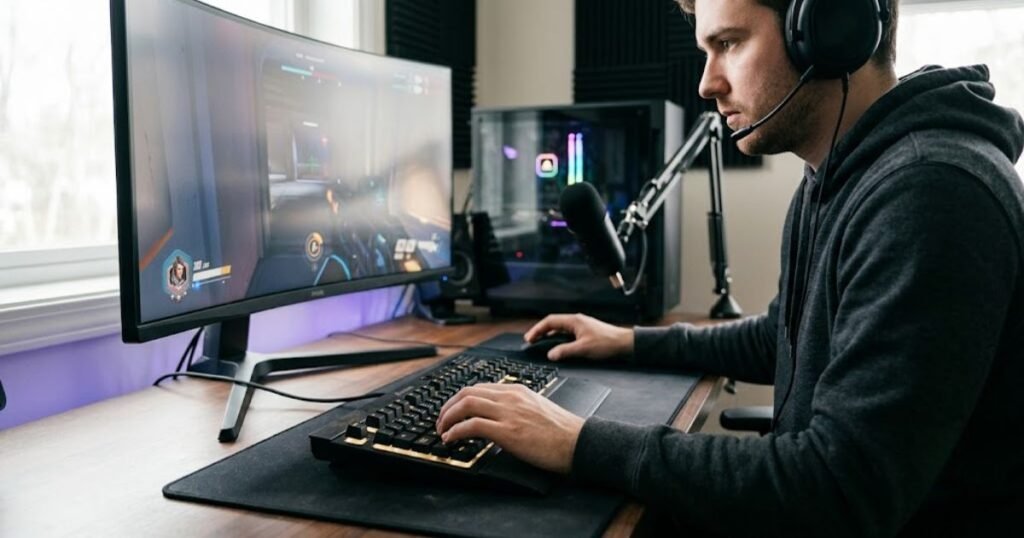
The decision becomes especially important when the main motivation is curiosity about newer specifications rather than a limitation you can identify in your current keyboard. If the expected improvement is small, keeping the existing keyboard may be the more sensible choice.
Your Current Keyboard Already Solves Your Main Problems
If your current keyboard consistently handles the tasks you need, there may be no practical reason to replace it. A keyboard that registers inputs reliably, fits your desk, remains comfortable during normal use, and provides the controls you need is already fulfilling its primary purpose.
This is particularly relevant for FPS players. If your movement inputs are consistent and your keyboard does not interfere with mouse space, hand positioning, or other parts of your setup, changing the keyboard may produce only a different feel rather than a meaningful improvement.
There is also no fixed age at which a keyboard automatically becomes obsolete. A well-maintained keyboard can remain useful as long as it continues to meet the player’s requirements.
Keeping the current keyboard makes sense when:
- Keys continue to register reliably.
- The layout still fits your desk and playing position.
- The keyboard remains comfortable during normal sessions.
- You already have the functions you actually use.
- You cannot identify a meaningful limitation that needs to be solved.
In this situation, replacing the keyboard would mainly be a change in preference rather than a response to a real problem.
You Are Mostly Chasing Newer Specifications
A newer specification is not, by itself, a strong reason to replace a functional keyboard. Specifications describe capabilities, but their practical value depends on whether those capabilities affect something you currently need.
This matters because gaming keyboards can make upgrades look more significant than they actually are. A newer model may advertise additional adjustment options, different input technology, or other advanced capabilities, but owning those capabilities does not guarantee a noticeable improvement in everyday use.
If you cannot connect a specification to a specific problem, the upgrade is probably being driven by the specification itself rather than by an actual limitation.
For example, replacing a keyboard simply because another model offers a newer input technology does not establish that the current keyboard is holding you back. The relevant question is what the new technology would change in your particular use.
A specification is a weak upgrade reason when:
- You cannot identify a problem it would solve.
- Your current keyboard already provides consistent input.
- You expect the specification to improve performance automatically.
- You are comparing numbers without considering how you actually use the keyboard.
If the only clear advantage is that the replacement looks better on a specification sheet, keeping the current keyboard may be the better decision.
You Only Want a New Keyboard Because Your Setup Looks Outdated
Aesthetic dissatisfaction can justify a purchase as a personal preference, but it is a weak reason to describe the upgrade as necessary. A different design, color, lighting system, or case appearance can make a setup more enjoyable, but these changes do not necessarily solve a functional limitation.
There is nothing wrong with upgrading for aesthetics if the purchase fits your budget and you value the change. The important distinction is between wanting a new keyboard and needing a new keyboard.
This distinction helps prevent an appearance-driven purchase from being mistaken for a performance upgrade. If your current keyboard works well and the only problem is that it no longer matches the rest of your setup, the decision is primarily about personal preference.
Consider keeping the current keyboard when:
- The keyboard performs reliably.
- Your setup has no meaningful usability problem.
- The main difference you want is visual.
- You would not notice a functional improvement after changing keyboards.
If aesthetics are genuinely important to you, a new keyboard can still be a reasonable discretionary purchase. It simply should not be confused with an upgrade that solves a performance or usability problem.
The Expected Improvement Is Too Small to Justify the Cost
Keeping your current keyboard makes more sense when the expected improvement is too small to justify the money, adjustment, and effort involved in replacing it. An upgrade has a cost beyond the purchase price because a new keyboard may also require learning a different layout, adapting to a different key feel, or changing parts of your setup.
This is where the idea of marginal improvement becomes useful. If the current keyboard already performs well, a replacement needs to provide enough additional value to make the change worthwhile.
A player might technically gain access to additional customization or a different input behavior while noticing almost no practical difference during everyday gaming. In that case, the feature exists, but its value to that particular player is limited.
Before spending money, ask:
- What specific limitation am I trying to remove?
- How often does that limitation affect me?
- What will the replacement change in practical use?
- Is that improvement large enough to justify the cost?
If the answers point to a minor or hypothetical benefit, keeping the current keyboard is often the more rational choice.
The takeaway is simple: you do not need to upgrade a keyboard that already meets your needs. Newer technology, additional features, and a more attractive design can all be legitimate reasons to want a different keyboard, but they are not automatically reasons to replace a functional one. The strongest decision comes from comparing the actual improvement against what your current keyboard already provides.
How Long Should You Keep a Gaming Keyboard?
You should keep a gaming keyboard as long as it remains reliable, comfortable, and suitable for your setup and actual needs. There is no fixed number of years that automatically makes a keyboard ready for replacement. Its condition and usefulness matter more than its age alone.
A keyboard can remain useful well after newer models have entered the market. Likewise, a relatively new keyboard may become unsuitable if its layout, condition, or capabilities no longer match the way you use it.
Keyboard Age Is a Signal, Not a Replacement Rule
The age of a keyboard can tell you to check its condition, but it should not decide the upgrade by itself. Time can contribute to physical wear, changes in key feel, or other signs of deterioration, but age does not guarantee that those problems exist.
Replacing a keyboard simply because it has reached a certain age creates an arbitrary rule. A better approach is to use age as a reason to inspect the keyboard more carefully and then evaluate its current performance.
For example, an older keyboard that still provides consistent inputs, fits the desk comfortably, and supports everything you need may not have a meaningful reason to be replaced. Meanwhile, a newer keyboard that creates a persistent usability limitation may already be a poor fit.
The useful question is therefore not “How old is my keyboard?” but “Does my keyboard still meet my current requirements?”
What Matters More Than Age?
Reliability, physical condition, comfort, layout, and functional requirements are more useful indicators than keyboard age. These factors show whether the keyboard is still doing its job effectively in your current setup.
Before deciding to replace an older keyboard, evaluate:
- Reliability: Do the keys and connection continue to behave consistently?
- Physical condition: Has normal wear started to interfere with use?
- Comfort: Does the keyboard remain comfortable during your typical sessions?
- Layout: Does its size and arrangement still work with your desk and mouse space?
- Functionality: Does it provide the controls and capabilities you actually need?
If these areas remain satisfactory, age alone is a weak reason to replace the keyboard. If several of them have become persistent problems, the keyboard’s age becomes more relevant because it may indicate that replacement is more practical than continuing to tolerate those limitations.
When Repair Makes More Sense Than Replacement
Repair can make more sense when the problem is isolated, identifiable, and reasonably fixable without replacing the entire keyboard. Not every fault means the whole device has reached the end of its useful life.
The right choice depends on what has failed and how much effort or cost is involved in fixing it. A simple, isolated issue can have a very different replacement case from widespread reliability problems affecting multiple parts of the keyboard.
For a keyboard that remains otherwise suitable for your setup, preserving the existing board can also make sense when the repair restores the function you actually need. On the other hand, repeated failures or multiple significant limitations can make replacement more practical.
Repair is worth considering when:
- The problem is limited to a specific component or function.
- The rest of the keyboard still fits your needs.
- The repair is practical and does not introduce larger reliability concerns.
- Replacing the keyboard would not provide a meaningful additional benefit.
If the keyboard has several independent problems or no longer fits your requirements even after repair, continuing to invest in it may not make sense.
How to Decide If You Should Upgrade Your Keyboard
To decide whether you should upgrade, identify the limitation, confirm that the keyboard is responsible, determine what a replacement would change, and compare that improvement with the cost of replacing the current board. This turns the decision into a practical evaluation instead of an automatic response to a newer product.
A simple decision process can help separate a necessary upgrade from an unnecessary purchase:
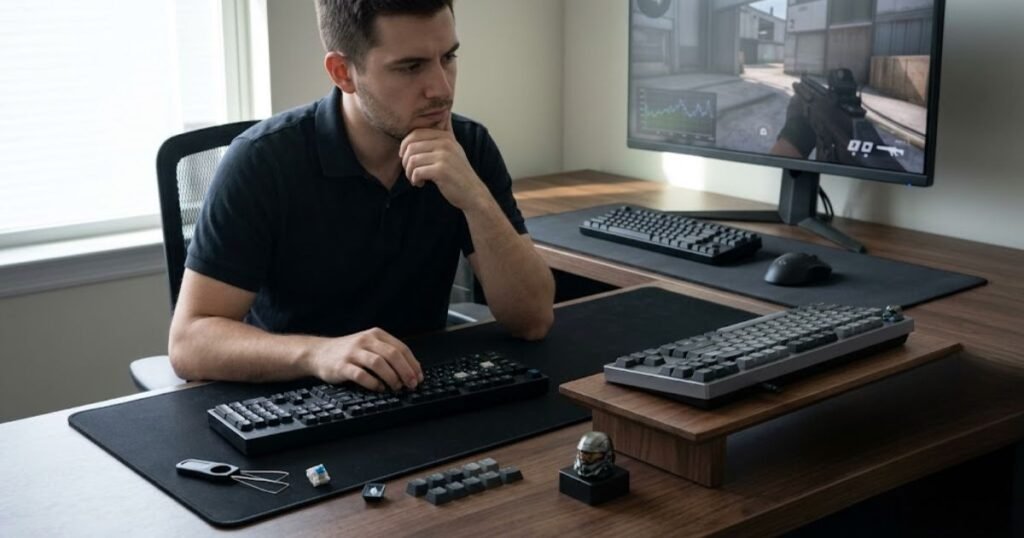
Use the following sequence when you are unsure whether an upgrade is justified:
- Identify the limitation: State exactly what is wrong with your current keyboard or what requirement it no longer meets.
- Verify the cause: Make sure the keyboard itself is responsible rather than the game, software, connection, or another part of your setup.
- Check the impact: Determine how frequently the limitation affects your normal gaming or daily use.
- Define the required improvement: Identify the specific change you expect from a replacement keyboard.
- Compare the benefit with the cost: Decide whether the expected improvement is meaningful enough to justify spending money on a replacement.
- Make the decision: Upgrade if the replacement solves a meaningful limitation; otherwise, keep the current keyboard.
This process also prevents a common decision error: starting with a keyboard you want and then searching for a reason to justify buying it. Starting with the problem produces a more reliable decision because the replacement has to demonstrate what it will actually improve.
| Decision Check | Question to Ask | What It Tells You |
|---|---|---|
| Limitation | What is currently not working or fitting my needs? | Defines the reason for considering an upgrade |
| Cause | Is the keyboard actually responsible? | Prevents replacing the wrong part of the setup |
| Impact | How often does the problem affect me? | Shows whether the issue is meaningful or minor |
| Expected improvement | What will the replacement change? | Defines the practical value of the upgrade |
| Cost | Is the improvement worth the replacement cost? | Tests whether the upgrade is financially justified |
A good upgrade decision does not depend on keyboard age alone. Start with the limitation, verify its cause, evaluate its impact, define the improvement you expect, and then compare that benefit with the cost. If the replacement does not solve a meaningful problem, keeping the current keyboard remains a valid decision.
Should You Upgrade Your Keyboard or Another Part of Your Setup?
You should upgrade the keyboard when the limitation comes from keyboard input, layout, or keyboard-specific comfort; if the problem is related to aiming or mouse movement, another part of the setup may deserve attention first. Upgrading the wrong device can cost money without solving the problem that originally motivated the purchase.
This distinction is particularly important for FPS players because keyboard and mouse perform different roles. The keyboard primarily handles movement and other key-based inputs, while the mouse controls aiming, tracking, flicks, and micro-adjustments.
Upgrade the Keyboard When the Problem Is Input or Comfort
A keyboard is the more appropriate upgrade when your problem is directly connected to key input, keyboard layout, or the physical way you use the board. Examples include unreliable key registration, a layout that restricts your setup, or a keyboard that remains uncomfortable during normal sessions.
These problems can be addressed by changing the keyboard because the keyboard itself is the source of the limitation. A different layout may create more usable desk space, while a different input design may provide characteristics that better match your requirements.
The important point is to connect the purchase to the problem. If you cannot explain what the keyboard is currently preventing you from doing, there is little reason to prioritize it over another component.
Consider Your Mouse or Mousepad When the Problem Is Aim or Tracking
If the main problem is aiming, tracking, flick control, or mouse movement, the mouse and mousepad deserve evaluation before assuming the keyboard is responsible. These components directly influence how the player’s hand moves the crosshair and how consistently that movement translates into in-game aim.
GearTP’s FPS mouse guide identifies shape, weight, sensor consistency, click latency, and comfort as important factors in building a consistent aiming setup. Its mousepad guide similarly treats surface consistency, glide, stopping control, and available movement space as parts of the aim system. :contentReference[oaicite:1]{index=1}
That does not mean you should immediately replace the mouse or mousepad either. The same decision principle applies: identify the specific limitation first, then determine which part of the setup is actually responsible.
For example, a player struggling with inconsistent tracking should not automatically replace a perfectly functional keyboard. If the limitation is mouse shape, grip, sensor behavior, surface consistency, or available mouse space, changing the keyboard would address the wrong component.
Choose the upgrade based on where the limitation occurs, not on which product category currently has the most attractive new features.
Frequently Asked Questions
These questions cover the most common decisions around when to replace a gaming keyboard, whether an upgrade is necessary, and what should matter before spending money on a new board.
When should you upgrade your keyboard?
You should upgrade your keyboard when it becomes unreliable, uncomfortable, poorly suited to your setup, or unable to provide a feature you genuinely need. Keyboard age alone is not a sufficient reason to replace it.
How do I know if my keyboard needs to be replaced?
A keyboard is more likely to need replacement when recurring problems affect key registration, connection reliability, comfort, layout, or another essential part of normal use.
Should I replace my keyboard if it is several years old?
Not necessarily. A keyboard can remain useful for years if it still works reliably, feels comfortable, fits your setup, and provides the functions you need.
Does a gaming keyboard improve FPS performance?
A gaming keyboard can provide useful input characteristics and a better physical setup, but it does not automatically improve aim, game sense, or mechanical skill. Its value depends on whether it solves a specific limitation.
Should I upgrade my keyboard if my keys still work?
Not automatically. If the keyboard remains reliable and does not create a meaningful comfort, layout, or functionality problem, keeping it can be the better decision.
Is a smaller keyboard better for FPS games?
A smaller keyboard can be useful for FPS players when it creates more room for mouse movement, but smaller is not automatically better. The right layout should preserve the keys you actually need while fitting your setup.
Are newer keyboard specifications a good reason to upgrade?
Newer specifications are only a strong reason to upgrade when they address a limitation in your current keyboard. A higher specification does not automatically produce a meaningful improvement in gameplay.
Is Rapid Trigger worth upgrading for?
Rapid Trigger can be worth upgrading for players who can make practical use of its input behavior, particularly during frequent directional changes. It is not necessary for every FPS player.
Should I upgrade my keyboard or mouse first for FPS?
Upgrade the component that creates the actual limitation. Keyboard problems involving movement, input, or layout point toward a keyboard upgrade, while aim and tracking problems are more directly related to the mouse and mousepad.
Can a keyboard upgrade improve aim?
A keyboard upgrade does not directly improve mouse aim. It can change movement and input behavior, but aiming depends primarily on mouse control, sensitivity, crosshair placement, and practiced mechanics.
When should I keep my current keyboard?
Keep your current keyboard when it remains reliable, comfortable, suitable for your setup, and capable of providing the functions you need. There is no requirement to replace functional hardware simply because newer models exist.
What should I check before buying a new gaming keyboard?
Identify the limitation first, confirm that the keyboard is responsible, determine what the replacement would change, and decide whether that improvement is meaningful enough to justify the cost.
The final decision is straightforward: upgrade your keyboard when it solves a meaningful limitation, and keep it when it already meets your needs. The best upgrade is not necessarily the newest or most feature-rich keyboard. It is the one that addresses the problem you actually have.
Thanks for reading GearTP, and I hope this guide helps you make a smarter keyboard upgrade decision.