
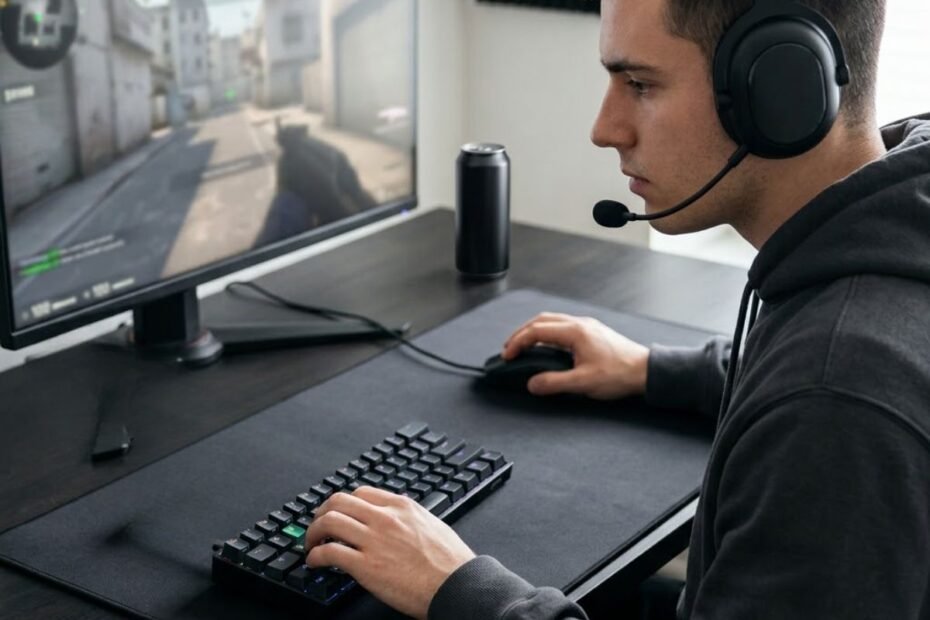
FPS players do not strictly need a gaming keyboard to play well. A regular keyboard can handle basic movement, shooting commands, weapon switching, crouching, and other in-game actions. The reason some FPS players choose a gaming keyboard is different: a gaming-focused design can provide more predictable input behavior, better control over repeated key presses, and a layout that fits the demands of fast-paced play.
The difference becomes more relevant when movement depends on frequent key presses and releases. Strafing, changing direction, stopping movement, crouching, and jumping can all happen while the player is reacting to an opponent. In these situations, the keyboard is responsible for translating physical actions into game inputs consistently.
That does not mean a gaming keyboard makes someone better at FPS games by itself. Aim, positioning, game knowledge, movement technique, and decision-making still determine much of a player’s performance. A gaming keyboard is better understood as a way to remove certain hardware limitations rather than a shortcut to better gameplay.
Why Does a Gaming Keyboard Matter in FPS Games?
A gaming keyboard matters in FPS games because the keyboard handles repeated movement and command inputs that need to register consistently while the player is reacting under pressure.
The keyboard becomes part of the control system that translates a player’s physical actions into FPS inputs:
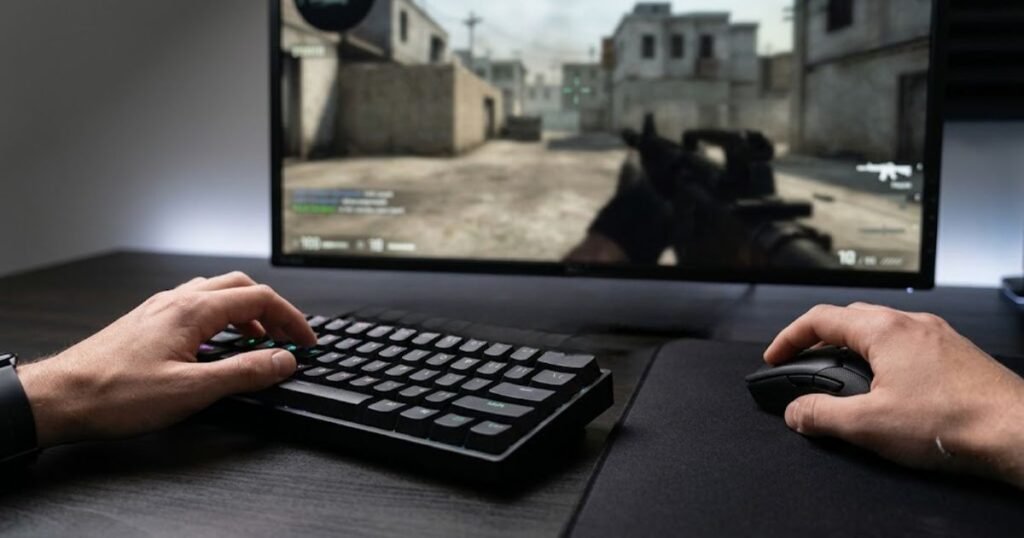
Unlike games where keyboard inputs may be relatively simple or infrequent, FPS gameplay often requires the player to combine movement, positioning, weapon selection, and other commands within a short period. The keyboard therefore becomes part of the control system that connects the player’s physical actions to the game.
FPS Movement Depends on Repeated Keyboard Inputs
FPS movement relies heavily on repeated keyboard inputs, particularly when players alternate between directions, stop moving, crouch, jump, or reposition during an engagement.
Consider a simple strafing sequence. A player may press one movement key, release it, press the opposite key, and repeat the process while tracking an opponent with the mouse. The important factor is not simply whether the keyboard can recognize each key. The player also needs the input behavior to feel predictable from one action to the next.
The same principle applies to other common actions. Switching between movement states, combining movement with crouching, or using additional commands can create a steady stream of key presses and releases throughout a match.
This is part of what a gaming keyboard is designed to do in FPS games: provide a control surface that fits repeated gaming inputs while also supporting the player’s overall setup.
Therefore, the value of a gaming keyboard begins with consistent interaction rather than with the label “gaming” itself.
Consistent Input Matters More Than a Gaming Label
Consistent input matters more than whether a keyboard is marketed as a gaming product. A keyboard can have a gaming-oriented design without providing a meaningful advantage for a particular player if it does not solve an actual limitation.
For FPS players, consistency means that similar physical actions produce behavior that feels predictable. This becomes especially relevant during repeated movement, where small differences in how keys activate or reset can affect how an input feels.
It is also important to separate input consistency from player skill. A keyboard does not determine whether someone understands positioning, controls recoil, tracks targets, or makes good decisions. Those abilities remain dependent on the player.
The practical question is therefore not whether a gaming keyboard is automatically better than a regular keyboard. The better question is whether its input behavior, layout, or other characteristics address something that limits the player’s current setup.
In short, a gaming keyboard matters when it improves the consistency or usability of inputs that an FPS player actually relies on, not simply because it carries a gaming-focused design.
FPS players do not need a gaming keyboard just to play an FPS game. The potential benefit comes from having a keyboard that handles repeated movement and command inputs in a predictable way and fits the player’s physical setup. For players who already have a reliable keyboard that meets those needs, upgrading may provide little practical benefit.
Which FPS Actions Benefit Most From a More Responsive Keyboard?
A more responsive keyboard is most relevant when an FPS player repeatedly presses, releases, and changes direction with the movement keys. Strafing, stopping, crouching, and jumping all depend on these transitions, so the practical benefit is most noticeable during movement-heavy situations rather than every action in the game.
Strafing and Direction Changes
Strafing requires the player to alternate between movement directions while maintaining control of the character. In a typical engagement, a player may move left, release the key, then move right as the situation changes. These actions can happen repeatedly within a short period.
A responsive keyboard can make these press-and-release transitions feel more predictable. That does not make the player react faster by itself, but it can reduce uncertainty about how the keyboard responds to repeated movement inputs.
This distinction matters because the keyboard only handles the physical input. The player’s timing, movement technique, and decision-making still determine what happens in the game.
Stopping Before Shooting
Stopping movement is another situation where keyboard input matters. An FPS player may need to release a movement key or change direction before taking a shot, particularly when movement accuracy is important.
The keyboard does not improve the player’s aim during this sequence. Instead, its role is to register the player’s movement command consistently so the transition from moving to stopping feels predictable.
That makes input behavior relevant to the overall shooting process without turning the keyboard into an aiming device. The mouse remains responsible for aiming, while the keyboard controls movement and other assigned actions.
Crouching, Jumping, and Other Repeated Commands
Crouching and jumping can also involve repeated keyboard inputs during an FPS match. Depending on the game and the player’s control setup, these actions may be combined with movement or used repeatedly during combat.
Weapon switching, ability activation, and other keyboard-bound commands create additional inputs, but they do not all require the same level of responsiveness. A player may notice the keyboard most when an action is repeated frequently or when several inputs have to be coordinated during a fast sequence.
For that reason, the useful question is not whether every FPS command needs the fastest possible keyboard. It is whether the keyboard provides predictable input behavior for the actions the player performs most often.
Overall, the strongest case for a more responsive keyboard comes from repeated movement and rapid input transitions. Strafing, stopping, crouching, and other frequently used commands can make keyboard behavior more noticeable during FPS play, while the player’s skill remains the primary factor behind the outcome.
A more responsive keyboard can matter most during repeated movement and input transitions, especially when an FPS player frequently strafes, stops, crouches, or changes direction. These actions make keyboard behavior easier to notice, but better hardware does not replace movement skill, aim, or decision-making.
What Does a Gaming Keyboard Change for FPS Players?
For example, moving from a full-size keyboard to a more compact layout can reduce the amount of desk space occupied by the keyboard. That does not make the player’s aim more accurate by itself, but it can make the physical setup easier to accommodate when mouse movement requires more room. This distinction is important when considering whether a gaming keyboard can actually improve aim.
More Predictable Key Activation and Reset
Key activation and reset determine how a physical key press transitions into an input and how the key behaves when the player releases it. For FPS players, this becomes relevant when the same movement keys are pressed and released repeatedly during a fight.
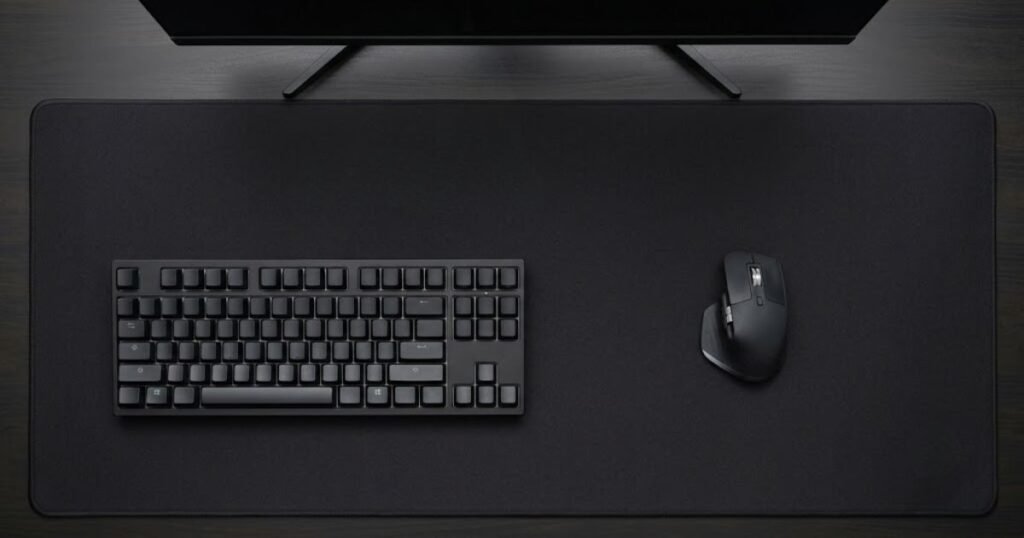
Keyboard size can also change how much physical space remains available for mouse movement:
A predictable activation and reset behavior can make repeated inputs feel more consistent. The player can develop a clearer sense of when a key has registered and when it is ready for another input, which is particularly useful during frequent movement changes.
This does not mean every gaming keyboard provides a dramatic improvement. Different keyboards can use different switch designs and input systems, and the practical difference depends on the hardware as well as the player’s sensitivity to those differences.
Better Control Over Repeated Movement Inputs
Gaming keyboards can also give players more control over how repeated movement inputs feel. This matters most when a player frequently alternates between directions or combines movement with other keyboard commands.
For example, an FPS player may move laterally, release a movement key, change direction, and repeat the sequence several times during an engagement. A keyboard with consistent input behavior can make these transitions easier to reproduce without requiring the player to compensate for an unpredictable key response.
The distinction is subtle but important. A keyboard does not make the player press or release a key at the correct time. It can only provide a more consistent interface for the player’s own timing and technique.
More Usable Mouse Space With the Right Layout
Keyboard layout can affect an FPS setup in a different way. A smaller keyboard can leave more desk space available for the mouse, which may matter for players who use lower sensitivity and make larger mouse movements.
For example, moving from a full-size keyboard to a more compact layout can reduce the amount of desk space occupied by the keyboard. That does not make the player’s aim more accurate by itself, but it can make the physical setup easier to accommodate when mouse movement requires more room.
Layout can also influence how comfortably a player reaches frequently used keys. The right choice depends on the player’s controls, desk space, typing needs, and overall setup rather than on one keyboard size being universally better for FPS games.
| Change | Why It Can Matter in FPS | What It Does Not Do |
|---|---|---|
| Key activation and reset | Can make repeated inputs feel more predictable | Does not improve movement technique automatically |
| Input behavior | Can provide a more consistent response during repeated commands | Does not make decisions for the player |
| Keyboard layout | Can free up desk space for larger mouse movements | Does not directly improve aim |
These differences explain why a gaming keyboard can feel better suited to FPS play without making it an automatic performance upgrade. The value comes from how the keyboard fits the player’s inputs, movement habits, and physical setup.
A gaming keyboard can change three practical parts of an FPS setup: how key activation and reset feel, how consistently repeated inputs are handled, and how much physical space the keyboard occupies. These changes can improve the interaction between the player and the game, but they do not replace skill or guarantee better performance.
Which Gaming Keyboard Features Matter Most for FPS Players?
The most important gaming keyboard features for FPS are the ones that affect input consistency, key activation, repeated movement, and the physical fit of the keyboard. Features should be judged by the problem they solve rather than by how many specifications a keyboard can advertise.
For FPS players, input responsiveness and reliable key registration deserve the most attention because movement and other commands depend on predictable keyboard input. Actuation behavior and movement-focused features can matter next, while layout and switch feel are more about matching the keyboard to the player’s setup and preferences.
The table below ranks common gaming keyboard features by how directly they can affect FPS use:
| Feature | FPS Relevance | Why It Matters |
|---|---|---|
| Input responsiveness | High | Supports predictable handling of repeated game inputs |
| Reliable key registration | High | Helps multiple and repeated inputs register consistently |
| Actuation behavior | High | Changes when a key press becomes an input |
| Movement-oriented features | Medium to High | Can be useful for players who rely heavily on repeated movement inputs |
| Keyboard layout | Medium to High | Can affect mouse space and the physical arrangement of the setup |
| Switch feel | Medium | Influences comfort and how repeated key presses feel |
| RGB lighting | Low | Primarily affects appearance rather than FPS input |
| Media controls | Low | Mainly adds convenience outside core FPS controls |
Input Responsiveness and Key Registration Come First
Input responsiveness and reliable key registration are the foundation of an FPS-oriented keyboard because every movement and keyboard command begins with a physical input. Their value is less about chasing the largest advertised performance number and more about whether the keyboard handles the player’s actual inputs consistently.
This becomes more important when several commands overlap. An FPS player may move while crouching, jumping, switching weapons, or activating another assigned command. A keyboard that handles these inputs predictably provides a more reliable interface for the player’s actions.
That does not mean a higher responsiveness specification automatically produces better gameplay. The useful distinction is between consistent input behavior and a specification that looks impressive without solving a problem the player actually has.
Actuation and Movement Features Can Matter for Repeated Inputs
Actuation matters because it determines when a key press is registered. For an FPS player, this can change how movement keys feel during repeated presses and releases, but a shorter actuation point is not automatically better.
Adjustable actuation can be useful when a player wants to tune how sensitive certain keys feel. The right setting depends on how consistently the player can use it without creating unwanted inputs or discomfort.
Movement-focused features can also become relevant for players who frequently change direction. For example, Razer describes Rapid Trigger as a system that allows keys to reset with very small upward movement, making repeated key presses particularly relevant to FPS movement. :contentReference[oaicite:1]{index=1}
Razer’s Rapid Trigger technology illustrates why this type of feature is aimed at repeated press-and-release behavior rather than every aspect of FPS performance.
Rapid Trigger can therefore be useful for a particular type of player, but it should not be treated as a requirement for FPS gaming. A feature that changes input behavior only has practical value when the player’s game and movement style make that behavior useful.
Layout and Switch Feel Are About Setup Fit
Keyboard layout and switch feel still matter, but their role is different from core input behavior. Layout affects the physical relationship between the keyboard and mouse, while switch characteristics influence how each key press feels during use.
A compact layout can leave more room for mouse movement, which may benefit players who use lower sensitivity or make large physical mouse movements. A larger keyboard can still make more sense for someone who needs dedicated keys for work or everyday use.
Switch feel is similarly personal. Some players may prefer a smooth key press, while others may prefer more physical feedback. Neither preference automatically creates an FPS advantage, so comfort and consistency are more useful criteria than choosing a switch type simply because it is marketed toward gaming.
More Features Do Not Mean Better FPS Performance
A gaming keyboard can include RGB lighting, displays, media controls, software customization, or other extras without those features providing a meaningful FPS advantage. These additions can still be valuable for a player’s overall setup, but they should not be confused with features that directly affect keyboard input.
This distinction is especially important when budget is limited. If two keyboards offer similar core input behavior, convenience features can become legitimate preference factors. If one keyboard costs more primarily because of features that do not solve the player’s FPS needs, the additional cost may have little performance value.
The practical priority is therefore simple: evaluate the features that change how you interact with the game first, then consider setup fit, comfort, and convenience.
FPS players should prioritize input responsiveness, reliable key registration, and relevant actuation behavior before cosmetic or convenience features. Movement-focused technologies such as Rapid Trigger can be useful for players who frequently perform repeated directional inputs, while layout and switch feel should be chosen according to the player’s setup and preferences. The best feature set is not the longest one; it is the one that addresses a real limitation in the way the player uses the keyboard.
When Does a Gaming Keyboard Make a Real Difference in FPS?
A gaming keyboard makes the biggest practical difference when an FPS player’s current keyboard creates a noticeable limitation in movement, input consistency, comfort, or available desk space. If the current keyboard already handles the player’s inputs reliably, a more expensive gaming keyboard may produce little meaningful improvement.
The key distinction is between having access to a gaming feature and actually benefiting from it. A player who performs frequent movement transitions may notice differences in input behavior more readily than someone who plays casually and rarely encounters limitations with their current keyboard.
Competitive FPS Players May Notice Hardware Differences More
Competitive FPS players are more likely to notice small differences in their hardware because they repeat the same movement patterns and inputs frequently. When a player spends many hours practicing strafing, counter-movement, crouching, jumping, and other repeated actions, consistency in the physical controls can become more noticeable.
This does not mean competitive players automatically need premium keyboards. A player can compete effectively with a conventional keyboard if it provides reliable inputs and fits the player’s setup. The potential benefit comes from reducing a limitation, not from reaching a particular price point.
Hardware differences can also become more noticeable when a player has already developed consistent movement habits. Once the player’s technique is stable, changes in how the keyboard responds may be easier to identify than they would be for someone still learning basic movement.
Casual FPS Players May Notice Little Difference
Casual FPS players may notice little practical difference after switching to a gaming keyboard if their current keyboard already feels reliable and comfortable. Occasional matches generally do not create the same demand for repeated, highly controlled inputs as intensive competitive play.
A regular keyboard may therefore be completely adequate for someone who plays FPS games for entertainment, does not experience input problems, and has enough desk space for comfortable mouse movement.
This is an important counterpoint to the idea that every FPS player should upgrade. If there is no noticeable limitation, the new keyboard may change the equipment without meaningfully changing the gaming experience.
A Gaming Keyboard Matters More When Your Current Keyboard Has a Limitation
The clearest reason to consider a gaming keyboard is an existing problem with the current setup. The problem might involve inconsistent input, an uncomfortable layout, insufficient desk space, or a physical control experience that does not suit the player’s way of playing.
- Input limitation: Repeated movement inputs do not feel predictable or consistent.
- Space limitation: The keyboard occupies more desk space than the player’s mouse movement requires.
- Comfort limitation: The keyboard’s size or key feel becomes uncomfortable during longer sessions.
- Control limitation: The current keyboard does not provide the input behavior the player specifically wants.
These limitations provide a stronger reason to upgrade than simply wanting a newer or more expensive keyboard. The closer the new keyboard’s characteristics are to the actual problem, the more likely the upgrade is to produce a noticeable benefit.
Hardware Cannot Fix a Skill Problem
A gaming keyboard cannot compensate for poor aim, inconsistent movement technique, weak positioning, or slow decision-making. These are player skill factors rather than keyboard limitations.
This distinction is easy to overlook because gaming hardware is often marketed around performance. A player who misses shots because of poor crosshair placement, for example, is unlikely to solve the problem by changing keyboards.
The same applies to movement. If a player has not developed consistent strafing or stopping technique, buying a more responsive keyboard does not automatically create that skill. The hardware can provide an interface for the player’s actions, but the player still controls the timing and execution.
Before upgrading, it is therefore worth asking whether the problem can actually be traced to the keyboard. If the answer is no, changing hardware may provide a new feeling without solving the underlying performance issue.
A gaming keyboard is most likely to make a real difference when it addresses a limitation that an FPS player can actually identify. Competitive players may be more sensitive to small hardware differences because of repeated practice and demanding movement, while casual players may notice little change if their existing keyboard already works well. The strongest reason to upgrade is a genuine hardware limitation, not the expectation that a gaming keyboard will replace skill.
Do FPS Players Actually Need a Gaming Keyboard?
No, FPS players do not actually need a gaming keyboard to play or perform well. A regular keyboard can be sufficient when it provides reliable inputs, feels comfortable, and fits the player’s setup. A gaming keyboard becomes worth considering when its specific characteristics solve a limitation that the player can identify in real use.
This distinction matters because “can benefit from” and “need” are not the same thing. Gaming-focused hardware can offer useful advantages, but those advantages do not automatically apply to every FPS player.
You Can Play FPS Games Without a Gaming Keyboard
A regular keyboard can handle the fundamental commands required by an FPS game, including movement, crouching, jumping, weapon switching, and other assigned controls. Nothing about the FPS genre inherently requires a keyboard to carry a gaming-specific label.
For many players, the more important question is whether the current keyboard performs reliably during actual gameplay. If movement inputs register consistently, the keyboard is comfortable, and the physical setup provides enough room for the mouse, there may be no meaningful problem to solve.
This is why replacing a working keyboard simply because it is not marketed for gaming can be difficult to justify. The absence of gaming-oriented features is not automatically a hardware deficiency.
A Gaming Keyboard Can Remove Some Hardware Limitations
A gaming keyboard becomes more relevant when the player has a specific limitation that the current keyboard cannot address comfortably. The upgrade can then be evaluated as a solution to that limitation rather than as a general performance purchase.
For example, a player may want different input behavior for repeated movement, a keyboard layout that leaves more room for the mouse, or a particular typing and gaming feel that the current keyboard does not provide.
The important part is matching the reason for upgrading to an actual characteristic of the new keyboard. Buying a more expensive model without identifying the problem first can turn a potentially useful upgrade into an unnecessary expense.
The distinction between a gaming-focused keyboard and a conventional office keyboard becomes clearer when considering the difference between gaming and office keyboards, because their designs can prioritize different types of use.
Your Keyboard Should Solve a Problem, Not Create a Reason to Buy
The strongest upgrade decisions start with a problem rather than a product. If a player cannot identify anything that is limiting movement, input consistency, comfort, or the physical setup, there may be no practical reason to replace the keyboard.
This approach also helps separate genuine hardware needs from marketing pressure. A specification can be technically impressive without producing a noticeable benefit for a particular player.
Before spending money on a gaming keyboard, ask three simple questions:
- What is wrong with my current keyboard? Identify the specific limitation rather than assuming the hardware is outdated.
- Will the new keyboard directly address that limitation? Match the intended upgrade to a characteristic that actually solves the problem.
- Would I notice the difference during normal use? Consider both FPS gaming and the other tasks the keyboard needs to handle.
If the answer to all three questions is clear, an upgrade has a stronger practical justification. If the only reason is that a gaming keyboard seems faster or more advanced, the evidence for upgrading is much weaker.
FPS players do not need a gaming keyboard simply because they play FPS games. A regular keyboard can be perfectly adequate when it provides reliable inputs and fits the player’s setup. A gaming keyboard becomes easier to justify when it solves a specific limitation, and the most sensible way to evaluate that upgrade is to start with the problem rather than the product.
How Should FPS Players Decide Whether to Upgrade Their Keyboard?
FPS players should decide whether to upgrade their keyboard by identifying a specific limitation first, then choosing a keyboard characteristic that directly addresses it. This approach keeps the decision based on actual use rather than price, marketing claims, or the number of gaming features included.
Choosing an FPS keyboard is easier when the player’s actual setup and limitations come before the product:
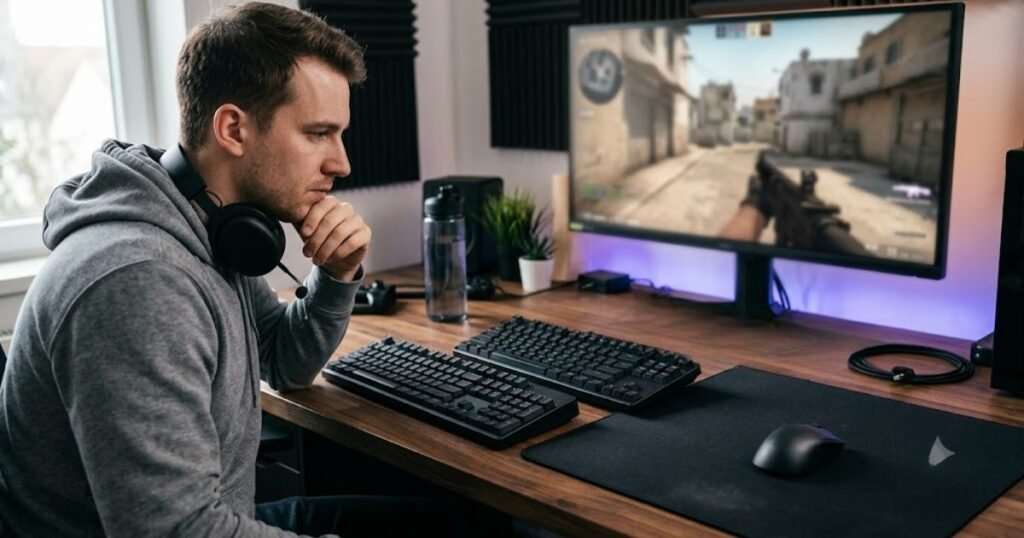
An upgrade makes the most sense when the player can describe what is currently holding the setup back and can connect that problem to a meaningful change in the new keyboard.
Start With the Problem, Not the Product
The first step is to identify what is actually wrong with the current keyboard. A player may notice inconsistent input, an uncomfortable layout, limited desk space, or a key response that does not suit the way they play. These are different problems and should not lead to the same purchase decision.
Starting with the product creates the opposite problem. A player may see a keyboard advertised with advanced gaming features and then try to justify buying it without knowing whether any of those features address a real limitation.
A better approach is to describe the problem in practical terms. Instead of saying, “I need a faster gaming keyboard,” ask whether the current keyboard is causing a specific issue during actual gameplay.
This distinction makes the upgrade decision more objective. The keyboard should be selected because it solves a problem, not because the product creates a reason to want an upgrade.
Match the Keyboard to Your FPS Playstyle
The right keyboard also depends on how an FPS player actually uses it. A player who spends most of their time in competitive matches and performs frequent movement transitions may value different characteristics from someone who plays casually and uses the same keyboard for school, work, or general computing.
Players should therefore consider how often they perform movement-heavy actions, how much desk space they need for the mouse, and whether the keyboard must also serve non-gaming tasks.
- Movement-focused players: Prioritize predictable input behavior for the commands they repeatedly use.
- Low-sensitivity players: Consider whether the keyboard’s physical size leaves enough room for wider mouse movements.
- Mixed-use players: Balance gaming characteristics with typing comfort, layout, and everyday functionality.
- Casual players: Upgrade only when the current keyboard creates a noticeable limitation.
The goal is not to find a universally superior keyboard. It is to find a keyboard whose characteristics fit the way the player actually interacts with FPS games and the rest of their setup.
For players evaluating the broader characteristics of a gaming-focused setup, the gaming keyboard for FPS guide provides the wider framework for matching keyboard choices to FPS use.
Know When Your Current Keyboard Is Already Good Enough
Not upgrading is also a valid decision. If the current keyboard provides reliable inputs, feels comfortable, leaves enough room for the mouse, and does not create a problem during gameplay, replacing it may produce little practical value.
This is particularly important for players who are tempted by specifications without having experienced a real limitation. A newer keyboard can feel different without making the player meaningfully better at FPS games.
Keeping a working keyboard also has a practical advantage: it allows the player to spend money on a component that may address a more significant limitation elsewhere in the setup.
Use a Simple Upgrade Checklist
A short checklist can help separate a genuine upgrade opportunity from an unnecessary purchase:
- Identify the limitation: Write down the specific problem you experience with the current keyboard.
- Confirm the problem is hardware-related: Make sure the issue is not primarily caused by aim, movement technique, game settings, or lack of practice.
- Identify the relevant characteristic: Determine which keyboard characteristic could directly address the limitation.
- Check the full setup: Consider desk space, mouse movement, comfort, and non-gaming use.
- Compare the expected benefit with the cost: Upgrade only when the practical improvement is meaningful enough to justify the expense.
This process also helps prevent specification-driven buying. A keyboard does not become a good upgrade simply because it has more features than the current one. The upgrade is valuable when the additional capability solves something that matters to the player.
The best way for an FPS player to decide whether to upgrade is to work backward from a real limitation. Identify the problem, determine whether it is actually caused by the keyboard, match the solution to the player’s playstyle, and then consider whether the expected improvement justifies the cost. If the current keyboard already meets those needs, keeping it can be the smarter decision.
Frequently Asked Questions About Gaming Keyboards for FPS
FPS players often wonder whether a gaming keyboard is actually necessary, whether faster input features provide a meaningful advantage, and whether upgrading can improve gameplay. The answers below focus on when a gaming keyboard can provide a practical benefit and when the existing keyboard is already sufficient.
“A first-person shooter (FPS) is a video game focused on weapon-based combat seen from a first-person perspective.”Wikipedia, First-person shooter
Do FPS Players Really Need a Gaming Keyboard?
No. FPS players can play effectively with a regular keyboard as long as it provides reliable inputs and fits their setup. A gaming keyboard becomes worth considering when its specific characteristics solve a limitation that affects the player’s actual use.
Can You Play FPS Games With a Regular Keyboard?
Yes. A regular keyboard can handle the basic movement and command inputs required by FPS games. The difference is that gaming-focused keyboards may offer characteristics that some players find more suitable for repeated movement and competitive play.
Does a Gaming Keyboard Make You Better at FPS Games?
No. A gaming keyboard does not directly improve aim, positioning, game sense, recoil control, or movement technique. It can provide a more suitable input interface, but the player’s skill remains the main factor behind performance.
Does a Gaming Keyboard Improve Aim?
No, not directly. Aim is primarily controlled through the mouse, while the keyboard handles movement and other assigned commands. A keyboard can support more predictable movement inputs, but that should not be confused with improving aiming ability.
Does Keyboard Responsiveness Matter in FPS Games?
Yes, it can matter when a player frequently presses and releases movement keys or performs repeated directional changes. The practical benefit is greater for players who notice limitations in their current keyboard than for players whose existing hardware already feels consistent.
Does Rapid Trigger Help FPS Players?
It can. Rapid Trigger is designed to change how a key resets after being pressed, which can be relevant to repeated press-and-release inputs. Its usefulness depends on the game, the player’s movement style, and whether the player can actually benefit from that input behavior.
Do All FPS Players Need Rapid Trigger?
No. Rapid Trigger is an optional feature rather than a requirement for FPS gaming. Players who are satisfied with their current movement input may gain little from it, while players who specifically value rapid repeated key transitions may find it useful.
Is Adjustable Actuation Necessary for FPS Gaming?
No. Adjustable actuation can give players more control over when keys register, but FPS games do not require it. It is best treated as a customization option for players who have a specific reason to change their key behavior.
Does Keyboard Size Affect FPS Performance?
Keyboard size does not directly improve FPS performance. However, a more compact layout can leave additional desk space for the mouse, which may be useful for players who make larger mouse movements or use lower sensitivity.
Is a TKL Keyboard Better for FPS Games?
Not universally. A TKL keyboard can provide a smaller footprint than a full-size keyboard while retaining a familiar layout, but whether that is better depends on the player’s desk space, mouse movement, and need for dedicated keys.
Should Casual FPS Players Buy a Gaming Keyboard?
Not necessarily. Casual players may already have everything they need from a regular keyboard. An upgrade makes more sense when the current keyboard causes a noticeable limitation rather than simply because a gaming model has additional features.
When Should an FPS Player Upgrade Their Keyboard?
An FPS player should consider upgrading when the current keyboard creates a specific limitation that a new keyboard can realistically solve. If the current keyboard provides reliable inputs, feels comfortable, and fits the setup, there may be no meaningful reason to replace it.
Conclusion
The decision to use a gaming keyboard for FPS games ultimately depends on the player’s needs rather than the gaming label itself. Some players can benefit from more specialized input behavior or a different physical setup, while others will notice little difference. The most defensible upgrade is one that solves a clearly identified problem instead of simply adding more gaming-focused features.
Thank you for reading, and I hope this guide helps you make a smarter FPS keyboard decision.