
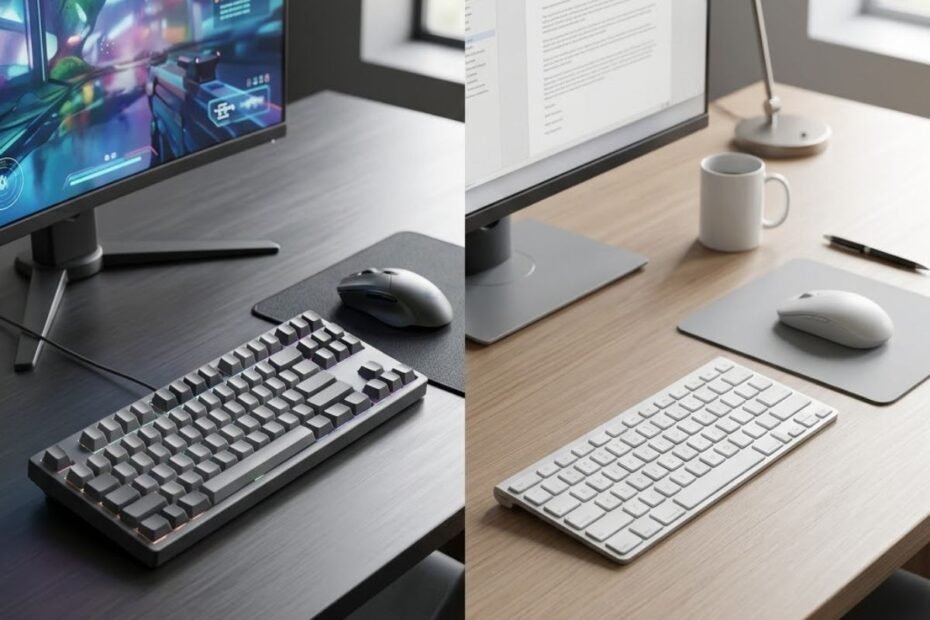
Choosing between a gaming keyboard and an office keyboard is not simply a matter of picking the one with more features. A gaming keyboard is generally designed around gaming-focused input, control, and customization, while an office keyboard usually prioritizes comfortable typing, practical layouts, quiet operation, and everyday productivity. The better choice depends on what you actually do with the keyboard and which characteristics matter most in that environment.
The two categories can also overlap. A gaming keyboard can be perfectly usable for work, while an office keyboard can handle casual gaming without a problem. The meaningful difference appears when the demands of gaming or productivity expose the strengths and limitations of each design.
This comparison focuses on those practical differences rather than assuming that one category is automatically better. Understanding what each keyboard is designed to prioritize makes it easier to decide whether you actually need a gaming keyboard, an office keyboard, or one keyboard that can handle both.
Gaming Keyboard vs Office Keyboard: What Is the Main Difference?
The main difference between a gaming keyboard and an office keyboard is what each one prioritizes: gaming keyboards emphasize gaming-oriented input and control, while office keyboards generally emphasize efficient typing, comfort, and practical everyday use. The distinction is about design priorities rather than a strict separation between what each keyboard can do.
Both keyboards perform the same basic job. They register key presses and send those inputs to a computer. The difference is how the keyboard is designed around the situations in which those inputs are used.
What Is a Gaming Keyboard Designed to Prioritize?
A gaming keyboard is designed to prioritize responsive input, consistent key behavior, gaming-oriented controls, and customization that can be useful during gameplay. These characteristics become more relevant when a player repeatedly presses movement keys, uses key combinations, or wants greater control over how the keyboard behaves during a game.
Gaming keyboards can also offer different switch types, layouts, programmable controls, and software features. However, having more features does not automatically make a keyboard better. A feature only matters when it solves a problem the player actually has.
For example, a player who spends long sessions playing competitive games may care more about key feel, layout, and consistent input than about lighting or decorative design. Another player may value customization because it allows certain controls to be configured around a specific game.
The important point is that gaming-oriented design is about matching the keyboard to the demands of gameplay. It does not mean the keyboard becomes unsuitable for typing or other everyday tasks.
In short, gaming keyboards prioritize characteristics that can make repeated and demanding game inputs easier to manage, but the value of those characteristics depends on how the keyboard is actually used.
What Is an Office Keyboard Designed to Prioritize?
An office keyboard is generally designed to prioritize comfortable typing, practical layouts, quiet operation, and reliable everyday productivity. Its design is centered on tasks such as writing documents, working with spreadsheets, browsing the web, communicating, and entering information for extended periods.
For these tasks, gaming-specific controls may provide little practical benefit. A person who spends most of the day typing may care more about key spacing, familiar layout, typing feel, and noise than about programmable gaming functions.
Office keyboards can also come in many different designs. Some are compact, some include a number pad, and others are built around ergonomic considerations. This means “office keyboard” does not describe one specific construction or switch technology.
The same applies to the term “gaming keyboard.” The category includes many different layouts, switch designs, sizes, and feature sets. The labels describe the intended use and design priorities more than a single technical specification.
In short, office keyboards are generally optimized for productive computer use, where comfort, practicality, and typing efficiency often matter more than gaming-specific controls.
Why the Two Keyboard Types Can Overlap
Gaming and office keyboards can overlap because both can provide comfortable typing, reliable input, and everyday computer functionality. The difference becomes noticeable only when a particular use case places greater demands on certain characteristics.
A gaming keyboard can be a practical work keyboard if its layout and key feel suit the user. Likewise, an office keyboard can be completely adequate for casual gaming when the games do not place heavy demands on keyboard input.
This overlap is important because the category name alone does not tell you whether a keyboard is right for your setup. A gaming keyboard with an uncomfortable layout may be worse for long work sessions than a simpler office keyboard. An office keyboard may also become limiting for a player who needs more gaming-oriented input behavior.
The decision therefore should not start with the assumption that gaming equals better or office equals simpler. It should start with the tasks the keyboard needs to handle.
In summary, gaming and office keyboards are not completely separate categories. They share the same fundamental function, but their design priorities differ according to the environments and activities they are intended to support.
The practical difference comes down to priorities. A gaming keyboard puts more emphasis on gaming-oriented input, control, and customization, while an office keyboard generally puts more emphasis on typing comfort, practicality, and everyday productivity. Neither category is automatically the better choice for every user.
Gaming Keyboard vs Office Keyboard: Which Features Actually Differ?
The most meaningful differences between gaming and office keyboards usually appear in input behavior, customization, controls, layout, and workplace-oriented design. These differences do not mean that one keyboard is universally better. They show how each type is designed to handle different priorities.
The differences become easier to understand when both keyboard types are viewed in their intended environments:
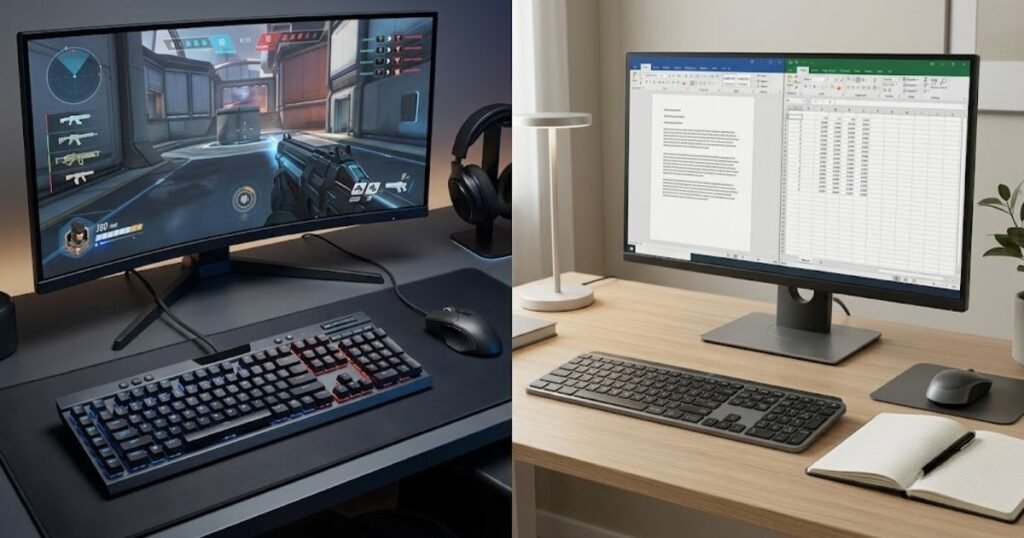
Some characteristics overlap between the two categories, so the comparison should focus on how each feature supports a particular use case. A gaming-oriented feature may have little value during office work, while a workplace-focused characteristic may matter less during demanding gameplay.
The table below compares the characteristics that most clearly separate gaming and office keyboard designs:
| Feature | Gaming Keyboard | Office Keyboard |
|---|---|---|
| Input behavior | Often designed around responsive and repeatable gaming inputs | Generally focused on consistent everyday typing |
| Key feel | Often provides more choices for switch and key feel | Usually emphasizes familiar and practical typing characteristics |
| Customization | More likely to include programmable controls and gaming software | Usually focuses on straightforward productivity functions |
| Dedicated controls | Gaming-oriented controls are more common | Productivity or media controls may be prioritized |
| Layout priorities | May prioritize gaming access, control placement, and desk space | Often prioritizes typing efficiency and workplace familiarity |
| Noise considerations | Varies depending on switch and keyboard design | Quiet operation can be more important in shared work environments |
| Software | More likely to offer gaming-focused configuration options | Often needs less software for basic productivity tasks |
The comparison shows why counting features is not enough to determine which keyboard is better. A programmable control may be useful to a gamer but unnecessary for someone who primarily writes documents. Likewise, quiet operation may be more valuable in a shared office than a feature designed specifically for gameplay. These differences are easy to overlook when choosing a gaming keyboard based on specifications alone.
Which Differences Matter Most for Gaming?
For gaming, the most relevant differences are the characteristics that affect repeated inputs, key combinations, control access, and how consistently the keyboard responds during gameplay. Their importance depends on the type of game and the demands placed on the player’s keyboard inputs.
Input behavior is one area where gaming keyboards can provide more options. Players may have different preferences for key feel, actuation behavior, and how keys respond during repeated use. Customization can also allow controls to be configured around a particular game instead of relying entirely on the default keyboard layout.
Layout can matter just as much as individual features. A keyboard that provides comfortable access to frequently used keys and leaves enough room for the mouse may fit a gaming setup better than one with features the player rarely uses.
For FPS players, the relevant characteristics can be examined more closely through gaming keyboard features that matter for FPS, particularly when evaluating input behavior and control during competitive play.
The important distinction is that gaming features should be evaluated according to their practical effect. A keyboard does not become more useful simply because it has a longer feature list.
Which Differences Matter Most for Office Work?
For office work, typing comfort, layout, noise, and practical productivity features generally matter more than gaming-specific customization. These characteristics become increasingly relevant when the keyboard is used for extended periods of writing, data entry, communication, or other repetitive tasks.
Layout is one practical consideration. A user who works extensively with spreadsheets may prefer a full-size keyboard with a number pad, while someone who values desk space may prefer a more compact design.
The workplace environment also changes which keyboard characteristics become important:
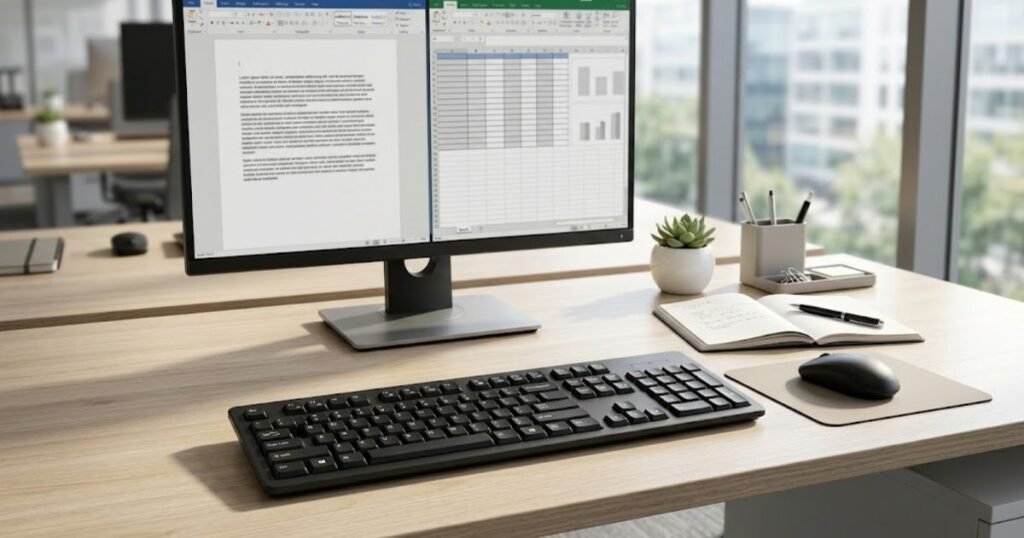
Noise can also affect whether a keyboard is suitable for a particular environment. A keyboard that feels comfortable in a private room may be less appropriate in a shared office, classroom, library, or other space where repeated key presses can become distracting.
Key feel matters as well because office work often involves sustained typing. A keyboard that feels suitable during a short gaming session may not provide the same level of comfort during several hours of writing or data entry.
Productivity features can be useful when they directly support the user’s workflow. However, the same principle applies to both categories: a feature has practical value when it solves a real problem, not simply because the keyboard includes it.
Ultimately, the important difference is not the number of features each keyboard has. Gaming keyboards tend to allocate more design attention to gaming-oriented input and customization, while office keyboards tend to prioritize typing, productivity, and workplace practicality. The better feature set is therefore the one that matches the user’s actual workload.
Is a Gaming Keyboard Better for Gaming?
A gaming keyboard can be better for gaming when its input behavior, control options, and customization address demands that a basic office keyboard is not designed to prioritize. However, the advantage depends on the game, the player’s habits, and whether the additional features solve a real limitation.
The distinction is therefore not simply between a “gaming keyboard” and a “regular keyboard.” What matters is whether the keyboard gives the player useful control over the inputs that occur during gameplay. For some games and players, the difference can be meaningful. For others, an office keyboard may already provide everything they need.
When Gaming-Oriented Features Actually Help
Gaming-oriented features are most useful when they make frequent, repeated, or complex inputs easier to perform consistently. This can matter in games where the keyboard is used continuously for movement, ability activation, shortcuts, or combinations of keys.
For example, a player may benefit from a keyboard layout that keeps frequently used keys easy to reach. Programmable controls can also be useful when they reduce the number of actions required for a particular workflow or game. Similarly, different key feel and input characteristics can influence whether a player finds repeated commands comfortable and predictable.
The role of keyboard design becomes more apparent when the player relies heavily on keyboard inputs during gameplay:
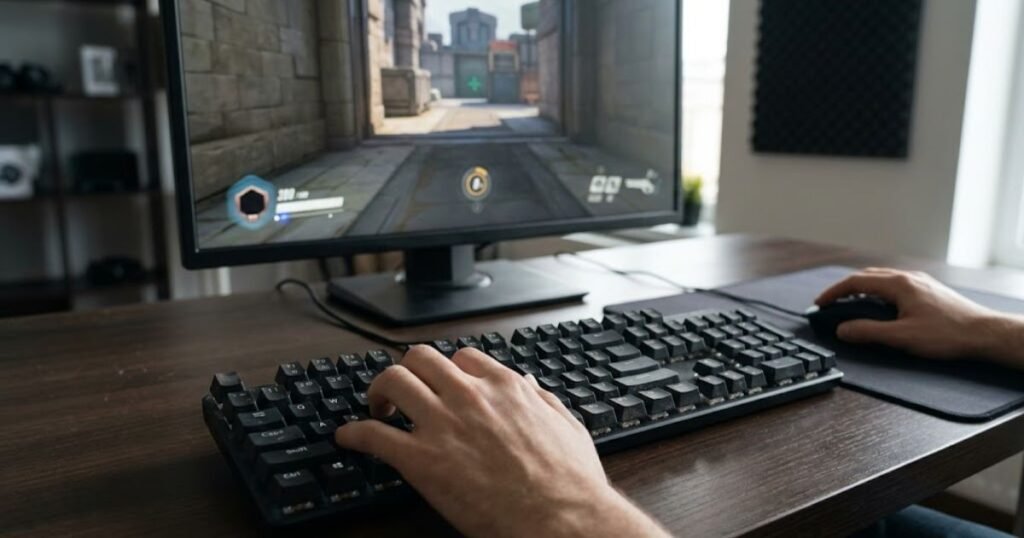
These benefits are highly dependent on context. A feature that helps one player may have little practical value to another. A player who rarely uses programmable controls, for example, may gain little from buying a keyboard primarily because it offers extensive customization.
The same principle applies to competitive gaming. A specialized feature should be evaluated according to the input problem it solves rather than the marketing language surrounding it.
Does Every Gamer Need a Gaming Keyboard?
No. Not every gamer needs a gaming keyboard. An office keyboard can be perfectly adequate for players who mainly play casual games, genres with limited keyboard interaction, or games where the keyboard does not create a meaningful performance constraint.
The decision becomes more relevant when the player notices a limitation with the current keyboard. That limitation could involve the layout, key feel, control access, repeated inputs, or the lack of customization needed for a particular game.
This is why replacing an office keyboard with a gaming keyboard should not be treated as an automatic performance upgrade. If the existing keyboard already handles the player’s games comfortably, purchasing a more specialized model may add features without solving an actual problem.
For casual players, the practical difference may be small. For players who spend many hours in games that place greater demands on keyboard input, the additional design choices offered by gaming keyboards can become more relevant.
What About FPS Games?
FPS games can make gaming keyboard characteristics more relevant because movement, repeated key inputs, and rapid changes between controls are central to gameplay. Players may repeatedly rely on movement keys while simultaneously using other keyboard commands, so the keyboard’s input characteristics and layout can become more noticeable.
That does not mean every gamer requires high-end hardware, but understanding why FPS players need a gaming keyboard comes down to whether the keyboard’s design addresses critical competitive requirements, such as comfortable movement control, consistent repeated inputs, or a preferred control layout.
The role of a gaming keyboard in this environment is easier to understand through what a gaming keyboard for FPS games is designed to do, particularly when considering how gaming-oriented keyboard design relates to movement and control.
For FPS players, the value of a gaming keyboard therefore comes from how well its characteristics fit the demands of the game and the player’s habits, rather than from the gaming label alone.
A gaming keyboard is not automatically better for every game or every player. Its advantages become meaningful when gaming-oriented input, controls, or customization address requirements that the existing keyboard does not handle as well.
Is an Office Keyboard Better for Work?
An office keyboard is often the better choice for work when comfortable typing, practical layout, quiet operation, and everyday productivity matter more than gaming-specific controls. For people who spend several hours writing, entering data, communicating, or working with documents, these characteristics can have a greater practical impact than features designed primarily for gaming.
This does not mean that every office keyboard is automatically more comfortable or that gaming keyboards are unsuitable for work. Keyboard design varies considerably within both categories. The more useful question is whether the keyboard supports the way you actually work and the environment in which you use it.
Why Quiet Typing Can Matter at Work
Quiet typing can be an important consideration in shared work environments because repeated key presses can become distracting to people nearby. This matters more in open offices, shared workstations, classrooms, libraries, meeting areas, and other spaces where several people work close together.
The importance of noise depends on the environment. Someone working alone at home may have little reason to prioritize quiet operation, while someone sitting next to coworkers for several hours may notice keyboard noise much more quickly.
Quiet operation is therefore not simply a matter of personal preference. In the right environment, it can affect whether a keyboard feels appropriate for the people using and surrounding it.
Why Layout and Productivity Features Matter
Keyboard layout matters at work because the keys and controls you use most often should support your actual workflow. Someone working extensively with spreadsheets may value a full-size layout and dedicated number pad, while another user may prefer a compact keyboard that leaves more room on the desk.
The same principle applies to shortcut keys and other productivity controls. A feature can be useful when it reduces repetitive actions or makes a common task easier, but unnecessary controls can add complexity without providing a meaningful benefit.
Ergonomic considerations can also become more relevant when the keyboard is used for long periods. Logitech’s ERGO K860 for Business, for example, is specifically positioned for workplace use and is designed around a more natural typing posture and extended typing comfort.
That does not mean an ergonomic keyboard is required for office work. It simply shows that workplace keyboard design can place greater emphasis on sustained typing comfort than a gaming-focused design might.
The most practical choice depends on the tasks performed throughout the day. A writer, programmer, analyst, customer support worker, and spreadsheet-heavy user may all have different keyboard priorities even though they are all using a keyboard for work.
An office keyboard is therefore often the better fit when the main requirement is productive, comfortable, and low-distraction typing. Its advantage comes from how well its design supports the user’s work environment and daily workflow, not from the office label itself.
Can You Use a Gaming Keyboard for Office Work?
Yes, a gaming keyboard can work well for office tasks when its layout, key feel, noise level, and physical design fit the user’s working environment. The fact that a keyboard is designed for gaming does not prevent it from handling documents, email, spreadsheets, browsing, or other everyday tasks.
The more important question is whether the gaming-focused design creates unnecessary compromises during work. A keyboard can perform well in games while still being inconvenient for long typing sessions, too loud for a shared workspace, or poorly suited to a particular productivity workflow.
When a Gaming Keyboard Makes Sense for a Work-and-Gaming Setup
A gaming keyboard makes sense for mixed use when the user wants one keyboard that can handle both gaming and everyday computer work without creating a significant problem in either activity. This can be practical for people who use the same desk for work, study, and gaming and do not want to switch between different keyboards.
The decision should start with the characteristics that affect work directly. A gaming keyboard with a familiar layout and comfortable key feel can be perfectly practical for typing, while a design with excessive noise or an inconvenient layout may become frustrating during long work sessions.
These factors can make a gaming keyboard more practical for mixed work and gaming use:
- Noise: The keyboard should be appropriate for the surrounding environment, particularly when other people work nearby.
- Layout: The arrangement of keys should support both everyday typing and gaming without creating unnecessary compromises.
- Comfort: The key feel and overall design should remain comfortable during extended typing sessions.
- Customization: Programmable controls are useful when they support an actual work or gaming task rather than simply adding complexity.
- Desk space: The keyboard should leave enough room for the rest of the setup, especially when gaming requires additional mouse movement.
These considerations matter because work and gaming place different demands on the same physical device. A keyboard that works well for a short gaming session may not necessarily be comfortable for several hours of typing, while a keyboard that feels excellent for office work may not provide the control characteristics a player prefers during demanding games.
A gaming keyboard can therefore be a practical all-purpose keyboard when its gaming-oriented characteristics do not interfere with the user’s work. The goal is not to remove every gaming feature, but to make sure those features do not create a larger problem during everyday use.
When a Gaming Keyboard May Be a Poor Office Choice
A gaming keyboard may be a poor office choice when its design conflicts with the user’s working environment or creates unnecessary compromises during long typing sessions. This can happen even when the keyboard performs exactly as intended for gaming.
Noise is one possible limitation in a shared workspace. Layout can also become an issue when a user relies heavily on a number pad, specific productivity keys, or a particular keyboard size. Similarly, software-dependent customization may provide little value to someone whose work mainly involves straightforward typing and document editing.
The physical design matters as well. A keyboard that occupies more desk space than necessary may be inconvenient in a compact workstation, while an unusual layout can slow down a user who relies on familiar key positions throughout the day.
The important point is that a gaming keyboard should not be rejected simply because it is designed for gaming. It should be judged by whether its particular design fits the user’s work environment and daily tasks.
A gaming keyboard is a viable office keyboard when its gaming-oriented design does not interfere with productivity, comfort, or the surrounding environment. If those factors become significant limitations, a more work-focused keyboard may be the more practical choice.
Can You Use an Office Keyboard for Gaming?
Yes, an office keyboard can be used for gaming, and it may be completely adequate when the game does not place demanding requirements on keyboard input. Many games can be played without specialized gaming controls, so buying a gaming keyboard is not a prerequisite for playing games.
The question becomes more important when gameplay relies heavily on repeated movement inputs, simultaneous key presses, rapid control changes, or other characteristics that make the keyboard itself more noticeable during play.
When an Office Keyboard Is Good Enough for Gaming
An office keyboard is often good enough when gaming is casual or when the games being played do not place heavy demands on keyboard input. In these situations, reliable key presses and a familiar layout may provide everything the player needs.
For example, players who spend most of their time with turn-based games, strategy titles, slower-paced experiences, or games that rely heavily on mouse input may have little reason to prioritize gaming-specific keyboard characteristics.
The same can be true for someone who only plays occasionally. If the current office keyboard feels comfortable and does not interfere with gameplay, replacing it solely because a gaming keyboard has more features may not provide a meaningful benefit.
This makes the current keyboard an important reference point. Instead of asking whether an office keyboard is technically a gaming keyboard, ask whether it is actually preventing you from playing comfortably or consistently.
When an Office Keyboard May Become a Limitation
An office keyboard can become limiting when the demands of a game expose weaknesses in input access, control layout, or repeated keyboard use. The likelihood of noticing those limitations increases as keyboard input becomes more central to the game.
FPS games are a clear example because players frequently rely on keyboard movement while combining those inputs with other controls. In that situation, the way the keyboard handles movement and repeated commands can become more relevant than it would be during casual gaming.
For players evaluating a keyboard specifically around FPS requirements, gaming keyboards for FPS provides the broader context for how keyboard characteristics relate to demanding FPS use.
However, even in competitive games, an office keyboard is not automatically inadequate. The practical question remains whether the keyboard creates a limitation that the player can actually feel during gameplay. If it does not, replacing it may offer little meaningful improvement.
An office keyboard can therefore be a perfectly reasonable gaming keyboard for casual or less demanding use, while a more specialized design becomes more relevant when the game’s input demands expose limitations in the current setup.
The key distinction is not whether a keyboard carries a gaming or office label. It is whether its design creates an advantage or limitation for the task being performed.
Gaming Keyboard vs Office Keyboard for People Who Game and Work
For people who regularly switch between gaming and work, the better keyboard is usually the one that handles the more demanding use case without creating an unnecessary compromise during the other. A person who games after work may need different characteristics from someone who spends most of the day typing and only plays occasionally.
The mixed-use setup shows why keyboard choice becomes a matter of balancing two different daily activities:
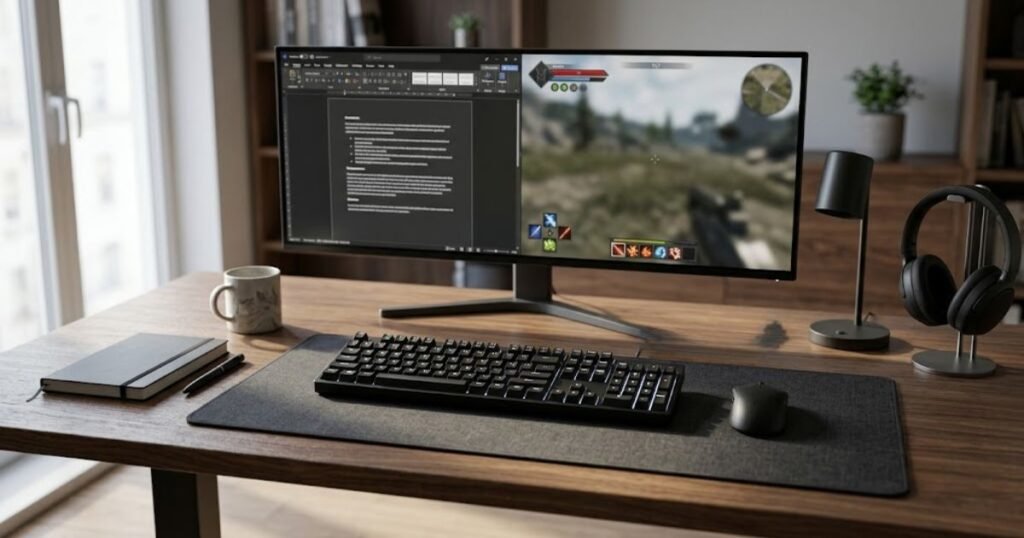
This makes the hybrid setup slightly different from choosing a keyboard for gaming or work alone. Instead of asking which category is better, the decision should consider how often each activity occurs, which activity places greater demands on the keyboard, and which compromises are acceptable.
The table below shows which keyboard type may fit different combinations of gaming and work requirements:
| User Situation | Likely Better Fit | Primary Reason |
|---|---|---|
| Mostly office work with occasional gaming | Office keyboard | Daily typing and workplace comfort have greater importance |
| Mostly gaming with occasional office work | Gaming keyboard | Gaming requirements have greater influence on the choice |
| Competitive gaming and regular office work | Gaming keyboard with work-friendly characteristics | The keyboard needs to handle demanding gaming while remaining practical for work |
| Shared workspace with casual gaming | Quiet office-oriented keyboard | Workplace noise and typing practicality are more important |
| One keyboard for equal gaming and work use | Depends on the user’s biggest constraint | The choice requires balancing gaming and productivity priorities |
The table highlights an important point: there is no universal hybrid winner. Someone who spends eight hours working and one hour gaming has different priorities from someone who spends several hours gaming and only occasionally uses the keyboard for work.
The more demanding activity should usually have greater influence on the decision. This does not mean ignoring the secondary activity. Instead, the keyboard should meet the primary requirement while avoiding a major disadvantage during the secondary one.
When One Keyboard Is Better Than Two
One keyboard can be the better choice when the same setup can comfortably support both activities without creating a meaningful limitation. This approach can simplify a desk setup, reduce the amount of equipment needed, and avoid switching keyboards whenever the user changes tasks.
A single keyboard is particularly practical when the user’s preferences are compatible across both activities. For example, someone who is comfortable typing on a gaming-oriented keyboard and does not work in a noise-sensitive environment may have little reason to maintain a separate office keyboard.
The same applies in the opposite direction. Someone who mainly works and only plays games occasionally may prefer to keep a comfortable office keyboard rather than purchase a specialized gaming model for a relatively small part of their computer use.
The deciding factor is whether one keyboard can satisfy both activities without forcing the user to tolerate a problem every day. Saving desk space or simplifying the setup is useful only when the keyboard remains practical for the tasks that matter most.
When Separate Keyboards Make More Sense
Separate keyboards make more sense when the requirements of gaming and work conflict enough that one design cannot comfortably satisfy both. The conflict may come from the physical environment, typing preferences, layout requirements, or the demands of the gaming setup.
A shared office can create a different requirement from a private gaming space. Likewise, someone who spends most of the workday typing may have very different comfort preferences from someone who prioritizes gaming controls during competitive sessions.
Separate keyboards can also make sense when the user already has two distinct workspaces. In that situation, keeping a work-focused keyboard at one desk and a gaming-focused keyboard at another can be more convenient than trying to make one device serve both environments.
However, owning two keyboards is not automatically an improvement. It adds cost, occupies additional space, and may provide little benefit if the differences between the two setups are minor.
The practical test is simple: if one keyboard creates a recurring problem in either work or gaming, separate devices may solve that conflict; if it does not, using one keyboard is often the simpler option.
For a gaming-and-work setup, the best choice is the one that minimizes the most important compromise. Users who primarily work may favor workplace comfort and practicality, while users who place greater demands on gaming input may prioritize a gaming-oriented design. When both activities are equally important, the decision should focus on which characteristics cannot be compromised.
How to Choose Between a Gaming Keyboard and an Office Keyboard
The best way to choose between a gaming keyboard and an office keyboard is to start with how you actually use the keyboard, then prioritize the characteristics that have the greatest impact on that use. The goal is not to choose the category with the longer feature list, but to find the design that creates the fewest meaningful compromises.
A keyboard that is ideal for one person can be unnecessary or inconvenient for another. Someone who spends most of the day typing has a different starting point from someone who spends most of their computer time playing competitive games. A mixed-use setup adds another layer because both activities need to be considered.
A Simple Decision Process
Follow these steps to narrow the choice based on your actual workload and gaming habits:
- Identify your primary activity: Decide whether work, gaming, or a roughly equal combination takes up most of your keyboard use.
- Identify the biggest limitation: Consider what your current keyboard fails to do well, such as typing comfort, noise, layout, control access, or gaming input.
- Prioritize the environment: Think about where you use the keyboard, especially if you work in a shared space or move between different workstations.
- Separate useful features from optional features: Focus on characteristics that solve a real problem instead of choosing a keyboard because it has more functions.
- Check the compromise: Make sure the keyboard does not introduce a recurring problem in the activity that matters most to you.
This process helps prevent the category name from making the decision for you. A gaming keyboard may be the right choice for someone who games frequently but works at home, while an office keyboard may make more sense for someone whose gaming is occasional and whose keyboard is used primarily for typing.
What Should You Prioritize If You Need One Keyboard for Both?
If you need one keyboard for both gaming and office work, prioritize the characteristics that affect both activities before considering specialized features. Layout, typing comfort, noise, and overall usability can determine whether a single keyboard remains practical throughout the day.
After those basic requirements are satisfied, consider whether gaming-oriented characteristics provide a meaningful advantage for the games you play. This order matters because a feature that helps during a gaming session may have little value if the keyboard becomes uncomfortable or disruptive during the larger part of your workday.
The same logic applies in reverse. A highly work-focused keyboard may be a sensible choice when gaming is occasional, but it may not be the best fit if gaming represents a substantial part of your computer use and the keyboard creates limitations during play.
For users whose main requirement is competitive FPS gaming, the choice should be evaluated against the specific keyboard characteristics that matter in that environment rather than against the generic idea of a “gaming keyboard.”
Gaming keyboard options for FPS use can become relevant when the decision has already narrowed toward a gaming-focused setup and the user needs to evaluate available choices.
The key is to make the buying decision from the problem backward. Start with the activity, identify the limitation, determine which characteristics address it, and only then compare keyboards.
Gaming Keyboard vs Office Keyboard: Common Buying Mistakes
The most common buying mistakes happen when people choose a keyboard based on category labels, feature counts, or marketing claims instead of evaluating how the keyboard will actually be used. A more expensive or more specialized keyboard can still be the wrong choice if its characteristics do not solve a real problem.
Choosing Features Instead of Solving a Problem
A feature should influence the purchase only when it addresses a genuine need. Programmable controls, customization options, lighting, and other additions can be useful, but their presence alone does not make a keyboard a better fit.
For example, a person who rarely changes keyboard controls may gain little from extensive customization. Similarly, someone who works in a quiet shared environment may place greater value on typing noise than on gaming-oriented functions.
The better question is not “What features does this keyboard have?” but “Which of these features will change how I use the keyboard?”
Assuming More Features Mean Better Performance
More features do not automatically mean better performance. Additional functions can increase flexibility, but they can also add cost, complexity, or characteristics that the user never needs.
This is particularly important when comparing gaming and office keyboards because the categories are built around different priorities. A feature that is meaningful in one environment may be irrelevant in another.
The right comparison therefore focuses on useful characteristics rather than the number of specifications listed on a product page.
Ignoring Noise and Typing Comfort
Ignoring noise and long-term typing comfort can turn an otherwise suitable keyboard into a poor everyday choice. These factors are easy to overlook when the purchase decision is driven primarily by gaming performance or a long list of technical features.
Someone who spends many hours typing should consider how the keyboard feels throughout an extended work session, not just during a short test. Likewise, someone working around other people should consider whether the keyboard’s sound is appropriate for the environment.
These considerations are especially important when choosing one keyboard for multiple activities because the device has to remain practical beyond the activity that initially motivated the purchase.
The safest buying approach is to identify the task, find the actual limitation, and then choose the keyboard characteristics that solve it. This keeps the decision focused on user needs instead of turning the purchase into a race for the longest feature list.
Gaming Keyboard vs Office Keyboard: Final Verdict
A gaming keyboard is the better choice when gaming places significant demands on your keyboard, while an office keyboard is often the better fit when typing comfort, quiet operation, and everyday productivity are the main priorities. For people who regularly do both, the right choice depends on which activity creates the more important requirements and whether one keyboard can satisfy both without a recurring compromise.
There is no universal winner between the two categories. A gaming keyboard can be an effective work keyboard when its design fits the user’s workspace, while an office keyboard can be perfectly capable for gaming when the games do not expose any meaningful limitation.
The practical difference comes down to the user’s priorities:
| If You Mainly Need… | More Suitable Direction | Why |
|---|---|---|
| Competitive or demanding gaming | Gaming keyboard | Gaming-oriented input and control characteristics become more relevant |
| Extended office typing | Office keyboard | Typing comfort and workplace practicality take priority |
| Quiet shared-workspace use | Office-oriented keyboard | Noise can have a greater impact on the surrounding environment |
| Gaming and work on the same desk | Either category | The better choice depends on which requirements cannot be compromised |
| Casual gaming with occasional work | Either category | A specialized gaming design may not provide enough additional value to justify the change |
The most important takeaway is that the category itself should not make the decision. Start with the activities you perform, identify the limitations that actually affect you, and then choose the keyboard characteristics that address those limitations.
If gaming is the demanding part of your computer use, a gaming-oriented design may make more sense. If work occupies most of your time, an office-oriented design may better match your daily priorities. If both activities matter equally, focus on finding the smallest compromise rather than maximizing features in either direction.
The better keyboard is ultimately the one that supports your real workload without creating a problem that you have to tolerate every day.
Frequently Asked Questions About Gaming Keyboard vs Office Keyboard
Gaming and office keyboards can overlap considerably, so the right choice depends on how the keyboard will actually be used. These questions address common decisions that remain after comparing the two categories.
Is a gaming keyboard better than an office keyboard?
Not universally. A gaming keyboard can be better for demanding gaming, while an office keyboard can be better for users who prioritize typing, quiet operation, and workplace practicality.
Can I use a gaming keyboard for office work?
Yes. A gaming keyboard can handle normal office tasks as long as its layout, typing feel, noise level, and overall design work well for your environment.
Can I use an office keyboard for gaming?
Yes. An office keyboard can be sufficient for casual gaming and many games that do not place demanding requirements on keyboard input.
Do I need a gaming keyboard to play FPS games?
No. An FPS game can be played with an office keyboard, but a gaming-oriented keyboard may become more relevant when the player has demanding movement, repeated input, or control requirements.
Is a gaming keyboard good for typing?
It can be. Typing quality depends on the keyboard’s particular design, layout, and key feel rather than the gaming label alone.
Are office keyboards quieter than gaming keyboards?
Not necessarily. Noise depends on the keyboard’s specific construction and switches. However, quiet operation is often a more prominent consideration in keyboards designed for shared work environments.
Which keyboard is better for long work sessions?
The better keyboard is the one that remains comfortable during extended typing. Layout, key feel, typing position, and noise can all influence whether a particular keyboard works well for long sessions.
Does a gaming keyboard make you better at gaming?
No. A gaming keyboard can provide characteristics that suit demanding gameplay, but it does not automatically improve a player’s skill or performance.
Is a gaming keyboard worth it for casual gamers?
It depends on whether its features solve a real need. Casual gamers may gain little from specialized features if their current keyboard already handles their games comfortably.
Should I buy a gaming keyboard if I work and game on the same PC?
Consider a gaming keyboard if gaming is an important part of your computer use and the keyboard still meets your work requirements. If work dominates your usage, workplace comfort and practicality may deserve greater weight.
Is an office keyboard enough for competitive gaming?
It can be, but the answer depends on the player and game. An office keyboard may be sufficient if it does not create an input limitation, while demanding competitive use can make specialized keyboard characteristics more noticeable.
Should I buy one keyboard or two for gaming and work?
Use one keyboard when it handles both activities without a meaningful compromise, and consider two when the requirements of gaming and work conflict. Two keyboards are useful only when the difference solves an actual problem rather than simply adding more equipment.
Thanks for reading, and we hope this guide helps you choose the right keyboard for your setup.