
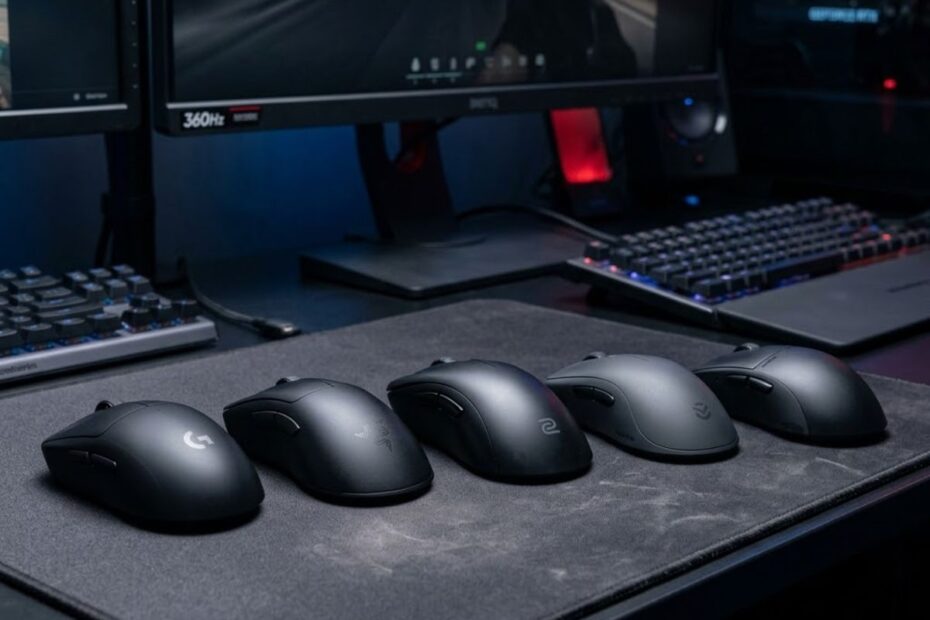
The best gaming mouse for palm grip FPS players is one that provides full hand support, maintains stable contact during aiming movements, and allows consistent control without forcing your fingers to compensate for an uncomfortable shape. While modern sensors have become highly reliable across most gaming mice, shape remains the most important factor for palm grip users.
Unlike claw grip or fingertip grip, palm grip relies on continuous contact between the palm and the mouse shell. This creates a completely different relationship between your hand and the mouse, making dimensions, hump placement, and ergonomic support significantly more important than many players realize.
Before comparing specific recommendations, it is important to understand the characteristics that make certain mice perform exceptionally well for palm grip FPS gaming. These factors often determine whether a mouse feels comfortable for hundreds of hours or becomes a source of inconsistency and fatigue.
What Makes a Gaming Mouse Good for Palm Grip FPS Gaming?
A good gaming mouse for palm grip FPS gaming supports the entire hand while maintaining stable movement across both slow tracking and rapid directional changes. The ideal shape allows your palm, fingers, and wrist to work together naturally instead of forcing constant grip adjustments during gameplay.
Many players focus heavily on specifications such as DPI, polling rate, or weight. While these specifications matter, they cannot compensate for a shape that does not fit the way your hand interacts with the mouse. For palm grip users, physical comfort and structural support often influence aim consistency more than raw hardware specifications.
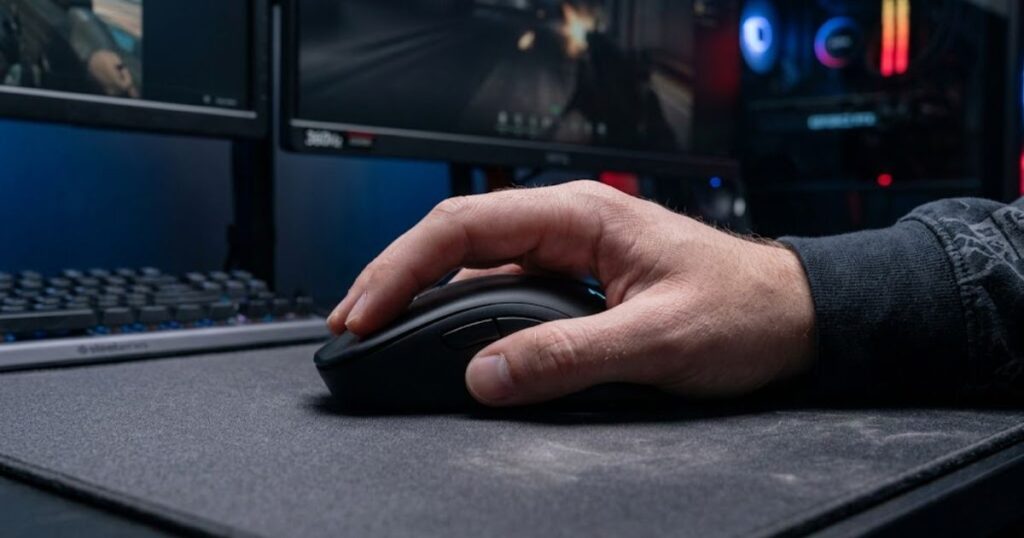
The image below demonstrates how full palm contact creates a more stable connection between the hand and the gaming mouse:
If you want to better understand how shape influences overall FPS performance, our guide on gaming mouse for FPS games explains the broader relationship between mouse design and competitive aiming mechanics.
Why Full Palm Contact Changes Mouse Control
Full palm contact improves stability by distributing pressure across a larger surface area of the hand. This creates a more controlled connection between the player and the mouse, reducing unwanted micro-movements that can occur when only the fingertips or fingers maintain contact.
Because the palm remains in constant contact with the shell, movement becomes more predictable during tracking situations. Following moving targets in games such as Apex Legends, Call of Duty, or Battlefield often feels smoother because the entire hand contributes to directional control rather than relying primarily on finger adjustments.
Full palm contact also helps maintain consistency during long gaming sessions. As fatigue increases, players using smaller mice may begin altering their grip unconsciously. A properly sized palm grip mouse reduces this tendency by providing stable support throughout the entire session.
For many FPS players, this stability creates a more repeatable aiming experience. Consistent contact points allow muscle memory to develop around a fixed hand position rather than constantly adapting to grip changes.
In summary, full palm contact improves stability, comfort, and movement consistency by allowing the entire hand to participate in controlling the mouse.
Why Shape Matters More Than Weight
Shape matters more than weight because every movement originates from how the hand interacts with the mouse. Even the lightest gaming mouse can feel uncomfortable or difficult to control if its dimensions fail to support your natural grip position.
Weight influences how much effort is required to move the mouse, but shape determines how effectively those movements are executed. A well-designed palm grip mouse allows the hand to rest naturally while maintaining comfortable access to primary buttons and side controls.
Many competitive players spend significant time comparing mice that differ by only a few grams. In practice, a slightly heavier mouse with superior palm support often delivers better overall performance than an ultra-lightweight mouse with poor ergonomics.
Shape also affects confidence during aiming. When the hand feels secure and supported, players can focus entirely on target acquisition rather than subconsciously managing grip pressure or finger positioning.
Ultimately, weight influences speed, while shape influences control. For palm grip users, control typically has the greater impact on long-term aiming consistency.
Why Ergonomic Designs Dominate Palm Grip FPS Gaming
Ergonomic designs dominate palm grip FPS gaming because they are built around the natural structure of the human hand. Instead of forcing the hand into a symmetrical position, ergonomic shapes provide dedicated support for the thumb, palm, and finger placement zones.
This additional support often improves comfort during extended gaming sessions. Players who spend several hours practicing aim training, ranked matches, or competitive tournaments frequently benefit from the reduced strain that ergonomic designs provide.
Ergonomic mice also encourage a more relaxed grip. Excessive grip tension can negatively affect precision by introducing unnecessary muscle fatigue. A well-designed ergonomic shell helps reduce this tension while maintaining control during fast movements.
Although symmetrical mice remain popular among claw grip users, many palm grip FPS players prefer ergonomic designs because they offer a greater level of natural support and long-term comfort.
As a result, many of the most highly regarded palm grip gaming mice feature ergonomic shells specifically designed to maximize stability, comfort, and aiming consistency.
The table below explains the most important factors when evaluating a gaming mouse for palm grip FPS gaming:
| Factor | Why It Matters |
|---|---|
| Mouse Length | Supports full palm contact and prevents overextension of the fingers. |
| Hump Placement | Determines how effectively the rear palm is supported during movement. |
| Mouse Width | Influences grip comfort and side-to-side stability. |
| Ergonomic Shape | Provides natural hand positioning and reduces fatigue. |
| Weight | Affects movement speed and overall handling characteristics. |
| Button Placement | Improves accessibility without requiring grip adjustments. |
Evaluating these factors together provides a far more accurate picture of real-world performance than focusing on specifications alone. The best palm grip FPS mice succeed because they balance comfort, support, and control rather than maximizing a single specification.
Understanding these fundamentals makes it significantly easier to identify which gaming mice are worth considering. The next section focuses on the strongest overall recommendations for palm grip FPS players and explains why certain models consistently stand out above the competition.
Best Gaming Mouse for Palm Grip FPS Players Overall
The best gaming mouse for palm grip FPS players combines full-hand support, reliable performance, and enough versatility to perform well across different FPS genres. While individual preferences vary, a small group of mice consistently stands out because they deliver the balance of comfort, control, and competitive performance that palm grip users need.
Unlike the previous section, which focused on shape fundamentals, this section evaluates complete gaming mice that successfully translate those design principles into real-world FPS performance. These recommendations are intended for players who want a single mouse that performs well across multiple FPS titles rather than being optimized for one specific scenario.
Players looking for broader comparisons across multiple categories can also explore our top FPS gaming mouse rankings for additional recommendations.
The products below represent some of the strongest overall options currently available for palm grip FPS players.
The image below highlights the type of ergonomic gaming mice that consistently perform well for palm grip FPS players:
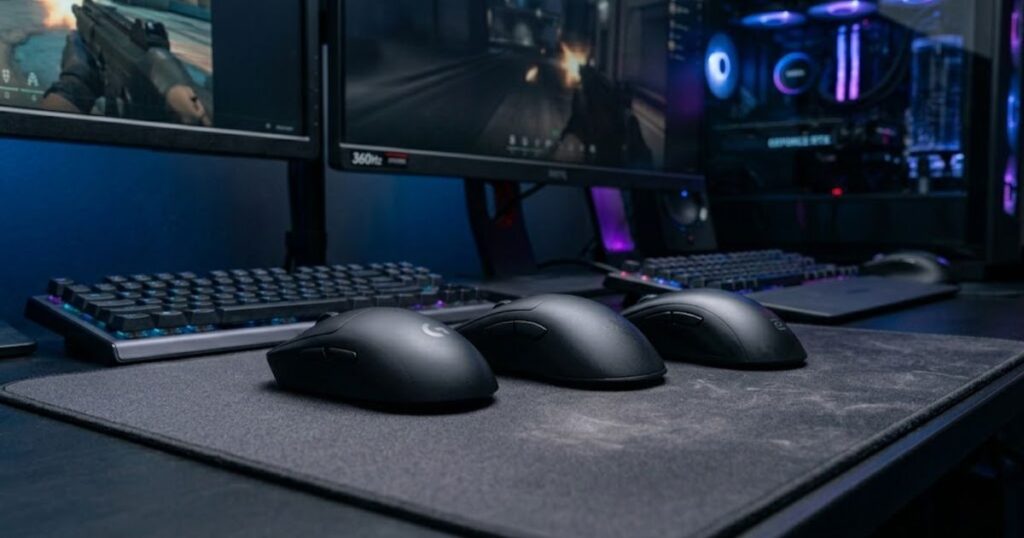
The following mice are the strongest overall choices for palm grip FPS players who want comfort, stability, and competitive performance:
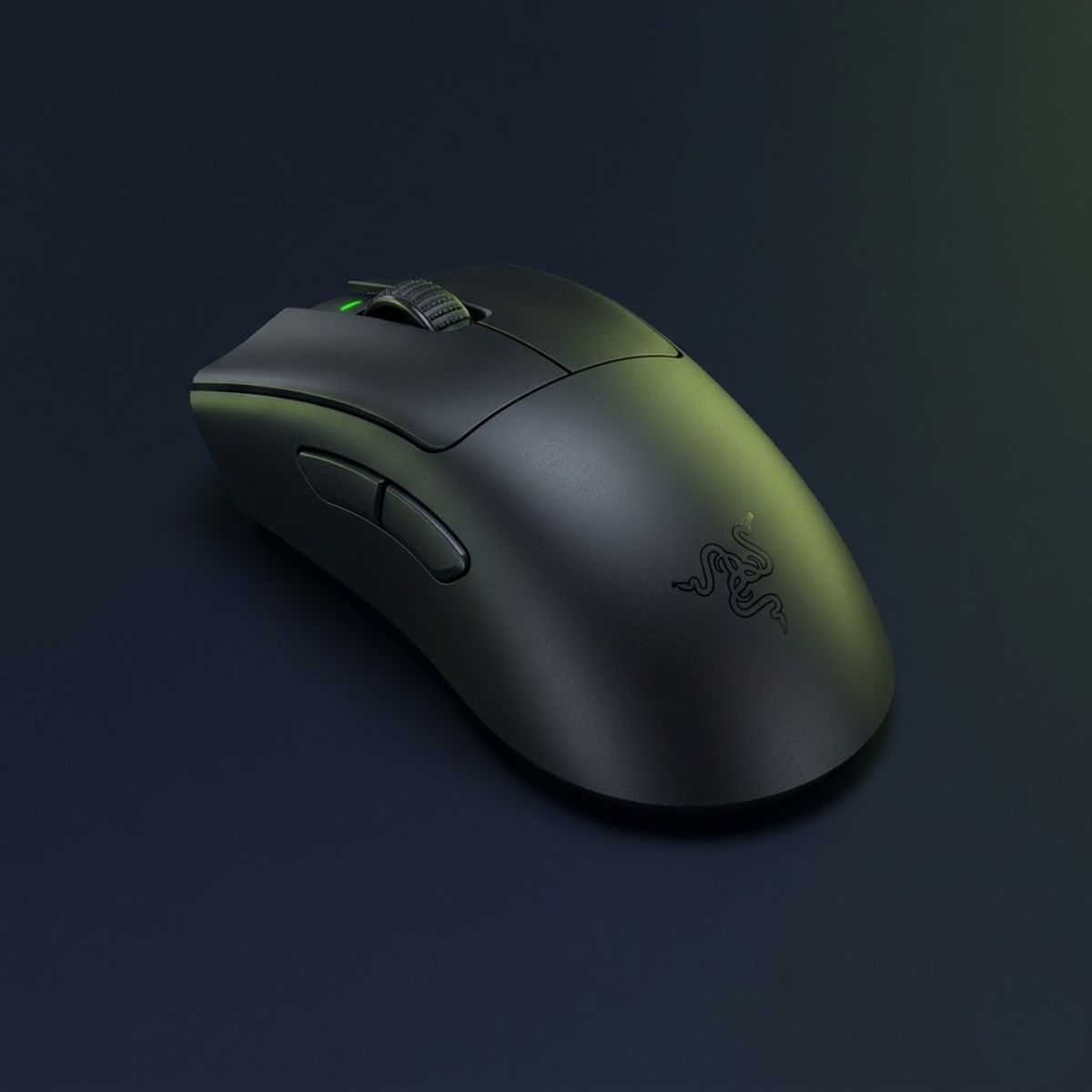
Razer DeathAdder V3 Pro
A premium ergonomic wireless mouse for palm grip FPS players who want strong hand support, low weight, and stable control.
Check Price on Amazon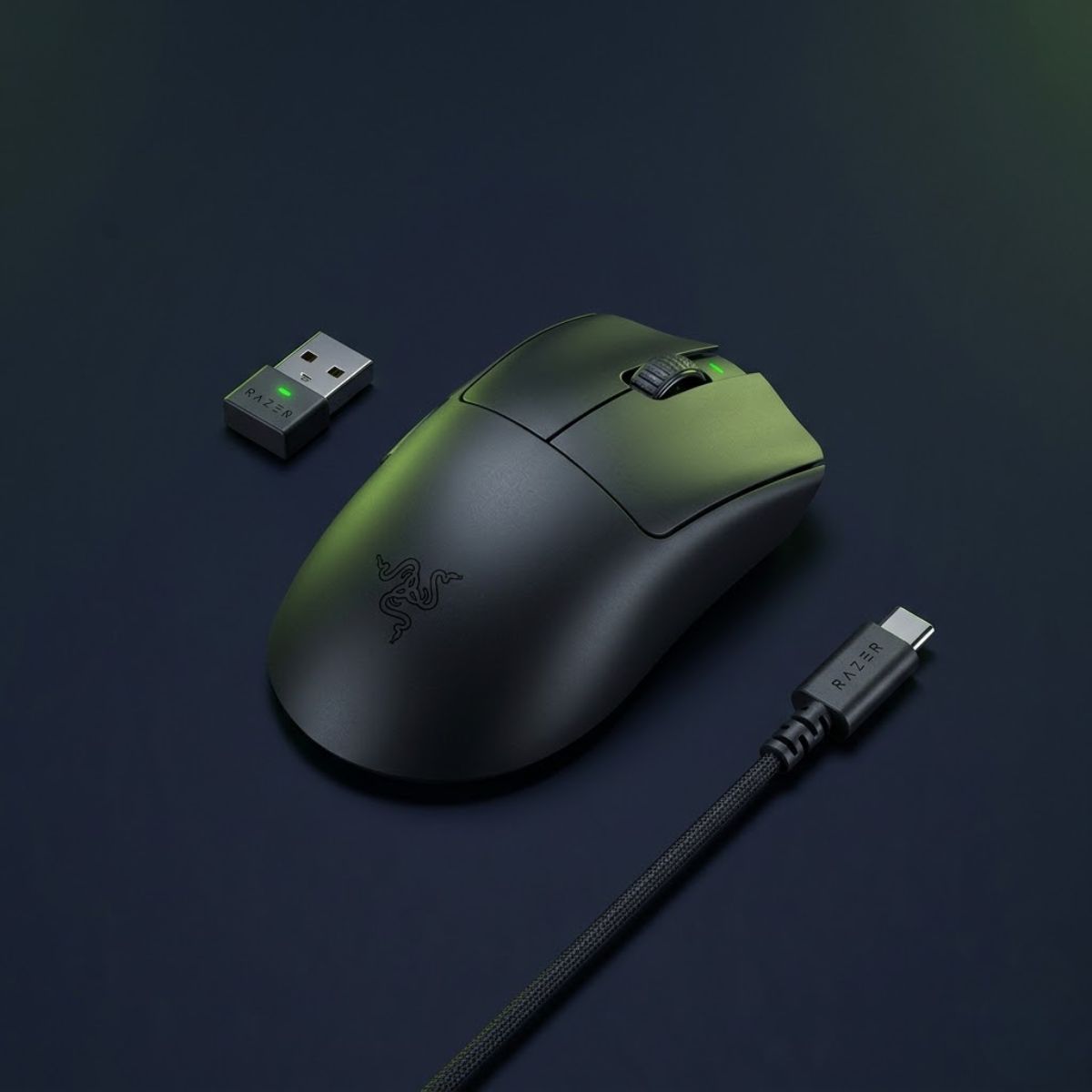
Razer DeathAdder V3 HyperSpeed
A balanced ergonomic option for players who want palm grip comfort, responsive wireless performance, and a more accessible size.
Check Price on Amazon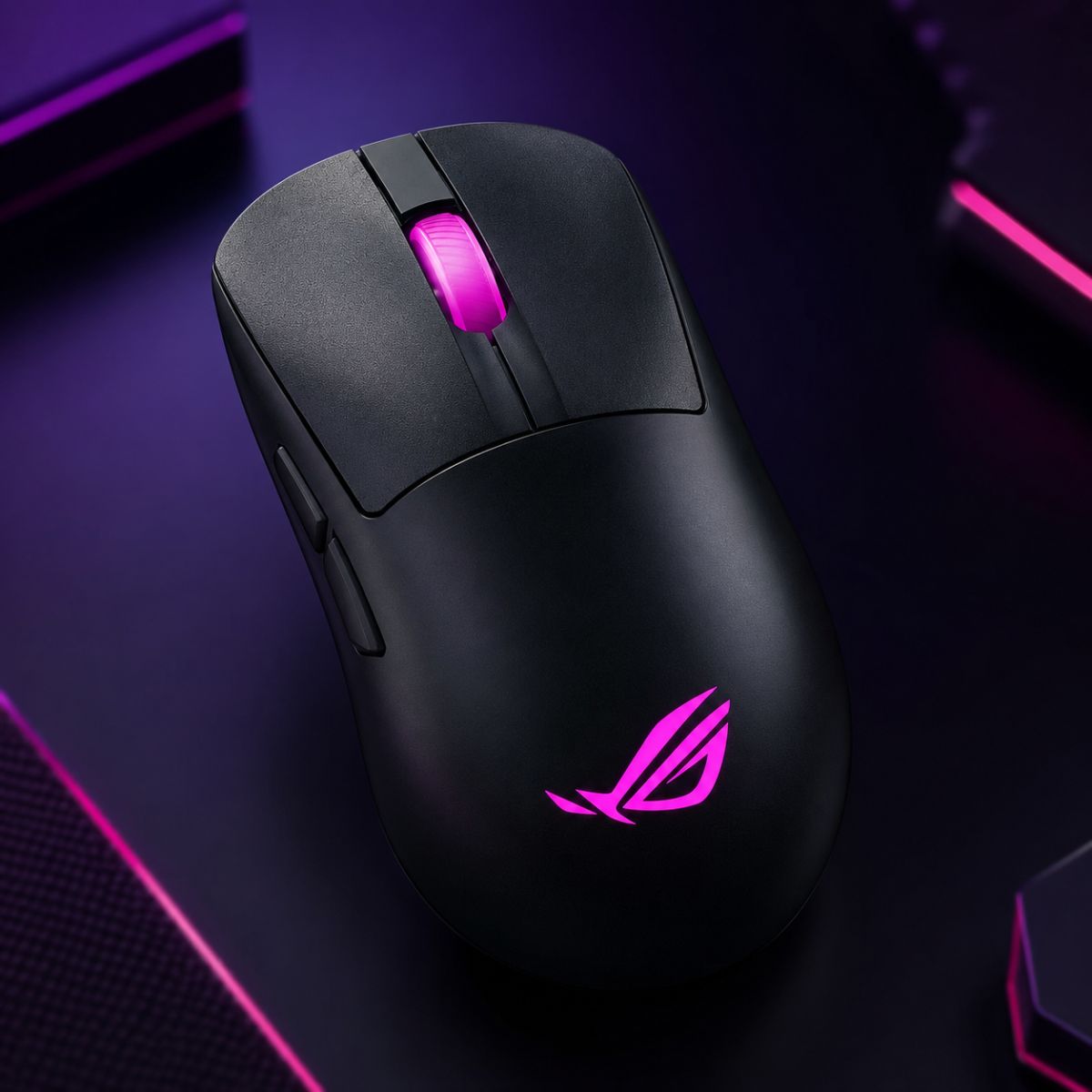
ASUS ROG Keris II Origin
A flexible ergonomic mouse for players who want palm support with a slightly more agile shape for FPS movement.
Check Price on AmazonRazer DeathAdder V3 Pro
The Razer DeathAdder V3 Pro is the strongest overall choice for most palm grip FPS players because it combines an ergonomic shape, lightweight construction, and exceptional hand support in a single package.
The redesigned shell provides excellent rear-palm support without feeling oversized. This makes the mouse comfortable during extended gaming sessions while still maintaining the agility needed for modern competitive shooters.
Its ergonomic contour naturally supports the thumb and palm, reducing the amount of grip pressure required to maintain control. This often translates into smoother tracking performance and reduced fatigue during long practice sessions.
Another advantage is its versatility. Whether you primarily play Valorant, Counter-Strike 2, Apex Legends, or Call of Duty, the DeathAdder V3 Pro adapts well to different aiming styles without feeling specialized for only one genre.
The factors below explain why this mouse stands out:
- Excellent Ergonomics: Provides natural palm support for medium and large hands.
- Competitive Weight: Remains lightweight while maintaining structural stability.
- Reliable Sensor Performance: Delivers precise tracking in high-level FPS environments.
- Long-Term Comfort: Suitable for extended gaming sessions.
For most players seeking a premium palm grip FPS mouse, the DeathAdder V3 Pro establishes the benchmark that other models are measured against.
Razer DeathAdder V3 HyperSpeed
The Razer DeathAdder V3 HyperSpeed delivers many of the strengths of the DeathAdder V3 Pro while targeting players who want a more accessible option without sacrificing core palm grip advantages.
Its shape philosophy remains similar, allowing users to retain the familiar ergonomic support that has made the DeathAdder lineup one of the most popular choices among palm grip players for years.
The reduced size can actually benefit some users with medium-sized hands who find larger ergonomic mice slightly difficult to control. This creates a balance between comfort and agility that appeals to a wide range of FPS players.
The mouse performs particularly well for players who want strong palm support but still value rapid directional adjustments during competitive gameplay.
The factors below explain where this mouse excels:
- Accessible Size: Easier to control for many medium-hand users.
- Strong Ergonomic Support: Maintains the core DeathAdder design philosophy.
- Competitive Performance: Suitable for ranked and tournament-level FPS gaming.
- Balanced Handling: Combines comfort and responsiveness effectively.
The DeathAdder V3 HyperSpeed is one of the safest recommendations for players who want a modern palm grip FPS mouse without moving into the highest pricing tier.
ASUS ROG Keris II Origin
The ASUS ROG Keris II Origin offers a different interpretation of palm grip performance by combining ergonomic support with a shape that feels slightly more compact and maneuverable than some traditional palm grip designs.
Its structure provides enough contact to support the palm while still encouraging responsive movements during fast engagements. This characteristic makes it appealing to players who enjoy palm grip comfort but occasionally transition into hybrid grip positions during intense gameplay.
The shell design distributes contact points effectively across the hand, helping maintain stability during tracking sequences and recoil control scenarios.
Many players also appreciate the balance between comfort and responsiveness, making the Keris II Origin a strong alternative for those who want something different from the dominant DeathAdder family.
The factors below explain its strengths:
- Balanced Ergonomics: Supports palm grip without feeling bulky.
- Controlled Handling: Maintains stability during tracking situations.
- Flexible Shape Profile: Works well for players who occasionally use hybrid grips.
- Comfort-Oriented Design: Reduces fatigue during long gaming sessions.
The Keris II Origin is an excellent alternative for players who want ergonomic support while maintaining a slightly more agile overall feel.
The table below compares the strongest overall gaming mice for palm grip FPS players:
| Mouse | Best For | Main Strength | Recommended Hand Size |
|---|---|---|---|
| Razer DeathAdder V3 Pro | Most Players | Overall balance of comfort and performance | Medium to Large |
| Razer DeathAdder V3 HyperSpeed | Competitive Players | Accessible ergonomic performance | Medium |
| ASUS ROG Keris II Origin | Hybrid Palm Users | Agility and comfort balance | Medium to Large |
Each of these mice performs well for palm grip FPS gaming, but the DeathAdder V3 Pro remains the safest recommendation for most players due to its exceptional combination of comfort, stability, and competitive performance.
Best Lightweight Palm Grip Mouse for Competitive FPS
The best lightweight palm grip mouse combines ergonomic support with reduced physical effort during rapid movements. Competitive FPS players often prefer lighter mice because they allow faster acceleration, easier directional changes, and less fatigue during long practice sessions.
However, lightweight performance should not come at the expense of palm support. The goal is not simply to reduce weight, but to maintain stability while improving movement efficiency. The following mice achieve that balance particularly well.
The following lightweight options keep palm support while improving speed and movement efficiency:
Pulsar Xlite V3
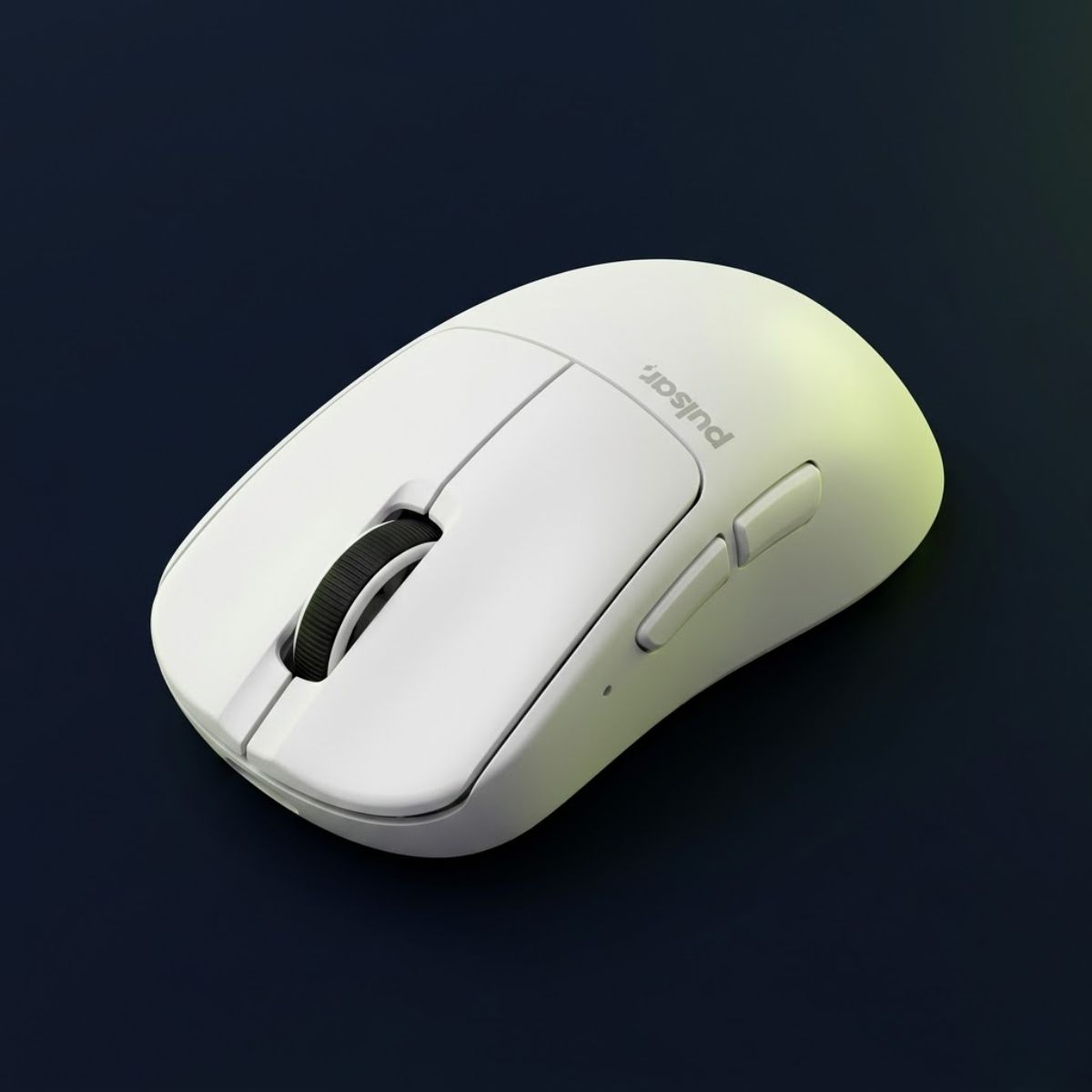
A lightweight ergonomic mouse that keeps palm grip support while improving movement speed for competitive FPS players.
Check Price on AmazonRazer DeathAdder V3 HyperSpeed
A lighter DeathAdder-style option for palm grip players who want comfort, speed, and strong FPS reliability.
Check Price on AmazonPulsar Xlite V3
The Pulsar Xlite V3 is one of the strongest lightweight options available for palm grip FPS players because it successfully combines a lightweight chassis with a shape specifically designed around ergonomic comfort.
Unlike many lightweight mice that prioritize aggressive weight reduction above all else, the Xlite V3 retains the structural characteristics that palm grip users depend on. The rear support remains substantial enough to maintain stable hand positioning during gameplay.
This combination allows players to benefit from faster movements without sacrificing the comfort and consistency that make palm grip attractive in the first place.
The factors below explain why the Xlite V3 performs so well:
- Lightweight Construction: Reduces effort during repeated aiming movements.
- Ergonomic Shell: Preserves natural palm support.
- Comfort-Focused Design: Remains comfortable during long sessions.
- Competitive Handling: Supports both tracking and flick-based gameplay.
The Xlite V3 is one of the best examples of how lightweight performance and ergonomic support can successfully coexist.
Razer DeathAdder V3 HyperSpeed
The DeathAdder V3 HyperSpeed appears again in this category because it delivers a rare balance of reduced weight and strong palm grip ergonomics. Many mice excel in one area but struggle in the other.
Its smaller footprint compared to larger ergonomic mice allows quicker movements while still maintaining enough surface contact to support palm grip users effectively.
This makes the HyperSpeed particularly appealing to players who want a lighter gaming experience without moving to shapes designed primarily for claw grip users.
The factors below explain its lightweight advantages:
- Efficient Weight Distribution: Creates a responsive feel during movement.
- Palm-Friendly Shape: Maintains support despite its lighter design.
- Versatile Performance: Works across multiple FPS genres.
- Comfort and Speed Balance: Suitable for long-term competitive play.
The DeathAdder V3 HyperSpeed remains one of the most balanced lightweight ergonomic mice currently available.
The table below compares the leading lightweight palm grip gaming mice:
| Mouse | Main Advantage | Shape Style | Best Use Case |
|---|---|---|---|
| Pulsar Xlite V3 | Ultra-light ergonomic performance | Ergonomic | Competitive FPS |
| Razer DeathAdder V3 HyperSpeed | Balanced comfort and speed | Ergonomic | All-around FPS gaming |
For players prioritizing speed without abandoning palm grip comfort, the Pulsar Xlite V3 and DeathAdder V3 HyperSpeed represent two of the strongest options currently available.
Best Ergonomic Gaming Mouse for Palm Grip FPS
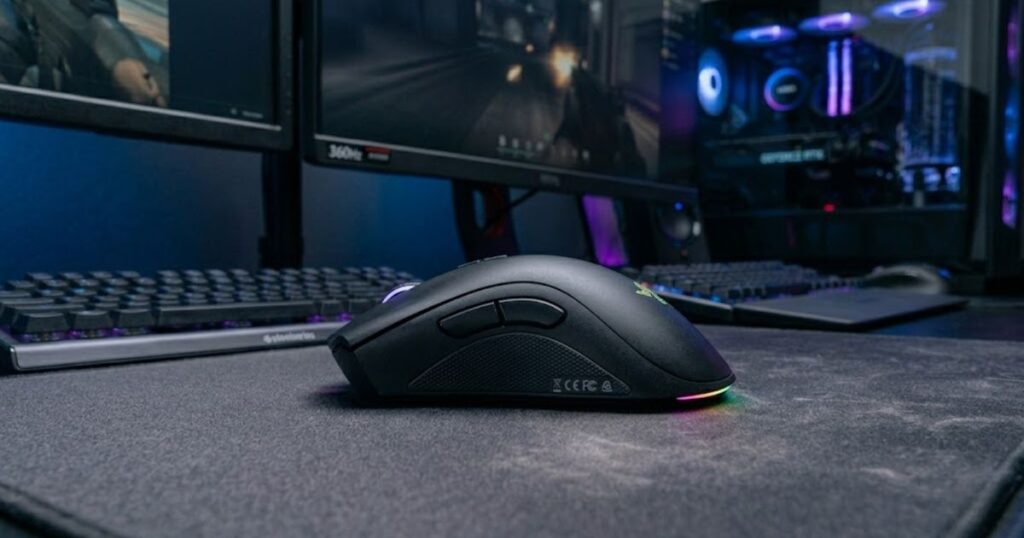
The best ergonomic gaming mouse for palm grip FPS players is one that follows the natural shape of the hand while maintaining stability during aiming movements. Ergonomic mice are particularly effective for palm grip because they support the thumb, palm, and fingers in a way that reduces tension and promotes consistent control.
The image below shows the ergonomic design features that many palm grip FPS players look for when choosing a gaming mouse:
Unlike lightweight-focused mice that prioritize movement speed, ergonomic mice prioritize comfort and structural support. This distinction becomes especially important during long gaming sessions where fatigue can gradually affect aiming precision and overall performance.
For palm grip users, a well-designed ergonomic shape often improves consistency more than small differences in weight or sensor specifications. The goal is to create a comfortable platform that allows the player to focus entirely on target acquisition and movement control.
Razer DeathAdder V3 Pro
A premium ergonomic gaming mouse that delivers exceptional palm support, long-session comfort, and reliable FPS performance.
Check Price on AmazonPulsar Xlite V3
A lightweight ergonomic gaming mouse that combines strong palm support with fast and effortless movement.
Check Price on AmazonRazer DeathAdder V3 Pro
The Razer DeathAdder V3 Pro remains one of the strongest ergonomic gaming mice available because its shape was designed specifically to support natural hand positioning during competitive gameplay.
The mouse provides substantial rear-palm support while maintaining a streamlined profile that avoids feeling bulky. This combination allows players to enjoy ergonomic comfort without sacrificing the responsiveness required for modern FPS titles.
Its thumb groove and side contours help lock the hand into a repeatable position. This consistency can improve muscle memory because the hand naturally returns to the same placement every time the mouse is picked up.
Many competitive players also appreciate how the shape reduces grip tension. A relaxed grip often leads to smoother tracking performance and less physical fatigue during long practice sessions.
The factors below explain why this mouse excels ergonomically:
- Natural Hand Positioning: Supports the palm without creating pressure points.
- Thumb Support: Improves comfort and directional control.
- Reduced Grip Tension: Encourages a relaxed and repeatable grip.
- Long-Term Comfort: Performs well during extended gaming sessions.
The DeathAdder V3 Pro remains one of the safest choices for players who want maximum ergonomic support without sacrificing competitive FPS performance.
Pulsar Xlite V3
The Pulsar Xlite V3 takes a different approach by combining ergonomic design principles with an aggressively lightweight construction. This allows players to enjoy many of the comfort benefits associated with larger ergonomic mice while retaining excellent movement speed.
Its shape provides meaningful palm support without feeling oversized. The shell allows the hand to rest naturally while maintaining the freedom needed for rapid directional changes and target transitions.
For players who find traditional ergonomic mice slightly too heavy, the Xlite V3 provides an appealing alternative that preserves comfort while reducing movement effort.
The design is particularly attractive for competitive players who spend long periods tracking moving targets and making continuous adjustments throughout a match.
The factors below explain why many players prefer the Xlite V3:
- Lightweight Ergonomics: Combines comfort with rapid movement capability.
- Balanced Palm Support: Maintains stability without excess bulk.
- Competitive Agility: Supports fast reactions during intense engagements.
- Reduced Fatigue: Requires less effort during long sessions.
The Xlite V3 demonstrates that ergonomic design and lightweight performance can coexist successfully within a single FPS-focused gaming mouse.
The table below compares the leading ergonomic gaming mice for palm grip FPS players:
| Mouse | Primary Strength | Shape Style | Best For |
|---|---|---|---|
| Razer DeathAdder V3 Pro | Maximum ergonomic comfort | Ergonomic | Long-term FPS gaming |
| Pulsar Xlite V3 | Lightweight ergonomic design | Ergonomic | Competitive FPS players |
Both mice perform exceptionally well for palm grip FPS gaming, but they target slightly different priorities. The DeathAdder V3 Pro emphasizes maximum comfort and support, while the Xlite V3 balances ergonomic design with lightweight agility.
Best Large Gaming Mouse for Palm Grip Players
The best large gaming mouse for palm grip players provides enough surface area to fully support larger hands without forcing the fingers into cramped positions. Hand size plays a major role in palm grip comfort because the entire hand remains in contact with the mouse during gameplay.
A mouse that feels perfectly comfortable for a medium-hand player may feel unstable or restrictive for someone with larger hands. Because of this, players should evaluate mouse dimensions alongside shape and ergonomics when selecting a palm grip FPS mouse.
Understanding the relationship between hand size and mouse dimensions can significantly improve comfort, control, and long-term aiming consistency.
The following mice provide excellent palm support for players with medium-to-large and large hand sizes:
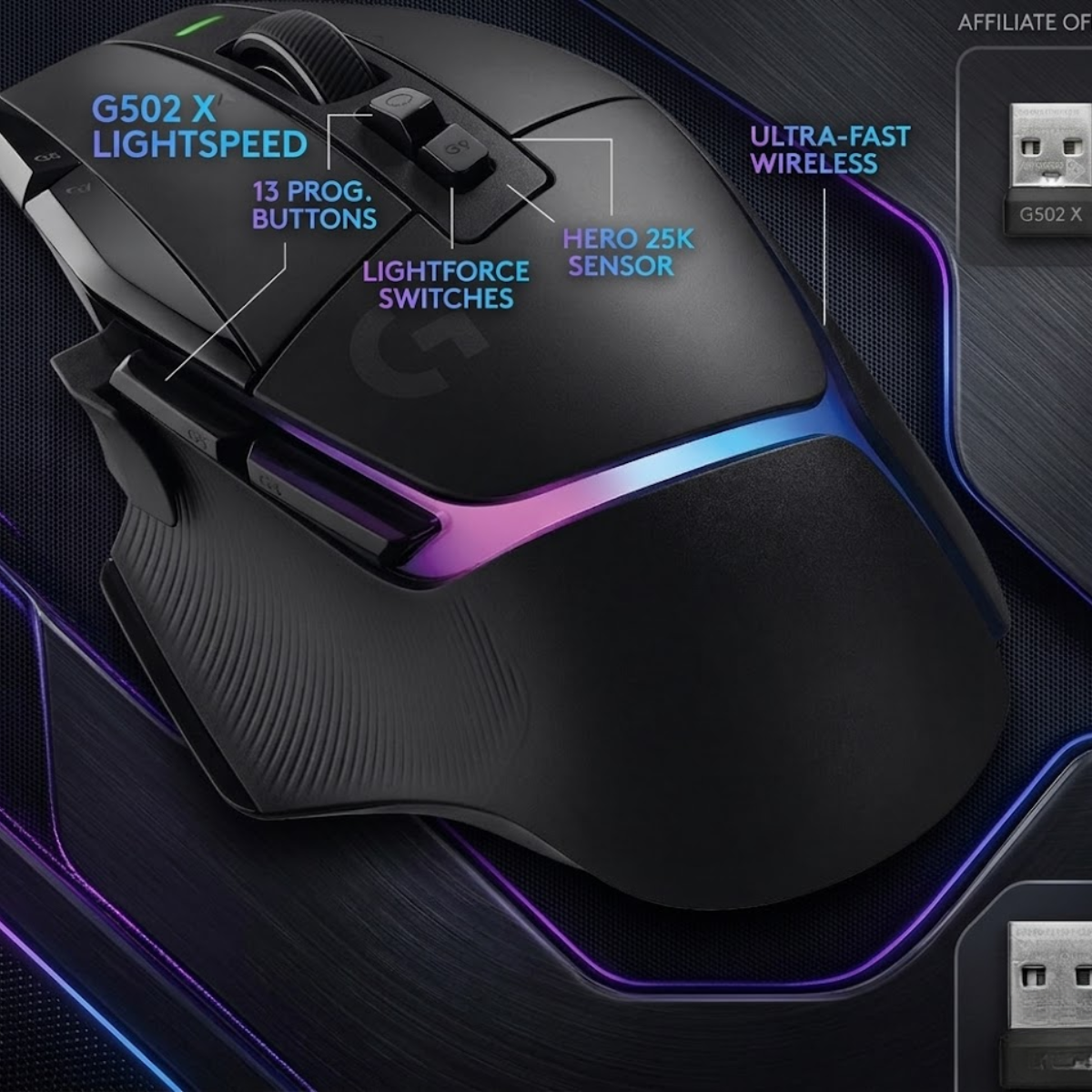
Logitech G502 X Plus
A large ergonomic gaming mouse that provides extensive palm support and a spacious grip area for bigger hands.
Check Price on AmazonRazer DeathAdder V3 Pro
A versatile ergonomic mouse that offers excellent palm support for medium-to-large and large hand sizes.
Check Price on AmazonWhy Large Hands Need Longer Mouse Shells
Large hands often require longer mouse shells because palm grip relies on continuous contact between the hand and the mouse. If the shell is too short, portions of the palm may lose support, forcing the player to alter their grip position.
Longer shells provide additional contact points that help stabilize the hand during movement. This stability becomes especially important during tracking situations where smooth and predictable control is essential.
A longer mouse can also reduce unnecessary finger curling. Excessive finger flexion may create discomfort over time and increase grip tension during long gaming sessions.
Players with larger hands frequently report improved comfort when using mice that allow the entire palm to rest naturally on the shell rather than hanging partially off the rear edge.
In short, longer mouse shells improve support, reduce strain, and help maintain a more natural hand position for larger palm grip users.
How Small Mice Reduce Palm Support
Small mice reduce palm support by limiting the amount of contact between the hand and the shell. While smaller designs may work well for claw grip or fingertip grip users, they often create compromises for players who prefer palm grip.
When the palm cannot rest comfortably on the mouse, players may compensate by increasing grip pressure or altering wrist positioning. These adjustments can reduce comfort and make aiming feel less stable over time.
A lack of rear-palm support can also affect consistency. Because the hand no longer maintains the same contact points during every movement, muscle memory becomes more difficult to develop and repeat.
This does not mean every palm grip player needs the largest mouse available. Instead, the goal is to find a mouse that properly supports the size and shape of your hand without creating unnecessary restrictions.
Choosing an appropriately sized mouse often has a greater impact on comfort than many players initially expect.
The table below explains which mouse sizes generally work best for different hand sizes:
| Hand Size | Recommended Mouse Size | Typical Palm Support Level |
|---|---|---|
| Small | Small to Medium | High |
| Medium | Medium | High |
| Large | Medium to Large | Very High |
| Extra Large | Large | Maximum |
Matching mouse size to hand size improves comfort, stability, and consistency. For many palm grip users, choosing the correct dimensions can be just as important as selecting the right sensor or feature set.
Now that we’ve covered ergonomic preferences and hand-size considerations, the next section focuses on game-specific recommendations for popular FPS titles such as Valorant and Counter-Strike 2.
Best Palm Grip Mouse for Valorant
The best palm grip mouse for Valorant is one that prioritizes stability, precision, and consistent stopping control. Because Valorant rewards first-shot accuracy far more than continuous tracking, palm grip users often benefit from mice that provide strong hand support and predictable movement characteristics.
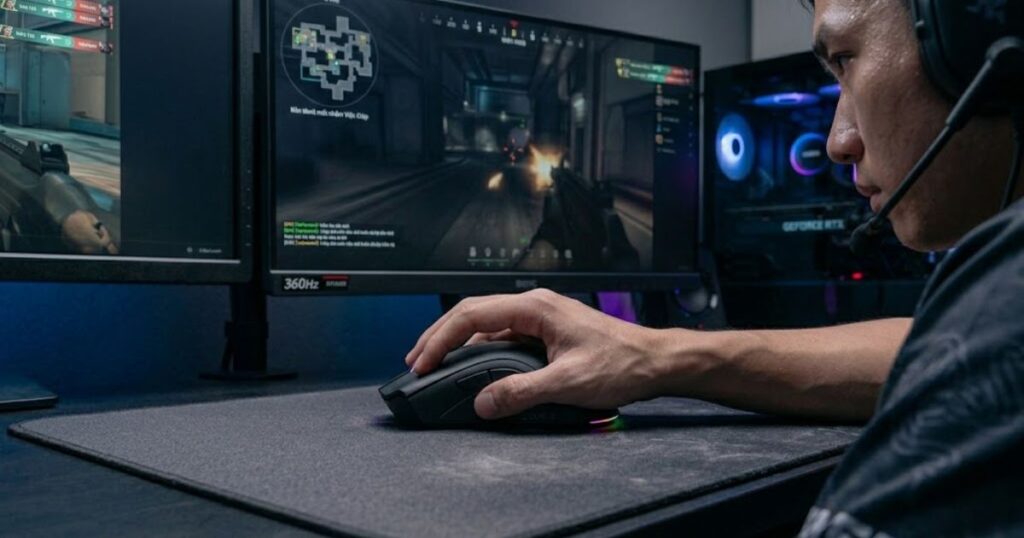
Unlike faster-paced arena shooters, Valorant places a greater emphasis on crosshair placement, micro-adjustments, and controlled flicks. Palm grip naturally complements these requirements because the larger contact area between the hand and mouse can improve stability during precise aiming scenarios.
The image below illustrates the stable aiming posture that makes palm grip effective for tactical FPS games such as Valorant:
Players who focus heavily on tactical shooters may also benefit from exploring our guide to tactical FPS gaming mice, which examines broader hardware considerations for games that prioritize precision over raw movement speed.
The factors below explain why palm grip performs well in Valorant:
- Improved Stability: Full palm contact helps maintain control during precise aiming adjustments.
- Consistent Flick Accuracy: A stable grip can improve repeatability when performing medium-distance flick shots.
- Better Long-Session Comfort: Reduced hand fatigue helps maintain consistency throughout ranked matches.
- Controlled Stopping Power: Palm grip naturally encourages smoother deceleration and target acquisition.
For most Valorant players, the ideal palm grip mouse is one that emphasizes stability and comfort rather than chasing the absolute lowest possible weight.
Best Palm Grip Mouse for CS2
The best palm grip mouse for CS2 balances stability with tracking control. While precise flicks remain important, Counter-Strike 2 often requires players to maintain accurate spray transfers, recoil control, and continuous target tracking during engagements.
Because spray patterns and movement correction play a larger role in CS2 than in Valorant, many palm grip users prefer mice that provide a secure grip and predictable handling characteristics throughout extended engagements.
Players who prioritize tracking-heavy gameplay may also benefit from reviewing our recommendations for tracking-focused FPS mice, which examine the characteristics that support continuous target tracking performance.
The factors below explain why palm grip works well in Counter-Strike 2:
- Spray Control Stability: Larger hand contact helps maintain consistent recoil management.
- Reliable Tracking: Stable grip positioning supports smoother target tracking.
- Predictable Handling: Consistent contact points improve movement repeatability.
- Comfort During Long Matches: Palm support reduces strain during extended sessions.
For many CS2 players, the ideal palm grip mouse combines ergonomic comfort with the ability to maintain precise control throughout both short and extended firefights.
Palm Grip vs Claw Grip for FPS Games
Palm grip generally prioritizes stability and comfort, while claw grip prioritizes agility and rapid directional adjustments. Neither grip style is universally superior because each supports a different approach to aiming and mouse control.
The choice between palm grip and claw grip often depends on hand size, preferred mouse shape, and the types of FPS games a player spends the most time playing. Understanding the strengths and limitations of each grip style can make the decision process significantly easier.
The comparison below demonstrates the physical differences between palm grip and claw grip hand positioning:
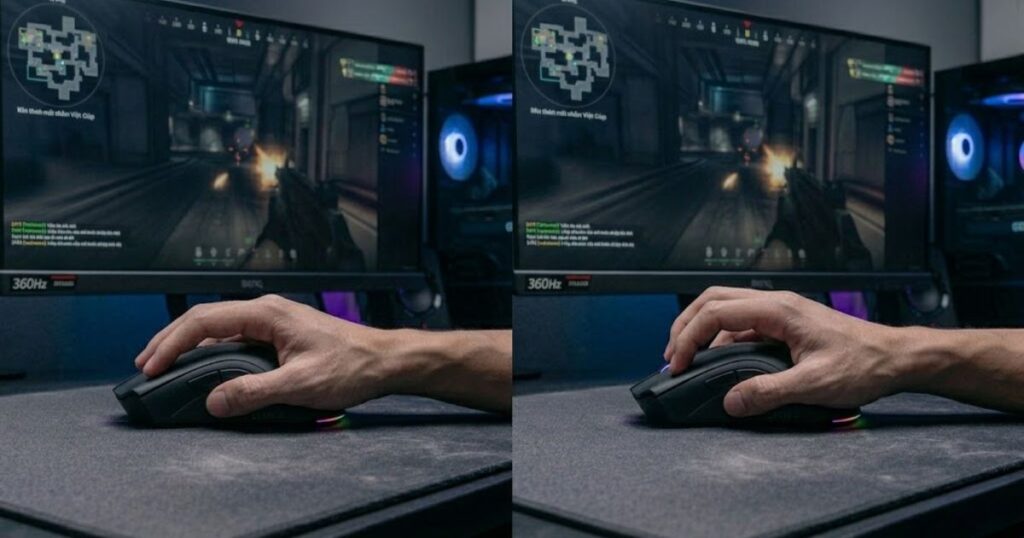
If you are considering alternative grip styles, our guide to claw grip FPS mice explores the characteristics that make claw grip particularly effective for fast-paced aiming scenarios.
Stability Differences
Palm grip offers greater stability because a larger portion of the hand remains in contact with the mouse. This increased contact area creates a more secure connection between the hand and the mouse, reducing unwanted movement during precise aiming situations.
Claw grip reduces the amount of contact between the palm and the mouse, which can make movement feel faster and more responsive. However, this reduction in contact may also decrease stability for some players.
Players who prioritize consistent crosshair placement often gravitate toward palm grip because it emphasizes control and repeatability over raw speed.
In terms of stability, palm grip generally holds the advantage due to its larger contact surface and stronger overall support.
Flick Speed Differences
Claw grip generally provides faster flick potential because the fingers play a larger role in controlling mouse movement. This allows players to make rapid directional changes using both wrist and finger inputs simultaneously.
Palm grip relies more heavily on arm and wrist movement, which can feel slightly slower during extremely aggressive flicks. However, many players find that the additional stability improves overall accuracy despite the reduced emphasis on speed.
The practical difference often depends on individual technique. Skilled players can achieve excellent flick performance using either grip style.
For players who prioritize maximum agility, claw grip usually offers a slight advantage in raw flick speed.
Long Session Comfort
Palm grip typically provides superior comfort during long gaming sessions because the hand rests more naturally on the mouse. This reduces the amount of muscular tension required to maintain grip consistency over time.
Claw grip requires the fingers to remain elevated and engaged throughout gameplay. While many players adapt successfully, others may experience increased fatigue during extended sessions.
Comfort becomes increasingly important for players who spend several hours practicing aim training, grinding ranked ladders, or participating in competitive events.
For long-term comfort, palm grip is often the preferred choice due to its relaxed hand positioning and reduced grip tension.
The table below compares the most important differences between palm grip and claw grip:
| Category | Palm Grip | Claw Grip |
|---|---|---|
| Stability | Very High | Moderate |
| Flick Speed | High | Very High |
| Tracking Consistency | High | High |
| Long-Term Comfort | Very High | Moderate |
| Grip Tension | Lower | Higher |
| Recommended For | Control-Oriented Players | Agility-Oriented Players |
Neither grip style is objectively better. Palm grip excels in stability and comfort, while claw grip excels in agility and rapid directional changes. The best choice depends on how you aim, the games you play, and the type of mouse control that feels most natural to your hand.
The final section focuses on choosing the right palm grip gaming mouse, avoiding common purchasing mistakes, and identifying which players benefit most from this grip style.
How to Choose the Right Palm Grip Gaming Mouse
Choosing the right palm grip gaming mouse starts with understanding how your hand interacts with the mouse during actual gameplay. While specifications can help narrow down options, shape, size, and comfort remain the most important factors because they directly influence control, consistency, and long-term usability.
The best palm grip mouse should allow your hand to rest naturally without creating pressure points or forcing additional grip tension. A structured evaluation process makes it easier to identify which mice are genuinely suitable for your needs.
The following process can help you choose the right palm grip FPS mouse:
- Measure Your Hand Size: Determine whether your hands are small, medium, large, or extra large.
- Prioritize Shape First: Ergonomic support typically has a greater impact than small differences in specifications.
- Evaluate Mouse Length: Ensure the rear shell properly supports your palm.
- Consider Weight Preferences: Decide whether you value comfort, speed, or a balance of both.
- Match the Mouse to Your Games: Tactical FPS players and tracking-focused FPS players may prioritize different characteristics.
Following a structured buying process helps eliminate many of the mistakes that cause players to replace gaming mice shortly after purchase.
Common Mistakes When Buying a Palm Grip Mouse
Many players focus heavily on specifications while ignoring the physical design characteristics that influence real-world performance. These mistakes often result in uncomfortable mice that never feel natural despite having excellent hardware.
Avoiding a few common purchasing errors can significantly improve your chances of selecting a mouse that remains comfortable and effective for years.
The mistakes below are among the most common:
- Choosing Weight Over Shape: Lightweight construction cannot compensate for poor ergonomics.
- Ignoring Hand Size: A mouse that is too small often reduces palm support and stability.
- Copying Professional Players Blindly: Hand size and grip preferences vary dramatically between individuals.
- Prioritizing Features Over Comfort: Additional buttons and RGB lighting rarely improve FPS performance.
- Ignoring Long-Term Comfort: Fatigue can affect aiming consistency more than many players realize.
Most of these mistakes can be avoided by prioritizing comfort, hand-size compatibility, and shape before considering secondary features.
Who Should Use a Palm Grip Gaming Mouse?
Palm grip gaming mice are ideal for players who value stability, comfort, and consistent aiming performance. Because the entire hand remains supported throughout gameplay, palm grip often appeals to players who spend long hours practicing, competing, or grinding ranked matches.
Although many different player types can successfully use palm grip, some profiles benefit more than others.
The table below identifies which players benefit most from palm grip gaming mice:
| Player Type | Suitability | Main Benefit |
|---|---|---|
| Tactical FPS Players | Excellent | Improved stability and precision. |
| Tracking FPS Players | Very Good | Consistent target tracking. |
| Competitive Players | Excellent | Long-session comfort and repeatability. |
| Casual FPS Players | Excellent | Reduced fatigue and easier adaptation. |
Palm grip is particularly attractive for players who prefer a comfortable, stable aiming experience instead of maximizing raw movement speed.
Frequently Asked Questions
Choosing the best gaming mouse for palm grip FPS players often raises questions about ergonomics, hand size compatibility, mouse weight, aiming performance, and long-term comfort. The answers below address the most common concerns players have before making a purchase decision.
What Is the Best Gaming Mouse for Palm Grip FPS Players?
The best gaming mouse for palm grip FPS players is typically an ergonomic mouse that provides full palm support, stable control, and long-session comfort. For most players, the Razer DeathAdder V3 Pro remains one of the strongest overall recommendations.
Is Palm Grip Good for FPS Games?
Yes, palm grip is good for FPS games because it provides excellent stability, comfort, and aiming consistency. Many players prefer palm grip for tactical shooters where precise control is more important than maximizing flick speed.
What Is Palm Grip on a Gaming Mouse?
Palm grip is a mouse grip style where the majority of the palm rests on the mouse shell while the fingers remain extended toward the primary buttons. This creates continuous contact between the hand and the mouse.
Are Ergonomic Gaming Mice Better for Palm Grip?
In most cases, yes. Ergonomic gaming mice are specifically designed to support the natural structure of the hand, making them particularly suitable for palm grip users.
What Hand Size Works Best With Palm Grip?
Palm grip generally works best for medium and large hands because larger contact areas make it easier to maintain full palm support during gameplay.
Does Mouse Weight Matter for Palm Grip?
Yes, mouse weight matters, but shape is usually more important. A comfortable ergonomic shape often provides greater benefits than a small reduction in weight.
Are Lightweight Gaming Mice Good for Palm Grip?
Yes, modern lightweight gaming mice can work extremely well for palm grip when they maintain adequate palm support and ergonomic design principles.
Is Palm Grip Good for Valorant?
Yes, palm grip is effective for Valorant because it promotes stability and precise crosshair placement, both of which are important in tactical FPS gameplay.
Is Palm Grip Good for Counter-Strike 2?
Yes, many Counter-Strike 2 players benefit from the stability and recoil-control advantages that palm grip provides during extended engagements.
How Do I Know if a Mouse Is Too Small for Palm Grip?
A mouse is often too small for palm grip if a significant portion of your palm extends beyond the rear shell or if you feel forced to curl your fingers excessively.
Can I Switch From Claw Grip to Palm Grip?
Yes, most players can successfully transition from claw grip to palm grip. However, a short adaptation period is usually required while new movement patterns develop.
What Is the Biggest Mistake When Choosing a Palm Grip Mouse?
The biggest mistake is prioritizing specifications over shape. Comfort, ergonomics, and hand-size compatibility typically have a greater impact on long-term satisfaction than technical features alone.
These frequently asked questions cover the most important considerations when selecting a gaming mouse for palm grip FPS gaming.
Conclusion
The best gaming mouse for palm grip FPS players is one that combines ergonomic support, proper sizing, and consistent control. While specifications such as sensor performance and weight remain important, shape continues to be the factor that most directly affects comfort and aiming consistency.
For most players, the Razer DeathAdder V3 Pro remains the strongest overall choice thanks to its excellent ergonomic design and balanced FPS performance. Players who prefer a lighter feel may find the Pulsar Xlite V3 more appealing, while users with larger hands may benefit from larger ergonomic options such as the Logitech G502 X Plus.
Ultimately, selecting the right palm grip gaming mouse comes down to matching the mouse to your hand size, preferred FPS games, and comfort requirements rather than chasing specifications alone.
Thanks for reading GearTP, and we hope this guide helps you find the right gaming mouse for your FPS games.