

A gaming mouse pad directly affects mouse sensor performance by providing the physical micro-contrast, optical reflectivity, and focal distance required for accurate surface imaging. While modern optical sensors boast high DPI and tracking speed ratings, an irregular, overly plush, or dirty surface causes cursor jitter, lift-off distance (LOD) instability, and tracking dropouts during critical FPS encounters.
Competitive shooters require absolute synchronization between your hand movement and crosshair placement. If your mouse pad surface scatters illumination light or compresses unevenly beneath your mouse skates, your sensor cannot track micro-swipes reliably. To master the foundational physics of surface resistance and stopping power, explore our comprehensive technical guide on gaming mouse pads for FPS games, or check our competitive rankings for the best gaming mouse pads for FPS.
How Optical Mouse Sensors Read Mouse Pad Surfaces: The CMOS Imaging Pipeline
Optical mouse sensors function like high-speed microscopic cameras, using an LED or infrared light source to illuminate surface textures while a CMOS sensor captures thousands of surface images per second to calculate directional displacement. The internal processor translates micro-shadow shifts into cursor coordinates.
Inside modern gaming mice, an infrared LED or laser diode casts oblique illumination across the mouse pad. This angled light catches microscopic surface variations – such as individual fabric threads, polymer ridges, or etched glass textures – casting tiny micro-shadows. The optical lens magnifies these features directly onto a CMOS (Complementary Metal-Oxide-Semiconductor) sensor array.
Optical Illumination and Micro-shadow Generation
The sensor array does not see colors or printed logos the way human eyes do; it measures microscopic peaks and valleys. When light strikes a textured mouse pad at an angle, the high points reflect bright highlights while the depressions create dark shadow pockets. This microscopic topographical pattern serves as the tracking landscape for the sensor.
CMOS Sensor Arrays and Digital Signal Processors
The CMOS image sensor captures these surface frames at astonishing rates, ranging from 10,000 to over 20,000 frames per second (FPS). An integrated Digital Signal Processor (DSP) compares sequential image frames in real time using optical flow cross-correlation algorithms. By analyzing how micro-shadow features shift from one frame to the next, the DSP computes exact X and Y relative displacement vectors with sub-millimeter precision.
The technical diagram below illustrates how optical mouse sensors illuminate and capture surface frame displacement:

Because the DSP relies entirely on comparing structural landmarks across frames, the physical consistency and microscopic texture of the underlying mouse pad determine whether motion tracking remains perfectly linear or introduces computational error.
Mouse Pad Surface Microstructure: Why Weave Texture Dictates Sensor Contrast
Optical sensors require micro-surface contrast to calculate motion. Tightly woven fabrics, coarse jacquard hybrid weaves, and hard surfaces create unique shadow profiles that determine tracking resolution and prevent microscopic sensor reading dropouts. Smooth untextured desks fail because sensors cannot detect surface shifts.
The microscopic architecture of a mouse pad dictates the optical contrast captured by the CMOS sensor. If a surface is completely smooth, specular, or uniform – like bare polished laminate or clear glass – light reflects evenly in all directions without casting micro-shadows. In this scenario, sequential frames appear identical, causing the DSP to lose tracking reference points and drop movement packets.
Tight Twill Cloth Weaves Versus Coarse Hybrid Fabrics
Traditional cloth mouse pads utilize a twill or plain weave structure made from tightly spun polyester or nylon fibers. These woven threads generate regular, tightly spaced micro-crevices that provide continuous, high-contrast landmarks across all angles of movement. Coarse hybrid weaves introduce pronounced grain patterns that offer distinct optical shadows, allowing sensors to track flawlessly even at extreme swipe velocities.
Glass Mouse Pads and High-DPI Sensor Reflectivity Requirements
Glass mouse pads present a unique optical challenge. Untreated window glass lets light pass directly through, blinding conventional sensors. Modern gaming glass pads undergo micro-etching acid treatments or receive ceramic nano-coatings that create microscopic surface pits. These microscopic pits scatter light just enough for advanced optical sensors like the PixArt PAW3950 and Razer Focus Pro 35K to distinguish positional landmarks without beam dissipation.
The table below summarizes the optical contrast and sensor tracking characteristics across major mouse pad surface types:
| Surface Classification | Microscopic Surface Architecture | Optical Shadow Contrast | Sensor Tracking Stability | Primary Sensor Risk |
|---|---|---|---|---|
| Balanced Cloth Weave | Tightly woven polyester/nylon threads | Very High and Uniform | Flawless on all modern sensors | Fibers wear down over prolonged use |
| Textured Hybrid Weave | Coarse, uneven synthetic jacquard grain | Extremely High Contrast | Flawless on 3370, 3395, and newer | Older legacy sensors may exhibit minor jitter |
| Hard Polymer Surface | Textured plastic micro-granules | Moderate to High Contrast | Extremely consistent across speeds | Micro-scratches alter local reflection over time |
| Micro-etched Glass | Acid-etched frosted aluminosilicate glass | Low to Moderate Contrast | Flawless on PAW3950 and glass-tuned sensors | Legacy optical sensors drop tracking frames |
As the comparative data illustrates, standard cloth and hybrid fabrics offer superior optical contrast due to their three-dimensional fiber topography, while hard and glass surfaces depend on specialized microscopic etching to support sensor imaging.
The image below highlights how mouse pad weave patterns create the contrast landmarks necessary for optical sensor recognition:

Understanding these optical interaction profiles helps competitive aimers appreciate why surface weave selection affects far more than tactile hand feel – it directly governs sensor registration fidelity.

Artisan Zero FX Gaming Mouse Pad
The premier esports choice featuring premium Japanese Poron base foam, low initial static friction, and elite tactical stopping consistency across all optical sensors.
Lift-Off Distance and Base Softness: How Poron Foam Affects Sensor Height
Soft mouse pad bases compress under downward hand pressure, sinking the mouse feet into the foam and reducing the physical gap between the sensor lens and surface, which can trigger unwanted tracking cutoff or LOD drift. Firm bases maintain fixed focal geometry.
Lift-off distance (LOD) is the vertical clearance at which a mouse sensor stops tracking when lifted from the mouse pad. In competitive FPS titles, players typically calibrate LOD to low settings (around 1.0 mm) to prevent unwanted crosshair displacement when resetting mouse position. However, mouse pad base softness alters this physical equation significantly.
Poron XSoft Versus Mid Base Foam Compression Dynamics
When using extra-soft foam bases, such as Japanese Poron XSoft or plush 6 mm natural rubber, downward force from a player’s palm or wrist depresses the mouse skates into the substrate. This compression reduces the physical distance between the sensor aperture and the fabric surface from the standard resting height (typically 0.7 to 0.9 mm) down to 0.3 mm or lower.
If the sensor focal lens is calibrated for a higher plane, extreme compression can cause optical defocusing. Conversely, when the mouse is released and springs back up, the sensor may experience a sudden height delta that registers as erratic crosshair jumping or temporary tracking cutoff during hard flick braking.
Calibrating Sensor LOD Settings for Plush Mouse Pads
To avoid tracking interruptions on plush pads, players who naturally apply heavy downward pressure should calibrate their sensor LOD to Medium or High (1.5 mm to 2.0 mm) in mouse software. This software adjustment ensures the CMOS sensor maintains active tracking even when the mouse skates sink deep into the base during aggressive stopping maneuvers. To explore how base softness dictates deceleration resistance, read our breakdown of mouse pad stopping power mechanics.
GEARTP LAB PRINCIPLE: SENSOR FOCAL DEPTH AND BASE SINKING
A competitive mouse sensor operates within a narrow optical focal window. If your pad base compresses more than 1.5 mm under heavy hand pressure, you risk pushing the sensor outside its optimal focal tolerance, causing instantaneous tracking stutters during high-pressure flick shots.
Cloth vs Hard vs Hybrid Mouse Pads: Optical Sensor Compatibility Across Materials
Standard cloth pads provide universal tracking compatibility across all optical sensors, while hybrid textured weaves require modern sensors with dynamic framerates, and untreated glass surfaces require sensors with advanced tracking algorithms like the PixArt PAW3950. Surface reflectivity dictates tracking integrity.
Different mouse pad materials interact with the optical illumination beam in fundamentally distinct ways. Selecting the appropriate pad material ensures your mouse sensor operates within its designed focal tolerances without software-induced smoothing or hardware spinouts.
Traditional Cloth Pads: Maximizing Sensor Surface Contrast
Traditional cloth surfaces remain the global esports benchmark because fabric naturally absorbs excess light while reflecting sharp micro-shadows from woven yarns. Modern flagship sensors like the PixArt PAW3395 and Logitech HERO 2 track on standard cloth with zero smoothing, zero ripple, and imperceptible latency, delivering pure 1:1 hand-to-cursor translation.
Cordura and Coated Hybrid Pads: Micro-jitter Considerations
Cordura and hard-coated hybrid mouse pads use densely woven nylon yarns coated with water-repellent polymers. While this construction provides exceptional durability and low kinetic friction, the reflective synthetic coating can cause optical glare under intense sensor illumination. Budget optical sensors lacking adaptive LED intensity control may exhibit micro-jitter when tracking over shiny Cordura fibers.
Full Glass Surfaces: Sensor Minimum Tracking Heights
Glass surfaces represent the most demanding test for optical mouse hardware. Older sensors like the PMW3360 and early PAW3370 models cannot read smooth glass reliably, resulting in sudden spinouts or zero movement registration. Today, sensors equipped with high-efficiency infrared laser-optical emitters and glass-tracking firmware (such as the PAW3950 and Focus Pro series) track on etched glass with flawless stability.
The image below displays the three major mouse pad surface categories evaluated for optical sensor compatibility:

The compatibility table below details verified optical sensor stability across premier mouse pad surface materials:
| Sensor Model | Cloth Weave Stability | Textured Hybrid Stability | Polymer Hard Pad Stability | Micro-etched Glass Compatibility |
|---|---|---|---|---|
| PixArt PAW3950 / Focus Pro 35K | 100 Percent Flawless | 100 Percent Flawless | 100 Percent Flawless | Flawless (Tuned for 4 mm+ Glass) |
| PixArt PAW3395 | 100 Percent Flawless | 100 Percent Flawless | 100 Percent Flawless | Compatible with etched glass only |
| Logitech HERO 2 (32K / 44K) | 100 Percent Flawless | 100 Percent Flawless | 100 Percent Flawless | Flawless on modern etched surfaces |
| PixArt PMW3360 / PAW3370 (Legacy) | 100 Percent Flawless | Very High (Occasional glare) | High Stability | Incompatible (Frequent spinouts) |
Matching your mouse sensor generation to your chosen mouse pad surface eliminates tracking unpredictability and prevents unexpected cursor cutouts in competitive matches.
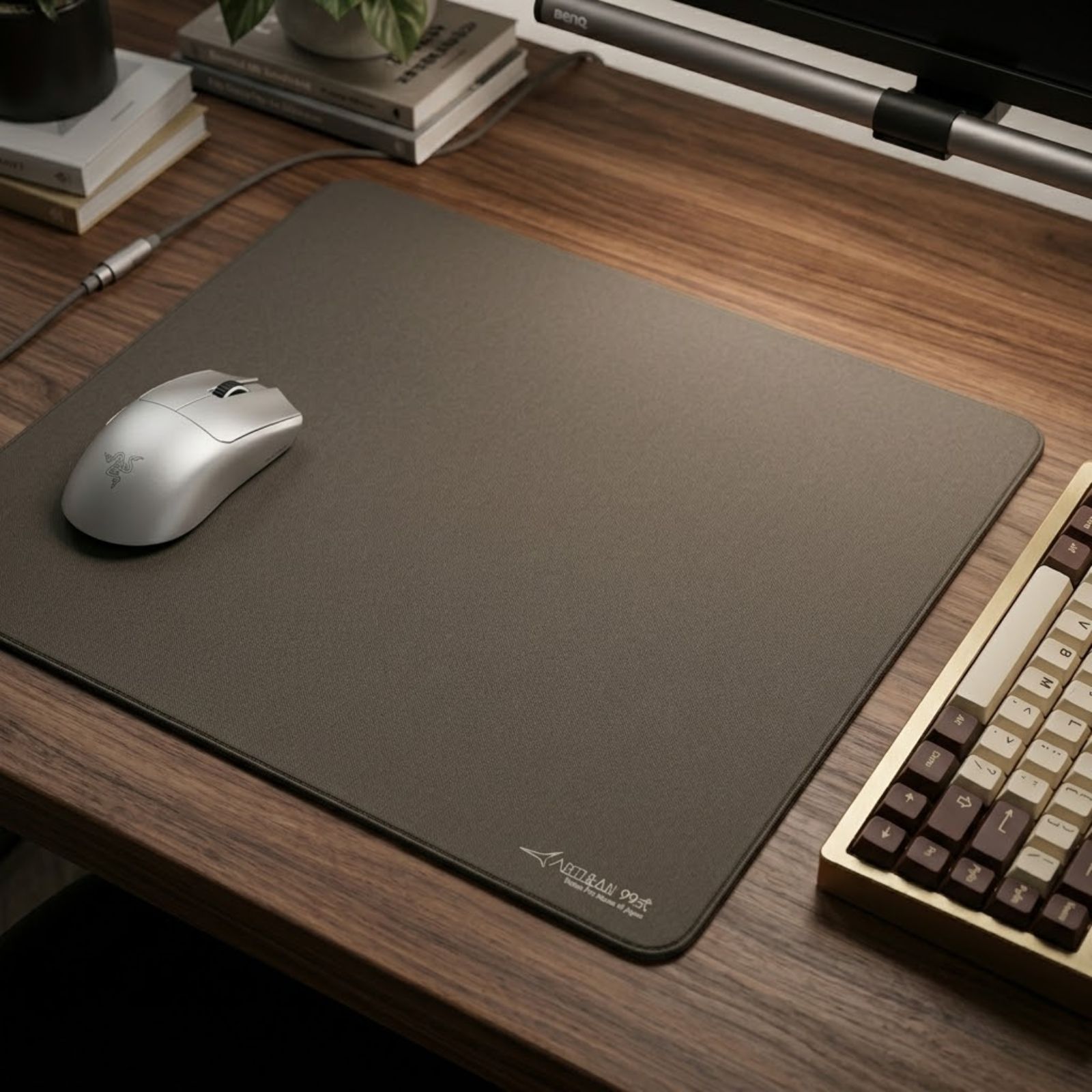
ARTISAN NINJA FX Type 99 MID XL
Engineered specifically for tactical FPS games, delivering supreme stopping power, high dynamic friction, and elite Japanese Poron stability for absolute micro-adjustment control.
Common Sensor Tracking Failures: Diagnosing Jitter, Stutter, and Spinouts
Sensor tracking failures occur when a mouse pad fails to provide readable optical landmarks, causing cursor jitter from surface reflectivity conflicts, tracking stutters from inconsistent weave depth, or high-speed spinouts during aggressive arm swipes. Diagnosing the root cause restores accuracy.
When a mouse feels inaccurate in-game, players frequently blame game servers, mouse firmware, or Windows sensitivity settings. In reality, the mouse pad surface is the primary hardware culprit behind common tracking anomalies.
Cursor Jitter: Sensor Reading Noise on Irregular Micro-surfaces
Cursor jitter occurs when the mouse cursor trembles or vibrates on screen even while being moved in a straight, steady line. This issue emerges when a mouse pad surface contains microscopic reflective hot spots or inconsistent yarn thicknesses. The CMOS sensor misinterprets light bouncing off shiny synthetic fibers as micro-movement, introducing computational noise into the tracking stream.
Tracking Stutter: Dropouts from Uneven Surface Reflectivity
Tracking stutter occurs when the cursor freezes or skips frames mid-swipe. This happens when the sensor transitions across localized worn patches, printed dye logos, or compressed sponge sections that scatter illumination light unevenly. When the DSP cannot cross-correlate consecutive frames, it momentarily halts cursor output until a valid surface pattern is reacquired.
Sensor Spinout: Exceeding Sensor Maximum Tracking Velocity
A sensor spinout happens when a high-speed arm swipe causes the crosshair to suddenly lose orientation, flying uncontrollably into the sky or spinning toward the floor. While modern sensors with 650+ IPS ratings rarely spin out on clean cloth, spinouts still happen when an uneven pad surface causes the mouse feet to tilt, breaking optical focus during intense flick deceleration. To understand how glide friction influences flick mechanics, review our guide on mouse pad static and dynamic friction.
SENSOR TRACKING INSIGHT
A high-speed sensor spinout is rarely caused by a sensor processor failure today. In over 90 percent of practical cases, spinouts are triggered by localized surface contamination, uneven base compression, or warped mouse pad substrate that throws the sensor out of optical focal alignment mid-flick.
How Dirty and Worn Mouse Pads Degrade Optical Sensor Accuracy
Accumulated dead skin cells, forearm sweat, and dust particles settle into cloth micro-crevices, smoothing out natural weave textures and scattering optical illumination, which causes the sensor to miss surface tracking frames during rapid swipes. Pad hygiene preserves tracking fidelity.
A cloth mouse pad acts like an open biological filter on your desk. During intense gaming sessions, sweat, skin oils, and airborne particulate matter embed deep into the fabric weave. Over months of use, this contamination creates physical and optical degradation across the pad center.
Skin Oil and Sweat Buildup: Flattening Surface Landmarks
When sebum and dried sweat saturate cloth fibers, they form a hardened, glassy patina over the micro-crevices. Instead of casting defined optical shadows, the contaminated area reflects light in erratic diffuse angles. The optical sensor, which relied on sharp thread geometry, now struggles to differentiate sequential images, leading to perceptible input lag and tracking inconsistency.
Physical Fiber Wear: Why Worn Center Spots Destroy Consistency
Continual friction from mouse skates grinds down surface fibers in the primary swipe zone, fraying yarns and creating a slow, swampy patch. Because the outer edges of the pad remain pristine while the center is worn down, the sensor experiences two completely different optical and physical resistance profiles on a single flick shot, destroying muscle memory and aim predictability.
The image below demonstrates how localized cloth wear and surface contamination degrade optical tracking:

The degradation matrix below details how mouse pad wear stages correlate directly with sensor tracking errors:
| Pad Wear Stage | Physical Surface Condition | Sensor Optical Reflection State | In-Game Aim Symptom | Recommended Action |
|---|---|---|---|---|
| Fresh / Clean | Open, crisp fiber weave with uniform height | High-contrast, razor-sharp micro-shadows | 100 Percent reliable micro-aiming and flick consistency | Maintain routine microfiber wiping |
| Lightly Soiled (2 to 3 Months) | Minor skin oil film in high-traffic sectors | Slight shadow softening across center fibers | Occasional subtle micro-drag on fine adjustments | Gentle lukewarm hand washing |
| Heavily Contaminated (6+ Months) | Glazed fiber patina with embedded dead skin | Scattered light reflection with lost depth | Noticeable cursor jitter, micro-stutters, and drift | Deep clean or replace immediately |
| Frayed and Degraded (1+ Year) | Torn micro-fibers, crushed base foam | Erratic specular glare and uneven focal depth | Severe tracking drops, sudden spinouts on flicks | Full mouse pad replacement required |
Regular surface maintenance and periodic washing restore open fiber micro-shadows, ensuring your optical sensor continues to operate with factory precision.
Sequential Diagnostic Guide: How to Test If Your Mouse Pad Causes Sensor Issues
Testing whether your mouse pad causes tracking inconsistencies requires isolating sensor behavior across different surface sectors, testing high-speed flick integrity, and verifying lift-off distance thresholds through a structured diagnostic sequence. Follow the systematic process below.
Execute the following sequential testing protocol to determine if your tracking issues originate from your mouse pad or your sensor hardware:
- Perform the corner-to-center glide comparison: Slowly move your mouse cursor across an unsoiled corner of your mouse pad, then repeat the motion across the high-traffic center. If cursor motion stutters or feels noticeably heavier in the center while tracking smoothly on the corner, your pad surface is contaminated with skin oil.
- Conduct the high-speed flick spinout test: Open an aim training scenario or offline practice map. Perform ten aggressive, maximum-velocity arm flicks across the full width of your pad. If the crosshair spins out toward the ground or snaps uncontrollably, check for pad warping, foreign debris, or base compression tilt.
- Execute the slow diagonal micro-tracking test: In Paint or an optical sensor testing tool (such as MouseTester), draw slow diagonal lines across the pad at 400 or 800 DPI. If the resulting line exhibits sudden stair-stepping jaggedness or pixel hopping, optical glare or frayed fibers are introducing sensor noise.
- Verify lift-off distance cutoff consistency: Stack two standard plastic cards on your mouse pad and place the mouse on top. If the sensor still tracks movement with cards underneath, your LOD is calibrated too high for plush foam pads, leading to tracking jitter upon re-centering.
Executing this diagnostic sequence eliminates guesswork, allowing competitive players to identify whether a cleaning session, software LOD adjustment, or pad replacement is required.
Competitive FPS Aiming Impact: Sensor Tracking Demands in Tactical Shooters
Tactical shooters like CS2 and Valorant demand pixel-perfect sensor tracking during micro-adjustments, whereas tracking shooters like Apex Legends require uniform multi-directional sensor reading during continuous high-velocity arm sweeps. Surface stability dictates win rates.
The interaction between your mouse pad and sensor manifests differently depending on your primary game genre. In tactical shooters, players rely on micro-corrections of only two to four pixels to secure crosshair alignment on distant headshot angles. If surface friction is uneven or the sensor misses micro-frames, your crosshair either overshoots the target or sticks before breaking static inertia.
Micro-adjustments: Holding Sub-millimeter Crosshair Alignment
During defensive angle holding, players keep their mouse nearly motionless for seconds before making a micro-adjustment. Mouse pads with uniform static-to-dynamic friction ratios allow the sensor to register the very first millimeter of motion without hesitation. Inconsistent pads cause initial stickiness that forces the player to apply extra hand force, resulting in overshooting the enemy’s hitbox.
High-speed Flick Swipes: Preventing Lift-off Sensor Clipping
In arena shooters and battle royales, wide 180-degree turnarounds require swiping the mouse across 30 to 40 centimeters of surface in milliseconds. The sensor must maintain unbroken tracking through the entire acceleration and deceleration arc. A clean, uniform mouse pad ensures the optical DSP never loses tracking sync, allowing players to land flick shots with muscle memory certainty.
The image below captures competitive FPS flick tracking across an extra-large esports mouse pad:

Maintaining reliable sensor tracking across every sector of your mouse pad ensures that aiming performance is determined entirely by player skill rather than hardware limitations.
Frequently Asked Questions About How Mouse Pads Affect Mouse Sensors
Below are authoritative answers to the twelve most critical questions regarding mouse pad surfaces, optical sensor physics, and tracking consistency:
Do mouse pads really affect mouse sensor accuracy?
Yes, mouse pads directly affect accuracy by providing the microscopic optical contrast, surface uniformity, and focal height required for the sensor’s CMOS camera to calculate movement frames without dropouts.
How does an optical mouse sensor read a mouse pad?
An optical sensor shines an infrared LED or laser beam onto the pad, casting micro-shadows across fabric fibers that a CMOS sensor captures at 10,000+ frames per second to calculate motion vectors.
Can a dirty mouse pad affect my mouse sensor tracking?
Yes, accumulated dead skin, dried sweat, and dust fill microscopic weave crevices, scattering optical light unevenly and causing the sensor to drop tracking frames, resulting in cursor jitter and stutters.
What causes mouse sensor spinouts during fast flicks?
Sensor spinouts happen when swipe speed exceeds the sensor’s tracking velocity (IPS) or when uneven pad compression, dust, or pad tilt temporarily pushes the surface outside the sensor’s optical focus.
How does mouse pad base thickness affect lift-off distance?
Thick and extra-soft bases compress under downward hand pressure, sinking mouse skates into the foam and reducing sensor clearance, which can trigger unwanted tracking cutoff or LOD drift.
Do modern optical sensors like the PAW3395 still need good mouse pads?
Yes, while modern sensors track on more surfaces, poor mouse pads with reflective coatings, uneven wear, or moisture still degrade micro-aiming precision and introduce computational tracking noise.
Why do mouse sensors struggle to track on clear glass desks?
Clear glass allows light to pass directly through without reflecting micro-shadows, depriving the CMOS sensor of optical landmarks needed to detect directional movement.
Can glass mouse pads wear out or scratch mouse sensors?
Glass pads do not damage optical sensor lenses, but they require micro-etched surface treatments so optical sensors can read them, and they wear down standard PTFE mouse skates rapidly.
Why does my mouse feel sticky or laggy on worn mouse pads?
Worn mouse pads suffer from flattened fibers and embedded skin oils that increase dynamic friction while simultaneously scattering optical sensor illumination, creating both physical and tracking drag.
What mouse pad surface offers the most consistent optical tracking?
Uncoated, balanced cloth mouse pads made with uniform polyester twill weaves (such as the Artisan Zero) offer the highest optical contrast and most predictable tracking across all sensor generations.
Can washing a cloth mouse pad restore sensor tracking performance?
Yes, gentle lukewarm washing removes embedded oils and dirt, restoring original fabric micro-crevices and allowing the optical sensor to capture clean, high-contrast tracking images again.
Should I use high or low LOD settings on soft mouse pads?
Players using extra-soft foam bases should select medium or high LOD (1.5 mm to 2.0 mm) to ensure the sensor does not cut off tracking when the mouse sinks into the foam during hard stops.
Final Engineering Verdict: Pairing Your Sensor With the Optimal Mouse Pad
A high-performance optical sensor is only as reliable as the surface beneath it. Pairing modern optical sensors with clean, uniform control or hybrid mouse pads guarantees predictable cursor translation and eliminates hardware-induced aim variance. Investment in pad maintenance protects your mechanical aim ceiling.
Competitive shooters require absolute confidence that every flick, micro-adjustment, and tracking sweep translates into 1:1 crosshair motion. Selecting a mouse pad with a stable base, high-contrast fiber weave, and proven humidity resistance prevents optical tracking anomalies from interfering with your competitive potential.
To find the ideal surface balance for your aiming style and game genres, explore our curated rankings in our guide to the best gaming mouse pads for FPS games, or review our in-depth physics analysis on surface friction and pad sizing for FPS.
Decide Your Next Gear Step: An elite optical sensor is only as reliable as the mouse pad underneath it. To find the ideal surface weave and base softness for your sensor, read our in-depth criteria guide on gaming mouse pad for FPS games. To compare top-tier competitive mouse pads tested for zero-jitter tracking, explore our verified rankings of the top best gaming mouse pads for FPS games in 2026.