
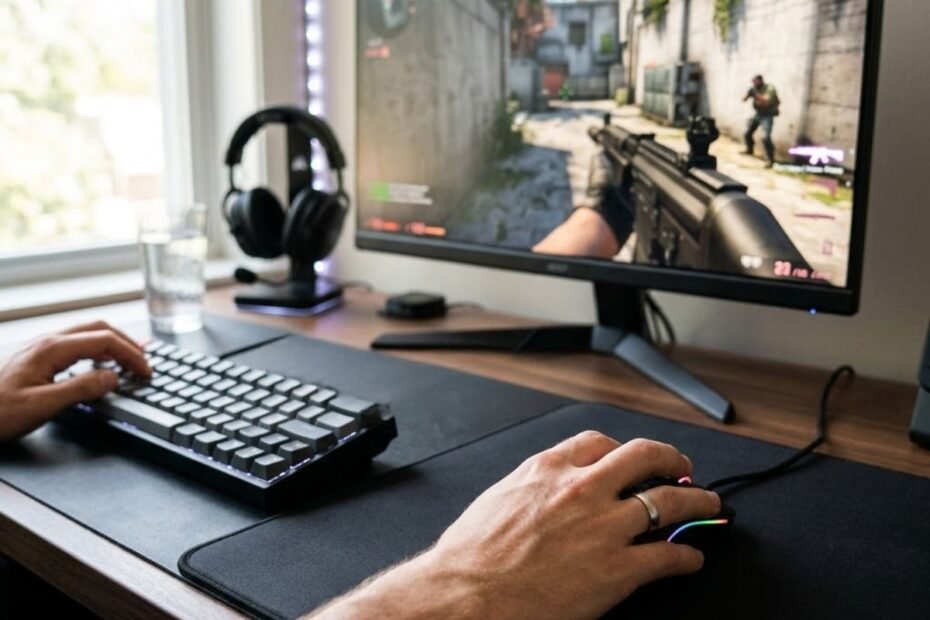
Finding your natural mouse grip means discovering how your hand naturally rests on a mouse without consciously copying another player. Instead of forcing your fingers or palm into a specific position, you observe how your hand comfortably contacts the mouse during normal gameplay. Once you identify your natural grip, it becomes easier to develop consistent aim, reduce unnecessary muscle tension, and choose gaming mice that genuinely fit your hand.
Many FPS players spend hours adjusting DPI, sensitivity, and crosshair settings while overlooking one of the most important factors that affects aiming consistency: their natural mouse grip. Although professional players often use Palm Grip, Claw Grip, or Fingertip Grip, simply imitating their grip rarely produces the same results because every player’s hand shape, movement pattern, and comfort preferences are different.
This guide explains what a natural mouse grip is, why every player develops one differently, and how understanding your own grip creates a stronger foundation for improving mouse control in competitive FPS games.
What Is a Natural Mouse Grip?
A natural mouse grip is the hand position your body automatically chooses when you place your hand on a mouse without consciously trying to use a specific grip style. It represents the most relaxed and repeatable position for your fingers, palm, wrist, and forearm, allowing you to move the mouse comfortably while maintaining consistent control.
The example below shows how a relaxed hand naturally settles on a gaming mouse:
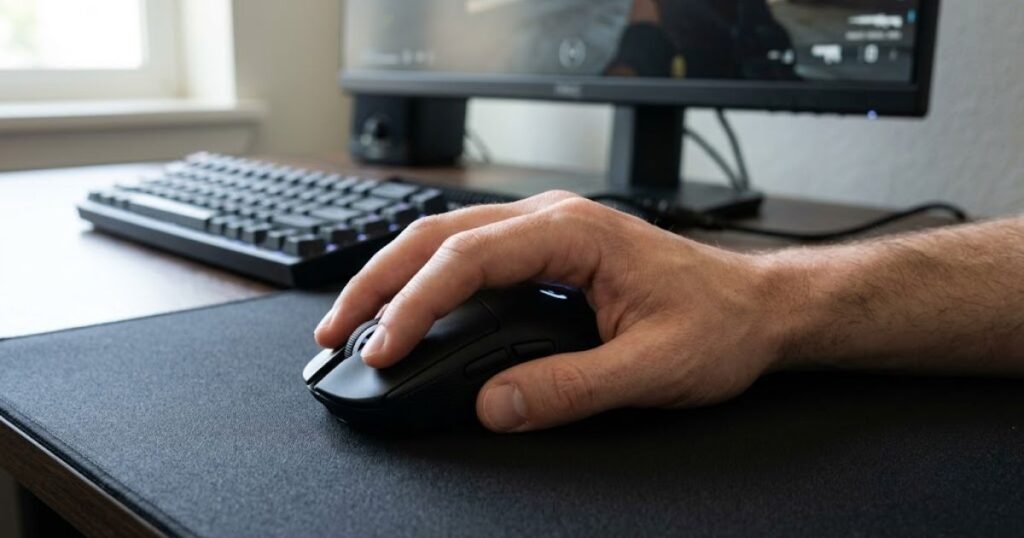
Many players believe they need to decide whether they should use Palm Grip, Claw Grip, or Fingertip Grip before they can improve their aim. In reality, your grip usually develops long before you ever think about these categories. Years of using a computer naturally shape how your hand interacts with a mouse, and that instinctive position often becomes your most stable grip for gaming.
What Defines a Natural Mouse Grip?
A natural mouse grip is defined by how your hand settles on the mouse when you stop thinking about technique. Instead of forcing your fingers into a position that feels unfamiliar, your body automatically chooses the posture that requires the least effort to control movement.
This grip is not determined by a single factor such as finger placement or palm contact. Rather, it is the combination of your entire hand working together to create smooth and repeatable movements. Because every player has unique physical characteristics, no single grip style can be considered universally correct.
Several physical and behavioral factors contribute to your natural grip:
- Your overall hand size and finger length.
- The width and shape of your palm.
- Your preferred wrist and arm movement while aiming.
- Years of everyday computer mouse usage.
- The overall shape and dimensions of the mouse you regularly use.
These factors work together to create a grip that feels effortless rather than forced. Understanding them is more valuable than trying to copy another player’s technique because they explain why different people naturally hold the same mouse in completely different ways.
Why Every Player’s Natural Grip Is Different
Every player’s natural mouse grip is different because no two hands move, rest, or control a mouse in exactly the same way. Small differences in anatomy, previous experience, and muscle memory influence how your hand naturally positions itself during gameplay.
For example, a player with longer fingers may naturally maintain more contact with the mouse shell, while someone with shorter fingers may instinctively rely on fingertip control. Likewise, players who primarily aim with their arm often distribute pressure differently than those who make faster wrist-based adjustments. Neither approach is inherently better because both are simply expressions of individual biomechanics.
It’s also important to remember that your natural grip isn’t based on what looks correct in photos or professional tournaments. Many elite FPS players succeed because they have spent thousands of hours refining the grip that feels most comfortable for their own hands, not because they all use the same technique.
Rather than asking, “Which grip should I copy?”, a better question is, “Which grip does my hand naturally return to every time I pick up a mouse?” That mindset creates a more reliable starting point for improving consistency, accuracy, and long-term comfort.
Understanding what defines a natural grip is the first step toward improving your aim. Before learning how to identify your own grip, it’s equally important to understand why discovering it can have such a significant impact on your performance during FPS games.
Why Is It Important to Find Your Natural Grip?
Finding your natural mouse grip is important because it allows your hand to move consistently without unnecessary tension or compensation. When your grip matches the way your hand naturally controls a mouse, aiming becomes more repeatable, long gaming sessions become more comfortable, and building muscle memory becomes significantly easier.
Many players immediately adjust their sensitivity, DPI, or mouse settings when their aim feels inconsistent. While those settings certainly matter, they cannot compensate for a grip that constantly changes or feels unnatural. Before optimizing hardware or in-game settings, it’s worth understanding why a natural grip creates a stronger foundation for every aspect of mouse control.
Better Aiming Consistency
A natural grip improves aiming consistency because your hand repeats the same movement patterns every time you play. Instead of constantly adjusting your fingers or changing how your palm contacts the mouse, your muscles begin performing familiar movements automatically, resulting in steadier tracking and more reliable flicks.
Consistency is one of the biggest differences between casual and experienced FPS players. High-level players rarely think about how they are holding their mouse during a match because their grip has already become second nature. This allows them to focus entirely on crosshair placement, positioning, and decision-making instead of correcting their hand position.
When your grip changes throughout a gaming session, your mouse movements also change. Even small differences in finger pressure or wrist angle can alter how you control recoil, micro-adjustments, and target tracking. A stable grip minimizes these variables, allowing your aim to remain predictable from one match to the next.
Developing consistent aim starts with consistent hand placement. Once your grip no longer changes unintentionally, every hour of practice contributes to building stronger and more reliable muscle memory.
More Comfort During Long Gaming Sessions
A natural grip increases comfort because your hand rests in a position that requires less muscular effort to maintain. Instead of forcing your fingers into an awkward posture, your joints remain relaxed, making it easier to play for extended periods without excessive fatigue.
Competitive FPS games often involve hundreds or even thousands of rapid mouse movements in a single session. When your grip feels forced, those repeated movements place unnecessary stress on your fingers, wrist, and forearm. Over time, this discomfort can become distracting and reduce your overall performance.
The comparison below illustrates how a relaxed grip supports consistent mouse control:
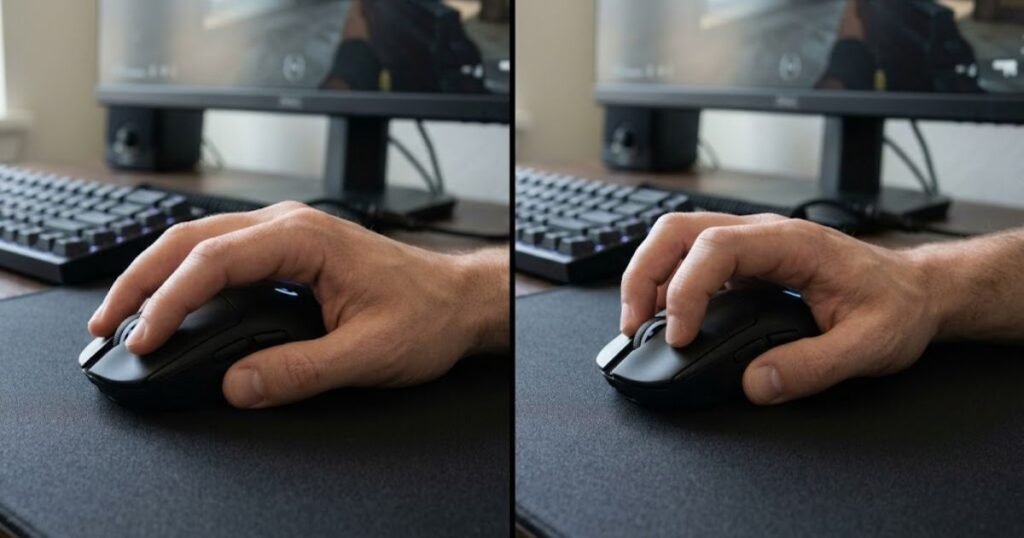
Comfort does not mean sacrificing control. In fact, a relaxed hand often provides smoother and more precise movements because your muscles are free to respond naturally instead of constantly resisting tension. Players who feel physically comfortable are also more likely to maintain the same grip throughout an entire gaming session.
Long-term comfort allows you to practice more consistently, recover more quickly between matches, and maintain stable mechanics during extended ranked sessions.
Reduced Unnecessary Muscle Tension
A natural grip reduces unnecessary muscle tension by allowing your fingers, palm, wrist, and forearm to work together instead of competing against each other. Less tension means smoother movements, better endurance, and fewer unconscious grip adjustments while aiming.
Many players unintentionally squeeze their mouse harder when they become nervous or concentrate during competitive matches. If the grip already feels unnatural, this additional tension makes precise aiming even more difficult. A relaxed grip gives your hand more freedom to perform both large swipes and fine corrections without feeling stiff.
Reducing muscular strain also helps maintain consistent performance throughout longer practice sessions. Rather than gradually losing precision as your hand becomes fatigued, you are more likely to preserve the same level of control from the beginning of a session to the final match.
The following comparison highlights how a natural grip differs from a forced grip in several key areas:
| Factor | Natural Grip | Forced Grip |
|---|---|---|
| Hand Position | Feels automatic and relaxed. | Requires conscious adjustment. |
| Aiming Consistency | Highly repeatable movement patterns. | Movement changes over time. |
| Comfort | Comfortable during long sessions. | Fatigue develops more quickly. |
| Muscle Tension | Minimal unnecessary tension. | Extra gripping pressure is common. |
| Learning Curve | Supports natural muscle memory. | Requires constant correction. |
| Long-Term Performance | More sustainable for competitive play. | May reduce consistency over time. |
As the comparison shows, a natural grip is not simply about comfort. It creates a stable foundation for consistent movement, efficient muscle memory, and long-term performance. By reducing unnecessary effort, your hand can focus on controlling the mouse rather than constantly correcting its own position.
Understanding why your natural grip matters explains the value behind discovering it. The next step is learning a practical method to identify your own grip through observation rather than guesswork.
How to Find Your Natural Grip Step by Step
You can find your natural mouse grip by observing how your hand instinctively holds a mouse without consciously trying to imitate a specific grip style. Instead of guessing whether you use Palm Grip, Claw Grip, or Fingertip Grip, the goal is to let your body reveal the position that feels most stable and effortless.
This process doesn’t require expensive equipment or aim training software. It only requires a comfortable gaming setup, a few minutes of observation, and the discipline to avoid forcing your hand into a position you’ve seen online. The following steps help you identify your natural grip before making any decisions about grip styles or gaming mice.
Prepare Your Mouse and Sitting Position
Before evaluating your grip, create a setup that reflects how you normally play FPS games. Your posture, desk height, chair position, and mouse placement all influence how your hand naturally approaches the mouse.
Avoid changing your sensitivity, switching mice, or experimenting with different arm positions during this test. The objective is to observe your existing habits rather than introducing new variables that could affect the result.
Before beginning the test, make sure your setup follows these basic guidelines:
- Sit in your normal gaming position.
- Place your mouse where you usually start a match.
- Rest your forearm naturally on your desk or armrest.
- Relax your shoulder instead of lifting it.
- Keep your wrist free to move without unnecessary tension.
Starting from a familiar environment allows your hand to behave naturally instead of adapting to an unfamiliar posture.
Let Your Hand Rest Naturally
The most important step is to stop thinking about grip styles entirely. Close your eyes if necessary, reach for your mouse the same way you normally would, and let your hand settle without making corrections.
This simple exercise helps reveal how your hand naturally holds a gaming mouse:
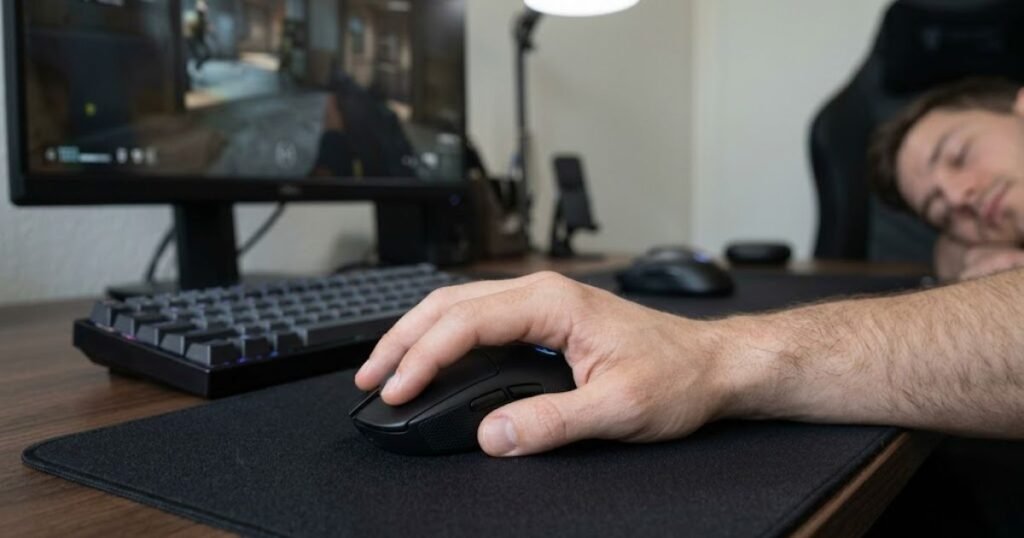
Many players unknowingly adjust their fingers because they believe a certain grip looks more “correct.” Doing so defeats the purpose of the test. Your first instinct is usually far more reliable than any position you consciously create.
Once your hand is resting on the mouse, avoid moving it for several seconds. Pay attention to where your palm makes contact, how your fingers naturally curve, and whether any part of your hand feels tense.
If your grip immediately feels comfortable without requiring adjustments, you’re already very close to identifying your natural grip.
Observe Your Palm Contact
The amount of palm contact provides one of the clearest clues about your natural grip. Rather than looking at your fingers first, examine how much of your palm naturally rests against the mouse shell.
Some players instinctively allow most of their palm to rest on the mouse, while others leave noticeable gaps between their palm and the mouse body. Neither approach is inherently better because each simply reflects a different way of controlling movement.
Instead of trying to classify your grip immediately, ask yourself questions such as:
- Does most of my palm touch the mouse?
- Is only the lower part of my palm making contact?
- Can I comfortably lift the mouse without changing my grip?
- Do I naturally keep space between my palm and the mouse?
These observations provide valuable information without forcing you to decide which grip style you use too early in the process.
Watch Your Finger Posture
After observing your palm, shift your attention to your fingers. Finger posture often reveals how your hand naturally balances precision, stability, and movement during aiming.
Notice whether your fingers lie relatively flat, arch upward, or remain mostly extended while resting on the mouse buttons. Also observe how much pressure you naturally apply when clicking instead of intentionally changing your posture.
Small differences in finger position are completely normal. The objective is not to create identical finger placement every time, but to identify the posture your hand repeatedly returns to without conscious effort.
When your finger position feels effortless, you’re observing a habit built through years of muscle memory rather than a technique you’re trying to imitate.
Test Your Movement in an FPS Game
The final step is confirming your observations during actual gameplay. Your natural grip should remain comfortable while performing the movements that occur most frequently in FPS games, including tracking, flicking, recoil control, and micro-adjustments.
Rather than focusing on your accuracy, pay attention to whether your grip remains stable as you move the mouse at different speeds. If you constantly reposition your fingers or adjust your palm during gameplay, your grip may not be as natural as it initially appeared.
Use the following sequence to evaluate your grip during gameplay:
- Play a familiar FPS game using your normal sensitivity.
- Perform several slow tracking movements across the screen.
- Practice medium-distance flicks toward stationary targets.
- Perform small micro-adjustments without changing your grip.
- Play for at least 15 to 20 minutes and observe whether your hand naturally stays in the same position.
If your grip remains comfortable throughout each stage without requiring conscious corrections, you’ve likely identified the position your hand naturally prefers. At this point, there’s no need to force another grip style simply because it works well for someone else.
Finding your natural grip is only the first step. The next stage is confirming whether the grip you’ve identified truly supports consistent performance or whether subtle signs indicate you’re still forcing your hand into an unnatural position.
How to Confirm You Found the Right Grip
Finding a comfortable hand position does not automatically mean you’ve discovered your natural grip. The right grip should remain consistent throughout gameplay, require very little conscious adjustment, and continue feeling comfortable even after extended gaming sessions.
Many players mistake a grip that feels acceptable for a few minutes as their natural grip, only to experience discomfort or inconsistency later. Instead of relying on first impressions alone, you should evaluate your grip using practical signs that appear during normal gameplay.
Signs Your Grip Feels Natural
A natural grip consistently feels stable because your hand returns to the same position without conscious effort. Rather than thinking about where your fingers or palm should be, your attention stays focused entirely on the game.
One of the strongest indicators is consistency. If your grip remains nearly identical every time you sit down to play, your body has likely developed reliable muscle memory around that position.
Common signs that you’ve found your natural grip include:
- Your hand automatically returns to the same position after lifting the mouse.
- Your fingers remain relaxed during both slow tracking and fast flicks.
- Your palm contact changes very little throughout a gaming session.
- You rarely think about your grip while playing.
- Your hand feels comfortable even after extended practice.
When these characteristics appear together, they suggest your grip supports both comfort and repeatable mouse control, making it a strong foundation for developing long-term aiming consistency.
Warning Signs You’re Forcing a Grip
A forced grip usually becomes noticeable because your hand constantly tries to reposition itself during gameplay. Instead of feeling automatic, every movement requires small corrections that interrupt your focus and make aiming less consistent.
Many players unintentionally force a grip after watching professional gamers or reading recommendations online. While there is nothing wrong with experimenting, repeatedly overriding what feels natural often creates unnecessary muscle tension and makes it harder to develop reliable muscle memory.
If you experience several of the following signs, your current grip may not be your natural one:
- Your fingers frequently change position between rounds.
- Your palm repeatedly slides forward or backward on the mouse.
- Your wrist becomes sore after relatively short gaming sessions.
- You constantly think about how you’re holding the mouse instead of focusing on the game.
- Your aim feels inconsistent even though your sensitivity hasn’t changed.
Experiencing one of these signs occasionally is normal. However, if several of them occur consistently, it’s worth reassessing whether your grip truly matches the way your hand naturally wants to control the mouse.
The table below summarizes the most reliable indicators for determining whether you’ve found your natural grip or are still forcing your hand into an uncomfortable position:
| Observation | Natural Grip | Forced Grip |
|---|---|---|
| Hand Position | Returns to the same position automatically. | Requires frequent adjustment. |
| Palm Contact | Remains consistent throughout gameplay. | Constantly shifts while aiming. |
| Finger Placement | Feels relaxed and repeatable. | Feels awkward or overly tense. |
| Comfort | Comfortable during long sessions. | Produces fatigue or discomfort. |
| Focus During Matches | Attention stays on the game. | Attention shifts to hand position. |
| Mouse Control | Movements feel predictable. | Movements feel inconsistent. |
As this checklist demonstrates, the best indicator of a natural grip isn’t how it looks, but how consistently it performs. A grip that feels effortless, repeatable, and comfortable over time is far more valuable than one that simply resembles the style used by professional players.
Which Grip Style Matches Your Natural Grip?
Your natural grip can usually be associated with one of the three primary mouse grip styles based on how your palm and fingers naturally contact the mouse. The goal isn’t to force yourself into a category but to recognize which grip style most closely reflects your instinctive hand position.
Different natural hand positions can reveal different grip tendencies:
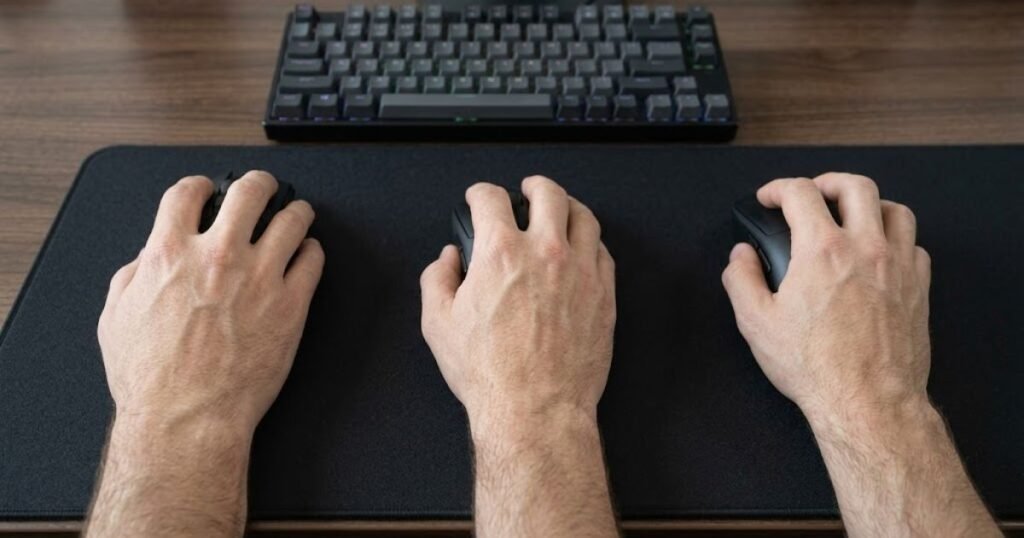
Once you’ve identified your natural movement pattern, learning about the different mouse grip styles can help you better understand why your hand behaves the way it does without encouraging unnecessary changes.
Your Hand Mostly Rests on the Mouse
If most of your palm naturally rests on the back of the mouse while your fingers remain relatively relaxed, your natural grip tends to prioritize stability over rapid finger movement.
Players with this type of hand position often prefer smooth tracking, predictable control, and comfortable support during long gaming sessions. Because a large portion of the hand stays in contact with the mouse, movements generally feel stable and require very little conscious effort.
The important observation is not how much of your palm touches the mouse compared to someone else’s, but whether this level of contact feels completely natural every time you begin playing.
Your Fingers Naturally Arch
If your fingers automatically curve upward while your palm makes only partial contact with the mouse, your hand naturally relies more on finger flexibility to control movement.
This posture allows your fingers to make quick adjustments while maintaining enough palm contact to keep the mouse stable. Many players instinctively adopt this position without realizing they’re doing anything differently because it simply matches the way their hand prefers to move.
If your fingers repeatedly return to this curved posture without conscious effort, it is likely part of your natural movement pattern rather than a technique you’ve intentionally learned.
Only Your Fingertips Control Movement
If your fingertips perform most of the work while your palm barely touches the mouse, your hand naturally favors mobility and fine finger control over broad palm support.
Players with this movement pattern often feel comfortable making rapid micro-adjustments because their fingers remain highly active throughout gameplay. Instead of resting heavily on the mouse, the hand stays light, allowing quick directional changes with minimal resistance.
The table below shows how common hand positions generally correspond to different natural grip tendencies. Use it as a reference rather than a strict rule, since individual hand shapes and mouse designs can influence the final result.
The table below outlines how different natural hand positions correspond to specific grip tendencies and performance characteristics:
| Natural Hand Position | Typical Characteristics | Likely Grip Tendency |
|---|---|---|
| Most of the palm rests on the mouse. | Stable movement and relaxed fingers. | Full palm-supported grip. |
| Partial palm contact with naturally curved fingers. | Balanced stability and finger control. | Hybrid grip with finger support. |
| Minimal palm contact with active fingertips. | High finger mobility and precise adjustments. | Fingertip-focused grip. |
This comparison isn’t meant to label your grip as right or wrong. Instead, it helps explain which movement pattern your hand naturally favors so you can build consistent mechanics around comfort rather than imitation.
Although your natural grip often remains consistent, it isn’t necessarily permanent. Several factors, including mouse shape, gaming habits, and long-term practice, can gradually influence how your hand interacts with a mouse over time.
What Can Change Your Natural Grip?
Your natural mouse grip is generally stable, but it isn’t permanently fixed. Changes in your gaming setup, hardware, playing habits, and even long-term muscle adaptation can gradually influence how your hand naturally interacts with a mouse. These changes usually happen over weeks or months rather than overnight.
Recognizing these influences is important because a grip that feels different doesn’t necessarily mean you’ve developed bad habits. Sometimes your hand simply adapts to new conditions, making small adjustments that improve comfort and control without changing your overall movement pattern.
Switching to a Different Mouse Shape
Changing to a mouse with a different shape is one of the most common reasons your grip may feel slightly different. The height of the hump, the width of the shell, the side curves, and the button placement all affect where your fingers and palm naturally rest.
For example, moving from a low-profile mouse to one with a taller rear hump may increase palm contact without you consciously trying to change your grip. Likewise, switching to a narrower mouse may encourage your fingers to wrap around the sides more naturally.
These adjustments are completely normal. Rather than forcing your old hand position onto a new mouse, allow yourself enough time to determine whether the new shape feels comfortable after several gaming sessions.
Playing Different FPS Games
Different FPS games emphasize different aiming mechanics, and those mechanics can subtly influence how your hand prefers to control the mouse over time.
A tactical shooter that rewards precise crosshair placement may encourage slower, more controlled movements, while a fast-paced arena shooter often requires rapid flicks and continuous tracking. As your movement patterns evolve, your grip may naturally adapt to support those demands more efficiently.
However, these adjustments are usually small refinements rather than complete changes. Your natural grip should still feel familiar even if your aiming style develops alongside the games you play most frequently.
Long-Term Muscle Adaptation
Muscle memory continues developing every time you practice. After months of consistent gameplay, your body may naturally refine small aspects of your grip to improve efficiency without you consciously noticing the changes.
These gradual adaptations often improve consistency because your muscles learn which movements require the least effort while maintaining reliable mouse control. This is why experienced players often describe their grip as feeling “automatic” rather than something they actively think about.
Several long-term factors can influence how your grip gradually evolves:
- Using the same mouse consistently for an extended period.
- Practicing similar aiming techniques every day.
- Improving wrist and arm coordination through repetition.
- Developing stronger overall mouse control.
- Building more efficient movement patterns through experience.
While these factors may slightly refine your grip over time, they rarely transform it into an entirely different style. Most improvements come from making your natural movement pattern more consistent rather than replacing it completely.
Does Mouse Size Affect Your Natural Grip?
Yes. Mouse size can influence how your hand naturally rests on the mouse, but it does not completely determine your natural grip. A mouse that fits your hand properly allows your natural movement pattern to remain consistent, while one that is significantly too large or too small may force unnecessary adjustments.
Rather than changing who you are as a player, mouse size mainly affects how comfortably you can maintain the grip your hand already prefers.
A Mouse That’s Too Small
A mouse that is too small often provides less support for your palm and fingers, causing your hand to compensate by gripping more tightly or repositioning more frequently. These adjustments can make your grip feel less stable during extended gaming sessions.
The illustration below shows how mouse size can influence natural hand positioning:
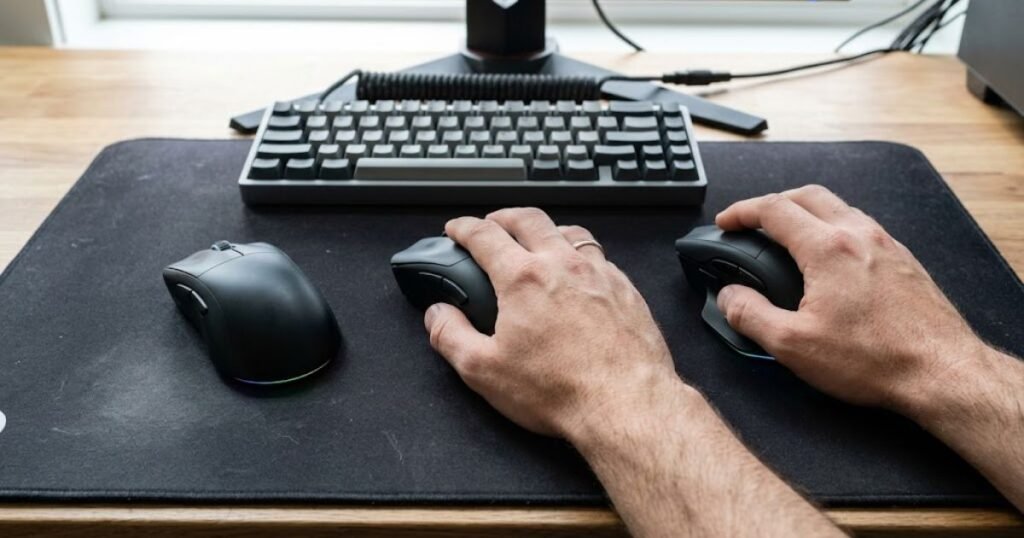
Although some players intentionally prefer compact mice, a mouse that is excessively small for your hand may reduce comfort instead of improving control. If you constantly feel the need to readjust your fingers or squeeze the mouse more firmly, the size may be contributing to the problem.
A Mouse That’s Too Large
A mouse that is too large can also interfere with your natural grip by limiting finger mobility and making it harder to reach buttons comfortably. Instead of allowing smooth movement, an oversized mouse may encourage unnecessary wrist rotation or awkward finger positioning.
When this happens, players often mistake the discomfort for poor technique when the actual issue is that the mouse simply doesn’t fit their hand comfortably.
Finding the Right Balance
The best mouse size is one that allows your hand to maintain its natural grip without forcing additional movement or pressure. Instead of searching for a universally perfect size, focus on whether your hand feels relaxed, repeatable, and stable throughout an entire gaming session.
The table below summarizes how different mouse sizes can influence your natural grip and overall comfort:
| Mouse Size | Possible Effect on Grip | Common Result |
|---|---|---|
| Too Small | Less palm support and increased finger compensation. | Frequent grip adjustments and reduced comfort. |
| Well-Fitted | Allows your hand to rest naturally. | Stable grip and consistent mouse control. |
| Too Large | Limits natural finger movement. | Reduced flexibility and unnecessary wrist movement. |
As this comparison shows, mouse size doesn’t create your natural grip, but it can either support or interfere with it. Choosing a mouse that fits your hand allows your natural movement pattern to develop without unnecessary compensation, making long-term consistency easier to achieve.
Even after identifying your natural grip and using an appropriately sized mouse, some habits can still prevent you from performing consistently. Understanding these common mistakes helps you avoid unintentionally working against your own mechanics.
Common Mistakes When Trying to Find Your Natural Grip
Finding your natural mouse grip is usually a process of observation rather than correction. However, many FPS players unknowingly make changes that interfere with what their hand naturally wants to do. These mistakes often create inconsistency, increase muscle tension, and make it more difficult to develop reliable aim over time.
The goal isn’t to build a “perfect” grip. Instead, it’s to remove habits that prevent your natural grip from remaining consistent during gameplay.
Copying Professional Players
One of the most common mistakes is trying to copy the grip of a professional FPS player simply because they perform at a high level. While professional players can provide useful inspiration, their grip has been shaped by years of practice, individual anatomy, preferred equipment, and personal muscle memory.
Two players using the same gaming mouse may naturally hold it in completely different ways while achieving equally impressive results. Attempting to force your hand into someone else’s grip often creates unnecessary tension instead of improving your mechanics.
Rather than asking which grip a professional player uses, ask whether your own grip feels stable, repeatable, and comfortable throughout an entire gaming session.
Changing Your Grip Too Often
Another common mistake is constantly switching grips after every poor match or aim training session. Building consistent mouse control requires repetition, and frequent changes prevent your muscles from developing dependable movement patterns.
Many players mistake temporary inconsistency for choosing the wrong grip. In reality, factors such as fatigue, focus, or confidence often have a much greater impact on performance than small differences in hand position.
If your grip already feels comfortable and natural, give yourself enough time to build muscle memory before deciding that another grip style might be better.
Choosing a Grip Before Choosing Comfort
Some players decide they want to use a particular grip style before they even understand how their hand naturally rests on a mouse. This reverses the learning process and often leads to unnecessary adjustments throughout gameplay.
Your grip should develop from comfort first, with grip classification becoming the result rather than the starting point. When your hand feels relaxed and your movements become consistent, identifying your grip becomes much easier without forcing unnecessary changes.
The following habits are worth avoiding while trying to discover your natural grip:
- Changing your grip after every gaming session.
- Comparing your hand position with professional players instead of your own comfort.
- Using discomfort as proof that a new grip is “working.”
- Switching mice repeatedly before adapting to one shape.
- Thinking about your grip during every fight instead of focusing on gameplay.
Avoiding these habits allows your hand to build consistent movement patterns naturally instead of constantly restarting the learning process.
When Should You Change Your Natural Grip?
Most players do not need to intentionally change their natural mouse grip. If your grip feels comfortable, remains consistent, and allows you to aim confidently without discomfort, there is usually little reason to replace it. However, certain situations may justify making gradual adjustments.
The key difference is understanding whether you’re improving your mechanics or simply forcing your hand into an unfamiliar position because it looks more effective.
Situations Where Changing Makes Sense
Making small adjustments can be beneficial when your current grip consistently causes discomfort or limits your ability to control the mouse. In these cases, your objective should be improving comfort rather than chasing another grip style.
You may consider experimenting with gradual changes if:
- Your wrist or fingers frequently become sore during normal gameplay.
- Your grip constantly shifts without you noticing.
- A new mouse shape naturally encourages a more comfortable hand position.
- You cannot comfortably reach the primary mouse buttons.
- Your grip creates unnecessary tension during aiming.
Even in these situations, adjustments should be gradual. Small refinements allow your muscles to adapt more effectively than completely replacing your grip overnight.
Situations Where You Should Keep Your Natural Grip
If your grip already feels comfortable, stable, and repeatable, changing it simply because another player uses a different style is rarely beneficial. Consistency is generally more valuable than constantly searching for a supposedly better grip.
Many experienced FPS players continue using nearly the same grip for years because it supports reliable muscle memory. Once your body has learned an efficient movement pattern, preserving that consistency usually produces better long-term results than repeatedly experimenting with new techniques.
If your hand naturally returns to the same position every time you play and your movements remain comfortable throughout long sessions, your attention is better spent practicing aim and game mechanics instead of reinventing your grip.
What Should You Do After Finding Your Natural Grip?
Finding your natural grip is not the finish line. It provides a foundation that allows every other aspect of your setup and practice routine to become more consistent. Once you understand how your hand naturally controls a mouse, your next priority should be supporting that movement pattern instead of changing it.
Choose a Mouse That Fits Your Grip
A gaming mouse should complement your natural hand position rather than forcing you to adapt to an uncomfortable shape. Features such as size, hump placement, side curves, and button positioning should allow your grip to remain consistent throughout extended gaming sessions.
Choosing equipment that complements your natural grip is the next step:
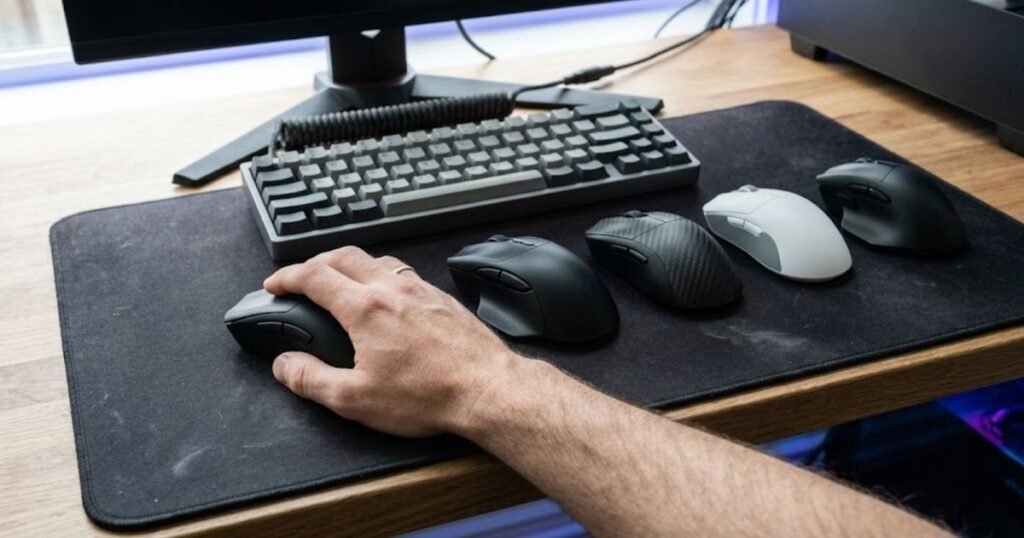
Instead of choosing a mouse based only on popularity or professional recommendations, evaluate whether it allows your hand to maintain the same comfortable position every time you begin playing.
When selecting your next mouse, consider exploring comprehensive gaming mouse recommendations that match different grip preferences and FPS playstyles.
Build Muscle Memory Through Consistent Practice
Once you’ve identified a comfortable grip and paired it with suitable equipment, the next step is consistency. Repeating the same grip, sensitivity, and movement patterns allows your muscles to develop reliable coordination over time.
Frequent equipment changes or constant grip adjustments interrupt this process and slow long-term improvement. Instead, allow your mechanics to develop naturally through regular practice while keeping your setup as consistent as possible.
Improving aim is rarely about discovering a secret grip. It’s about allowing your body to repeat efficient movements until they become automatic through experience.
If you’re ready to choose equipment that supports your natural grip, our guide to the best gaming mouse for FPS games explains how different mouse shapes, sizes, and designs complement various hand positions without forcing unnecessary adjustments.
Understanding your natural grip provides the foundation for better mouse control, but long-term improvement ultimately comes from combining comfortable equipment with consistent practice. Before wrapping up, let’s answer some of the most common questions players have after identifying their natural grip.
Frequently Asked Questions
After identifying their natural mouse grip, many FPS players still have questions about grip consistency, mouse selection, and long-term improvement. The answers below address the most common concerns while reinforcing the key principles discussed throughout this guide.
What is a natural mouse grip?
A natural mouse grip is the way your hand automatically rests on a mouse without consciously trying to imitate a particular grip style. It is the position that feels the most comfortable, consistent, and effortless during gameplay.
Is my natural grip always the best choice?
In most cases, yes. A grip that feels comfortable and remains consistent throughout long gaming sessions usually provides a stronger foundation for developing reliable mouse control than forcing a different grip that feels unnatural.
Can my natural grip change over time?
Yes. While your overall grip tendency usually remains stable, factors such as a new mouse shape, years of practice, or changes in gaming habits can gradually refine how your hand naturally interacts with a mouse.
Does hand size determine my natural grip?
No. Hand size influences how your hand contacts a mouse, but it does not determine your natural grip by itself. Mouse shape, movement habits, and personal comfort all contribute to how your grip develops.
How can I test my natural grip at home?
Place your hand on your mouse without thinking about grip styles, play a familiar FPS game for 15 to 20 minutes, and observe whether your hand naturally returns to the same position throughout the session.
Can switching to a new mouse change my grip?
It can influence your grip slightly because different mouse shapes provide different levels of palm support and finger placement. However, a properly fitting mouse should complement your natural grip rather than completely changing it.
Should I train a different grip style?
Only if your current grip consistently causes discomfort or limits your mouse control. Otherwise, improving the grip that already feels natural is generally a more effective long-term approach.
How long does it take to adapt to a grip?
If you make small adjustments, your muscles typically require several weeks of consistent practice before new movement patterns begin to feel automatic. Constantly changing your grip slows this adaptation process.
Is a natural grip better than copying professional players?
For most players, yes. Professional gamers succeed because they have refined the grip that fits their own hands over thousands of hours of practice, not because everyone uses the same grip style.
Why does my grip feel different on a new mouse?
Different mouse dimensions, hump placement, side curves, and overall shape change how your hand naturally contacts the mouse. Feeling slightly different during the adjustment period is completely normal.
Can the wrong grip reduce aiming accuracy?
Yes. A grip that feels forced often creates unnecessary muscle tension and inconsistent hand positioning, making precise tracking and flick shots more difficult to repeat consistently.
What’s the easiest way to identify my natural grip?
The easiest method is to stop thinking about grip styles altogether. Simply pick up your mouse as you normally would, play naturally, and observe the position your hand repeatedly returns to without conscious adjustment.
Final Thoughts
Finding your natural mouse grip isn’t about choosing the grip that looks the most professional or copying the habits of high-level FPS players. It’s about understanding how your own hand naturally controls a mouse and building consistent mechanics around that movement pattern.
Once your grip feels comfortable and repeatable, every aspect of your gameplay becomes easier to improve. Aim training becomes more productive, muscle memory develops more reliably, and long gaming sessions become less physically demanding because your hand no longer wastes energy fighting an unnatural position.
Remember that consistency matters far more than perfection. Small differences in hand position are completely normal, and there is no single grip that works for every player. The most effective grip is the one your hand naturally returns to every time you sit down to play.
If you’re looking for more practical FPS gaming guides and evidence-based advice on gaming mice, aiming techniques, and gaming peripherals, visit GearTP to continue improving your setup with information designed specifically for competitive FPS players.
Thank you for reading.