
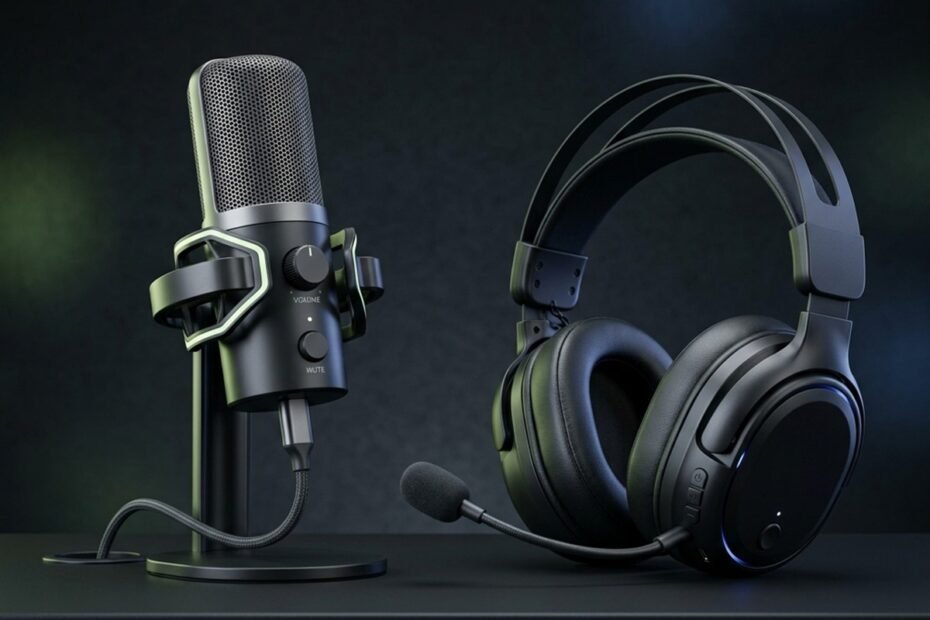
In competitive multiplayer gaming, clear voice communication can determine whether a tactical callout results in a round-winning trade or total team disorientation. Gamers constantly debate whether upgrading from an integrated headset boom microphone to a dedicated standalone desktop microphone delivers a practical competitive advantage or merely adds expensive desk clutter.
While standalone microphones provide superior acoustic fidelity due to significantly larger transducer diaphragms, modern esports headsets offer unparalleled physical convenience and natural room noise rejection by keeping the capsule directly in front of your mouth. In this comprehensive comparison between a gaming mic vs headset mic, we analyze electro-acoustic capsule dimensions, mechanical keyboard noise isolation, desk ergonomics, and budget allocation to help you determine the optimal audio investment for your battlestation.
The Core Acoustic Differences: Capsule Size and Sound Capture
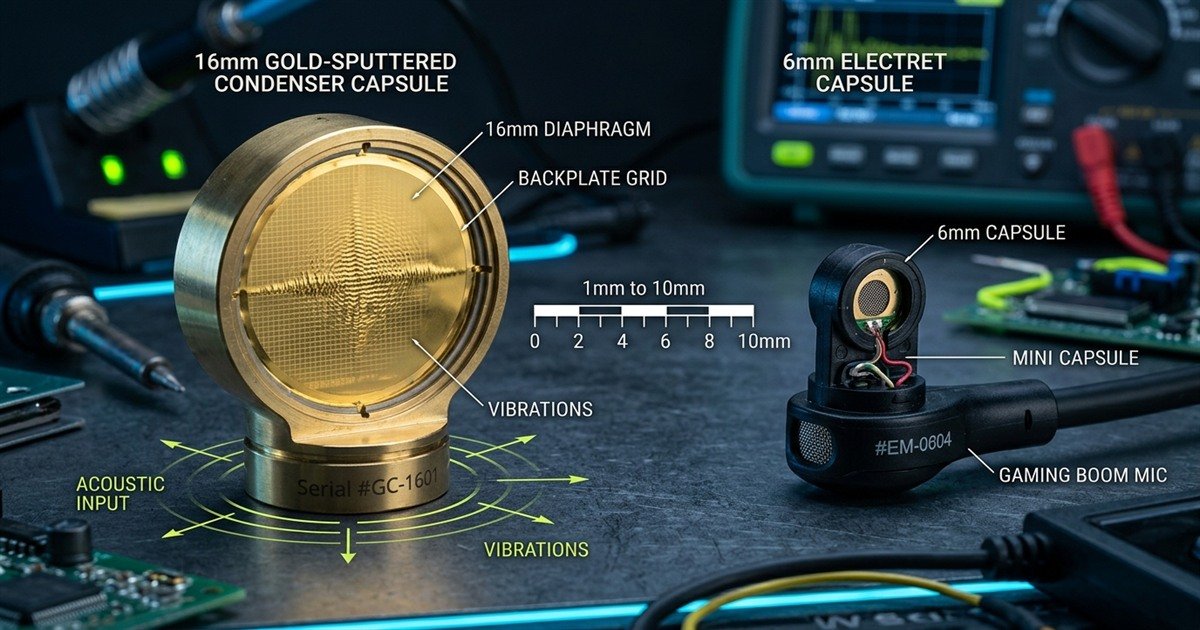
Standalone microphones capture significantly richer vocal frequencies because their diaphragms measure 14 mm to 25 mm, compared to 4 mm to 6 mm capsules in headset mics. However, headset capsules compensate by maintaining a fixed two-centimeter proximity to your lips.
The primary factor separating standalone desktop microphones from headset boom microphones is physical capsule architecture. A microphone is an electro-acoustic transducer that converts vibrating sound waves into an electrical signal. The physical surface area of the vibrating diaphragm dictates how much acoustic energy the capsule gathers from the surrounding air. When evaluating what is a gaming microphone at an engineering level, capsule diameter represents the foundational hardware baseline governing signal-to-noise ratio and frequency responsiveness.
Integrated gaming headsets must house their microphone capsule inside a miniature plastic boom arm that weighs only a few grams and does not obstruct the player field of vision. Consequently, headset manufacturers utilize miniature electret condenser capsules measuring between 4 mm and 6 mm in diameter. While engineering advancements have made these micro-capsules remarkably intelligible, their tiny surface area cannot gather the broad acoustic energy required to reproduce deep chest resonance and subtle vocal textures.
Acoustic and hardware specification comparison between standalone gaming microphones and headset boom microphones:
| Electro-Acoustic Specification | Standalone Desktop Microphone | Headset Boom Microphone | Practical Gaming Impact |
|---|---|---|---|
| Capsule Diameter | 14 mm to 25 mm (Large Diaphragm) | 4 mm to 9.9 mm (Micro-Electret) | Larger capsules capture natural low-end vocal resonance without electronic boost |
| Frequency Response | 20 Hz to 20,000 Hz (Full Bandwidth) | 100 Hz to 10,000 Hz (Speech Bandwidth) | Headsets intentionally roll off low frequencies to prioritize tactical callout clarity |
| Signal-to-Noise Ratio (SNR) | 70 dB to 80 dB (Low Self-Noise) | 50 dB to 60 dB (Audible Electronic Hiss) | Standalone capsules produce cleaner recordings with minimal background preamp hiss |
| Max Sound Pressure Level (SPL) | 120 dB to 135 dB SPL | 105 dB to 115 dB SPL | Standalone mics tolerate loud celebratory shouting without harsh digital clipping |
| Dynamic Range | 95 dB to 110 dB | 75 dB to 85 dB | Standalone units preserve soft whispers and intense tactical callouts with equal clarity |
As demonstrated in the technical comparison above, standalone microphones outperform miniature headset capsules across every fundamental acoustic measurement. However, in pure competitive matchmaking, high-fidelity sub-bass response is not strictly necessary for tactical comprehension. In titles like Counter-Strike 2 and Valorant, speech intelligibility between 1 kHz and 4 kHz is what ensures callouts are instantly processed during gunfire.
Macro acoustic engineering comparison between large condenser diaphragms and miniature headset capsules:
Capsule Dimensions and Low-Frequency Vocal Warmth
Standalone microphones produce natural vocal warmth because larger diaphragms vibrate sympathetically with low frequencies down to 20 Hz, preventing the thin or nasal tone common to headset microphones.
Human speech produces fundamental vocal frequencies ranging from 85 Hz to 180 Hz for male voices and 165 Hz to 255 Hz for female voices, accompanied by higher harmonics extending past 8 kHz. Miniature 4 mm headset capsules struggle to respond accurately to long sound waves below 150 Hz. To prevent electrical overload, headset manufacturers tune their internal analog circuitry with a steep high-pass filter that cuts off lower frequencies entirely. This engineering compromise prevents muffled breathing but leaves voice communications sounding compressed, thin, and distinctly radio-like.
In contrast, a 16 mm or 25 mm diaphragm on a standalone USB or XLR microphone vibrates effortlessly across the entire 20 Hz to 20,000 Hz human hearing spectrum. When positioned 10 to 15 centimeters from your mouth, a standalone directional capsule takes advantage of the acoustic proximity effect, enhancing lower-frequency presence. This acoustic phenomenon gives your voice the full, authoritative broadcast tone favored by podcasters, content creators, and competitive streamers.
Background Noise Rejection and Proximity to Sound Sources
Headset microphones excel at ambient noise rejection by placing the capsule two centimeters from your lips, generating a massive signal-to-noise advantage over distant desk microphones in untreated rooms.
The inverse-square law of acoustics dictates that sound pressure level decreases by approximately 6 dB every time the distance from the sound source doubles. Because a headset boom microphone sits approximately 2 centimeters away from your mouth, your voice arrives at the capsule at an intense acoustic volume relative to ambient background sounds. Even if a mechanical keyboard or air conditioner is operating in the room, your vocal signal enters the headset capsule at a level 15 dB to 25 dB louder than surrounding ambient noise.
Standalone desktop microphones typically operate at a working distance of 15 to 30 centimeters away from the player face to avoid blocking monitor visibility. At this greater distance, your vocal energy drops substantially before striking the diaphragm. To compensate, you must increase preamplifier gain, which simultaneously amplifies keyboard switch clicks, PC cooling fans, and room wall reflections. Unless you mount the standalone unit on an articulated arm near your face, a budget headset microphone can paradoxically deliver cleaner background isolation in a noisy household.
Practical Desk Ergonomics and Setup Convenience
Headset microphones offer zero desk footprint and maintain consistent vocal volume regardless of head movement. Standalone microphones require dedicated desk mounting hardware and strict positioning discipline to avoid obstructing wide mouse flicks.
Beyond acoustic frequency reproduction, physical workspace ergonomics represent the most significant practical differentiator between these two audio categories. Professional esports athletes who compete in first-person shooters operate with low effective DPI settings, requiring large 450 mm to 500 mm mousepads to execute sweeping arm movements. Introducing audio hardware onto the desktop introduces spatial trade-offs that can directly impact in-game mechanical performance.
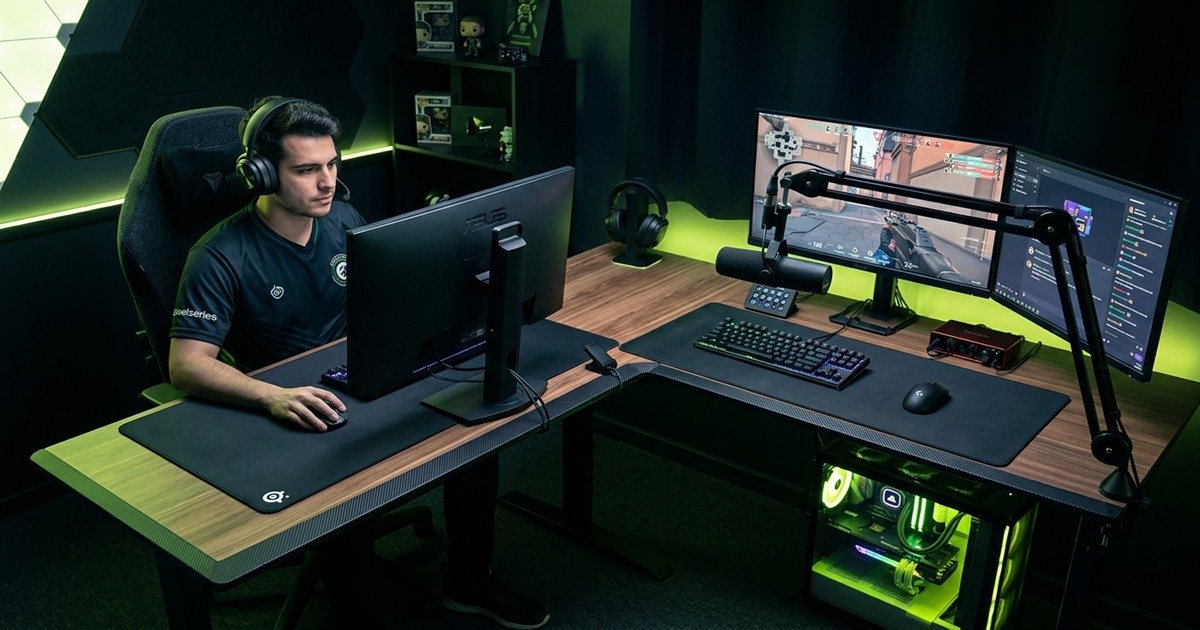
Battlestation desk layout comparing headset mobility against standalone boom arm clearance:
Desk Space Clutter and Mouse Flick Clearances
Placing a standalone microphone on an included desk stand creates a physical barrier that restricts mouse flick trajectory and absorbs keyboard desk vibrations directly into the audio feed.
Most USB gaming microphones ship with a heavy cast-iron or steel desktop stand. While convenient for initial plug-and-play setup, placing this stand directly in front of your keyboard positions the capsule 30 to 40 centimeters away from your mouth, directly in the acoustic shadow between your face and mechanical switches. Worse, positioning the stand to the right or left side of your keyboard encroaches directly onto your mousepad surface. During fast 180-degree turnarounds in tactical shooters, players frequently strike desktop microphone stands with their gaming mice, causing jarred aim and deafening acoustic clatters across Discord.
To eliminate this hazard, standalone microphones require an articulated boom arm clamped to the rear or side edge of your desk. A quality boom arm elevates the microphone chassis off the desk surface, suspending it safely above your monitor sightline and completely clearing your mousepad travel zone. Headset microphones bypass this spatial dilemma entirely, consuming zero desk surface area and leaving your battlestation completely open for unrestricted mouse movement.
Consistent Mouth-to-Capsule Distance During Movement
A headset boom microphone moves synchronously with your skull, maintaining perfectly identical input volume whether you sit upright, lean backward, or turn to view a secondary monitor.
During extended gaming sessions lasting several hours, posture shifts are inevitable. Gamers frequently lean back into their chairs, stretch, or turn their heads to communicate with people in the room or inspect stream chat on a secondary display. Because a headset boom arm is mechanically anchored to the headphone ear-cup, the physical distance between your lips and the microphone capsule remains completely invariant.
Standalone microphones require strict physical positioning discipline. When you speak into a directional cardioid standalone capsule, moving your mouth just 10 centimeters backward cuts input volume by roughly half and introduces noticeable room reverberation. If you turn your head sideways while executing an intense tactical callout, your voice strikes the off-axis rejection null of the microphone, making your callout sound muffled and distant to your teammates. Maintaining consistent vocal levels on a standalone microphone requires you to stay anchored in a fixed physical sweet spot throughout competitive play.
Mechanical Keyboard Clatter and Desk Vibration Handling
Desk-mounted microphones amplify keyboard switch impacts through physical desk resonance unless isolated by an elastic shock mount. Headset microphones isolate desk vibrations naturally but remain susceptible to plosive breath puffs.
Competitive PC gaming involves aggressive physical interaction with mechanical keyboards and rapid mouse landings. When a player slams their mouse during a high-speed reset or rapidly taps linear mechanical switches, shockwaves travel through the wooden or metal desk frame. How audio hardware responds to these mechanical vibrations significantly affects the listening comfort of your Discord channel.
Mechanical vibration and ambient noise transmission across mounting methods:
| Environmental Noise Source | Headset Boom Microphone Response | Standalone Desktop Microphone Response | Optimal Isolation Strategy |
|---|---|---|---|
| Mechanical Switch Clicks | Attenuated by 15 dB to 20 dB via close mouth proximity | Heavily captured if mic sits on desk stand near keyboard | Use cardioid capsule on elevated boom arm aimed away from keys |
| Desk Shocks / Mouse Slams | Completely isolated; zero mechanical contact with desk | Transmitted as booming sub-bass thumps through desk stand | Install elastic suspension shock mount on an articulated boom arm |
| PC Chassis Fan Noise | Minimal pickup; low sensitivity to distant ambient sound | Easily captured by sensitive condenser diaphragms | Utilize dynamic transducer capsule and configure Discord Krisp noise suppression |
| Heavy Breathing / Plosives | Prone to popping if capsule aligns directly with nostrils | Resistant when positioned 45 degrees off-axis from mouth | Equip headset with high-density foam; install dual-mesh pop filter on desk mic |
The comparative data above highlights a fundamental acoustic trade-off: headset microphones isolate physical desk impacts effortlessly through body decoupling, while standalone desktop microphones require specialized mounting accessories to avoid turning aggressive keyboard play into deafening Discord thumps.
Why Desk-Mounted Microphones Amplify Mechanical Switch Vibrations
Solid desk stands act as acoustic conductors that transmit physical switch bottoming-out forces directly into the microphone capsule, causing harsh low-frequency rumbles.
When you place a standalone microphone on its default metal desk stand, the microphone chassis forms a rigid physical bridge with your desk surface. Whenever you hammer your Spacebar or violently reposition your mousepad during an intense firefight, mechanical energy travels through the tabletop, up the metal stand, and directly vibrates the sensitive capsule diaphragm. This produces an intense low-frequency rumble known as structure-borne noise.
To eliminate structure-borne vibrations, standalone setups require an elastic shock mount. A shock mount suspends the microphone inside an interlaced web of elastic fabric bands, mechanically decoupling the microphone body from external desk vibrations. When paired with a boom arm clamped to the edge of the desk, structure-borne noise is completely eliminated, allowing the capsule to record only airborne sound waves.
Headset Mic Resistance to Desk Shocks and Susceptibility to Breath Puffs
Headset microphones naturally bypass desk vibrations because they rest on your skull, but their tight proximity makes them vulnerable to harsh breath plosives without proper windscreen placement.
Because gaming headsets rest on your head, they are completely decoupled from your desk. You can slam your mouse, bang your keyboard, or kick your desk frame without transmitting a single decibel of mechanical shock into the headset microphone feed. For aggressive competitive gamers who play on hollow or thin desks, this mechanical isolation is an outstanding inherent benefit.
However, the proximity that protects headset microphones from ambient room noise creates vulnerability to vocal breath blasts, known acoustically as plosives. When pronouncing harsh consonants like P, B, and T, your mouth expels high-velocity bursts of air. If a headset boom capsule is positioned directly in front of your lips or beneath your nostrils, these air blasts strike the bare diaphragm, creating explosive popping distortion that hurts your teammates ears. To prevent plosive distortion, you must position the boom capsule slightly below your bottom lip or off to the corner of your mouth, and ensure a dense foam windscreen covers the grille.
Cost Analysis and Value Proposition for Competitive Players
All-in-one gaming headsets deliver maximum value below 100 USD by combining audio playback and voice capture into a single purchase. Standalone audio setups provide superior longevity and modularity but require higher financial investment.
When planning an audio upgrade, players must consider total hardware lifecycle costs. An integrated gaming headset bundles audio drivers, internal sound processing, headband clamping mechanisms, and a boom microphone into an all-in-one consumer package. When any component fails, such as the cable wearing out or the headband breaking, the entire headset must be replaced.
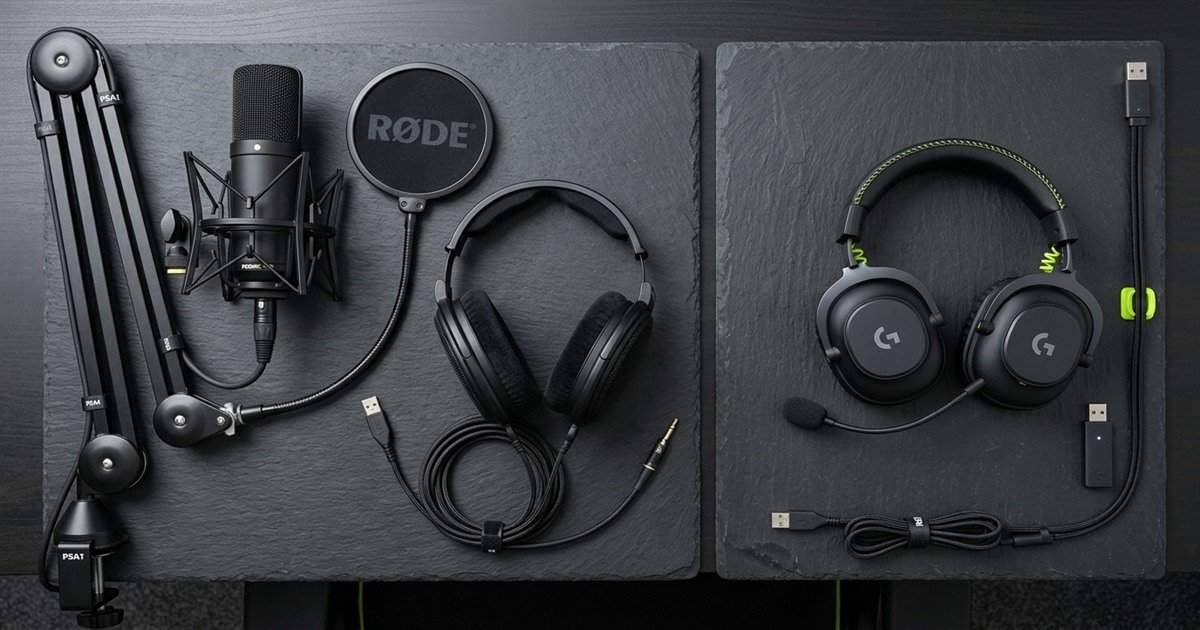
A standalone audio chain separates voice recording from headphone playback. This modular separation allows you to pair a dedicated USB or XLR microphone with audiophile open-back studio headphones, upgrading individual components over time without discarding working equipment.
Budget allocation pathways and hardware component scaling across gaming audio investment tiers:
| Audio Investment Tier | All-in-One Gaming Headset Setup | Modular Standalone Microphone Setup | Ideal User Profile and Practical Value |
|---|---|---|---|
| Under 50 USD | Budget wired headset with integrated 3.5 mm electret boom mic | Entry-level desktop USB mic on stock stand plus budget earbuds | Headset delivers far higher practical utility; entry standalone mics pick up excessive room noise |
| 60 to 120 USD | Mid-tier wireless esports headset with noise-rejecting boom capsule | Mid-tier USB cardioid microphone with desk stand and basic headphones | Sweet spot for headsets; wireless freedom and clean callouts without desk mounting hardware |
| 150 to 250 USD | Premium wireless headset with high-bandwidth 32 kHz wireless boom mic | Broadcast-grade USB or dynamic mic on boom arm paired with open-back cans | Standalone chain pulls ahead significantly in vocal fidelity, streaming warmth, and long-term modularity |
| Over 300 USD | Flagship audiophile gaming headset with dual wireless connectivity | XLR dynamic broadcast microphone, audio interface, boom arm, reference monitors | Dedicated to professional content creators, daily Twitch streamers, and broadcast voiceover talent |
As outlined in the financial analysis above, if your total audio budget is under 120 USD, investing the entire amount into a high-quality gaming headset yields the best competitive experience. Splitting a tight budget between a cheap standalone microphone and flimsy headphones results in compromised performance on both sides of the audio chain.
Modular component breakdown of dedicated standalone audio chains versus all-in-one gaming headsets:
Decision Framework: Which Option Suits Your Gaming Needs?
Choose a gaming headset if you prioritize zero desk clutter, wireless mobility, and clean competitive callouts in noisy rooms. Choose a standalone microphone if you stream, record content, or demand broadcast-grade vocal richness.
To eliminate purchasing hesitation and choose the correct audio solution for your specific setup, follow this methodical four-step evaluation sequence before spending your hardware budget.
Follow this four-step diagnostic sequence to determine whether you need a standalone microphone:
- Step 1 – Evaluate your primary vocal communication platform: If your microphone use is strictly limited to Discord squad channels and in-game tactical callouts in Counter-Strike 2 or Valorant, the compressed Opus audio codec limits fidelity benefits, making a quality headset mic completely sufficient. If you stream to Twitch, record YouTube guides, or attend professional corporate video conferences, a standalone microphone provides tangible broadcast presence.
- Step 2 – Measure your battlestation mouse flick radius: Inspect your desk surface area. If you use a large 450 mm mousepad and play with low sensitivity, you cannot accommodate a desktop microphone stand without risking mouse collisions. Only commit to a standalone microphone if you have sufficient edge-clamping desk space to install an articulated boom arm that suspends the microphone above your playing zone.
- Step 3 – Audit your room acoustic reflectivity: Clap your hands loudly in your gaming room. If you hear a sharp, metallic slap-back echo, your room has hard reflective walls and zero acoustic dampening. A sensitive standalone condenser microphone will capture these hollow room reflections, making you sound like you are speaking from a bathroom. In untreated rooms, a headset boom mic or dynamic standalone capsule is essential.
- Step 4 – Perform a free voice benchmark test with your teammates: Before purchasing new audio gear, record your current headset microphone using Audacity or the Discord mic test utility. Adjust your Windows microphone level to 75 percent, move the boom capsule slightly off-axis to eliminate breathing pops, and enable automated noise suppression. If your teammates confirm your callouts are clear and intelligible, an expensive hardware upgrade is unnecessary.
For pure competitive FPS matchmaking where callout speed and clear desk space rule supreme, a well-tuned gaming headset mic is 100% sufficient. Upgrade to a dedicated standalone microphone only when you start streaming, recording voiceover content, or feeling ear fatigue from headset clamping pressure. To explore the broader peripheral ecosystem, consult our comprehensive guide to gaming microphones.
Frequently Asked Questions
What is the fundamental difference between a gaming mic and a headset mic?
A standalone gaming microphone features a large 14 mm to 25 mm diaphragm resting on a desk or boom arm, while a headset mic uses a miniature 4 mm to 6 mm electret capsule anchored to an ear-cup.
Does a dedicated gaming microphone make your voice louder?
No, a dedicated microphone does not automatically make your voice louder. Input volume is governed by preamplifier gain calibration and mouth distance; standalone microphones simply capture broader frequency detail without electronic distortion.
What is capsule self-noise in headset microphones?
Capsule self-noise is the faint electronic hiss generated by miniature microphone circuitry. Miniature headset capsules require higher electrical amplification to capture sound, resulting in a higher noise floor than large standalone capsules.
Can a headset microphone achieve broadcast audio quality?
Premium headsets with wideband 32 kHz wireless transmission or high-output electret capsules achieve remarkable voice clarity, but physical capsule size limits prevent them from matching the deep acoustic warmth of studio standalone microphones.
Why do standalone microphones pick up more keyboard noise than headsets?
Standalone microphones pick up more keyboard noise because they operate 15 to 30 centimeters away from your mouth, requiring higher gain amplification that captures ambient mechanical switch clicks in the room.
How does mouth distance affect speech intelligibility?
Under the acoustic inverse-square law, doubling the distance between your lips and the microphone drops vocal signal volume by 6 dB, forcing higher preamplifier gain that amplifies room reverb and background distractions.
Does Discord voice compression negate the benefits of an expensive microphone?
Discord compresses voice streams to 48 kHz Opus audio between 32 kbps and 96 kbps. While high-end studio nuances are compressed, a clean, unclipped input signal still sounds dramatically fuller and cleaner than a distorted headset mic.
Do USB gaming microphones cause input latency compared to 3.5mm headsets?
No, integrated USB analog-to-digital converters process audio with sub-millisecond conversion latency that is completely imperceptible and dwarfed by online network ping times (20 ms to 60 ms).
Is a standalone microphone necessary for competitive FPS esports?
No, professional esports players exclusively use headset boom microphones during tournaments because LAN stage noise isolation, skull mobility, and unobstructed mousepad flick clearances take absolute priority over studio vocal warmth.
How can you make a budget headset microphone sound significantly better?
Position the capsule 2 centimeters away slightly below your lower lip, install a dense foam windscreen to eliminate plosives, lower Windows microphone level to 75 percent, and enable Discord Krisp noise suppression.
Why do streamers use standalone microphones instead of gaming headsets?
Streamers prioritize vocal broadcast presence, physical tap-to-mute hardware switches, real-time zero-latency sidetone monitoring, and the ability to wear comfortable studio in-ear monitors or open-back headphones during eight-hour broadcasts.
When should a gamer prioritize a microphone upgrade over a headphone upgrade?
Prioritize headphones first if your primary goal is tactical spatial awareness and hearing enemy footsteps in competitive shooters. Only prioritize a microphone upgrade if your current mic produces severe distortion or you begin streaming.