
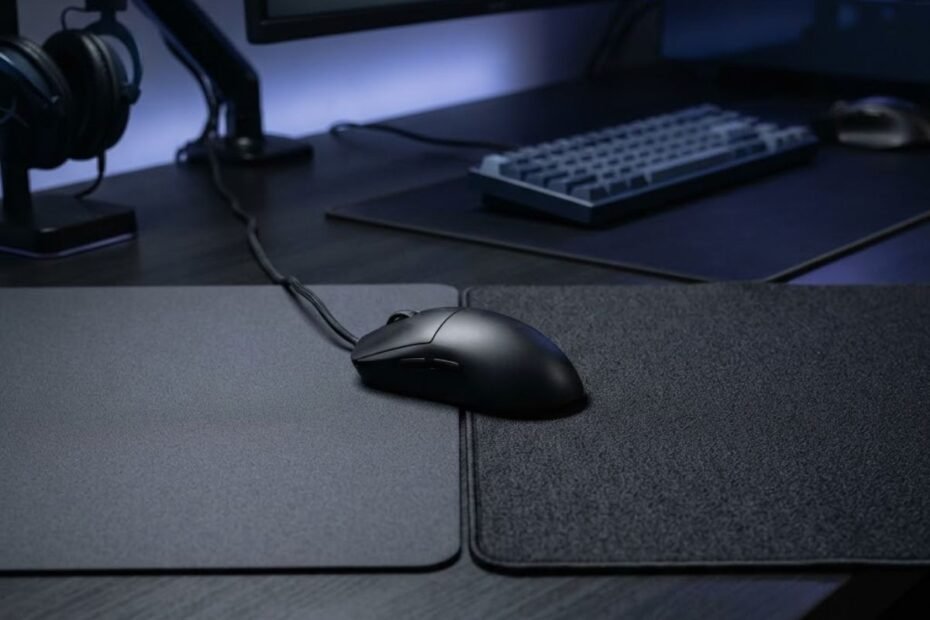
Speed and control mouse pads can both work well for Valorant, but they create different movement feels. A speed surface reduces resistance and makes the mouse easier to move, while a control surface provides more resistance and a more deliberate stopping feel. The better direction depends on whether your current setup feels too restrictive, too slippery, or difficult to stop consistently.
For Valorant players, the difference matters because aiming requires more than simply moving the mouse quickly. Your surface affects how easily movement begins, how freely the mouse glides, and how much resistance you feel when trying to stop or make a small correction.
This guide compares speed and control surfaces specifically for Valorant so you can identify which characteristics fit your current aiming needs instead of choosing a surface based only on its speed rating.
Speed vs Control for Valorant: What Is the Actual Difference?
Speed and control surfaces mainly differ in how much resistance they provide during mouse movement. A speed surface prioritizes easier, more fluid movement, while a control surface adds resistance that can make movement and stopping feel more deliberate.
The distinction is not simply about whether one mouse pad feels fast or slow. It is about how much effort your hand needs to apply when starting, continuing, and stopping a movement. That difference becomes important when the same mouse movement needs to feel both responsive and predictable.
How a Speed Surface Changes Mouse Movement
A speed surface makes mouse movement feel easier and less restricted by reducing the resistance between the mouse and the pad. This can make larger movements and rapid transitions feel more fluid, especially when the player needs to move the mouse across a greater distance.
The main trade-off is that easier movement also means the player has more responsibility for controlling acceleration and stopping. If the surface feels very fast relative to the player’s control, a movement that starts correctly can still travel farther than intended.
For Valorant, this does not mean that a speed surface automatically causes poor aim. It means the player has less physical resistance from the surface and may need to rely more heavily on active hand control when ending a movement.
How a Control Surface Changes Mouse Movement
A control surface provides more resistance during mouse movement, creating a more deliberate and planted feel. The additional resistance can make the mouse feel less free during large movements, but it can also provide more physical feedback when slowing down and stopping.
This can be useful for players who feel that their mouse moves too freely or that they regularly pass the intended stopping point. Instead of allowing the mouse to glide with minimal resistance, a control-oriented surface gives the hand more resistance to work against.
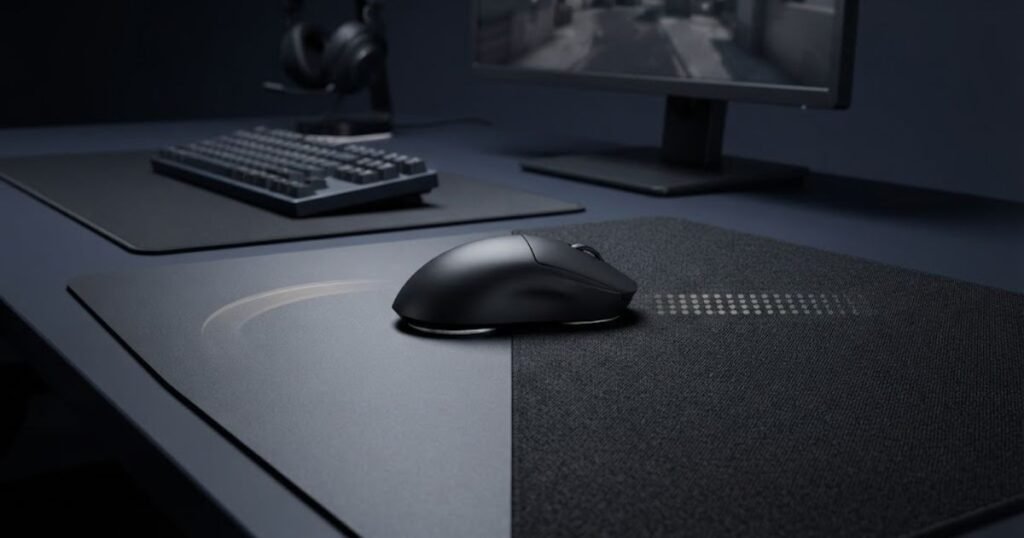
Speed and control surfaces can look similar on a desk, but their movement characteristics create noticeably different aiming feels:
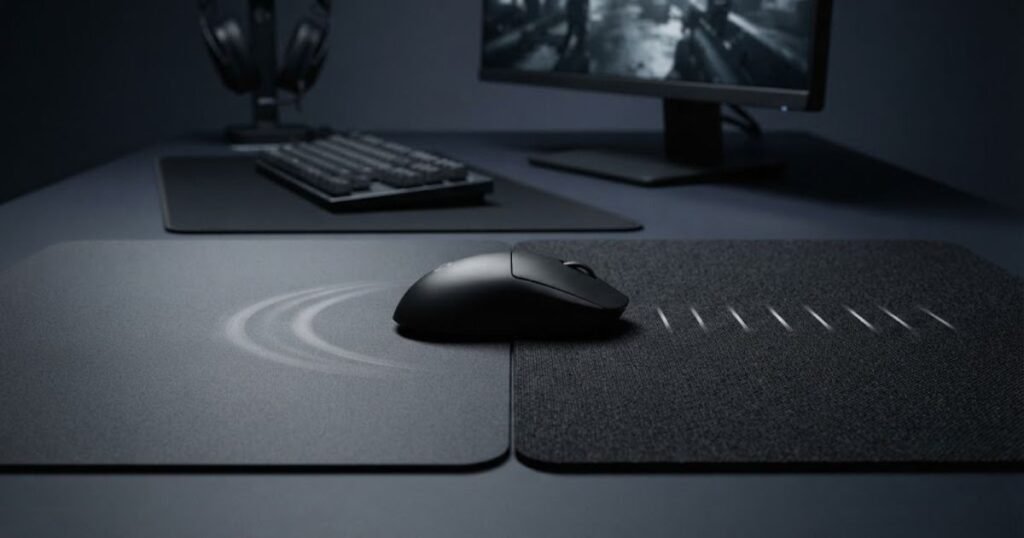
Control does not mean that the mouse becomes difficult to move in every situation. The actual feel depends on the surface and the rest of the setup, but the defining characteristic is a greater sense of resistance compared with a faster surface.
The table below compares the basic movement characteristics of speed and control surfaces:
| Characteristic | Speed Surface | Control Surface |
|---|---|---|
| Movement resistance | Lower | Higher |
| Glide feel | Faster and more fluid | Slower and more deliberate |
| Initial movement | Easier to initiate | More resistance when starting |
| Stopping feel | Requires more active braking | Provides more resistance while stopping |
| Large movements | Generally easier | Requires more physical effort |
Speed surfaces prioritize freedom of movement, while control surfaces prioritize resistance and a more deliberate feel. Neither characteristic is automatically better for every Valorant player because the useful trade-off depends on how the player moves and stops the mouse.
These differences provide the foundation for comparing speed and control in actual Valorant aiming situations. The next step is to look at how each surface changes the feel of flicking, stopping, micro-adjustments, and target transitions.
How Speed and Control Affect Common Valorant Aim Situations
In Valorant, the difference between speed and control becomes most noticeable when your aim requires a combination of movement, stopping, and small corrections. A speed surface can make transitions feel more fluid, while a control surface can make stopping and deliberate corrections feel more resistant. The practical difference depends on the type of aiming movement you are performing.
Flicking and Stopping on a Target
Flicking highlights the difference between moving toward a target and stopping on it. A speed surface can make the initial movement feel easier because there is less resistance during the swipe. However, the player has to manage the stopping phase more actively because the mouse can continue moving with less resistance.
A control surface adds more resistance during the same movement, which can give the hand more physical feedback when slowing down. This can make the stopping phase feel more deliberate, particularly for players who regularly move past the point where they intended to stop.
The important distinction is that the surface does not determine whether a flick is accurate. It changes the physical feel of the movement, while the player’s sensitivity, mouse control, and consistency still influence the final result.
Making Small Corrections While Holding an Angle
Small corrections require a different type of movement from a large flick. When holding an angle, you may only need to move the crosshair a short distance to track a target or adjust its position. A speed surface can make these corrections feel quick and fluid, while a control surface can make them feel more deliberate.
If the mouse moves too freely for your hand control, small corrections may feel less predictable. On the other hand, excessive resistance can make a correction feel heavier than necessary. The useful surface is therefore the one that gives you a predictable response without making these small movements unnecessarily difficult.
This is especially relevant when the same position requires repeated small adjustments rather than one large movement. The goal is not to maximize speed or resistance, but to find a surface feel that remains predictable during repeated corrections.
Switching Between Targets
Target switching places more emphasis on movement between different points on the screen. A speed surface can make these transitions feel easier because the mouse encounters less resistance during movement. This can be noticeable when the distance between targets is relatively large.
The same mousepad characteristics can feel different depending on the type of aiming movement being performed:
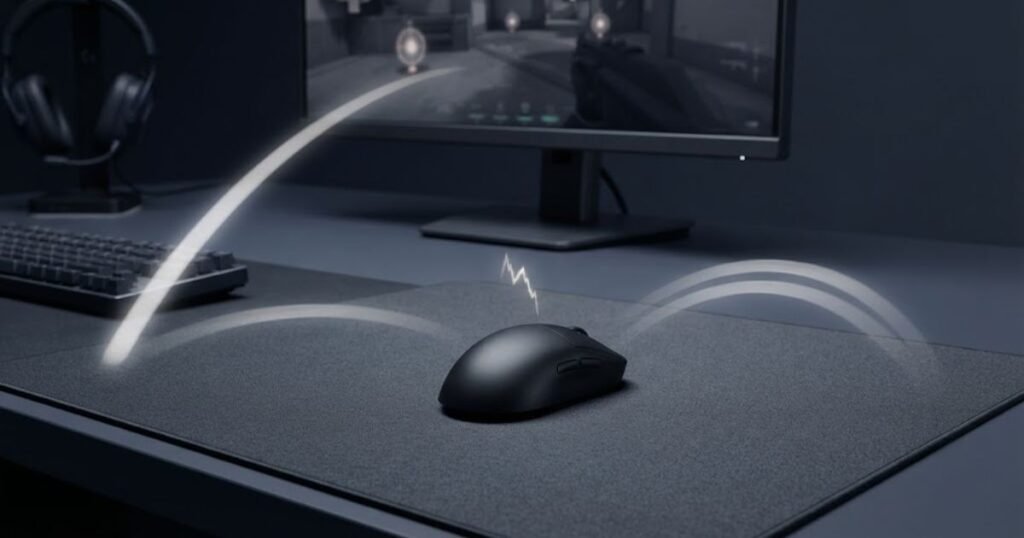
A control surface creates more resistance during the transition, which can make the movement feel more deliberate. That added resistance may be useful when you prefer a more controlled transition, but it can also make repeated large movements feel more physically demanding.
The difference becomes easier to evaluate when you compare the same target-switching movement repeatedly. Instead of judging the surface by how fast one movement feels, pay attention to whether your transitions remain predictable from one target to the next.
The table below shows how each surface can feel during common Valorant aiming situations:
| Valorant Aim Situation | Speed Surface | Control Surface |
|---|---|---|
| Flicking toward a target | Easier initial movement | More resistance during movement |
| Stopping on a target | Requires more active braking | More resistance during stopping |
| Small corrections | Quick and fluid | More deliberate |
| Switching between targets | Easier movement between points | More controlled movement |
| Repeated angle adjustments | Less resistant | More resistant |
Speed and control affect different parts of the same aiming movement rather than determining whether a player can aim accurately. Speed can reduce resistance during movement, while control adds resistance that can make stopping and deliberate corrections feel more pronounced.
That distinction matters when choosing a surface because the same player may value movement freedom in one situation and additional stopping feedback in another. The next step is to connect these aim situations with the problems you actually experience during Valorant matches.
Which Valorant Players May Prefer a Speed or Control Surface?
The right surface depends on the problem you are trying to solve. If your mouse feels restricted during movement, a speed surface may be worth testing. If you frequently overshoot targets or struggle to stop the mouse consistently, a control surface may be a better direction to test. Players who do not have a clear problem with either movement or stopping may prefer a balanced surface.
Your preferred surface is easier to identify when the physical feel of each option is connected to the problem you are trying to solve:
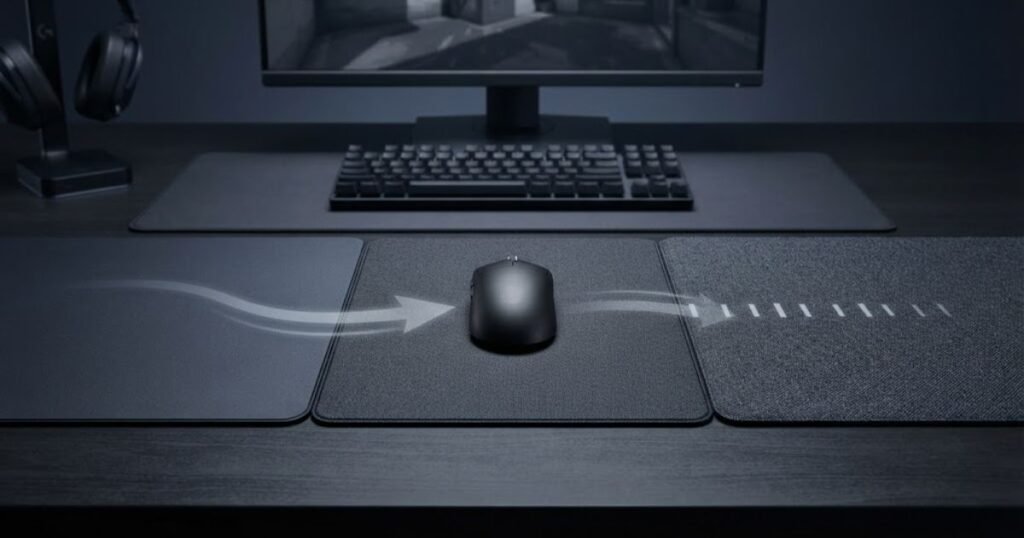
Instead of choosing a surface because it is labeled as fast or controlled, start with how your current mousepad behaves during actual Valorant sessions. Repeated problems are more useful than a single good or bad match when deciding which direction to explore.
Signs You May Prefer a Speed Surface
A speed surface may be worth testing when resistance from your current pad consistently makes mouse movement feel restricted. The clearest signs usually appear during movements that require more physical travel or repeated transitions across the pad.
These signs may indicate that your current surface feels too restrictive:
- Mouse movement feels heavy: You feel more resistance than you want during normal aiming movements.
- Large movements feel restricted: Moving the mouse across a larger distance feels unnecessarily difficult or tiring.
- Target transitions feel resistant: Moving from one target to another does not feel as fluid as you expect.
- You constantly notice surface drag: The physical resistance of the pad remains noticeable throughout your aiming movements.
These signs do not prove that you need a speed surface. They indicate that lower resistance may be worth testing against your current setup.
Signs You May Prefer a Control Surface
A control surface may be worth testing when your main problem is not starting the movement but controlling where it ends. Repeated overshooting and an inconsistent stopping feel are more meaningful indicators than simply describing a pad as slow.
These signs may indicate that you need more resistance and stopping feedback:
- Frequent overshooting: Your mouse regularly travels beyond the point where you intended to stop.
- Stopping feels inconsistent: Similar movements do not consistently end where you expect them to.
- Small corrections feel slippery: Minor adjustments feel difficult to control because the mouse moves more freely than you prefer.
- You want more physical feedback: You prefer a surface that gives your hand more resistance during controlled movements.
These signs suggest that additional surface resistance may be worth testing, but they should not automatically be treated as proof that the mousepad is the only cause of the problem.
When a Balanced Surface Makes More Sense
A balanced surface makes sense when you want a middle ground between easy movement and deliberate control. It can be a practical direction for players who do not want strong resistance but also do not feel comfortable with a very free-gliding surface.
This option can also make sense when your Valorant play involves different movement demands. You may want enough freedom for larger mouse movements while still wanting a predictable feel when stopping and making smaller adjustments.
A balanced surface is not automatically the correct choice for every player. Its value is that it avoids pushing the movement feel strongly toward either extreme, which can make it a useful starting point when your specific preference is still unclear.
The table below connects common player problems with the surface direction worth testing:
| Current Problem | Surface Direction to Test |
|---|---|
| Mouse feels too restricted | Speed |
| Large movements feel difficult | Speed |
| Frequent overshooting | Control |
| Stopping feels inconsistent | Control |
| You want movement and control together | Balanced |
| No clear surface-related problem | Test before changing |
The most useful starting point is the problem you repeatedly experience rather than the label attached to a mousepad. Restricted movement points toward testing a faster surface, while repeated stopping problems point toward testing more control. When neither extreme describes your experience, a balanced surface can provide a middle ground.
This problem-first approach also prevents you from changing your mousepad simply because another surface is popular among Valorant players. Your sensitivity and the amount of physical mouse movement you use can also change how a surface feels, so those factors need to be considered before making a final choice.
How Valorant Sensitivity Changes the Speed vs Control Decision
Valorant sensitivity changes how much physical mouse movement you use, which can change how noticeable a mousepad’s resistance feels. Lower sensitivity generally requires more physical travel, making surface resistance more noticeable during larger movements, while higher sensitivity places more emphasis on smaller movements and the feel of controlled adjustments.
Sensitivity should not be used as a rule that automatically determines whether you need a speed or control surface. Instead, consider how your current sensitivity interacts with the movement demands of your aim and whether the surface makes those movements easier or harder to control.
What Low Sensitivity Changes About Surface Resistance
Low sensitivity requires more physical mouse movement to move the crosshair across the same distance on screen. As a result, the resistance of the mousepad can become more noticeable because your hand and mouse travel across a larger portion of the surface during normal aiming.
A highly resistant surface may feel more demanding when you frequently use wide arm movements. If those movements consistently feel restricted, a faster surface can be worth testing because it reduces some of the physical resistance during the movement.
However, low sensitivity does not automatically mean that you should use a speed surface. A player who values additional resistance and has enough desk space may still prefer a more controlled surface. The important question is whether the current level of resistance interferes with the movements you actually make.
What High Sensitivity Changes About Surface Feel
Higher sensitivity generally requires less physical mouse travel, so smaller hand movements can produce larger changes on screen. In this situation, the feel of the surface during short movements and corrections can become more noticeable than its effect on long swipes.
A surface with more resistance can provide a more deliberate physical feel during these smaller movements. A faster surface can make the same movements feel more fluid, but it may also require more active control when you need to stop precisely.
High sensitivity does not automatically make a control surface the correct choice either. The useful surface depends on whether you prefer additional resistance during small movements or a freer feel when making quick adjustments.
Why You Should Test the Surface Before Changing Your Sensitivity
Changing both sensitivity and mousepad at the same time makes it harder to identify what caused a change in your aim. If you change the surface first while keeping your sensitivity consistent, you can evaluate the effect of the new resistance without introducing another major variable.
This matters because a new surface can initially feel different even when it is not actually a better or worse fit. Keeping sensitivity stable gives you a clearer baseline for judging whether the surface changes your movement in a useful way.
If you later decide that your sensitivity also needs adjustment, make that change separately. This creates a cleaner comparison and makes it easier to understand which part of the setup is responsible for the change you are experiencing.
The table below shows what to watch for when comparing surface feel at different sensitivity levels:
| Sensitivity Situation | Main Surface Consideration |
|---|---|
| Lower sensitivity | Resistance during larger physical movements |
| Medium sensitivity | Overall movement and stopping balance |
| Higher sensitivity | Stability during smaller movements |
| Changing sensitivity | Keep the mousepad unchanged during the comparison |
Sensitivity changes how much physical movement your aim requires, but it does not dictate a single correct mousepad type. Lower sensitivity can make surface resistance more noticeable during larger movements, while higher sensitivity can make the feel of short movements more important.
The cleaner way to make the decision is to keep your sensitivity stable while evaluating the surface. Once you know how the mousepad affects your movement, you can decide whether another setup variable actually needs to change.
How to Tell if Your Valorant Mouse Pad Is Too Fast or Too Slow
A Valorant mouse pad may feel too fast when your repeated stopping and correction problems are difficult to control, while a surface may feel too slow when resistance consistently interferes with your movement. The key is to look for recurring patterns rather than judging the pad from a single match or first impression.
A surface mismatch can be easier to identify when the same problem appears across similar aiming situations. If the issue only happens occasionally, the mousepad may not be the main cause. Other parts of your setup can create symptoms that feel similar to a speed or control problem.
Signs Your Mouse Pad May Be Too Fast
A mouse pad may feel too fast for your current setup when the mouse moves more freely than you can consistently control. The most useful signs are repeated problems with stopping and small corrections rather than simply noticing that the pad feels fast.
These signs can indicate that the surface is providing less resistance than you can comfortably control:
- Frequent overshooting: Your mouse repeatedly travels beyond the point where you intended to stop.
- Stopping feels inconsistent: Similar movements do not consistently end at the position you expect.
- Small corrections feel slippery: Minor adjustments feel harder to control because the mouse moves more freely than you prefer.
- Braking requires extra attention: You regularly need to consciously manage the end of a movement to avoid going too far.
These signs do not mean that a speed surface is inherently unsuitable for Valorant. They indicate that the current level of resistance may not be giving you the stopping feel you can control consistently.
Signs Your Mouse Pad May Be Too Slow
A mouse pad may feel too slow when its resistance consistently interferes with the physical movement you need to make. This is most noticeable when larger movements or repeated transitions feel unnecessarily restricted.
These signs can indicate that surface resistance is interfering with your movement:
- Mouse movement feels heavy: You need noticeably more effort to move the mouse during normal aiming.
- Large movements feel restricted: Wide swipes do not feel as free as you need them to be.
- Target transitions feel difficult: Moving between separated targets feels physically resistant.
- Repeated movement becomes tiring: The resistance remains noticeable enough to affect your physical comfort during longer sessions.
These signs point toward testing a surface with less resistance, but the goal is not to find the fastest possible pad. The goal is to determine whether reducing resistance actually addresses the recurring movement problem.
When the Mouse Pad May Not Be the Real Problem
Not every aiming problem that feels like a speed or control issue is caused by the mousepad. Mouse skates, surface wear, sensitivity, grip pressure, and available mouse space can all change how your setup feels during movement.
A surface mismatch is easier to diagnose when you compare the movement symptoms with the physical setup around the mouse:
Other setup factors can create symptoms that feel like a speed or control problem:
- Worn mouse skates: Changes in the contact between the mouse and pad can alter how movement feels.
- Surface wear: A worn area can develop a different glide feel from the rest of the pad.
- Sensitivity changes: A different sensitivity changes the amount of physical movement required for the same crosshair movement.
- Excessive grip pressure: Holding the mouse too tightly can affect how smoothly you start, control, and stop movements.
- Limited mouse space: A restricted play area can make large movements feel difficult even when the surface itself is suitable.
Checking these factors before replacing the mousepad can prevent you from solving the wrong problem. If the surface is consistent but your symptoms change with sensitivity, grip, mouse condition, or available space, the mousepad may not be the primary variable.
The table below helps separate common surface symptoms from other setup factors worth checking:
| Symptom | First Thing to Investigate |
|---|---|
| Repeated overshooting | Surface control and stopping feel |
| Mouse feels restricted | Surface resistance |
| Uneven glide across the pad | Surface condition and wear |
| Movement feels rough or inconsistent | Mouse skates and surface condition |
| Aim changes after a settings adjustment | Sensitivity and other settings |
| Large movements feel difficult because of limited space | Available mouse area |
The strongest indication of a surface mismatch is a recurring pattern that remains consistent across similar movements. Repeated overshooting can justify testing more control, while persistent resistance during movement can justify testing a faster surface.
Before replacing your mousepad, however, make sure another part of the setup is not creating the same symptom. Once the likely cause is isolated, you can compare surfaces more reliably instead of changing multiple variables at once.
How to Test Speed vs Control for Valorant Without Changing Too Many Variables
The most reliable way to compare speed and control for Valorant is to keep the rest of your setup consistent and test both surfaces under similar aiming conditions. This makes it easier to identify whether a change in surface actually improves your movement and consistency instead of confusing it with a change in sensitivity, mouse, or technique.
A short first impression is not enough to determine whether a mousepad fits your aim. The goal of testing is to find repeated differences in how comfortably and predictably you can perform the same movements on each surface.
Keep Your Mouse and Sensitivity Consistent
Keep your mouse, sensitivity, DPI, and mouse skates unchanged while comparing the two surfaces. Changing several parts of the setup at once makes it difficult to determine which variable caused your aim to feel different.
This also gives you a more useful baseline. If the only major change is the mousepad, differences in movement, stopping, and correction feel can be evaluated against the same settings you already know.
If you decide to change your sensitivity later, treat that as a separate test rather than changing it at the same time as the mousepad.
Test the Same Aim Situations on Both Surfaces
Use the same types of Valorant movements when testing each surface. The comparison becomes more useful when you evaluate similar actions instead of switching between unrelated drills or playing styles.
Pay attention to how the mouse feels during flick stopping, small corrections, and target transitions. These movements represent different demands, so a surface that feels comfortable in one situation may not feel equally comfortable in another.
The objective is not to make every movement feel faster. Instead, look for a surface that gives you a predictable response across the movements that matter most to your normal Valorant play.
Judge Repeated Patterns Instead of One Good Match
A single strong match does not provide enough evidence to determine whether one surface is a better fit. Aim performance naturally varies from session to session, so a useful comparison should focus on patterns that continue to appear across repeated tests.
Pay attention to recurring differences in stopping, movement freedom, correction control, and physical comfort. If the same issue appears repeatedly on one surface but becomes less noticeable on another, that pattern provides stronger evidence than a single successful round.
Testing should also include enough time to become familiar with the physical feel of each surface. A new mousepad can feel unusual simply because it is different from what you have been using, so immediate discomfort does not necessarily mean the surface is a poor match.
The following process can help you compare both surfaces without relying on a first impression:
- Keep your settings fixed: Use the same mouse, sensitivity, DPI, and mouse skates throughout the comparison.
- Test the speed surface: Evaluate how the surface feels during movement, stopping, small corrections, and target transitions.
- Test the control surface: Repeat the same movements under similar conditions so the comparison remains consistent.
- Record recurring problems: Note which issues appear repeatedly rather than focusing on isolated mistakes.
- Compare consistency: Look at the overall pattern across multiple sessions instead of choosing based on one match or short test.
This process gives you a cleaner way to compare Speed and Control because the focus stays on the surface rather than constantly changing the rest of the setup. The result is not a universal answer, but a clearer understanding of which surface characteristics fit your own aiming behavior.
Once the comparison shows a consistent preference, you can move from testing to the actual choice between Speed, Control, and a more balanced surface.
Speed vs Control for Valorant: Which Surface Should You Choose?
The surface you should choose depends on the main problem you consistently experience with your current setup. Test Speed when resistance feels like the main limitation, test Control when stopping is the bigger problem, and consider Balanced when you need a middle ground between movement freedom and stopping feedback.
There is no single surface type that is automatically right for every Valorant player. The useful choice is the one that addresses the movement problem you actually experience without creating a new problem somewhere else in your aim.
Choose Speed When Resistance Is Holding Back Your Movement
Choose a speed-oriented surface when your current mousepad consistently feels too resistant during the movements you need to make. This is most relevant when larger swipes, target transitions, or repeated mouse movements feel restricted.
A faster surface can reduce that physical resistance and give your mouse more freedom to move. The trade-off is that you still need to maintain control over where each movement ends, so a faster surface is most useful when resistance is the problem you are trying to reduce.
If your testing shows that movement becomes more comfortable and predictable after reducing resistance, Speed may be the more appropriate direction for your setup.
Choose Control When Stopping Is the Main Problem
Choose a control-oriented surface when your main issue is consistently managing the end of a movement. Repeated overshooting, unstable stopping, or a preference for more physical resistance can all justify testing a more controlled surface.
A control surface can make the mouse feel more deliberate by adding resistance during movement. This can be useful when you want more physical feedback while slowing down and stopping, but it may also feel restrictive if your current problem is already excessive resistance.
If your testing shows that additional resistance makes your stopping and corrections feel more predictable without making movement unnecessarily difficult, Control may be the more appropriate direction.
Consider Balanced When You Need Both Movement and Control
Consider a balanced surface when neither Speed nor Control fully solves your problem. A middle-ground surface can provide enough freedom for movement while retaining more resistance than a strongly speed-oriented surface.
This can be useful when your Valorant aim includes both larger movements and frequent stopping or small corrections. Instead of strongly prioritizing one characteristic, a balanced surface aims to provide a compromise between the two.
Balanced does not mean universally better. It simply gives you another direction to test when the trade-offs of Speed and Control both matter to your play.
The table below summarizes which surface direction matches each common Valorant mousepad problem:
| Main Problem | Surface Direction to Test | Why |
|---|---|---|
| Surface feels too resistant | Speed | Lower resistance can make movement feel less restricted |
| Large movements feel restricted | Speed | More freedom can make wider movements easier |
| Frequent overshooting | Control | Additional resistance can provide more stopping feedback |
| Stopping feels inconsistent | Control | A more resistant surface can make movement feel more deliberate |
| You need movement and stopping feedback | Balanced | A middle ground avoids strongly favoring either characteristic |
| You cannot identify a clear problem | Test before changing | Avoid changing the setup without a specific reason |
The decision comes down to the problem your testing consistently identifies. If resistance limits your movement, test Speed. If stopping is the recurring issue, test Control. If you need a compromise between the two, test Balanced. When there is no clear problem, there is no reason to force a change.
Once you understand which direction fits your current aiming needs, the remaining questions are mostly about common edge cases, such as sensitivity, overshooting, surface speed, and how long to test a new pad. Those questions are covered in the FAQ below.
FAQ About Speed vs Control for Valorant
These questions cover the most common decisions Valorant players face when comparing speed, control, and balanced mouse pad surfaces.
Is a speed or control mouse pad better for Valorant?
Neither is universally better for Valorant because the right choice depends on how your current surface affects movement and stopping. Speed is worth testing when resistance feels restrictive, while control is worth testing when stopping feels difficult.
Are control mouse pads good for Valorant?
Yes, control mouse pads can work very well for Valorant because they provide more resistance during movement and can create a more deliberate stopping feel. They can be especially useful for players who want more feedback when controlling the end of a movement.
Are speed mouse pads good for Valorant?
Yes, speed mouse pads can work well for Valorant when a player prefers lower resistance and more fluid mouse movement. They can be useful when the current surface makes larger movements or target transitions feel restricted.
Can a speed mouse pad cause overshooting in Valorant?
A speed mouse pad can contribute to an overshooting problem when its lower resistance makes the mouse harder for a particular player to stop consistently. However, overshooting can also come from sensitivity, technique, grip pressure, or other setup factors.
Does a control mouse pad make flicks easier to stop?
A control mouse pad can make flicks feel easier to stop because its additional resistance provides more physical feedback during the end of a movement. Whether that improves your flick consistency depends on how your hand interacts with the surface.
Should low sensitivity Valorant players use a speed or control pad?
Low sensitivity players should choose based on how surface resistance affects their larger physical movements rather than sensitivity alone. A speed surface may feel less restrictive, while a control surface may still work if the player prefers additional resistance.
Should high sensitivity Valorant players use a speed or control pad?
High sensitivity players can use either surface because sensitivity does not automatically determine the correct mouse pad type. The more useful consideration is whether the player prefers a freer feel or additional resistance during smaller movements.
Is a balanced mouse pad good for Valorant?
Yes, a balanced mouse pad can be a practical choice for Valorant players who want both movement freedom and stopping feedback without strongly favoring either extreme. It can also be a useful starting point when your preferred surface feel is unclear.
How do I know if my mouse pad is too fast for Valorant?
Your mouse pad may be too fast for your current setup if you repeatedly struggle with stopping, overshoot targets, or find small corrections difficult to control. Look for patterns across multiple sessions rather than judging the surface from one match.
How do I know if my mouse pad is too slow for Valorant?
Your mouse pad may be too slow for your current setup if movement consistently feels restricted, large swipes require excessive effort, or target transitions feel unnecessarily resistant. These symptoms are stronger indicators than simply describing the pad as slow.
Should I change my sensitivity when changing mouse pads?
You should generally keep your sensitivity unchanged when first testing a new mouse pad. Keeping the same settings makes it easier to determine whether the surface itself changed your movement and stopping behavior.
How long should I test a new mouse pad before deciding?
You should test a new mouse pad across multiple sessions rather than deciding from the first few minutes. Give yourself enough time to distinguish genuine movement patterns from the temporary unfamiliarity of a different surface.
Conclusion
The right answer to speed vs control for Valorant depends on the movement problem you are trying to solve. Speed is worth testing when resistance is limiting your movement, Control is worth testing when stopping is the recurring problem, and Balanced can make sense when you need both characteristics.
The decision should come from repeated behavior rather than a general claim that one surface is better. Keeping your sensitivity and other setup variables consistent while testing makes it easier to identify which surface actually fits your aiming style.
“A consistent mouse pad helps create repeatable mouse movements.”
That principle is important when choosing between Speed and Control. The goal is not simply to make the mouse move faster or feel more controlled. The goal is to find a surface that produces a predictable response that you can reproduce during repeated Valorant movements.
“A mousepad is a surface for placing and moving a computer mouse.”
That basic function becomes more important in competitive FPS games because the surface is part of the physical system through which every mouse movement is translated into aiming behavior.
For players who want to place this decision within the broader FPS mouse pad setup, gaming mouse pads for FPS games covers the wider relationship between surface characteristics, aiming style, and movement requirements.
Ultimately, there is no universal Speed or Control answer for every Valorant player. Start with the problem you can consistently identify, change one variable at a time, and choose the surface that makes your mouse movements feel the most predictable and repeatable.
Thanks for reading, and I hope this guide helps you make a more confident mouse pad decision for Valorant.