
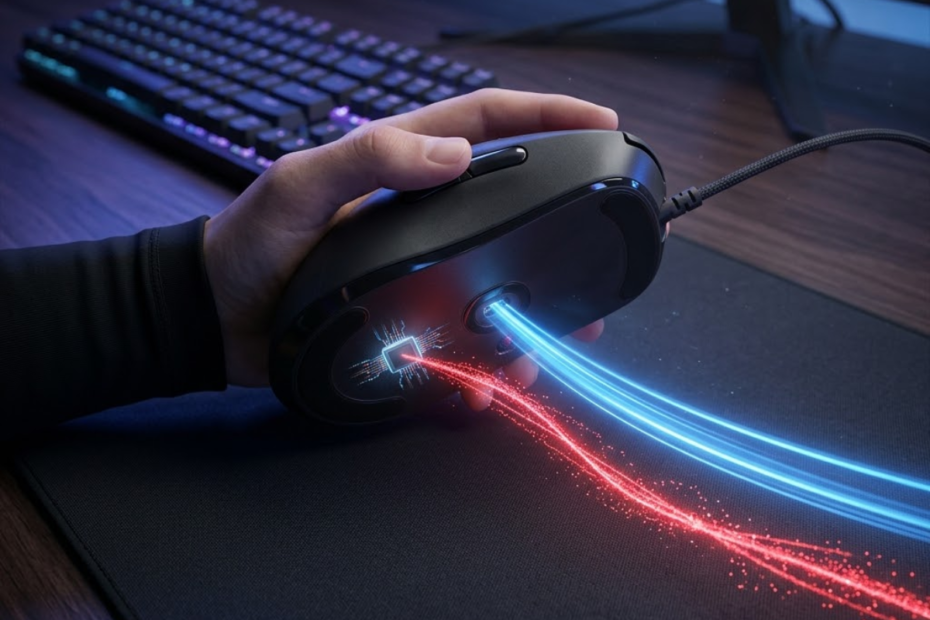
Sensor smoothing is a mouse sensor processing technique that filters movement data before it reaches your computer. It helps reduce unwanted sensor noise, but it can also make mouse movement feel slightly less raw, especially for FPS players who care about fast flicks, clean micro-adjustments, and direct tracking response.
For most modern gaming mice, sensor smoothing is not something you will notice at normal gaming DPI settings. The topic still matters because older sensors, extremely high DPI settings, and some processing features can change how direct your mouse feels in competitive FPS games.
This guide explains what sensor smoothing is, how it works, why it exists, and when FPS players should actually care about it.
What Is Sensor Smoothing?
Sensor smoothing is a filtering process that averages or cleans up mouse movement data before the mouse reports that movement to the computer. It helps make cursor movement appear more stable, but it can reduce the direct raw feeling that many FPS players want from a gaming mouse.
In simple terms, a mouse sensor constantly reads the surface under your mouse and converts those readings into movement. When smoothing is applied, the sensor or firmware does not always send the most immediate raw movement signal. Instead, it may process several movement samples together to reduce small errors, jitter, or noise.
The illustration below shows the difference between raw movement data and smoothed movement data:
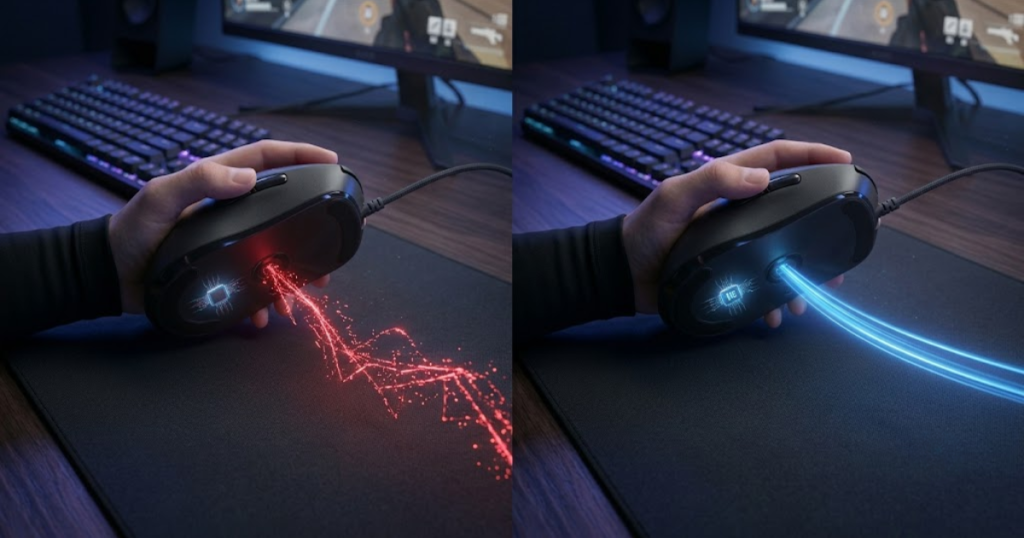
The problem is that FPS aiming depends on timing and consistency. If the mouse changes movement data too much, even slightly, the player may feel less connected to the crosshair. Because sensor smoothing is only one part of overall tracking performance, understanding how a gaming mouse sensor works helps explain why different sensors can feel more or less responsive during gameplay.
Why Is Sensor Smoothing Called “Smoothing”?
Sensor smoothing is called smoothing because it makes movement data look cleaner and less jumpy before it is sent to the PC. It helps reduce tiny movement irregularities that can appear when a sensor reads noisy or unstable surface data.
The word “smoothing” does not mean the mouse becomes physically smoother to move. It refers to the way the sensor output is processed. Instead of reporting every tiny movement change exactly as captured, the sensor may average the signal so the final output looks more stable.
This is similar to cleaning up a shaky line. The final line may look cleaner, but it may not perfectly match every small hand movement that created it. For desktop use, that can feel fine. For FPS games, where tiny corrections matter, too much smoothing can feel less immediate.
Sensor smoothing is best understood as a stability filter, not as a direct performance upgrade.
What Problem Is Sensor Smoothing Designed To Solve?
Sensor smoothing is designed to reduce noisy or unstable movement data from the mouse sensor. It helps make tracking appear more controlled when the sensor struggles to separate real hand movement from unwanted signal noise.
Every optical mouse sensor reads surface detail by capturing rapid images of the mousepad or desk surface. At lower DPI, the sensor usually has enough clean information to calculate movement accurately. At extremely high DPI, the sensor becomes more sensitive, so tiny imperfections, surface texture changes, and sensor noise can become more visible.
Smoothing was used to make that output look more stable. Instead of allowing every tiny fluctuation to reach the cursor, the sensor filters the data. This can reduce jitter, but it can also remove some of the immediacy that competitive players prefer.
The original purpose of sensor smoothing was stability, not faster aim or better FPS performance.
How Sensor Smoothing Differs From Raw Sensor Input
Raw sensor input is unfiltered movement data reported as directly as possible from the mouse sensor. It helps preserve the most immediate connection between hand movement and in-game crosshair movement.
Sensor smoothing changes that relationship by adding a processing step. The mouse still follows your hand, but the movement signal may be cleaned up before the game receives it. The stronger the smoothing, the more the final output may differ from the raw movement captured by the sensor.
For FPS players, raw input is valuable because it supports predictable muscle memory. When you flick, stop, or make a tiny correction, you want the game to receive that movement with as little alteration as possible. Smoothing can be acceptable when it is light, but heavy smoothing can make aim feel delayed or slightly floaty.
Raw input prioritizes directness, while sensor smoothing prioritizes stability.
Sensor smoothing is not automatically bad, but it becomes important when it changes the way movement feels in a game. The key question is not whether smoothing exists in theory, but whether it is strong enough to affect aim response in real FPS use.
How Does Sensor Smoothing Work?
Sensor smoothing is a movement filtering process that collects multiple sensor readings and uses them to create a cleaner final movement report. It helps reduce unstable movement output, but it can add extra processing between your hand movement and the cursor response.
A gaming mouse sensor does not simply guess where your hand moved. It reads the surface under the mouse many times per second and compares changes between those readings. The sensor then converts those changes into movement data that gets sent through the mouse controller and then to the computer. Players who want a deeper technical explanation can learn how gaming mouse sensors work to better understand the tracking process before smoothing is ever applied.
The image below illustrates the movement data processing path inside a gaming mouse sensor:
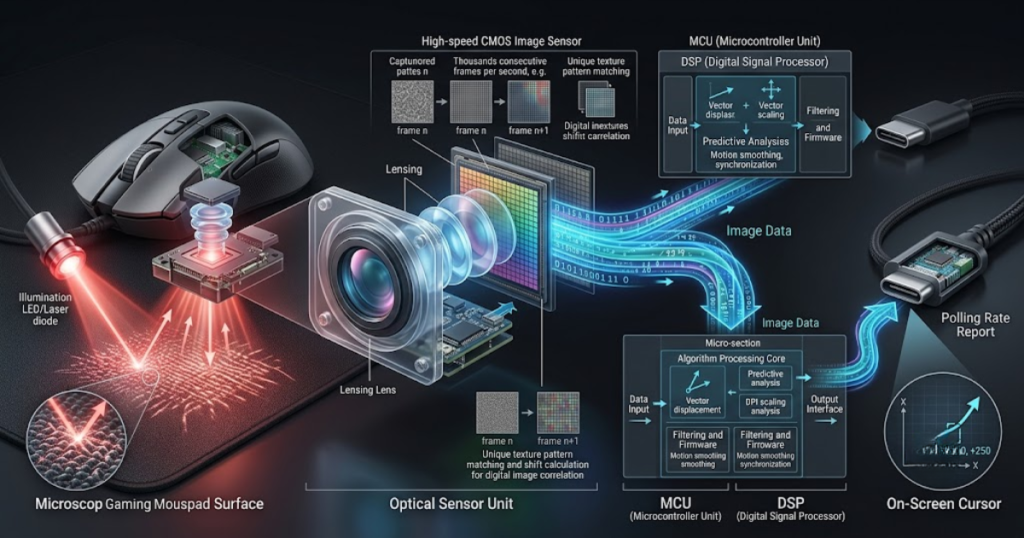
When smoothing is involved, the sensor may not send each movement sample in the most direct way. Instead, it can combine recent movement information, average out irregularities, or filter sudden tiny changes that look like noise. This makes movement output appear cleaner, but it can also create a small delay because the sensor needs enough data to process the final signal.
How A Mouse Sensor Captures Movement Data
A mouse sensor is an optical tracking system that reads surface detail under the mouse at extremely high speed. It helps convert physical hand movement into digital movement data that the computer can understand.
The sensor uses light and a tiny imaging system to capture surface patterns. As you move the mouse, the pattern under the sensor changes. The sensor compares one surface image to the next and calculates how far the mouse moved in each direction.
This process happens continuously while the mouse is active. The better the sensor, lens design, firmware, and surface compatibility, the more accurately the mouse can detect movement. When the tracking signal is clean, very little correction is needed. When the signal is noisy, smoothing may be used to make the output more stable.
Mouse tracking starts with surface reading, so sensor quality and mousepad consistency matter before any smoothing process even begins.
How Multiple Sensor Samples Are Combined
Multiple sensor samples are combined when the mouse uses recent movement readings to create a cleaner final movement output. This helps reduce random noise, but it can make the reported movement less immediate than raw sensor tracking.
Imagine the sensor captures several movement samples in a very short time window. If one sample looks slightly different from the others because of noise, the smoothing process can reduce its influence. The final report becomes more stable because the mouse is not reacting too strongly to one noisy sample.
This is useful when the sensor is operating near its limits. However, FPS aim is not only about clean movement. It is also about timing. If the mouse waits for extra samples before finalizing the movement report, the player may experience a tiny delay in how movement feels.
Combining samples improves stability, but it can slightly reduce the raw one-to-one feeling that competitive players often prefer.
How Filtered Data Reaches The Computer
Filtered data reaches the computer after the sensor processes movement and passes the final report through the mouse controller. This helps the PC receive cleaner movement information, but it means the game may not receive the earliest raw sensor signal.
After the sensor calculates movement, the data travels through the mouse’s internal controller. The controller manages reporting behavior, button signals, polling rate, wireless communication if applicable, and sometimes firmware-level processing. Once the mouse sends the report, the computer receives it as movement input.
In FPS games, that input becomes crosshair movement. This is why players care about what happens before the data reaches the PC. Any processing inside the mouse can influence how immediate, consistent, or filtered the final movement feels.
The important point is that sensor smoothing happens before the game can respond to your movement.
The following process explains how sensor smoothing works inside a gaming mouse sensor:
- Surface capture: The sensor reads the texture and detail of the mousepad or desk surface.
- Movement detection: The sensor compares surface changes to calculate hand movement direction and distance.
- Sample collection: The sensor gathers several movement samples within a very short time window.
- Data filtering: The sensor or firmware reduces movement noise by averaging or smoothing unstable samples.
- Movement reporting: The processed movement data is sent through the mouse controller to the computer.
This process shows that sensor smoothing is not a game setting. It is part of the mouse’s movement processing path before the computer receives the final input.
Sensor smoothing works by trading some raw immediacy for cleaner movement output. That tradeoff is why the feature can be useful in some technical situations but controversial among FPS players who want the most direct possible aim response.
Why Do Mouse Sensors Use Smoothing?
Mouse sensors use smoothing to control unstable movement data when sensor noise becomes more noticeable. It helps create cleaner tracking output, especially at very high DPI levels or on older sensor designs that struggled with noisy movement signals.
The reason smoothing exists is practical. A sensor has to read a real physical surface, and real surfaces are not mathematically perfect. Mousepads have texture, dust, wear patterns, weave differences, and lighting variation. A sensor has to decide which changes represent real hand movement and which changes are just noise.
Older sensors had a harder time doing this cleanly, especially at high DPI. Instead of allowing unstable data to create jittery movement, smoothing helped make cursor movement look more controlled. The tradeoff is that the movement could feel slightly processed rather than fully raw.
Why High DPI Creates More Sensor Noise
High DPI is a sensitivity setting that makes the sensor report smaller physical movements as larger digital movement values. It helps create faster cursor movement, but it can also make tiny sensor imperfections more visible.
When DPI increases, the mouse becomes more sensitive to small changes. That means tiny surface inconsistencies, hand tremor, and sensor-level noise can show up more clearly in the movement output. At reasonable gaming DPI, this usually is not a major problem. At extreme DPI, it can become harder for the sensor to maintain clean tracking.
Smoothing can reduce that instability by filtering the output. The sensor is basically trying to avoid sending every tiny noisy fluctuation to the computer. This is why smoothing has historically appeared more often at high DPI settings than at common FPS DPI ranges like 400, 800, or 1600.
High DPI does not automatically mean bad tracking, but it gives the sensor less room to hide noise.
Why Older Gaming Sensors Relied More On Smoothing
Older gaming sensors relied more on smoothing because their hardware and processing systems were less capable of producing clean raw output at demanding DPI levels. Smoothing helped compensate for sensor limitations that modern flagship sensors handle more naturally.
Earlier gaming mice often advertised higher DPI numbers before sensor quality fully caught up. Some sensors could reach impressive DPI values on paper, but the movement output at those settings was not always clean. Smoothing made the experience appear more stable by reducing jitter and irregular movement.
This helped manufacturers sell high DPI as a feature, but FPS players eventually learned that high DPI numbers were not the same as better aim. A lower, cleaner DPI with raw tracking often felt better than a very high DPI setting with heavy processing.
Older sensors used smoothing as a correction tool, while better modern sensors aim to deliver cleaner tracking with less visible correction.
Why Stability Was Once Prioritized Over Raw Feel
Stability was once prioritized over raw feel because a smooth-looking cursor was easier for many users to understand than noisy or jittery movement. It helped make the mouse feel controlled for general use, even if it was not ideal for competitive FPS aiming.
Most people using a mouse are not testing micro-latency, sensor timing, or pixel-level tracking behavior. They want the cursor to move smoothly across the screen. For office work, browsing, and casual games, smoothing can hide imperfections in a way that feels acceptable.
Competitive FPS players judge a mouse differently. They care about whether the crosshair reacts instantly when they stop a flick, correct recoil, or track a strafing target. In those situations, raw consistency can matter more than a visually smooth cursor path.
This difference explains why sensor smoothing can be acceptable for general mouse use but still be questioned by serious FPS players.
The factors below explain why mouse manufacturers originally used sensor smoothing:
- Sensor noise control: Smoothing reduces unwanted movement irregularities caused by noisy sensor readings.
- High DPI stability: Smoothing helps keep movement output cleaner when very high DPI makes small errors more visible.
- Older sensor limitations: Smoothing compensates for sensors that cannot produce clean raw tracking at every setting.
- Cursor smoothness: Smoothing creates a more stable-looking cursor path for general desktop use.
- Marketing pressure: Smoothing helped some older mice support higher advertised DPI values without obvious jitter.
These factors show that sensor smoothing was created to solve tracking stability problems, not to directly improve competitive aim.
Mouse sensors use smoothing because clean-looking movement is sometimes easier to deliver than fully raw movement at every DPI level. For FPS players, the real question is whether that smoothing improves stability without making aim feel delayed or disconnected.
Does Sensor Smoothing Increase Mouse Latency?
Sensor smoothing is a data filtering process that can add a small amount of latency before movement reaches the computer. It helps create cleaner tracking output, but the additional processing means the sensor may need extra time before generating a final movement report.
One of the biggest reasons FPS players discuss sensor smoothing is its connection to responsiveness. Competitive shooters reward fast reactions and consistent muscle memory, so even small delays attract attention. While modern smoothing implementations are often minimal, the relationship between smoothing and latency still exists because the sensor cannot filter data without spending some amount of time processing it.
Understanding this topic requires separating theory from reality. Sensor smoothing can increase latency, but the amount varies depending on the sensor, firmware design, DPI level, and how aggressively the smoothing is applied.
Why Additional Processing Creates Delay
Additional processing is a step that occurs after the sensor captures movement but before the mouse reports it to the computer. It helps improve movement stability, but every processing stage requires time to complete.
Without smoothing, a sensor can send movement information almost immediately after calculating the result. With smoothing enabled, the sensor may gather multiple movement samples before deciding what final data should be reported. This means the movement information is not always transmitted at the earliest possible moment.
The delay is usually measured in milliseconds rather than seconds, but competitive gaming often operates on very small timing differences. The more data the sensor needs to analyze before reporting movement, the greater the potential for additional latency.
Processing itself is not inherently bad, but every extra step creates an opportunity for response time to increase.
How Much Latency Can Smoothing Add?
Sensor smoothing is a filtering system that can add varying amounts of latency depending on implementation. It helps stabilize movement data, but the actual delay can range from nearly impossible to notice to measurable in testing environments.
There is no universal latency number because different sensors use different filtering methods. Some sensors apply very light smoothing that adds almost no meaningful delay. Others may apply more aggressive processing when operating at extremely high DPI values, which can increase measurable response time.
Testing organizations often evaluate latency using specialized equipment rather than subjective feeling. This is important because human perception is not always reliable when measuring tiny timing differences. A player may believe they feel sensor smoothing when the actual issue is shape, weight, grip comfort, or another factor entirely.
The amount of added latency depends more on implementation quality than on the concept of smoothing itself.
Is The Delay Noticeable During Gameplay?
Gameplay delay is the perceived difference between hand movement and on-screen response. It helps determine how direct a mouse feels during aiming, tracking, and flicking situations.
For many players using modern gaming mice, the answer is often no. Modern flagship sensors have improved dramatically compared to older generations, and most gaming DPI ranges operate with very little noticeable smoothing. In practical gameplay, shape, comfort, and consistency usually influence performance more than tiny smoothing-related delays.
Highly skilled competitive players may be more sensitive to movement response because they spend thousands of hours building muscle memory. Even then, the difference often becomes meaningful only when smoothing is particularly aggressive or when the sensor is operating under conditions that trigger heavier processing.
Noticeability depends on the player, the sensor, and the specific implementation rather than on the existence of smoothing alone.
The table below explains how different levels of sensor smoothing can influence mouse latency:
| Sensor Processing Type | Processing Intensity | Potential Latency Impact |
|---|---|---|
| Raw Tracking | None | Lowest Possible Delay |
| Light Smoothing | Minimal | Very Low |
| Moderate Smoothing | Medium | Slightly Higher |
| Heavy Smoothing | Aggressive | Highest Potential Delay |
The table shows that latency generally increases as the amount of movement filtering increases. The relationship is not always dramatic, but more processing usually means more time spent preparing movement data.
Sensor smoothing can increase latency because filtering requires processing time. However, the real-world impact depends heavily on the quality of the sensor and how aggressively the smoothing system operates.
How Sensor Smoothing Affects Aim In FPS Games?
Sensor smoothing is a movement filtering system that can influence how aim feels during gameplay. It helps stabilize movement output, but it can also reduce the immediate connection between hand movement and crosshair movement.
This section focuses on gameplay consequences rather than technical design. A sensor can be technically accurate while still feeling different to use. Competitive FPS players often evaluate a mouse based on how predictable and direct it feels during aiming situations, not just how well it performs in laboratory measurements.
The example below demonstrates how movement filtering can influence FPS aiming behavior:
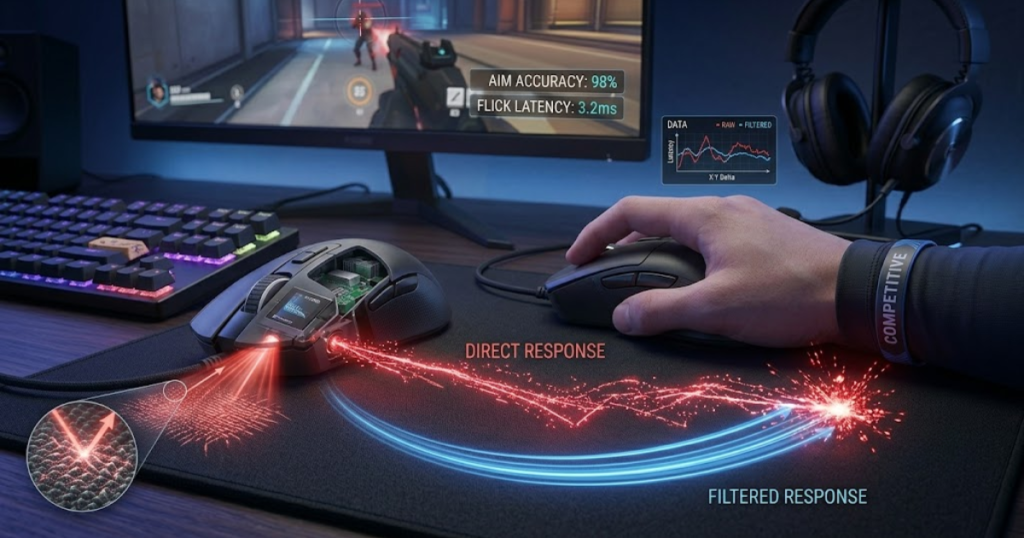
The impact of smoothing is usually most noticeable when players perform actions that depend on timing and precision.
How Smoothing Affects Flick Shots
Flick shots are rapid aiming movements used to move the crosshair quickly toward a target. They help players react to enemies appearing suddenly in games like Valorant, Counter-Strike 2, and Apex Legends.
When a player performs a flick, they expect the crosshair to start and stop exactly when their hand does. Heavy smoothing can slightly soften movement transitions because the sensor is processing data rather than reporting every change immediately.
The result is not necessarily a missed shot, but some players describe the feeling as less direct or less connected. This becomes more important at higher skill levels where small timing differences influence confidence and consistency.
Flick shots reward immediacy, which is why many competitive players prefer minimal sensor processing.
How Smoothing Affects Micro Adjustments
Micro adjustments are tiny aiming corrections used to place the crosshair precisely on a target. They help players refine accuracy after a larger movement has already positioned the crosshair near the target.
Unlike flick shots, micro adjustments depend on very small movements. If smoothing alters movement data too aggressively, those tiny corrections may feel slightly less precise because some movement information is being filtered.
This does not automatically mean accuracy becomes poor. Modern sensors are usually excellent at handling small movements. The concern is that excessive filtering can make precision adjustments feel less natural for players who rely heavily on muscle memory.
Micro adjustments depend on predictability, which is why direct sensor behavior is often preferred.
How Smoothing Affects Continuous Tracking
Continuous tracking is the ability to keep the crosshair on a moving target over time. It helps players maintain damage output during extended engagements where the target changes direction frequently.
Tracking differs from flicking because the movement is continuous rather than explosive. Small amounts of smoothing are often harder to notice during tracking situations because the mouse is constantly receiving new movement information.
However, if smoothing becomes too aggressive, the crosshair can feel slightly disconnected from the player’s hand movement. The effect is often described as floatiness rather than outright delay. Players may struggle to maintain the same level of confidence when following fast-moving targets.
Tracking benefits from consistency, which is why stable and predictable sensor behavior remains important.
The table below explains how sensor smoothing can influence different FPS aiming actions:
| FPS Action | Potential Impact |
|---|---|
| Flick Shots | May feel slightly less immediate |
| Micro Corrections | May reduce direct movement feel |
| Target Tracking | Usually minor impact |
| General Gameplay | Often difficult to notice |
The table shows that sensor smoothing does not affect every aiming action equally. Fast and precise movements are generally more sensitive to movement filtering than broad or continuous movements.
Sensor smoothing affects aim by changing how movement information is delivered rather than changing player skill. The more competitive the environment becomes, the more valuable direct and predictable sensor behavior tends to be.
At What DPI Does Sensor Smoothing Usually Appear?
Sensor smoothing is a processing technique that is most commonly associated with extremely high DPI settings. It helps control noisy sensor output when sensitivity levels become difficult to manage through raw tracking alone.
Many FPS players encounter discussions about smoothing while researching DPI settings. This often creates confusion because not every DPI level triggers smoothing and not every sensor behaves the same way. The relationship between DPI and smoothing depends on how the sensor is engineered and how the manufacturer chooses to process movement data.
The important takeaway is that smoothing is typically linked to sensor limitations rather than to normal competitive gaming DPI values.
Why DPI Influences Sensor Processing
DPI is a measurement that determines how sensitive a mouse sensor is to physical movement. It helps translate real-world hand movement into cursor movement on the screen.
As DPI increases, the sensor becomes more sensitive to small movement changes. This allows very small physical movements to generate larger digital responses. The downside is that sensor noise and surface inconsistencies can become more visible.
Manufacturers may introduce filtering techniques at high DPI levels to prevent unstable tracking behavior. The goal is to preserve smooth cursor movement without exposing every tiny irregularity captured by the sensor.
DPI influences processing because higher sensitivity creates a more demanding environment for accurate tracking.
Common DPI Thresholds Associated With Smoothing
DPI thresholds are sensitivity ranges where sensor processing behavior may change. They help determine when a sensor might require additional filtering to maintain stable tracking.
Historically, many sensors introduced noticeable smoothing only at DPI settings far above what most competitive players used. Common FPS settings such as 400, 800, and 1600 DPI generally avoided these issues because the sensor could maintain stable raw tracking.
As DPI values moved into several thousand counts per inch, some older sensors began relying more heavily on filtering. Modern flagship sensors have reduced this dependence significantly, but extremely high DPI values can still be more demanding than typical gaming settings.
Smoothing is usually associated with unusually high DPI rather than with standard competitive sensitivity ranges.
Why Low DPI Users Rarely Notice Smoothing
Low DPI settings are sensitivity ranges where the sensor processes less exaggerated movement information. They help maintain stable tracking with fewer opportunities for visible sensor noise.
Most FPS players spend the majority of their time between 400 and 1600 DPI. These ranges are well within the comfort zone of modern gaming sensors. As a result, smoothing rarely becomes a meaningful issue because the sensor does not need aggressive correction.
This is one reason why many competitive players never notice smoothing at all. Their settings simply do not push the sensor into conditions where extensive filtering becomes necessary.
Low DPI users rarely notice smoothing because modern sensors perform exceptionally well within normal gaming sensitivity ranges.
The table below explains the relationship between DPI ranges and the likelihood of sensor smoothing appearing:
| DPI Range | Likelihood Of Smoothing |
|---|---|
| 400–1600 DPI | Very Low |
| 3200 DPI | Low |
| 6400 DPI | Moderate |
| 12000 DPI | Higher |
| 20000+ DPI | Most Likely |
The table shows that the probability of noticeable smoothing generally increases as DPI rises. Modern sensors have reduced this effect, but extremely high sensitivity levels remain the most common environment where filtering may appear.
Sensor smoothing is usually linked to very high DPI operation rather than to the settings used by most competitive FPS players.
Do Modern Gaming Mouse Sensors Still Use Smoothing?
Modern gaming mouse sensors are advanced tracking systems designed to deliver accurate movement data with minimal processing. They help provide a more direct aiming experience by reducing the need for the heavy smoothing techniques that were common in older sensor generations. Learning more about gaming mouse sensor technology helps explain why modern flagship sensors achieve cleaner tracking than many older designs.
One of the biggest misconceptions in the gaming mouse community is that all sensors still use noticeable smoothing. While some form of signal processing exists in nearly every electronic device, modern flagship gaming sensors have dramatically improved their ability to produce clean tracking without relying on aggressive filtering.
The image below compares modern gaming sensor technology with older sensor designs:
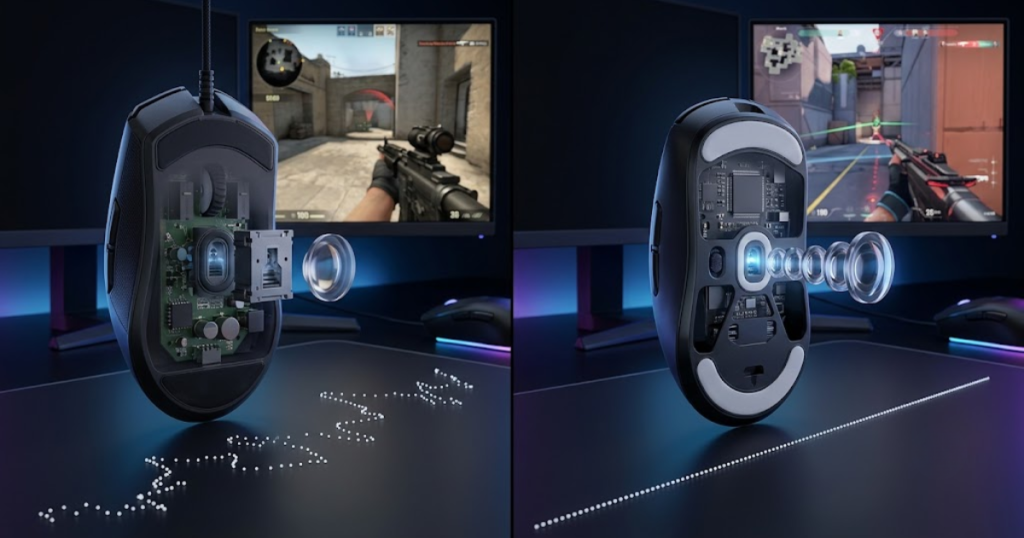
This improvement is one reason why modern gaming mice feel more responsive and predictable than many older designs. Better sensor hardware allows manufacturers to maintain stability while preserving the direct movement response that FPS players prefer.
How Modern Sensor Technology Has Improved
Modern sensor technology is a combination of improved imaging systems, faster processing hardware, and more advanced tracking algorithms. It helps sensors maintain accurate tracking across a wider range of conditions without requiring heavy movement filtering.
Older sensors often struggled when DPI values increased because the imaging hardware and processing capabilities were more limited. Today’s flagship sensors capture more surface information, process it more efficiently, and generate cleaner tracking output even at higher sensitivity levels.
These improvements allow manufacturers to reduce the amount of corrective filtering applied to movement data. Instead of fixing noisy output after it occurs, modern sensors are better at avoiding noisy output in the first place.
Better hardware reduces the need for aggressive software correction, which is one reason modern gaming mice feel more natural during FPS gameplay.
Why Modern Sensors Need Less Filtering
Filtering is a correction process used when sensor data contains unwanted noise or instability. It helps stabilize movement output, but modern sensors often generate cleaner data from the beginning.
Sensor manufacturers have spent years improving optical tracking accuracy. Better lenses, higher-quality imaging sensors, more powerful controllers, and refined firmware all contribute to cleaner tracking behavior. Because the movement data is already more reliable, the sensor does not need to rely on strong smoothing to maintain stability.
This is particularly important for competitive gaming. Players expect consistent movement behavior regardless of whether they are making large flicks, precise micro-adjustments, or tracking a fast-moving target. Reducing unnecessary filtering helps preserve that consistency.
The cleaner the original tracking data becomes, the less reason there is to heavily process it afterward.
Which Types Of Sensors Are Most Likely To Avoid Smoothing?
High-end gaming sensors are advanced optical systems designed specifically for accurate and low-latency tracking. They help minimize the need for smoothing by maintaining stable performance across common gaming DPI ranges.
Modern flagship sensors from manufacturers such as PixArt are widely used because they offer excellent tracking performance while maintaining low levels of noticeable filtering. Sensors frequently found in premium gaming mice are engineered for esports-level responsiveness rather than simple cursor smoothness.
This does not mean every premium sensor completely eliminates all processing. Instead, the goal is to keep processing so minimal that it becomes practically invisible during gameplay. For most FPS players using common DPI settings, the experience feels effectively raw.
High-end sensor design focuses on delivering clean tracking first rather than fixing tracking problems later.
The factors below explain why modern gaming sensors require less smoothing than older designs:
- Improved imaging systems: Modern sensors capture cleaner surface information with greater precision.
- Better processing hardware: Faster controllers analyze movement data more efficiently.
- Advanced tracking algorithms: Sensor calculations are more accurate before filtering becomes necessary.
- Lower signal noise: Improved hardware generates cleaner tracking information from the start.
- Gaming-focused engineering: Modern sensors prioritize responsiveness and consistency for competitive play.
These improvements show why noticeable smoothing has become far less common in modern gaming mice.
Most current gaming sensors can deliver stable and responsive tracking without relying on the aggressive filtering methods that were once necessary in older hardware.
Sensor Smoothing vs Mouse Acceleration
Sensor smoothing is a filtering system that modifies movement data before it reaches the computer, while mouse acceleration is a sensitivity behavior that changes cursor speed based on movement velocity. Understanding this difference helps FPS players diagnose aim issues more accurately.
Many players mistakenly use these terms interchangeably because both can change how aiming feels. However, the technologies work in completely different ways. One affects the movement signal itself, while the other affects how movement speed is interpreted.
Learning the distinction is important because solving an acceleration problem requires a different approach than identifying smoothing-related behavior.
What Sensor Smoothing Changes
Sensor smoothing is a movement filtering process that modifies tracking data before it is reported to the computer. It helps stabilize sensor output but may reduce the feeling of direct movement response.
The primary focus of smoothing is the quality of the tracking signal. Instead of changing how fast the cursor moves, smoothing attempts to create cleaner movement information by reducing noise and instability.
Because smoothing operates before movement reaches the game, players may describe the result as slightly less raw or slightly more processed. The actual cursor speed remains tied to the movement data being reported.
Smoothing changes movement information, not movement sensitivity.
What Mouse Acceleration Changes
Mouse acceleration is a sensitivity system that changes cursor movement based on how quickly the mouse is moved. It helps increase cursor travel distance during faster movements while maintaining slower movement at lower speeds.
Unlike smoothing, acceleration does not focus on cleaning movement data. Instead, it modifies the relationship between physical movement distance and digital movement distance. The same hand movement can produce different cursor results depending on movement speed.
This behavior can make muscle memory more difficult because cursor travel is no longer based purely on distance moved. Many competitive FPS players disable acceleration for this reason.
Acceleration changes movement scaling rather than movement quality.
Which One Has Greater Impact On Muscle Memory?
Muscle memory is the ability to repeat aiming movements consistently based on learned motion patterns. It helps players develop reliable crosshair placement and target acquisition habits.
Acceleration generally has a greater impact on muscle memory because it changes movement behavior directly. The same physical motion may produce different results depending on movement speed, making consistency harder to maintain.
Sensor smoothing can influence feel and responsiveness, but it typically does not alter movement scaling in the same way. As a result, acceleration tends to create larger consistency challenges for competitive FPS players.
Both features can affect aiming, but acceleration usually has the stronger influence on repeatable movement patterns.
The table below explains the key differences between sensor smoothing and mouse acceleration:
| Feature | Sensor Smoothing | Mouse Acceleration |
|---|---|---|
| Primary Purpose | Filter Movement Data | Adjust Cursor Speed |
| Changes Tracking Signal | Yes | No |
| Changes Sensitivity Behavior | No | Yes |
| Affects Muscle Memory | Slightly | Significantly |
| Common FPS Preference | Minimal Filtering | Disabled |
The table shows that sensor smoothing and mouse acceleration affect different parts of the aiming process, even though players sometimes confuse them.
Understanding the distinction helps players identify whether an aiming issue comes from signal processing or sensitivity behavior.
Sensor Smoothing vs Motion Sync
Sensor smoothing is a movement filtering process that modifies tracking information, while Motion Sync is a synchronization feature that aligns sensor reports with polling intervals. Understanding the difference helps FPS players evaluate sensor technologies more accurately.
These two features are often discussed together because both involve sensor processing. However, they are designed to solve different problems. Sensor smoothing focuses on movement data quality, while Motion Sync focuses on report timing consistency.
Confusing the two can lead players to misunderstand how their mouse actually behaves during gameplay.
What Motion Sync Actually Does
Motion Sync is a report synchronization feature that aligns sensor data delivery with the mouse’s polling cycle. It helps create more consistent report timing between the mouse and the computer.
Instead of filtering movement data, Motion Sync focuses on when data is delivered. The goal is to improve consistency by ensuring sensor information arrives at predictable intervals.
Because the feature operates differently from smoothing, it does not exist primarily to remove noise or stabilize tracking signals. Its purpose is timing alignment rather than movement filtering.
Motion Sync focuses on report consistency rather than tracking correction.
Where The Similarities Come From
Similarity is the perception that two technologies produce related outcomes even when their underlying functions differ. It helps explain why players sometimes group Motion Sync and smoothing together.
Both features operate inside the mouse rather than inside the game. Both involve sensor processing. Both can influence how movement feels under certain conditions. These shared characteristics create confusion among players researching mouse technology.
Despite those similarities, the actual goals of the technologies remain very different. One focuses on movement filtering while the other focuses on timing alignment.
Shared sensor involvement does not mean shared functionality.
Why FPS Players Often Confuse These Features
Feature confusion is the misunderstanding that different technologies perform the same role because they influence similar experiences. It helps explain why sensor discussions frequently mix these terms together.
Many players evaluate a mouse based on feel rather than on technical implementation. If movement feels slightly different after enabling a feature, it is easy to assume that the feature is performing the same function as another sensor technology.
The reality is that sensor smoothing and Motion Sync target different engineering challenges. Understanding those differences allows players to make more informed decisions when comparing gaming mice.
Accurate terminology helps players evaluate sensor performance more effectively.
The table below explains the differences between sensor smoothing and Motion Sync:
| Feature | Sensor Smoothing | Motion Sync |
|---|---|---|
| Main Goal | Filter Tracking Data | Synchronize Reports |
| Changes Movement Data | Yes | No |
| Focus Area | Tracking Stability | Report Timing Consistency |
| Addresses Noise | Yes | No |
| Addresses Timing Alignment | No | Yes |
The table shows that the two technologies operate in different areas of sensor performance despite sharing some surface-level similarities.
Sensor smoothing and Motion Sync solve different technical problems, which is why understanding both concepts is important when evaluating gaming mouse performance.
How Can You Tell If Your Mouse Uses Sensor Smoothing?
Sensor smoothing is a movement filtering process that may be present in some gaming mice depending on the sensor, firmware, and DPI setting. Identifying sensor smoothing helps FPS players understand whether movement processing could influence how direct their aim feels during gameplay.
Unlike features such as DPI or polling rate, sensor smoothing is not always listed clearly on a product box. Manufacturers rarely advertise smoothing because it is a technical behavior rather than a selling point. As a result, players often need to rely on sensor specifications, independent testing, and real-world analysis to determine whether smoothing exists.
The good news is that modern gaming mouse reviews and sensor testing resources make this process much easier than it was in the past.
What Sensor Specifications Should You Check?
Sensor specifications are the technical details that describe how a mouse sensor performs under different conditions. They help players identify whether a sensor is likely to use noticeable filtering at common gaming settings.
The first thing to check is the sensor model itself. Modern flagship sensors generally provide cleaner tracking than older generations, making noticeable smoothing far less common. Looking up the sensor name often reveals detailed testing information from reviewers and enthusiasts.
It is also useful to examine the DPI range where the sensor is being used. Some sensors perform perfectly at standard gaming DPI values but introduce additional processing at extremely high sensitivity settings.
Understanding the sensor itself is often the fastest way to determine whether smoothing may be relevant.
Where Can Independent Sensor Testing Be Found?
Independent sensor testing is the evaluation of mouse performance by third-party reviewers rather than by manufacturers. It helps players verify how a sensor behaves in real-world conditions.
Review websites, gaming hardware communities, and specialized mouse enthusiasts frequently test tracking accuracy, latency, DPI behavior, and sensor performance. These tests often reveal information that official specifications do not mention directly.
Independent testing is valuable because it focuses on measurable behavior rather than marketing claims. A mouse can advertise extremely high DPI numbers while still performing differently across sensitivity ranges.
Reliable testing data provides a clearer picture of whether smoothing is present and whether it matters for competitive gaming.
What Gameplay Signs Might Indicate Smoothing?
Gameplay indicators are movement characteristics that may suggest a sensor is applying additional filtering. They help players recognize potential sensor behavior through actual use rather than technical specifications alone.
Some players describe excessive smoothing as a slightly floaty or delayed feeling during rapid movements. Others notice that fast flicks do not feel as immediate as expected or that very small corrections seem less direct. These sensations are subjective and can also be influenced by shape, weight, skates, mousepad, or sensitivity settings.
For this reason, gameplay feel should be treated as supporting evidence rather than definitive proof. Technical testing remains the most reliable way to identify actual smoothing behavior.
Perceived movement feel can provide clues, but objective testing offers stronger answers.
The factors below explain the most reliable ways to identify sensor smoothing:
- Check the sensor model: Research the specific sensor used inside the mouse.
- Review independent testing: Look for latency and tracking analysis from trusted reviewers.
- Examine DPI behavior: Determine whether performance changes at very high DPI settings.
- Compare community findings: Read reports from experienced users and enthusiasts.
- Analyze tracking consistency: Look for evidence of filtering in technical evaluations.
These methods provide stronger evidence than relying entirely on subjective gameplay impressions.
The following process can help determine whether a mouse uses noticeable sensor smoothing:
- Identify the sensor: Find the exact sensor model used in the mouse.
- Research testing data: Look for tracking and latency measurements from trusted reviewers.
- Check DPI-specific results: Determine whether behavior changes at different DPI levels.
- Compare multiple sources: Verify findings across several independent reviews.
- Evaluate practical impact: Decide whether any smoothing affects your actual gameplay.
This process focuses on evidence rather than assumptions, making it easier to understand how a sensor truly behaves.
Identifying sensor smoothing requires a combination of technical information and practical evaluation rather than relying on a single indicator.
Should FPS Players Care About Sensor Smoothing?
Sensor smoothing is a movement filtering technique that can influence responsiveness and tracking feel. Understanding whether it matters helps FPS players focus on the factors that actually affect performance during competitive gameplay.
The comparison below highlights when sensor smoothing matters for different types of FPS players:
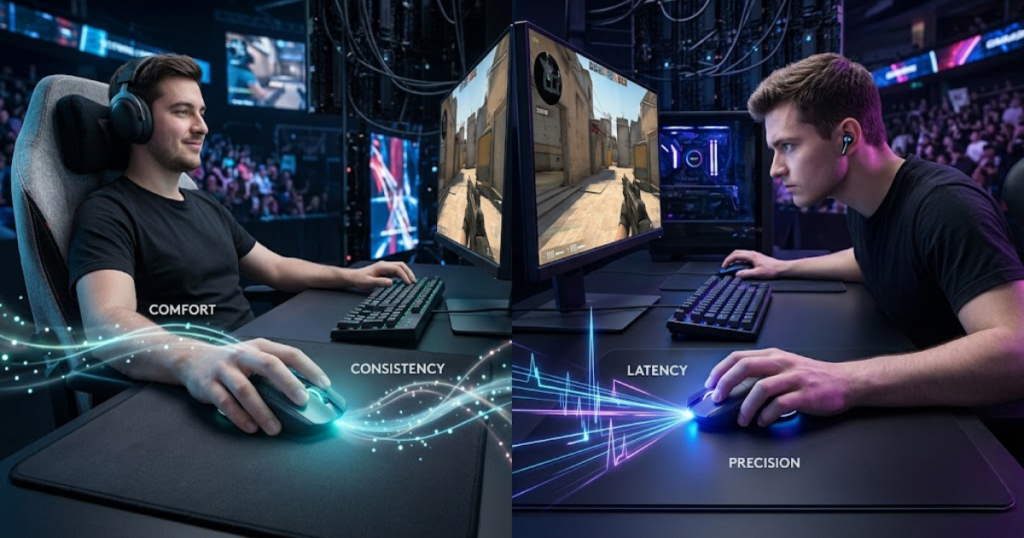
The answer depends largely on the player, the sensor being used, and the sensitivity settings involved. For some situations, smoothing may be worth considering. In many others, it has little practical impact compared to larger performance factors. Players comparing different sensors and tracking technologies can also explore the best gaming mouse for FPS games to see how modern sensor performance varies across today’s most popular competitive models.
The key is understanding when smoothing becomes relevant and when it can safely be ignored.
Casual Players vs Competitive Players
Player skill level is the amount of precision and consistency demanded during gameplay. It helps determine how sensitive someone may be to small differences in mouse behavior.
Casual players generally focus on comfort, enjoyment, and overall usability. Small variations in sensor processing are unlikely to influence their experience significantly. Competitive players, however, often spend thousands of hours refining muscle memory and may be more sensitive to subtle differences in movement response.
This does not mean every competitive player can immediately detect smoothing. It simply means that small performance differences become more important as skill level and consistency requirements increase.
The more demanding the gameplay environment becomes, the more attention players tend to pay to sensor behavior.
When Sensor Smoothing Actually Matters
Practical relevance is the degree to which a technical feature influences real gameplay performance. It helps separate theoretical concerns from meaningful competitive factors.
Sensor smoothing becomes most relevant when it is aggressive enough to alter movement feel noticeably. This is more likely to occur with older sensors, extremely high DPI settings, or poorly optimized implementations.
In these situations, players may experience less direct aiming response, reduced confidence during flicks, or movement behavior that feels slightly disconnected from hand input.
Smoothing matters most when it becomes noticeable enough to interfere with consistency.
When Sensor Smoothing Can Be Ignored
Negligible impact is a level of influence so small that it does not meaningfully affect practical performance. It helps players avoid overanalyzing technical details that have little real-world consequence.
For most modern gaming mice operating at common FPS DPI settings, smoothing falls into this category. Modern sensors are extremely capable, and the majority of players will gain more benefit from improving aim fundamentals than from worrying about minimal filtering behavior.
Shape comfort, grip consistency, sensitivity settings, and practice habits typically contribute more to performance than tiny differences in sensor processing.
Many players spend time chasing technical perfection when larger performance improvements are available elsewhere.
The table below explains how important sensor smoothing is for different types of FPS players:
| Player Type | Concern Level |
|---|---|
| Casual FPS Player | Low |
| Regular Ranked Player | Moderate |
| Competitive Player | High |
| Professional Player | Very High |
The table shows that the importance of sensor smoothing generally increases as competitive demands become more intense.
Most FPS players should understand sensor smoothing, but only a smaller group of highly competitive players will find it to be a major decision-making factor.
What Matters More Than Sensor Smoothing For FPS Performance?
Sensor smoothing is a small part of overall mouse performance that can influence movement feel in certain situations. Understanding the factors that matter more helps players make better decisions when choosing or upgrading a gaming mouse.
Many FPS players become focused on niche technical details while overlooking larger contributors to performance. In reality, aim consistency depends on an entire system rather than on a single sensor characteristic.
Evaluating the complete experience provides a more useful approach than focusing exclusively on smoothing behavior. Other sensor-related characteristics such as lift-off distance can also influence how a gaming mouse behaves during real FPS gameplay.
Why Mouse Shape Influences Aim More
Mouse shape is the physical design of the mouse that determines how the hand interacts with the device. It helps create comfort, stability, and long-term aiming consistency.
A perfectly engineered sensor cannot compensate for a shape that feels uncomfortable or unstable. If a player struggles to grip the mouse consistently, crosshair control will suffer regardless of how advanced the sensor may be.
Shape influences every aiming action, from flicks to tracking to recoil control. For most players, finding the right shape creates larger improvements than reducing already minimal smoothing behavior.
Comfort and control begin with physical design rather than sensor specifications alone.
Why Sensor Quality Matters More Than Marketing DPI
Sensor quality is the overall ability of a sensor to track movement accurately, consistently, and reliably. It helps ensure that hand movement is translated into predictable on-screen behavior.
Marketing often emphasizes maximum DPI values because large numbers attract attention. However, extremely high DPI rarely improves competitive FPS performance. What matters more is whether the sensor tracks cleanly and consistently at the settings players actually use.
A high-quality sensor operating at practical DPI levels will usually outperform a lower-quality sensor advertising extreme sensitivity numbers.
Reliable tracking quality provides greater value than chasing maximum specifications.
Why Latency And Consistency Are Bigger Priorities
Latency and consistency are performance characteristics that determine how quickly and predictably a mouse responds. They help players build trust in their equipment during competitive play.
Consistency means the mouse behaves the same way every time a movement is repeated. Latency influences how quickly that movement appears on screen. Together, these factors affect every aiming action performed during gameplay.
Because they influence the entire experience rather than a narrow technical behavior, they often have a greater practical impact than sensor smoothing alone.
Reliable performance across thousands of movements matters more than focusing on a single processing feature.
The factors below explain what usually matters more than sensor smoothing in FPS games:
- Mouse shape: Determines comfort, grip stability, and long-term consistency.
- Grip compatibility: Supports repeatable hand positioning during aiming.
- Sensor quality: Ensures accurate and predictable tracking performance.
- Click latency: Influences how quickly actions register in-game.
- Weight balance: Affects movement control and overall handling.
- Polling rate stability: Helps maintain consistent report delivery.
These factors typically contribute more to real-world FPS performance than minor differences in sensor smoothing behavior.
Sensor smoothing is worth understanding, but it should be evaluated as one component of a much larger performance picture. Most players will achieve better results by prioritizing shape, consistency, and overall mouse sensor performance before worrying about small amounts of modern sensor filtering.
Frequently Asked Questions About Sensor Smoothing
Before choosing a gaming mouse based on sensor claims, it helps to clear up the most common questions players have about sensor smoothing. The FAQ below answers the practical concerns FPS players usually search for after learning what sensor smoothing means.
What is sensor smoothing in a gaming mouse?
Sensor smoothing is a movement filtering process that averages tracking data before it reaches the computer. It helps reduce sensor noise and improve movement stability, especially at very high DPI settings.
Why do gaming mouse sensors use smoothing?
Gaming mouse sensors use smoothing to reduce unstable tracking data and sensor noise. It helps create cleaner movement output when the sensor operates under challenging conditions.
Does sensor smoothing increase latency?
Sensor smoothing can increase latency because additional movement processing requires extra time before the sensor reports data. Modern implementations usually add very little delay compared to older designs.
Can sensor smoothing affect aim accuracy?
Sensor smoothing can affect aim accuracy when the filtering becomes aggressive enough to alter movement feel. It helps stabilize tracking, but excessive processing may reduce the sense of direct control.
Does sensor smoothing affect flick shots?
Sensor smoothing can affect flick shots because rapid aiming movements rely on immediate sensor response. Heavy filtering may make fast movements feel slightly less responsive.
Does sensor smoothing affect tracking performance?
Sensor smoothing can influence tracking performance by modifying movement data before it reaches the game. Light smoothing often has little impact, while aggressive filtering may make tracking feel less connected.
At what DPI does sensor smoothing usually appear?
Sensor smoothing most commonly appears at extremely high DPI settings where sensor noise becomes harder to control. Most FPS players using 400 to 1600 DPI rarely encounter noticeable smoothing.
Do modern gaming mice still use sensor smoothing?
Modern gaming mice may still use limited processing, but noticeable smoothing is far less common than it was in older sensor generations. Most flagship sensors provide clean tracking without aggressive filtering.
Is sensor smoothing the same as mouse acceleration?
Sensor smoothing is not the same as mouse acceleration. Sensor smoothing filters movement data, while mouse acceleration changes cursor speed based on how quickly the mouse moves.
Is sensor smoothing the same as Motion Sync?
Sensor smoothing and Motion Sync are different technologies. Sensor smoothing filters tracking information, while Motion Sync synchronizes sensor reports with polling intervals.
How can I check if my mouse uses sensor smoothing?
You can check for sensor smoothing by researching the sensor model, reading independent reviews, examining DPI-specific testing, and comparing latency measurements from trusted sources.
Should competitive FPS players avoid sensor smoothing?
Competitive FPS players generally prefer minimal sensor smoothing because it helps preserve direct movement response. Modern gaming sensors usually provide low enough smoothing that it is not a major concern at common gaming DPI settings.
Thank you for reading this guide on sensor smoothing. Understanding how gaming mouse sensors process movement data helps FPS players make better decisions when choosing equipment and optimizing their aiming experience.
Final Thoughts
Sensor smoothing is a movement filtering technique that processes tracking data before it reaches the computer. It helps reduce sensor noise and improve stability, but excessive smoothing can make movement feel less direct for competitive FPS players.
Modern gaming mouse sensors have significantly reduced the need for aggressive smoothing, especially within the DPI ranges commonly used in FPS games. As a result, most players will rarely encounter noticeable smoothing during normal gameplay.
Understanding how sensor smoothing works is still valuable because it provides context for evaluating gaming mouse technology. However, factors such as shape, comfort, tracking quality, latency, and consistency generally play a larger role in determining overall FPS performance. Understanding these factors can help players choose a better gaming mouse for FPS games based on their actual needs rather than marketing claims.
For most players, the goal should not be eliminating every trace of processing. The goal should be choosing a gaming mouse that delivers reliable, predictable, and comfortable performance in real gameplay situations.
Thank you for reading this guide. While sensor smoothing remains an interesting part of gaming mouse technology, most FPS players will benefit far more from choosing the right shape, sensor quality, and overall mouse design. Understanding how sensor smoothing works simply helps you make smarter decisions and focus on the factors that truly improve aim consistency.