
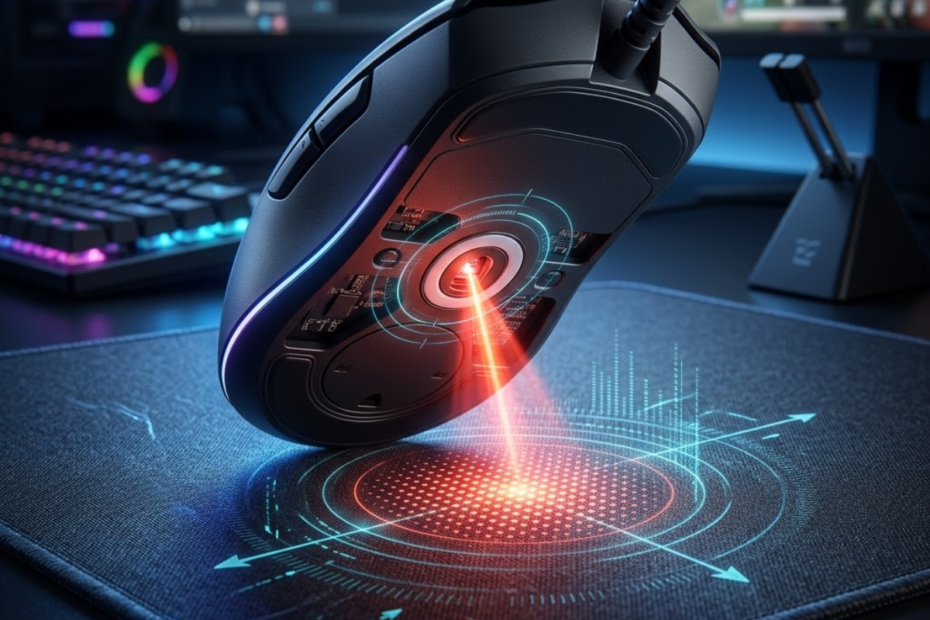
A gaming mouse sensor is the component that helps a gaming mouse read physical movement and turn that movement into digital input on your screen. For FPS players, the sensor matters because every swipe, micro adjustment, flick, and tracking motion starts with how accurately the mouse can detect movement on the surface below it.
When people search for gaming mouse sensor explained, they usually want a clear answer before getting lost in specs like DPI, IPS, acceleration, or polling rate. The sensor is not the only thing that makes a gaming mouse good, but it is one of the core parts that decides whether the mouse can track movement cleanly during real gameplay.
This guide explains what a gaming mouse sensor is, how it works, what optical and laser sensors mean, which sensor specs matter, and how sensor quality can affect FPS aim. The goal is to help you understand sensor performance in a practical way instead of judging a mouse only by high DPI numbers or marketing claims.
What Is a Gaming Mouse Sensor?
A gaming mouse sensor is the part that helps a mouse detect movement across a surface and convert that movement into cursor motion on your computer. In simple terms, it is the tracking system inside the mouse that tells your PC where your hand is moving, how fast it is moving, and in which direction.
The sensor sits on the bottom side of the mouse and reads the surface underneath it. When you move the mouse across a mousepad, the sensor captures tiny changes in surface detail and uses that information to calculate movement. That data is then sent through the mouse electronics to your computer, where it becomes the movement you see on screen.
The core functions below explain what a gaming mouse sensor does inside the mouse:
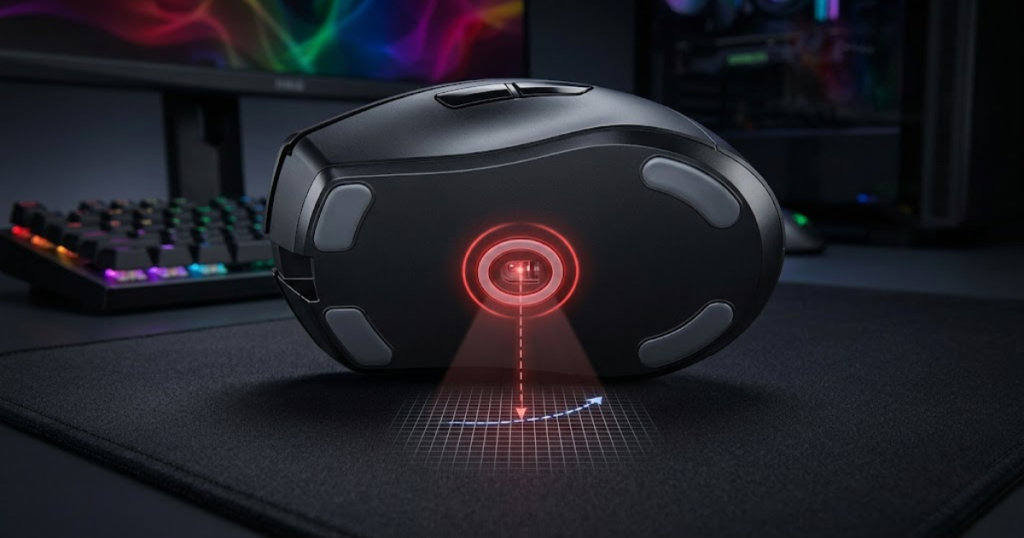
For FPS games, this matters because aim control depends on repeatable movement. If the sensor reads motion accurately, your crosshair movement feels predictable. If the sensor struggles, skips, jitters, or adds unwanted correction, your aim can feel inconsistent even when your hand movement is the same.
The core functions below explain what a gaming mouse sensor does inside the mouse:
- Tracking: The sensor detects physical mouse movement across a surface.
- Translation: The sensor helps convert hand movement into digital cursor movement.
- Accuracy: The sensor helps preserve the relationship between real movement and on-screen movement.
- Consistency: The sensor helps keep tracking behavior stable during slow adjustments and fast swipes.
These functions work together to make the mouse feel natural, predictable, and responsive during gameplay. They are also one of the reasons why a gaming mouse for FPS games can provide more consistent tracking and aiming performance than a standard office mouse.
The Core Function of a Gaming Mouse Sensor
The core function of a gaming mouse sensor is to help the mouse understand movement by reading the surface below it. Without the sensor, the mouse would not know whether you moved left, right, forward, backward, slowly, or quickly.
Modern gaming mice usually use optical sensor technology. The sensor uses a light source and an imaging system to observe the surface underneath the mouse. It does not see the surface the way your eyes do, but it detects texture changes that allow the mouse to calculate motion.
This is why a good mousepad can improve tracking reliability. The sensor needs a surface with enough consistent texture to read movement properly. A clean cloth or hybrid mousepad gives the sensor a more predictable surface than glass, glossy plastic, or uneven desk material.
Overall, the sensor’s main job is not to make you aim better by itself. Its job is to make sure the mouse reports your movement accurately enough so your own aim mechanics can stay consistent.
Why Every Movement Starts With the Sensor
Every mouse movement starts with the sensor because it is the part that helps the mouse detect the first physical change in position. Before the click switch, wireless system, polling rate, or software setting matters, the sensor must first read that the mouse has moved.
When you make a small correction in Valorant or CS2, the sensor reads the movement before the cursor shifts on screen. When you make a wide swipe to turn around in Apex Legends, the sensor must keep tracking even if your hand moves quickly. If the sensor fails at this stage, the rest of the mouse cannot fully fix the problem.
This is also why sensor consistency is more important than extreme spec numbers. A sensor with clean real-world tracking will usually feel better than a sensor with a huge DPI number but unstable behavior. FPS aiming rewards repeatability, not just maximum sensitivity.
As a result, every gaming mouse starts with one important question: can the sensor track your movement accurately under the way you actually play?
How Sensors Connect Physical Motion to Digital Input
A mouse sensor helps connect physical motion to digital input by measuring movement and sending that information to the computer as tracking data. The computer then uses that data to move the cursor or camera view inside the game.
This process happens extremely fast. While you move the mouse, the sensor is constantly reading the surface and reporting movement changes. The mouse firmware processes that information, and the computer receives the final input signal based on the mouse’s polling behavior and system settings.
For FPS games, this connection must feel direct. When your hand moves two inches, you expect your crosshair to move by the same predictable amount every time. If the sensor adds inconsistency, your muscle memory becomes harder to trust because the same movement may not always create the same result.
In short, the sensor acts as the bridge between your hand and your aim. The more stable that bridge is, the easier it is to build consistent control.
Overall, a gaming mouse sensor is important because it creates the foundation for accurate tracking. Other features can improve comfort, speed, or responsiveness, but the sensor is the part that first captures your physical movement.
How Does a Gaming Mouse Sensor Work?
A gaming mouse sensor works by helping the mouse capture surface details, compare changes between frames, calculate movement direction, and send that movement data to the computer. This happens repeatedly while the mouse is moving, which is why modern gaming mice can feel smooth and precise.
The process sounds complicated, but the basic idea is simple. The sensor observes the surface below the mouse. As the mouse moves, the surface pattern changes from one moment to the next. The sensor and internal processor compare those changes to understand how far and in what direction the mouse moved.
The illustration below demonstrates how a sensor captures surface information and converts it into movement data:
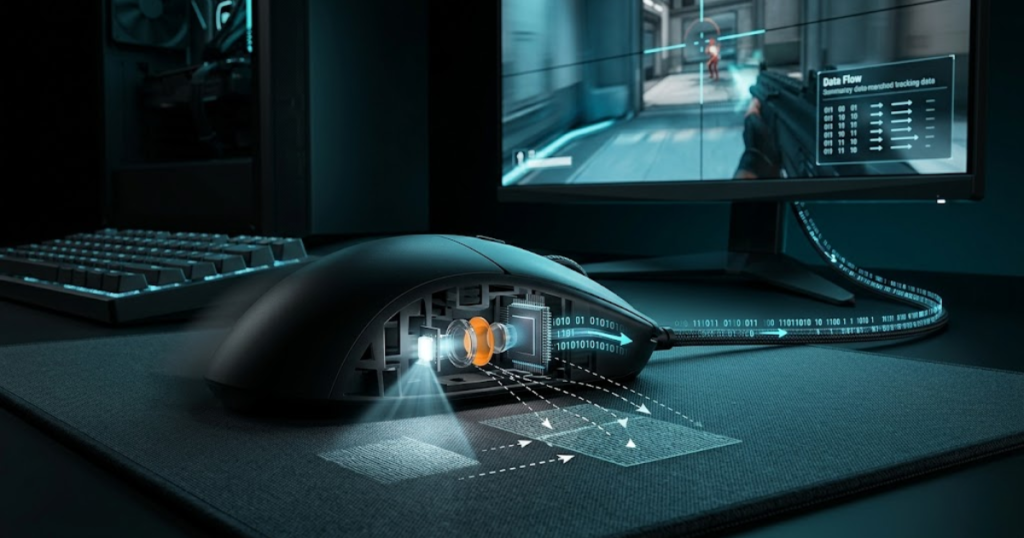
This is why tracking quality depends on more than one number. The sensor needs good image capture, fast processing, accurate motion calculation, and stable communication with the rest of the mouse. A failure in any part of this process can create tracking problems.
The following process explains how a gaming mouse sensor works during movement:
- Capture: The sensor captures surface detail from the mousepad or desk below the mouse.
- Compare: The sensor system compares surface changes between one moment and the next.
- Calculate: The mouse determines the direction and distance of the movement.
- Transmit: The movement data is sent to the computer as digital input.
This process repeats continuously while the mouse is active, which allows the computer to receive updated movement data as you aim.
Capturing Surface Images Thousands of Times Per Second
Surface image capture is the process that helps the sensor read tiny visual details from the area under the mouse. The sensor uses these details to understand the texture pattern of the surface while the mouse is moving.
Even though you may see a mousepad as a simple flat surface, the sensor sees small texture differences. These differences give the sensor reference points. As the mouse moves, those reference points shift, and the sensor uses that shift to understand motion.
A good sensor can capture useful surface detail at very high speed. This is important for FPS players because fast hand movement should not cause the mouse to lose tracking. If the sensor cannot capture enough usable detail during a fast swipe, the cursor may skip or move unpredictably.
As a result, surface image capture is the first step that allows the sensor to build accurate tracking data from real-world movement.
Comparing Frame Changes to Detect Movement
Frame comparison is the step that helps a gaming mouse sensor detect how the mouse has moved across the surface. The sensor compares one captured surface image with the next and looks for changes in position.
If the surface pattern shifts slightly to the left, the sensor can determine that the mouse moved in the opposite direction. If the pattern changes quickly across multiple frames, the sensor can estimate faster movement. This is how the sensor turns surface detail into motion information.
The quality of this comparison affects tracking stability. A strong sensor can keep movement calculations consistent across different speeds. A weak or poorly tuned sensor may struggle when movement becomes too fast, too slow, or too subtle.
For FPS gameplay, this matters most during two situations: slow crosshair correction and fast flick shots. Slow correction needs clean micro movement. Fast flicking needs the sensor to stay locked onto the surface without losing position.
Overall, frame comparison is the part of sensor behavior that turns raw surface reading into usable movement data.
Converting Tracking Data Into Cursor Movement
Tracking data conversion helps the mouse turn sensor calculations into movement that your computer and game can use. After the sensor detects motion, the mouse electronics package that data and send it to the system.
Inside a game, this data becomes camera movement or crosshair movement depending on your settings. Your DPI, in-game sensitivity, operating system settings, and raw input behavior can all influence how that movement feels. However, the sensor remains the original source of the movement data.
This is why sensor performance should be understood separately from sensitivity. DPI changes how much movement is reported per inch, while sensor quality affects how cleanly and consistently the mouse can track movement in the first place.
As a result, a good sensor gives your settings a stable foundation. Your sensitivity can be adjusted later, but the sensor must first provide reliable motion data.
Overall, a gaming mouse sensor works by reading surface detail, comparing motion changes, calculating movement, and sending that input to the computer. If you want a deeper breakdown of each stage involved in tracking, see our detailed guide on how gaming mouse sensors work.
Optical vs Laser Sensors Explained
Optical and laser sensors are two tracking technologies that help a mouse detect movement, but optical sensors are generally preferred for FPS gaming because they tend to deliver more predictable tracking on gaming mousepads.
Both sensor types are designed to solve the same problem: they need to detect movement on a surface. The difference comes from the type of light used and how the sensor reads surface detail. In modern gaming mice, optical sensors are far more common because they offer the kind of clean, stable tracking competitive players usually want.
The comparison below helps visualize how optical and laser sensor technologies approach movement tracking differently:
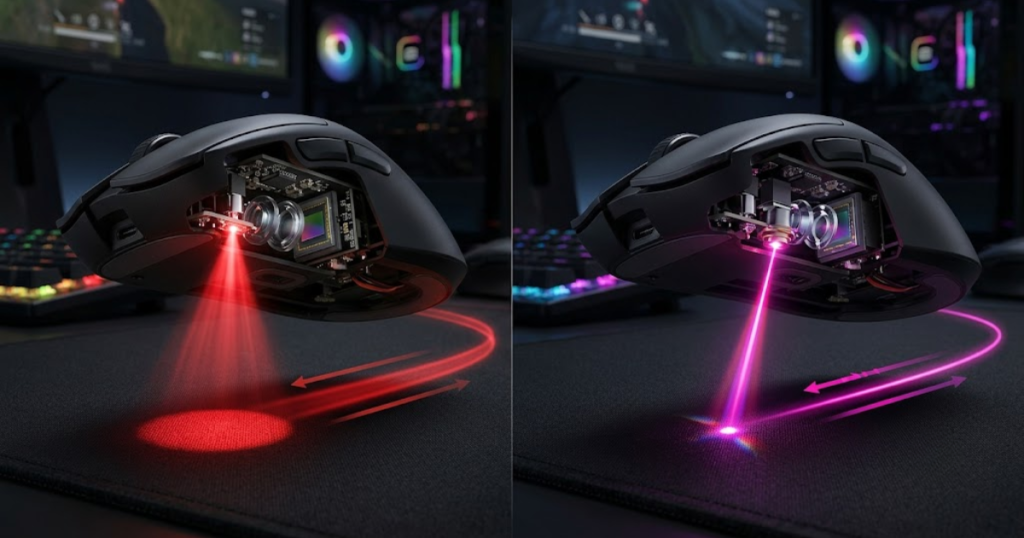
Laser sensors were once marketed heavily because they could work on more surfaces. However, broader surface compatibility does not always mean better gaming performance. FPS players usually care more about consistent tracking on a proper mousepad than the ability to use a mouse on many different surfaces.
The table below explains the main differences between optical and laser gaming mouse sensors:
| Feature | Optical Sensor | Laser Sensor |
|---|---|---|
| Light source | Uses LED-based optical tracking | Uses laser-based tracking |
| Surface behavior | Works best on mousepads and consistent surfaces | Can work on more surface types |
| Tracking feel | Usually more predictable for FPS movement | Can feel less consistent on some surfaces |
| FPS suitability | Preferred for competitive gaming | Less common in modern FPS gaming mice |
This does not mean every optical mouse is automatically good or every laser mouse is unusable. It means that modern FPS gaming mice have largely moved toward optical sensors because they match the needs of competitive aiming more closely.
How Optical Sensors Track Surface Movement
An optical sensor is a tracking system that helps a gaming mouse read surface texture using light and image comparison. It captures surface detail, compares changes, and calculates movement based on how the texture shifts.
Optical sensors are well suited for gaming mousepads because mousepads provide a consistent surface. This allows the sensor to detect movement without needing to overcompensate for unusual reflection or surface depth. The result is usually a more direct and predictable feel.
Many modern high-performance gaming mice use optical sensors because they can track fast movement, low-speed adjustments, and repeated swipes with strong consistency. This is especially important in FPS games where every movement pattern needs to feel repeatable.
Overall, optical sensors are popular in gaming mice because they offer stable tracking on the surfaces FPS players actually use.
How Laser Sensors Detect Motion
A laser sensor is a mouse tracking system that helps detect movement using laser-based illumination, often allowing the mouse to work on a wider range of surfaces. This broader compatibility was one reason laser mice became popular in older consumer and office mouse designs.
The tradeoff is that laser sensors can sometimes read deeper or more irregular surface details than needed for gaming. On certain surfaces, this may create a less predictable tracking feel. For everyday computer use, that may not matter much. For FPS games, small inconsistencies can become noticeable.
Laser sensors are not always bad, but they are less common in serious FPS gaming mice today. Competitive players usually use a mousepad and want consistency more than broad surface compatibility.
As a result, laser sensors are better understood as a general tracking technology rather than the default choice for modern FPS gaming performance.
Why Competitive FPS Players Prefer Optical Sensors
Competitive FPS players prefer optical sensors because they help deliver more consistent tracking on gaming mousepads. In games where aim depends on repetition, predictability is usually more valuable than surface flexibility.
FPS players often use low or moderate sensitivity and make larger arm movements. During these movements, the sensor needs to maintain accurate tracking even when the mouse moves quickly. Optical sensors in modern gaming mice are designed to handle that kind of movement cleanly.
Another reason is trust. When a player builds muscle memory, they need the mouse to behave the same way every time. A sensor that feels stable across flicks, tracking, and micro corrections gives the player more confidence in their own movement.
Overall, optical sensors dominate modern FPS gaming because they match the practical needs of competitive aim: consistency, accuracy, and predictable surface tracking.
In conclusion, optical vs laser is not just a technical comparison. For FPS players, the important takeaway is that optical sensors usually provide the cleaner and more reliable tracking experience on proper gaming mousepads.
What Makes a Gaming Mouse Sensor Good?
A good gaming mouse sensor is a component that helps deliver accurate, consistent, and reliable tracking across different movement speeds and gameplay situations. The best sensors are not defined by the highest DPI numbers but by their ability to reproduce your hand movement as faithfully as possible.
Many gamers assume that a higher specification sheet automatically means a better sensor. In reality, sensor quality is mostly determined by how consistently the sensor performs during actual gameplay. A sensor that behaves predictably during micro adjustments, tracking, and flick shots is usually more valuable than one that simply advertises extreme specifications.
For FPS players, a good sensor should disappear into the background. You should not be thinking about the sensor while aiming. Instead, every movement should feel natural enough that your attention stays on the game rather than the mouse.
The factors below explain what makes a gaming mouse sensor reliable for FPS games:
- Accuracy: The sensor reports movement correctly without unwanted deviations.
- Consistency: The sensor behaves predictably across different aiming situations.
- Reliability: The sensor maintains tracking performance during both slow and fast movements.
- Stability: The sensor avoids random behavior that could disrupt muscle memory.
These factors matter more than marketing numbers because they directly affect how a mouse feels during real gameplay.
Tracking Accuracy and Precision
Tracking accuracy is a characteristic that helps a gaming mouse sensor represent physical movement correctly on screen. When you move the mouse a specific distance, the cursor or crosshair should respond in a predictable way.
In FPS games, accuracy becomes especially important during micro adjustments. These are the tiny movements players make while lining up headshots, correcting crosshair placement, or tracking moving targets. Even small inconsistencies can make aiming feel less reliable over time.
Accuracy is often confused with sensitivity. However, sensitivity determines how much the cursor moves, while tracking accuracy determines whether that movement is represented correctly in the first place. A highly sensitive mouse can still feel inaccurate if the sensor tracking is inconsistent.
As a result, tracking accuracy forms the foundation of dependable aiming performance in competitive shooters.
Consistent Performance During Fast Movements
Consistent performance is a quality that helps the sensor maintain reliable tracking even when movement speed changes dramatically. FPS gameplay includes both slow precision aiming and rapid directional changes, which means the sensor must remain stable across a wide range of motion.
During a fast flick shot, the mouse can travel across a significant portion of the mousepad within a fraction of a second. A high-quality sensor continues tracking that movement smoothly without introducing instability. This allows players to build confidence that aggressive swipes will produce predictable results.
Consistency is particularly valuable because it supports muscle memory development. The more predictable the sensor behaves, the easier it becomes for players to repeat successful aiming motions.
Overall, consistent tracking performance allows players to trust the mouse regardless of how quickly they move it.
Reliable Sensor Behavior Under Competitive Conditions
Reliable sensor behavior is a characteristic that helps maintain stable performance during long gaming sessions and high-pressure situations. Competitive FPS gameplay often exposes weaknesses that may not appear during casual computer use.
Players frequently alternate between tracking targets, making fast turns, and performing precise corrections. These transitions place different demands on the sensor. A reliable sensor adapts smoothly without creating unexpected movement behavior.
Reliability also contributes to confidence. When players know the sensor will respond predictably, they can focus entirely on decision-making and mechanics instead of questioning their equipment.
In conclusion, a good gaming mouse sensor is ultimately defined by reliability. The less attention players need to give the sensor itself, the better it is performing its job.
Gaming Mouse Sensor Specifications Explained
Gaming mouse sensor specifications are measurements that help describe the technical capabilities of a sensor and its ability to track movement. These specifications provide useful information, but understanding what they actually mean is more important than simply comparing bigger numbers.
The image below highlights several important specifications commonly used to describe gaming mouse sensors:
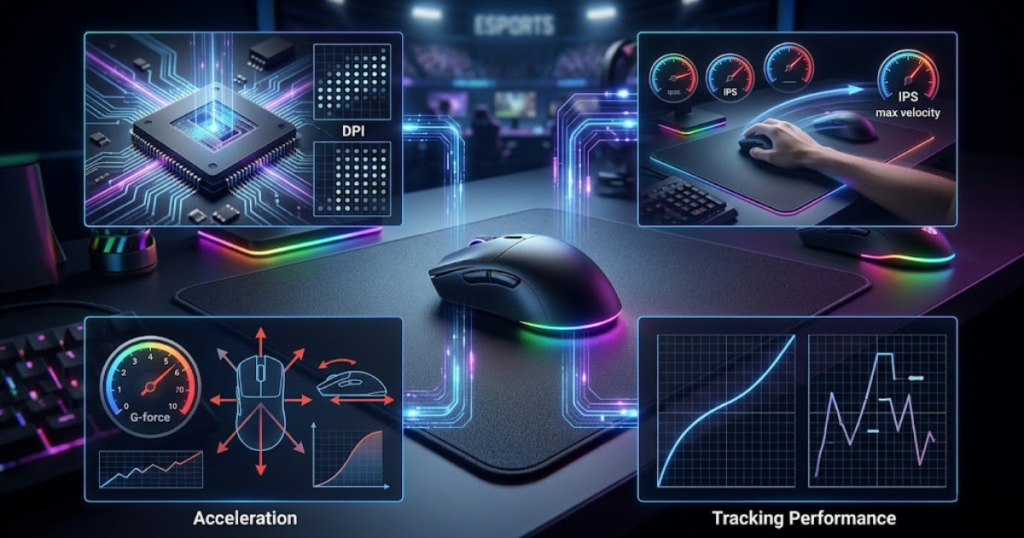
Many gaming mouse advertisements focus heavily on specifications because they are easy to display on product pages. However, not every specification affects gameplay equally. Some numbers have a meaningful impact on performance, while others mainly serve marketing purposes.
Understanding the most common sensor specifications allows FPS players to evaluate mice more intelligently and avoid making decisions based solely on impressive-looking figures.
The table below explains the most common gaming mouse sensor specifications:
| Specification | Meaning | FPS Relevance |
|---|---|---|
| DPI | Sensitivity measurement | Moderate |
| IPS | Maximum tracking speed | High |
| Acceleration | Maximum tolerated force | High |
| Polling Rate | Reporting frequency | Situational |
Rather than chasing the highest numbers available, players should focus on understanding which specifications are actually relevant to their playstyle and hardware setup.
What DPI Means in a Gaming Mouse Sensor
DPI is a specification that helps measure how sensitive a gaming mouse is by describing how much cursor movement is generated from physical mouse movement.
Higher DPI means the cursor travels farther for the same physical movement. Lower DPI means the cursor travels a shorter distance. This setting allows players to customize sensitivity according to personal preference and game requirements.
Many marketing campaigns emphasize extremely high DPI values because they appear impressive. However, most competitive FPS players use sensitivity settings that fall far below the maximum DPI ratings offered by modern gaming mice.
As a result, DPI should be viewed as a customization option rather than a direct indicator of sensor quality.
What IPS Means and Why It Matters
IPS is a specification that helps describe the maximum speed at which a sensor can continue tracking movement accurately. IPS stands for inches per second and represents a sensor’s ability to handle fast swipes.
This specification becomes relevant when players use large arm movements and rapid flicks. If a sensor reaches its tracking limit, it may struggle to interpret extremely fast motion correctly. Modern gaming sensors typically offer IPS values high enough for virtually all competitive FPS scenarios.
For most players, IPS serves as reassurance that the sensor can keep up with aggressive movement rather than a specification that requires constant attention.
Overall, IPS matters because it reflects how well a sensor handles high-speed tracking situations.
Understanding Maximum Acceleration Ratings
Maximum acceleration is a specification that helps indicate how much force a sensor can tolerate while maintaining accurate tracking. It measures the sensor’s ability to handle rapid changes in movement speed.
Acceleration ratings become relevant when players perform explosive flicks or abrupt directional changes. A sensor with insufficient acceleration tolerance may lose tracking accuracy when movement intensity becomes too high.
Modern flagship sensors typically provide acceleration ratings well above what most players can physically generate. Because of this, acceleration limits are rarely encountered during normal competitive play.
As a result, acceleration ratings are best viewed as indicators of tracking headroom rather than everyday performance metrics.
Which Sensor Specifications Matter Most for FPS Games
The most important sensor specifications are the metrics that help determine whether the mouse can maintain accurate tracking during real gameplay conditions. Not every specification deserves equal attention.
For FPS players, reliable tracking behavior, sufficient IPS capability, and strong acceleration tolerance are usually more meaningful than extremely high DPI values. Once a sensor reaches a certain level of technical competence, overall implementation and consistency become more important than raw specifications.
Players should also remember that specifications alone cannot fully describe how a sensor feels in practice. Real-world performance depends on the interaction between hardware, firmware, mouse shape, grip style, and gameplay habits.
In conclusion, sensor specifications provide useful context, but they should be interpreted as part of a broader performance picture rather than treated as absolute indicators of quality.
Does Sensor Quality Affect FPS Aim?
Sensor quality is a factor that helps determine how accurately and consistently a gaming mouse translates physical movement into aiming movement inside FPS games. While mechanical skill remains the biggest factor in performance, sensor quality can influence how reliably that skill is expressed.
Aiming depends heavily on repeatability. Players build muscle memory through thousands of repetitions, expecting similar hand movements to create similar results. A stable sensor supports that process by providing consistent tracking behavior.
Sensor quality does not magically improve aim. Instead, it helps remove technical obstacles that could interfere with the player’s ability to execute intended movements accurately. One example is sensor smoothing, which can affect how raw mouse movement is translated into on-screen motion.
The table below explains how sensor quality can influence common FPS aiming situations:
| Aim Scenario | High-Quality Sensor | Lower-Quality Sensor |
|---|---|---|
| Micro adjustments | Stable and predictable | Potential inconsistency |
| Tracking targets | Smooth tracking | Possible instability |
| Fast flicks | Reliable movement capture | Higher risk of tracking errors |
| Long-term consistency | Supports muscle memory | Can create uncertainty |
Players still need practice, positioning, game knowledge, and mechanics, but a reliable sensor makes it easier for those skills to translate into predictable performance.
How Sensor Accuracy Influences Crosshair Placement
Sensor accuracy is a characteristic that helps ensure crosshair movement closely matches physical hand movement. Accurate tracking allows players to position their crosshair precisely where they intend.
Crosshair placement is one of the most important FPS fundamentals because it reduces the amount of correction needed before firing. When the sensor tracks accurately, players can trust their movement patterns and make smaller adjustments with confidence.
This becomes especially important during precision-focused games such as Valorant and Counter-Strike 2, where tiny differences in crosshair placement can influence engagement outcomes.
As a result, accurate sensor tracking contributes to more dependable crosshair control across different gameplay situations.
Why Tracking Stability Matters for Flick Shots
Tracking stability is a characteristic that helps a gaming mouse maintain reliable movement detection during rapid aiming actions such as flick shots. Unlike slow tracking movements, flick shots involve sudden acceleration, high speed, and abrupt stopping points.
When performing a flick, players expect the sensor to capture the entire movement accurately from start to finish. Any inconsistency during this process can create uncertainty because the crosshair may not end up where the player intended. Even small tracking errors can feel noticeable when aiming at distant targets or making precise headshot adjustments.
Stable tracking is particularly valuable because flick shots rely heavily on muscle memory. Players often repeat similar arm and wrist motions hundreds of times while practicing. Consistent sensor behavior allows these repetitions to reinforce accurate movement patterns instead of introducing doubt.
Modern high-end gaming sensors are designed specifically to maintain stability during aggressive movement. This is one reason why competitive FPS players place such importance on sensor quality even when many modern sensors already perform at a high level.
Overall, tracking stability supports reliable flick shots by ensuring the sensor continues to represent fast movement accurately under demanding conditions.
The Impact of Sensor Consistency on Muscle Memory
Sensor consistency is a quality that helps players build dependable muscle memory by ensuring that identical physical movements produce similar results over time.
Muscle memory is not actually stored in the muscles themselves. Instead, it is the result of repeated motor learning. Players gradually develop an internal understanding of how far they need to move their hand to achieve specific aiming outcomes. This learning process depends on consistent feedback.
If sensor behavior changes unpredictably, the brain receives conflicting information. Small tracking irregularities may not be obvious during individual matches, but they can slow long-term improvement because the player is constantly adapting to inconsistent input.
This is why experienced FPS players often prioritize consistency over flashy features. They care less about extreme specifications and more about whether the mouse behaves predictably every day.
In conclusion, sensor consistency contributes directly to muscle memory development by creating a stable relationship between hand movement and crosshair movement.
Overall, sensor quality affects FPS aim by supporting accurate tracking, stable flick shots, and consistent muscle memory development. While skill remains the most important factor, reliable sensor performance helps players execute that skill more confidently.
Common Sensor Problems in Cheap Gaming Mice
Common sensor problems are issues that help explain why some budget gaming mice feel less predictable during FPS gameplay. These problems are not always visible immediately, but they often become noticeable during fast-paced aiming situations.
Modern gaming sensors have improved significantly, and even many affordable mice now offer respectable performance. However, lower-quality sensors can still exhibit tracking weaknesses that become apparent when players demand greater precision or consistency.
Understanding these problems helps players recognize whether aiming difficulties are caused by personal mechanics or hardware limitations. While most gamers do not need a flagship sensor, avoiding major tracking flaws remains important.
The issues below explain the most common sensor-related problems found in lower-quality gaming mice:
- Tracking Loss: The sensor struggles to maintain movement detection during fast swipes.
- Jitter: Small unwanted cursor movements appear even when movement should be smooth.
- Angle Snapping: The sensor artificially straightens movement paths.
- Spin Outs: The sensor temporarily loses tracking orientation.
These issues vary depending on the sensor, firmware implementation, and overall mouse design.
Tracking Loss During Fast Swipes
Tracking loss is a problem that helps explain why some mice struggle during aggressive movement. It occurs when the sensor can no longer accurately interpret movement because the speed exceeds its tracking capability.
For FPS players, this usually appears during fast turns, emergency flicks, or large arm movements. Instead of continuing to follow the movement smoothly, the sensor may partially lose track of the surface and report incorrect motion data.
The result can be a crosshair that fails to reach the intended destination. In severe cases, players may feel as though the mouse briefly stopped responding even though their hand continued moving.
Modern flagship sensors have largely eliminated this problem under normal gameplay conditions. However, it can still appear in older or lower-quality implementations.
Overall, tracking loss reduces confidence because players can no longer fully trust the sensor during fast movements.
Cursor Jitter and Unwanted Movement
Cursor jitter is an issue that helps describe unwanted micro-movements that appear during otherwise smooth tracking. Instead of following a clean path, the cursor may exhibit tiny fluctuations that create a less stable aiming experience.
Jitter can become particularly noticeable during slow crosshair adjustments. Precision aiming relies on controlled movement, and unwanted sensor noise can make the crosshair feel less steady than intended.
Several factors may contribute to jitter, including sensor quality, surface compatibility, firmware tuning, and environmental conditions. Some surfaces simply provide more reliable tracking data than others.
For FPS players who rely on fine precision, minimizing jitter is important because small aiming corrections occur constantly throughout gameplay.
As a result, low jitter levels contribute to smoother tracking and more confident target acquisition.
Angle Snapping and Artificial Path Correction
Angle snapping is a behavior that helps explain why some sensors artificially modify movement paths. Instead of reporting exactly what the player does, the sensor attempts to straighten lines and smooth directional changes.
This feature was originally introduced to make cursor movement appear cleaner during general computer use. While that may seem helpful, competitive FPS players usually prefer completely raw movement because it preserves natural hand input.
When angle snapping is active, diagonal or curved movements may be subtly altered. The effect can reduce the feeling of direct control because the mouse is no longer reporting movement exactly as performed.
Most modern gaming mice disable angle snapping by default because competitive players generally prefer unmodified tracking behavior.
In conclusion, angle snapping is often viewed as undesirable for FPS gaming because it interferes with natural aiming input.
Sensor Spin Outs and Tracking Failure
Sensor spin outs are failures that help explain severe tracking errors in which the sensor temporarily loses its ability to determine movement direction correctly.
During a spin out, the cursor may suddenly jump, rotate unexpectedly, or move in an unintended direction. These failures are much more disruptive than minor tracking inconsistencies because they can completely invalidate an aiming action.
Spin outs are far less common in modern gaming sensors than they were in older generations. Improvements in tracking technology, processing power, and firmware design have significantly reduced their occurrence.
Nevertheless, the concept remains important because it highlights why sensor reliability matters. A sensor that occasionally fails completely can undermine player confidence even if its average performance appears acceptable.
Overall, spin outs represent one of the most severe forms of tracking failure and demonstrate the value of modern high-quality sensor technology.
In conclusion, common sensor problems such as tracking loss, jitter, angle snapping, and spin outs help explain the practical differences between weaker and stronger sensor implementations.
Are Modern Gaming Mouse Sensors Still Different?
Modern gaming mouse sensors are technologies that help deliver highly accurate tracking, and the performance gap between quality sensors has become much smaller than it was in the past.
Several years ago, sensor quality varied dramatically between products. Some sensors struggled with acceleration, tracking limits, or surface compatibility issues. Today, many modern gaming mice use sensors that already provide excellent baseline performance.
This does not mean all sensors are identical. Differences still exist, but they are often smaller and more difficult for average players to notice during normal gameplay. Understanding where those differences remain helps players make more informed purchasing decisions.
The table below explains how modern gaming sensor categories generally compare:
| Sensor Category | Typical Performance Level |
|---|---|
| Entry-Level Modern Gaming Sensors | Good |
| Mid-Range Gaming Sensors | Very Good |
| Flagship Gaming Sensors | Excellent |
| Esports-Focused Sensors | Excellent |
Because of this improvement, players often benefit more from choosing the correct mouse shape and weight than chasing the newest sensor release.
How Modern Sensor Technology Has Improved
Modern sensor technology is progress that helps gaming mice achieve higher levels of tracking accuracy, reliability, and consistency than earlier generations.
Advances in imaging systems, onboard processing, firmware algorithms, and power efficiency have all contributed to improved sensor performance. These improvements allow sensors to maintain stable tracking across a wider range of movement conditions.
Many problems that once defined weaker sensors have become increasingly rare. Tracking loss, severe acceleration issues, and major surface compatibility limitations are far less common in today’s gaming-focused products.
As a result, modern gaming sensors provide a much stronger baseline experience than sensors from previous generations.
Why Most Flagship Sensors Perform Extremely Well
Most flagship gaming mouse sensors are technologies that help deliver extremely reliable tracking because they have already surpassed the performance requirements of most FPS players.
Modern flagship sensors are capable of handling tracking speeds, acceleration levels, and movement patterns that exceed what most humans can physically generate during gameplay. Because of this, the practical differences between top-tier sensors are often much smaller than marketing materials suggest.
When comparing current flagship sensors, players are usually comparing excellent performance against other excellent performance. The discussion often shifts from whether the sensor is capable to how the manufacturer implements that sensor within the mouse.
This is one reason why professional players can achieve elite performance using different mouse brands. As long as the sensor provides reliable tracking, factors such as shape, weight distribution, grip comfort, and click feel often become more important.
Overall, flagship sensors perform extremely well because modern sensor technology has reached a level where tracking quality is rarely the limiting factor for competitive performance.
Where Sensor Differences Still Matter Today
Sensor differences are factors that help distinguish gaming mice in specific situations where implementation quality, efficiency, and advanced features become relevant.
While raw tracking performance is often similar among flagship sensors, differences may still appear in areas such as battery efficiency, lift-off distance tuning, motion synchronization features, firmware optimization, and sensor customization options.
Competitive players may notice some of these differences when using specialized settings or training routines. However, for many gamers, the overall user experience is influenced more by how the mouse fits their hand and playstyle than by small variations in sensor technology.
Understanding this distinction helps players avoid overvaluing sensor upgrades that may offer only marginal real-world benefits.
In conclusion, modern gaming sensors remain different, but the gap is far smaller than it once was. Most quality gaming sensors today are already capable of supporting high-level FPS gameplay.
Popular Gaming Mouse Sensors Explained
Popular gaming mouse sensors are technologies that help modern gaming mice achieve accurate and reliable tracking for competitive gameplay. Several sensor families dominate today’s gaming mouse market because they consistently deliver strong performance across different brands and designs.
Understanding these sensors does not mean memorizing technical specifications. Instead, it helps players recognize the sensor names they are likely to encounter while researching gaming mice.
The image below shows several popular gaming mouse sensor platforms commonly found in competitive gaming mice:
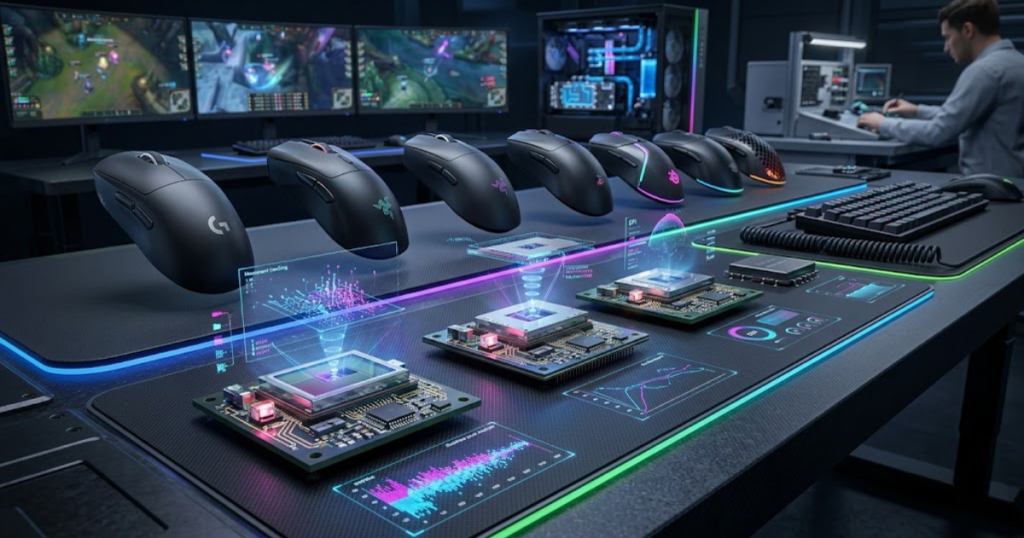
Many modern gaming mice use either PixArt-developed sensors or custom implementations built by major manufacturers such as Logitech and Razer. These sensors share the same goal: providing stable and predictable tracking for gaming.
The table below explains some of the most common gaming mouse sensors used in modern gaming mice:
| Sensor | Manufacturer | Common Use Case |
|---|---|---|
| PAW3395 | PixArt | Competitive wireless gaming mice |
| PAW3950 | PixArt | Latest flagship gaming mice |
| HERO 2 | Logitech | High-performance Logitech mice |
| Focus Pro 35K | Razer | Premium Razer gaming mice |
Rather than focusing exclusively on the sensor name, players should consider how the entire mouse package supports their preferred grip style and aiming technique.
PixArt PAW3395 Sensor
The PixArt PAW3395 is a sensor that helps many modern wireless gaming mice deliver accurate tracking while maintaining strong power efficiency.
The sensor became popular because it provided a balance between performance and battery life, making it attractive for lightweight wireless gaming mice. Many enthusiast-focused brands adopted the PAW3395 due to its reputation for stable tracking behavior.
For FPS players, the PAW3395 offers the level of reliability expected from a modern high-end gaming sensor. It can support precise aiming, fast flicks, and long gaming sessions without introducing significant tracking concerns.
Overall, the PAW3395 became one of the most widely used gaming sensors because it combined dependable performance with broad adoption across multiple gaming mouse brands.
PixArt PAW3950 Sensor
The PixArt PAW3950 is a sensor that helps represent the latest generation of flagship PixArt gaming sensor technology.
Building on the success of earlier sensor generations, the PAW3950 focuses on refining performance, efficiency, and feature support. It appears in many premium gaming mice that target competitive players and hardware enthusiasts.
While its specifications may exceed the needs of many gamers, the PAW3950 demonstrates how modern sensor technology continues to evolve. Improvements often focus on refinement rather than solving major tracking problems that have already been addressed.
As a result, the PAW3950 is best understood as a flagship sensor designed to provide top-tier performance with modern feature support.
Logitech HERO 2 Sensor
The Logitech HERO 2 sensor is a technology that helps Logitech gaming mice achieve strong tracking performance while maintaining excellent power efficiency.
Logitech developed the HERO family to support wireless gaming mice that require long battery life without sacrificing competitive performance. This approach helped popularize wireless gaming mice among competitive players who previously preferred wired options.
The HERO 2 continues this philosophy by delivering reliable tracking while supporting Logitech’s broader gaming ecosystem. It appears in several high-end gaming mice designed for competitive FPS gameplay.
Overall, the HERO 2 sensor is known for combining dependable tracking performance with efficient wireless operation.
Razer Focus Pro 35K Sensor
The Razer Focus Pro 35K sensor is a technology that helps premium Razer gaming mice provide high-performance tracking for competitive players.
Razer positions the Focus Pro family as a flagship sensor platform designed to support advanced customization and modern gaming requirements. The sensor is commonly found in the company’s top-tier FPS-oriented mice.
Like other flagship sensors, its practical value comes less from maximum specification numbers and more from its ability to maintain stable and predictable tracking behavior during gameplay.
In conclusion, the Focus Pro 35K represents Razer’s commitment to providing high-end sensor technology for serious gaming applications.
How to Evaluate a Mouse Sensor Beyond Marketing Claims
Evaluating a gaming mouse sensor is a process that helps players distinguish between real-world performance and marketing-driven specifications.
Manufacturers often promote large numbers because they are easy to compare. However, bigger numbers do not always translate into a better gaming experience. Understanding how to evaluate sensor performance realistically allows players to make more informed purchasing decisions.
Instead of focusing only on maximum specifications, players should consider how the sensor behaves during actual gameplay scenarios.
The following process can help evaluate a gaming mouse sensor more effectively:
- Identify the Sensor: Determine which sensor is actually used inside the mouse.
- Understand Real Performance: Research practical tracking behavior rather than marketing figures alone.
- Consider Implementation: Evaluate firmware quality and overall mouse design.
- Match Your Needs: Choose performance that fits your gaming habits rather than chasing extreme specifications.
This approach helps players focus on factors that genuinely affect gameplay rather than getting distracted by marketing headlines.
Looking Beyond Maximum DPI Numbers
Looking beyond DPI numbers is a mindset that helps players evaluate sensor quality more accurately. DPI is often the most visible specification, but it rarely determines whether a mouse feels good in FPS games.
Most competitive players use sensitivity settings far below the maximum capabilities of modern gaming sensors. This means extremely high DPI values are often irrelevant to actual gameplay performance.
Instead of treating DPI as a quality score, players should view it as a customization setting. A sensor does not become better simply because it advertises a higher maximum DPI figure.
Overall, understanding the role of DPI helps players avoid one of the most common marketing traps in gaming mouse advertising.
Understanding Real-World Sensor Performance
Real-world sensor performance is a concept that helps players judge how a sensor behaves during actual gameplay rather than laboratory demonstrations.
Reliable tracking, stable movement reproduction, and consistent behavior during long gaming sessions are often more valuable than impressive specification sheets. These characteristics influence everyday use far more directly than extreme theoretical limits.
Players should pay attention to how the sensor performs during tracking, flicking, micro adjustments, and repeated movement patterns. These scenarios reveal more about practical sensor quality than isolated marketing statistics.
As a result, real-world performance remains the most meaningful way to evaluate gaming mouse sensors.
Identifying Meaningful Sensor Improvements
Meaningful sensor improvements are changes that help deliver noticeable benefits during gameplay rather than simply increasing specification numbers.
Not every new sensor generation creates a dramatic improvement. Many modern advancements focus on efficiency, refinement, or feature support rather than fixing major tracking weaknesses. This is because most flagship sensors already perform at an extremely high level.
Players should ask whether a new sensor actually improves their experience. If the answer is no, upgrading solely for a newer sensor may not provide significant value.
In conclusion, evaluating sensor improvements requires focusing on practical benefits instead of assuming that newer automatically means better.
Overall, evaluating gaming mouse sensors beyond marketing claims helps players make smarter decisions by focusing on performance characteristics that genuinely matter during FPS gameplay.
Do You Need the Best Sensor for FPS Games?
The best sensor is not always a requirement that helps players improve at FPS games because modern gaming sensors already provide excellent performance across many price ranges.
While high-end sensors offer impressive capabilities, most players reach performance limitations caused by skill, practice habits, positioning, or decision-making long before they reach the limits of a modern gaming sensor.
This does not mean sensor quality is irrelevant. It simply means that sensor performance should be considered within the context of the entire gaming experience.
The table below explains recommended sensor expectations for different player types:
| Player Type | Recommended Sensor Level |
|---|---|
| Casual FPS Player | Modern entry-level gaming sensor |
| Competitive Player | Modern mid-range or flagship sensor |
| Tournament Competitor | Flagship gaming sensor |
| Hardware Enthusiast | Latest flagship sensor generation |
Choosing the right sensor should be based on actual needs rather than marketing pressure. If you are comparing complete mouse options rather than sensor technology alone, our guide to the best gaming mouse for FPS games in 2026 can help narrow down the right choice.
Sensor Requirements for Casual FPS Players
Sensor requirements for casual players are expectations that help ensure enjoyable and reliable gameplay without requiring premium hardware.
Most modern gaming mice already provide enough tracking quality for casual FPS gaming. Players who enjoy shooters recreationally are unlikely to encounter the technical limits of today’s mainstream gaming sensors.
For this reason, comfort, shape, and affordability often provide greater value than chasing the latest flagship sensor technology.
Overall, casual players can confidently use many modern gaming mice without worrying about extreme sensor specifications.
Sensor Expectations for Competitive Players
Competitive sensor expectations are standards that help players maintain consistent performance during more demanding gameplay environments.
Competitive players often spend more time practicing, refining mechanics, and developing muscle memory. Because of this, consistency becomes increasingly important. Reliable sensor behavior helps support these long-term improvements.
While many modern sensors already perform well, competitive players may appreciate the additional confidence that comes from proven high-end implementations.
As a result, competitive players often prioritize consistency and reliability over purely marketing-driven features.
When a Sensor Upgrade Actually Makes Sense
A sensor upgrade is a decision that helps improve gameplay when the current mouse exhibits genuine limitations rather than perceived shortcomings.
If a mouse suffers from tracking issues, severe jitter, unreliable behavior, or outdated sensor technology, upgrading may produce a noticeable improvement. However, upgrading from one modern flagship sensor to another often delivers far smaller gains.
Players should evaluate whether the upgrade solves a real problem or simply replaces one already capable sensor with another equally capable option.
In conclusion, upgrading makes the most sense when it addresses a practical limitation rather than satisfying a specification comparison.
Overall, most FPS players do not need the absolute best sensor available. They need a sensor that delivers reliable tracking, consistent behavior, and confidence during gameplay.
Conclusion: What Should FPS Players Know About Gaming Mouse Sensors?
Gaming mouse sensors are technologies that help convert physical movement into accurate digital input, making them one of the most important components inside a gaming mouse. Understanding how sensors work allows FPS players to evaluate mice based on real performance rather than marketing claims.
Modern gaming sensors have reached a point where even many mid-range options provide excellent tracking quality. Because of this, players should focus on finding a sensor that delivers consistent, reliable tracking instead of chasing the highest specification numbers available.
While sensor quality can influence aiming consistency, it is only one part of the overall experience. Shape, weight, grip compatibility, mousepad choice, and practice habits often have a greater impact on long-term improvement than small differences between modern flagship sensors.
Ultimately, the best gaming mouse sensor is the one that disappears during gameplay. When the sensor performs its job correctly, players can focus entirely on positioning, mechanics, decision-making, and aim rather than worrying about their hardware.
Key Lessons From Modern Gaming Mouse Sensors
The most important lesson is that gaming mouse sensors help provide accurate and consistent tracking rather than magically improving aim. A good sensor creates a reliable foundation that allows players to build confidence and muscle memory over time.
Most modern gaming sensors already perform at a very high level, which means understanding how they work is often more valuable than obsessing over specification comparisons. Reliable tracking, consistency, and predictable behavior remain the qualities that matter most.
In conclusion, FPS players should prioritize real-world sensor performance over marketing-driven numbers when evaluating gaming mice.
How Sensor Knowledge Helps You Choose Better Gaming Mice
Sensor knowledge is information that helps players make smarter purchasing decisions by focusing on performance characteristics that genuinely affect gameplay.
Instead of assuming that higher DPI or newer sensor names automatically mean better performance, players can evaluate mice based on tracking reliability, implementation quality, and suitability for their preferred playstyle.
This understanding reduces confusion, prevents unnecessary upgrades, and makes it easier to identify products that offer meaningful value. The more players understand gaming mouse sensors, the easier it becomes to choose equipment that supports long-term FPS improvement.
Overall, learning how gaming mouse sensors work allows players to make informed decisions and build a setup that feels consistent, comfortable, and dependable.
Frequently Asked Questions About Gaming Mouse Sensors
The questions below answer common topics that help FPS players better understand gaming mouse sensors, tracking performance, and sensor-related terminology.
What is a gaming mouse sensor?
A gaming mouse sensor is a component that helps detect physical movement and convert that movement into digital cursor or crosshair movement on a computer. It serves as the tracking system that allows the mouse to understand direction, speed, and distance.
How does a gaming mouse sensor work?
A gaming mouse sensor works by helping capture surface details, compare changes between images, calculate movement, and send tracking data to the computer. This process repeats continuously while the mouse is moving.
Is a mouse sensor more important than DPI?
A mouse sensor is the technology that helps determine tracking quality, while DPI is simply a sensitivity setting. A high-quality sensor is generally more important than extremely high DPI values because tracking reliability forms the foundation of aiming performance.
What is the difference between optical and laser sensors?
The main difference is that optical and laser sensors help track movement using different illumination technologies. Optical sensors are generally preferred for FPS gaming because they often provide more predictable tracking on gaming mousepads.
Does sensor quality affect FPS aim?
Sensor quality is a factor that helps support aiming consistency by providing accurate and reliable movement tracking. While skill remains the primary factor, a stable sensor helps players build confidence and muscle memory.
What does IPS mean on a gaming mouse?
IPS is a specification that helps measure the maximum tracking speed a sensor can handle while maintaining accurate movement detection. It stands for inches per second.
What does maximum acceleration mean?
Maximum acceleration is a specification that helps indicate how much force a sensor can tolerate while continuing to track movement accurately. Higher acceleration ratings provide more tracking headroom during fast movements.
Are modern gaming mouse sensors all good?
Modern gaming mouse sensors are technologies that help provide significantly better tracking than older generations. Many modern gaming sensors offer excellent performance, although implementation quality can still vary between products.
What sensor do professional FPS players use?
Professional FPS players use sensors that help deliver reliable and consistent tracking. Many professional players use mice equipped with flagship optical sensors from manufacturers such as PixArt, Logitech, and Razer.
How can I tell if a gaming mouse sensor is good?
A good gaming mouse sensor is a component that helps maintain accurate tracking, stable performance, and predictable movement reproduction across different aiming situations. Consistency is usually a stronger indicator than maximum specifications.
Do I need a flagship sensor to play FPS games?
A flagship sensor is not always a requirement that helps players enjoy or improve at FPS games. Many modern mid-range gaming sensors already provide enough performance for competitive gameplay.
What sensor features matter most for competitive FPS gaming?
The most important sensor features are qualities that help maintain tracking consistency, motion accuracy, and reliable performance during fast and precise aiming situations. These characteristics contribute more to gameplay than extreme specification numbers.
Thank you for reading this guide on gaming mouse sensors. We hope this explanation helped you better understand how gaming mouse sensors work, what specifications matter, and how sensor performance can influence FPS gameplay. A stronger understanding of sensor technology makes it easier to choose the right gaming mouse and focus on the improvements that truly matter.