
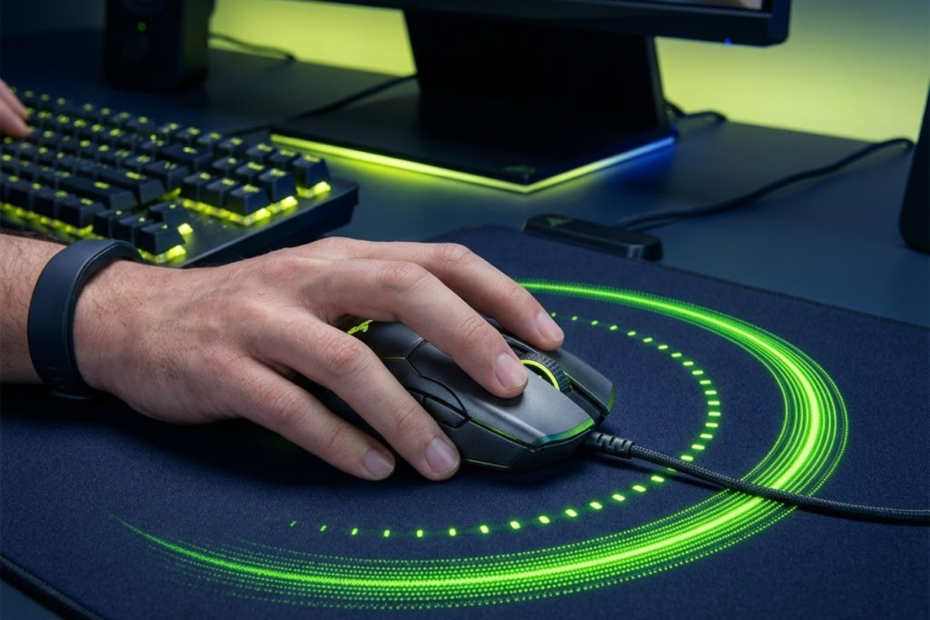
4000Hz vs 8000Hz polling rate is a comparison that helps FPS players understand whether the highest polling rate available today delivers meaningful gaming benefits. Both polling rates are significantly faster than the traditional 1000Hz standard, but the practical difference between them is often much smaller than many players expect.
For most competitive gamers, choosing between 4000Hz and 8000Hz is not simply about selecting the larger number. The decision depends on monitor refresh rate, PC performance, sensitivity settings, and whether the player can actually benefit from the smaller reporting intervals that 8000Hz provides. Because polling rate is only one aspect of overall mouse performance, it should be considered alongside shape, weight, sensor quality, and comfort when selecting a gaming mouse for FPS games.
This guide compares 4000Hz vs 8000Hz polling rate from a real FPS gaming perspective, focusing on responsiveness, smoothness, latency, and practical value rather than marketing claims.
What Is The Difference Between 4000Hz And 8000Hz Polling Rate?
The difference between 4000Hz and 8000Hz polling rate is the reporting frequency that helps a gaming mouse communicate with the PC more often every second.
Polling rate measures how frequently a mouse sends position updates to the computer. A higher polling rate means the system receives mouse movement information more frequently, reducing the time gap between updates. If you want a complete explanation of how this technology works before comparing polling rates, read our guide on what polling rate in a gaming mouse means.
Although both 4000Hz and 8000Hz belong to the high-performance category, they operate at different reporting frequencies. This affects how often cursor movement information is refreshed and how quickly changes can be reflected on screen.
How Many Reports Per Second Does Each Polling Rate Send?
Reports per second are measurements that help explain how often mouse data reaches the PC.
A 4000Hz polling rate sends up to 4,000 reports every second. An 8000Hz polling rate doubles that number and can send up to 8,000 reports per second.
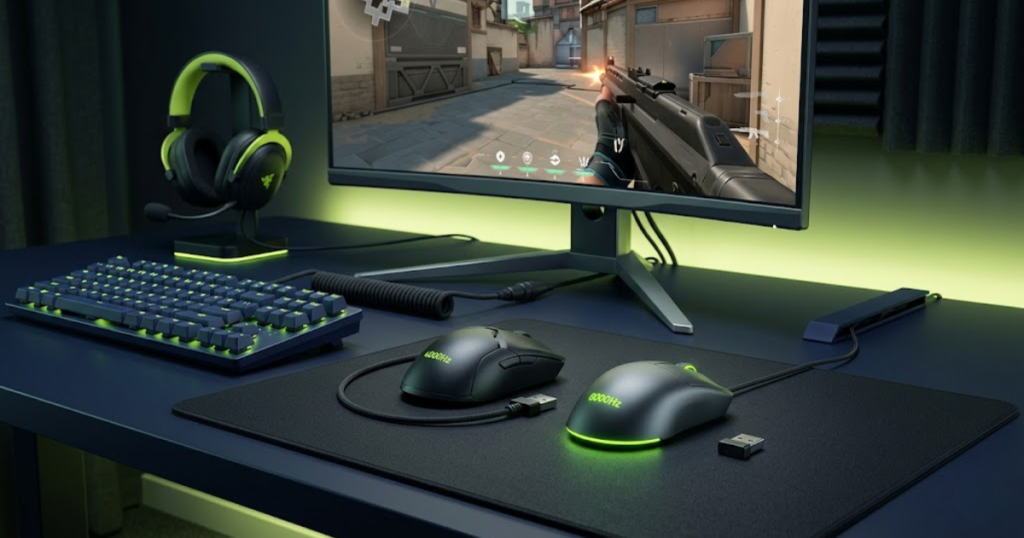
The visual below makes the reporting frequency difference easier to understand:
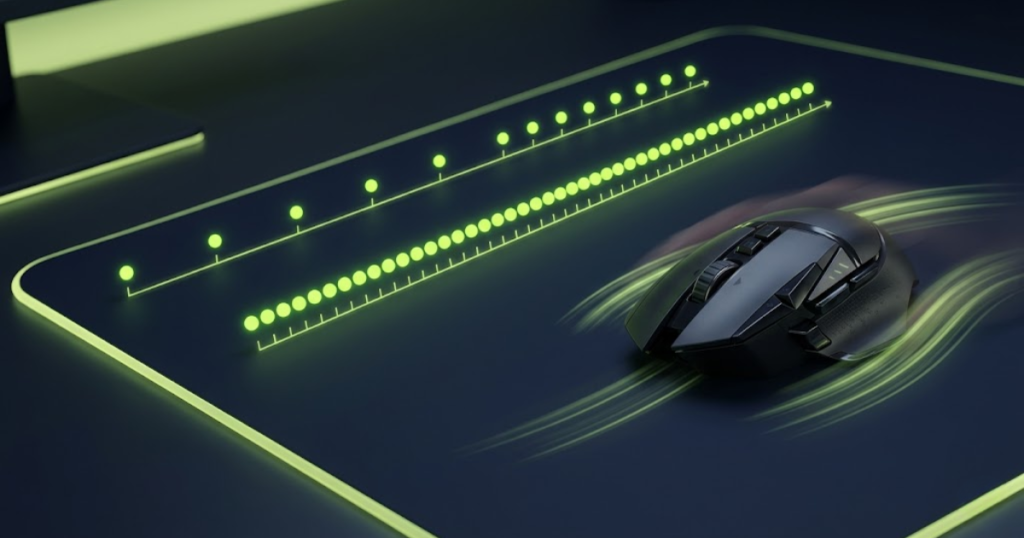
This means an 8000Hz mouse provides twice as many position updates during the same period of time. While that sounds significant on paper, the real-world benefit depends heavily on whether the gaming system can actually use those extra updates effectively.
The higher reporting frequency creates more opportunities for movement information to reach the game engine, but that does not automatically translate into noticeably better gameplay.
Understanding report frequency helps establish the technical foundation for comparing these two polling rates.
How Does Reporting Frequency Affect Mouse Responsiveness?
Reporting frequency is a factor that helps determine how quickly movement information can reach the operating system and game.
Every time the mouse reports its position, the PC receives a snapshot of where the sensor currently is. More frequent updates reduce the time between snapshots.
When polling rate increases, mouse movement appears more continuous because the cursor receives newer information more often. This can create a smoother feeling, especially during rapid swipes and fast directional changes.
However, responsiveness depends on the entire input chain. Sensor performance, USB controller quality, operating system scheduling, game engine behavior, and display refresh rate all influence the final result.
Polling rate contributes to responsiveness, but it is only one part of a much larger system.
Why Smaller Polling Intervals Create Smoother Updates?
Smaller polling intervals are measurements that help reduce the time between individual mouse reports.
A polling interval is the amount of time between two consecutive reports. As polling rate increases, this interval becomes shorter.
With more frequent updates, cursor movement can appear smoother because fewer gaps exist between reported positions. This is particularly noticeable during continuous tracking movements where the mouse is constantly moving across the mousepad.
High-refresh-rate monitors can make these smaller intervals easier to observe because the display is updating more frequently as well.
While smoother updates can improve the perception of fluidity, they do not necessarily improve aiming accuracy on their own.
Smaller polling intervals primarily influence movement smoothness rather than mechanical aiming skill.
4000Hz vs 8000Hz Polling Rate Comparison Table
4000Hz and 8000Hz polling rate are technologies that help deliver fast mouse responsiveness, but they differ in several important areas:
| Feature | 4000Hz | 8000Hz |
|---|---|---|
| Reports Per Second | 4,000 | 8,000 |
| Polling Interval | 0.25 ms | 0.125 ms |
| Smoothness | Very High | Extremely High |
| CPU Demand | Moderate | Higher |
| System Requirements | Moderate | High |
| Best For | Most FPS Players | Enthusiasts |
The comparison shows that both polling rates deliver excellent performance. The primary trade-off is that 8000Hz offers smaller reporting intervals while demanding more from the system.
For many players, both options already operate beyond the point where large gameplay improvements occur.
Can FPS Players Actually Feel The Difference Between 4000Hz And 8000Hz?
The difference between 4000Hz and 8000Hz is a change that helps some FPS players notice smoother mouse movement, but the effect varies significantly from player to player.
Many gamers expect an immediate transformation when moving to 8000Hz. In reality, the improvement is often subtle and heavily influenced by individual hardware and playstyle.
The setup below shows why some players notice the difference more than others:
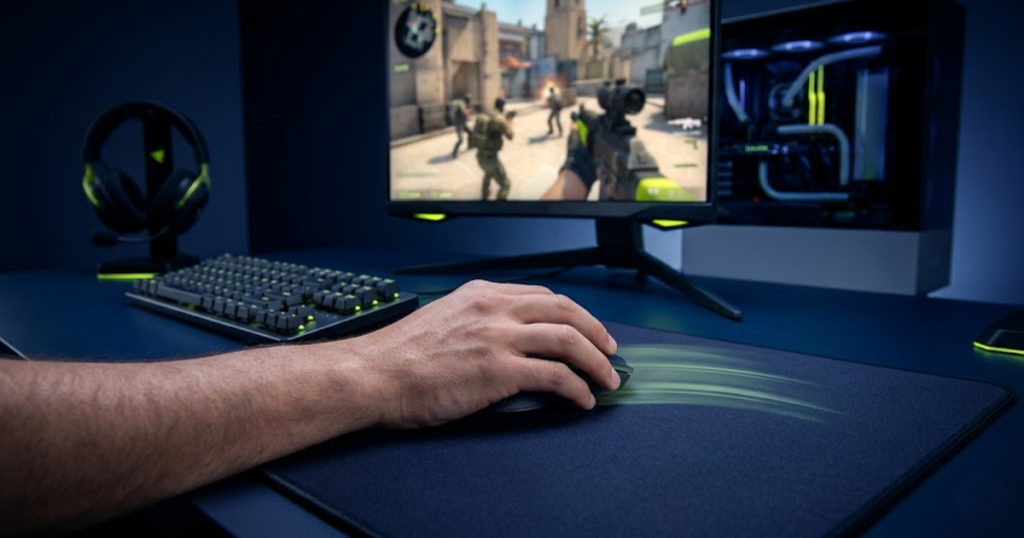
Some experienced players report smoother tracking and slightly cleaner cursor movement. Others struggle to identify any meaningful difference during normal gameplay.
Why Some Players Notice The Difference Immediately
Certain gaming conditions are factors that help make higher polling rates easier to perceive.
Players using high-refresh-rate monitors often have a greater chance of noticing smoother cursor behavior. Displays running at 360Hz or higher expose more visual updates, making subtle input improvements easier to observe.
Competitive players who spend thousands of hours training aim mechanics may also become sensitive to small changes in cursor behavior.
These players often focus on consistency and precision, making them more likely to recognize minor improvements that casual gamers overlook.
As hardware quality increases, the visibility of polling rate differences also tends to increase.
Why Many Players Cannot Feel Any Difference
Several limitations are factors that help reduce the noticeable impact of higher polling rates.
The human visual system and reaction process already introduce delays far larger than the difference between 4000Hz and 8000Hz reporting intervals.
Many players also use monitors that refresh slower than the rate required to fully reveal these differences.
In addition, aiming consistency depends heavily on technique, muscle memory, crosshair placement, and decision-making. These variables often overshadow the benefits provided by additional polling updates.
As a result, many users report that 4000Hz and 8000Hz feel nearly identical during normal gameplay.
Which Factors Influence Perceived Smoothness Most
The factors below explain why smoothness perception varies between players:
- Monitor Refresh Rate: Faster displays expose more visual updates and make polling differences easier to observe.
- Sensitivity Settings: Lower sensitivities often create longer mouse movements where smoothness becomes more visible.
- Player Experience: Experienced competitive players may recognize smaller input changes.
- System Performance: Faster hardware can process high polling rates more efficiently.
- Game Type: Fast-paced FPS titles reveal movement differences more clearly than slower genres.
These factors frequently influence perceived smoothness more than polling rate alone.
Understanding these variables helps explain why player experiences differ so dramatically when comparing 4000Hz and 8000Hz.
How Much Input Latency Does 8000Hz Save Over 4000Hz?
8000Hz polling rate is a technology that helps reduce reporting intervals compared to 4000Hz, resulting in slightly lower theoretical input latency.
One of the biggest marketing arguments for 8000Hz is lower latency. While this statement is technically correct, understanding the actual numbers provides a more realistic perspective.
The difference exists, but its practical impact is often much smaller than expected.
Polling Interval Comparison
Polling intervals are measurements that help quantify how frequently mouse updates are delivered.
Higher polling rates create smaller intervals because reports occur more frequently.
The table below compares polling intervals across common gaming mouse polling rates:
| Polling Rate | Polling Interval |
|---|---|
| 1000Hz | 1.0 ms |
| 2000Hz | 0.5 ms |
| 4000Hz | 0.25 ms |
| 8000Hz | 0.125 ms |
The numbers show that the difference between 4000Hz and 8000Hz is only 0.125 milliseconds. Players upgrading from lower polling rates may also benefit from reading our comparison of 1000Hz vs 4000Hz polling rate to understand where the largest responsiveness improvements actually occur.
This extremely small gap explains why many players struggle to detect a meaningful gameplay difference.
Real Input Delay Reduction
Real input delay is a measurement that helps describe total responsiveness across the entire gaming system.
Mouse polling is only one source of latency. Input processing, operating system scheduling, rendering, display refresh, and pixel response times all contribute additional delays. To understand how these factors combine to affect overall responsiveness, see our complete guide to polling rate and input latency.
Even though 8000Hz reduces reporting intervals, the total end-to-end latency improvement may be far smaller than many players expect.
In practical gaming situations, improvements often fall below the threshold where noticeable performance gains consistently occur.
This is why raw polling numbers should always be viewed within the context of total system latency.
Why Lower Numbers Do Not Always Mean Better Gameplay
Lower latency values are statistics that help improve responsiveness, but they do not guarantee better performance.
FPS games reward positioning, crosshair placement, timing, and decision-making far more than tiny differences in input latency.
A player with strong fundamentals using 4000Hz will almost always outperform a weaker player using 8000Hz.
Higher polling rates can improve technical responsiveness, but they cannot replace mechanical skill or game knowledge.
Latency improvements are most valuable when they complement strong fundamentals rather than attempt to compensate for weaknesses.
For this reason, players should evaluate polling rate upgrades realistically rather than expecting dramatic improvements in aim or ranking.
Does 8000Hz Polling Rate Improve Aim More Than 4000Hz?
8000Hz polling rate is a technology that helps deliver more frequent mouse position updates, but the actual impact on aiming performance is often smaller than many FPS players expect.
After understanding latency and reporting intervals, the next question is whether those technical advantages translate into better aim. This is where many players expect the biggest difference between 4000Hz and 8000Hz polling rate.
In reality, polling rate influences how movement information is delivered rather than how accurately a player can aim. Mechanical skill, muscle memory, sensitivity settings, and mouse control remain the primary factors behind aiming performance.
However, different aiming situations can reveal different levels of benefit from higher polling rates.
Tracking Performance Comparison
Tracking performance is an aiming scenario that helps reveal the smoothness advantages of higher polling rates more clearly than most other aiming tasks.
Tracking requires continuously following a moving target while maintaining accurate crosshair placement. Because the mouse is constantly moving, thousands of position updates are generated every second.
With 8000Hz polling rate, movement data reaches the system more frequently, creating smoother motion paths during long tracking sequences. The improvement is usually subtle rather than dramatic, but experienced players may notice slightly cleaner movement on high-refresh-rate displays.
For games that emphasize continuous target tracking, higher polling rates can provide a small quality-of-life improvement in cursor fluidity.
Tracking is generally the aiming scenario most likely to expose differences between 4000Hz and 8000Hz.
Flick Shot Performance Comparison
Flick shot performance is an aiming scenario that helps demonstrate why higher polling rates do not always create noticeable gameplay advantages.
Flick shots involve rapid movements followed by immediate stopping precision. During these actions, reaction time, target acquisition, and stopping control play much larger roles than polling frequency.
Although 8000Hz generates more movement updates during a flick, the difference between 0.25 ms and 0.125 ms reporting intervals is often too small to significantly affect shot accuracy.
Most players are unlikely to see measurable improvements in flick shot consistency simply by increasing polling rate from 4000Hz to 8000Hz.
For flick aiming, technique usually matters far more than additional polling frequency.
Micro Adjustment Performance Comparison
Micro adjustments are aiming movements that help expose small differences in cursor precision during fine corrections.
Micro adjustments occur when players make tiny corrections before taking a shot. These movements are common in tactical shooters where precise head-level placement is critical.
Higher polling rates can create smoother position updates during these delicate movements, especially on very high refresh rate displays. Some players report that crosshair movement feels slightly more connected to hand movement when using 8000Hz.
Even so, the benefit remains relatively small and varies greatly depending on hardware and individual sensitivity settings.
Micro adjustments can reveal advantages from higher polling rates, but the gains are typically incremental rather than transformative.
The table below compares how 4000Hz and 8000Hz polling rate affect different aiming scenarios:
| Aim Scenario | 4000Hz | 8000Hz |
|---|---|---|
| Tracking | Excellent | Slightly Smoother |
| Flick Shots | Excellent | Nearly Identical |
| Micro Adjustments | Very Good | Slightly More Refined |
| General Ranked Play | Excellent | Marginal Advantage |
The comparison shows that 8000Hz provides the greatest potential benefit during continuous movement situations rather than rapid one-time actions.
For most FPS players, aiming improvements from polling rate upgrades remain relatively small compared to skill development and practice.
How Much More CPU Power Does 8000Hz Polling Rate Require?
8000Hz polling rate is a setting that helps increase reporting frequency, but it also increases the amount of input data that the CPU must process.
Every additional mouse report requires processing by the operating system and game engine. When polling rate doubles from 4000Hz to 8000Hz, the amount of mouse data entering the system also doubles.
Modern hardware can often handle this workload without difficulty, but older systems may experience a larger impact.
Why Higher Polling Rates Increase CPU Workload
Higher polling rates are settings that help create more frequent communication between the mouse and the computer.
Each report generated by the mouse must be received, interpreted, and processed before reaching the game. As report frequency increases, CPU activity associated with input handling also increases.
This additional workload is usually small, but it becomes more noticeable when combined with high frame rates, background applications, and demanding games.
Higher polling rates create more opportunities for responsiveness, but they also require more system resources.
Understanding this trade-off is important when evaluating whether 8000Hz is worth using.
Impact On Older Gaming PCs
Older gaming PCs are systems that may experience larger performance penalties when running extremely high polling rates.
Older processors generally have fewer resources available for handling high-frequency input updates. As a result, some users report inconsistent frame pacing, occasional stuttering, or increased CPU utilization when using 8000Hz.
These issues do not occur on every older system, but the risk becomes higher as hardware limitations increase.
For players using aging CPUs, 4000Hz often provides a better balance between responsiveness and system stability.
Older hardware typically benefits more from consistency than from chasing maximum polling rate values.
Impact On Modern Gaming Systems
Modern gaming systems are platforms that help process high polling rate data more efficiently.
Current-generation CPUs possess significantly more processing power than previous generations. This allows them to handle high-frequency input data with minimal performance impact.
Many modern gaming PCs can run 8000Hz polling rate while maintaining excellent frame rates and stable gameplay performance.
However, even on powerful systems, the practical gameplay advantage remains relatively small compared to the increase in reporting frequency.
Modern hardware removes many technical barriers, but it does not automatically make 8000Hz necessary.
The table below compares the typical system impact of 4000Hz and 8000Hz polling rate:
| System Type | 4000Hz | 8000Hz |
|---|---|---|
| Older Gaming PC | Low Impact | Moderate Impact |
| Mid-Range Gaming PC | Very Low Impact | Low Impact |
| High-End Gaming PC | Minimal Impact | Minimal Impact |
The comparison demonstrates that hardware quality plays a major role in determining whether higher polling rates are practical.
For many players, system stability remains more valuable than maximizing polling frequency.
Which Monitor Refresh Rates Benefit Most From 8000Hz Polling Rate?
Monitor refresh rate is a display characteristic that helps determine how visible polling rate improvements become during gameplay.
The image below shows why monitor refresh rate matters when comparing polling rates:
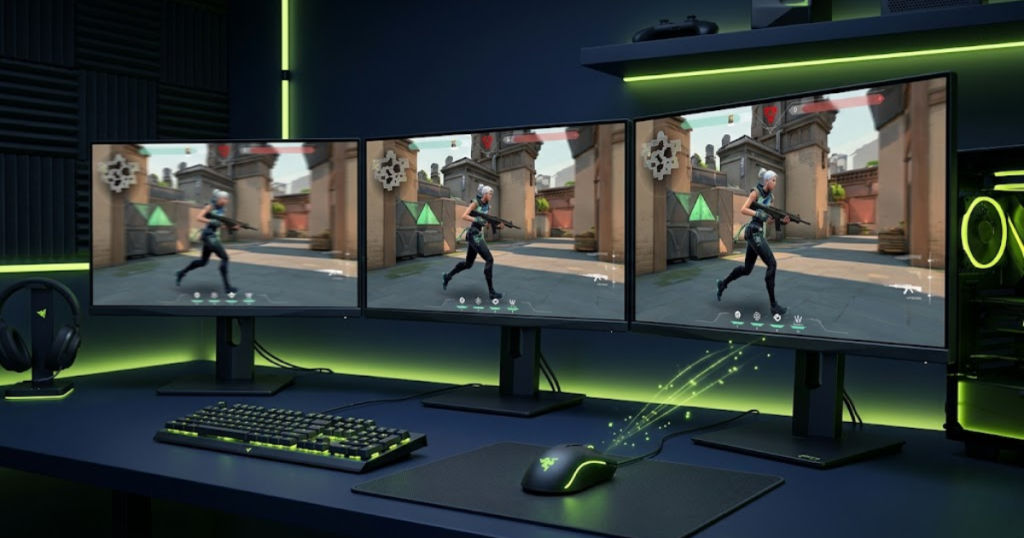
Polling rate controls how often mouse data reaches the PC, while refresh rate controls how often the display updates the image shown to the player. Both technologies work together to influence perceived smoothness.
As refresh rates increase, subtle improvements from higher polling rates become easier to observe.
Is 144Hz High Enough To Benefit From 8000Hz Polling Rate?
144Hz monitors are displays that help provide smooth competitive gameplay, but they often limit the visibility of extremely high polling rates.
Players using 144Hz displays can still benefit from responsive mice, but the difference between 4000Hz and 8000Hz is usually difficult to identify consistently.
For many users, the gaming experience feels nearly identical between the two polling rate options.
This makes 4000Hz an attractive choice for players using 144Hz monitors.
At this refresh rate, polling rate improvements often reach a point of diminishing returns.
Why 240Hz Displays Make Polling Rate Differences Easier To Notice
240Hz monitors are displays that help reveal more visual information during fast mouse movements.
Compared to 144Hz, a 240Hz monitor refreshes the image more frequently, reducing visual persistence and improving motion clarity.
This additional visual feedback makes subtle differences in cursor updates easier to detect. Some players begin noticing smoother movement paths and more refined tracking behavior at this refresh rate.
Although the differences remain relatively small, 240Hz represents a point where higher polling rates become more relevant.
The combination of high refresh rate and high polling rate starts producing more noticeable benefits.
Who Benefits Most From 360Hz And 540Hz Monitors?
360Hz and 540Hz monitors are esports-focused displays that help maximize the visibility of high-frequency mouse updates.
These displays refresh extremely quickly, exposing movement information that lower refresh rates may hide.
When paired with 8000Hz polling rate, some competitive players report smoother cursor movement and more responsive tracking behavior during intense gameplay situations.
Even here, the improvement remains relatively small, but this category represents the environment where 8000Hz is most likely to justify itself.
Players seeking every possible technical advantage are the primary audience for these combinations.
The table below compares recommended polling rates across common gaming monitor refresh rates:
| Monitor Refresh Rate | Recommended Polling Rate |
|---|---|
| 144Hz | 4000Hz |
| 240Hz | 4000Hz or 8000Hz |
| 360Hz | 8000Hz |
| 540Hz | 8000Hz |
The relationship between refresh rate and polling rate explains why the value of 8000Hz varies so dramatically between users.
Monitor choice often influences polling rate effectiveness more than many players realize.
4000Hz vs 8000Hz Polling Rate In Valorant
Valorant is an FPS game that helps expose the practical differences between 4000Hz and 8000Hz polling rate through precision aiming, micro-adjustments, and consistent crosshair control.
Unlike fast arena shooters that emphasize continuous tracking, Valorant rewards precision, first-bullet accuracy, and controlled mouse movement. Because of this design, the benefits of higher polling rates often appear differently than many players expect.
Most Valorant players are not constantly moving their mouse at maximum speed. Instead, they spend much of a match holding angles, adjusting crosshair placement, and making small corrections before firing. These situations can reveal subtle advantages from higher polling rates, but the gains remain relatively small.
For the majority of ranked players, aim training, sensitivity consistency, and positioning will contribute far more to performance than moving from 4000Hz to 8000Hz.
Tracking During Extended Gunfights
Extended tracking situations are aiming scenarios that help reveal smoother mouse updates when using higher polling rates.
Although Valorant is not primarily a tracking-focused game, situations involving moving opponents, strafing duels, and utility pressure can force players to track targets for longer periods.
During these moments, 8000Hz polling rate can generate more position updates and potentially create smoother cursor movement. Players using high-refresh-rate monitors may notice slightly cleaner target tracking during prolonged engagements.
However, the advantage remains subtle because Valorant engagements are typically shorter and less tracking-intensive than games such as Apex Legends or Overwatch.
Tracking situations can expose differences between polling rates, but they are not where most Valorant rounds are won or lost.
Micro Corrections Around Head Level
Micro corrections are aiming movements that help determine how precisely players can adjust their crosshair before taking a shot.
One of the most common aiming actions in Valorant involves making tiny adjustments to align the crosshair with an opponent’s head.
These small movements benefit from consistent cursor updates because every correction influences shot placement. Some players report that 8000Hz feels slightly more connected during these adjustments, particularly when using low sensitivity settings.
The improvement does not dramatically increase accuracy, but it can contribute to a more refined aiming experience under ideal conditions.
Micro-adjustments represent one of the most realistic situations where higher polling rates may provide a small advantage.
High Refresh Rate Competitive Setups
High refresh rate setups are gaming environments that help maximize the visibility of polling rate improvements.
Professional and highly competitive Valorant players often combine powerful PCs with 360Hz or faster monitors. These systems can display motion updates more frequently, making subtle responsiveness gains easier to detect.
In such environments, 8000Hz polling rate has a greater chance of producing visible smoothness improvements than it would on lower refresh rate setups.
Even so, the difference remains relatively small compared to improvements gained through practice and mechanical development.
Elite hardware can expose polling rate benefits more effectively, but it does not fundamentally change the game’s skill requirements.
The situations below explain where polling rate differences may appear in Valorant:
- Tracking Movement: Extended tracking situations can reveal smoother cursor updates.
- Micro Adjustments: Fine head-level corrections may feel slightly cleaner.
- High Refresh Displays: Faster monitors make subtle differences easier to observe.
- Competitive Play: Skilled players are more likely to notice small responsiveness changes.
These situations represent the most realistic opportunities for higher polling rates to influence the Valorant experience.
For most players, however, the difference remains far smaller than improvements gained through better aim fundamentals.
4000Hz vs 8000Hz Polling Rate In CS2
CS2 is a tactical FPS that helps evaluate polling rate performance through precision shooting, crosshair placement, and consistent mouse control.
Counter-Strike 2 places enormous emphasis on mechanical precision. Every adjustment matters because engagements are often decided by a single accurate shot.
This makes CS2 an interesting environment for testing high polling rates. While the game rewards precision, the actual performance gap between 4000Hz and 8000Hz remains relatively small.
Most players will experience only marginal differences unless they already possess highly refined aiming mechanics.
Precision Rifling Situations
Precision rifling is a gameplay scenario that helps measure consistency during repeated aiming movements.
Rifle engagements in CS2 require accurate crosshair placement combined with controlled corrections during movement and counter-strafing.
Higher polling rates can provide smoother cursor updates while transitioning between targets, potentially making movement feel more refined.
However, successful rifling depends primarily on recoil control, positioning, timing, and crosshair placement rather than polling rate alone.
Precision shooting highlights the importance of consistency, but the role of polling rate remains relatively minor.
AWP Flick Shot Scenarios
AWP flick shots are aiming situations that help test responsiveness during rapid target acquisition.
Flick shots involve moving the crosshair rapidly toward a target before firing immediately. These actions emphasize speed and stopping precision.
While 8000Hz provides more frequent updates during movement, the difference between 4000Hz and 8000Hz is often too small to dramatically change flick shot outcomes.
Most successful AWP players rely on prediction, positioning, and mechanical skill rather than hardware advantages.
Flick performance generally reflects player ability more than polling rate selection.
Crosshair Placement Consistency
Crosshair placement consistency is a skill that helps reduce the need for large aiming corrections.
Strong crosshair placement minimizes movement before shooting. Because of this, many elite CS2 players spend more effort improving positioning than chasing increasingly higher polling rates.
When crosshair placement is already strong, the practical benefit of moving from 4000Hz to 8000Hz becomes even smaller.
This does not mean higher polling rates are useless. Instead, it highlights how hardware improvements often produce diminishing returns as player skill increases.
Good fundamentals continue to provide the largest competitive advantage.
The examples below show where polling rate differences may appear in CS2:
- Rifling: Higher polling rates can create smoother target transitions.
- AWP Flicks: Differences are usually difficult to notice consistently.
- Crosshair Placement: Strong fundamentals reduce reliance on hardware advantages.
- Competitive Play: Benefits become more visible on high-end systems.
CS2 demonstrates that polling rate improvements exist, but their impact remains relatively limited compared to mechanical skill.
The game rewards precision and consistency far more than small technical advantages.
Common Myths About 8000Hz Polling Rate
Common myths about 8000Hz polling rate are misconceptions that help create unrealistic expectations about gaming performance.
Marketing material often highlights technical specifications without explaining how those specifications affect actual gameplay. As a result, many players develop incorrect assumptions about what higher polling rates can achieve.
Understanding these misconceptions helps players make more informed decisions when comparing 4000Hz and 8000Hz polling rate.
Myth: 8000Hz Doubles Your Aim Performance
This myth is a misunderstanding that helps exaggerate the relationship between polling rate and aiming skill.
Although 8000Hz doubles the number of reports sent each second compared to 4000Hz, it does not double aiming performance.
Aiming ability depends on mechanics, experience, game knowledge, and consistency. Polling rate only affects how movement information is delivered.
The difference between the two settings is measurable, but the resulting gameplay improvement is much smaller than the numerical increase suggests.
Higher polling rates improve responsiveness, not player skill.
Myth: Everyone Can Feel The Difference
This myth is a belief that helps overstate the visibility of polling rate improvements.
Not every player uses the same hardware, monitor, sensitivity, or playstyle. These factors heavily influence whether polling rate differences become noticeable.
Many players struggle to distinguish between 4000Hz and 8000Hz during blind testing. Others can identify subtle differences immediately.
The experience varies because human perception and gaming environments vary significantly.
Visibility of the improvement should never be assumed.
Myth: Higher Polling Rate Always Means Better Results
This myth is an assumption that helps oversimplify gaming performance.
Higher polling rates can improve technical responsiveness, but they may also increase CPU workload and system requirements.
If a system cannot process the additional input efficiently, higher polling rates may provide little practical value.
Performance optimization is about balance rather than maximizing every available number.
The best polling rate is the one that delivers stable performance for a specific gaming setup.
The myths below explain the most common misunderstandings about 8000Hz polling rate:
- Double Performance: Higher report frequency does not double aiming ability.
- Everyone Notices It: Perception varies between players and systems.
- Higher Is Always Better: Stability and compatibility remain important.
- Hardware Replaces Skill: Mechanical improvement still requires practice.
- Latency Alone Wins Games: Decision-making and fundamentals matter more.
Understanding these myths creates a more realistic perspective on what polling rate upgrades can actually achieve.
Separating measurable improvements from marketing expectations helps players make smarter hardware decisions.
Who Should Choose 4000Hz Polling Rate?
4000Hz polling rate is a setting that helps most FPS players achieve an excellent balance between responsiveness, system efficiency, and real-world gaming performance.
After comparing latency, aiming behavior, monitor compatibility, and game-specific performance, it becomes clear that 4000Hz already operates at an extremely high level. For many players, it delivers nearly all of the practical benefits associated with ultra-high polling rates while avoiding some of the trade-offs that come with 8000Hz.
This makes 4000Hz one of the most sensible options for competitive gaming today. It provides outstanding responsiveness without demanding the highest-end hardware available.
Competitive Players Using 144Hz And 240Hz Monitors
144Hz and 240Hz monitor users are players who benefit significantly from 4000Hz polling rate without necessarily requiring 8000Hz.
Most competitive FPS players currently use displays within this refresh rate range. At these refresh rates, 4000Hz already supplies extremely frequent position updates that exceed what many gaming scenarios can fully utilize.
Although 8000Hz can still function perfectly on these monitors, the practical improvement often becomes difficult to identify consistently during normal gameplay.
For players focused on ranked performance rather than benchmark numbers, 4000Hz frequently represents the point where responsiveness and efficiency meet.
This makes it an attractive long-term choice for the majority of competitive gamers.
Players With Mid-Range Gaming PCs
Mid-range gaming systems are platforms that help maximize the value of 4000Hz polling rate while maintaining stable performance.
Not every player owns a flagship processor or esports-grade setup. Many gamers use capable but balanced systems designed to deliver consistent frame rates without excessive hardware costs.
In these situations, 4000Hz provides extremely low input delay while generating less CPU workload than 8000Hz.
The result is a highly responsive gaming experience that remains efficient and stable across a wide variety of modern games.
For players seeking practical performance gains, this balance often proves more valuable than pursuing the highest available polling rate.
Gamers Upgrading From 1000Hz Polling Rate
Players moving from 1000Hz are users who often experience a larger improvement when upgrading to 4000Hz than when moving from 4000Hz to 8000Hz.
The difference between 1000Hz and 4000Hz is substantial compared to the difference between 4000Hz and 8000Hz. Reporting intervals become dramatically smaller, movement updates become more frequent, and overall responsiveness improves noticeably.
Because of this, many players find that 4000Hz already delivers the responsiveness they hoped to achieve.
Rather than immediately chasing 8000Hz, upgrading to 4000Hz often provides the strongest value-to-performance ratio.
For a large portion of the gaming community, this upgrade path represents the most logical progression.
The player types below are often best suited for 4000Hz polling rate:
- 144Hz Users: Polling rate benefits are already extremely strong at 4000Hz.
- 240Hz Users: Higher responsiveness is achieved without unnecessary system overhead.
- Mid-Range PCs: Stable performance is easier to maintain.
- Competitive Players: Excellent responsiveness supports ranked gameplay.
- 1000Hz Upgraders: The performance jump is immediately noticeable.
These player profiles demonstrate why 4000Hz remains one of the most practical high-performance polling rate options available today.
For many FPS gamers, 4000Hz already sits near the point of diminishing returns.
Who Should Choose 8000Hz Polling Rate?
8000Hz polling rate is a setting that helps enthusiasts pursue the highest possible level of mouse responsiveness on modern high-end gaming systems.
Although the practical improvement over 4000Hz is relatively small, certain users may still find value in maximizing every aspect of their hardware.
These players are typically not looking for dramatic performance gains. Instead, they are interested in extracting every possible advantage from a highly optimized setup.
For the right audience, 8000Hz can represent the final step in maximizing technical responsiveness.
Enthusiasts Chasing Maximum Responsiveness
Hardware enthusiasts are users who value extracting every possible improvement from their gaming setup.
These players often invest heavily in premium peripherals, powerful PCs, and advanced displays. They enjoy optimizing every component within their system regardless of whether the improvement is large or small.
For this audience, even minor responsiveness gains may justify using 8000Hz polling rate.
The goal is not necessarily dramatic gameplay improvement but rather achieving the highest technical standard available.
In this context, 8000Hz becomes a premium optimization choice rather than a necessity.
Players Using 360Hz Or Faster Monitors
360Hz and faster monitor users are players who can potentially observe polling rate improvements more clearly than lower refresh rate users.
As display refresh rates increase, visual motion becomes clearer and more detailed. This makes subtle differences in cursor updates easier to detect.
While the gains remain relatively small, high-refresh-rate environments provide the best opportunity for 8000Hz polling rate to demonstrate its advantages.
These setups are specifically designed to expose every available responsiveness improvement within the gaming pipeline.
As a result, this group often receives more value from 8000Hz than typical players.
High-End Hardware Users
High-end gaming systems are platforms that help process ultra-high polling rates with minimal performance concerns.
Modern flagship processors can handle the additional input workload associated with 8000Hz far more efficiently than older hardware.
This reduces the risk of CPU-related limitations while allowing players to experiment with the highest available polling rates.
Because the technical barriers are lower, high-end systems create a more favorable environment for 8000Hz usage.
Strong hardware does not make 8000Hz mandatory, but it does make the option easier to justify.
The player types below are most likely to benefit from 8000Hz polling rate:
- Hardware Enthusiasts: Interested in maximizing every performance metric.
- 360Hz Users: High refresh rates expose smoother cursor behavior more effectively.
- 540Hz Users: Elite displays are the strongest environment for 8000Hz.
- High-End PCs: Powerful CPUs handle increased input workload efficiently.
- Competitive Specialists: Small responsiveness gains may still hold value.
These profiles represent the audience most likely to appreciate what 8000Hz polling rate offers.
For everyone else, the difference compared to 4000Hz may be difficult to justify.
How To Decide Between 4000Hz And 8000Hz Polling Rate
Choosing between 4000Hz and 8000Hz is a process that helps FPS players match polling rate performance to their hardware and gaming needs.
Rather than focusing on the largest number available, players should evaluate how polling rate interacts with the rest of their setup.
A structured approach often leads to a more practical decision than simply selecting the highest specification.
Evaluate Your Monitor Refresh Rate First
Monitor refresh rate is a factor that helps determine how visible polling rate improvements can become.
If you are using a 144Hz monitor, the practical difference between 4000Hz and 8000Hz will usually be very difficult to identify consistently.
Higher refresh rate displays increase the likelihood of observing smoother cursor updates.
This makes monitor capability one of the most important considerations during the decision process.
Understanding display limitations helps prevent unnecessary upgrades.
Consider Your System Performance
System performance is a factor that helps determine whether higher polling rates can operate efficiently.
Older systems may experience increased workload when running 8000Hz. Modern gaming PCs generally handle the additional reports more effectively.
Evaluating CPU capability helps ensure that polling rate improvements do not come at the expense of stability.
A stable gaming experience often produces more value than maximizing a single specification.
Hardware balance should remain a priority throughout the decision process.
Test Which Setting Feels More Consistent
Consistency testing is a process that helps determine which polling rate works best for an individual player.
The following process can help you compare 4000Hz and 8000Hz effectively:
- Use The Same Sensitivity: Keep DPI and in-game sensitivity unchanged.
- Play The Same Game: Test both polling rates under identical conditions.
- Focus On Tracking: Observe smoothness during continuous movement.
- Evaluate Stability: Watch for any performance inconsistencies.
- Choose Consistency: Select the option that feels most reliable over time.
Following a controlled testing process provides a more accurate result than relying on expectations or marketing claims.
Personal experience remains one of the most valuable factors when making the final decision.
Polling rate selection should ultimately support consistent performance rather than simply chasing larger numbers.
4000Hz vs 8000Hz Polling Rate: Which One Is Better For FPS Games?
4000Hz polling rate is a choice that helps most FPS players achieve the best balance between responsiveness, efficiency, compatibility, and overall gaming value.
After comparing responsiveness, latency, aiming performance, hardware requirements, and gaming scenarios, it becomes clear that both polling rates deliver excellent results.
The decision below is easier when you match polling rate to your actual setup:
The key difference is that 4000Hz satisfies the needs of most competitive players, while 8000Hz primarily targets enthusiasts pursuing the smallest possible technical improvements.
Best Choice For Most FPS Players
4000Hz polling rate is the option that helps most players achieve elite-level responsiveness without unnecessary complexity.
It delivers extremely low reporting intervals, broad compatibility, and excellent real-world performance.
For ranked play, competitive matches, and everyday gaming, 4000Hz already operates at a level that exceeds the needs of most players.
This makes it the strongest overall recommendation for the majority of FPS users.
Practical value is where 4000Hz performs best.
Best Choice For Competitive Enthusiasts
8000Hz polling rate is the option that helps enthusiasts pursue maximum responsiveness on optimized systems.
Players using elite hardware and extremely high refresh rate displays may appreciate the smoother updates that higher polling rates can provide.
Although the gains remain relatively small, this audience is also the most likely to notice and value them.
For enthusiasts, the appeal of 8000Hz lies in optimization rather than necessity.
It represents the highest current level of polling rate performance available to consumers.
Final Recommendation By Gaming Scenario
The table below summarizes which polling rate is best for different FPS gaming situations:
| Scenario | Recommended Choice |
|---|---|
| Most FPS Players | 4000Hz |
| 144Hz Monitor Users | 4000Hz |
| 240Hz Monitor Users | 4000Hz |
| 360Hz Monitor Users | 8000Hz |
| 540Hz Monitor Users | 8000Hz |
| Mid-Range Gaming PCs | 4000Hz |
| High-End Gaming PCs | 4000Hz or 8000Hz |
| Maximum Responsiveness Enthusiasts | 8000Hz |
The comparison demonstrates that 4000Hz provides the strongest balance for most competitive gamers, while 8000Hz serves a smaller group of enthusiasts seeking maximum technical responsiveness. If you are comparing complete mouse options rather than individual specifications, explore our roundup of the best gaming mouse for FPS games in 2026.
Choosing the right polling rate ultimately depends on hardware, expectations, and whether the subtle improvements offered by 8000Hz justify the additional demands placed on the system.
Frequently Asked Questions About 4000Hz vs 8000Hz Polling Rate
The questions below help answer the most common concerns FPS players have when comparing 4000Hz and 8000Hz polling rate.
Is 8000Hz polling rate better than 4000Hz?
8000Hz polling rate is a setting that helps deliver more frequent mouse updates than 4000Hz, but the practical gaming advantage is usually small.
While 8000Hz reduces reporting intervals and increases update frequency, most FPS players will experience only minor improvements compared to 4000Hz. The best option depends on hardware, monitor refresh rate, and personal preference.
Can humans feel the difference between 4000Hz and 8000Hz?
The difference between 4000Hz and 8000Hz is a change that helps some players notice smoother movement, although many players cannot consistently identify the difference.
High-refresh-rate monitors, low sensitivities, and competitive experience can make polling rate differences easier to perceive. However, individual results vary significantly.
Does 8000Hz improve aim in Valorant?
8000Hz polling rate is a setting that helps provide smoother movement updates, but it does not automatically improve aiming skill in Valorant.
Players may notice slightly cleaner micro-adjustments and smoother tracking, but practice and mechanics remain far more important factors in aiming performance.
Does 8000Hz improve aim in CS2?
8000Hz polling rate is a technology that helps deliver more frequent cursor updates, but the effect on CS2 performance is generally modest.
Most improvements are limited to movement smoothness and responsiveness rather than dramatic gains in accuracy or consistency.
Does 8000Hz increase CPU usage?
8000Hz polling rate is a setting that helps increase report frequency, which also increases the amount of input data processed by the CPU.
Modern gaming systems usually handle the workload efficiently, while older systems may experience a greater impact.
Is 4000Hz enough for competitive gaming?
4000Hz polling rate is a setting that helps provide excellent responsiveness for competitive FPS gaming.
For most players, 4000Hz already delivers extremely low latency and smooth performance that is more than sufficient for ranked and tournament-level play.
Do professional players use 8000Hz polling rate?
Some professional players use 8000Hz polling rate because it helps maximize responsiveness, but many professionals still achieve success using lower polling rates.
Professional performance depends primarily on skill, practice, and consistency rather than polling rate alone.
Does monitor refresh rate affect polling rate benefits?
Monitor refresh rate is a factor that helps determine how visible polling rate improvements become.
Higher refresh rate displays such as 360Hz and 540Hz make subtle differences between 4000Hz and 8000Hz easier to observe.
Is 8000Hz worth the extra cost?
8000Hz polling rate is an upgrade that helps enthusiasts pursue maximum responsiveness, but it may not provide enough benefit for every player.
Players using high-end hardware are more likely to appreciate the advantages, while many gamers will find 4000Hz provides better overall value.
Should I upgrade from 4000Hz to 8000Hz?
Upgrading from 4000Hz to 8000Hz is a decision that helps some players gain slightly smoother responsiveness, but the improvement is usually incremental.
If your current setup already feels responsive and consistent, the upgrade may not significantly change gameplay performance.
Does 8000Hz reduce input lag?
8000Hz polling rate is a technology that helps reduce reporting intervals, which can contribute to lower theoretical input latency.
The reduction exists, but it is often much smaller than the total latency introduced by the rest of the gaming system.
Which polling rate should beginners use?
4000Hz polling rate is a setting that helps beginners achieve excellent responsiveness without requiring extreme hardware configurations.
Most new FPS players will gain more value from improving aim fundamentals and consistency than from pursuing the highest available polling rate.
The FAQ above addresses the most common questions players ask before choosing between 4000Hz and 8000Hz polling rate.
Final Thoughts
4000Hz polling rate is a setting that helps most FPS players achieve nearly all practical responsiveness benefits without the additional demands associated with 8000Hz.
Throughout this comparison, both polling rates demonstrated excellent performance. 8000Hz delivers more frequent updates and slightly smaller reporting intervals, but the real-world difference is often much smaller than the specifications suggest.
For most competitive players using 144Hz or 240Hz monitors, 4000Hz provides an outstanding balance of responsiveness, stability, and efficiency. It delivers extremely low latency while avoiding unnecessary system overhead.
Players using elite hardware and 360Hz or faster monitors may appreciate the smoother updates offered by 8000Hz. However, even in these environments, the gains remain incremental rather than transformative.
Ultimately, the best polling rate is the one that delivers the most consistent experience on your system. Hardware can improve responsiveness, but long-term FPS performance will always depend more on skill, practice, and decision-making than on any single specification.
Thank You For Reading