
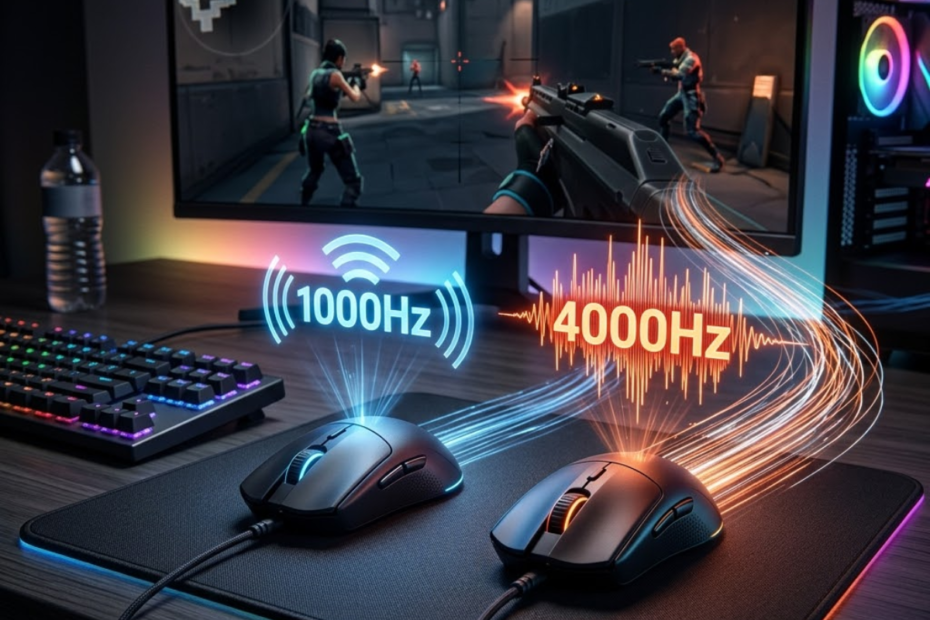
Choosing between 1000Hz and 4000Hz polling rate is becoming increasingly common as modern gaming mice continue to push higher performance specifications. While both settings are capable of delivering responsive gameplay, many FPS players wonder whether upgrading to 4000Hz provides a meaningful advantage or simply adds another number to a specification sheet.
The answer is more nuanced than many marketing claims suggest. Polling rate influences how frequently a mouse reports movement data to a computer, but the real-world value depends on factors such as hardware, monitor refresh rate, game type, and player sensitivity to input latency. Because polling rate is only one part of overall mouse performance, it should be evaluated alongside shape, weight, sensor quality, and comfort when choosing a gaming mouse for FPS games.
This comparison focuses specifically on 1000Hz vs 4000Hz polling rate for FPS games, helping players understand the actual differences, practical benefits, and situations where one option may make more sense than the other.
What Is the Real Difference Between 1000Hz and 4000Hz Polling Rate?
The difference between 1000Hz and 4000Hz polling rate is the frequency at which a gaming mouse sends movement updates to a computer. A higher polling rate helps provide more frequent reports, potentially reducing reporting intervals and improving responsiveness during FPS gameplay.
Although both settings perform the same basic task, they do so at different frequencies. A 1000Hz polling rate sends information 1,000 times per second, while a 4000Hz polling rate increases that frequency to 4,000 reports per second. If you need a complete explanation of how polling rate works before comparing these values, read our guide on what polling rate in a gaming mouse means.
The illustration below shows how report frequency changes between 1000Hz and 4000Hz polling rates:
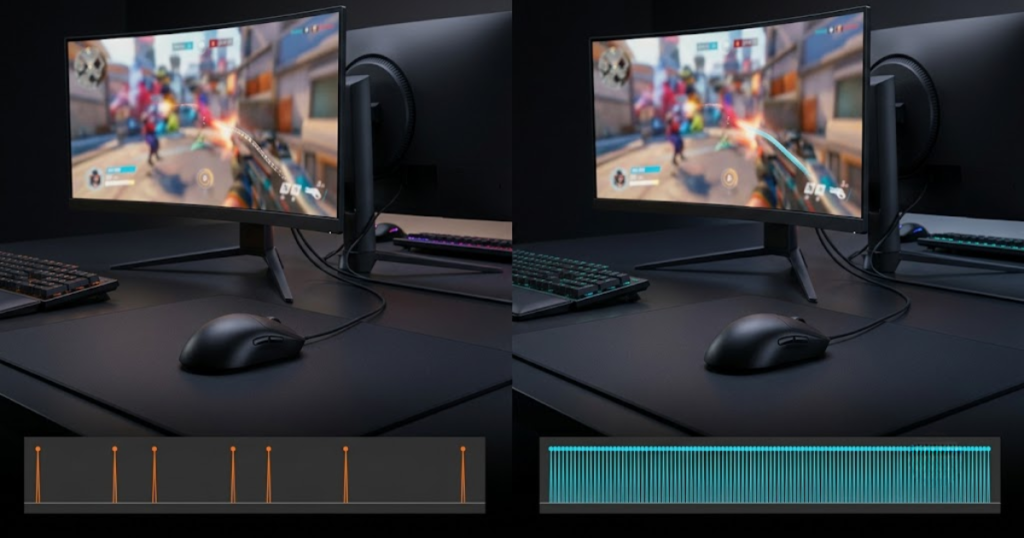
As polling rates increase, the time between reports becomes shorter. This allows the operating system and game engine to receive movement information more frequently, creating the potential for lower theoretical latency and smoother cursor updates.
How Often Does a Mouse Report Data at 1000Hz and 4000Hz?
Polling frequency is the number of times a mouse communicates with a PC every second. A higher report frequency helps provide more frequent movement updates during gameplay.
A mouse operating at 1000Hz sends data every 1 millisecond. This means the computer receives updated position information one thousand times each second.
At 4000Hz, the interval drops to 0.25 milliseconds. Instead of waiting a full millisecond between reports, the computer receives four times as many updates during the same period. Players considering even higher report frequencies can also compare 4000Hz vs 8000Hz polling rate to understand whether moving beyond 4000Hz provides meaningful benefits in FPS games.
While this difference sounds dramatic on paper, it is important to remember that polling rate is only one component of the overall input pipeline. The game engine, operating system, display refresh rate, and player reaction time also contribute to the final experience.
Understanding report frequency provides the foundation for evaluating whether higher polling rates can produce noticeable gameplay improvements.
How Much Input Delay Difference Exists Between 1000Hz and 4000Hz?
Input delay difference is the reduction in reporting interval from 1 millisecond to 0.25 milliseconds. This reduction helps decrease theoretical mouse latency. To better understand how reporting frequency contributes to overall responsiveness, see our detailed guide on polling rate and input latency.
The maximum report delay at 1000Hz is approximately 1 millisecond. At 4000Hz, the maximum report delay falls to approximately 0.25 milliseconds.
From a purely mathematical perspective, 4000Hz reduces the waiting time between reports by 75%. This is the primary reason manufacturers promote higher polling rates as lower-latency solutions.
However, theoretical latency reductions do not always translate into equally dramatic gameplay improvements. A player may experience only a subtle difference because total system latency includes rendering delays, display latency, network latency, and game processing time.
As a result, polling rate should be viewed as one contributor to responsiveness rather than the sole factor determining performance.
Why Do More Frequent Reports Affect Mouse Responsiveness?
Mouse responsiveness is the speed at which movement information reaches the game. More frequent reports help create a more responsive feeling during aiming actions.
Every mouse movement must be captured, processed, and displayed before a player sees the result on screen. Increasing the number of reports gives the system more opportunities to receive updated movement information.
This effect becomes most apparent during rapid hand movements, quick target transitions, and situations requiring precise tracking. The game receives more movement samples, allowing cursor updates to appear more continuous.
Players often describe the result as smoother or more immediate rather than dramatically faster. The difference is typically subtle, but competitive players who focus heavily on responsiveness may appreciate the improvement.
Ultimately, more frequent reports help reduce gaps between movement updates, which is why higher polling rates are associated with better responsiveness.
Overall, the difference between 1000Hz and 4000Hz polling rate is primarily about report frequency and reporting intervals. Understanding this distinction makes it easier to evaluate whether the potential benefits justify the additional hardware demands.
1000Hz vs 4000Hz Polling Rate Comparison Table
A polling rate comparison is a side-by-side evaluation of performance characteristics between 1000Hz and 4000Hz. This comparison helps FPS players understand which setting better matches their hardware and competitive goals.
The table below compares the main differences between 1000Hz and 4000Hz polling rate:
| Factor | 1000Hz | 4000Hz |
|---|---|---|
| Reports Per Second | 1,000 | 4,000 |
| Report Interval | 1 ms | 0.25 ms |
| Theoretical Latency | Higher | Lower |
| CPU Demand | Low | Higher |
| Battery Consumption | Lower | Higher |
| Hardware Requirement | Minimal | More Demanding |
| Ideal User | Most Gamers | Competitive FPS Players |
The comparison shows that 4000Hz primarily focuses on maximizing responsiveness, while 1000Hz prioritizes efficiency, compatibility, and balanced performance. Both options are capable of excellent FPS gaming results when paired with appropriate hardware.
Which Differences Matter Most During Actual Gameplay?
Gameplay differences are the changes players can realistically notice while aiming. The most important differences help influence responsiveness, tracking stability, and consistency.
Not every specification in the comparison table has the same practical value. Players generally notice responsiveness and cursor smoothness before they notice numerical latency measurements.
During rapid target transitions, a higher polling rate may produce movement updates that feel slightly more continuous. This can create a smoother experience, particularly on high-refresh-rate monitors where visual updates occur very frequently.
For many players, these responsiveness improvements represent the most meaningful benefit of moving beyond 1000Hz.
The gameplay impact is often subtle rather than transformative, but it remains the area where higher polling rates have the greatest potential value.
Which Differences Are Mostly Technical Specifications?
Technical differences are specifications that may not always produce noticeable gameplay improvements. These differences help explain hardware requirements and efficiency tradeoffs.
CPU usage, report intervals, and theoretical latency figures are important for understanding how polling rates function, but they do not always produce easily noticeable improvements during real matches.
Many players focus heavily on numerical specifications without considering whether those differences can actually be perceived during gameplay. A lower report interval may be measurable through testing equipment while remaining difficult to detect in normal use.
This is why practical testing often matters more than theoretical calculations. Specifications explain the technology, but real gameplay determines whether the upgrade feels worthwhile.
Understanding which differences are practical and which are primarily technical helps players make more informed purchasing decisions.
Overall, the comparison demonstrates that 4000Hz delivers measurable advantages in reporting frequency and latency, while 1000Hz continues to provide strong performance with fewer hardware demands and better efficiency.
Does 4000Hz Polling Rate Improve FPS Performance?
FPS performance improvement is the reduction of reporting delays during mouse movement. Higher polling rates help provide more frequent updates that may improve responsiveness in competitive environments.
Many discussions about polling rate focus on raw numbers, but players care about one question: does it actually improve gameplay? The answer depends on the specific aiming situation being analyzed.
The example below illustrates how higher polling rates may influence aiming responsiveness:
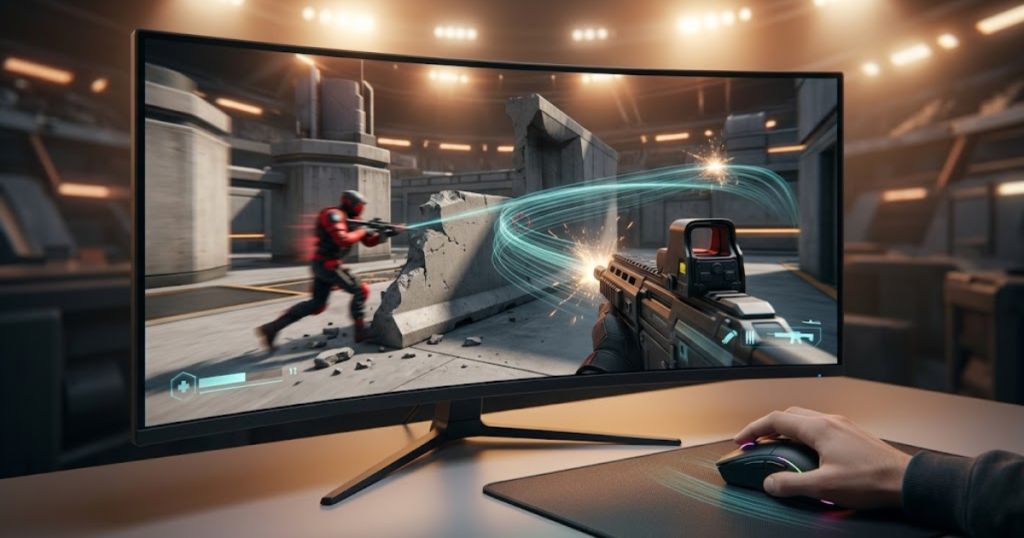
Higher polling rates do not increase skill, improve decision-making, or guarantee better accuracy. Instead, they provide more frequent movement information that can contribute to a more responsive experience under the right conditions.
The factors below explain how 4000Hz can affect FPS gameplay:
- Flick Shots: More movement samples can improve update frequency during rapid target transitions.
- Tracking Aim: Continuous movement reporting may create smoother tracking behavior.
- Micro Adjustments: Small corrections can benefit from more frequent position updates.
- Target Switching: Rapid directional changes may feel slightly more responsive.
- Cursor Smoothness: Increased report frequency can improve movement consistency on high-refresh displays.
These benefits are most noticeable when combined with suitable hardware and competitive gameplay scenarios.
How Does 4000Hz Affect Flick Shots?
Flick-shot performance is the ability to rapidly move between targets. More frequent reports help reduce gaps between movement updates during fast mouse motions.
Flicking requires a player to move quickly from one location to another before firing accurately. During these rapid motions, a mouse generates large amounts of movement data over a short period.
A 4000Hz polling rate provides more movement samples throughout the flick. In theory, this allows the system to receive updated information more frequently during the motion.
The resulting benefit is often described as smoother rather than dramatically faster. The mouse movement appears more continuously represented throughout the flick trajectory.
For competitive players who rely heavily on fast target acquisition, this can contribute to a more responsive feeling during intense engagements.
How Does 4000Hz Affect Tracking Aim?
Tracking aim is the ability to follow moving opponents continuously. Higher polling rates help provide smoother movement information during tracking scenarios.
Unlike flick shots, tracking requires constant mouse movement over a longer period of time. The goal is not to reach a target quickly but to keep the crosshair attached to a moving opponent as accurately as possible.
Because 4000Hz sends four times as many reports as 1000Hz, the game receives more movement samples during continuous motion. This can make cursor updates appear smoother, particularly when following targets moving across the screen.
The effect becomes easier to notice in games such as Apex Legends, Overwatch, and Call of Duty, where tracking is often more important than one-tap precision. Players who spend a significant amount of time tracking opponents may appreciate the additional movement granularity.
While the improvement is not dramatic, smoother movement updates can contribute to a more consistent aiming experience during extended tracking situations.
How Does 4000Hz Affect Precision Micro Adjustments?
Micro adjustments are small aiming corrections made before firing. Frequent mouse reports help provide more detailed movement data during fine adjustments.
Many FPS engagements are decided by tiny corrections rather than large mouse movements. After reaching a target, players often make small adjustments to align the crosshair precisely before taking a shot.
Higher polling rates increase the frequency of movement updates during these corrections. This can create a feeling of improved precision because the system receives more information about subtle hand movements.
Low-sensitivity players often perform more micro adjustments because they rely on arm aiming and larger mouse movements. In these cases, higher polling rates may provide a slightly more refined aiming experience.
Although player skill remains the primary factor, higher polling rates can help deliver more detailed movement information during precision aiming tasks.
Overall, 4000Hz polling rate can improve FPS responsiveness through smoother tracking, more frequent movement updates, and finer movement representation. However, the benefits remain incremental rather than revolutionary, which is why player expectations should remain realistic.
Can Most Players Actually Feel the Difference?
Perceived polling rate differences are the improvements players can consciously notice while gaming. Higher polling rates help some competitive players more than casual users.
One of the biggest misconceptions surrounding polling rates is that every player will immediately notice the difference between 1000Hz and 4000Hz. In reality, perception varies significantly depending on experience level, hardware quality, and sensitivity to input responsiveness.
The scenario below reflects how players may experience polling rate differences differently:
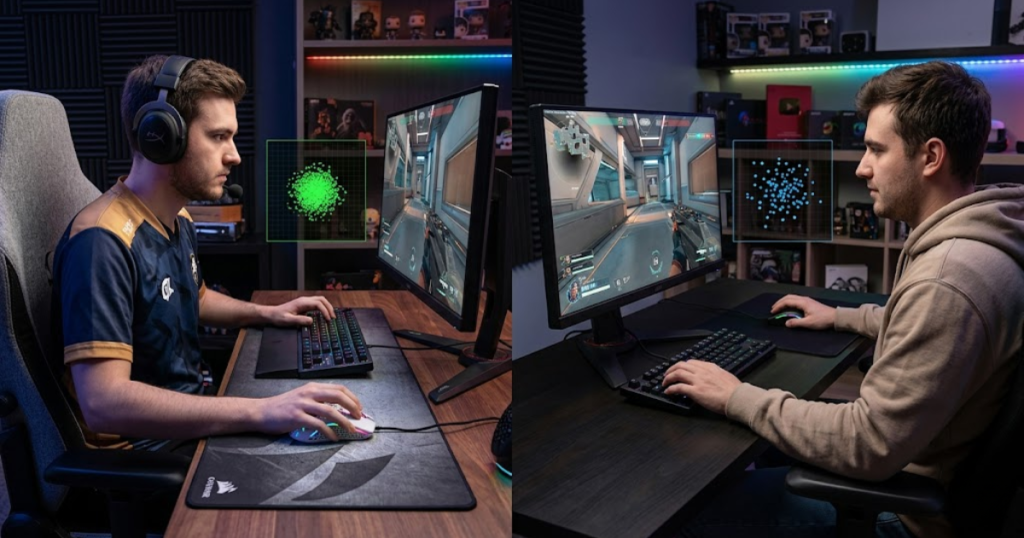
Some players switch between polling rates and instantly claim they feel a difference. Others perform blind tests and struggle to identify which setting is active. Both outcomes are normal because responsiveness improvements exist on a spectrum rather than as an obvious upgrade.
The factors below influence whether players can notice the difference:
- Skill Level: Experienced players tend to detect subtle responsiveness changes more easily.
- Monitor Refresh Rate: Higher refresh rates reveal movement updates more clearly.
- Sensitivity Settings: Lower sensitivity often creates more opportunities to notice movement differences.
- Hardware Quality: Faster systems reduce bottlenecks that can mask polling rate improvements.
- Game Type: Competitive FPS titles highlight responsiveness more than casual games.
Because so many variables influence perception, there is no universal answer that applies to every player.
What Do Casual FPS Players Usually Experience?
Casual player experience is the practical feeling of mouse responsiveness during everyday gameplay. Standard polling rates help provide performance that already feels responsive to most users.
Most casual FPS players already consider 1000Hz extremely responsive. The mouse feels smooth, inputs appear immediate, and aiming performance is rarely limited by polling rate.
When these players switch to 4000Hz, the difference may be difficult to identify during normal matches. Improvements often become subtle enough that they blend into the overall gameplay experience.
This does not mean higher polling rates provide no benefit. Instead, it means the benefit may fall below the threshold where casual players can reliably notice it without focused testing.
For many gamers, 1000Hz remains more than sufficient for enjoyable and responsive FPS gameplay.
What Do Competitive Players Usually Notice?
Competitive player perception is the ability to detect small responsiveness improvements. Higher polling rates help advanced players notice subtle input differences more easily.
Players who spend hundreds or thousands of hours in competitive FPS titles often develop greater sensitivity to input behavior. Small changes in responsiveness become easier to recognize because they interact with highly refined muscle memory.
These players frequently notice improvements in movement smoothness rather than raw speed. The cursor may feel more connected to hand movement, particularly during tracking and precision aiming.
Competitive players also tend to use optimized hardware, which increases the likelihood that polling rate improvements remain visible instead of being hidden by system bottlenecks.
As a result, advanced players are generally the group most likely to benefit from 4000Hz polling rates.
Why Do Some Players Expect Too Much from 4000Hz?
Expectation gaps are misunderstandings about what polling rate can improve. Higher polling rates help optimize responsiveness but do not automatically improve aiming skill.
Marketing materials often present higher polling rates as major performance upgrades. While the underlying technology does provide measurable improvements, those gains are frequently exaggerated by community discussions and promotional content.
Many players expect higher polling rates to instantly improve accuracy, reaction time, or overall rank. When those results fail to appear, disappointment follows.
The reality is that polling rate is a refinement tool. It helps optimize responsiveness within an already functional setup, but it cannot replace practice, mechanics, positioning, or game knowledge.
Understanding this distinction allows players to evaluate upgrades based on realistic expectations rather than unrealistic promises.
The following process can help evaluate polling rate differences:
- Use 1000Hz First: Play several matches using your normal settings.
- Switch to 4000Hz: Keep all other settings identical.
- Focus on Tracking: Pay attention to cursor smoothness during continuous aim.
- Test Micro Adjustments: Evaluate small aiming corrections rather than large movements.
- Compare Comfort: Decide whether the difference is meaningful for your gameplay.
Following a controlled testing process helps remove bias and makes it easier to determine whether higher polling rates provide value for your individual setup.
Overall, the ability to feel the difference between 1000Hz and 4000Hz depends heavily on player experience, hardware quality, and gameplay style. Competitive players are the most likely to notice improvements, while casual players may find that 1000Hz already delivers all the responsiveness they need.
What Hardware Is Required for 4000Hz Polling Rate?
Hardware requirements are the components needed to run 4000Hz polling rate effectively. Suitable hardware helps maximize the benefits of higher report frequencies.
The hardware setup below represents an environment capable of supporting 4000Hz polling rate:
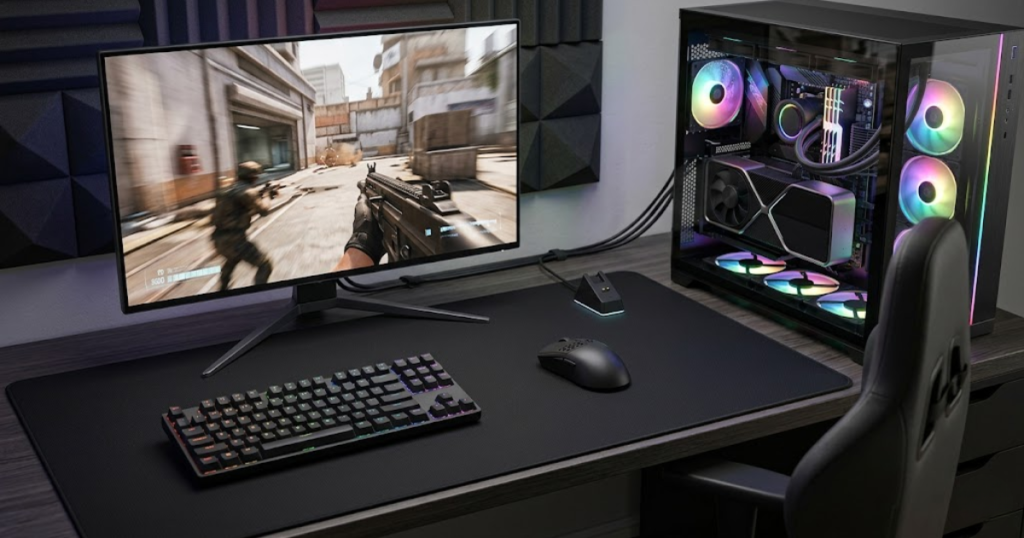
Many discussions focus on polling rate itself while ignoring the supporting hardware needed to take advantage of it. Running a mouse at 4000Hz places greater demands on the communication pipeline compared to standard 1000Hz operation.
Without compatible hardware, players may gain little practical benefit from higher polling rates. In some cases, increased CPU usage or system limitations can reduce the value of the upgrade.
The table below explains the recommended hardware for 4000Hz polling rate:
| Component | Recommendation |
|---|---|
| Gaming Mouse | Native 4000Hz support |
| Wireless Receiver | Dedicated 4K receiver or compatible dongle |
| CPU | Modern multi-core processor |
| Monitor | 240Hz or higher preferred |
| USB Connection | Stable high-speed USB port |
The table highlights that polling rate upgrades are not isolated features. They work best when supported by hardware capable of processing and displaying the additional movement information efficiently.
Why Can Older PCs Struggle with 4000Hz?
System limitations are hardware constraints that reduce performance efficiency. Modern processors help handle higher polling frequencies more effectively.
Every polling report generated by a gaming mouse must be processed by the operating system before reaching the game. At 4000Hz, the system receives four times as many reports compared to 1000Hz, which increases CPU workload.
Modern processors typically handle this additional workload without difficulty. However, older systems with limited processing resources may experience diminishing returns because the hardware cannot efficiently take advantage of the higher report frequency.
In extreme cases, players may see inconsistent performance, increased CPU utilization, or responsiveness gains that are too small to justify the additional system demand.
For this reason, polling rate upgrades should be viewed as part of an overall hardware ecosystem rather than a standalone improvement.
Why Does Monitor Refresh Rate Matter?
Monitor refresh rate is the frequency at which visual updates appear on screen. Higher refresh rates help reveal small responsiveness improvements more clearly.
A monitor can only display information when it refreshes the image on screen. Even if a mouse sends movement updates thousands of times per second, the display still determines how frequently those updates become visible.
Players using 60Hz or 144Hz monitors may notice fewer benefits from 4000Hz polling compared to players using 240Hz, 360Hz, or higher refresh-rate displays. Faster monitors can present movement updates more frequently, making small responsiveness improvements easier to observe.
This does not mean higher polling rates are useless on lower refresh-rate displays. Instead, the visible advantages often become less pronounced because the monitor itself limits how often movement updates appear on screen.
The combination of a high polling rate and a high refresh-rate monitor typically provides the best opportunity to experience responsiveness improvements.
Why Is a Compatible Receiver Important?
Wireless receivers are communication devices that transfer mouse data to a PC. Compatible receivers help support stable 4000Hz operation.
Many wireless gaming mice require dedicated receivers to unlock polling rates above 1000Hz. A standard receiver may only support lower report frequencies even if the mouse sensor itself is capable of higher performance.
Manufacturers often release separate 4K or multi-polling-rate receivers specifically designed to handle the increased communication demands. Without the correct receiver, players may be unable to activate higher polling rates at all.
Receiver quality also affects connection stability. Reliable communication becomes increasingly important as report frequencies rise because the system must process a larger volume of data consistently.
Checking compatibility before purchasing a higher polling rate mouse can help avoid unnecessary frustration and additional expenses.
Overall, 4000Hz polling rate delivers the best results when supported by modern processors, high refresh-rate displays, and compatible wireless receivers. Hardware compatibility plays a major role in determining whether higher polling rates provide meaningful value.
How Does 4000Hz Affect Battery Life?
Battery consumption is the amount of power required to operate a wireless mouse. Higher polling rates help increase communication frequency but also increase power usage.
One of the most overlooked tradeoffs of higher polling rates is battery life. While many players focus on responsiveness and latency, wireless mice must also balance performance with power efficiency.
Because a 4000Hz mouse communicates with the receiver more frequently than a 1000Hz mouse, additional energy is required to sustain the higher reporting frequency. As a result, battery life generally decreases as polling rates increase.
The table below compares battery impact across polling rate levels:
| Polling Rate | Relative Battery Usage |
|---|---|
| 1000Hz | Lowest |
| 2000Hz | Moderate |
| 4000Hz | High |
The comparison demonstrates that increased responsiveness often comes with reduced battery endurance. Players must decide whether the performance gains justify more frequent charging.
Why Does Battery Life Decrease at Higher Polling Rates?
Battery drain is the result of more frequent wireless communication. Higher report frequencies help improve responsiveness while increasing power demand.
Every wireless report requires the mouse to transmit information to the receiver. As report frequency increases, the total number of transmissions rises significantly throughout a gaming session.
At 4000Hz, the mouse performs substantially more communication events compared to 1000Hz. This increased activity consumes additional energy and accelerates battery depletion.
Sensor performance, wireless technology, and battery capacity all influence the final runtime, but the general trend remains consistent across most modern gaming mice.
Higher polling rates deliver more responsiveness at the cost of efficiency, making battery life one of the most important tradeoffs to consider.
When Is the Battery Tradeoff Worth It?
Battery tradeoffs are compromises between performance and endurance. Higher polling rates help players prioritize responsiveness over runtime.
Competitive FPS players often value responsiveness more than battery longevity. For these users, charging more frequently may be an acceptable compromise if it supports their preferred gaming experience.
On the other hand, users who prioritize convenience may find little reason to sacrifice significant battery life for improvements that are difficult to notice during normal gameplay.
The decision ultimately depends on how much value a player places on marginal performance gains compared to reduced charging intervals.
Understanding personal priorities is often more important than focusing exclusively on technical specifications.
Overall, higher polling rates increase power consumption because they require more frequent communication between the mouse and receiver. Whether this tradeoff is worthwhile depends on the player’s priorities and gaming habits.
Which Polling Rate Is Best for Different Types of FPS Players?
Polling rate suitability is the match between player needs and performance settings. Different polling rates help different player groups achieve their preferred balance of responsiveness and efficiency.
There is no universally perfect polling rate for every gamer. The best choice depends on competitive goals, hardware quality, sensitivity to responsiveness, and willingness to accept battery or hardware tradeoffs.
The table below explains polling rate recommendations by player type:
| Player Type | Recommendation |
|---|---|
| Beginner | 1000Hz |
| Casual FPS Player | 1000Hz |
| Ranked Grinder | 1000Hz or 4000Hz |
| Competitive Player | 4000Hz |
| Esports Player | 4000Hz |
The recommendations show that player goals matter more than marketing claims. The ideal polling rate depends on how competitive a player intends to be and whether the supporting hardware can take advantage of higher report frequencies. If you are still comparing complete mouse options instead of individual specifications, see our guide to the best gaming mouse for FPS games in 2026.
What Is the Best Choice for New FPS Players?
Beginner-friendly settings are configurations that prioritize simplicity and consistency. Lower hardware demands help new players focus on improving fundamentals.
New players benefit far more from developing crosshair placement, movement mechanics, and game awareness than from pursuing small hardware optimizations.
Because 1000Hz already provides excellent responsiveness, it allows beginners to focus on building core FPS skills without introducing unnecessary complexity.
For most new players, investing time into practice produces far greater results than increasing polling rates.
Consistency remains the most valuable foundation for long-term improvement.
What Is the Best Choice for Competitive Ranked Players?
Competitive settings are configurations focused on maximizing responsiveness. Higher polling rates help reduce reporting intervals during intense matches.
Players who regularly compete in ranked environments often search for every possible performance advantage. Higher polling rates can become attractive because they contribute to a more responsive input pipeline.
Although the improvement remains relatively small, competitive players are often more likely to appreciate subtle enhancements than casual users.
For individuals already using optimized hardware, 4000Hz may represent a logical step toward maximizing performance consistency.
The value of the upgrade increases as competition becomes more demanding.
What Is the Best Choice for Esports-Level Competition?
Esports configurations are setups designed for maximum performance potential. Advanced hardware helps support the benefits of higher polling rates.
Professional and aspiring professional players frequently operate in environments where tiny performance differences can matter. Their hardware is often optimized specifically for competitive play.
Because supporting equipment is already capable of handling higher polling rates, the drawbacks become easier to justify. Reduced battery life and increased hardware demands are often acceptable tradeoffs.
At this level, players seek incremental improvements across every component of their setup, including polling rate.
While 4000Hz does not guarantee better results, it aligns more closely with the priorities of highly competitive players.
Overall, the best polling rate depends on player goals rather than a universal rule. Most gamers will perform extremely well with 1000Hz, while competitive players may find additional value in 4000Hz.
When Is 1000Hz Still the Better Choice?
1000Hz polling rate is a balanced performance setting for modern gaming mice. This polling rate helps provide excellent responsiveness while maintaining strong compatibility, efficiency, and battery life.
Many discussions about polling rates focus heavily on higher numbers, but that does not mean 1000Hz has become outdated. In reality, 1000Hz remains the standard polling rate used by millions of FPS players because it already delivers highly responsive performance.
For many setups, the practical difference between 1000Hz and 4000Hz is much smaller than the difference between a poor gaming mouse and a quality gaming mouse. This makes 1000Hz a sensible option in several situations.
The factors below explain when 1000Hz remains the better option:
- Older PCs: Lower polling rates place less demand on system resources.
- Longer Battery Life: Reduced communication frequency improves wireless endurance.
- Stable Performance: Fewer reports can simplify system processing.
- Casual Gaming: Most casual players already experience excellent responsiveness at 1000Hz.
- Mixed Usage: General-purpose users often benefit more from efficiency than maximum performance.
These situations demonstrate why 1000Hz continues to be a practical choice for a large percentage of FPS players.
Why Is 1000Hz Easier on Hardware?
Hardware efficiency is the ability to deliver performance with minimal system demand. Lower polling rates help reduce processing requirements across the input pipeline.
Because 1000Hz generates fewer reports than 4000Hz, the operating system and CPU process less data each second. This reduces the overall workload associated with mouse input.
Although modern systems can often handle 4000Hz without difficulty, lower system demand can still be beneficial for older hardware or multitasking environments.
For players seeking simplicity and reliability, 1000Hz remains a highly efficient solution.
Why Does 1000Hz Offer Better Battery Efficiency?
Battery efficiency is the ability to maximize runtime between charges. Lower report frequencies help reduce wireless communication demands.
Every polling report consumes power. By generating fewer reports, 1000Hz allows wireless mice to operate longer before requiring recharging.
This advantage becomes particularly valuable for players who prefer fewer interruptions and longer gaming sessions.
Battery efficiency remains one of the strongest arguments in favor of maintaining a 1000Hz polling rate.
Why Is 1000Hz Enough for Most Players?
Practical performance is the level of responsiveness experienced during normal gameplay. Standard polling rates help provide performance that already exceeds the needs of most users.
Many players cannot consistently identify the difference between 1000Hz and higher polling rates during actual gameplay. The responsiveness provided by 1000Hz is already extremely fast by modern standards.
As a result, upgrading to a higher polling rate may not produce meaningful improvements for every player.
For most FPS gamers, 1000Hz continues to provide an excellent balance between performance and efficiency.
Overall, 1000Hz remains the better choice when efficiency, battery life, compatibility, and practical value are prioritized over maximum theoretical responsiveness.
When Does 4000Hz Make More Sense?
4000Hz polling rate is a performance-focused setting designed to maximize reporting frequency. This higher polling rate helps deliver the most responsive experience possible when supported by appropriate hardware.
Although 1000Hz is sufficient for many gamers, certain situations make the advantages of 4000Hz more meaningful. Competitive players often search for every available optimization, and higher polling rates can become part of that strategy.
The factors below explain when 4000Hz becomes worthwhile:
- High Refresh Rate Displays: Faster monitors reveal movement updates more clearly.
- Competitive FPS Gaming: Small responsiveness gains may become more valuable.
- Modern Hardware: Powerful systems handle increased report frequencies more efficiently.
- Low Sensitivity Aim: Large mouse movements generate more movement data.
- Tournament-Focused Play: Performance optimization becomes a higher priority.
These conditions create an environment where higher polling rates are more likely to provide noticeable value.
Why Do Competitive Players Benefit More?
Competitive gameplay is an environment where small performance advantages may influence outcomes. Higher polling rates help maximize input responsiveness during demanding situations.
Competitive players often spend significant time refining mechanics and developing muscle memory. Because of this experience, they may be more sensitive to subtle differences in responsiveness.
Small improvements that appear insignificant to casual users can become more meaningful in highly competitive environments.
This is why higher polling rates are most commonly associated with advanced FPS players.
Why Do High Refresh Rate Displays Matter?
Display refresh rate is the frequency at which a monitor updates visual information. Faster displays help present movement updates more frequently.
A 240Hz or 360Hz monitor provides more visual updates than lower refresh-rate displays. This creates additional opportunities for responsiveness improvements to become visible.
Because higher polling rates generate more movement reports, pairing them with faster displays creates a more complete performance-focused setup.
The value of 4000Hz often increases alongside monitor refresh rate.
Why Does Modern Hardware Unlock More Value?
Modern hardware is a system capable of processing large amounts of data efficiently. Strong hardware helps maximize the benefits of higher polling rates.
Powerful processors, fast memory, and optimized gaming systems reduce the likelihood of bottlenecks that could limit polling rate performance.
When the rest of the system is already optimized, higher polling rates become easier to justify because more of the theoretical benefit can reach the player.
This is why 4000Hz tends to appeal most to enthusiasts and competitive gamers.
Overall, 4000Hz makes the most sense when performance optimization is the primary goal and supporting hardware is capable of taking advantage of the increased report frequency.
Is Upgrading from 1000Hz to 4000Hz Worth It?
A polling rate upgrade is the decision to move from standard reporting frequency to higher-frequency operation. This upgrade helps some players gain responsiveness benefits while requiring stronger hardware support.
The comparison below highlights the upgrade decision many FPS players face:
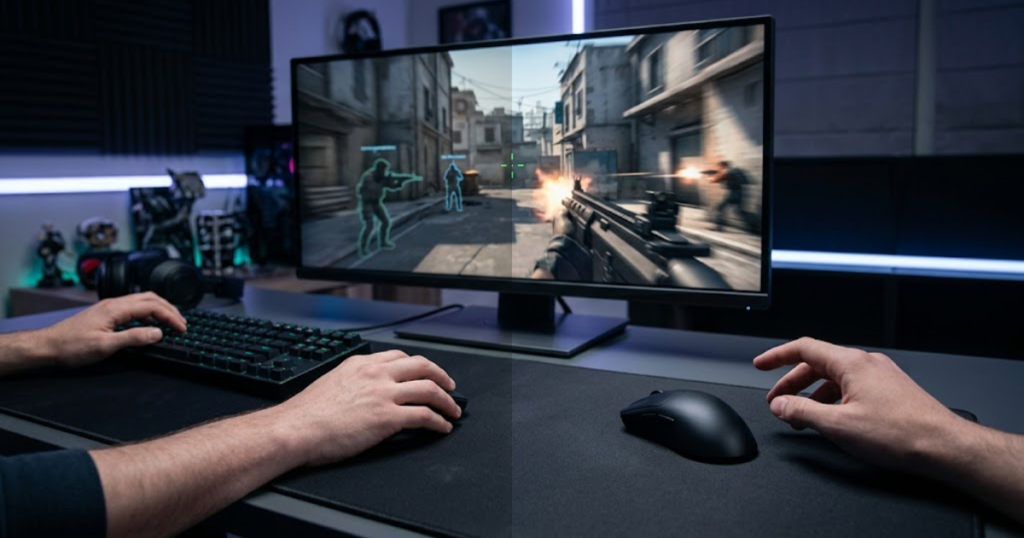
The value of upgrading depends less on the polling rate itself and more on the player’s goals, hardware, and ability to perceive small responsiveness improvements.
The table below helps determine whether upgrading is worthwhile:
| Scenario | Better Choice |
|---|---|
| Budget Setup | 1000Hz |
| Casual Gaming | 1000Hz |
| Competitive FPS | 4000Hz |
| Battery Priority | 1000Hz |
| Maximum Responsiveness | 4000Hz |
The comparison shows that neither polling rate is universally superior. The best option depends on what the player values most.
The following process can help determine whether you should upgrade:
- Check Compatibility: Confirm that your mouse and receiver support 4000Hz.
- Evaluate Hardware: Verify that your system can efficiently process higher report frequencies.
- Consider Display Refresh Rate: Faster monitors benefit more from increased polling rates.
- Test Responsiveness: Compare 1000Hz and 4000Hz under identical conditions.
- Judge Practical Value: Decide whether the difference justifies the tradeoffs.
Following a structured evaluation process helps players avoid upgrading based solely on marketing claims.
When Is the Upgrade Worth the Cost?
Upgrade value is the practical benefit gained from higher polling rates. Competitive environments help make responsiveness improvements more meaningful.
Players who participate in ranked play, tournaments, or highly competitive FPS environments are the most likely to appreciate incremental responsiveness improvements.
When supported by suitable hardware, 4000Hz can represent a logical performance-focused upgrade.
For these users, the benefits may justify the additional cost and battery consumption.
When Should You Keep Using 1000Hz?
Retaining 1000Hz is a practical choice when performance gains are unlikely to be noticeable. Standard polling rates help deliver strong overall gaming performance.
If a player cannot consistently detect differences between polling rates, upgrading may provide little practical value.
Similarly, users who prioritize battery life, compatibility, and simplicity may find that 1000Hz already satisfies their needs completely.
In these situations, maintaining a 1000Hz polling rate is often the most sensible decision.
Overall, upgrading from 1000Hz to 4000Hz is worthwhile for some competitive players, but many gamers will continue to enjoy excellent performance without making the change.
Common Myths About 4000Hz Polling Rate
Polling rate myths are misconceptions about how mouse reporting frequency affects gameplay. Accurate information helps players make better upgrade decisions.
Higher polling rates have become increasingly popular, but many discussions surrounding them contain exaggerated claims or misunderstandings. Separating facts from myths helps players set realistic expectations.
The myths below explain common misunderstandings about 4000Hz polling rate:
- Higher Polling Rate Automatically Improves Aim: Skill remains the most important factor.
- Everyone Can Feel the Difference: Perception varies significantly between players.
- 4000Hz Dramatically Lowers Latency: Improvements exist but are often small.
- Higher Polling Rate Increases FPS: Polling rate affects input reporting, not frame generation.
- Professional Players Must Use 4000Hz: Many professionals still use 1000Hz.
Understanding these misconceptions helps prevent unrealistic expectations regarding polling rate upgrades.
Does Higher Polling Rate Automatically Improve Aim?
Aiming skill is the ability to control crosshair placement accurately. Higher polling rates help improve responsiveness but do not replace practice.
Mouse settings can optimize performance, but they cannot create mechanical skill. Good aim still depends on repetition, consistency, and game knowledge.
Polling rate improvements should be viewed as refinements rather than shortcuts to better performance.
Can Every Gamer Feel the Difference?
Player perception is the ability to recognize responsiveness changes. Higher polling rates help some users more than others.
Experience level, hardware quality, and sensitivity to input behavior all influence whether a player notices the difference.
Some gamers immediately recognize subtle improvements, while others experience little or no noticeable change.
This variation is completely normal.
Does 4000Hz Replace Skill and Practice?
Skill development is the process of improving mechanics through training and experience. Hardware upgrades help support performance but cannot replace practice.
Higher polling rates can optimize responsiveness, but they do not teach positioning, movement, tracking, or crosshair placement.
Players seeking long-term improvement should continue prioritizing practice and consistency above hardware specifications.
Overall, understanding common polling rate myths helps players evaluate upgrades more objectively and avoid unrealistic expectations.
Final Verdict on 1000Hz vs 4000Hz Polling Rate for FPS Games
The best polling rate is the setting that matches a player’s goals, hardware, and competitive needs. Both 1000Hz and 4000Hz help deliver responsive gameplay, but each serves a different type of FPS player.
1000Hz remains the standard recommendation for most gamers because it offers excellent responsiveness, strong compatibility, lower hardware demands, and better battery efficiency. It delivers performance that is already more than sufficient for the majority of FPS players.
4000Hz focuses on maximizing responsiveness and reducing reporting intervals. Competitive players using modern hardware may appreciate the additional refinement, particularly when every performance advantage matters.
The key takeaway is that polling rate should be viewed as an optimization rather than a transformation. Higher polling rates can improve responsiveness, but they cannot replace skill, practice, or good gaming fundamentals.
Ultimately, 1000Hz is the better choice for most FPS players, while 4000Hz becomes most valuable for enthusiasts and competitive gamers pursuing every possible performance advantage.
Frequently Asked Questions
Many FPS players still have practical questions after comparing 1000Hz and 4000Hz polling rates. The answers below address common concerns that may influence upgrade decisions.
Is 4000Hz polling rate better than 1000Hz?
4000Hz polling rate is a higher reporting frequency that helps provide more frequent mouse updates. It may benefit competitive FPS players, while 1000Hz remains sufficient for most gamers.
Can you feel the difference between 1000Hz and 4000Hz?
The difference between 1000Hz and 4000Hz is a change in reporting frequency that helps improve responsiveness. Some competitive players can notice the difference, while many casual players cannot reliably identify it.
Does 4000Hz polling rate improve aim?
4000Hz polling rate is a reporting technology that helps deliver more frequent movement updates. It can improve responsiveness but does not automatically improve aiming skill.
Does 4000Hz polling rate reduce latency?
4000Hz polling rate is a higher-frequency communication mode that helps reduce report intervals. This can lower theoretical mouse latency compared to 1000Hz.
Is 4000Hz worth it for Valorant?
4000Hz polling rate is an advanced performance setting that helps maximize responsiveness. It may be worthwhile for highly competitive Valorant players using suitable hardware.
Is 4000Hz worth it for CS2?
4000Hz polling rate is a high-frequency reporting option that helps provide more movement updates. Competitive CS2 players may benefit more than casual users.
Does 4000Hz use more CPU resources?
4000Hz polling rate is a higher reporting frequency that helps increase update rates. Processing more reports generally requires additional CPU resources.
Does 4000Hz reduce battery life?
4000Hz polling rate is a performance-focused setting that helps increase communication frequency. This typically results in higher battery consumption than 1000Hz.
Do I need a special receiver for 4000Hz?
4000Hz polling rate is a feature that often requires compatible hardware. Many gaming mice need a dedicated 4K receiver to support higher polling rates.
What monitor refresh rate works best with 4000Hz?
High refresh-rate monitors are displays that help reveal movement updates more clearly. Monitors running at 240Hz or higher typically benefit most from 4000Hz polling rates.
Why do some professional players still use 1000Hz?
1000Hz polling rate is a proven reporting frequency that helps provide reliable performance. Many professional players continue using it because it already delivers excellent responsiveness.
Which polling rate should most FPS players choose today?
1000Hz polling rate is a balanced performance option that helps provide strong responsiveness with fewer tradeoffs. It remains the recommended choice for most FPS players today.
Conclusion
The choice between 1000Hz and 4000Hz polling rate is a decision based on performance goals, hardware capability, and personal preference. Both options help deliver responsive FPS gameplay, but they serve different types of players.
For most gamers, 1000Hz continues to provide an excellent balance of responsiveness, compatibility, and battery efficiency. The difference between 1000Hz and 4000Hz is measurable, but it is often smaller than many players expect during normal gameplay.
Competitive FPS players using modern hardware may find value in the additional responsiveness offered by 4000Hz. However, players should view higher polling rates as refinements rather than game-changing upgrades.
Ultimately, the best polling rate is the one that fits your hardware, playstyle, and competitive goals while allowing you to play comfortably and consistently.
Thank you for reading GearTP.