
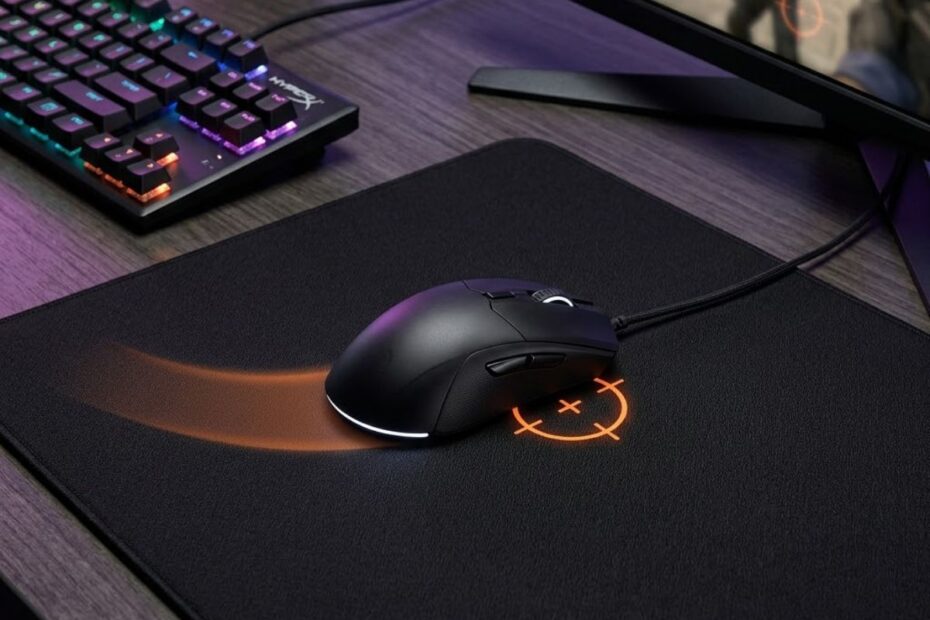
Mouse pad stopping power is one of the most important surface-feel terms in FPS gaming, but it is also one of the easiest to misunderstand. Many players hear reviewers say a pad has “good stopping power” and assume it simply means the pad is slow. That is not always accurate.
In FPS games, stopping power is about how confidently your mouse can come to a controlled stop after movement. It affects flick shots, small corrections, target switching, and the way your crosshair settles after a swipe. A mouse pad can feel fast while still giving enough stopping control, or it can feel slow without feeling precise.
This guide explains mouse pad stopping power in practical FPS terms, so you can understand what it means, how it affects aim, and whether a higher-control surface actually fits your playstyle.
What Is Mouse Pad Stopping Power and Why Do FPS Players Care About It?
Mouse pad stopping power is the surface’s ability to help your mouse stop with control at the point you intended. It helps FPS players land the crosshair more predictably after flicks, swipes, and small corrections.
Stopping power is not just about making the mouse slower. It is about how the pad behaves when your hand tries to end a movement. A surface with strong stopping power gives more feedback near the end of a swipe, so your hand has an easier time stopping the mouse without sliding past the target.
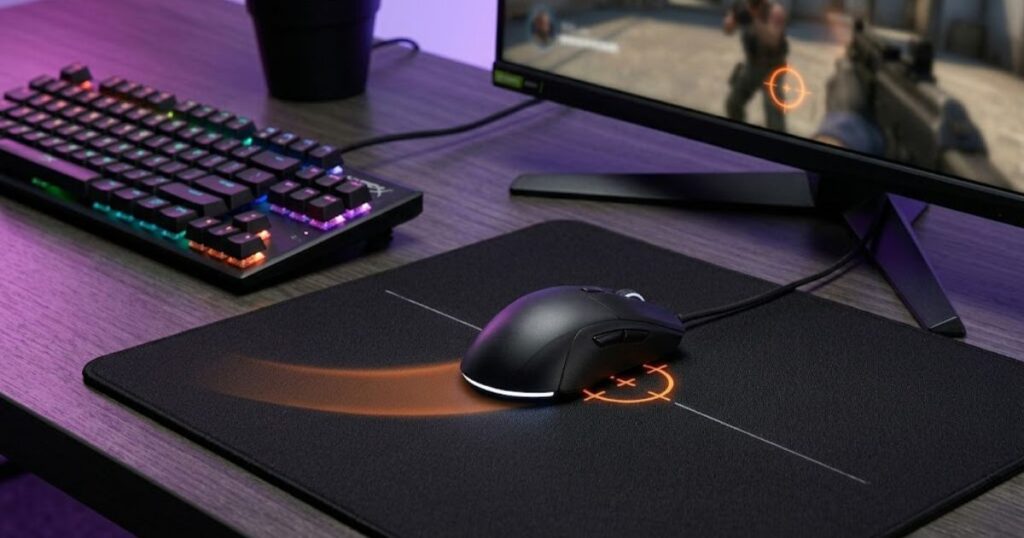
For example, the image below shows how stopping power affects the endpoint of a mouse movement:
For players learning the basics of a gaming mouse pad for FPS games, stopping power is one of the key surface traits that separates a control-oriented pad from a speed-oriented pad. It matters because FPS aiming is not only about moving fast. It is also about stopping at the right time.
What Does Stopping Power Feel Like During Gameplay?
Stopping power feels like controlled resistance when you try to stop the mouse after a movement. Instead of the mouse continuing to glide too freely, the surface gives enough feedback to help your hand settle the crosshair.
In gameplay, this can feel like the pad is helping you “catch” the mouse at the end of a flick. When you aim at a head-level angle in Valorant or CS2, good stopping power can make the final stopping point feel more deliberate. The mouse does not feel stuck, but it also does not feel like it wants to keep sliding.
This is why many tactical FPS players describe certain mouse pads as stable, planted, or controlled. Those words usually point to the same thing: the pad gives enough stopping feedback to make precise endpoint control easier.
Stopping power should feel supportive, not restrictive. If the pad helps you stop cleanly without making every movement feel heavy, it is doing its job well.
Why Stopping Power Became a Common FPS Mouse Pad Term
Stopping power became popular because FPS players needed a better way to describe how a pad handles the end of a mouse movement. Speed alone does not explain whether a mouse pad feels easy to control.
Two mouse pads can have similar glide speed but feel very different when you stop the mouse. One may let the mouse coast slightly after a flick, while another may help the mouse settle quickly. That difference is exactly why stopping power became useful in FPS mouse pad discussions.
The term also helps players separate surface feel from raw speed. A fast pad can still have decent stopping control, and a slow pad can still feel awkward if the stopping feedback is inconsistent. That makes stopping power a more useful concept than simply calling every pad “fast” or “slow.”
For FPS players, the term matters because the endpoint of a movement often decides whether a shot lands or misses. A mouse pad with the right stopping power can make that endpoint feel easier to repeat.
How Does Mouse Pad Stopping Power Affect Aiming Performance?
Mouse pad stopping power affects aiming performance by helping the player control where the crosshair stops after movement. It can reduce overshooting, improve small corrections, and make target transitions feel more predictable.
Aiming in FPS games is not one single action. You flick, track, correct, stop, and reset constantly. Stopping power mainly affects the stopping and correction phases. These moments are small, but they can decide whether your crosshair lands on the target or drifts slightly past it.
The benefits below explain how stopping power influences aiming performance:
- Overshoot reduction: More stopping feedback can help prevent the crosshair from sliding past the target after a fast flick.
- Better target control: A controlled surface can make it easier to place the crosshair exactly where you want it.
- More predictable stopping distance: Consistent stopping power helps your hand learn how far the mouse will travel before it settles.
- Improved precision: Better stopping control can support cleaner final corrections around small targets.
- Greater aiming confidence: When the pad feels predictable, players often trust their flicks and corrections more.
Stopping power does not automatically make aim better, but it can make the stopping phase of aim easier to control. That is especially useful in FPS games where small endpoint errors are punished quickly.
How Stopping Power Influences Flick-Shot Accuracy
Stopping power influences flick-shot accuracy by helping the mouse stop closer to the intended target after a fast movement. This matters most when the player needs to move quickly and end the flick with precision.
During a flick shot, the hand moves the mouse fast toward a target and then needs to stop at the right point. If the pad has too little stopping feedback for your control style, the mouse may travel slightly too far. That creates overshooting, where the crosshair passes the target before you can fire accurately.
A pad with stronger stopping power can make the end of a flick feel more stable. The surface gives the hand more resistance near the endpoint, which can make repeated flicks feel easier to judge. This does not replace practice, but it can make the pad more forgiving for players who often overshoot.
Flick-shot accuracy still depends on sensitivity, grip style, mouse weight, and muscle memory. Stopping power is only one part of the system, but it directly affects how cleanly the mouse stops after fast movement.
How Stopping Power Affects Micro-Adjustments Around a Target
Stopping power affects micro-adjustments by changing how easily the mouse settles after tiny movements near a target. Good stopping control can make small corrections feel more stable and less slippery.
Micro-adjustments happen when your crosshair is close to the target but not perfectly placed. You may need to move a few pixels left, right, up, or down before shooting. If the pad feels too slippery, those tiny corrections can feel harder to stop cleanly.
A controlled surface can help by giving more feedback during short movements. This makes it easier to move the mouse a small distance and stop without drifting. For tactical FPS games, that can help when holding angles, correcting to head level, or adjusting after recoil.
Micro-adjustment control is where stopping power often feels most noticeable. The better the pad lets you start and stop small movements, the easier it becomes to make precise corrections under pressure.
How Stopping Power Changes Target Switching Control
Stopping power changes target switching control by helping the player stop cleanly between separate targets. This can make transitions feel more deliberate instead of rushed or unstable.
Target switching requires you to move from one enemy or aim point to another. In games with fast engagements, this can happen repeatedly within a short time. If the mouse keeps gliding after each switch, your crosshair may feel loose and harder to reset.
A mouse pad with balanced stopping power can help each switch end more clearly. You move to the next target, stop, confirm the crosshair position, and shoot. That rhythm can feel more consistent when the surface supports the stopping phase.
Target switching still needs enough glide speed to move quickly between targets. The goal is not maximum stopping power. The goal is enough stopping control to keep fast transitions from becoming sloppy.
What Surface Characteristics Create More Stopping Power?
Stopping power is created by the interaction between the mouse pad surface, fabric structure, and mouse feet. It helps determine how much control the player feels when ending a movement, especially during flicks and micro-adjustments.
Many players assume stopping power comes from a single factor, but it is actually the result of several surface characteristics working together. Texture, weave density, material composition, and even the condition of the mouse feet can all influence how a mouse pad feels when stopping movement.
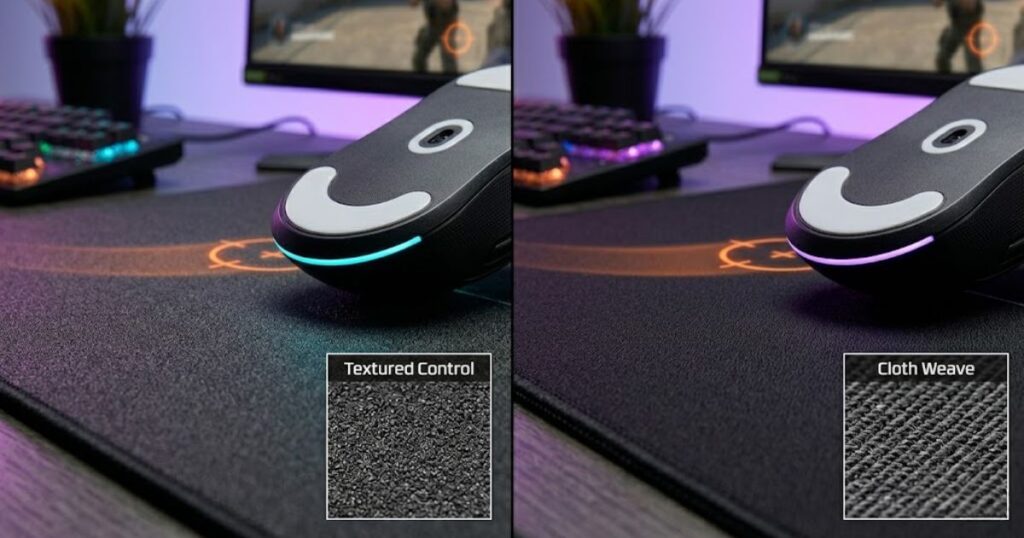
The image below highlights several surface characteristics that contribute to stopping power:
Understanding these factors is important because two pads can look similar while providing completely different levels of control. This is one reason why surface feel often matters more than appearance when choosing a mouse pad.
If you are still learning the fundamentals of what is a gaming mouse pad for FPS games, stopping power is one of the most important characteristics that separates different surface categories.
How Surface Texture Contributes to Stopping Power
Surface texture contributes to stopping power by affecting how the mouse feet interact with the pad during movement and stopping. Rougher textures generally create more feedback, while smoother textures often allow freer movement.
When the mouse moves across a textured surface, the feet encounter more microscopic resistance. This resistance does not necessarily make the pad slow, but it can create a stronger sense of control when ending a swipe.
Textured control pads often feel easier to stop because the surface provides more tactile feedback. Smoother speed-oriented pads usually prioritize uninterrupted glide instead of aggressive stopping feedback.
Texture alone does not determine stopping power, but it is one of the strongest contributors to how a surface feels during gameplay.
Why Cloth Weave Patterns Affect Mouse Control
Cloth weave patterns affect stopping power because they influence how consistently the mouse interacts with the surface. Different weave structures can change both glide behavior and endpoint control.
A tightly woven cloth surface often produces a smoother glide with less surface variation. A denser or more textured weave may create additional feedback that helps the player feel more connected to the surface.
Manufacturers often adjust weave patterns to create specific performance goals. Some designs prioritize speed, while others are intended to provide more control for tactical FPS players.
This is why two cloth mouse pads made from similar materials can still feel dramatically different during actual gameplay.
How Mouse Feet Interact With Stopping Surfaces
Mouse feet influence stopping power because they determine how the mouse contacts and moves across the surface. The same mouse pad can feel different depending on the skates being used.
Larger skates typically create more contact area with the surface, while smaller skates may reduce contact. Different materials and skate conditions can also affect how much control the player experiences.
Fresh PTFE skates often feel smoother and faster, while worn skates may introduce additional resistance. This can change how stopping power is perceived, even if the mouse pad itself remains unchanged.
Because stopping power is the result of interaction between multiple components, evaluating the surface without considering mouse feet can lead to inaccurate conclusions.
The table below explains the major factors that influence stopping power:
| Factor | Impact on Stopping Power | Typical Effect |
|---|---|---|
| Surface Texture | High | Changes tactile control and stopping feedback |
| Cloth Weave | High | Affects consistency and surface feel |
| Mouse Feet | Medium | Changes contact characteristics |
| Surface Wear | Medium | Can alter glide and stopping behavior |
| Humidity | Medium | May change cloth performance over time |
Although multiple variables contribute to stopping power, surface texture and weave design usually have the largest impact on how a mouse pad feels during FPS gameplay.
Mouse Pad Stopping Power vs Mouse Pad Friction: What Is the Difference?
Stopping power is the ability to stop movement with control, while friction is the resistance encountered during movement. The two concepts are related, but they are not the same thing.
Many FPS players use these terms interchangeably because both influence surface feel. However, friction describes resistance, while stopping power describes how effectively the surface helps the player end a movement.
This distinction matters because two mouse pads can have similar friction levels while providing noticeably different stopping behavior. Understanding that difference helps players evaluate surfaces more accurately.
A deeper understanding of mouse pad friction can also help explain why stopping power is only one part of overall surface performance.
Why Stopping Power and Friction Are Often Confused
Stopping power and friction are often confused because both affect how controlled a mouse pad feels during gameplay. When players notice more resistance, they often assume stopping power automatically increases.
In reality, friction measures resistance throughout movement, while stopping power focuses on what happens when the player attempts to stop. A surface can feel resistant during movement without necessarily providing excellent endpoint control.
Reviewers and players sometimes simplify both concepts into a single description, which further contributes to confusion. Over time, the terms became closely associated despite describing different characteristics.
Recognizing the distinction helps players understand why mouse pads with similar resistance can still perform differently in FPS games.
How Two Mouse Pads With Similar Friction Can Feel Different
Two mouse pads can have similar friction levels yet provide different stopping experiences because texture and surface design influence control beyond raw resistance.
For example, one pad may distribute resistance evenly across movement, while another may provide stronger feedback when the mouse begins to slow down. Even if both surfaces feel similarly resistant, their stopping behavior can feel completely different.
Surface texture, weave structure, and tactile feedback all contribute to this effect. These factors can change how easily a player judges movement endpoints during aiming.
This is why experienced FPS players often evaluate stopping power separately from friction when comparing mouse pads.
The table below compares stopping power and friction:
| Attribute | Stopping Power | Friction |
|---|---|---|
| Primary Purpose | Controls movement endpoint | Creates movement resistance |
| Most Noticeable During | Stopping movement | Moving across the surface |
| Directly Measures | Stopping control | Surface resistance |
| Can Exist Independently | Partially | Yes |
| Common Misunderstanding | Assumed to equal friction | Assumed to equal control |
Understanding this distinction makes it easier to evaluate mouse pads based on actual performance characteristics rather than relying on simplified surface descriptions.
High Stopping Power vs Low Stopping Power Mouse Pads Compared
High stopping power mouse pads prioritize controlled stopping behavior, while low stopping power mouse pads prioritize speed and freedom of movement. Neither approach is universally better because each serves different aiming styles and gameplay preferences.
Many FPS players initially assume more stopping power automatically means better performance. In reality, the ideal balance depends on how you aim, your sensitivity settings, and the types of FPS games you play most often.
High stopping power surfaces generally make movements feel more controlled and deliberate. Low stopping power surfaces usually feel faster and more effortless during large swipes. The challenge is finding the balance that matches your personal aiming style.
The comparison below illustrates the difference between high and low stopping power surfaces:
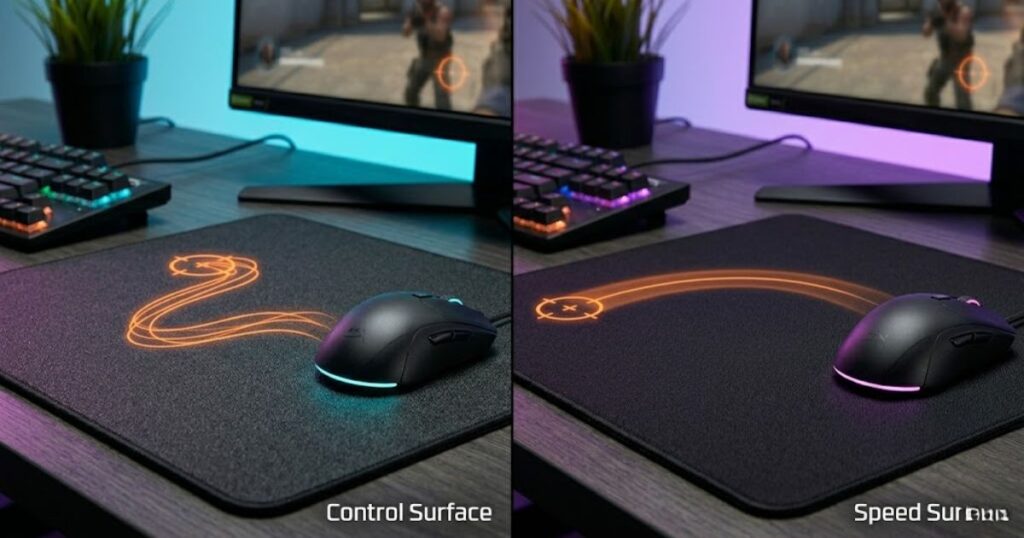
Understanding these differences makes it easier to evaluate mouse pads based on actual performance characteristics rather than marketing descriptions.
What High Stopping Power Mouse Pads Feel Like
High stopping power mouse pads feel more controlled when ending a movement and often provide stronger feedback throughout aiming. Many tactical FPS players prefer this feeling because it can make stopping points easier to judge.
When using a high stopping power surface, the mouse often feels more connected to the pad. Flicks may feel easier to stop precisely, and small corrections can feel more deliberate. This additional feedback can create a stronger sense of control during stressful engagements.
However, increased stopping power also means movements may require slightly more effort. Some players enjoy this stable feeling, while others find it restrictive during fast-paced gameplay.
The overall experience is usually described as controlled, planted, predictable, and confidence-inspiring.
What Low Stopping Power Mouse Pads Feel Like
Low stopping power mouse pads feel faster, smoother, and easier to move across large distances. They reduce movement resistance and allow the mouse to glide more freely.
Players often describe these surfaces as effortless because large swipes require less force. Fast target transitions can feel more fluid, and tracking movements may feel more natural on speed-oriented surfaces.
The tradeoff is that stopping points sometimes require more precise hand control. Players who struggle with overshooting may find low stopping power surfaces less forgiving during flick shots.
For some FPS players, this extra freedom creates a feeling of speed and responsiveness that outweighs the loss of stopping assistance.
Which Stopping Power Profile Is Easier to Control
High stopping power is usually easier to control for most players, but easier control does not always translate into better performance. Individual preferences and aiming habits play a major role.
Newer FPS players often adapt faster to higher stopping power because the surface provides more feedback during endpoint control. Experienced players who rely on speed and muscle memory may prefer lower stopping power because it allows faster movement execution.
The concept of “easy control” can also vary by game. A surface that feels ideal in Valorant may feel overly restrictive in Apex Legends or Call of Duty.
The best stopping power profile is ultimately the one that allows consistent performance without forcing unnatural adjustments to your aiming technique.
The table below compares high and low stopping power mouse pads:
| Feature | High Stopping Power | Low Stopping Power |
|---|---|---|
| Glide Speed | Slower | Faster |
| Stopping Control | Higher | Lower |
| Flick Precision | More Forgiving | Requires More Control |
| Tracking Feel | More Controlled | More Fluid |
| Movement Effort | Higher | Lower |
| Typical User | Tactical FPS Players | Fast-Paced FPS Players |
This comparison shows that stopping power is not about choosing the highest possible control level. The goal is finding the balance between movement freedom and endpoint precision.
Which Types of FPS Players Benefit Most From High Stopping Power?
High stopping power benefits players who prioritize precision, endpoint control, and consistent crosshair placement. These advantages are most noticeable in games where accuracy is rewarded more heavily than raw movement speed.
Not every FPS player needs a highly controlled surface. Some games demand rapid target transitions and constant tracking, while others emphasize first-shot accuracy and angle holding. The value of stopping power changes depending on those gameplay demands.
The image below shows the types of FPS players who often benefit from stronger stopping power:
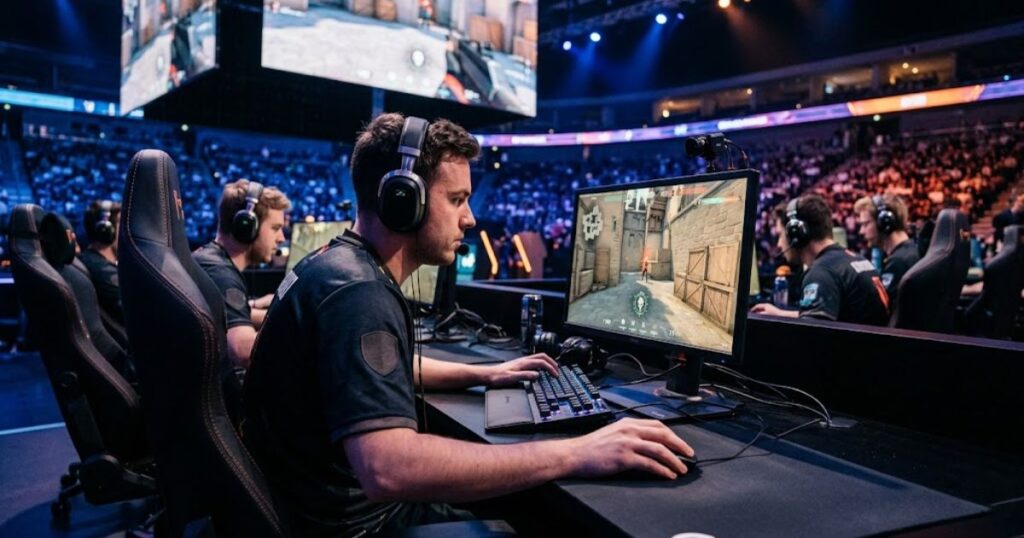
As a result, certain player profiles tend to benefit more consistently from higher stopping power than others.
Why Valorant Players Often Prefer More Stopping Power
Valorant players often prefer higher stopping power because the game rewards precise first-shot accuracy and disciplined crosshair placement.
Many engagements in Valorant are decided by small aiming errors. A slight overshoot can be the difference between landing a headshot and missing completely. Because of this, controlled surfaces often feel more reliable during flick shots and angle holding.
High stopping power can also help players make small corrections before firing. Since movement speed is generally slower than in arena shooters, sacrificing some glide speed is often considered an acceptable tradeoff.
This is one reason why many control-oriented mouse pads remain popular within the Valorant community.
Why Counter-Strike Players Value Controlled Stopping
Counter-Strike players frequently value stopping power because accurate crosshair placement and precise endpoint control are central to the game’s aiming mechanics.
Similar to Valorant, Counter-Strike rewards players who can stop the crosshair exactly where intended. High stopping power surfaces can provide additional confidence when peeking angles, pre-aiming corners, and performing quick flick adjustments.
The ability to repeatedly stop at predictable points often contributes to consistent aim over long sessions. Many players prefer that stability over the extra speed offered by low-control surfaces.
Although preferences vary, controlled surfaces continue to maintain a strong presence among competitive Counter-Strike players.
Why Low-Sensitivity Players Usually Notice Stopping Power More
Low-sensitivity players often notice stopping power more because they move the mouse across greater distances during aiming.
Larger arm movements naturally create more momentum. When a player performs a wide swipe, the ability to stop accurately becomes increasingly important. Strong stopping power can help manage that momentum and improve endpoint consistency.
Because low-sensitivity players frequently rely on large mouse movements, they often become more sensitive to subtle differences in surface control. Small changes in stopping behavior may feel much more obvious compared to high-sensitivity users.
This does not mean all low-sensitivity players need maximum stopping power. It simply means they are often more likely to notice its influence during gameplay.
For players comparing surfaces, many of the best gaming mouse pads for FPS games offer different stopping power profiles specifically to accommodate these varying playstyles.
The table below shows which FPS player types typically benefit most from higher stopping power:
| Player Type | Benefit Level | Primary Reason |
|---|---|---|
| Valorant Players | High | Emphasis on first-shot precision |
| Counter-Strike Players | High | Strong focus on endpoint control |
| Low-Sensitivity Players | High | Greater movement momentum |
| Apex Legends Players | Medium | Balance between tracking and control |
| Call of Duty Players | Medium | Faster overall gameplay pace |
| High-Sensitivity Players | Lower | Shorter movement distances |
These trends explain why stopping power preferences vary across FPS communities. The ideal surface depends less on what is objectively best and more on what supports the demands of a specific game and aiming style.
When Can Too Much Stopping Power Become a Problem?
Too much stopping power can become a problem when the surface restricts movement more than the player needs. It helps with control, but excessive stopping power may reduce glide freedom and make certain aiming tasks feel slower than intended.
Many FPS players assume more control always leads to better aim. In reality, every mouse pad exists on a balance between speed and control. Once a surface becomes too control-oriented for a player’s preferences, it can start creating limitations rather than advantages.
The ideal amount of stopping power depends on game type, sensitivity, mouse weight, and individual aiming style. A surface that feels perfect for one player may feel restrictive for another.
Understanding these limitations is important because stopping power should support aim rather than fight against it.
Why Excessive Stopping Power Can Slow Down Tracking
Excessive stopping power can make tracking feel slower because the mouse requires more effort to maintain continuous movement. This effect is most noticeable in games that involve frequent target tracking.
Tracking requires the crosshair to follow a moving target smoothly and consistently. When stopping power becomes too aggressive, the mouse may feel less fluid during these movements. Instead of gliding naturally, the surface can create a sensation of constant resistance.
This does not necessarily make tracking impossible. However, players who rely heavily on smooth movement often prefer a slightly faster surface that allows easier directional adjustments.
For games that involve long tracking sequences, too much stopping power may reduce comfort and make movement feel unnecessarily demanding.
How Very Controlled Surfaces May Feel Restrictive
Very controlled surfaces may feel restrictive because they reduce movement freedom and require additional force for large swipes. Some players enjoy this feeling, while others find it tiring during long sessions.
When a mouse pad offers extremely high stopping power, every movement receives additional feedback from the surface. Although this can improve endpoint control, it may also make rapid directional changes feel heavier than expected.
Players who prefer fast gameplay often describe these surfaces as muddy, sluggish, or overly controlled. In contrast, tactical FPS players may appreciate the same characteristics because they support precision-focused aiming.
The key issue is not whether high stopping power is good or bad. The issue is whether the amount of stopping power matches the player’s natural movement style.
The situations below explain when stopping power may become excessive:
- Slow tracking: Continuous target tracking may require more effort than necessary.
- Increased arm effort: Large swipes can feel heavier during extended gameplay sessions.
- Reduced glide freedom: The mouse may feel less fluid during rapid movement.
- Faster fatigue: Constant resistance can increase physical strain over time.
- Limited mobility: Quick transitions between targets may feel less responsive.
These drawbacks do not affect every player equally. They become most noticeable when the surface provides significantly more stopping power than the player actually needs.
How Can You Test Mouse Pad Stopping Power at Home?
You can test mouse pad stopping power at home by evaluating how easily the mouse stops after flicks, corrections, and controlled aiming movements. The goal is not to measure exact numbers but to understand how the surface behaves during practical gameplay situations.
Many FPS players rely entirely on reviews when comparing mouse pads. While reviews are useful, personal testing often reveals whether a specific stopping power profile actually matches your aiming style.
The image below demonstrates a simple method for testing stopping power at home:
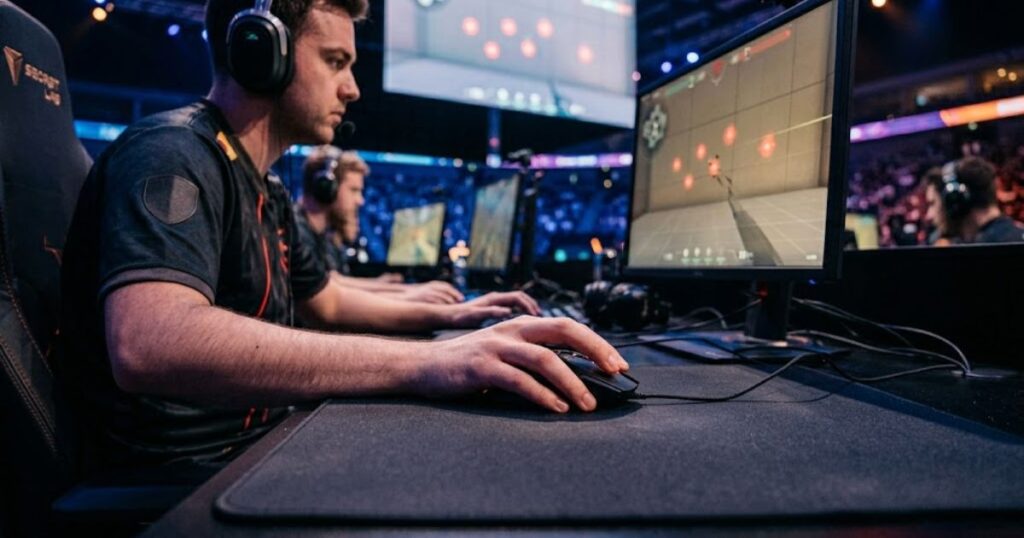
A simple series of tests can quickly identify whether a surface feels too fast, too controlled, or properly balanced for your needs.
Performing a Flick-Stop Consistency Test
A flick-stop consistency test evaluates how reliably the mouse stops after a fast aiming movement. This is one of the easiest ways to feel stopping power in action.
Choose a stationary target inside an aim trainer or FPS game. Perform repeated flicks toward the target while focusing on where the crosshair stops. If the crosshair regularly travels beyond the target, the surface may provide less stopping support than you prefer.
A surface with strong stopping power often feels easier to control during these repeated endpoint movements. The goal is not perfection but consistency across multiple attempts.
Comparing several mouse pads using the same sensitivity can make differences in stopping behavior easier to notice.
Testing Micro-Adjustment Control on a Target
Micro-adjustment testing evaluates how well the mouse settles during small corrective movements around a target. This helps reveal how stopping power behaves during precision aiming situations.
Place the crosshair close to a target and perform tiny corrections around the target’s edges. Pay attention to how easy it feels to stop each adjustment exactly where intended.
Surfaces with balanced stopping power often allow small corrections without excessive drift. If the crosshair frequently slides farther than expected, the surface may provide less endpoint control.
This test is particularly useful for tactical FPS players because micro-adjustments occur constantly during actual matches.
Comparing Stopping Distance Between Mouse Pads
Comparing stopping distance helps identify how different surfaces influence endpoint control. It is one of the simplest ways to compare multiple mouse pads directly.
Using identical sensitivity settings, perform the same swipe motion across different mouse pads. Observe how far the mouse continues to travel before coming to a complete stop.
A lower stopping distance often indicates stronger stopping feedback, while a longer stopping distance usually indicates a faster and more glide-focused surface. The goal is not necessarily the shortest stopping distance but the most predictable one.
Consistency is often more important than raw stopping strength because predictable behavior is easier to build muscle memory around.
The following process can help evaluate mouse pad stopping power:
- Set a consistent sensitivity: Use the same DPI and in-game sensitivity throughout testing.
- Perform repeated flick shots: Execute identical flick movements toward a fixed target.
- Observe stopping accuracy: Note how often the crosshair stops exactly where intended.
- Test micro-adjustments: Perform small corrective movements around the target.
- Compare multiple surfaces: Repeat the process across different mouse pads using identical settings.
This testing process provides a practical understanding of stopping power and helps identify which surface characteristics best support your aiming style.
Frequently Asked Questions About Mouse Pad Stopping Power
The FAQ section below answers the most common questions FPS players have about mouse pad stopping power, aiming control, surface feel, and mouse pad selection.
Many players understand the basic definition of stopping power but still have practical questions about how it affects gameplay. These answers focus on real FPS scenarios and common misconceptions that often appear in gaming communities.
Does higher stopping power always improve aim?
No, higher stopping power does not always improve aim. It helps some players control endpoint movements more effectively, but excessive stopping power can also make tracking and large swipes feel slower. The ideal amount depends on your sensitivity, game, and aiming style.
Is stopping power more important than mouse pad speed?
No, stopping power is not automatically more important than speed. Both characteristics work together. Some players perform better with additional control, while others prefer faster glide and movement freedom.
Do professional FPS players prefer high stopping power mouse pads?
Many professional tactical FPS players prefer higher stopping power surfaces, but preferences vary significantly. Some professionals use highly controlled pads, while others choose balanced or speed-oriented surfaces depending on their playstyle.
Can a speed mouse pad still have stopping power?
Yes, a speed mouse pad can still provide stopping power. Stopping power and speed are not complete opposites. Some modern mouse pads achieve fast glide while maintaining enough endpoint control for competitive FPS play.
What type of FPS games benefit most from stopping power?
Tactical FPS games usually benefit the most from stopping power. Games such as Valorant and Counter-Strike place a strong emphasis on precise crosshair placement and accurate endpoint control.
Does stopping power affect tracking aim?
Yes, stopping power can affect tracking aim. Moderate stopping power may improve stability, while excessive stopping power can make continuous tracking movements feel less fluid and more demanding.
How can I tell if my mouse pad has enough stopping power?
You can evaluate stopping power by observing how consistently you stop on target after flicks and micro-adjustments. If overshooting occurs frequently, you may benefit from a surface with more stopping control.
Does mouse weight influence stopping power?
Yes, mouse weight can influence how stopping power feels. Heavier mice often generate more momentum during movement, which can make stopping characteristics feel different compared to lightweight mice.
Can changing mouse skates alter stopping power?
Yes, mouse skates can significantly change stopping power perception. Different skate materials, shapes, and wear levels affect how the mouse interacts with the surface.
Do low-sensitivity players need more stopping power?
Not always, but many low-sensitivity players prefer additional stopping control. Large arm movements create more momentum, making endpoint control increasingly important.
Is stopping power the same as control?
No, stopping power and control are closely related but not identical. Stopping power focuses on endpoint behavior, while control is a broader concept that includes movement consistency, tracking stability, and overall surface feel.
Should beginners choose a high stopping power mouse pad?
Many beginners find moderate to high stopping power easier to learn with. Additional stopping feedback can make endpoint control more predictable, although personal preference should still guide the final choice.
The answers above cover the most important stopping power questions FPS players typically ask before choosing a mouse pad. Understanding these concepts makes it easier to evaluate surfaces based on performance rather than marketing terminology.
Final Thoughts on Mouse Pad Stopping Power for FPS Gaming
Mouse pad stopping power is the ability of a surface to help control how the mouse stops at the end of a movement. It helps determine how stable, predictable, and controlled aiming feels during real FPS gameplay.
Stopping power is not simply another word for friction, nor is it a direct measure of mouse pad quality. Some players perform best with strong stopping control, while others prefer faster surfaces that provide greater movement freedom. The ideal balance depends on the game being played, the player’s sensitivity settings, and individual aiming preferences.
Rather than searching for the highest stopping power possible, FPS players should focus on finding a surface that creates consistent and repeatable aiming performance. A mouse pad that feels predictable over hundreds of hours will almost always be more valuable than one that simply feels more controlled during a brief test.
When stopping power matches your aiming style, crosshair placement becomes easier to repeat, corrections become more confident, and overall mouse control feels more natural. That balance is ultimately what matters most in competitive FPS gaming.
Thanks for reading GearTP’s guide to mouse pad stopping power, and we hope it helps you choose a surface that better matches your FPS aiming style and control preferences.